Your site holds up fine on shared hosting until it doesn't. A product launch drives traffic, a campaign goes viral, or a technical buyer asks about your uptime architecture during validation, and the gap between "basic hosting" and "cloud hosting" becomes the whole conversation. According to Grand View Research (2025), the global web-hosting market reached $150.2 billion in 2025, with public cloud deployment accounting for 46.2% of that revenue. The shift is happening because cloud hosting gives teams what shared environments can't: Autoscaling, geographic redundancy, and the security documentation that survives a security review.
Choosing the right cloud hosting provider, though, is genuinely hard. Hyperscalers, managed WordPress hosts, managed cloud platforms, and cloud VPS providers all call themselves "cloud." The workload, team size, and operational capacity to manage infrastructure are what actually separate them.
This guide cuts through that to give you a workload-based comparison across 12 providers.
What's inside
This guide is for developers, technical GTM teams, IT decision-makers, and presales practitioners who need to match a hosting provider to a real workload.
Selection criteria used:
- Hosting model fit (static, VM, container, serverless, managed WordPress, managed cloud)
- Scalability and reliability architecture
- Security controls and compliance documentation
- Pricing clarity and total cost of ownership
- Fit across use cases: WordPress sites, static sites, dynamic apps, and ecommerce
Pricing and ratings were verified against each vendor's live pricing page and G2 listing.
TL;DR
- Best for complex infrastructure: AWS covers the widest range of compute, database, networking, and serverless patterns
- Best for Google-native teams: Google Cloud leads on serverless, containers, and data infrastructure
- Best for Microsoft environments: Microsoft Azure fits Windows Server, .NET, and enterprise governance requirements
- Best for developer-friendly cloud: DigitalOcean offers simpler cloud hosting without hyperscaler overhead
- Best managed cloud (no server admin): Cloudways handles server management so your team doesn't have to
- Best for WordPress performance: Kinsta and WP Engine are the strongest managed WordPress picks
What is cloud web hosting?
Cloud web hosting is a model where websites or web applications run on distributed cloud infrastructure rather than a single physical server.
Instead of one machine handling all requests, cloud hosting spreads compute, storage, and networking across multiple servers and data centers. When a server fails or traffic spikes, the system reroutes automatically. This is what makes cloud hosting fundamentally different from shared hosting or traditional VPS.
Key capabilities to look for in any cloud hosting service:
- Autoscaling: Compute scales up during traffic spikes and scales down automatically
- Redundancy: Requests route away from failed nodes without manual intervention
- Global delivery: CDN and edge nodes reduce latency for distributed audiences
- Security controls: SSL, WAF, DDoS protection, access management, and audit logging
- Cost flexibility: Pay for actual usage rather than a fixed server allocation
Core hosting models and what they mean:
- Static hosting: HTML, CSS, and JavaScript served from object storage or a CDN. Low cost, low maintenance, no server required
- VM hosting: Full virtual machine giving you operating system control. Suits custom apps and legacy stacks
- Container hosting: Docker or Kubernetes-based deployments. Good for modern microservices
- Serverless hosting: Code runs on demand without managing a server. Well-suited for APIs and event-driven workloads
- Managed WordPress hosting: WordPress-optimized infrastructure with automated updates, backups, and caching built in
- Managed cloud hosting: A management layer on top of cloud infrastructure, handling server administration on your behalf
The right model depends on what you're running. A static marketing site needs different hosting than a multi-tenant SaaS application or a high-traffic ecommerce store.
When to use cloud web hosting
Handle unpredictable traffic
A campaign launch, PR hit, or enterprise event can send traffic well beyond your baseline capacity. Cloud hosting handles this through autoscaling and load balancing, adding compute resources during peaks and releasing them after. CDN layers reduce origin server pressure by caching content at edge nodes closer to users. For ecommerce platforms and SaaS marketing sites, this protection against traffic spikes is a core requirement, not a nice-to-have.
Support modern web applications
Dynamic web apps need more than a PHP file on a shared server. They require managed databases, background job queues, API endpoints, container orchestration, and CI/CD deployment pipelines. Cloud providers give you all of these as managed services, letting engineering teams focus on the application rather than the underlying infrastructure. Serverless functions are particularly useful for unpredictable workloads where provisioning a full VM would be wasteful.
Improve reliability during technical validation
When a technical buyer asks about your uptime target, backup process, restore time, or DDoS mitigation, your hosting architecture is part of the answer. Cloud providers publish detailed documentation on redundancy, SLAs, monitoring, and incident response. For presales teams navigating security reviews, being able to point to a provider's SOC 2 documentation or shared responsibility model shortens the diligence cycle. Cloud hosting gives you a stronger architecture story than shared hosting can.
Cloud web hosting provider comparison
The table below covers all 12 providers in this guide. Pricing reflects verified figures from each vendor's official pricing page. G2 ratings were verified at time of writing; N/A indicates no relevant G2 listing was confirmed.
| # | Product | Best for | Key differentiator | Pricing | G2 rating |
|---|---|---|---|---|---|
| 1 | AWS | Complex apps and enterprise workloads | Deepest service catalog across compute, storage, database, and networking | Pay-as-you-go; free tier available | 4.4/5 |
| 2 | Google Cloud | Serverless, containers, Google-native teams | Cloud Run, Firebase, GKE, and strong global networking | Pay-as-you-go; $300 free credit for new users | N/A |
| 3 | Microsoft Azure | Microsoft-heavy enterprises | Tight fit with Windows Server, .NET, and enterprise identity | Free account with $200 credit; pay-as-you-go after | N/A |
| 4 | DigitalOcean | Developer-friendly cloud VPS | Simpler cloud experience for startups and small teams | From $4/month (Droplets); App Platform from $0/month | 4.6/5 |
| 5 | Cloudways | Managed cloud without server admin | Managed layer across major infrastructure providers | From $35/month; 3-day free trial available | 4.7/5 |
| 6 | Kinsta | Managed WordPress performance | Premium WordPress hosting on cloud infrastructure | From $35/month | 4.8/5 |
| 7 | WP Engine | Enterprise WordPress and agency workflows | Managed WordPress platform with governance and developer tooling | From $30/month | 4.6/5 |
| 8 | Bluehost | Small business WordPress sites | Accessible WordPress-first hosting with packaged plans | From $3.99/month (introductory, 36-month term) | 3.4/5 |
| 9 | SiteGround | SMB websites and managed WordPress | Performance-focused managed hosting with strong support | From $2.99/month (introductory, 12-month prepaid) | 4.2/5 |
| 10 | Hostinger | Budget cloud hosting | Low entry pricing with AI tools and guided setup | From $1.99/month (introductory, 48-month prepaid) | 4.4/5 |
| 11 | DreamHost | WordPress and open-web hosting | Flexible portfolio with WordPress, VPS, and upgrade paths | From €2.89/month (introductory, first year) | 4.1/5 |
| 12 | Liquid Web | Business-critical managed hosting | High-touch support with managed VPS, cloud, and WordPress | From $14.75/month | 4.2/5 |
Best 12 cloud web hosting providers for 2026
1. AWS

Amazon Web Services (AWS) is the broadest cloud platform available, covering compute, storage, managed databases, CDN, DNS, load balancing, and serverless functions across hundreds of services. Teams can host anything from a static marketing page on S3 to a multi-region SaaS application using EC2, RDS, Lambda, and CloudFront together. AWS serves a large share of the internet's infrastructure, from startups to the largest enterprise workloads.
Best for: Engineering-led teams that need flexible infrastructure across many application patterns, including static sites, dynamic apps, APIs, and ecommerce.
Key features
- EC2 virtual machines for custom compute configurations
- S3 static hosting with CDN-backed delivery
- Lambda serverless functions for event-driven workloads
- RDS managed databases covering PostgreSQL, MySQL, and others
- CloudFront CDN for global content delivery
Why choose AWS: Choose AWS when flexibility and service depth matter more than a guided, managed experience. Teams with technical staff who can design, secure, and optimize the architecture get the most value here. Less suited to teams who want someone else to handle server administration.
AWS pricing: AWS runs on pay-as-you-go pricing across all services, so cost depends on EC2 instance type, S3 storage and requests, RDS configuration, CloudFront data transfer, and region. A free tier covers several services for 12 months. Use the AWS pricing calculator to model specific workloads before committing.
G2 rating: 4.4/5
2. Google Cloud
Google Cloud is a strong fit for teams building on serverless architecture, containerized workloads, or Firebase-backed applications. Cloud Run handles containerized apps without managing clusters, Firebase Hosting delivers static and dynamic content globally, Compute Engine provides VMs, and GKE manages Kubernetes at scale. Cloud SQL covers managed relational databases, and Cloud CDN and Cloud DNS round out the networking layer.
Best for: Teams that want strong serverless, container, and data infrastructure in one cloud, particularly those already using Google Workspace or Firebase.
Key features
- Cloud Run serverless container hosting
- Firebase Hosting for static and dynamic web apps
- Compute Engine VMs with flexible machine types
- GKE for managed Kubernetes
- Cloud SQL managed databases
Why choose Google Cloud: Choose Google Cloud when your hosting plan depends on modern app architecture: A static or JAMstack frontend, a serverless or containerized backend, and managed databases. The free tier and $300 credit for new accounts make it low-risk to start. Costs climb with egress, so model data transfer early.
Google Cloud pricing: Pricing is product-specific and usage-based. New customers receive $300 in free credits, and more than 20 products have ongoing free usage limits. Compute Engine, Cloud Run, and Cloud SQL each publish per-unit pricing by region on the Google Cloud pricing page.
G2 rating: N/A (no confirmed Google Cloud-specific G2 rating at time of writing)
3. Microsoft Azure
Microsoft Azure is the enterprise-friendly option for teams already running Windows Server, .NET applications, or Microsoft identity infrastructure. Azure App Service handles web app hosting with managed runtimes, Azure Virtual Machines cover custom configurations, Azure Kubernetes Service manages containers, and Azure SQL Database serves relational workloads. Azure Front Door delivers CDN and global load balancing. Integration with Entra ID and Microsoft's governance tooling makes compliance review more straightforward for regulated organizations.
Best for: Enterprise teams standardized on Microsoft, running regulated workloads that require identity controls, audit logging, and procurement through existing Microsoft contracts.
Key features
- Azure App Service for managed web app hosting
- Azure Virtual Machines for custom configurations
- Azure Kubernetes Service for container orchestration
- Azure SQL Database for managed relational workloads
- Azure Front Door for CDN and load balancing
Why choose Azure: Choose Azure when your hosting decision sits inside a broader Microsoft environment. It fits .NET applications, Windows-based workloads, and teams where security review depends on familiar Microsoft tooling. For Linux-native or Google-native teams, the other hyperscalers often fit better.
Azure pricing: Azure offers a free account with $200 in credit for the first 30 days, plus a selection of services free for 12 months. Beyond that, pricing is service-specific and usage-based. App Service, VM, SQL Database, and Front Door each publish their own rates by tier and region on the Azure pricing page.
G2 rating: N/A (no confirmed Azure-specific G2 rating at time of writing)
4. DigitalOcean
DigitalOcean is designed for developers, startups, and small-to-medium engineering teams that want cloud infrastructure without hyperscaler complexity. Droplets are straightforward virtual machines priced simply by configuration. App Platform handles container-based web app deployment. Managed Databases cover PostgreSQL, MySQL, and Redis. Spaces provides S3-compatible object storage, and Kubernetes is available for teams ready to orchestrate containers. Predictable pricing and a clean interface make DigitalOcean easier to explain to non-infrastructure stakeholders during technical validation.
Best for: Small engineering teams and startups that want cloud VPS hosting without the overhead of learning AWS or Azure's full service catalog.
Key features
- Droplets (virtual machines) starting at $4/month
- App Platform for managed container and code deployments
- Managed Databases for PostgreSQL, MySQL, MongoDB, and Redis
- Kubernetes clusters for container orchestration
- Spaces object storage (S3-compatible, from $5/month)
Why choose DigitalOcean: Choose DigitalOcean when your team wants a clean cloud experience and predictable billing without a dedicated DevOps function. For enterprise workloads with complex compliance or governance requirements, the hyperscalers offer more coverage. For application server needs at startup scale, DigitalOcean is a practical fit.
DigitalOcean pricing: App Platform starts at $0/month for static sites. Droplets start at $4/month. Managed Databases start at $15/month, Kubernetes at $12/month, and Spaces at $5/month. All pricing is monthly and usage-based; no long-term contract is required.
G2 rating: 4.6/5
5. Cloudways

Cloudways sits between the DIY hyperscalers and the fully managed WordPress hosts. It provides a managed layer over cloud infrastructure, handling server configuration, security patching, automated backups, and caching so your team focuses on the application rather than the server. You choose the underlying infrastructure provider and server size, and Cloudways manages everything else. Staging environments, team access controls, and SSL management are included.
Best for: Agencies, SMBs, and marketing-led teams that want managed cloud hosting without hiring a DevOps engineer.
Key features
- Managed cloud servers across multiple infrastructure providers
- One-click staging environments for safe testing
- Automated backups and easy restore
- Built-in caching with Memcached, Varnish, and Redis
- Team access controls with role-based permissions
Why choose Cloudways: Choose Cloudways when your team needs cloud hosting performance but wants someone else to handle daily server management. It is a practical fit for agencies managing multiple client sites and for marketing teams running commercial WordPress or PHP applications. Teams that need raw infrastructure access or custom kernel configurations will want a different path.
Cloudways pricing: The Autonomous (managed WordPress) plans start at $35/month and include a 3-day free trial. Flexible managed hosting plans vary by infrastructure provider and server size. Enterprise pricing is available on request.
G2 rating: 4.7/5
6. Kinsta
Kinsta provides premium managed WordPress hosting built on cloud infrastructure. Every plan includes staging environments, daily backups, edge caching, a global CDN, built-in application performance monitoring (APM), and a managed WAF with DDoS protection. Kinsta also offers application and database hosting for non-WordPress workloads. The MyKinsta dashboard gives teams a clear view of performance metrics, backup history, and resource usage. Unlimited free migrations make switching from another provider low-friction.
Best for: WordPress teams that want managed performance and support without tuning servers, including SaaS marketing sites, content-heavy businesses, and agencies with demanding clients.
Key features
- Managed WordPress hosting with automated core and plugin updates
- Free staging environments for every site
- Daily automated backups with one-click restore
- Edge caching and global CDN included
- Built-in APM for performance visibility
Why choose Kinsta: Choose Kinsta when WordPress performance and support quality matter more than the lowest monthly bill. It's not the cheapest WordPress host, but it's one of the most complete managed offerings. For ecommerce sites running WooCommerce with high traffic, Kinsta's infrastructure and support depth justify the cost.
Kinsta pricing: Managed WordPress hosting starts at $35/month (or $30/month billed annually). The Launch plan covers one WordPress site. Higher tiers go up to Agency and Enterprise starting at $340/month and $500/month respectively. No free plan is available.
G2 rating: 4.8/5
7. WP Engine
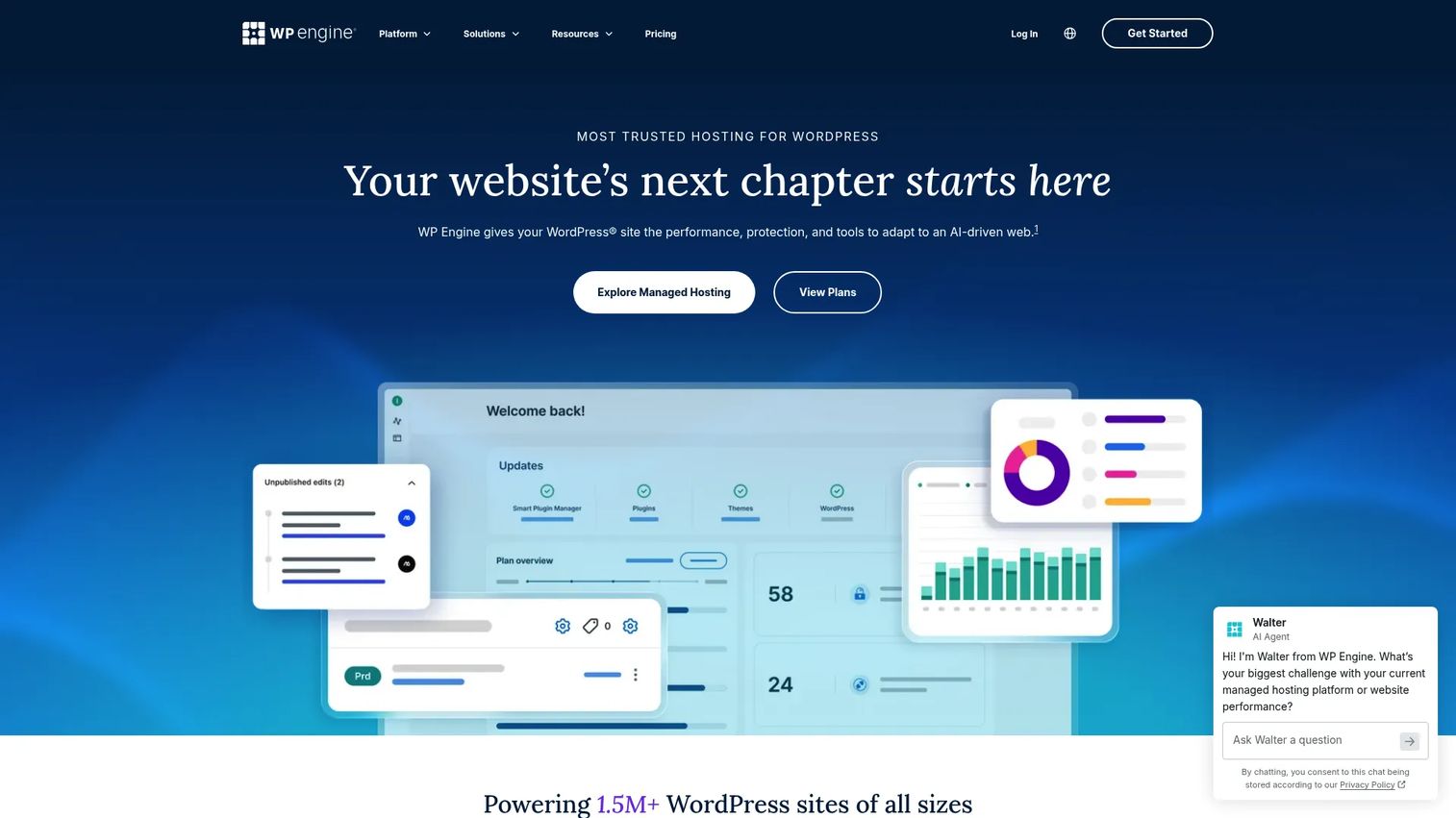
WP Engine is a managed WordPress platform built for business sites, agencies, and enterprise teams running revenue-generating WordPress properties. Managed WordPress is the core product, with features including staging and development environments, automated backups, security monitoring, managed updates, and headless WordPress support for decoupled frontends. Agency tooling includes multi-site management and client reporting. WP Engine's ecosystem includes the Genesis framework and a plugin marketplace, which can add capability without additional development work.
Best for: Companies running business-critical WordPress sites that need governance, developer workflows, and reliable support.
Key features
- Managed WordPress with automated PHP, MySQL, and core updates
- Daily and on-demand backups with easy restore
- One-click staging and development environments
- Security monitoring with threat blocking
- Multi-site and agency management tooling
Why choose WP Engine: Choose WP Engine when WordPress is a core revenue surface and you need consistent reliability, managed security, and a developer experience that fits a team publishing regularly. It is a strong fit for media sites, enterprise marketing sites, and agencies managing many client properties. For simple small-business sites, a lower-cost option may be sufficient.
WP Engine pricing: Plans start at $30/month for the Startup plan (1 site, 10 GB storage). Professional runs $55/month, Growth $109/month, and Scale $276/month. Core Hosting starts at $400/month via sales. No free tier is available.
G2 rating: 4.6/5
8. Bluehost

Bluehost is an accessible entry point for small businesses and first-time WordPress site owners. It packages domain registration, SSL certificates, a website builder, WordPress hosting, and ecommerce plans together, making it easy to launch a site without managing multiple vendors. Bluehost also offers VPS and dedicated server options for teams that outgrow shared hosting. The platform claims a 99.99% uptime SLA and includes weekly backups on its shared plans.
Best for: Small businesses and individuals who want a packaged path to launching a WordPress or business site without managing infrastructure.
Key features
- WordPress hosting plans with managed updates
- Free domain registration for the first year
- Free SSL certificates and CDN included
- Website builder with AI-assisted site creation
- Ecommerce plans for WooCommerce
Why choose Bluehost: Choose Bluehost when you need a low-friction path to launch a WordPress or business site and want domain, hosting, and basic tools in one place. For complex custom applications, API-heavy workloads, or teams with specific compliance requirements, the hyperscalers or managed cloud options are better fits. Bluehost's G2 rating (3.4/5) reflects a higher volume of mixed reviews compared to premium managed hosts, worth weighing against its accessible pricing.
Bluehost pricing: Introductory shared hosting starts at $3.99/month (Starter, 36-month term). The Business plan is $6.99/month and eCommerce Essentials is $14.99/month at the same billing term. Renewal rates are higher: $9.99/month, $13.99/month, and $21.99/month respectively. Check the current pricing page for cloud-specific plan rates.
G2 rating: 3.4/5
9. SiteGround

SiteGround is a managed hosting provider built for SMBs, WordPress sites, and ecommerce stores. Hosting plans include free SSL, CDN, backups, email, and domain registration. SiteGround runs on Google Cloud infrastructure for its hosting products and includes a multilevel caching setup, WordPress-specific tools with autoupdates and AI features, and 24/7 human support. The Website Builder covers teams that want a code-free option alongside standard managed hosting.
Best for: Small-to-medium businesses that want managed website or WordPress hosting with responsive support and a practical dashboard.
Key features
- Managed WordPress with autoupdates and AI tools
- Cloud hosting plans on Google Cloud infrastructure
- Built-in multilevel caching for performance
- Daily automated backups with one-click restore
- CDN and SSL included on all hosting plans
Why choose SiteGround: Choose SiteGround when you want managed hosting for a business site without dealing with cloud primitives. The combination of support quality, included features, and straightforward pricing makes it a practical pick for SMBs. Note that renewal pricing is substantially higher than introductory rates, so factor that into any multi-year cost comparison.
SiteGround pricing: Introductory shared hosting starts at $2.99/month (StartUp, prepaid 12 months). GrowBig is $4.99/month and GoGeek is $7.99/month at the same term. Renewal pricing increases to $17.99/month, $29.99/month, and $44.99/month respectively. Cloud hosting plans are available at separate rates on the SiteGround pricing page.
G2 rating: 4.2/5
10. Hostinger

Hostinger targets cost-conscious teams that want a full hosting and website management toolkit without a large upfront investment. Plans include shared hosting, cloud hosting, VPS, WordPress, WooCommerce, and a website builder with AI generation. Free SSL, website migration, CDN, and backups are bundled across plans. Hostinger's AI site builder and integrated control panel are designed to reduce setup complexity for teams without deep technical backgrounds.
Best for: Budget-conscious teams, early projects, and small sites that need cloud hosting with guided setup and integrated tools.
Key features
- Cloud hosting plans with dedicated resources
- VPS hosting for more control
- WordPress and WooCommerce hosting
- AI-powered website builder
- Email hosting included
Why choose Hostinger: Choose Hostinger when price is the primary constraint and the workload is a small-to-medium website rather than a complex application. The introductory rates are among the lowest in this comparison, but they require long prepaid billing terms. Renewal pricing is significantly higher, so calculate the year-two cost before committing. For teams needing web design alongside hosting, Hostinger's bundled builder adds convenience.
Hostinger pricing: Introductory pricing starts at $1.99/month (Premium, 48-month prepaid). Unlimited is $2.79/month, Cloud Startup is $7.99/month, and Agency Startup is $29/month at equivalent terms. Renewal rates are $10.99/month, $16.99/month, $25.99/month, and $49/month respectively. No free tier is available.
G2 rating: 4.4/5
11. DreamHost

DreamHost is a long-running hosting provider with a flexible product portfolio covering shared hosting, managed WordPress, VPS, dedicated servers, and cloud services. The AI website builder, NVMe SSD storage, daily automated backups, unmetered bandwidth, free SSL certificates, and 24/7 in-house support are included across plans. DreamHost is an independently owned company and positions itself around open web values, which resonates with some teams during vendor selection.
Best for: Small businesses, WordPress publishers, and teams that want a proven hosting provider with clear upgrade paths from shared to VPS or cloud.
Key features
- Managed WordPress hosting with free migrations
- VPS hosting for more control and dedicated resources
- Cloud services for teams needing scalable compute
- Domain registration and email hosting
- Daily automated backups with NVMe SSD storage
Why choose DreamHost: Choose DreamHost when you want a reliable hosting provider that covers multiple tiers from a single vendor. It works well for teams starting on shared or WordPress hosting and planning to move to VPS or dedicated later. The G2 rating (4.1/5) is decent; the pricing page showed EUR during research, so verify USD rates directly on DreamHost's site before finalizing a comparison.
DreamHost pricing: Web hosting starts at €2.89/month (Launch, first-year introductory rate, renews at €10.99/month). Growth is €3.99/month introductory (renews at €12.99/month) and Scale is €9.99/month introductory (renews at €25.99/month). Verify current USD pricing and VPS or cloud plan rates on the DreamHost pricing page.
G2 rating: 4.1/5
12. Liquid Web

Liquid Web is a managed hosting provider built for business-critical sites and applications. Rather than competing on price, it competes on managed support depth and infrastructure quality. Products include managed VPS, cloud hosting, dedicated servers, managed WordPress, managed WooCommerce, and Magento hosting. Every plan includes 24/7/365 expert support with rapid response SLAs, root access, DDoS protection, and scalable cloud resources. Liquid Web positions itself as a hosting partner for ecommerce businesses, agencies, and applications where downtime carries real revenue cost.
Best for: Ecommerce sites, agencies, and businesses running applications where uptime, migration risk, and support quality matter more than entry-level pricing.
Key features
- Managed cloud hosting with root access and scalable resources
- Managed VPS starting at $14.75/month
- Dedicated servers for high-traffic or compute-intensive workloads
- Managed WordPress and WooCommerce hosting from $19/month
- 24/7/365 expert support with aggressive response SLAs
Why choose Liquid Web: Choose Liquid Web when your hosting decision is driven by support quality and uptime guarantees rather than the lowest monthly rate. It fits businesses where a hosting failure has immediate revenue consequences and where you want a managed partner rather than a DIY infrastructure provider. For B2B ecommerce teams or agencies managing high-stakes client sites, Liquid Web's support model is the differentiated value.
Liquid Web pricing: Managed VPS starts at $14.75/month. WordPress and WooCommerce hosting both start at $19/month. Cloud hosting starts at $123/month. Dedicated servers start at $242/month. No free tier is available.
G2 rating: 4.2/5
Considerations when choosing cloud web hosting
Match the hosting model to the workload
Static sites, WordPress properties, ecommerce stores, and custom applications each need a different architecture. A static marketing site runs cheaply on object storage with a CDN in front. A high-traffic WooCommerce store needs a managed WordPress host with caching and database headroom. Map the workload before shortlisting providers, not after.
Check the operational burden
Hyperscalers offer the most flexibility, but they also require the most technical ownership. Your team needs to configure security groups, manage SSL renewals, tune database performance, and respond to infrastructure alerts. Managed hosts and managed cloud platforms reduce that burden at the cost of some low-level control. For presales teams explaining architecture to buyers, the honest answer about operational overhead matters during technical validation.
Model cost beyond the entry plan
Entry-tier prices are rarely the full picture. Cloud costs grow with compute, bandwidth, database size, CDN data transfer, backup storage, and support tier. For managed hosts, check renewal pricing rather than promotional rates. For hyperscalers, run estimates through the AWS, Google Cloud, or Azure pricing calculators using realistic traffic and storage projections. Unexpected bandwidth costs and pricing software miscalculations are common sources of hosting bill surprises.
Verify security and compliance controls
SSL, WAF, DDoS protection, access controls, audit logging, backup policies, and data residency are the questions that show up in security reviews. No hosting provider makes your application compliant with any regulation on its own; the shared responsibility model means some controls sit with the provider and others remain with your team. Collect each provider's security documentation before a review, not during one.
Plan for growth and migration
Hosting decisions compound. Migrating a database-backed application from one provider to another is expensive and time-consuming. Factor in traffic growth projections, planned product features, CI/CD pipeline requirements, and database scaling needs. Choose a provider whose upgrade path matches your roadmap so you're not replanning infrastructure during a critical growth phase.
Conclusion
Cloud hosting is not one thing. The right provider for a static marketing site is a different choice than the right provider for an enterprise SaaS application or a high-traffic ecommerce store.
For infrastructure-heavy workloads requiring full control, AWS leads on depth. Google Cloud excels on serverless and container patterns. Azure fits Microsoft-standardized enterprises. For developer-friendly cloud VPS without hyperscaler overhead, DigitalOcean is the cleaner path. Cloudways is worth evaluating when you want cloud performance without daily server management.
On the WordPress side, Kinsta and WP Engine are the strongest managed options for serious performance and governance requirements. SiteGround, Bluehost, Hostinger, and DreamHost cover smaller sites and SMBs at lower price points. For business-critical workloads where downtime costs money, Liquid Web's support model stands out.
Build a shortlist based on workload first. Start by answering: Static or dynamic, WordPress or custom app, small team or dedicated engineering, entry budget or managed support. Those answers will point to two or three providers worth evaluating in depth.
FAQs
Cloud web hosting is a model where a website or application runs on distributed cloud infrastructure across multiple servers rather than one physical machine. It uses managed compute, storage, networking, and CDN services to deliver performance, redundancy, and autoscaling. When a server fails or traffic spikes, the system adapts without manual intervention.
Traditional web hosting typically places a site on a single shared server or a fixed VPS, limiting how much it can scale under load. Cloud hosting distributes workloads across multiple servers and data centers, enabling autoscaling, higher redundancy, and more flexible cost structures. Shared hosting, VPS, and dedicated hosting are traditional categories; cloud hosting models include serverless, managed Kubernetes, and infrastructure-as-a-service.
Kinsta and WP Engine are the strongest managed WordPress picks for performance-critical or business-critical sites. SiteGround and Bluehost suit smaller WordPress sites and SMB budgets. DreamHost is a flexible option for teams that want managed WordPress with clear upgrade paths to VPS or cloud. The right choice depends on traffic volume, team size, editorial workflow, and support requirements.
AWS, Google Cloud, and Azure offer the most infrastructure control and the widest service catalogs. DigitalOcean is the most developer-friendly option for teams that want clean cloud VPS hosting without hyperscaler complexity. Cloudways is worth considering if your team wants cloud performance with managed server administration. The right fit depends on whether you need raw infrastructure control or a managed experience.
Cloud hosting is usually the right fit for ecommerce, because traffic on product launch days, sales events, and seasonal peaks is unpredictable. Autoscaling handles those spikes without manual provisioning. CDN support reduces load times for global customers. Managed databases and security features address the reliability and compliance requirements that ecommerce operations face. The specific architecture matters more than the cloud label itself. Check out the best ecommerce platform for small business guide if you're also evaluating the storefront layer.
Costs range from under $2/month for entry-tier managed hosting to hundreds or thousands per month for managed cloud and hyperscaler workloads. The drivers include compute tier, bandwidth, storage, database size, CDN data transfer, backups, support plan, and renewal pricing vs. introductory rate. Usage-based hyperscaler costs require active monitoring because they can grow unexpectedly with traffic or data egress.
Static websites can run cheaply on cloud object storage with a CDN in front, or on static hosting platforms. They do not need a full VM, managed WordPress environment, or application server. AWS S3 with CloudFront, Google Cloud Firebase Hosting, and DigitalOcean App Platform all handle static sites effectively at low cost. If your site is purely HTML, CSS, and JavaScript with no server-side processing, a full managed hosting plan is more than you need.
During technical validation, ask about uptime SLA and historical incident data, automated backup frequency and restore time, monitoring and alerting setup, DDoS mitigation approach, access control and audit logging, data residency and geography of servers, and the provider's shared responsibility model. For regulated workloads, request security documentation such as SOC 2 reports or ISO certifications. Ask about the migration process and what support is included if you need to move data or replicate an environment. These questions are the same ones that show up in security reviews, so having the answers ready shortens the diligence cycle for both buyer and seller. Presales teams can also check out the best presales software tools guide for tooling that supports the broader technical validation workflow.