Someone leaves your company on a Friday. By Monday, they still have their email, their Slack, admin rights to your billing dashboard, and a company laptop nobody has asked for. Nobody meant for that to happen. It happened because the exit process lived in a Slack thread, a manager's memory, and a checklist that only exists when someone remembers to open it.
That gap is where risk piles up. The G2 offboarding category listed 30 products and 2,748 verified reviews as of June 2026, with an average rating of 4.39 out of 5, which tells you how many teams have decided this problem is worth buying software for. The market itself sat around USD 1.1 billion in 2023 and is projected to hit USD 3.2 billion or more by the early 2030s at roughly 12.5% CAGR, according to Dataintelo. Exits are getting more automated because manual exits keep breaking.
For a founder, this is not an HR purity question. It is a control question. When someone leaves, can you revoke access cleanly, recover the laptop, confirm final pay landed, and prove all of it later? If that answer depends on one person remembering, the process does not scale. And offboarding is exactly the kind of work that quietly routes back through you when it fails, which is the opposite of what a repeatable company looks like.
The tools below solve the same underlying problem in different ways. Some are HR systems of record. Some are identity and IT governance layers. Some are lifecycle workflow platforms. Which one fits depends on whether your biggest exposure is process, access, or scale.
What's inside
This guide covers eight offboarding platforms across three categories: HR suites where offboarding is part of a broader system, identity and IT governance tools built around access revocation, and lifecycle workflow platforms focused on structured checklists and asset tracking. We selected tools based on workflow depth, employee offboarding automation, integrations with the systems that actually run exits, compliance and audit trail support, and usability for small to mid-sized SaaS teams. Both dedicated offboarding tools and broader HR platforms are included, but only where offboarding is a clear, real capability and not an afterthought. If you are also standardizing the front end of the employee lifecycle, our roundup of the best onboarding flow software pairs well with this list.
TL;DR
- Best overall for growing SaaS teams: Rippling, because HR, IT, and access revocation run in one workflow.
- Best all-in-one HR system of record: BambooHR, for teams that want offboarding inside a familiar HR platform.
- Best for compliance and final-pay handling: Gusto, strong on payroll, PTO payout, and exit steps.
- Best for Microsoft-centric organizations: Beyond Intranet, built around SharePoint and Teams governance.
- Best for identity and access governance: Okta for identity-led deprovisioning, BetterCloud for SaaS app access control.
- Best for standardizing onboarding and offboarding together: Aptien, with structured checklists and equipment return tracking.
Larger, complex orgs that need policy and reporting at scale should look at Workday. If you are researching adjacent operational tooling, our guide to audit management software covers the compliance side in more depth.
What offboarding software actually does
Offboarding software coordinates every step of an employee exit, including task assignment, approvals, access revocation, asset returns, and record keeping, so nothing depends on one person remembering the sequence.
That is the one-sentence version. In practice, an offboarding platform pulls a scattered process into a single workflow with clear ownership. When someone gives notice or is exited, the system triggers the right tasks to the right people, tracks completion, and keeps a record you can pull later.
Core capabilities most buyers should expect:
- Task automation, reminders, notifications: The system routes offboarding tasks automatically and nudges owners before deadlines slip.
- Access revocation: Accounts, app permissions, and admin rights get removed on a defined timeline, ideally the moment employment ends.
- Approval chains and role-based routing: HR, IT, the manager, and finance each get the steps they own, with sign-off where it matters.
- Compliance and audit trail: Timestamps, approvals, and completed steps are logged so you can prove the process ran.
- Integrations: Connections to your HRIS, identity provider, payroll, device management, and collaboration tools so the workflow reaches real systems.
Why offboarding matters in 2026
Manual exits fail quietly. A former employee keeps access to a shared drive for weeks. A laptop never comes back. A final paycheck is late and triggers a compliance issue. None of these show up on a dashboard until they become a problem, which is what makes former employee access risk so dangerous. It is invisible until it is a breach, a fine, or a lost asset.
The stakes climb as headcount grows. At 20 people, a checklist in a doc mostly works. At 120 people with contractors cycling in and out, reorgs, and the occasional layoff, tribal knowledge stops holding. This is where a real offboarding platform earns its place, by making the process the same every single time regardless of who runs it.
One thing worth flagging early: offboarding is cross-functional by nature. HR owns the record, IT owns the access, finance owns the pay, and the manager owns the handoff. A strong audit trail matters precisely because ownership is split. When four teams touch one exit, you need proof of who did what and when.
What good offboarding software usually includes
The best tools share a common spine: reusable templates, task routing to named owners, automated reminders, approval chains, and reporting you can hand to an auditor. Templates matter because they turn a tribal process into a repeatable one. Reporting matters because "we think we revoked access" is not the same as proof.
Integrations decide whether any of this actually runs. An offboarding checklist that lives apart from your identity provider still requires someone to log into five systems by hand. The tools that reduce handoff friction the most are the ones wired into your HRIS, IdP, payroll, and device management, so completing a task in the workflow actually removes the access in the real system.
When to use offboarding software
When exits create operational drag
A manual offboarding checklist works until it doesn't. If you are running one or two exits a year, a shared doc is fine. Once you hit repeated hiring cycles, reorgs, contractor turnover, or a layoff, the manual version starts leaking. Steps get skipped. Access lingers. The same founder or ops lead ends up personally chasing laptops. When exits happen often enough that someone is spending real hours on them each month, task automation pays for itself fast.
When access and compliance need to be provable
Some situations demand proof, not good intentions. If you handle regulated data, go through security reviews, or face audits, you need timestamps, approvals, and a clear record that access was revoked, devices were recovered, and final pay went out on schedule. A compliance and audit trail turns "we handle offboarding carefully" into evidence you can show a buyer's security team or an auditor without scrambling.
When HR, IT, and finance need one workflow
Scattered tooling is where exits break. HR closes its part in the HRIS, IT works a separate ticket queue, finance runs payroll on its own timeline, and nobody has the full picture. Delays and mistakes live in those gaps. A shared offboarding workflow with clear ownership means every team sees the same process, the same status, and the same deadline, which removes the handoff friction that causes access to linger and assets to disappear.
Comparison table
Here is the shortlist at a glance. Pricing and ratings reflect what each vendor and G2 published as of mid-2026.
| # | Product | Intent | Key differentiation | Pricing | G2 rating |
|---|---|---|---|---|---|
| 1 | Rippling | HR + IT + access in one workflow | Unified workforce automation across HR, IT, and finance | Quote-based, per-employee | Not listed |
| 2 | BambooHR | HR system of record | All-in-one HR with offboarding built in | From $10/employee/mo | 4.4/5 |
| 3 | Gusto | Payroll + compliance offboarding | Final pay, PTO payout, and exit steps | From $49/mo + $6/person | 4.6/5 |
| 4 | Aptien | Lifecycle + asset tracking | Structured checklists and equipment return | Free tier; paid quote-based | 4.8/5 |
| 5 | Beyond Intranet | Microsoft-first workflow | SharePoint and Teams-based approvals | From $160/mo (product-level) | 4.5/5 |
| 6 | BetterCloud | SaaSOps access governance | Centralized SaaS app deprovisioning | Quote-based | Not listed |
| 7 | Okta | Identity-led offboarding | Directory sync and app deprovisioning | From $6/user/mo | 4.5/5 |
| 8 | Workday | Enterprise HCM lifecycle | Offboarding within full HCM at scale | Quote-based | 4.2/5 |
1. Rippling
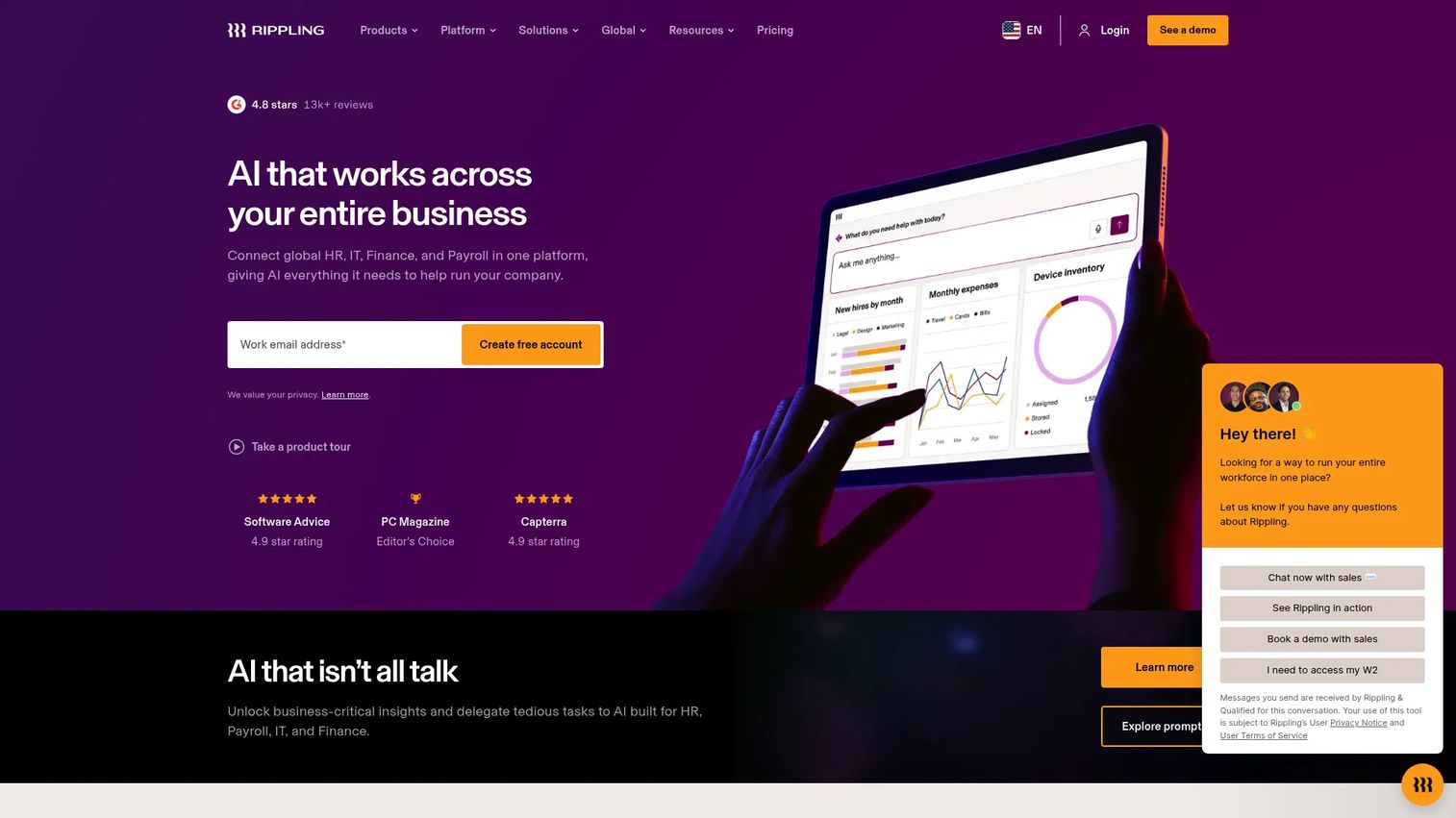
Rippling is a workforce management platform that unifies HR, IT, finance, and payroll in one system. Its offboarding strength comes from the fact that all three functions that matter most during an exit, people data, device management, and app access, live in the same place. When you offboard someone in Rippling, the workflow can revoke app access, wipe or reclaim the device, and close out payroll in one connected sequence rather than four disconnected ones.
Best for: Growing SaaS teams that want HR, IT, and access management running as a single offboarding workflow instead of separate tools.
Key strengths
- Unified workforce platform: HR, IT, and finance data share one source, so offboarding actions cascade automatically.
- Workflow orchestration: Custom workflows trigger the right tasks and approvals the moment an exit starts.
- Identity and device management: App access revocation and device recovery are handled natively, not through a bolt-on.
Why choose Rippling: For a founder, the appeal is fewer disconnected systems. When someone leaves, you do not want to coordinate an HR tool, an IdP, and an MDM by hand. Rippling collapses that into one workflow, which is exactly the kind of repeatability that keeps exits from routing back through you.
Rippling pricing: Rippling uses quote-based pricing. The company says most products are billed per employee per month, and some may include a monthly base fee. There is no public numeric starting price and no free tier, so plan to talk to sales for a number tied to your headcount and module mix.
2. BambooHR
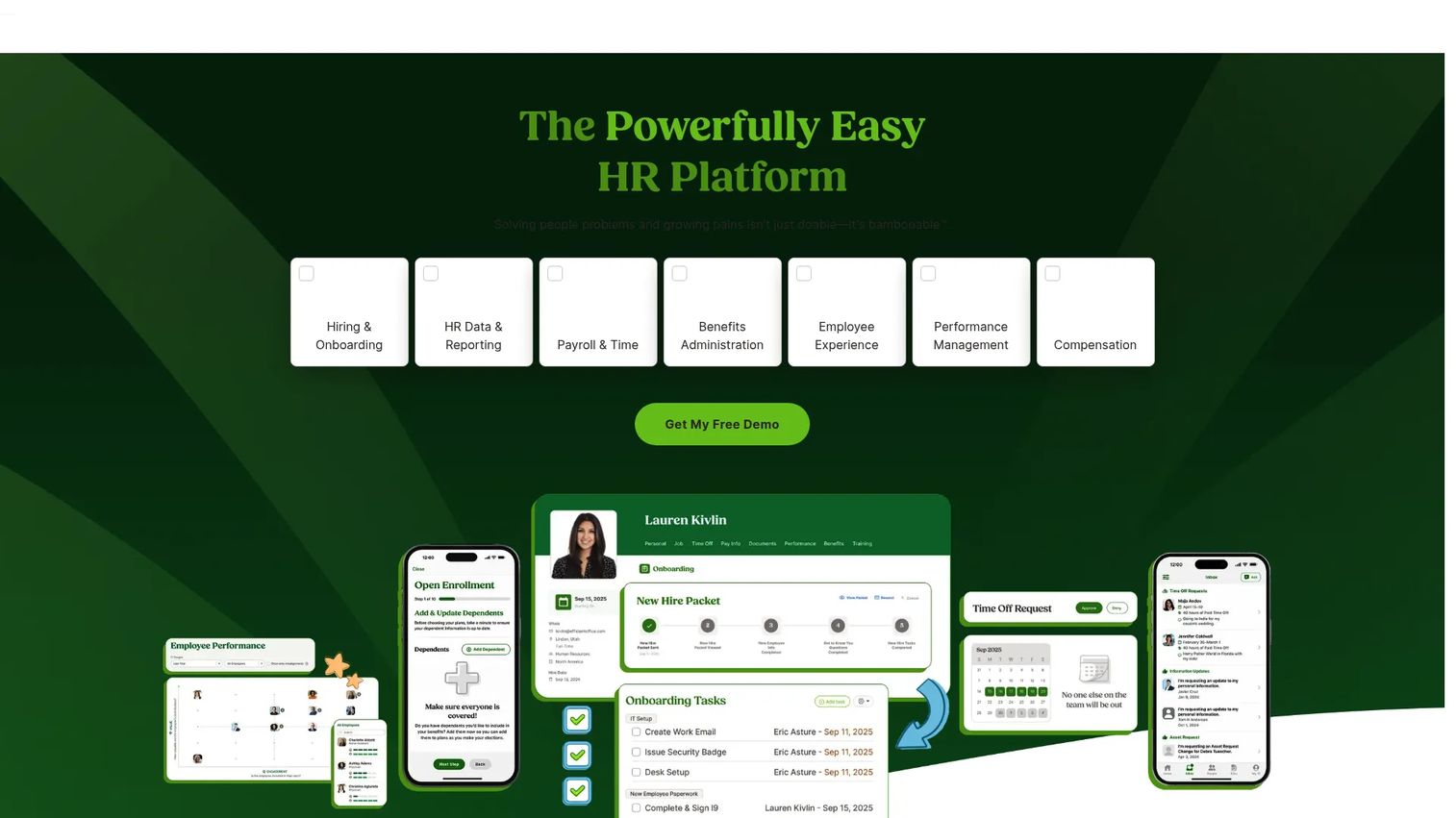
BambooHR is cloud-based HR software for managing employee data, payroll, benefits, time, hiring, and performance. Offboarding sits inside that broader HR system, which is the point: if BambooHR is already your system of record, exits happen in the same place your team works every day. It handles offboarding checklists, task assignment, and record keeping alongside the rest of the employee lifecycle.
Best for: Small to mid-sized companies that want an all-in-one HR platform where offboarding is one part of a familiar system rather than a separate tool.
Key strengths
- HR system of record: Employee data, documents, and exit records live in one platform.
- Employee lifecycle management: Onboarding and offboarding are managed in the same workflow, with 150+ integrations to extend it.
- Task automation and checklists: Offboarding tasks route automatically, with embedded AI to speed up admin work.
Why choose BambooHR: BambooHR is strongest when offboarding is part of a broader HR need, not a standalone problem. If you want one system for hiring, records, and exits, it keeps everything consistent. It is less of an IT access-governance tool, so pair it with an identity layer if deprovisioning speed is your top concern.
BambooHR pricing: BambooHR offers Core at $10 per employee per month, Pro at $17, and Elite at $25, all billed per employee per month for companies with more than 25 employees. Companies with 25 or fewer employees pay a flat rate starting at $250 per month. No free tier is publicly listed.
3. Gusto
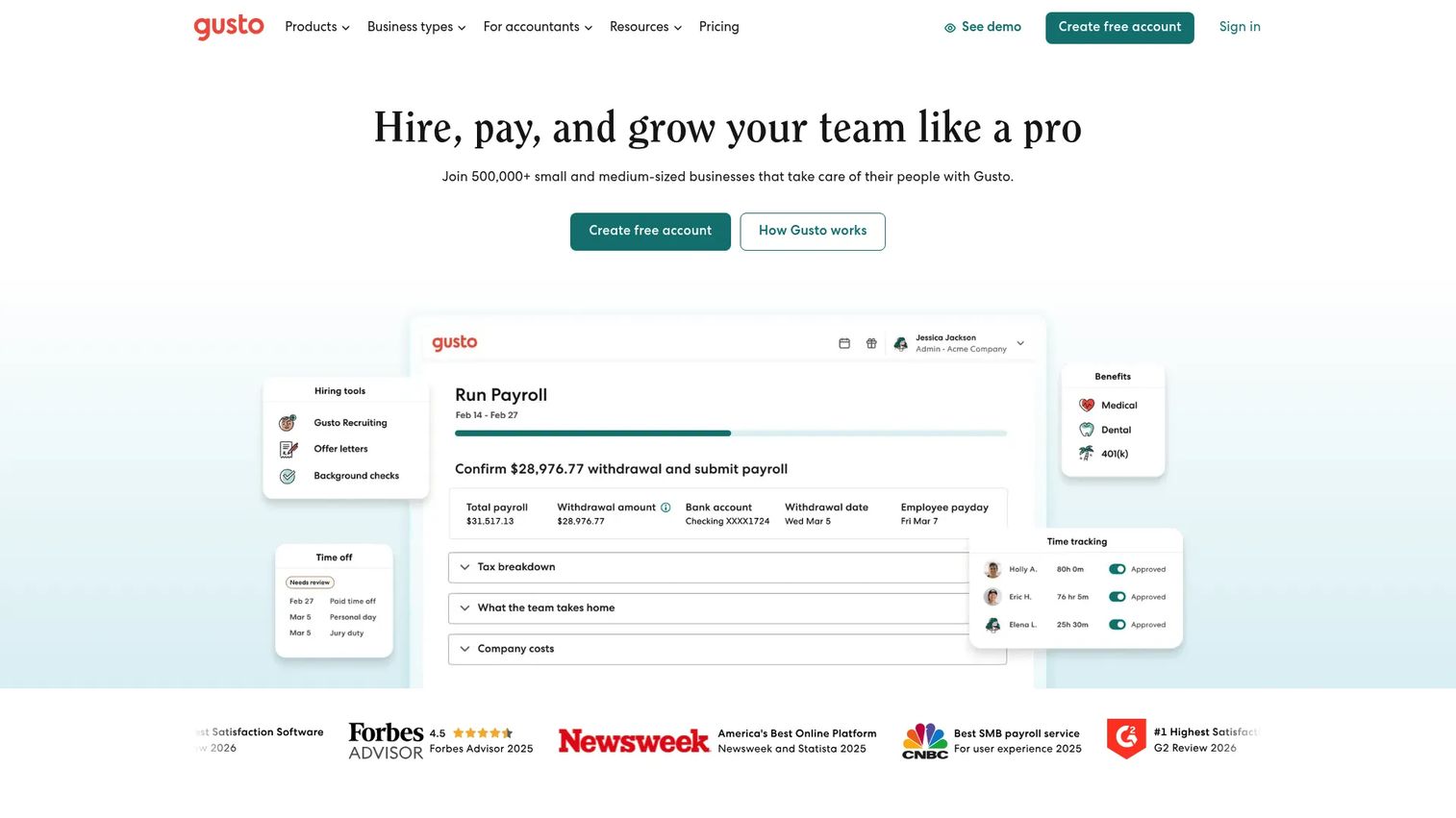
Gusto is a payroll, benefits, and HR platform built for small and midsize businesses. Its offboarding value is anchored in the part of an exit that carries the most compliance weight: final pay. Gusto handles automated payroll, taxes, and filings, which means final paychecks, PTO payout, and the tax side of a departure run through the same system that already runs your payroll.
Best for: Small to mid-sized companies that care most about getting final pay, PTO payout, and compliance steps right during an exit.
Key strengths
- Automated payroll and filings: Final pay and tax handling run automatically, reducing late-paycheck compliance risk.
- Benefits administration: Benefits and health insurance offboarding are managed alongside payroll.
- Reminders and dashboards: Offboarding steps surface with reminders so exit tasks and exit interview automation stay on track.
Why choose Gusto: Gusto leans into the employee experience angle. A clean, on-time final paycheck and clear benefits handoff is often the last impression an employee has. For teams where payroll and compliance are the riskiest part of an exit, Gusto covers that well without the overhead of a full HRIS.
Gusto pricing: Gusto's public plans include Contractor Only at $0 per month for the first six months then $6 per person per month, Simple at $49 per month plus $6 per person, Plus at $80 per month plus $12 per person, and Premium, which is quote-based. Add-ons cover next-day pay, priority support, and HR resources.
4. Aptien
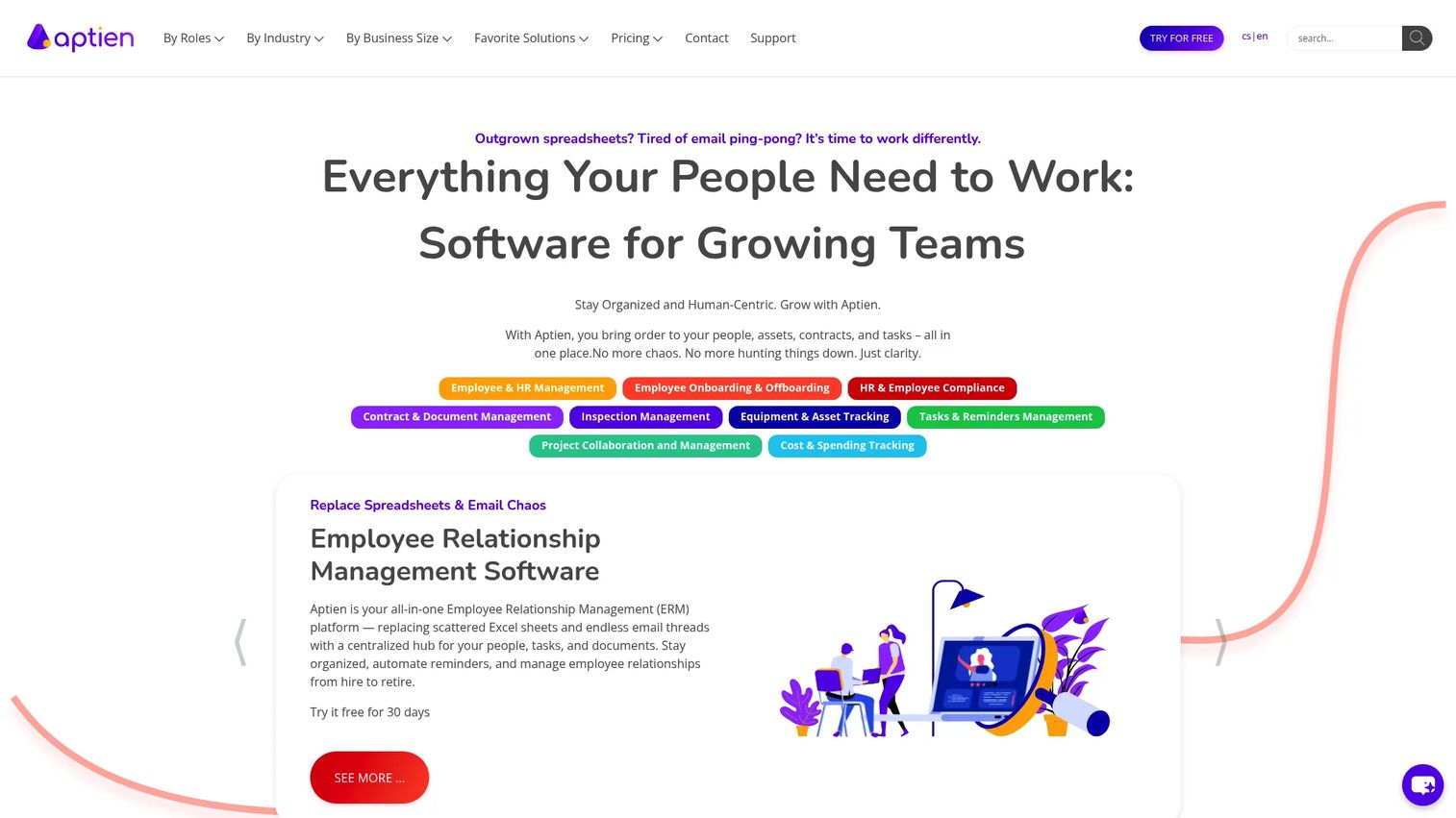
Aptien is a cloud-based business management platform for people, assets, contracts, tasks, and workflows. It treats onboarding and offboarding software as two ends of the same lifecycle, which is useful if you want a structured, checklist-driven process rather than a full HR suite. Its equipment return tracking and task management make it especially strong on the physical and asset side of an exit.
Best for: Operational teams that want structured checklists, clear approvals, and equipment return tracking in one lifecycle system.
Key strengths
- Employee and HR management: People records and exit workflows live alongside assets and contracts.
- Asset and equipment tracking: Laptops, licenses, and equipment returns are tracked to completion, not left to memory.
- Task management with reminders: Contract renewals, exit tasks, and approvals get automated reminders so nothing lapses.
Why choose Aptien: Aptien fits process-heavy organizations that want repeatable checklists and audit readiness without enterprise overhead. Because assets and contracts sit in the same system, it is a strong choice when equipment recovery and manager handover are where your exits usually break down.
Aptien pricing: Aptien offers a free tier, plus a Premium plan and a quote-based Enterprise plan. The Premium price is not publicly displayed on the pricing page, so confirm the current number with Aptien directly. It holds a 4.8/5 rating on G2, though from a small number of reviews.
5. Beyond Intranet
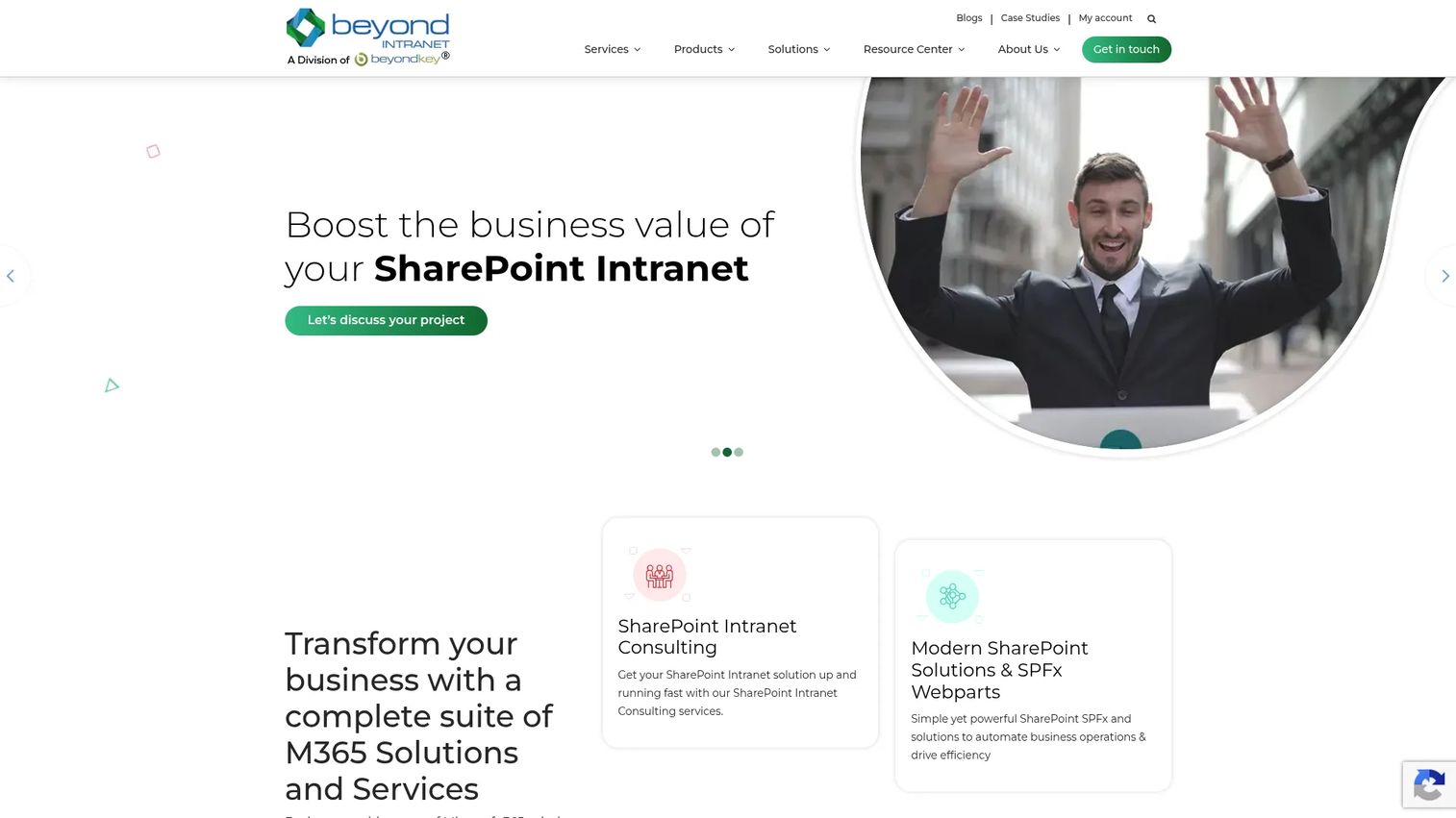
Beyond Intranet builds Microsoft 365 and SharePoint-focused workplace software, including offboarding workflow tools designed to live inside the Microsoft ecosystem. If your company already runs on SharePoint and Teams, its appeal is that offboarding governance happens where your people already work, with role-based approvals, task routing, and reporting native to that environment.
Best for: Microsoft-first organizations that live inside SharePoint and Teams and want offboarding workflows to stay there.
Key strengths
- SharePoint-native workflows: Offboarding tasks and role-based approvals run inside your existing Microsoft 365 setup.
- Targeted notifications and reporting: Task routing, notifications, and analytics keep governance-heavy teams accountable.
- AI-powered search and assistant features: Built-in AI helps surface the right process and records during an exit.
Why choose Beyond Intranet: For governance-heavy teams committed to Microsoft, keeping offboarding inside SharePoint avoids adding yet another disconnected tool. Approvals, branding, and reporting stay consistent with the rest of your intranet, which matters when process compliance is a priority.
Beyond Intranet pricing: Pricing is fragmented across the brand's store and product pages. Some products show public prices, such as a product listing starting around $160 per month and an HR task management product listed around $349, while many intranet solution pages request a tailored quote. Confirm pricing for the specific offboarding product you need directly with the vendor.
6. BetterCloud
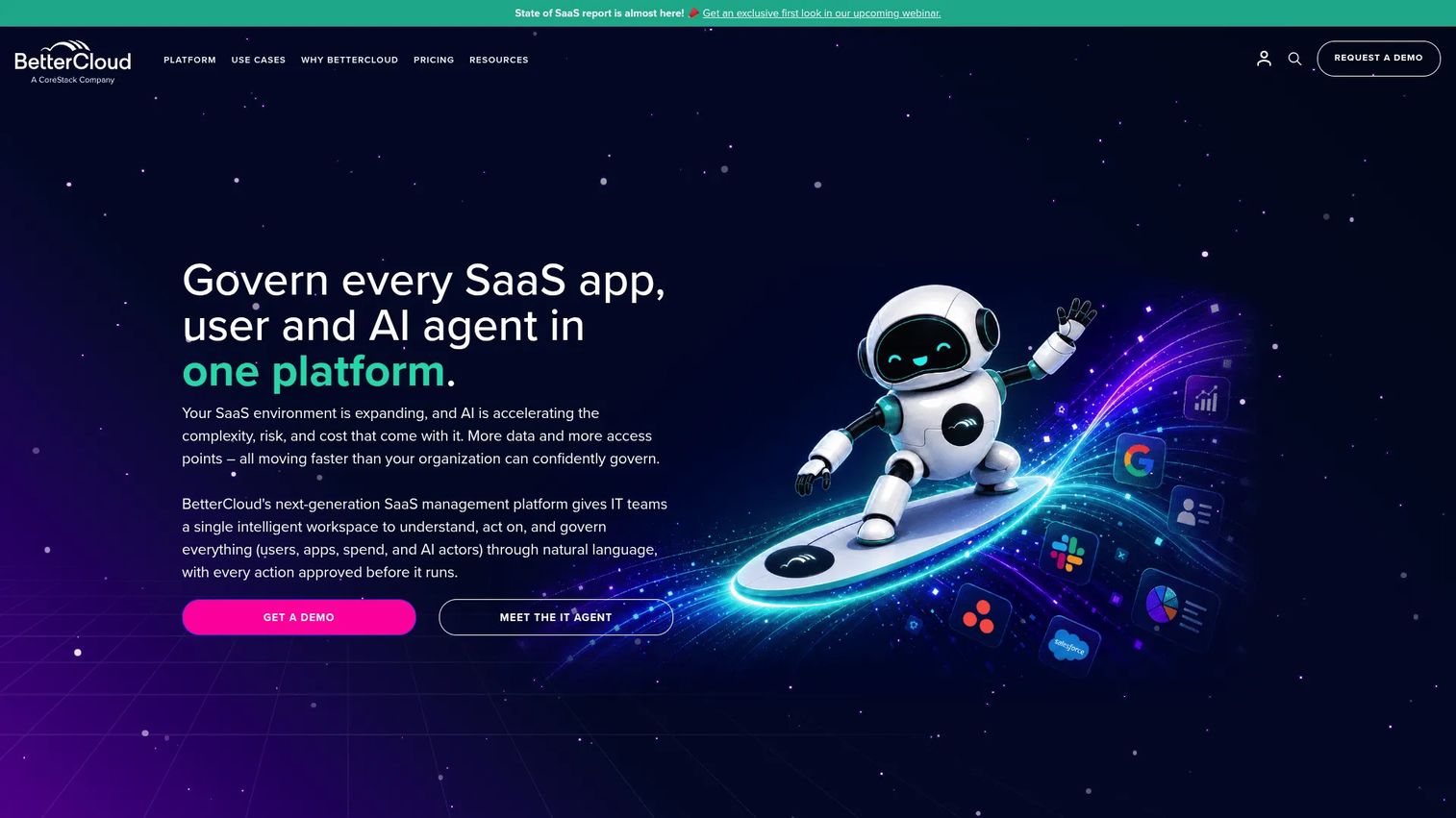
BetterCloud is a SaaSOps platform built around managing and securing the SaaS apps your company runs on. Its offboarding value is centralized access revocation. When someone leaves, BetterCloud can deprovision them across connected SaaS apps automatically, so access to dozens of tools closes on a single trigger rather than one login at a time.
Best for: Companies with a sprawling SaaS stack that need centralized app access revocation and automated deprovisioning during exits.
Key strengths
- Centralized SaaS app deprovisioning: Access across connected apps is revoked automatically when an exit triggers.
- Workflow automation: Custom offboarding workflows chain access removal, alerts, and data transfer steps together.
- Alerts and app integrations: Security alerts and broad app coverage give IT visibility into lingering access.
Why choose BetterCloud: BetterCloud is an IT and security play more than an HR one. If your biggest offboarding risk is a former employee retaining access to production tools, billing dashboards, or shared data across many SaaS apps, this is where it earns its place. Pair it with an HR system that owns the record and the people side.
BetterCloud pricing: BetterCloud uses quote-based pricing tied to your app footprint and user count, with no public numeric starting price. Plan to speak with sales to scope a number for your stack.
7. Okta
Okta is an identity and access management platform for workforce and customer identities. For offboarding, its role is deprovisioning through identity. Because Okta sits as the directory and single sign-on layer for your apps, disabling someone in Okta can cut access across every connected application at once, which makes access revocation fast and consistent.
Best for: Organizations that want access revocation handled at the identity layer, with directory sync and app deprovisioning centralized.
Key strengths
- Single sign-on: Disabling one identity closes access across every connected app in one action.
- Universal directory: A central directory syncs user status, so offboarding updates propagate consistently.
- Multi-factor authentication and lifecycle controls: Identity provider integrations enforce access rules through the full employee lifecycle.
Why choose Okta: Okta fits when access risk is your primary concern and you want deprovisioning to be immediate and provable. It is an identity governance layer, not an HR suite, so it works best alongside a system that owns exit records, final pay, and asset recovery. Together they cover both the access and the process sides of an exit.
Okta pricing: Okta's Workforce Identity starts at $6 per user per month for Starter, $14 for Core Essentials, and $17 for Essentials, all billed annually. Professional and Enterprise tiers are quote-based. A free Integrator plan is available for up to 10 active users.
8. Workday
Workday is enterprise cloud software for HR, finance, planning, and payroll. Offboarding sits within its broader human capital management workflows, which is exactly why it fits large, complex organizations rather than startup teams. When you need policy, process, and reporting at scale across thousands of employees and multiple entities, Workday handles the offboarding piece as part of a much larger HCM system.
Best for: Larger organizations that need offboarding governed by enterprise-grade policy, process, and reporting across complex org structures.
Key strengths
- Human capital management: Offboarding runs inside a full HCM system with deep policy and process controls.
- Financial management: Payroll and finance offboarding steps connect to the same platform.
- Workflow orchestration and reporting: Enterprise-grade reporting gives audit-ready records across the workforce.
Why choose Workday: Workday is built for scale and complexity, not for a 40-person startup. If you run a large organization with layered approvals, multiple regions, and heavy reporting requirements, its offboarding fits into a system already governing the entire workforce. For smaller SaaS teams, it is usually more platform than the exit process needs.
Workday pricing: Workday does not publicly list core product pricing. Its Adaptive Planning product offers a 30-day free trial with quote-based paid pricing. Expect enterprise, quote-based packaging for HCM, so a sales conversation is required.
Considerations before you buy
Integrations with HRIS, identity, payroll, and collaboration tools
Integrations decide whether offboarding actually runs or just looks good in a workflow diagram. Verify that the platform connects to your HRIS, identity provider, payroll system, device management, and chat tools. The goal is that completing a task in the workflow removes the access, triggers the pay step, or reclaims the device in the real system, not that someone still has to log in elsewhere to finish the job.
Audit trail and compliance readiness
Ask what the tool actually records. You want timestamps on every step, a log of who approved what, confirmation that final pay went out on schedule, and record retention you can pull months later. A strong compliance and audit trail is what turns your offboarding checklist from a private practice into evidence you can hand to a buyer's security team or an auditor.
Access revocation speed
Access should close the moment employment ends, consistently, every time. Check how fast and how completely the tool revokes app access, closes accounts, and flags devices for return. The window between someone leaving and their access being cut is exactly where former employee access risk lives, so speed and completeness matter more than almost anything else here.
Task ownership and approval routing
A checklist without owners is just a wish list. The right tool routes each step to the person accountable, HR for records, IT for access, the manager for handoff, and finance for pay, and enforces sign-off where it matters. Confirm the platform supports role-based approvals so nothing sits in limbo waiting on an unclear owner.
Scalability and maintainability
The tool that works for 20 exits a quarter may buckle at 200, and vice versa. Look at how easily templates, task automation, and approval chains scale, and how much admin overhead the platform adds as headcount grows. The best offboarding platform for you is the one that stays repeatable as the company gets bigger, not the one that needs constant hand-tuning.
Conclusion
The right offboarding software depends on which part of the exit is your biggest exposure. If you want HR, IT, and access revocation in one workflow, Rippling is the strongest overall pick for growing SaaS teams. If offboarding should live inside a familiar HR system of record, BambooHR fits. If final pay and compliance are the risk, Gusto handles the payroll side cleanly. Microsoft-first teams get native governance with Beyond Intranet, and process-heavy teams that need structured checklists and equipment return tracking should look at Aptien.
For access governance specifically, Okta covers identity-led deprovisioning and BetterCloud covers SaaS app revocation. Large, complex enterprises that need policy and reporting at scale should evaluate Workday.
Whatever you choose, optimize for one thing above the rest: the tool that removes manual handoffs fastest. Offboarding breaks when it depends on one person remembering the sequence. The platform that makes the employee exit workflow the same every time, regardless of who runs it, is the one that protects the employee experience, your compliance posture, and your time.
FAQs
At minimum, it should automate task assignment, access revocation, notifications, approval routing, and asset return coordination. The point of employee offboarding automation is that the right steps trigger for the right owners the moment an exit starts, without someone manually kicking off each one. Good tools also log every completed step for compliance.
No. HR usually owns the process and the record, but IT owns access and device recovery, finance owns final pay, and the manager owns the handoff. Offboarding software works best when it routes tasks across all four functions in one shared workflow rather than living only inside HR.
Onboarding and offboarding software often live in the same lifecycle platform, but they solve mirror-image problems. Onboarding provisions access, sets up accounts, and ramps someone in. Offboarding revokes access, recovers assets, closes out pay, and preserves records on exit. Some tools handle both; some specialize in exit-specific process control.
It creates proof. A compliance and audit trail records timestamps, approvals, confirmation that final pay went out, documentation of the exit, and evidence that access was revoked. Instead of trusting that offboarding happened correctly, you can show a documented record to an auditor or a buyer's security review.
Small teams should prioritize tools that reduce manual handoffs without heavy setup. Rippling suits teams wanting HR and IT in one workflow, Gusto fits payroll-and-compliance-first teams, and Aptien works for structured checklists with equipment return tracking. Match the tool to your biggest exposure: process, access, or pay.
Often, yes. An HRIS is a system of record, but it does not always execute the workflow. The gap shows up in access revocation, device recovery, and cross-team task routing. If your HRIS logs that someone left but does not actually cut their app access or track the laptop, a dedicated offboarding layer or an identity provider fills that gap.
They close the window where former employee access risk lives. Fast, consistent access revocation cuts accounts and app permissions the moment someone leaves. Device recovery tracking ensures laptops and hardware come back. And recordkeeping proves it all happened, which matters during security reviews and audits.
Identity provider integrations for access revocation, HRIS for the record, payroll for final pay, device management for equipment recovery, and collaboration tools like chat for notifications. These integrations are what let the workflow reach real systems, so completing a task actually removes the access or triggers the pay step rather than just marking a box.