


You finish a 40-page thesis at 2 a.m. You hit "generate bibliography." Half your citations are wrong. Three sources lost their page numbers. Two DOIs point nowhere. The reference you swore you saved last month is gone.
That is the cost of managing sources by hand. And it compounds. According to Market Growth Reports (2026), more than 5 million researchers and students now rely on citation management tools, and adoption sits around 65% among academic institutions. The category exists because manual reference tracking breaks under real research volume.
Citation management software fixes the drift. It captures sources once, keeps them organized, and inserts clean citations into Word or Google Docs without retyping anything. Get the tool right and formatting errors stop being your problem. Get it wrong and you inherit a rigid library that fights your workflow.
We picked these tools on five things that actually decide fit: capture accuracy, library organization, citation output, sync across devices, and how well they handle collaborative libraries. Academic writing tools live or die on those five.
What's inside
This guide covers the best citation management software for writers, researchers, and teams in 2026. It spans free open-source tools, one-time purchase desktop apps, and web-first subscription products, so you can match the pricing model to how you actually work.
We evaluated each tool on four criteria:
- Capture and import: browser extension, DOI import, and PDF metadata handling
- Citation output: Word and Google Docs support, plus breadth of citation styles
- Sync and storage: cloud sync, storage limits, and multi-device access
- Collaboration: shared libraries, permissions, and team plan options
Desktop, web, and hybrid tools are all represented. Pick based on your writing environment first.
TL;DR
- Best free option: Zotero. Open source, strong capture, and Word plus Google Docs support with no license fee.
- Best for polished academic workflows: EndNote. One-time purchase, deep Word integration, and AI-assisted research tools.
- Best for Google Docs and modern teams: Paperpile. Web-first, clean shared libraries, and low per-user pricing.
- Best for AI-assisted reading: Mendeley. Reference capture, PDF reading, and a Reading Assistant in one app.
- Best for structured knowledge work: Citavi. Combines references, notes, and task planning for Windows-heavy teams.
- Best for BibTeX and LaTeX: JabRef. Free, open source, and built around a local BibTeX library.
- Best for institution-managed access: RefWorks. Cloud-based citation management provided through libraries and universities.
What is citation management software
Citation management software is a tool that captures bibliographic sources, organizes them into a searchable library, and generates in-text citations and bibliographies in the citation styles a publication requires. It replaces the manual process of copying references, tracking page numbers, and reformatting entries by hand.
A reference manager sits between your research and your writing. It stores what you find, keeps it structured, and feeds clean citations into your document when you write. That is the core job of any citation manager, whether it runs on your desktop or in the browser.
The typical workflow across reference management software looks like this:
- Capture references from web pages, databases, and PDFs, often through a browser extension or DOI import
- Organize the library with folders, tags, and saved searches so sources stay findable
- Annotate source material with PDF annotation, highlights, and notes
- Insert citations and generate bibliographies directly in your word processor
- Sync and share across devices and collaborators through cloud sync and shared libraries
Key features to expect from bibliography software:
- Browser-based and DOI import for fast capture
- Support for major citation styles like APA, MLA, Chicago, and IEEE
- A Word citation plugin and a Google Docs citation plugin for in-document citing
- PDF storage and annotation inside the library
- Cloud sync with defined storage limits
- Collaborative libraries with permissions for team projects
- Export formats like BibTeX and RIS for interoperability
The best tool is the one that matches how you write. A LaTeX user and a Google Docs user need different things from the same category.
When to use citation management software
Writing a paper, thesis, or report
Manual citation drift is the silent killer of long documents. You change a source, forget to update three in-text mentions, and the bibliography no longer matches the body. A reference manager keeps citations and the bibliography linked, so a style change or a new source updates everything at once. That alone justifies the setup for anything longer than a short essay.
Managing many sources across devices
If you research on a laptop, read on a tablet, and write on a desktop, your library has to follow you. Cloud sync keeps every device on the same version of the library, and browser capture means you can save a source the moment you find it. Without sync, you end up with three partial libraries and no single source of truth.
Collaborating on shared research
Grant work, co-authored papers, and lab projects mean multiple people touching the same sources. Collaborative libraries let a team share one reference set, add notes others can see, and set permissions so the right people can edit. This removes the "email me the updated BibTeX file" loop that slows shared writing down.
Comparison table
Here is how the seven tools compare on the dimensions that decide fit. Pricing and ratings reflect each vendor's public pages and current G2 listings as of mid-2026. Ratings are omitted where a current public score was not available.
| # | Product | Best for | Key differentiator | Pricing | G2 rating |
|---|---|---|---|---|---|
| 1 | Zotero | Free, flexible research use | Open source with strong web capture | Free; storage from $20/year | 4.4/5 |
| 2 | EndNote | Polished academic workflows | Deep Word integration and AI research tools | $220 full license (one-time) | 4.1/5 |
| 3 | Paperpile | Google Docs and teams | Web-first with native Google Docs citing | From $2.99/month | 4.5/5 |
| 4 | Mendeley | AI-assisted reading | Reference library plus Reading Assistant | Free; PLUS from $4.99/month | 4.3/5 |
| 5 | Citavi | Structured knowledge work | Combines references, notes, and task planning | Free tier; paid licenses | Not published |
| 6 | JabRef | BibTeX and LaTeX users | Local BibTeX-first library | Free, open source | 4.7/5 |
| 7 | RefWorks | Institution-managed access | Cloud tool provided through libraries | Contact for pricing | 3.9/5 |
Best 7 tools for citation management
1. Zotero
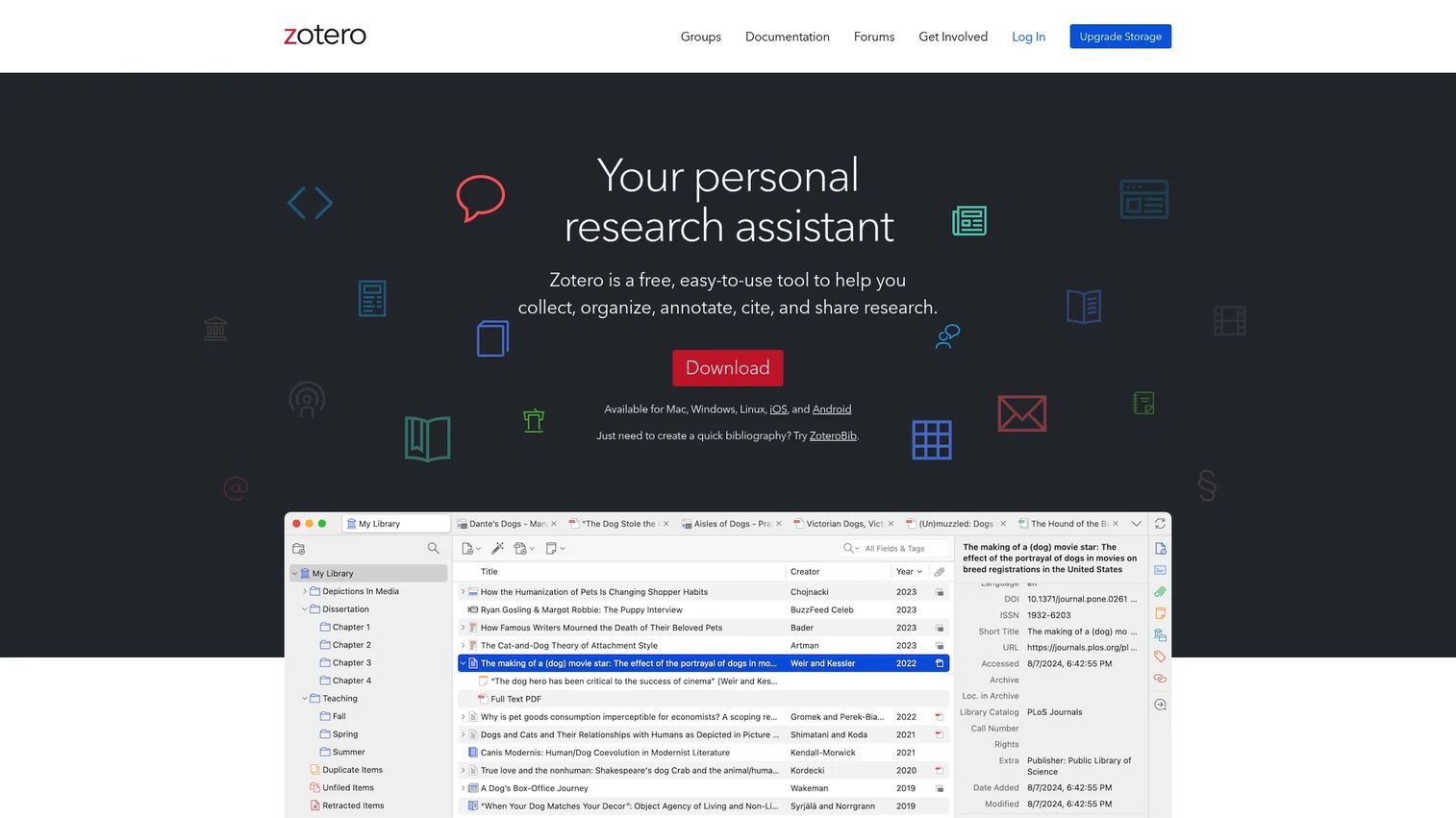
Zotero is the tool most researchers land on when they want control without a license fee. It is free, open source, and built to collect, organize, cite, and share research sources. The browser connector senses what you are looking at, whether that is a journal article, a news page, or a library catalog, and saves the reference with one click.
Best for: researchers and students who want a flexible, no-cost reference manager they fully control.
Key strengths
- Automatically saves bibliographic references from web pages
- Organizes and tags research items with folders and saved searches
- Cites and shares research sources in Word and Google Docs
- Cross-device file sync via Zotero Storage
Why choose Zotero: it is the default recommendation for people who value ownership and flexibility over packaged support. Because it is open source, you are never locked into a vendor's roadmap. The one thing to plan for is storage. The free tier covers 300 MB, which fills fast if you store a lot of PDFs, so heavy readers usually move to a paid storage plan.
Zotero pricing: the software is free to use. Storage is 300 MB free, then $20/year for 2 GB, $60/year for 6 GB, and $120/year for unlimited. Lab and institution storage plans are also offered.
2. EndNote
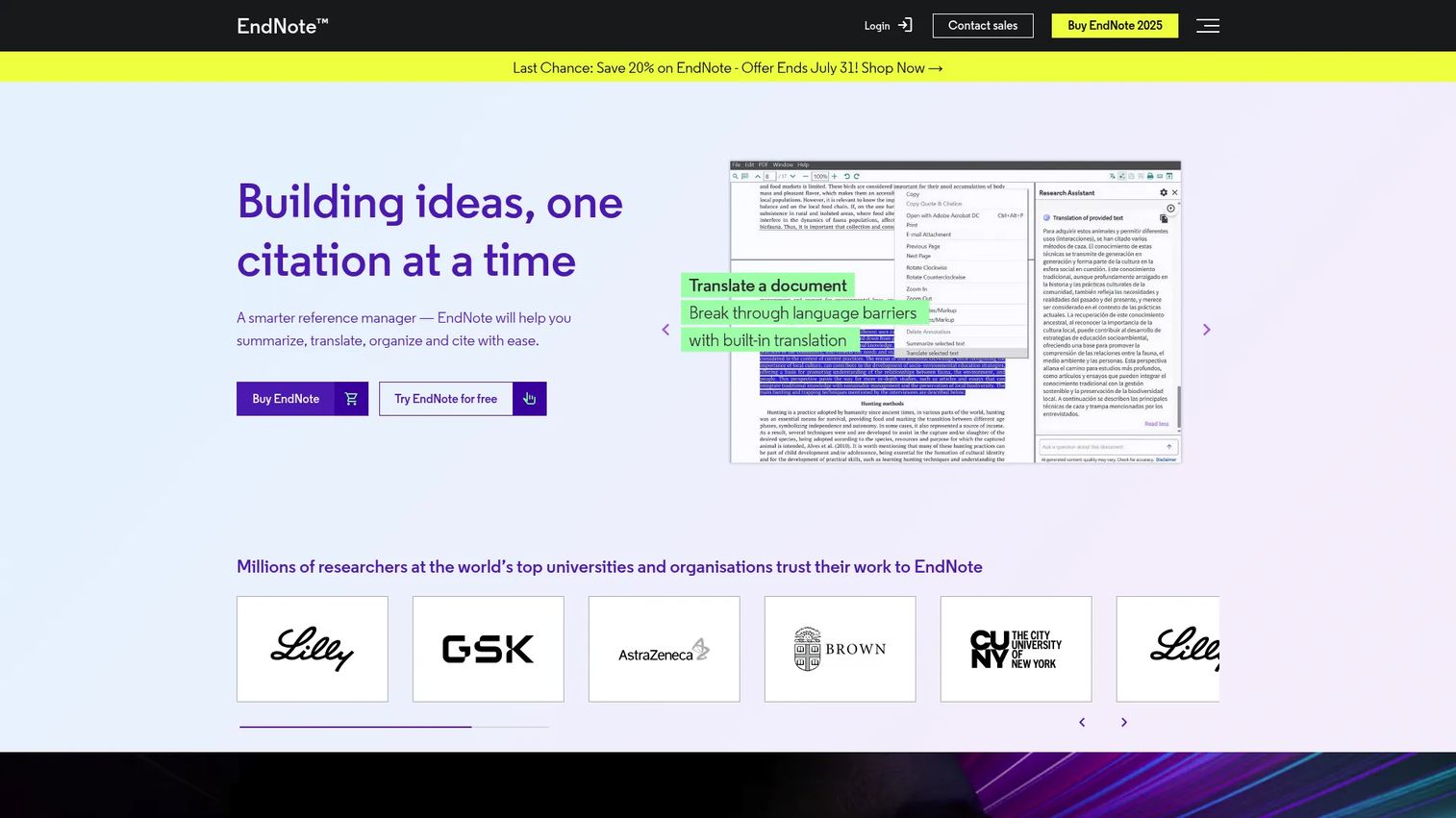
EndNote is the long-standing choice for formal academic and lab work. It runs on desktop, web, and iOS, and its Cite While You Write integration with Microsoft Word is one of the most mature Word citation plugin experiences in the category. Recent versions add an AI-powered Research Assistant that can chat with documents, summarize, and translate.
Best for: researchers and academic writers who need dependable citation management and bibliography generation for publishing workflows.
Key strengths
- Cite While You Write integration with Microsoft Word
- AI-powered Research Assistant for chatting with documents, summaries, and translation
- Find a Journal and Cite from PDF tools
- Library sharing across desktop, web, and iOS
Why choose EndNote: it fits people who write for publication and need citation accuracy plus journal-matching tools in one place. The trade-off is cost and a more structured setup than the free tools. If you are cost-sensitive or want something lightweight, that structure may be more than you need.
EndNote pricing: a 30-day free trial is available. After that, licenses are a one-time purchase: $220 for a full license, $100 for an upgrade, and $120 for a student license. Enterprise and multi-user options exist but are not publicly priced.
3. Paperpile
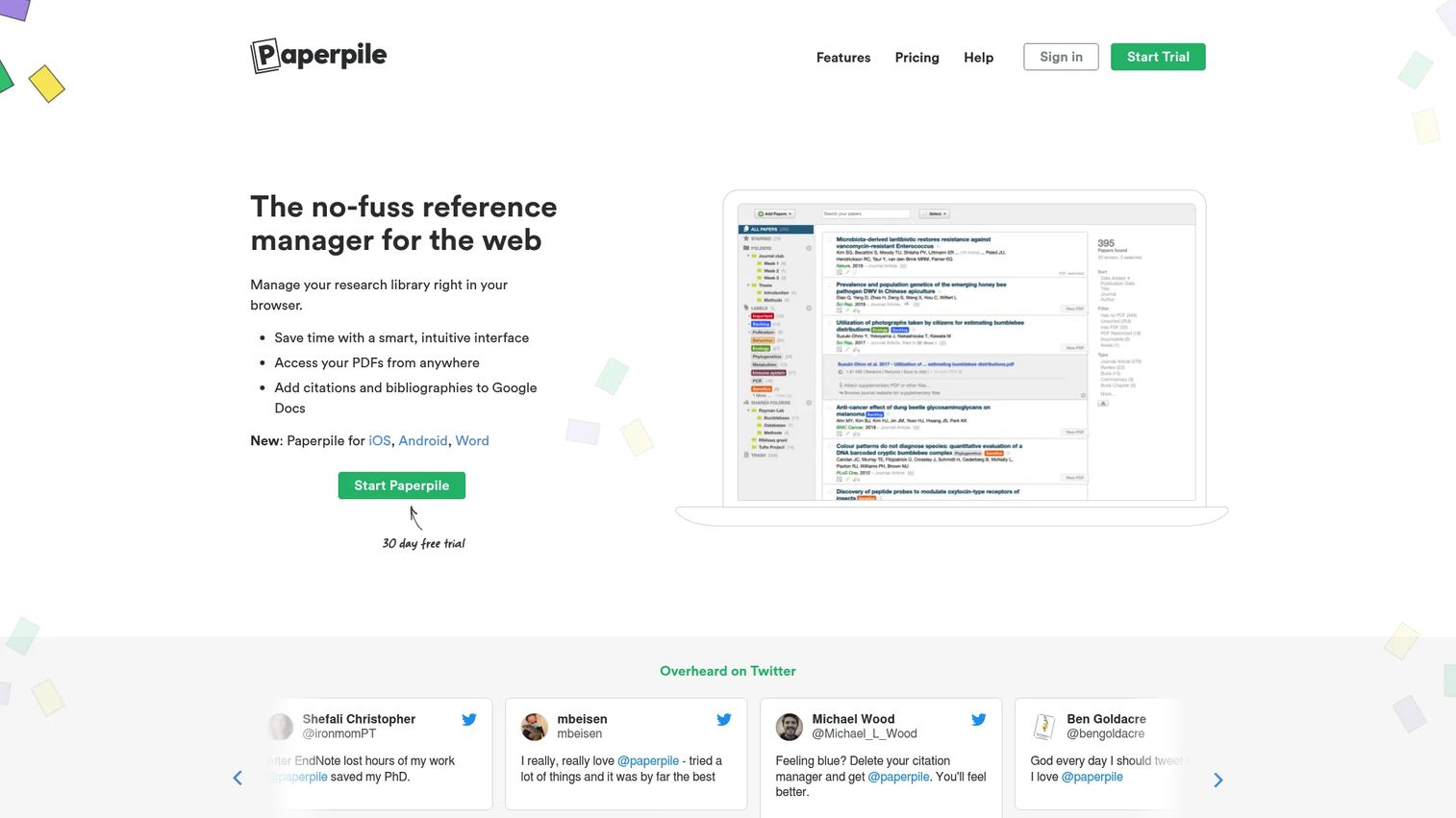
Paperpile is the cleanest option if your writing lives in Google Docs. It is web-first, captures references through a browser extension, and its Google Docs citation plugin is native rather than bolted on. You also get PDF storage, sync, and PDF annotation, plus Word support and BibTeX export for anyone who needs it.
Best for: researchers and teams managing academic references, PDFs, and citations inside Google Docs.
Key strengths
- Reference management and organization in the browser
- PDF storage, sync, and annotation
- Citations in Google Docs and Word
- Sharing and collaboration through shared libraries
Why choose Paperpile: it appeals to researchers who want a modern web-first workflow without a heavy desktop app. Shared libraries and low per-user pricing make it a practical team plan choice. The consideration is that its cleanest experience is built around Google Docs, so pure Word users get less of the advantage.
Paperpile pricing: a free trial is available. The Academic plan is $2.99/month billed annually, and the Business plan is $9.99/month billed annually. Paid plans require annual billing, and institutions can request a custom quote.
4. Mendeley
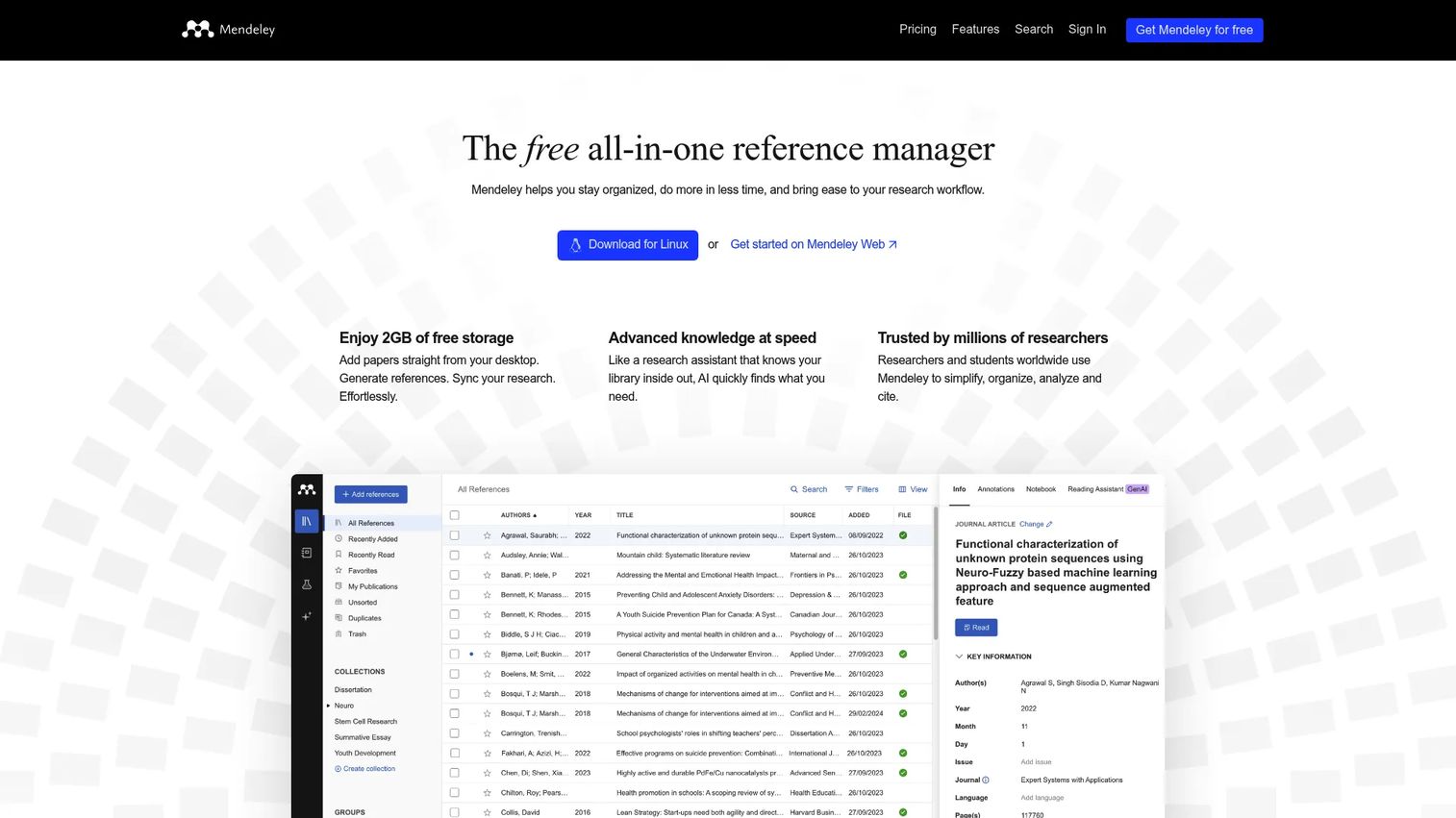
Mendeley puts reference management and reading in one place. You import PDFs and web sources into a research library, read and annotate papers, and cite as you write with the Microsoft Word integration. Its Reading Assistant adds AI-assisted help for working through literature.
Best for: researchers who want reference management, PDF annotation, citation tools, and AI-assisted literature review in a single app.
Key strengths
- Import PDFs and web sources into a research library
- Read, annotate, and organize references
- Cite as you write with Microsoft Word integration
- AI Reading Assistant for literature review
Why choose Mendeley: it works well for people who read heavily and want their library, annotations, and citation tools together instead of split across apps. If your work is reading-first, that consolidation is the draw. Those who only need a lightweight citation drawer may find it more than necessary.
Mendeley pricing: the free plan includes 2 GB of storage and 5 Reading Assistant questions. Paid plans are PLUS at $4.99/month, PRO at $9.99/month, and MAX at $14.99/month, with yearly billing also offered.
5. Citavi
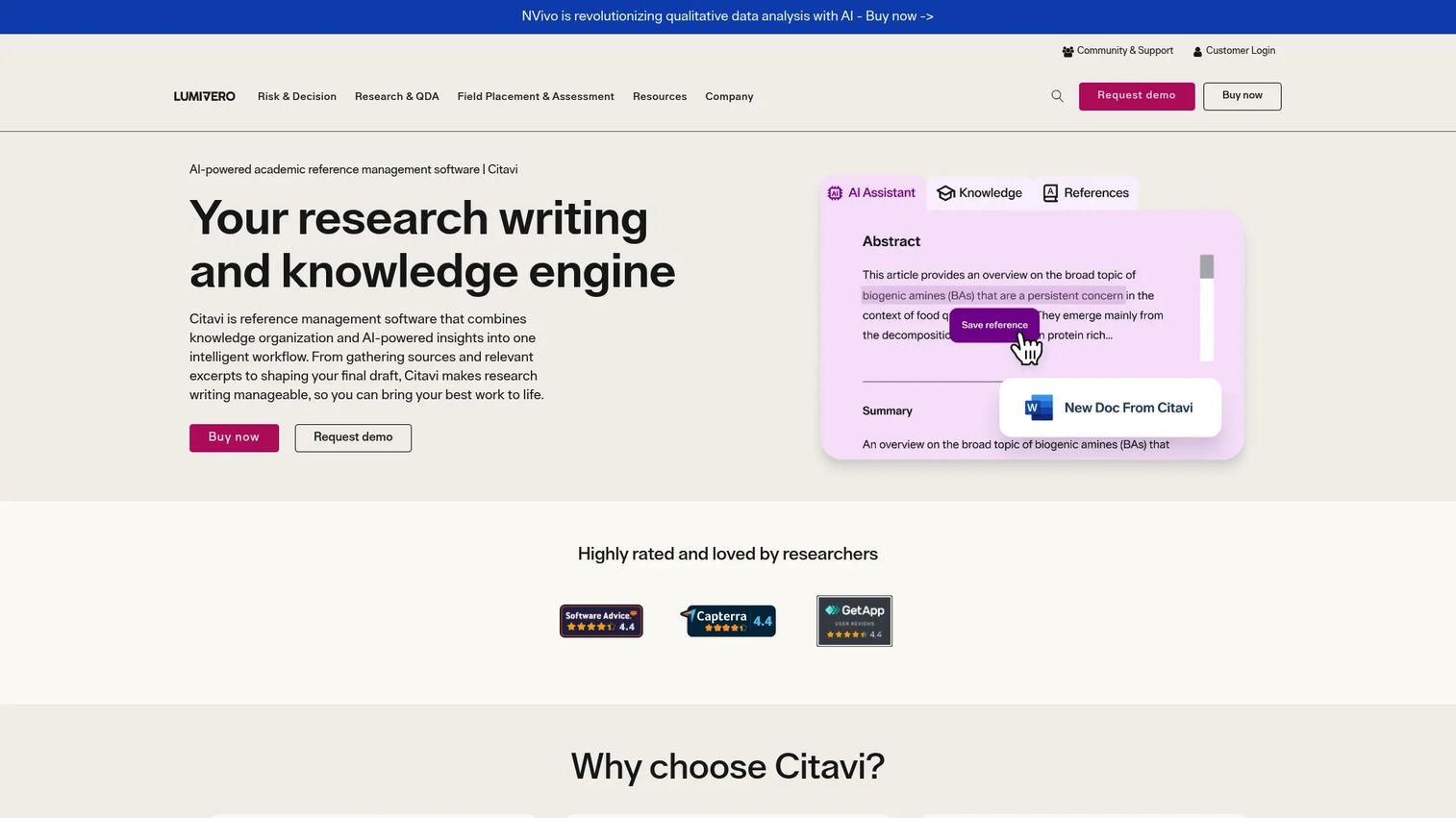
Citavi is more than a citation drawer. It combines reference management and citation formatting with knowledge organization, so quotations, notes, and categories live alongside your sources. It also includes PDF annotation and task planning, which makes it useful for planning and structuring a project, not just citing at the end.
Best for: researchers and academic teams who want to manage references, notes, and citations in a single structured workspace.
Key strengths
- Reference management and citation formatting
- Knowledge organization with quotations, notes, and categories
- PDF annotation and task planning
- Free tier for smaller projects
Why choose Citavi: it suits people who think in outlines and want their reading, notes, and writing plan connected to their references. That structured approach is strong for Windows-heavy academic teams. If you only need quick citing, the extra organization features may go unused.
Citavi pricing: Citavi Free is available with a limit of 100 references per project. Full use requires a paid license, and site licenses for institutions are quote-based. Numeric prices for the paid tiers are not published on the site.
6. JabRef
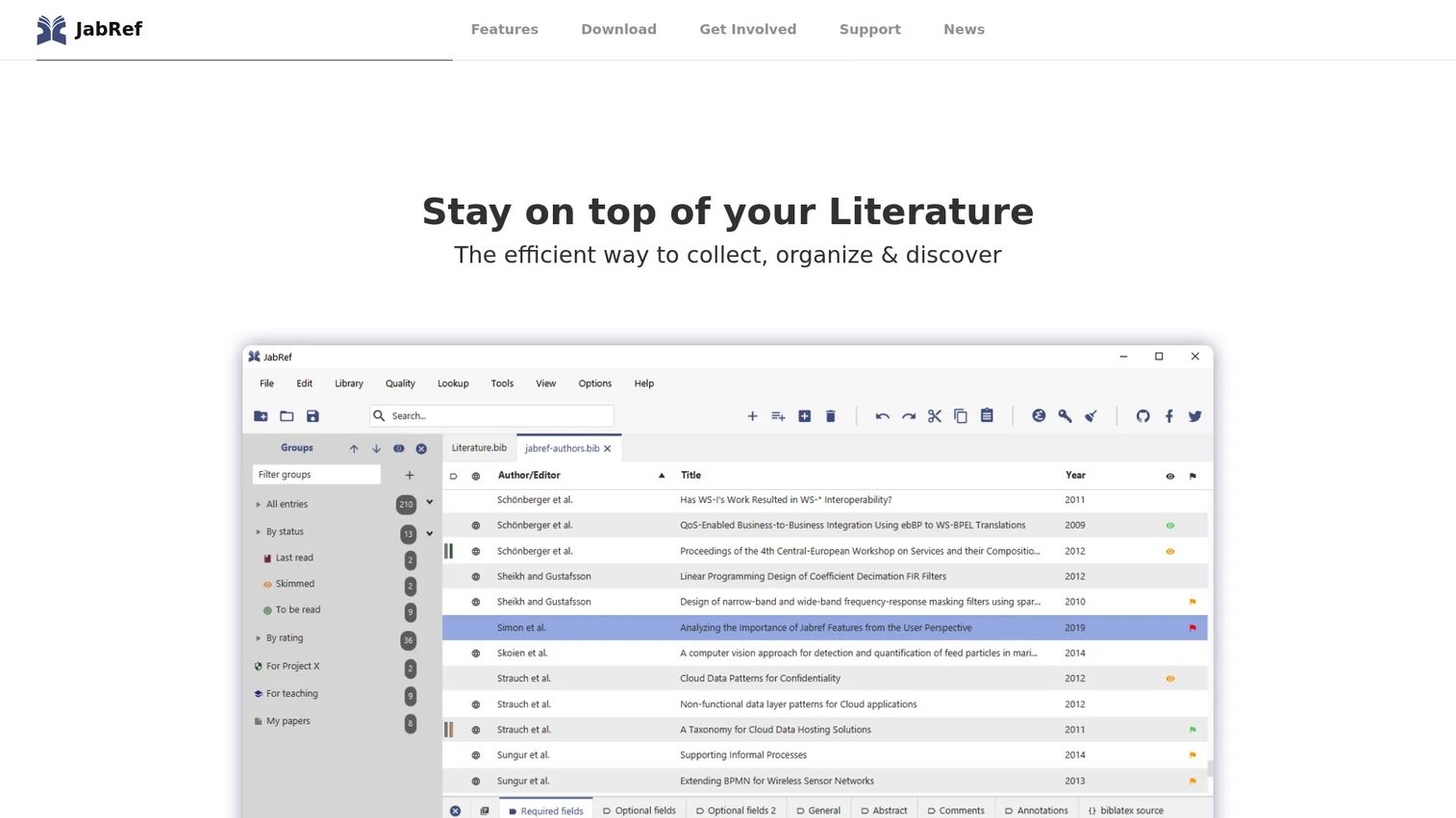
JabRef is built for people who write in LaTeX. It is a free, open-source reference manager centered on a BibTeX and BibLaTeX library, which means your references live in a plain-text file you fully control. The cross-platform desktop app also adds AI summary and chat features for working through papers.
Best for: researchers who manage BibTeX or BibLaTeX libraries and want a free desktop tool with local control.
Key strengths
- BibTeX and BibLaTeX-based reference management
- Cross-platform desktop app for Windows, macOS, and Linux
- Local library control with a plain-text file
- AI summary and chat features
Why choose JabRef: it is the natural fit for LaTeX-heavy and technical researchers who want their bibliography as a portable file, not locked in a cloud account. Because it is open source, it stays free and transparent. It is deliberately technical, so writers who never touch LaTeX will get more from a web-first tool.
JabRef pricing: JabRef is free and open-source software, and the project states it is always 100% free. There are no paid tiers.
7. RefWorks
RefWorks is a cloud-based reference manager most people reach through their university or organization. It runs in the browser, supports import and export across formats, and centers on collaboration, sharing, and bibliography generation. Because it is institution-provided, access usually comes bundled with a library subscription.
Best for: institutions and researchers who need citation management and bibliography creation with library-managed access.
Key strengths
- Cloud-based access across devices
- Collaboration and sharing of references
- Citation styles and bibliography generation
- Import and export across common formats
Why choose RefWorks: it is strongest when a university or organization provides the account, since campus support and integration come with it. That makes it a natural fit for library-managed environments. For an individual buying alone, the other tools on this list have more transparent pricing.
RefWorks pricing: RefWorks does not publish public pricing. The product page routes to a pricing request and sales contact, since access is typically arranged through institutions.
Considerations before you choose
Writing-tool integration
Start here, because it decides everything downstream. If you write in Word, prioritize a strong Word citation plugin like EndNote or Mendeley. If you live in Google Docs, Paperpile's native Google Docs citation plugin is hard to beat. LaTeX writers should go straight to BibTeX-first tools like JabRef. Match the tool to your editor first, then evaluate the rest.
Collaboration and shared libraries
If you co-author or work in a lab, check how the tool handles collaborative libraries. Look at how many people can share a library, whether notes are visible across members, and how permissions work. Paperpile and RefWorks lean into team sharing, while Zotero offers group libraries on top of its free base.
Cloud sync and storage limits
Sync keeps your library consistent across laptop, tablet, and desktop. Read the storage limits closely, since PDF-heavy libraries fill free tiers fast. Zotero's 300 MB free tier and Mendeley's 2 GB free plan are fine to start, but heavy readers should budget for a paid storage or subscription tier.
Pricing model and total cost
Decide which model fits: free and open source (Zotero, JabRef), one-time purchase (EndNote), subscription (Paperpile, Mendeley), or institution-provided (RefWorks). A one-time license can be cheaper over years, while a subscription lowers the upfront cost. Factor in storage add-ons and any team plan pricing before committing.
Conclusion
The right citation manager is the one that fits how you already write. Zotero is the pick for free, flexible use with full control. EndNote suits polished institutional and publishing workflows where citation accuracy matters most. Paperpile is the clean choice for Google Docs and modern teams. Mendeley works best when reading and AI-assisted literature review sit at the center of your process.
Choose in this order: integrations first, then collaboration, then storage and pricing. A tool that cites cleanly in your word processor but syncs across every device beats a feature-rich option that fights your writing setup.
If you are just starting, install Zotero, save ten sources, and write a test citation in your editor of choice. You will learn more in fifteen minutes of real use than in any spec sheet.
FAQs
Zotero is the strongest starting point for most students because it is free, open source, and supports both Word and Google Docs. JabRef is a good free choice for students writing in LaTeX. If your university provides RefWorks or a discounted EndNote student license, those are worth checking too, since institutional access removes the cost question entirely.
It depends on your workflow, not on one being universally better. Zotero is free, open source, and flexible, which suits students and researchers who want control without a license fee. EndNote is a one-time purchase with deep Word integration and journal-matching tools that fit formal publishing workflows. If you want a Zotero alternative with more packaged support, EndNote is the common step up; if you want an EndNote alternative that costs nothing, Zotero is the answer.
Yes. Several tools offer a Google Docs citation plugin. Paperpile has native Google Docs support and is the strongest here, while Zotero also supports Google Docs alongside Word. If Google Docs is your main editor, prioritize a tool built around it rather than one where Docs support is secondary.
Most tools store and annotate PDFs, but the depth differs. Mendeley and Citavi are built around reading and PDF annotation, so highlights and notes are first-class. Zotero and Paperpile also store and annotate PDFs, with storage limited by your plan. If reading and marking up papers is central to your work, weight annotation quality heavily.
JabRef is the clearest choice for LaTeX and BibTeX workflows, since it stores your library as a plain-text BibTeX file you fully control. Zotero also exports BibTeX cleanly and works for people who want a hybrid setup. For precise import and export in technical writing, a BibTeX-first tool avoids the formatting cleanup other tools can introduce.
Focus on collaborative libraries first: how many people can share a library, whether notes and annotations are visible to everyone, and how granular the permissions are. Then check cloud sync so the shared library stays current across members, and review team plan pricing. Paperpile and RefWorks are built with team sharing in mind, while Zotero offers group libraries on its free base.
Free tools like Zotero and JabRef cover the core job well and are enough for many researchers. Paying makes sense when you need more storage than a free tier allows, want packaged support, or need advanced collaborative libraries and team features. Start free, and upgrade only when a specific limit, usually storage or sharing, actually blocks your work.










