Your CFO flagged the print line again last quarter. Your IT lead is fielding the same "printer won't connect" ticket for the fourth time this week. And the compliance review keeps asking who released that contract draft sitting in the lobby printer.
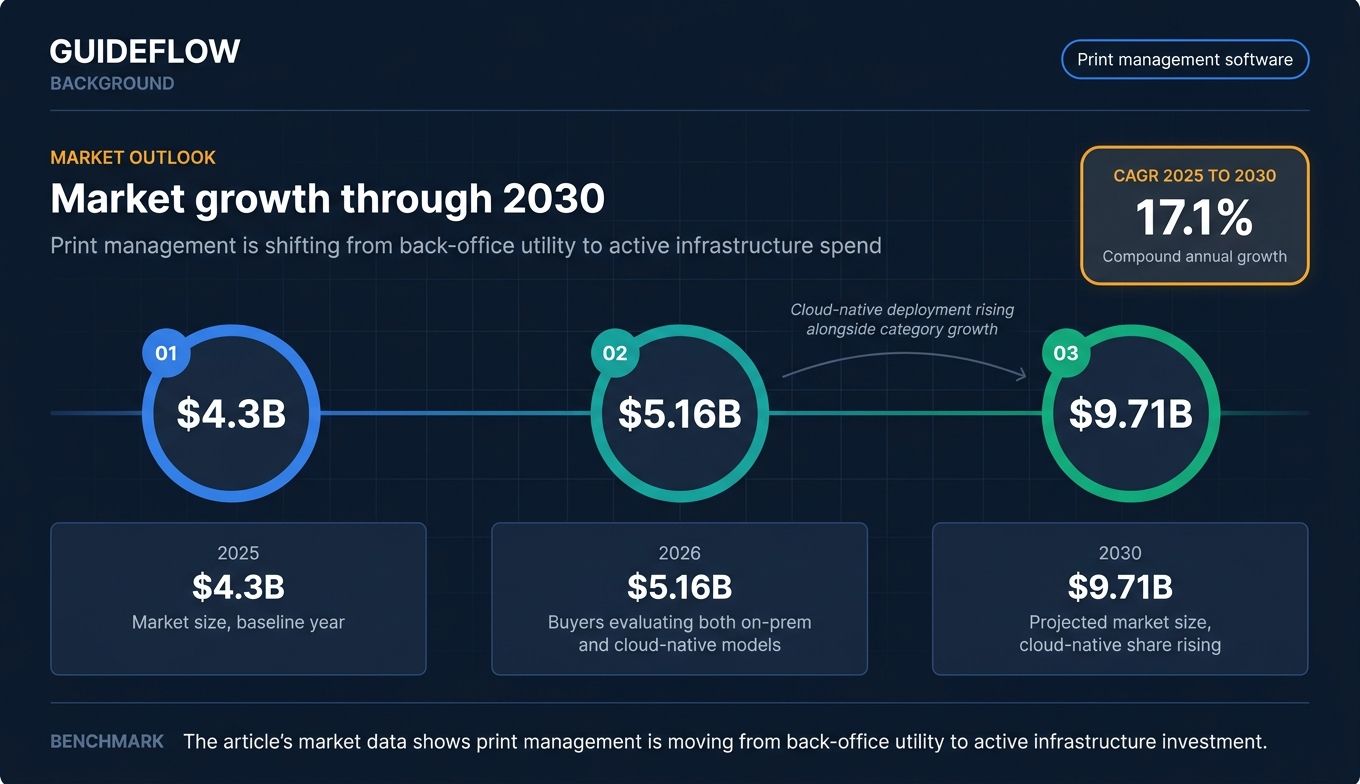
This is the actual cost of running an office printer fleet without management software. According to IDC research on printer-related help desk volume cited by managed print providers, roughly 23% of IT help desk calls are printer-related. Gartner research, cited in the same coverage, puts potential print cost reductions at 10% to 30% when organizations apply proper controls. The global print management software market is projected to grow from $4.3 billion in 2025 to $5.16 billion in 2026, then to $9.71 billion by 2030 at a 17.1% compound annual growth rate, per The Business Research Company's 2025 print management market report.
The category is consolidating, the cloud-native vendors are reshaping deployment models, and buyers are using this window to retire print servers, tighten security, and put real numbers on print spend. This guide is for the IT leader, operations head, or founder who needs a defensible shortlist of printer management software, not a brochure.
What's inside
This guide is built for IT directors, operations leaders, and founders evaluating print management software at SMB, mid-market, and enterprise scale. Inside you'll find:
- A ranked list of 10 print management tools with verified pricing and ratings where available
- A side-by-side comparison table covering intent, differentiation, pricing, and G2 ratings
- A background section defining the category for procurement and stakeholders
- A buyer's checklist covering deployment, security, ecosystem fit, cost, and integrations
- Segmented recommendations by company size
- FAQs targeting common procurement and IT review questions
Selection criteria: security and compliance fit, deployment flexibility (cloud, on-prem, hybrid), cost visibility, and vendor neutrality across MFD ecosystems.
TL;DR
- Best overall for mid-market and enterprise MFD fleets: PaperCut MF
- Best lighter-weight option for SMBs and offices: PaperCut NG
- Best for retiring Windows print servers at scale: PrinterLogic (Vasion Print)
- Best for Canon-heavy or mixed-vendor scan workflows: uniFLOW
- Best cloud-native enterprise deployment: Pharos Cloud
- Best fit for K-12, higher ed, and government quotas: Print Manager Plus
- Best for hybrid, BYOD, and coworking environments: ezeep Blue
- Best for combined print and document capture at enterprise scale: YSoft SAFEQ
- Best for VDI, Citrix, and remote office printing: ThinPrint
- Best for commercial print shops, not office IT: PrintSmith Vision
What is print management software?
Print management software is a category of IT tools that centralize the control, security, monitoring, and cost tracking of print jobs across an organization's printer fleet, regardless of device manufacturer. It sits between user endpoints and printers, mediating authentication, routing, secure release, and accounting.
The category was historically anchored in on-prem Windows print servers. Cloud-native entrants now offer serverless architectures that move queues, drivers, and policy enforcement into the SaaS layer. Most buyers in 2026 are evaluating both models.
Core capabilities a modern printing management software platform should cover:
- Centralized printer and driver management across multiple offices
- Secure print release via PIN, badge, card, or mobile authentication
- User authentication and directory integration (Active Directory integration best practices, Azure AD, Okta)
- Cost tracking, quotas, chargeback, and departmental accounting
- Mobile, web, and BYOD printing (AirPrint, Mopria, email-to-print)
- Analytics, audit logs, and compliance reporting
- Vendor-neutral support for multifunction devices (MFDs)
- Policy enforcement: duplex defaults, color restrictions, content filters
Who uses print management software? IT departments own deployment and day-to-day administration. Finance and procurement teams use the reporting layer for chargeback and budgeting. Compliance teams rely on audit logs for HIPAA compliance documentation requirements, SOX, and GDPR documentation. End users interact with it through secure release at the device and through mobile print clients.
Print management software is distinct from managed print services (MPS). MPS is a contracted service from a vendor that often bundles hardware, supplies, and support. Print management software is the tooling layer, and many MPS providers deploy a product from this category as part of their engagement.
When to use print management software
The decision to adopt a print management program usually comes from one of three pressures: a security or compliance gap, a fleet that has grown beyond what an IT team can manage manually, or a CFO who has seen the quarterly print invoice.
Secure printing in regulated environments
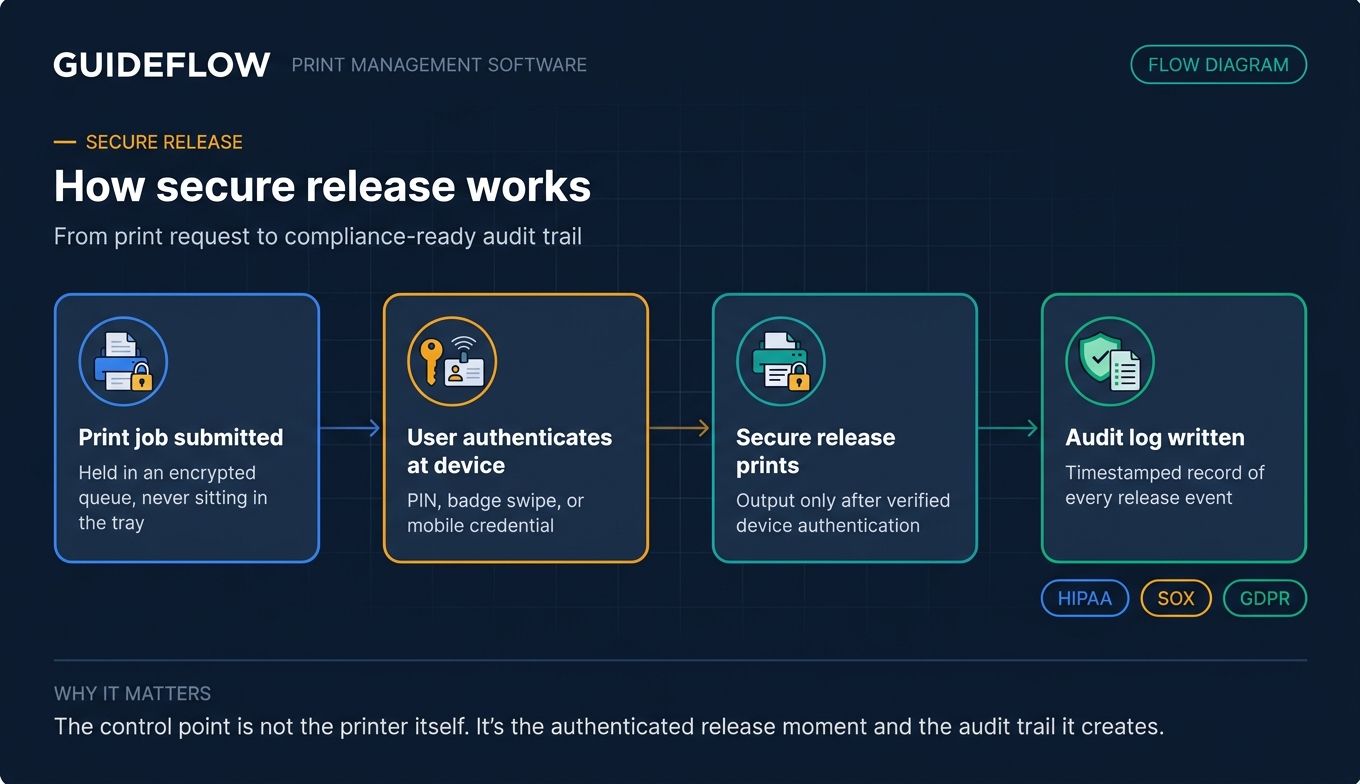
Healthcare, finance, legal, and government environments cannot leave print jobs sitting unattended in trays. Secure print solutions hold jobs in an encrypted queue until the user authenticates at the device with a PIN, badge swipe, or mobile credential. This closes the most common print security gap and produces the audit log that HIPAA, SOX internal control audit requirements, and GDPR data protection requirements reviewers expect to see.
Centralize fleet management across multiple offices
If your company has grown to multiple offices, hybrid teams, and a mix of printer brands, you need centralized print management software to standardize policy, push driver updates, and see fleet utilization in one console. Without it, every office becomes its own snowflake configuration, and your help desk inherits the burden.
Control print costs and enforce accountability
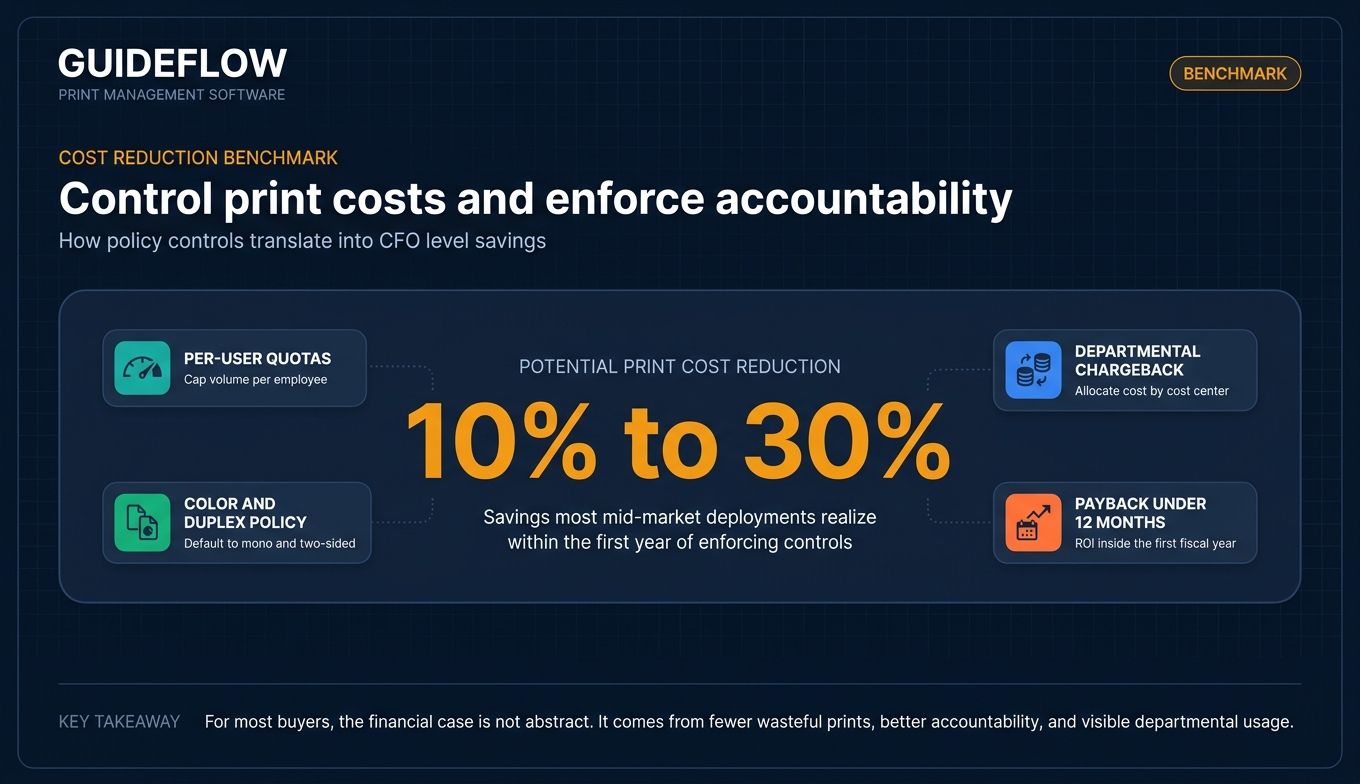
Departmental chargeback, per-user quotas, color and duplex policy, and waste reduction features pay for the software inside a year for most mid-market deployments. The 10% to 30% cost reduction range cited in Gartner research, via managed print provider analysis, is consistent with what most vendors report from customer case studies.
Comparison table
The table below ranks the 9 print management tools featured in this guide by relevance to office IT buyers in 2026. PrintSmith Vision is the exception, included because it appears in adjacent SERPs and rounds out the commercial print use case. Pricing reflects verified figures from each vendor's first-party pricing page where available; "Contact vendor" indicates pricing is quote-based and not publicly listed. G2 ratings reflect each tool's live G2 listing at write time, with Capterra noted where G2 data was unavailable.
| # | Product | Intent | Key differentiation | Pricing | G2 rating |
|---|---|---|---|---|---|
| 1 | PaperCut MF | Enterprise and mid-market MFD management | Deep embedded device integration across mixed-brand fleets | Contact vendor (reseller-led) | 4.5/5 |
| 2 | PaperCut NG | SMB and office print accounting | Cross-platform print tracking with free tier under 5 users | Contact vendor (free under 5 users) | 4.5/5 (Capterra) |
| 3 | PrinterLogic (Vasion Print) | Print server elimination | Serverless direct IP printing with self-service install portal | Contact vendor | 4.8/5 (Capterra) |
| 4 | uniFLOW | Canon and mixed-vendor scan workflows | Native Canon integration plus advanced scan routing | Contact vendor (Canon partner) | 4.1/5 |
| 5 | Pharos Cloud | Cloud-native enterprise print | Zero-trust release plus Insights analytics layer | From $3.00/user/year | 4.1/5 |
| 6 | Print Manager Plus | Education, government, quota enforcement | Per-user quota and budget controls with one-time licensing | From $495 (one-time) | 4.1/5 |
| 8 | YSoft SAFEQ | Enterprise print plus document capture | Modular platform spanning print, capture, and 3D | Contact vendor | 3.9/5 |
| 9 | ThinPrint | VDI, Citrix, and remote office printing | Print compression and bandwidth optimization | From $20.19/user/year | 4.6/5 |
| 10 | PrintSmith Vision | Commercial print shop management | Estimating, job tracking, and web-to-print for print shops | Contact vendor | 4.0/5 (Capterra) |
Best print management software for 2026
1. PaperCut MF
PaperCut MF is the category-defining product for mid-market and enterprise environments that need user-and-device-level control over print, copy, fax, and scan activity. It sits on Windows or Linux print infrastructure and integrates with multifunction devices from Canon, Konica Minolta, HP, Xerox, Lexmark, Ricoh, Brother, and others through embedded firmware on the device panel. The depth of that embedded integration is what distinguishes MF from the rest of the PaperCut portfolio and from most direct competitors in this list.
Best for: Mid-market and enterprise IT teams managing mixed-brand MFD fleets that require secure print release, scan workflow routing, and per-user or per-department chargeback.
Key strengths
- Find-Me printing and secure release: Jobs follow the user to any release-enabled device, authenticated by PIN, badge, or mobile credential
- Integrated scanning: Routes scans to network folders, email, fax, and cloud storage with OCR for searchable PDFs
- OCR and document processing: Enhances scan output and produces compliance-ready documentation
Why choose PaperCut MF: It has the strongest device ecosystem in the category, which matters when your fleet spans four or five MFD brands and you need consistent embedded experience on every device. The trade-off is honest: it expects you to run print server infrastructure, and G2 reviewers note initial configuration takes time. Teams that want SaaS print management without server lift typically look at PaperCut Hive, ezeep Blue, or PrinterLogic instead.
PaperCut MF pricing: PaperCut MF is sold through a global certified partner channel rather than directly. The product page mentions unified subscription pricing but does not publish numeric figures on the first-party page. Buyers should request a quote from an authorized PaperCut partner for current per-device or per-user pricing in their region.
2. PaperCut NG
PaperCut NG is the lighter sibling of MF, focused on enabling, tracking, and controlling printing across an organization without the deep embedded MFD features. It targets SMBs, smaller offices, and education environments that want quotas, reporting, and basic secure release without the full multifunction device control layer.
Best for: SMBs, small to mid-sized offices, and education environments that need cross-platform print tracking, quotas, and mobile or BYOD printing.
Key strengths
- Detailed print job tracking and reporting: Per-user, per-printer, and per-document visibility with web-based reports
- Print quotas and eco-friendly policy prompts: Encourages duplex, grayscale, and lower-volume behavior at the moment of print
- Mobile and BYOD printing: Email-to-print, Web Print, and automated print queue and driver deployment
Why choose PaperCut NG: It carries lower total cost than MF when embedded device control isn't required, and it works across Windows, Mac, and Linux endpoints. PaperCut NG is free for businesses with five users or less, which makes it a defensible starting point for very small offices. The product's pricing is structured into Commercial business, Education/Government, and Professional client billing categories, organized by user count, with mandatory Maintenance and Support in the first year.
PaperCut NG pricing: PaperCut NG is licensed by user count through the same reseller channel as MF. The first-party pricing page confirms a free tier for businesses with five users or less. Numeric pricing for paid tiers is not published on the first-party page; request a quote from an authorized PaperCut partner for current figures.
3. PrinterLogic (Vasion Print)
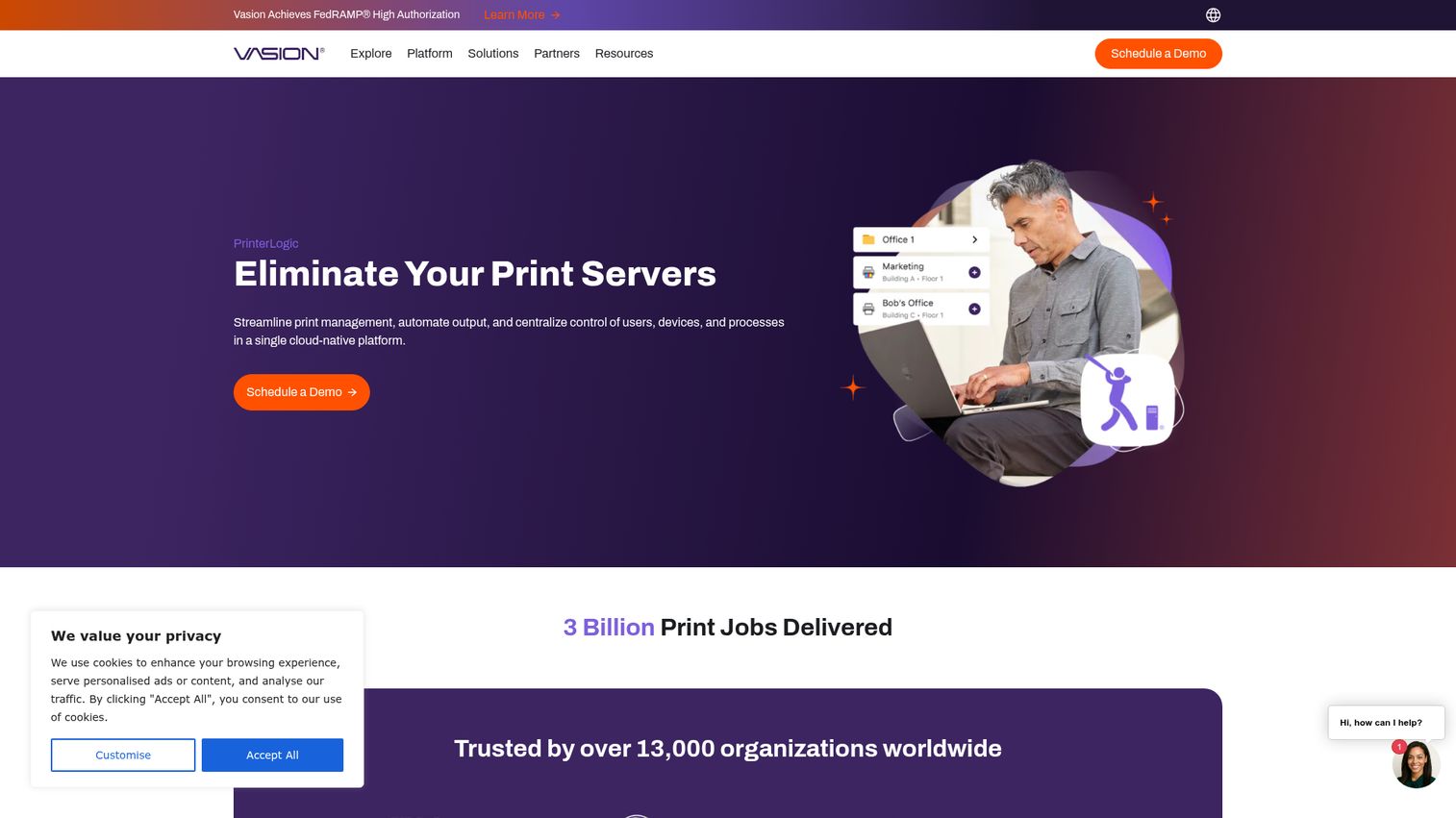
PrinterLogic, now marketed under the Vasion brand as Vasion Print, is the dominant choice for IT teams that want to retire Windows print servers entirely. The platform centralizes direct IP printing through a SaaS console, eliminating the server tier and the maintenance burden that comes with it. End users install printers themselves through a self-service portal, which is the source of most of the help desk volume reduction the product is known for.
Best for: IT teams that want to eliminate Windows print servers and standardize on centrally managed direct IP printing across distributed offices.
Key strengths
- Centrally managed direct IP printing: Removes print servers from the architecture while keeping centralized policy control
- Self-Service Installation Portal: End users add printers themselves with automated driver deployment
- Secure Release Printing and Zero Trust security: Pull printing with authentication, plus zero-trust security features for regulated environments
Why choose PrinterLogic: The "kill your print server" pitch is the strongest in the category, and Capterra reviewers (where the product currently holds 4.8/5 across 204 reviews) consistently cite reduced help desk volume and faster printer rollouts. Many IT teams pair the rollout with an internal knowledge base so end users can self-serve printer installs without filing tickets. The trade-off is that pricing is enterprise quote-only, with no public price list, so procurement timelines run longer than self-serve SaaS.
PrinterLogic pricing: Vasion does not publish public pricing for PrinterLogic. The vendor documentation directs buyers to contact a representative for details and add-on pricing. Plan to engage Vasion sales early in your evaluation.
4. UniFLOW
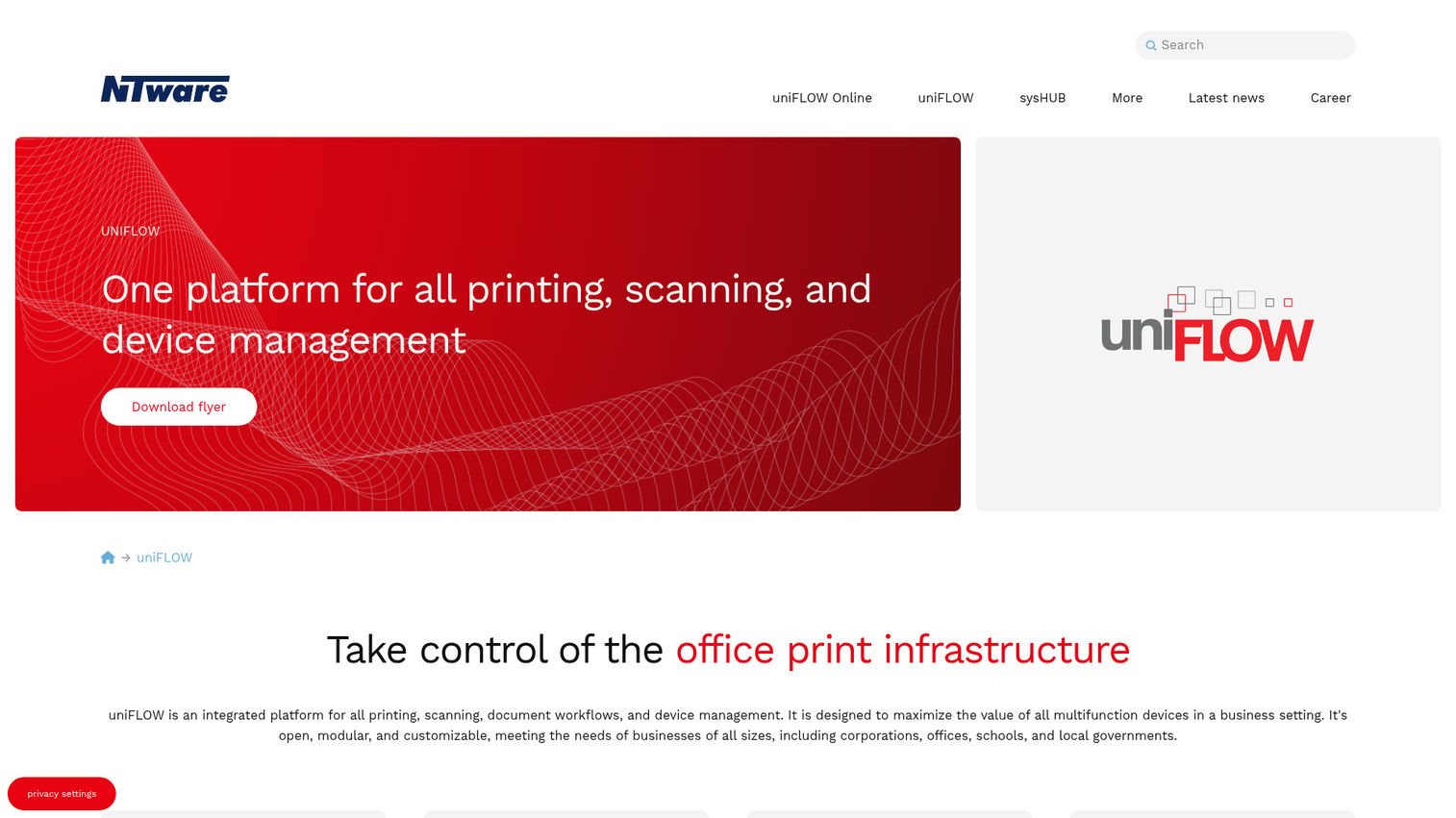
UniFLOW, developed by Canon's NT-ware subsidiary, is a print, scan, and device management platform with deep Canon imageRUNNER ADVANCE integration and broad support for mixed-vendor MFD fleets. It is particularly strong in environments where scan workflow and document routing matter as much as print control.
Best for: Organizations standardized on Canon devices, or running mixed fleets with heavy scan-to-workflow needs that require centralized capture and routing.
Key strengths
- Secure follow-me print release: Jobs follow the user across the fleet, released at the device after authentication
- Document scanning with workflow routing: Sends scans to email, network folders, and cloud destinations with metadata
- Centralized device management and accounting: Cost tracking and policy across Canon and third-party MFDs
Why choose uniFLOW: If Canon is the standard fleet, uniFLOW is the natural choice because the embedded experience on imageRUNNER ADVANCE devices is tighter than any competitor. Other-vendor MFDs are supported, though the integration polish is closest on Canon hardware. The product is available in both cloud (uniFLOW Online) and on-prem deployments.
uniFLOW pricing: uniFLOW is sold through Canon and Canon-authorized partners. The vendor does not publish public list pricing. Engage your Canon account team or a uniFLOW certified partner for a quote.
5. Pharos Cloud
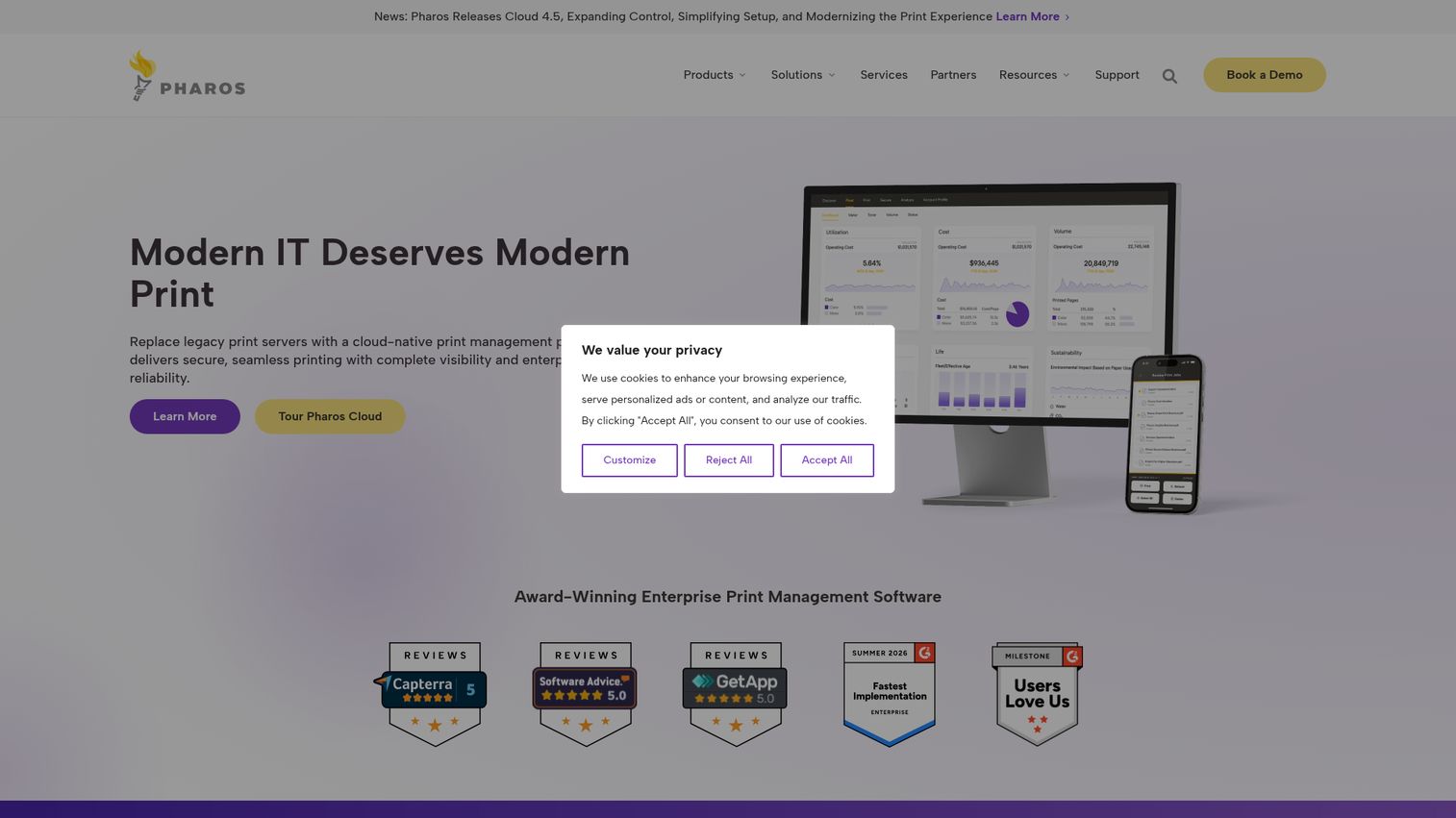
Pharos Cloud is a cloud-native enterprise print management platform built to eliminate print servers, tighten security, and provide visibility across multi-vendor fleets. The Insights analytics layer is the differentiator, giving IT and finance teams deeper fleet usage dashboards than most products in this category.
Best for: Large organizations modernizing off legacy on-prem print servers and standardizing on cloud-native, zero-trust print architecture.
Key strengths
- Direct IP printing: Cloud-managed routing without traditional print servers
- Secure Release printing: Authenticated pull printing for regulated environments
- Insights and Analytics: Fleet usage dashboards and reporting for IT, finance, and sustainability stakeholders
Why choose Pharos Cloud: Pharos is positioned for enterprise deployments and is comfortable with procurement-heavy buying processes, aligned with the zero-trust security architecture framework from NIST. The cloud-native architecture removes the print server tier, which matters when your IT strategy is "cloud-first by default." The trade-off is that Pharos is built for scale, so SMBs and small offices may find it heavier than needed.
Pharos Cloud pricing: Pharos Cloud starts at $3.00 per user per year on the first-party pricing page, with custom quotes for larger or more complex deployments. This is one of the few vendors in this category that publishes a public starting price.
6. Print Manager Plus
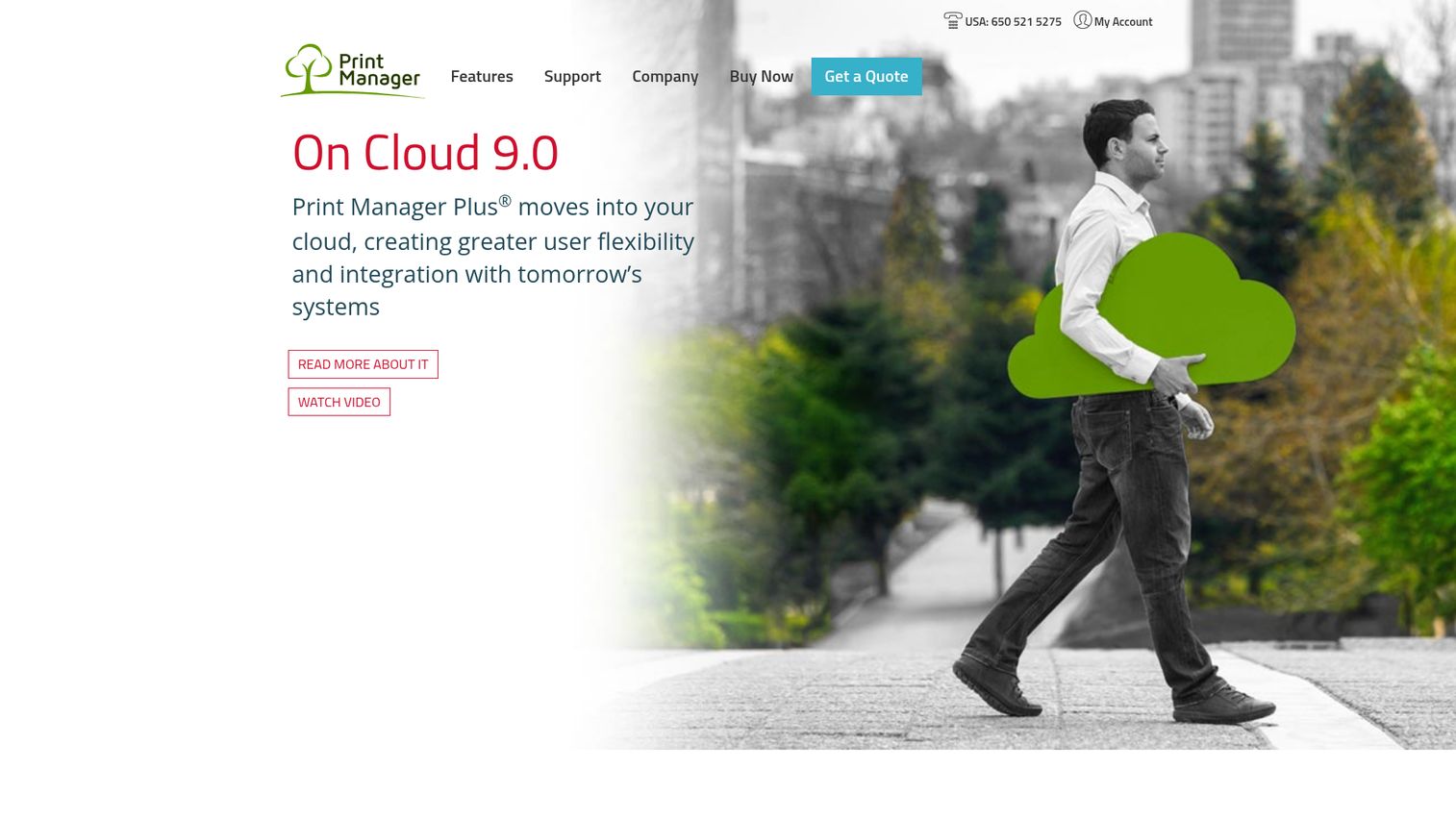
Print Manager Plus is a long-standing print management tool from Software Shelf, focused on giving organizations control, access, and insight into printing to reduce costs and cut waste. It has historically been strong in education and government, where per-user quota enforcement and audit-friendly reporting are mandatory.
Best for: K-12 districts, universities, and government offices that need per-user budgeting, quota enforcement, and detailed print auditing in Windows-based environments.
Key strengths
- Live auditing of print activity: Real-time visibility into every print job across the fleet
- Quota and budget tracking: Hard limits and chargeback by user, group, or department
- Printing restrictions and web-based reporting: Rules engine plus a reports center for scheduled output
Why choose Print Manager Plus: It is one of the few vendors in this category with publicly listed, one-time perpetual licensing, which is straightforward for procurement teams that prefer capex to opex. The Enterprise Edition pricing scales by user count, making it predictable for budget planning.
Print Manager Plus pricing: The first-party store lists Enterprise Edition pricing from $1,295 (1 to 4 users) down to $495 (Small Business Edition), with intermediate tiers for 5-9, 10-24, 25-50, 51-100, 101-200, and 201-300 user bands, all as one-time payments. Optional add-ons include Client Billing & Authentication ($495), WebAdvantage Suite ($595), and Reports Center ($1,500). A 30-day free trial is available.
7. YSoft SAFEQ
YSoft SAFEQ is an enterprise SaaS print software platform for secure print management and document capture, available across cloud, managed, and on-prem environments. Its modular design lets buyers pick the capabilities they need: pull printing, mobile and web print, and document capture, with additional modules for workflow automation and 3D print management.
Best for: Large enterprises that want print management and document capture in a single vendor-agnostic platform with modular licensing.
Key strengths
- Pull Printing: Authenticated print release across mixed-brand printer fleets
- Mobile and Web Print: BYOD and guest printing without endpoint configuration
- Document capture: Scan workflow routing and metadata-driven destinations
Why choose YSoft SAFEQ: It is a strong fit when print and scan automation are both priorities and you want a single platform rather than two vendors. The modular pricing model lets you scope down to what you actually need rather than paying for a full enterprise bundle on day one.
YSoft SAFEQ pricing: Y Soft does not publish numeric pricing on the first-party site, though some product pages reference monthly or quarterly billing. Engage Y Soft sales or an authorized partner for module pricing and enterprise terms.
8. ThinPrint
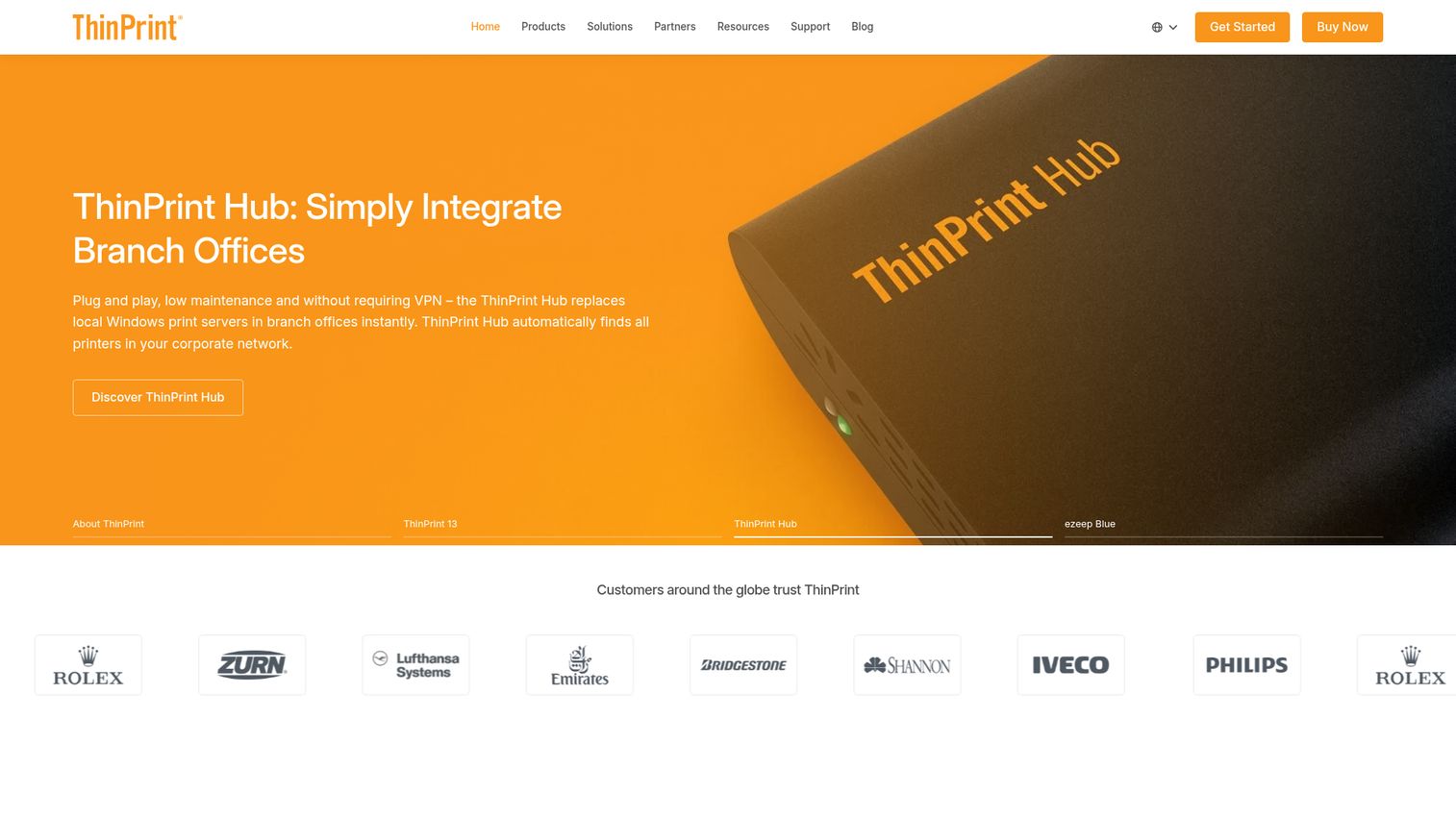
ThinPrint is the specialist in enterprise print management for remote, virtual desktop, branch office, and private cloud environments. Its core technology is print data compression and bandwidth management, which makes it the default choice for Citrix virtual desktop printing architecture, VMware, and RDP-heavy deployments where print traffic over WAN links is a real constraint.
Best for: Enterprises running Citrix, VMware Horizon, or RDP environments, plus branch offices with constrained bandwidth.
Key strengths
- Adaptive print data compression: Reduces print job size for low-bandwidth WAN links
- Connection-oriented bandwidth management: Prevents print jobs from saturating remote office connections
- Automatic printer assignment with AutoConnect: Maps users to printers based on location and policy
Why choose ThinPrint: It is the category default for VDI and remote desktop printing, where general-purpose print management tools struggle with bandwidth and session printing. The ThinPrint Hub also extends print management to physical branch offices without a local print server.
ThinPrint pricing: ThinPrint publishes product-based pricing in its online shop. ThinPrint Engine is $27.50 per user per year. ThinPrint Hub is $149.00 per device per year. Personal Printing is $20.19 per user per year. ThinPrint RDP Engine is a one-off payment of $1,330.00.
9. PrintSmith
PrintSmith, from eProductivity Software, is print shop management software for small to mid-sized print service providers. It belongs to a different category than the office print management tools above (this is commercial print production management software), but it consistently appears in adjacent SERPs and is worth including for buyers who actually run a print shop rather than an office fleet.
Best for: Quick printers, digital print shops, sign and display businesses, in-plant facilities, CRDs, and franchise printers managing estimating, job tracking, and invoicing.
Key strengths
- Job tracking and management: End-to-end visibility from order to delivery on the shop floor
- Estimating and quoting: Fast quote generation with cost calculation for commercial print jobs
- Inventory management: Stock tracking for paper, ink, and consumables tied to job costing
Why choose PrintSmith Vision: If you run a commercial printing operation rather than an office print fleet, this is the relevant choice. It integrates with web-to-print storefronts and is purpose-built for the commercial printing management software use case, not office IT. For quoting workflows tied to print jobs, many shops also evaluate dedicated quote management software to standardize pricing rules.
PrintSmith Vision pricing: The official pricing page does not publish public numeric pricing for PrintSmith Vision. Contact eProductivity Software or its Graphic Communications partner for a quote.
Considerations for buyers
A defensible print management software shortlist comes down to five evaluation criteria. Use these as a checklist when running vendor calls.
Deployment model: cloud, on-prem, or hybrid
Decide upfront whether you want to retire print servers, keep them, or run a hybrid. Cloud-native tools (PrinterLogic, ezeep Blue, Pharos Cloud, PaperCut Hive) eliminate the Windows print server tier entirely. On-prem and hybrid tools (PaperCut MF, uniFLOW on-prem, YSoft SAFEQ) give you more control if your security posture requires it. This is the single biggest architectural decision and it filters the shortlist fast.
Security and compliance fit
Confirm authentication methods (PIN, card, badge, mobile), encryption at rest and in transit, audit logging depth, and certifications relevant to your regulators: SOC 2 compliance criteria, ISO 27001, FedRAMP, HIPAA, SOX, GDPR. Secure print solutions are the highest-impact feature for regulated environments, and audit logs are what compliance reviewers actually want to see.
Vendor neutrality and MFD ecosystem
Verify the tool supports your existing printer fleet without forcing a hardware refresh. Get a written confirmation that specific MFD models are supported at the embedded level you need. If your fleet is single-vendor (especially Canon), check whether the vendor's own platform (uniFLOW) gives you a tighter experience than a neutral tool.
Cost model and total cost of ownership
Compare per-device, per-user, and flat licensing structures, and add implementation, training, and ongoing reseller fees. Founders and CFOs care about payback period: most mid-market deployments recoup costs through reduced help desk volume and tighter print spend visibility within a year, based on vendor case studies. When you evaluate, request hands-on access or an interactive demo before you commit, so your team can validate the workflow rather than relying on a slide deck. For vendors that won't grant trial access, look for a live demo option that lets you click through the actual product UI.
Integration with identity and IT stack
Active Directory, Azure AD, Okta, SCIM provisioning, and SIEM logging integration determine how well centralized print management software fits into the rest of your IT stack. Enterprise print management solutions that don't sync cleanly with your identity provider create operational drag your IT team will feel every week. Review each vendor's integrations list before you commit.
How to choose the right print management software for your team
The right pick depends on company size, deployment preference, and the dominant printer brand in your fleet.
- If you're a 50 to 200 person SaaS company with one or two offices: PaperCut NG or ezeep Blue cover most needs without enterprise overhead. ezeep Blue is the cleanest cloud-only choice; PaperCut NG is the safer bet if you have a mixed OS environment.
- If you're a 200 to 2,000 person mid-market company with multiple offices and mixed printer brands: PaperCut MF or PrinterLogic deliver the cost visibility and secure release that audit and finance will ask for. Choose PaperCut MF if embedded device control matters; choose PrinterLogic if eliminating the print server tier is the priority.
- If you're enterprise (2,000+ employees) with cloud-first IT and zero-trust requirements: Pharos Cloud, uniFLOW Online, or YSoft SAFEQ fit the architectural standard. Pharos Cloud has the strongest analytics layer; uniFLOW is the default if Canon dominates the fleet; YSoft SAFEQ wins if you need print management and document capture in one platform.
- If you run a commercial print shop: PrintSmith Vision is the relevant tool. The rest of this list addresses office IT, not production print.
Conclusion
Print management software in 2026 is no longer optional infrastructure for any organization above 50 employees. The category is consolidating around cloud-native deployment, zero-trust security, and analytics-driven cost control. The strongest picks for most mid-market and enterprise buyers are PaperCut MF for mixed-brand MFD fleets, PrinterLogic for print server elimination, and Pharos Cloud for enterprise cloud-first deployments. SMBs and hybrid teams should look at PaperCut NG or ezeep Blue first.
Start by shortlisting the three tools that fit your deployment model. Request live product walkthroughs, validate the embedded experience on at least one of your existing MFD models, and run a 30-day pilot in one office before fleet-wide rollout. If you're a vendor or reseller in this category, an interactive product tour is one of the fastest ways to let prospects validate fit without a sales call. The right pick will pay for itself within a year through reduced help desk volume and tighter print spend visibility. If PaperCut MF fits your profile, you can start an evaluation directly with PaperCut.
FAQs about print management software
Print management software centralizes the control, security, monitoring, and cost tracking of print jobs across an organization's printer fleet, regardless of device manufacturer. It mediates authentication, routing, secure release, and accounting between user endpoints and printers. Common capabilities include secure print release, quotas, mobile printing, and detailed reporting for IT, finance, and compliance teams.
Pricing varies widely by deployment model. Cloud SaaS tools have publicly listed entry prices: Pharos Cloud starts at $3.00 per user per year, and ezeep Blue Pro starts at €2.75 per user per month billed annually. Perpetual licensing is also available: Print Manager Plus Enterprise Edition starts at $495 one-time. Most enterprise products (PaperCut MF, PrinterLogic, uniFLOW, YSoft SAFEQ) are quote-based through reseller channels. For comparable pricing strategies in adjacent IT categories, see our roundup of contract management software.
PaperCut MF, Pharos Cloud, uniFLOW, and YSoft SAFEQ lead the enterprise segment. PaperCut MF wins on MFD ecosystem depth. Pharos Cloud is the strongest cloud-native choice with the deepest analytics layer. uniFLOW is the default for Canon-heavy fleets. YSoft SAFEQ fits when print and document capture are both priorities. The right pick depends on existing printer vendor, cloud preference, and whether you need integrated document workflow.
Yes. Print management software is the tooling layer that runs in your environment or as SaaS. Managed print services (MPS) is a contracted service from a vendor that often bundles hardware, supplies, support, and a software platform. Many MPS providers deploy a product from this category as part of the engagement, so the categories overlap in practice but are distinct in procurement.
Yes. Cloud-native tools eliminate the Windows print server entirely. PrinterLogic (Vasion Print), ezeep Blue, Pharos Cloud, and PaperCut Hive all route print jobs from endpoint to device using direct IP printing managed from the SaaS layer. This is one of the strongest drivers of adoption in 2026, because it removes a maintenance and patching burden from IT teams.
Jobs are held in an encrypted queue until the user authenticates at the device with a PIN, card swipe, badge, or mobile app. The job releases only after authentication, which prevents unattended documents from sitting in the output tray. Secure print release is the highest-impact security feature in this category and is typically required for HIPAA, SOX, and GDPR compliance.
Most modern tools do. PaperCut, PrinterLogic, and uniFLOW all offer cross-platform clients. Mobile support typically includes AirPrint protocol specification and Mopria mobile printing standard protocols plus vendor-specific mobile apps. Verify the exact OS versions and mobile protocols supported during your evaluation, particularly if you have a significant Linux or ChromeOS endpoint footprint.
Track three metrics. Print volume reduction from quota enforcement and duplex defaults typically shows up in the first year, with Gartner-cited research suggesting cost reductions of 10% to 30% are achievable. Help desk ticket volume related to printers should fall meaningfully (IDC research cited 23% of help desk calls as printer-related, which gives you a baseline). Total print spend year-over-year is the third metric, and the one your CFO will care about most. Pairing these with broader marketing analytics software dashboards can help finance teams contextualize print spend against other operating costs.