A decision got made in a meeting six weeks ago. Now no one can find what was agreed. The customer call insight that would have changed the roadmap lives in someone's voice memos. The competitive intel a rep heard on a discovery call is buried three threads deep in a direct message. Note-taking software, at the company level, isn't really about personal productivity. It's about whether your company can remember itself.
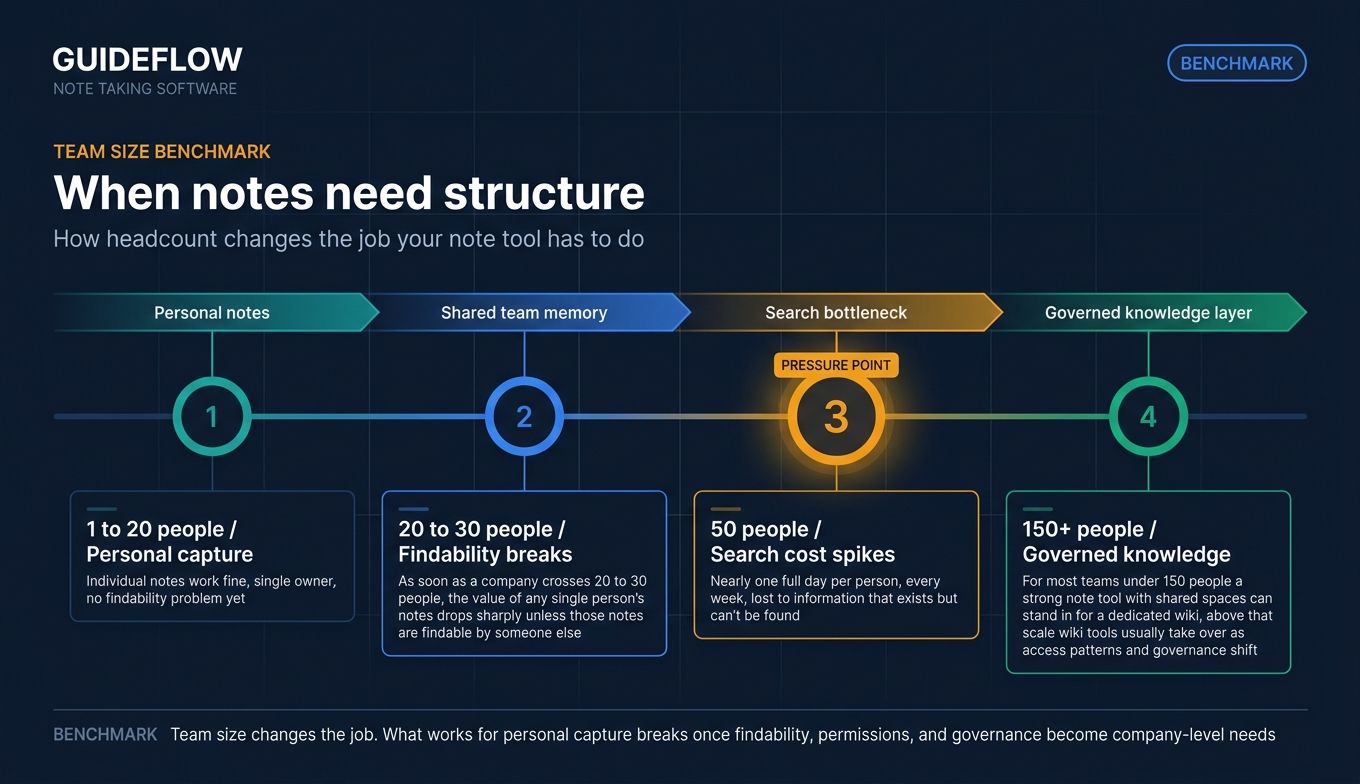
McKinsey's research on knowledge worker productivity puts a number on the cost: knowledge workers spend roughly 19% of the workweek searching for and gathering information. For a 50-person team, that's nearly one full day per person, every week, lost to information that exists but can't be found.
The right note taking software cuts that tax. The wrong one adds another tab to ignore. Most growing SaaS teams now run three or four overlapping tools (a personal app, a team wiki, a meeting recorder, a shared drive) and still lose context. Consolidation is the move. Picking the tool your team will actually adopt is the harder part.
This guide is built for founders and operators evaluating note-taking tools for organizational use, not students looking for a stylus app. Every section is written through one lens: would a new VP get value from this tool in week one?
What's inside
This is a shortlist of 10 note taking apps evaluated for team and professional use. We weighted picks against five criteria that matter for growing companies:
- Cross-platform sync and offline access
- Collaboration, permissions, and admin controls
- Search and retrieval at scale (including AI-assisted search)
- AI features: transcription, summarization, semantic search
- Integration with the rest of the work stack (calendar, CRM, docs, chat)
Pricing and ratings reflect verified vendor pages and review platforms at the time of writing. Verify before signing.
TL;DR
- Best overall for teams: Notion
- Best for Microsoft 365 orgs: Microsoft OneNote
- Best for Apple ecosystem teams: Apple Notes
- Best free option: Google Keep
- Best for power users and knowledge management: Obsidian
- Best for AI-first meeting capture: Mem
- Best for open-source and data ownership: Joplin
Skip the rest if you already know one of these is your answer. If you don't, the body breaks down where each one earns its keep and where it doesn't.
Background: What note taking software actually is in 2026

Note-taking software is a digital application for capturing, organizing, and retrieving written, voice, or visual notes across devices and team members. The category has expanded well past "type and save." A modern digital note taking application is closer to a lightweight knowledge system.
Core capabilities most teams expect now:
- Capture: Text, voice, image, web clip, PDF, handwriting
- Organization: Folders, tags, databases, backlinks, smart folders
- Sync: Across desktop, mobile, web, and operating systems
- Search and retrieval: Keyword, tag, full-text, and AI-assisted Q&A
- Collaboration: Shared spaces, comments, real-time editing, permissions
- AI assistance: Summarization, transcription, drafting, semantic search
- Integrations: Calendar, chat, CRM, docs, task managers, email
The shift from "personal notes app" to "team note taking software" tracks a broader trend. As soon as a company crosses 20 to 30 people, the value of any single person's notes drops sharply unless those notes are findable by someone else. That's why a notes keeping app that wins at the individual level often loses at the org level, and vice versa.
A useful frame: if your notes only matter to you, you're choosing a notes app. If your notes need to survive a teammate going on vacation, a VP joining, or a customer escalation reopening eighteen months later, you're choosing note taking software. Same products, different evaluation criteria. The list below ranks for the second case.
The other shift worth naming: AI changed what "search" means. Two years ago, finding a note required remembering a keyword. Now, asking "what did we decide about pricing for the enterprise SKU last quarter?" is a reasonable query for any of the AI note taking tools on this list.
When to use note taking software
Capture meeting decisions and action items
A shared note tool turns a 30-minute meeting into a 5-minute read for everyone who wasn't there. For founders trying to step out of every conversation, this is the leverage move. Decisions, owners, and dates live in one searchable place. The new VP who joined last week can read the last six months of a team's notes in a morning and start making decisions without scheduling fifteen catch-ups.
Build a team knowledge base without standing up a wiki
For most teams under 150 people, a strong note tool with shared spaces can stand in for a dedicated wiki. You get templates, permissions, and search without the overhead of a separate platform to maintain. Above that scale, wiki tools usually take over because the access patterns and governance needs shift. Below it, a second system is a second tax. If you're weighing a dedicated wiki instead, our roundup of knowledge base software breaks down where each option fits.
Capture customer signal before it disappears
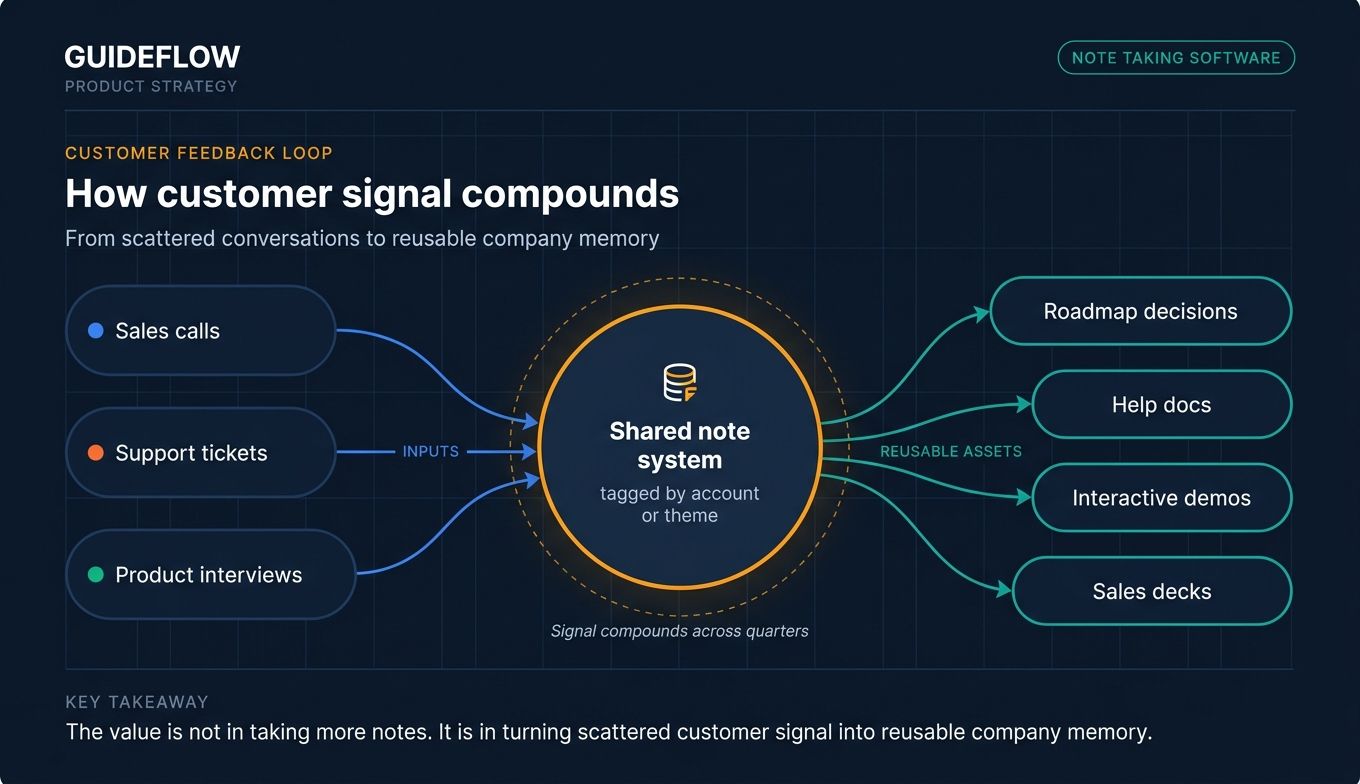
Sales calls, support tickets, and product interviews are full of signal that dies in inboxes. A shared note system, tagged by account or theme, makes that signal compoundable. The same insight that would have been forgotten becomes a roadmap input three quarters later. Pair this with your customer-facing assets (your help docs, your interactive demo library, your sales decks) and the loop tightens.
Comparison table
The ten tools below were sorted by relevance to a team or professional buyer. Pricing reflects verified vendor pricing pages where available. Ratings reflect G2 or Capterra at time of writing.
| # | Product | Intent | Key differentiation | Pricing | Rating |
|---|---|---|---|---|---|
| 1 | Notion | Team knowledge management | Database-backed notes, AI Q&A, granular permissions | Free; Plus $10/user/mo; Business $20/user/mo; Enterprise custom | 4.7/5 (Capterra) |
| 2 | Microsoft OneNote | Microsoft 365 orgs | Bundled with Microsoft 365, Copilot integration, flexible canvas | Free standalone; Microsoft 365 Personal $9.99/mo or $99.99/yr | 4.5/5 (G2) |
| 3 | Evernote | Cross-platform capture | Web Clipper, advanced search, AI features | Free, Starter, Advanced, Enterprise (see pricing page) | 4.3/5 (G2) |
| 4 | Apple Notes | Apple-first teams | Native sync, on-device AI, zero cost | Free with Apple devices | Not listed |
| 5 | Google Keep | Free quick capture | Free with Google account, Workspace integration | Included in Google Workspace plans | 4.7/5 (Capterra) |
| 6 | Obsidian | Power users, PKM | Local Markdown files, backlinks, plugins | Free; Sync $4/user/mo (annual); Commercial $50/user/yr | 4.4/5 (G2) |
| 7 | Mem | AI-first capture | AI Thought Partner, Deep Search, Voice Mode | Free; Mem Pro $12/mo; Teams custom | 2.3/5 (G2) |
| 8 | Bear | Apple writers | Markdown editor, tag hierarchy, multi-format export | Free; Bear Pro $2.99/mo or $29.99/yr | 4.5/5 (G2) |
| 9 | Joplin | Open-source teams | Open source, E2E encryption, self-host or cloud | Free app; Joplin Cloud Basic €2.99/mo, Pro €5.99/mo, Teams €7.99/user/mo | 4.8/5 (G2) |
| 10 | Craft | Design-conscious docs | Block-based editor, polished defaults, Daily Notes | Free Starter; Plus $4.80/mo; Family $9/mo; Team $50/mo | 4.6/5 (G2) |
1. Notion: Best for team knowledge management at scale
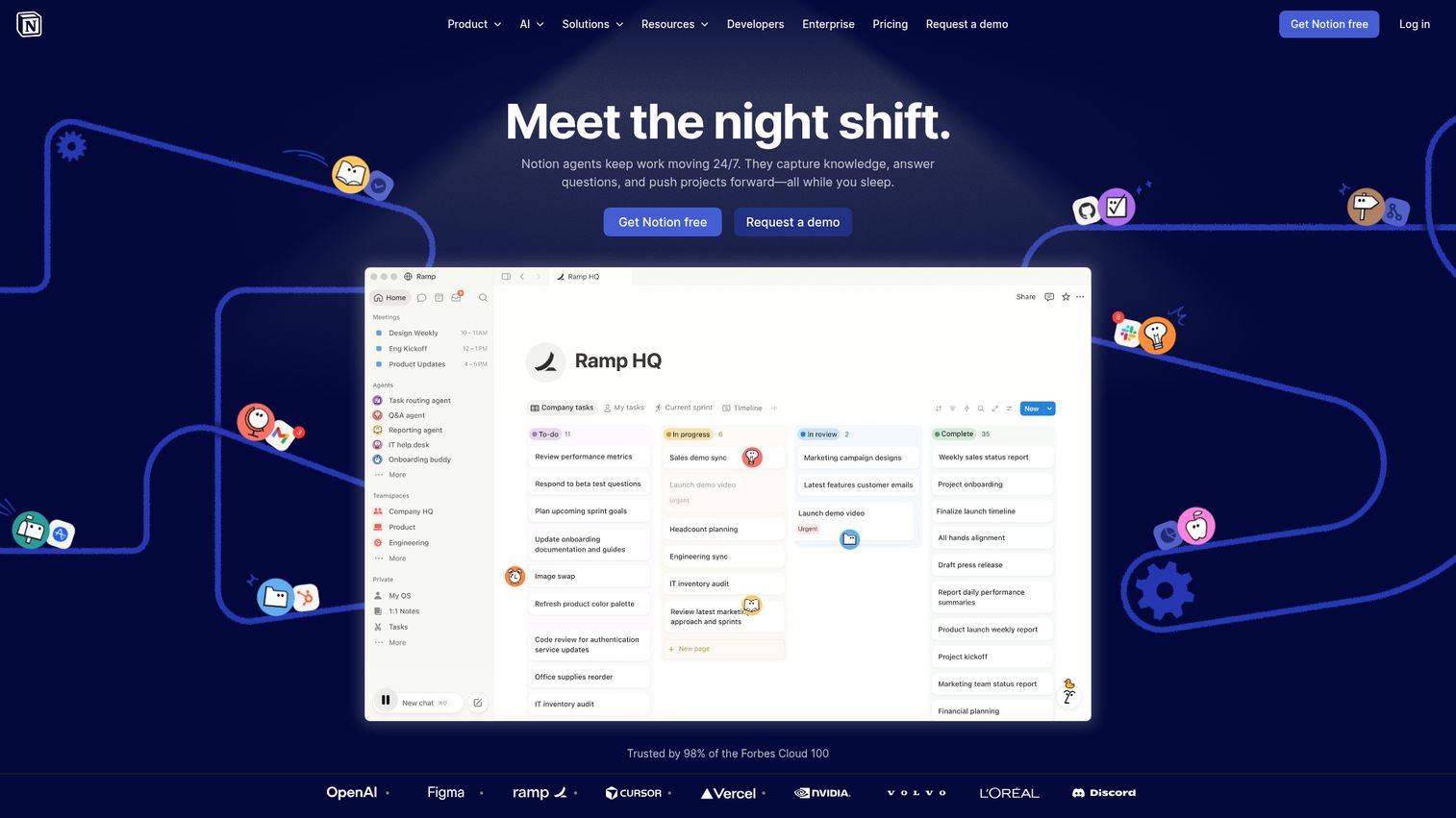
Notion is the default landing spot for most growing SaaS teams that have outgrown raw documents. The pitch is simple: pages, databases, and AI in one workspace, so meeting notes, project plans, and team wikis stop living in separate tools. Notion supports database-backed notes that can be filtered, sorted, and queried like structured data, plus AI search and Q&A across the workspace. For a Series B company trying to consolidate three or four tools into one, Notion is usually the first short-list pick.
Best for: Teams that want a single workspace for docs, notes, projects, and lightweight knowledge management.
Key strengths
- AI Meeting Notes: Capture and summarize meetings inside the workspace, with output that links back to related pages and databases.
- Enterprise Search: Query across the entire workspace in plain language and get answers grounded in your team's actual content.
- Databases with subtasks, dependencies, and custom properties: Turn meeting notes into structured records you can filter by team, project, or status.
Why choose Notion: Notion is the closest thing to a single source of truth for a 50-person company. The tradeoff is opinionated structure. Teams that resist setting up databases and templates get less value than teams that invest a week in standardizing. A new VP can read a clean Notion workspace in an afternoon and ship by week two.
Notion pricing: Free for personal use. Plus is $10 per member per month. Business is $20 per member per month. Enterprise is custom. AI features and Custom Agents are available as add-ons. Verified on Notion's pricing page; confirm current numbers at checkout.
2. Microsoft OneNote: Best for Microsoft 365 orgs
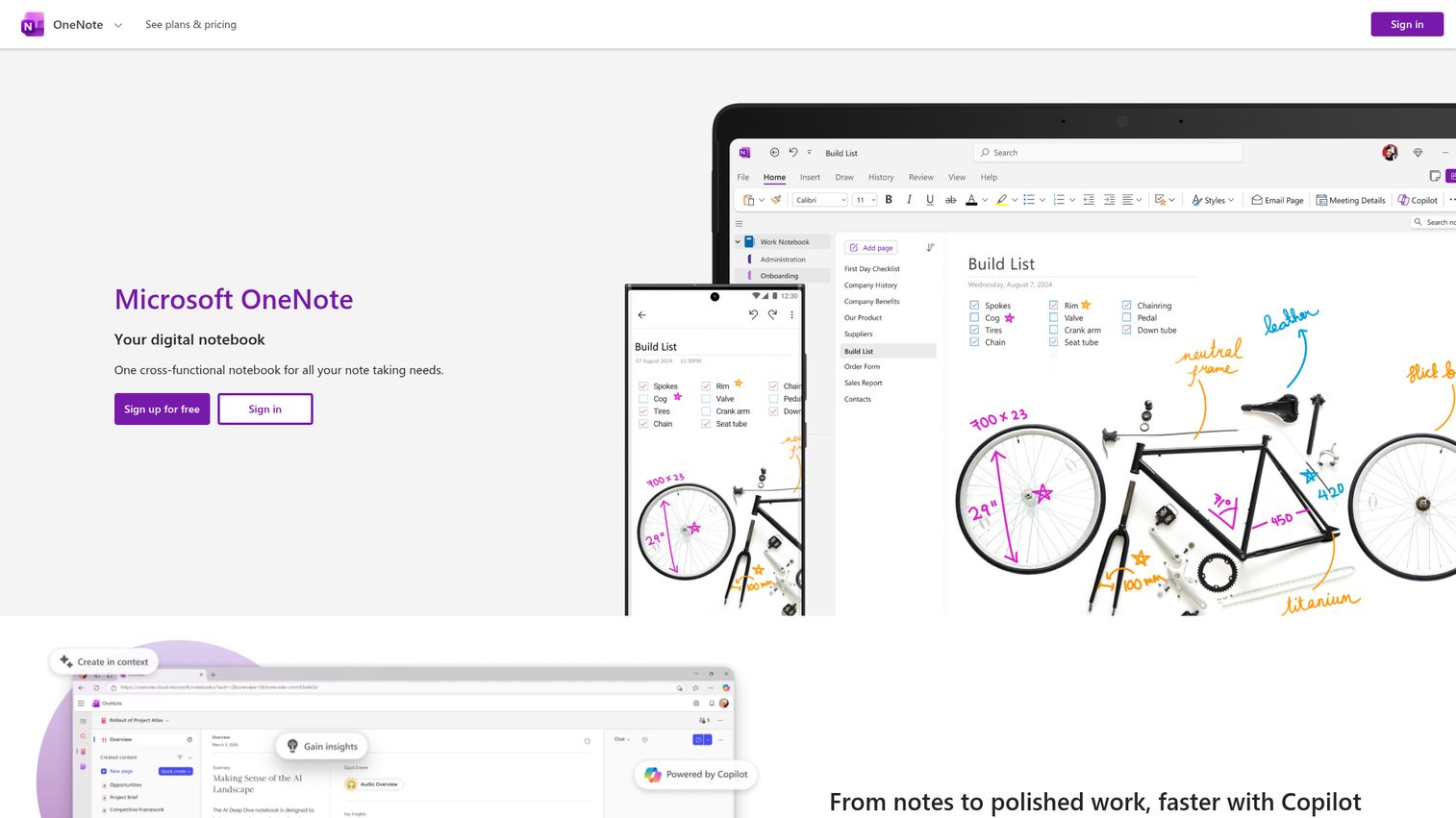
Microsoft OneNote is the most underrated option for teams already paying for Microsoft 365. The notebook, section, and page hierarchy is familiar to anyone who used a paper binder. Copilot integration adds AI drafting, summaries, and Q&A inside notebooks. Digital ink, voice transcription, and a flexible canvas let you mix text, images, handwriting, and audio on the same page. If finance is asking which tools you can cut and you're already on Microsoft 365, OneNote is the consolidation play.
Best for: Organizations standardized on Microsoft 365 that want note-taking included in an existing license.
Key strengths
- Copilot in OneNote: Draft plans, generate ideas, create lists, and summarize notebook content with AI inside the app.
- Digital ink support: Sketch, annotate, and highlight with stylus input on supported devices.
- Voice transcription: Capture notes by voice and review the transcript later.
Why choose OneNote: If your team already pays for Microsoft 365, OneNote is the consolidation pick that adds no incremental cost and integrates with Outlook, Teams, and Word. Best for orgs where the Microsoft stack is already daily. New hires already know how it works, which removes the day-one adoption problem.
OneNote pricing: OneNote is free to download and use. Premium features unlock via Microsoft 365. Microsoft 365 Personal is $9.99 per month or $99.99 per year. Family is $12.99 per month or $129.99 per year. Premium is $19.99 per month or $199.99 per year. Verified on Microsoft's product page.
3. Evernote: Best for cross-platform capture and search
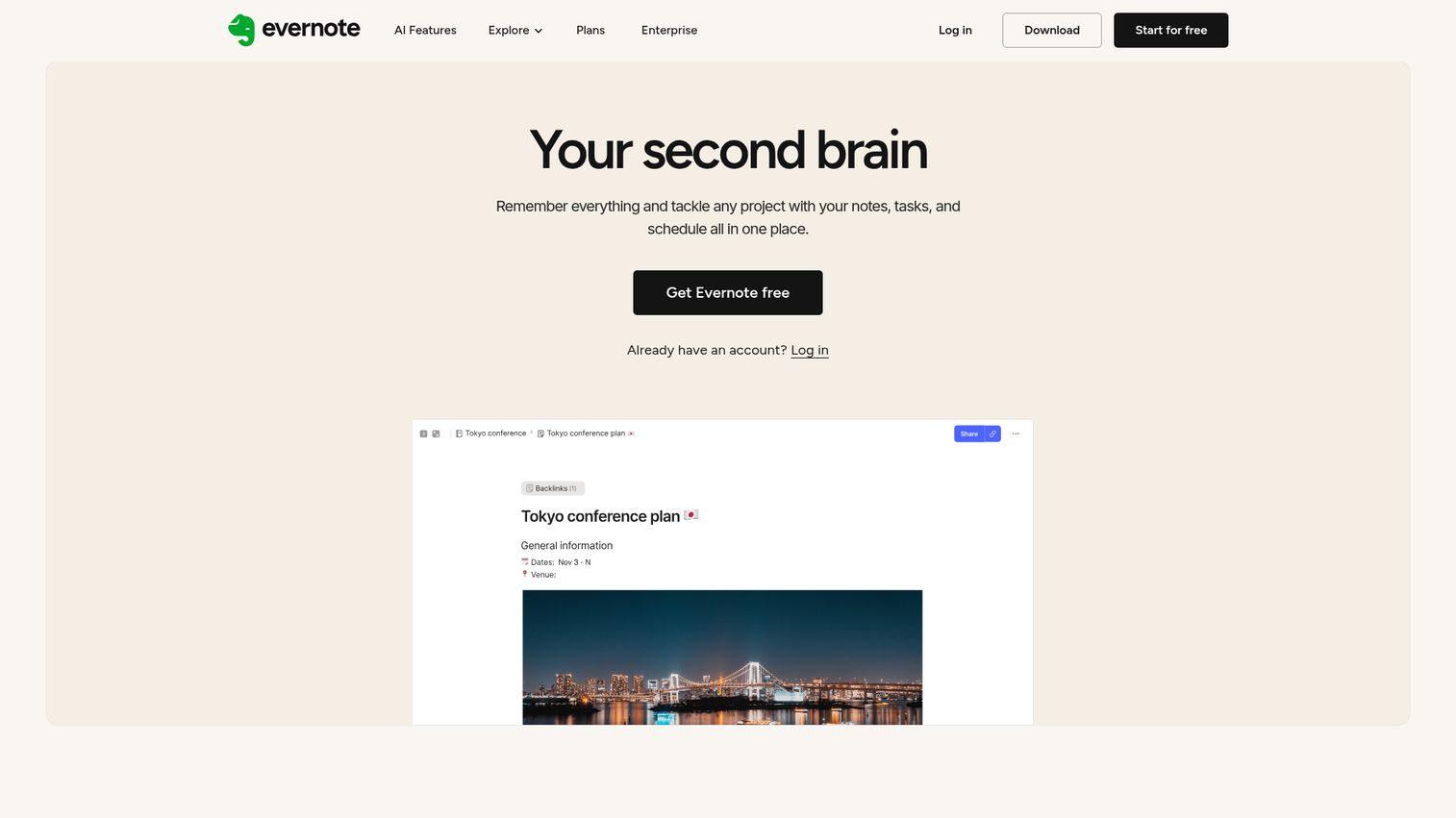
Evernote has been one of the longest-running note taking applications on the market. After the Bending Spoons acquisition, the product reinvested in performance and AI. The Web Clipper still earns its reputation for saving pages, articles, and PDFs in one click. Advanced search looks inside images and documents, which matters more than it sounds when your notes corpus grows past 1,000 entries. Google Calendar integration ties notes to meetings.
Best for: Individuals and small teams who live across devices and need fast, searchable capture.
Key strengths
- Web Clipper: Save web pages, articles, and PDFs into structured notebooks in a click.
- Advanced search: Search inside images and scanned documents, not just typed text.
- Google Calendar integration: Connect notes and schedules so meeting notes attach to events.
Why choose Evernote: Evernote is strongest as a personal capture and recall system that also works for small teams. The Web Clipper plus search depth makes it hard to lose information, even years later. For a founder who reads, clips, and references a lot of external content, this is the tool that earns its keep before any team rollout.
Evernote pricing: Free, Starter, Advanced, and Enterprise plans are listed on Evernote's compare-plans page. Free includes 50 notes, 1 notebook, 1GB storage, and 1 device. Starter includes 1,000 notes, 20 notebooks, 5GB storage, and 3 devices. Advanced offers unlimited notes, notebooks, storage, and devices. Enterprise is custom. Check Evernote's pricing page for current paid plan amounts.
4. Apple Notes: Best for Apple ecosystem teams
Apple notes is free, built in, and quietly capable. Shared notes, smart folders, audio transcription, document scanning with signatures, and search across typed text, handwriting, and text inside scanned documents and photos. On supported devices, Apple Intelligence adds on-device summaries and writing tools. For a Mac and iPhone team, it's the zero-cost option that already syncs and already works.
Best for: Apple-first teams that don't need cross-platform collaboration with Windows or Android users.
Key strengths
- Audio recording and transcription: Capture conversations and get a transcript directly inside a note.
- Document scanning with signatures: Scan paper documents and sign them in Notes without leaving the app.
- Cross-format search: Search typed text, handwriting, and text inside scanned documents and photos.
Why choose Apple Notes: If the team is Mac and iPhone first, Apple Notes is already on every device and already syncing through iCloud. There's no procurement step, no admin console, no per-seat cost. The ceiling is real: it's not designed for Windows or Android teammates, and admin controls are limited compared to enterprise note taking software.
Apple Notes pricing: Free with any Apple device. Storage uses iCloud, with optional iCloud+ tiers for more capacity. No standalone subscription required.
5. Google Keep: Best free quick-capture tool
Google Keep is the lightweight, color-coded notes app that ships with every Google account. Real-time sync across devices, color and label filters, voice notes that transcribe automatically, and OCR from photos cover the basics fast. Keep surfaces in the Gmail and Google Docs sidebars, which makes it useful as a personal capture layer for anyone already in Google Workspace. It's not the answer for team knowledge management, but it's the best free notes app for fast jotting that doesn't get lost.
Best for: Personal capture and lightweight team notes inside Google Workspace.
Key strengths
- Real-time sync across devices: Notes appear instantly on web, Android, and iOS through your Google account.
- Color codes, labels, pins, and filters: Organize quickly without folders or databases.
- Collaborative note editing: Share a note or list and edit in real time with teammates.
Why choose Google Keep: For a founder who wants a no-friction sticky-note replacement that syncs everywhere, Keep is the best free option in the category. It complements a heavier team tool rather than replacing one. Pair it with a structured system like Notion or OneNote for the team layer.
Google Keep pricing: Google Keep is included as an application across Google Workspace plans. Workspace plans start at Starter ($7 per user per month), Standard ($14 per user per month), Plus ($22 per user per month), and Enterprise (contact sales). Verified on Google Workspace's pricing page.
6. Obsidian: Best for power users and personal knowledge management
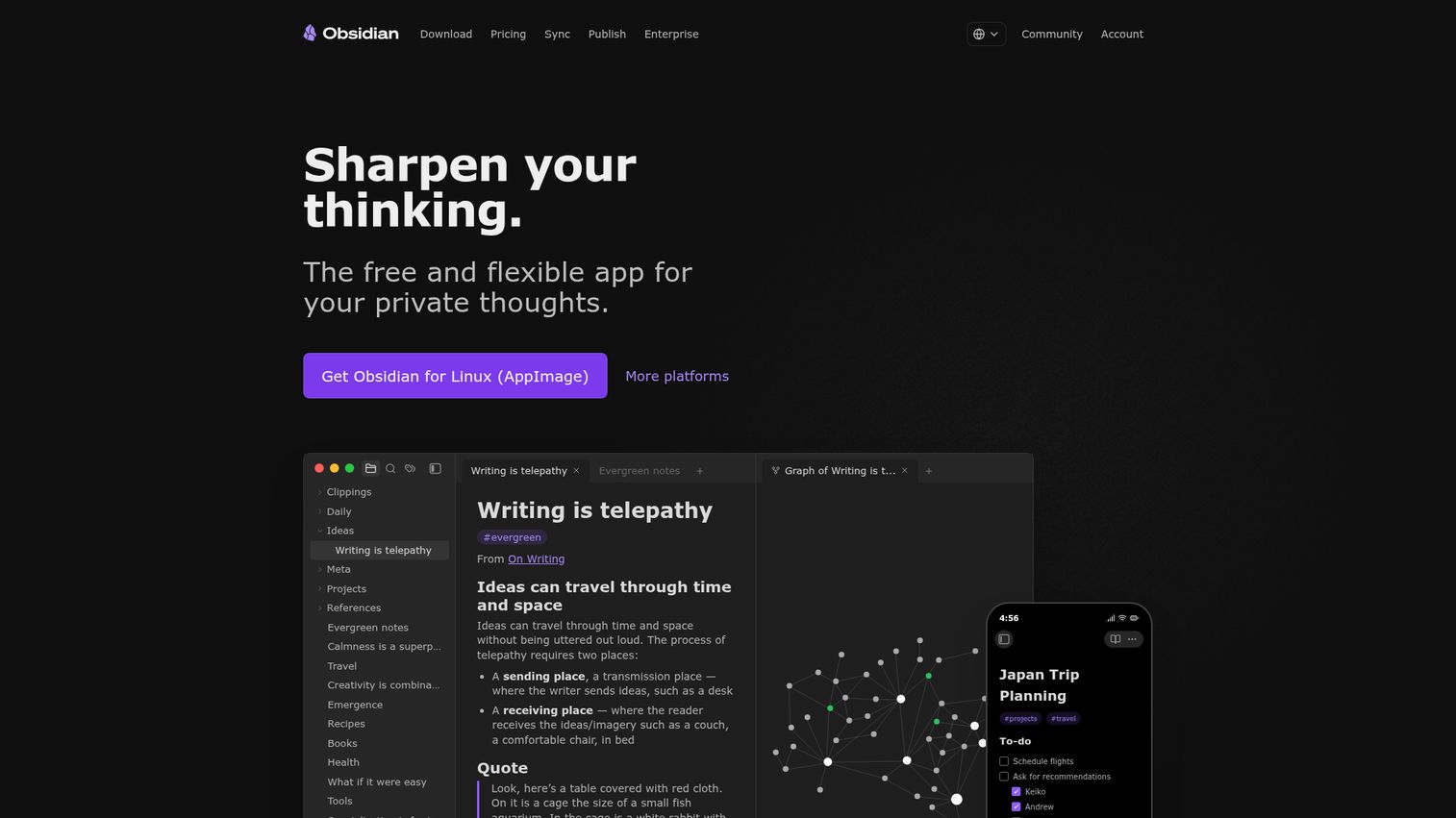
Obsidian is the favorite of operators who want to own their notes as files forever. Markdown documents live locally on your machine. Bi-directional links and an interactive graph view let you build a personal knowledge graph as you write. Thousands of plugins and themes extend the app for almost any workflow. It's not a team tool by default, but as a personal thinking layer alongside a separate team workspace, it's hard to beat.
Best for: Founders, operators, and writers who want a local-first, Markdown-based personal knowledge management system.
Key strengths
- Local Markdown files: Notes live as plain files on your machine, with no vendor lock-in.
- Backlinks and graph view: Visualize relationships between notes as you build a knowledge graph.
- Plugins and themes: Customize the editor and workflow with a large community ecosystem.
Why choose Obsidian: For founders who think in systems and want full control over their notes, Obsidian is the personal layer. Many operators pair it with Notion or OneNote for the team and use Obsidian for their own thinking. The app itself is free without limits; paid add-ons cover sync, publishing, and commercial licensing.
Obsidian pricing: The core app is free without limits. Sync is $4 per user per month billed annually or $5 monthly. Publish is $8 per site per month annually or $10 monthly. Catalyst is a one-time $25 supporter license. Commercial use is $50 per user per year. Verified on Obsidian's pricing page.
7. Mem: Best for AI-first meeting and idea capture
Mem positions itself as an AI Thought Partner that captures ideas, meetings, and research and surfaces them back when you need them. Voice Mode records, transcribes, and structures notes and meetings. Deep Search finds notes from natural-language or vague descriptions ("the thing I wrote last spring about pricing for SMB"). Shared Collections handle lightweight team collaboration. For founders who hate structuring notes manually but want them findable later, Mem is built for that exact tradeoff.
Best for: Founders and individuals who want AI to handle organization and retrieval automatically.
Key strengths
- Voice Mode: Record, transcribe, and structure notes and meetings inside the app.
- Deep Search: Find notes from vague, natural-language descriptions instead of exact keywords.
- Shared Collections: Organize and collaborate with teammates on grouped notes.
Why choose Mem: Mem is the pick when the bottleneck is "I take notes but never find them again." The AI layer does the organizing work most people skip. The tradeoff is less manual control over structure than Notion, and G2 ratings sit at 2.3/5 across a small review base, so worth piloting carefully before standardizing a team on it.
Mem pricing: Free plan with usage limits (25 notes per month, 25 chat messages per month, 25 PDF pages for search and chat). Mem Pro is $12 per month with unlimited usage. Mem Teams is custom pricing. Verified on Mem's pricing page.
8. Bear: Best for writers and markdown lovers on Apple
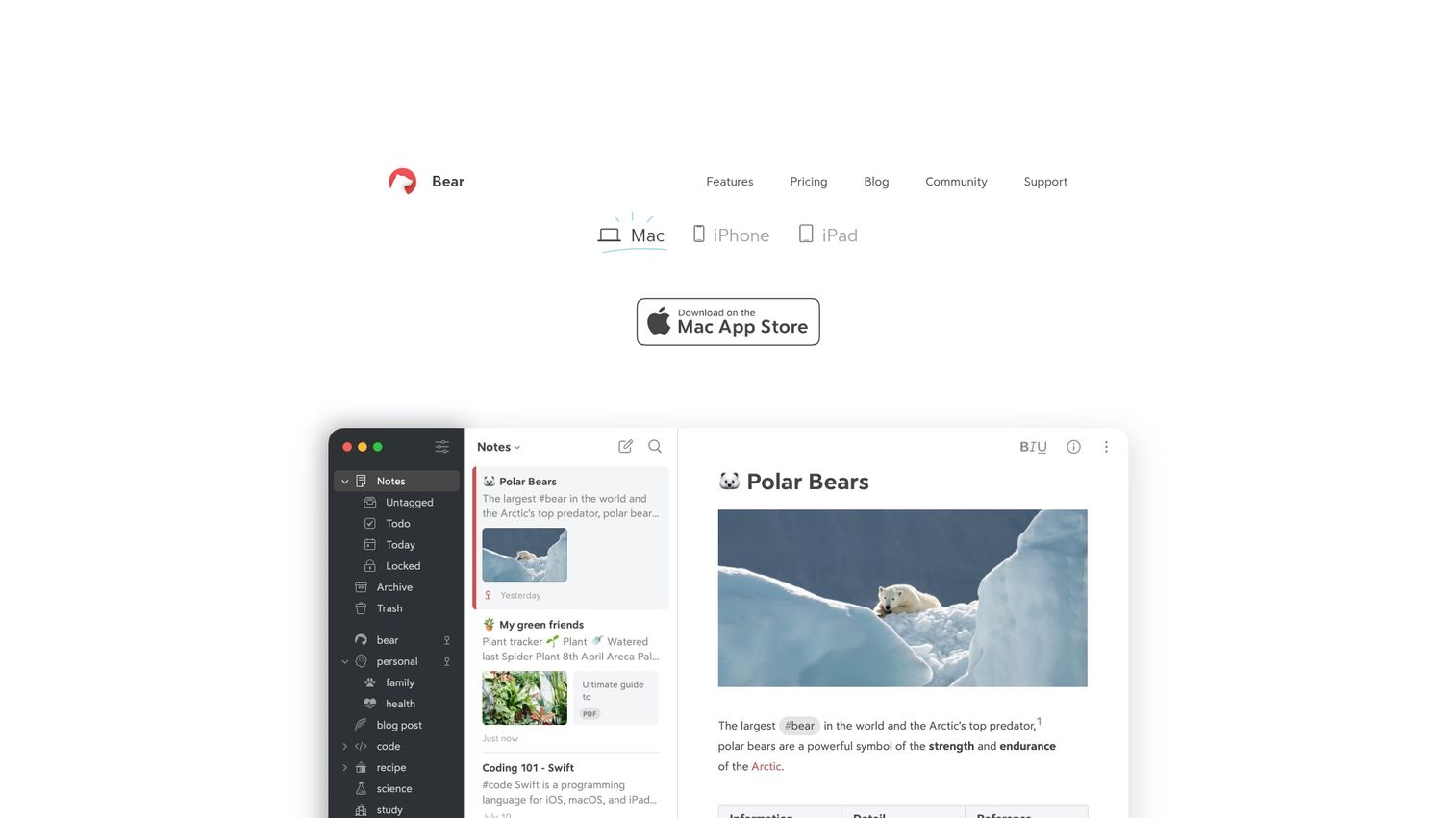
Bear is a Markdown note taking app built for people who care about how their writing looks while they write. Clean typography, focused editor, tag-based organization (no folders), and multi-format export. Apple-only. It's not built for team collaboration, but for an individual operator who writes a lot, Bear is one of the most pleasant tools in the category.
Best for: Apple-only writers, founders, and operators who value craft in their personal notes app.
Key strengths
- Markdown notes with mixed content: Combine text, photos, tables, and to-do lists in the same note.
- Flexible tags: Organize notes and projects with nested hashtags instead of folders.
- Multi-format export with Bear Pro: Export to PDF, HTML, DOCX, and JPG.
Why choose Bear: For Apple users who write a lot and value the craft of writing, Bear is the personal pick. It's not a team tool and doesn't try to be. Pair it with whatever team workspace you've standardized on.
Bear pricing: Free plan includes local access to notes, document scanning, export to TXT, Markdown, TextBundle, and RTF, three themes, and one app icon. Bear Pro is $2.99 per month or $29.99 per year and adds export to PDF, JPG, HTML, DOCX, and ePub, 28+ themes, 15 app icons, search inside PDFs and images, and iCloud sync. Verified on Bear's site.
9. Joplin: Best open-source option
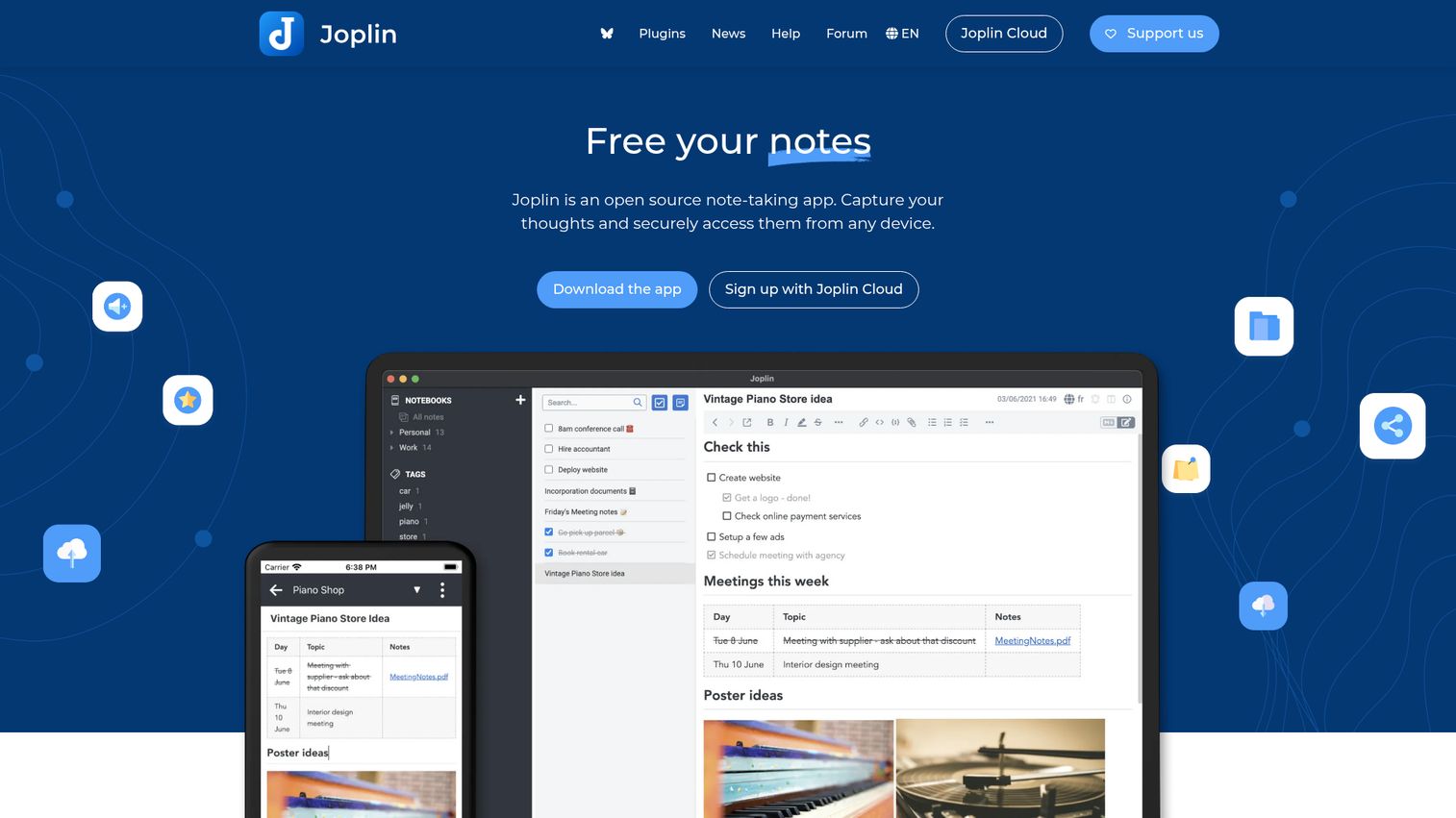
Joplin is the open-source pick for teams that want control over where their notes live. Markdown-based, with optional end-to-end encryption, plugin support, and sync via your own cloud (Dropbox, Nextcloud, OneDrive) or paid Joplin Cloud. The Teams plan adds collaboration on top of the same open-source foundation. For security-conscious founders or technical teams that want no vendor lock-in, it's the best fit on this list.
Best for: Privacy-conscious teams and technical operators who want an open-source, self-hostable note system.
Key strengths
- Markdown notes with search, tags, and notebook organization: Familiar structure with full-text search and tag-based filtering.
- Offline-first with end-to-end encrypted sync: Notes work offline and sync with optional E2EE.
- Plugins and themes: Customize the editor and workflow.
Why choose Joplin: Joplin is the answer when "where does our data live?" is a serious question. Self-hosting on your own infrastructure or Joplin's cloud both keep your team in control. The setup investment is real, especially for self-hosted sync, so plan for a technical owner in the first week.
Joplin pricing: The Joplin app itself is free and open source. Joplin Cloud Basic is €2.99 per month. Pro is €5.99 per month. Teams is €7.99 per month per user with a minimum of two users. Joplin Server Business is quote-based. Verified on Joplin's plans page.
10. Craft: Best for design-conscious documents and notes
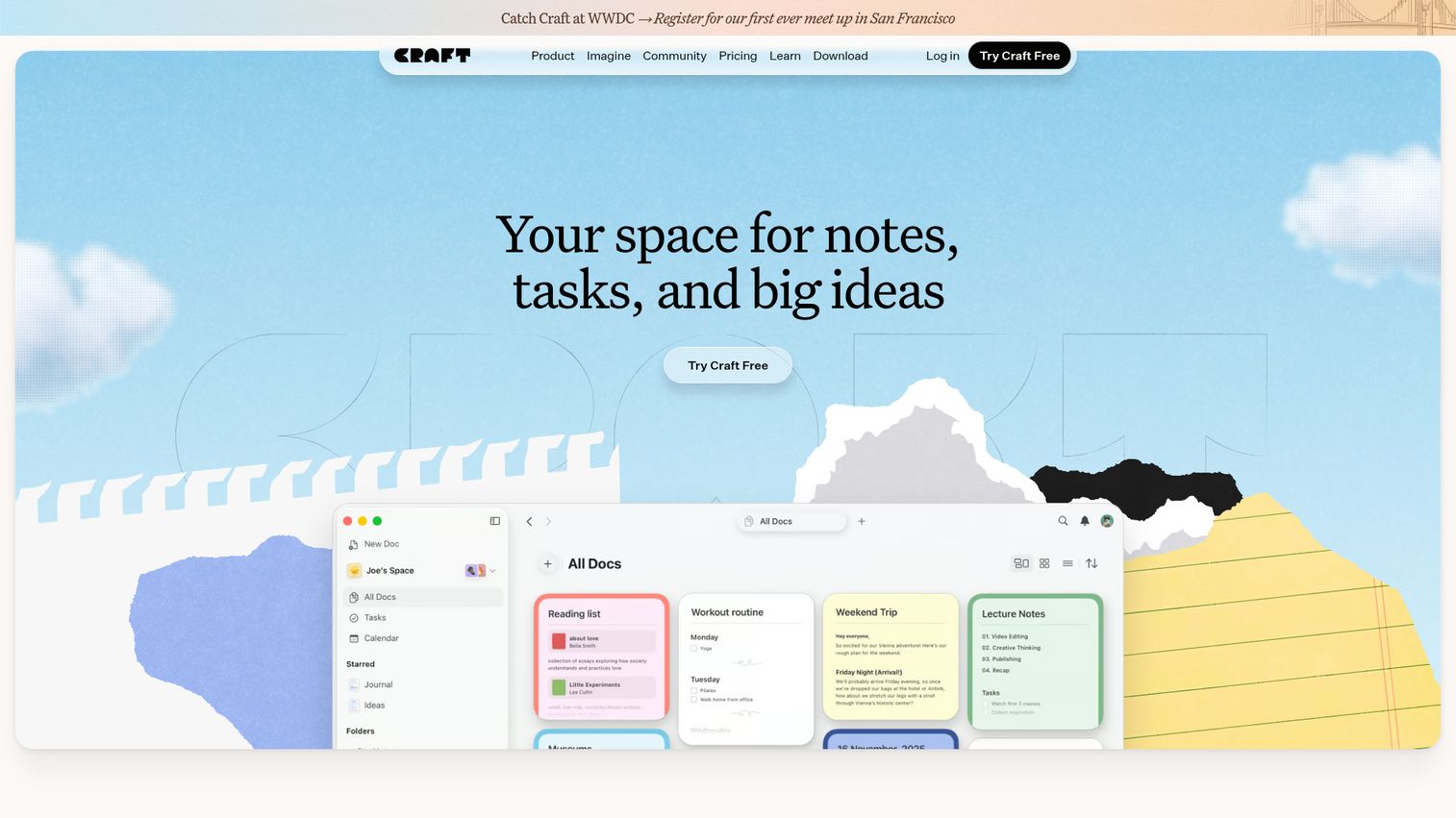
Craft is a block-based editor that makes notes look like finished documents by default. Embeds for videos, PDFs, tweets, and Figma files keep documents rich without leaving the app. AI assistance covers summarizing, translating, and custom prompts inline. Embedded tasks, Daily Notes, reminders, and Apple Calendar sync turn it into a lightweight planning layer too. When notes get shared externally or used as customer-facing artifacts, Craft's defaults make every page look intentional.
Best for: Small teams and individuals who want notes, docs, tasks, and planning in one polished workspace.
Key strengths
- Block-based writing with embeds: Add videos, PDFs, tweets, and Figma files directly into documents.
- AI assistance inside documents: Summarize, translate, and run custom prompts in line with your writing.
- Embedded tasks and Daily Notes: Track to-dos, reminders, and recurring notes with Apple Calendar sync.
Why choose Craft: Craft is the pick when notes get shared externally and look matters. Marketing teams, designers, and operators who present polished documents to customers or executives get the most out of it. Less flexible than Notion as a database backbone, but cleaner as a writing surface.
Craft pricing: Starter is free. Plus is $4.80 per month. Family is $9 per month. Team is $50 per month. Verified on Craft's pricing page; monthly and yearly toggles affect displayed amounts.
Considerations: How to choose note taking software for your team
Stack fit
The best apps for note taking are the ones that sit inside the tools your team already uses. A note tool the team has to remember to open is a note tool that won't get used. Check the sidebar integrations with your calendar, your chat tool, and your CRM before you commit. A second tab is a tax. A first-class integration is leverage.
Search that actually finds things
At 50 employees, your notes corpus is too big for browsing. Semantic search and AI Q&A become table stakes. Test it the way your team will actually use it: ask a vague question from three months ago and see what surfaces. If the answer is wrong, the tool fails the only test that matters at scale.
Permission model
Customer notes, board prep, comp data, and security incidents need permissions. Free tiers often skip this entirely. Verify workspace-level, team-level, and page-level access before you roll out to anyone outside the founding team. The first leak is too late to wish you'd checked.
Data ownership and security
SOC 2 compliance, encryption at rest, and clean export options matter for any tool that becomes the team's memory. Ask where data lives, who can access it, and how you'd get it out if you needed to leave. Open-source options like Joplin shift this question to your infrastructure.
First-week setup
A tool that needs three weeks to configure is a tool a new VP won't adopt. Test the day-one workflow before signing: capture a meeting, find a note from last week, share a page with a permission boundary. If any of those takes more than ten minutes to figure out, expect adoption pain. Tools that earn their place earn it inside the first quarter, not the second. The same logic applies to any new SaaS rollout, which is why teams increasingly lean on user onboarding software and product tour tools to compress time-to-value.
Conclusion
The three picks that matter most for a Series B SaaS team: Notion as the default team workspace, Microsoft OneNote for Microsoft 365-anchored orgs, and Mem for founders who want AI to do the organizing. Apple Notes and Google Keep stay on the table as zero-cost personal layers that complement a heavier team system.
The principle to operate by: the right note-taking software earns its place in your stack within a quarter, or it doesn't belong. Pick one tool from this list and run a 30-day pilot with a real workflow (e.g., all meeting notes live in shared spaces tagged by team). Measure one thing at the end: can your team find what was said in week four without asking the person who took the notes?
If the answer is yes, you've found your tool. If not, swap and run the pilot again. Don't standardize on a tool your team won't use, and don't keep three tools doing the same job. One system, one workflow, one anchor moment per week. That's how note-taking software becomes team memory instead of another tab. For more shortlists like this one, browse our best tools roundup.
FAQs about note taking software tools
Notion leads for most growing SaaS teams because of databases, AI search, and a permission model that scales. Microsoft OneNote is the strongest pick if you're already on Microsoft 365 and want to consolidate cost. Apple Notes is the zero-cost default for Mac-first teams that don't need cross-platform collaboration.
Yes. Google Keep, Apple Notes, OneNote (free standalone), and Joplin are free at the entry level and work for business use cases. The constraint at scale is usually permissions, admin controls, and search depth, which is where paid team tiers earn their cost. For very small teams, free options often last longer than expected.
Functionally, very little. "Notes app" tends to describe consumer or mobile-first tools like Apple Notes and Google Keep. "Note taking software" usually implies professional or team-context use, like Notion, OneNote, or Evernote Teams. Same products often qualify as both depending on how you're using them.
Notion AI, Mem, Microsoft OneNote with Copilot, and Evernote's AI features lead the AI-enabled category. Mem is the most AI-first by design, with the AI doing organization automatically. Notion AI is the most tightly integrated with team workflows, databases, and wikis. OneNote's Copilot is the strongest pick if you're already on Microsoft 365. If you want a deeper look at AI-native options, our guide to AI orchestration platforms covers adjacent tooling worth pairing.
For many teams under 150 people, yes. Notion, Craft, and Evernote Teams all handle wiki use cases with shared spaces, permissions, and templates. Above that scale, dedicated wiki tools usually take over as governance needs grow. Below it, a second system is often a tax that doesn't pay back.
Pick one anchor workflow (for example, all meeting notes live in shared spaces tagged by team) and enforce it for 30 days. Tools fail adoption when they're optional. Pair the rollout with a template library so the first note takes 30 seconds, not 10 minutes. Measure adoption by whether the team finds notes, not by whether they take them. Teams that pair rollout with a digital adoption platform typically see faster traction.
Notion, Evernote, OneNote, Joplin, Mem, and Obsidian (with Obsidian Sync) all sync across desktop and mobile. Apple Notes syncs natively across Apple devices through iCloud. Google Keep syncs through any Google account on web, Android, and iOS. Verify offline support separately if your team works on flights or in low-connectivity contexts.
Most team-tier plans land between $8 and $15 per user per month billed annually. For a 50-person team, that's roughly $4,800 to $9,000 per year, comparable to a single mid-tier SaaS subscription. The ROI shows up in fewer rediscovered decisions, less knowledge loss when people leave, and less time spent searching for information that already exists.