You quoted the panel upgrade Tuesday. The crew finished Thursday. It's now the following Wednesday, and the invoice still hasn't gone out because the estimate lives in one tool, the job notes in another, and the hours in a text thread. Meanwhile the customer thinks the job is done, and you think you made money on it. You're not sure.
That gap between doing the work and getting paid for it is where electrical contractors quietly lose margin. The global electrical contractor software market reached $3.2 billion in 2025 and is projected to hit $6.8 billion by 2034, a 9.4% CAGR, according to MarketIntelo (2024). Adoption is climbing because the manual version of this work does not scale. Among U.S. electrical contractors with more than 20 employees, cloud estimating adoption rose from 41% in 2020 to over 62% by 2026, per a DataIntelo / Construction Executive survey. And contractors using dedicated estimating tools report 28% higher bid-win rates and 3.2 percentage points better margins than spreadsheet users, according to a NECA industry survey.
We picked these seven based on how well they handle electrical-specific workflows, how deep their accounting and job costing go, how usable the mobile app is in the field, and how much operational breadth they cover per dollar. No tool wins on every axis. The right one depends on how your business actually runs.
What's inside
This guide covers software built to run the operational core of an electrical contracting business: scheduling, dispatch, estimates, invoicing, payments, QuickBooks sync, mobile field use, customer management, and job costing. We chose tools using four criteria that matter more than feature counts: fit with real electrical workflows (project and service work), depth of accounting and profitability tracking, mobile usability for techs in the field, and total operational breadth. Entries are ordered by relevance to electrical contractor buyers, from the most electrical-specific to broad field-service platforms that fit growing teams. Pricing and ratings reflect verified vendor and G2 data at time of writing.
TL;DR
- Best for electrical-specific job costing: Knowify, built for trade contractors who need estimate-to-invoice financial control.
- Best for dispatch-heavy field teams: ServiceFusion, with unlimited users, GPS, and built-in communication.
- Best for ease of use and mobile-first service work: Housecall Pro.
- Best for enterprise scale and reporting: ServiceTitan, for larger commercial and residential operations.
- Best for lean job management: Fergus, a straightforward jobs-to-invoice system with month-to-month pricing.
- Best for all-in-one operations with a free tier: Workiz.
- Best for smaller or growing crews: Jobber, broad field-service coverage that scales from solo to team.
What is electrical contractor software?
Electrical contractor software is a system that runs the operational and financial workflows of an electrical business, from estimating and scheduling through dispatch, field updates, invoicing, and accounting sync, in one place instead of scattered tools.
The category exists because electrical work spans two motions at once: project work (panel upgrades, new construction, commercial fit-outs) and service work (repairs, inspections, callbacks). Most tools handle one motion cleanly and force the other. The best ones handle both.
Core capabilities to expect:
- Scheduling and dispatch: assign techs to jobs, see the day at a glance, and re-route when a callback comes in.
- Estimating and quoting: build bids with labor and material line items, then convert them to jobs.
- Invoicing and payments: turn completed work into invoices and collect card or ACH payments.
- Mobile app: let field techs see job details, log hours, capture photos, and update status on site.
- Customer management: keep contact history, job records, and communication in one record.
- Job costing: track labor, materials, and overhead against each job to see real margin.
- Accounting integration: sync invoices, payments, and costs to QuickBooks or similar so the books match the field.
Why it matters now: material costs and labor availability swing fast, and the contractors who know their true margin per job (not just at year-end) are the ones who bid confidently and protect cash. Software that connects the field to the books turns guesswork into a number you can act on weekly.
When to use electrical contractor software
If you're running jobs off spreadsheets, texts, and a shared calendar, here's when the switch pays for itself.
Run more jobs with less office back-and-forth
The trigger: your office spends the morning calling techs to confirm where they are and what they need. Scheduling and dispatch software puts the day's jobs on every tech's phone and lets dispatch reassign in real time. The outcome is more completed jobs per week without adding office headcount, because coordination stops eating the first two hours of everyone's day.
Turn estimates into invoices faster
The trigger: work gets done, then sits uninvoiced for a week because someone has to rebuild the numbers from the estimate. Electrical invoicing software carries the approved estimate straight into the invoice, adds change orders, and sends it before the crew has left the driveway. The outcome is a shorter cash cycle and fewer forgotten line items, which is where margin leaks on service-heavy books.
Keep field techs and office teams aligned
The trigger: the office doesn't know a job hit a snag until the customer calls upset. A mobile field app lets techs log status, photos, and notes as they work, so the office sees reality in real time. The outcome is fewer surprises, cleaner customer communication, and job records complete enough to actually cost the job afterward.
Comparison table
Here's how the seven best electrical contractor software options compare on intent, core use case, entry pricing, and rating. Use it to shortlist two or three before reading the full breakdowns below.
| # | Product | Intent | Key use case | Pricing | G2 rating |
|---|---|---|---|---|---|
| 1 | Knowify | Project + service job management | Estimating, job costing, and invoicing for trade contractors | From $99/mo | 4.5/5 |
| 2 | ServiceFusion | Field service operations | Scheduling, dispatch, and field-to-office comms with unlimited users | From $192/mo | Not listed |
| 3 | Housecall Pro | Home/field service management | Scheduling, invoicing, payments, and online booking | From $59/mo | 4.3/5 |
| 4 | ServiceTitan | Enterprise field service | Reporting, dispatch, and payments at scale | Request pricing | 4.4/5 |
| 5 | Fergus | Trade job management | Quoting, scheduling, and invoicing in one flow | From $31/mo | 4.8/5 |
| 6 | Workiz | All-in-one service ops | Scheduling, invoicing, payments, and built-in comms | Free plan available | 4.5/5 |
| 7 | Jobber | Field service management | Scheduling, quoting, invoicing, and client communication | From $29/mo | 4.6/5 |
1. Knowify

Knowify is job management software built specifically for trade contractors who run both project and service work. It was designed around the financial reality of contracting: estimating, contracts, job costing, and invoicing that hold together as a single record. For electrical contractors who care less about generic scheduling and more about knowing whether each job made money, Knowify sits closest to the actual work.
Best for: Electrical contractors who want one electrical contracting software system for estimating, scheduling, job costing, and invoicing with tight financial control.
Key strengths
- Project and service management: Handles new construction and commercial project work alongside recurring service calls in the same system.
- Estimates to invoices: Build proposals, contracts, and change orders, then convert approved work directly into invoices.
- Job costing and scheduling: Track labor, materials, and time against each job so you see real margin, not year-end guesses.
Why choose Knowify: If your business lives and dies on job-level profitability, this is the most electrical-contractor-native option on the list. It treats the estimate, the job, and the invoice as one continuous thread, which is exactly where spreadsheet-based shops lose money. Contractors doing meaningful commercial or new-construction work get the most out of it.
Knowify pricing: The Core plan starts at $99 per month and the Advanced plan runs $329 per month, both billable monthly or yearly, with an Enterprise tier available on request. Add-ons such as service and equipment tracking are sold separately. There is no free tier.
2. ServiceFusion
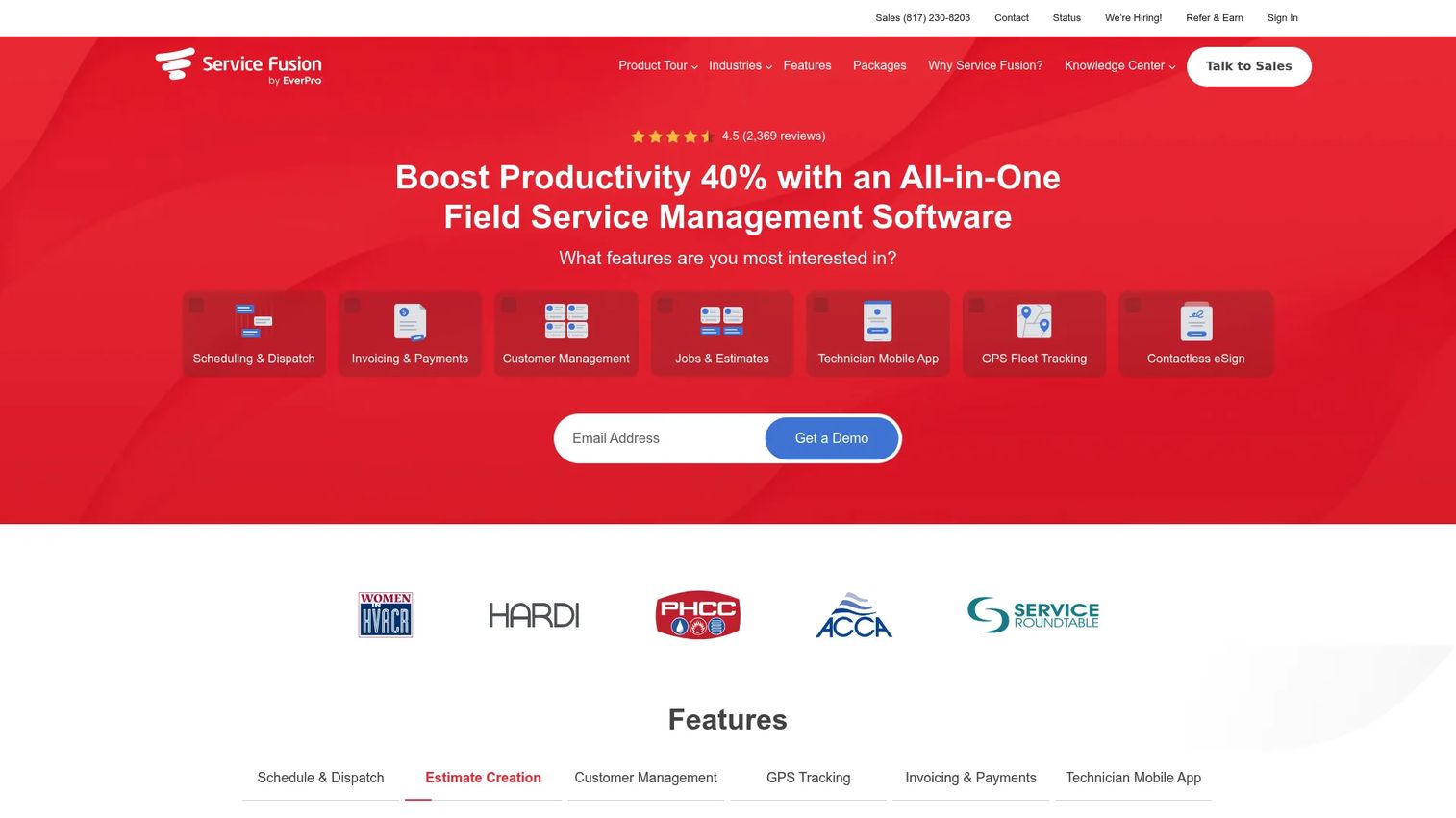
ServiceFusion is a field service management platform built for dispatch-heavy operations. It centers on scheduling, dispatch, GPS tracking, and field-to-office communication, with invoicing and payments layered in. For electrical service businesses running multiple trucks and needing everyone coordinated, ServiceFusion's unlimited-user model changes the math.
Best for: Electrical dispatch software buyers with growing field teams who don't want to pay per seat.
Key strengths
- Schedule and dispatch: Assign and re-route techs in real time, with GPS tracking to see where trucks actually are.
- Unlimited users: Add office staff and technicians without per-seat fees, which matters as headcount grows.
- Invoicing, payments, and mobile app: Estimate, invoice, collect payment, and keep techs updated from a single system.
Why choose ServiceFusion: The unlimited-user pricing is the differentiator. If you're scaling a service operation and per-seat costs on other platforms are climbing faster than revenue, ServiceFusion caps that line item. Dispatch coordination and field communication are its strongest surfaces.
ServiceFusion pricing: Plans start at $192 per month for Starter, $298 per month for Plus, and $489 per month for Pro, all with unlimited users. Annual billing is discounted roughly 15%. There is no free tier.
3. Housecall Pro

Housecall Pro is field service software aimed at home service businesses that want a system their techs will actually use without a week of training. It covers scheduling, dispatching, invoicing, payments, and online booking, with a mobile app that carries most of the daily workflow. For electrical service businesses that value ease of use and customer-facing polish, it lands well.
Best for: Electrical contractors running residential service work who want a low-friction, mobile-first tool with online booking.
Key strengths
- Scheduling and dispatching: Fast, visual scheduling that techs and office staff pick up quickly.
- Invoices and payments: Build invoices on site and collect payment before leaving the property.
- Online booking: Let customers book service directly, reducing phone tag and no-shows.
Why choose Housecall Pro: The bet here is adoption. A tool only helps if the field actually uses it, and Housecall Pro is known for being easy enough that techs don't fight it. If your friction is getting crews to log work at all, this lowers that barrier. Residential and service-heavy shops fit best.
Housecall Pro pricing: The Basic plan starts at $59 per month billed annually, and a 14-day free trial is available on the MAX plan. There is no permanent free tier.
4. ServiceTitan

ServiceTitan is a cloud platform for residential and commercial contractors operating at scale. It pairs dispatch, scheduling, and mobile field work with deep reporting, a pricebook, payments, and customer experience tools. For larger electrical businesses where reporting depth and profitability visibility drive decisions, ServiceTitan is the enterprise-grade option on this list.
Best for: Larger electrical contractors who need reporting, dispatch, and payment infrastructure that scales across many trucks and locations.
Key strengths
- Dispatching and scheduling: Coordinate large field teams with mature routing and capacity tools.
- Invoicing, pricebook, and reporting: Standardize pricing and pull the profitability reporting that bigger operations need.
- Mobile app, payments, and CX tools: Give techs full field capability while offering customers modern payment and communication experiences.
Why choose ServiceTitan: This is the platform you grow into, not out of. If you're managing dozens of technicians and need reporting your finance lead can defend, the breadth justifies the investment. Smaller shops will find it more platform than they need; larger ones will find it fits.
ServiceTitan pricing: ServiceTitan lists three packages, Starter, Essentials, and The Works, priced per technician. No public numeric pricing is shown; the vendor directs buyers to request a quote or demo. There is no free tier.
5. Fergus
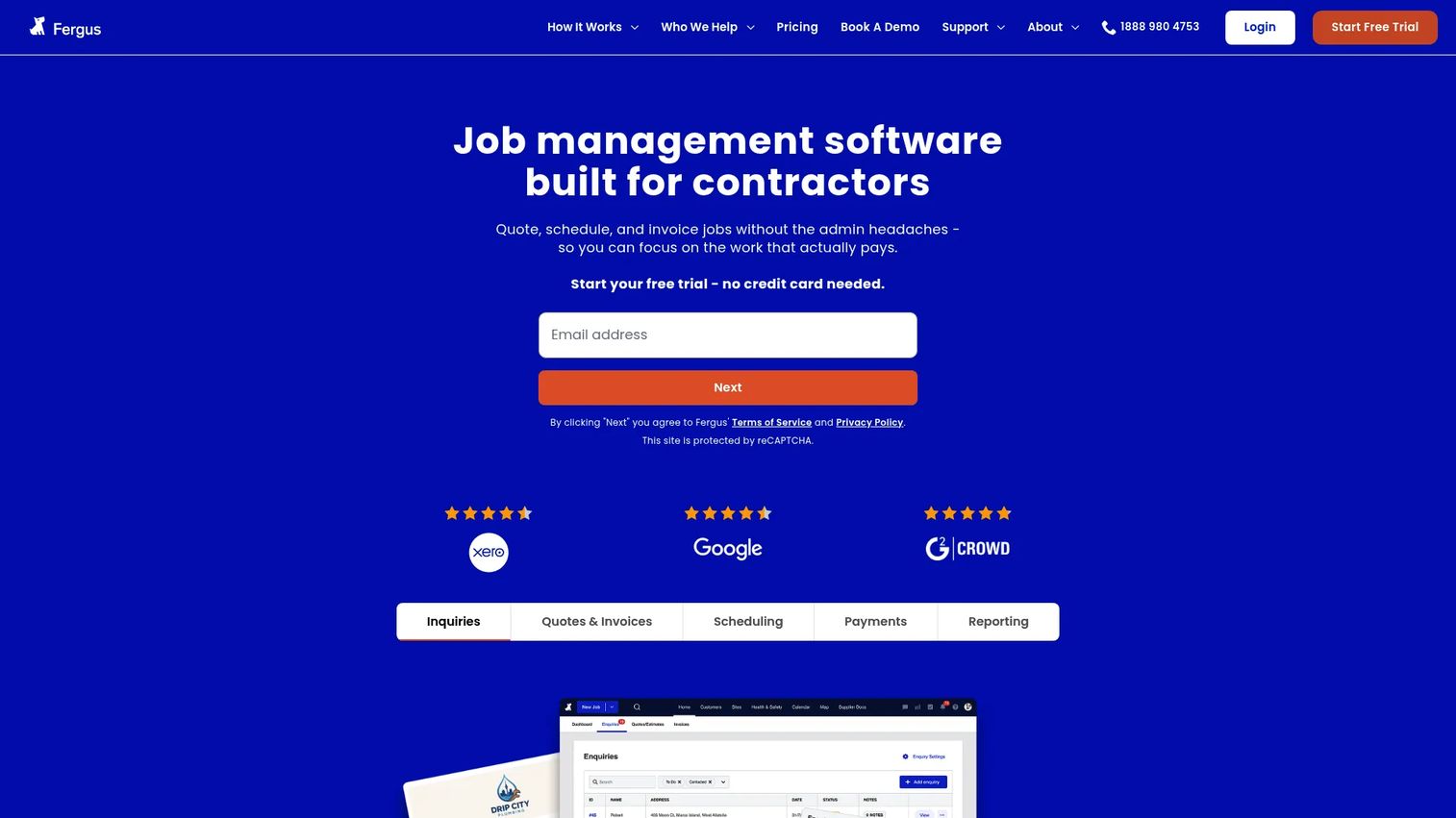
Fergus is job management software for trades and field service businesses, built around a clean jobs-to-invoice flow. It covers quoting, scheduling, dispatch, invoicing, and payments, with a mobile-friendly design for field teams. For electrical contractors who want core job management without a heavy platform, Fergus keeps things lean and affordable.
Best for: Small to mid-size electrical businesses that want straightforward job management with low entry cost and no long commitment.
Key strengths
- Quoting and estimating: Build quotes quickly and move them into live jobs without rekeying.
- Scheduling and dispatch: Assign work and keep field teams organized around the day's jobs.
- Invoicing and payments: Close out jobs and invoice directly, keeping the cash cycle tight.
Why choose Fergus: The pricing model is the draw. Month-to-month plans and a free trial mean you can test it against your real workflow without a contract. For contractors who want electrical job management software that covers the essentials cleanly, Fergus fits without overbuilding.
Fergus pricing: Essentials starts from $31 per month and Professional from $44 per month, both billed month-to-month, with an Enterprise 10+ tier available as a custom plan. A 14-day free trial is available with no credit card required.
6. Workiz
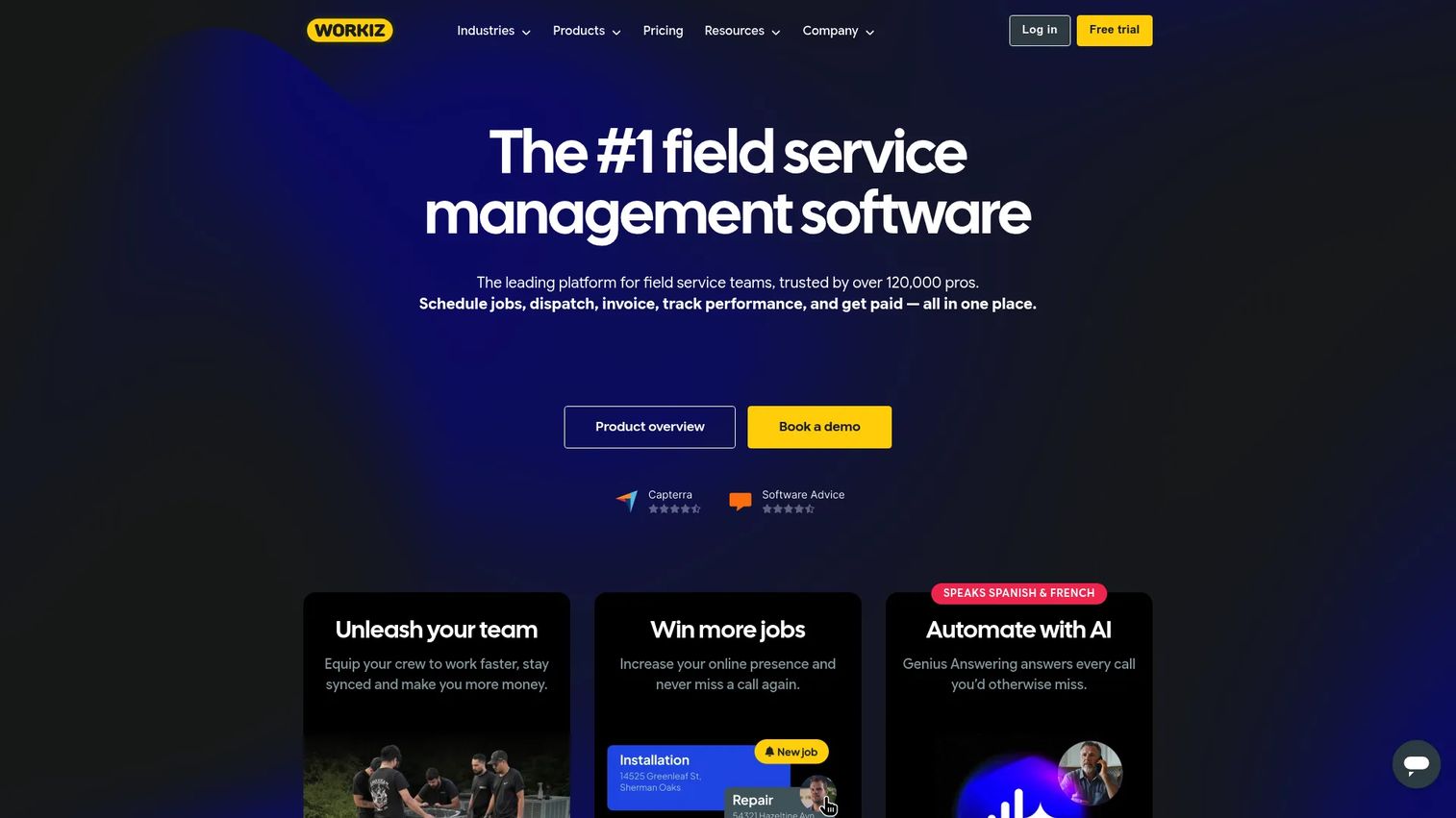
Workiz is field service management software covering scheduling, dispatching, invoicing, payments, and communication in one operations platform. Its standout is built-in phone, texting, and AI answering, which folds customer communication into the same system as the job. For electrical service businesses that want operational simplicity and a genuine free starting point, Workiz is worth a look.
Best for: Field service electrical teams that want all-in-one operations with communication built in and a free entry tier.
Key strengths
- Scheduling and dispatching: Manage the day's jobs and assign techs from a single board.
- Invoicing, estimates, and proposals: Quote, invoice, and collect payment without leaving the platform.
- Built-in phone, texting, and AI answering: Keep customer calls and messages tied to the job record instead of scattered across personal phones.
Why choose Workiz: The free Lite plan (for up to two members) makes it a low-risk way to start systematizing a small operation. As you grow, the paid tiers add capacity and communication depth. For shops where missed calls equal missed revenue, the built-in comms are a real advantage.
Workiz pricing: Lite is free forever for up to two members. Kickstart runs $225 per month ($187 annually) including three users, Standard is $275 per month ($229 annually) for five users, and Pro is $325 per month ($270 annually). An Ultimate tier is custom. A 7-day free trial is available on paid plans.
7. Jobber
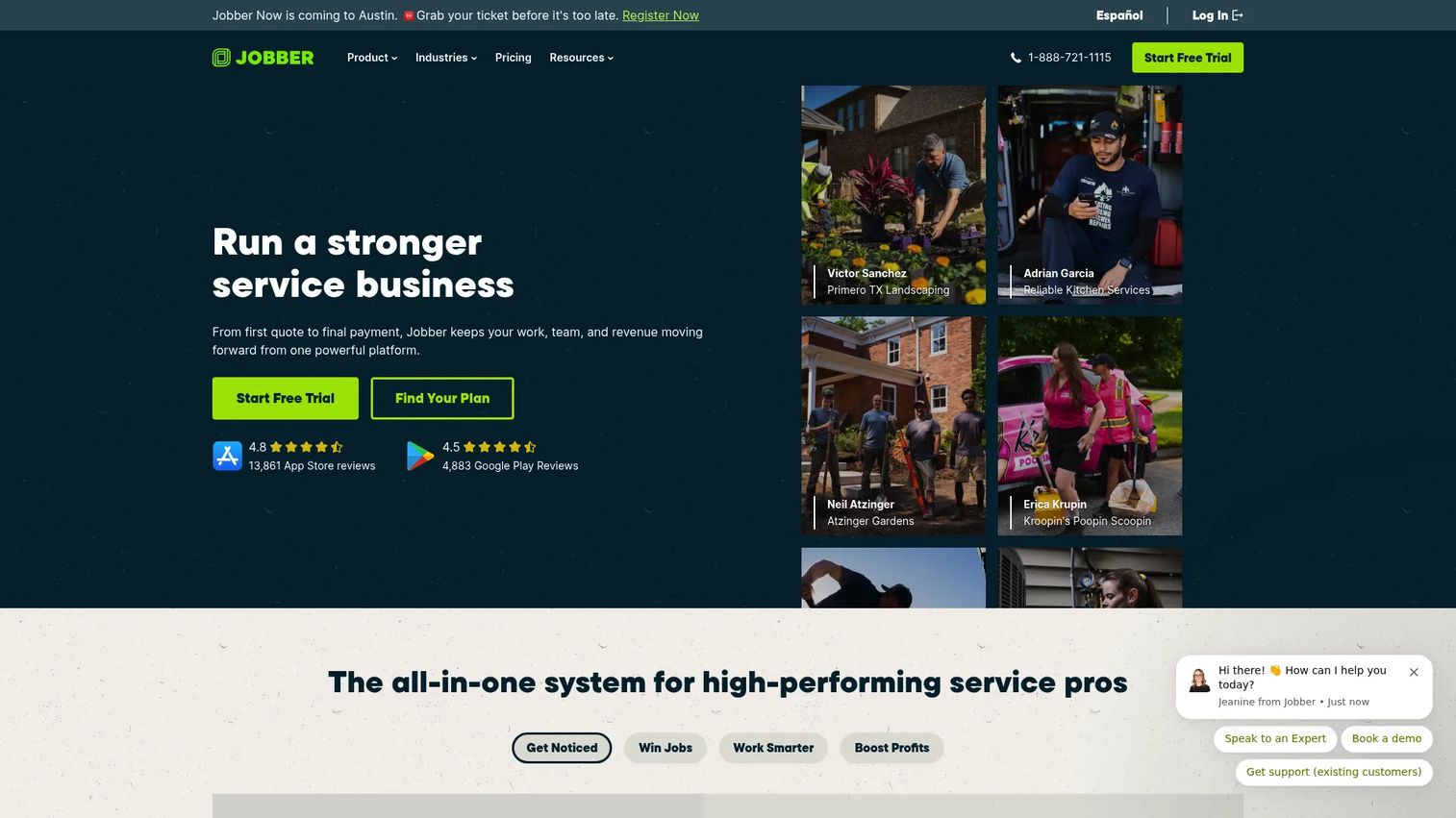
Jobber is field service management software for scheduling, quoting, invoicing, payments, and client communication. It's broad, well-rated, and priced to start small, which makes it a natural fit for solo electricians and growing crews building their first real system. As an electrical contractor management software choice, Jobber scales cleanly from one truck to a small team.
Best for: Smaller or growing electrical teams that need a complete ops platform without enterprise pricing.
Key strengths
- Scheduling and online booking: Fill the calendar and let clients request work directly.
- Quotes, invoices, and online payments: Move from quote to paid invoice in one connected flow.
- Job costing and time/expense tracking: Log time and expenses against jobs to see where margin holds and where it slips.
Why choose Jobber: The low entry price and broad coverage make it the easiest on-ramp for contractors leaving spreadsheets. Its job costing and time tracking give you profitability visibility earlier than most tools at this price. Growing service businesses get the most value.
Jobber pricing: Core starts at $29 per month, Connect at $99 per month, Grow at $149 per month, and Plus at $399 per month, with the higher tiers billed annually. A 14-day free trial is offered. There is no permanent free tier.
Considerations before you buy
The right tool depends on how your business runs, not on which has the longest feature list. Before committing, verify these five things against your actual workflow.
QuickBooks sync depth
Most tools claim QuickBooks integration, but depth varies. Confirm whether it syncs invoices only, or invoices plus payments, costs, and job-level data. Shallow sync means someone still re-keys numbers, which defeats the point. If your bookkeeping runs on QuickBooks, test the sync with real data before you commit.
Scheduling and dispatch fit
A tool built for one-off service calls handles multi-day project work differently than one built for construction. Map your typical week (recurring service, multi-day installs, emergency callbacks) and confirm the scheduling model matches. Dispatch that fights your workflow gets abandoned fast.
Mobile app usability in the field
The office may choose the software, but techs use it on a phone in an attic. Have an actual technician test the mobile app during the trial. If logging hours or photos takes more than a few taps, adoption drops and your job records stay incomplete.
Job costing and profitability visibility
Some tools invoice well but never tell you if the job made money. If margin matters, confirm the tool tracks labor, materials, and overhead against each job and reports it clearly. This is where Knowify and Jobber differentiate on the profitability side.
Payment collection and financing support
Faster payment is often the fastest ROI. Check which payment methods are supported (card, ACH), what the processing fees are, and whether financing options exist for larger jobs. Getting paid on site beats chasing invoices for weeks.
Conclusion
The shortlist sorts cleanly by how your business runs. Knowify fits electrical contractors who need electrical-specific job costing and estimate-to-invoice financial control, especially on project and commercial work. ServiceFusion suits dispatch-heavy field teams that benefit from unlimited users. Housecall Pro wins on ease of use for residential service shops, and ServiceTitan is the platform larger operations grow into for reporting and scale. Fergus keeps lean job management affordable, Workiz bundles communication with a genuine free tier, and Jobber gives growing crews the broadest coverage at the lowest entry price.
Your next step: narrow to two or three by workflow fit, then run a free trial with your own jobs and a real technician on the mobile app. Software that matches how you already work gets adopted. Software that fights it gets abandoned. Pick for fit, not feature count.
FAQs
Electrical contractor software is a system that manages the operational and financial side of an electrical business, including scheduling, dispatch, estimating, invoicing, payments, job costing, and accounting sync. It replaces scattered spreadsheets, calendars, and text threads with one connected record. The goal is fewer coordination errors and clearer visibility into whether each job made money.
Most leading options integrate with QuickBooks, but sync depth varies widely. Some push invoices only, while others sync payments, costs, and job-level data both ways. Before buying, test the integration with real data so you know how much manual re-keying, if any, remains.
Entry pricing ranges from around $29 per month for smaller field-service tools like Jobber up to a few hundred dollars per month for platforms like ServiceFusion. Enterprise options such as ServiceTitan use per-technician pricing available on request. Workiz offers a free tier for very small teams, and several tools include free trials.
Yes. A mobile app is core to the category, letting field techs see job details, log hours, capture photos, and update status on site. Usability varies, so have a technician test the app during a trial, since incomplete field data undermines job costing and invoicing.
The main benefits are faster invoicing, tighter cash cycles, less office back-and-forth, and clear job-level profitability. Contractors using dedicated estimating tools report higher bid-win rates and better margins than spreadsheet users. In short, you get paid faster and know which jobs actually make money.
Look for scheduling that matches your work mix, whether recurring service calls, multi-day installs, or emergency callbacks. Real-time dispatch, GPS visibility, and a mobile app techs will actually use matter more than the number of features. Test it against a typical week before committing.
For most small teams, yes. Even a one- or two-person shop loses hours to manual scheduling, chasing invoices, and rebuilding estimates. Low-cost entry tiers and free trials make it easy to test the return before committing, and faster payment collection alone often covers the cost.