You spent three days building a launch page. It shipped with the wrong headline font. Not a wrong color, not a typo. The wrong typeface, because someone pulled a file from a shared drive that hadn't been updated in eight months.
If you own product marketing, this is a quieter version of a problem you already lose sleep over: message drift. Your positioning has to stay consistent across the website, the deck, the ad, and the product UI. Typography is part of that consistency, and it's the part that breaks silently. Nobody catches the wrong font until a customer, a competitor, or your own CEO does.
The stakes are not small. The global font management software market was valued at roughly $3.43 billion in 2019 and is projected to reach $13.47 billion by 2027, growing at an 18.8% CAGR, according to GlobeNewswire (2021). Demand keeps climbing because design, web, and digital publishing teams keep expanding the number of surfaces they have to keep on-brand.
A dedicated font manager solves the boring part of that problem. It gives you one library, fast previews, clean activation, and a way to stop the version chaos before it reaches a live campaign. The same discipline that makes teams adopt tools like contract management or marketing resource management software applies here: centralize the asset, control the versions, reduce the surprises.
What's inside
This guide covers four font management tools built for designers, brand teams, and the product marketers who depend on them. We picked each one based on four things that actually matter in a working stack: preview and discovery quality, font activation and deactivation, library organization at scale, and compatibility with the design apps and workflows your team already uses. We also weighed platform support (Mac, Windows, cross-platform) and team collaboration, since a solo designer and a ten-person brand team have very different needs. Pricing and ratings reflect verified figures at drafting time.
TL;DR
- Best overall: FontBase. Free, fast, and cross-platform across Mac, Windows, and Linux, with collections, watched folders, and Google Fonts built in.
- Best for advanced typography: Typeface. A Mac font manager with deep OpenType and variable font inspection, body-text previews, and precise activation.
- Best for team workflows and compliance: Extensis. Adds license compliance, creative asset organization, and shared team management on top of font management.
- Best for large Mac libraries: RightFont. A Mac-native font organizer with unified search, smart filters, one-time pricing, and auto-activation in design apps.
What is font management software?
Font management software is a font organizer that lets you preview, tag, activate, and deactivate fonts from a single library instead of installing every file into your operating system. Think of it as a control layer between your font files and the apps that use them.
For a product marketing manager, the value is less about typography theory and more about governance. When every font your brand approves lives in one organized place, campaigns stay consistent and version drift stops at the source. That is the same logic behind treating messaging as a versionable asset rather than a scattered set of files.
A capable font management application typically handles these core jobs:
- Font preview and discovery: See how a typeface looks in real text, weights, and sizes before you commit to it.
- Organization and tagging: Group fonts into collections, sets, tags, and nested categories for fast retrieval.
- Font activation and deactivation: Turn fonts on only when a project needs them, so your system stays lean and load times stay fast.
- Google Fonts access: Browse and pull from the free Google Fonts library without manual downloads.
- Design app compatibility: Auto-activate fonts inside Adobe, Affinity, Sketch, and Figma so the right typeface loads when the file opens.
- Team font sharing: Distribute an approved library across a team with permissions and version control.
Together, these capabilities turn a font installer into font library management infrastructure. The difference matters when your library grows from 200 fonts to 2,000 and you still need to find the right weight in seconds.
When to use font management software
Not every team needs a dedicated font manager. If you use three fonts and never launch anything, the OS font panel is fine. Here is where a real tool earns its place.
Organize fonts across campaigns and launches
Product marketing runs on parallel workstreams: a landing page, a nurture sequence, an ad set, and a launch deck, often all at once. Each one references brand type. Without a single source of truth, someone eventually grabs the wrong file, and the drift shows up on a live surface. A font organizer keeps the approved set locked down and searchable, so every asset pulls from the same place. It is the typography equivalent of the discipline you apply to your component content management systems.
Speed up creative workflows
When deadlines compress, small friction compounds. Hunting for a font, installing it, restarting an app, and finding it broke another project eats real hours. Font preview, one-click activation, and folder organization remove that friction. Designers move faster, and marketing gets assets back sooner. This is the same time-recovery argument teams make when they adopt event management software to stop chasing spreadsheets.
Manage larger font libraries
Agencies, brand teams, and mature product marketing orgs accumulate fonts fast. Client work, acquired brands, licensed families, and one-off campaigns all add files. Past a few hundred fonts, tags, filters, sets, and watched folders stop being nice-to-haves. They become the only way to find anything. At that scale, license tracking also matters, which is why some teams lean toward tools with built-in compliance reporting, the same way they treat audit management software as non-negotiable once the stakes get high.
Comparison table
Here is a quick side-by-side of the four tools before we go deep on each. Sorted by relevance to the broadest set of font management needs.
| # | Product | Intent | Key differentiation | Pricing | G2 rating |
|---|---|---|---|---|---|
| 1 | FontBase | Free cross-platform font management | Collections, watched folders, Google Fonts, works on Mac, Windows, Linux | Free | 4.3/5 |
| 2 | Typeface | Mac font manager for advanced typography | Deep OpenType and variable font inspection, body-text previews | Paid one-time Pro license | 4.3/5 |
| 3 | Extensis | Team font management and compliance | Font auto-activation plus asset organization and license risk reporting | From $12.50/mo per user | 4.1/5 |
| 4 | RightFont | Mac-native large-library management | Unified search, smart filters, auto-activation, one-time purchase | From $59 one-time | 3.6/5 |
The four tools split cleanly by need. FontBase covers the free, cross-platform case. Typeface goes deep for Mac power users. Extensis brings team governance and compliance. RightFont focuses on fast Mac library management. Now the details.
1. FontBase
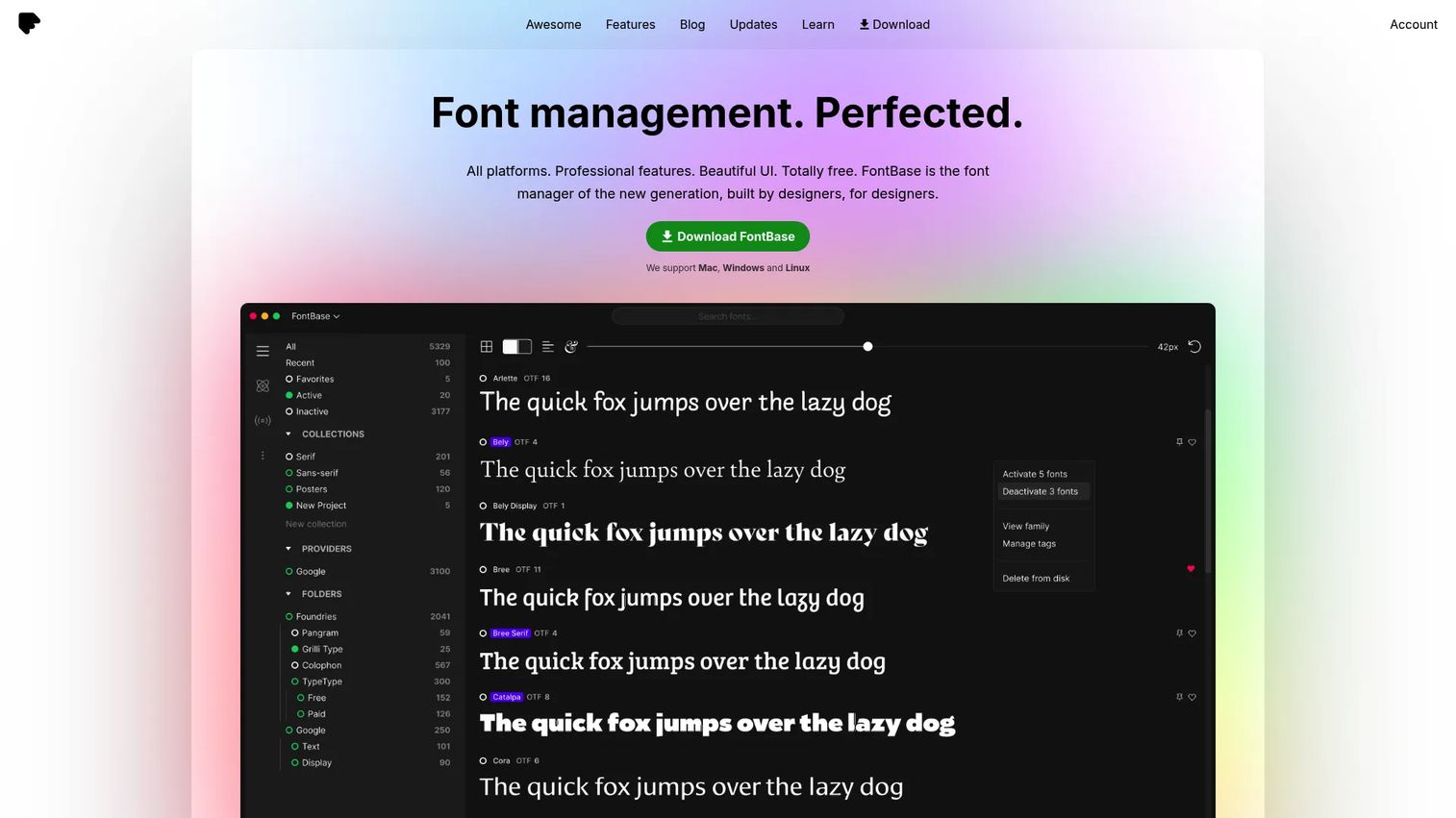
FontBase is a free cross-platform font manager built for designers who want speed without a subscription. It runs on Mac, Windows, and Linux, which makes it one of the few genuinely platform-agnostic options in this space. You point it at your font folders, and it organizes, previews, and activates everything from a single interface. For a mixed-OS team, that alone can end a lot of "it works on my machine" font arguments.
The free-first positioning is the headline, and it is real. FontBase does not gate core font management behind a paywall, which is why it shows up in so many solo and small-team stacks. You get collections for grouping fonts by project or brand, watched folders that automatically pull in new fonts as you add them, and a styling playground for testing type in real text before you activate it. Google Fonts access is built in, so you can browse and use the entire free library without manual downloads. Activation is fast, which is the whole point when you are switching between five projects in an afternoon.
Best for: Designers and small teams who need a fast, free font manager that works identically across Mac, Windows, and Linux.
Key strengths
- Cross-platform parity: Runs on Mac, Windows, and Linux with the same feature set, so mixed teams stay aligned.
- Watched folders: Automatically detects and adds new fonts from folders you designate, keeping the library current with zero manual effort.
- Google Fonts built in: Browse and activate the full Google Fonts library directly, no separate download step.
Why choose FontBase: Choose FontBase when budget is tight, your team spans multiple operating systems, or you simply want a clean, fast font organizer without committing to a subscription. It is the most accessible entry point in this list, and for many designers it covers every job they actually have. It is less oriented toward deep license governance, so teams with heavy compliance needs may pair it with something else.
FontBase pricing: FontBase positions itself as free, and its core font management features are available at no cost. The official site does not publish a dedicated paid pricing page, so treat FontBase as a free tool for planning purposes and confirm any premium options directly if your needs grow.
2. Typeface
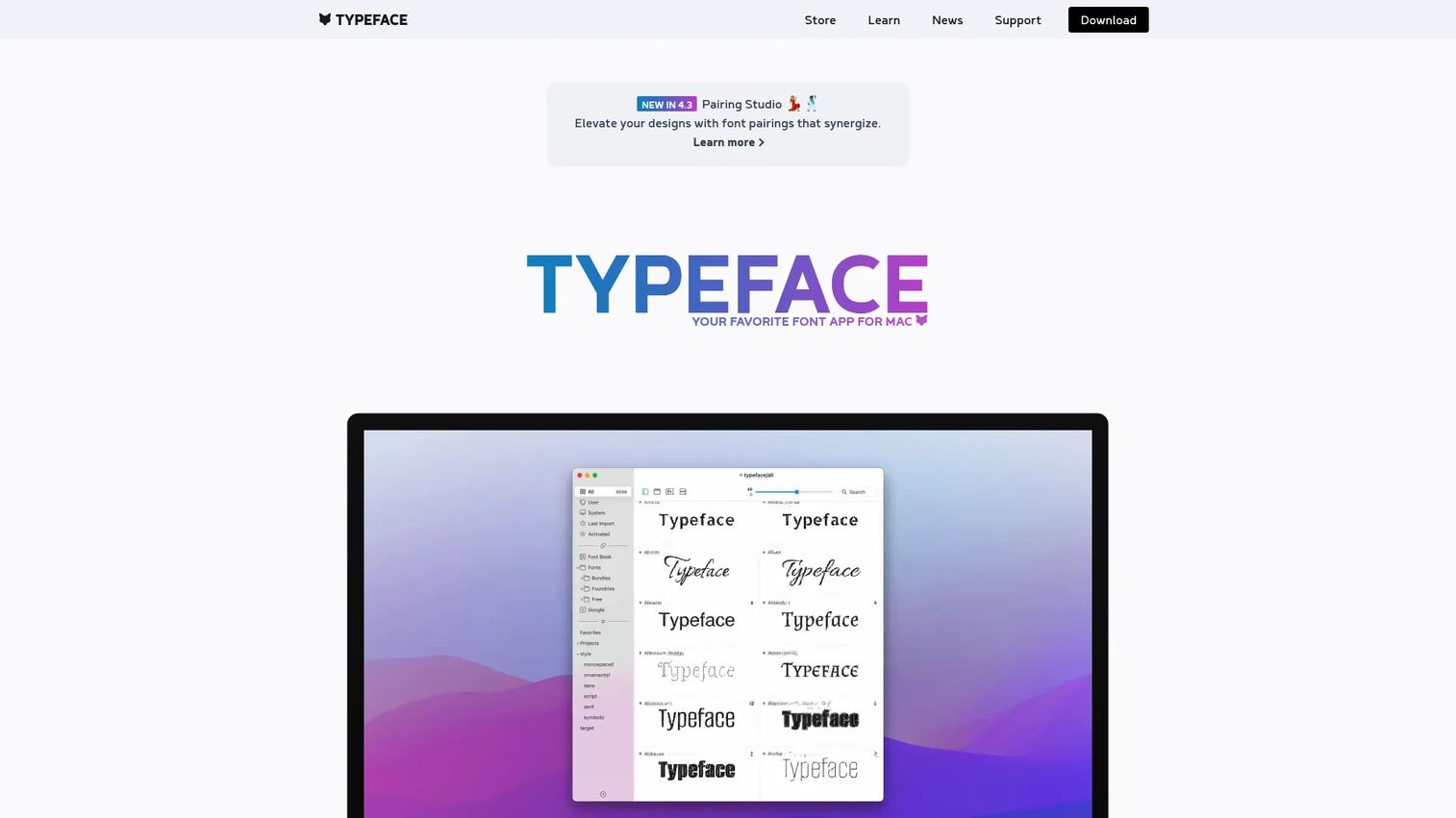
Typeface is a macOS font manager built for people who care about the details of type, not just which files are installed. It handles browsing, organizing, previewing, and activating fonts, but its real draw is depth. If you spend your day inside typography and need to inspect what a font actually contains, Typeface gives you tools most managers skip. It is Mac-only, and it leans into that focus rather than spreading thin across platforms.
The preview experience is where Typeface stands out. You can view fonts in full body-text layouts, not just a single specimen line, which matters when you are choosing type for long-form content or product UI. It supports OpenType and variable font inspection, so you can see the alternates, ligatures, and axes a font offers before you commit. Tagging, collection workflows, and activation keep the library organized, and duplicate handling plus general library hygiene tools help you clean up years of accumulated fonts. Sync keeps your setup consistent across machines.
Best for: Mac designers and typographers who need advanced font inspection and body-text previews, not just basic activation.
Key strengths
- Advanced type inspection: See OpenType features and variable font axes directly, so you evaluate a font's full capability before using it.
- Body-text previews: Preview fonts in real paragraph layouts, which reveals how type actually performs in context.
- Library hygiene tools: Handle duplicates, tags, and collections to keep even a large font library clean and searchable.
Why choose Typeface: Choose Typeface when you are on Mac and the quality of your type decisions matters as much as the speed of activation. It rewards power users who want to understand fonts, not just switch them on and off. The trade-off is platform: it is Mac-only, so cross-platform teams will need a different tool for their Windows or Linux members.
Typeface pricing: Typeface offers a paid Pro version described as a one-time purchase, with optional license extensions after twelve months. The brand site does not display a public numeric price on the pages available at drafting time, so confirm current pricing directly through Typeface's store before you buy.
3. Extensis
Extensis is the option that treats fonts as a team and compliance problem, not just a personal organization one. It is the most workflow-oriented and educational tool in this set, built for creative operations where multiple people share fonts, licenses have to be tracked, and someone eventually has to answer "are we allowed to use this?" If your org has ever gotten a licensing letter, this is the category of tool that prevents the next one.
Beyond core font organization and auto-activation, Extensis handles creative asset organization and sharing, so fonts sit alongside the other brand assets a team manages. Its standout capability is project risk and license compliance reporting, which surfaces where you might be using fonts outside their license terms. That matters for brand and legal risk in ways a solo font organizer never touches. Team management features let you distribute an approved font library with control, which is exactly what a product marketing org needs to keep every contributor on the same set.
Best for: Teams and creative operations that need font management plus license compliance and shared asset workflows.
Key strengths
- License compliance reporting: Flags font usage risk across projects, reducing brand and legal exposure before it becomes a problem.
- Team font sharing: Distribute an approved, governed font library across contributors with control and visibility.
- Creative asset organization: Manage fonts alongside other brand assets in one connected system.
Why choose Extensis: Choose Extensis when you manage fonts for a team rather than yourself, and when license compliance is a real concern. It is the strongest fit for larger creative orgs, agencies, and brand teams that need governance, not just convenience. For a solo designer it may be more tool than the job requires, but for a marketing org juggling licensed families across campaigns, that governance is the point.
Extensis pricing: Extensis Connect starts at $12.50 per user per month, or $150 per year, billed annually. Extensis Connect + Insight runs $16.67 per user per month, or $200 per year, billed annually, adding the deeper compliance and insight features. There is no free tier, so this is a committed team investment rather than a casual solo tool.
4. RightFont
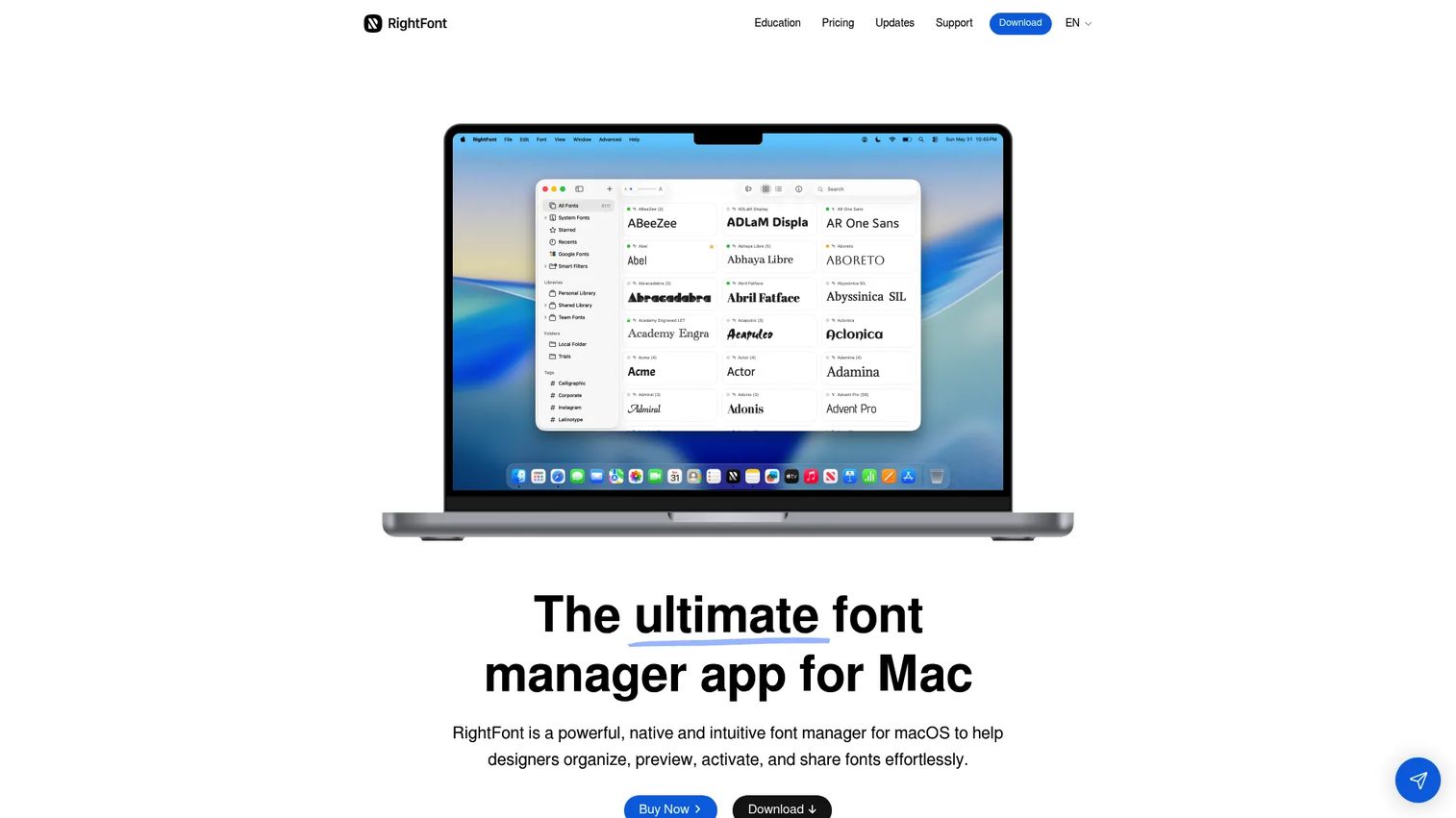
RightFont is a Mac-native font manager focused on fast library management and clean design app compatibility. It is built for designers who want to organize, preview, activate, and share fonts without friction, and it scales well when your library gets large. If your team lives on Mac and your font count keeps climbing, RightFont is engineered for exactly that situation.
The workflow is fast because you can preview fonts without installing them, then activate with a single click only when a project needs them. Unified search and smart filters let you find the right weight across thousands of files, and font libraries, sets, tags, and smart filters give you structure that holds up at scale. Auto-activation works inside supported design apps, so the correct font loads when you open a file, which quietly prevents a lot of "missing font" errors. Team sharing lets multiple designers work from the same organized library.
Best for: Mac design teams managing large font libraries who want fast search, smart filters, and auto-activation in their design apps.
Key strengths
- Preview without installing: Evaluate fonts before activating them, keeping your system lean and your library browsable.
- Smart filters and unified search: Find the exact weight or style across a large library in seconds, not minutes.
- Design app auto-activation: Automatically loads the right fonts inside supported apps when you open a file.
Why choose RightFont: Choose RightFont when you are on Mac, your library is large, and you want a one-time purchase instead of a recurring subscription. It sits between the free simplicity of FontBase and the team governance of Extensis, focused squarely on fast, scalable library management for design teams. The main consideration is platform, since it is Mac-native.
RightFont pricing: RightFont offers a 15-day free trial, then one-time purchase licenses. A Single License is $59.00, and a Volume License is $250.75, both one-time purchases rather than subscriptions. That pricing model appeals to teams that prefer to buy once and avoid ongoing per-seat fees.
Considerations
Before you commit to any font manager, run through this checklist. The right tool is the one that matches your actual platform, scale, and collaboration reality, not the one with the longest feature list.
Check platform fit first
Decide whether you need a Mac-only tool, Windows support, or true cross-platform parity. Typeface and RightFont are Mac-native, which is ideal if your whole team is on macOS. If you run a mixed environment, FontBase covers Mac, Windows, and Linux with the same feature set, and Extensis serves broader team setups. Platform mismatch is the fastest way to buy a tool half your team cannot use.
Verify the Google Fonts workflow
If your team pulls from Google Fonts regularly, built-in access saves real time and prevents manual download errors. FontBase bakes Google Fonts directly into its interface. Check whether your shortlisted tool treats Google Fonts as a first-class source or an afterthought, because that difference shows up every time a designer needs a free typeface fast.
Evaluate library scale
A 150-font library and a 3,000-font library are different problems. Once you cross a few hundred fonts, tags, sets, filters, and watched folders stop being conveniences and become the only way to find anything. RightFont and Extensis are built for scale; lighter setups may be fine with simpler organization.
Check team collaboration needs
Solo convenience and team governance are not the same purchase. If you need shared libraries, permissions, and a single approved font set across contributors, prioritize tools built for that. Extensis leads on team management and compliance. If it is just you, that overhead may not be worth it.
Confirm design app compatibility
Make sure the tool auto-activates fonts inside the apps your team actually uses, whether that is Adobe Creative Cloud, Affinity, Sketch, or Figma. Auto-activation is what prevents the dreaded "missing font" dialog when a teammate opens your file. Confirm the specific integrations before you buy, not after.
Conclusion
The right font management software depends on three questions: what platform is your team on, how large is your library, and how much do you collaborate. For most people, FontBase is the best starting point because it is free, fast, and works across Mac, Windows, and Linux. If you are on Mac and care about deep typographic control, Typeface rewards that focus. If you manage fonts for a team and need license compliance, Extensis is built for exactly that. And if you run a large Mac library and prefer a one-time purchase, RightFont is engineered for scale.
Whichever you choose, the real win is the same one product marketers chase everywhere else: consistency. When your approved typefaces live in one governed, searchable library, campaigns ship on-brand and the wrong-font-on-the-launch-page problem stops happening. Pick based on your platform, your scale, and your collaboration needs, and the tool will pay for itself the first time it catches a mistake before a customer does.
FAQs
Font management software is a tool that lets you organize, preview, activate, and deactivate fonts from a single library instead of installing every file into your operating system. It gives designers and teams control over which fonts are available, how they are grouped, and where they load. The goal is faster workflows and consistent typography across projects.
If you work with more than a handful of fonts, yes. macOS handles basic font installation, but it does not offer strong preview, tagging, or on-demand activation for large libraries. Dedicated apps to manage fonts on Mac, like Typeface and RightFont, add fast search, auto-activation in design apps, and library organization that the built-in Font Book cannot match.
Prioritize font preview quality, one-click activation and deactivation, and solid library organization through tags, sets, and collections. For teams, look for shared libraries, permissions, and license tracking. Also confirm Google Fonts access and auto-activation inside the design apps your team already uses, since those determine day-to-day speed.
Google Fonts is an excellent free library, but it is not a management system. It gives you access to typefaces, not organization, activation control, or license governance across a team. Most design teams pair Google Fonts access with a font manager so they can browse, tag, and activate those fonts alongside licensed families in one place.
For large libraries, RightFont and Extensis are the strongest picks. RightFont offers unified search, smart filters, and auto-activation that hold up across thousands of fonts on Mac. Extensis adds team management and license compliance reporting, which becomes essential once a big library is shared across contributors and licensing risk enters the picture.
A font manager keeps your approved typefaces in one governed, searchable library, so every contributor pulls from the same source instead of scattered files. That stops version drift, where the wrong or outdated font ends up on a live campaign. For product marketing teams, this is the same discipline applied to messaging and assets: centralize, version, and control.
Look for tools with auto-activation inside Adobe Creative Cloud. RightFont, Typeface, and Extensis all support activation workflows in common design apps, so the correct fonts load automatically when you open a file. FontBase also integrates with popular design tools. Always confirm the specific Adobe app versions your team runs before committing.
Font preview lets you see how a typeface looks, in a specimen line or full body text, without installing it into your system. Font activation actually makes the font available to your applications when you need it. Good font management software separates the two, so you can browse and evaluate freely, then activate only the fonts a specific project requires.