
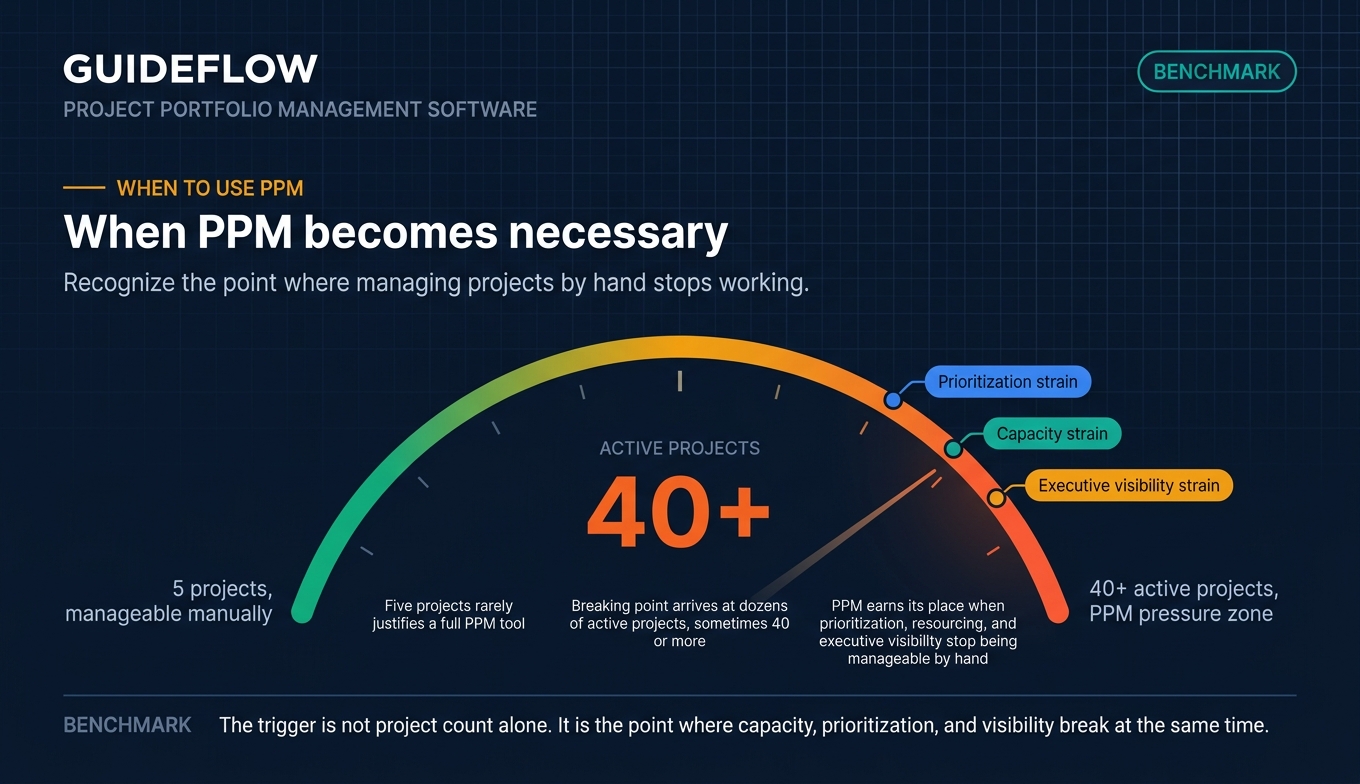
You run a PMO. You have dozens of active projects, sometimes 40 or more at once, and no single view of which ones actually map to strategy. Some are overstaffed. Some are starving for capacity. A few should have been killed two quarters ago, but nobody can see that clearly because status lives in scattered decks and a spreadsheet that breaks every time someone touches it.
That is the moment project portfolio management software earns its place. Not when you have five projects. When you have so many concurrent initiatives that prioritization, resourcing, and executive visibility stop being manageable by hand.
The stakes are real money. The global project portfolio management market is projected to grow from USD 9.91 billion in 2026 to USD 16.87 billion by 2031, at a compound annual growth rate of 11.3%, according to MarketsandMarkets. That growth tracks a simple pressure: organizations waste a meaningful slice of every dollar invested in projects through poor performance and weak prioritization. The Project Management Institute has reported that figure sitting close to 10% of project spend. PPM software exists to claw that back.
The problem is that most buying guides are either vendor landing pages dressed as advice or directory listings with no real per-tool depth. You want pricing, ratings, and honest differentiation so you can build a shortlist that fits your org size and governance maturity. That is what this guide delivers.
What's inside
This guide is for PMO leaders, portfolio and program managers, RevOps and operations leaders, and product marketing or operations people evaluating the PPM category, whether for their own stack or to understand how a complex software category is positioned. We selected and ranked these ppm tools on four criteria that matter most when you are governing many projects at once: portfolio-level visibility and prioritization, resource and capacity management depth, financial tracking and reporting quality, and integration breadth across your existing work-management stack. Full-lifecycle enterprise PPM platforms come first, followed by work-management platforms with strong portfolio features. Every entry includes verified pricing where public and a current G2 rating.
TL;DR
- Best for enterprise full-lifecycle PPM: Planview, for mature PMOs connecting strategy to delivery.
- Best for Microsoft-native teams: Microsoft Planner with Microsoft Project, for shops standardized on Microsoft 365.
- Best for spreadsheet-driven ops teams: Smartsheet, for portfolio rollups with grid-style control.
- Best for mid-market work management: monday.com, Wrike, or ClickUp, for fast setup and flexible portfolio views.
- Best for transparent mid-market PPM pricing: Celoxis, for full PPM without enterprise contracts.
- Best for finance-heavy enterprise portfolios: Clarity by Broadcom, for deep investment and financial planning.
Background: what is project portfolio management software?
Project portfolio management (PPM) software is a platform that helps organizations select, prioritize, fund, resource, and govern a portfolio of projects to maximize strategic value. It sits a level above single-project tracking. Where a project management tool answers "is this project on track?", a portfolio management solution answers "are we running the right projects, with the right resources, against the right strategy?"
That distinction is the whole reason the category exists. Project and portfolio management software gives leadership a way to weigh competing initiatives, balance capacity across teams, and tie spend to outcomes instead of guessing. Many teams pair these systems with broader product management tools to connect roadmaps to portfolio strategy.
The core capabilities of software for portfolio management typically include:
- Portfolio planning, prioritization, and strategic alignment
- Demand intake and proposal or business-case evaluation
- Resource management and capacity planning
- Scenario modeling and what-if analysis
- Financial planning across budgets, CAPEX, OPEX, and actuals
- Governance and standardized workflows
- Dashboards, analytics, and executive reporting
- Integrations across the work-management stack
Because these platforms touch so many teams, rollout matters as much as features. Complex ppm software is often onboarded and explained to internal teams through interactive demos so people understand a new tool before they are forced to live in it. The faster a team understands the workflow, the faster the portfolio data becomes trustworthy. Building an interactive demo library can speed up that internal understanding even further.
The strongest PPM tools share one trait: they turn fragmented project status into a single, current view that an executive can read in two minutes. Everything else, the intake forms, the capacity models, the financial rollups, exists to make that view accurate.
When to use project portfolio management software
Not every team needs a full PPM project management tool. Here is how to recognize when you do.
Align projects to strategy and kill low-value work
When leadership cannot see which projects support company OKRs and which are inertia, prioritization defaults to whoever lobbies hardest. PPM software forces a scoring and ranking discipline. You evaluate each initiative against strategic value, then defund the bottom of the list with evidence instead of politics. That is often the single biggest payoff of adopting portfolio management software.
Balance resource capacity across a portfolio
When the same five senior engineers are committed to nine projects, bottlenecks surface late and deadlines slip in clusters. Capacity planning inside a PPM tool models capacity planning across the whole portfolio, not one project at a time. You see overallocation before it becomes a crisis and rebalance with scenario planning rather than firefighting.
Give executives real-time portfolio visibility
When portfolio status lives in slide decks rebuilt before every steering meeting, the data is stale the moment it is presented. Enterprise project portfolio management software replaces that scramble with live dashboards. Executives check health, spend, and risk on demand, and the PMO stops spending Fridays reconstructing what happened.
Comparison table
Here is a side-by-side look at the 10 best project portfolio management software tools for 2026, with verified pricing and current G2 ratings. Full-lifecycle enterprise PPM platforms lead, followed by work-management platforms with strong portfolio features.
| # | Product | Intent | Key use case | Pricing | G2 rating |
|---|---|---|---|---|---|
| 1 | Planview | Enterprise full-lifecycle PPM | Strategy-to-delivery control for mature PMOs | Custom, contact sales | 4.1/5 |
| 2 | Microsoft Planner | Microsoft-native PPM | Task and project management inside Microsoft 365 | Free in M365; Planner Plan 1 $10/user/mo | 4.2/5 |
| 3 | Clarity by Broadcom | Enterprise strategic portfolio management | Finance-heavy investment and capacity planning | Custom, contact sales | 3.7/5 |
| 4 | Sciforma | Enterprise PPM for PMOs | Portfolio governance for IT and R&D portfolios | Custom, contact sales | 4.2/5 |
| 5 | Adobe Workfront | Enterprise work management | Marketing-led enterprise portfolios | Custom, contact sales | 4.4/5 |
| 6 | Celoxis | Mid-market PPM | Full PPM at transparent per-user pricing | From $10/user/mo | 4.4/5 |
| 7 | Smartsheet | Spreadsheet-grounded work and portfolio mgmt | Portfolio rollups for grid-driven ops teams | From $9/member/mo | 4.4/5 |
| 8 | Wrike | Work management with portfolio depth | Marketing and services teams scaling governance | Free; paid from $10/user/mo | 4.2/5 |
| 9 | monday.com | Flexible work OS | Cross-functional teams wanting fast setup | Free; paid from $9/seat/mo | 4.7/5 |
| 10 | ClickUp | All-in-one work platform | Teams consolidating tools on a budget | Free; paid from $7/user/mo | 4.6/5 |
The 10 best project portfolio management software tools for 2026
1. Planview
Planview is an enterprise platform for strategic portfolio management, software product delivery, and project portfolio management, built to connect strategy to execution outcomes. It covers demand intake, planning, execution, financials, and reporting across one connected system, which is why mature PMOs lean on it to run large, complex portfolios. If your organization needs to trace a board-level strategy down to the work actually shipping, this is the category-defining choice.
Best for: large enterprises and mature PMOs needing strategy-to-delivery control across resources, funding, and agile delivery.
Key strengths
- Strategic portfolio management: Connects initiatives, investments, resources, and outcomes so leadership can prioritize against strategy, not noise.
- Project and portfolio management: Manages projects, resources, capacity, spend, and delivery in one place across the full lifecycle.
- Lean and Agile work management: Supports Kanban boards, workflow visualization, and toolchain integrations for hybrid delivery modes.
Why choose Planview: Planview fits when governance depth is a feature, not a burden. It is built for organizations running waterfall, Agile, and hybrid work side by side, with financial planning and capacity modeling that smaller tools cannot match. The trade-off is real: this is enterprise-grade software, and it can overwhelm a small team without a dedicated PMO. Choose it when the complexity of your portfolio justifies the investment.
Planview pricing: Planview uses custom, quote-based pricing. The AgilePlace and ProjectPlace pricing pages show a single plan with a 30-day free trial and direct buyers to contact Planview for figures, with no public price listed. Plan on a sales conversation to scope cost against your portfolio size. Planview holds a 4.1 out of 5 rating on G2.
2. Microsoft Planner (with Microsoft Project)
Microsoft Planner is a Microsoft 365 work management app for managing tasks, to-do lists, plans, and projects in one planning experience. Microsoft is consolidating Project for the web capabilities into the new Planner inside Microsoft 365, while heavier portfolio work, scenario-based optimization, visual Roadmap, and OData plus Power BI reporting, sits with Microsoft Project plans. For teams already living in Microsoft 365, this is the most natural starting point for microsoft portfolio management.
Best for: teams standardized on Microsoft 365 that want integrated task, project, and lightweight work management.
Key strengths
- Unified planning experience: Manage tasks, plans, and projects across Microsoft 365 apps in one online place.
- Flexible views: Use My Day, My Tasks, lists, boards, timelines, sprints, Grid, Board, Schedule, and Charts.
- Rich task structure: Add files, checklists, labels, templates, dependencies, custom fields, goals, milestones, and Teams integration.
Why choose Microsoft Planner: If your stack is Microsoft, the integration story is the whole argument. Reporting flows into Power BI, tasks connect to Teams, and licensing folds into plans you already pay for. Just be clear-eyed about scope: full portfolio optimization and business-case intake belong to Microsoft Project (Plan 3 and Plan 5), not Planner alone. Pair the two for genuine PPM coverage.
Microsoft Planner pricing: Planner is included with eligible Microsoft 365 enterprise plans at no extra cost. Planner Plan 1 runs $10.00 per user per month, paid yearly. Planner and Project Plan 3 runs $30.00 per user per month, paid yearly, and a Microsoft 365 Copilot add-on is available at $30.00 per user per month. Microsoft Planner holds a 4.2 out of 5 rating on G2.
3. Clarity by Broadcom
Clarity by Broadcom is an enterprise strategic portfolio management platform for connecting strategy, funding, resources, execution, and business outcomes. It is built for large, finance-heavy portfolios where investment planning and financial transparency carry as much weight as delivery tracking. If your portfolio decisions hinge on capital allocation and forecasting, Clarity sits in its element.
Best for: large enterprises needing strategic portfolio management, investment planning, resource optimization, and governance across complex portfolios.
Key strengths
- Investment and financial management: Strategic roadmapping, investment management, and financial transparency with forecasting.
- Capacity planning: Models resource capacity across portfolios so allocation decisions hold up under scrutiny.
- Risk and reporting: Real-time reporting and risk management across the full portfolio.
Why choose Clarity: Clarity is the pick when financial rigor is the deciding factor. Its investment management and forecasting depth suit organizations where the CFO has a seat at the portfolio table. The honest counterpoint is that it carries enterprise complexity and a lower G2 satisfaction score than lighter tools, so it rewards teams with the maturity to operate it. Match it to finance-led PPM, not casual work tracking.
Clarity pricing: Broadcom sells Clarity as an enterprise solution with custom pricing. No public price figure is listed on Broadcom's product pages, which route buyers through demo and contact paths instead. Expect a quote scoped to your portfolio. Clarity holds a 3.7 out of 5 rating on G2.
4. Sciforma
Sciforma, now Planview ProjectAdvantage, is project and portfolio management software for PMOs to standardize delivery, manage resources, and gain real-time portfolio visibility. It focuses on portfolio governance, capacity, and strategic planning, which makes it a strong fit for IT and R&D portfolios where stage-gate discipline matters. Growing PMOs use it to centralize project, portfolio, budget, and reporting visibility in one place.
Best for: growing PMOs and project managers needing centralized project, portfolio, resource, budget, and reporting visibility across waterfall, agile, and stage-gate delivery.
Key strengths
- Portfolio management: Scenario planning, prioritization, idea and demand alignment, business case evaluation, and portfolio dashboards.
- Project planning and management: Gantt and critical path scheduling, hybrid methodology support, risk and change tracking, and budget management.
- Resource management: Capacity and demand visibility, role and skill matching, workload balancing, and resource scenario planning.
Why choose Sciforma: Sciforma fits PMOs that want enterprise PPM governance without forcing every team into a single rigid methodology. Its scenario planning and demand alignment help you prioritize a crowded intake queue, while hybrid delivery support keeps waterfall and agile teams under one roof. Note that the Sciforma brand now lives under Planview as ProjectAdvantage, so evaluate it within that product family. It holds a 4.2 out of 5 rating on G2.
5. Adobe Workfront
Adobe Workfront is a collaborative work management solution for planning, assigning, executing, tracking, and managing work across teams. It brings portfolio prioritization and scenario planning to enterprise work, with particular strength for marketing-led portfolios that connect into Adobe Experience Cloud. If your portfolio is heavy on creative production and cross-functional approvals, Workfront speaks your language.
Best for: enterprise marketing and operations teams managing complex cross-functional work, approvals, resources, and portfolio visibility.
Key strengths
- Work management: Task automations, real-time insights, and AI tools across the delivery lifecycle.
- Demand management: Auto-routing, custom intake forms, and smart approvals to control the request queue.
- Review and approval: Versioning, mobile proofing, and secure digital sign-off built into the workflow.
Why choose Adobe Workfront: Workfront is the enterprise pick when creative and marketing operations sit at the center of your portfolio. The Scenario Planner handles prioritization trade-offs, demand management tames intake, and the Adobe Experience Cloud integration matters if you already run that stack. It is enterprise software, so scope and rollout deserve planning. Match it to marketing-heavy portfolios rather than IT-only PPM.
Adobe Workfront pricing: Adobe lists three tiers, Select, Prime, and Ultimate, each shown as "Get pricing" rather than a public figure. Plan on a sales conversation to size your plan. Adobe Workfront holds a 4.4 out of 5 rating based on current Capterra reviews.
6. Celoxis
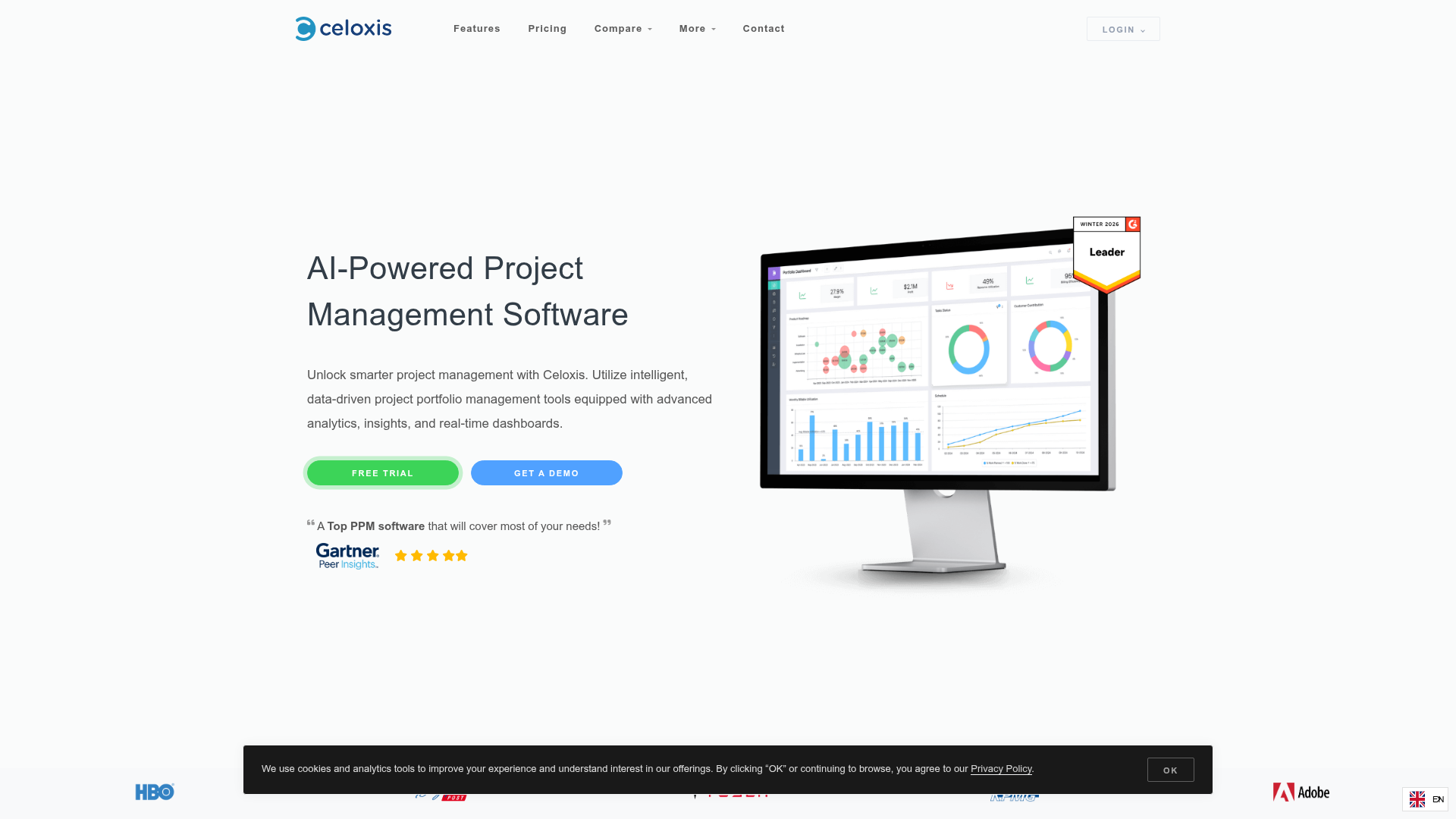
Celoxis is an AI-powered project portfolio management platform with analytics, insights, and real-time dashboards for managing projects, portfolios, resources, and operations. It delivers full PPM, strong scheduling, resource management, and financials, at transparent per-user pricing that mid-market PMOs can budget without an enterprise contract. If you want real portfolio depth without enterprise cost, Celoxis is the value play on this list.
Best for: PMOs and project-driven organizations needing enterprise-grade PPM, resource planning, project financials, and portfolio reporting at a transparent price.
Key strengths
- Project financials: Profit and margin tracking, revenue forecasting, and custom financial KPIs.
- Resource management: Capacity planning across locations and shifts, with holidays, exceptions, and overload alerts.
- Dynamic dashboards: Custom drill-down charts, scheduled email delivery, and PDF exports for reporting.
Why choose Celoxis: Celoxis is the pick when you want full PPM, including financials and capacity, without the enterprise price tag or sales-cycle friction. Its public per-user pricing makes budgeting straightforward, and the scheduling engine handles inter-project dependencies that lighter work tools skip. There is no standalone free tier, only a 14-day trial, so plan to commit if it fits. Celoxis holds a 4.4 out of 5 rating on Capterra.
Celoxis pricing: Celoxis publishes per-user pricing prepaid annually. Core starts at $10 per user per month with project tracking, reports, dashboards, and Gantt. Essentials is $25, adding timesheets and resource planning. Professional is $35, adding risk tracking and costing. Business is $45, adding billing and a client portal. Enterprise is a custom plan for large teams.
7. Smartsheet
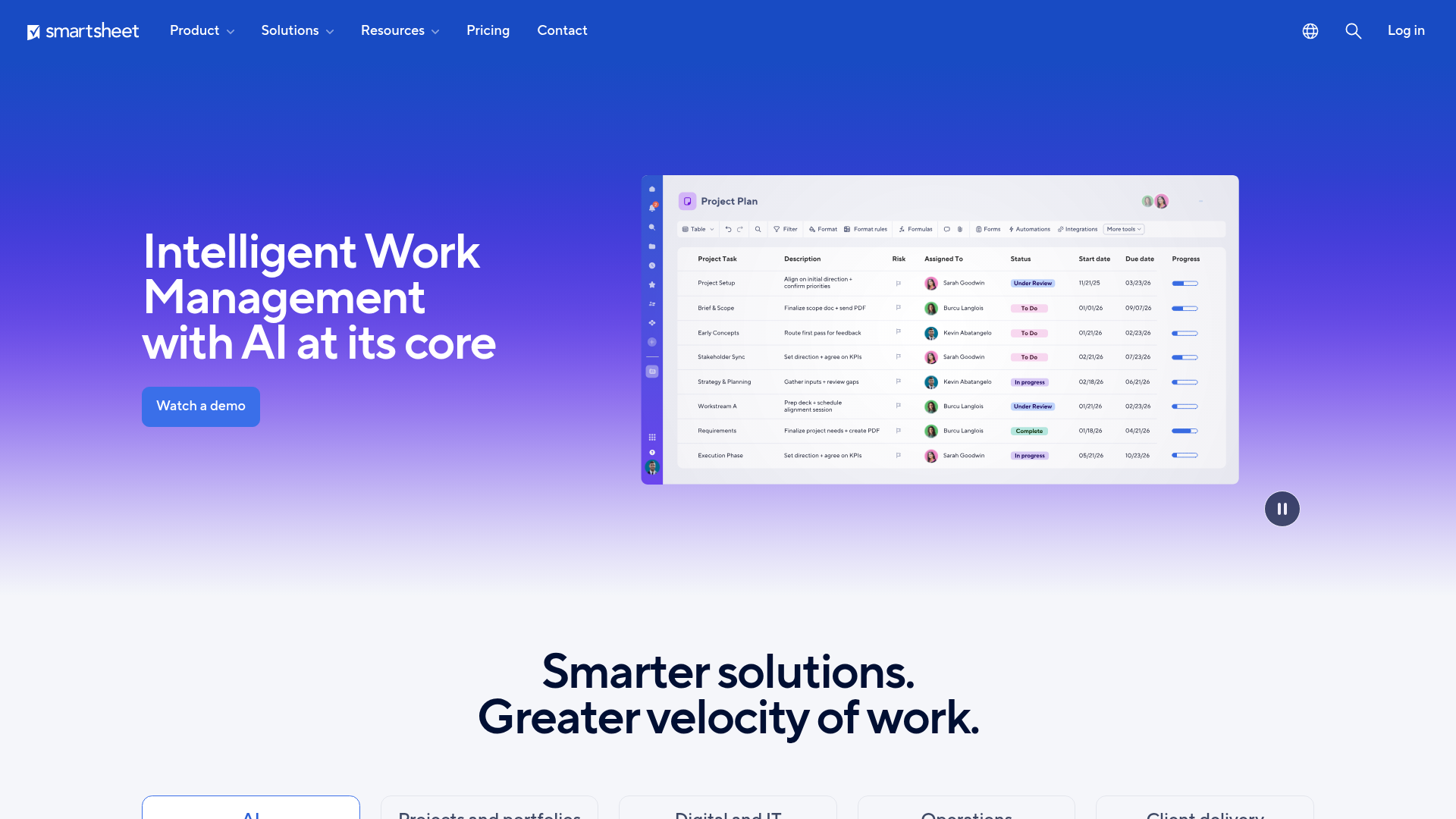
Smartsheet is an intelligent work management platform for managing projects, portfolios, workflows, collaboration, reporting, and related business processes. Its spreadsheet-like interface makes it a natural home for ops teams that already live in grids, with portfolio rollups, Control Center for governance, and a Resource Management add-on layered on top. If your team thinks in rows and columns, Smartsheet meets them there. You can explore an interactive Smartsheet demo to see how its grid-based workflows feel before committing.
Best for: teams and enterprises that need spreadsheet-like project, portfolio, workflow, automation, and reporting management in one platform.
Key strengths
- Multiple project views: Grid, Gantt, calendar, table, board, and timeline views across projects and portfolios.
- Reporting and automation: Dashboards, reports, forms, and automations to standardize workflows and rollups.
- Resource and enterprise tooling: AI tools, integrations, workload tracking, resource planning, and enterprise administration.
Why choose Smartsheet: Smartsheet wins when adoption is the real risk. Teams that resist heavyweight PPM tools often embrace a grid that feels like a spreadsheet but rolls up to portfolio dashboards. Control Center adds the governance layer for program-level standardization. Note that deeper resource management comes through a separate add-on, so price the full stack you need. It holds a 4.4 out of 5 rating on G2.
Smartsheet pricing: Smartsheet Pro is $12 per member per month billed monthly, or $9 billed yearly. Business is $24 per member per month monthly, or $19 yearly. Enterprise and Advanced Work Management both use custom pricing. There is no confirmed free tier, only a free trial.
8. Wrike
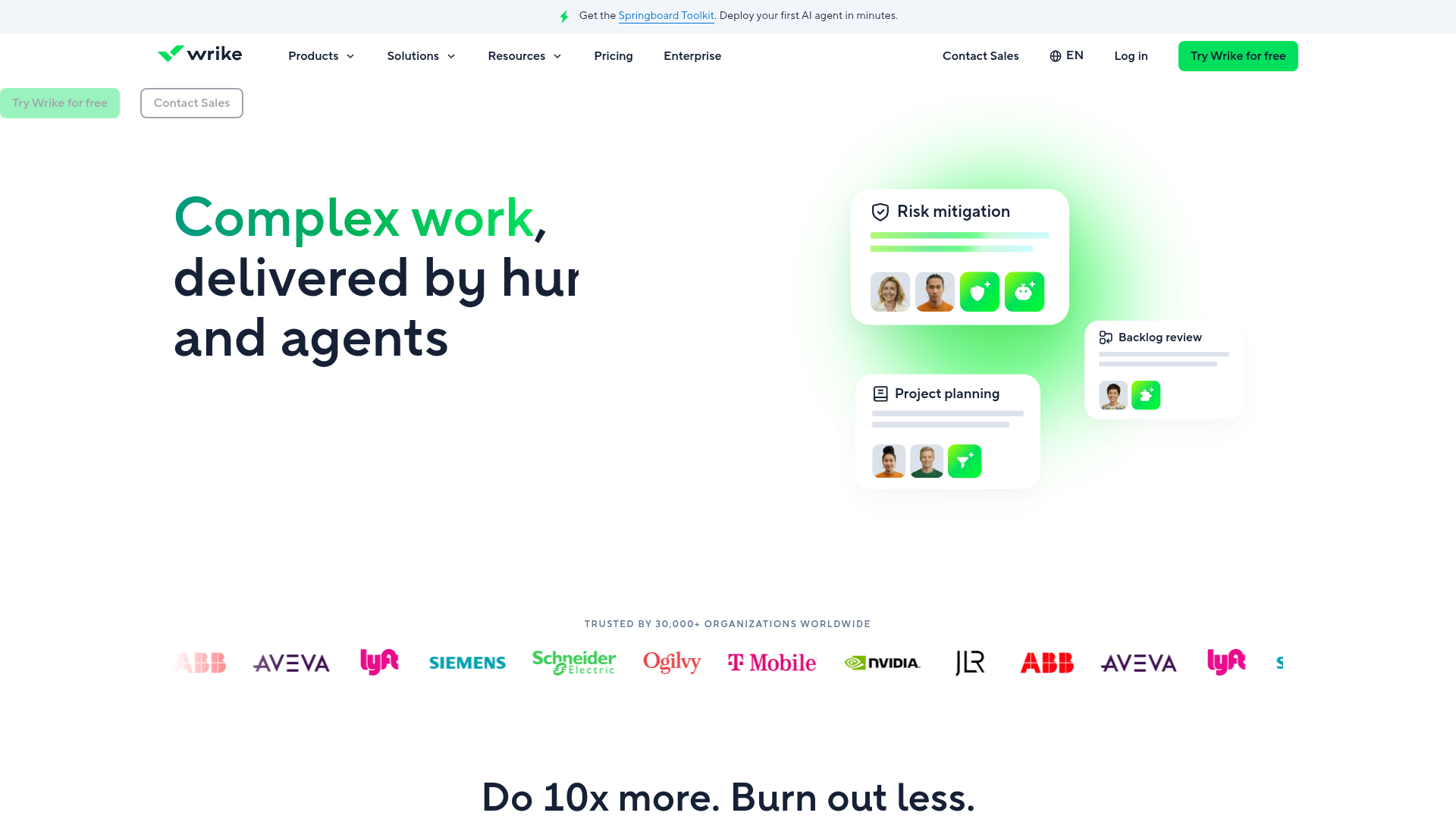
Wrike is an intelligent work management platform for project planning, collaboration, workflow automation, reporting, and resource management. It brings portfolio-level dashboards, resource allocation, and advanced analytics to teams scaling from project execution toward portfolio governance. Marketing and professional services teams in particular use Wrike to add structure without abandoning flexibility. Try an interactive Wrike demo to see its portfolio dashboards in action.
Best for: teams and organizations that need scalable project, workflow, resource, and cross-functional work management.
Key strengths
- Multiple project views: Board, table, calendar, and Gantt chart views for planning and tracking.
- Analytics and BI: Custom dashboards, real-time reports, advanced analytics, and business intelligence.
- Broad integrations: 400+ app integrations plus Wrike Integrate, Wrike Sync, and an open API.
Why choose Wrike: Wrike fits teams that have outgrown basic task tracking and need portfolio dashboards, proofing, and resource allocation, without jumping straight to heavyweight enterprise PPM. Its Work Intelligence AI surfaces project risk early, and the integration breadth keeps it connected to the rest of your stack. The trade-off is that portfolio governance depth lives in higher tiers, so map features to plan. Wrike holds a 4.2 out of 5 rating on G2.
Wrike pricing: Wrike offers a Free plan at $0 per user per month for essential task management. Team is $10 per user per month, billed annually, adding AI Essentials and interactive Gantt charts. Business is $25 per user per month, billed annually, adding customization and templates. Pinnacle and Apex are contact-sales plans for complex and enterprise workflows.
9. monday.com
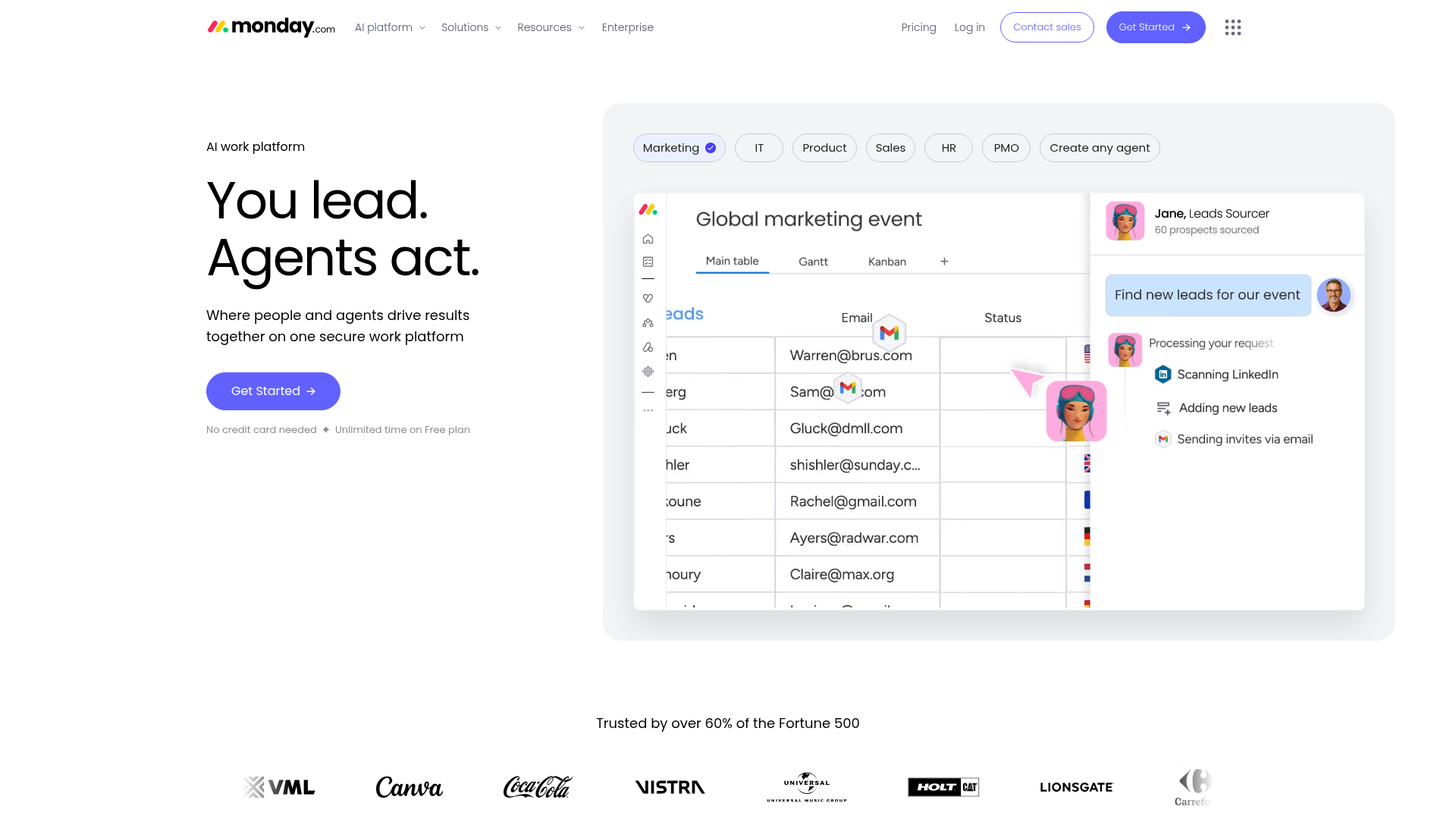
monday.com is an AI work platform for teams to plan, manage, automate, and track work across projects and operations. Its flexible Work OS supports portfolio views, dashboards, and a Workload widget for balancing resources, all set up fast with no-code configuration. Cross-functional teams that want portfolio visibility without a long implementation gravitate here. See an interactive monday.com demo to gauge how quickly a portfolio view comes together.
Best for: teams that need a configurable work management platform for project tracking, collaboration, automation, dashboards, and cross-functional workflows.
Key strengths
- Boards and templates: Boards, docs, templates, and mobile apps to organize work across teams.
- Automations and views: No-code automations, integrations, plus Timeline, Gantt, and Calendar views.
- Advanced portfolio tooling: Private boards, advanced views, time tracking, and resource management on higher tiers.
Why choose monday.com: monday.com is the fast-setup pick for cross-functional teams that want portfolio dashboards without a heavy rollout. Its no-code automations and connected boards let a PMO assemble a portfolio view in days, not quarters. Deeper portfolio and resource management lands on the Pro and Enterprise tiers, so scope your needs against the plan. With a 4.7 out of 5 rating on G2, it earns some of the strongest user satisfaction on this list.
monday.com pricing: A Free plan covers up to 2 seats. Basic is $9 per seat per month, billed annually. Standard is $12 per seat per month, adding automations, integrations, Timeline, Gantt, and guest access. Pro is $19 per seat per month, adding private boards, time tracking, and advanced columns. Enterprise is custom-priced with portfolio and resource management.
10. ClickUp
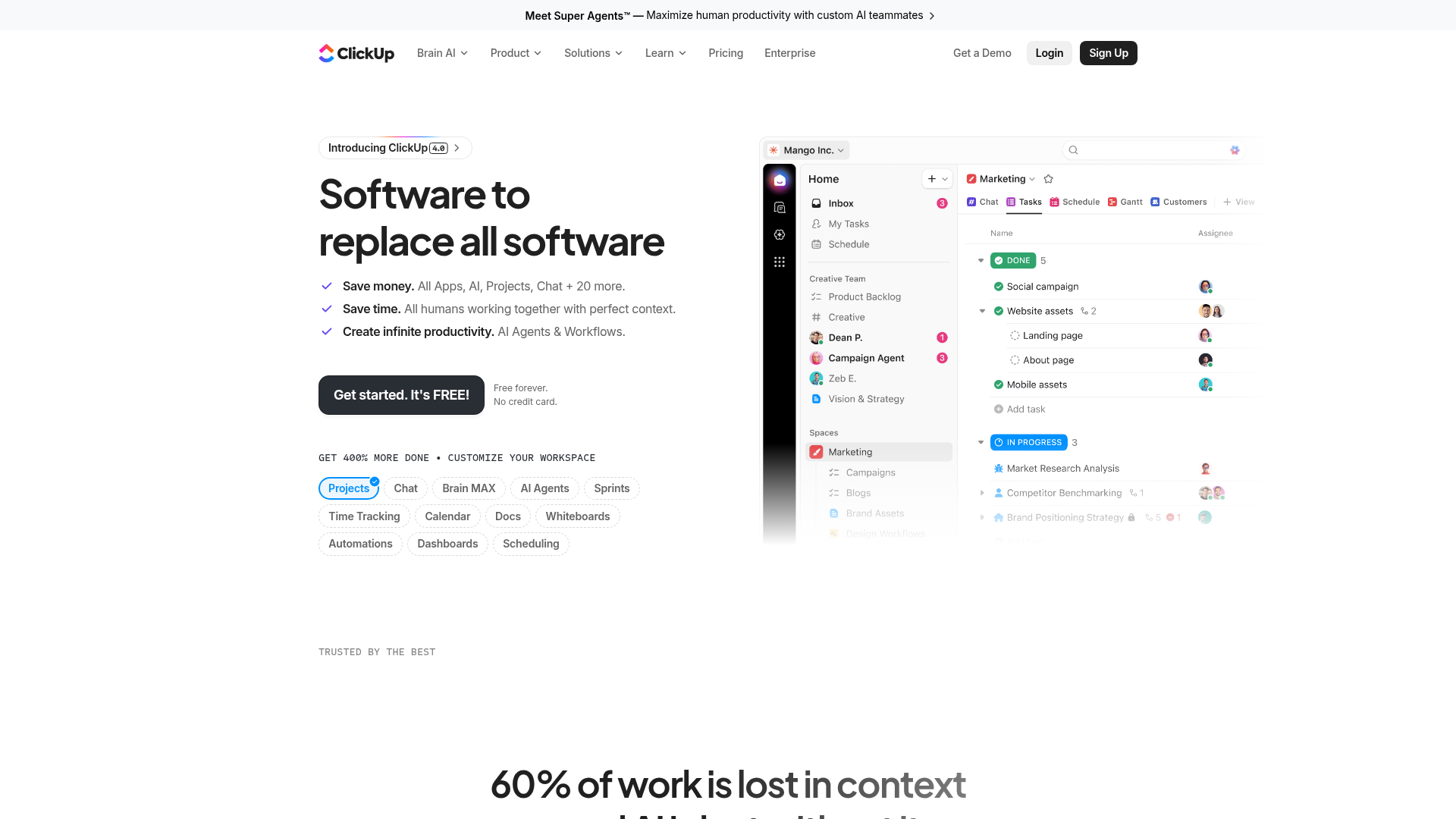
ClickUp is an all-in-one work management platform for tasks, projects, docs, chat, goals, dashboards, automations, and AI-powered collaboration. Its Spaces, Folders, and Lists hierarchy rolls up into Portfolios and Dashboards, and a notably generous free tier makes it the budget-conscious consolidation play. Teams trying to replace several point tools with one platform start here. Walk through an interactive ClickUp demo to see its Portfolios and Dashboards firsthand.
Best for: teams that want a highly customizable, all-in-one workspace for project management, collaboration, documentation, dashboards, automation, and AI-assisted work.
Key strengths
- Flexible task structure: Custom statuses, goals, milestones, task relationships, sprints, and multiple assignees.
- 15+ views: List, Board, Calendar, Table, Gantt, Whiteboards, Mind Maps, Portfolio, and Workload.
- Collaboration and knowledge tools: Chat, Docs, Wikis, Inbox, Clips, Forms, reminders, and integrations.
Why choose ClickUp: ClickUp fits teams consolidating tools on a budget that still want Portfolios, Goals, and Dashboards for portfolio rollups. The Free Forever plan is unusually capable, and portfolio plus resource management unlocks on Unlimited and Business. The flexibility is a double edge: the same configurability that powers it can demand setup discipline to keep a portfolio view clean. ClickUp holds a 4.6 out of 5 rating on G2.
ClickUp pricing: Free Forever covers unlimited tasks and members. Unlimited is $7 per user per month, billed yearly, adding portfolio management, resource management, and unlimited Gantt charts. Business is $12 per user per month, billed yearly, adding portfolio workload management and advanced dashboards. Enterprise is contact-sales with advanced governance and security.
Considerations: how to choose project portfolio management software
A shortlist means nothing if you skip the fit check. Run every candidate against these criteria before you book a demo.
Portfolio scale and org maturity
Match the tool's governance depth to your PMO maturity. Enterprise PPM platforms like Planview, Clarity, and Sciforma reward organizations with established governance, but they can overwhelm a small team that just needs portfolio rollups. If you are early in your PMO journey, a work-management platform with portfolio features may serve you better and faster.
Resource and capacity management depth
Verify how each tool actually models capacity, allocation, and what-if scenarios. Some platforms treat resource management as a core engine; others bolt it on through an add-on or a higher tier. If chronic overallocation is your real pain, test scenario planning directly during the trial rather than trusting the feature list.
Financial tracking and reporting
Check CAPEX and OPEX handling, actuals, budget rollups, and the quality of executive dashboards. Finance-heavy portfolios should weight tools like Clarity and Celoxis that treat project financials as a first-class capability. Ask whether reporting exports cleanly into your BI layer.
Integrations with your existing stack
Confirm connectors to your PM tools, CRM, BI such as Power BI, and SSO. A portfolio management solution that cannot pull from where work already happens will create a second silo instead of a single source of truth.
Pricing model and total cost
Separate per-user mid-market pricing from custom enterprise contracts, and factor in add-on modules and minimum seat counts. A transparent per-user tool like Celoxis or monday.com is easy to budget; an enterprise PPM platform requires a sales conversation and a total-cost view across modules.
Conclusion
The right project portfolio management software depends almost entirely on your org size and governance maturity. For enterprise full-lifecycle PPM, Planview connects strategy to delivery for mature PMOs, while Clarity and Sciforma suit finance-heavy and IT or R&D portfolios respectively. For Microsoft-native teams, Microsoft Planner with Microsoft Project keeps PPM inside the stack you already pay for. For mid-market PMOs that want full PPM without an enterprise contract, Celoxis delivers financials and capacity at transparent per-user pricing. And for cross-functional teams consolidating work management, Smartsheet, Wrike, monday.com, and ClickUp each bring portfolio views with fast setup.
Whichever tool you pick, plan how you will roll it out internally. Pairing onboarding with interactive product tours helps teams adopt a new PPM platform faster and keeps your portfolio data trustworthy from day one.
Your next step is simple. Shortlist two or three tools that match your portfolio scale, then book demos and pressure-test them against your actual portfolio reality, not a polished sample dataset. Load a real intake queue, model your genuine capacity constraints, and check whether the executive dashboard answers your steering committee's questions in two minutes. The tool that survives that test, not the one with the longest feature list, is the one worth buying.
FAQs
PPM software is a platform that helps organizations select, prioritize, resource, fund, and govern a portfolio of projects to maximize strategic value. It operates above single-project tracking, giving leadership a way to weigh competing initiatives, balance capacity, and tie spend to outcomes. The goal is a single, current view of which projects are running, how they map to strategy, and whether resources match priorities.
Project management tools manage individual projects: tasks, timelines, dependencies, and team collaboration on one initiative. Project portfolio management software manages the whole portfolio: prioritizing many projects against strategy, allocating resources across them, and tracking ROI at the portfolio level. Put simply, a PM tool answers "is this project on track?" while PPM software answers "are we running the right projects?"
For enterprise needs, Planview, Clarity by Broadcom, and Sciforma lead the field. Planview connects strategy to execution across demand, planning, financials, and delivery. Clarity emphasizes investment planning and financial transparency for finance-heavy portfolios. Sciforma, now Planview ProjectAdvantage, focuses on portfolio governance, capacity, and strategic planning for IT and R&D portfolios. What makes them enterprise-grade is depth of governance, financial modeling, and capacity planning across complex, multi-team portfolios.
Cost spans a wide range. Mid-market tools publish per-user pricing: Celoxis from $10 per user per month, monday.com from $9 per seat, ClickUp from $7, Wrike from $10, and Smartsheet from $9 per member. Enterprise platforms like Planview, Clarity, and Adobe Workfront use custom, quote-based contracts that require a sales conversation. Several work-management options, including Wrike, monday.com, and ClickUp, offer free tiers for lighter use.
Yes. Microsoft delivers PPM capabilities primarily through Microsoft Project, with Plan 3 and Plan 5 tiers and Power BI reporting for portfolio analysis. Microsoft Planner, a Microsoft 365 app, handles task and lightweight project management and is consolidating Project for the web experiences. For full microsoft portfolio management, teams typically pair Planner with Microsoft Project rather than relying on Planner alone.
Prioritize portfolio-level prioritization and strategic alignment, resource and capacity management, scenario modeling and what-if analysis, financial planning across budgets and actuals, dashboards and executive reporting, standardized governance workflows, and integrations across your existing stack. The exact weighting depends on your pain: finance-heavy portfolios should weight financials, while resource-constrained teams should test capacity modeling first.
Yes, and for many PMOs it is the main reason to buy. Strong PPM tools model capacity across the entire portfolio, not one project at a time, so you can see overallocation before it becomes a crisis. Capabilities to look for include allocation by role and skill, workload balancing, overload alerts, and what-if scenario planning to test reassignments before committing to them.
It is worth it once project volume outgrows spreadsheets and disconnected PM tools, typically when prioritization, resourcing, and executive visibility stop being manageable by hand. Mid-market PMOs do not need to jump to enterprise contracts. Tools like Celoxis offer full PPM with financials and capacity at transparent per-user pricing, and work-management platforms such as monday.com, Wrike, and ClickUp add portfolio views at mid-market cost.