A report comes in. A viral post is circulating and someone on your team flags it as potentially false. Before you can act, four questions need answers: Has this claim already been verified somewhere? Is the image altered? Are coordinated accounts amplifying it? What evidence can actually support a decision?
That bottleneck is rarely a shortage of information. It's the absence of a repeatable verification workflow that separates triage signals from documented evidence. According to the Reuters Institute Digital News Report (2025), 58% of people worldwide worry about distinguishing real from fake information online. That concern lands directly on product teams responsible for trust, safety, content moderation, and public-information products.
The right tool stack does not promise automated truth detection. What it does is reduce review latency, surface actionable signals, and generate evidence an analyst can inspect and document.
This guide maps seven specialized tools to the specific verification jobs they handle, so you can design a workflow that holds up under scrutiny rather than one that relies on a single score.
What's inside
This guide is for product managers building or improving a verification workflow, whether you own a trust-and-safety product, a content moderation queue, or a narrative-monitoring capability.
Tools were selected based on four criteria:
- Active and documented: Each tool has a maintained use case and accessible documentation
- Distinct function: Each covers a different verification job (claim lookup, visual forensics, bot analysis, narrative tracking, or AI-assisted monitoring)
- Accessible to practitioners: All include a research or free access path that lets you evaluate before committing engineering resources
- Honest scope: No tool here claims to detect truth automatically
TL;DR
- Best for claim lookup: Google Fact Check Explorer searches published fact checks from participating organizations, free, with no setup required
- Best for video and image verification: InVID provides browser-based keyframe extraction, reverse search, and metadata inspection for social video
- Best for narrative spread analysis: Hoaxy visualizes how links and claims diffuse across social networks over time
- Best for bot-likelihood signals: Botometer produces automated-account scores to help prioritize accounts for deeper review
- Best for political speech monitoring: FactFlow AI offers real-time claim verification against institutional sources, currently free for founding members
- Best for a forensic pipeline you control: pyIFD gives ML and computer-vision teams an open-source Python toolkit for image-manipulation experimentation
- Best for quick browser-based image checks: FotoForensics runs error level analysis and metadata inspection without any installation
What is disinformation detection software?
Disinformation detection software helps teams identify suspicious claims, media, accounts, or distribution patterns and gather evidence for human verification or automated triage.
The category covers five distinct functions, and most workflows require more than one:
- Detection: Flags signals worth reviewing, including unusual spread patterns, known-false claim matches, and forensic anomalies
- Verification: Checks flagged content against credible evidence, published fact checks, source metadata, or known reference datasets
- Forensics: Examines image and video artifacts for signs of manipulation, splicing, compression inconsistency, or source mismatch
- Network analysis: Identifies coordinated amplification, unusual account behavior, and how narratives propagate across platforms
- Decisioning: Applies documented rules for escalation, labeling, enforcement, or further investigation
Core capabilities to look for
- Claim and fact-check lookup across publisher databases
- Text classification and language-based signal analysis
- Image metadata extraction and compression artifact inspection
- Video keyframe extraction and reverse-search workflows
- Synthetic-media and manipulation signals
- Bot and coordinated-account analysis
- Narrative and link-sharing visualization
- Evidence capture, exports, and audit trails
- APIs, alerts, and integration options
Detection is not a truth button
This distinction matters operationally. A confidence score is a triage input, not proof. High-impact decisions, including enforcement, removal, labeling, or public escalation, require source review, documented standards, and a path for human escalation or appeal.
| What detection tools can do | What still needs human judgment |
|---|---|
| Flag claims that match known-false records | Determine whether context changes meaning |
| Surface forensic anomalies in images | Conclude whether an anomaly indicates deception |
| Score account behavior against bot-like patterns | Decide whether an account violates policy |
| Visualize spread velocity and network clusters | Assess whether amplification is coordinated |
| Retrieve published fact checks for a claim | Evaluate whether a fact check applies to a new instance |
When to use disinformation detection software
Triage suspicious content at scale
Use these tools when trust and safety, support, or moderation teams receive more reports than they can investigate manually. Detection tools can prioritize cases by claim recurrence, account signals, or spread velocity, so reviewers spend time on cases that actually need investigation rather than duplicating work on already-verified claims.
Verify image and video evidence before publishing or acting
Use them when a user-generated image, livestream clip, screenshot, or short-form video may influence a public statement, enforcement decision, or customer communication. Visual verification typically requires multiple checks in sequence: Source tracing, metadata review, forensic signal analysis, and contextual research. A single tool rarely covers all four.
Monitor coordinated narratives and account activity
Use them when your team needs to understand why a topic is spreading abnormally, whether suspicious amplification is occurring, or which sources repeatedly seed a narrative. This connects directly to product instrumentation and incident response. Spread-velocity data can inform alert thresholds and help you measure whether your moderation workflow is cutting response time.
Disinformation detection software comparison
The right choice depends entirely on what you are trying to verify. A fact-check search index, a video-forensics toolkit, and a bot-scoring API solve different parts of the same workflow. You will likely need more than one.
| # | Product | Best for | Key differentiator | Pricing | G2 rating |
|---|---|---|---|---|---|
| 1 | Google Fact Check Explorer | Finding existing fact checks and ClaimReview records | Searches published fact checks across participating publishers | Free | N/A |
| 2 | InVID | Verifying social video and visual content | Browser-based video keyframe, metadata, and verification workflow | Free | N/A |
| 3 | Hoaxy | Studying narrative spread and claim diffusion | Visualizes sharing patterns around links and fact-checking content | Free research platform | N/A |
| 4 | Botometer | Assessing likely automated social accounts | Bot-likelihood scoring for Twitter accounts | Access terms vary | N/A |
| 5 | FactFlow AI | Real-time political claim verification | Matches spoken claims against institutional data sources | Free for founding members | N/A |
| 6 | pyIFD | Building image-manipulation detection into a custom pipeline | Open-source Python toolkit for image forensics experimentation | Open source (Apache 2.0) | N/A |
| 7 | FotoForensics | Browser-based image-forensics checks | Error level analysis and metadata inspection | Free basic access | N/A |
Best 7 disinformation detection software tools for 2026
These seven tools span different verification functions. Depending on your workflow, you will likely combine two or more rather than relying on a single platform.
1. Google Fact Check Explorer
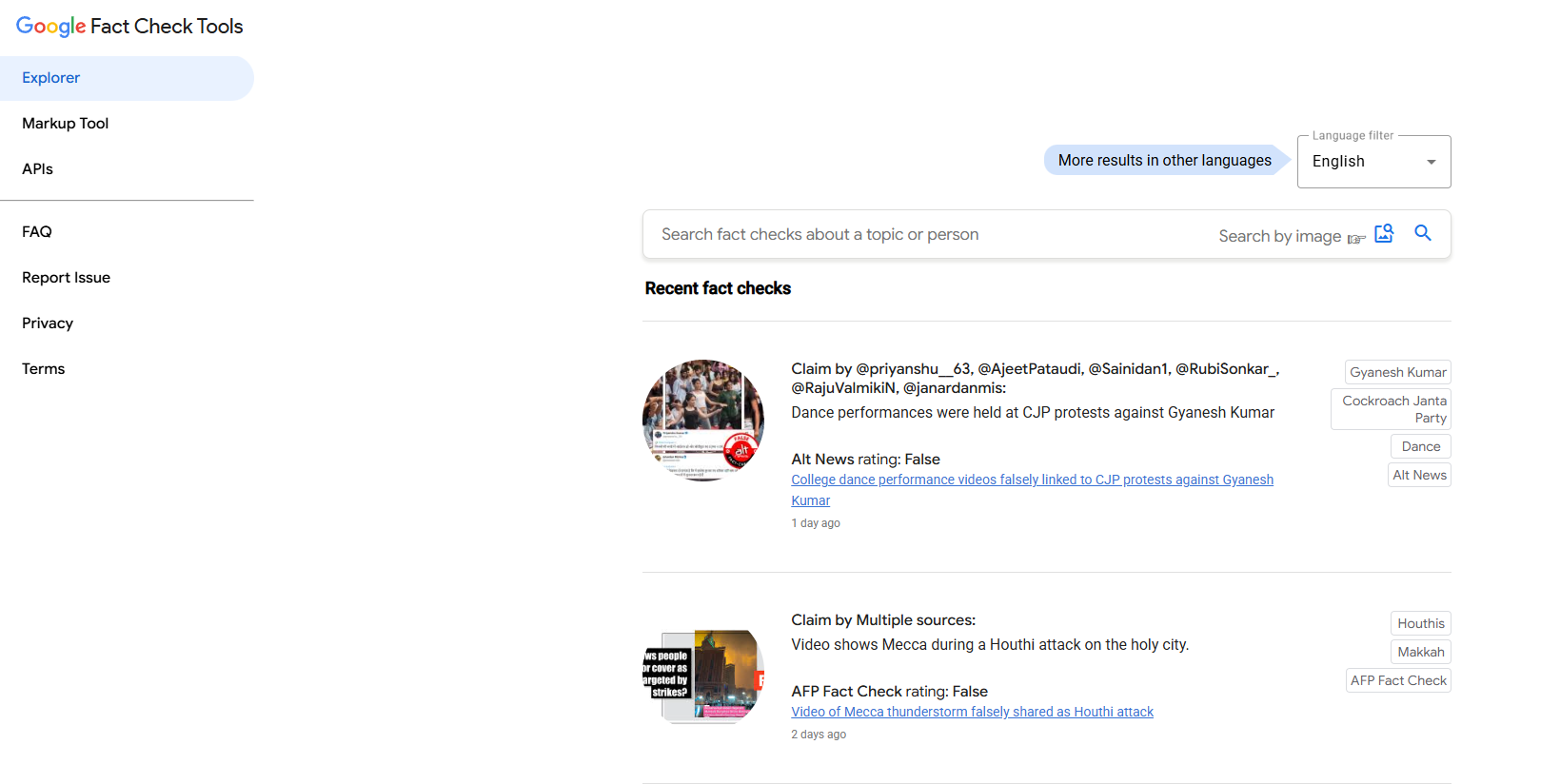
Google Fact Check Explorer is a search interface for browsing fact checks published by participating organizations worldwide. You enter a keyword or claim, and the tool surfaces matching assessments from fact-checking publishers that use ClaimReview markup. It also supports image-based search, letting you find fact checks associated with a specific image URL.
Best for: Product teams and researchers who need to check whether a claim has already been assessed before opening a new investigation.
Key features
- Claim and keyword search across fact-check publishers
- Image URL search to find related fact checks
- Filter by language and restrict results by publisher
- Chronological browsing of recent fact checks
- ClaimReview markup support for structured data
Why choose Google Fact Check Explorer: Its primary value is reducing duplicate work. If a claim has already been evaluated, you do not need to rebuild that evidence trail. A PM can use it as the first node in a case-review interface, linking claims to existing assessments before routing to deeper forensic review.
One implementation note: Treat results as a starting point, not a complete picture. Coverage depends on which publishers participate and use ClaimReview markup. Gaps in publisher coverage mean absence of a result is not the same as absence of prior verification.
Google Fact Check Explorer pricing: Access is free with no paid plan structure. The Google Fact Check Tools API is available for developers building integrated workflows; check the API documentation for current quota and authentication requirements before building against it.
2. InVID
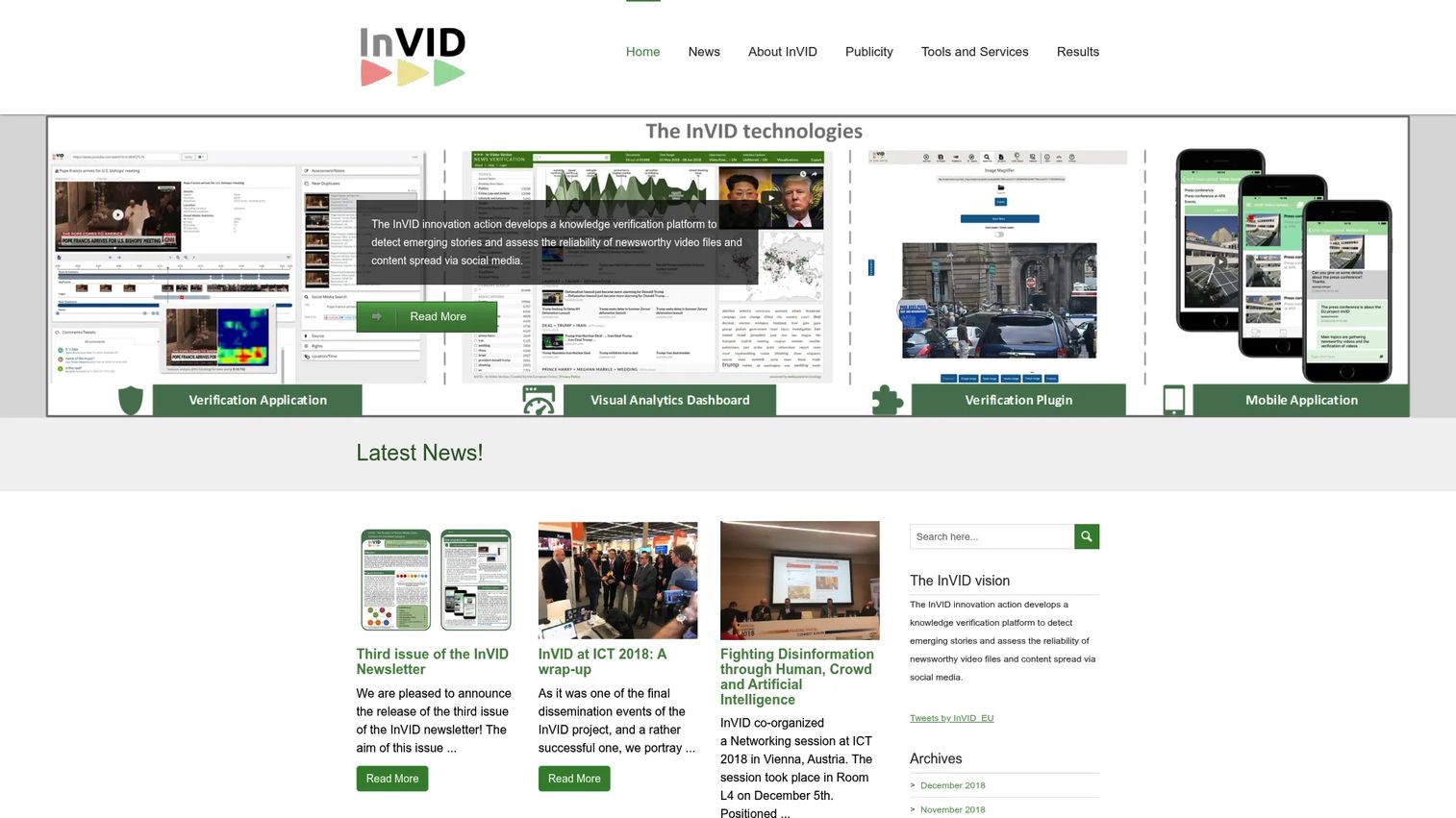
InVID is an EU research project that produces tools for verifying social media video content. Its Verification Plugin runs in the browser and breaks video into keyframes you can reverse-search individually, inspect metadata, review rights information, and examine location and time context. It also supports image verification workflows including magnification and contextual social-media analysis.
Best for: Journalists, newsroom verification desks, and product teams that need a repeatable process for checking visual content without building a custom forensics stack.
Key features
- Video keyframe extraction for frame-by-frame analysis
- Reverse image and video search integration
- Metadata, location, time, and rights inspection
- Image magnification and forensic viewing tools
- Contextual social-media context analysis
Why choose InVID: It supports analyst workflows better than a simple "deepfake detector" label would suggest. The tool helps reviewers break a suspicious clip into checkable artifacts, trace where the original content appeared, and document findings in a structured way. The PM angle: Measure review time per case before and after adoption, and track analyst agreement rates to validate whether the tool actually improves decision consistency.
InVID pricing: The Verification Plugin is free to obtain. Confirm current browser-extension availability and any service limitations directly on the InVID tools page before deployment.
3. Hoaxy
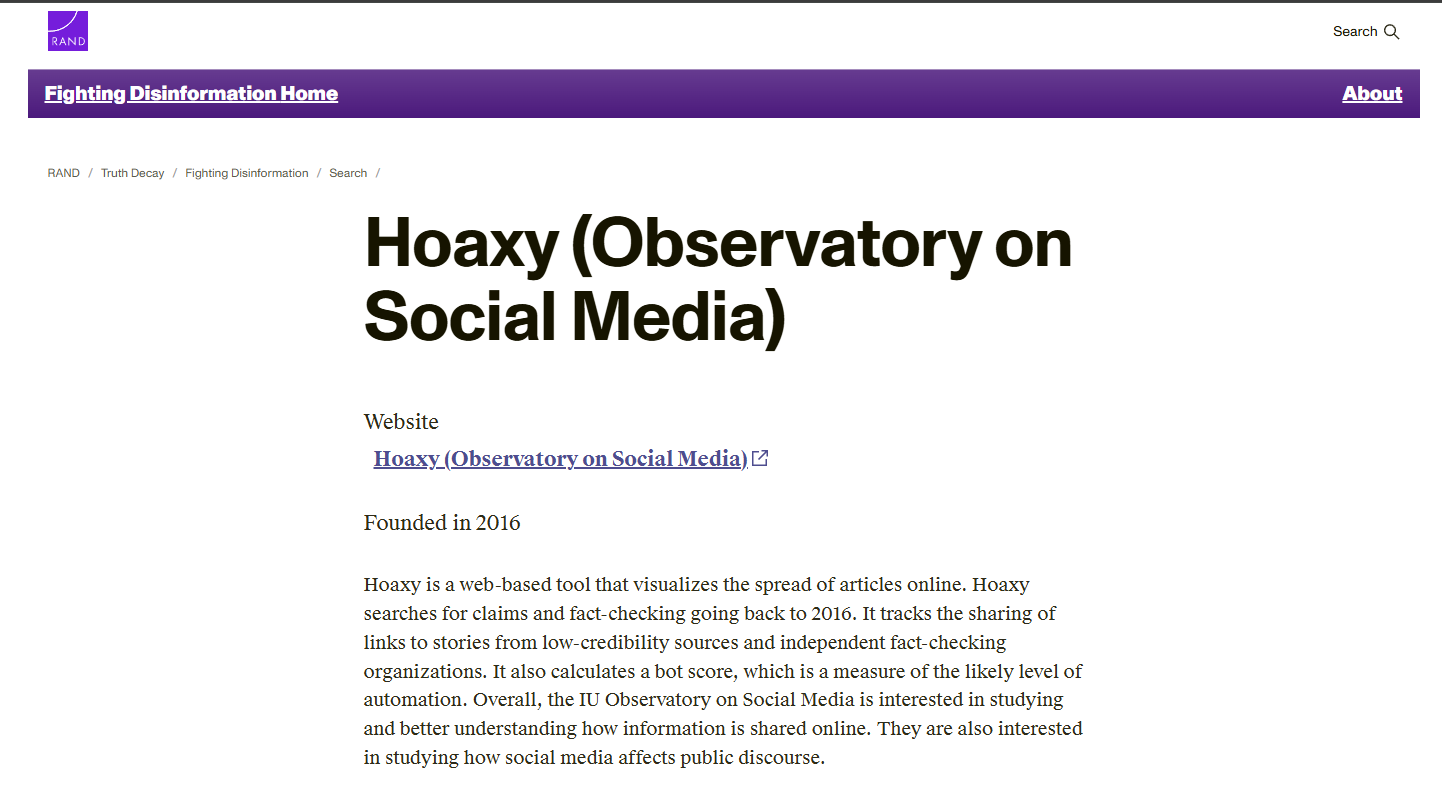
Hoaxy is a research platform from Indiana University that visualizes how claims, links, and related fact-checking articles spread across social media over time. You search for a URL or topic, and Hoaxy renders a network graph showing how that content moved between accounts. It covers fake news, rumors, hoaxes, conspiracy theories, and accurate reports alongside their corresponding fact-checking responses.
Best for: Researchers and product teams investigating how a suspicious story propagates, which sources seed it first, and whether fact-checking responses reach the same audiences.
Key features
- Link-sharing visualizations showing spread between accounts
- Claim diffusion analysis over time
- Fact-checking content tracking alongside original claims
- Time-based network exploration
- Research-oriented data export views
Why choose Hoaxy: A single suspicious post may matter less than a coordinated pattern across hundreds of shares. Hoaxy makes amplification structure visible, which is operationally useful for defining alert thresholds and for retrospective analysis of how a narrative gained momentum. Connect this to your instrumentation layer: Use spread-velocity data to calibrate when a topic crosses a threshold that warrants a human investigation.
Hoaxy pricing: Hoaxy is a research platform from Indiana University and does not operate on a standard SaaS pricing model. Check the Hoaxy project page for current access and data-coverage status before planning a production integration.
4. Botometer
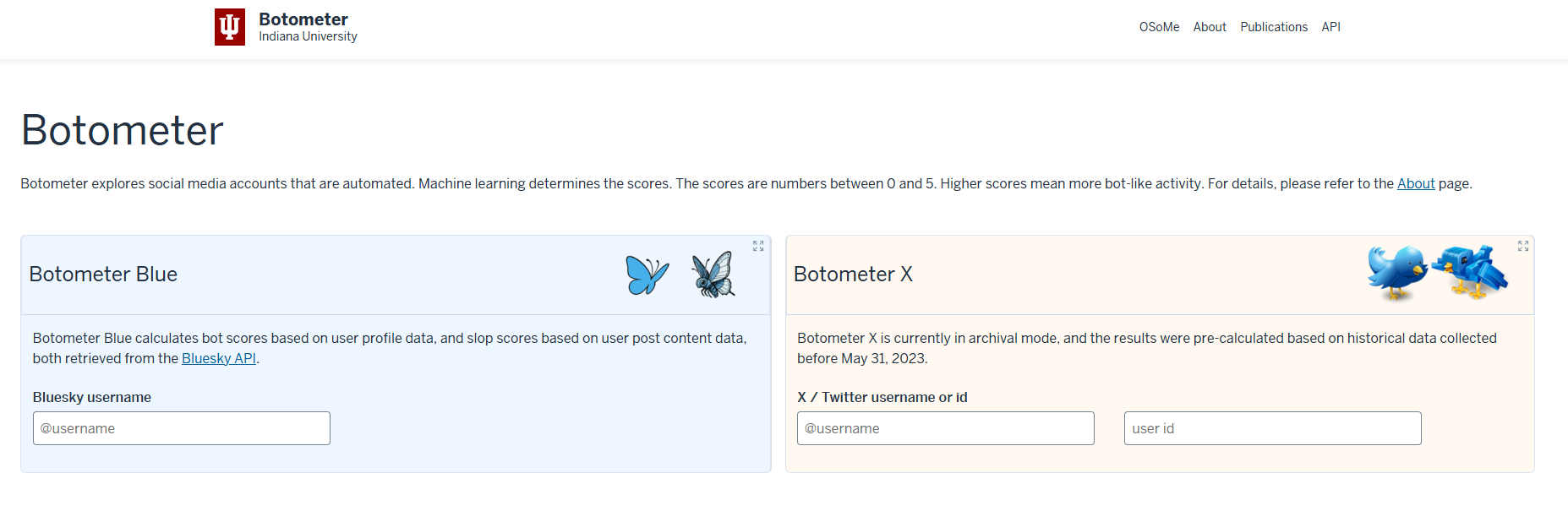
Botometer is a machine-learning tool from Indiana University that analyzes Twitter account behavior and returns a bot-likelihood score. It draws on tens of thousands of labeled examples to assess account characteristics, activity patterns, follower relationships, and network signals. The output is a probability estimate, not a determination.
Best for: Teams researching potential coordinated amplification or evaluating whether suspicious engagement patterns may involve automated accounts.
Key features
- Bot-likelihood scoring based on labeled training examples
- Account behavior and activity pattern analysis
- Follower and network relationship signals
- Research API access for batch account evaluation
- Documented academic methodology with peer-reviewed backing
Why choose Botometer: Its strength is helping analysts prioritize accounts for deeper review, not replace that review. Treat the score as one feature in a broader detection model, alongside behavior history, network relationships, policy context, and human assessment. One operational caution: Social-platform API changes have historically affected coverage and reliability. Confirm current platform support and API terms before planning any automated pipeline.
Botometer pricing: Access conditions and API terms vary. Confirm current research access, commercial options, and rate limits directly with the Botometer project before building against it.
5. FactFlow AI
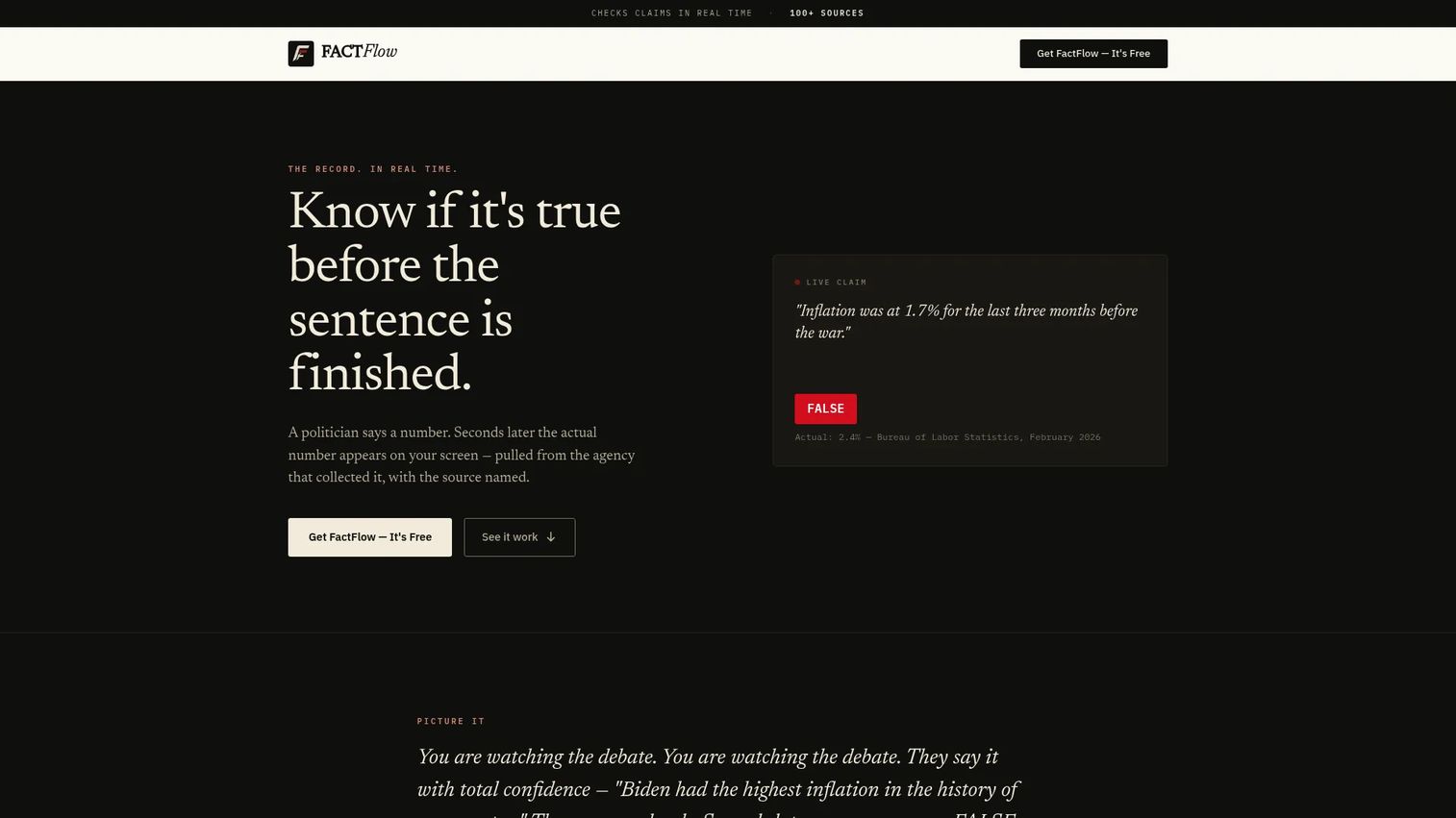
FactFlow AI is a real-time political claim-verification platform that launched publicly on October 1, 2026. It analyzes spoken claims during debates, speeches, and video clips, matches them against institutional data sources, and returns cited verdicts. Access is through a browser extension, a consumer web platform, and a mobile application. The project maintains a permanent verification ledger of assessed claims.
Best for: Civic-information teams, news organizations, and public-affairs groups that need a focused workflow for monitoring and verifying political speech in near real time.
Key features
- Real-time spoken-claim monitoring during video content
- Institutional-source citations for each verdict
- Browser extension operation over live and recorded video
- Mobile application for on-the-go monitoring
- Permanent verification ledger for historical reference
Why choose FactFlow AI: Specialization is the core trade-off here. Teams with a political-speech verification use case may value its focused evidence workflow and institutional-source citations. Product teams building broader marketplace, community, or multimodal moderation systems will need additional tools for image, video forensics, and bot analysis. Before deploying, review its source standards, geographic coverage, and how it handles ambiguous or contested claims.
FactFlow AI pricing: Access is free through the election period, and founding members retain free access permanently. Verify current plan availability and any future tier structure on the FactFlow AI homepage before publishing or planning a long-term integration.
6. pyIFD
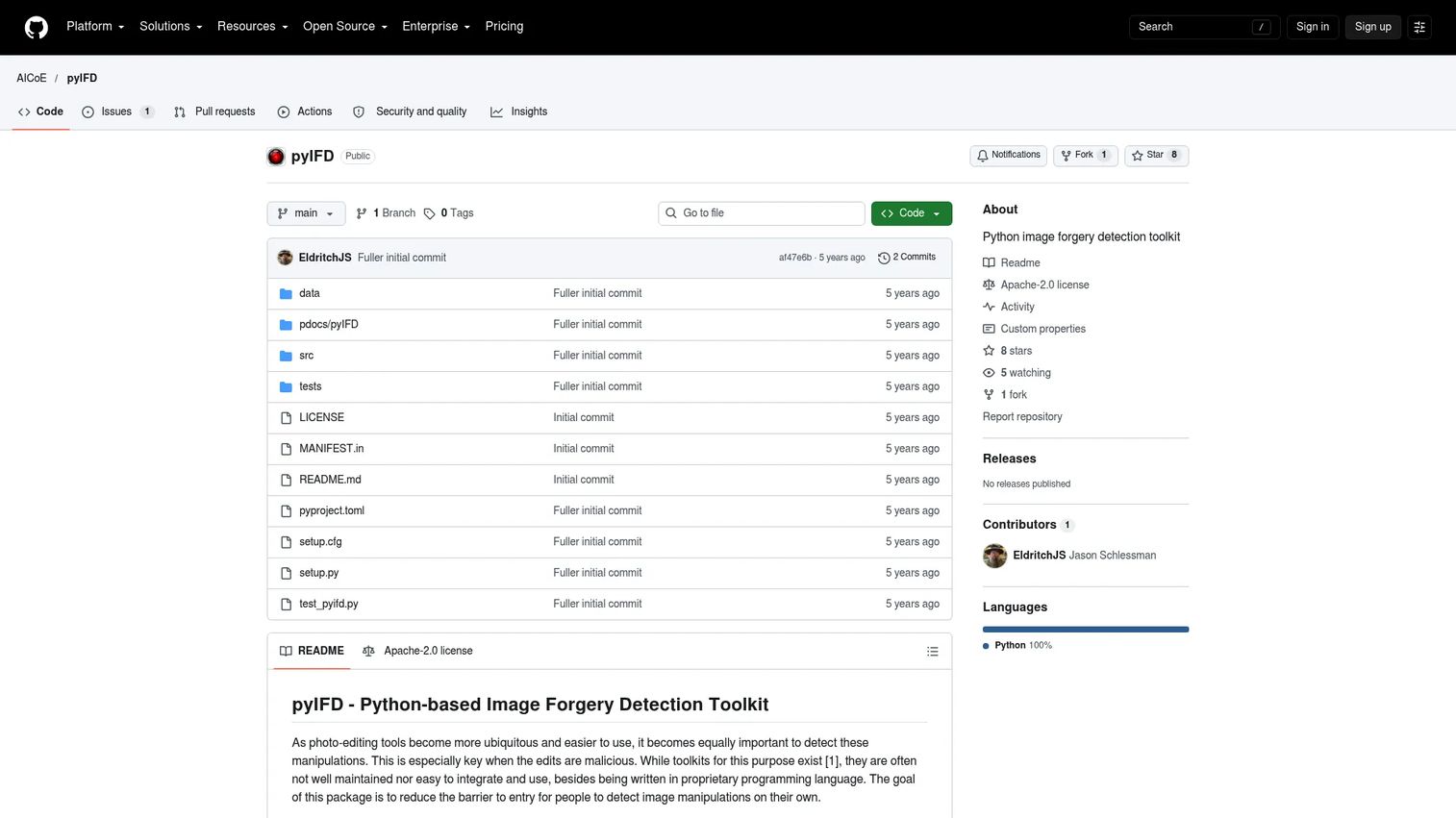
pyIFD is an open-source Python toolkit for image-forgery detection research, licensed under Apache 2.0. It implements a library of forensic algorithms including ADQ, BLK, CFA, DCT, ELA, GHOST, NOI, and others, giving ML and computer-vision teams a controlled environment for experimenting with manipulation detection methods. Installation is via the GitHub repository, and the project includes a pytest-based test suite.
Best for: Product, research, and machine-learning teams that need to test image-forensics methods inside their own pipeline rather than relying on a hosted service.
Key features
- Multiple image-forgery detection algorithms (ADQ1, ADQ2, ADQ3, BLK, CAGI, CFA1, DCT, ELA, GHOST, NADQ, NOI variants)
- Python package installation from the GitHub repository
- Pytest-based test suite for validation
- Research dataset compatibility for benchmarking
- Extensible architecture for adding custom detection methods
Why choose pyIFD: It offers flexibility for controlled evaluation and benchmarking that a hosted tool cannot match. If your team has Python and ML capability, pyIFD lets you run experiments against your own media distribution before committing to a production forensics approach. The operational trade-off is clear: This is not a plug-and-play moderation console. It requires engineering ownership, dependency management, and validation against real-world cases before any automated use.
pyIFD pricing: Open source under the Apache 2.0 license. Verify the repository's maintenance status, dependency requirements, and supported Python versions on the pyIFD GitHub page before building into a production workflow.
7. FotoForensics
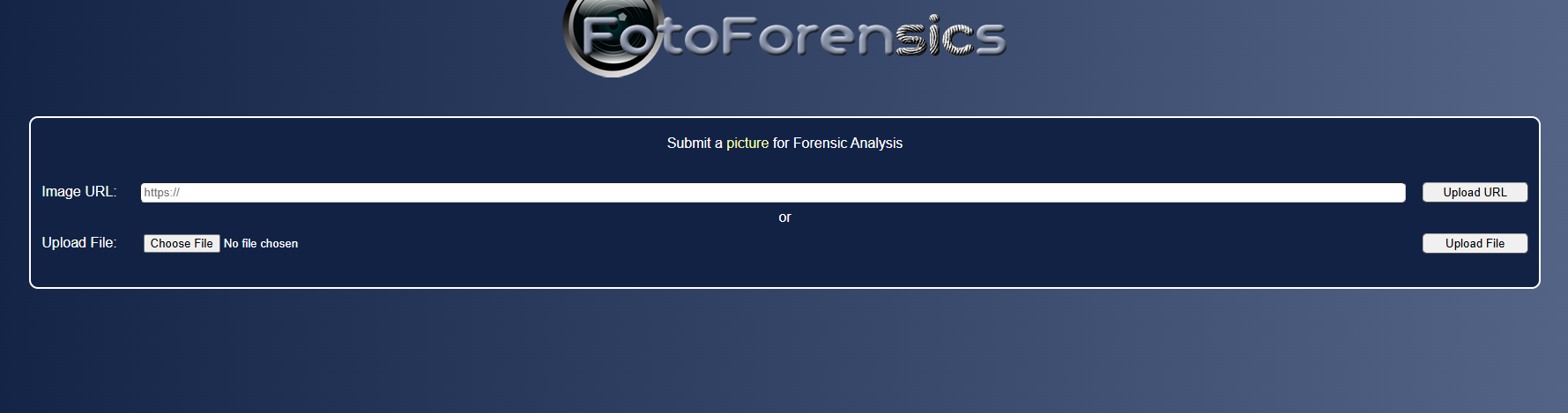
FotoForensics is a browser-based image-analysis service for examining photographs for signs of manipulation. Upload an image, and FotoForensics runs error level analysis (ELA), which highlights areas of an image with inconsistent compression levels that may indicate editing or insertion. It also surfaces metadata and provides educational resources explaining what each forensic view reveals.
Best for: Analysts who need quick forensic signals when evaluating a suspicious image, screenshot, or visual asset without setting up local software.
Key features
- Error level analysis (ELA) for compression inconsistency detection
- Image metadata inspection and display
- Browser-based upload with no installation required
- Forensic visualization tools for examining specific regions
- Educational tutorials explaining analysis methodology
Why choose FotoForensics: Its advantage is accessibility for one-off visual checks. It works best as one stage in a verification protocol that also checks source, reverse-search matches, and contextual consistency. ELA output requires interpretation; compression anomalies can appear in legitimately unedited images depending on save history and format. For a PM designing a workflow, measure whether analyst conclusions are reproducible. If two reviewers interpret the output differently on the same image, your process needs clearer guidelines before those signals inform any enforcement decision.
FotoForensics pricing: Basic access is free. The official site experienced access issues during research verification; confirm current free-access limits and any commercial or API options directly on fotoforensics.com before planning production use.
Considerations when choosing disinformation detection software
Match the tool to the content type
Text claims, images, short-form video, social accounts, and network narratives each require different signals. Start by identifying which content type creates the most operational risk in your product, then choose tools that address those cases. A team dealing primarily with manipulated images and a team dealing primarily with coordinated account behavior will build very different stacks.
Require explainable evidence
A score without supporting evidence creates escalation problems. Every detection output that feeds a human decision should include source links, data provenance, timestamped outputs, or a clear explanation the analyst can document. If a reviewer cannot explain why a piece of content was escalated, the workflow will not hold up under audit.
Test false positives before automating action
Do not connect an untested detection score directly to moderation or enforcement. Run a labeled pilot set against your actual content distribution, measure precision and recall where possible, and compare automated decisions against experienced reviewers. Only automate the steps your evidence actually supports.
Check integration and export requirements
Confirm early whether results can enter your case-management system, data warehouse, moderation queue, or analyst dashboard. Ask about APIs, export formats, rate limits, identity controls, and data-retention policies. A tool that produces good signals but cannot export them into your instrumentation layer creates a dead end.
Plan for changing threats and platform access
Detection quality shifts as content formats evolve, generative AI methods improve, and social-platform APIs change. Assign clear ownership for source updates, model evaluation, threshold reviews, and incident retrospectives. Tools that depend on third-party API access, especially for social data, can lose coverage with no advance notice.
Conclusion
Disinformation detection is not a single product decision. It is a workflow design problem.
Use Google Fact Check Explorer to locate existing assessments before opening a new case. Use InVID and FotoForensics for visual verification, with InVID handling video and FotoForensics handling image-level forensic signals. Use Hoaxy and Botometer to investigate spread patterns and suspicious account behavior. Use FactFlow AI when political-speech monitoring is the specific requirement. Use pyIFD when your team needs to test image-forensics methods inside its own ML pipeline.
The practical recommendation: Start by mapping the decisions your team must make, then build a pilot around representative cases. Measure review time and analyst agreement at each stage. Only automate the steps that produce consistent, documented evidence. A workflow that holds up under scrutiny is worth more than one that processes volume quickly.
For more context on adjacent tooling, see our guides on bot detection software, best AI content detectors, and best social media analytics tools.
Start your journey with Guideflow today!
FAQs
No single tool is the best for every situation. The right option depends on whether your team needs claim lookup, visual verification, bot analysis, network analysis, or real-time monitoring. Most production workflows combine two or more specialized tools rather than relying on one platform to cover every case type.
AI can classify content, retrieve evidence, surface unusual patterns, and prioritize content for human review. It cannot independently establish truth in every context, particularly when claims are ambiguous, incomplete, or rapidly evolving. Treat AI outputs as triage signals that route cases to human reviewers, not as final determinations.
Misinformation refers to false or misleading content regardless of intent. Disinformation involves deliberate deception, which is often difficult to infer from content alone and requires contextual investigation into who produced it, why, and how it spread. Most detection tools surface signals about content or behavior; establishing intent requires additional analysis.
The most reliable approach is layered: Identify the earliest known source, run reverse image searches to check prior appearances, inspect available metadata for inconsistencies, evaluate forensic signals such as error level analysis, and compare visual details against known contextual facts. Treating any single signal as proof of manipulation, without corroboration, increases false-positive risk.
Bot scores flag behavior that resembles automation, but coordinated influence analysis requires more. Network relationships, timing patterns, repeated messaging, account history, and the content being amplified all contribute to determining whether behavior is coordinated. A bot score is one input into that broader assessment.
No. Scores should guide triage and escalation, not trigger enforcement directly. Before automating any action, validate detection thresholds against a labeled set of cases, ensure that high-impact decisions have documented human review, and build in a clear appeal path. Without those safeguards, false positives will create support load and trust damage. For further reading on AI governance tools that help formalize these processes, see our dedicated guide.
Track review time per case, analyst agreement rate on the same content, false-positive rate against your labeled set, escalation volume by content type, evidence completeness per decision, and time from flag to documented outcome. Also monitor repeat-offender patterns and whether spread velocity data correlates with actual policy violations. These metrics tell you whether the workflow improves decision quality, not just throughput.
Start with access requirements: Does the tool offer an API, a browser extension, or an open-source package you can run locally? Then check export formats and whether outputs can enter your existing case-management or data warehouse. Run the tool against a sample of real cases from your queue, not synthetic examples, and measure whether the signals it produces match what your experienced reviewers would flag. For further reading on AI content creation tools and best social media management tools that often sit adjacent to these workflows, those guides cover integration patterns in more depth.
The market is growing and fragmenting simultaneously. According to Market Intelo (2026), the global disinformation detection software market reached approximately $5.74 billion in 2025. The UK Department for Science, Innovation and Technology (2026) identified 59 third-party deepfake detection providers globally in 2025, up nearly 380% since 2017. That growth reflects real demand, but it also means significant variation in methodology, coverage, and evidence standards across providers.