Work scatters fast. A deal sits in one rep's inbox, a task hides in a Slack thread, a handoff lives in someone's head. Nobody can answer a simple question: what's the actual status of this, right now?
That gap is where momentum dies. Sales orgs feel it most at the relay points. An SDR books the meeting, but the context never reaches the AE. The AE closes, but onboarding starts from zero. Every blind handoff costs days, sometimes deals.
A kanban board fixes the visibility problem in the simplest possible way. You see every piece of work as a card, and you watch it move across columns that mirror your real stages. Status stops being a question you ask. It becomes something you glance at.
The category has matured. Modern kanban software adds work-in-progress limits, automation rules, real-time collaboration, and reporting that surfaces where work piles up. According to Atlassian's guidance on kanban WIP limits, kanban teams use these limits specifically to expose bottlenecks before they stall delivery, which is the whole point: see the jam, then clear it.
The hard part is choosing. There are dozens of kanban tools, and most comparison content stops at five generic project management picks. This guide goes deeper, with verified pricing and ratings, and a lens built for teams that live and die by clean handoffs. If you're also evaluating tools further down the funnel, our roundup of the best product management tools pairs naturally with this list.
What's inside
This guide is for teams that need visual workflow management, whether you're running a sales pipeline, an engineering backlog, or a cross-functional project relay. It covers 10 kanban board software tools, each reviewed with current pricing, G2 ratings, and a clear "best for" call.
We chose tools against four criteria that matter when a whole team has to adopt something:
- Workflow fit: how well columns, swimlanes, and rules match how your team actually works.
- Ease of use and adoption: how fast people start using it without training.
- Integrations: whether it connects to your CRM, chat, email, and calendar.
- Pricing and free tier: what you get free, and how cost scales per seat.
TL;DR
Short on time? Here are the fast picks from the list below.
- Best overall kanban board: Trello, for the simplest visual board most teams will actually use.
- Best for engineering and IT teams: Jira, for WIP limits, workflow rules, and bottleneck visibility.
- Best all-in-one work platform: ClickUp or monday.com, for kanban plus docs, goals, and reporting.
- Best free kanban board: ClickUp and Trello both ship generous free plans.
- Best for inbox-driven work: Sortd, for teams running follow-ups out of Gmail.
- Best for Slack and Teams workflows: workstreams.ai, for AI-assisted tasks where chat already lives.
What is kanban board software?
Kanban board software is an online tool that visualizes work as cards moving across columns, where each column represents a stage in your workflow. Instead of a flat list, you get a board where status is visible at a glance and work flows left to right toward done.
The format comes from lean manufacturing, but it fits any process with stages and handoffs. A sales team might map columns to pipeline stages. An engineering team maps them to a delivery cycle. The board is the shared source of truth.
Core features you'll find across most kanban tools:
- Boards, lists, and cards: the visual foundation, with cards holding tasks, owners, due dates, and context.
- Drag-and-drop: move a card to a new column to update its status instantly.
- WIP limits: cap how many cards sit in a column to prevent overload and expose bottlenecks.
- Swimlanes: horizontal rows that group cards by person, priority, or workstream.
- Automation and workflow rules: auto-move cards, assign owners, or send alerts when conditions are met.
- Templates: prebuilt boards for dev work, marketing, or a sales pipeline.
- Real-time collaboration: everyone sees the same board update live.
- Integrations: connections to CRM, chat, email, and calendar tools.
- Analytics: reports on cycle time, throughput, and where work stalls.
Here's the simplest kanban board example. Three columns: To Do, In Progress, Done. A card starts in To Do, moves to In Progress when someone picks it up, and lands in Done when finished. Add columns for review, blocked, or handoff, and you've mapped your real process. That's the whole idea, and it scales from a solo to-do list to a 200-person delivery org.
When to use kanban board software
Not every team needs a board. Here are the situations where an online kanban board earns its place fast.
Visualize team progress and surface bottlenecks
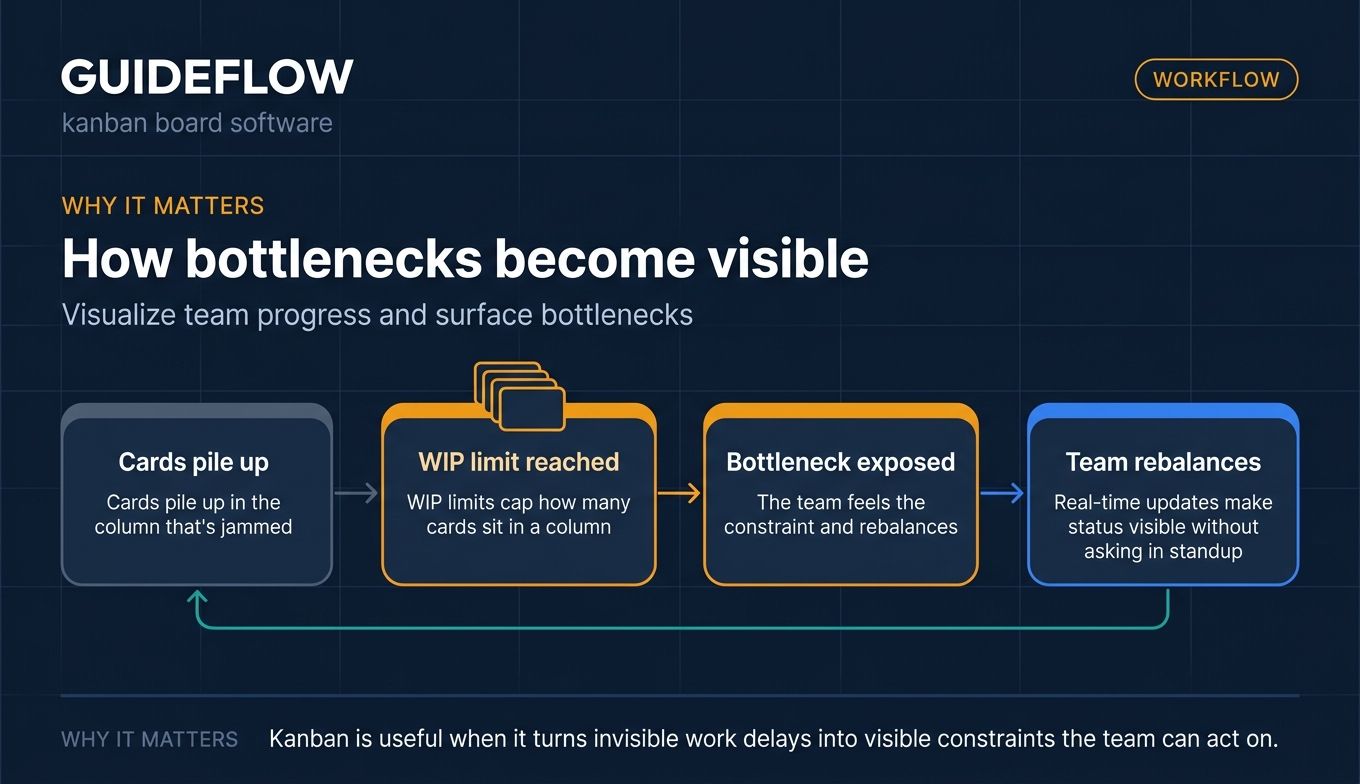
When you can't tell what's stuck, you can't fix it. A board makes status physical: cards pile up in the column that's jammed, and the bottleneck becomes obvious. WIP limits push this further by capping each column, so the team feels the constraint and rebalances. Real-time updates mean a manager never has to ask "where are we on this" in a standup again.
Manage handoffs without losing context
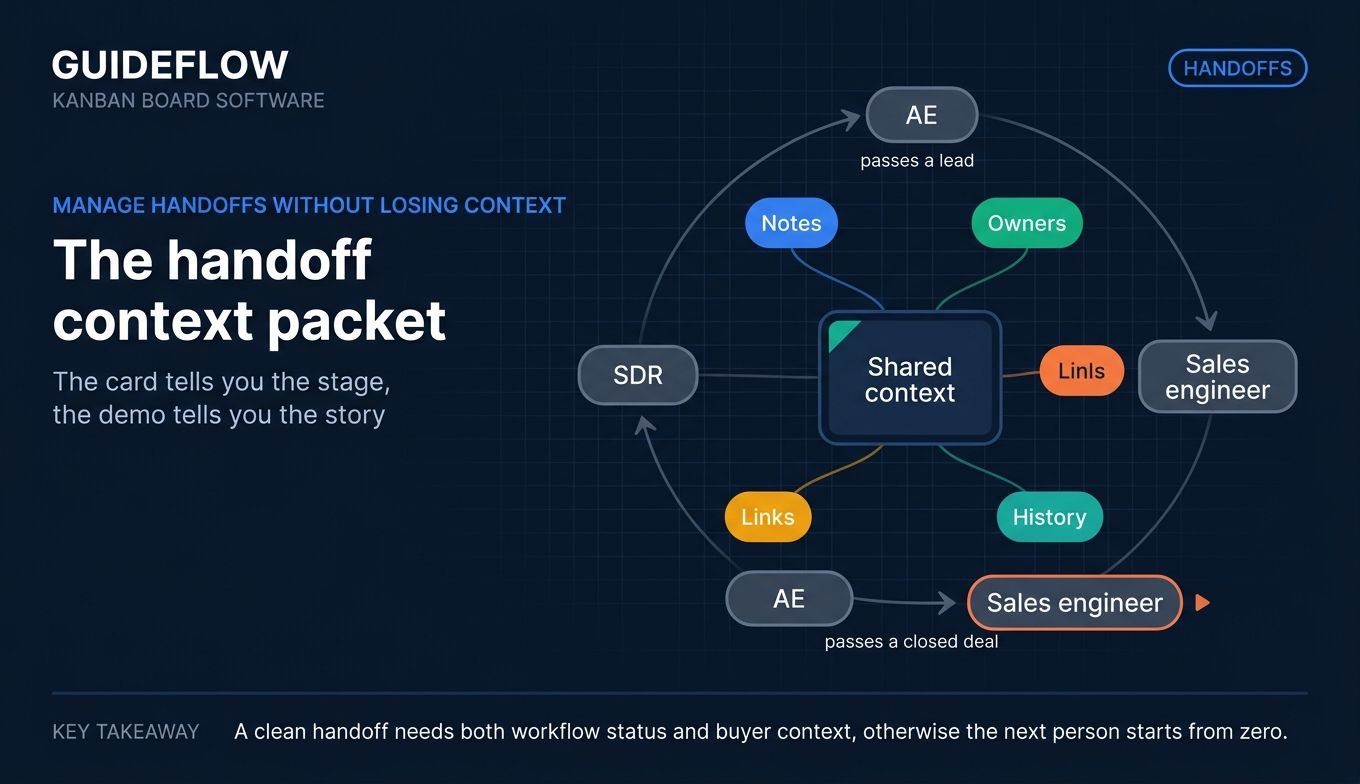
Handoffs are where work dies. An SDR passes a lead to an AE, an AE passes a closed deal to a sales engineer, and context evaporates at each step. A kanban card carries that context with it: notes, owners, links, and history all travel with the work as it moves columns. For sales teams, this is also where richer product context matters. Pairing a clean handoff board with interactive demos lets the next person pick up exactly what the buyer already explored, so momentum carries instead of resets. The card tells you the stage, and the attached demo tells you the story. The same principle applies to smoother sales handoffs and buyer enablement, where shared context is what keeps deals moving.
Get started fast with a free kanban board or template
You don't need a rollout plan to try kanban. Most tools offer a free kanban board and a library of prebuilt templates, so you can spin up a working board in minutes. Pick a kanban board template for a dev sprint, a marketing calendar, or a sales pipeline, then adjust columns to fit. The low barrier is the point: a usable free tier means the whole team can test it before anyone signs a contract.
Best kanban board software compared
Here's the full list at a glance. Pricing and G2 ratings below are verified as of June 2026. Use this table to shortlist, then read the full sections for the detail behind each pick. These are the kanban tools we'd put in front of any team weighing visual workflow management.
| # | Product | Intent | Key use case | Pricing | G2 rating |
|---|---|---|---|---|---|
| 1 | Trello | Best overall | Simple visual boards for any team | Free; paid from $5/user/mo | 4.4/5 |
| 2 | Jira | Engineering and IT | WIP limits and workflow control | Free; paid from $7.91/user/mo | 4.3/5 |
| 3 | Asana | Cross-functional teams | Kanban plus list and timeline views | Free; paid from $10.99/user/mo | 4.4/5 |
| 4 | Taskworld | Larger teams | Boards plus built-in chat | Free trial; Business per user/mo | 4.4/5 |
| 5 | workstreams.ai | Slack and Teams teams | AI tasks inside chat | Free; Pro from $7.99/user/mo | NA |
| 6 | Sortd | Inbox-driven teams | Kanban inside Gmail | From $10/user/mo | 4.3/5 |
| 7 | Kanban Tool | Process-focused teams | Boards plus time tracking | Free; paid from $6/user/mo | 4.8/5 |
| 8 | Notion | Docs plus tasks teams | Board views in a workspace | Free; paid from $10/member/mo | 4.6/5 |
| 9 | ClickUp | All-in-one teams | Boards plus docs and goals | Free; paid from $7/user/mo | 4.6/5 |
| 10 | monday.com | Visual no-code teams | Colorful boards plus automation | Free; paid from $9/seat/mo | 4.7/5 |
The 10 best kanban board software tools for teams in 2026
Each tool below gets the same treatment: what it does, who it's for, where it's strong, and what it costs. Read for fit, not just rank.
1. Trello
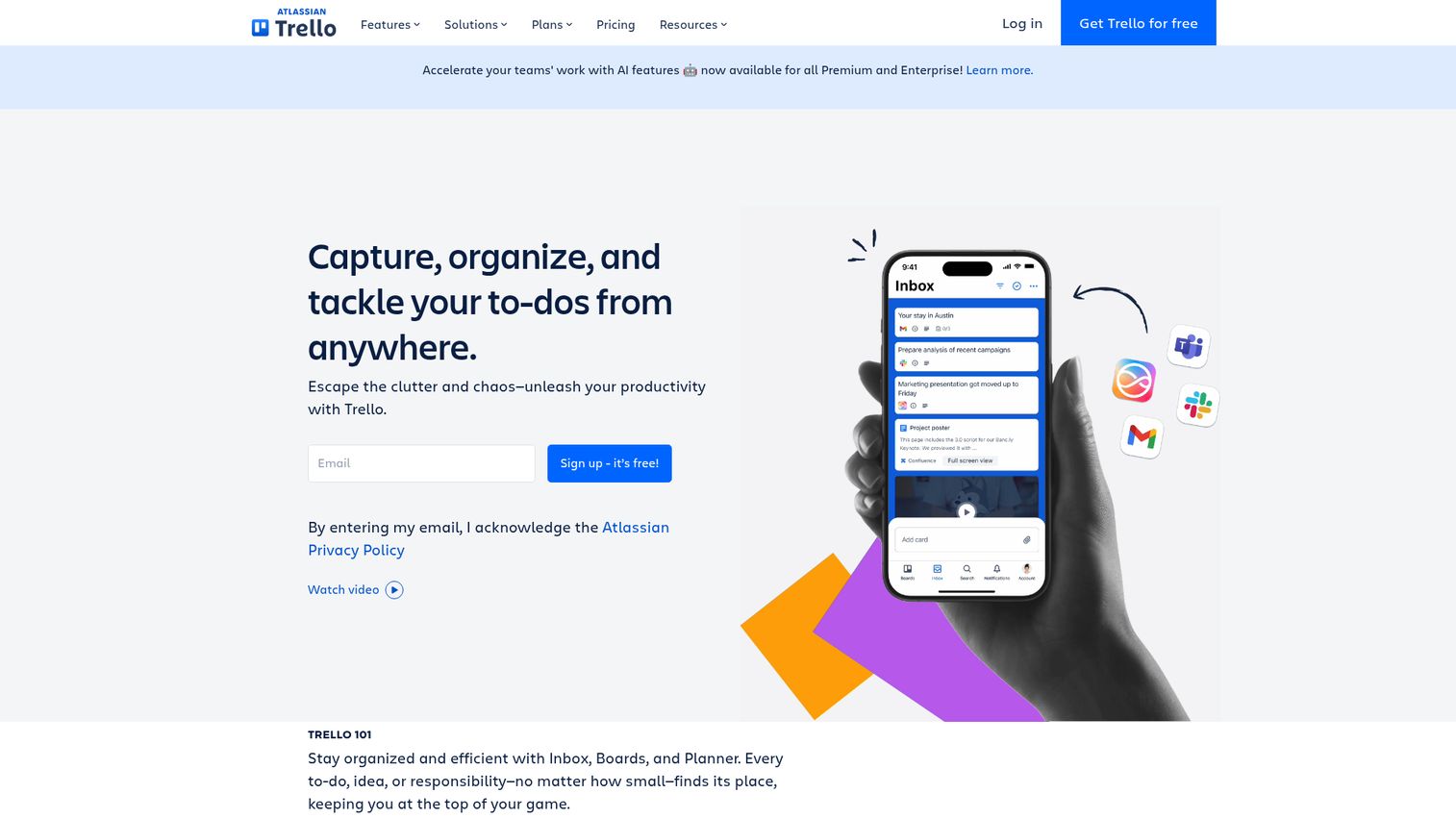
Trello is the kanban board app most people picture when they hear the word. Boards, cards, lists, drag-and-drop, and that's it to start. The simplicity is the feature: a new user gets a working board in minutes, with no training and no setup project. It captures work from email, Slack, and Microsoft Teams, and surfaces it in Inbox and Planner so nothing slips. You can even explore how a tool like this works through an interactive product demo before rolling it out.
Where Trello grows up is its Power-Up ecosystem. You bolt on calendars, custom fields, reporting, and integrations only when you need them, so the board stays clean. Butler, its no-code automation, handles the repetitive moves: auto-assign a card, shift it on a due date, post an alert when something stalls.
Best for: small teams and individuals who want the simplest visual board that the whole team will actually adopt.
Key strengths
- Drag-and-drop simplicity: the lowest learning curve of any tool here, so adoption is near-instant.
- Power-Up ecosystem: add views, automation, and integrations without cluttering the core board.
- Generous free tier: unlimited cards and quick capture make it usable for real teams at zero cost.
Why choose Trello: If your goal is a board everyone uses by lunch, Trello wins on adoption alone. It rewards teams that want visibility without process overhead. Larger orgs may outgrow it for complex reporting, but for clear, fast visual workflow it's hard to beat.
Trello pricing: Trello is free for up to 10 collaborators per Workspace, with unlimited cards and up to 10 boards. Standard is $5 per user/month billed annually ($6 monthly), adding unlimited boards and advanced features. Premium runs $10 per user/month annually ($12.50 monthly) with calendar, timeline, and dashboard views. Enterprise is $17.50 per user/month billed annually. Trello holds a 4.4/5 on G2.
2. Jira
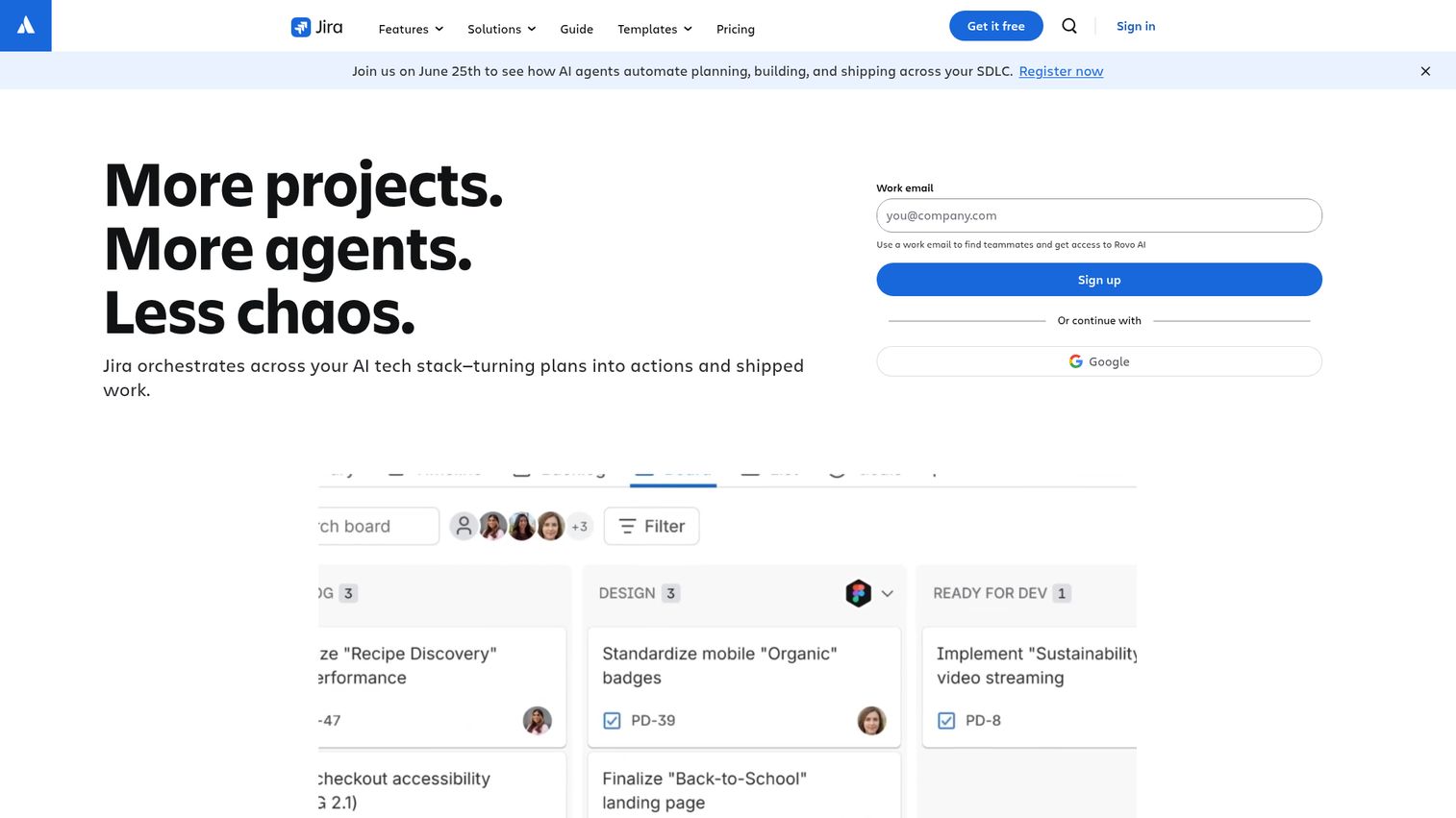
Jira is Atlassian's work management tool, and its kanban boards are built for teams that need real workflow control. Engineering, IT, and service teams use it to track issues across backlog, board, timeline, and calendar views. The board view is where kanban lives: cards move through customizable columns, with WIP limits to cap each stage and expose where work jams.
The strength is depth. Jira lets you define custom workflows that match how your team really moves work, then layer automation rules on top to auto-transition cards, assign owners, and notify the right people. Reports, dashboards, and goals tie it all to delivery, and Jira Service Management extends the same engine to support and ops teams.
Best for: engineering, IT, and service teams that need robust workflow control and bottleneck visibility.
Key strengths
- WIP limits and bottleneck visibility: cap columns to surface jams and keep flow steady.
- Deep customization: build workflows that mirror your exact process, not a generic template.
- Free kanban board tier: a real free plan for up to 10 users gets teams started at no cost.
Why choose Jira: Jira fits teams that treat workflow as a system, not a list. The customization that makes it powerful also makes it heavier to set up than Trello, so it rewards teams ready to invest in process. For technical work with handoffs and dependencies, that depth pays off.
Jira pricing: Jira is free forever for up to 10 users with 2 GB storage and core boards and reports. Standard is $7.91 per user/month, adding permissions and more storage. Premium is $14.54 per user/month with cross-team planning and 24/7 critical support. Enterprise is contact-sales, billed annually. Jira carries a 4.3/5 rating on G2.
3. Asana
Asana gives you a kanban board view inside a broader work management platform. The same project lives as a board, a list, a calendar, or a timeline, and you switch views to suit the task. That flexibility makes it a strong fit for cross-functional teams where some people think in cards and others think in dates.
Beyond the board, Asana brings workflow automation through forms, rules, and bundles, plus reporting via dashboards and portfolios. You can build a kanban workflow that auto-assigns, sets due dates, and routes work, then roll the same data up into goals and capacity views. Its integration library connects the tools most teams already run.
Best for: cross-functional teams that want kanban alongside list, timeline, and calendar views.
Key strengths
- Multi-view flexibility: the same work shown as a board, list, timeline, or calendar.
- Workflow automation: rules, forms, and bundles to remove manual status updates.
- Strong integrations: connects to CRM, BI, and the wider work stack.
Why choose Asana: Asana suits teams that need more than a board but still want one. If different roles prefer different views of the same project, the flexibility is the draw. It carries more surface area than a pure kanban tool, so the trade is power for a slightly steeper start.
Asana pricing: Asana's Personal plan is free for one or two people. Starter is $10.99 per user/month billed annually ($13.49 monthly), adding timeline, dashboards, and automations. Advanced is $24.99 per user/month annually ($30.49 monthly) with portfolios, goals, and workload. Enterprise is contact-sales. Asana holds a 4.4/5 on G2.
4. Taskworld
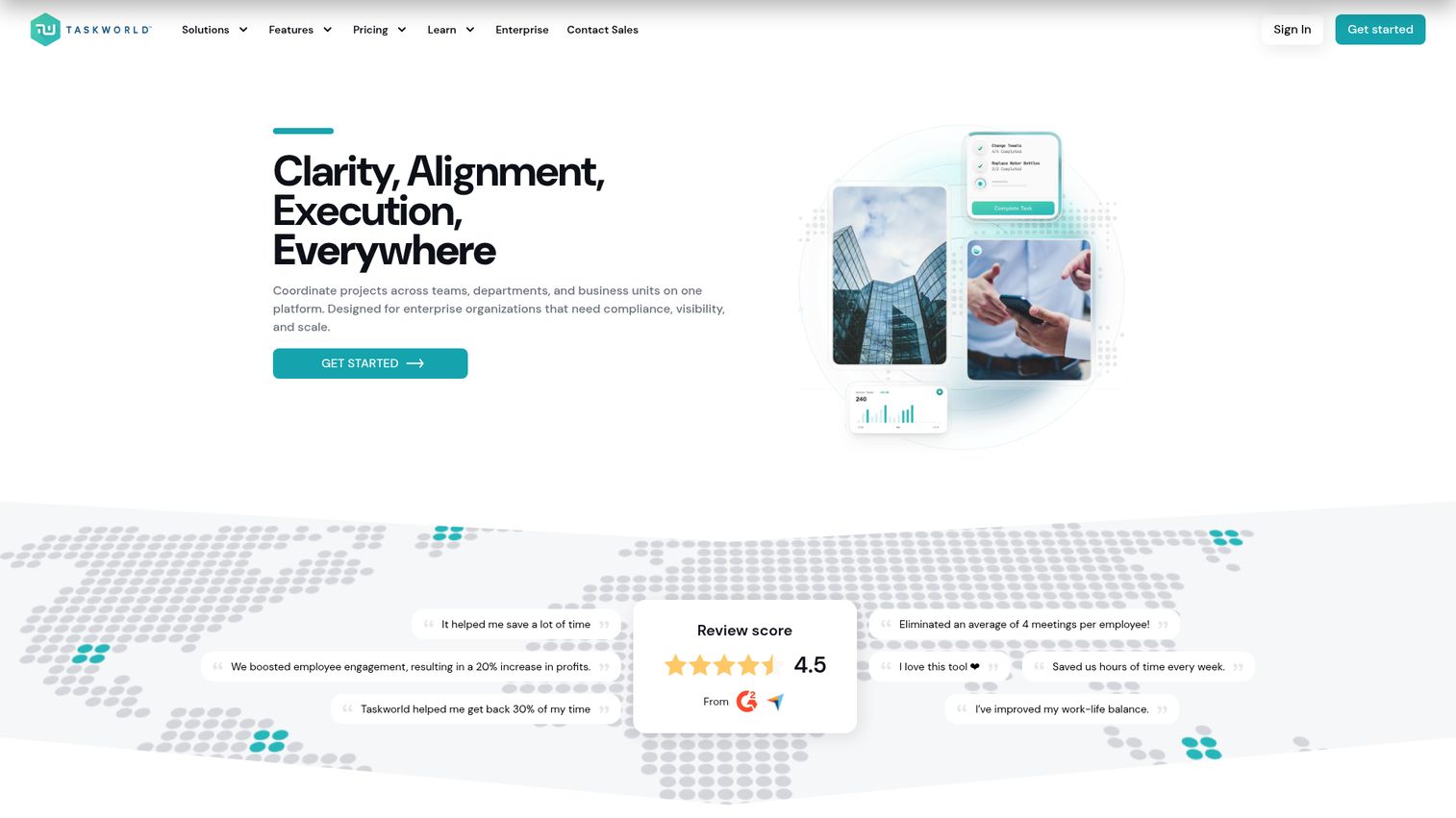
Taskworld pairs kanban boards with built-in team chat, which makes it a fit for larger teams that want work and conversation in one place. Cards carry checklists, deadlines, reminders, tags, assignees, and followers, so a single board holds the full picture of a task without a second tool to track who's doing what.
The differentiator is collaboration baked into the board. Project chat, comments, and file sharing live next to the work, so context never scatters across separate apps. Calendar, timeline, and Gantt views support multi-project management, and an overview dashboard plus project analytics give leaders a read on progress across teams.
Best for: larger teams that want kanban boards plus native communication in one tool.
Key strengths
- Multi-project task management: track many projects and boards without losing the thread.
- Built-in chat: conversation sits next to the cards, so context stays attached.
- Analytics and reporting: overview dashboards and project analytics for cross-team visibility.
Why choose Taskworld: Taskworld fits teams tired of switching between a board and a chat app. Keeping both in one place reduces context loss, which is exactly the friction handoffs create. For smaller teams the built-in chat may overlap with tools you already run, so the value grows with team size.
Taskworld pricing: Taskworld offers a 14-day free trial, then a Business plan priced per user/month with monthly or annual payment options, and a custom Enterprise tier through sales. Public numeric pricing was not listed at the time of writing, so confirm current rates on their pricing page. Taskworld holds a 4.4/5 rating on G2.
5. workstreams.ai
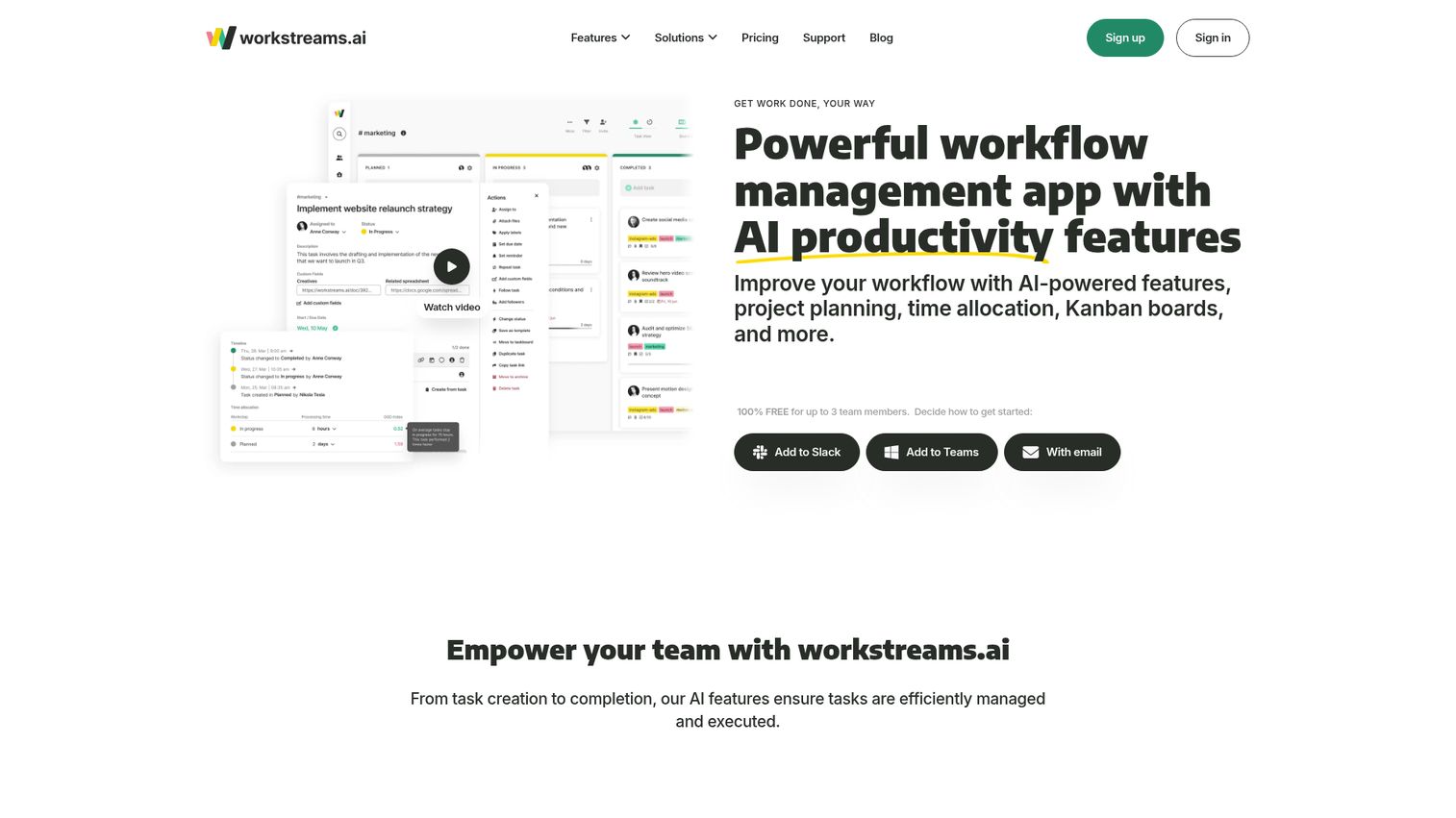
workstreams.ai builds kanban around the tools teams already chat in: Slack and Microsoft Teams. You create tasks, get notifications, and move cards without leaving the conversation, which removes the research on context switching productivity loss that kills adoption. For distributed teams that live in chat, the board comes to them instead of the other way around.
The AI layer is the standout. It can draft task descriptions and generate subtasks, so a quick note becomes a structured card. Customizable workflows and kanban-centric taskboards handle the visual flow, while automation, time allocation, and an in-app calendar keep the work organized once it's created.
Best for: distributed teams that run on Slack or Microsoft Teams and want AI-assisted task management.
Key strengths
- Slack and Teams native: create and manage tasks inside chat, where work already happens.
- AI automation: auto-generate task descriptions and subtasks from a short prompt.
- Workflow orchestration: customizable boards, automations, and time allocation in one flow.
Why choose workstreams.ai: If your team's real workspace is a chat channel, workstreams.ai meets you there instead of asking you to open another app. The AI assist lowers the effort of creating well-formed cards. Teams not centered on Slack or Teams will get less from the integration-first design.
workstreams.ai pricing: workstreams.ai is free forever for teams of three members or less, including AI features, workflows, and time allocation. Pro starts at $7.99 per user/month billed annually ($8.99 quarterly, $9.99 monthly) with unlimited workflows and automations. Enterprise is custom for SSO, custom development, and tailored onboarding. A verified G2 rating was not available at the time of writing.
6. Sortd
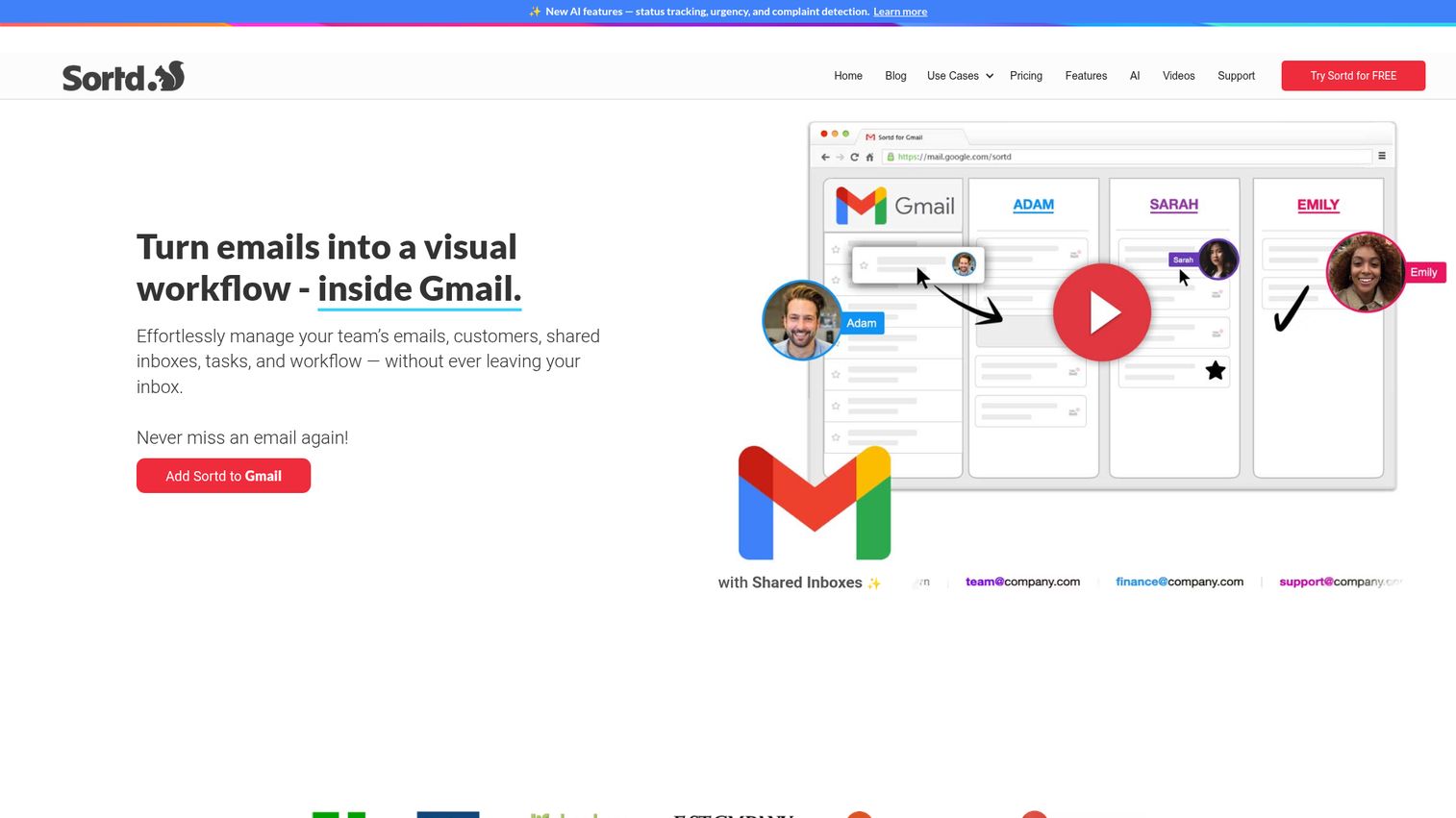
Sortd turns Gmail into a kanban board, which makes it the pick for teams that run work out of their inbox. Sales follow-ups, support requests, and customer threads become cards on a board you manage without leaving Gmail. For reps and agents whose real queue is email, that's a meaningful cut in tool-switching.
The design centers on shared inboxes and inbox-driven workflows. Drag-and-drop email and task management sit natively in Gmail, with shared boards, templates, email tracking, and calendar integration. AI features add smart status, urgency and sentiment detection, content-based assignment, and follow-up nudges, so nothing slips through a busy inbox.
Best for: Gmail-based sales and support teams that manage follow-ups and shared inboxes from email.
Key strengths
- Kanban inside Gmail: boards and cards live in the inbox, with no separate app to check.
- Email-to-task: turn any message into a tracked card with drag-and-drop.
- Lightweight setup: shared inboxes and boards spin up fast for sales and support flows.
Why choose Sortd: Sortd fits teams whose work genuinely starts in email. If your pipeline or ticket queue lives in Gmail, managing it as a board cuts the gap between inbox and tracker. Teams that don't run on email will get less from the Gmail-first model than from a standalone board. If email is central to your pipeline, our guide to the best email tracking software tools is a useful companion read.
Sortd pricing: Sortd offers a 7-day free trial with no free plan. Starter is $10 per user/month, Essentials is $16 per user/month, and Business is $22 per user/month, all billed annually. A Business Plus tier is listed at $29 per user/month. Sortd holds a 4.3/5 rating on G2.
7. Kanban Tool
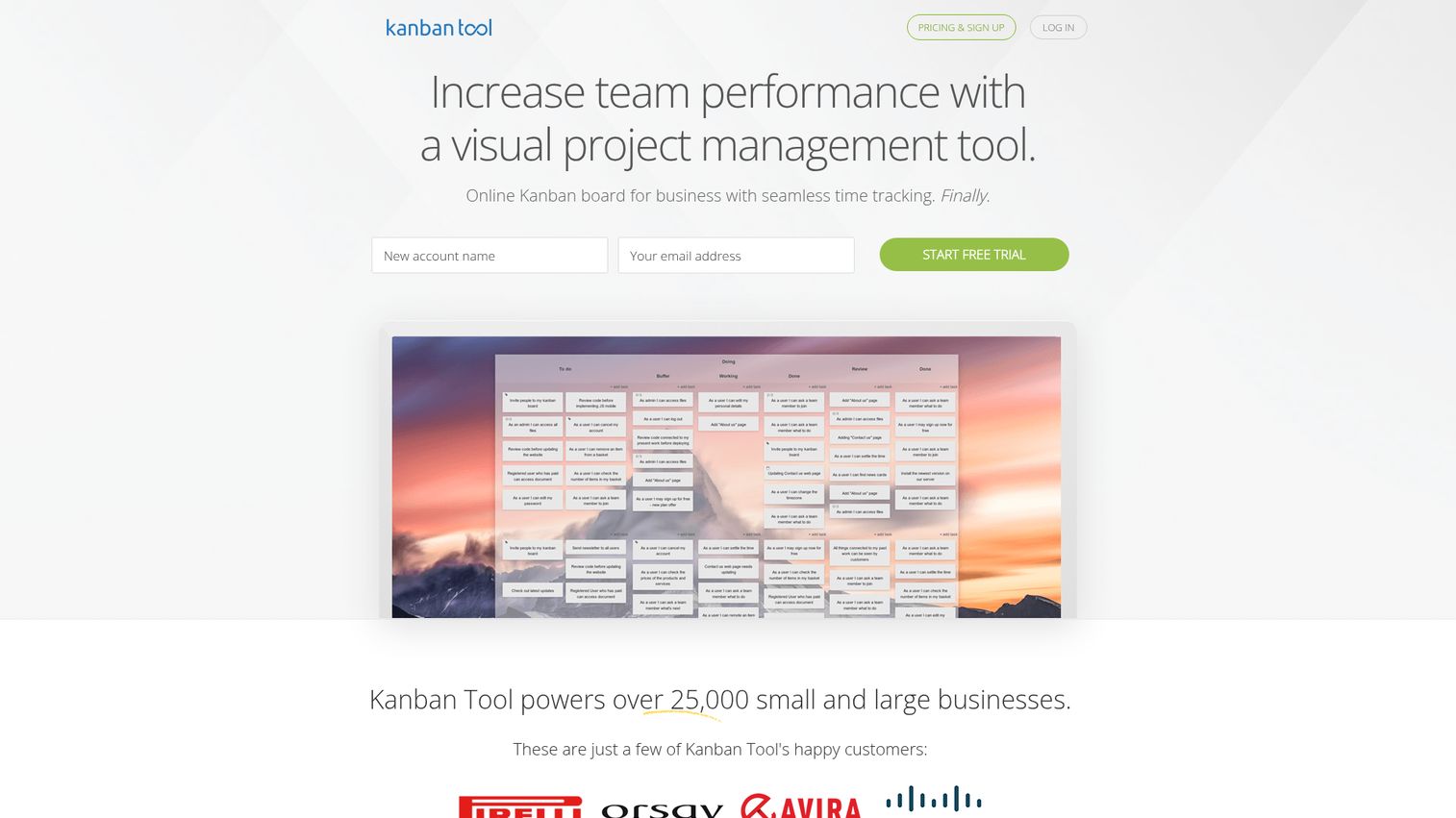
Kanban Tool is dedicated kanban board software built for business, with time tracking and analytics at its core. Where general work platforms treat the board as one feature, Kanban Tool treats it as the product, with customizable boards, swimlanes, WIP limits, and templates tuned for process work. It also offers on-premise deployment for teams with stricter requirements.
The differentiator is measurement. Built-in time tracking ties directly to cards, and the analytics run deep: cumulative flow diagrams, lead and cycle time charts, and breakdown reports. For teams that want to actually improve their process, not just see it, those reports turn a board into a feedback loop. Real-time collaboration, comments, and notifications keep everyone aligned.
Best for: teams that want time tracking and process analytics tied directly to their boards.
Key strengths
- Built-in time tracking: log time against cards with no add-on, feeding straight into reports.
- WIP limits and swimlanes: structure the board to control flow and group work cleanly.
- Business process analytics: cumulative flow, lead and cycle time, and breakdown charts.
Why choose Kanban Tool: Kanban Tool fits teams that care about the metrics behind the board. If you want to measure cycle time and prove process improvements, its analytics go further than most general tools. Teams that just need a simple visual board may find the depth more than they require.
Kanban Tool pricing: Kanban Tool's Free plan covers 2 boards and 2 users with no file attachments. Team is $6 per user/month with unlimited boards and attachments. Enterprise is $11 per user/month, adding time tracking, reporting, user groups, and process automation. Billing is pay-as-you-go with monthly and annual options. Kanban Tool holds a standout 4.8/5 on G2.
8. Notion
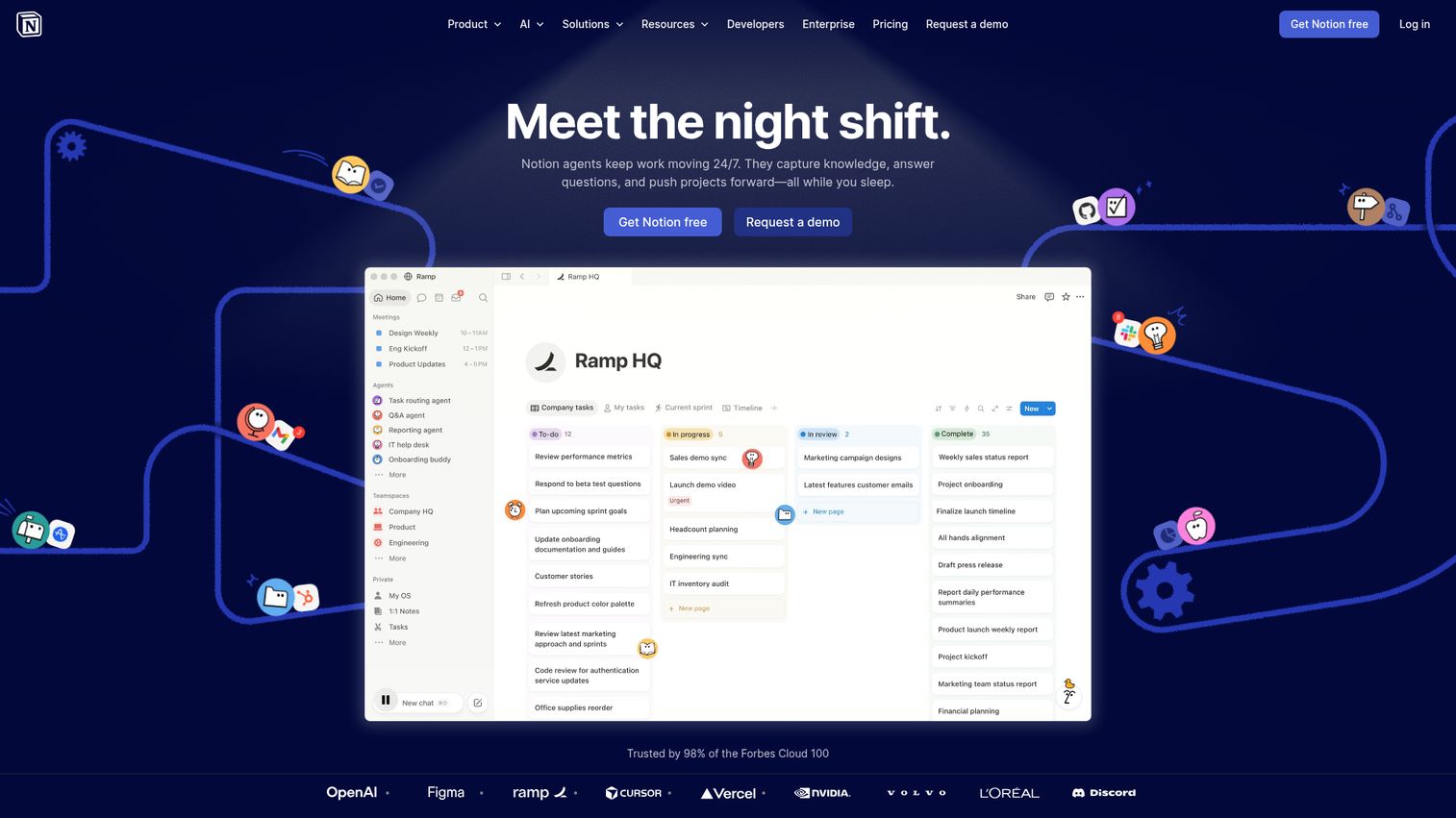
Notion is a flexible workspace where a kanban board is one view of a database. The same set of items shows up as a board, a table, a calendar, or a gallery, and your docs, notes, and wikis live in the same place. For teams that want tasks and documentation under one roof, that consolidation is the appeal.
Because boards are database views, they're highly customizable. You define properties, group cards by status or owner, and filter however you need, then write the supporting docs right alongside the work. A large template library covers project boards, content calendars, and team wikis, so you start from a working setup rather than a blank page. Built-in AI helps draft and organize content.
Best for: teams that want a kanban board inside a combined docs and database workspace.
Key strengths
- Customizable board database views: turn any database into a board, table, or calendar.
- Docs and tasks in one place: write specs and run the board without switching tools.
- Template library: prebuilt boards and wikis to skip the blank-page start.
Why choose Notion: Notion fits teams that want their workflow and their knowledge base in the same tool. If your work generates a lot of docs, keeping them next to the board reduces scatter. Teams wanting a pure, opinionated kanban experience may prefer a dedicated board tool over Notion's open-ended flexibility.
Notion pricing: Notion's Free plan suits individuals and small teams. Plus is $10 per member/month for small teams. Business is $20 per member/month for growing organizations needing more controls. Enterprise is custom-priced for scale, security, and admin needs. Notion holds a 4.6/5 rating on G2.
9. ClickUp
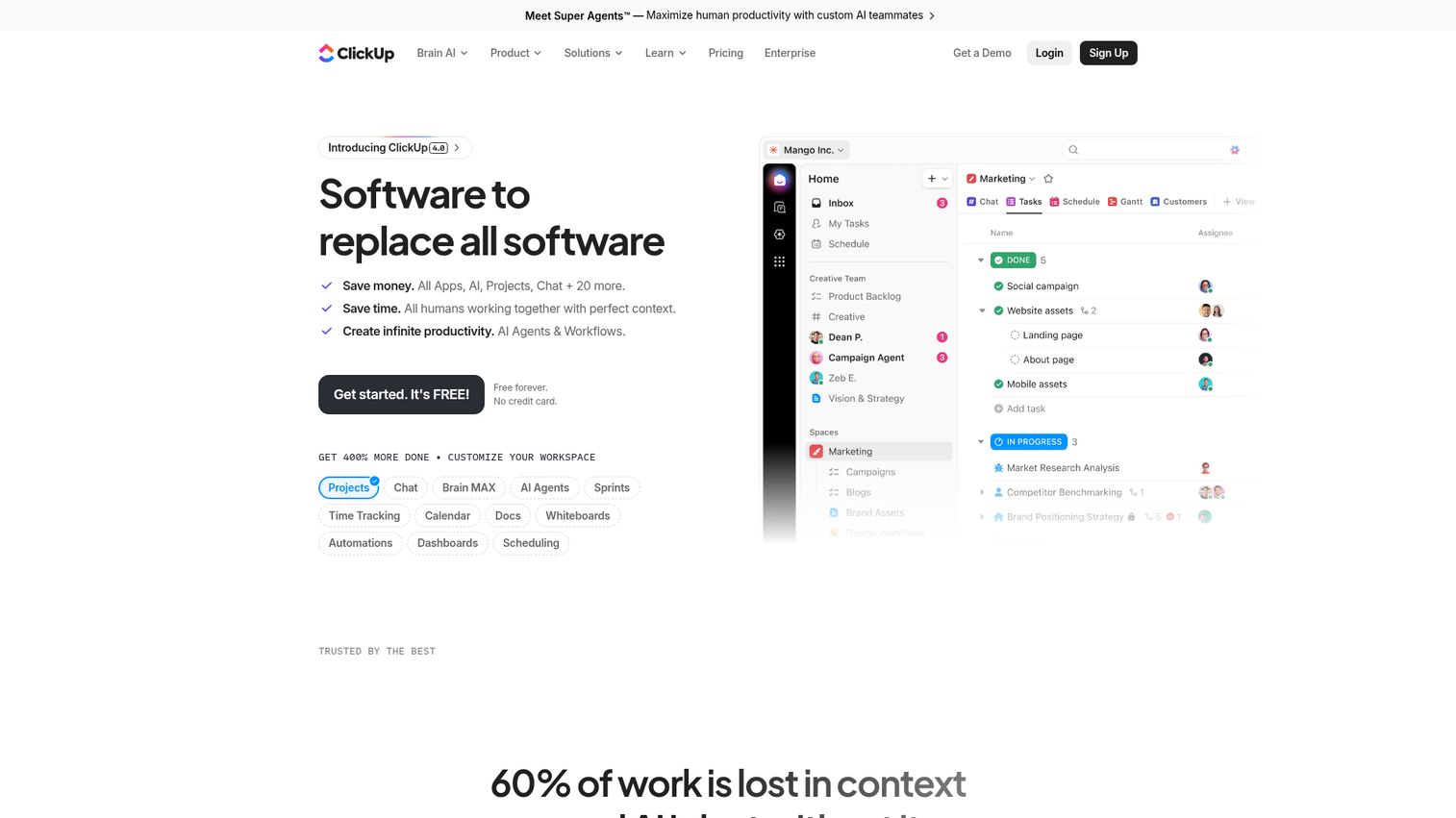
ClickUp is an all-in-one work platform with a strong kanban board view at its center. Tasks, docs, goals, dashboards, and chat all live in one workspace, so the board is one of many connected ways to manage work. For teams trying to cut their tool count, that breadth is the draw: one platform instead of five.
The board itself is deeply customizable, with WIP limits, custom fields, and views you tailor to your process. ClickUp's automation library handles the repetitive moves, while dashboards and goals roll work up for reporting. The free plan is unusually generous, which makes it easy to test across a team before committing budget.
Best for: teams that want one tool for kanban plus docs, goals, and reporting.
Key strengths
- Deep board customization: WIP limits, custom fields, and tailored views for any workflow.
- Automation library: prebuilt and custom automations to cut manual status updates.
- Generous free plan: unlimited tasks, kanban boards, and docs at no cost.
Why choose ClickUp: ClickUp fits teams consolidating multiple tools into one. If you want your board, docs, and goals together, the all-in-one design delivers. The breadth means more to learn than a single-purpose board, so it rewards teams ready to set it up properly.
ClickUp pricing: ClickUp's Free Forever plan includes unlimited tasks, kanban boards, docs, and 24/7 support. Unlimited is $7 per user/month billed yearly, adding unlimited integrations, dashboards, and time tracking. Business is $12 per user/month yearly with advanced automation and reporting. Enterprise is contact-sales. ClickUp holds a 4.6/5 rating on G2.
10. monday.com
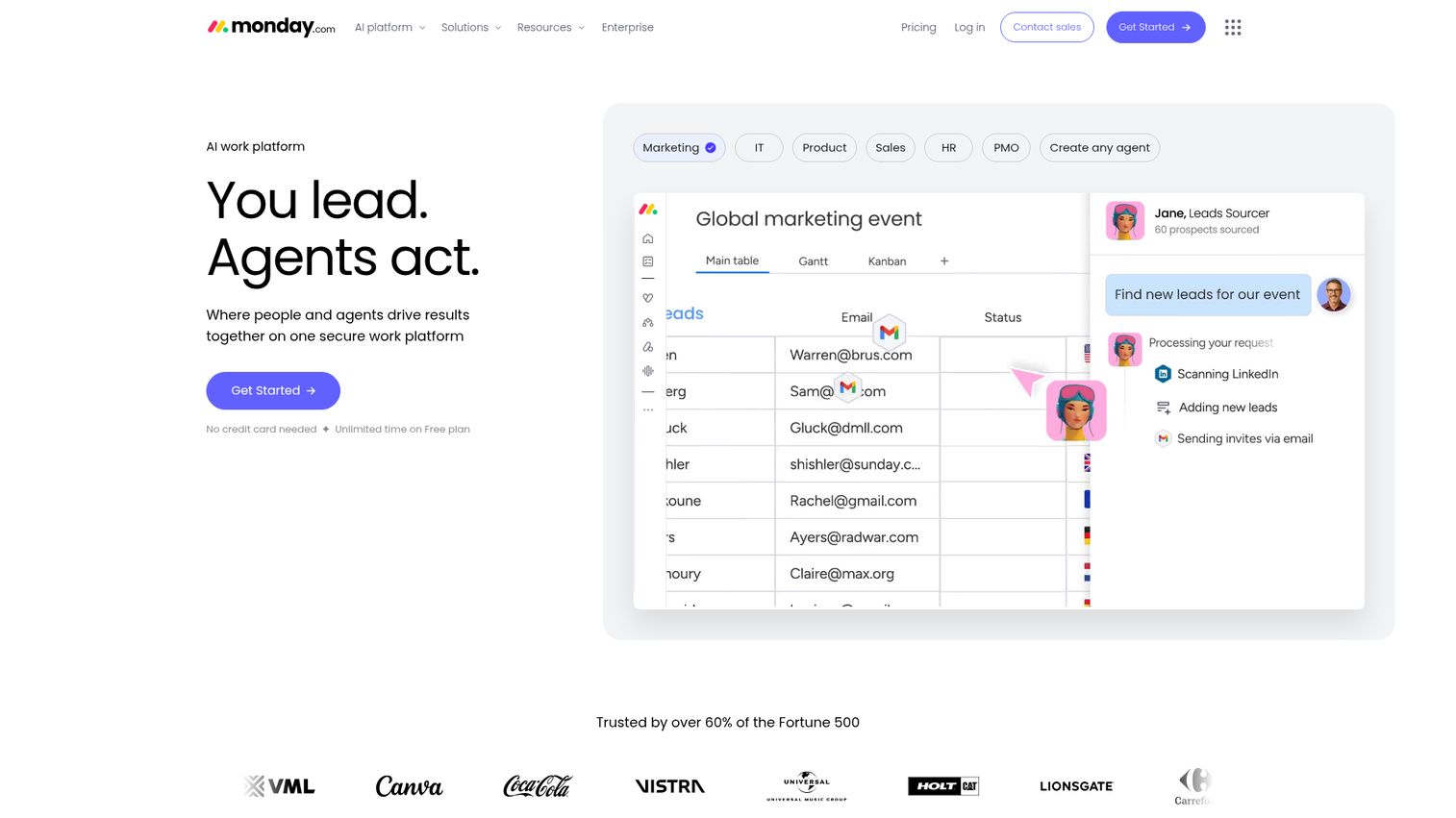
monday.com is a visual work platform with a kanban board view and no-code automation. Its calling card is how visual it is: color-coded columns, status labels, and a layout that makes a board easy to read at a glance. For teams that want their workflow to be obvious to anyone who opens it, that clarity matters.
The no-code automation recipes are where it scales. You pick from prebuilt automations to move cards, assign owners, set due dates, or trigger alerts, all without code. Boards, docs, templates, and a deep integration library round it out, and AI features add a meeting notetaker, AI columns, and a workflow builder for teams that want the assist.
Best for: teams that want a highly visual board with no-code automation recipes.
Key strengths
- Visual customization: color-coded boards and status labels that read clearly at a glance.
- Automation recipes: no-code automations to handle moves, assignments, and alerts.
- Broad integrations: connects to the wider stack most teams already run.
Why choose monday.com: monday.com fits teams that want a board people enjoy looking at, with automation that doesn't require a developer. The visual polish drives adoption across non-technical roles. Heavily technical teams may prefer the workflow depth of Jira, but for broad cross-functional use, monday's clarity wins.
monday.com pricing: monday.com is free forever for up to 2 seats. Basic is $9 per seat/month, Standard is $12 per seat/month, and Pro is $19 per seat/month, each billed annually. Enterprise is custom-priced through sales. monday.com holds a 4.7/5 rating on G2.
How to choose the right kanban board software
The best kanban tool is the one your team actually uses. Run any shortlist through these five checks before you commit.
Workflow fit
Match the board's columns and rules to how your team really works, not to a generic template. If your process has a review stage or a handoff step, the columns should show it. A board that mirrors reality gets used; one that forces a foreign process gets abandoned.
Ease of use and adoption
If the team won't use it, none of the features matter. Look for low-friction setup and a free tier the whole team can test. The fastest signal of fit is how quickly a new person creates and moves their first card without help. The same logic drives strong user onboarding software - adoption hinges on how fast people reach their first win.
Integrations
A board that connects to the tools your team already lives in saves the most time. Check for CRM, Slack or Teams, Gmail, and calendar connections. The fewer tabs people juggle, the cleaner the data and the higher the adoption. Pairing your board with the right CRM software keeps deal data and task status in sync.
Automation and workflow rules
The right automation removes the manual upkeep that kills boards. Look for WIP limits, auto-moving cards, owner assignment, notifications, and recurring tasks. Every rule you set is a status update nobody has to make by hand.
Pricing and free tier
Per-seat pricing that climbs steeply is a real flag for growing teams, so model the cost at your future size, not today's. Check what the free plan actually includes, since limits on boards, users, or features decide whether a trial reflects real use. The cheapest tool isn't the best buy if it caps the features your team needs.
Conclusion
There's no single best kanban board for every team, only the best fit for your workflow. Trello wins on simplicity and adoption, the easiest board to get a whole team using fast. Jira owns engineering and IT, with the WIP limits and workflow control technical teams need. ClickUp and monday.com lead the all-in-one pack, pairing strong boards with docs, goals, and automation. Sortd is the pick for teams running work out of Gmail, and Kanban Tool stands out when process analytics and time tracking matter most.
The right next step is cheap: start free. Almost every tool here ships a free tier or trial, so spin up a board with your real workflow and watch how the team uses it for a week. Adoption tells you more than any feature list. And when you need to walk a teammate or buyer through how a tool works, an interactive demo beats a static screenshot every time. Pick your top candidate, map your actual stages to its columns, and move real work through it before you ever pay a cent. The board that your team checks without being told is the one to buy.
FAQs
ClickUp and Trello both offer strong free kanban boards. ClickUp's Free Forever plan includes unlimited tasks, kanban boards, and docs, while Trello is free for up to 10 collaborators per Workspace with unlimited cards. Jira also runs a real free tier for up to 10 users, which suits smaller engineering teams.
A kanban board visualizes work as cards that move across columns, where each column is a stage in your process. The classic setup is To Do, In Progress, and Done. You drag a card from one column to the next as the work progresses, so status is always visible at a glance instead of buried in a list.
Yes. A kanban board lets sales teams visualize pipeline stages as columns, so every deal's status is obvious. It also reduces handoff friction across SDR, AE, and sales engineer roles, since each card carries its context as it moves. That visibility helps surface stalled deals before they go cold. Tools like sales engagement platforms can layer on top to automate the outreach side of that pipeline.
A to-do list is flat: tasks are either done or not. Kanban adds workflow stages, so you see exactly where each item sits between start and finish. It also brings WIP limits and visual flow, which expose bottlenecks a simple list can't show.
Yes. Cloud-based tools like Trello, Asana, and monday.com update in real time, so distributed teams all see the same board live. Remote teams benefit most from this shared visibility, since it replaces status meetings with a board anyone can check anytime.
Pricing ranges from free tiers to per-seat paid plans. Several tools start free, with paid plans commonly beginning around $5 to $11 per user per month. Costs scale with seats and features, so model the price at your team's future size, not just today's.
Yes. Most tools ship prebuilt kanban board templates for common workflows like a dev board, a marketing calendar, or a sales pipeline. Starting from a template gives you working columns and structure to adjust, instead of building a board from a blank page.
workstreams.ai, ClickUp, monday.com, and Jira all stand out for automation. workstreams.ai leans on AI to draft tasks and subtasks, ClickUp and monday.com offer deep no-code automation recipes, and Jira provides customizable workflow rules. The best fit depends on whether you want AI assistance or rule-based control.