

Your email client is slowing you down.
The average professional receives around 121 emails per day and spends roughly 28% of their workday managing them (McKinsey). That's over 11 hours a week inside your inbox. The email software you use to handle that volume shapes how much of that time is productive and how much is wasted clicking, sorting, and searching.
The email client landscape in 2026 looks different from even two years ago. AI-powered triage, privacy-first architecture, and cross-platform sync have moved from premium features to baseline expectations. Finding a better email client means navigating a crowded market where some tools are free, some cost $30/month, and the right choice depends entirely on how you work.
We tested and compared 15 of the best email software options, both free and paid, across features, privacy, platform support, and pricing. The list covers options for solo users, teams, privacy-focused professionals, and power users who treat inbox zero as a lifestyle.
What's inside
This guide reviews 15 email clients ranked by overall recommendation strength, not alphabetically. Each tool gets an honest breakdown of strengths, limitations, pricing, and ideal use case. You'll also find a side-by-side comparison table, a free vs. paid breakdown, and a decision-making framework to help you pick the right one without trial-and-error.
We evaluated every tool against seven criteria: inbox management, cross-platform availability, privacy and security, AI and productivity features, team collaboration, pricing and value, and ease of migration.
TL;DR
- Gmail is the best free email client for most people, but privacy trade-offs are real
- Thunderbird is the top freeware mail client for open-source advocates and Linux users
- Superhuman delivers the fastest email experience at $30/month, justified if you live in your inbox
- Missive is the strongest pick for teams that need to collaborate inside email threads
- Proton Mail is the most secure option, with end-to-end encryption by default and Swiss privacy law protection
- For most professionals spending 2+ hours daily in email, a paid email client between $8 and $30/month tends to pay for itself in time saved
What is email software
Email software is any application you use to send, receive, and manage email. The term covers everything from browser-based webmail like Gmail to desktop-native programs like Thunderbird and eM Client that connect to email servers via IMAP, POP3, or Exchange.
You'll see "email software" and "email client" used interchangeably. Technically, an email client is a specific type of email software that pulls messages from a server to your device. Webmail accessed through a browser isn't a "client" in the traditional sense, but the distinction has blurred enough that most people treat them as the same thing.
Core components of good email software in 2026 include:
- Inbox management: Unified inbox, filters, labels, snooze, and smart sorting
- Cross-platform sync: Desktop, mobile, and web access that stays consistent
- Privacy controls: Encryption options, tracking pixel blocking, and transparent data policies
- AI features: Smart compose, email summaries, priority sorting, and automated triage
- Search: Fast, accurate, and capable of handling years of archived messages
- Integrations: Calendar, task management, CRM, and team collaboration tools
The best email application in 2026 combines these components without burying you in settings or requiring a manual to set up.
When to use different types of email software
Personal and lightweight use
If you check email a few times a day and don't manage high volume, a free email client like Gmail, Apple Mail, or Thunderbird handles the job. No reason to pay for features you won't use.
High-volume professional use
Professionals processing 100+ emails daily often find that speed-focused clients like Superhuman or AI-powered tools like Spark save measurable time. Keyboard shortcuts, split inboxes, and smart notifications reduce the cognitive load of constant triage.
Team collaboration
When multiple people need to respond from shared inboxes, assign conversations, or comment internally on email threads, tools like Missive and Gmelius are purpose-built for that workflow. A standard email client forces you into forwarding chains and CC chaos.
Privacy and security
Journalists, activists, and anyone handling sensitive communications should look at Proton Mail or Canary Mail. End-to-end encryption by default is a different category from the in-transit encryption that Gmail and Outlook provide.
Quick comparison table - all 15 email software tools at a glance
Before the detailed reviews, here's a side-by-side snapshot of every email software tool on this list.
#ToolBest ForFree Plan?Starting PricePlatformsAI FeaturesKey Differentiator1GmailMost peopleYes$7/user/mo (Workspace)Web, Android, iOSSmart Compose, Smart ReplyLargest email ecosystem, 1.8B+ users2Microsoft OutlookBusiness & enterpriseYes (web)$6/user/moWindows, Mac, Web, iOS, AndroidFocused Inbox, CopilotDeep Microsoft 365 integration3SuperhumanSpeed & productivityNo$30/moMac, Windows, iOS, Android, WebAI triage, instant repliesKeyboard-first, sub-100ms performance4ThunderbirdOpen-source & privacyYes (100% free)FreeWindows, Mac, Linux, AndroidLimitedCommunity-driven, PGP encryption built-in5SparkSmart inbox managementYes$7.99/moMac, Windows, iOS, AndroidAI writing, smart sortingAuto-categorizes into Personal, Notifications, Newsletters6MissiveTeam collaborationYes (3 users)$14/user/moMac, Windows, iOS, Android, WebRules & automationShared inboxes with internal chat7eM ClientWindows power usersYes (2 accounts)$49.95 one-timeWindows, MacAI assistant, auto-translateOne-time purchase option8Apple MailApple ecosystemYes (included)FreeMac, iOS, iPadOSLimitedMail Privacy Protection blocks trackers9Notion MailProductivity system integrationYesFree (with Notion)WebAI-powered viewsTurns emails into Notion tasks/databases10HeyRethinking email workflowNo$99/yearWeb, Mac, Windows, iOS, Android, LinuxLimitedThe Screener, Imbox, Feed, Paper Trail11Canary MailEnd-to-end encryptionYes (basic)$20/yearMac, Windows, iOS, AndroidCopilotAI writingOne-click PGP encryption12SpikeChat-style communicationYes$7/user/moWindows, Mac, iOS, Android, WebPriority InboxTurns email threads into chat conversations13GmeliusTurning Gmail into a help deskNo$24/user/moChrome extension (Gmail)Automation rulesShared inbox and Kanban boards inside Gmail14TatemCalendar-first workflowYes (early access)TBDMac, iOSAI schedulingUnified email + calendar view15Proton MailMaximum privacy & securityYes$3.99/moWeb, iOS, Android, Desktop (Bridge)LimitedSwiss-based, zero-access encryption
Keep reading for in-depth reviews of each tool, including honest pros, cons, and who it's best suited for.
How we evaluated these email software tools
We applied seven criteria consistently across all 15 tools. Here's what we measured and why it matters:
- Inbox management features - unified inbox, snooze, labels, filters, and smart sorting capabilities
- Cross-platform availability - desktop (Windows, Mac, Linux), mobile (iOS, Android), and web support
- Privacy & security - encryption type, data handling policies, open-source transparency, and tracking protection
- AI & productivity tools - AI compose, smart replies, email summaries, automated triage, and scheduling
- Team collaboration - shared inboxes, internal comments, task assignments, and multi-user workflows
- Pricing & value - free tier generosity, paid plan cost relative to features delivered
- Ease of setup & migration - how straightforward it is to switch from another client and import existing mail
Tools are ordered by overall recommendation strength. Gmail leads because it's the right starting point for the most people, not because it's the "best" in every category.
1. Gmail - best free email software for most people
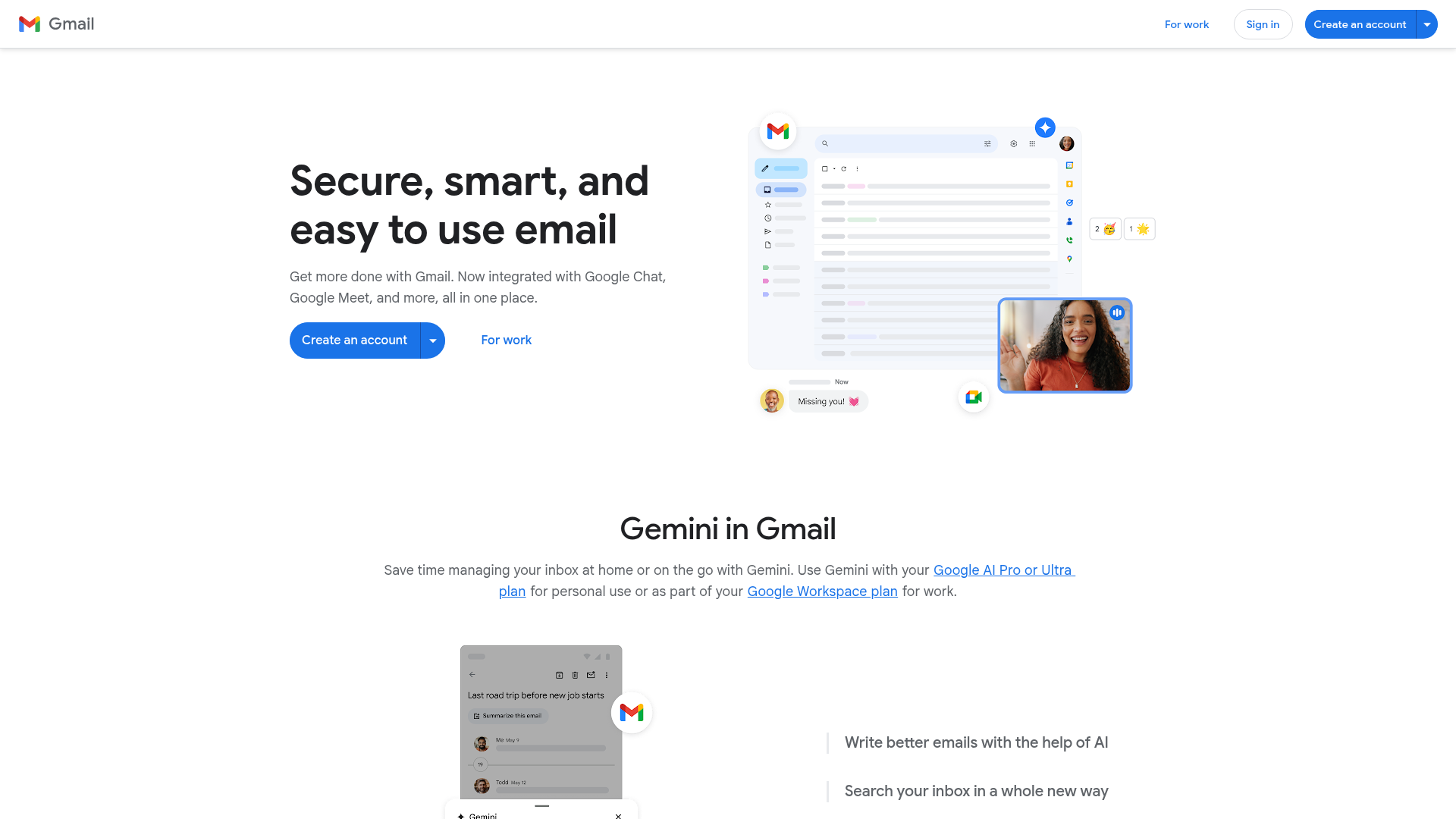
Gmail is the default email client for over 1.8 billion users, and for good reason: it's reliable, feature-rich, and free.
The combination of 15GB free storage, strong spam filtering, and tight Google Workspace integration makes it the starting point most people never leave. Smart Compose and Smart Reply were among the first AI email features, and while competitors have caught up, Gmail's implementation remains solid for quick responses. The labels and filters system is powerful once you invest time configuring it, and the search is fast enough to find messages from years ago in seconds.
The Gmail email client works well on Android as a native app and performs reliably on iOS. There's no dedicated desktop app, though. You're using a browser tab, which can feel limiting if you prefer a standalone window.
Best for: casual users, Google Workspace teams, and anyone who wants a reliable free email client without setup friction.
Key strengths
- 15GB free storage with robust spam filtering
- Smart Compose and Smart Reply AI features
- Deep Google Workspace and Calendar integration
- Strong mobile apps on both Android and iOS
- Powerful search across years of archived messages
Pricing: Free. Google Workspace plans start at $7/user/month (Business Starter).
The honest limitation: Gmail's business model relies on ad targeting. Your emails aren't "read" by humans, but they're processed for advertising signals. If privacy is a top priority, this is a meaningful trade-off. Gmail also locks you into the Google ecosystem, and extracting yourself later isn't trivial.
2. Microsoft Outlook - best email software for business & enterprise
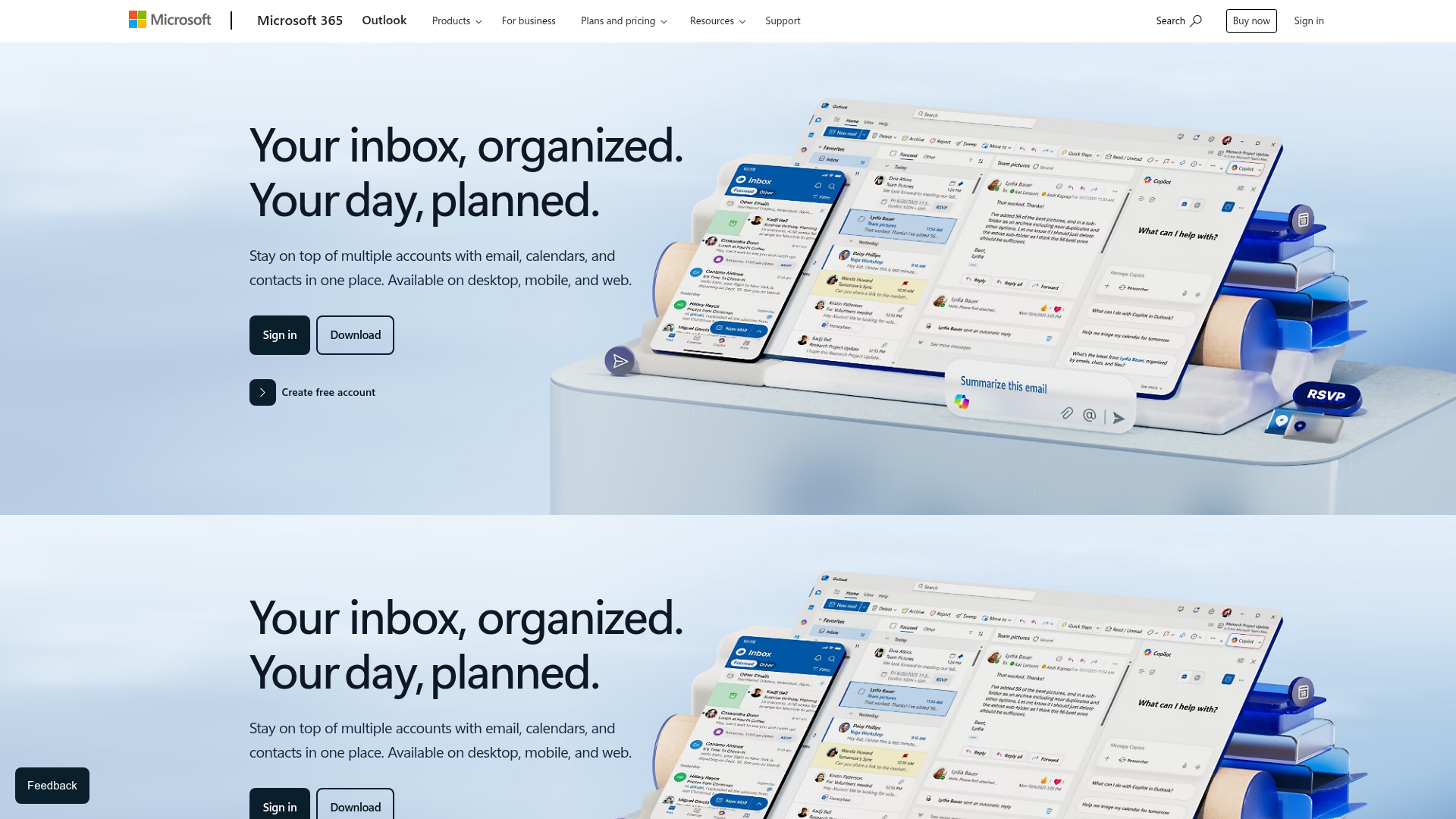
Microsoft Outlook is the enterprise standard for a reason: it's the email client that lives inside the Microsoft 365 world, with deep ties to Teams, Calendar, OneDrive, and Exchange.
Focused Inbox automatically separates important emails from everything else. The rules and automation engine is one of the most powerful available, letting you build complex workflows for sorting, forwarding, and categorizing incoming mail. Calendar integration is native and robust, not a bolted-on afterthought. Offline access works well, and the mobile app is one of the better options on both iOS and Android, making it a good android email client for business users.
The new Outlook for Windows has replaced the legacy Mail app with a web-based architecture. It's cleaner and more consistent across platforms, but some power users miss features from the older desktop version.
Best for: corporate environments, Microsoft 365 users, and anyone who needs calendar and email tightly integrated in one tool.
Key strengths
- Focused Inbox for automatic email prioritization
- Deep Microsoft 365 and Teams integration
- Powerful rules engine and automation capabilities
- Strong offline access and mobile experience
- Native Exchange and enterprise security support
Pricing: Free web version (Outlook.com). Microsoft 365 Personal at $6.99/month. Business Basic at $6/user/month.
The trade-off: Outlook can feel bloated, especially for users who just want email. The learning curve for advanced features is steep, and Microsoft's telemetry data collection has raised privacy questions. If you're not in the Microsoft ecosystem, there's less reason to choose it.
3. Superhuman - best email software for speed & productivity
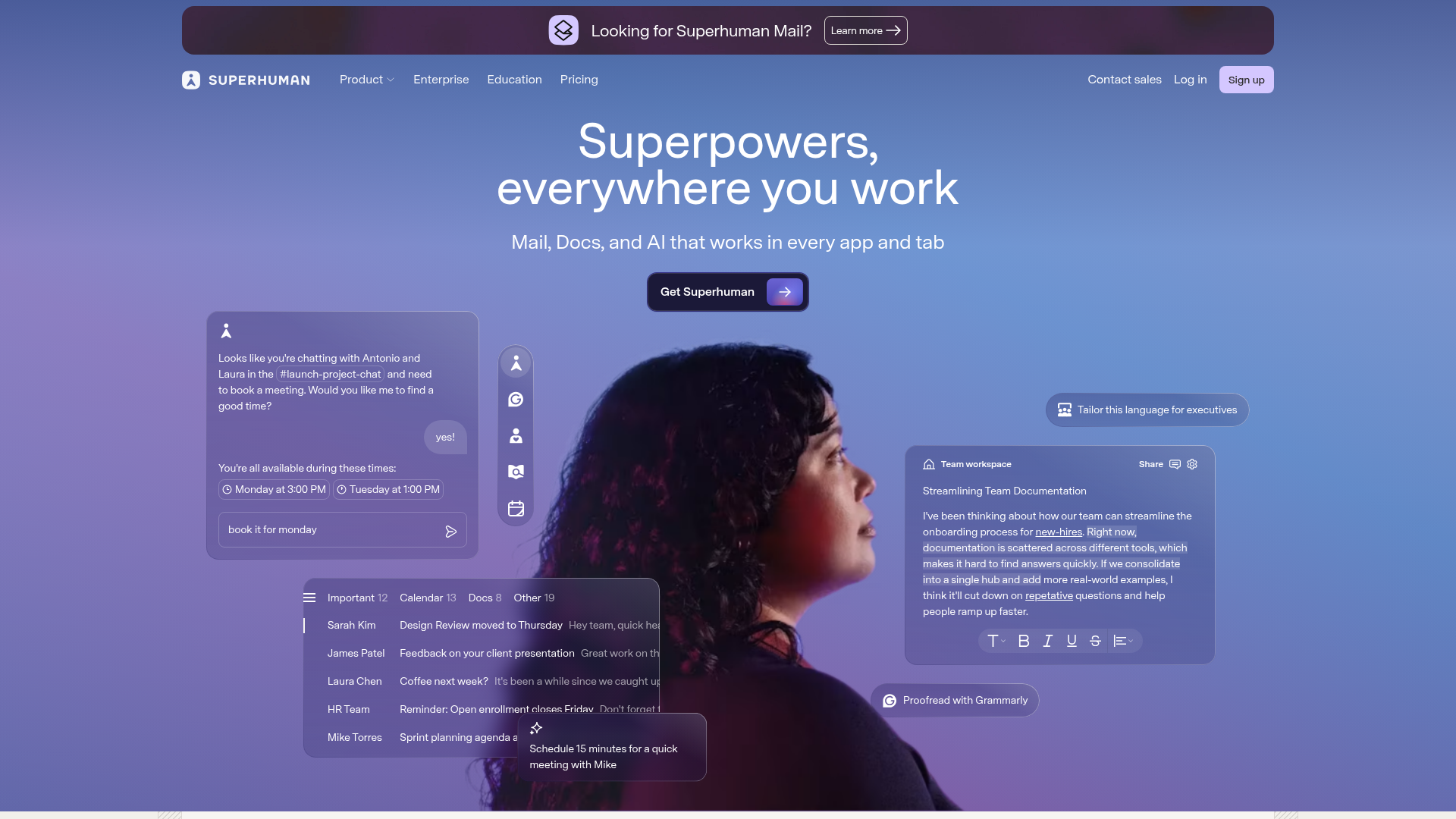
Superhuman is the email client built for people who treat inbox management as a competitive advantage. It's the sports car of email software: expensive, opinionated, and measurably faster than everything else.
Keyboard-first navigation means you can process your entire inbox without touching a mouse. Split Inbox organizes mail by category. AI-powered triage suggests what to handle first. Read Statuses show you when someone opens your email. Snippets (templates) speed up repetitive replies. The "Get Me to Zero" philosophy is built into every interaction.
The onboarding experience is notable: a personalized concierge walks you through setup and customizes the tool to your workflow. That's rare for any software, let alone an email client.
Best for: executives, founders, and high-volume email users who value speed above all else and can justify $30/month.
Key strengths
- Sub-100ms performance across all interactions
- Keyboard-first navigation with Split Inbox
- AI-powered triage and instant reply suggestions
- Read Statuses and scheduled send built-in
- Personalized concierge onboarding experience
Pricing: $30/month (individual). Team plans available.
The honest take: $30/month is steep for email. Superhuman only works with Gmail and Outlook accounts, so you can't use it with other providers. There's no Linux support, no free tier, and limited customization compared to open-source alternatives. But if you spend 3+ hours daily in email, the time savings tend to justify the cost within the first week.
4. Thunderbird - best free open-source email software
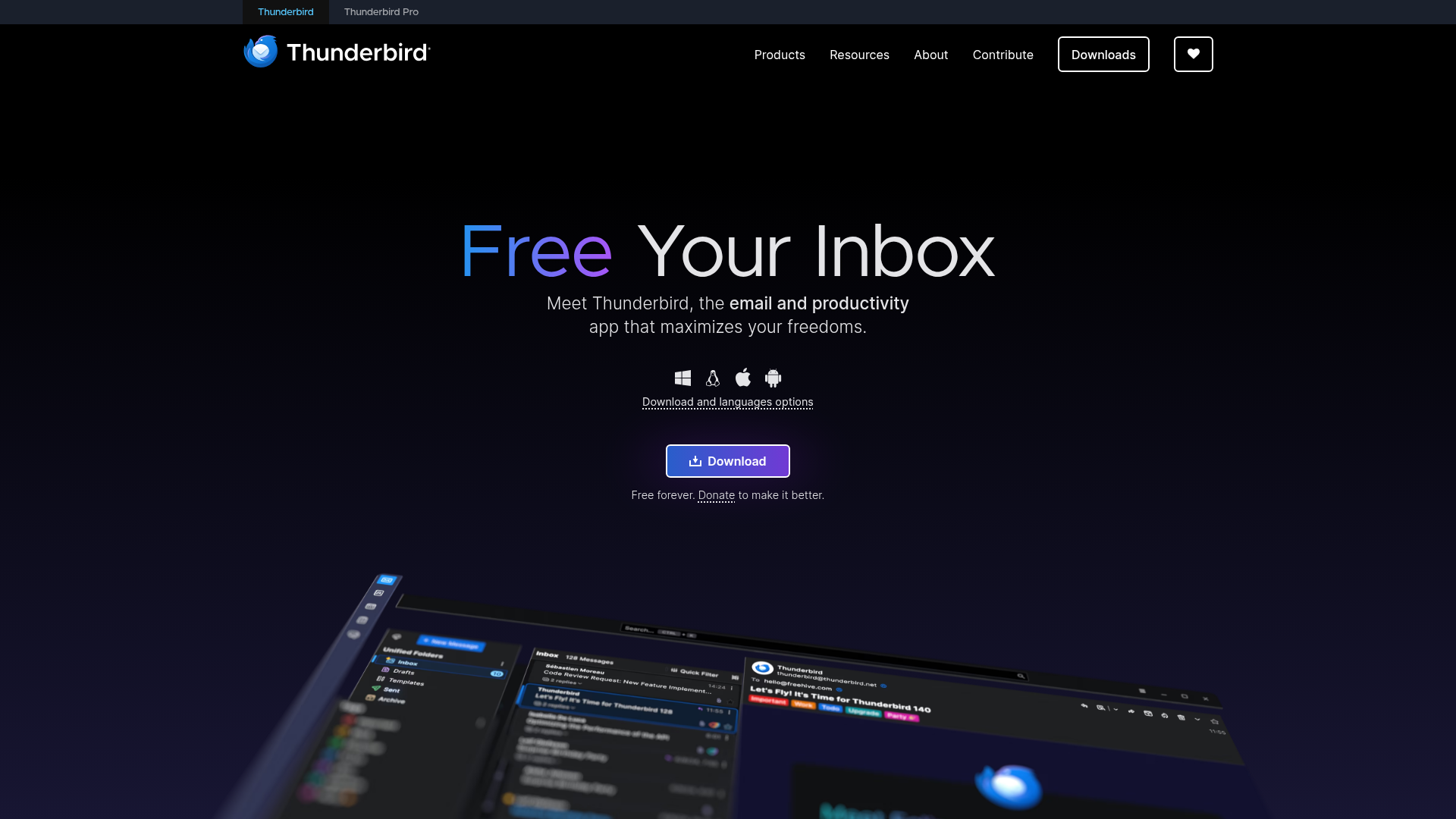
Thunderbird is the gold standard for free, open-source, privacy-respecting email. Backed by the Mozilla Foundation, it's the freeware mail client that proves you don't need to pay for a full-featured desktop experience.
The "Supernova" redesign modernized the interface significantly, bringing a cleaner look that competes with commercial alternatives. Thunderbird supports IMAP, POP3, and Exchange. The add-on ecosystem lets you customize nearly everything. Built-in calendar (Lightning), PGP encryption, unified inbox, tabbed interface, and RSS reader are all included at zero cost.
The Thunderbird mobile app (formerly K-9 Mail, now rebranded) brings the same privacy-first approach to Android. It's a good android email client for users who want open-source on mobile.
Best for: privacy-conscious users, Linux users, open-source advocates, and anyone who wants a powerful desktop email client without paying a subscription.
Key strengths
- Completely free and open-source under Mozilla Foundation
- Built-in PGP encryption and calendar support
- Supports IMAP, POP3, and Exchange protocols
- Extensive add-on ecosystem for customization
- Available on Windows, Mac, Linux, and Android
Pricing: 100% free (donation-supported).
The trade-off: the UI, even after Supernova, still feels less polished than Spark or Superhuman. There's no native cloud sync (you'll need a third-party tool), and the add-on quality varies. Non-technical users may find the setup steeper than commercial alternatives. But for the price - free - it's hard to argue with what Thunderbird delivers.
5. Spark - best email software for smart inbox management
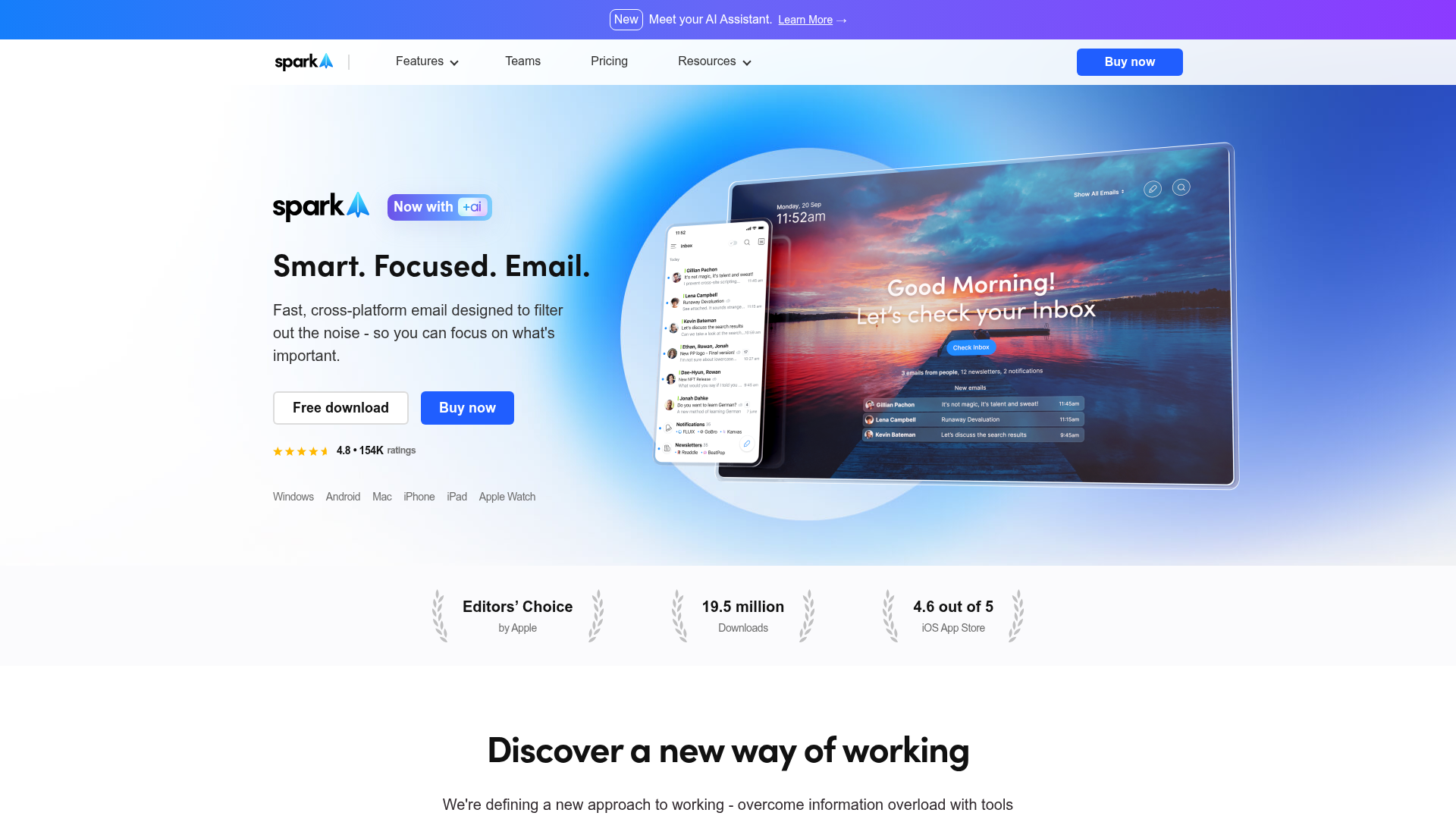
Spark is the AI-powered inbox organizer that automatically sorts your email into Personal, Notifications, and Newsletters before you see it.
Smart Inbox is the core feature. Instead of a chronological list of everything, Spark groups your mail by type and surfaces what matters first. Smart Notifications only alert you for emails from real people, silencing the noise from automated messages. The AI writing assistant helps compose replies quickly, and email delegation lets teams assign conversations without forwarding chains.
Spark works across Mac, iOS, Android, and Windows, making it one of the more versatile cross-platform email clients available.
Best for: users drowning in newsletters and notifications who want AI to pre-sort their inbox before they open it.
Key strengths
- Smart Inbox auto-categorizes by email type
- AI writing assistant for faster email composition
- Smart Notifications filter out low-priority alerts
- Cross-platform on Mac, Windows, iOS, and Android
- Team features including email delegation and shared drafts
Pricing: Free tier available. Premium at $7.99/month. Teams plans also available.
The limitation worth noting: Spark's privacy policy has drawn scrutiny because emails are processed on Readdle's servers to enable smart features. If privacy is your top concern, Thunderbird or Proton Mail are better fits. There's also no Linux support, and premium features are gated behind the paid plan.
6. Missive - best email software for team collaboration
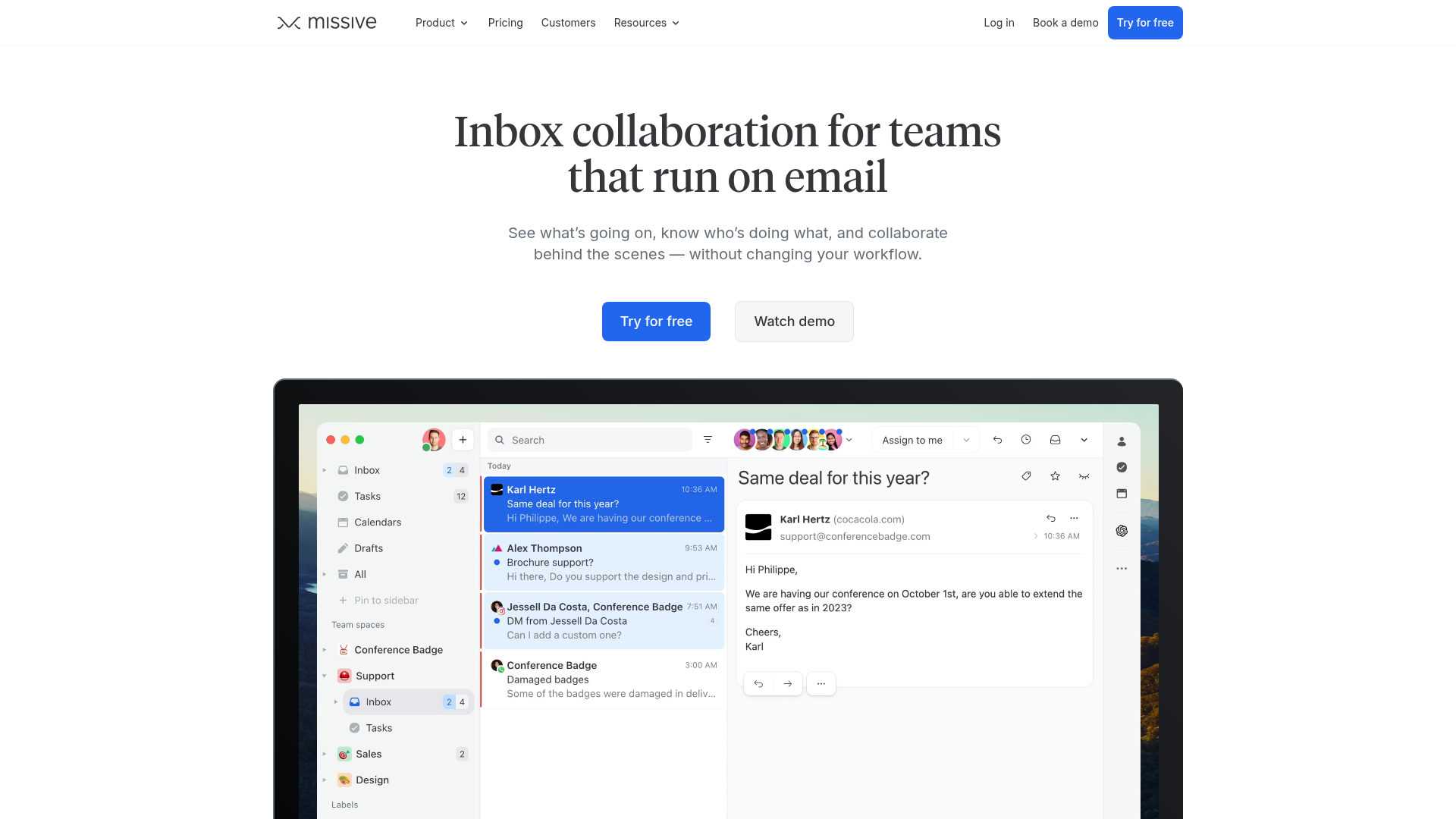
Missive is the email client built specifically for teams that need to work together inside email threads without the chaos of forwarding and CC chains.
Shared inboxes are the foundation. But what sets Missive apart is internal chat embedded directly alongside email conversations. Your team can discuss a customer email, assign it to the right person, and draft a collaborative response without leaving the thread. Rules and automation handle routing. Integrations with Salesforce, Shopify, and Zapier connect email to the rest of your workflow. Missive also supports SMS and social channels, making it a multi-channel tool, not just an email client.
Best for: customer support teams, agencies, and any team that needs to collaborate inside email threads without switching to a separate chat tool.
Key strengths
- Shared inboxes with internal team chat
- Collaborative drafting and assignment workflows
- Multi-channel support including email, SMS, and social
- Integrations with Salesforce, Shopify, and Zapier
- Rules and automation for conversation routing
Pricing: Free (up to 3 users). Starter at $14/user/month. Productive at $24/user/month. Business at $36/user/month.
The honest downside: Missive is overkill for solo users. The team features that make it great add complexity you don't need if you're working alone. Pricing can add up quickly for larger teams, and the mobile app isn't as refined as the desktop experience.
7. eM Client - best email software for Windows power users
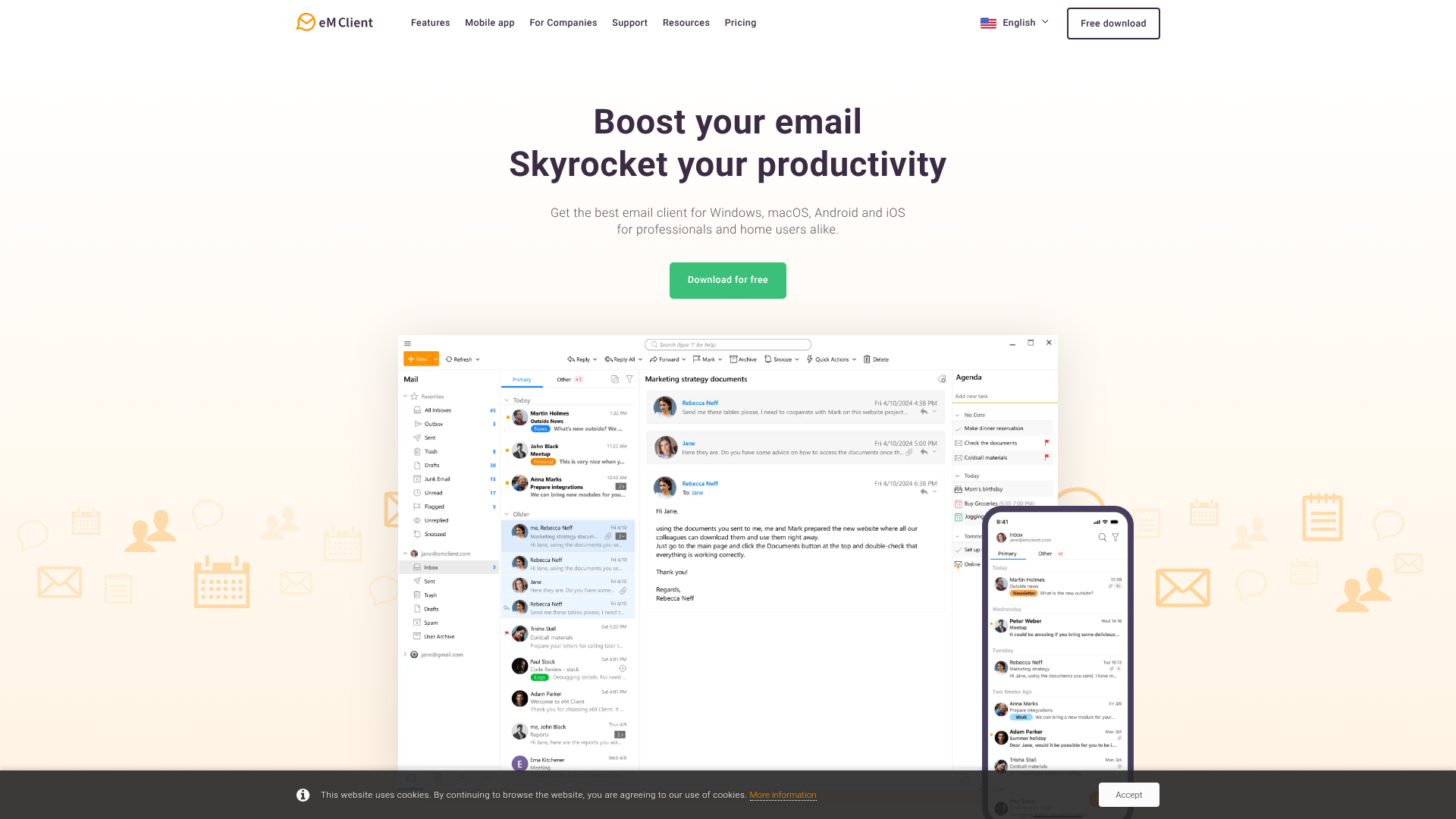
eM Client is the most full-featured desktop email client for Windows (and Mac) that doesn't require a Microsoft 365 subscription. It's the Outlook alternative for people who want Outlook-level power without the recurring cost.
eM Client supports Gmail, Outlook.com, Exchange, iCloud, and any IMAP account. Built-in calendar, tasks, contacts, and notes make it a complete PIM (personal information manager). PGP encryption, customizable themes, automatic email translation, and an AI assistant round out the feature set. The one-time purchase option is increasingly rare in a subscription-heavy landscape.
Best for: Windows users who want a full-featured desktop client without a recurring subscription, and anyone who values a one-time purchase.
Key strengths
- Supports Gmail, Outlook, Exchange, iCloud, and IMAP
- Built-in calendar, tasks, contacts, and notes
- One-time purchase option at $49.95 (rare in 2026)
- PGP encryption and automatic email translation
- Customizable themes and AI assistant included
Pricing: Free (limited to 2 email accounts). Pro license at $49.95 one-time purchase (subscription option also available).
The trade-off: the free tier's two-account limit is restrictive. There's no mobile app and no Linux support. Some interface elements feel dated compared to newer clients like Spark or Notion Mail. But for desktop power users who want to pay once and own their software, eM Client is one of the few remaining options.
8. Apple Mail - best email software for the Apple ecosystem
Apple Mail is pre-installed on every Mac, iPhone, and iPad. It costs nothing, requires no setup beyond signing into your email account, and integrates deeply with iCloud, Focus modes, and the broader Apple ecosystem.
Mail Privacy Protection blocks tracking pixels by default, preventing senders from knowing when you opened their email. Undo Send, scheduled send, Follow Up reminders, and rich link previews are all built in. The integration with Focus mode lets you silence email notifications based on context (work, personal, sleep) without configuring complex rules.
Best for: Apple-only users who want a simple, private, zero-cost email experience that works across all their devices.
Key strengths
- Pre-installed and free on all Apple devices
- Mail Privacy Protection blocks tracking pixels
- Deep iCloud and Focus mode integration
- Undo Send, scheduled send, and Follow Up reminders
- Clean, minimal interface with no configuration needed
Pricing: Free (included with macOS and iOS).
The limitation is straightforward: Apple Mail doesn't exist outside the Apple ecosystem. No Windows, no Android, no Linux, no web client. Customization is minimal, search is basic compared to Gmail or Superhuman, and there are no AI writing features or team collaboration tools. If you're all-Apple and want simplicity, it's a great email client. If you're cross-platform, look elsewhere.
9. Notion Mail - best email software for productivity system integration

Notion Mail is the newest entrant on this list, and it's built around one idea: connecting your inbox to your Notion workspace.
The deep Notion integration lets you turn emails into tasks, database items, or project entries with a click. AI-powered inbox views let you create custom filters and sorting rules using natural language. The design is clean and minimalist, with keyboard shortcuts that feel familiar if you've used other modern email clients. For Notion power users, this is the tool that closes the gap between "I got an email about this" and "I have a task for this."
Best for: Notion power users who want their email and project management connected in one workspace.
Key strengths
- Deep integration turns emails into Notion tasks and databases
- AI-powered custom inbox views and filters
- Clean, minimalist design with keyboard shortcuts
- Free with existing Notion account
- Rapid development pace with frequent updates
Pricing: Free with a Notion account (pricing may evolve as the product matures).
The honest assessment: Notion Mail is still young. It currently works only with Gmail accounts. Mobile support is limited. Team email features aren't available yet. And it requires buying into the Notion ecosystem to get value. If you're not already a Notion user, there's no standalone reason to choose this over Gmail or Spark. But if Notion is your second brain, this is one of the more cool email clients to watch.
10. Hey - best email software for rethinking email workflow
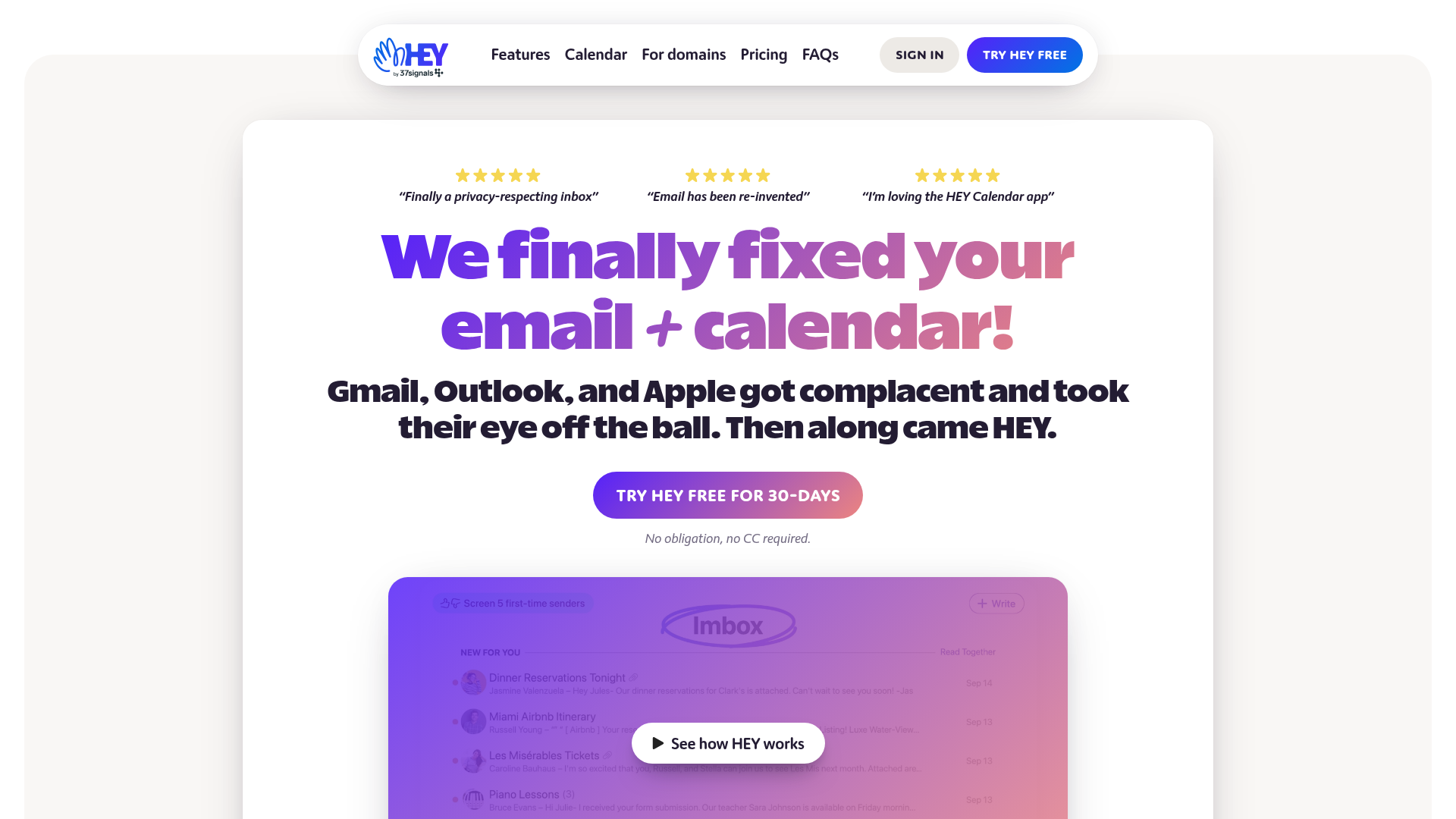
Hey doesn't just organize email differently. It fundamentally changes how you interact with it. Built by 37signals (the Basecamp creators), Hey is opinionated by design.
The Screener lets you approve or reject new senders before they reach your inbox. The Imbox (intentional inbox) holds only mail you've chosen to receive. The Feed collects newsletters in a scrollable format. Paper Trail stores receipts and transactional emails separately. Reply Later creates a dedicated space for emails that need thought. Built-in anti-spy features block tracking pixels automatically.
Best for: users who want a radically different email philosophy and are willing to pay $99/year for it, plus adopt a new @hey.com address.
Key strengths
- The Screener approves or rejects new senders
- Imbox, Feed, and Paper Trail organize by intent
- Built-in tracking pixel blocking and anti-spy tools
- Reply Later workflow for thoughtful responses
- Available on Web, Mac, Windows, iOS, Android, and Linux
Pricing: $99/year (personal). HEY for Work at $12/user/month.
The polarizing reality: Hey forces you to use a new @hey.com email address. You can't connect your existing Gmail or Outlook account. The workflow is opinionated, and if it doesn't match how you think about email, you'll abandon it within a week. Limited integrations and no calendar are additional constraints. But the people who love Hey tend to love it deeply.
11. Canary Mail - best email software for end-to-end encryption
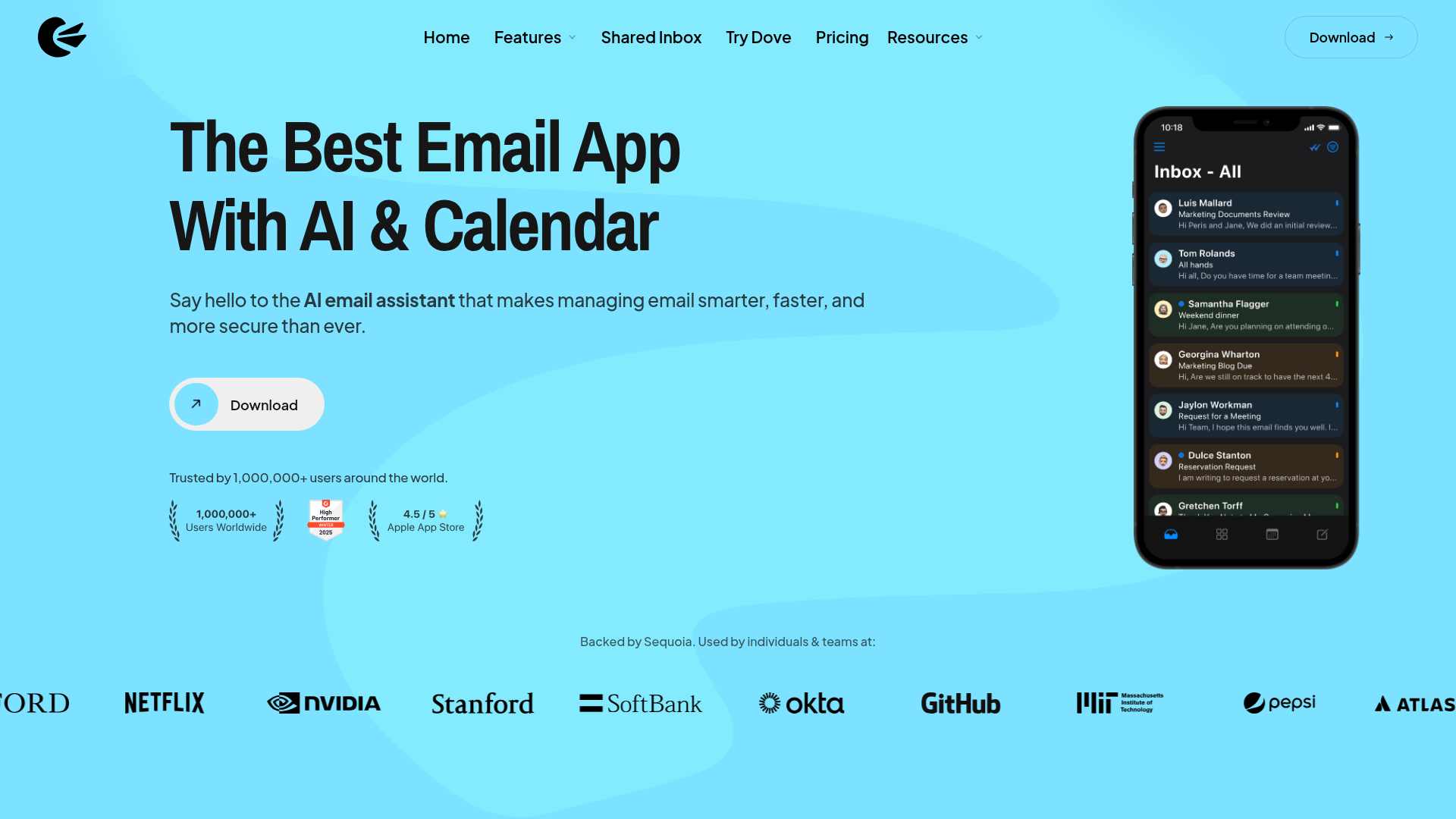
Canary Mail makes PGP encryption accessible to people who don't want to configure GPG keys manually. One-click encryption is the core promise, and it delivers.
SecureSend lets you send encrypted emails even to recipients who don't use Canary Mail. The CopilotAI feature assists with email writing. Unified inbox, read receipts, pin and bulk actions, and natural language search round out the feature set. Cross-platform support covers Mac, iOS, Android, and Windows.
Best for: privacy-conscious professionals who want encryption without the complexity of traditional PGP setup.
Key strengths
- One-click PGP encryption without technical setup
- SecureSend for encrypted emails to non-Canary users
- CopilotAI writing assistant built in
- Cross-platform on Mac, Windows, iOS, and Android
- Natural language search across all accounts
Pricing: Free (basic). Pro at $20/year.
The trade-off: the free tier is limited. The smaller user base means fewer community resources and guides compared to Thunderbird or Gmail. Some AI features feel more like marketing additions than genuinely useful tools. But at $20/year for Pro, it's one of the most affordable ways to add real encryption to your email workflow.
12. Spike - best email software for chat-style communication

Spike turns email threads into chat-like conversations, stripping away headers, signatures, and formatting to make email feel like messaging.
Priority Inbox surfaces what matters. Collaborative notes and docs live alongside your email. Video meetings, voice messages, and group channels are built in. It's an attempt to make email feel like Slack or Teams without actually leaving email.
Best for: teams and individuals who prefer messaging-style communication but need to stay within email for external contacts.
Key strengths
- Conversational email view mimics chat interfaces
- Priority Inbox for automatic importance sorting
- Built-in video meetings and voice messages
- Collaborative notes and docs alongside email
- Cross-platform on Windows, Mac, iOS, Android, and web
Pricing: Free (basic). Business at $7/user/month. Business Pro at $12/user/month.
The limitation: the chat-style view strips context from long email threads, which can be disorienting. Some features overlap with dedicated tools like Slack or Teams, creating redundancy. The desktop experience is less polished than mobile. If you're comfortable with traditional email formatting, Spike's approach might feel more confusing than helpful.
13. Gmelius - best email software for turning Gmail into a help desk
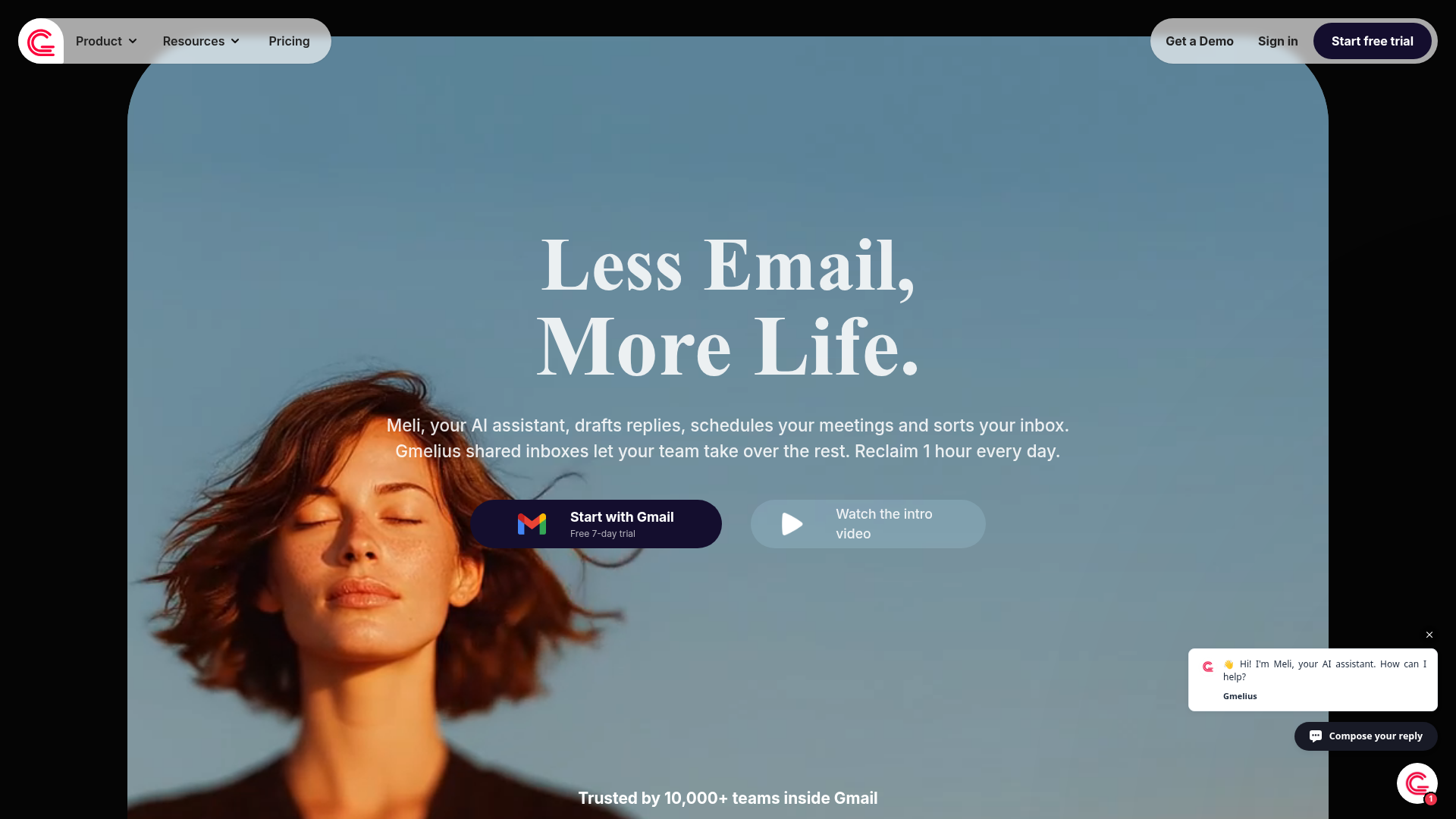
Gmelius adds shared inboxes, Kanban boards, and automation to Gmail without making you leave the Gmail interface. It runs as a Chrome extension that layers team features on top of the email client you already use.
Email-to-Kanban board conversion lets you manage conversations as visual workflows. SLA tracking, automation rules, email sequences, and shared labels help small teams run customer support or sales operations from inside Gmail. Integrations with Slack, Trello, and Zapier extend the functionality further.
Best for: small teams already using Gmail who need shared inbox and workflow automation without switching to a new platform.
Key strengths
- Shared inbox and Kanban boards inside Gmail
- SLA tracking and automation rules for workflows
- Email sequences for sales and support outreach
- Integrations with Slack, Trello, and Zapier
- No platform switch required, works as Chrome extension
Pricing: Growth at $24/user/month. Pro at $36/user/month.
The honest downside: Gmelius only works with Gmail and requires Chrome. The extension approach can feel "bolted on" rather than native, and performance occasionally lags. Pricing adds up for teams larger than five or six people. If you're not committed to Gmail, Missive offers a more integrated team experience.
14. Tatem - best email software for calendar-first workflow
Tatem is a newer email client that treats email and calendar as one unified workflow, not two separate tools that happen to share a sidebar.
Tatem lets you drag emails directly to your calendar to create events. AI-powered scheduling suggests optimal meeting times. The interface is clean and modern, with keyboard shortcuts that feel natural. The unified view means you can see your inbox and your day side by side without switching contexts.
Best for: professionals who schedule heavily and want email and calendar to work as a single system, not separate apps.
Key strengths
- Unified email and calendar in one view
- Drag-and-drop emails to calendar for event creation
- AI-powered scheduling and smart inbox features
- Clean, modern design with keyboard shortcuts
- Built for time management as a core workflow
Pricing: Early access pricing (likely freemium as the product matures).
The caveat: Tatem is still an early-stage product. The feature set is growing but not yet competitive with mature clients like Outlook or Superhuman. Integrations are limited, the community is small, and enterprise-grade features aren't available yet. It's one to watch rather than one to bet your workflow on today.
15. Proton Mail - best email software for maximum privacy & security
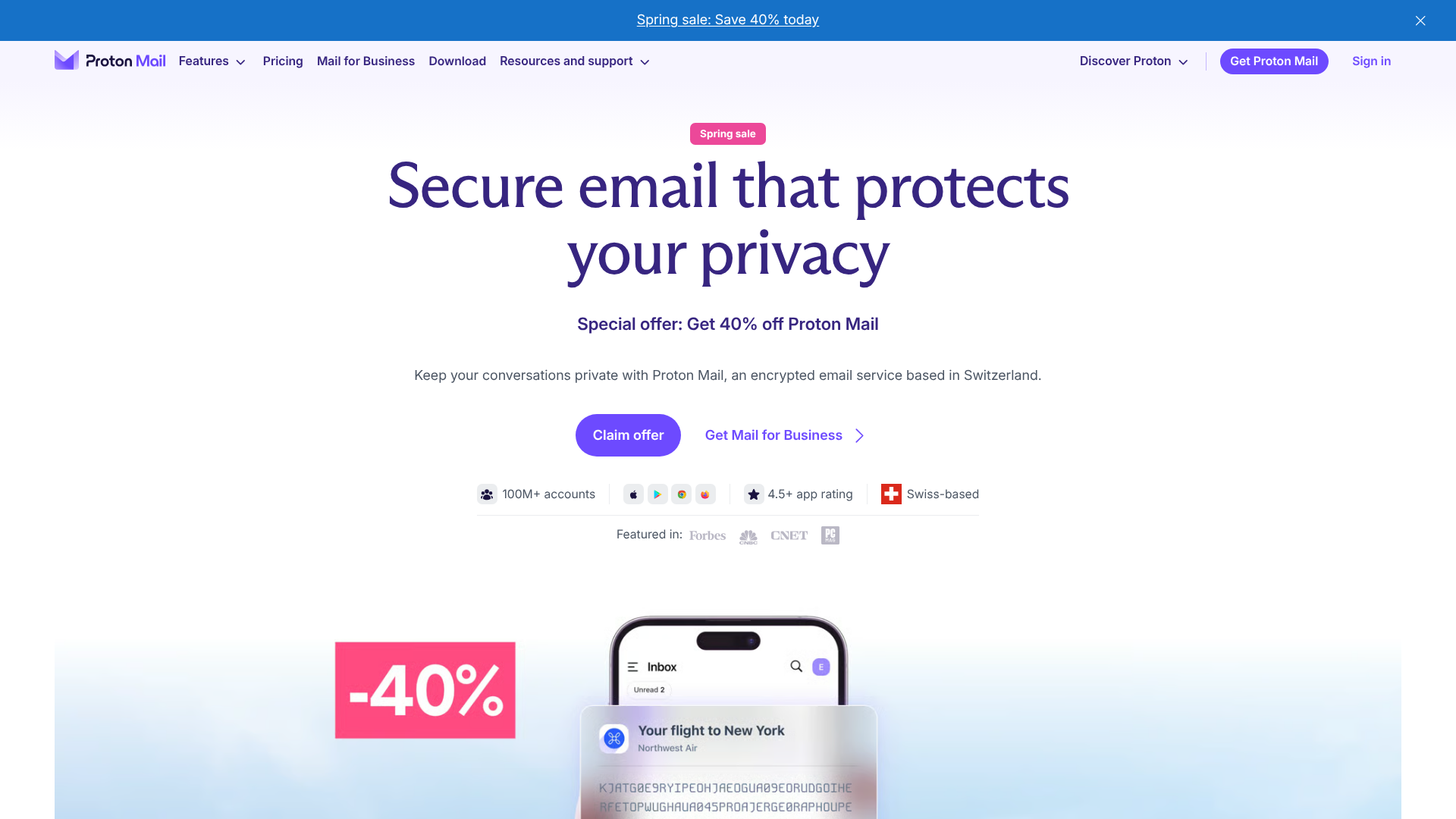
Proton Mail is the most secure email option on this list, and no competitor listicle we found includes it despite massive search interest. Swiss-based, end-to-end encrypted by default, and built on zero-access architecture, Proton Mail means even Proton's own team can't read your stored emails.
Encryption is automatic between Proton users. Self-destructing messages, custom domain support, and the broader Proton ecosystem (VPN, Drive, Calendar) make it a full privacy-first platform. The open-source codebase is auditable, and Swiss privacy laws provide additional legal protection.
Best for: journalists, activists, privacy advocates, and anyone who prioritizes security above all other email features.
Key strengths
- End-to-end encryption by default between Proton users
- Zero-access architecture, even Proton can't read stored mail
- Swiss jurisdiction with strong privacy law protection
- Open-source and independently auditable codebase
- Proton ecosystem includes VPN, Drive, and Calendar
Pricing: Free (500MB storage, 150 messages/day). Mail Plus at $3.99/month. Proton Unlimited at $9.99/month.
The trade-off: the free tier is restrictive. The web interface can feel slower than Gmail or Outlook. Mobile apps are functional but less polished than commercial alternatives. Third-party integrations are limited, and you'll need the paid Proton Bridge app to use IMAP/POP3 with desktop clients. If speed and integrations matter more than privacy, this isn't the right pick. But for security, nothing else on this list comes close.
Free vs. paid email software - is it worth paying?
What free email software gets you
The free options on this list are genuinely capable. Gmail gives you 15GB of storage, solid AI features, and the largest email ecosystem on the planet. Thunderbird delivers a full desktop email client with PGP encryption and calendar support for zero cost. Apple Mail is pre-installed and private. Notion Mail connects to your productivity workspace at no charge.
For personal use and basic professional needs, free email clients handle the job. You're not missing critical features if your email volume is moderate and you work solo.
When paid email software is worth the investment
Paid tools earn their cost in specific scenarios:
FactorFree email softwarePaid email softwareEmail volumeHandles moderate volume wellSpeed features save hours at high volumeTeam collaborationNo shared inboxes or assignmentsPurpose-built for team workflowsAI featuresBasic (Smart Compose, filters)Advanced triage, writing, and summarizationPrivacyVaries (Gmail scans, Apple blocks)End-to-end encryption, zero-access storageCustomizationLimited in most free clientsExtensive keyboard shortcuts, split inboxes, themes
A practical rule of thumb: if you spend more than 2 hours per day in email, a $10–30/month investment in a better email client can save you 5+ hours per week. At professional billing rates, that's a return most people don't think twice about.
How to choose the right email software for your needs
Match the tool to your scenario
Instead of comparing feature lists, start with your situation:
- "I just want something free and reliable" → Gmail or Thunderbird
- "I need team collaboration in email" → Missive or Gmelius
- "I want maximum speed and keyboard control" → Superhuman
- "Privacy is my top priority" → Proton Mail or Canary Mail
- "I live in the Apple ecosystem" → Apple Mail
- "I want AI to manage my inbox for me" → Spark or Notion Mail
- "I need a desktop powerhouse without subscriptions" → eM Client or Thunderbird
Key factors to weigh
Your email provider matters. Some clients only work with Gmail. Others support any IMAP account. Check compatibility before you fall in love with a feature set.
Platform coverage is the next filter. If you switch between Windows and Mac, or need Linux support, your options narrow quickly. Budget and solo vs. team use round out the decision. A recommended email client for a solo freelancer looks different from one for a 20-person support team.
Wrapping up
There's no single best email software. The right choice depends on whether you prioritize speed, privacy, collaboration, cost, or platform compatibility. Gmail and Thunderbird cover most people for free. Superhuman and Missive justify their price for specific workflows. Proton Mail stands alone on security.
If you're evaluating software for your team more broadly, you might also want to explore how interactive demos can help you test and compare tools before committing. Try the free tiers before committing to any paid plan. Email software continues to evolve with AI and privacy features in 2026, and the tools that are good today tend to get better fast.
Frequently asked questions about email software
What is the best free email software in 2026?
Gmail is the best free email software for most users due to its feature set, reliability, and ecosystem reach. Thunderbird is the top free option for privacy-conscious users and desktop power users who want open-source software. Apple Mail works well for users fully within the Apple ecosystem who want zero-cost simplicity.
What is the difference between email software and an email client?
These terms are often used interchangeably. "Email software" is the broader term covering any application used to send, receive, and manage email. "Email client" specifically refers to applications that connect to an email server via IMAP, POP3, or Exchange. Webmail like Gmail in a browser isn't technically a "client" in the traditional sense, but most people call it one.
Is Outlook better than Gmail?
It depends on your ecosystem. Outlook is the better choice for Microsoft 365 users, enterprise environments, and anyone who needs deep calendar integration with Teams and Exchange. Gmail is stronger for Google Workspace users, simplicity, and free usage. Neither is objectively better - they're optimized for different workflows.
What is the most secure email software?
Proton Mail is the most secure option due to end-to-end encryption by default, Swiss jurisdiction, and zero-access architecture where even Proton can't read your stored mail. Canary Mail and Thunderbird (with PGP add-ons) are strong alternatives. Mainstream clients like Gmail and Outlook encrypt in transit but are not end-to-end encrypted.
Can I use email software with multiple email accounts?
Yes. Most modern email clients support unified inboxes that combine multiple accounts (Gmail, Outlook, Yahoo, IMAP) into one view. Thunderbird, eM Client, Spark, and Missive are particularly strong for multi-account management. Note that some tools like Hey require using their own @hey.com email address and don't support external accounts.
What email software has the best AI features?
Superhuman leads with AI triage and instant reply suggestions that save measurable time at high volume. Spark offers AI email writing and smart inbox categorization. Notion Mail uses AI-powered custom views. Canary Mail includes CopilotAI for composition. Gmail's Smart Compose and Smart Reply were pioneers but are now considered baseline rather than differentiating. If you're interested in how AI is transforming sales workflows beyond email, check out the best AI sales tools for a broader look.
Is it worth paying for email software?
For casual personal use, free options like Gmail, Thunderbird, and Apple Mail are excellent. For professionals handling high email volume, teams needing shared inboxes, or anyone who values speed and privacy, paid tools like Superhuman ($30/month), Missive ($14/user/month), or Proton Mail ($3.99/month) can deliver significant ROI. If you're spending more than 2 hours a day in email, the math tends to favor a paid client.
Looking to streamline how you evaluate and present software tools to your team? Guideflow's interactive product tours let you create clickable walkthroughs of any application, so stakeholders can experience a tool before committing. Pair that with a demo center to organize all your software evaluations in one place.
Here are the related Guideflow resources that complement this email software guide:
- If your team uses email for marketing campaigns, explore the best email marketing software tools for dedicated sending platforms
- For tracking email opens and engagement, see the best email tracking software tools
- Teams evaluating email alongside CRM integration should check the best CRM software roundup
- If you're improving email deliverability alongside choosing a client, review the email deliverability tools guide
- For professional email signatures across your team, see the best email signature software
- Sales teams using email as their primary outreach channel will benefit from the best sales engagement tools and best outreach software comparisons
- To boost email campaign click-through rates, learn how to energize your email campaigns with interactive demos