

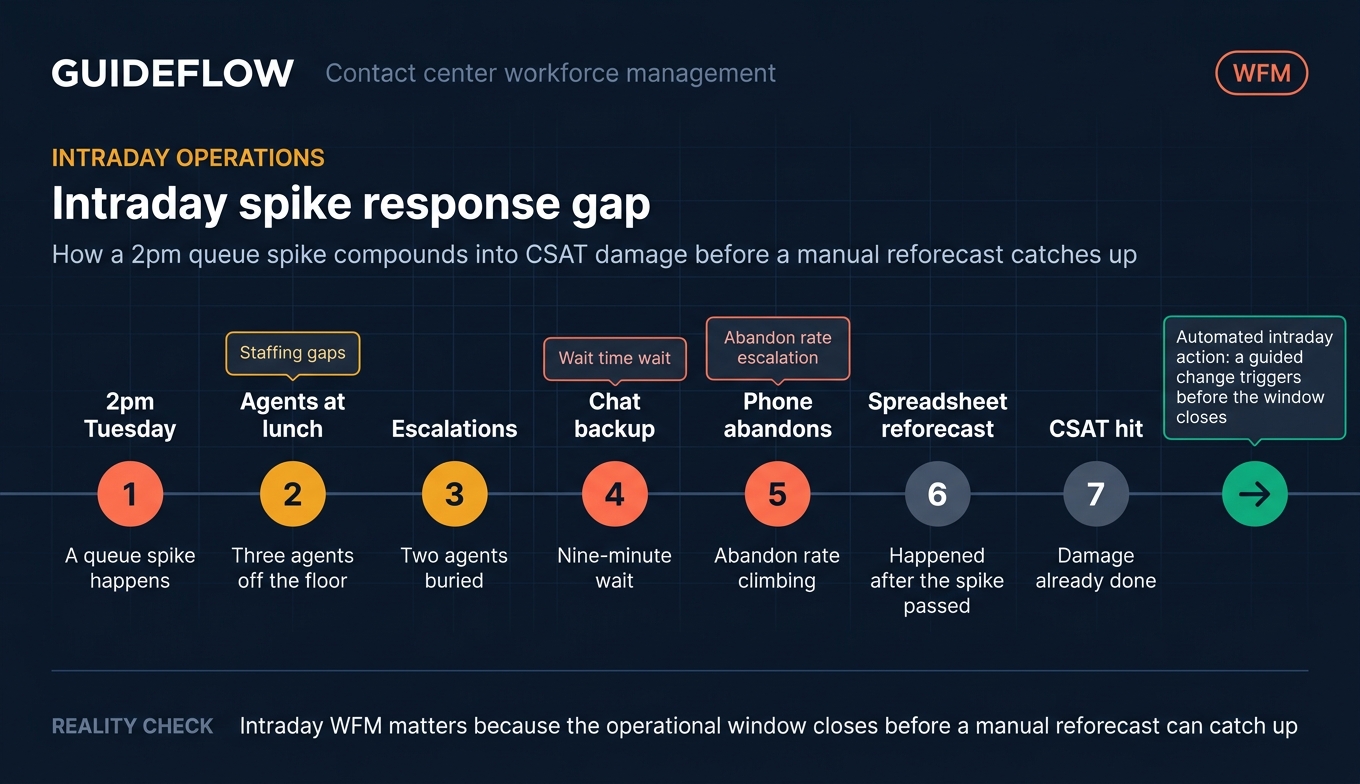
Your queue spiked at 2pm on a Tuesday. Three agents were on lunch. Two were buried in escalations. Chat backed up to a nine-minute wait while your phone abandon rate climbed. By the time you reforecasted in a spreadsheet, the spike had passed and your CSAT had already taken the hit.
This is the daily reality for support and contact center leaders running on manual staffing. Spreadsheets and Erlang calculators were built for single-channel phone queues. They cannot keep pace with omnichannel volume across phone, chat, email, and social, especially when your user base grows faster than your headcount. Adherence slips. Agents get over-staffed one hour and under-staffed the next. Burnout climbs.
Contact center workforce management software exists to close that gap. It forecasts demand, builds schedules that match it, and lets you reallocate in real time when reality diverges from the plan. The category has matured fast, with AI forecasting and self-healing intraday now table stakes rather than premium add-ons. Many of these tools also pair well with a strong knowledge base to deflect repetitive contacts before they reach the queue.
The hard part is choosing. Enterprise WFM suites carry deep capability but heavy implementation. Newer support-team tools publish per-seat pricing and ship in days. The right fit depends on your channel mix, team size, and how much of your staffing you want automated. This guide ranks ten options through a support-team lens, with verified pricing and G2 ratings so you can shortlist fast.
What's inside
This guide is for support and contact center leaders evaluating call center workforce management software: heads of support, support operations managers, WFM analysts, and contact center directors moving off manual staffing.
We ranked each tool on four criteria that decide real-world fit:
- Forecasting and scheduling depth: algorithm variety, multichannel support, automation
- AI and automation: auto-scheduling, reforecasting, real-time intraday actions
- Agent self-service and engagement: shift bidding, swapping, mobile access
- Integrations and pricing transparency: ACD, CRM, HR systems, and whether pricing is public
Every pricing figure and G2 rating below was verified against live sources. Tools are ordered by relevance to support and contact center buyers.
TL;DR
Short on time? Here are the decision shortcuts:
- Best for enterprise depth: NICE CXone, for omnichannel routing plus full workforce engagement at scale.
- Best unified WEM suite: Calabrio ONE, for forecasting, scheduling, quality, and analytics in one platform.
- Best for modern SaaS support teams: Assembled, for AI scheduling, ML forecasting, and clear per-agent pricing.
- Best for omnichannel cloud contact centers: Genesys Cloud CX, for AI-driven WFM inside a full CCaaS platform.
- Best for Zendesk-native teams: Zendesk WFM, for native agent tracking and forecasting.
- Best for smaller, fast-growing teams: Surfboard, for lightweight scheduling starting at $10 per seat.
What is contact center workforce management software?
Contact center workforce management software is a tool that forecasts customer contact volume, schedules agents to meet that demand, and manages adherence and intraday changes across phone, chat, email, and social channels.
That definition matters because it separates WFM from the spreadsheets and Erlang calculators many teams still rely on. An Erlang calculator answers one narrow question: how many phone agents do I need for this call volume at this service level? It cannot forecast across channels, build a full schedule, track real-time adherence, or reforecast when actuals drift from the plan. WFM software does all of that as a connected workflow.
The core workflow of any wfm software call center setup breaks into five stages:
- Forecasting: predict contact volume and handle time by channel, interval, and day, using historical data and AI models.
- Scheduling: turn forecasts into shifts that match demand, factoring in skills, breaks, time off, and agent preferences.
- Intraday management: monitor live volume against forecast and reallocate staff when reality diverges.
- Adherence tracking: measure whether agents are working their scheduled activities in real time.
- Reporting and analytics: surface service level, occupancy, shrinkage, and forecast accuracy to improve the next cycle.
There is a second lever worth naming here. WFM optimizes who staffs the queue. Deflection optimizes how many contacts reach the queue at all. Many support teams pair WFM with interactive guides embedded in help articles and ticket replies, lifting self-serve resolution on repetitive "how do I" questions so agents handle fewer low-value tickets. Building these self-service experiences is one of the most effective ways to shrink your queue. The two work together: staff the queue smarter, and shrink it at the same time.
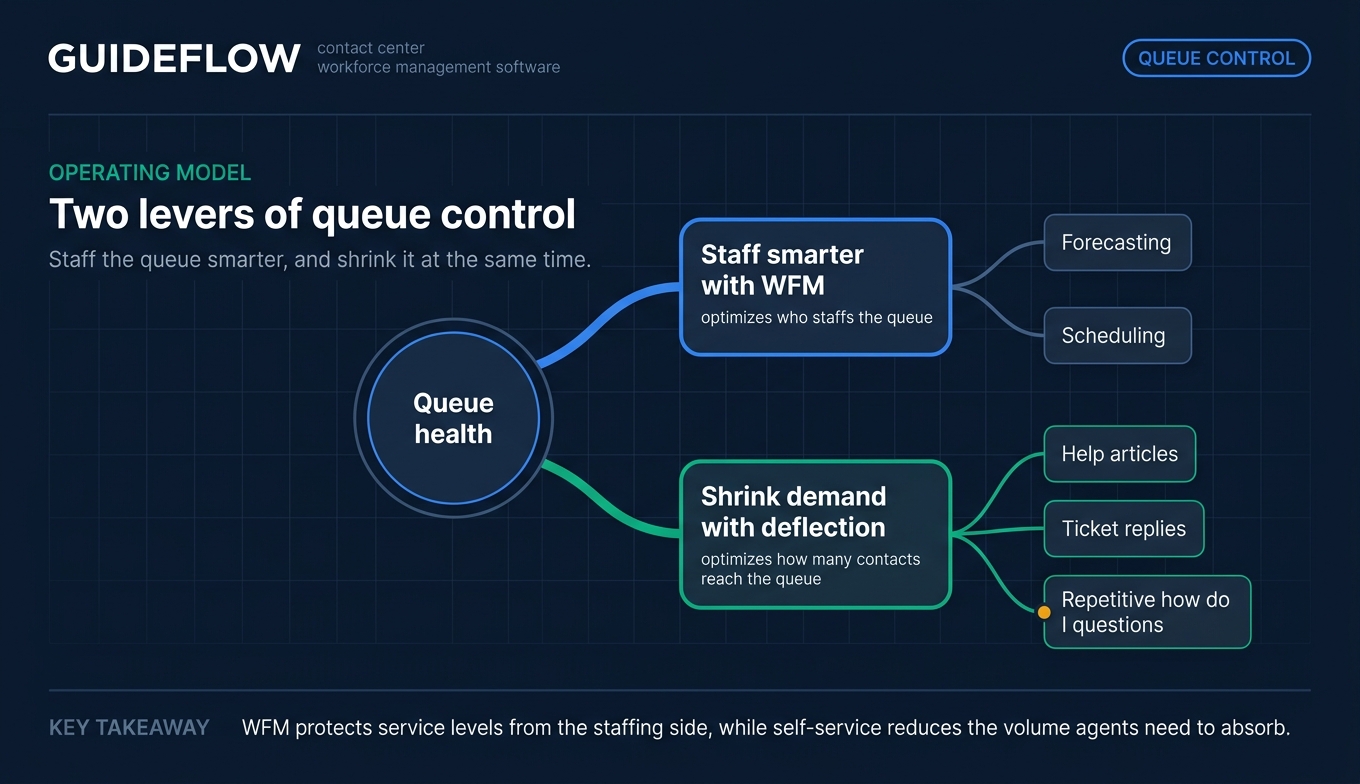
That combination is where contact center workforce management earns its keep. It moves you from reacting to volume to planning for it, which protects both your service levels and your agents.
When to use contact center workforce management software
Not every team needs WFM on day one. These three situations are the clearest signals that workforce management software for call centers will pay off.
Forecast omnichannel volume across phone, chat, and email
When your support spans more than one channel, manual forecasting breaks down. Phone, chat, and email each have different arrival patterns and handle times. WFM software models each channel separately, then builds a unified staffing plan. If you run 24/7 or cover multiple time zones, this is where the math gets impossible by hand and essential by software.
Manage intraday in real time
Forecasts are never perfect. A product outage, a viral mention, or a billing run can spike volume in minutes. WFM tools compare live actuals against forecast and flag the gap, so you can reforecast and reallocate before service levels collapse. Some platforms now recommend or trigger intraday changes automatically, turning a reactive scramble into a guided action.
Reduce agent burnout and improve retention
Unpredictable schedules drive attrition. When agents cannot see their shifts in advance or swap when life happens, they leave. WFM software with shift bidding, self-service swapping, and mobile access gives agents control over their time. Balanced staffing also means fewer agents pulling firefighting shifts while others sit idle. Predictable schedules are a retention lever, not just an operations one.
Comparison table
Here is the full shortlist of wfm tools at a glance. Pricing and G2 ratings were verified against live vendor and G2 sources. Use this to narrow to two or three before reading the detailed sections below.
| # | Product | Intent | Key use case | Pricing | G2 rating |
|---|---|---|---|---|---|
| 1 | NICE CXone | Enterprise WFM | Omnichannel engagement plus workforce optimization at scale | From $110/agent/mo | 4.3/5 |
| 2 | Calabrio ONE | Unified WEM | Forecasting, scheduling, quality, and analytics in one suite | Quote-based | 4.5/5 |
| 3 | Verint | Enterprise WEM | Consolidating QA and WFM with AI automation | Contact for pricing | 4.4/5 |
| 4 | Assembled | Support-team WFM | AI scheduling and ML forecasting for SaaS support | From $25/agent/mo | 4.6/5 |
| 5 | Genesys Cloud CX | Omnichannel CCaaS | AI-driven WFM inside a full cloud contact center | From $75/user/mo | 4.4/5 |
| 6 | Zendesk WFM | Zendesk-native WFM | Agent tracking and forecasting for Zendesk teams | From $19/agent/mo | 4.3/5 |
| 7 | Aspect | Enterprise WFM | Forecasting, scheduling, and adherence for large centers | Quote-based | 4.2/5 |
| 8 | Playvox | Digital-first WFM | AI forecasting across digital and back-office work | From $110/agent/mo | 4.8/5 |
| 9 | Dialpad | AI-native comms | AI-forward calling, messaging, and contact center | From $15/user/mo | 4.4/5 |
| 10 | Surfboard | Lightweight WFM | Simple scheduling for fast-growing support teams | From $10/seat/mo | 4.8/5 |
1. NICE CXone
NICE CXone is an enterprise customer experience AI platform for contact centers and customer service automation. Its workforce engagement layer covers quality management, workforce management, performance management, interaction analytics, and Copilot capabilities, all sitting on top of omnichannel voice and digital routing. For large operations that want forecasting, scheduling, and quality in one governed platform, NICE is the depth benchmark other vendors get measured against.
Best for: Enterprise and mid-market teams running cloud contact centers that need omnichannel engagement, workforce optimization, and CX AI automation in one platform.
Key strengths
- Full workforce engagement suite: Quality management, WFM, performance management, and analytics live together, reducing tool sprawl.
- Omnichannel routing: Voice and digital channels route through one engine, so forecasting and scheduling reflect real cross-channel demand.
- Copilot AI capabilities: AI assists agents and supervisors, surfacing actions inside the same platform that handles staffing.
Why choose NICE: Choose NICE when you run a large or complex contact center and want a single vendor for routing, forecasting, scheduling, and quality. The breadth is the point. Smaller teams may not need every module, but enterprises consolidating multiple tools onto one platform get the most value here.
NICE pricing: NICE lists usage-based, tiered packages billed monthly. The Omnichannel Suite starts at $110 per agent per month, the Essential Suite at $135, the Core Suite at $169, the Complete Suite at $209, and the Ultimate Suite at $249 per agent per month (or $0.25 per session). NICE holds a 4.3/5 rating on G2.
2. Calabrio ONE
Calabrio ONE is a cloud-based workforce optimization and engagement platform for contact centers. It combines intelligent forecasting and automated scheduling with quality management, interaction recording, conversation intelligence, and performance management. For teams that want WFM and quality in one integrated suite rather than stitched-together point tools, Calabrio is built around exactly that unified model.
Best for: Contact centers that need an integrated WFM and WFO suite for forecasting, scheduling, quality management, analytics, and agent engagement.
Key strengths
- Intelligent forecasting and automated scheduling: WFM core predicts demand and builds schedules with less manual effort.
- Quality and analytics together: Interaction recording, quality management, and conversation intelligence share the same platform as scheduling.
- AI-powered automation: Agent engagement and performance management features layer AI across the workforce optimization workflow.
Why choose Calabrio: Choose Calabrio ONE when you want forecasting and scheduling to sit alongside quality and analytics in one place. The unified WEM approach means your staffing data and your quality data inform each other, which is harder to achieve with separate tools. It fits mid-to-enterprise centers comfortably.
Calabrio pricing: Calabrio does not publish list pricing. The vendor directs buyers to a get-a-quote page and asks teams to contact sales for plan details. Calabrio ONE holds a strong 4.5/5 rating on G2, one of the higher scores among enterprise WFO suites.
3. Verint
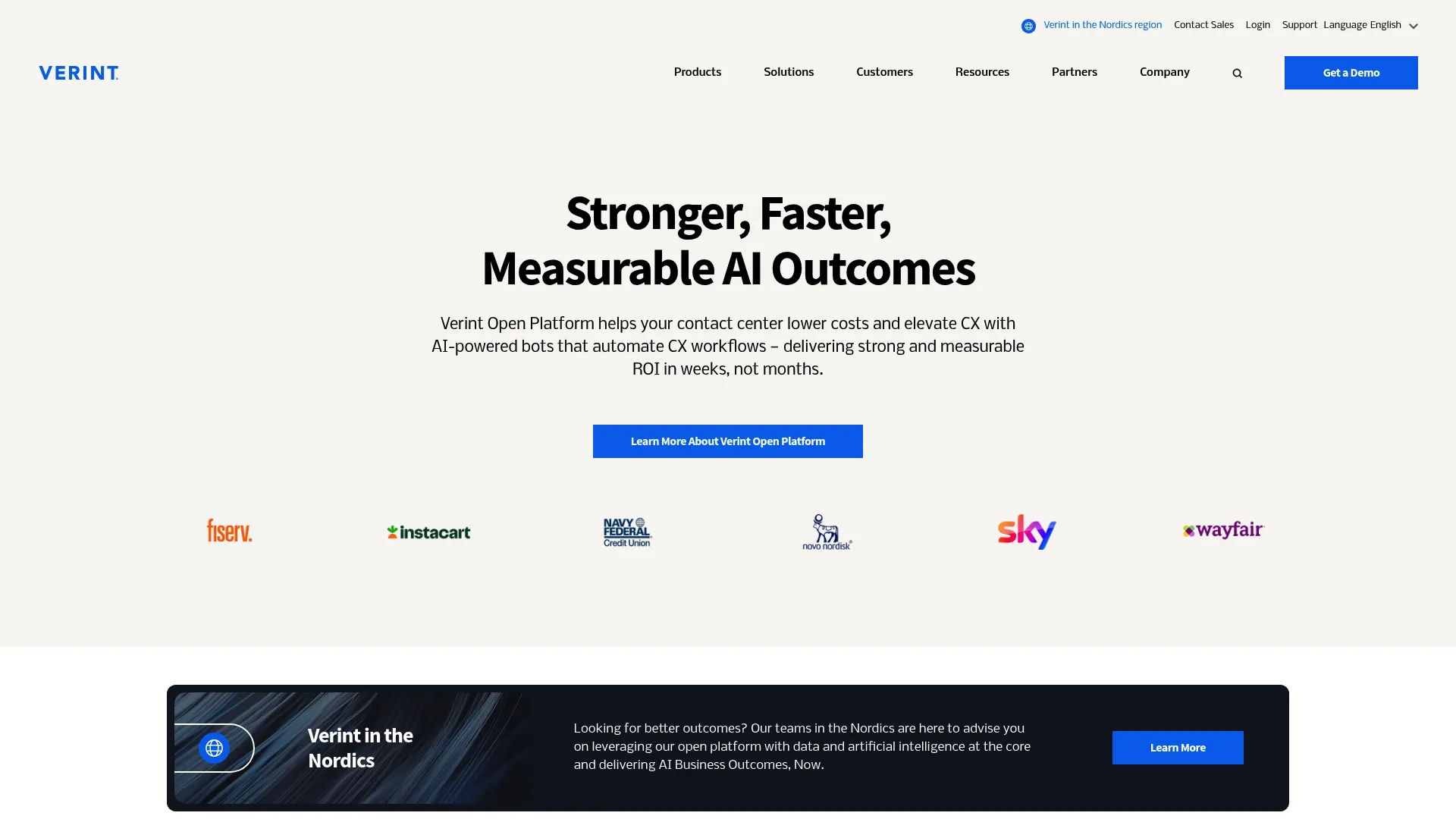
Verint provides an AI-powered CX automation platform for contact centers, using bots and data-driven workflows to lower costs and improve customer experience. Its strength is consolidation: workforce engagement, quality automation, and AI bots run on shared engagement data. For enterprises looking to bring QA and WFM under one roof with heavy automation, Verint is built for that consolidation play.
Best for: Enterprise contact centers and customer-service organizations seeking AI-powered CX automation, quality automation, and workforce engagement in one platform.
Key strengths
- AI-powered bots: Automate CX workflows so repetitive interactions and tasks need fewer human touches.
- Open Engagement Data Hub: Centralizes data to train AI across the platform, so forecasting and quality draw from the same source.
- Quality automation: Can automatically evaluate up to 100% of interactions, replacing manual sampling.
Why choose Verint: Choose Verint when QA and WFM consolidation is your priority and you want AI automation woven through both. The platform suits enterprises with the scale to use its full breadth. Smaller teams may find the depth more than they need, but large operations consolidating vendors get real leverage.
Verint pricing: Verint does not list public numeric pricing. Its commercial pricing page displays "Contact us for pricing," with licensing structured around community and engagement editions across cloud and on-premises deployments. Verint holds a 4.4/5 rating on G2.
4. Assembled
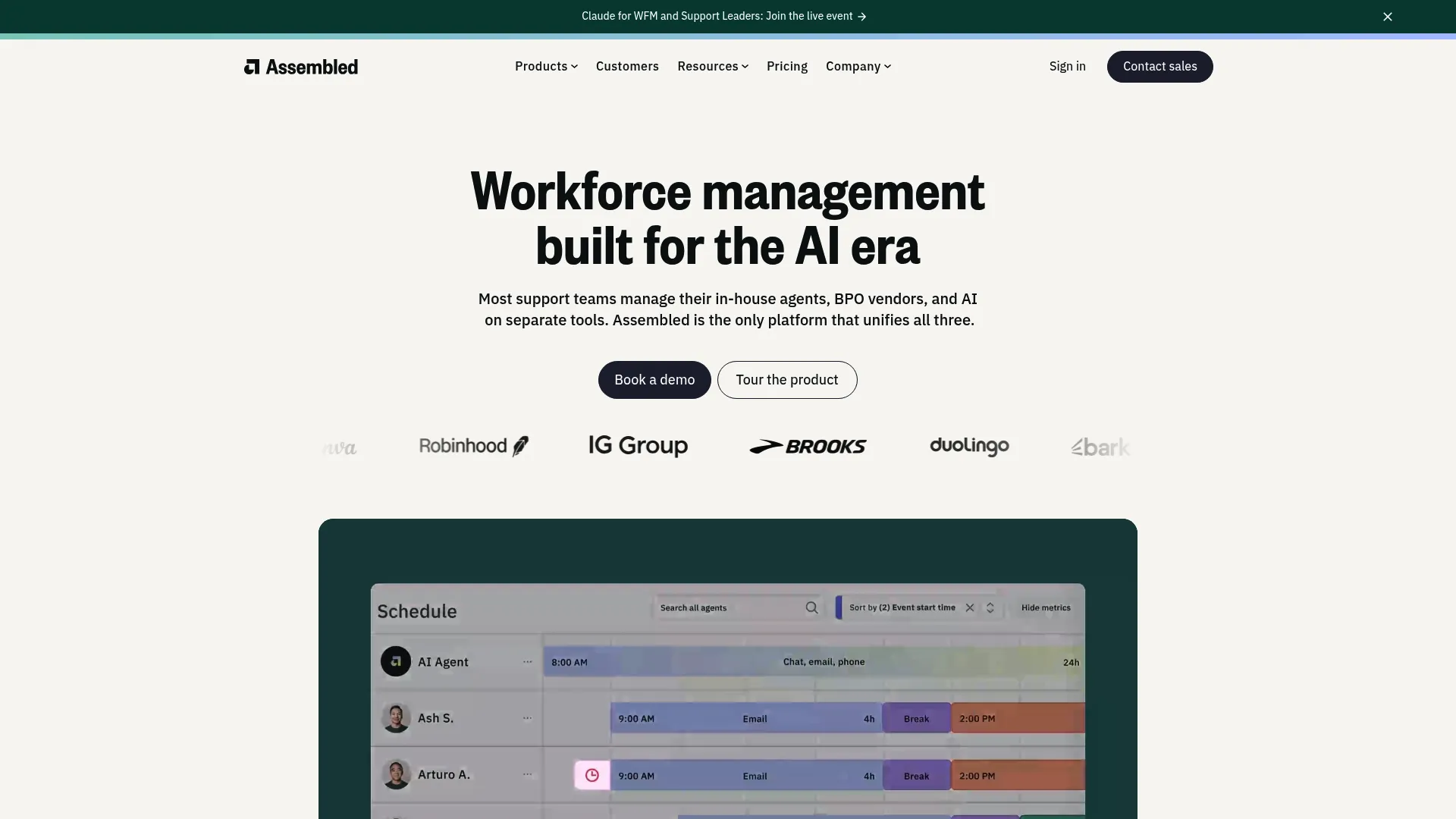
Assembled is a workforce management and AI support platform built for managing human agents, AI agents, scheduling, forecasting, and support operations together. It was designed for modern SaaS support teams, which shows in its usability and its published per-agent pricing. If you run digital-first support and want WFM that feels built for your stack rather than retrofitted from a phone-era suite, Assembled is the strongest support-team fit on this list.
Best for: Support teams that need workforce management, forecasting, and scheduling across both human and AI agents.
Key strengths
- AI-powered scheduling and ML forecasting: Predicts volume and builds schedules automatically across phone, chat, and email.
- Real-time adherence monitoring: Tracks live adherence and pairs it with historical insights to tighten the next forecast.
- AI agents alongside human agents: Manages automated agents and human staff in one plan, fitting teams adopting AI support.
Why choose Assembled: Choose Assembled when you want WFM purpose-built for SaaS support, with pricing you can see before a sales call. The support-team usability and transparent per-agent tiers make it easy to start and scale. It fits teams that find enterprise suites heavier than their operation needs.
Assembled pricing: Assembled publishes Workforce Management in three tiers: Core at $25 per agent per month, Pro at $45, and Enterprise at $75, each plus a platform fee. AI Copilot is $35 per agent per month, and AI Agents are $0.65 per conversation. Vendor Management is an optional add-on. Assembled holds a 4.6/5 rating on G2.
5. Genesys Cloud CX
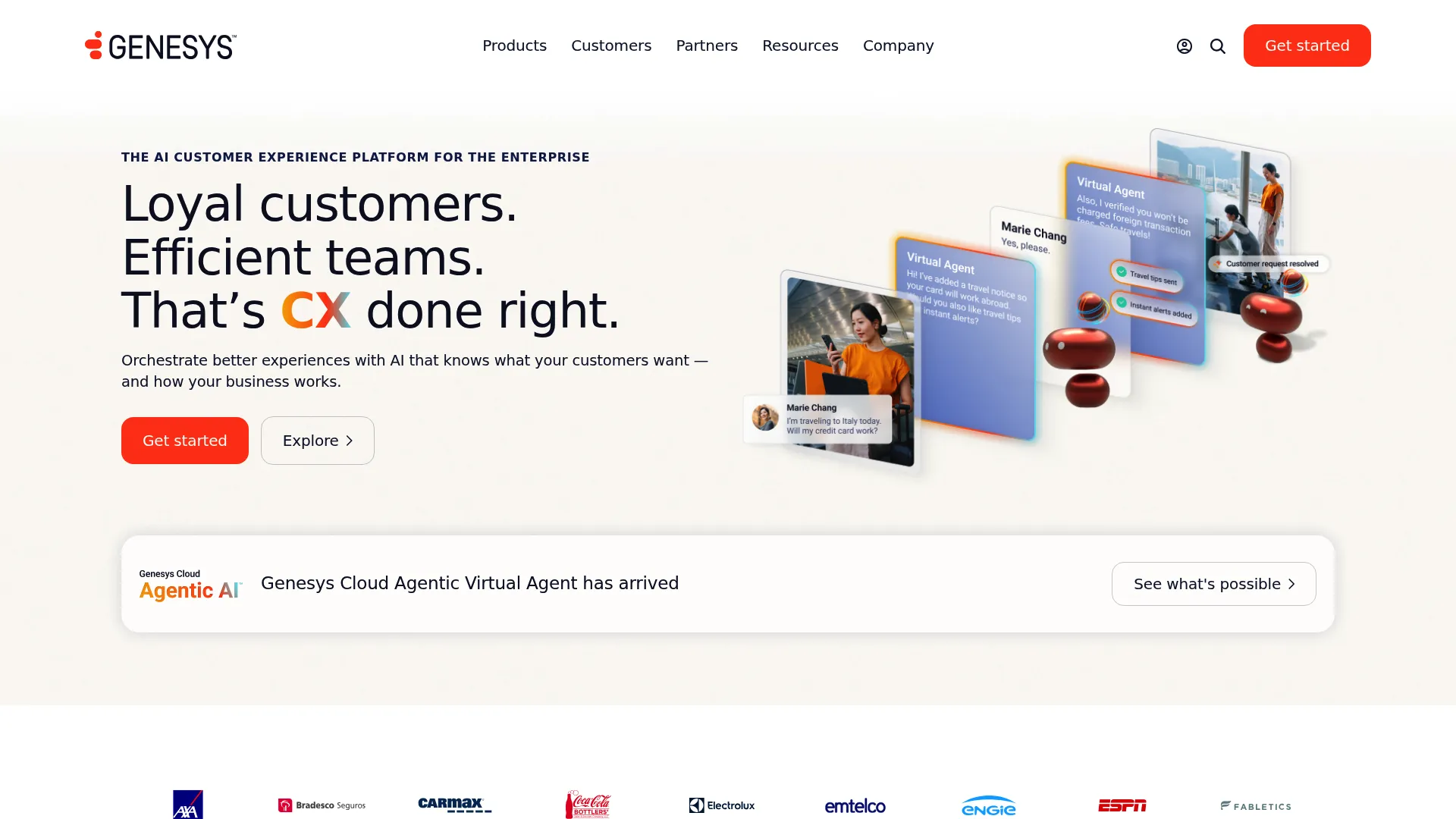
Genesys Cloud CX is an AI-powered customer experience platform for orchestrating customer and employee experiences across contact center channels. Its WFM capabilities live inside a full CCaaS platform, so forecasting and scheduling draw directly from the routing engine handling your contacts. For teams that want WFM and their contact center on the same cloud platform, Genesys delivers both without integration overhead.
Best for: Enterprise and mid-market contact centers needing AI-powered omnichannel customer experience orchestration.
Key strengths
- WFM inside a full CCaaS platform: Forecasting and scheduling use the same data as routing, so plans reflect real omnichannel demand.
- AI capabilities throughout: Agent Copilot, predictive routing, and speech and text analytics support staffing and quality decisions.
- Omnichannel digital and voice: One platform handles voice and digital channels, simplifying cross-channel demand planning.
Why choose Genesys: Choose Genesys Cloud CX when you want your contact center platform and your WFM to be the same system. The tight coupling between routing and forecasting is the advantage. It suits omnichannel cloud operations that prefer one platform over best-of-breed point tools.
Genesys pricing: Genesys publishes named-license tiers billed annually. Genesys Cloud CX 1 starts at $75 per user per month, CX 2 at $115, CX 3 at $155, and CX 4 at $240 per user per month. Higher tiers add more AI and omnichannel capability. Usage-based pricing may apply. Genesys holds a 4.4/5 rating on G2.
6. Zendesk WFM
Zendesk is an AI-powered service platform for resolving customer and employee requests across email, messaging, live chat, phone, social, and help center. Its workforce management capability, built from the Tymeshift acquisition, runs natively inside Zendesk with agent tracking and forecasting. For teams already living in Zendesk, native WFM removes the integration friction of bolting on an external tool. You can also explore an interactive Zendesk demo to see how the platform handles ticket-driven workflows.
Best for: Customer service teams already running Zendesk that want native WFM, agent tracking, and forecasting in one place.
Key strengths
- Native Zendesk WFM: Scheduling and forecasting live inside the same platform agents already use for tickets.
- Omnichannel ticketing and routing: Email, messaging, live chat, and telephony feed one system, so forecasts reflect every channel.
- AI agents and automation: Knowledge base, AI agents, and automations reduce repetitive ticket load alongside the WFM layer.
Why choose Zendesk: Choose Zendesk WFM when Zendesk is already your support backbone. Native WFM means no integration project and a single source of truth for ticket data and staffing. Teams on other help desks will get less from it, but Zendesk-native shops gain real simplicity.
Zendesk pricing: Zendesk prices its service plans per agent, billed yearly. The Support Team plan starts at $19 per agent per month, Suite Team at $55, and Suite Professional at $115. Suite Enterprise with Copilot is quote-based. A 14-day free trial is available; there is no ongoing free tier. Zendesk holds a 4.3/5 rating on G2.
7. Aspect
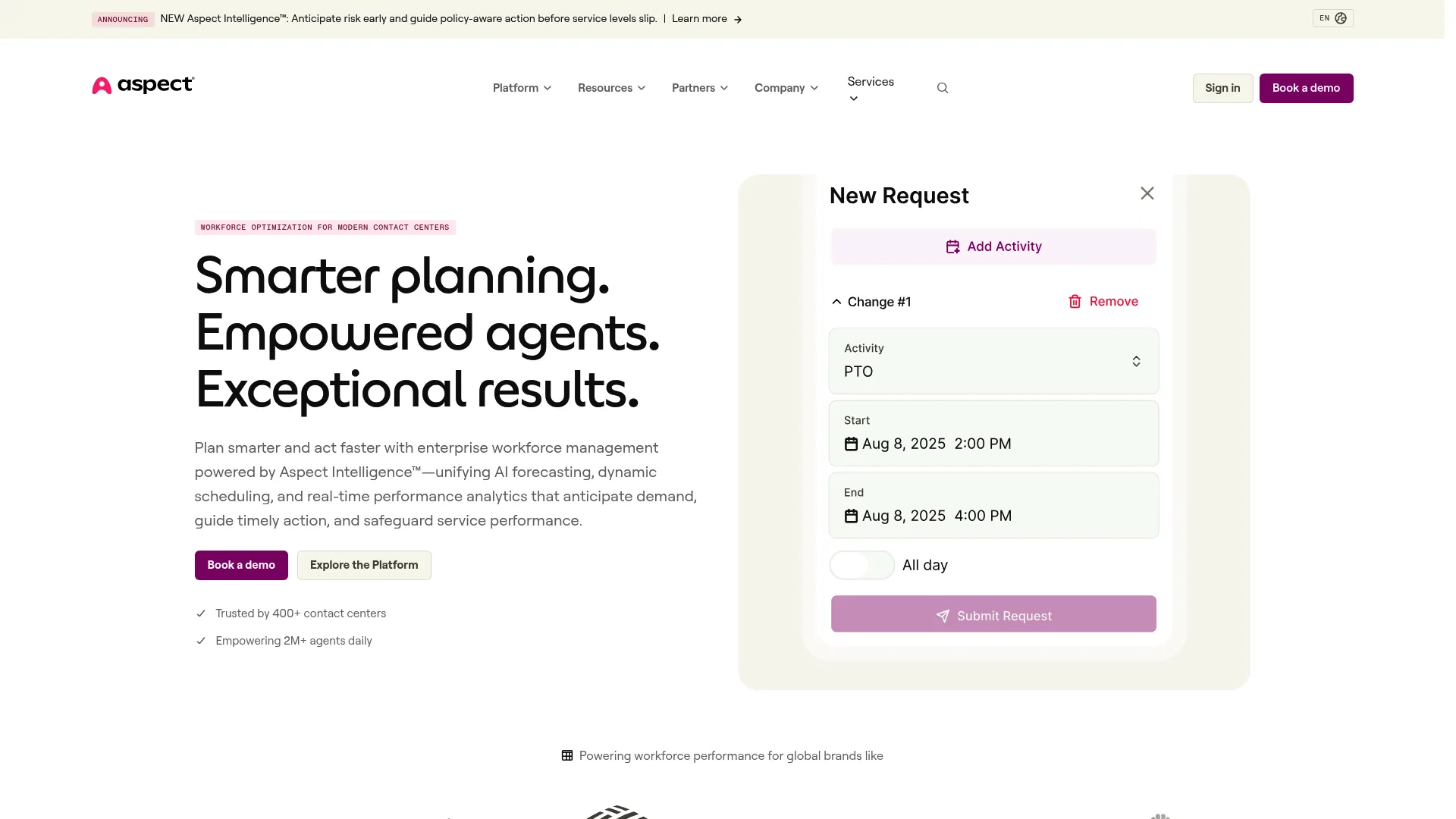
Aspect provides enterprise workforce management and engagement software for contact centers. It pairs AI forecasting and demand planning with flexible shift scheduling, bidding, trading, and preference-based rostering, plus real-time adherence and performance analytics. For centers that want deep scheduling flexibility and agent-friendly shift options, Aspect has long been a dedicated WFM specialist rather than a bundled suite.
Best for: Enterprise and mid-market contact centers that need forecasting, scheduling, real-time adherence, and agent engagement tools.
Key strengths
- AI forecasting and demand planning: Predicts volume to drive accurate staffing across channels.
- Flexible shift scheduling: Shift bidding, trading, and preference-based rostering give agents more control over their time.
- Real-time adherence and analytics: Tracks live adherence and productivity, feeding performance analytics back into planning.
Why choose Aspect: Choose Aspect when scheduling flexibility and agent shift control matter most. The bidding and trading features support retention by giving agents say over their schedules. As a focused WFM specialist, it suits mid-market and enterprise centers that want depth in staffing specifically.
Aspect pricing: Aspect does not publish numeric pricing on its own site. It describes tailored, tiered, per-seat pricing with scalable savings and asks teams to request a custom quote. Aspect holds a 4.2/5 rating on G2.
8. Playvox
Playvox, now part of NICE, provides AI-powered workforce management for CRM, digital, and back-office customer operations. It forecasts and schedules multi-step, multi-skill work across voice, chat, email, social, and digital tasks, with back-office visibility and task management built in. For digital-first and BPO-style support orgs whose work does not fit a phone-only model, Playvox handles that complexity well.
Best for: CRM-based contact center and back-office teams needing AI-assisted workforce forecasting, scheduling, and operational visibility.
Key strengths
- AI forecasting for complex work: Handles multi-step, multi-skill staffing that simple phone-era models miss.
- Omnichannel and back-office staffing: Plans across voice, chat, email, social, and digital tasks in one view.
- Back-office visibility: Task management and workforce planning extend WFM beyond the front-line queue.
Why choose Playvox: Choose Playvox when your work is digital-first or spans back-office tasks alongside live channels. Its forecasting handles the messy, multi-skill reality of modern support better than tools built around call volume alone. It suits BPOs and digital support organizations.
Playvox pricing: Playvox pricing pages now redirect to NICE CXone Mpower packages, reflecting the acquisition. Those suites start at $110 per agent per month for the Omnichannel Suite and scale up through Essential, Core, Complete, and Ultimate tiers, with Workforce Management included in the workforce engagement matrix. Playvox holds a 4.8/5 rating on G2, among the highest on this list.
9. Dialpad
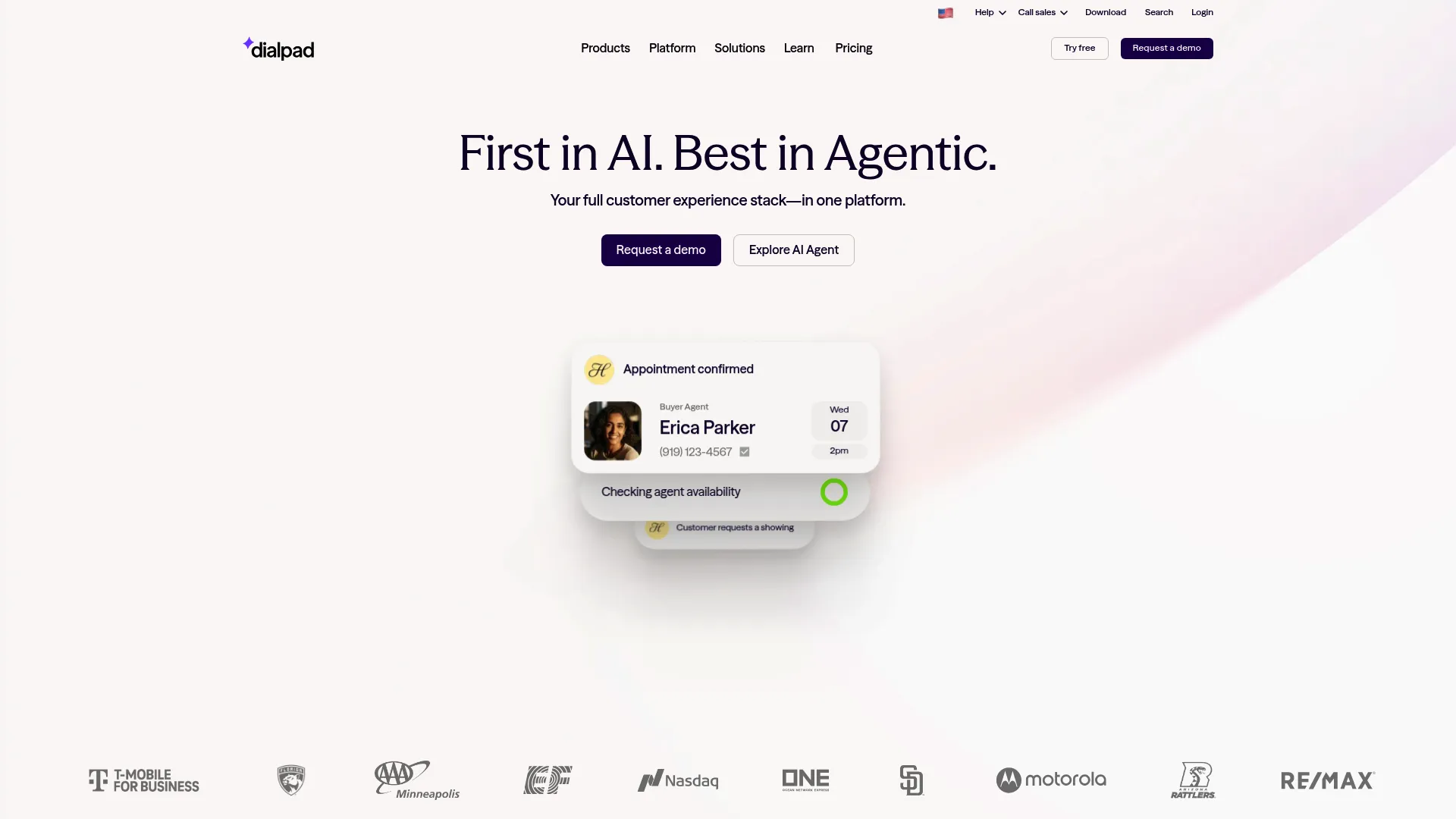
Dialpad is an AI-powered customer communications platform for business calling, messaging, meetings, contact center, sales, and support workflows. It is AI-native at the core, with real-time transcription, call summaries, and recaps built in, plus contact center capabilities that suit AI-forward smaller teams. For teams that want communications and AI-assisted workflows in one place rather than a dedicated heavyweight WFM suite, Dialpad is a strong starting point. Teams evaluating dialing capabilities may also want to review the best auto-dialer software options.
Best for: Teams that want AI-assisted business communications across calling, messaging, meetings, and customer-facing workflows.
Key strengths
- AI-native communications: Real-time call transcription, voicemail transcription, summaries, and action items come standard.
- Unified voice, messaging, and video: One workspace handles calling, messaging, and meetings for support and sales.
- Broad integrations: Connects with Salesforce, Zendesk, Microsoft Teams, Google Workspace, HubSpot, and more.
Why choose Dialpad: Choose Dialpad when you want an AI-forward communications platform and your team is smaller or earlier in its WFM journey. The transparent low entry price and built-in AI make it accessible. Teams needing deep, dedicated WFM forecasting may pair it with a specialist, but AI-forward smaller teams get fast value.
Dialpad pricing: Dialpad Connect publishes Standard at $15 per user per month and Pro at $25 per user per month, with Enterprise quote-based. A 14-day free trial is available; there is no ongoing free tier. Dialpad holds a 4.4/5 rating on G2.
10. Surfboard
Surfboard is workforce management and shift scheduling software built specifically for customer support teams. It keeps things lightweight: forecasting for staffing across support channels, automated shift planning, and Slack notifications for shift reminders. For fast-growing SaaS support teams that want real WFM without the weight of an enterprise suite, Surfboard is the simplest entry point on this list, with pricing to match.
Best for: Customer support teams that need forecasting, shift planning, intraday scheduling, and workforce-management automation without enterprise complexity.
Key strengths
- Channel-based forecasting: Predicts staffing needs across support channels to match demand.
- Automated shift planning: Builds and manages schedules with less manual effort than spreadsheets.
- Slack-native notifications: Shift reminders and updates reach agents where they already work.
Why choose Surfboard: Choose Surfboard when you want simple, modern WFM that ships fast and stays affordable as you grow. The Starters and Scalers tiers cover the essentials most support teams need, and the low per-seat price makes it easy to justify. It fits fast-growing teams over large enterprises.
Surfboard pricing: Surfboard publishes Starters at $10 per seat per month and Scalers at $15 per seat per month, both billed annually. Starters covers shift planning, reporting, and time-off integration, while Scalers adds intraday scheduling, Slack notifications, and staffing coverage calculations. A Professional tier with ticketing and telephony integrations is quote-based. Surfboard holds a 4.8/5 rating on G2.
Considerations: how to choose contact center WFM software
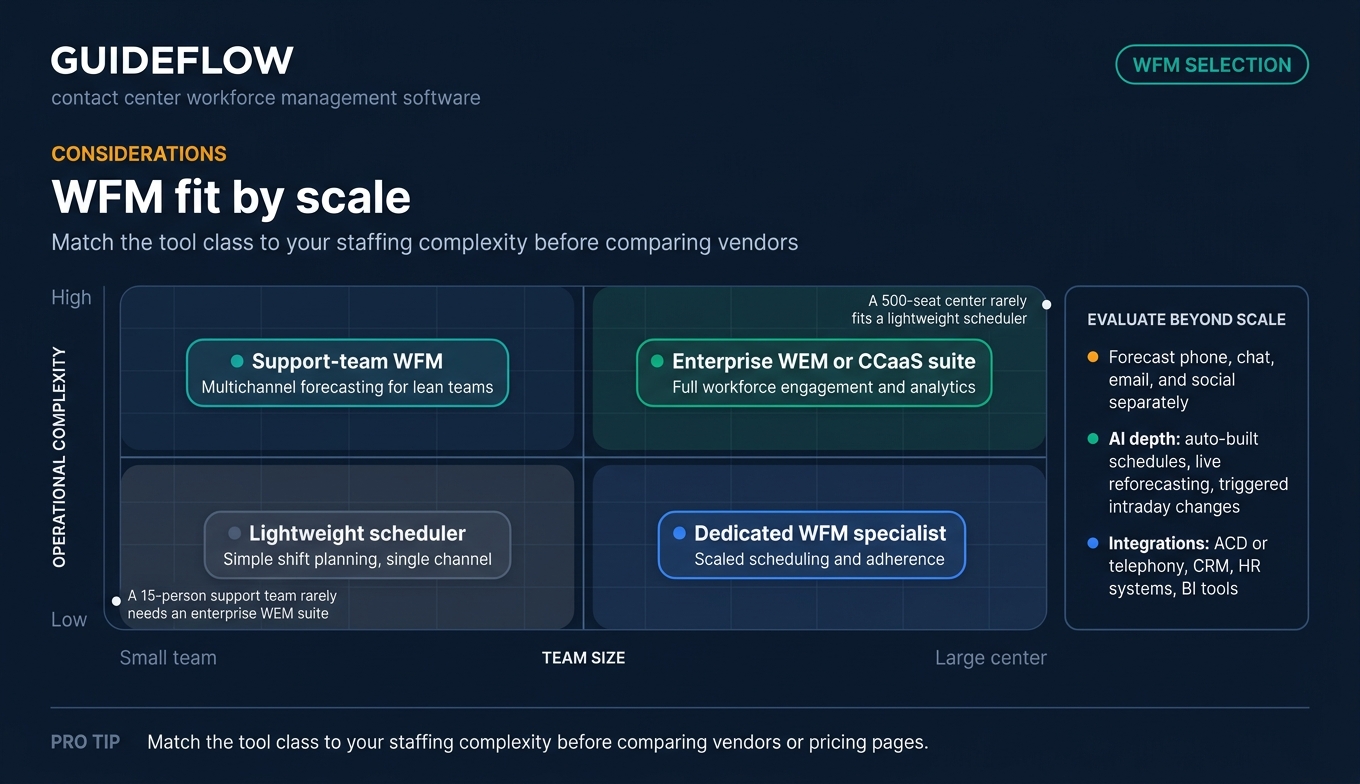
The right call center wfm software depends on your channels, team size, and how much automation you want. Run any shortlist through these five criteria before you commit.
Forecasting and scheduling accuracy
Look for algorithm variety and genuine omnichannel support, not just phone. Your forecasting tool should model phone, chat, email, and social separately, then build a unified schedule. Ask vendors how their models handle your specific arrival patterns and whether they support multi-skill scheduling.
AI and automation depth
The strongest tools auto-build schedules, reforecast against live actuals, and recommend or trigger intraday changes. Evaluate how much of the staffing cycle the AI actually automates versus how much still needs a manual analyst. Self-healing intraday is where modern tools pull ahead of spreadsheets.
Agent self-service and engagement
Shift bidding, swapping, and mobile access directly affect burnout and retention. Check whether agents can see schedules, request changes, and trade shifts without a manager in the loop. Self-service is not a nice-to-have; it is a retention lever that protects your staffing investment.
Integrations
Your WFM tool must connect to your stack: ACD or telephony, CRM (Salesforce, Zendesk), HR systems, and BI tools. Native integrations beat custom builds. Reviewing the best CRM software can help you confirm the connectors you need exist before you sign, especially if you run a particular help desk or telephony provider.
Pricing and team size fit
Enterprise suites are often custom-priced, while support-team tools publish per-seat rates. Match the model to your size. A 15-person support team rarely needs an enterprise WEM suite, and a 500-seat center rarely fits a lightweight scheduler. Pricing transparency itself signals which buyers a tool is built for.
Conclusion
The best contact center workforce management solutions depend entirely on your buyer type. For enterprise depth and omnichannel engagement at scale, NICE CXone and Genesys Cloud CX lead. For a unified WEM suite that pairs forecasting with quality and analytics, Calabrio ONE and Verint stand out. For modern SaaS support teams that want usability and transparent pricing, Assembled is the strongest fit, with Surfboard the simplest entry point for smaller, fast-growing teams. Zendesk-native shops should start with Zendesk WFM, while digital-first and BPO operations get the most from Playvox.
Do not buy on a feature list alone. Shortlist two or three tools that match your channel mix and team size, then run trials or demos against your own historical volume data. The right forecast accuracy and intraday behavior only show up when a tool meets your real arrival patterns. If you also want to deflect more contacts before they reach agents, pairing WFM with the right user onboarding software and digital adoption platforms can meaningfully lower ticket volume. Test against your numbers, not the vendor's, and the right choice will surface quickly.
FAQs
Contact center workforce management software forecasts customer contact volume, schedules agents to meet that demand, and manages adherence and intraday changes across channels. It replaces manual staffing with a connected workflow of forecasting, scheduling, real-time monitoring, and analytics. The goal is to staff the right number of agents at the right time while protecting service levels and agent wellbeing.
An Erlang calculator answers one narrow question: how many phone agents you need for a given call volume and service level. A spreadsheet cannot forecast across channels, build full schedules, or track adherence in real time. WFM software automates all of that, forecasting omnichannel demand, building schedules, monitoring live adherence, and reforecasting when actuals drift from the plan.
There is no single best workforce management software for call centers; the right pick depends on team size and channel mix. NICE CXone and Genesys Cloud CX lead on enterprise depth and omnichannel forecasting. Calabrio ONE excels as a unified WEM suite. Assembled and Surfboard fit modern SaaS support teams wanting usability and transparent pricing.
AI improves WFM by forecasting volume more accurately, auto-building schedules, and reforecasting against live actuals. The most advanced wfm tools recommend or trigger intraday changes automatically, so you reallocate staff before service levels slip. AI also reduces the manual analyst work that once consumed hours each week, freeing leaders to focus on exceptions rather than routine planning.
Yes. Modern WFM software forecasts across phone, chat, email, and social, modeling each channel's distinct arrival patterns and handle times. It then builds a unified staffing plan that accounts for every channel and supports 24/7 demand planning across time zones. Omnichannel forecasting is a core reason teams move off single-channel spreadsheets and Erlang calculators.
Pricing splits by buyer type. Enterprise tools like Calabrio, Verint, and Aspect are quote-based. Others publish per-seat rates: Surfboard from $10 per seat per month, Dialpad from $15, Zendesk from $19, Assembled WFM from $25, Genesys from $75, and NICE from $110 per agent per month. Match the pricing model to your team size.
Yes. Lighter-weight workforce management tools call center buyers can adopt include Surfboard and Assembled, both built for smaller and growing teams with transparent per-seat pricing. Evaluate ease of setup, channel coverage, and self-service scheduling rather than enterprise breadth you will not use. Smaller teams often get more value from a focused scheduler than a full WEM suite.
WFM reduces burnout through predictable schedules, shift bidding, self-service swapping, and balanced staffing. When agents see their shifts in advance and can trade them without a manager in the loop, they gain control over their time. Balanced staffing also prevents the cycle of some agents firefighting while others sit idle, which is a leading driver of attrition.