Leave requests live in too many places. Someone pings a manager on Slack. Another emails HR. A third updates a shared spreadsheet that nobody trusts. Then payroll asks who was out last month, and the answer takes an afternoon to reconstruct.
This works at 12 people. It breaks at 60. Once headcount grows, leave requests get more frequent, accrual math gets messier, and compliance stops being optional. The global absence and leave management software market is expected to grow from USD 1.5 billion in 2023 to USD 3.2 billion by 2032, an 8.7% CAGR, according to Dataintelo (2024). That growth is a direct signal: teams are replacing manual leave tracking faster as they scale.
For a founder, this is not an HR luxury. It is operational hygiene. Bad leave data means policy mistakes, surprise coverage gaps, and audit risk. A proper absence management system removes the manual overhead, gives managers clean approvals, and tells leadership who is away without anyone digging through email. The same shift toward self-serve, measurable workflows is reshaping adjacent categories, from contract lifecycle management to audit management, where teams are trading manual tracking for systems that hold the data in one place.
This guide compares the tools that handle that job well in 2026. If you also evaluate adjacent people-ops categories, our roundup of employee advocacy software covers a related corner of the stack.
What's inside
This guide is for HR leaders, people-ops teams, and founders choosing an employee leave management system at growth stage. We compared seven tools that show up consistently in credible buyer research, then evaluated each on the criteria that actually matter once spreadsheets stop scaling.
We weighted four things:
- Self-service leave requests and manager approval workflows
- Leave tracking depth, including balances, accruals, and multiple leave types
- Compliance and policy enforcement support
- Reporting, dashboards, and HRIS integration
The goal is decision support, not a vendor directory. Each section tells you who the tool fits and where it earns its place in your stack.
TL;DR
- Best for connected workforce visibility: Dayforce ties absence data to scheduling, payroll, and labor planning in one platform.
- Best for compliance-heavy leave programs: AbsenceSoft handles leave plus accommodations with deep policy automation.
- Best for an all-in-one people-ops stack: Rippling folds leave into a broader HR, IT, and payroll operating system.
- Best for enterprise workforce planning: Workday Workforce Management embeds absence inside a unified HCM suite.
- Best for configurable HR plus leave: Personio combines core HR, time tracking, and leave for mid-market teams.
- Best for simpler, modular setups: Calamari offers straightforward leave tracking software with transparent per-user pricing.
What is absence management software?
Absence management software is a system that lets employees request time off, routes those requests to managers for approval, tracks balances and accruals, enforces leave policy, and reports on who is away and why.
The terms overlap, so here is the plain-English map. Leave management software and absence management system usually describe the same category. Leave tracking software and absence tracking software emphasize the record-keeping side: balances, accruals, and calendars. An employee leave management system is the full workflow from request to approval to reporting. In practice, most buyers use these terms interchangeably, and most platforms cover the whole span.
Core capabilities buyers should expect
Strong HR leave management software covers a consistent set of jobs:
- Self-service leave requests: Employees submit time off without emailing HR.
- Manager approval workflows: Requests route to the right approver with clear status.
- Planned and unplanned absence tracking: Vacation, sick days, and unexpected leave in one view.
- Leave balance and accrual tracking: Real-time visibility into what each person has earned and used.
- Compliance and policy enforcement: Rules that keep leave aligned with law and company policy.
- Reporting and dashboards: Calculations and exports that survive scrutiny.
- HRIS integration: Clean data flow into payroll, HR records, and the rest of the stack.
Why the category matters now
Spreadsheet-based leave tracking breaks for a specific reason: it has no enforcement layer. A formula does not stop someone from booking leave they have not accrued, and it does not flag a compliance edge case. As teams grow, the cost of those gaps compounds.
A real leave management system gives you two things at once: administrative control for HR and self-service for employees. Managers approve in seconds. Leadership sees time away without a dashboard-stitching exercise. The same consolidation logic that drives teams toward contract management and event management platforms applies here: fewer manual touchpoints, more reliable data.
When to use absence management software
Replace spreadsheets and email approvals
The trigger is usually a mistake. Someone gets double-booked. An accrual is miscalculated. A request sits in an inbox and a manager approves it three weeks late. When manual tracking starts producing errors and delays, self-service leave requests plus structured manager approvals remove the admin load and the ambiguity at once.
Manage compliance-heavy leave programs
Once leave types multiply, complexity climbs fast. Maternity, paternity, jury duty, and bereavement each carry their own rules. Add FMLA tracking or multi-state programs, and you need real policy enforcement, not a color-coded tab. This is the moment dedicated leave of absence management software earns its keep.
Improve planning and workforce visibility
When leaders need to forecast coverage, see accrual liability, or report time away by team, absence tracking software becomes a planning tool, not just a record. Tie it to scheduling and staffing, and you protect operational continuity instead of reacting to gaps after they appear.
Comparison table
Use this to orient before the individual reviews. Pricing for most enterprise HR platforms is quote-based, so verify current figures with each vendor.
| # | Product | Intent | Key differentiation | Pricing | G2 rating |
|---|---|---|---|---|---|
| 1 | Dayforce | Connected workforce visibility | Absence tied to payroll, scheduling, and labor planning | Custom (contact sales) | 4.2/5 |
| 2 | AbsenceSoft | Compliance-heavy leave | Leave plus accommodations, 200+ leave laws | Custom (request a quote) | 4.9/5 |
| 3 | Rippling | All-in-one people ops | Leave inside HR, IT, and payroll platform | Custom (contact sales) | 4.8/5 |
| 4 | Workday Workforce Management | Enterprise workforce planning | Absence embedded in unified HCM suite | Custom (contact sales) | Not listed |
| 5 | Personio | Configurable HR plus leave | Core HR, time tracking, and leave in one tool | Custom (book a demo) | 4.4/5 |
| 6 | Calamari | Simple, modular leave tracking | Per-user modules, transparent pricing | From $2.00/user/mo | 4.6/5 |
| 7 | HROne | Unified HRMS plus leave | Leave inside full HRMS and payroll suite | From ₹4,950/mo (50 users) | 4.8/5 |
The 7 best absence management software tools for 2026
1. Dayforce
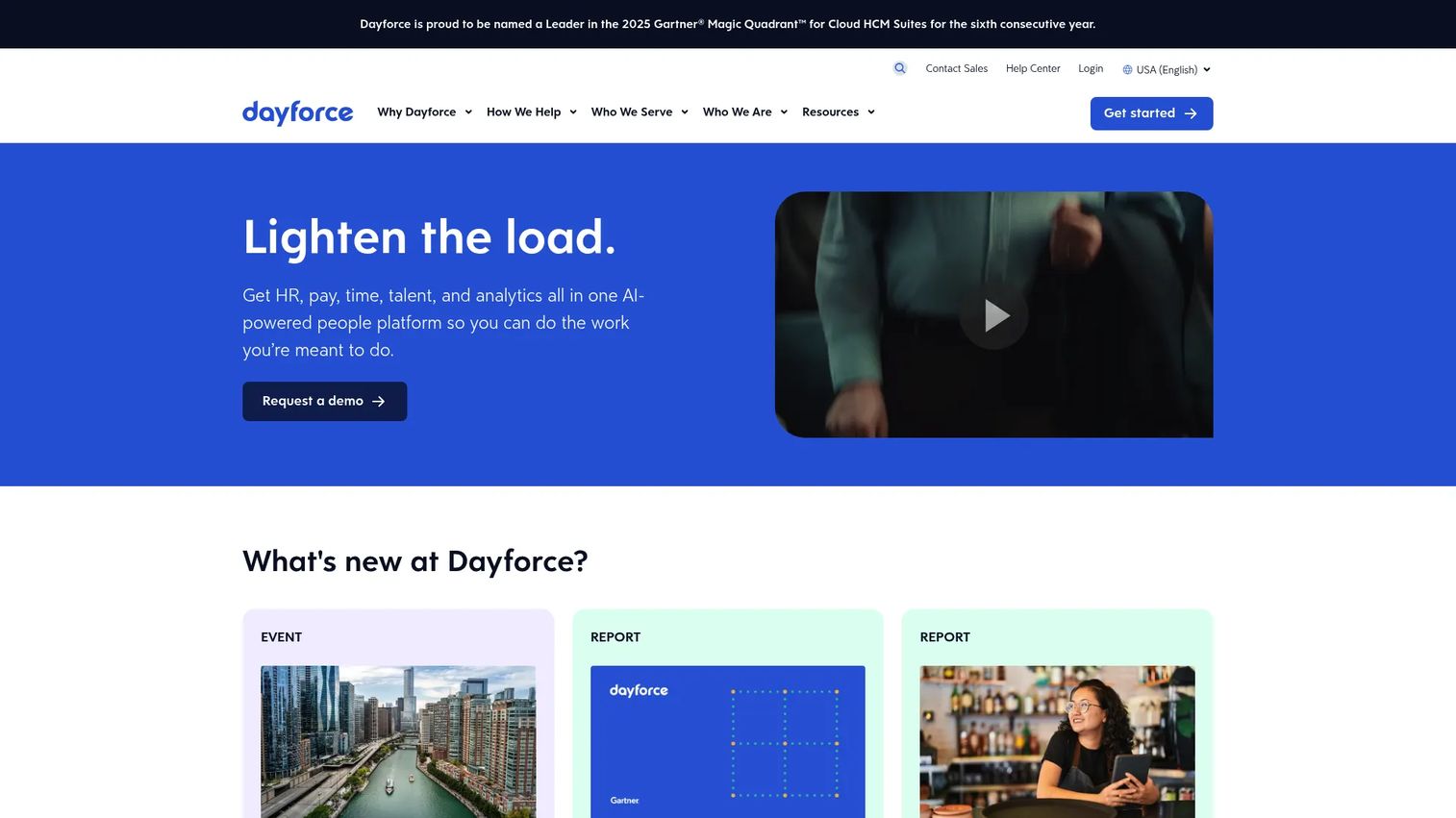
Dayforce is an AI-powered HCM platform that handles HR records, payroll, and workforce management in one connected system. Its absence capabilities sit inside a broader workforce management module, so leave data does not live apart from scheduling, time, and labor planning. That connection is the point: when someone requests time off, the system already knows the schedule it affects.
Best for: Large and global organizations that want absence data tied to broader workforce planning rather than siloed in a standalone tool.
Key strengths
- Connected absence visibility: Leave, scheduling, and time sit in one platform, so coverage gaps surface before they happen.
- Self-service plus approvals: Employees request leave directly, and manager approvals route through clear, policy-aware workflows.
- Workforce planning context: Absence data feeds labor planning and payroll, giving leadership a single source for who is away and what it costs.
Why choose Dayforce: If you already run, or plan to run, payroll and scheduling on a unified platform, absence management becomes another layer of the same system instead of a separate integration to maintain. That fit matters most for organizations where coverage planning and labor cost are tightly linked. Dayforce is recognized as a Leader in the 2025 Gartner Magic Quadrant for 1,000+ Employee Enterprises.
Dayforce pricing: Dayforce does not publish a public starting price. Its pricing and licensing are handled through a sales conversation, which is standard for full HCM platforms at this scale. Request a quote scoped to your headcount and module mix. On G2, Dayforce holds a 4.2/5 rating.
2. AbsenceSoft
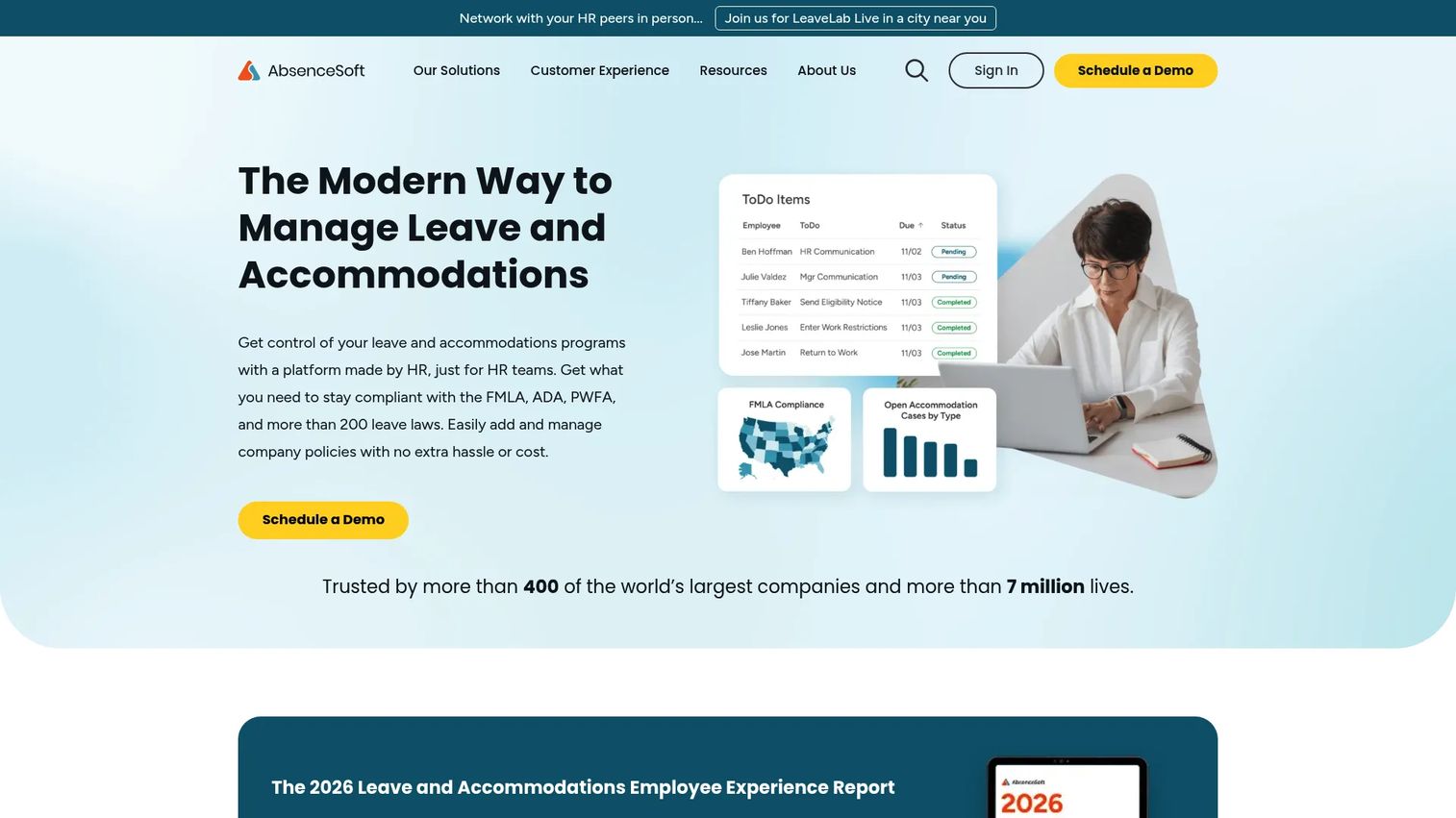
AbsenceSoft is a leave and accommodations management SaaS built for HR teams that treat compliance as a first-class problem. Where general HR platforms bolt leave onto a wider suite, AbsenceSoft specializes. It manages leave of absence and workplace accommodations together, with automated workflows, communications, and reporting built around policy.
Best for: Mid-market and enterprise HR teams managing complex leave and accommodations at scale.
Key strengths
- Deep compliance coverage: AbsenceSoft comes configured to manage more than 200 federal, state, and territorial leave laws, including FMLA, ADA, and PWFA.
- Leave plus accommodations: It handles both leave of absence and workplace accommodation cases in one system, which most general HR tools do not.
- Automated workflows and reporting: Eligibility logic, communications, and dashboards reduce the manual tracking that compliance-heavy programs usually demand.
Why choose AbsenceSoft: This is the pick when leave complexity is the core problem, not an afterthought. Teams running multi-state programs, frequent FMLA cases, or accommodation workflows get purpose-built depth here that a broad HRIS rarely matches. The tradeoff is focus: AbsenceSoft is a leave and accommodations specialist, not a full HR operating system.
AbsenceSoft pricing: AbsenceSoft does not list public pricing. The company provides custom pricing through a demo or request for proposal, scoped to your organization's leave volume and complexity. On G2, AbsenceSoft holds a 4.9/5 rating, among the highest in this category.
3. Rippling
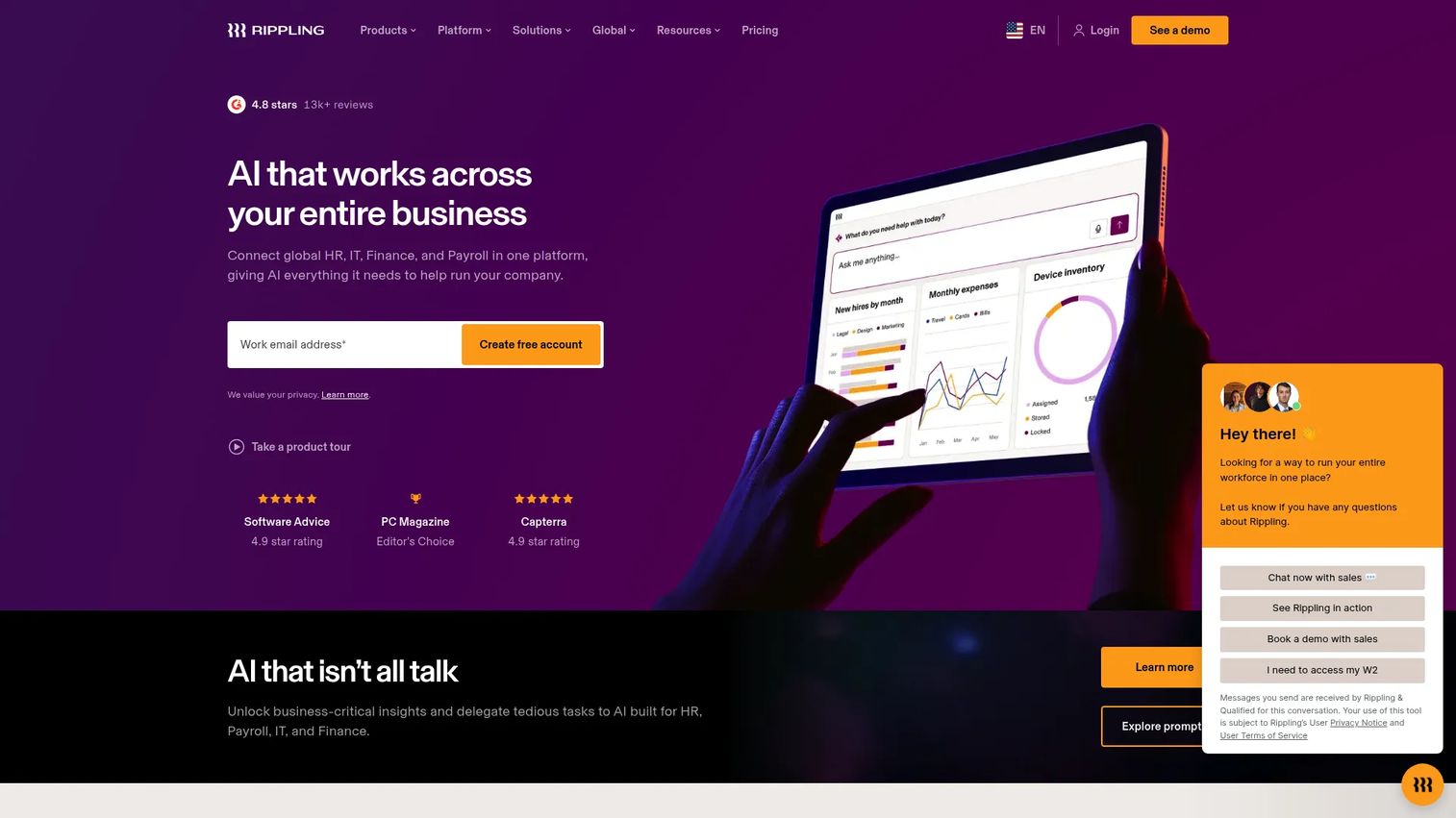
Rippling is a workforce management platform that unifies HR, IT, finance, and payroll. Leave management is one module inside a much larger system, which is exactly its appeal. If you want employee leave management to share data with payroll, device management, and HR records without separate integrations, Rippling treats all of it as one connected workflow.
Best for: Companies that want an all-in-one workforce operating system across HR, IT, payroll, and finance, with leave as part of the whole.
Key strengths
- Leave inside a unified HRIS: Time-off requests, approvals, and balances live alongside payroll and HR records, so HRIS integration is native rather than bolted on.
- Self-service workflows: Employees request leave, and approvals route automatically through the same system that manages the rest of their employment data.
- Automation and analytics: Rippling's automation engine and reporting extend to leave, giving leadership clean visibility without manual reconciliation.
Why choose Rippling: The differentiator is consolidation. For a growing company tired of stitching together separate HR, IT, and payroll tools, Rippling replaces several systems at once, and leave management comes along for free. That breadth is the case for it, especially when reducing tool count is a stated goal.
Rippling pricing: Rippling uses custom, quote-based pricing and does not publish a public starting price. Pricing depends on the modules and headcount you select. Request a quote for your specific configuration. On G2, Rippling holds a 4.8/5 rating.
4. Workday Workforce Management
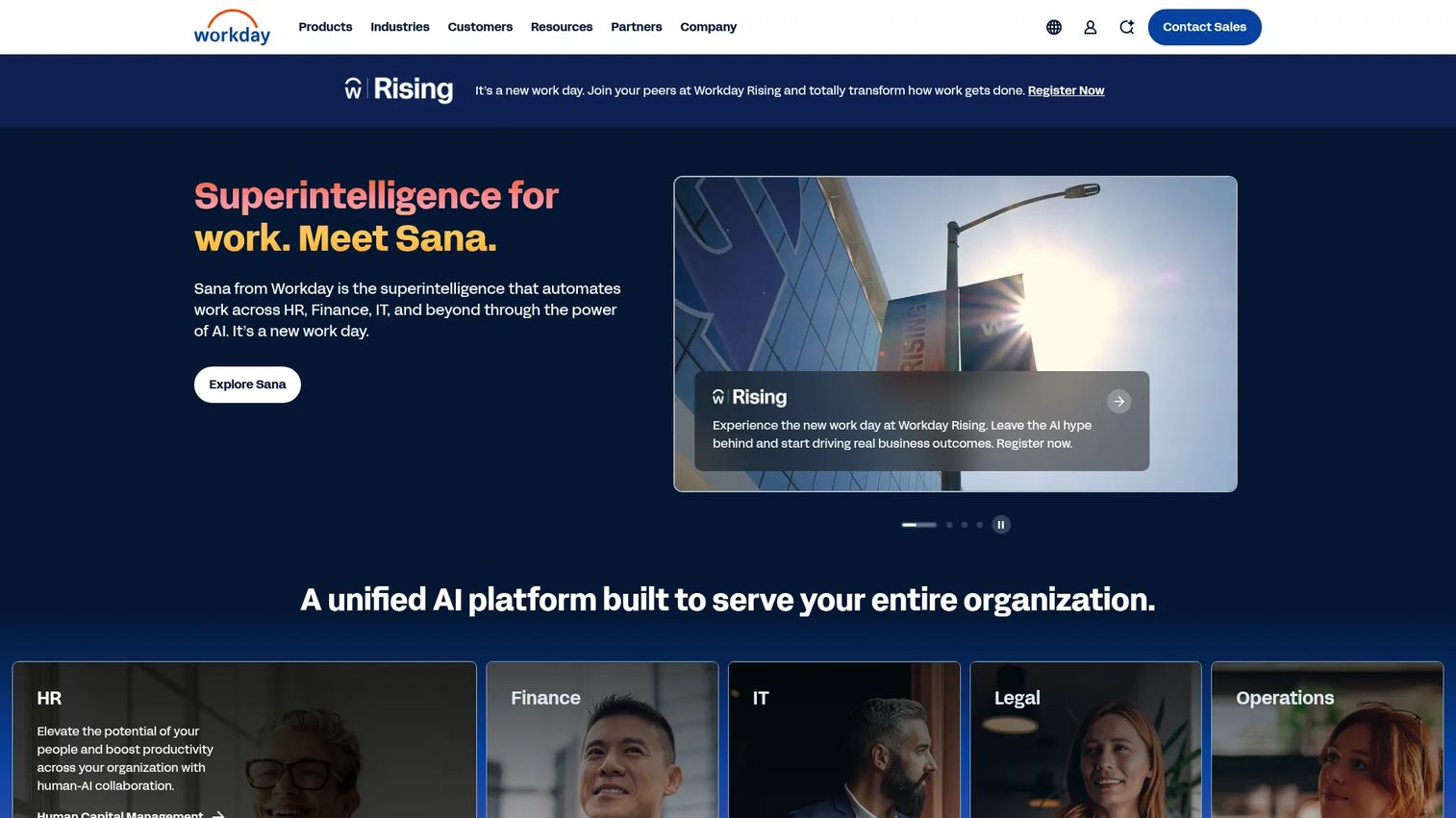
Workday Workforce Management handles time tracking, scheduling, labor management, and absence inside Workday's broader HCM suite. For enterprises already standardized on Workday, absence management is not a separate purchase. It is an embedded capability that shares the same data model as the rest of the platform.
Best for: Enterprises needing a unified workforce management system embedded in Workday HCM, with strict process and reporting requirements.
Key strengths
- Enterprise workflow depth: Absence sits inside a system built for complex, multi-entity organizations with rigorous approval and governance needs.
- Cross-functional planning: Leave data connects to scheduling, labor management, and the wider HCM suite for coordinated workforce planning.
- Calendar visibility and reporting: Centralized views and reporting give leaders cross-team visibility into time away and its operational impact.
Why choose Workday Workforce Management: This is the enterprise default. If your organization already runs Workday HCM, adding workforce management keeps absence on the same platform as finance, HR, and IT. The tradeoff is scope and implementation: this is breadth built for large organizations, and it rewards teams that need that depth rather than those wanting a lightweight tool.
Workday Workforce Management pricing: Workday does not display public pricing; product pages route to Contact Sales. Pricing is scoped through an enterprise sales process. A current G2 star rating was not listed for this specific product at the time of writing, so evaluate it through Workday's own references and analyst coverage.
5. Personio
Personio is an intelligent HR platform that brings core HR, recruiting, time tracking, and leave into one configurable system. For teams that want HR workflows and leave tracking software in a single place rather than a specialist tool plus a separate HRIS, Personio is built for exactly that consolidation.
Best for: Mid-market companies that want a configurable all-in-one HR platform where leave lives alongside the rest of people ops.
Key strengths
- Leave inside core HR: Time-off requests, approvals, and balances sit within employee profiles, documents, and analytics, not a bolt-on.
- Configurable workflows: Approval flows, policies, and reporting adapt to how your organization actually handles leave.
- Workforce planning and analytics: Higher tiers add position management and workforce planning, tying leave data to broader people decisions.
Why choose Personio: The case is the operating system, not the single feature. Personio fits companies that want one configurable HR platform handling leave, time tracking, recruiting, and records together. For a mid-market team consolidating fragmented HR tools, that breadth is the draw. Leave is strong here precisely because it shares the same data as everything else.
Personio pricing: Personio does not publish numeric pricing. Plans are organized into Core and Core Pro tiers, with pricing customized by employee count and the apps you select. Book a demo for a tailored quote. On G2, Personio holds a 4.4/5 rating.
6. Calamari
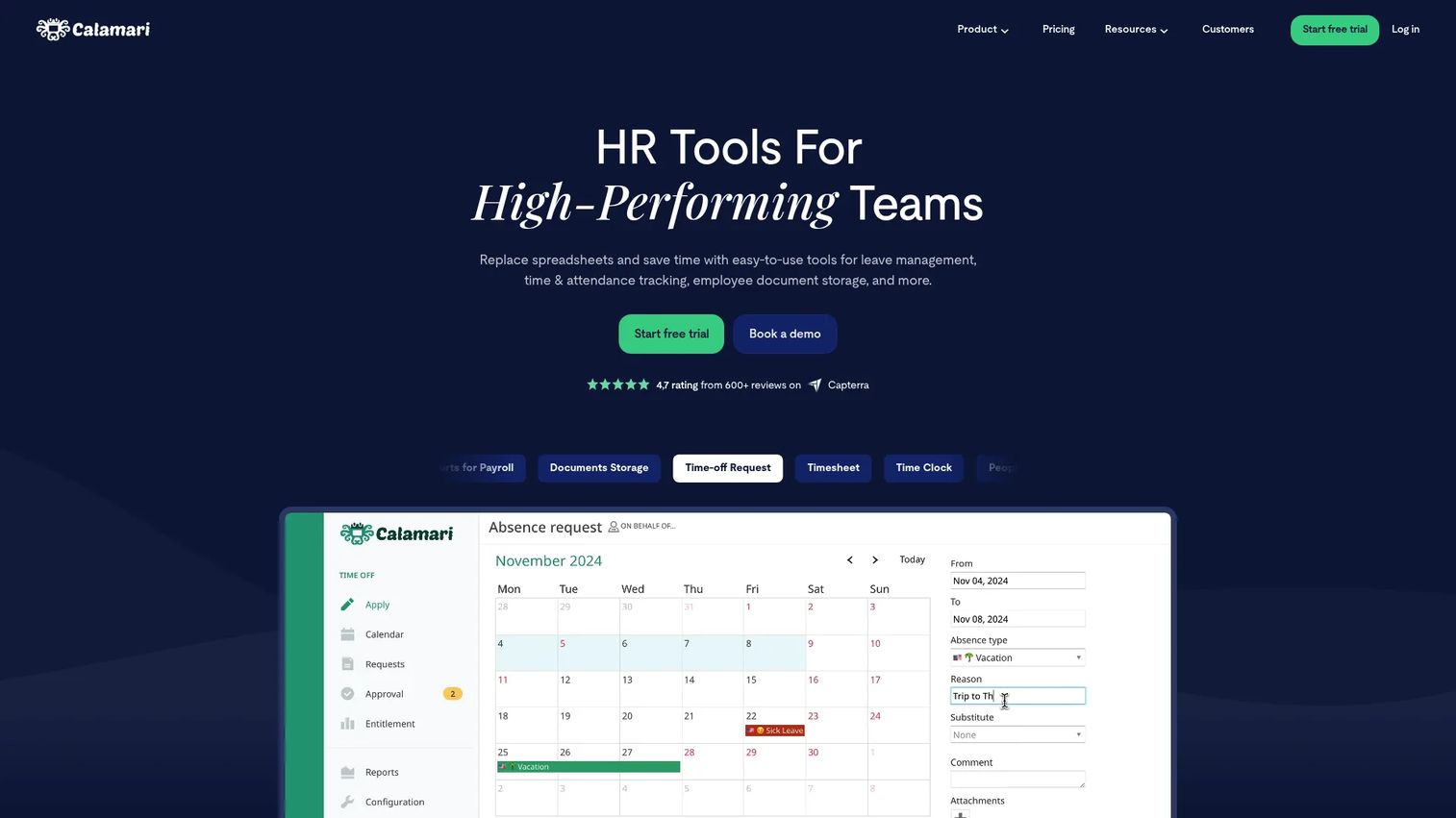
Calamari is modular HR software for time off, time tracking, core HR, and performance reviews. Unlike the enterprise platforms above, it leads with simplicity and transparent pricing. You buy the modules you need, and the leave of absence management software side handles requests, approvals, balances, and team calendars without heavy implementation.
Best for: Teams that want configurable leave, attendance, and HR records in one straightforward SaaS tool, with clear per-user pricing.
Key strengths
- Straightforward leave tracking: Requests, approvals, leave balance tracking, and team calendars in a clean, low-overhead interface.
- Modular pricing: Buy Time Off, Time & Attendance, Core HR, or Performance Review separately, so you only pay for what you use.
- Broad integrations: Calamari connects to common calendars and workplace tools, keeping leave visible where teams already work.
Why choose Calamari: This is the practical pick for smaller and growing teams that want a real leave management system without an enterprise rollout. The transparent per-user pricing makes budgeting simple, and the modular design means leave tracking does not force you into a full HR suite you do not need yet.
Calamari pricing: Calamari uses modular per-user pricing, billed yearly, with a minimum fee and a free 14-day trial that needs no credit card. The Time Off module starts at $2.00 per user per month, Time & Attendance at $2.50, Core HR at $2.00, and Performance Review at $2.50. On G2, Calamari holds a 4.6/5 rating.
7. HROne
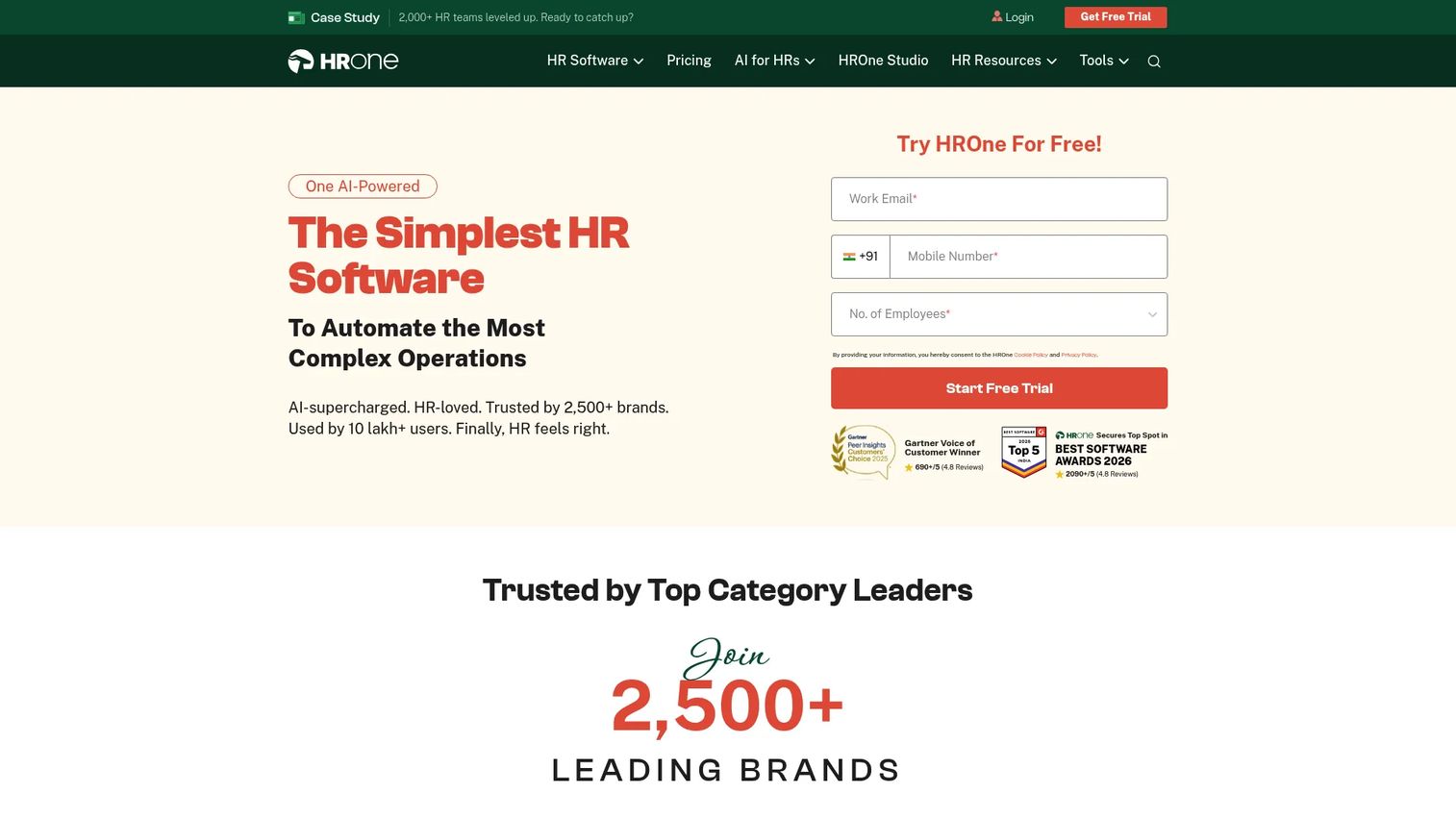
HROne is an AI-powered HRMS and payroll platform that manages the full employee lifecycle, with leave, attendance, and payroll handled together. Its employee absence management software sits inside a broader HR system, so leave requests, manager approvals, and attendance context share one source of truth rather than living in separate tools.
Best for: Mid-market to enterprise HR teams needing a unified HRMS with payroll and attendance automation alongside leave.
Key strengths
- Leave inside a full HRMS: Core HR, attendance, leave, and payroll run on one platform, consolidating HR administration.
- Automation and mobile access: Attendance and leave automation plus a mobile app keep requests and approvals moving without desk dependency.
- Modular expansion: Workforce, recruitment, performance, helpdesk, and expense modules let HR grow the system as needs expand.
Why choose HROne: The fit is HR consolidation. For teams that want leave, attendance, and payroll on one platform rather than three, HROne folds leave tracking into broader HR administration. The modular structure means you can start with core leave and payroll and add capabilities as the organization scales.
HROne pricing: HROne publishes feature- and user-based pricing. The Basic plan starts at ₹4,950 per month for 50 users and includes Core HR, Time Office, Payroll, the mobile app, and reports. The Professional plan adds Workforce features at ₹6,500 per month for 50 users, and Enterprise pricing is custom. On G2, HROne holds a 4.8/5 rating.
Considerations before you buy
Before you shortlist, pressure-test each tool against your actual operating reality, not a feature checklist.
Workflow complexity
Map your real request-to-approval flow first. A single-manager approval is simple. Multi-level approvals, delegation, and conditional routing are not. Match the tool to how your approvals actually work, not how you wish they worked.
Compliance burden
If you run FMLA, multi-state, or accommodation programs, policy enforcement depth is non-negotiable. A tool that only tracks balances will not protect you from compliance gaps. Specialist platforms earn their premium here.
HRIS and integration fit
Decide whether leave should be a standalone tool or a module inside a broader system. HRIS integration depth determines whether leave data flows cleanly into payroll and records, or whether someone reconciles it by hand every month.
Reporting and accrual visibility
Ask to see the reports before you buy. Accrual tracking, balance visibility, and exports that survive an audit separate a real absence management system from a glorified calendar. Reporting is where the tool proves its value to leadership.
Setup time and scale
For a growing company, first-week usability matters as much as feature depth. Verify implementation timelines and confirm the tool scales with headcount without a re-platform a year from now.
Conclusion
The choice comes down to one question: what is your hardest problem? If it is compliance, AbsenceSoft offers depth a general HR tool cannot match. If it is consolidation, Rippling, Personio, and HROne fold leave into a broader people-ops system. If it is enterprise workforce planning, Dayforce and Workday Workforce Management tie absence to scheduling and payroll at scale. If you want simple, transparent leave tracking software, Calamari keeps it lightweight.
Most buyers fit one of three patterns: simple leave tracking, stronger compliance, or deeper workforce planning. Name yours before you shortlist.
Here is the practical next step. Pick two tools that match your pattern. Verify current pricing directly with each vendor, since most use quote-based models. Then run a real leave scenario through each: submit a request, route it for approval, and check how the balance and report update. The tool that handles your messiest real case wins.
FAQs
The terms are mostly used interchangeably. In practice, absence management often implies broader workforce visibility and policy control, while leave management software can emphasize the request-and-approval workflow. Most modern platforms cover both, so focus on capabilities rather than the label.
Sometimes the HRIS is enough. Many HRIS platforms include basic leave features that work fine for straightforward time-off tracking. But if you have heavy compliance needs, complex approval chains, or deep reporting requirements, a dedicated tool or a stronger leave module usually delivers more depth than a general HRIS does out of the box.
Prioritize self-service leave requests, clear manager approvals, accurate leave balances and accrual tracking, compliance and policy enforcement, solid reporting, and clean HRIS integration. The right weighting depends on your situation: compliance-heavy teams should lead with policy enforcement, while growing teams often value self-service and reporting most.
Stronger platforms reduce the manual work that FMLA tracking usually demands. They centralize documentation, apply eligibility and policy logic automatically, and keep a clean record for each leave case. That structure lowers the risk of compliance gaps that spreadsheets and email simply cannot enforce.
The need usually appears once manual leave tracking becomes error-prone or too time-consuming, often somewhere past 30 to 50 employees. The trigger is not headcount alone. It is the moment a missed accrual, double-booking, or compliance question costs real time and risk to resolve.
Yes. Stronger platforms handle vacation, sick leave, maternity, paternity, jury duty, bereavement, and other policy-defined leave types, each with its own rules and accrual logic. If you run multiple leave categories, confirm the tool supports custom policies rather than a fixed set of types.
Ask about setup time, how approval workflows are configured, which compliance programs the tool supports, what reporting and exports look like, and how deep the HRIS integration goes. Then run a real leave scenario through a trial before committing, because the messiest real case tells you more than any feature list.