



Search "poetry software" and you hit a fork. One path leads to creative writing apps. The other, the one most developers actually want, leads to Poetry: The Python dependency management and packaging tool.
If your team ships a Python product, the second path is the one that costs you time. A build that works on one laptop breaks in CI. A new hire spends a morning fighting virtualenvs before writing a line of code. A dependency bump silently changes behavior across environments. None of that shows up on a board deck, but it eats engineering hours you already can't spare.
Poetry's official homepage frames the fix plainly: Deterministic builds, one resolver, and isolated environments in a single tool (Poetry, 2026). This guide sorts the Poetry ecosystem into seven entry points so you know exactly which one to reach for, whether you're installing, configuring, building, or standardizing a Python workflow across a growing team.
What's inside
This guide is for developers, Python teams, and technical founders who want repeatable installs and packaging without every project drifting into its own snowflake setup.
We ranked entries on four things that matter for team adoption:
- Official documentation and repository resources you can trust
- Install and setup paths that behave the same on every machine
- Packaging workflow components that produce identical builds
- CLI-driven utility with clear, learnable commands
We skipped generic writing apps. This list stays on the Python packaging meaning of "poetry software," because that's where the search demand and the operational payoff sit.
TL;DR
- Best for core packaging and dependency management: Poetry handles resolution, isolation, build, and publish in one tool.
- Best for clean, repeatable installs across a team: pipx installs the Poetry CLI in an isolated environment so it never clashes with project dependencies.
- Best for installation guidance: install.python-poetry.org gives you the official one-command installer script.
- Best for the day-to-day command workflow: the Poetry CLI covers add, build, publish, and dependency inspection.
- Best for build-backend detail: poetry-core is the packaging engine behind Poetry builds.
- Best for project configuration: pyproject.toml is where dependencies, build settings, and metadata live.
- Best for troubleshooting and CI setup: the Python Packaging User Guide is the reference layer for the whole workflow.
What is poetry software
Poetry is Python dependency management and packaging software that resolves dependencies, isolates environments, and builds and publishes projects from one command-line tool. It replaces a scattered mix of pip, virtualenv, and hand-written setup files with a single workflow driven by one config file.
Here's why teams standardize on it. When you run python poetry to add a package, it resolves the full dependency tree, writes an exact lockfile, and installs into an isolated environment. Every developer who runs the install gets the same versions. That's the difference between "works on my machine" and a repeatable Python build your CI can reproduce on demand.
The poetry package manager sits at the center of a modern Python project. You declare what you need, and it works out the compatible set, records it, and keeps environments from colliding. You can read the full workflow in the official Poetry docs.
Core capabilities include:
- Deterministic builds: A lockfile pins exact versions so installs are reproducible.
- Dependency resolver: One resolver computes a compatible dependency set across your whole project.
- Virtualenv isolation: Each project runs in its own environment, no global pollution.
- Build and publish commands: Produce sdists and wheels, then push to PyPI or a private index.
- pyproject.toml configuration: A single file holds dependencies, build-system settings, and metadata.
For a founder, the payoff is boring in the best way. Poetry installation and setup become the same on every machine, so onboarding a new engineer stops being a half-day ritual. Builds stop drifting. The workflow survives the founder leaving the room, which is the whole point of building systems that scale past your own hands.
When to use poetry software
Standardize dependency management across Python projects
Reach for Poetry when three developers each install dependencies a slightly different way and nobody's builds match. One lockfile, checked into version control, gives every project a reproducible install. New repos inherit the same pattern, so consistency stops depending on tribal knowledge.
Package and publish Python libraries
Use Poetry when you need to build and ship a library, not just run an app. The build and publish workflow produces sdists and wheels and pushes them to PyPI or a private repository from one command. You stop stitching together separate build and upload tools.
Install Poetry cleanly across machines and CI
Turn to the official installer and pipx when you want repeatable setup with version pinning. Run poetry install the same way on a laptop, a fresh container, and a CI runner. Pinning the Poetry version itself keeps a surprise upgrade from breaking a pipeline the week before a release.
Comparison table
These are official tools, docs, and specifications rather than reviewed commercial products, so most carry no vendor pricing page and no G2 listing. Everything here is free and open source, which is why the pricing and rating columns read "Free" and "N/A." The table maps each entry to the job it does best.
| # | Product | Best for | Key differentiator | Pricing | G2 rating |
|---|---|---|---|---|---|
| 1 | Poetry | Core dependency management and packaging | Resolver, lockfile, isolation, and publish in one tool | Free | N/A |
| 2 | pipx | Isolated installs of Python CLI tools | Installs the Poetry CLI in its own environment | Free | N/A |
| 3 | install.python-poetry.org | Official one-command install | Installer script with isolated environment and uninstall | Free | N/A |
| 4 | Poetry CLI | Day-to-day command workflow | add, build, publish, and dependency inspection | Free | N/A |
| 5 | poetry-core | Build backend detail | PEP 517 backend that builds wheels and sdists | Free | N/A |
| 6 | pyproject.toml | Project configuration | Standard file for build system, metadata, and tool settings | Free | N/A |
| 7 | Python Packaging User Guide | Troubleshooting and CI setup | Official reference for install, build, and publish | Free | N/A |
Best 7 poetry software for 2026
1. Poetry
Poetry is the project at the center of this whole list. It manages dependencies, resolves them into a compatible set, isolates environments per project, and builds and publishes your package. Instead of gluing pip, virtualenv, and a build tool together, you run one CLI backed by one config file.
The resolver is the part that earns its keep. When you add a dependency, Poetry computes a full compatible tree and writes an exact lockfile, so the install a teammate runs matches yours down to the version.
Best for: Python teams that want deterministic dependency management and packaging in one tool.
Key features
- Dependency resolver for a compatible project-wide set
- Deterministic builds via a committed lockfile
- Virtualenv isolation per project
- Build and publish to PyPI or private indexes
- pyproject.toml as the single source of config
Why choose Poetry: If your goal is repeatable Python builds that behave the same across every developer and every CI runner, Poetry gives you that in one workflow. It fits founders who want onboarding and packaging to stop depending on any single person's setup.
A typical loop looks like this:
poetry add requests poetry install poetry build poetry publish
Poetry pricing: Poetry is free and open source. There are no paid tiers and no per-seat cost, so rolling it out across your whole team adds no line item to the budget.
Poetry does not carry a G2 rating, since it's a community-maintained open-source project rather than a commercial listing.
2. pipx
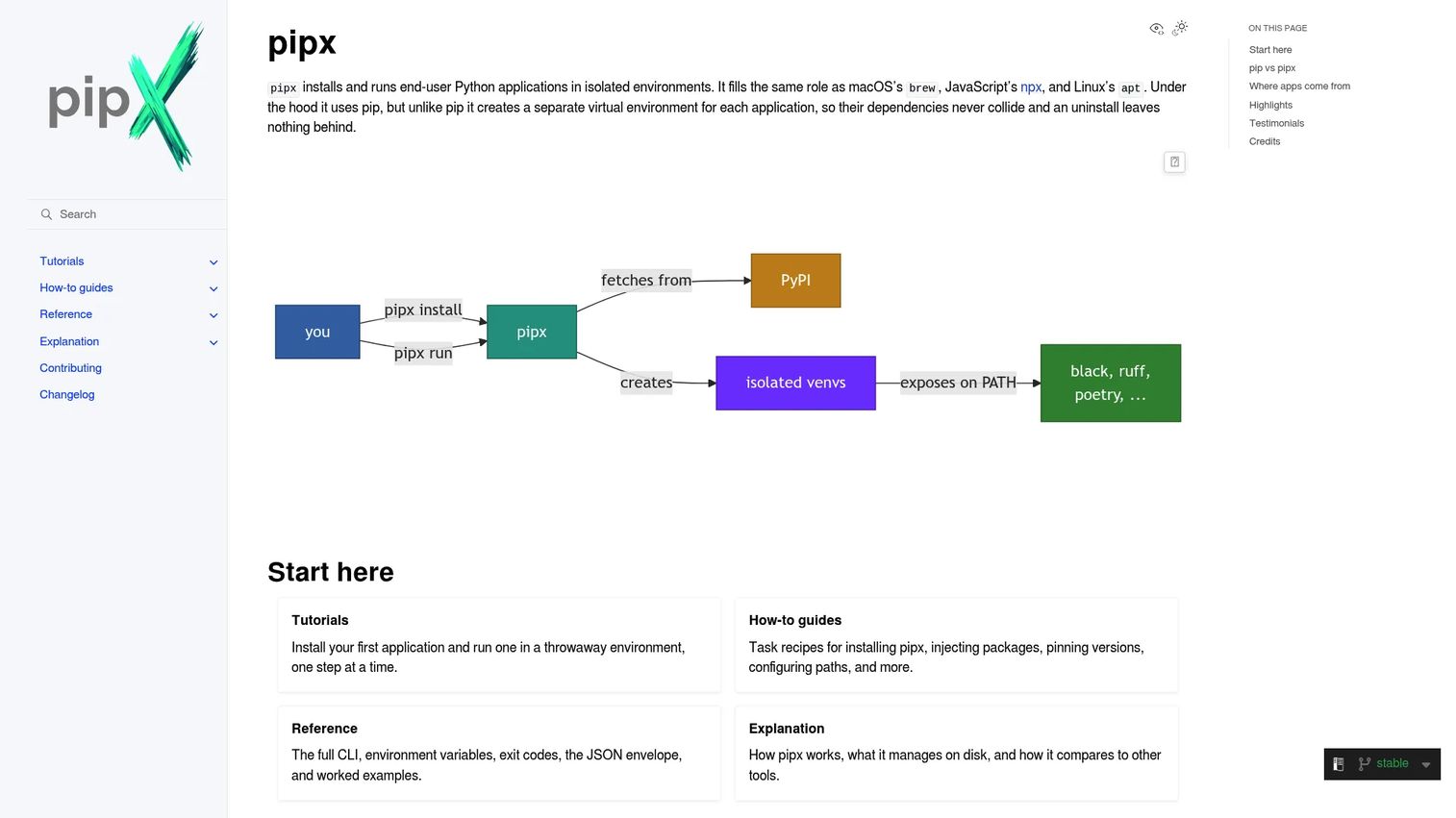
pipx installs and runs Python command-line applications in isolated virtual environments. It's the clean way to put the Poetry CLI on a machine without letting it mix into any project's dependencies. Each tool gets its own environment, so upgrades and conflicts stay contained.
Run pipx install poetry and you get Poetry available system-wide, isolated from the code it manages.
Best for: Python users who want isolated installs for command-line tools across a team.
Key features
- Installs CLI apps in isolated environments
- Runs tools temporarily with
pipx run - Handles list, upgrade, and uninstall
- Manages PATH for installed executables
Why choose pipx: Choose pipx when you want the Poetry installer to stay separate from project environments, which keeps a global upgrade from breaking a repo. It suits teams standardizing setup so every laptop installs tools the same way.
pipx pricing: pipx is free and open source, with no paid plans. Installing and running CLI tools with it costs nothing.
pipx has no G2 rating, as it's an open-source utility maintained under the Python Packaging Authority rather than a commercial product.
3. install.python-poetry.org
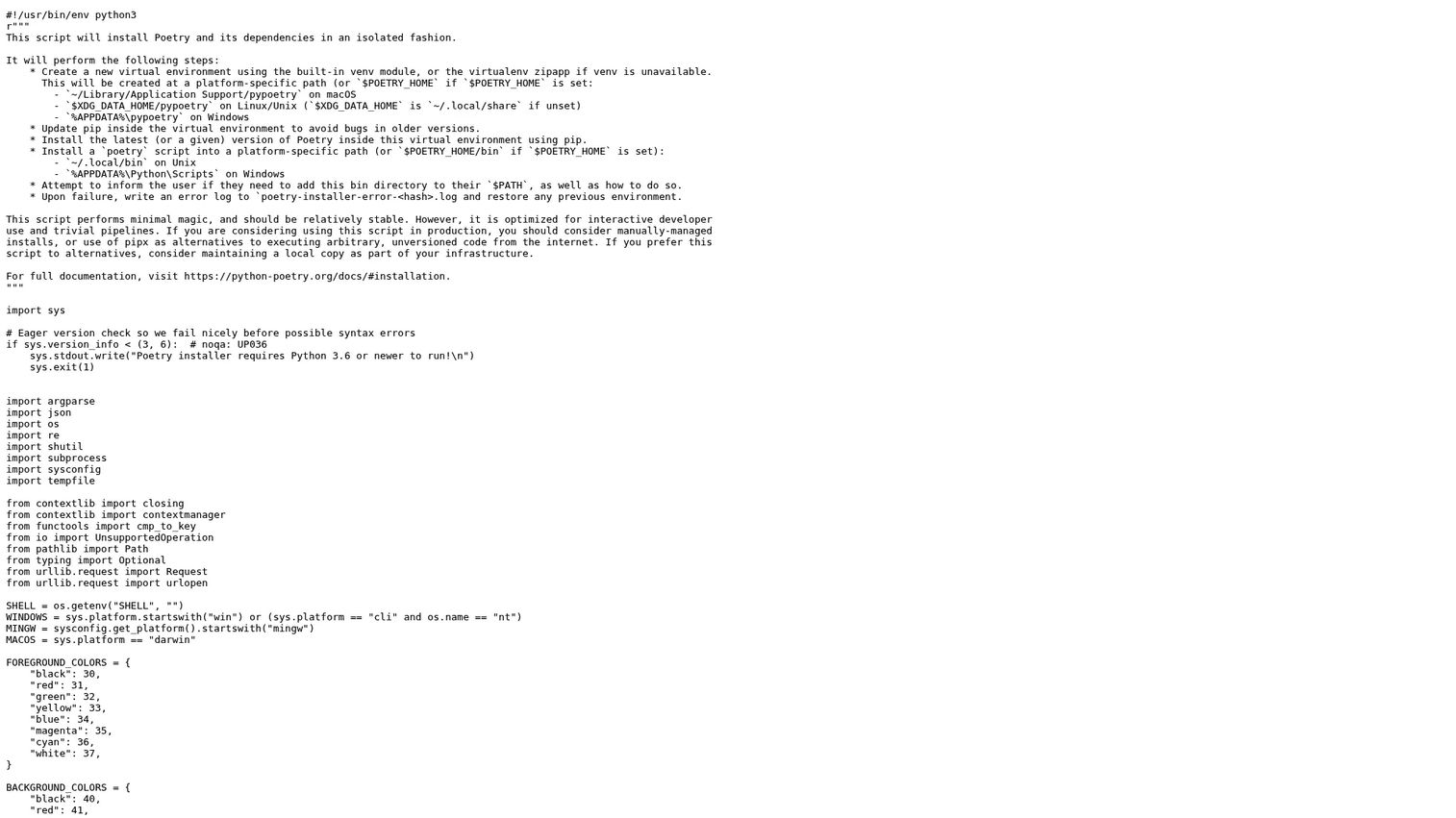
install.python-poetry.org hosts the official Poetry installer script. It creates a fresh virtual environment, installs Poetry inside it, and adds the poetry command to a platform-specific bin directory. If setup fails, it restores the previous environment rather than leaving a half-installed mess.
This is the most direct install poetry path for many teams, and it doubles as a clean uninstall route.
Best for: Developers who want the official one-command installer for Poetry setup.
Key features
- Creates a new environment and installs Poetry inside
- Adds a poetry command to a platform bin directory
- Supports uninstall
- Restores the previous environment on failure
Why choose install.python-poetry.org: Reach for the official installer when you want a predictable, documented setup path across machines and CI. It fits onboarding, where a single command beats a page of manual steps for a new engineer.
A common invocation:
curl -sSL https://install.python-poetry.org | python3 -
install.python-poetry.org pricing: The installer script is free and open source. There's no cost to run it on any machine or pipeline.
The installer script carries no G2 rating, since it's a first-party utility rather than a listed commercial tool.
4. Poetry CLI
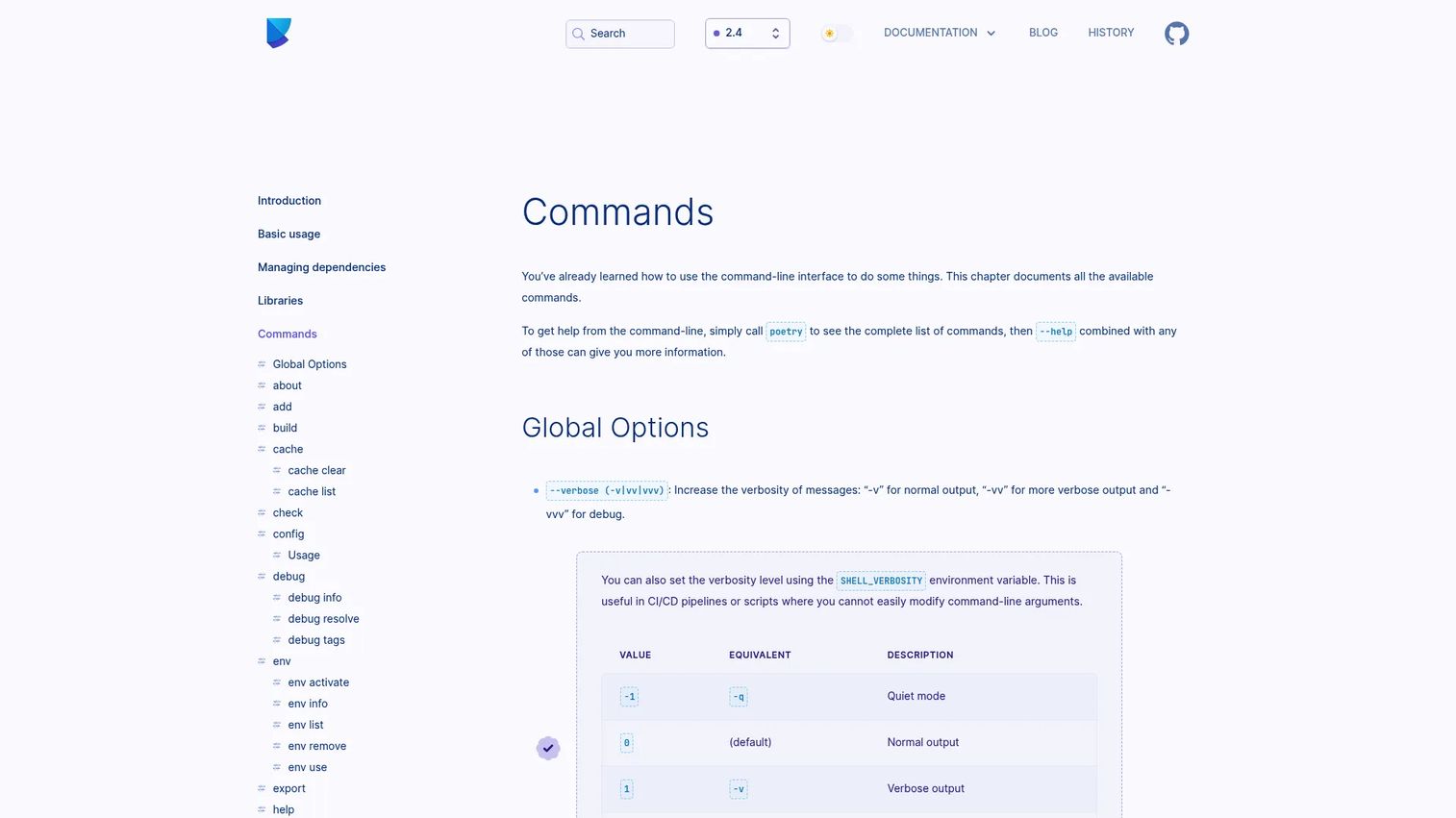
The Poetry CLI is the command layer you live in day to day. It covers adding and removing dependencies, building and publishing packages, inspecting the dependency graph, and managing environments. The commands are consistent, which matters when a whole team has to learn one workflow rather than several.
Clear commands are what make adoption stick. poetry add, poetry build, poetry publish, and poetry show map cleanly to the jobs you do, so the CLI reference is the page your engineers keep open.
Best for: Python teams that need a consistent CLI for dependencies, builds, and publishing.
Key features
- add and remove dependencies with resolution
- build sdists and wheels
- publish to PyPI or private indexes
- show and inspect the dependency graph
- manage per-project environments
Why choose the Poetry CLI: Pick the CLI workflow when command clarity drives team adoption and reproducibility. Consistent commands shorten ramp time for new hires, so the tool becomes shared infrastructure rather than one person's habit.
Inspecting what's installed is one command:
poetry show --tree
Poetry CLI pricing: The CLI ships with Poetry and is free and open source. Using every command costs nothing, at any team size.
There's no G2 rating for the Poetry CLI specifically, as it's part of an open-source project without a commercial listing.
5. poetry-core
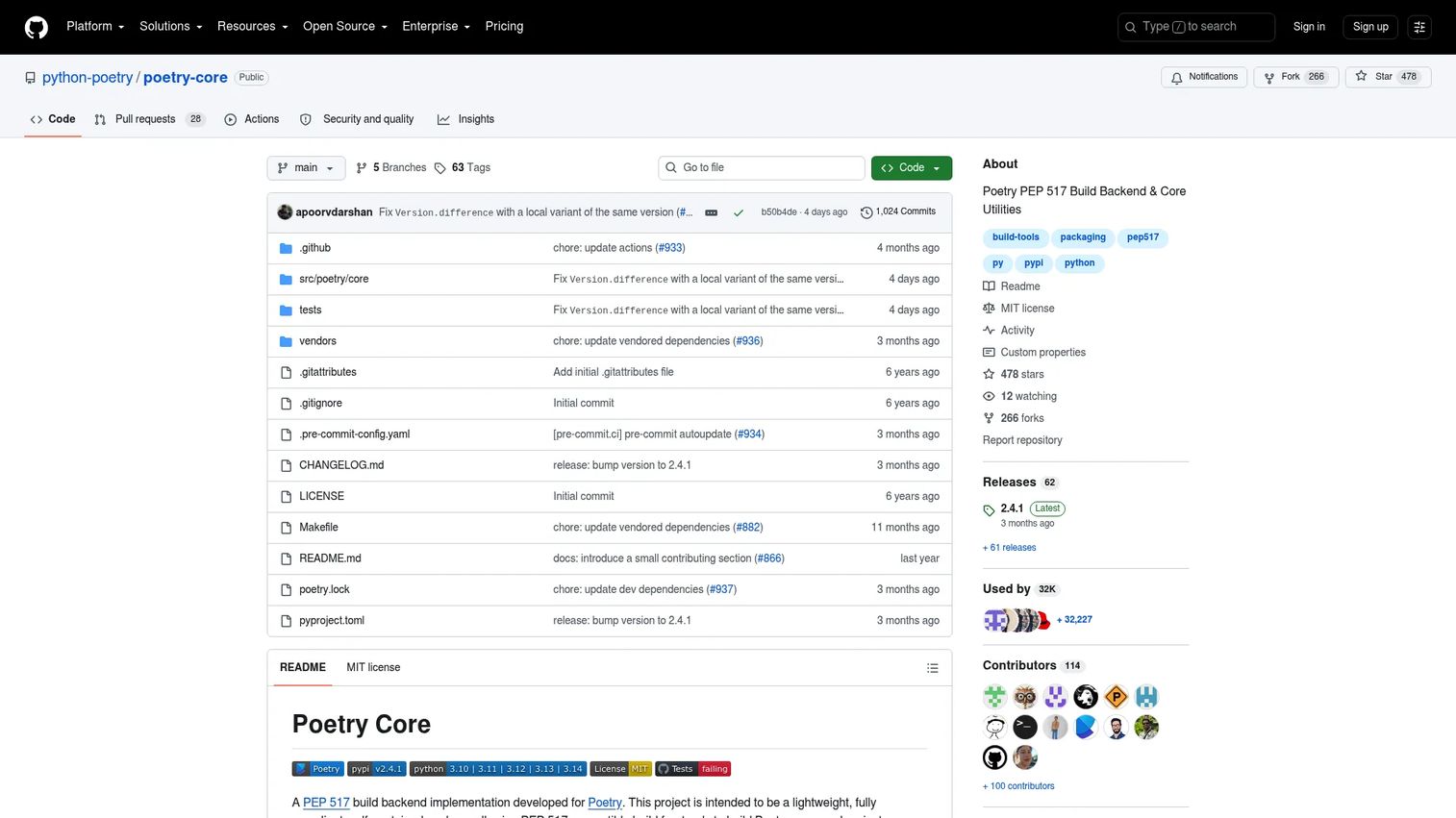
poetry-core is the PEP 517 build backend that Poetry uses to produce your package artifacts. It's a self-contained, dependency-free core that builds wheels and sdists from your project metadata. You reference it in your pyproject.toml build-system table, and it does the packaging work behind the scenes.
Most days you won't touch it directly. But when you need to understand how a build gets produced, or you want a lightweight backend without the full CLI, poetry-core is the piece to know.
Best for: Python projects that need Poetry-compatible package builds.
Key features
- PEP 517 build backend
- Builds wheels and sdists
- Self-contained with no runtime dependencies
- Reads project metadata for builds
Why choose poetry-core: Choose poetry-core when you want the packaging engine without pulling in the whole toolchain, or when you need to reason about how builds happen. It fits teams that care about build reproducibility at the backend level.
You wire it in through config:
[build-system] requires = ["poetry-core"] build-backend = "poetry.core.masonry.api"
poetry-core pricing: poetry-core is free and open source, hosted on GitHub. There's no cost to depend on it in any project.
poetry-core has no G2 rating, since it's an open-source library rather than a reviewed commercial product.
6. pyproject.toml
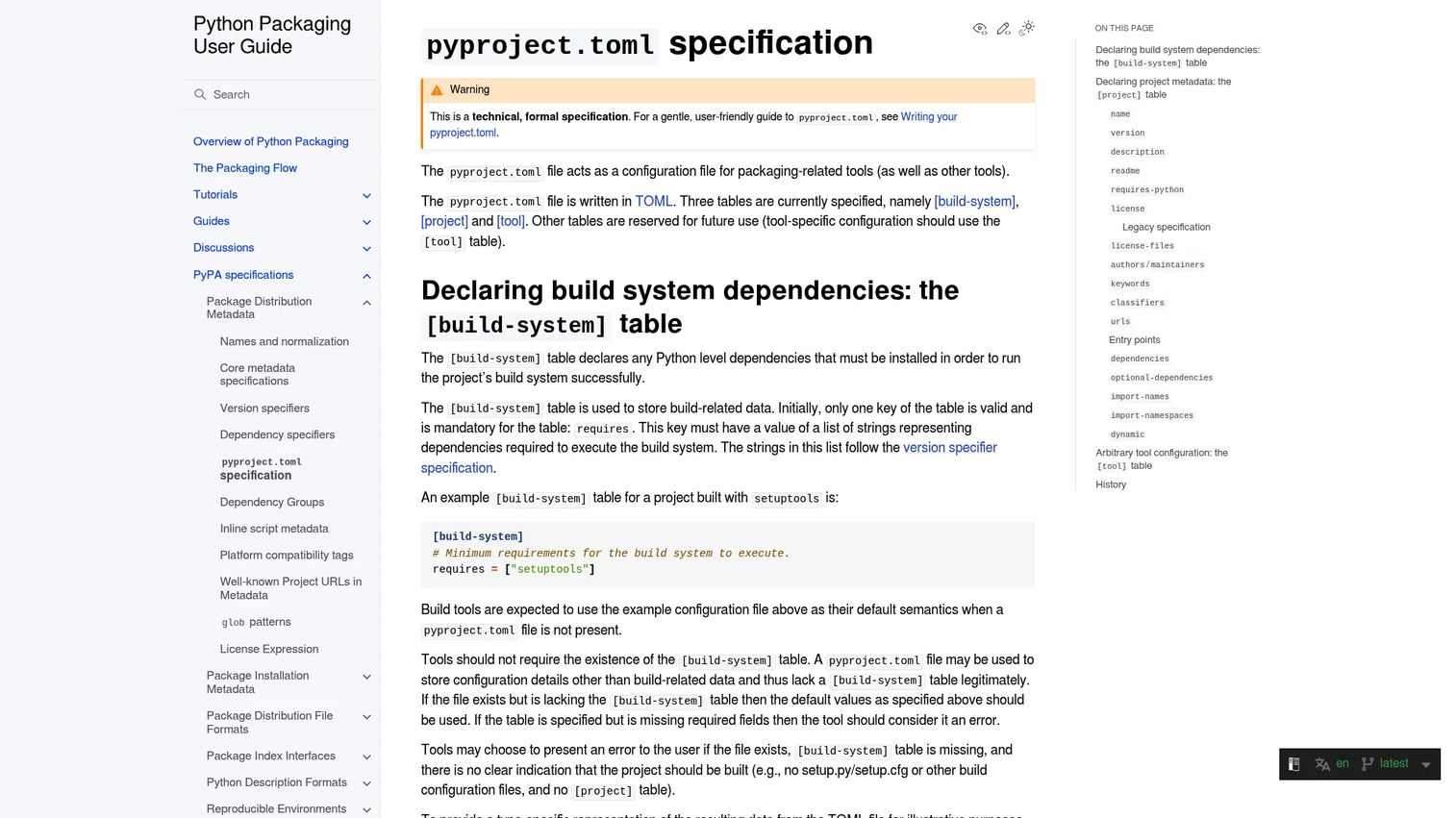
pyproject.toml is the standardized configuration file that anchors a Poetry-managed project. It holds your build-system requirements, your project metadata, and tool-specific settings, all in one place. The Python Packaging Authority maintains the specification, so it's a standard, not a Poetry invention.
This file is where the workflow becomes legible. Anyone reading it can see what the project depends on, how it builds, and how its tools are configured.
Best for: Python projects that need standardized packaging and metadata configuration.
Key features
- [build-system] table for build dependencies
- [project] table for core metadata
- [tool] table for tool-specific settings
- Single file for the whole project config
Why choose pyproject.toml: Use pyproject.toml as your project backbone when you want configuration to live in one readable, standard file. It fits teams that value having dependencies and build settings visible in version control rather than scattered.
pyproject.toml pricing: The specification and the file format are free and open. There's no cost, since it's an open packaging standard.
pyproject.toml carries no G2 rating, as it's a specification document rather than a commercial tool.
7. Python Packaging User Guide
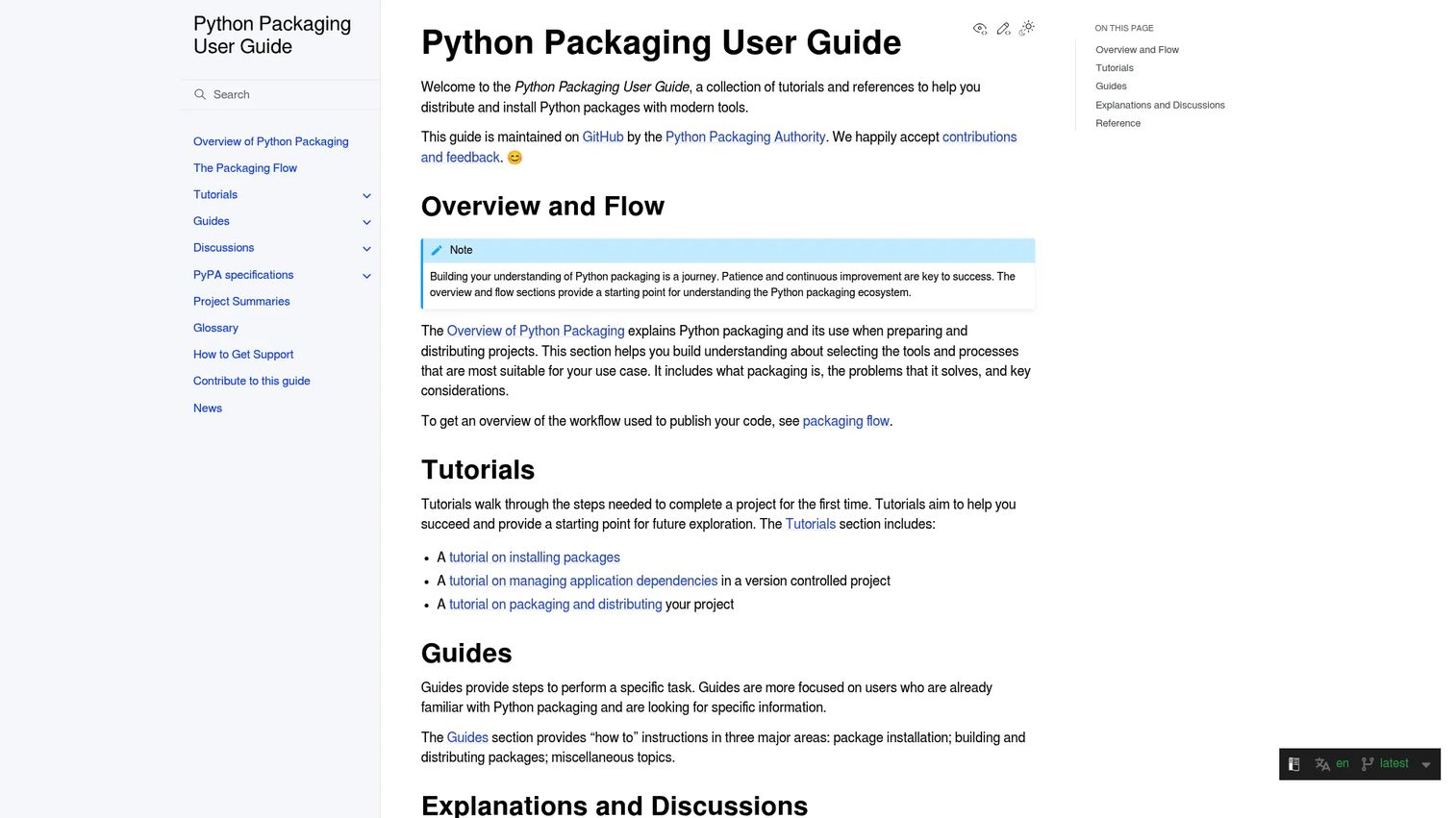
The Python Packaging User Guide is the official reference from the Python Packaging Authority. It covers installing packages, managing dependencies, building projects, and publishing to PyPI and TestPyPI. When a Poetry installation question or a CI setup detail stumps you, this is where you find the authoritative answer.
It's the layer that ties everything else together. Install paths, environment variables, completions, and platform-specific steps all trace back to guidance here.
Best for: Developers who need official Python packaging and publishing guidance.
Key features
- Tutorials for installing packages and managing dependencies
- Guides for pyproject.toml and publishing
- TestPyPI and build workflow walkthroughs
- Reference docs for PyPA interoperability standards
Why choose the Python Packaging User Guide: Turn to the guide when you want a trustworthy source for install, build, and publish questions rather than a scattering of blog posts. It fits teams standardizing a workflow that new hires need to learn correctly the first time.
Python Packaging User Guide pricing: The guide is free public documentation, with no paid plans. Reading and referencing it costs nothing.
The guide has no G2 rating, since it's official documentation rather than a reviewed software product.
Considerations
Before you roll Poetry across multiple developers and repos, walk this checklist.
Reproducibility
Confirm the lockfile is committed and that installs pull from it, not from loose version ranges. Test that a fresh clone plus poetry install produces identical versions on a second machine. Reproducibility is the reason to adopt Poetry, so verify it before you trust it.
Install path
Decide on one install method for the whole team, either the official installer or pipx. Pin the Poetry version so a background upgrade can't change behavior mid-quarter. A single documented path keeps onboarding predictable.
CI fit
Check that your CI runners cache the environment and pin the Poetry version. Make sure poetry install runs cleanly in a container with no interactive prompts. CI is where drift hides, so validate it early.
Packaging workflow
If you publish libraries, test the full build and publish loop against TestPyPI before touching production. Confirm poetry-core produces the wheels and sdists you expect. A dry run beats discovering a metadata problem at release time.
Team onboarding
Document the setup as one command plus one file, and hand it to your next new engineer to test. If they can't get a working environment in minutes, tighten the docs. The goal is a workflow that runs without you in the room.
Conclusion
For most teams, the answer to "poetry software" is a short stack. Start with Poetry as the core tool, install it through the official installer or pipx, and configure everything in pyproject.toml. Lean on the Poetry CLI day to day, and keep the Python Packaging User Guide open when setup or CI throws a question you can't answer from memory. poetry-core sits underneath, doing the build work you rarely touch but should understand.
The value here isn't novelty. It's removing environment drift, standardizing installs, and making packaging repeatable enough that a new hire ships on day one and your builds behave the same everywhere. That's the kind of quiet infrastructure that stops routing every problem back through the founder.
Your next step is small: Install Poetry on one project, commit the lockfile, and confirm a teammate gets an identical environment. If that works, you have a pattern worth rolling out.
Start your journey with Guideflow today!
FAQs
Poetry is a dependency management and packaging tool for Python. It resolves dependencies into a compatible set, writes a lockfile for reproducible installs, isolates each project in its own environment, and builds and publishes packages. It replaces a mix of pip, virtualenv, and separate build tools with one workflow driven by pyproject.toml.
The most direct route is the official installer script from install.python-poetry.org, run with a single curl command piped to python3. You can also install it with pipx, which puts the Poetry CLI in an isolated environment so it never mixes with project dependencies. Both approaches keep setup repeatable across machines and CI.
pyproject.toml is the standard configuration file for a Python project. It holds the build-system requirements in a [build-system] table, project metadata in a [project] table, and tool-specific settings in a [tool] table. For a Poetry-managed project, it's the single file where dependencies, build settings, and metadata all live.
pip installs packages, but it doesn't resolve a full compatible dependency set, manage environments, or handle packaging on its own. Poetry does all three: It computes a compatible tree, writes a lockfile for deterministic installs, isolates environments per project, and builds and publishes packages. In short, pip is one piece, and Poetry covers the whole workflow.
Yes, and it's built for it. Pin the Poetry version in your CI config, cache the environment between runs, and run poetry install to get the exact versions from your lockfile. Because installs are deterministic, your CI reproduces the same environment every time, which is the point of using Poetry across a team.
poetry-core is the PEP 517 build backend that produces your package artifacts. It's a self-contained, dependency-free core that builds wheels and sdists from your project metadata. You reference it in the build-system table of pyproject.toml, and it handles the packaging work without requiring the full Poetry CLI.
pipx installs the Poetry CLI in its own isolated environment, separate from any project's dependencies. That keeps a Poetry upgrade from clashing with the code it manages and makes setup consistent across a team. When every developer installs tools the same isolated way, environment conflicts stop being a recurring support ticket.










