
Your master schedule lives in a spreadsheet. Someone edits it Monday morning, another person edits a different copy Tuesday, and by Thursday a machine is idle because the material it needs is still in receiving. A rush order lands, the whole plan reshuffles by hand, and three due dates quietly slip. You find out when the customer calls.
That gap between what the plan says and what the floor actually does is the core problem. It costs you throughput, on-time delivery, and trust. And it compounds every time demand shifts, a machine goes down, or a supplier misses a window.
The market has noticed. The manufacturing production planning and scheduling software market reached $3.91 billion in 2025 and is projected to hit $5.97 billion by 2030 at an 8.9% CAGR, according to The Business Research Company (2025). More telling for buyers: as of 2023, roughly 61% of manufacturers globally had moved to cloud-based advanced planning and scheduling software for multi-site scalability, per Business Research Insights (2025).
The trouble is that "production scheduling software" covers wildly different tools. An all-in-one MRP for a 30-person shop and an enterprise APS engine for a multi-plant chemical maker both wear that label. This guide compares seven of them through the lens of actual scheduling pain, so you can shortlist by fit instead of by feature checklist. If you evaluate adjacent operations tooling, the same buyer discipline applies to categories like audit management software and contract lifecycle management software, where implementation depth matters as much as the feature list.
What's inside
This is a buyer comparison, not a feature dump. We selected seven production scheduling tools based on scheduling depth (forward, backward, and finite-capacity), capacity and resource planning, real-time schedule updates, ERP or MRP integration, and operational fit for a specific manufacturing motion.
Each entry names who it serves best, its key strengths, and verified pricing where the vendor publishes it. Where pricing is sales-led, we say so plainly rather than guess. The goal is to help a product or operations owner match a tool to their scheduling reality before booking a single demo. For teams that also evaluate marketing and revenue systems, the same discipline shows up in guides like best lead scoring software.
TL;DR
- Best for small and growing manufacturers: MRPeasy, an all-in-one MRP with production scheduling, inventory, and procurement in one cloud system.
- Best for visual and configurable scheduling: Visual Planning, with drag-and-drop scheduling across web and mobile.
- Best for detailed real-time shop-floor scheduling: Proficy Scheduler, built for finite-capacity sequencing across sites.
- Best for process manufacturers with constrained resources: Infor Production Scheduling.
- Best for APS sophistication: Opcenter APS, for finite-capacity modeling tied to ERP and MES data.
- Best for supply chain and production orchestration: SedaptaSuite.
- Best for SAP-standardized enterprises: SAP S/4HANA Manufacturing for Planning and Scheduling.
What is production scheduling software?
Production scheduling software is a system that plans, sequences, and continuously updates manufacturing work across machines, labor, and materials so that orders finish on time without overloading capacity. It turns a demand or order list into an executable schedule and keeps that schedule current as conditions change.
Where broader production planning software answers "what should we make and when, at a high level," scheduling software answers "in exactly what order, on which resource, starting when." The best tools do both, but the scheduling engine is what keeps the floor honest.
The core building blocks buyers should recognize:
- Capacity management: Model machine, labor, and tooling availability so the schedule reflects real limits, not wishful ones. Finite-capacity scheduling prevents you from planning more work than a resource can absorb.
- Resource allocation: Assign each operation to the right work center and shift, and rebalance when a resource goes down.
- Material visibility: Tie the schedule to inventory and procurement so you do not sequence a job whose components have not arrived. This is where inventory alignment and procurement alignment matter.
- Schedule changes: Absorb rush orders, breakdowns, and demand swings with fast rescheduling and what-if analysis, ideally without a manual rebuild.
- Delivery performance: Track on-time delivery, throughput, and bottleneck management so you can see where the plan is at risk before the customer does.
A few acronyms anchor the category:
- **ERP:** Enterprise resource planning, the system of record for orders, finance, and inventory that scheduling often plugs into.
- MRP: Material requirements planning, which nets demand against inventory to drive purchasing and production orders.
- MPS: Master production schedule, the higher-level plan that scheduling executes in detail.
- **MES:** Manufacturing execution system, the shop-floor layer that reports actuals back to the schedule.
- APS: Advanced planning and scheduling, the optimization layer that builds constraint-aware, finite-capacity schedules across resources and materials.
When to use production scheduling software
Not every manufacturer needs a dedicated scheduling engine on day one. These three situations tell you when a spreadsheet has run out of room.
When spreadsheets stop holding the schedule together
The moment you have multiple people editing the plan, version drift starts. Someone schedules a job on a machine another planner already committed. A change in one cell never propagates to the linked sheet. If you spend more time reconciling copies than actually planning, dedicated production planning software pays for itself in reclaimed hours and fewer collisions.
When demand shifts too often for static plans
Rush orders, cancellations, and forecast swings turn a static weekly plan into fiction by Wednesday. Manufacturing scheduling software with fast rescheduling and what-if analysis lets you test a change before you commit it, then propagate it across every dependent operation. You see the delivery impact immediately instead of discovering it at shipping.
When due dates, labor, and machine capacity need to stay aligned
When a promised date depends on a specific machine, a specific crew, and a specific material arrival all lining up, manual coordination breaks down. Finite-capacity scheduling connects those three so the system refuses to promise what capacity cannot deliver. That is the difference between a schedule you hope holds and one you can commit to a customer.
Comparison table
Use this table to filter fast before reading the deeper evaluations below. Intent describes the buyer motion each tool fits; the key use case captures its sharpest strength. Pricing reflects each vendor's published figures where available, and several enterprise tools are sales-led by design.
| # | Product | Intent | Key use case | Pricing | G2 rating |
|---|---|---|---|---|---|
| 1 | MRPeasy | SMB all-in-one MRP | Production planning, inventory, and procurement in one cloud system | From $49/user/month | 4.6/5 |
| 2 | Visual Planning | Configurable visual scheduling | Drag-and-drop scheduling across web and mobile | From $15/user/month | 3.8/5 |
| 3 | Proficy Scheduler | Detailed real-time scheduling | Finite-capacity sequencing across resources and sites | Sales-led | Not published |
| 4 | Infor Production Scheduling | Process manufacturing | Constraint-based scheduling for tanks, lines, and product flow | Sales-led | 3.9/5 (seller) |
| 5 | Opcenter APS | APS sophistication | Finite-capacity modeling tied to ERP and MES data | Sales-led | Not published |
| 6 | SedaptaSuite | Supply chain orchestration | Planning, scheduling, and shop-floor execution combined | Sales-led | 3.5/5 |
| 7 | SAP S/4HANA MPS | SAP-standardized enterprise | Integrated planning and scheduling inside SAP S/4HANA | From $295/user/month | 4.2/5 (seller) |
1. MRPeasy
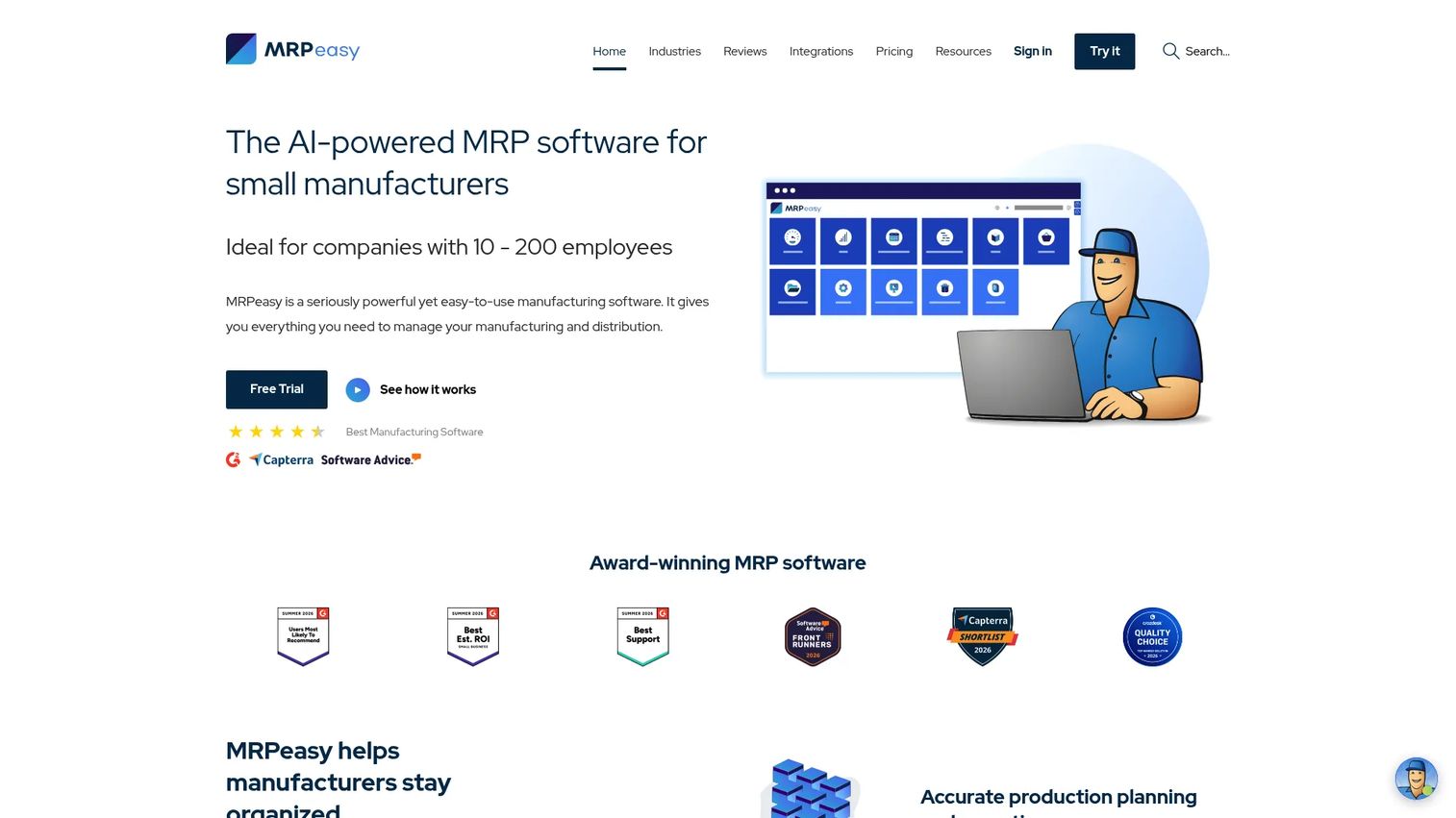
MRPeasy is cloud-based MRP and ERP software built specifically for small manufacturers. Instead of bolting a scheduler onto a spreadsheet, it gives a growing shop production planning, inventory and warehouse management, procurement, and shop-floor reporting in one system. That consolidation is the point: the schedule stays connected to what you have in stock and what is on order.
For the schedule itself, MRPeasy handles forward and backward scheduling, production calendars, drag-and-drop rescheduling, and BOM and routing support. When a rush order lands, you reschedule visually and the system reflects the material and capacity impact rather than leaving you to trace it by hand. Procurement alignment is baked in, so the plan knows when components will actually arrive.
Best for: Small and growing manufacturers that want an all-in-one production planning and scheduling system rather than a standalone scheduler.
Key strengths
- All-in-one MRP: Production planning, inventory, and procurement live together, so the schedule reflects real material availability.
- Drag-and-drop rescheduling: Adjust the plan visually and see capacity and material impact without a manual rebuild.
- Forward and backward scheduling: Plan from a start date or a due date, with BOM and routing support behind every job.
Why choose MRPeasy: If you are a small manufacturer graduating off spreadsheets, MRPeasy fits the moment when you need scheduling, inventory, and purchasing to talk to each other but cannot justify an enterprise APS project. It is practical, quick to stand up, and priced per user so cost scales with your team.
MRPeasy pricing: Plans are billed per user per month, starting at $49 (Starter), then $69 (Professional), $99 (Enterprise), and $149 (Unlimited). MRPeasy offers a free trial and states no hidden fees on its pricing page, though there is no permanent free tier.
2. Visual Planning
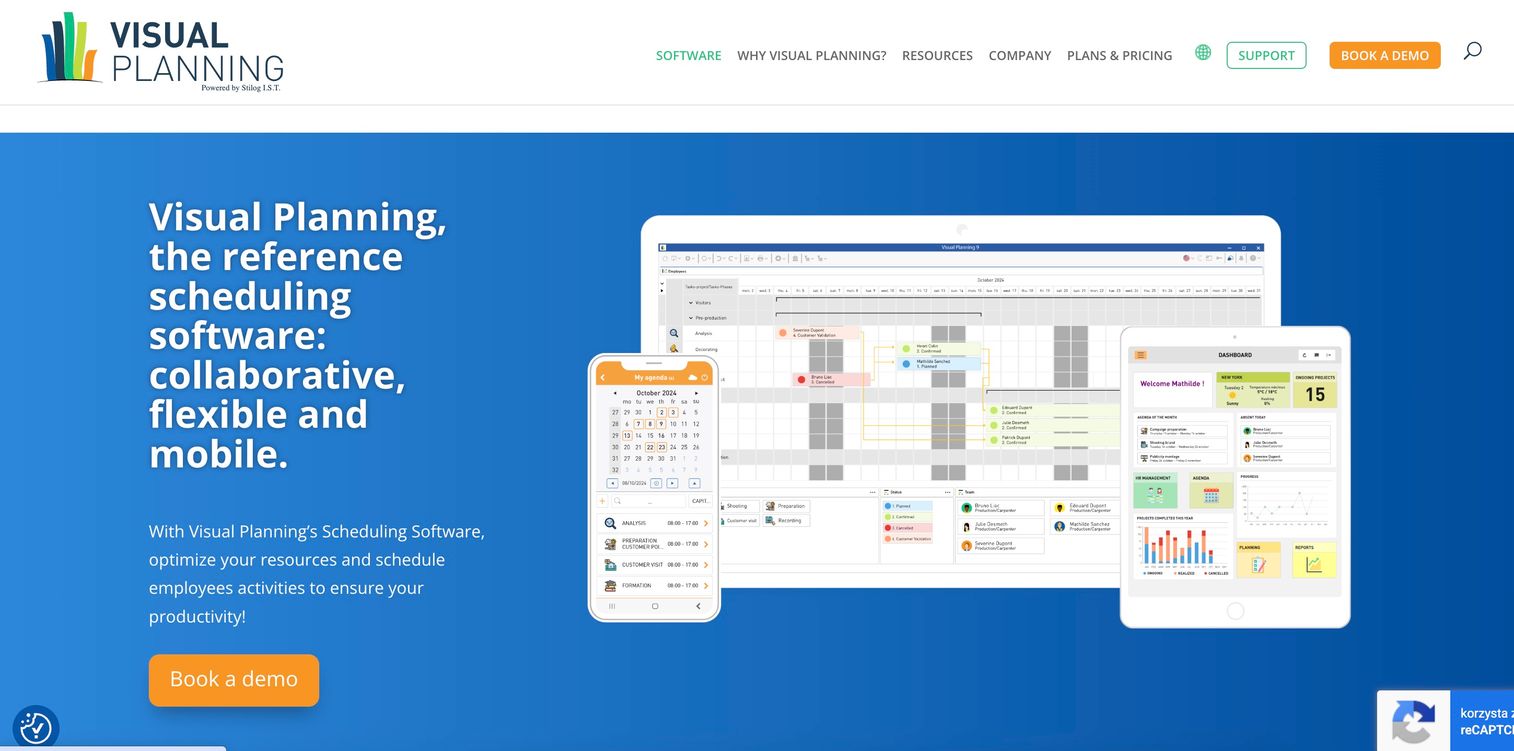
Visual Planning is scheduling and resource management software built around a highly configurable, visual planning board. It is a strong fit for teams that think in terms of drag-and-drop scheduling and want the interface to match their own workflow rather than force a fixed one. As a factory scheduling software option, its flexibility is the headline.
The platform delivers real-time indicators and tracking, multi-device access through web and mobile apps, and document management and reporting. Planners build views the way they run the floor, by resource, by project, by shift, and update the schedule by dragging blocks. Because it works across desktop, web, and mobile, a supervisor can adjust the plan from the floor rather than walking back to a workstation.
Best for: Teams that need configurable scheduling and resource planning across desktop, web, and mobile, with the freedom to shape views around their process.
Key strengths
- Configurable views: Build scheduling boards by resource, project, or shift so the interface matches how you actually plan.
- Drag-and-drop scheduling: Reschedule visually with immediate real-time indicators on resource load.
- Multi-device access: Update and track the schedule from web or mobile, useful for supervisors working on the floor.
Why choose Visual Planning: Choose it when usability and flexibility matter more than a heavy optimization engine. If your scheduling problem is coordination and visibility across resources rather than deep finite-capacity math, its configurable, visual approach fits how planning teams work day to day.
Visual Planning pricing: Public pricing starts at $15/user/month for VP GO, $40/user/month for VP PORTAL, and $55/user/month for VP DESK, all billed annually. The vendor notes pricing is subject to change and shows regional variants; there is no free tier listed.
3. Proficy Scheduler
Proficy Scheduler from GE Vernova is industrial production scheduling software aimed at manufacturers that need detailed, real-time scheduling across resources and sites. This is a step up in scheduling depth from a visual planner: the engine is built around finite-capacity scheduling, so it sequences work against actual resource limits rather than treating capacity as infinite.
It provides web-based scheduling with mobile dashboards and real-time schedule visibility with re-optimization. When something changes on the floor, planners collaborate in real time and the schedule re-optimizes rather than waiting for a nightly batch. That makes it a fit for operations where sequencing precision and fast response to disruption directly drive throughput.
Best for: Manufacturers that need detailed, real-time production scheduling across multiple resources and sites.
Key strengths
- Finite-capacity scheduling: Sequences work against real resource limits so the plan reflects what the floor can actually run.
- Real-time visibility and re-optimization: Reschedules as conditions change instead of relying on batch updates.
- Web and mobile dashboards: Gives planners and supervisors current schedule status wherever they are.
Why choose Proficy Scheduler: Consider it when your scheduling problem is sequencing complexity and real-time response, not just visibility. Before shortlisting, evaluate how it will connect to your ERP and MES layers, since its value grows when it consumes accurate order and shop-floor data.
Proficy Scheduler pricing: GE Vernova does not publish a public price for Proficy Scheduler. Pricing is sales-led, so plan to scope requirements and site count in a vendor conversation before you can compare cost.
4. Infor Production Scheduling
Infor Production Scheduling is production scheduling software built for process manufacturers that run constrained resources like tanks, vessels, and continuous lines. Where discrete-manufacturing schedulers focus on machines and routings, Infor's engine is designed around product flow and the interdependencies that define process production.
It uses constraint-based scheduling to model tanks, vessels, lines, and product flow, synchronizes operations across interdependent production lines, and provides a graphical planning board for rapid schedule adjustments. The graphical board lets planners test and commit changes quickly, which matters when a single upstream change ripples through connected lines.
Best for: Process manufacturers that need constraint-based production scheduling across complex, interdependent resources.
Key strengths
- Constraint-based scheduling: Models tanks, vessels, lines, and product flow rather than discrete machine routings.
- Operational synchronization: Coordinates interdependent production lines so an upstream change reflects downstream.
- Graphical planning board: Supports rapid, visual schedule adjustments across the flow.
Why choose Infor Production Scheduling: It fits when your production is flow-based and your scheduling headaches come from interdependencies, not job-shop routing. Weigh the depth of a fit-for-process point solution against the pull of running scheduling inside a broader Infor manufacturing and supply chain footprint if you already use one.
Infor Production Scheduling pricing: Infor does not publish public pricing for this product; it is quote-based. G2 shows a 3.9/5 rating for the Infor seller profile overall rather than this specific product.
5. Opcenter APS
Opcenter APS from Siemens is advanced planning and scheduling software for manufacturers that need genuine APS depth, not just a visual scheduler. It spans long-term strategic planning, medium-term tactical planning, and detailed sequencing and scheduling in one tool, which lets a plant connect capacity strategy to the execution-level schedule.
The engine builds production schedules based on resource availability, constraints, and order materials, with the explicit goal of increasing resource utilization and reducing inventory levels. This is the finite-capacity, constraint-aware modeling that separates true APS from a planning board, and it is designed to consume ERP and MES data so schedules reflect real orders and real shop-floor status.
Best for: Manufacturers that need APS-level capacity planning and detailed production scheduling tied to ERP and MES data.
Key strengths
- Finite-capacity APS engine: Builds constraint-aware schedules from resource availability, constraints, and order materials.
- Multi-horizon planning: Connects long-term strategic and medium-term tactical planning to detailed sequencing.
- Utilization and inventory focus: Optimizes toward higher resource utilization and lower inventory levels.
Why choose Opcenter APS: Reach for it when your scheduling problem is genuine optimization, balancing utilization, constraints, and materials across a complex plant. It rewards teams that can feed it clean ERP and MES data, since schedule quality tracks data quality.
Opcenter APS pricing: Siemens does not publish a public price; the product directs buyers to contact sales or request a quote. Scope your plant complexity and integration needs before that conversation to compare it fairly against alternatives.
6. SedaptaSuite
SedaptaSuite is a supply chain planning and manufacturing operations suite for industrial companies. It is broader than a standalone scheduler: it combines demand management and forecasting, supply chain planning and execution, and manufacturing execution with shop-floor monitoring. Scheduling sits inside a larger orchestration layer that connects plan to procurement to floor.
That breadth is the reason to consider it. If your challenge is not only sequencing jobs but keeping demand, materials, capacity, and execution synchronized across the supply chain, SedaptaSuite is built for that orchestration rather than a single scheduling view. It suits teams that want one connected system across planning and operations.
Best for: Industrial manufacturers that want integrated planning, scheduling, and shop-floor execution in one connected suite.
Key strengths
- Demand management and forecasting: Feeds the schedule with forward-looking demand rather than reacting only to firm orders.
- Supply chain planning and execution: Connects planning through procurement and materials to production.
- Shop-floor execution and monitoring: Closes the loop between the plan and what actually happens on the floor.
Why choose SedaptaSuite: Choose it when scheduling is one part of a wider orchestration need across demand, supply, and execution. It fits teams consolidating fragmented planning and operations tools into a single suite rather than adding a point scheduler.
SedaptaSuite pricing: SedaptaSuite uses contact- and demo-based selling; no public pricing is published. G2 shows a 3.5/5 rating for the related sedApta Demand Management product, the closest current third-party rating available.
7. SAP S/4HANA Manufacturing for Planning and Scheduling
SAP S/4HANA Manufacturing for Planning and Scheduling delivers manufacturing planning and detailed scheduling inside the SAP S/4HANA environment. Its defining trait is integration: planning and scheduling run natively against the same data as the rest of your SAP operations, so there is no bridge to build between the schedule and the system of record.
It supports integrated manufacturing collaboration and operations management, improves product planning, change management, and operations management, and keeps production planning and scheduling aligned within SAP S/4HANA. For an enterprise already standardized on SAP, that native alignment removes a whole category of integration and data-sync work.
Best for: Large manufacturers already standardized on SAP S/4HANA that want planning and scheduling native to their core stack.
Key strengths
- Native SAP integration: Planning and scheduling run on the same data as finance, orders, and inventory.
- Integrated operations management: Connects manufacturing collaboration, change management, and operations in one environment.
- Enterprise planning depth: Supports production planning and detailed scheduling at enterprise scale.
Why choose SAP S/4HANA: If you are already on SAP, the value is eliminating integration friction and keeping one source of truth. That comes with an enterprise implementation commitment, so treat it as a program, not a quick install, and staff it accordingly.
SAP S/4HANA pricing: SAP does not publish a product-specific price for this exact offer. Its public SCM pricing lists SAP Supply Chain Base at USD 295.00/user/month and SAP Supply Chain Premium at USD 413.00/user/month, billed monthly per user for 25 to 39 users, with a minimum of 15 users and a one to three year contract.
How to evaluate production scheduling software
Before you book demos, pressure-test each tool against the criteria that actually predict success on the floor.
ERP, MRP, and MES fit
A schedule is only as good as the data feeding it. Check exactly how a tool connects to your ERP or MRP for orders and inventory, and to your MES for shop-floor actuals. Native integration, like SAP's, removes sync work; a point solution needs a clear, maintained connection.
Scheduling depth: visual versus finite-capacity
Decide whether your problem is visibility and coordination or true constraint optimization. Drag-and-drop scheduling solves the first. Finite-capacity and APS engines solve the second by refusing to overload a resource. Buying more depth than you need adds cost and complexity; buying less leaves you rescheduling by hand.
Real-time updates and what-if analysis
Ask how the tool handles a rush order or a breakdown. Can you model a change, see the delivery and capacity impact, and commit it without a full rebuild? Real-time visibility and what-if analysis are what keep the schedule trustworthy as conditions shift.
Procurement and inventory alignment
The schedule must know when materials arrive. Confirm the tool ties sequencing to inventory and procurement so you never plan a job whose components are still in transit. This is where inventory alignment quietly protects on-time delivery.
Implementation and data readiness
Match the implementation commitment to your team. An SMB MRP stands up fast; an enterprise APS or SAP program is a multi-month project. Be honest about the data you can feed it, because schedule quality tracks data quality more than any single feature.
Conclusion
The right production scheduling software depends entirely on your manufacturing motion, not on a feature scorecard.
If you are a small or growing manufacturer, MRPeasy consolidates scheduling, inventory, and procurement into one affordable, quick-to-deploy MRP. If usability and flexibility drive your decision, Visual Planning's configurable, drag-and-drop approach fits how planners actually work. And if your challenge is genuine execution complexity, APS-oriented tools like Opcenter APS, Proficy Scheduler, and Infor Production Scheduling bring the finite-capacity depth that keeps promises realistic, while SAP S/4HANA and SedaptaSuite fit teams wanting scheduling inside a broader enterprise or supply chain footprint.
The practical next step: pick the two or three tools whose intent matches your scheduling pain, then test each against your real constraints, your ERP and MES data, your rush-order behavior, your due-date reliability, before you sit through a single vendor pitch. That comparison, run against your own floor, will tell you more than any manufacturing schedule software brochure.
FAQs
Production scheduling software plans, sequences, and updates manufacturing work across machines, labor, and materials so orders finish on time without overloading capacity. It converts an order or demand list into an executable schedule and keeps that schedule current as conditions change. The stronger tools add finite-capacity modeling so the plan reflects real resource limits.
Production planning software answers the higher-level question of what to make and roughly when, often through MRP and a master production schedule. Production scheduling software answers the detailed question of what runs in which order, on which resource, starting when. Many platforms do both, but the scheduling engine is what turns a plan into something the floor can execute.
Prioritize capacity management, real-time schedule updates, and tight material and procurement alignment, since those three prevent the most common failures: overloaded resources, stale plans, and jobs started without parts. Finite-capacity scheduling and what-if analysis matter when demand shifts often. Beyond that, evaluate how well the tool integrates with your ERP and MES.
Not usually. Most ERP and MRP systems plan at a coarse level and assume near-infinite capacity, which is fine for purchasing but weak for detailed shop-floor sequencing. Dedicated scheduling or APS tools add finite-capacity, constraint-aware sequencing on top of ERP data. The exception is a suite like SAP S/4HANA, where scheduling runs natively inside the ERP itself.
APS is not universally better; it is deeper. Advanced planning and scheduling adds finite-capacity, constraint-aware optimization across resources and materials, which pays off in complex, multi-constraint plants. A smaller shop whose problem is visibility and coordination may get more value, faster, from a visual scheduler. Match the depth to the complexity of your scheduling problem.
Start with an all-in-one system that connects scheduling, inventory, and procurement, so the plan reflects what you actually have and what is on order. Fast setup and per-user pricing keep the commitment proportional to your size. A tool like MRPeasy fits this profile, letting a growing shop leave spreadsheets behind without an enterprise-scale project.
Ask what your real problem is. If planners mainly need to see and coordinate work across resources, visual drag-and-drop scheduling solves it and adopts quickly. If the floor gets overcommitted and sequencing is genuinely constrained, finite-capacity scheduling is worth the added depth because it refuses to plan more than a resource can run. Many teams start visual and add finite-capacity as complexity grows.
The two that matter most are your ERP or MRP, for orders, inventory, and procurement data, and your MES, for real shop-floor actuals that keep the schedule honest. Without ERP data, the schedule works from stale demand; without MES data, it drifts from what is actually happening. Confirm both connections, and how they are maintained, before you commit.