

You ran the same onboarding walkthrough for the fourth time this week. Different account, same slides, same questions, same 45-minute call that could have been a guided walkthrough. Meanwhile, two accounts from last month's cohort went dark after the kickoff call, and your time-to-value metric is creeping upward. Your VP wants answers by Friday.
Here's the uncomfortable truth about most user onboarding experience advice: it's written for product designers and UX teams. They care about tooltip placement and modal sequencing. You care about whether 45 accounts hit activation before the 30-day mark.
According to Wyzowl's customer onboarding statistics, 86% of customers say they'd stay loyal to a business that provides onboarding and continuous education content. But loyalty starts with the first week. Research from UserGuiding shows that 90% of users churn without seeing value in the first week.
This guide is written for the person who actually owns whether customers succeed or churn: the Customer Success Manager running onboarding at scale.
What you'll learn
- What user onboarding experience actually means (and how it differs from product onboarding)
- Why onboarding is the single highest-leverage activity for retention and expansion
- A step-by-step framework to build an onboarding experience that scales across dozens of accounts
- How to measure whether your onboarding is working, with specific benchmarks
- Best practices from teams running onboarding across 50+ accounts simultaneously
- How interactive, self-serve content changes the onboarding equation
TL;DR
- User onboarding experience is the guided journey from signup to first meaningful value, and it directly predicts retention, expansion revenue, and support load.
- The biggest onboarding mistake is treating all users the same. Segment by role, use case, and technical comfort level.
- Interactive, guided content delivers materially higher engagement and faster time-to-value than static documentation. Personalized onboarding paths increase completion rates by 35%, according to UserGuiding research.
- Measure onboarding with four metrics: completion rate, time-to-value, activation rate, and 30-day support ticket volume.
- The CSM who builds onboarding once and personalizes at scale with tools like Guideflow serves 50 accounts the way they used to serve 15.
What is user onboarding experience
User onboarding experience is the end-to-end process of guiding new users from their first interaction with a product to the moment they achieve their first meaningful outcome. By definition, onboarding is not a single event. It's a sequence of touchpoints designed to move a user from "I just signed up" to "I see why this matters to my work."
What separates onboarding user experience from the onboarding process itself is perspective. The process is the set of steps you design: the welcome email, the setup wizard, the training call. The experience is how the user perceives and feels about those steps. Two companies can have identical onboarding processes and produce wildly different experiences based on timing, clarity, and relevance.
The scope of a user onboarding experience includes:
- Signup flow: The first moments after a user creates an account
- Welcome sequence: Emails, in-app messages, or calls that set expectations
- First-run experience: The initial guided interaction inside the product
- Education content: Help articles, interactive walkthroughs, video tutorials
- Activation milestones: Specific actions that correlate with long-term retention
- Ongoing engagement: Check-ins, progress tracking, and re-engagement for stalled users
For CSMs, this distinction matters because you own the outcome (retention), which means you need to own the experience. The product team builds the in-app mechanisms. Marketing builds the email sequences. But you're the one who notices when accounts go dark at step three, and you're the one explaining to your VP why time-to-value crept up this quarter.
User onboarding vs. product onboarding
These terms get used interchangeably, but they describe different things. User onboarding is about the person's journey to value. Product onboarding is about the product's in-app guidance mechanisms (tooltips, checklists, modals, progress bars). They overlap, but they're not the same.
A CSM cares about both but owns the user onboarding experience. You're responsible for whether the customer achieves their goal, not just whether they clicked through a checklist.
Why user onboarding experience matters for retention and growth
The onboarding experience is not a nice-to-have. It's the single highest-leverage activity a CSM controls. Here's why.
Onboarding drives retention (not just activation)
Your churn number starts in onboarding, not at renewal. Customers who experience a structured onboarding and reach their first meaningful outcome quickly retain at significantly higher rates than those who don't.
The data is clear: 74% of potential customers will switch to a competitor if the onboarding process feels too complicated, according to Wyzowl research. And products that deliver a quick win retain 80% more users than those that don't, per UserGuiding.
The implication for CSMs: every day between signup and first value is a day where the customer is deciding whether to stay. If your onboarding takes 45 days when it could take 14, you're not just slow. You're leaking revenue.
Onboarding shapes expansion revenue
Users who understand the product deeply are the ones who expand. Shallow onboarding creates shallow usage, which creates flat net revenue retention. When a customer only uses 20% of the product because onboarding only covered 20% of the product, the expansion conversation never happens.
The best onboarding experiences don't just teach users how to use what they bought. They plant seeds for what they'll buy next. A customer who understands the full platform is a customer who sees value in the premium tier. Tracking how users engage with your onboarding content through product analytics helps you identify which features drive expansion conversations.
Onboarding determines support load
Every gap in your onboarding becomes a support ticket. Teams that invest in structured, guided onboarding consistently report meaningful reductions in "how do I..." tickets during the first 90 days. The math is straightforward: if your onboarding answers the top 10 questions new users ask, your support team stops answering them manually.
For CSMs, this is the difference between spending your week on strategic account planning and spending it answering the same product question for the twelfth time. According to research, 63% of customers factor onboarding quality into purchase decisions. That means your onboarding experience isn't just a retention tool. It's a competitive advantage.
When to invest in improving your onboarding experience
Not every team needs to overhaul their onboarding right now. But if you recognize any of these patterns, the signal is clear.
Your time-to-value is inconsistent across accounts. Some customers reach first value in 5 days, others take 45. The variance is the problem. It means your onboarding depends on who runs it, not on a repeatable process.
Support tickets spike in the first 30 days. If most tickets come from new users asking basic questions, your application onboarding has gaps. Research shows 44% of subscription cancellations happen within the first 90 days. Those cancellations often start with a confused user who couldn't find answers. Building a knowledge base with interactive content can address these gaps proactively.
Customers go dark after the kickoff call. This is the onboarding specialist's nightmare. Silence after the first meeting is the strongest predictor of incomplete onboarding. If you're sending "just checking in" emails to half your new accounts, your onboarding isn't holding their attention.
Your team is growing but onboarding quality is declining. Manual onboarding breaks at scale. If adding accounts to your book means degrading the experience for each one, the process needs to change. You can't hire your way out of a process problem.
You're preparing for a QBR and can't show adoption data. If you can't demonstrate that customers are using the product, the renewal conversation starts defensive. Strong onboarding creates the data trail you need.
New stakeholders join mid-contract and need re-onboarding. B2B accounts have turnover. If every new user requires a live walkthrough from your team, you have a scalability problem that compounds with every account in your book.
Key principles of a high-performing onboarding experience
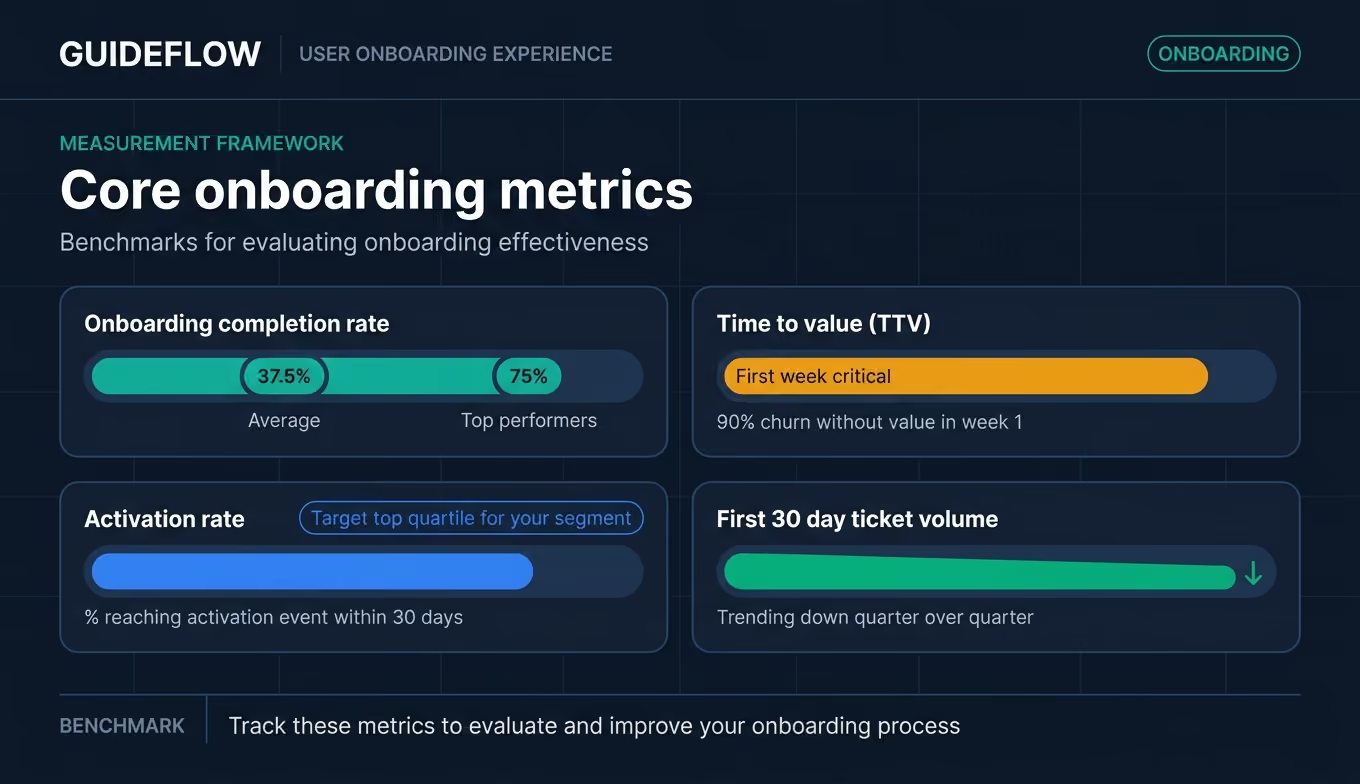
Before the tactical steps, here are the five strategic foundations. These are the principles that separate teams with 75% onboarding completion from teams stuck at 37% (which, according to OpenView's SaaS benchmarks, is the average).
1. Define "first value" before designing anything
The most common onboarding mistake is building a flow without knowing what success looks like. First value is not "completed setup." It's the moment the user achieves the outcome they bought the product for. For a project management tool, it might be "created a project and assigned a task to a teammate." For an analytics platform, it might be "built their first dashboard with real data."
Application: Before building any onboarding content, write down the one action that, once completed, makes a user significantly more likely to retain. That's your activation event. Everything in your user onboarding flow should drive toward it. If you can't name it in one sentence, you haven't defined it yet.
2. Segment users by role, not just by plan
A B2B SaaS product typically has 3-5 distinct user types within a single account: admins who configure, power users who work in the product daily, casual users who check dashboards, and executives who review reports. One onboarding flow designed for admins will confuse end users and bore executives.
Application: Map your top 3 user personas. For each, identify: what they need to do first, what they care about most, and what "first value" looks like for them specifically. Personalized onboarding paths increase completion rates by 35%, according to UserGuiding. Even a simple branch ("Are you setting up the product or using it daily?") delivers measurable improvement. Guideflow's personalization features let you tailor walkthroughs by persona without rebuilding them from scratch.
3. Show, don't tell
Static documentation has a fundamental engagement problem: users read passively and retain little. Interactive content, where users click through actual product flows in a guided environment, delivers materially higher engagement because it turns passive reading into active doing. According to Wyzowl, 93% of professionals say interactive and video content increases understanding of a product.
The difference between sending a help article and sending an interactive demo is the difference between describing how to ride a bike and putting someone on one. Onboarding UX design that prioritizes doing over reading consistently produces faster activation and fewer follow-up support questions.
Application: For your top 3 onboarding workflows, replace at least one static doc or video with an interactive, clickable walkthrough. Measure completion rate before and after.
4. Progressive disclosure over information overload
New users don't need to learn everything on day one. They need to learn the one thing that gets them to first value. Then the next thing. Then the next. Progressive disclosure in UX design means revealing features and complexity only when the user is ready for them.
Application: Audit your current onboarding UX. Count the number of features or concepts introduced in the first session. If it's more than 3, you're overwhelming users. According to Clutch research, 72% of users abandon apps during onboarding with too many steps. Cut to the essential path and introduce advanced features after activation.
5. Build for measurement from the start
If you can't measure onboarding, you can't improve it. And you can't prove its value to leadership. Instrument your onboarding flow before launching it: track step completion, drop-off points, time between steps, and the correlation between onboarding completion and 90-day retention.
Application: Set up tracking for these four data points before your next onboarding iteration: completion rate, time-to-value, activation rate, and first-30-day ticket volume per user. These are the numbers your VP will ask about. Have them ready. Guideflow's built-in analytics provide step-level engagement data automatically, so you can see exactly where users complete or drop off without custom instrumentation.
How to build a user onboarding experience step by step
This is the tactical core. Six sequential steps, each with a specific output you should produce before moving on. The user onboarding process below works whether you're onboarding 10 accounts or 100.
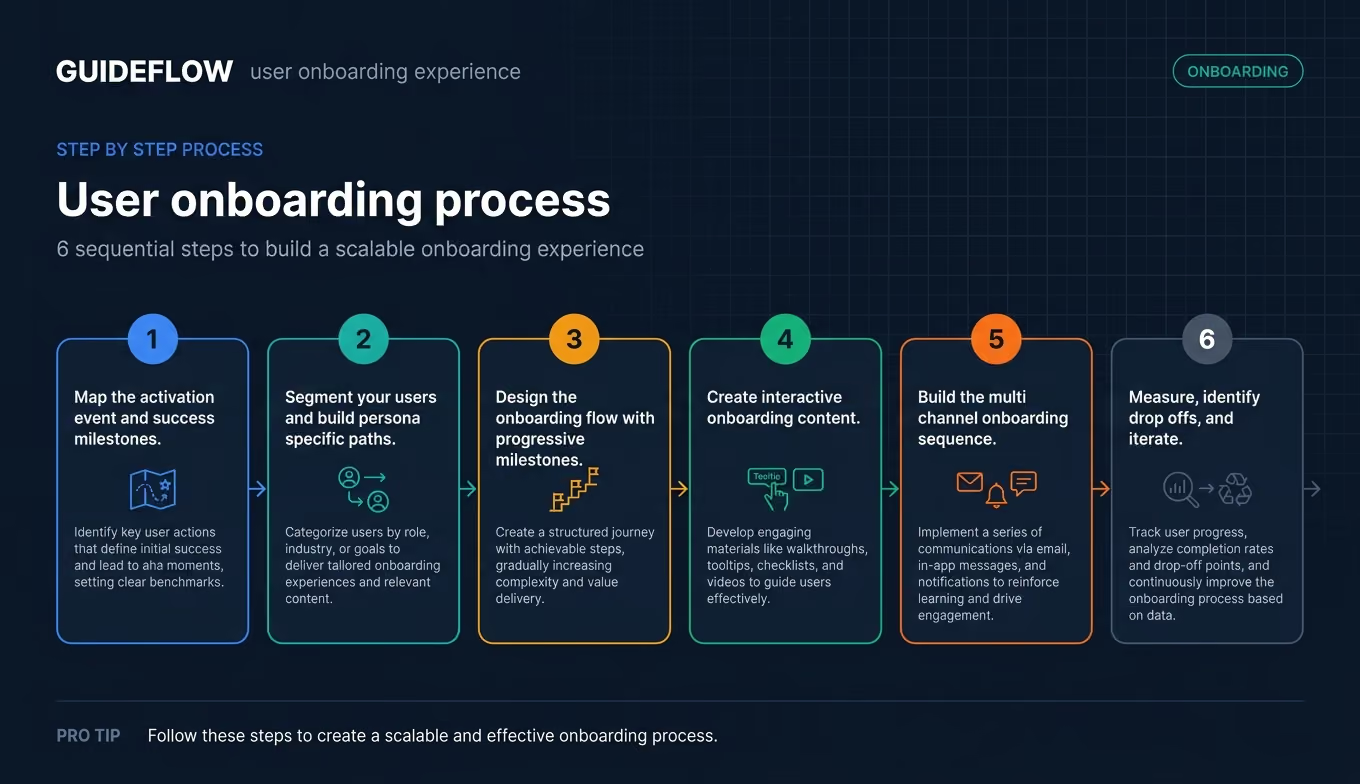
Step 1. Map the activation event and success milestones
Define the single action that predicts retention. Work backward from your best-retained cohort: what did they do in the first 7-14 days that churned users didn't? That's your activation event. Then identify 2-3 milestones on the path to that event.
For example, if your activation event is "created and shared their first report," the milestones might be: (1) connected a data source, (2) built a report template, (3) shared with a teammate.
Output: A written activation event definition and 2-3 milestone markers, validated against your retention data.
Step 2. Segment your users and build persona-specific paths
Identify 2-4 distinct user types within your customer accounts. For each, define: their role, what they need to accomplish first, and what "first value" looks like for them. Build separate onboarding paths for each.
Don't overcomplicate this. Even two paths (admin vs. end user) is a significant improvement over one generic flow. The key is that each persona's onboarding flow leads to their specific activation event, not to a generic "tour complete" screen.
Output: A persona-path matrix.
PersonaFirst actionFirst valueEstimated path lengthAdminConnect data sourceSee first dashboard populate3-5 daysEnd userOpen shared reportFilter data for their team1-2 daysExecutiveView summary dashboardSee KPIs at a glance30 minutes
Step 3. Design the onboarding flow with progressive milestones
Structure the flow as a series of small wins, not a single long tutorial. Each milestone should feel achievable in 5-10 minutes. Use checklists, progress indicators, and clear "next step" prompts to maintain momentum.
Remember: 90% of users churn if they don't see value in the first week. Your user onboarding flow needs to deliver a win fast, then build on it.
Output: A documented onboarding flow with numbered steps, estimated time per step, and milestone markers.
Step 4. Create interactive onboarding content
Replace static documentation with interactive, clickable walkthroughs that let users practice in a guided environment. This is where the "show, don't tell" principle becomes operational. Capture your product's key workflows, add contextual guidance (tooltips, callouts, branching paths), and make the content accessible without requiring a live call.
Guideflow lets CS teams capture product flows directly from their browser and turn them into interactive onboarding guides in minutes, with analytics to track completion and engagement at each step. You capture the flow, customize it for the persona, and share a link. The user clicks through the experience at their own pace. You see exactly where they engaged and where they dropped off.
Output: At least one interactive walkthrough for your primary activation workflow.
Step 5. Build the multi-channel onboarding sequence
Onboarding doesn't happen in one channel. Combine in-app guidance with email sequences, interactive demos embedded in help articles, and (for high-touch accounts) live check-in calls. The key is that each touchpoint drives toward the same activation event, not just "checking in."
Map each touchpoint to a specific milestone. Day 1: welcome email with a link to the interactive walkthrough. Day 3: in-app checklist reminder. Day 5: automated email triggered if the user hasn't completed step 2. Day 7: CSM outreach for stalled accounts. Every touch has a purpose. Guideflow's sharing options let you embed interactive walkthroughs in emails, help centers, and in-app messages so every touchpoint delivers guided, hands-on content.
Output: A channel map showing which touchpoints fire at which milestone, with content type and owner for each.
Step 6. Measure, identify drop-offs, and iterate
Launch is the beginning, not the end. Track completion rate, time-to-value, and drop-off points weekly for the first month. Identify where users stall and why. Run one improvement cycle per month.
The teams that iterate on onboarding monthly see compounding retention improvements. A 5% improvement in completion rate each month adds up to a materially different retention curve by quarter's end.
Output: A weekly onboarding dashboard with the four core metrics (completion rate, time-to-value, activation rate, ticket volume) and a monthly review cadence.
User onboarding best practices for 2026
Seven tactical tips that complement the strategic principles above. These are the app onboarding best practices that separate good onboarding from the best onboarding experiences in SaaS.
Start with a quick win, not a setup wall
Don't make users configure integrations, import data, or set permissions before they experience any value. Find a way to deliver a small win (a sample project, pre-loaded data, a guided first action) within the first 5 minutes. Setup can come after the user is hooked.
Products that deliver a quick win during onboarding retain 80% more users than those that front-load configuration. The setup wall is where motivation dies.
Use interactive walkthroughs instead of static tutorials
Interactive walkthroughs, where users click through actual product flows in a guided environment, deliver materially higher engagement and completion rates compared to static help articles, PDFs, or recorded videos. Users learn by doing, which improves retention and reduces follow-up support questions.
Tools like Guideflow let CSMs build these walkthroughs without engineering help. You capture the product flow, add guidance, and share it. No code, no ticket to the dev team, no three-week production cycle. If you're evaluating tools for this, our guide to the best onboarding flow software compares the leading options.
Personalize onboarding content by role and use case
Use what you know about the user (role, industry, company size, use case) to tailor the onboarding path. At minimum, differentiate between admin setup and end-user activation. Advanced teams personalize by vertical or specific workflow. A 30-second survey at signup ("What's your role? What do you want to accomplish first?") provides enough data to route users to the right path.
Set expectations with a visible progress indicator
Users who can see how far they've come and how far they have to go complete onboarding at higher rates. Checklists, progress bars, and "3 of 5 steps completed" indicators reduce abandonment. The psychology is simple: visible progress creates momentum. Invisible progress creates uncertainty.
Trigger re-engagement before users go dark
Set up automated nudges when users stall. If a user hasn't logged in for 3 days during onboarding, send a targeted email with a link to their next step (ideally an interactive walkthrough, not just a "checking in" reminder). The window between "stalled" and "gone" is shorter than most teams realize. Over 90% of customers feel companies could do better at onboarding. Don't prove them right by going silent when they do.
Build a self-serve onboarding hub
Create a centralized destination where all onboarding resources live: interactive demos organized by workflow, video tutorials, quick-start guides, and FAQ content. This hub should be accessible from within the product and from email. When a new stakeholder joins mid-contract, you send them one link instead of scheduling another call.
Guideflow's demo center lets you organize interactive onboarding content into a branded, self-serve hub where users browse by role, workflow, or use case. It's the difference between "let me schedule a call to walk you through this" and "here's everything you need, organized by what you're trying to do."
Align onboarding content with your health score
If you use a customer health score (Gainsight, ChurnZero, or a custom model), feed onboarding completion data into it. Accounts that complete onboarding should get a health boost. Accounts that stall should trigger proactive outreach. This closes the loop between onboarding and retention, and it gives you the data to prove that onboarding investment directly impacts the numbers your leadership cares about.
User onboarding examples from SaaS products
Real-world onboarding examples from recognizable brands, with specific lessons for CSMs.
Canva: Value before signup
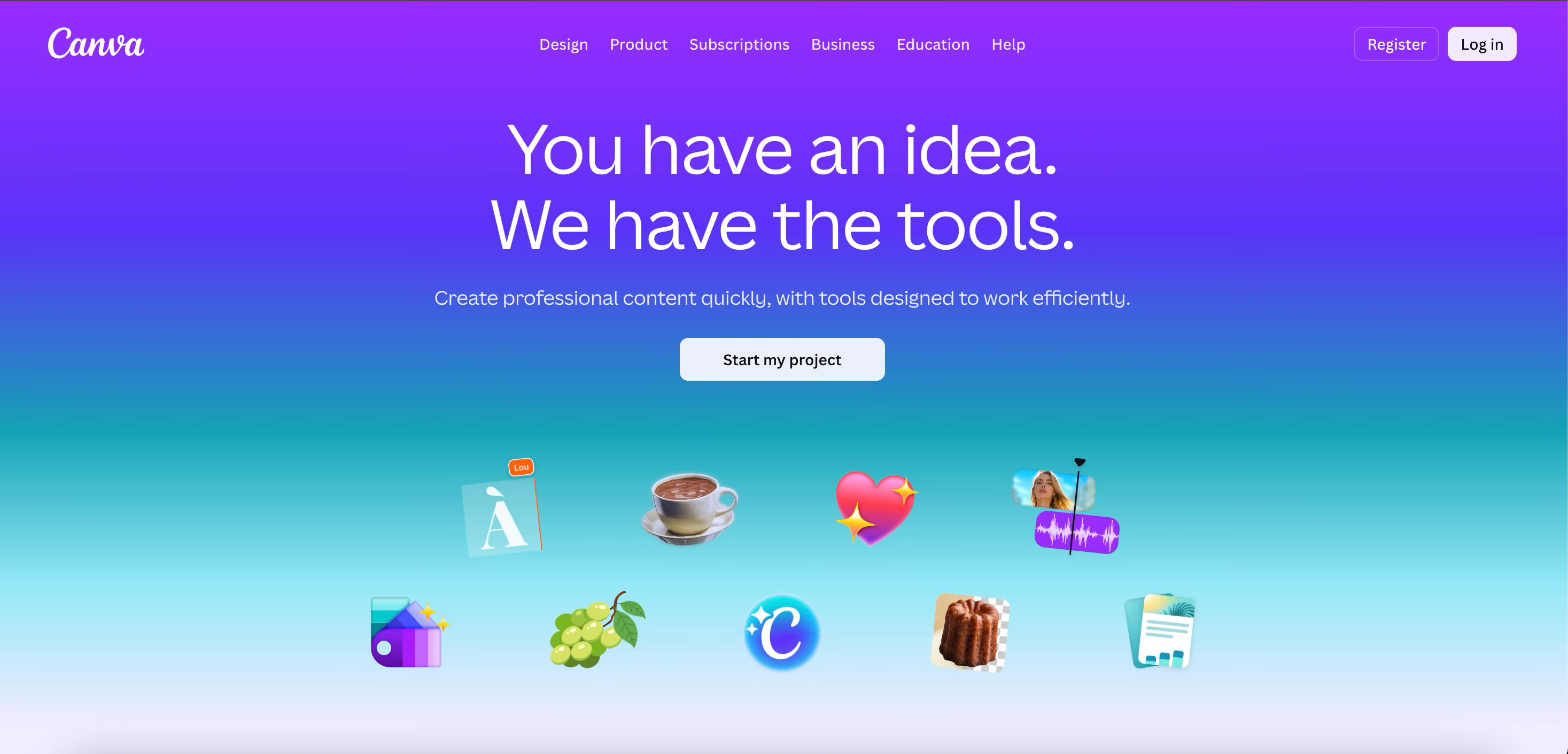
Canva lets users start designing before creating an account. The onboarding experience begins with immediate value, not a form. Users pick a template, make edits, and see results before they're asked to sign up. Lesson for CSMs: Find ways to deliver a "first win" before the setup wall. Pre-loaded data, sample projects, or guided first actions reduce the friction between "I'm curious" and "I see the value."
Slack: Progressive disclosure by team size
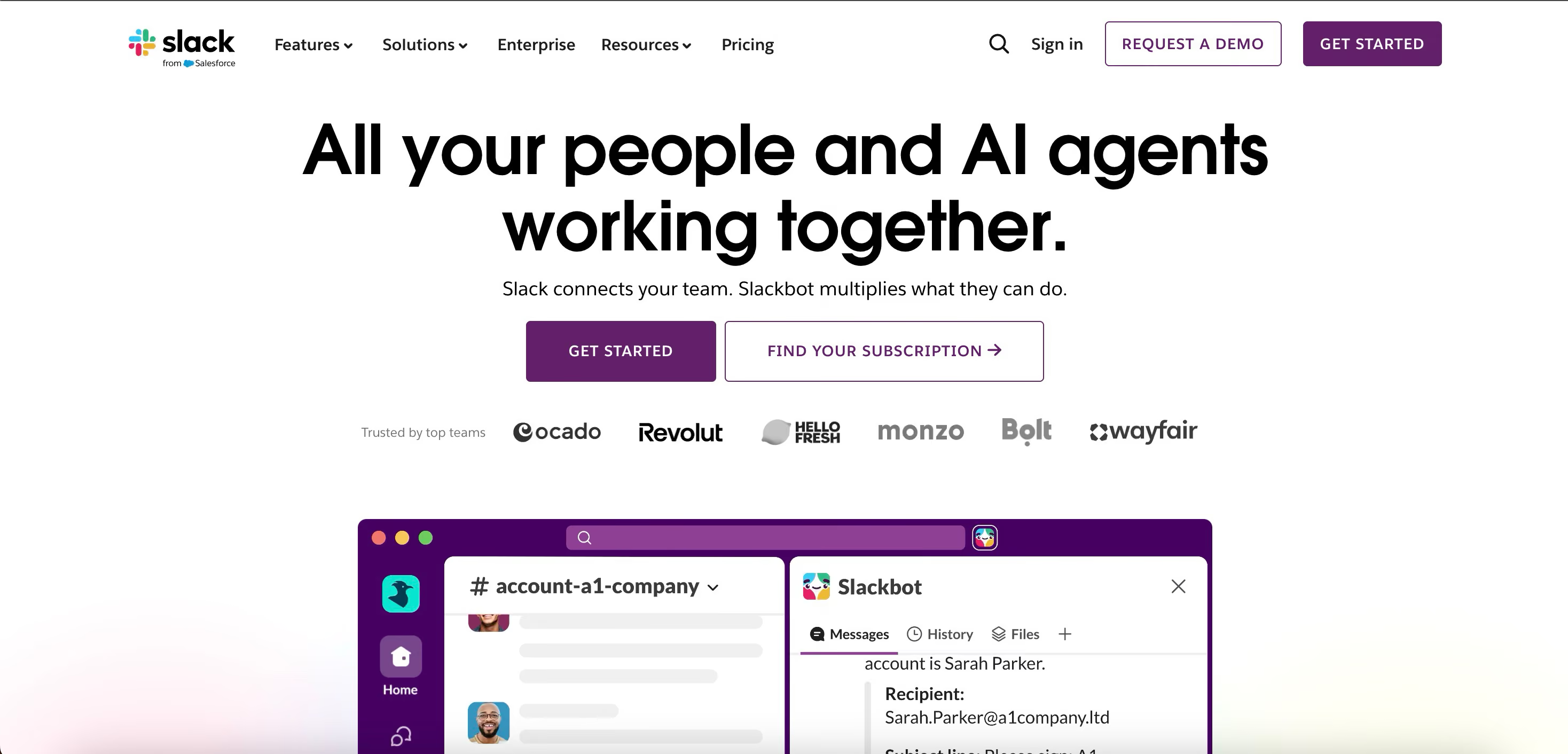
Slack adjusts its onboarding based on whether you're a solo user, small team, or enterprise deployment. The flow surfaces different features at different stages. A solo user sees messaging basics. An enterprise admin sees workspace configuration. Lesson: Segment your onboarding by context, not just by plan tier. The same product can feel simple or overwhelming depending on how much you show at once.
HubSpot: Role-based onboarding paths
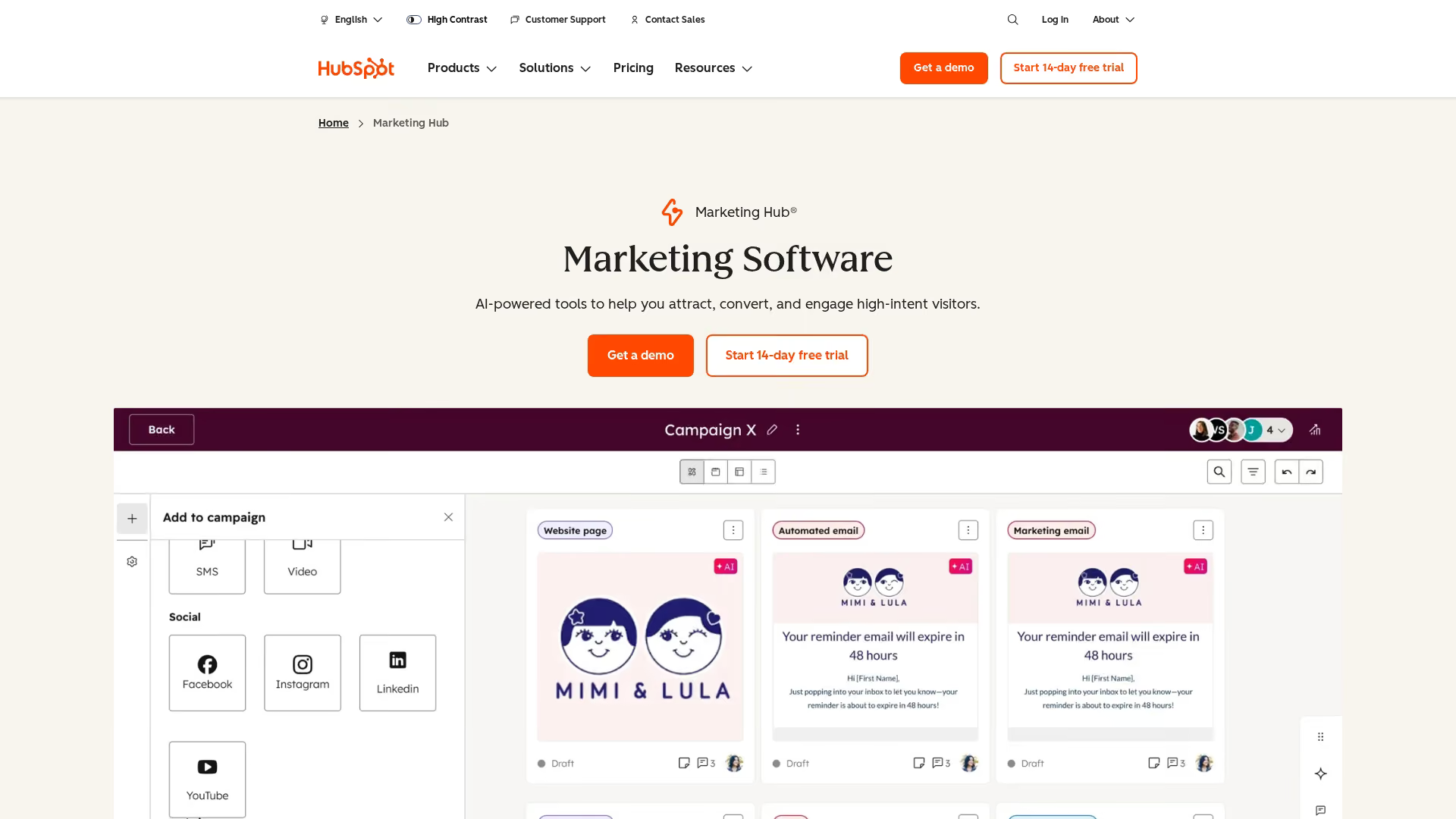
HubSpot asks users about their role and goals during signup, then tailors the onboarding experience accordingly. Marketers see different first steps than salespeople. Lesson: A 30-second survey at the start can save hours of irrelevant onboarding content. The user onboarding example here is straightforward: ask what they need, then show them only that.
Notion: Templates as activation shortcuts
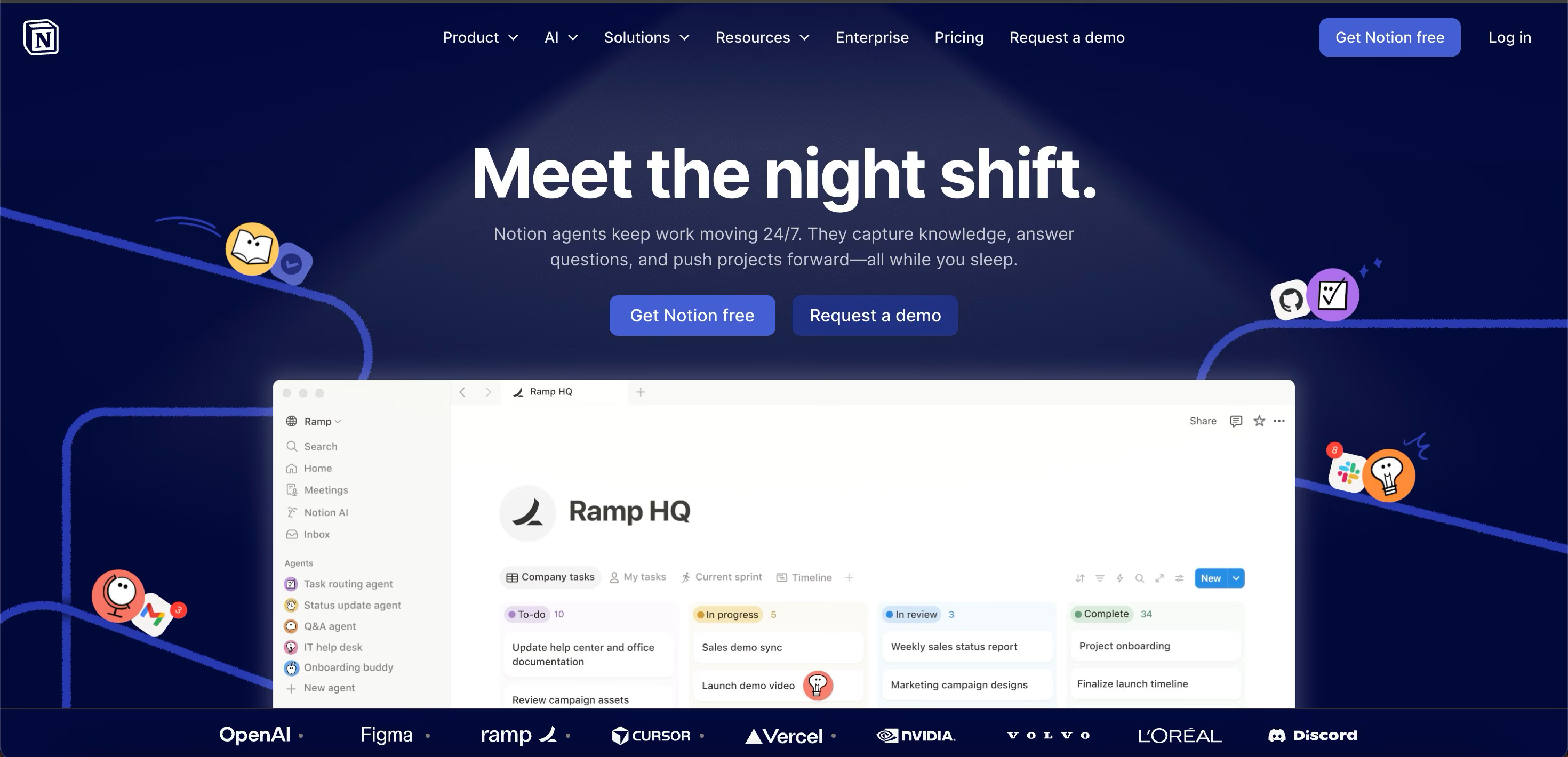
Notion offers pre-built templates that let users skip the blank-page problem and immediately see the product working with realistic content. Instead of staring at an empty workspace, users start with structure. Lesson: Pre-loaded content and templates reduce the cognitive load of "what do I do first?" For CSMs, this translates to providing starter configurations or sample workflows that customers can adapt.
Figma: Collaborative onboarding for teams

Figma includes collaborative elements that bring team members into the product together. The onboarding flow isn't just about the individual user. It's about getting the team working in the tool. Lesson for B2B CSMs: Onboarding one admin isn't enough. Build flows that pull in the broader team. An account where only one person uses the product is an account at risk.
How to measure user onboarding effectiveness
Measure onboarding effectiveness with four core metrics that connect directly to the KPIs you report on. If you can't tie onboarding to retention, expansion, and support load, you can't justify the investment.
Core onboarding metrics
Connecting onboarding metrics to retention
Here's how to build the business case. Segment your 90-day retention rate by onboarding completion status. If completed users retain at significantly higher rates than incomplete users, you have a clear case for onboarding investment.
Run this analysis quarterly. The correlation between onboarding completion and retention is your strongest argument for resources, headcount, and tooling budget.
Interactive onboarding content provides engagement analytics (steps viewed, completion rates, time spent per step, drop-off points) that static content can't match. When you can see that 60% of users drop off at step 4 of your onboarding flow, you know exactly where to focus your next improvement cycle. Static page views tell you someone opened the article. Interactive analytics tell you where they got stuck.
Common onboarding mistakes and how to fix them
Five specific mistakes, each with what it looks like in practice, why it happens, and the fix.
Treating onboarding as a one-time event
What it looks like: You run a kickoff call, send a welcome email sequence, and consider onboarding "done" after week 2. But the user hasn't activated, and nobody notices until the renewal conversation.
Why it happens: Onboarding is treated as a project with an end date, not an ongoing process.
Fix: Extend onboarding milestones to 30, 60, and 90 days. Tie each milestone to a specific activation behavior, not a calendar date. Research shows 44% of subscription cancellations happen within the first 90 days. Your onboarding should cover that entire window.
Building one flow for all users
What it looks like: Admins, end users, and executives all see the same onboarding sequence. Admins find it too basic. End users find it too technical. Executives skip it entirely.
Fix: Build 2-3 persona-specific paths. Even a simple branch ("Are you setting up the product or using it daily?") improves relevance. The data supports this: personalized paths increase completion rates by 35%.
Relying on static documentation that users don't engage with
What it looks like: You send a link to a help center article. The user opens it, skims for 30 seconds, closes it, and submits a support ticket asking the same question the article answers.
Fix: Replace high-friction static docs with interactive, clickable walkthroughs that guide users through the actual product interface. Users learn by doing, not by reading. Engagement with interactive content is materially higher because it requires active participation, not passive consumption. Over 90% of customers feel companies could do better at onboarding. Meeting that bar means moving beyond PDFs and help articles.
Not measuring where users drop off
What it looks like: Your onboarding completion rate is 40%, but you don't know if users drop off at step 2 or step 8. Without step-level data, you're guessing at what to fix.
Fix: Instrument every step in your onboarding flow. Identify the step with the highest drop-off rate and focus your next improvement cycle there. Interactive onboarding tools with built-in analytics make this step-level visibility automatic, showing you exactly which steps users complete and where they disengage.
Ignoring re-onboarding for new stakeholders
What it looks like: A new VP joins your customer's team 6 months into the contract. They've never seen the product. They form a negative opinion. That opinion surfaces at renewal.
Fix: Build a self-serve re-onboarding path that any new stakeholder can access without scheduling a call. A centralized onboarding hub with role-specific interactive guides solves this at scale. One link replaces one meeting. Across 45 accounts with regular stakeholder turnover, that's the difference between a manageable book and a calendar full of repetitive walkthroughs.
Conclusion
User onboarding experience is the single highest-leverage activity a CSM controls. It directly predicts retention, expansion, and support load. The shift from static, manual onboarding to interactive, self-serve experiences is how CS teams scale without burning out.
Teams that build structured, interactive onboarding experiences consistently report measurable improvements in activation rates (35% higher completion with personalized paths) and meaningful reductions in first-90-day support tickets. The data is clear: 74% of customers will switch to a competitor if onboarding feels too complicated. Your onboarding experience is your first, and often best, chance to prove they made the right choice.
Start here: pick one onboarding workflow, build an interactive walkthrough, measure the before and after. One workflow. One week. Real data.
Start your journey with Guideflow today






.avif)