You recorded a clean interview. Then you played it back and heard the air conditioner hum, a doorbell, and a two-second dead pause every time someone thought. Now you need to trim, clean up, and export it before a deadline. The wrong tool turns that into an afternoon.
Most people pick an audio editor the way they pick a parking spot: whatever is closest. They download a heavy desktop app to trim 30 seconds of a voice memo, or they fight a browser tool that cannot handle a full podcast episode. The mismatch is the problem, not the software.
The audio editing market is growing fast, which is why the shortlist keeps expanding. Research and Markets valued the audio and video editing software market at USD 3.9 billion in 2026, projected to reach USD 5.3 billion by 2030 at a 7.9% CAGR (Research and Markets, 2026). More tools means more noise. It also means better free options than ever before.
The decision comes down to three questions. Where do you work: desktop, browser, or phone? How deep is the edit: a quick trim or a full multitrack mix? What do you need to export: MP3, WAV, FLAC, or something else? Answer those and the shortlist gets short fast.
If you evaluate creator and marketing tools regularly, you already know the drill from other categories. The same buyer instincts that guide picking ai content creation tools or ai design tools apply here: speed to value, workflow fit, and no bloat you will never open.
What's inside
This guide is for podcasters, musicians, video creators, and marketers who need to edit audio without a production degree. It covers people doing 30-second trims and people mixing 16-track songs.
We picked these eight tools on four criteria: workflow coverage (trim through multitrack), platform access (desktop, browser, mobile), export and conversion support, and ease of use for the intended job. Every tool here earns its place for a specific reason, not a feature checklist. Pricing and ratings shift, so verify current numbers on each vendor's site before you commit.
TL;DR
- Best overall free editor: Audacity. Free, open source, multitrack, runs on Windows, macOS, and Linux.
- Best browser-based editor: AudioMass. No install, runs entirely in the browser, good for fast waveform edits.
- Best simple desktop editor: Ocenaudio. Lighter interface than Audacity with real-time effect previews.
- Best for Mac and iOS creators: GarageBand. Free, beginner-friendly, deep sound library.
- Best mobile capture and enhance: Dolby On. Free app that records and cleans up audio automatically.
- Best for deep production: Reaper. Full multitrack DAW with a low one-time license cost.
What is audio editing software?
Audio editing software is a tool that records, edits, mixes, cleans, and exports sound files so you can produce polished voice, music, or podcast audio. Some call it a sound editor, a music editor, or a digital audio workstation depending on how deep it goes.
Core capabilities across most audio editing software:
- Trim, cut, split, and merge: the basic surgery for removing silence, mistakes, or dead air.
- Multitrack editing: layering multiple audio and MIDI tracks for podcasts, music, or dialogue.
- Effects: EQ, compression, reverb, echo, distortion, and normalization.
- Noise reduction and cleanup: removing hum, hiss, and background sound from voice clips.
- Recording: capturing audio directly from a mic or interface.
- Export and conversion: saving to WAV, MP3, FLAC, Ogg, and other formats.
The tools split three ways by platform. Desktop editors like Audacity and Reaper give you the most power and offline stability. Browser-based editors like AudioMass and BandLab need no install and run anywhere with a tab open. Mobile editors like Dolby On let you capture and clean audio on the phone that is already in your pocket. Over 70% of creators demand cross-platform compatibility in editing software (Business Research Insights, 2026), which is why more tools now span two or three of these.
When to use each type
Quick edits and cleanup
For a 30-second trim, a fade, or removing one cough from a voice clip, a browser or lightweight editor is enough. You do not need a full DAW to cut an intro or normalize a single file. Browser-based tools like AudioMass and simple desktop editors like Ocenaudio handle this in minutes with no learning curve. This is the sweet spot for marketers cleaning up a webinar clip or a creator trimming a voiceover before dropping it into a video.
Podcasting and narration
Long-form spoken audio needs more. You are managing multiple speakers, applying noise reduction, leveling volume across tracks, and exporting to a podcast-ready format. Multitrack editing matters here, and so does batch processing when you cut many episodes. Audacity, WavePad, and Reaper all handle this well. If you edit interviews weekly, the ability to save effect chains and reuse them saves real hours.
Music and social content
Music and short social clips lean on mixing, layering, effects, and fast format conversion. Creators making beats, layering instruments, or cutting a ringtone-length clip want instruments, loops, and a mixer. GarageBand and BandLab shine for music-first workflows, while Reaper covers serious multitrack production. For social, fast turnaround beats feature depth, so pick the tool that exports cleanly to the format your platform wants.
Comparison table
Here is the shortlist side by side. Sort by your platform first, then your workflow depth. Pricing and G2 ratings change often, so treat these as a starting point and confirm on each vendor's page.
| # | Product | Intent | Key use case | Pricing | G2 rating |
|---|---|---|---|---|---|
| 1 | Audacity | Free desktop editing | Multitrack editing, recording, cleanup | Free | 4.5/5 |
| 2 | AudioMass | Browser editing | Quick waveform edits, no install | Free | Not listed |
| 3 | Ocenaudio | Simple desktop editing | Fast edits, real-time effect previews | Free | Not listed |
| 4 | WavePad | Feature-rich desktop editing | Cleanup, effects, conversion | From $39.95 one-time | 4.3/5 |
| 5 | GarageBand | Mac and iOS creation | Music creation, beginner recording | Free | 4.3/5 |
| 6 | BandLab | Cloud music creation | Browser and mobile DAW, collaboration | Free; Membership from $14.95/mo | 3.8/5 |
| 7 | Dolby On | Mobile capture and enhance | Recording plus automatic cleanup | Free | 4.0/5 |
| 8 | Reaper | Deep desktop production | Full multitrack, mixing, mastering | From $60 one-time | Not listed |
1. Audacity
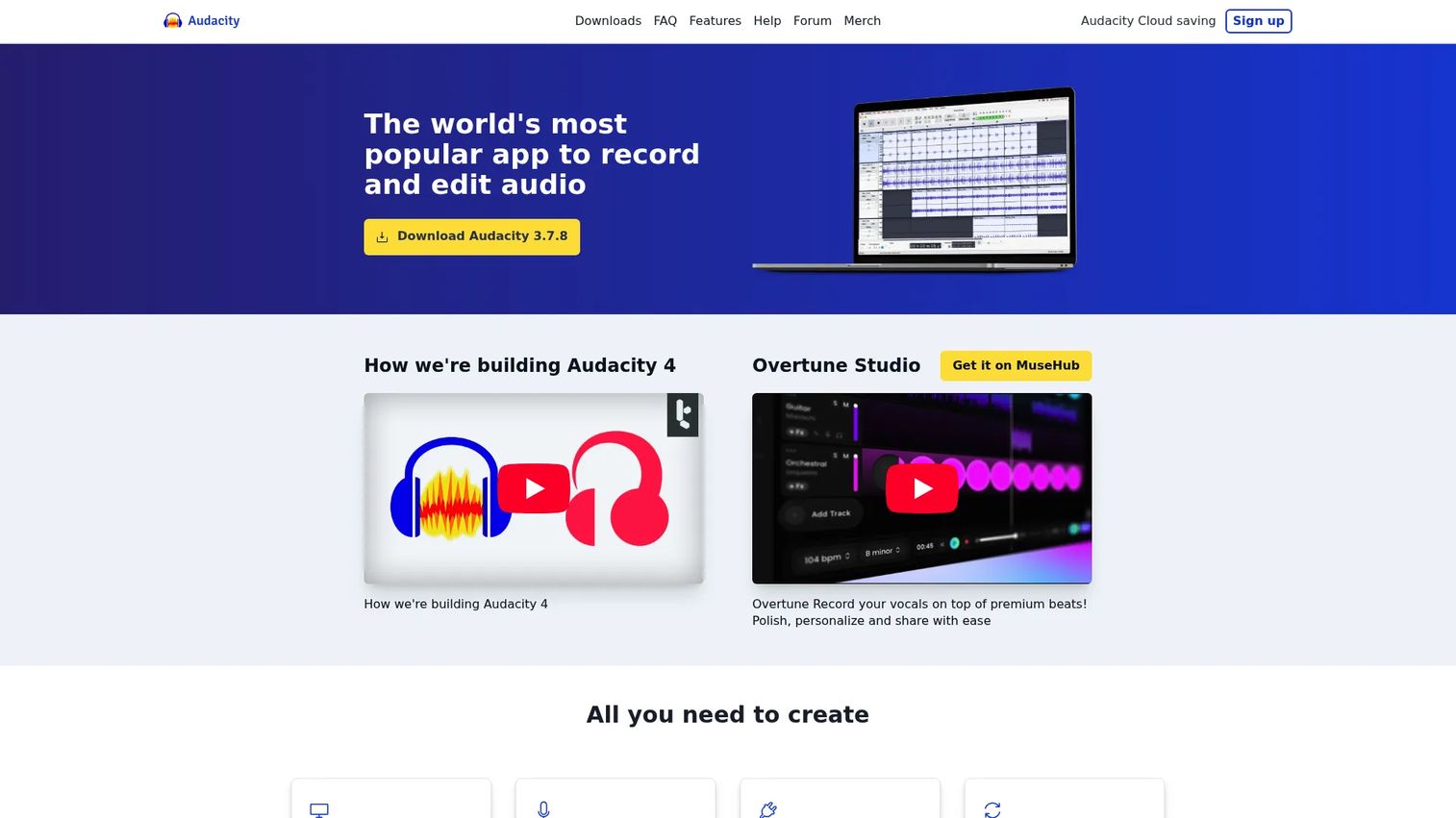
Audacity is the free, open-source multitrack editor that most people land on first, and for good reason. It records, edits, and exports across Windows, macOS, and Linux without a price tag or a login. It has been the default free choice for over two decades, and the open-source model means it keeps improving without locking anything behind a paywall.
Best for: anyone who needs a free, cross-platform audio editor and recorder that handles both quick edits and full multitrack projects.
Key strengths
- Multitrack recording and editing: layer voice, music, and effects tracks in one project without limits tied to a plan.
- Noise reduction and effects: built-in tools for echo, reverb, distortion, and cleaning up background hum on voice clips.
- Format import and export: bring in and convert common audio formats, which doubles Audacity as audio conversion software.
Why choose Audacity: it is the honest answer to "I need to edit audio and I do not want to pay." The interface is not the prettiest, and there is a short learning curve on the effects chain, but the depth is real. Podcasters cutting weekly episodes and musicians roughing out demos both live in it happily. The open-source trust factor matters too, since nothing gets locked or discontinued behind a corporate decision.
Audacity pricing: Audacity is free for everyone and open source. There is no paid tier and no premium unlock. G2 reviewers rate it 4.5/5.
2. AudioMass
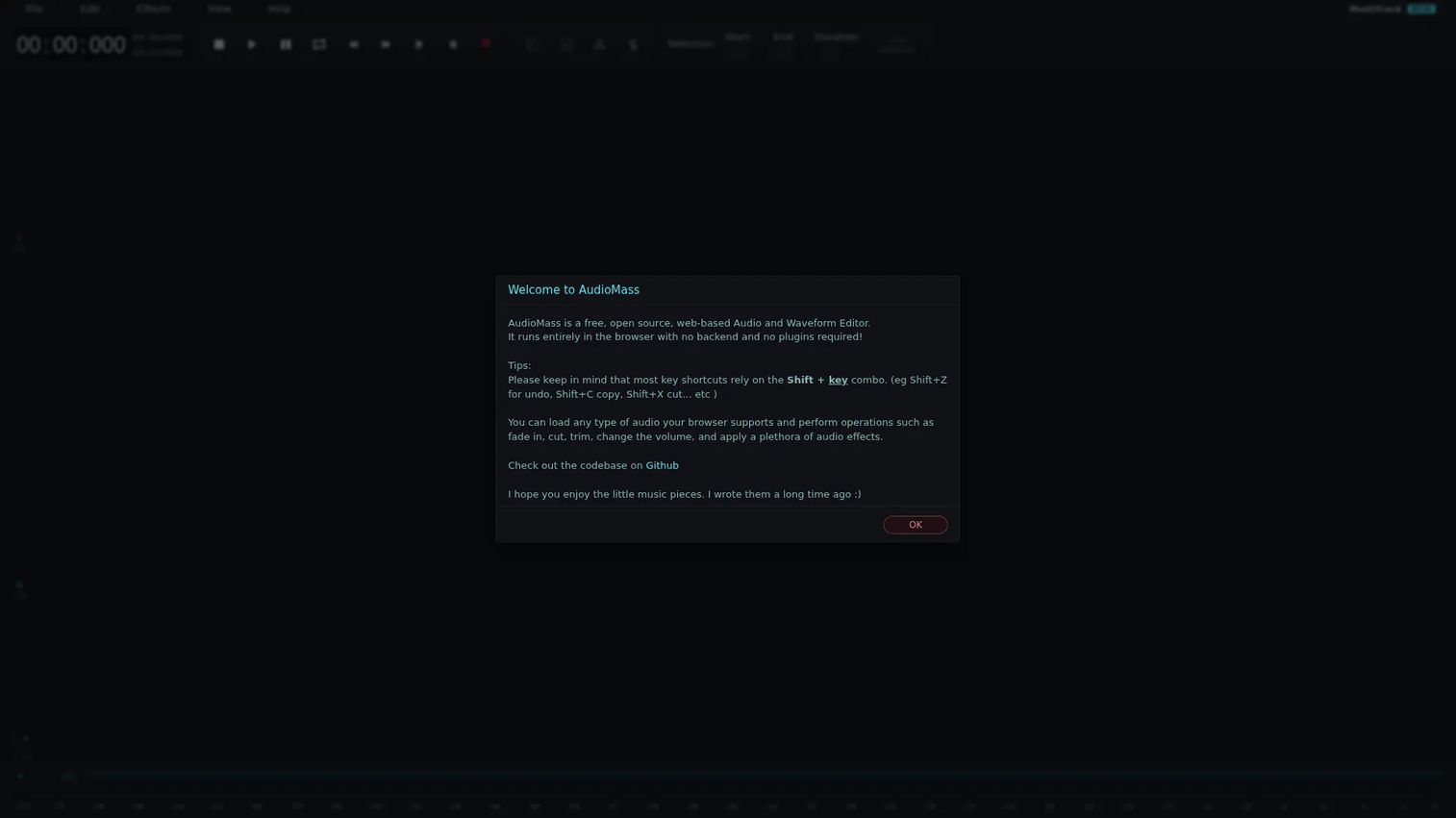
AudioMass is a free, open-source audio editor that runs entirely in your browser. No install, no account, no plugins. You open a tab, drop in a file, and start cutting. For anyone who wants an online audio editor for fast waveform work, it removes every step between the task and the edit.
Best for: users who need a free browser-based audio editor for quick waveform edits and basic multitrack work without downloading anything.
Key strengths
- Full browser editing: runs with no backend, so it works offline once loaded and never touches a server with your files.
- Waveform tools: cut, trim, paste, and select with the precision you expect from a desktop app.
- Built-in effects: EQ, compressor, normalize, delay, reverb, distortion, and audio repair, all in the tab.
Why choose AudioMass: it wins on zero friction. When you just need to trim an intro or normalize one clip, opening a browser tab beats launching heavy software. It also handles basic multitrack work, so it stretches further than most people expect from a free audio editor online. For marketers cleaning up a quick recording between meetings, it is hard to beat.
AudioMass pricing: AudioMass is free and open source. No public paid tier exists on the official site.
3. Ocenaudio
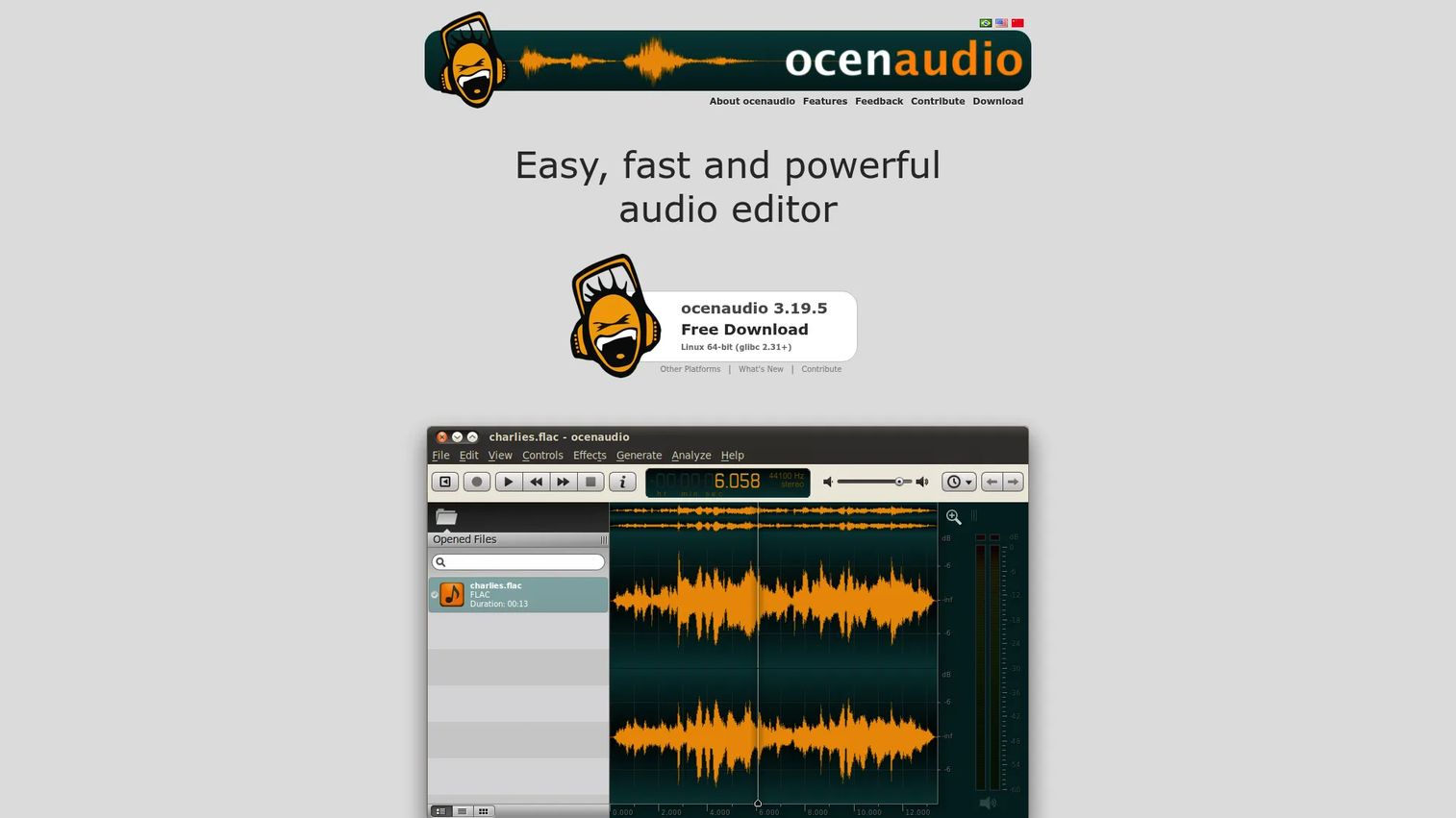
Ocenaudio is a cross-platform desktop editor built for people who find full DAWs like heavy for the job. It runs on Windows, macOS, and Linux, and it keeps the interface clean while still handling real editing and analysis work. If Audacity feels like more than you need, this is the lighter step down.
Best for: users who want a simple, free audio editor for Windows, macOS, or Linux with a gentler interface than a full workstation.
Key strengths
- Real-time effect preview: hear how an effect sounds before you commit, which saves the undo-redo loop.
- VST plugin support: extend the editor with third-party effects when you outgrow the built-in set.
- Multi-selection editing: apply the same edit to several parts of a file at once for faster cleanup.
Why choose Ocenaudio: it hits the middle ground. More capable than a bare browser tool, simpler than a full production suite. The real-time effect preview alone speeds up cleanup work, since you are not applying, listening, and undoing on repeat. It suits people who edit audio often enough to want a desktop app but do not need MIDI, mixing consoles, or mastering chains.
Ocenaudio pricing: Ocenaudio is a free download from the official site. No paid plans are listed.
4. WavePad
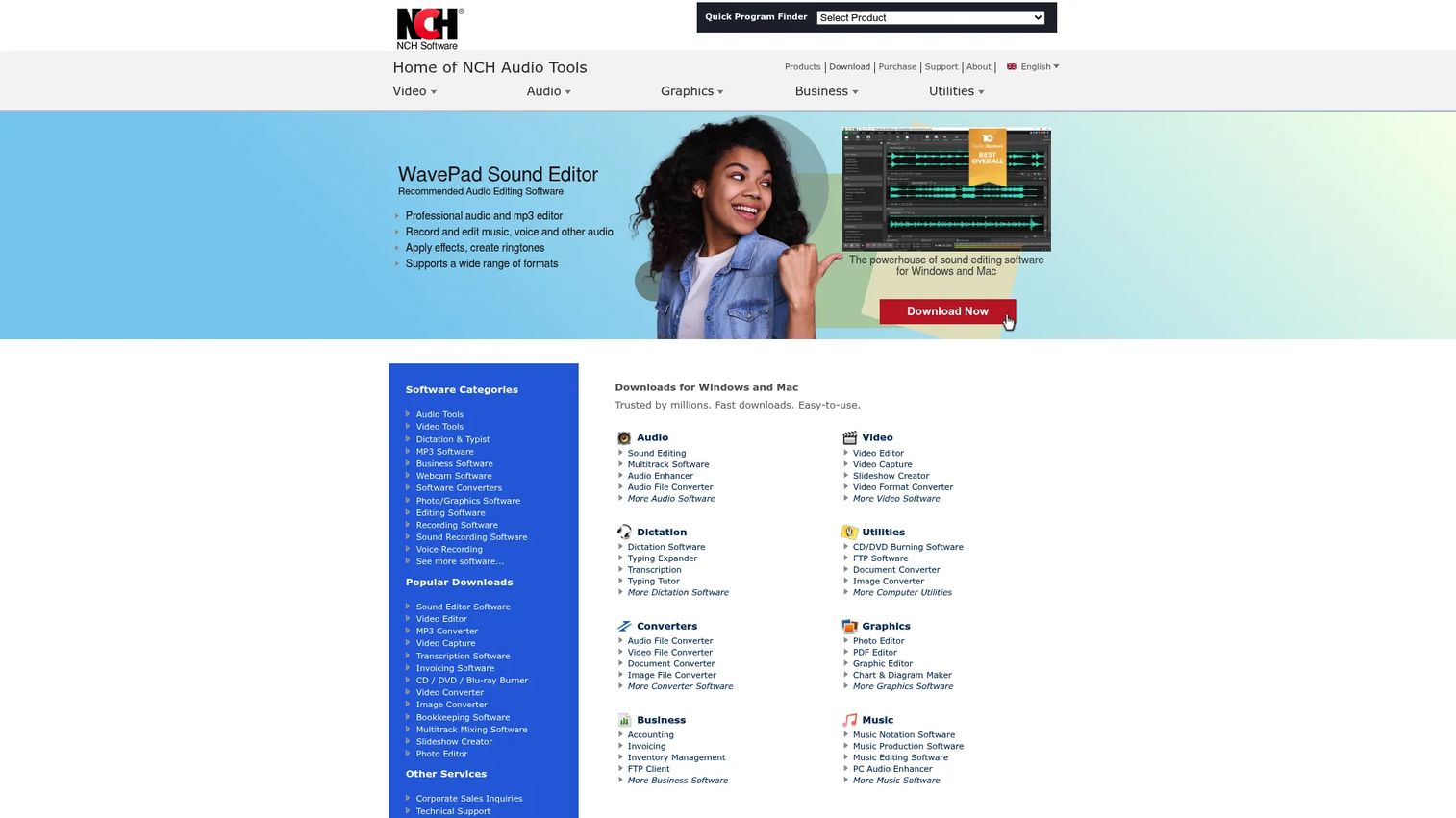
WavePad is a desktop audio editor from NCH built for people who want more functions in one place. It covers recording, editing, restoring, and exporting music, voice, and other audio, with a deeper cleanup and effects toolkit than most lightweight tools. It is the pick when you want built-in features rather than plugin hunting.
Best for: individuals and teams who need a feature-rich audio editor for cleanup, effects, and conversion in a single desktop app.
Key strengths
- Editing essentials: cut, copy, paste, and trim audio with the standard toolkit you expect.
- Restoration tools: noise reduction, echo and reverb removal, and normalization to clean up rough recordings.
- Batch processing and analysis: apply edits across many files at once and run spectral analysis on your audio.
Why choose WavePad: it packs a lot into one download. The batch processing is the standout for anyone editing volume, since applying the same cleanup to a folder of files beats doing it one at a time. It suits podcasters and voice creators who want restoration tools without stacking plugins on a free editor. The interface leans toward function over polish, which is a fair trade for the depth.
WavePad pricing: the Standard Edition is $39.95 as a one-time purchase, and the Master's Edition is $69.95 one-time. A free trial runs as the full version until activation, and NCH notes the free version is for non-commercial use only. G2 reviewers rate it 4.3/5.
5. GarageBand
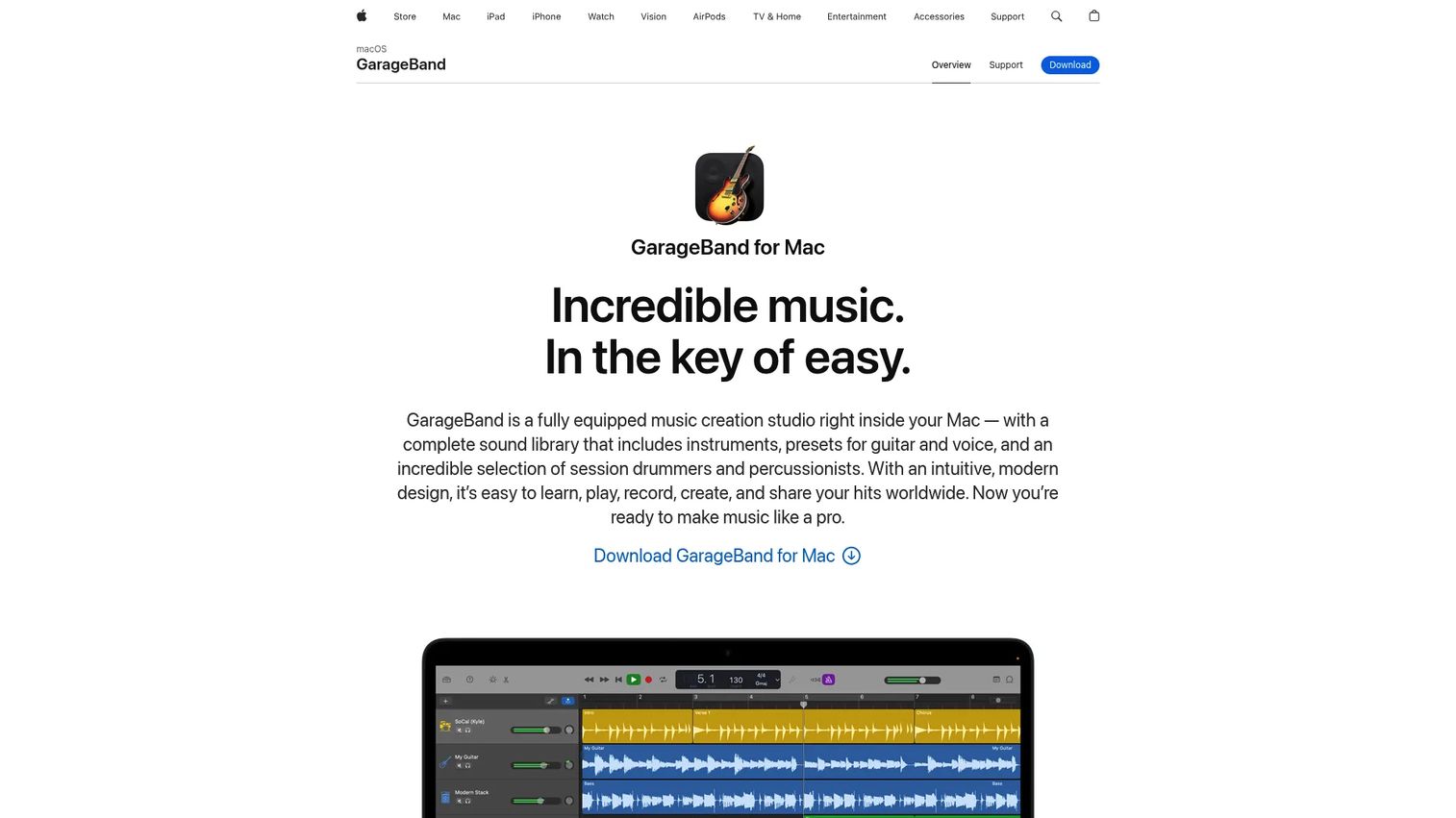
GarageBand is Apple's free music creation studio for Mac, iPhone, and iPad. It is built for people who want to record, compose, and mix without a manual. The sound library, built-in lessons, and Smart Controls make it the friendliest on-ramp to music creation software if you live in the Apple ecosystem.
Best for: Mac and iOS users who want a beginner-friendly studio for quick music creation and basic recording.
Key strengths
- Complete sound library: instruments, presets, drummers, percussionists, and loops ready to drop into a project.
- Built-in lessons: guided piano and guitar lessons with instant feedback for learning while you create.
- Full production toolkit: recording, editing, mixing, Smart Controls, Flex Time, and iCloud sync across devices.
Why choose GarageBand: if you own a Mac or iPhone, it is already there or a free download away, and it is genuinely capable. It performs best when your work is music-first and you value ease over deep configurability. The Apple-only reach is the tradeoff, so Windows and Linux users should look at Audacity or Reaper. For Mac creators, it is the fastest path from idea to finished track.
GarageBand pricing: GarageBand is free for Mac and iOS users through the App Store. G2 reviewers rate it 4.3/5.
6. BandLab
BandLab is a cloud-based DAW that runs in your browser and on mobile. It lets you record, edit, and mix music without installing anything, and it leans hard into collaboration and sharing. For creators who want to make music online and pass projects between devices or people, it removes the file-shuffling problem.
Best for: musicians and creators who want a free browser and mobile DAW with optional premium creation and release tools.
Key strengths
- Free cloud DAW: record, edit, and mix in the browser or the mobile app with projects synced automatically.
- Multitrack layering: build with up to 16 audio and MIDI tracks on the free Studio, expanding to 32 with Membership.
- Virtual instruments and FX: instruments, effects, mastering, and distribution tools built into the platform.
Why choose BandLab: it is a music editor that meets you wherever you open it. The cloud-first model means you start a beat on your phone and finish it on a laptop without exporting anything. Collaboration and social sharing make it a fit for creators who release often. The 3.8/5 G2 rating reflects a platform still maturing, but the free tier delivers real capability.
BandLab pricing: the Free Studio tier costs nothing. BandLab Membership is $14.95 per month, or $99 for the first year annually, renewing at $149.50 after the first year. Membership adds expanded creation tools, distribution, and artist services.
7. Dolby On
Dolby On is a free mobile app that records audio and video, then cleans it up automatically with Dolby's sound processing. It is built for capture-first workflows: hit record, and the app handles noise reduction, EQ, and leveling behind the scenes. For creators who work from a phone, it turns a rough recording into something usable without a desktop pass.
Best for: musicians, podcasters, and creators who want simple mobile recording with automatic enhancement built in.
Key strengths
- Noise reduction: strips background sound from recordings so voice and music come through clean.
- Dynamic EQ and stereo widening: shapes the audio automatically for a fuller, more balanced sound.
- Compression and Styles: pro-style limiting plus customizable Styles to set the tone of your recording.
Why choose Dolby On: it is the mobile audio recording software for people who do not want to think about the technical side. You record, and the enhancement happens. That makes it a strong grab-and-go tool for capturing ideas, interviews, or performances on the phone already in your hand. It performs best as a capture-and-enhance layer, with deeper editing handled elsewhere if a project needs it.
Dolby On pricing: Dolby On is a free app with no paid tiers listed. G2 reviewers rate it 4.0/5.
8. Reaper
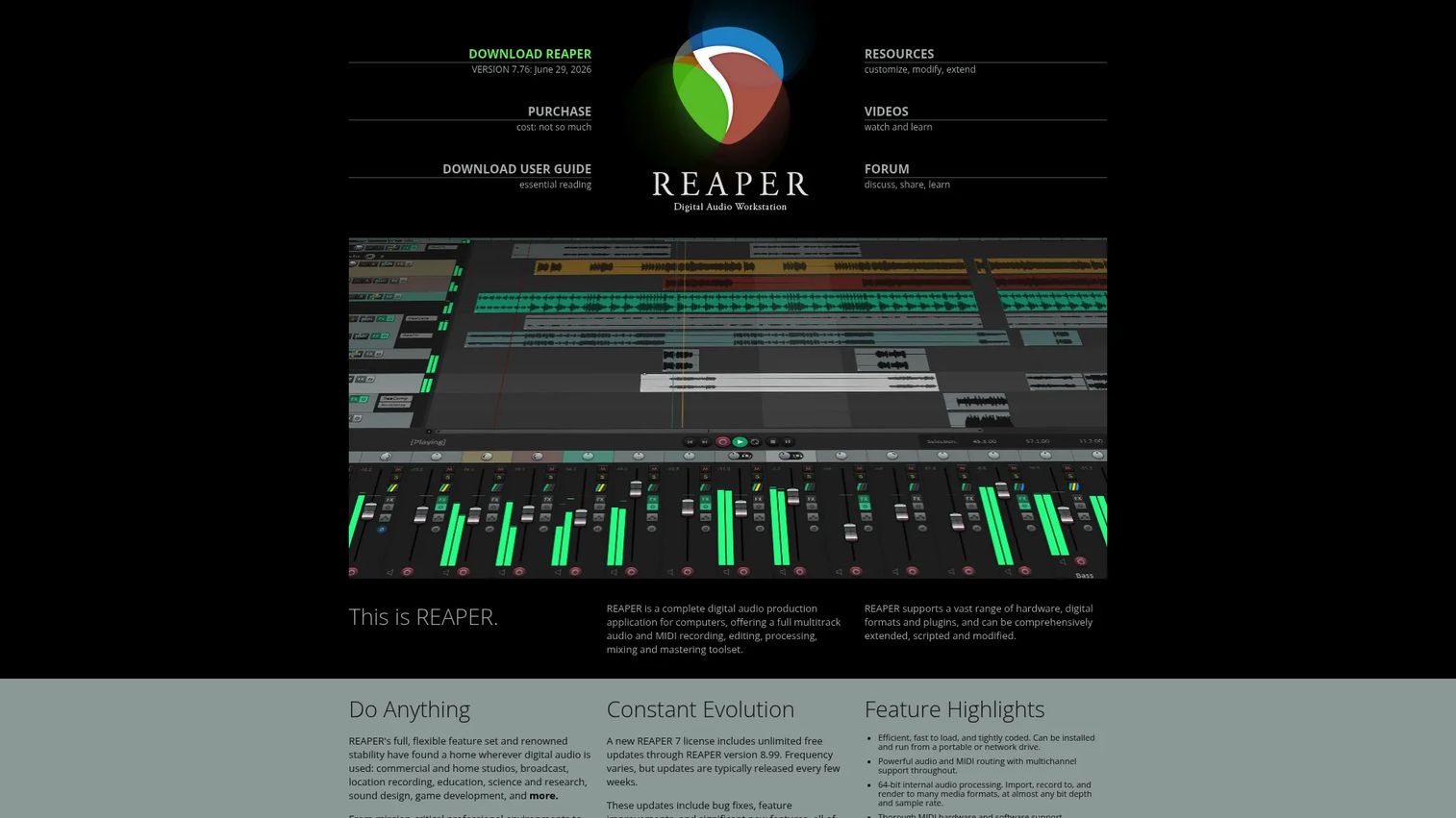
Reaper is a full digital audio workstation for recording, editing, mixing, and mastering audio and MIDI. Made by Cockos, it runs on Windows, macOS, and Linux and is known for being deeply configurable and light on system resources. It is the pick when you want serious production power without a subscription.
Best for: musicians, studios, and audio teams who need a capable, low-cost DAW for full multitrack production.
Key strengths
- Full multitrack production: record, edit, mix, and master audio and MIDI with professional depth.
- Cross-platform support: runs on Windows, macOS, and Linux, so your projects travel across systems.
- Scriptable and customizable: modify the workflow, add scripts, and shape the interface around how you work.
Why choose Reaper: it gives you near-professional capability for a fraction of the cost of most DAWs. The 60-day fully functional evaluation means you can test the whole thing before paying anything. It has a steeper learning curve than a beginner tool, which is the fair price of that depth. For creators ready to move past basic editing into real mixing and mastering, it is the strongest value on this list.
Reaper pricing: a discounted license is $60 one-time, and a commercial license is $225 one-time. There is one version of Reaper with a 60-day fully functional evaluation.
Considerations before you choose
Platform fit
Decide where you actually work before anything else. If you switch between machines or want zero install, a browser or cloud tool like AudioMass or BandLab wins on convenience. If you edit at one desk and want offline stability, a desktop app like Audacity, Ocenaudio, or Reaper is the safer base. If you capture on the go, a mobile app like Dolby On meets you there. Convenience matters more than raw depth when your edits are quick and frequent.
Workflow depth
Match the tool to the job, not the other way around. A single-file trim does not need a full DAW, and a 16-track song does not fit a bare waveform editor. Ask how deep your typical edit runs. If it is mostly cutting and cleaning, a simple editor is enough. If you layer, mix, and master, invest in multitrack depth from Reaper, WavePad, or Audacity.
Export and file support
Check the formats you actually ship before you commit. Most tools cover WAV and MP3, but FLAC, Ogg, and other formats vary. If you deliver to a podcast host, a video editor, or a music distributor, confirm the tool exports exactly what they accept. For conversion-heavy work, tools that double as audio conversion software save a second app.
Learning curve
Simplicity and control pull in opposite directions. GarageBand and Ocenaudio get you productive fast. Reaper and Audacity trade a steeper start for more power once you learn them. This is a fit factor, not a flaw. Pick based on how much time you can spend learning versus how deep you need to go.
Budget and licensing
The models split cleanly here. Audacity, AudioMass, Ocenaudio, GarageBand, and Dolby On are free. WavePad and Reaper use one-time licenses, so you pay once and own it. BandLab offers a free tier plus a subscription for more. Free covers most quick and mid-level work, so only pay when a specific feature earns it. Verify current pricing on each site before you buy.
Conclusion
The best audio editing software is the one that matches your platform and your workflow depth, not the one with the longest feature list. For a free, powerful desktop base, Audacity is the default. For no-install browser edits, AudioMass. For a lighter desktop feel, Ocenaudio. Mac and iOS creators get GarageBand for free. Mobile capture belongs to Dolby On. And for deep multitrack production on a budget, Reaper is the strongest value.
Your next step is simple. Pick one tool that fits where you work and how deep you edit, then test it on a real file today, not a demo clip. Run your actual workflow through it: import, trim, clean, export. You will know within one project whether it fits. The tools are mostly free or cheap, so the only real cost is trying the wrong one for a job it was never built for.
FAQs
Audacity is the strongest free option overall. It is open source, runs on Windows, macOS, and Linux, and handles multitrack editing, recording, and cleanup with no paid tier. For browser-only work, AudioMass is the best free audio editor that needs no install.
GarageBand is the friendliest starting point for Mac and iOS users, with built-in lessons and a ready-made sound library. On Windows or Linux, Ocenaudio offers a clean, simple interface that is easier to learn than a full workstation. Both get you editing fast without a manual.
Audacity, WavePad, and Reaper all handle podcast workflows well. You want multitrack editing for multiple speakers, noise reduction for clean voice, and batch processing when you cut many episodes. WavePad's built-in restoration tools and Audacity's free multitrack depth are both strong picks for spoken audio.
AudioMass is the best browser-based audio editor for quick waveform edits, since it runs entirely in a tab with no install or account. For online music creation with multitrack layering and collaboration, BandLab is the stronger cloud DAW. Pick based on whether you are doing quick edits or building tracks.
Yes. Dolby On records and automatically enhances audio on your phone, which is ideal for capturing interviews or ideas on the go. BandLab also offers a full mobile DAW for recording, editing, and mixing music from your phone. Both are free to start.
Reaper offers the deepest multitrack production for mixing and mastering, while Audacity gives you capable multitrack editing for free. WavePad and BandLab also support multiple tracks. For serious layering and a full mixing console, Reaper is the strongest, especially given its low one-time license.
At minimum, look for WAV and MP3, the two most common formats. FLAC and Ogg matter if you work with lossless audio or open formats. Confirm the exact formats your podcast host, video editor, or distributor requires, and choose a tool that exports and converts to them so you do not need a second app.