Teams using interactive demos for sales enablement face a math problem that doesn't add up. Interactive demos for sales enablement teams offer one answer: turning your best product story into a repeatable, self-serve asset. You're responsible for ramping dozens of new hires, keeping messaging consistent across hundreds of reps, and scaling demo delivery, all without proportional headcount increases.
Live training sessions can't reach everyone. And sales engineers are too expensive to deploy on every deal. Adopting interactive demos is one of the highest-leverage moves a modern enablement team can make.
Interactive demos change the equation by turning your best product story into a repeatable, self-serve asset. Buyer behavior is part of why this matters.
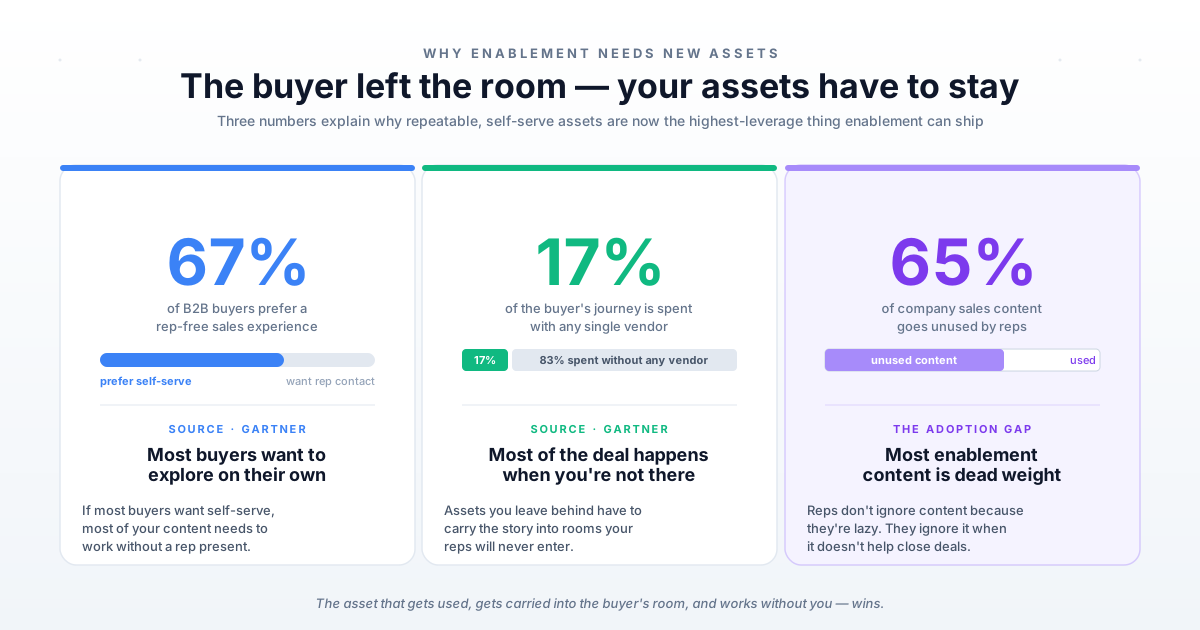
According to Gartner, 67% of B2B buyers prefer a rep-free sales experience. Buyers spend only 17% of their purchase journey with any vendor.
That means most of the buying decision happens without a rep in the room. The assets reps leave behind have to carry the story on their own.
One demo template serves your entire org. Reps learn by clicking through actual product flows instead of watching recordings. Champions forward demos to their buying committee without needing you in the room.
This guide covers seven specific ways to use interactive demos in sales enablement programs. It also covers how to build one and how to measure impact on your key metrics. For a broader view, see our sales enablement strategy guide.
What are interactive demos for sales enablement teams
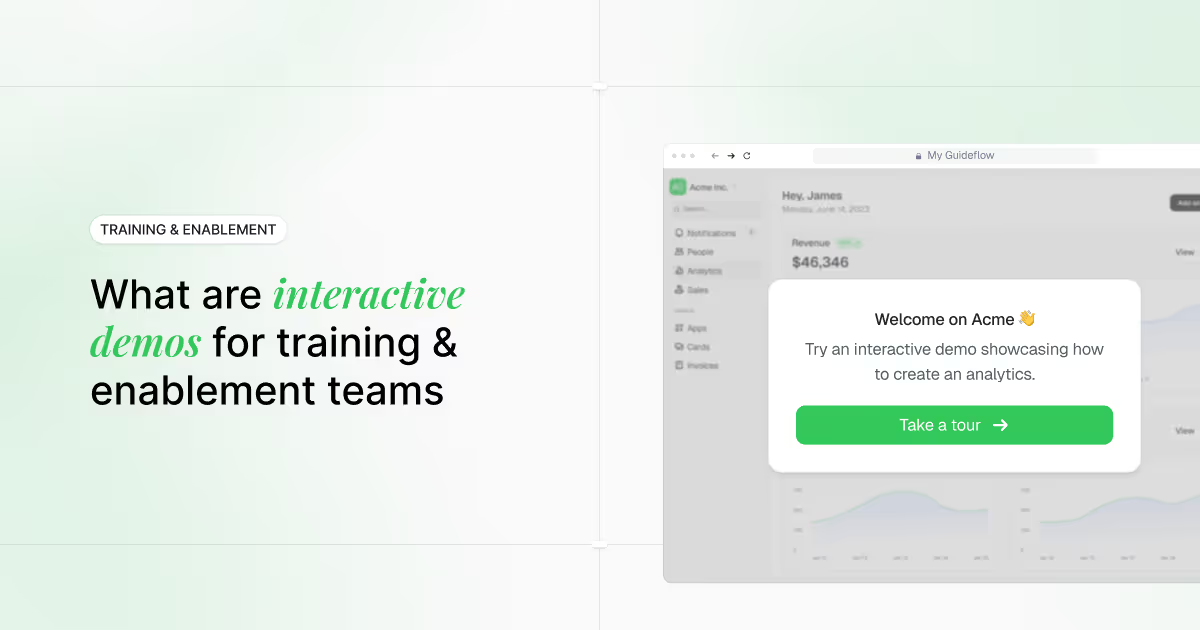
Interactive demos are guided, clickable product walkthroughs that people can experience without scheduling a live call, requesting access, or waiting for engineering support. For sales enablement teams, they solve a specific problem: how do you train reps faster, keep messaging consistent, and scale demo delivery without adding headcount?
Here's the core idea. Instead of static PDFs or demo environments that can break, interactive demos let viewers click through actual product flows at their own pace. They're realistic enough to convey value, but controlled enough to stay on message.
A new hire can click through a demo to learn the product story. An AE can send that same demo to a prospect as a pre-call warmup. A champion can forward it to their CFO.
One asset, multiple purposes, no rebuilding required.
| Asset type | Interactivity | Maintenance burden | Scalability |
|---|---|---|---|
| Slide deck | None | Low | Limited |
| Screen recording | View only | Medium | Medium |
| Interactive demo | Guided clicks | Low | High |
While traditional live demos offer full interactivity, sandbox demos for sales teams provide a controlled alternative that maintains the authentic feel without the maintenance burden.
For enablement specifically, this matters because you're not just creating content. You're creating repeatable systems that work across dozens or hundreds of reps, each with different skill levels, territories, and deal contexts.
Why use interactive demos for sales enablement teams
Sales enablement sits at the intersection of training, content, and process. You're responsible for making reps effective, but you rarely control their time or attention. Interactive demos for sales enablement work because they deliver value without requiring live sessions, SE availability, or constant content updates.
The same approach extends across the organization to drive product understanding at scale. Interactive demos work beyond the sales floor for training and enablement teams too.
Real-world use cases for sales enablement teams
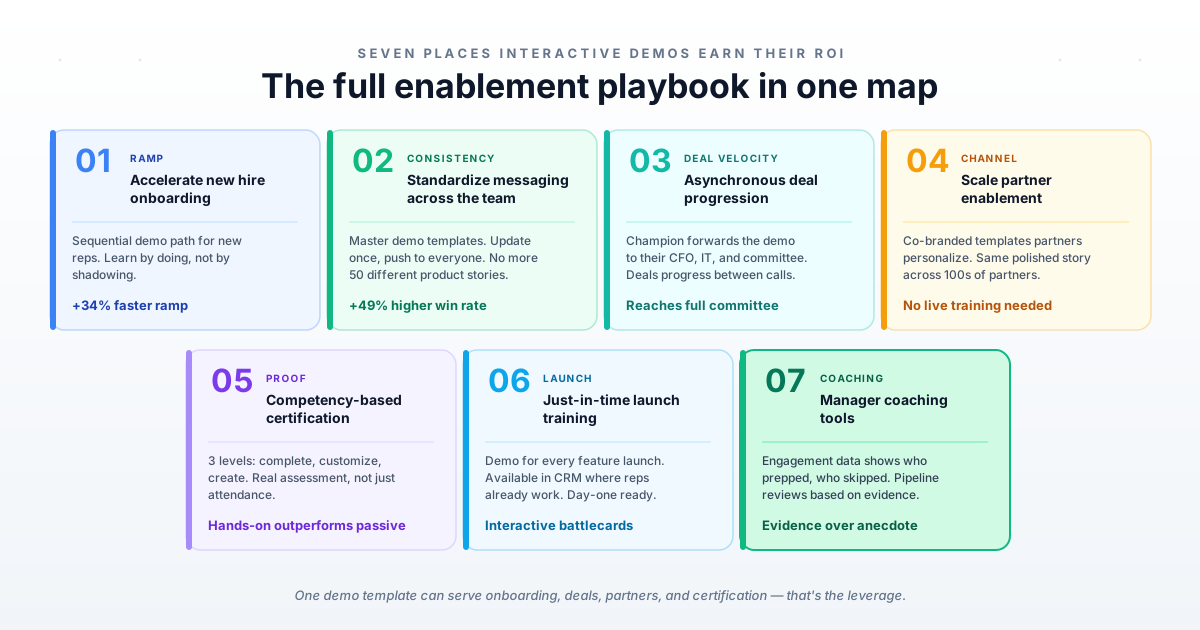
What follows are the specific use cases where interactive demos deliver the most value for enablement teams. Each one maps to a real workflow, not a theoretical benefit.
Use case 1: Accelerate new hire onboarding and reduce time to productivity
Traditional onboarding takes months before new reps hit quota even though formal onboarding programs are 34% faster. Every month a rep isn't productive costs you pipeline and revenue. New hires shadow senior reps, read documentation, and watch recordings, which is slow, inconsistent, and dependent on whoever is available.
By the time a rep is demo-ready, you've spent weeks of senior-rep time and the new hire still lacks hands-on confidence.
Solution
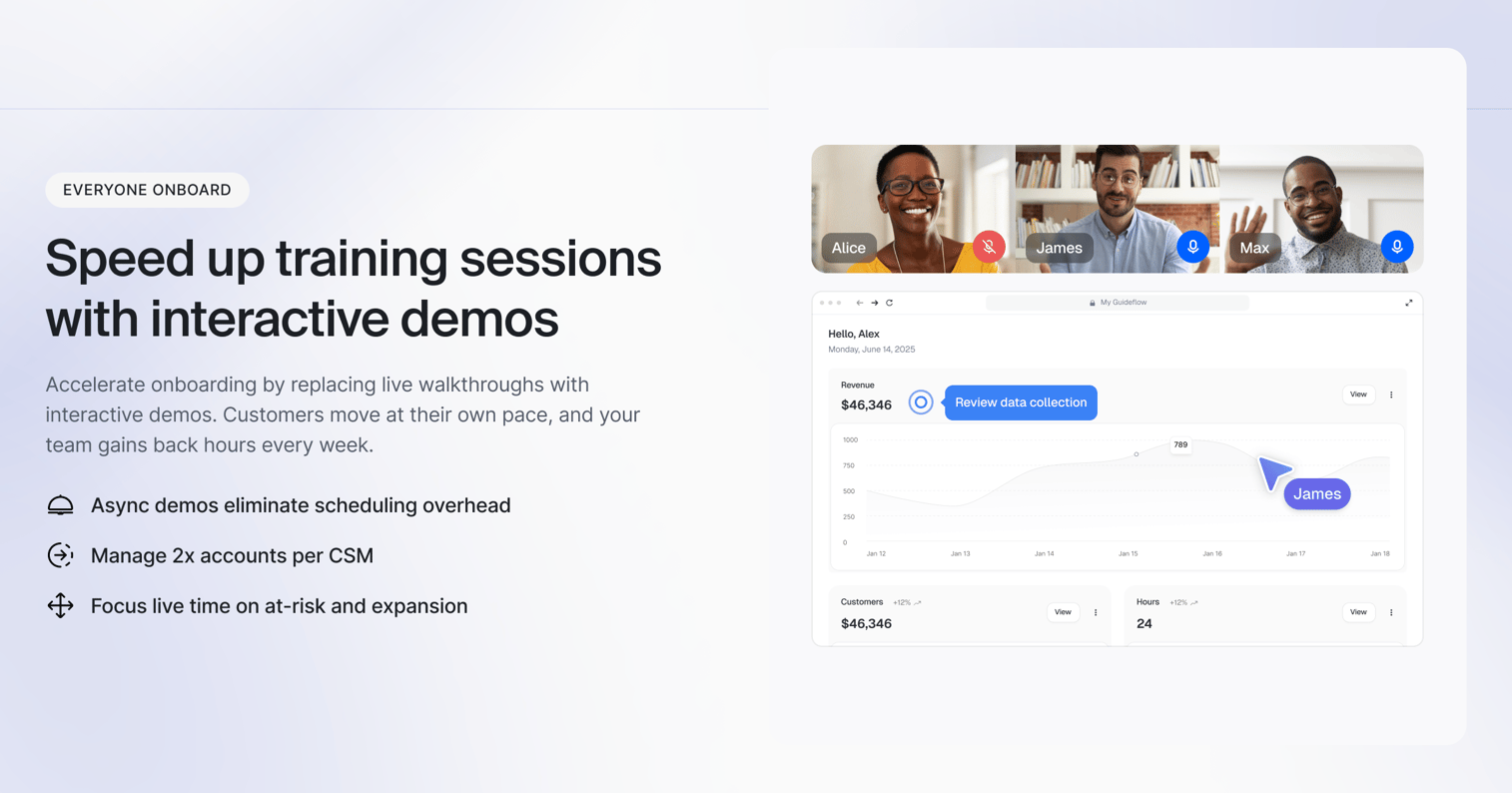
Build a sequential onboarding path of interactive demos that covers your core product story, top three use cases, common objections, and competitive positioning. New reps click through actual product flows instead of watching static recordings, learning by doing before their first live call. Tie completion to certification and manager check-ins so the sequence becomes the default path to productivity, not an optional extra.
Benefits
- Speeds up time to productivity for new reps
- Removes the need for constant senior-rep shadowing
- Improves retention through active, hands-on practice
- Gives managers cohort-level visibility into who is ramping and who is at risk
- Standardizes the product story every new rep learns
When to use
- During the first week of new hire onboarding
- For AE or SDR ramp programs
- As a prerequisite gate before reps run live calls
- When scaling hiring across regions or time zones
Think of it as your always-ready onboarding trainer that never needs to sleep.
Use case 2: Standardize messaging across distributed sales teams
Inconsistent messaging kills deals. When fifty reps tell fifty different product stories, buyers get confused and you miss 49% higher win rates. This problem compounds as you scale across regions, verticals, and product lines.
Without a single source of truth, reps improvise, use outdated talk tracks, position features incorrectly, and leave 65% of company content unused. Sales leaders burn pipeline reviews correcting messaging instead of coaching strategy.
Solution
Make your approved messaging the default by building master demo templates. When positioning changes or a new feature launches, update the template and push it to the entire team. Reps use the updated version immediately because it's embedded in their workflow.
Standardization doesn't mean robotic delivery. Reps still personalize for their buyer's context, but they start from a proven foundation instead of reinventing the wheel.
Benefits
- Keeps the entire team aligned on current positioning
- Eliminates outdated talk tracks and mispositioned features
- Frees sales leaders to coach strategy instead of correcting messaging
- Ensures buyers hear a consistent story regardless of which rep they meet
- Makes messaging updates a single action, not a retraining project
When to use
- During quarterly product releases or repositioning
- In pre-launch enablement campaigns
- When onboarding new teams, regions, or acquired companies
- Any time messaging drifts across the sales floor
Think of it as your single source of product truth, always updated and always on message.
Use case 3: Enable asynchronous deal progression between meetings
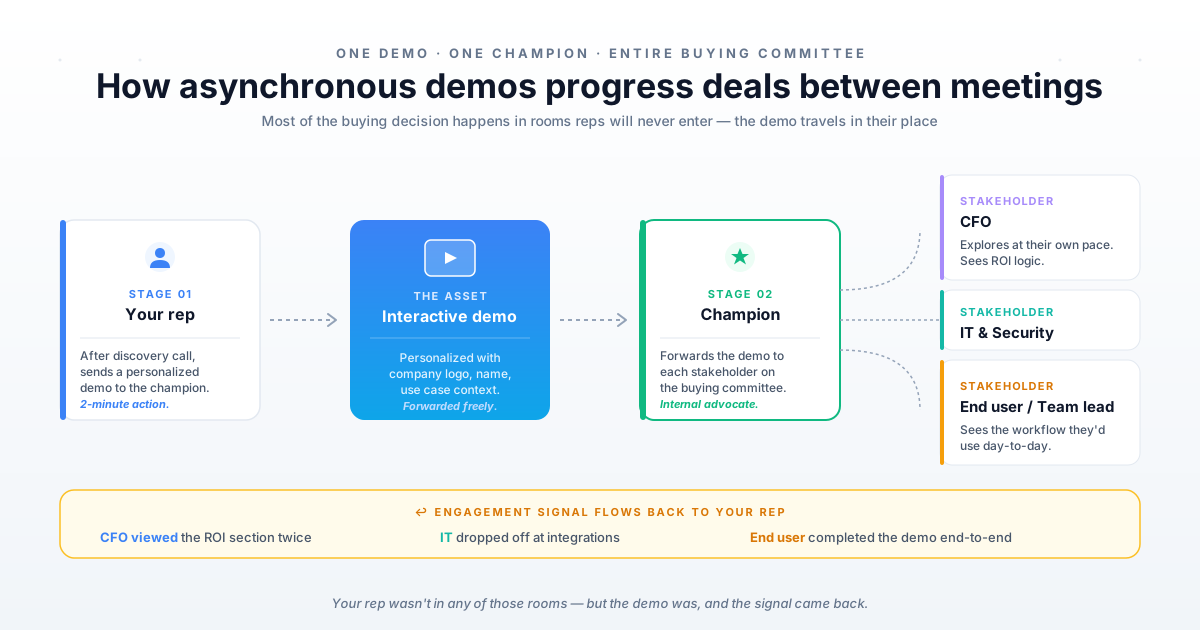
Buyers spend most of their purchase journey without a vendor present. Your champion is in internal meetings, building consensus, and defending your solution to stakeholders you'll never meet. This is where deals stall or die.
Your champion can't articulate your value story as well as you can. They forget key details, miss objections, and fail to connect features to outcomes. The buying committee loses confidence and momentum fades.
Solution
Give champions a shareable asset that sells on your behalf. After a successful discovery call, send a personalized demo that mirrors what you showed. Your champion forwards it to their CFO, IT lead, and other decision-makers.
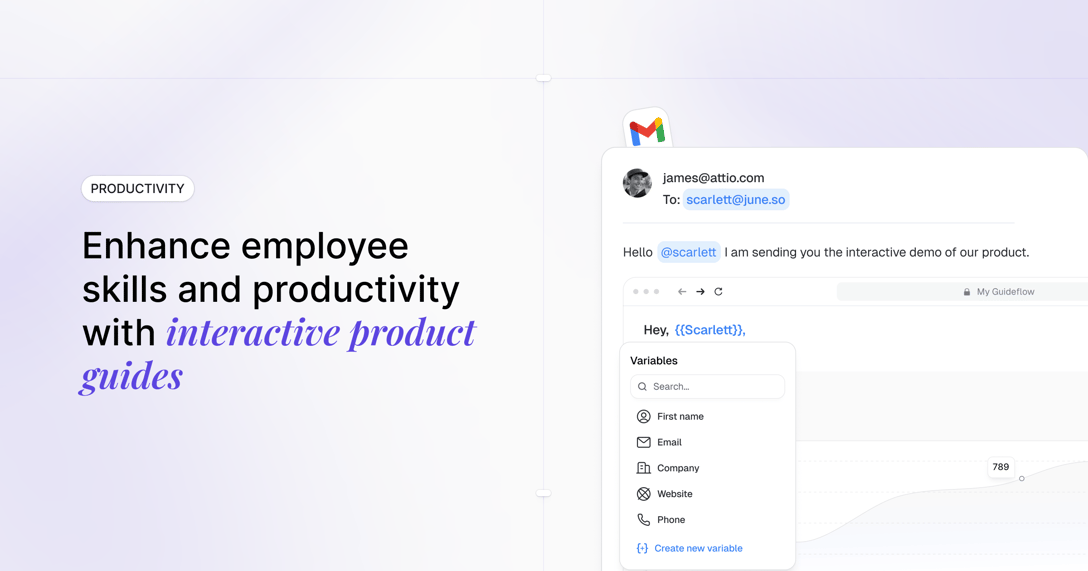
Each stakeholder explores the product at their own pace. Use dynamic variables to personalize with company name, logo, and industry-specific language so the demo feels built for them.
Benefits
- Keeps deals progressing between meetings instead of stalling
- Equips champions to advocate with clarity and confidence
- Reaches the full buying committee, not just your primary contact
- Surfaces stalled deals through engagement signals
- Reinforces your value story long after the live call
When to use
- Immediately after a discovery or sales call
- Before internal stakeholder reviews or committee meetings
- When handing off to procurement, finance, or legal
- When new decision-makers join the deal mid-cycle
Think of it as a high-converting sales tool your buyer carries into the rooms you'll never enter.
Use case 4: Scale partner and channel enablement without dedicated resources
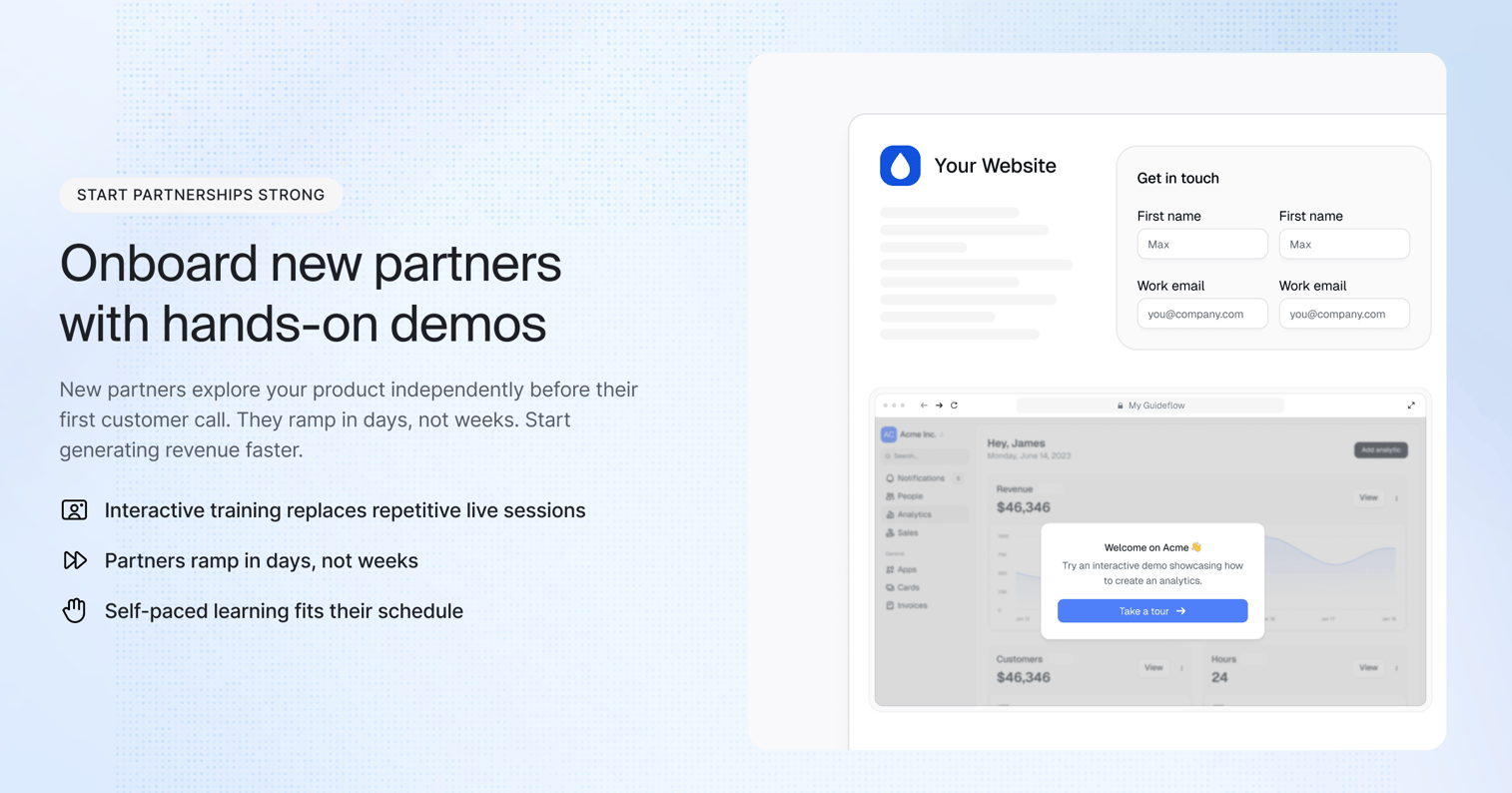
Channel partners are supposed to extend your sales capacity. Interactive demo platforms for B2B sales enablement can help partners demo confidently without deep product training.
In practice, they often struggle to sell your product effectively because they're not product experts and you don't have resources to train them continuously. Partners improvise demos, miss key differentiators, or position you incorrectly against competitors.
Traditional partner enablement, live training and certification, doesn't scale when you have dozens or hundreds of partners.
Solution
Give partners ready-to-use assets that maintain message consistency. Create co-branded demo templates that partners personalize with their logo and customer examples, so they get a professional demo without becoming product experts. House everything in a partner portal organized by industry, use case, and persona.
The less friction partners face, the more they actually deploy the content.
Benefits
- Equips partners to demo confidently without deep product training
- Maintains consistent, on-brand messaging across every partner
- Scales enablement to dozens or hundreds of partners at once
- Lets you track partner adoption and correlate it with revenue
- Identifies high-performing partners for deeper investment
When to use
- During partner onboarding and certification
- When launching with new resellers or alliances
- Ahead of co-selling motions or joint campaigns
- When partner-sourced messaging drifts off-brand
Think of it as giving every partner the same polished story you'd tell yourself.
Use case 5: Build competency-based certification programs with measurable outcomes
Most sales certification programs measure attendance, not competency. Sales enablement tools research confirms that reps who complete hands-on assessments outperform those who only watch recordings.
Reps watch videos, click complete, and move on without demonstrating they actually understand the material. Managers have no visibility into who's truly ready to sell and who's faking it, so unprepared reps reach live calls and deals suffer.
Solution
Transform certification from a checkbox exercise into a real assessment. Build demos that require reps to make decisions: which feature to highlight, which objection to address first, which use case to lead with.
Structure it in levels. Level 1 completes the core demos with full step completion. Level 2 customizes a template for a persona and submits it for manager review.
Level 3 builds a net-new demo for an advanced use case without guidance.
Benefits
- Surfaces who actually knows the product versus who needs coaching
- Gives leadership data on which product areas reps struggle with
- Turns certification into a leading indicator of readiness
- Reinforces real selling skills, not passive consumption
- Helps prioritize high-value accounts and coaching plans
When to use
- During new hire certification and ongoing recertification
- After major product launches or repositioning
- When deciding account assignments or promotions
- To diagnose where field messaging breaks down
Think of it as a practical exam that proves competency, not just attendance.
Use case 6: Provide just-in-time training for product launches and feature releases
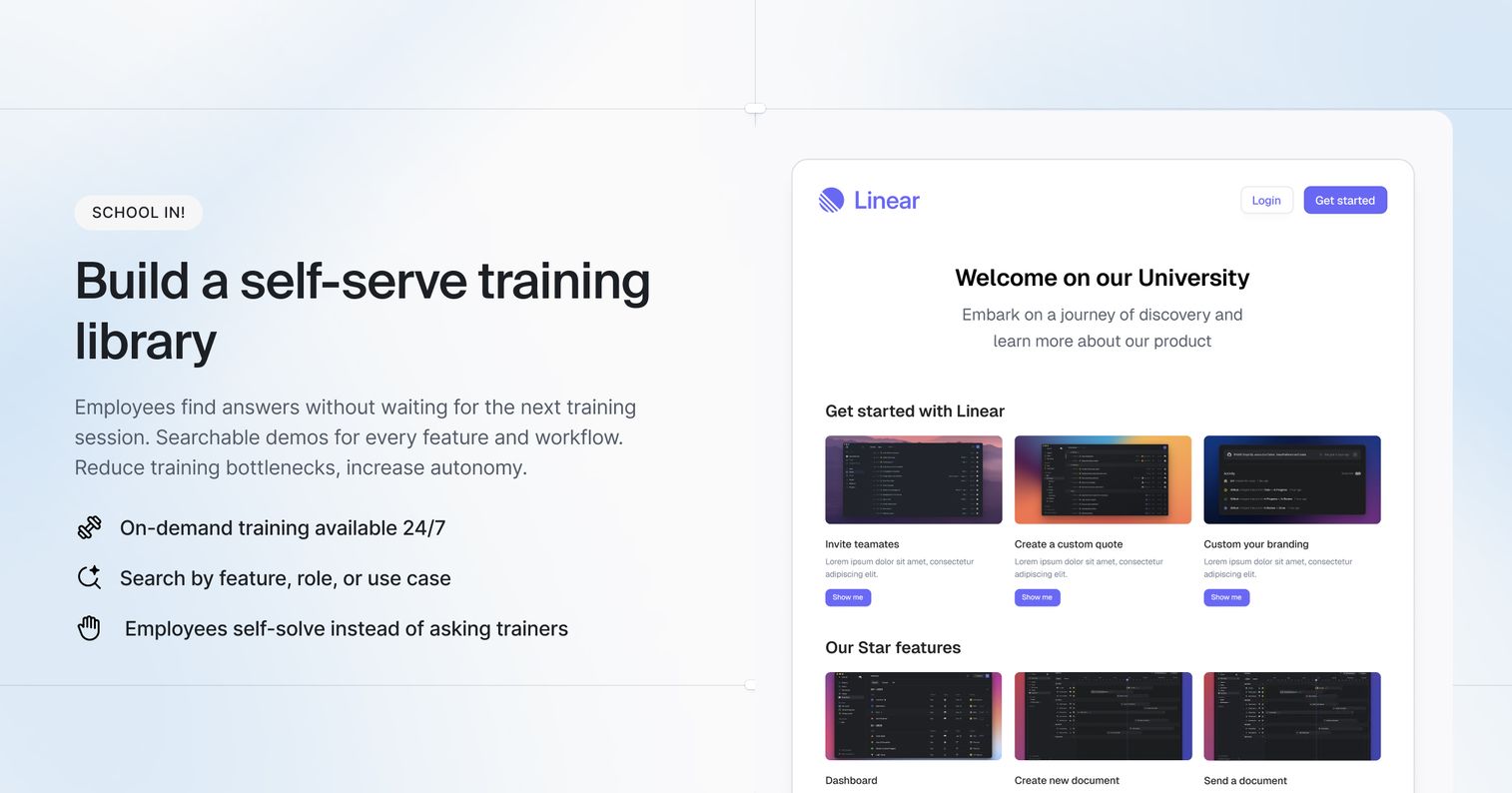
Product launches fail when sales teams aren't ready. Marketing announces a feature, customers ask about it, and reps have no idea how to demo or position it. The launch momentum dies because the people closest to buyers can't tell the story.
A single training session two weeks before general availability doesn't stick. Reps forget the details or miss the call entirely.
Solution
Provide just-in-time training reps access exactly when they need it. Build a demo for every major feature launch and make it available in your CRM, sales engagement platform, and demo library. When a rep has a relevant call, they review the short demo beforehand and show up prepared.
Focus each launch demo on the customer outcome, not the technical spec.
Benefits
- Gets the whole team launch-ready without a live session
- Puts launch training where reps already work
- Increases how often new features come up in real calls
- Lets you track feature adoption through demo views
- Keeps launch messaging consistent from day one
When to use
- Ahead of and during every major feature launch
- For competitive refreshes and repositioning
- When reps need a fast refresher before a relevant call
- To diagnose slow feature adoption across the team
Think of it as an interactive battlecard reps can actually learn from.
Use case 7: Create manager coaching tools that improve deal execution
Sales managers struggle to coach effectively because they lack visibility into how reps prepare for calls and what content they use. Pipeline reviews become guessing games where managers ask "did you show them the integration?" and reps say yes without any proof. Coaching ends up based on anecdote, not evidence.
Solution
Give managers concrete coaching tools. Assign specific demos before deal strategy sessions or pipeline reviews so reps arrive prepared and managers can see who did the prep. Use demo engagement data to spot patterns: a rep who skips discovery demos may be rushing qualification.
Managers can also record a demo of how they'd position a deal scenario and share it as a scalable coaching asset.
Benefits
- Makes call prep visible and accountable
- Surfaces coaching opportunities that are invisible without data
- Lets managers scale their own expertise across the team
- Connects prep behavior to deal outcomes
- Makes pipeline reviews evidence-based, not anecdotal
When to use
- Before pipeline reviews and deal strategy sessions
- When diagnosing inconsistent rep performance
- To onboard newer managers into a coaching rhythm
- When scaling a top performer's approach across the team
Think of it as giving every manager a window into how their reps actually prepare.
How to create an interactive demo with Guideflow
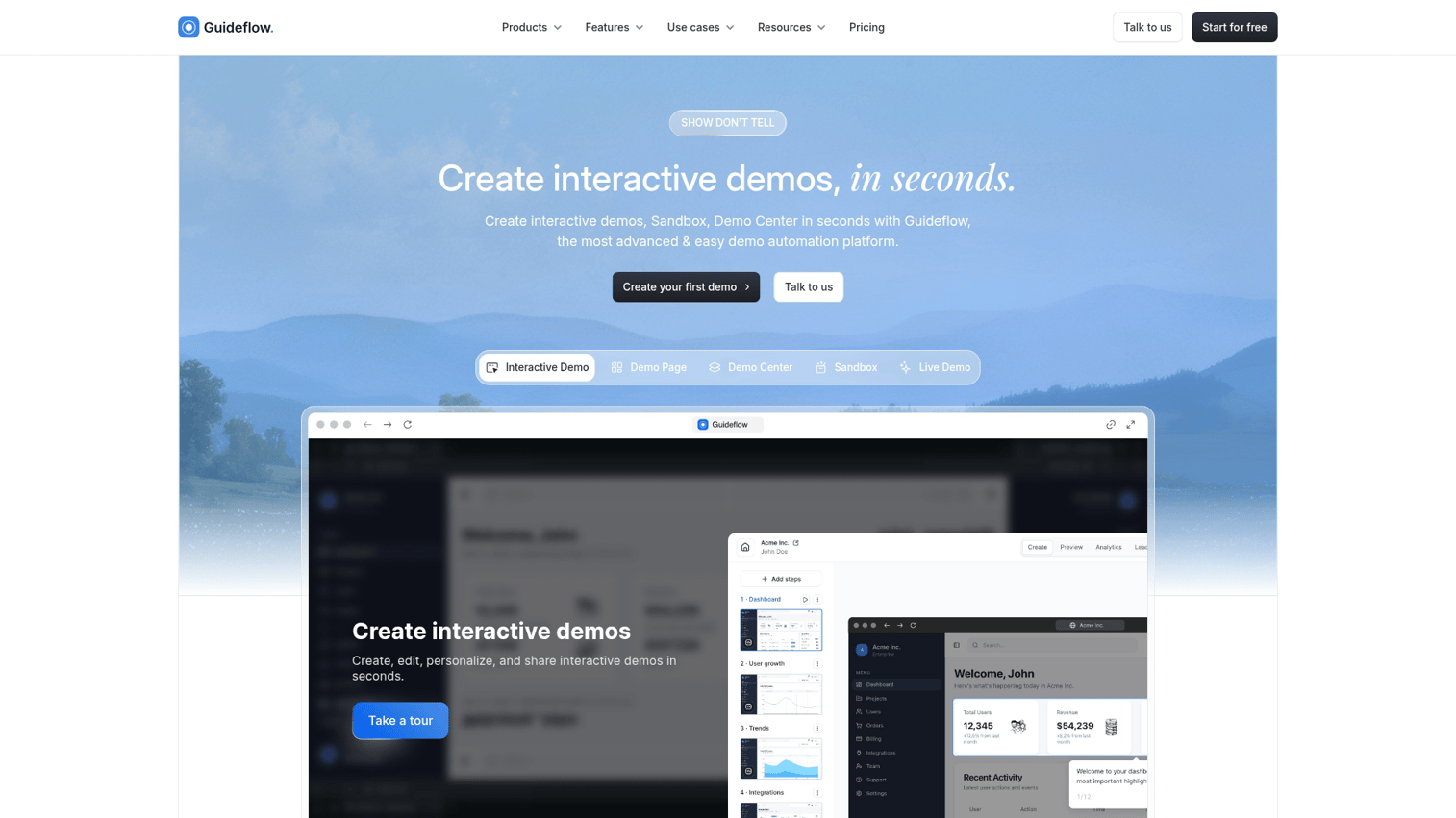
Creating an effective sales enablement demo isn't just about showing features. It's about guiding reps or buyers through the right experience, at the right time, with the right context. Here's how to do it with Guideflow.
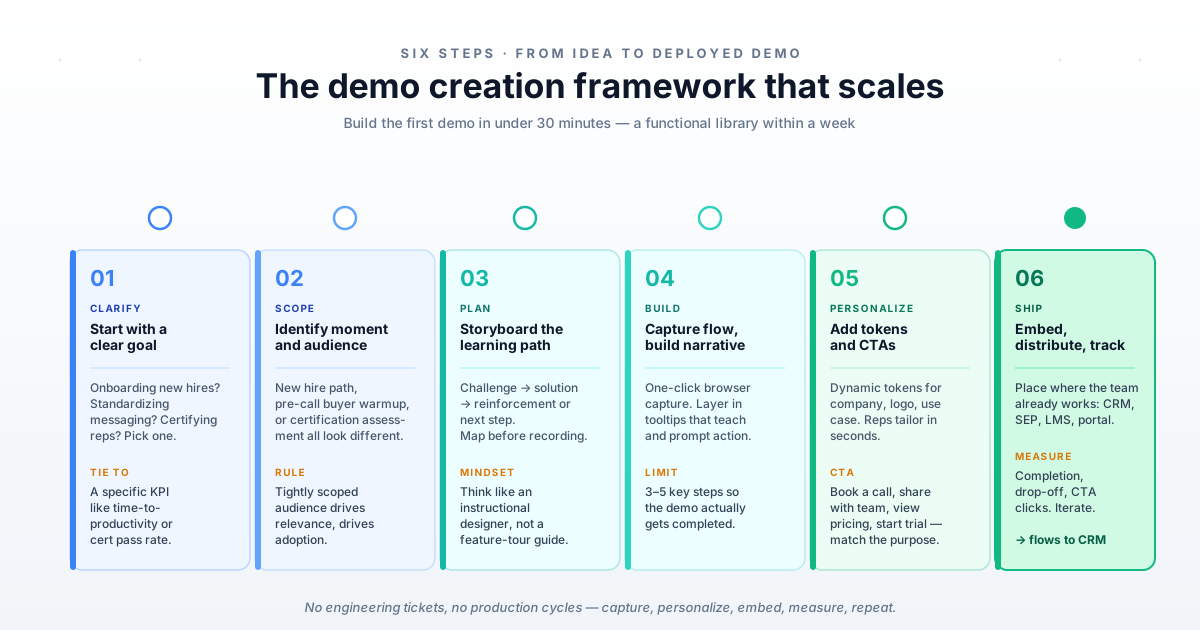
1. Start with a clear goal
Define the job the demo is doing. Are you onboarding new hires, standardizing messaging, certifying reps, or launching a feature? Tie the goal to a specific enablement KPI like time-to-productivity, certification pass rate, or feature adoption, so the demo stays focused and measurable.
2. Identify the right moment and audience
Clarify who the demo is for and where it fits in the workflow. A new hire onboarding sequence, a pre-call buyer warmup, and a certification assessment all look different. A tightly scoped audience drives relevance, and relevance drives adoption.
3. Storyboard the learning path
Map the journey before you record. Start with the challenge, walk through the solution, and close with clear reinforcement or a next step. Decide what the viewer should understand and what they should walk away knowing.
Think like an instructional designer, not a feature-tour guide.
4. Capture the workflow and build the narrative
Use browser-based capture to record the real product flow in a single click, then layer in guided tooltips that teach, prompt action, and reinforce understanding. Write for clarity, not fluff. Keep each demo to three to five key steps so it actually gets completed.
5. Add personalization and strong CTAs
Insert dynamic tokens for company name, logo, industry, or use case so reps can tailor a demo in seconds without rebuilding it. End every demo with a clear next step that matches its purpose: book a call, share with your team, view pricing, or start a trial.
6. Embed, distribute, and track
Place the finished demo where your team already works: your CRM, sales engagement platform, LMS, enablement portal, or onboarding checklist. Then monitor analytics on completion, drop-off, and CTA clicks to understand what's working and improve over time. Connect it to your stack through native integrations so engagement data flows into your CRM automatically.
What to look for in an interactive demo platform for enablement
Not every demo tool fits enablement workflows. Some are built for marketing landing pages.
Others focus on live sales calls. Review the best sales enablement software and tools to compare your options.
When evaluating platforms, look for capabilities that match how enablement teams actually work.
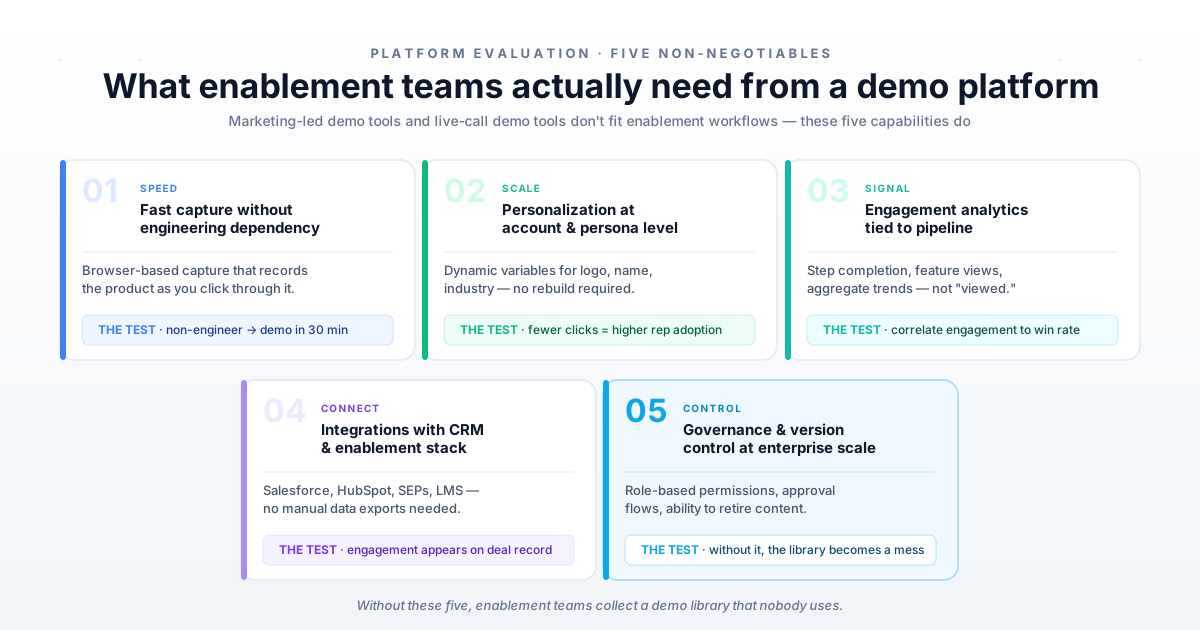
Fast capture without engineering dependency
Enablement teams don't have engineering resources to build demos. Look for browser-based capture that records your product as you click through it. The test: can a non-technical enablement manager create a demo in under 30 minutes?
If the answer is no, the tool will collect dust.
Personalization at the account and persona level
Static demos don't scale. You want dynamic variables that let reps swap logos, names, and industry-specific language without rebuilding the entire demo. The fewer clicks to personalize, the more likely reps will actually do it.
Engagement analytics that connect to pipeline and revenue
"Demo viewed" is not a useful metric. You want to know which steps prospects completed, which features they explored, and how engagement correlates with deal outcomes. The best platforms show engagement at the session level and aggregate it across your team.
Integrations with your CRM and enablement stack
Demos don't exist in isolation. They connect to deals in Salesforce, sequences in your sales engagement platform, and content in your enablement system. Look for platforms that integrate with HubSpot, Salesforce, and more without manual data exports.
Governance and version control for enterprise scale
Enablement teams manage content for dozens or hundreds of reps. You want to control which demos are approved, who can edit them, and how updates roll out. Look for role-based permissions and the ability to retire outdated content.
Without governance, your demo library becomes a mess within months.
How to create sales enablement demos reps will actually use
The best demo in the world doesn't matter if reps ignore it. Adoption is the real challenge. Here's how to build demos that reps actually deploy in deals.
1. Start with the rep pain point, not the feature list
Ask reps what they struggle to explain on calls. Build demos that address those moments, not a comprehensive feature tour. If reps say prospects get confused about pricing, build a pricing demo.
Demos that solve real problems get used.
2. Keep each demo to three to five key steps
Shorter demos get completed. Prospects don't have fifteen minutes to click through your entire product. If you want to cover more ground, create multiple demos and organize them in a library.
If you can't explain the demo's purpose in one sentence, it's too long.
3. Map demos to deal stage and buyer persona
A discovery demo is different from a procurement demo. A demo for a technical buyer is different from one for an executive sponsor.
Tag and organize demos so reps find the right one fast. See sales demo best practices for guidance on structuring your library.
| Deal stage | Buyer persona | Demo focus |
|---|---|---|
| Discovery | Business buyer | Problem and outcome |
| Evaluation | Technical buyer | Features and integrations |
| Procurement | Executive sponsor | ROI and risk mitigation |
| Expansion | Existing user | New features and use cases |
When reps can filter by stage and persona, they stop guessing and start matching.
4. Add personalization tokens for scalable customization
Use dynamic fields for company name, industry, and use case. Reps personalize in seconds without editing the entire demo. High-impact tokens include company name and logo, industry-specific terminology, the relevant use case or pain point, and contact name for leave-behinds.
5. Embed CTAs that drive the next action
Every demo ends somewhere. Make sure it ends with a clear next step. Match the CTA to the demo's purpose: a cold outreach demo might end with "book a call," a leave-behind with "share with your team."
6. Track engagement and iterate based on data
Monitor completion rates, drop-off points, and feature engagement. If prospects consistently drop off at a given step, that step needs work. Set a regular review cadence.
Retire demos that don't get used, and improve demos that get used but don't convert.
How to measure interactive demo impact on sales enablement KPIs
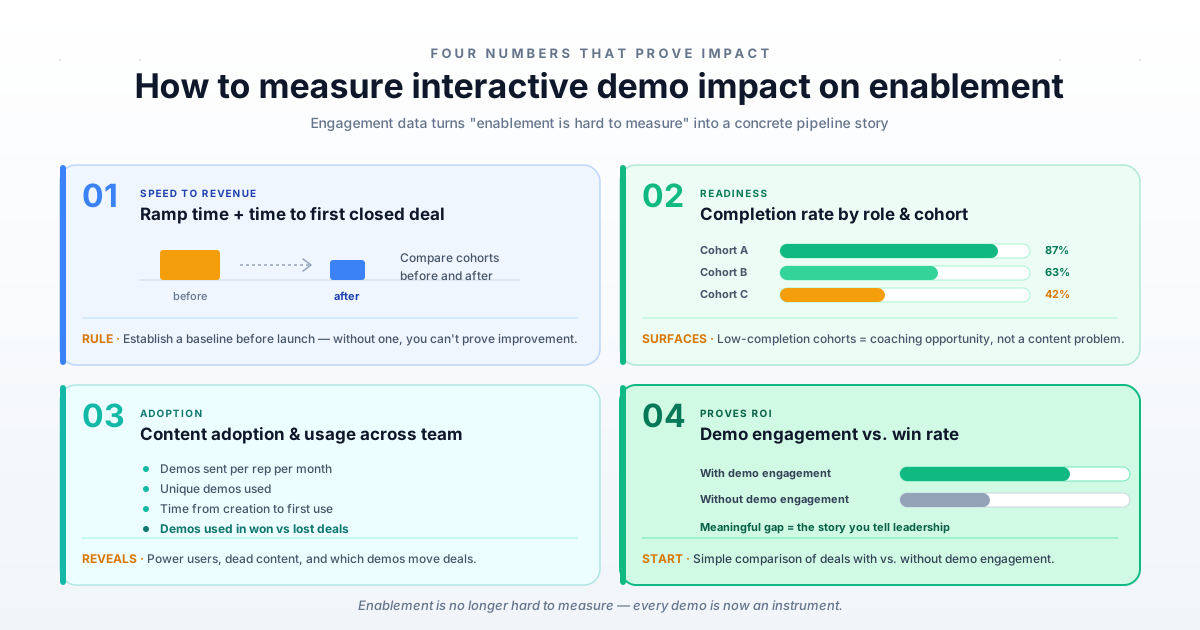
Enablement is often accused of being hard to measure. Interactive product demos for sales enablement show that engagement data provides concrete proof of impact. Interactive demos for sales enablement change that by providing concrete engagement data you can connect to outcomes.
Ramp time reduction and time to first closed deal
Track how quickly new hires complete onboarding demos and when they close their first deal. Compare cohorts before and after implementing interactive demos. Establish a baseline before you launch; without one, you can't prove improvement.
Demo completion rate by role and cohort
Monitor which reps complete training demos and which skip them. Completion correlates with readiness and performance.
Break it down by role, cohort, and manager. If one team has low completion, that's a coaching opportunity.
Content adoption and usage across the sales team
See which demos get used in deals, which collect dust, and which reps are power users. Track demos sent per rep per month, unique demos used, time from creation to first use, and demos used in won deals versus lost deals.
Correlation between demo engagement and win rate
Connect demo views and completions to deal outcomes. Deals where buyers engaged with demos typically close at higher rates and shorter cycles. Start with a simple comparison: win rate for deals with demo engagement versus deals without. If there's a meaningful difference, you have a story to tell.
Start building your sales enablement demo library with Guideflow
Guideflow lets enablement teams capture product demos in clicks, personalize them at scale, and track engagement that connects to pipeline. The browser extension captures your product as you click through it. Dynamic variables let reps personalize without rebuilding. CRM integrations sync engagement data to deals automatically.
You can build your first demo in under 30 minutes and have a functional library within a week. No engineering support required.
→ Start your free demo library with Guideflow today
FAQs about interactive demos for sales enablement teams
Most teams capture their first demo in minutes and build a functional library within a week. The time investment scales with the number of use cases you cover. Starting small and expanding based on rep feedback works better than trying to build everything at once.
Interactive demos handle product knowledge and standard scenarios effectively. Live sessions remain valuable for role-play, Q&A, and complex deal strategy discussions. The best programs use both: demos for foundational knowledge, live sessions for advanced skills.
Tie demo completion to certification, embed demos in the CRM where reps already work, and share data showing how demo usage correlates with closed deals. Reps adopt tools that help them hit quota. Show them the connection.
Modern demo platforms let you recapture specific steps without rebuilding the entire demo. Set a quarterly audit cadence to catch outdated content before reps complain.
Yes, analytics dashboards show usage by rep, team, and time period. This visibility helps enablement identify coaching opportunities and content gaps. It also helps you recognize and reward power users who adopt the program fully.