
You count 400 units on the shelf. The spreadsheet says 460. Nobody knows which number is real, so someone reorders anyway, and now you have deadstock and a stockout in the same warehouse. Manual inventory doesn't break loudly. It drifts, one uncounted return and one mis-keyed SKU at a time, until reconciliation eats a full day every month and traceability becomes a guessing game.
Barcode inventory software closes that gap by tying every physical movement to a scan. A receive, a pick, a transfer, a cycle count: each one updates stock in real time instead of waiting for a batch entry that never happens. The category is large and growing for a reason. The global barcode inventory software market is projected to reach $7.65B by 2025, expanding at a 14.96% CAGR through 2033, according to Data Insights Market (2026). For small businesses specifically, the barcode inventory management software market sits around $1.28B in 2025, per GII Research (2026).
For a product or operations lead, the question is rarely "should we scan." It's which barcode inventory system fits your SKU volume, your locations, and the stack you already run: your POS, your accounting tool, or your ERP. This guide is built for that decision. It focuses on real operational fit, integration depth, auditability, and scale, so you can shortlist fast instead of demoing eight tools you'll never buy.
What's inside
This is a comparison of eight barcode inventory management software tools built for scanning, real-time stock updates, and integration with the systems you already run. It's written for operators and product-minded buyers who need to replace spreadsheets, tighten stock control, and connect scans to live inventory data.
We selected tools based on four criteria: barcode scanning and generation, real-time stock visibility, integration depth with POS, accounting, or ERP, and fit across a clear scale (small team, growing operator, or enterprise). We excluded generic accounting-only tools that bolt on light inventory. Every pricing figure and G2 rating below reflects first-party sources verified at drafting time.
TL;DR
- Easiest setup for small teams and asset tracking: Sortly, with mobile scanning and a free tier.
- Best for SMB order plus inventory management: Zoho Inventory, strong on multichannel selling and warehouses.
- Best for multichannel retail and wholesale: Cin7, built for connected sales channels and manufacturing.
- Best for manufacturing and warehouse control: Fishbowl Inventory or inFlow Inventory, depending on how much workflow depth you need.
- Best for a flexible, modular, app-based system: Odoo, with a free single-app entry point.
- Best for barcode-first asset and inventory tracking: Wasp InventoryCloud, with multi-site cloud access.
- Best for ERP-grade inventory control at scale: NetSuite Inventory Management, when inventory is one module inside a broader ERP.
What is barcode inventory software?
Barcode inventory software is a system that assigns a scannable code to each item, then updates stock levels automatically every time that code is scanned during receiving, picking, transfers, or counts. It replaces manual data entry with a scan, so on-hand quantities stay accurate in real time and every movement leaves a record.
An inventory barcode scanner software tool does more than read labels. Most modern platforms combine code generation, scanning through dedicated hardware or a phone camera, stock adjustments, and reporting into one workflow. The goal is a single source of truth for what you have, where it is, and how it got there.
A capable barcode inventory system typically includes:
- Barcode and QR code generation: create and print labels for SKUs, bins, and locations.
- Scanning input: support for handheld scanners and smartphone cameras.
- Real-time stock updates: on-hand counts change the moment an item is received, picked, or moved.
- Stock adjustments and cycle counts: structured counts that reconcile physical and system quantities.
- Audit trails: a timestamped log of who scanned what, when, and where.
- Multi-location support: visibility across warehouses, stores, or vans.
- Integrations: connections to POS, accounting, ecommerce, and ERP systems.
- Reporting and alerts: low-stock triggers, valuation, and movement history.
The strongest tools treat these as one connected workflow, not separate features. That connection is what turns barcode scanning from a data-entry shortcut into real-time inventory visibility your whole team can trust.
When to use barcode inventory software
Not every business needs a scanning workflow on day one. Here's where barcode inventory management earns its keep.
Replace spreadsheets with live stock control
Spreadsheets work until two people edit the same file, a return never gets logged, or a SKU gets typed as "BLK-01" in one row and "blk01" in another. At that point counts drift and nobody trusts the number. Barcode scanning removes the keystroke. You scan to receive and scan to ship, and the on-hand quantity updates without a manual entry, which is where inventory management software with a barcode scanner starts paying for itself.
Connect receiving, picking, and cycle counts
The daily flow is where scans compound. Receiving a PO by scanning each item catches short shipments immediately. Picking against a scan prevents the wrong SKU going out the door. Cycle counts done with a scanner reconcile in minutes instead of shutting down operations for a full physical count. Each scan feeds the same live record, so the audit trail builds itself.
Scale across locations, channels, or higher SKU volume
Barcode workflows create the most value as complexity rises. Two warehouses, a retail floor plus a stockroom, or thousands of SKUs across ecommerce and wholesale all multiply the cost of manual errors. Multi-location inventory needs a system that shows stock everywhere at once and moves it between sites with a scan and a transfer record, not an email.
Comparison table
Here's a compact view of the eight barcode inventory tracking software tools in this guide, sorted from simplest to most enterprise-grade. Pricing and G2 ratings reflect first-party and G2 sources verified at drafting time.
| # | Product | Intent | Key use case | Pricing | G2 rating |
|---|---|---|---|---|---|
| 1 | Sortly | Simple visual tracking | Mobile barcode and asset tracking for small teams | Free; paid from $49/mo | 4.3/5 |
| 2 | Zoho Inventory | SMB order + inventory | Multichannel selling with warehouse management | Free; paid from $29/org/mo | 4.4/5 |
| 3 | Cin7 | Multichannel control | Retail, wholesale, and manufacturing inventory | From $349/mo | 4.2/5 |
| 4 | Fishbowl Inventory | Manufacturing + warehouse | Barcode-driven manufacturing workflows | Custom quote | 4.0/5 |
| 5 | inFlow Inventory | Stock + purchasing | Distribution and small manufacturing operations | From $129/mo | 4.4/5 |
| 6 | Odoo | Modular business suite | Flexible, app-based inventory | Free single app; from ~$31/user/mo | 4.2/5 |
| 7 | Wasp InventoryCloud | Barcode-first tracking | Multi-site asset and inventory tracking | From $108/mo | 3.6/5 |
| 8 | NetSuite Inventory Management | ERP-grade control | Inventory inside a broader ERP stack | Custom quote | - |
1. Sortly
Sortly is inventory and asset tracking software built around a simple visual model. You photograph items, organize them into folders, and scan barcodes or QR codes from your phone to update quantities. It's the tool operators reach for when they want to leave spreadsheets behind without standing up a full warehouse system.
Best for: Small teams and asset-heavy operations that want fast, mobile barcode workflows without a steep learning curve.
Key strengths
- Barcode and QR code scanning: update stock or locate an item straight from a smartphone camera, no dedicated hardware required.
- Custom fields and item photos: attach the details that matter to you, from serial numbers to condition photos.
- Low stock alerts and reporting: get notified before you run out and pull movement reports for basic auditability.
Why choose Sortly: If your priority is speed to value, Sortly is hard to beat. A single person can label items, scan them in, and have a working inventory the same afternoon. It fits field teams tracking equipment, small retailers, and offices managing assets more than it fits high-volume distribution. The visual, folder-based structure is the draw for teams who think in things rather than SKUs.
Sortly pricing: Sortly offers a Free plan at $0 per month, which is a genuine starting point for the smallest teams. Paid tiers include Advanced at $49/mo, Ultra at $149/mo, and Premium at $299/mo, each billed monthly, with promotional yearly rates shown on the pricing page. An Enterprise plan is quote-based. Paid plans include a 14-day free trial. Sortly holds a 4.3/5 rating on G2.
2. Zoho Inventory
Zoho Inventory is cloud inventory and order management software aimed at small and growing businesses. It pairs barcode generation and scanning with order management, so receiving, selling, and fulfillment all run through one system. If you sell across more than one channel, this is where the barcode workflow starts connecting to real orders.
Best for: SMB and lower mid-market sellers who need inventory tracking software with a barcode scanner tied to multichannel order management.
Key strengths
- Multi-warehouse management: track stock across locations and move it with proper transfer records.
- Multichannel selling: sync inventory across ecommerce and marketplace channels from one place.
- Serial and batch tracking: trace items by serial or lot number for recalls and warranty support.
Why choose Zoho Inventory: The pull here is breadth for the price. You get order management, warehouse tracking, and serialized traceability without an enterprise contract, and it slots naturally into the wider Zoho ecosystem if you already use it. For sellers outgrowing a spreadsheet but not ready for a full ERP, it's a practical middle step.
Zoho Inventory pricing: Zoho Inventory has a Free plan, then Standard at $29 per organization per month, Premium at $79, Plus at $129, and Enterprise at $249, all billed annually. Because pricing is per organization rather than per seat, it scales predictably as your team grows. Zoho Inventory holds a 4.4/5 rating on G2.
3. Cin7
Cin7 is cloud inventory and ERP software for product businesses that sell across multiple channels. It combines inventory management, order and sales channel control, and manufacturing and accounting integrations, which is why it lands with growing retail, wholesale, and ecommerce operations rather than the smallest teams.
Best for: Product sellers who need multichannel inventory, order, and manufacturing control connected to their sales channels.
Key strengths
- Inventory management: real-time stock across warehouses and channels with barcode scanning support.
- Order and sales channel management: unify orders from ecommerce, marketplaces, and wholesale.
- Manufacturing and accounting integrations: connect production workflows and financial systems.
Why choose Cin7: Cin7 is built for the operator whose complexity lives in the connections, not just the counts. If you juggle several sales channels and need inventory to stay accurate across all of them while syncing to accounting and manufacturing, its integration-oriented design earns its place. It's more system than a small shop needs, and exactly right for a scaling brand.
Cin7 pricing: Cin7 Core lists three tiers. Standard starts at $349/month and Pro at $599/month, both billed monthly, with an Advanced tier above that. There is no free tier, which reflects its position as a system for businesses past the starter stage. Cin7 holds a 4.2/5 rating on G2.
4. Fishbowl Inventory
Fishbowl Inventory is barcode inventory and manufacturing software for businesses that need more control than basic SMB tools provide. It targets teams running warehouse and production workflows where barcode scanning drives receiving, work orders, and fulfillment. Fishbowl also markets a separate restaurant guest-relationship product, so confirm you're evaluating the inventory line.
Best for: Small and mid-sized manufacturers and warehouses that want barcode-driven inventory and production control.
Key strengths
- Barcode-driven inventory: scan to receive, pick, and fulfill against live stock.
- Manufacturing workflows: manage work orders, bills of materials, and production runs.
- Integration options: connect to accounting and ecommerce systems for end-to-end flow.
Why choose Fishbowl Inventory: Fishbowl fits the business that has outgrown lightweight tools and needs real manufacturing depth alongside inventory. Expect a more involved setup than a phone-first app, because you're configuring production logic, not just item lists. That configuration is the point for teams whose value comes from tracking materials through to finished goods.
Fishbowl Inventory pricing: Fishbowl's inventory product uses quote-based pricing arranged through sales rather than a flat public rate, so plan for a scoping conversation before you commit. This is common for tools sold with implementation support. Fishbowl holds a 4.0/5 rating on G2.
5. inFlow Inventory
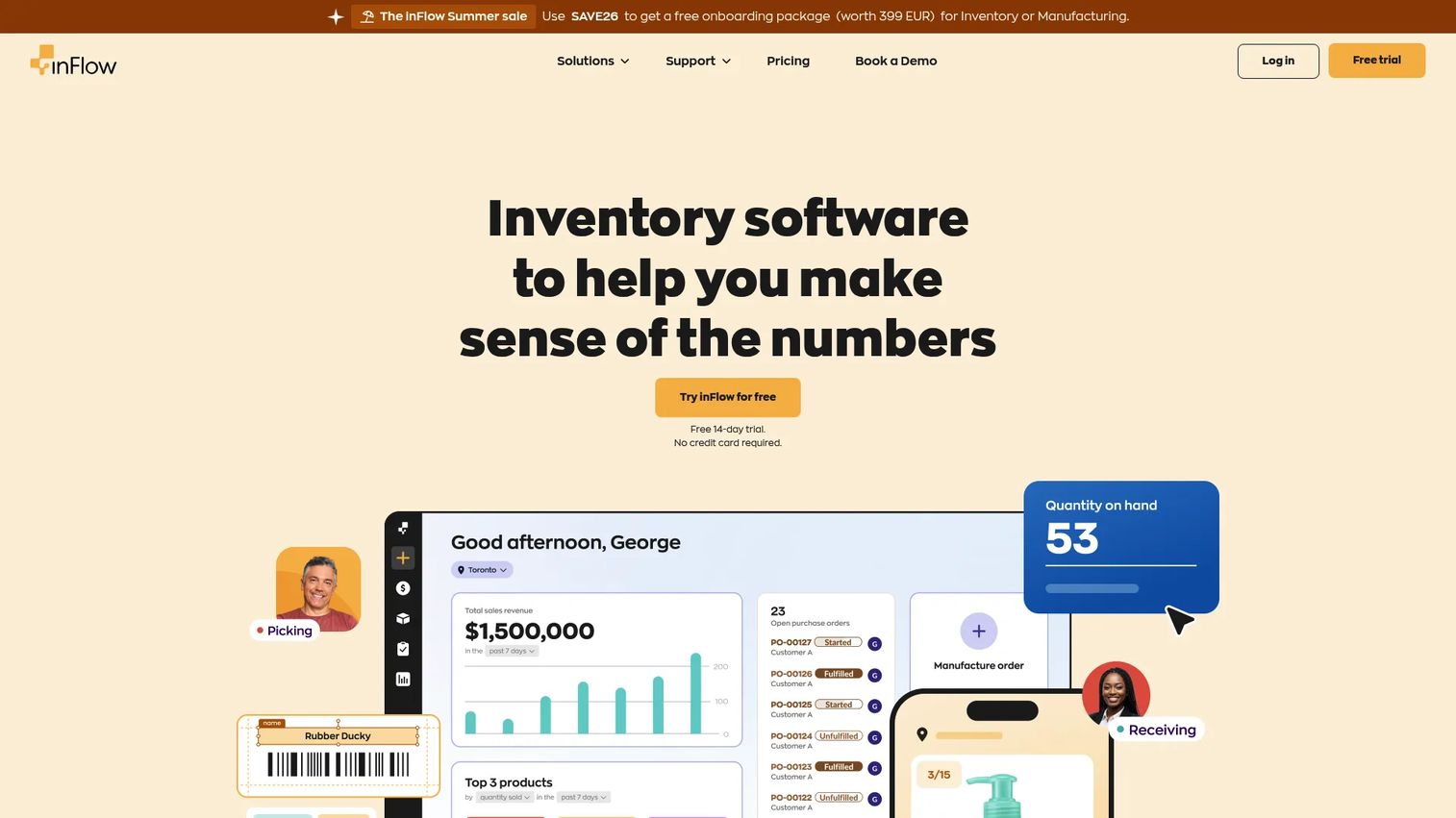
inFlow Inventory is inventory management software for tracking stock, orders, purchasing, and fulfillment across locations. It brings barcode generation, scanning, and label printing together with sales and purchasing workflows, which makes it a fit for smaller distribution and light manufacturing environments.
Best for: Small and mid-sized product businesses that need multi-location inventory tied to purchasing and sales orders.
Key strengths
- Real-time stock tracking across locations: keep on-hand counts accurate everywhere you operate.
- Sales, purchasing, and fulfillment workflows: run the full order cycle in one system.
- Barcode generation, scanning, and label printing: create labels and scan to update stock from mobile apps.
Why choose inFlow Inventory: inFlow strikes a balance between capability and approachability. You get purchasing, sales orders, and barcode stock management software features without the weight of an ERP, and the mobile apps keep the floor connected. For a distributor or small manufacturer who wants operational depth without a long implementation, it's a strong middle option.
inFlow Inventory pricing: inFlow lists tiered pricing starting at $129 USD/month, with monthly and annual billing available and a 14-day free trial. It integrates with QuickBooks Online and Xero for accounting sync. inFlow Inventory holds a 4.4/5 rating on G2.
6. Odoo
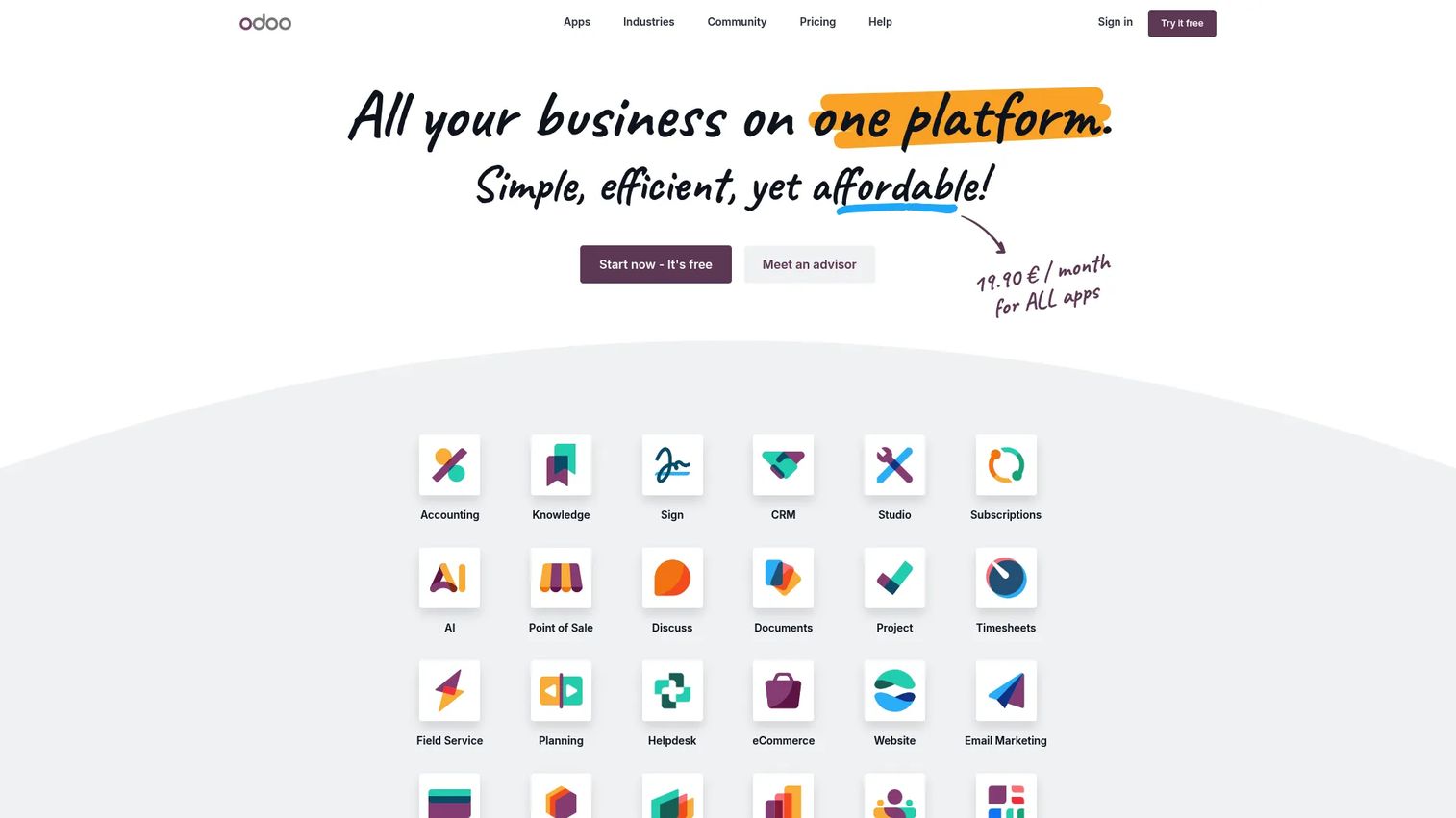
Odoo is an open-source, all-in-one business software suite covering CRM, ecommerce, accounting, inventory, and more. Its inventory app includes barcode capability and connects natively to the rest of the suite, which appeals to teams that want a flexible, modular system they can extend app by app.
Best for: Businesses that want an integrated ERP-style suite with a free entry point and the option to add modules as they grow.
Key strengths
- All-in-one business apps: run inventory alongside accounting, sales, and manufacturing in one platform.
- Open-source and fully integrated: extend and customize workflows without stitching tools together.
- Flexible deployment: choose cloud, Odoo.sh, or on-premise hosting.
Why choose Odoo: Odoo suits teams that value flexibility and want inventory to be one part of a connected system rather than a standalone tool. You can start with a single app and expand, which fits companies planning to consolidate their stack over time. The modular, app-like model is the reason growing operators pick it as a foundation, not just an inventory point solution.
Odoo pricing: Odoo offers a One App Free plan for unlimited users on a single app, which is a real option if inventory is all you need at first. The Standard plan runs about $31.10 per user per month and the Custom plan about $61.00 per user per month, with Custom adding Studio, multi-company, and external API support. Odoo holds a 4.2/5 rating on G2.
7. Wasp InventoryCloud
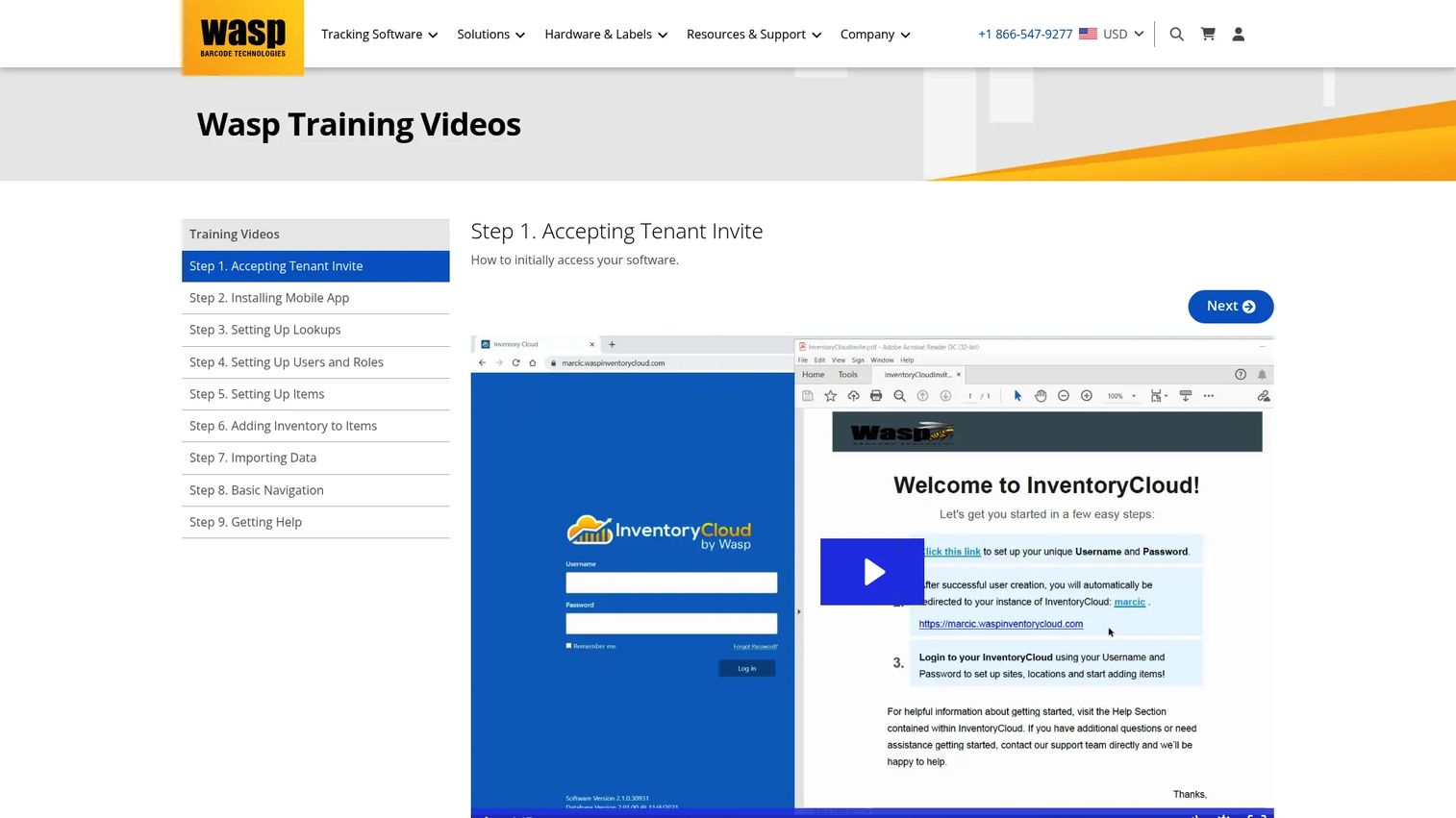
Wasp InventoryCloud is cloud-based inventory management software from Wasp Barcode Technologies, a company whose roots are in barcode hardware and labeling. That heritage shows: the product is built barcode-first for tracking inventory and assets across multiple sites, with mobile access for teams working in the field or on the warehouse floor.
Best for: Businesses that need barcode-centric asset and inventory tracking across multiple locations with role-based access.
Key strengths
- Multi-site inventory tracking: manage stock and assets across several locations from one cloud system.
- Mobile app access on iOS and Android: scan and update records from anywhere on the floor or in the field.
- Custom reports and role-based permissions: build the reports you need and control who sees what.
Why choose Wasp InventoryCloud: Wasp is the pick for operations that treat barcoding as the core of the workflow, not an add-on. The hardware pedigree means scanning and labeling feel first-class, and role-based permissions support internal controls for teams that care about who touched what. It fits warehouse, field-service, and internal asset environments well.
Wasp InventoryCloud pricing: Wasp's cloud pricing starts with Basic at $108/month for one user and Complete at $333/month for five users, both billed annually, with Enterprise pricing available by contact for teams above 30 users. Additional users are priced separately. Wasp InventoryCloud holds a 3.6/5 rating on G2.
8. NetSuite Inventory Management
NetSuite Inventory Management is Oracle NetSuite's cloud inventory module for tracking, replenishment, and warehouse operations. It's ERP-grade software, meaning inventory here is one part of a broader system that also spans financials, order management, and supply chain. That scope is exactly why larger or more complex organizations choose it.
Best for: Larger organizations that need ERP-linked inventory control with strong traceability across multiple locations.
Key strengths
- Demand-based inventory replenishment: automate reorder points using demand signals rather than guesswork.
- Real-time inventory visibility across locations: see stock everywhere in one system tied to financials.
- Lot, bin, and serialized tracking: support deep traceability for compliance and recall readiness.
Why choose NetSuite Inventory Management: NetSuite makes the most sense when inventory can't be separated from the rest of the business. If you already run or plan to run NetSuite ERP, keeping inventory inside it gives you one source of truth from purchase order to financial statement. It's more than a standalone barcode tool, and that's the point for enterprises managing complexity at scale.
NetSuite Inventory Management pricing: NetSuite uses custom, quote-based pricing arranged through Oracle sales, typical of ERP platforms scoped to each organization's modules and user count. Budget for an implementation project rather than a self-serve signup. Because pricing is negotiated per deployment, request a tailored quote to model true cost.
Considerations before you buy
The right barcode inventory system is the one that fits your operation, not the one with the longest feature list. Run every shortlist candidate through these checks.
Integration with your existing stack
Your inventory tool has to talk to what you already run. Confirm native connections to your POS, accounting software, and ecommerce platforms before anything else. ERP integration matters most if inventory is part of a larger system of record; a tool that syncs cleanly to your ERP prevents the double entry that quietly reintroduces the errors you're trying to eliminate.
Scale and SKU volume
Match the tool to your complexity, not your ambition. A single-location team with a few hundred items is well served by a lightweight app, while thousands of SKUs across multiple warehouses need multi-location visibility and transfer records built in. Buying too far ahead means paying for weight you won't use for years.
Auditability and traceability
If you handle recalls, warranties, or regulated goods, an audit trail is not optional. Look for timestamped logs of every scan, plus lot and serial tracking so you can trace a specific unit from receiving to sale. This is what turns "we think" into "we know" during a compliance review.
Hardware and setup reality
Decide early whether you'll use dedicated scanners, phones, or both. Phone-based scanning lowers cost and setup effort; dedicated hardware suits high-volume picking. Factor in labeling, printing, and the training your team needs so adoption doesn't stall in week two.
Conclusion
The eight tools here map cleanly to three buyer profiles. For small teams and asset tracking, Sortly and Zoho Inventory get you off spreadsheets fast with mobile scanning and low entry cost. For growing operators with real workflow depth, Cin7, Fishbowl Inventory, inFlow Inventory, and Odoo cover multichannel retail, manufacturing, distribution, and modular expansion. For barcode-first tracking across sites, Wasp InventoryCloud fits, and when inventory belongs inside a broader ERP, NetSuite Inventory Management is the enterprise choice.
Don't try to demo all eight. Shortlist two or three based on the factors that actually decide fit: your integration requirements, your SKU and location complexity, and the auditability your business needs. Start a trial or scoping call with those, run a real receiving-and-counting workflow through each, and let your own data pick the winner. The tool that keeps your counts honest with the least friction is the one worth buying.
FAQs
Barcode inventory software assigns a scannable code to each item and updates stock levels automatically whenever that code is scanned during receiving, picking, transfers, or counts. It replaces manual data entry with a scan, keeping on-hand quantities accurate in real time. Most tools bundle code generation, scanning, stock adjustments, audit trails, and reporting into one workflow.
Yes, and that's the most common reason teams adopt it. Spreadsheets drift the moment two people edit them, a return goes unlogged, or a SKU is typed inconsistently. A barcode inventory system removes the manual keystroke, so scanning to receive or ship updates the count automatically and every movement is recorded. That single source of truth is what spreadsheets can't maintain at any real volume.
For small teams, Sortly and Zoho Inventory are the strongest starting points. Sortly is a barcode inventory system for small business built around simple visual, mobile-first tracking with a free tier, ideal for asset-heavy operations. Zoho Inventory adds multichannel order management and warehouse tracking when you're selling across more than one channel and need more than basic counts.
Prioritize barcode generation and scanning, real-time stock updates, and integration with your POS, accounting, or ERP. Beyond those, look for multi-location visibility, cycle-count support, and a timestamped audit trail for traceability. The right mix depends on your scale, but integration depth is usually what separates a tool that fits your stack from one that creates duplicate work.
Many tools let you scan with a smartphone camera, so a dedicated scanner isn't required to start. Sortly, Zoho Inventory, inFlow Inventory, and Wasp InventoryCloud all offer mobile scanning. Phone-based scanning lowers cost and setup effort, while dedicated hardware suits high-volume picking where speed and durability matter. Many businesses run both.
Every scan writes a timestamped record of who moved what, when, and where, which builds an audit trail automatically as your team works. Tools with lot and serial tracking let you trace a specific unit from receiving through to sale, which is essential for recalls, warranties, and regulated goods. That level of traceability turns compliance reviews from a reconstruction exercise into a lookup.
Look for real multi-location inventory visibility, meaning stock counts you can see across every warehouse, store, or van at once, plus transfer records that document movement between sites. Cin7, inFlow Inventory, Wasp InventoryCloud, and NetSuite Inventory Management all handle multiple locations. Confirm the tool records transfers as auditable events rather than untracked adjustments, and that it scales to your SKU volume.