
Your queue is full. Tickets repeat. A customer asks the same setup question a dozen agents have already answered this week, and somewhere in your reporting tool a dashboard is glowing green while nothing actually changes.
That gap, between data and action, is the real problem most support leaders are trying to solve. You do not lack numbers. You lack a way to turn interaction data into decisions about staffing, coaching, self-service content, and routing. Contact center analytics software exists to close that gap across voice, chat, email, and self-serve channels.
The category is also growing fast. The global contact center analytics market is projected to reach USD 3.09 billion in 2026, up from USD 2.62 billion in 2025, according to Market.us. Budgets are following: Nextiva reports that 73% of contact center leaders plan to increase their budgets over the next year. More money is moving into this space precisely because dashboards alone stopped being enough.
This guide is a practical shortlist for support leaders comparing tools right now, whether you run a five-person queue or an enterprise operation with thousands of agents.
What's inside
This is a ranked shortlist of contact center analytics software built for customer support teams, not a generic vendor roundup. We focused on the things that actually move support metrics.
We evaluated each tool on:
- Omnichannel visibility across phone, email, chat, social, and self-service
- KPI tracking that maps to support outcomes like AHT, FCR, and CSAT
- Speech and text analytics depth for transcript mining and coaching
- Real-time dashboards and operational monitoring
- Operational usefulness, meaning the analytics drive action, not just reports
The list mixes analytics-first platforms with full contact center suites, so you can match the tool to your stack and team maturity. Many of these platforms pair well with a knowledge base solution for better self-service deflection.
TL;DR
Short on time? Here are the fast decision shortcuts.
- Best for closed-loop coaching and QA: AmplifAI ties analytics directly to agent action.
- Best for enterprise omnichannel operations: NICE CXone and Genesys Cloud both cover the full CX surface.
- Best for deep speech analytics: CallMiner and Observe.AI lead on transcript intelligence.
- Best for AI-assisted real-time guidance: Cresta surfaces insights mid-conversation.
- Best if you already live in a CRM: Salesforce Service Cloud and Microsoft Dynamics 365 Customer Service keep analytics next to your cases.
- Best for a leaner stack: Dialpad delivers call intelligence without heavy setup.
What contact center analytics software is
Contact center analytics software is a category of tools that collects, measures, and analyzes customer interactions across channels so support teams can track performance, spot patterns, and improve service quality. It turns raw interaction data, calls, chats, emails, and self-service sessions, into metrics and insights leaders can act on.
In plain terms, it answers three questions: What is happening in our support operation, why is it happening, and what should we do about it? A good platform connects the dots between a spike in a certain ticket type, the wording customers use, the agents who handle it well, and the help center article that should have deflected it in the first place.
The category spans several overlapping capabilities. Some tools focus on reporting and business intelligence. Others lead with speech analytics or text analytics. Many of the broader contact center platforms bundle analytics into a wider customer experience suite. Whether you call it call center analytics software or contact center analytics, the underlying goal is the same: measure interactions, then improve them.
Key capabilities readers should expect
Most mature platforms in this space offer some mix of the following:
- Omnichannel analytics that unify phone, email, chat, social, and self-service data
- Real-time dashboards and live monitoring for queue and SLA management
- Speech and text analytics for transcript analysis, sentiment, and keyword spotting
- KPI dashboards for AHT, FCR, CSAT, CES, NPS, and abandonment rate
- Predictive analytics for staffing forecasts, routing, and next-best-action
- Customer journey analysis across touchpoints and channel switches
- Root cause analysis that clusters recurring issues
- Self-service analytics that measure deflection and knowledge base performance
The strongest tools connect these capabilities to workflow changes. Reporting tells you what happened. Action closes the loop.
Types of contact center analytics software
Not every tool does everything. Understanding the categories helps you avoid paying for capabilities you will not use, or worse, buying a tool that misses the one you need.
Business intelligence analytics
BI-style analytics focus on historical visibility and trend reporting. You get dashboards that summarize ticket volume, resolution times, and CSAT over weeks and months. This is where you spot seasonality, measure the impact of a process change, and build the reports leadership asks for in quarterly reviews. It is the backbone of contact center performance tracking, even if it does not act on data in real time.
Real-time analytics
Real-time analytics monitor what is happening right now. Live dashboards show queue depth, current wait times, and SLA risk. Alerts fire when abandonment rate climbs or a queue backs up. Supervisors use this to reroute volume, pull agents from one channel to another, or escalate before a customer gives up. If your team manages live queues, real-time monitoring is non-negotiable.
Predictive analytics
Predictive analytics use historical patterns to forecast what comes next. That includes staffing forecasts for workforce management, routing guidance that sends a ticket to the agent most likely to resolve it, churn risk scoring, and next-best-action prompts. The practical payoff is fewer understaffed shifts and fewer misrouted contacts. Done well, predictive analytics reduce both AHT and the cost of getting staffing wrong.
Omnichannel analytics
Omnichannel analytics give you one view across phone, email, chat, social, and self-service. This matters because customers do not stay in one channel. They start in your help center, fail to find an answer, open a chat, then call. Without omnichannel analytics, each of those events looks isolated. With it, you see the channel switching and the repeat-contact pattern, which is usually where the real friction lives.
Speech and text analytics
Speech analytics and text analytics turn conversations into structured data. That means transcript analysis, sentiment detection, keyword spotting, and topic clustering across both voice and written channels. The output feeds quality management, agent coaching, and root cause analysis. The speech analytics market alone is expected to reach USD 7.4 billion by 2030 at a 15.6% CAGR, according to Giva, a sign of how central conversation intelligence has become.
Self-service analytics
Self-service analytics measure what happens before a human gets involved. That covers IVR analytics, help center search behavior, portal usage, community activity, and knowledge base analytics. The point is deflection: understanding what customers search for, where they drop off, and which content actually reduces cases. For support teams under ticket pressure, building self-service experiences is often the highest-leverage category.
What customer support teams should look for
Support leaders evaluate analytics tools differently than a generic IT buyer. You care about queue health, deflection, and coaching, not abstract reporting power. Here is the checklist that matters.
Omnichannel visibility
You need one place to see interactions across every channel. Look for a tool that stitches a customer's phone call, chat, and help center visit into a single view. Pay special attention to how it surfaces channel switching and repeat contacts, because those patterns reveal where your self-service and routing are failing.
KPI tracking that maps to support outcomes
Reporting is only useful if it ties to a decision. Confirm the platform tracks the metrics that drive your operation:
- Average handle time to balance speed against quality
- First contact resolution to measure whether issues actually get solved
- CSAT and customer effort score to gauge experience
- NPS for loyalty signals
- Abandonment rate for queue health
- SLA adherence and utilization for capacity planning
Each KPI should map to an action. Rising AHT might mean a knowledge gap. A falling FCR might point to a routing problem. The tool should make that connection obvious.
Speech and interaction analytics depth
If coaching and quality management matter to you, inspect the conversation analytics closely. Check transcript accuracy, sentiment modeling, keyword detection, and how flexible the topic taxonomy is. These features earn their keep when they connect to coaching workflows and root cause analysis, not when they sit in a separate reporting tab nobody opens.
Self-service and deflection analytics
Ask how the platform measures self-service. Can it show what customers search for, where they abandon, and which knowledge base articles reduce cases? Strong self-service analytics tie directly to deflection rate and help you decide which content to write next. This is where analytics quietly shrinks your queue. Pairing analytics with interactive demos and guided walkthroughs can deflect repeat questions before they ever reach an agent.
Integration quality
Analytics only helps if it fits your stack. Verify integrations with your CRM, help desk, telephony, and data warehouse before you commit. Check whether you can export raw data, sync insights to your existing tools, and respect permissions and compliance requirements. A platform that cannot connect to your help desk will create another silo, not solve one.
Comparison table
Here is the ranked shortlist, sorted by relevance to customer support and analytics depth. Use it as a fast scan before reading the full sections.
| # | Product | Intent | Key differentiation | Pricing | G2 rating |
|---|---|---|---|---|---|
| 1 | AmplifAI | Closed-loop performance and QA | AI coaching tied to action | Custom | 4.7/5 |
| 2 | NICE CXone | Enterprise omnichannel CX | Full AI-first CX suite | From $110/agent/mo | 4.3/5 |
| 3 | Verint | Enterprise interaction analytics | Speech analytics and WEM depth | Custom | 4.3/5 |
| 4 | Genesys Cloud | Omnichannel journey visibility | Unified routing and analytics | From $75/user/mo | 4.4/5 |
| 5 | CallMiner | Deep conversation intelligence | Transcript mining and coaching | Custom | 4.5/5 |
| 6 | Cresta | AI real-time guidance | In-conversation insights | Custom | 4.2/5 |
| 7 | Observe.AI | QA and conversation analytics | Auto QA plus AI agents | Custom | 4.6/5 |
| 8 | Five9 | CCaaS with analytics | Omnichannel plus agent assist | From $119/seat/mo | 4.1/5 |
| 9 | Talkdesk | Contact center suite | Omnichannel plus interaction analytics | From $85/user/mo | 4.4/5 |
| 10 | Dialpad | Lean call intelligence | AI transcription and summaries | From $15/user/mo | 4.4/5 |
A quick read: the analytics-first platforms cluster near the top for depth, while the CCaaS suites win on breadth and integration. Salesforce Service Cloud, Zoom Contact Center, and Microsoft Dynamics 365 Customer Service round out the list below as strong picks for teams committed to those ecosystems.
Best contact center analytics software for 2026
1. AmplifAI
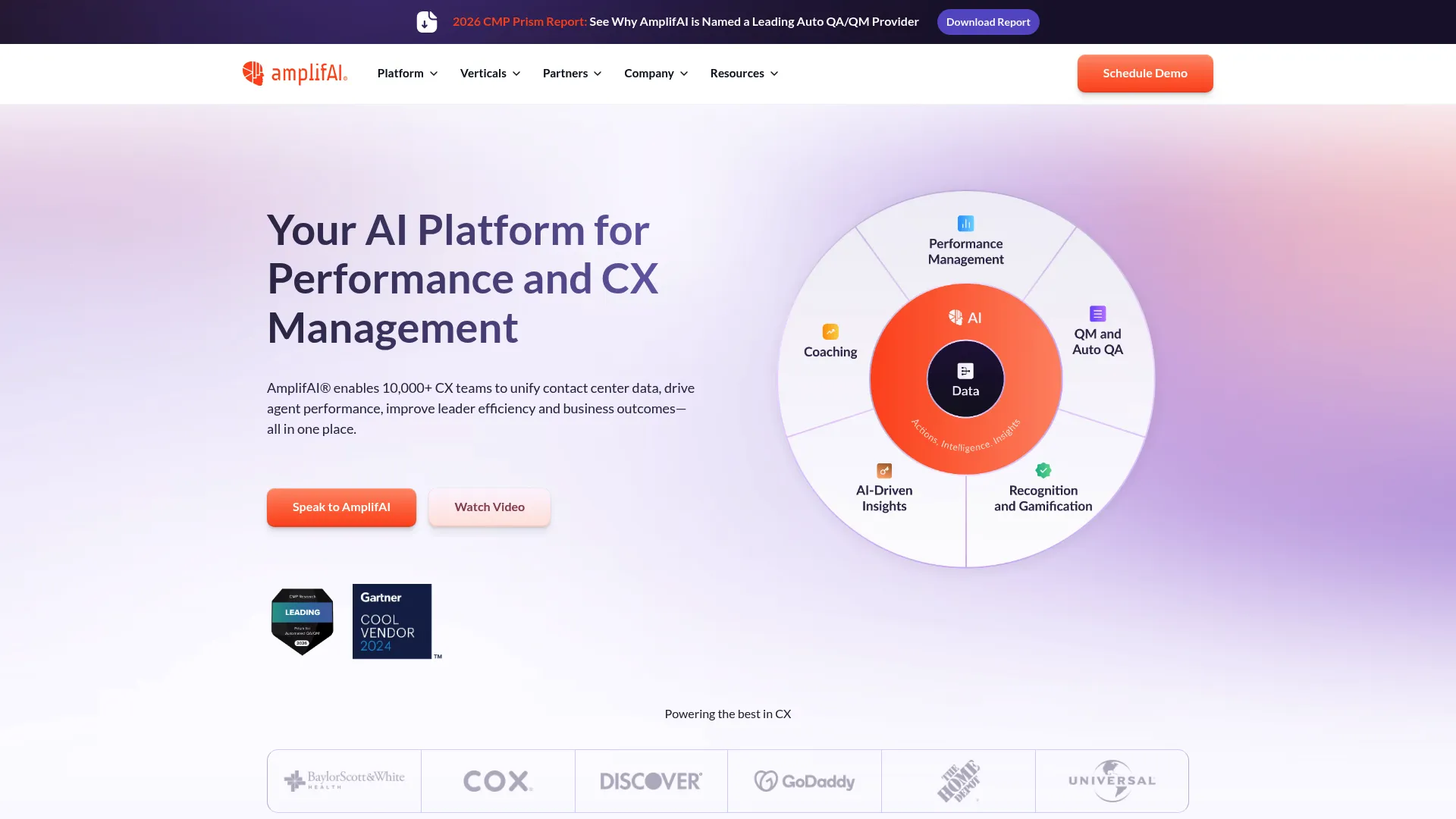
AmplifAI is an AI-powered contact center platform built around performance management, quality assurance, coaching, customer intelligence, and recognition. It unifies data across voice, chat, email, social, CRM, and workforce management, then turns that data into coaching triggers and next-best-actions for agents and supervisors. Where many tools stop at reporting, AmplifAI is designed to push insights into the daily work of running a team.
Best for: Enterprise contact centers and BPOs that want analytics tied directly to agent coaching and QA.
Key strengths
- Unified interaction data: Pulls voice, chat, email, social, CRM, and workforce data into one view.
- Automated QA: Scoring, evaluations, calibrations, and coaching triggers in one workflow.
- Customer intelligence: Predictive NPS, sentiment, root cause analysis, and journey insights.
Why choose AmplifAI
If your problem is that dashboards never lead to behavior change, AmplifAI's closed-loop approach is the strongest fit. It pairs analytics with coaching and gamification, so a sentiment dip or a QA miss becomes a coaching moment rather than a number nobody acts on. That makes it especially useful for larger operations where coaching at scale is the bottleneck.
AmplifAI pricing
AmplifAI does not publish pricing on its website, so plans are quoted directly through sales. The platform holds a 4.7/5 rating on G2, the highest on this list.
2. NICE CXone
NICE CXone is an AI-first cloud customer experience platform that combines omnichannel routing, voice and digital channel support, and workforce analytics. It is one of the most established enterprise contact center suites, and its analytics sit inside a broader operation that includes routing, workforce management, and quality. For large support organizations, that breadth means one platform covering most of the operation.
Best for: Enterprises that need an AI-powered omnichannel contact center platform with deep analytics.
Key strengths
- Omnichannel routing: Orchestrates voice and digital channels from one engine.
- Voice and digital coverage: Supports the full range of customer contact channels.
- Workforce analytics: Ties performance data to staffing and quality programs.
Why choose NICE CXone
NICE CXone fits support teams that want analytics as part of a complete operational platform rather than a standalone tool. If you are already managing routing and workforce in one place, keeping analytics there reduces handoffs and data gaps. It is a heavier commitment than an analytics-only tool, which suits enterprises more than small teams.
NICE CXone pricing
NICE CXone publishes tiered pricing. The Omnichannel Suite starts at $110 per agent per month, the Essential Suite at $135, the Core Suite at $169, the Complete Suite at $209, and the Ultimate Suite at $249 per agent per month. It holds a 4.3/5 rating on G2.
3. Verint
Verint is an AI-powered customer engagement and CX automation platform aimed at large enterprises. It is known for depth in interaction analytics, speech analytics, quality management, and workforce engagement. If your priority is mining conversations for compliance, coaching, and root cause analysis, Verint has long been a reference point in this category.
Best for: Large enterprises that need customer engagement, workforce, and analytics depth in one platform.
Key strengths
- CX automation platform: An open platform for engagement and automation.
- Omnichannel engagement: Covers the major customer contact channels.
- Workforce engagement and analytics: Connects analytics to coaching and quality.
Why choose Verint
Verint suits enterprise support and operations teams with serious compliance and quality requirements. Its strength in speech analytics and workforce engagement makes it a fit when interaction analytics needs to feed both coaching and regulatory needs. Smaller teams will likely find it more than they need.
Verint pricing
Verint does not publish numeric pricing; plans are quoted through sales. The platform holds a 4.3/5 rating on G2.
4. Genesys Cloud
Genesys Cloud is an AI-powered cloud contact center and customer experience orchestration platform. It combines voice and digital omnichannel routing, an AI copilot, virtual agents, and workforce analytics. Its analytics are tied to unified customer journey visibility, so you can follow an interaction across channels rather than viewing each in isolation.
Best for: Mid-to-large contact centers that need omnichannel CX with strong workforce management.
Key strengths
- Omnichannel routing: Routes voice and digital interactions through one system.
- AI copilot and virtual agents: Supports agents and automates routine contacts.
- Workforce analytics: Connects journey data to staffing and performance.
Why choose Genesys Cloud
Genesys Cloud fits larger support organizations that want customer journey analysis built into the same platform that handles routing. The unified view of how customers move across channels makes it strong for spotting channel switching and journey friction. It scales well, which is part of why it serves mid-market through enterprise.
Genesys Cloud pricing
Genesys Cloud publishes four tiers, all billed annually: CX 1 at $75 per user per month, CX 2 at $115, CX 3 at $155, and CX 4 at $240 per user per month. It holds a 4.4/5 rating on G2.
5. CallMiner
CallMiner is an AI-powered conversation intelligence and CX automation platform focused on analyzing customer interactions and improving agent performance. It captures and analyzes interactions across channels, offers real-time agent guidance, and uses AI for summarization, redaction, and visual analytics. This is an analytics-first tool for teams that want to go deep on what customers actually say.
Best for: Mid-market and enterprise contact centers that need speech analytics, coaching, and CX automation.
Key strengths
- Omnichannel interaction analysis: Captures and analyzes conversations across channels.
- Real-time guidance: Coaches agents during live interactions.
- AI-powered analytics: Summarization, redaction, and visual analysis of conversations.
Why choose CallMiner
CallMiner is the pick when conversation intelligence is the whole point. Its transcript mining and issue discovery help surface the root causes behind repeat contacts and low FCR. Teams that want to feed coaching and QA with deep conversational insight will get the most value here.
CallMiner pricing
CallMiner offers bundled packages based on user count or interaction volume, but does not display public pricing. It holds a 4.5/5 rating on G2.
6. Cresta
Cresta is an AI platform for customer experience that combines AI agents, agent assist, and conversation intelligence. Its differentiation is real-time guidance: surfacing insights and prompts to agents mid-conversation rather than only after the fact. That makes it useful for teams trying to lift performance in the moment, not just review it later.
Best for: Enterprise contact centers that want AI-assisted automation and live coaching.
Key strengths
- AI Agent: Automates customer interactions where appropriate.
- Agent Assist: Delivers real-time prompts and guidance during conversations.
- Conversation Intelligence: Analyzes interactions for performance insights.
Why choose Cresta
Cresta fits support teams where the biggest lever is what happens during the conversation. Its real-time agent guidance helps newer reps perform closer to your best agents, which is exactly the kind of in-the-moment improvement that historical reporting cannot deliver. It suits operations ready to invest in AI-assisted coaching.
Cresta pricing
Cresta does not publish public pricing; plans are arranged through a demo and sales conversation. It holds a 4.2/5 rating on G2.
7. Observe.AI
Observe.AI is an AI agents and conversation intelligence platform for contact centers. It pairs AI agents for customers and frontline teams with real-time guidance, automated actions, and conversation intelligence that includes reporting and automated QA. The automated quality assurance is a standout for support teams trying to evaluate more interactions without adding headcount.
Best for: Contact centers that want AI agents, copilot guidance, and conversation analytics together.
Key strengths
- AI agents: Supports customers, frontline teams, and operations.
- Real-time guidance: Prompts agents and triggers automated actions.
- Conversation intelligence: Reporting, analytics, and automated QA in one place.
Why choose Observe.AI
Observe.AI is a strong fit for support quality teams. Auto QA lets you score a far larger share of interactions than manual review allows, which means coaching decisions rest on more than a tiny sample. Combined with conversation analytics, it gives quality programs both breadth and depth.
Observe.AI pricing
Observe.AI does not display public pricing; the company directs prospects to contact sales for tailored quotes. It holds a 4.6/5 rating on G2.
8. Five9
Five9 is a cloud contact center platform with AI, omnichannel engagement, and workforce tools. It covers voice, email, chat, SMS, social, video, and messaging apps, and layers on AI agent assist with real-time transcription, guidance cards, and call summarization. Its analytics and reporting sit inside a full CCaaS stack, which appeals to teams that want one integrated platform.
Best for: Mid-market to enterprise teams that want an AI-enabled cloud contact center with built-in analytics.
Key strengths
- Omnichannel digital engagement: Voice, email, chat, SMS, social, video, and messaging.
- AI Agent Assist: Real-time transcription, guidance cards, and call summaries.
- Workforce optimization: Reporting and analytics tied to staffing and quality.
Why choose Five9
Five9 suits support leaders who want analytics, routing, and workforce tools in one stack rather than stitched together. The agent assist features bring real-time intelligence into live calls, which helps with both AHT and resolution quality. It is a broad platform, so it fits teams ready to consolidate.
Five9 pricing
Five9 publishes pricing for two bundles: Digital at $119 per seat per month and Core at $159 per seat per month, with the Plus bundle available through sales. It holds a 4.1/5 rating on G2.
9. Talkdesk
Talkdesk is a cloud contact center platform with AI-powered customer experience automation. It covers digital engagement across email, chat, SMS, and social, plus voice engagement and routing, and a set of AI products including Copilot, Autopilot, Navigator, and Interaction and Quality Analytics. The dedicated analytics module makes it more than a routing tool for support teams.
Best for: Mid-market and enterprise contact centers that need AI-driven omnichannel support.
Key strengths
- Digital engagement: Email, chat, SMS, and social messaging in one place.
- Voice engagement and routing: Handles voice alongside digital channels.
- Interaction and Quality Analytics: AI products for analysis and QA.
Why choose Talkdesk
Talkdesk fits support teams that want a broad contact center suite with real analytics depth. The omnichannel reporting and self-service visibility help you see where customers switch channels and where deflection breaks down. The range of AI products means analytics connects to automation, not just dashboards.
Talkdesk pricing
Talkdesk publishes per-user pricing: Digital Essentials at $85, Voice Essentials at $105, Elite at $165, Industry Experience Clouds at $225, and Government Edition at $270 per user per month. Talkdesk Express is available for small businesses under 50 employees with 25 licenses and $100 in free credit. It holds a 4.4/5 rating on G2.
10. Dialpad
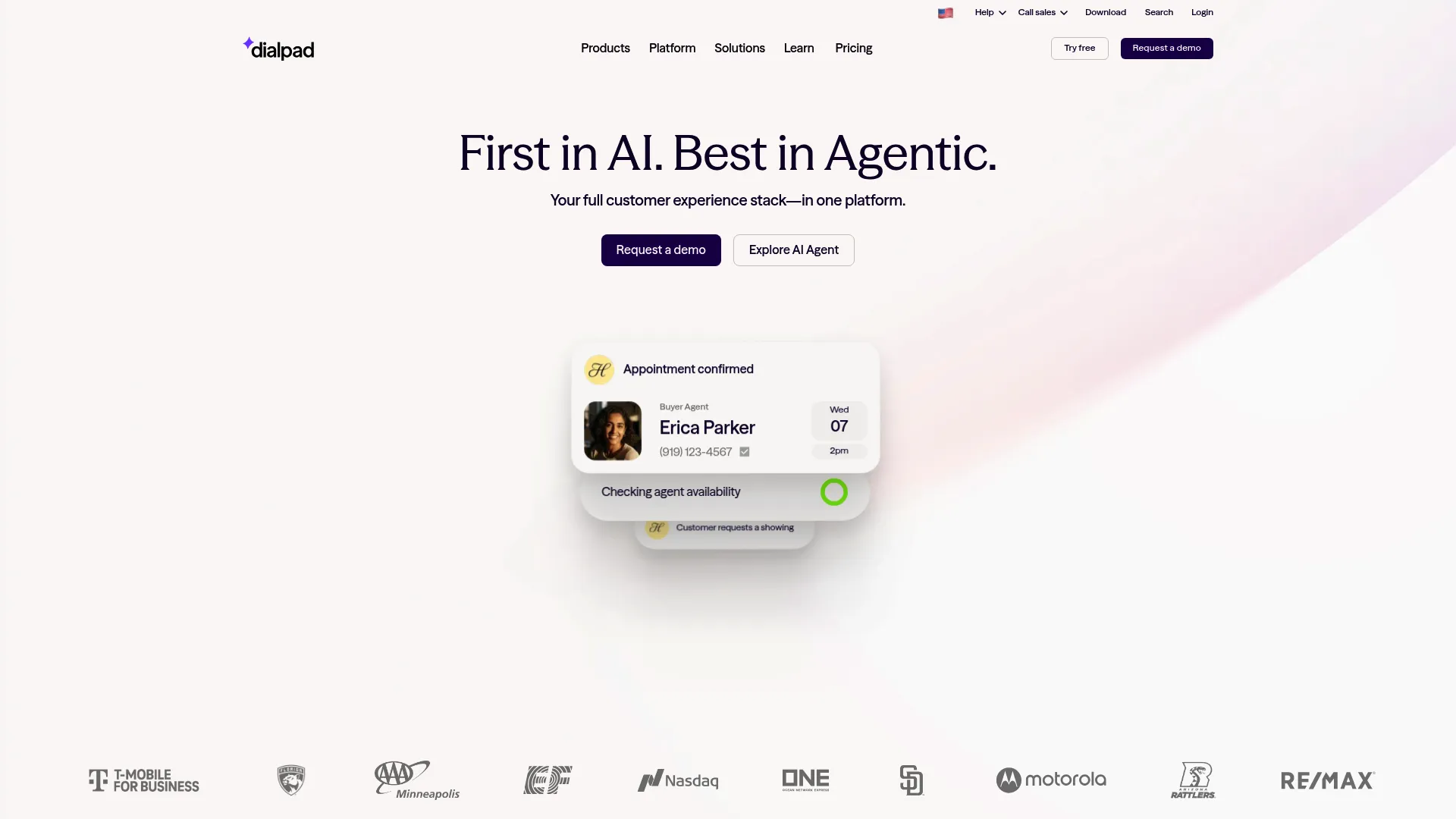
Dialpad is an AI-native customer communications platform for calling, messaging, meetings, and contact center workflows. Its analytics strength is call intelligence: AI transcription, call summaries, and real-time insights without the heavy implementation a full enterprise suite requires. For leaner teams, that is often exactly enough.
Best for: Teams that want an AI-powered communications platform with built-in call intelligence.
Key strengths
- AI transcription and summaries: Automatic transcripts and call summaries.
- Business calling and texting: Voice and SMS in one platform.
- Real-time insights: Live intelligence during calls and meetings.
Why choose Dialpad
Dialpad is the pick when a simpler stack is enough. Smaller support teams with manageable channel complexity get useful call intelligence and real-time insights without a long deployment. It is the lightest-weight analytics-capable option here, which is a strength when you do not need an enterprise platform.
Dialpad pricing
Dialpad publishes pricing for its Connect plans: Standard at $15 per user per month and Pro at $25 per user per month, with Enterprise quoted through sales. A free trial is available. It holds a 4.4/5 rating on G2.
11. Salesforce Service Cloud
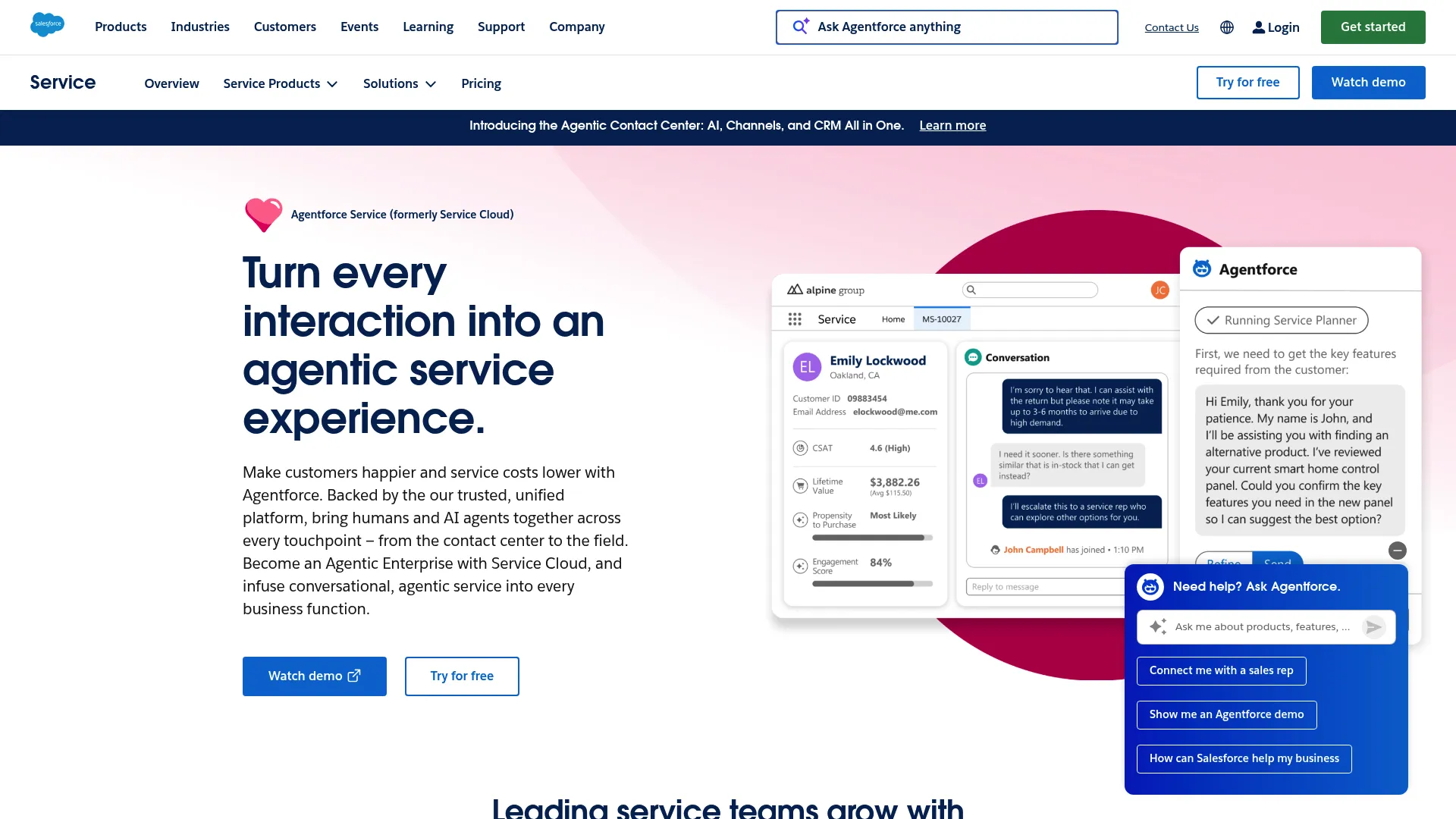
Salesforce Service Cloud is a customer service platform for managing cases, knowledge, omnichannel support, automation, analytics, and AI-powered service on Salesforce. For teams already on Salesforce, its analytics sit right next to your case data, which means reporting on FCR, CSAT, and case trends happens where your agents already work.
Best for: Teams that need an enterprise service platform with AI, case management, and omnichannel support.
Key strengths
- Case management: Centralizes support cases and resolution workflows.
- Knowledge management: Connects knowledge base content to case handling.
- Omnichannel support and routing: Routes interactions across channels.
Why choose Salesforce Service Cloud
Service Cloud fits support teams committed to the Salesforce ecosystem. Keeping analytics next to case and customer data removes the integration friction that plagues standalone tools, and knowledge management ties directly to self-service and deflection. It is a service-first platform, so analytics live in service context rather than as a separate report.
Salesforce Service Cloud pricing
Service Cloud publishes tiered pricing, starting with the Starter Suite at $25 per user per month, Pro Suite at $100, Enterprise at $175, Unlimited at $350, and Agentforce 1 Service at $550 per user per month. A free suite is available for up to two users. It holds a 4.4/5 rating on G2.
12. Zoom Contact Center
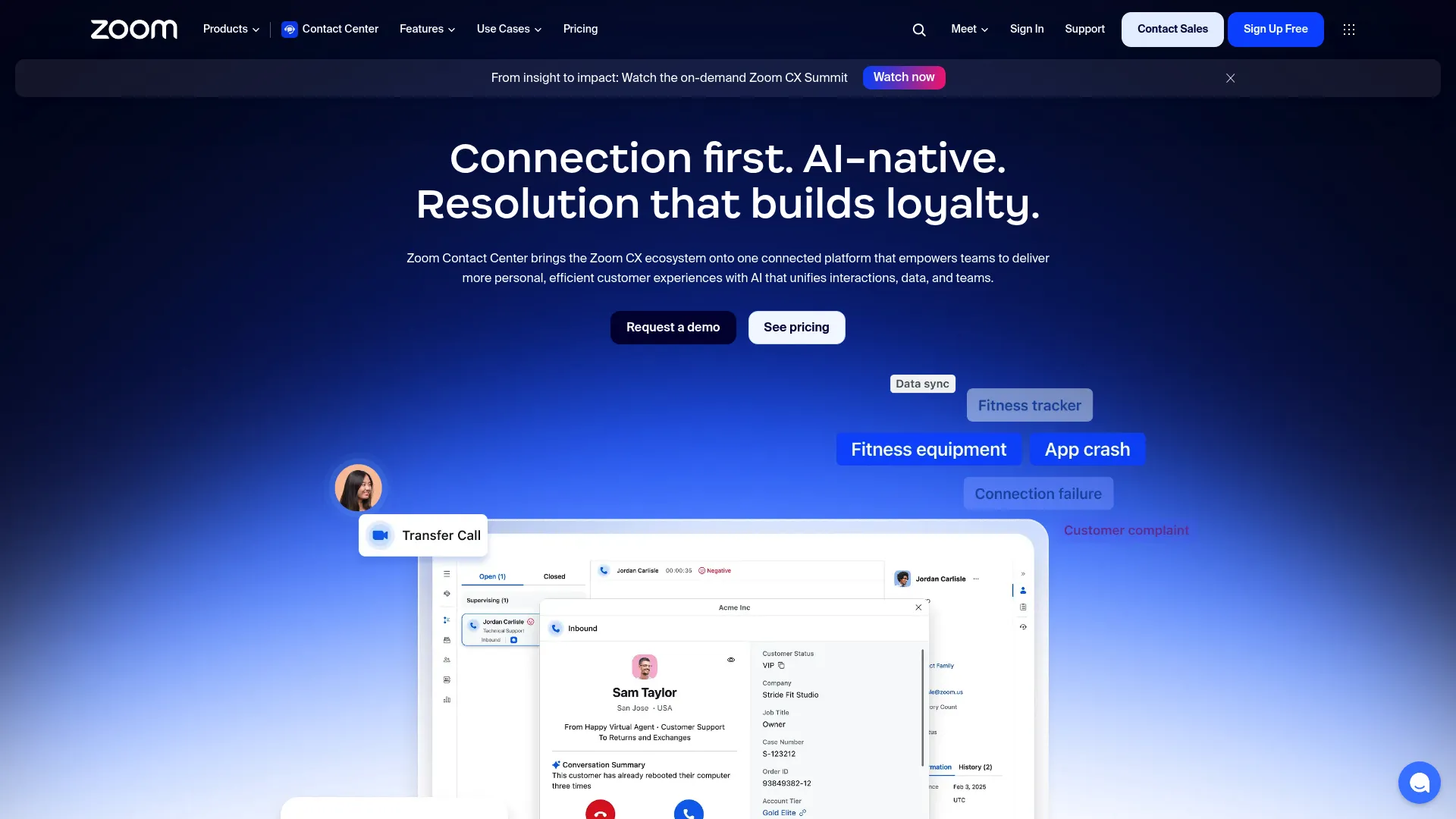
Zoom Contact Center is an AI-native cloud contact center for omnichannel support across voice, video, email, chat, SMS, and social. It includes AI routing, AI Expert Assist, centralized journey reporting, and CRM and ticketing integrations. For teams already standardized on Zoom, the analytics fit naturally into an environment agents and customers already know.
Best for: Teams that want a unified Zoom-based contact center with omnichannel support and AI features.
Key strengths
- Omnichannel interactions: Phone, video, email, chat, SMS, and social.
- AI routing and Expert Assist: Routes contacts and supports agents with AI.
- Centralized journey reporting: Analytics across the customer journey.
Why choose Zoom Contact Center
Zoom Contact Center fits support teams that value ecosystem alignment and want journey-level reporting in a familiar environment. The centralized journey analytics help you follow interactions across channels, and the CRM and ticketing integrations keep data connected to your existing stack.
Zoom Contact Center pricing
Zoom Contact Center offers Essentials, Premium, and Elite plans, all billed annually, with pricing quoted through sales. It holds a 4.3/5 rating on G2.
13. Microsoft Dynamics 365 Customer Service
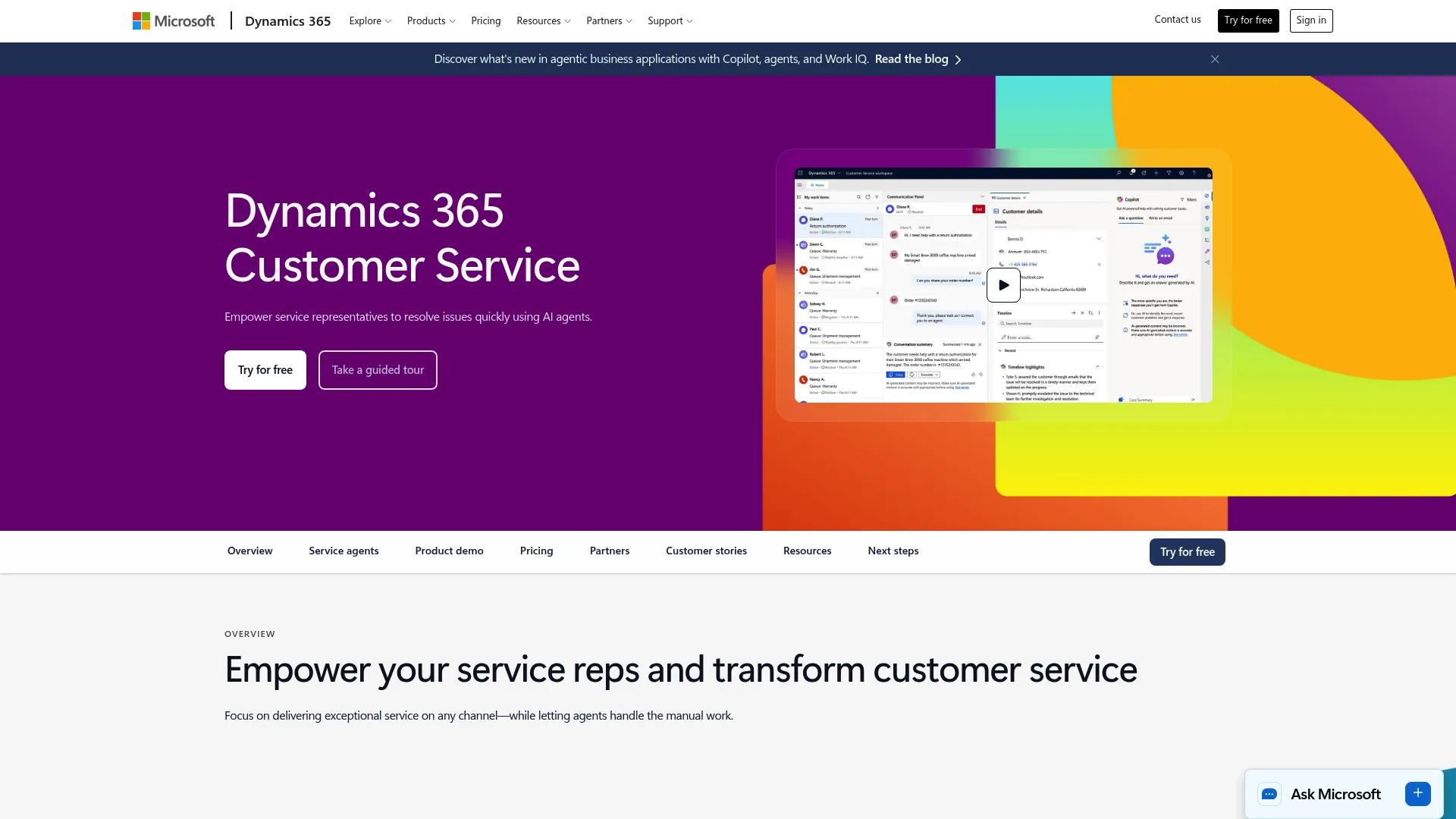
Microsoft Dynamics 365 Customer Service is an AI-powered customer service platform for case management, knowledge management, and contact center operations. Its analytics tie into service operations and the wider Microsoft ecosystem, including Teams integration, which makes it a natural fit for Microsoft-heavy environments.
Best for: Teams that need a Microsoft-native service platform with AI, case handling, and contact center capabilities.
Key strengths
- Case management: Tracks and resolves support cases end to end.
- Knowledge management: Links knowledge content to case resolution.
- Microsoft Teams integration: Connects support work to the Microsoft stack.
Why choose Microsoft Dynamics 365 Customer Service
Dynamics 365 Customer Service fits teams already invested in Microsoft. Analytics live alongside case data and connect to Teams, which reduces context switching and keeps reporting close to the work. For organizations standardized on Microsoft, that ecosystem fit is the deciding factor.
Microsoft Dynamics 365 Customer Service pricing
Dynamics 365 Customer Service publishes three plans, all paid yearly: Professional at $50 per user per month, Enterprise at $105, and Premium at $195 per user per month. It holds a 4.4/5 rating on G2.
Considerations before you buy
A shortlist narrows the field. These five criteria help you make the final call.
1. Omnichannel coverage
Confirm the platform unifies phone, chat, email, social, and self-service data, not just one or two channels. Full customer journey visibility depends on seeing every touchpoint in one place. If a tool covers voice beautifully but ignores your chat and help center data, you will still be flying blind on channel switching.
2. KPI and dashboard flexibility
Verify you can build reports around the metrics your team actually uses: AHT, FCR, CSAT, NPS, CES, abandonment rate, and SLA adherence. Custom dashboards matter because no two support operations measure the same way. A rigid reporting layer forces your team to work around the tool instead of with it. If you want to dig deeper into reporting, our roundup of product analytics software is a useful companion read.
3. Speech and text analytics quality
Inspect transcript accuracy, keyword detection, sentiment modeling, and how flexible the taxonomy is. These features only pay off when they connect to coaching and issue discovery. Ask for a sample analysis on your own data if you can, because transcription quality varies widely and a noisy transcript produces noisy insight.
4. Actionability, not just reporting
Assess whether the platform drives workflow changes, routing decisions, coaching, or content updates. Closed-loop actioning is the difference between a tool that reports problems and one that helps you fix them. The best analytics surface a recurring issue, point to the root cause, and feed the fix back into your process. For onboarding-driven deflection, see our guide to user onboarding software.
5. Integration and governance
Check CRM, help desk, telephony, and data warehouse integrations, plus the ability to export raw data. Confirm the tool handles privacy, permissions, and any compliance requirements your industry demands. Analytics that cannot connect to your stack, or cannot meet your governance rules, will stall in procurement no matter how good the features look. For broader adoption tooling, our list of digital adoption platforms is worth a look.
Conclusion
The right contact center analytics software depends on your team's maturity and the problem you are solving. For closed-loop coaching and QA, AmplifAI leads. For enterprise omnichannel operations with analytics built in, NICE CXone and Genesys Cloud are the safe, scalable picks. When deep conversation intelligence is the priority, CallMiner and Observe.AI stand out, and Cresta excels at real-time agent guidance. If you already run on Salesforce or Microsoft, Service Cloud and Dynamics 365 Customer Service keep analytics next to your cases. For a leaner stack, Dialpad delivers call intelligence without the weight.
The buying criteria stay constant no matter the size of your team: omnichannel visibility, KPIs that map to support outcomes, speech and text analytics depth, true actionability, and clean integration. A simple path forward: smaller teams should start with a tool that fits their existing stack and channel complexity, while larger operations should prioritize closed-loop actioning and analytics depth that can scale with volume. Pick the tool that turns your interaction data into decisions, not just dashboards.
FAQs
Contact center analytics software collects, measures, and analyzes customer interactions across channels so support teams can track performance and improve service. It turns calls, chats, emails, and self-service sessions into metrics and insights leaders can act on. The goal is to connect interaction data to decisions about staffing, coaching, routing, and content.
The core metrics are average handle time, first contact resolution, CSAT, NPS, customer effort score, abandonment rate, SLA adherence, and agent utilization. Each supports a different goal: AHT balances speed against quality, FCR measures whether issues actually get solved, and CSAT gauges experience. The tool should connect each metric to a clear action, like coaching or content updates.
The terms are often used interchangeably, but call center analytics software historically implies a voice-first focus, while contact center analytics usually means omnichannel coverage across phone, email, chat, social, and self-service. For modern support teams, the broader category matters because customers move between channels in a single journey. Tracking only voice misses where most channel switching and friction happen.
Speech analytics turns voice conversations into structured data through transcript analysis, sentiment detection, and keyword spotting. That data feeds quality management, agent coaching, and root cause analysis. Instead of reviewing a handful of calls by hand, teams can spot patterns across every interaction and act on the issues driving low FCR or rising AHT.
Prioritize omnichannel visibility, KPI tracking that maps to support outcomes, speech and text analytics depth, self-service and deflection analytics, and strong integrations with your CRM and help desk. Above all, check for actionability: the platform should drive coaching, routing, and content changes, not just produce dashboards. Real-time dashboards matter most if you manage live queues.
Yes. Self-service analytics measure what customers search for, where they drop off, and which help center, portal, IVR, and knowledge base content reduces cases. That visibility tells you which articles to write or fix to raise your deflection rate. Stronger self-service directly reduces repetitive ticket volume before contacts ever reach an agent.
Predictive analytics use historical patterns to forecast staffing needs, guide routing, flag churn risk, and suggest next-best-actions. In practice, that means fewer understaffed shifts and fewer misrouted tickets. The payoff shows up in lower AHT and better resource planning, because you are reacting to forecasts instead of yesterday's surprises.
No. Smaller support teams benefit once they have enough ticket volume and channel complexity to make patterns worth analyzing. Smaller teams should prioritize a tool that fits their existing stack, covers their main channels, and delivers usable real-time dashboards and call intelligence without a heavy deployment. The depth of enterprise speech analytics matters more as volume and headcount grow.