Your content gets traffic. Nobody talks back. That gap is a missed opportunity for audience data, repeat visits, and the kind of engagement signal that tells you what to create next.
The right commenting system turns passive readers into identifiable participants. According to Utrecht University research published in 2025, 63% of online news readers read comments, yet only 11% ever post one. That gap between consumption and contribution is where the wrong tool costs you: A poorly moderated comment section creates spam, abuse risk, and moderation overhead that no marketing team signed up for.
A commenting platform earns its place in your stack when it generates useful reader signal without creating a moderation fire drill. The wrong one becomes another tool your team routes around. The global commenting systems market reached $241.29 million in 2025, according to Global Growth Insights, which means the field is mature enough that picking the right tool matters.
This guide is for digital marketers, growth teams, publisher audience teams, and web developers evaluating comment system software for blogs, media properties, static sites, and community hubs.
What's inside
This guide covers 17 commenting platforms across hosted, self-hosted, open-source, WordPress, publisher-grade, and GitHub-based categories.
Selection criteria:
- Moderation depth: Spam filtering, pre-moderation queues, abuse reporting, role permissions
- Engagement features: Threaded replies, reactions, notifications, and comment analytics
- Technical fit: CMS compatibility, static-site support, developer APIs, and SSO
- Pricing transparency: Verified against live vendor pricing pages, with G2 ratings checked at generation time
Some tools on this list have limited G2 review data. Ratings are marked N/A where no verified listing exists.
TL;DR
- Best for enterprise publishers: Viafoura combines commenting, audience registration, moderation, and first-party data in one publisher platform
- Best familiar hosted option: Disqus works for blogs and content sites that want a quick, broadly compatible embed
- Best lightweight paid option: FastComments fits teams that want hosted comments without publisher-grade complexity, starting at $0.99/month
- Best privacy-focused hosted option: Hyvor Talk offers a clean moderation layer starting at €5/month
- Best open-source option: Isso and Coral serve developers and newsrooms that need data control
- Best static-site option: Giscus and utterances tie comments to GitHub Discussions or Issues, with no database required
What are commenting systems?
Commenting systems are software tools that let website visitors post replies, engage in threaded discussions, and interact with content on blogs, news sites, documentation pages, and community hubs.
A modern commenting platform does more than display text below an article. It handles:
- Identity: Guest comments, social login, email registration, SSO, and GitHub OAuth
- Moderation: Pre-moderation queues, blocked-word lists, spam filters, user banning, and escalation workflows
- Engagement: Reactions, voting, badges, email notifications, and reply threading
- Analytics: Comment rates, commenter profiles, moderation approval rates, and notification clicks
- Distribution: Embeds, CMS plugins, APIs, webhooks, and data export
Five categories of comment system software
- Hosted commenting systems: Vendor manages infrastructure; fastest to launch. Examples: Disqus, FastComments, Hyvor Talk
- Self-hosted commenting systems: You own the data and run the server; more maintenance. Examples: Isso, self-hosted Commento
- Open-source commenting systems: Code is free, developer support varies. Examples: Isso, Giscus, utterances, Coral
- Publisher engagement platforms: Full audience toolsets for media teams and high-volume communities. Examples: Viafoura, OpenWeb, Insticator
- GitHub-based commenting systems: Comments stored in GitHub Discussions or Issues; ideal for static sites and developer audiences. Examples: Giscus, utterances
When to use
Build community around high-intent content
Use a website comment system when your blog, product education hub, or media property attracts repeat visitors with opinions. Discussion patterns in comment threads reveal objections your sales team hears, content gaps your editorial calendar misses, and questions your FAQ page doesn't answer. Growth teams can mine those signals without another research project.
Add discussion to static or developer sites
Static sites built on Hugo, Jekyll, Gatsby, or Next.js cannot use server-side CMS comments. A static site commenting system, whether GitHub-based or a lightweight hosted widget, fits the architecture without requiring a backend. Developer audiences are comfortable with GitHub login, which eliminates friction from the authentication side.
Moderate user-generated content at scale
Add comment moderation tools before you have a moderation problem, not after. A single viral post can flood a comment section with spam, abuse, off-topic content, and content that creates legal risk. Evaluate moderation queues, blocked-word rules, user reporting flows, and escalation paths as part of the selection process, not as an afterthought.
Commenting systems comparison
The table below summarizes all 17 commenting systems by use case, key differentiator, pricing, and G2 rating. Pricing and ratings were verified from live vendor pages and G2 listings at generation time.
| # | Product | Best for | Key differentiator | Pricing | G2 rating |
|---|---|---|---|---|---|
| 1 | Disqus | Blogs and content sites | Hosted comments with broad CMS compatibility | Free (ads-supported); paid from $12/month | 4.0/5 |
| 2 | Viafoura | Enterprise publishers | Commenting plus identity, moderation, and engagement | Custom pricing | 4.6/5 |
| 3 | OpenWeb | Large media communities | Publisher-grade community engagement and moderation | Custom pricing | 4.2/5 |
| 4 | FastComments | Lightweight hosted comments | Fast embeds and developer-friendly customization | From $0.99/month | 4.9/5 |
| 5 | Hyvor Talk | Privacy-focused hosted comments | Paid hosted comments with clean moderation tools | From €5/month | 4.8/5 |
| 6 | Coral | Newsrooms and civic publishers | Open-source moderation for news communities | Free (self-hosted); hosted pricing on request | 4.5/5 |
| 7 | Isso | Self-hosted static sites | Lightweight open-source comments with data control | Free (self-hosted) | N/A |
| 8 | Giscus | GitHub-based communities | Comments powered by GitHub Discussions | Free | N/A |
| 9 | utterances | GitHub issue comments | Lightweight GitHub Issues comment widget | Free | N/A |
| 10 | IntenseDebate | Legacy blog comments | Threaded commenting with commenter profiles | Verify with vendor | 4.3/5 |
| 11 | Thrive Comments | WordPress engagement | WordPress-native comments with gamified engagement | From $49/year | 4.5/5 |
| 12 | Commento | Privacy-focused comments | Minimal self-hostable comment system | Verify with vendor | 4.8/5 |
| 13 | JustComments | Simple hosted comments | Straightforward comment embeds for websites | Verify with vendor | 4.3/5 |
| 14 | Talkee | Simple website comments | Embedded chat and comments with Web3 features | Verify with vendor | 4.2/5 |
| 15 | Insticator | Publisher monetization | Comments combined with engagement and ad products | Custom pricing | 4.4/5 |
| 16 | Lyket | Reactions and lightweight feedback | Button-style engagement for simple feedback loops | Free to €10/month | 5.0/5 |
| 17 | Simple Commenter | Visual feedback and website comments | Visual commenting for client and team review workflows | From $34.99/month | 4.8/5 |
Best 17 commenting systems for 2026
1. Disqus

Disqus is one of the most widely deployed hosted commenting systems for blogs, news sites, and content publishers. It installs via a JavaScript embed on nearly any CMS and provides threaded comments, user accounts, a moderation dashboard, and spam controls out of the box. Some teams evaluate alternatives when they want more data ownership, fewer third-party scripts, or less ad exposure, but for quick deployment on existing WordPress, Ghost, or static CMS setups, Disqus remains a practical default.
Best for: Blogs and content sites that want quick hosted comments with minimal setup.
Key features
- Embeddable, mobile-friendly comment widget
- Advanced moderation: Automated rules, shadow banning, pre-moderation, and timeouts
- Social account login and email notifications
- Comment import and export with multi-language support
- Analytics and audience engagement insights
Why choose Disqus: Choose it when the team wants a known embedded option and has no appetite for maintaining comment infrastructure. It fits quickly into an existing CMS workflow, which matters when engineering bandwidth is limited.
Disqus pricing: The Basic plan is free and ad-supported. The Plus plan costs $12/month (or $132/year). Pro runs $115/month ($1,260/year) and adds advanced moderation, branding controls, and extended API access. Business tier pricing requires contacting sales.
G2 rating: 4.0/5
2. Viafoura

Viafoura positions itself as a community operating system for publishers. It goes well beyond a comment widget, combining real-time conversations, live Q&A, polls, ratings, AI-powered moderation, personalized notification feeds, and first-party audience data capture. Media teams evaluating audience registration and community engagement tools alongside commenting will find more here than in a standalone comment embed.
Best for: Publishers that need comments, moderation, and engagement tied to registered audience growth and first-party data strategy.
Key features
- Real-time commenting and community chat
- Live Q&A and polls with ratings
- AI-powered and human moderation workflows
- Personalized audience feeds and notification tools
- First-party data capture and audience analytics
Why choose Viafoura: It fits publishers treating comments as part of a reader revenue or audience registration strategy. If comments are just a widget, it is more platform than you need.
Viafoura pricing: Viafoura describes flexible commercial models but does not display pricing figures or tier names publicly. Contact their sales team for a quote.
G2 rating: 4.6/5
3. OpenWeb

OpenWeb provides publishers with on-site community engagement tools, including AI-powered moderation via their Aida system, forums, user profiles, and audience messaging through email and web push. It is built for media brands that need controlled, high-volume community discussion alongside engagement and monetization features.
Best for: Large publishers and media brands that need scalable on-site community discussion with brand-safety moderation.
Key features
- On-site conversation tools and community profiles
- AI-powered moderation with Aida
- Publisher-owned forums and community spaces
- Audience messaging via email and web push
- Community and advertising monetization tools
Why choose OpenWeb: Choose it when comments must support a larger community and revenue strategy, not just reader feedback. It is a community engagement platform, not a simple comment widget.
OpenWeb pricing: Expect enterprise packaging with a custom quote.
G2 rating: 4.2/5
4. FastComments
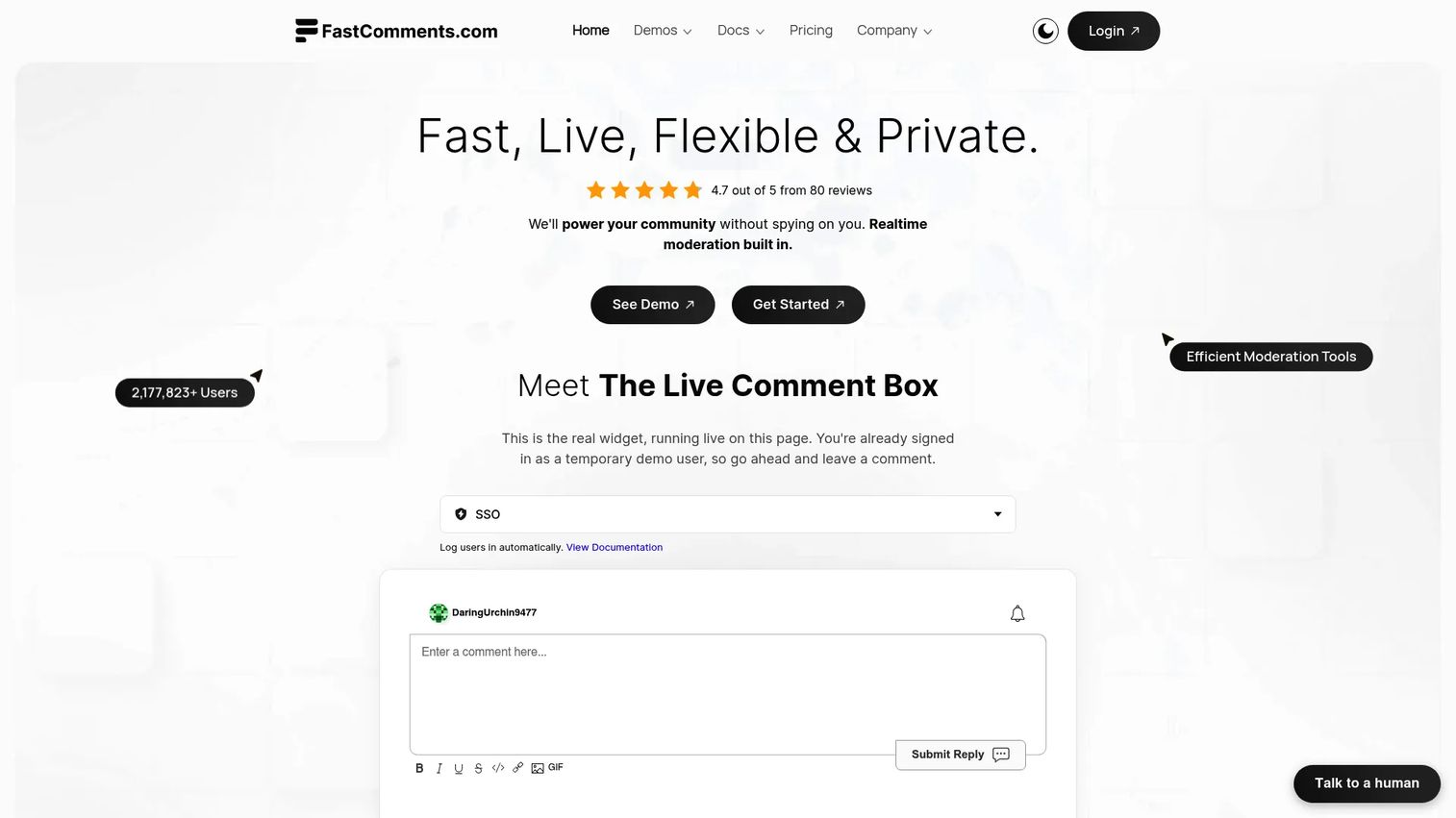
FastComments is a hosted commenting and live chat platform built for speed, developer control, and embeddability. It supports custom styling, SSO, a REST API, WebSocket-powered real-time updates, and white labeling. Teams building SaaS products, documentation sites, or community pages will find it more configurable than a simple embedded widget.
Best for: Website and application teams that want hosted real-time comments, developer APIs, and moderation without publisher-grade platform complexity.
Key features
- Customizable live comment widget with real-time updates
- Threaded comments and live chat
- SSO support with REST API and SDKs
- White labeling and custom styling
- Content moderation, spam filtering, and migration support
Why choose FastComments: It gives developers meaningful control over the comment experience without requiring self-hosting. The 30-day free trial lets teams validate the integration before committing.
FastComments pricing: Plans start at $0.99/month (Flex, usage-based). The Creators plan runs $5.99/month for up to 3 sites. Pro is $99/month for larger deployments. A 30-day free trial is available on all plans.
G2 rating: 4.9/5
5. Hyvor Talk
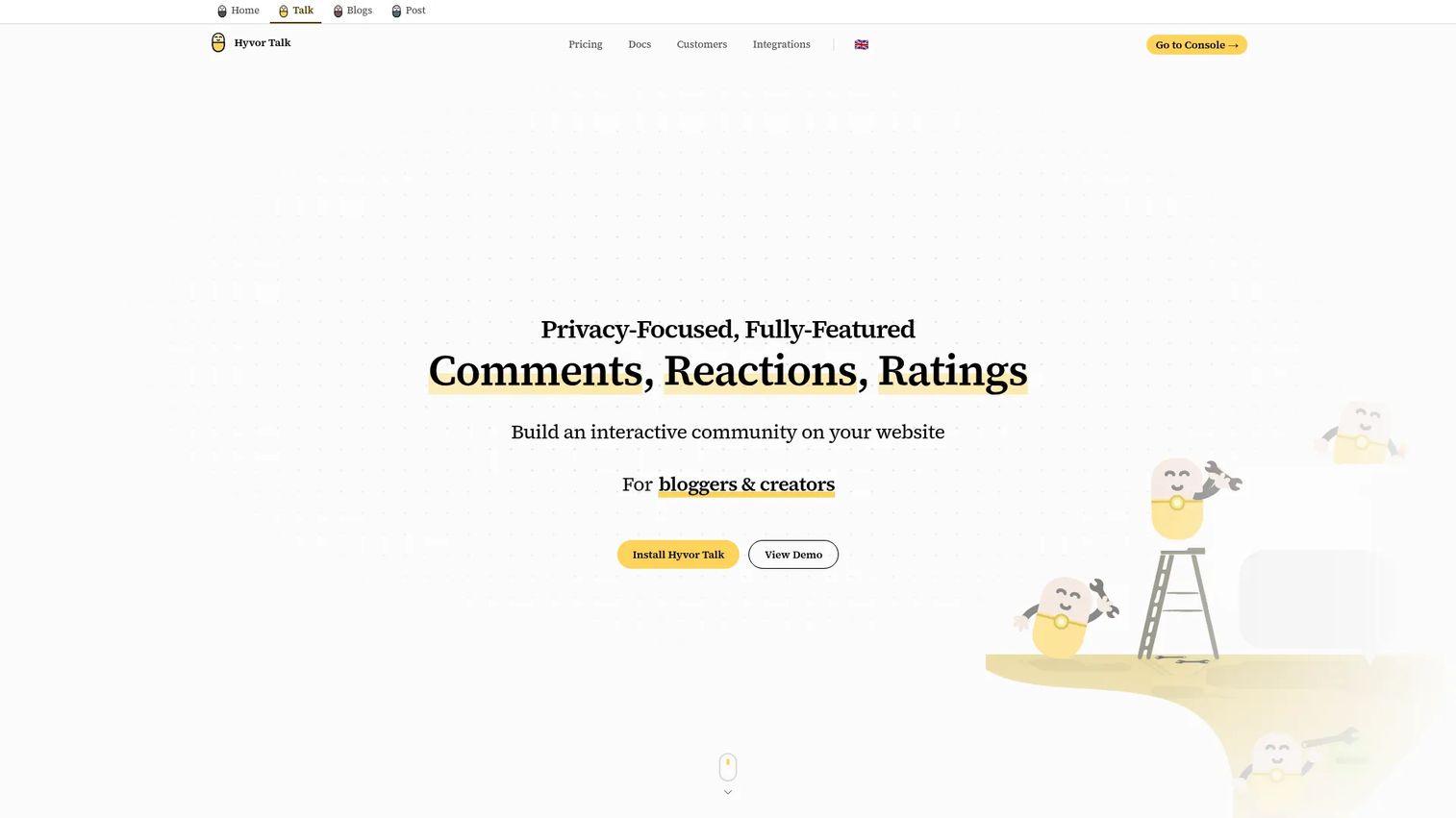
Hyvor Talk is a privacy-focused hosted commenting platform for websites, blogs, and newsrooms. It includes threaded comments, reactions, ratings, a moderation panel, spam detection, custom branding, guest commenting, and API access. It is a clean paid alternative to ad-supported hosted systems.
Best for: Content teams and smaller publishers that want a polished hosted comment layer with privacy-conscious positioning.
Key features
- Hosted threaded comments with guest commenting
- Reactions, ratings, and engagement tools
- Moderation panel with spam detection
- Single sign-on, APIs, and webhooks
- Custom branding and multi-language support
Why choose Hyvor Talk: A good fit for marketing teams that want a clean comment system without ad delivery or heavy publisher infrastructure. The 14-day trial lets you test the moderation flow before buying.
Hyvor Talk pricing: Plans start at €5/month (Personal, billed annually at €50). Premium is €12/month. Business is €40/month. Enterprise pricing requires contacting sales. A 14-day free trial is included.
G2 rating: 4.8/5
6. Coral

Coral is an open-source comment platform originally developed for newsrooms and civic publishers. It is built around community health, offering pre-moderation queues, toxic comment filtering via Google's Perspective API, Akismet spam filtering, commenter profiles, badges, and webhooks. Self-hosted deployment is free under the Apache 2.0 license.
Best for: Newsrooms, civic media, and publishers where community moderation quality matters as much as comment volume.
Key features
- Open-source comment stream with CMS embedding
- Pre-moderation queues and user reporting tools
- Toxic comment filtering via Perspective API and Akismet
- Configurable reactions and commenter badges
- Webhooks and external moderation phase support
Why choose Coral: Choose it when community health and moderation control are primary requirements. Publisher teams that have dealt with hostile comment sections tend to appreciate the depth of the moderation tooling.
Coral pricing: The software is free under the Apache 2.0 open-source license. Hosted deployment and support services are quote-based. Contact the Coral team for managed hosting pricing.
G2 rating: 4.5/5
7. Isso
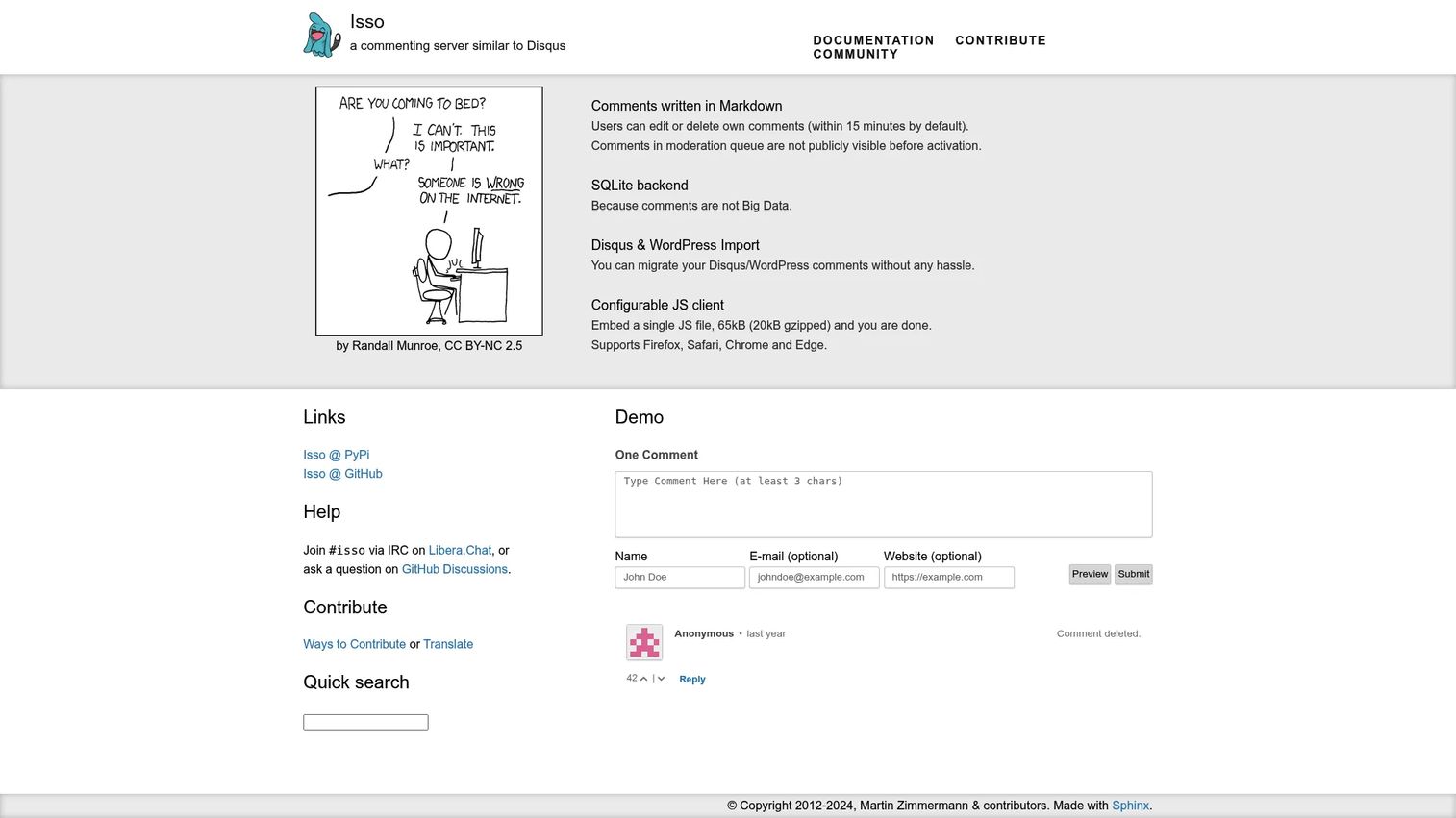
Isso is a lightweight, self-hosted commenting server built for developers who want data ownership and a minimal footprint. It uses a SQLite backend, supports Markdown, allows anonymous comments, and can import from Disqus or WordPress. Setup requires server access and some configuration, but there is no vendor dependency once deployed.
Best for: Developers who want self-hosted comments, direct data control, and static-site compatibility.
Key features
- Self-hosted with SQLite backend
- Markdown support with user editing and deletion
- Anonymous commenting option
- Disqus and WordPress comment import
- Configurable JavaScript client with cross-origin support
Why choose Isso: Use it when privacy, data ownership, and static-site compatibility are the deciding factors. It is not the right choice for nontechnical teams or anyone who does not want to manage server infrastructure.
Isso pricing: Isso is free and open-source under the MIT license. You pay for your own hosting. No paid plans or commercial tiers exist.
8. Giscus
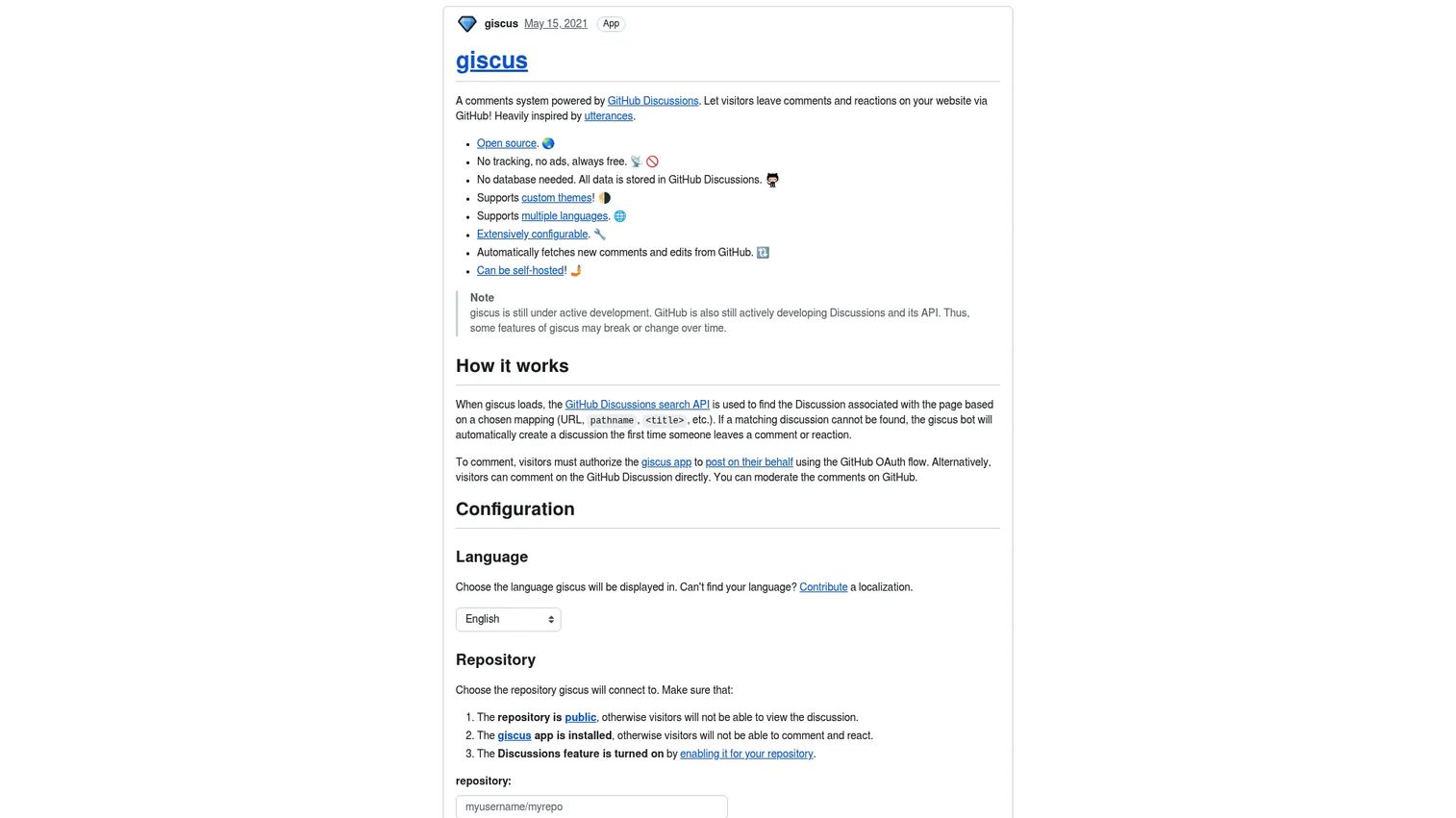
Giscus is an open-source comment widget powered by GitHub Discussions. Visitors comment using their GitHub account, and all discussion data lives in a repository's Discussions tab. It requires no separate database, supports custom themes, multiple languages, and self-hosting. The tool is free with no paid tiers.
Best for: Developer blogs, documentation sites, and static sites where the audience already uses GitHub.
Key features
- GitHub Discussions as the comment backend
- Open-source with no tracking or ads
- Custom themes and multi-language support
- Self-hosting support
- Automatic syncing of edits and new comments from GitHub
Why choose Giscus: Use it when your audience has GitHub accounts and your team wants comments stored in an existing repository community. It eliminates the need for a third-party comment database entirely.
Giscus pricing: Free. No paid plans exist.
9. utterances

utterances stores comments in GitHub Issues rather than Discussions. The difference from Giscus is where the data lives: Issues versus Discussions. It is lighter than Giscus, with a smaller configuration surface, and fits blogs where moderation can happen inside the GitHub workflow.
Best for: Developer sites that want a minimal GitHub-backed comment layer tied to Issues.
Key features
- GitHub Issues as the comment backend
- No tracking and no ads
- Dark theme support
- Lightweight Vanilla TypeScript implementation
- No vendor lock-in; data stays in GitHub
Why choose utterances: Choose it for simple technical blogs where GitHub login is acceptable and the team is comfortable moderating via GitHub Issues. It has less configuration than Giscus, which suits teams that want to ship fast.
utterances pricing: Free and open-source. No paid tiers.
10. IntenseDebate
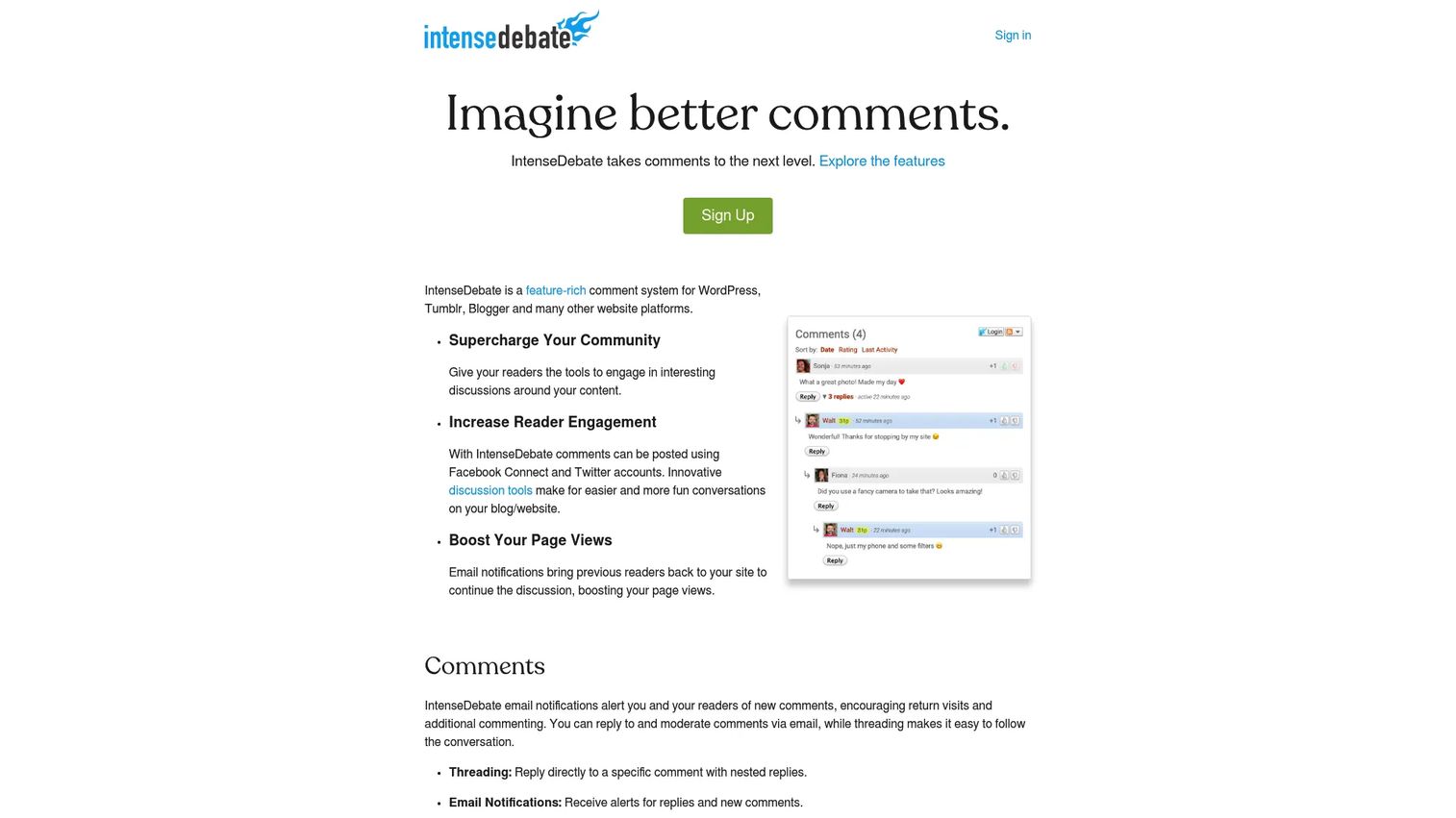
IntenseDebate is a hosted comment system with a long history in the blogging and publishing space. It supports WordPress, Blogger, Tumblr, and other platforms. Features include threaded comments, reply-by-email, email notifications, commenter reputation scores, comment voting, and moderation.
Best for: Blogs and legacy publisher setups already running IntenseDebate or evaluating older hosted comment layers.
Key features
- Threaded comments with reply-by-email
- Commenter profiles and reputation scores
- Comment voting
- Moderation controls and blacklisting
- WordPress comment synchronization
Why choose IntenseDebate: It remains a functional option for teams maintaining existing implementations. New buyers should verify current product activity and support levels before committing, as development pace has slowed compared to newer alternatives.
IntenseDebate pricing: No pricing is displayed on the vendor's website. Contact IntenseDebate directly to confirm current plan availability.
G2 rating: 4.3/5
11. Thrive Comments

Thrive Comments is a WordPress blog commenting system plugin from the Thrive Themes suite. It adds engagement features on top of native WordPress comments: Upvoting, downvoting, badges, featured comments, post-comment conversion actions (including opt-in forms and redirects), and a moderation dashboard with keyboard shortcuts and bulk actions.
Best for: WordPress site owners who want comment engagement tied to lead capture and conversion actions.
Key features
- Upvotes, downvotes, and featured comments
- Badges for gamified engagement
- Post-comment conversion actions: Opt-in forms, redirects, social sharing
- Moderation dashboard with bulk actions and delegation
- Comment activity reporting with popular post tracking
Why choose Thrive Comments: It fits marketers who already run WordPress and want comments to do more than collect reader responses. The conversion action layer is unusual in a comment plugin and useful for list-building.
Thrive Comments pricing: The standalone plugin costs $49/year (promotional rate; regular rate is $99/year) and covers one site. Thrive Suite costs $299/year (promotional; regular is $599/year) and bundles eight additional plugins across five sites. A 30-day money-back guarantee applies.
G2 rating: 4.5/5
12. Commento
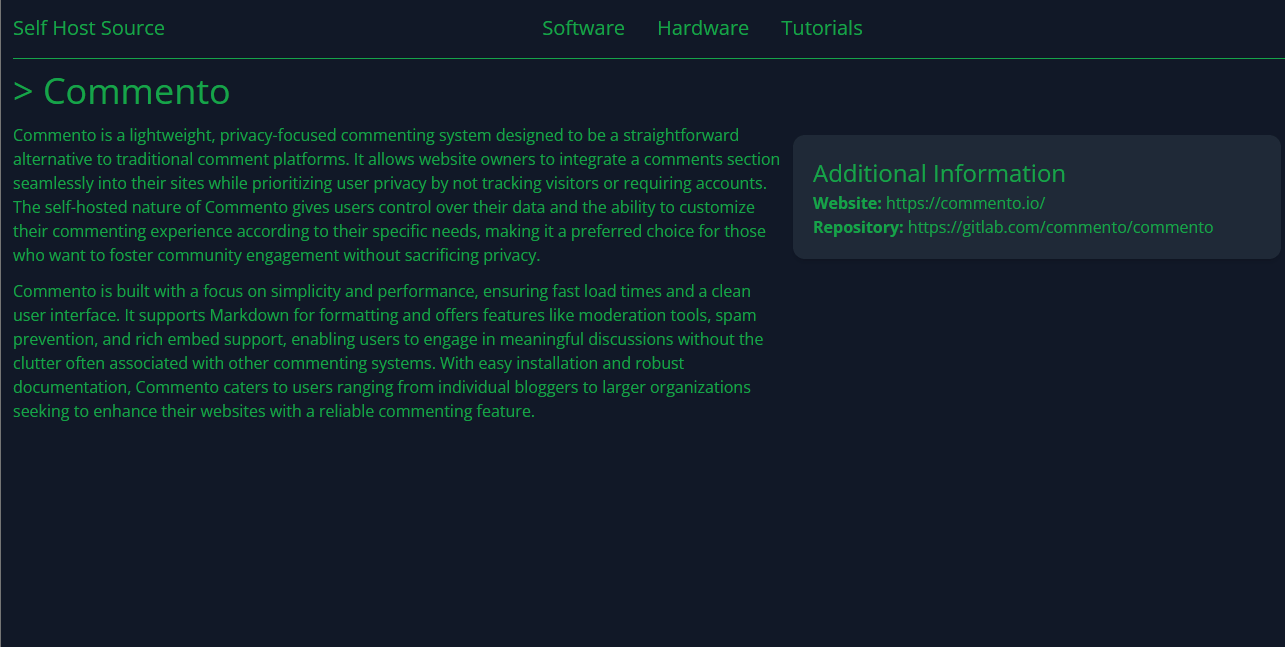
Commento is a lightweight, privacy-focused commenting platform that can run as a hosted service or a self-hosted open-source commenting system. It includes Markdown support, Disqus import, voting, spam detection, moderation, thread locking, OAuth login, and email notifications.
Best for: Teams that want a minimal comment system with privacy and performance as primary requirements.
Key features
- Markdown support and comment voting
- Disqus comment import
- Spam detection and moderation tools
- OAuth login and single sign-on
- Self-hosting option with email notifications
Why choose Commento: A cleaner alternative to ad-supported comment widgets. Teams evaluating self-hosted or privacy-conscious options will find it functionally complete. Verify current product availability on the official site before purchasing, as the homepage has experienced intermittent access issues.
Commento pricing: The official pricing page was not accessible at generation time. Check commento.io directly for current plan details. Self-hosted versions of the codebase are available through the project's GitHub repository.
G2 rating: 4.8/5
13. JustComments
JustComments is a hosted comment system focused on simple website commenting with moderation and notification features. It targets site owners who want a managed comment section without enterprise engagement tools.
Best for: Small websites that want a straightforward hosted commenting layer without complex publisher features.
Key features
- Hosted comment embeds
- Email notifications
- Moderation tools
- Custom styling
- Website compatibility
Why choose JustComments: Use it when the job is a basic comment layer and nothing more. The official site had limited accessibility at generation time, so verify current plan details and active support before committing.
JustComments pricing: Pricing could not be confirmed from the vendor's domain at generation time. Check just-comments.com for current plan details.
G2 rating: 4.3/5
14. Talkee
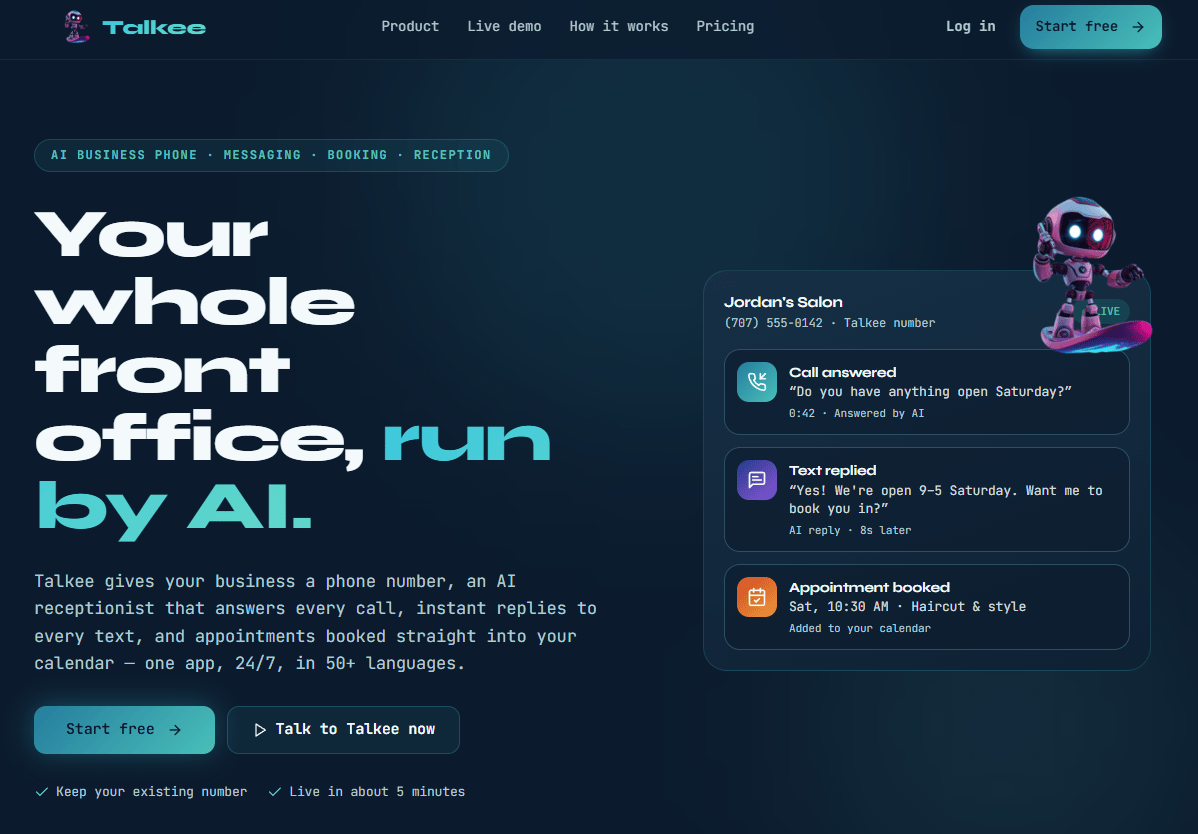
Talkee is an embedded chat and commenting tool that adds a Web3 angle through crypto wallet logins and cryptocurrency airdrops for reader engagement. It supports embeddable comment sections and chat on websites.
Best for: Websites needing basic embedded comments and chat, with optional Web3 engagement for crypto-native communities.
Key features
- Embeddable comment and chat sections
- Crypto wallet login support
- Cryptocurrency airdrop engagement mechanics
- Basic moderation controls
- Custom appearance options
Why choose Talkee: It fits a narrow use case: Sites targeting Web3 communities where crypto wallet login is acceptable and airdrop mechanics create participation incentives. For standard website commenting, other tools on this list offer more moderation depth.
Talkee pricing: Pricing could not be confirmed from the vendor's site at generation time. G2 describes it as free and open-source. Verify current availability at talkee.org.
G2 rating: 4.2/5
15. Insticator

Insticator provides publisher engagement and monetization tools, including commenting, polls, trivia, content recirculation, article sentiment, and trending product features. It operates under The COOL Company's Publisher Experiences umbrella. Publishers looking to combine comments with engagement widgets and ad monetization in one package may find it fits their stack.
Best for: Publishers that want commenting integrated into a broader engagement and monetization program.
Key features
- Commenting, polls, and custom trivia
- Content discovery and native content recirculation
- Article sentiment and trending product features
- AI and human moderation
- Community gamification with reputation points
Why choose Insticator: It makes sense when comments are one component of a publisher revenue strategy that also includes engagement formats and advertising. Teams adding a simple comment widget would be overbought.
Insticator pricing: No pricing is displayed on the vendor site. Contact Insticator for a custom publisher quote.
G2 rating: 4.4/5
16. Lyket
Lyket is a lightweight feedback and reaction tool, not a traditional comment system. It provides embeddable like, clap, and like/dislike buttons for websites and apps, with a statistics dashboard, API access, and privacy-oriented operation that avoids visitor cookies. Include it when the job is collecting low-friction feedback rather than hosting threaded discussions.
Best for: Blogs, communities, and apps that want quick reaction and voting widgets without full comment moderation.
Key features
- Like, clap, and like/dislike button widgets
- Embeddable HTML, JavaScript, and React integrations
- Statistics dashboard and rankings API
- Google reCAPTCHA v3 integration
- CSV or Medium data import
Why choose Lyket: Use it when the main need is a feedback signal without moderation overhead. It does not replace a comment system for sites that need discussion threads.
Lyket pricing: A free Test plan covers up to 500 pageviews/month. The Basic plan is €4/month (billed annually) for up to 5,000 pageviews. Business is €10/month for up to 50,000 pageviews. Custom pricing applies above 50,000 pageviews.
G2 rating: 5.0/5
17. Simple Commenter

Simple Commenter is primarily a visual website feedback tool rather than a public commenting system. It lets clients and team members leave annotated visual comments on live websites, staging environments, PDFs, and images without requiring a login. It fits agencies and web teams collecting client feedback on designs before launch.
Best for: Agencies and web teams collecting visual client feedback on websites, staging sites, or design assets.
Key features
- Visual commenting with automatic screenshots
- No-login client feedback via share links
- Dashboard with statuses, filters, and board view
- Integrations with Slack, Trello, and webhooks
- Chrome extension and PDF or image asset commenting
Why choose Simple Commenter: It solves a different problem from public blog comments. If you need client approval workflows on web deliverables, it fits. For public reader engagement, look elsewhere on this list.
Simple Commenter pricing: The Pro plan runs $34.99/month. Agency is $169/month with white-label branding and unlimited team members. Enterprise pricing requires contacting sales. A 14-day trial is available.
G2 rating: 4.8/5
Considerations
Moderation workload
Comment volume is not a success metric by itself. A high-traffic post can generate spam, coordinated abuse, off-topic content, and legal risk faster than a small team can respond. Before selecting a platform, inspect the moderation queue mechanics, blocked-word rule configuration, user reporting flows, and role permissions for moderators. Ask whether the system supports pre-moderation for new accounts, which reduces exposure from anonymous bad actors.
Identity and login model
The friction of commenting affects who participates. Guest comments lower the barrier and increase volume but reduce accountability. GitHub login works well on developer sites because the audience already has accounts. Social login, email registration, and SSO each create different participation patterns and different data quality. Match the identity model to your audience, not to the easiest default.
Data ownership and privacy
Hosted tools reduce your maintenance burden significantly. Self-hosted tools give you direct control over where comment data lives, how long it is retained, and whether it is exported or deleted. For teams under GDPR obligations or with strict data residency requirements, the hosting model is a procurement question, not just a technical one. Ask every vendor where data is stored and what export options exist.
Engagement analytics
Comment count is a weak proxy for audience quality. Better signals include the ratio of returning commenters to new ones, replies per thread (which indicates real conversation), moderation approval rates, and which content topics generate the most useful discussion. Check whether the platform surfaces any of this data before assuming analytics are included.
Technical fit
A WordPress-native comment plugin does not belong on a static site. A GitHub-based widget does not belong on a consumer publisher with millions of readers who have no GitHub account. Map the tool to the CMS, site architecture, and developer bandwidth before evaluating features. A system your web team will not maintain degrades into a spam source faster than it generates audience signal.
Conclusion
The right commenting platform is determined by your operating model, not by which tool has the most features.
For enterprise publishers building direct audience relationships, Viafoura and OpenWeb provide the depth you need. For hosted website comments without complex infrastructure, Disqus and FastComments cover most use cases. Teams prioritizing privacy and a lighter stack will find Hyvor Talk and Commento worth evaluating. Static-site owners and developer-focused properties should start with Giscus or utterances before considering anything heavier. WordPress marketers who want comments tied to conversion actions have a clear choice in Thrive Comments.
Before selecting a platform, build a short evaluation scorecard around five dimensions: Moderation depth, implementation overhead, identity model, analytics availability, and pricing at your expected comment volume. Testing the moderation queue before launch, not after the first spam surge, is the highest-leverage step most teams skip.
The right choice saves your team from both a moderation fire drill and yet another tool that reports nothing useful. For broader community management tooling beyond comments, or for understanding how approval workflow software can support content review processes, those guides cover adjacent decisions worth making in the same evaluation cycle.
FAQs
A commenting system is software that lets website visitors submit text responses to content, reply to other commenters, receive notifications, and interact with published material. Modern commenting platforms include moderation queues, spam filtering, user identity management, and engagement analytics alongside the basic post-and-reply function.
The answer varies by setup. Hosted systems like Disqus or FastComments work for quick installation on most CMS platforms. WordPress-specific blogs have strong options in Thrive Comments. Static-site owners typically get better results from open-source or GitHub-based tools. The best blog commenting system is the one your team can actually moderate without a dedicated resource.
Static sites need commenting tools that do not rely on server-side CMS comments. Giscus and utterances use GitHub as the backend, requiring no database. Isso is self-hosted and lightweight. FastComments works as a hosted embed with no server-side dependency. Each fits static-site architectures differently; the right pick depends on whether your audience has GitHub accounts and how much server access your team has.
Open-source systems give you data control, no vendor lock-in, and often better privacy positioning. Hosted systems give you less maintenance overhead and faster setup. Neither is categorically better. The decision rests on your engineering bandwidth and how strictly you need to control where comment data lives. Teams without a developer who can manage a VPS should not self-host.
Most platforms use a combination of approaches: Automated spam filters, blocked-word lists, rate limiting, user reporting, CAPTCHA, account reputation scoring, and pre-approval queues for new commenters. The depth varies widely. Coral's Perspective API integration and Akismet spam detection represent the more sophisticated end. Simpler tools rely on manual review. Test the spam controls before launch, particularly for public-facing pages that rank in search.
Useful, moderated comments can add fresh user-generated content, increase time on page, and generate natural keyword variation. However, low-quality or spammy comments can undermine trust signals. The impact depends on moderation quality, indexation controls, and whether the comment content is substantive. Comments with no editorial oversight are as likely to hurt as help.
Anonymous commenting lowers participation friction and increases volume. Required identity improves accountability but reduces the number of people willing to post. The practical answer depends on your audience's sensitivity to identification, the content topics you publish, and your moderation capacity. Developer blogs often run fine with GitHub login required. Consumer publishing typically benefits from lower friction but needs stronger automated moderation to compensate.
Focus on metrics that indicate quality, not just volume. Track comment rate per post (comments per 1,000 pageviews), the ratio of approved to rejected comments, returning commenters by month, replies per thread, notification click rates, and moderation time per 100 comments. Also identify which content categories or topics consistently generate high-quality discussion. That data informs editorial and content marketing decisions far better than a raw comment count. For more on measuring social media analytics alongside community signals, that guide covers the broader measurement stack.