

A live deal call drops mid-sentence. Your AE was three minutes from a verbal yes, and now they're redialing from a personal cell while the prospect's attention drifts. Two days later, that call never made it into the CRM, so the forecast is wrong and the handoff to your SE starts from zero.
This is what bad phone infrastructure costs a sales org. Not just dropped packets. Dropped momentum.
For a distributed selling team, the phone system is the spine of every deal. SDRs need a dialer that connects without lag. AEs need recording that survives the handoff. Managers need conversation data they can coach against. And everyone needs calls to log themselves, because no rep on earth updates the CRM by hand after every conversation.
The shift to cloud telephony is well underway. A U.S. cloud PBX market forecast cited by Unitel projects growth from \$1.3 billion in 2019 to \$3.27 billion by 2027, while Grand View Research estimates the broader unified communications market will grow at roughly 17% annually through 2025. Remote work accelerated all of it: Nemertes Research found 67% of organizations expect to move a significant portion of their unified communications to the cloud.
So the question is not whether to move off legacy hardware. It's which cloud PBX provider actually fits how your sales team sells.
What's inside
This guide is for sales orgs and the ops or RevOps leaders equipping them: VPs of Sales choosing a calling backbone, plus SDR and AE managers who care about dialer reliability, recording, and CRM logging. If you're also evaluating broader stack tooling, our roundups of the best AI sales tools and the best sales engagement tools pair well with this guide.
We evaluated each provider against four criteria that matter to a selling team:
- Reliability and uptime: does the SLA protect live deal calls?
- CRM and stack integrations: does it log to Salesforce or HubSpot natively?
- Call handling and analytics depth: recording, transcription, conversation intelligence for coaching.
- Pricing and scalability: per-seat cost as you add reps, contract terms, porting.
Every pricing figure and G2 rating below was verified against the vendor's own pages and live G2 listings in June 2026.
TL;DR
Short on time? Here are the fast picks by buyer sub-segment:
- Best for enterprise reliability: RingCentral, with a 99.999% uptime SLA and a deep integration catalog.
- Best for AI conversation intelligence: Dialpad, built around real-time transcription and live coaching.
- Best all-in-one UCaaS for SMB: Nextiva, strong on support and bundled communications.
- Best for globally distributed teams: 8x8, with broad international coverage and an integrated contact center.
- Best for Microsoft 365 shops: Microsoft Teams Phone, native calling inside Teams.
- Best budget option for small teams: Ooma Office, low entry price and fast setup.
- Best open-source and self-hosted: FreePBX, full control for technical teams.
What is cloud PBX software?
Cloud PBX software is a business phone system hosted by a provider over the internet, replacing the on-premises hardware that used to route office calls. Instead of a physical box in a closet, the call switching, routing, and management all run in the provider's data centers and reach your reps over VoIP.
The terminology gets confusing fast, so here's the map. Cloud PBX, hosted PBX, virtual PBX, cloud-based PBX, and cloud IP PBX all describe the same model: a phone system delivered as a service over the internet rather than installed on-site. Vendors use these terms interchangeably. When you see "voip cloud pbx" or "voip pbx," that's the underlying transport, VoIP, doing the work a copper line used to do. A "cloud pbx system" is simply the full package of features wrapped around that transport.
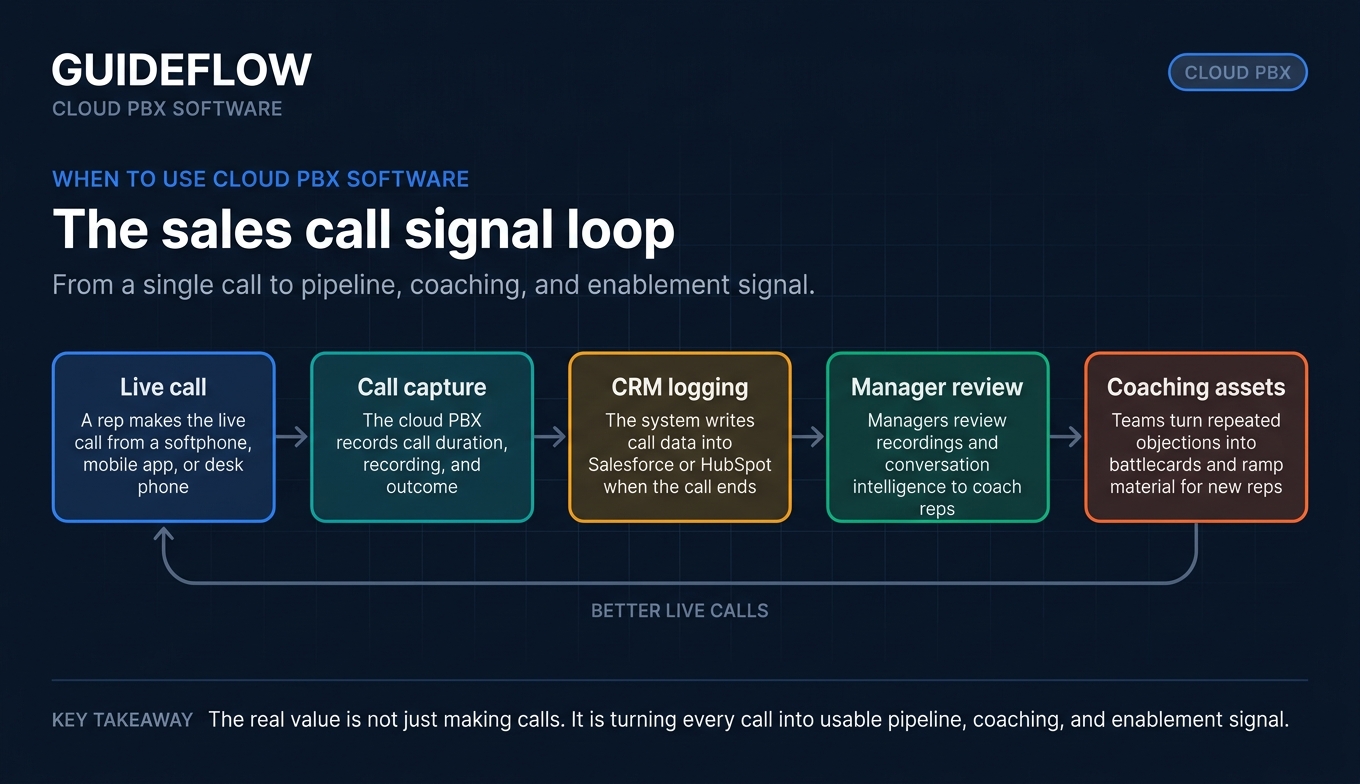
Here's how it works in practice. A rep makes a call from a softphone app, mobile device, or desk phone. The audio travels as data over the internet to the provider's cloud PBX, which handles routing, recording, and connection to the outside phone network. No hardware to maintain, no upgrades to schedule, and reps can work from anywhere with a connection.
Core capabilities you'll find in most cloud PBX solutions:
- Call routing and auto attendant (IVR)
- Voicemail, including visual voicemail and transcription
- Call forwarding, transfer, hold, and park
- Caller ID and number management
- Call recording
- Internet fax
- Multi-site management
- Call analytics and reporting
For sales teams, this list barely scratches the workflow. Reps rarely just call. They call, then follow up, and increasingly pair that follow-up with an interactive demo shared mid-conversation or as a leave-behind, so the buyer can re-experience the product after the line goes quiet. The phone system is one layer of a larger sales motion, and the best cloud PBX providers integrate cleanly into the rest of it.
Cloud PBX vs traditional on-premises PBX
The difference between cloud and on-prem is not subtle, and for a distributed sales team it's decisive. Here's the side-by-side:
| Factor | Cloud PBX | On-premises PBX |
|---|---|---|
| Cost model | Operating expense, per-user monthly | Capital expense, upfront hardware |
| Hardware | None, provider-hosted | Physical equipment on-site |
| Setup speed | Days, software-based | Weeks, installation and config |
| Maintenance | Provider-managed updates | Your IT team owns it |
| Scalability | Add seats instantly | Buy and install more capacity |
| Remote access | Native, any device anywhere | Limited, VPN or extensions |
| Uptime | Provider SLA with redundant data centers | Depends on your own infrastructure |
On-prem still makes sense in narrow cases: highly regulated environments with strict data residency rules, or organizations with deep custom telephony integrations they've already paid to build. But for a sales team with reps spread across cities and time zones, the math rarely favors hardware. You'd be paying capex to maintain a system that ties your people to a building they don't sit in.
The cost story is the clearest. Multicom data cited by Unitel found businesses see average savings of 50 to 75% after switching to a cloud VoIP solution versus traditional telephony. That's before you count the soft cost of an IT team no longer babysitting a PBX appliance.
When to use cloud PBX software
Cloud PBX is not a one-size purchase. Here's where it earns its keep for a sales org.
Equip a remote or distributed sales team
When your reps sell from home offices, coffee shops, and the road, they need one consistent number system across every device. Cloud PBX lets an SDR dial from a softphone on a laptop, an AE answer on a mobile app, and a manager review on a desk phone, all with the same extension and the same call quality. No personal cell numbers leaking into deals, no fragmented voicemail. Parks Associates data cited by Unitel found voice and video calls more than tripled in 2020 as teams went remote, and that volume never fully reverted.
Log every call into your CRM automatically
Manual call logging is the tax no rep pays. Calls go unlogged, pipeline data rots, and forecasts drift from reality. A cloud PBX system with native CRM integration writes every call, its duration, recording, and outcome straight into Salesforce or HubSpot the moment it ends. That's cleaner pipeline hygiene, better forecasting inputs, and managers who can see activity without nagging anyone. If you're still selecting a system of record, our guide to the best CRM software walks through the leading options.
Coach reps and scale consistent execution
Recording and conversation intelligence turn calls into coaching material. A manager can review a stalled deal's call, pull the exact objection that killed momentum, and build a battlecard from it. New reps ramp faster when they can listen to top performers handle the same conversation. This is where cloud PBX stops being plumbing and starts being a performance lever. Pairing your phone system with dedicated sales coaching software sharpens that loop even further.
Comparison table
Here's the shortlist at a glance, sorted by relevance to a distributed sales team. Pricing reflects entry-tier rates verified in June 2026; many vendors discount for annual billing, and contact-center add-ons price separately.
| # | Product | Intent | Key use case | Pricing | G2 rating |
|---|---|---|---|---|---|
| 1 | RingCentral | Enterprise reliability | UCaaS with deep CRM integrations | From $19.99/user/mo | 4.3/5 |
| 2 | Dialpad | AI coaching | Conversation intelligence for sales | From $15/user/mo | 4.4/5 |
| 3 | Nextiva | SMB all-in-one | Bundled comms with strong support | From $15/user/mo | 4.5/5 |
| 4 | 8x8 | Global teams | International calling and contact center | Quote-based | 4.2/5 |
| 5 | Vonage Business Communications | Programmable comms | API-rich cloud PBX | From $13.99/line/mo | 4.3/5 |
| 6 | GoTo Connect | Simple admin | Phone plus meetings, easy setup | Quote-based | 4.4/5 |
| 7 | Zoom Phone | Zoom-standardized teams | Calling inside the Zoom platform | From $10.50/user/mo | 4.6/5 |
| 8 | Microsoft Teams Phone | Microsoft 365 orgs | Native calling in Teams | From $10/user/mo | 4.4/5 |
| 9 | Ooma Office | Budget SMB | Low-cost core call handling | From $19.95/user/mo | 4.5/5 |
| 10 | FreePBX | Self-hosted control | Open-source IP PBX | Free core software | 4.5/5 |
1. RingCentral
RingCentral is an AI-powered cloud communications platform that delivers business phone, messaging, video meetings, SMS, fax, and contact center inside one suite. Its cloud PBX phone system is trusted by more than 400,000 businesses, and the platform is built for organizations that want every communication channel in a single app rather than a stack of point tools.
Best for: Mid-market and enterprise sales orgs that need maximum reliability and a broad integration ecosystem.
Key strengths
- 99.999% uptime SLA: business-critical call reliability that protects live deal calls across redundant data centers.
- Deep CRM integrations: native logging into Salesforce, HubSpot, and a large catalog of business apps, so call data flows where pipeline lives.
- AI and conversation intelligence: AI contact center features and call analytics that surface coaching signal from real conversations.
Why choose RingCentral: If your buying committee includes IT and the deal hinges on uptime guarantees and security posture, RingCentral is the safe pick. It carries the trust signals enterprise procurement expects, and the integration breadth means your reps rarely need a workaround. The tradeoff is that you're buying a full UCaaS suite, which is more than a small team scrappily prospecting may need on day one.
RingCentral pricing: RingEX plans start at $19.99 per user per month (Essentials), then $24.99 (Standard), $44.99 (Premium), and $59.99 (Ultimate), with annual-payment pricing shown per user per month. A 14-day free trial is available for new subscribers; there is no permanent free tier for RingEX.
2. Dialpad
Dialpad is an AI-powered communications and contact center platform built around native Dialpad AI. Its cloud PBX brings calling, messaging, and meetings together with real-time transcription and instant call summaries baked in, which makes it a natural fit for sales teams that treat every call as coaching material.
Best for: Sales teams that want built-in conversation intelligence and real-time coaching without bolting on a separate tool.
Key strengths
- Dialpad AI: real-time transcripts and instant call summaries so managers review what happened without listening to the full recording.
- CRM integrations: connects with Salesforce, Zendesk, Microsoft Teams, Google Workspace, and more for clean call logging.
- AI-assisted communications: AI works across calls, messages, and meetings, surfacing sentiment and key moments live.
Why choose Dialpad: For a sales manager, the value here is the coaching loop. You're not just recording calls, you're getting transcripts and summaries that turn every conversation into a reviewable, searchable artifact. That shortens ramp time for new reps and makes pipeline reviews concrete instead of anecdotal. It's the strongest pick when conversation intelligence is the reason you're buying, not an afterthought.
Dialpad pricing: Dialpad Connect Standard is $15 per user per month and Pro is $25 per user per month, both billed annually. Enterprise is contact-sales pricing. There's no permanent free tier, but a 14-day free trial is available.
3. Nextiva
Nextiva is a unified customer experience platform covering business phone, messaging, video meetings, and AI-powered customer engagement. It leans heavily toward SMB and growing teams that want one platform for both internal calling and customer conversations, with a support reputation that consistently shows up in its 4.5/5 G2 rating.
Best for: SMBs and growing sales teams that want bundled communications backed by strong customer support.
Key strengths
- Unified business communications: inbound and outbound voice, SMS, video meetings, screen sharing, call routing, and team chat in one app.
- Customer interaction management: customer-to-team SMS, advanced reporting, inbound call center, live chat, and chatbot capabilities.
- Contact center depth: omnichannel routing, AI transcription and summary, and skills-based routing on higher tiers.
Why choose Nextiva: If your sales team is also your support and customer success team, or you're a smaller org that doesn't want to manage three vendors, Nextiva consolidates the stack. The support reputation matters here too: smaller teams without a dedicated telecom admin lean on the provider when something breaks, and Nextiva scores well on that exact dimension.
Nextiva pricing: Small business plans are Core at $15 per user per month, Engage at $25 per user per month, and Scale at $75 per user per month. Enterprise and contact-center plans include Essential from $75 per agent per month, with Professional and Premium at contact-sales pricing. No free tier is listed; demos are available.
4. 8x8
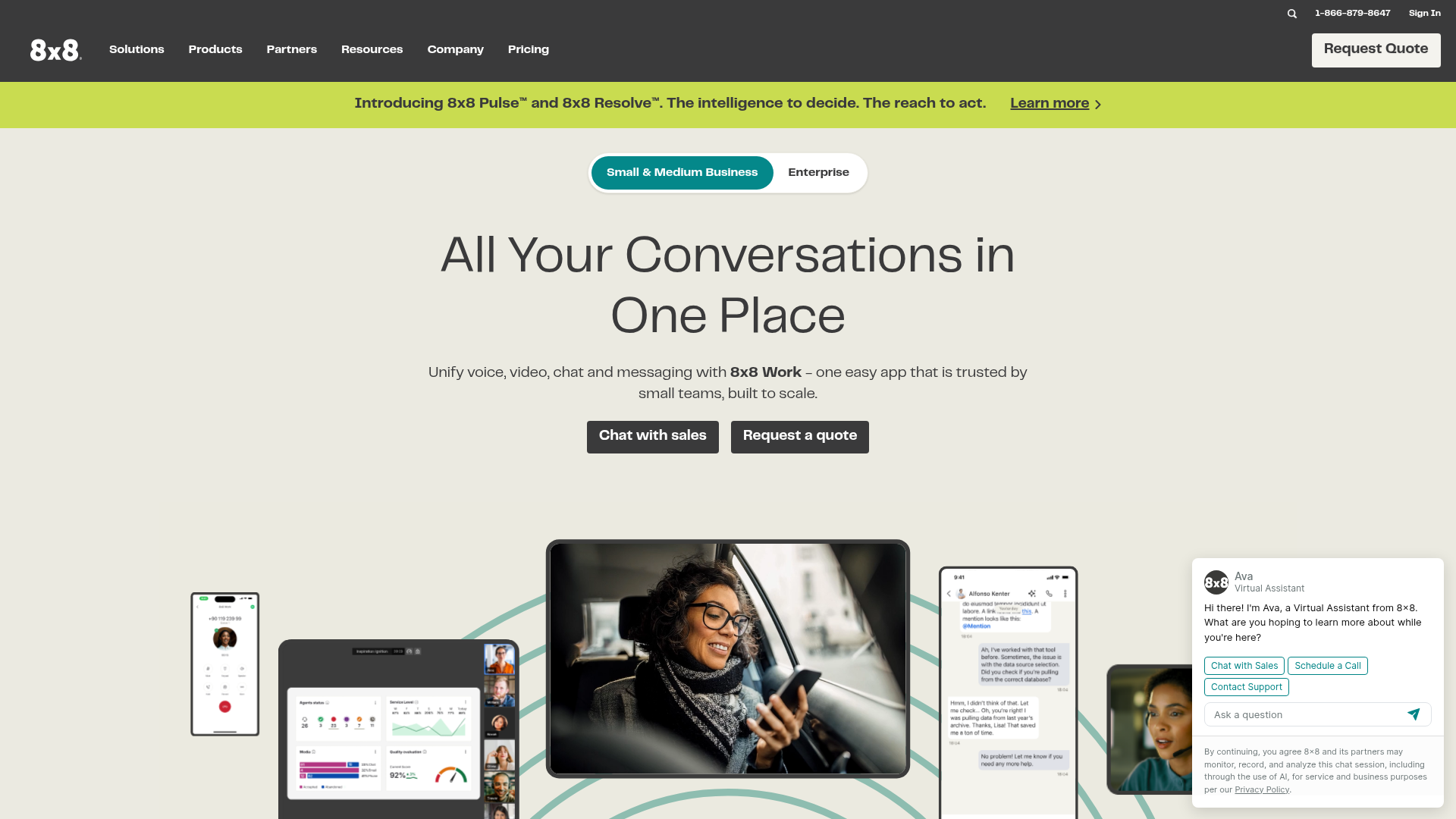
8x8 provides AI-powered unified communications, contact center, and communications API products on one cloud platform. Its strength is breadth of global coverage and an integrated contact center, which makes it a fit for sales orgs selling across borders rather than from a single market.
Best for: Globally distributed teams that need reliable international calling alongside contact-center capabilities.
Key strengths
- Global coverage: voice, video, chat, messaging, and fax in a single 8x8 Work app, with international reach built in.
- Integrated contact center: omnichannel routing, Agent and Supervisor Workspaces, analytics, and AI-enabled self-service.
- Microsoft Teams integration: native Teams support for orgs already standardized on the Microsoft stack.
Why choose 8x8: When your reps dial prospects in a dozen countries, the calling backbone needs to handle international numbers and compliance without friction. 8x8 packages UCaaS and contact center together, so a sales org that's also running inbound support doesn't need a second platform. The honest caveat: pricing is quote-based, so you'll need a sales conversation to get exact numbers, which adds a step versus vendors with public per-seat pricing.
8x8 pricing: 8x8's pricing page lists product packages, including Contact Center, Unified Communications, and 8x8 for Microsoft Teams, but displays "Chat with Sales" or "Request a Quote" rather than public numeric prices. Plan on a sales conversation to scope cost.
5. Vonage Business Communications
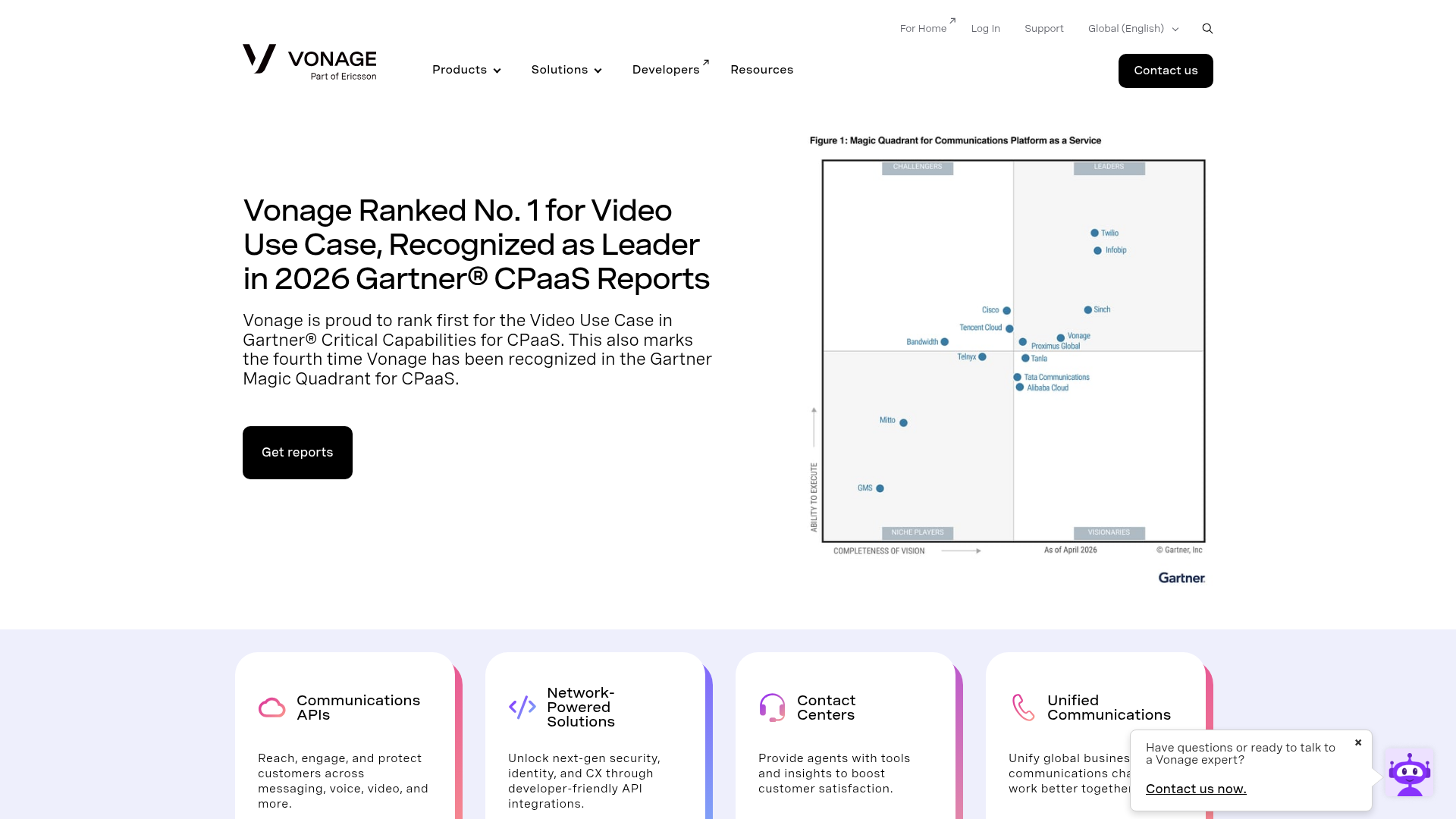
Vonage Business Communications combines calling, SMS and MMS, team messaging, video meetings, and an app marketplace into one cloud PBX. Vonage is known for its API depth, so teams that want to customize and extend their communications layer have room to build rather than just configure.
Best for: Teams that want programmable, customizable communications and a marketplace of integrations.
Key strengths
- Cloud-based business phone: unlimited domestic calling and SMS/MMS with desktop and mobile apps for calls, texts, and chat.
- App Center integrations: a marketplace of integrations plus single sign-on on higher plans.
- Higher-tier features: on-demand call recording, visual voicemail with transcription, and call groups on the Advanced plan.
Why choose Vonage: The API and app marketplace are the differentiator. If your RevOps team wants to wire the phone system into custom workflows or build on top of the platform, Vonage gives you that programmability rather than locking you into preset integrations. For a sales team that values flexibility over an all-in-one bundle, that's a real edge.
Vonage pricing: Verified 12-month promotional rates for a small-company view are Mobile at $13.99, Premium at $20.99, and Advanced at $27.99 per month per line, plus taxes and fees. Mobile covers apps, unlimited domestic calling, and SMS/MMS; Premium adds desk phone support, unlimited video meetings, team messaging, and SSO; Advanced adds call recording and visual voicemail with transcription. Exact cost varies by employee count, billing selection, and promotion eligibility.
6. GoTo Connect
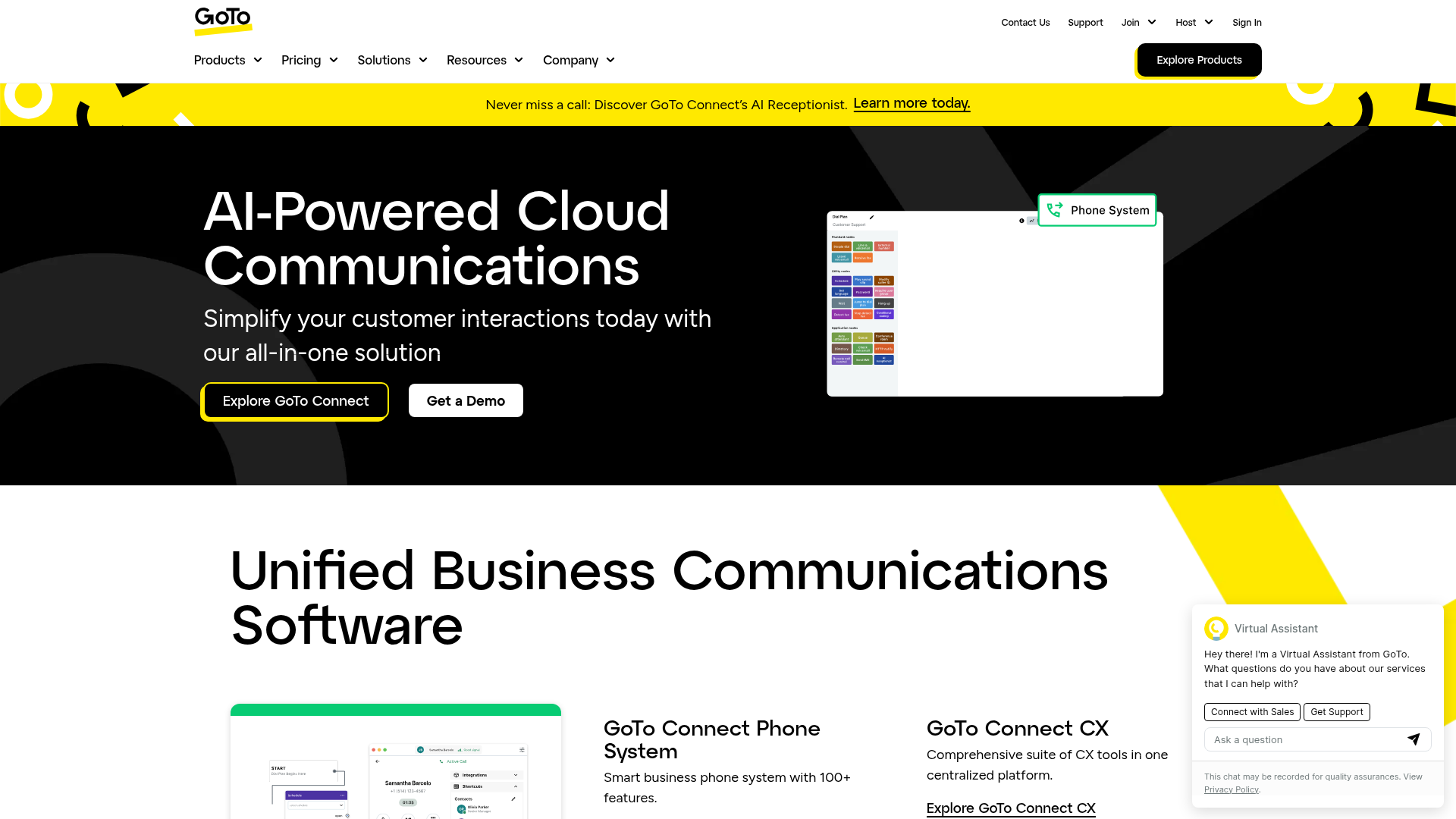
GoTo Connect is an all-in-one, AI-powered cloud communications platform covering business phone, meetings, messaging, and optional customer experience features. Its calling card is simple administration: a visual dial-plan editor and easy setup that smaller teams can manage without a dedicated telecom specialist.
Best for: SMBs that want an easy-to-administer all-in-one with bundled meetings.
Key strengths
- Visual dial-plan editor: drag-and-drop call routing, auto attendants, and call queues without command-line config.
- Bundled meetings and messaging: video meetings, team messaging, and SMS/MMS alongside the phone system.
- AI and contact center: AI call summaries, transcription, sentiment and topic detection, and intelligent routing on applicable plans.
Why choose GoTo Connect: If nobody on your team wants to spend a week configuring a phone system, GoTo's visual admin is the draw. You build call flows by clicking, not by writing rules, which lowers the operational burden for a lean sales org. The pricing is quote-based, so like 8x8, you'll need to talk to sales for exact numbers.
GoTo Connect pricing: GoTo's pricing page lists four plans, Phone System, Customer Experience, CX Complete, and Contact Center, each showing a "Contact Sales" call to action rather than a public price. No free tier is shown. Expect a sales conversation to scope the right plan.
7. Zoom Phone
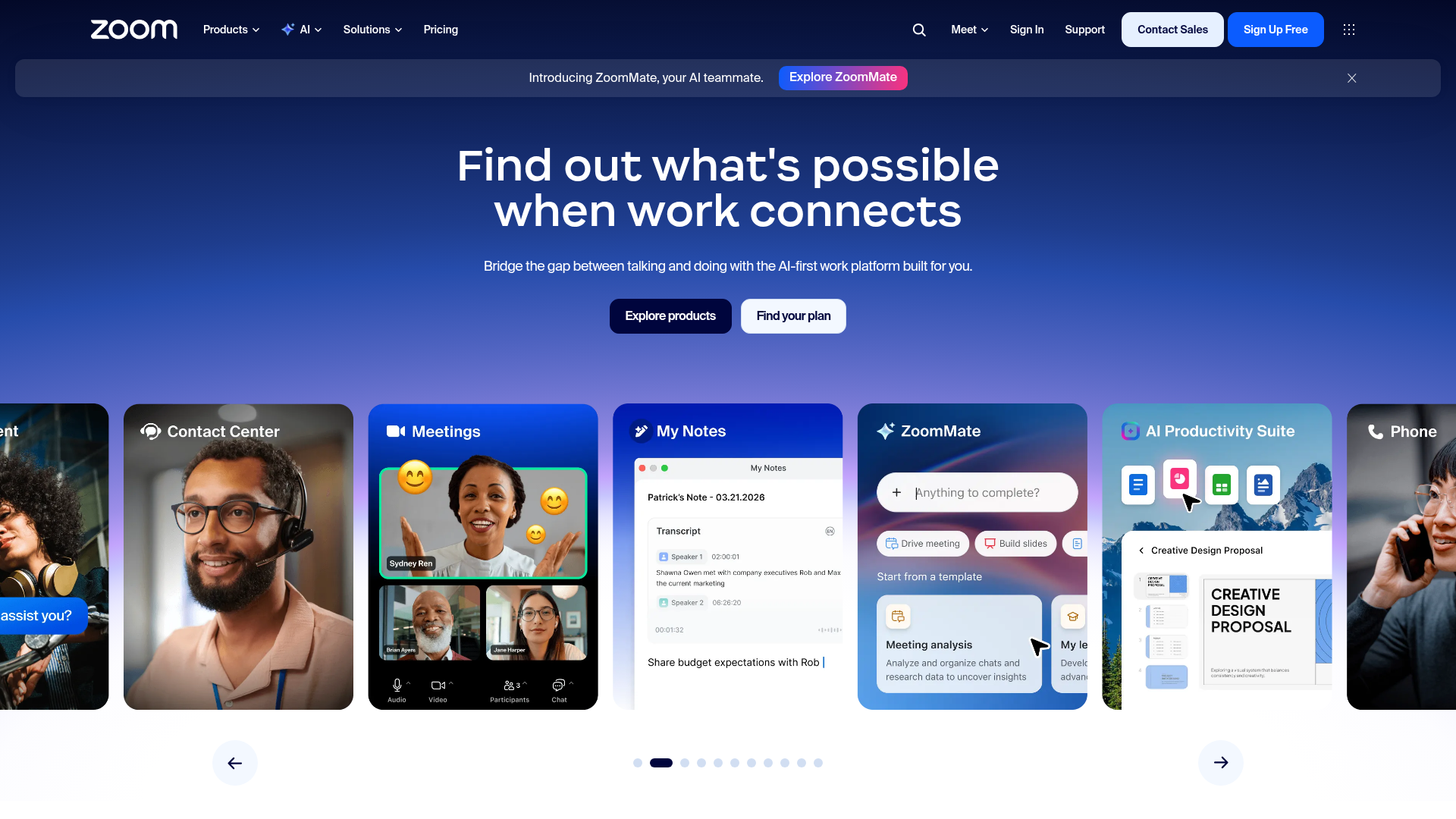
Zoom Phone is a cloud VoIP phone system that brings business calling, SMS/MMS, fax, meetings, chat, and administration into the Zoom platform. For teams already living in Zoom all day, adding telephony to the same app is the natural move, and it shows in Zoom Phone's 4.6/5 G2 rating, the highest on this list.
Best for: Teams already standardized on Zoom that want calling unified with meetings and chat.
Key strengths
- Unified Zoom experience: make and receive calls from desktop, mobile, and supported desk phones inside the same Zoom workspace.
- Core call handling: call transfer, forwarding, voicemail transcription, and call recording out of the box.
- Integrations and admin: Salesforce and Slack integrations plus centralized admin and call routing tools.
Why choose Zoom Phone: The case is consolidation. If your reps already run discovery and demo calls in Zoom, putting their dialer in the same platform removes context-switching and keeps everything in one place. The familiar interface also means almost zero training. For a sales team that wants meetings and calling to live together, Zoom Phone is the cleanest fit.
Zoom Phone pricing: Zoom Phone starts at $10.50 per user per month. Readable plan cards begin at $16 per user per month (US & CA Unlimited Phone + Workplace Basic, billed annually) or $18 billed monthly, with Pro Plus Phone at $20.50 and Business Plus Phone at $24.50 annually. No standalone free tier is shown.
8. Microsoft Teams Phone
Microsoft Teams Phone is a cloud-based phone system native to Microsoft Teams, delivering PBX calling, PSTN connectivity, and call management inside the app your team may already use all day. For organizations standardized on Microsoft 365, it consolidates calling into existing licensing rather than adding a separate vendor.
Best for: Microsoft 365 organizations that want to consolidate calling into Teams.
Key strengths
- Native Teams and M365 integration: calling lives inside Teams, so reps never leave the app they already work in.
- Enterprise admin controls: call queues, auto attendants, and centralized management aligned with M365 governance.
- Flexible PSTN connectivity: Calling Plans, Operator Connect, Teams Phone Mobile, or Direct Routing, plus a 99.999% uptime SLA.
Why choose Microsoft Teams Phone: If your company runs on Microsoft 365, the path of least resistance is adding calling to the tool everyone already opens. Procurement is simpler because it's the same vendor, and admins manage it inside familiar M365 controls. The thing to watch: a separate Microsoft Teams license is required on top of the Teams Phone plans, so factor that into the total cost.
Microsoft Teams Phone pricing: Teams Phone Standard starts at $10 per user per month, paid yearly. Add-on plans include pay-as-you-go calling at $13, Calling Plan at $17, and domestic plus international calling at $34 per user per month, all paid yearly. A one-month trial is available; there's no ongoing free tier, and a Teams license is required.
9. Ooma Office
Ooma Office is a business VoIP phone service built for small businesses, with voice, collaboration, routing, fax, and app-based calling. It keeps the feature set focused and the price low, which makes it a practical pick for small sales teams that need solid call handling without enterprise overhead.
Best for: Small sales teams and SMBs that prioritize low cost and fast setup.
Key strengths
- Low entry price and simple setup: a virtual receptionist, ring groups, and a mobile app that get a small team running quickly.
- Core call handling: digital fax, call recording, voicemail transcription, and enhanced call blocking on the Pro tiers.
- Sales-friendly add-ons: call queuing, Salesforce integration, and hot desking available on Pro Plus.
Why choose Ooma Office: When budget is the constraint and you don't need a sprawling UCaaS suite, Ooma covers the essentials at a price small teams can absorb. The Pro Plus tier even adds Salesforce integration and call queuing, so a growing sales team isn't locked out of the features that matter as it scales. It's the no-frills, get-it-working option.
Ooma Office pricing: Essentials is $19.95 per user per month, Pro is $24.95, and Pro Plus is $29.95. Pro adds videoconferencing, enhanced call blocking, call recording, voicemail transcription, and a desktop app; Pro Plus adds call queuing, Salesforce integration, hot desking, and Find Me, Follow Me. Taxes and fees are not included, and no permanent free tier is offered.
10. FreePBX
FreePBX is an open-source IP PBX platform for building and managing a fully customizable business phone system. Maintained within the Sangoma ecosystem, it gives technical teams complete control over their telephony rather than a packaged SaaS product, and the core software is free to download and use.
Best for: Technical teams that want customization and self-hosting over a managed SaaS phone system.
Key strengths
- Open-source freedom: a web-based GUI for extensions, IVR auto-attendant rules, backup/restore, and system updates, with full control over the deployment.
- Built-in PBX features: calling queues, conference bridge, ring groups, unlimited extensions, IVR, voicemail, call recording, and voicemail-to-email.
- Broad protocol support: IAX2, SIP, PJSIP, WebRTC, softphones, and analog/PRI connectivity, plus the Sangoma ecosystem for SIP trunking, SBCs, and gateways.
Why choose FreePBX: If you have the in-house technical talent and want to own your phone system end to end, FreePBX is unmatched on control and cost. You're not paying per seat, and you can customize anything. The honest trade-off, and it's a real one: this is the only option here that puts maintenance, security, and uptime on your team rather than a provider. For a sales org without dedicated technical ownership, that responsibility is the catch. For a team that wants it, it's the whole appeal.
FreePBX pricing: The core FreePBX software is completely free to download and use. Commercial modules, add-ons, appliances, SIP trunking, and support are sold separately through Sangoma, but no first-party numeric plan pricing is published for those.
Considerations: how to choose cloud PBX software
The shortlist narrows fast once you weigh it against how your team actually sells. Here's the buyer's checklist.
Reliability and uptime SLA
A dropped call mid-deal is lost momentum you can't always recover. Most enterprise-grade providers advertise SLAs of 99.99% uptime or higher, and a few go to 99.999%. Read the SLA, not the marketing headline, and confirm the redundancy behind it before you trust it with live deal calls.
CRM and stack integrations
If the phone system doesn't log into Salesforce or HubSpot natively, you've added another disconnected tab and another manual data-entry burden. Verify the integration writes calls, recordings, and outcomes automatically, and that it covers the rest of your stack, not just one CRM. Worth checking how the system plays with your existing tools, much like how Guideflow's own integrations connect demos to the rest of a sales stack.
Call analytics and recording depth
For a sales org, recording and conversation intelligence are coaching infrastructure. Look for transcription, searchable summaries, and exportable reporting so managers can review calls and build battlecards. The depth here separates a phone system from a coaching platform. If outbound call volume is central to your motion, our roundup of outbound call tracking software and auto dialer software goes deeper on the dialer layer.
Security, compliance, and admin controls
Your IT and security reviewers will ask about SSO, role-based permissions, encryption, and data residency. Multi-site management matters for distributed teams. Get these answers early, because they often gate the deal in mid-market and enterprise procurement.
Pricing model and contract terms
Per-seat pricing that scales gently is fine; pricing that jumps sharply as you add reps is a cost risk worth modeling now. Check monthly versus annual rates, minimum seat counts, and number porting costs. A cheap entry tier that gates the features your team needs is not actually cheap.
Conclusion
The right cloud PBX provider depends less on a feature checklist and more on how your team sells. For enterprise reliability and the broadest integration catalog, RingCentral is the safe anchor. If conversation intelligence and rep coaching are the reason you're buying, Dialpad leads. SMBs wanting an all-in-one with strong support land on Nextiva, while globally distributed teams lean on 8x8. Microsoft 365 shops consolidate into Teams Phone, Zoom-standardized teams pick Zoom Phone, budget-first small teams choose Ooma Office, and technical teams that want full control go open-source with FreePBX.
Here's the next step: shortlist two or three providers that fit your motion, then run a real trial on a remote rep cohort, not a sandbox demo. Have reps make actual deal calls, confirm the CRM integration logs cleanly, and check call quality from the locations your team really works from. Verify the integration depth and the SLA in writing before you sign. The provider that protects a live call and logs it without a rep lifting a finger is the one worth your contract. And once the call ends, a well-timed live demo keeps the buyer engaged long after the line goes quiet.
FAQ
Cloud PBX software is a business phone system hosted by a provider over the internet, replacing on-premises hardware. It routes calls as data over VoIP through the provider's data centers, so reps can call from a softphone, mobile app, or desk phone anywhere with a connection.
These terms are largely interchangeable. Cloud PBX, hosted PBX, and virtual PBX all describe a phone system delivered as a service over the internet rather than installed on-site. Vendors use the labels differently for marketing, but the underlying model is the same.
Based on current provider pricing, plans typically range from around $10 to $35 per user per month for entry and mid tiers, with discounts for annual billing. Higher tiers and contact-center add-ons cost more. Open-source options like FreePBX are free to run but shift maintenance to your team.
For most distributed teams, yes: cloud PBX eliminates hardware costs, scales instantly, supports remote work natively, and offloads maintenance to the provider. On-premises PBX still suits highly regulated or heavily customized environments with strict data residency needs.
Yes. Most leading providers offer native integrations with Salesforce, HubSpot, Zendesk, and similar tools, logging calls, recordings, and outcomes automatically. For a sales team, this is the difference between clean pipeline data and reps forgetting to log calls by hand.
Enterprise-grade providers advertise uptime SLAs of 99.99% or higher, backed by redundant data centers, and offer encryption, SSO, and compliance certifications. Confirm the specific SLA, data residency, and security controls against your own requirements before committing.
Yes, through number porting. For most SMB migrations, porting usually takes about one to three weeks, depending on your current carrier, country, and how complete your documentation is. Complex or toll-free ports can take longer.
Prioritize CRM-native call logging, call recording, and conversation intelligence for coaching, plus dialer reliability for SDRs and exportable analytics for managers. These are the features that protect live deal calls, keep pipeline data clean, and turn conversations into coaching material.