Your database latency rises after a release. The infrastructure team asks for higher IOPS. Finance wants to know why storage spend jumped 40% this quarter. Product needs an answer before customers feel the slowdown.
Storage decisions sit at the center of those conversations. The choice between a managed cloud volume, an enterprise array, and a distributed Kubernetes storage platform shapes application responsiveness, recovery speed, and how much of your engineering capacity goes toward maintenance instead of features. The global block storage market reached $58.3 billion in 2025, according to Dataintelo (2025), and on-premises deployments still represent 67.3% of that spend. The range of tools, deployment models, and pricing mechanics is wide enough to create real decision risk.
This guide separates 17 block storage software tools by operating model, maps them to workload requirements, and gives product and platform teams a practical framework for narrowing the shortlist.
What's inside
This guide covers 17 block storage solutions across three operating models: Managed cloud volumes, enterprise storage systems, and Kubernetes-native platforms. Tools were selected based on:
- Deployment model fit (cloud, on-premises, hybrid, Kubernetes)
- Performance controls for IOPS, throughput, and latency
- Snapshot, replication, and recovery capabilities
- Operational ownership and engineering cost
No tool fits every workload. The goal is to help you match the right platform to your actual requirements.
TL;DR
- Best for AWS-native workloads: Amazon Elastic Block Store for teams already standardized on EC2, EKS, and AWS identity and monitoring workflows
- Best for Azure environments: Azure Managed Disks for Azure VMs, AKS, and Microsoft-centric infrastructure
- Best for tunable cloud performance: Google Cloud Hyperdisk for workloads that need independently configurable capacity, IOPS, and throughput
- Best for predictable cloud pricing: DigitalOcean Volumes Block Storage for smaller teams that want straightforward per-volume billing
- Best for enterprise data centers: IBM FlashSystem, NetApp ONTAP, Pure Storage FlashArray, and Dell PowerStore each fit different SAN modernization and hybrid infrastructure requirements
- Best for Kubernetes-native distributed storage: Longhorn, OpenEBS, Ceph, and Portworx cover different levels of scale, control, and operational maturity
What is block storage software?
Block storage software provisions and manages raw, addressable storage volumes that operating systems, virtual machines, databases, and Kubernetes workloads use as persistent disks.
Each volume is divided into fixed-size blocks with unique addresses. When a compute instance attaches a block volume, the operating system sees it as a physical disk and places a file system or database data structure on top. The application reads and writes at the block level, which produces the low latency and predictable IOPS that transactional databases and index-heavy workloads require.
Core capabilities to evaluate
- Persistent volume provisioning for compute and container workloads
- Snapshot creation and clone workflows
- Replication across nodes, availability zones, or regions
- Encryption and access controls
- Dynamic provisioning through APIs, CLI tools, or Kubernetes CSI drivers
- Performance controls for IOPS, throughput, and latency
- Monitoring, capacity alerts, and recovery workflows
Block storage vs file storage vs object storage
The choice between storage types comes down to access pattern and workload fit, not preference.
| Storage type | Data model | Best for | Typical access | Example workloads |
|---|---|---|---|---|
| Block storage | Addressable disk blocks | Low-latency persistent disks | Attached volume or CSI-provisioned volume | Databases, VMs, stateful containers |
| File storage | Hierarchical folders and files | Shared access across systems | NFS or SMB | Shared app assets, home directories |
| Object storage | Objects with metadata | Large-scale durable data | HTTP or S3-compatible API | Backups, media, logs, data lakes |
When your team debates block storage vs file storage, the question to ask is: Does the workload need a private disk or shared filesystem access? For cloud file storage software decisions, that distinction is the starting point.
When to use block storage software
Run transactional databases and index-heavy applications
PostgreSQL, MySQL, SQL Server, and search indexes all depend on predictable latency and steady IOPS. A database that shares a noisy storage tier with batch jobs will show p99 latency spikes that users notice. Block storage with IOPS controls, durable snapshots, and tested restore paths is the standard architecture for these workloads.
Persist data for VMs and Kubernetes workloads
VM boot disks and data disks need storage that survives instance restarts and migrations. Kubernetes StatefulSets require PersistentVolumes that outlast pod lifecycles. Kubernetes does not eliminate storage operations work; it changes where that work happens. A CSI driver connects your cluster to a storage backend, but the backend still determines performance, replication, and recovery behavior.
Modernize private-cloud or hybrid infrastructure
Organizations moving away from legacy SAN arrays need storage that exposes APIs, integrates with automation pipelines, and operates consistently across data centers and cloud environments. Software-defined block storage and hybrid-capable enterprise arrays address this without requiring a full lift-and-shift to a public cloud provider. Teams evaluating cloud migration software often encounter this decision as a prerequisite.
Block storage software comparison
Pricing comparison across 17 tools is imperfect by design. Cloud services bill for provisioned capacity plus optional IOPS, throughput, snapshots, and replication. Enterprise and Kubernetes platforms typically require a configuration quote. Open-source tools shift cost to hardware, support, and engineering time. Use the table to orient your shortlist, then verify current figures directly with each vendor.
| # | Product | Best for | Key differentiator | Pricing | G2 rating |
|---|---|---|---|---|---|
| 1 | Amazon Elastic Block Store | AWS workloads | EC2 and EKS integration with elastic volume resizing | Usage-based, free tier available | 4.5/5 |
| 2 | Azure Managed Disks | Azure VMs and AKS | Multiple disk tiers with zone-redundant availability | Usage-based, varies by disk type and region | 4.3/5 |
| 3 | Google Cloud Hyperdisk | Tunable cloud performance | Independent capacity, IOPS, and throughput configuration | From $0.005/GB provisioned | N/A |
| 4 | DigitalOcean Volumes Block Storage | Predictable cloud volumes | Simple per-volume billing for Droplets and Kubernetes | From $10/month | 4.6/5 |
| 5 | Oracle Cloud Infrastructure Block Volume | OCI workloads | Adjustable VPU performance tiers with Always Free allowance | From $0.0255/GB/month | 4.0/5 |
| 6 | IBM FlashSystem | Enterprise storage modernization | AI-driven operations with immutable snapshots | Sample config from $57,800 | 4.4/5 |
| 7 | NetApp ONTAP | Hybrid-cloud data management | Block, file, and object across on-premises and cloud | Contact NetApp for pricing | N/A |
| 8 | Pure Storage FlashArray | High-performance enterprise workloads | All-flash unified block and file with non-disruptive upgrades | Sample config from $603,000 | N/A |
| 9 | Dell PowerStore | Unified enterprise storage | NVMe architecture with block, file, and container support | Contact Dell for pricing | N/A |
| 10 | Red Hat OpenShift Data Foundation | OpenShift stateful workloads | Storage integrated into OpenShift Platform Plus | Subscription via OpenShift Platform Plus | 4.7/5 |
| 11 | Portworx | Enterprise Kubernetes data services | Container-granular backup and zero-RPO replication | Free Essentials tier; Enterprise via quote | 4.4/5 |
| 12 | Longhorn | Open-source Kubernetes block storage | Kubernetes-native replicated volumes with web dashboard | Open source (free) | N/A |
| 13 | OpenEBS | Kubernetes storage customization | Multiple storage engines with CSI-based provisioning | Open source (free) | 5.0/5 |
| 14 | Ceph | Large-scale software-defined storage | Block, file, and object on one distributed cluster | Open source (free) | 4.1/5 |
| 15 | OpenStack Cinder | Private-cloud block provisioning | OpenStack-native volume lifecycle with multi-backend support | Open source, deployment costs vary | N/A |
| 16 | Lightbits | NVMe/TCP performance | Disaggregated NVMe/TCP with snapshots and replication | From $17.25/TB/month | N/A |
| 17 | simplyblock | Kubernetes and NVMe/TCP workloads | CSI integration with QoS controls and erasure coding | Free Community tier; Enterprise subscription | N/A |
Pricing and G2 ratings verified October 2026 from each vendor's pricing page and G2 listing.
Best 17 block storage software tools for 2026
1. Amazon Elastic Block Store
Amazon Elastic Block Store (EBS) is AWS's managed block volume service for EC2 instances, EKS clusters, and managed database services. It supports multiple volume families tuned for cost, throughput, or IOPS, and integrates natively with AWS identity, monitoring, and infrastructure-as-code tools. The main decision for teams already on AWS is not whether to use EBS but which volume type and performance configuration match the workload.
Best for: Product and platform teams standardizing on AWS who want storage governed through the same identity, automation, and observability stack as their compute layer.
Key features
- Multiple SSD and HDD-backed volume types for different cost and performance profiles
- Elastic Volumes: Change capacity, performance tier, and volume type without downtime
- Point-in-time EBS Snapshots for backup, recovery, and volume cloning
- Encryption with AWS Key Management Service
- Multi-Attach for supported Provisioned IOPS volumes across multiple EC2 instances
Why choose Amazon Elastic Block Store: The strongest case for EBS is operational simplicity when AWS is already the platform. Adding a separate storage control plane on top of EC2 and EKS creates integration work that EBS avoids.
Amazon Elastic Block Store pricing: EBS uses usage-based pricing across provisioned capacity, with additional charges possible for Provisioned IOPS, throughput, snapshots, and I/O operations. AWS Free Tier includes 30 GB of storage, 2 million I/Os, and 1 GB of snapshot storage. Calculate total cost by region, volume class, snapshot retention, and expected I/O volume.
G2 rating: 4.5/5
2. Azure Managed Disks
Azure Managed Disks is the block storage layer for Azure virtual machines and Azure Kubernetes Service. Disk tier selection (Standard HDD, Standard SSD, Premium SSD, Ultra Disk) determines both the performance ceiling and the bill. Zone-redundant storage options and incremental snapshots support availability and backup workflows within the Azure operating model.
Best for: Teams running Azure VMs, AKS clusters, Microsoft databases, or any Azure-centered enterprise infrastructure.
Key features
- Disk performance tiers including Ultra Disk for sub-millisecond latency workloads
- Zone-redundant storage options for availability across Azure zones
- Incremental snapshots and cross-region or cross-zone disk copy
- Shared disks for attaching one volume to multiple VMs simultaneously
- AKS CSI driver support for Kubernetes PersistentVolume provisioning
Why choose Azure Managed Disks: Governance, identity, billing, and monitoring already live in Azure for most Microsoft-aligned organizations. Staying within that operating model reduces integration surface and speeds up security review.
Azure Managed Disks pricing: Pricing varies by disk type, provisioned size, region, and redundancy option. Microsoft's pricing page lists tiers hourly based on provisioned disk capacity plus applicable transaction charges for Standard tiers. Verify your specific disk type and region at azure.microsoft.com/pricing/details/managed-disks.
G2 rating: 4.3/5
3. Google Cloud Hyperdisk
Google Cloud Hyperdisk gives Compute Engine teams independent control over storage capacity, IOPS, and throughput rather than a fixed performance profile. Three Hyperdisk types cover different workload shapes: Throughput for cost-efficient data processing, Balanced for mixed workloads, and Extreme for the highest IOPS requirements. Synchronous cross-zone replication is available on Hyperdisk Balanced High Availability.
Best for: Engineering teams on Google Cloud that need deliberate capacity planning and need to tune volume performance around demanding databases, analytics pipelines, or AI/ML workloads.
Key features
- Independently provision and dynamically adjust capacity, IOPS, and throughput
- Hyperdisk Throughput, Balanced, and Extreme profiles for different workload demands
- Synchronous cross-zone and asynchronous cross-region replication options
- Online volume resizing without detaching from the instance
- Google Kubernetes Engine CSI compatibility for PersistentVolume provisioning
Why choose Google Cloud Hyperdisk: The value is in avoiding over-provisioning. Teams can right-size storage performance separately from capacity, which matters when workload demand is uneven across services.
Google Cloud Hyperdisk pricing: Pricing starts at $0.005/GB provisioned for Hyperdisk Throughput. Hyperdisk Balanced runs $0.080/GB plus $0.040/MB/s and $0.005/IOPS provisioned. Hyperdisk Extreme is $0.125/GB plus $0.032/IOPS provisioned. All figures are for us-central1; verify your region at the Google Cloud pricing page.
4. DigitalOcean Volumes Block Storage
DigitalOcean Volumes Block Storage is network-attached, SSD-backed block storage for Droplets and DigitalOcean Kubernetes clusters. It supports volume attachment, resizing, snapshots, and LUKS encryption at rest. The appeal for lean teams is the pricing model: A flat monthly rate rather than a matrix of capacity, IOPS, and throughput charges.
Best for: Startups and small platform teams running on DigitalOcean who need reliable persistent volumes without enterprise storage administration.
Key features
- Attach volumes to Droplets and move them between Droplets in the same datacenter
- Kubernetes persistent storage support via CSI
- On-demand snapshots and snapshot-based volume creation
- LUKS encryption at rest with replicated, highly available storage
- Burst performance up to 15,000 IOPS and 525 MB/s throughput
Why choose DigitalOcean Volumes Block Storage: Useful when the team needs dependable persistent volumes and predictable monthly costs without tuning IOPS profiles or managing a separate storage control plane.
DigitalOcean Volumes Block Storage pricing: Volumes Block Storage starts at $10/month. Snapshot storage is billed separately. Verify current volume limits and regional availability at digitalocean.com/pricing.
G2 rating: 4.6/5
5. Oracle Cloud Infrastructure Block Volume
Oracle Cloud Infrastructure Block Volume is OCI's persistent block storage service for compute instances and bare-metal servers. Performance scales up to 300,000 IOPS per volume through adjustable VPU (Volume Performance Units) settings. The Always Free allowance includes 200 GB of combined boot and block volume storage plus five backups in the home region.
Best for: Organizations that already run production systems on OCI and want persistent storage governed through OCI's native identity, networking, and backup controls.
Key features
- Up to 300,000 IOPS per volume with adjustable VPU performance profiles
- Online volume expansion without downtime
- Point-in-time backups, clones, and volume-group backups
- Automatic performance tuning and encryption
- OCI Kubernetes Engine (OKE) CSI support
Why choose Oracle Cloud Infrastructure Block Volume: Fits teams that want compute, networking, identity, and storage to operate within OCI's unified management model, particularly when Oracle databases or applications anchor the workload.
Oracle Cloud Infrastructure Block Volume pricing: Storage is billed at $0.0255/GB/month. Performance tiers add a VPU charge: Balanced at $0.017/VPU/GB/month, Higher Performance at $0.034/VPU/GB/month. The Lower Cost tier carries no VPU charge. Always Free allowance covers 200 GB in the home region. Verify current regional rates at the OCI price list.
G2 rating: 4.0/5
6. IBM FlashSystem
IBM FlashSystem is an enterprise all-flash storage platform designed for demanding database, virtualization, and hybrid-cloud environments. It includes AI-driven dynamic storage optimization, immutable snapshots, real-time threat detection, and autonomous cyberattack recovery. IBM Storage Assurance enables non-disruptive data movement with zero downtime.
Best for: Large IT organizations modernizing SAN infrastructure or supporting performance-sensitive enterprise workloads that require mature data protection and operational support.
Key features
- AI-driven storage optimization and proactive workload management
- Immutable snapshots, data replication, and real-time threat detection
- Non-disruptive zero-downtime data movement via IBM Storage Assurance
- Hybrid-cloud data mobility across on-premises and cloud deployments
- Centralized management across FlashSystem deployments
Why choose IBM FlashSystem: Belongs on a shortlist when the buying team needs enterprise support contracts, data protection services, and a storage strategy that extends beyond a single cloud account or cluster.
IBM FlashSystem pricing: IBM publishes a sample FlashSystem 5600 All Flash 30TB configuration at $57,800. Actual configuration pricing varies by usable capacity, controller model, support level, replication requirements, and business partner. Contact IBM or an authorized partner for a current quote.
G2 rating: 4.4/5
7. NetApp ONTAP
NetApp ONTAP is a storage operating environment that delivers block, file, and object services across NetApp hardware and cloud deployments. Its data management capabilities include built-in QoS, storage efficiency, automatic tiering, non-disruptive scale, and autonomous ransomware protection. Organizations use ONTAP to maintain consistent storage operations across data centers and multiple cloud providers. This makes it particularly relevant for teams building cloud data security software workflows into hybrid infrastructure.
Best for: Enterprises that need consistent storage operations, policy-based data management, and data mobility across on-premises environments and public cloud deployments.
Key features
- Block, file, and object storage from a single operating environment
- Built-in QoS, storage efficiency, and automatic tiering
- Snapshots, disaster recovery, business continuity, and encryption
- Autonomous ransomware protection
- Hybrid-cloud deployment across NetApp systems and cloud providers
Why choose NetApp ONTAP: Strong candidate when hybrid-cloud consistency and mature data governance matter more than a narrow Kubernetes-only storage design. Teams with established NetApp relationships benefit from a familiar operational model across deployment locations.
NetApp ONTAP pricing: NetApp directs buyers to contact sales for ONTAP software pricing. Pricing depends on deployment model, capacity, data services included, cloud consumption, and support package. Request a configuration quote that separates infrastructure, software, and recurring support costs.
8. Pure Storage FlashArray
Pure Storage FlashArray is an all-flash enterprise storage platform for latency-sensitive databases, virtualization, and core business systems. Its DirectFlash architecture bypasses traditional storage abstractions for lower latency. Non-disruptive upgrades allow controller and software updates without service interruption, which reduces maintenance windows as a source of reliability risk.
Best for: Organizations that prioritize predictable all-flash performance, lifecycle management, and enterprise support for mission-critical workloads.
Key features
- All-flash unified block and file storage with DirectFlash architecture
- Non-disruptive upgrades and independent capacity and performance scaling
- Snapshot and replication services
- Data reduction technology to improve effective capacity
- VMware and database integrations
Why choose Pure Storage FlashArray: Fits teams running high-value workloads where operational stability, lifecycle planning, and support responsiveness matter as much as raw throughput numbers.
Pure Storage FlashArray pricing: FlashArray configurations are purchased through sales. Pure Storage's Texas DIR price list shows FlashArray//E hardware starting at $603,000 for a 750TB configuration. Standard commercial pricing requires a direct quote covering capacity, replication, maintenance, and multi-site recovery requirements.
9. Dell PowerStore
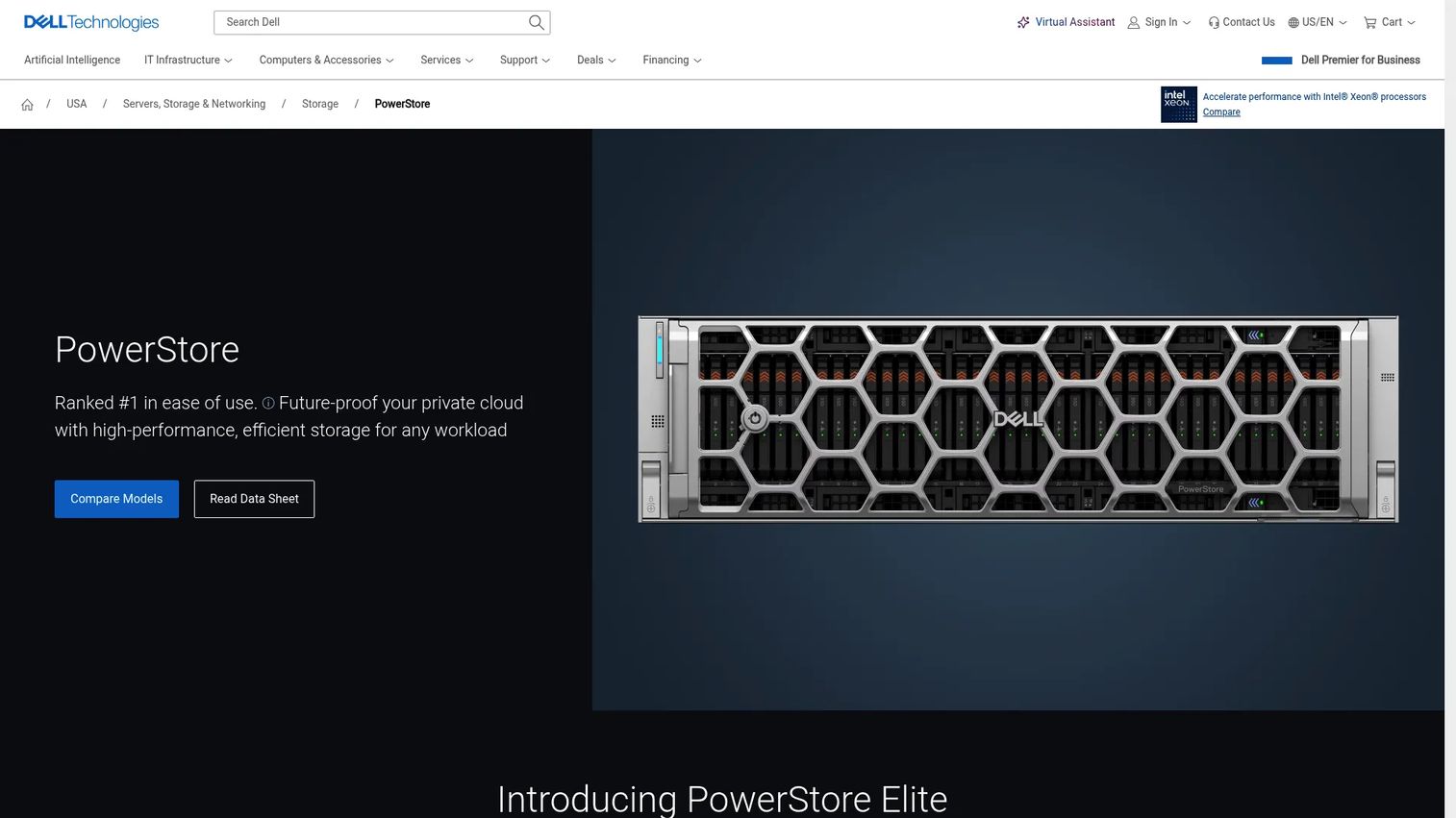
Dell PowerStore is a unified enterprise storage platform built on an end-to-end NVMe architecture with active/active controllers. It supports block, file, vVols, and container workloads from a single system with AI-powered optimization and native integrations for VMware, Kubernetes, AWS, and Azure. Scale-up and scale-out expansion options let organizations grow capacity in single-drive increments.
Best for: Enterprise IT organizations supporting virtualized applications, mixed storage workloads, and traditional infrastructure that needs unified management.
Key features
- End-to-end NVMe architecture with active/active controllers
- Unified block, file, vVols, and container workload support
- AI-powered optimization and intelligent load balancing
- Scale-up and scale-out expansion with single-drive granularity
- Immutable snapshots, ransomware detection, and metro replication
Why choose Dell PowerStore: Fits established enterprise environments where virtualization, operational familiarity, and broad workload support outweigh a Kubernetes-only storage design. Teams with existing Dell infrastructure gain integration consistency.
Dell PowerStore pricing: Dell does not display PowerStore prices on its product or shopping pages; it directs buyers to contact sales. Ask for usable capacity, controller model, software features, disaster recovery requirements, and future expansion costs in the same quote.
10. Red Hat OpenShift Data Foundation
Red Hat OpenShift Data Foundation is software-defined storage integrated into the Red Hat OpenShift platform. It provides block, file, and S3-compatible object storage for containerized workloads, with data replication across availability zones and a multicloud object gateway. It is available exclusively through OpenShift Platform Plus in Essentials and Advanced subscription tiers.
Best for: Enterprises running OpenShift as a core platform standard who need supported persistent storage aligned with their cluster operating model.
Key features
- Block, file, and S3-compatible object storage in one OpenShift-integrated platform
- Data replication and disaster recovery across availability zones
- Cluster data management for applications, registry, logging, and metrics
- Multicloud object gateway
- Encryption and backup capabilities
Why choose Red Hat OpenShift Data Foundation: Good fit when OpenShift is a long-term platform commitment and the organization wants storage support that aligns with its existing Red Hat relationship rather than adding an independent storage vendor.
Red Hat OpenShift Data Foundation pricing: Available through Red Hat OpenShift Platform Plus subscription. Essentials provides foundational storage capabilities; Advanced adds external-mode storage, enhanced encryption, and disaster recovery features. Contact Red Hat for current subscription pricing.
G2 rating: 4.7/5
11. Portworx
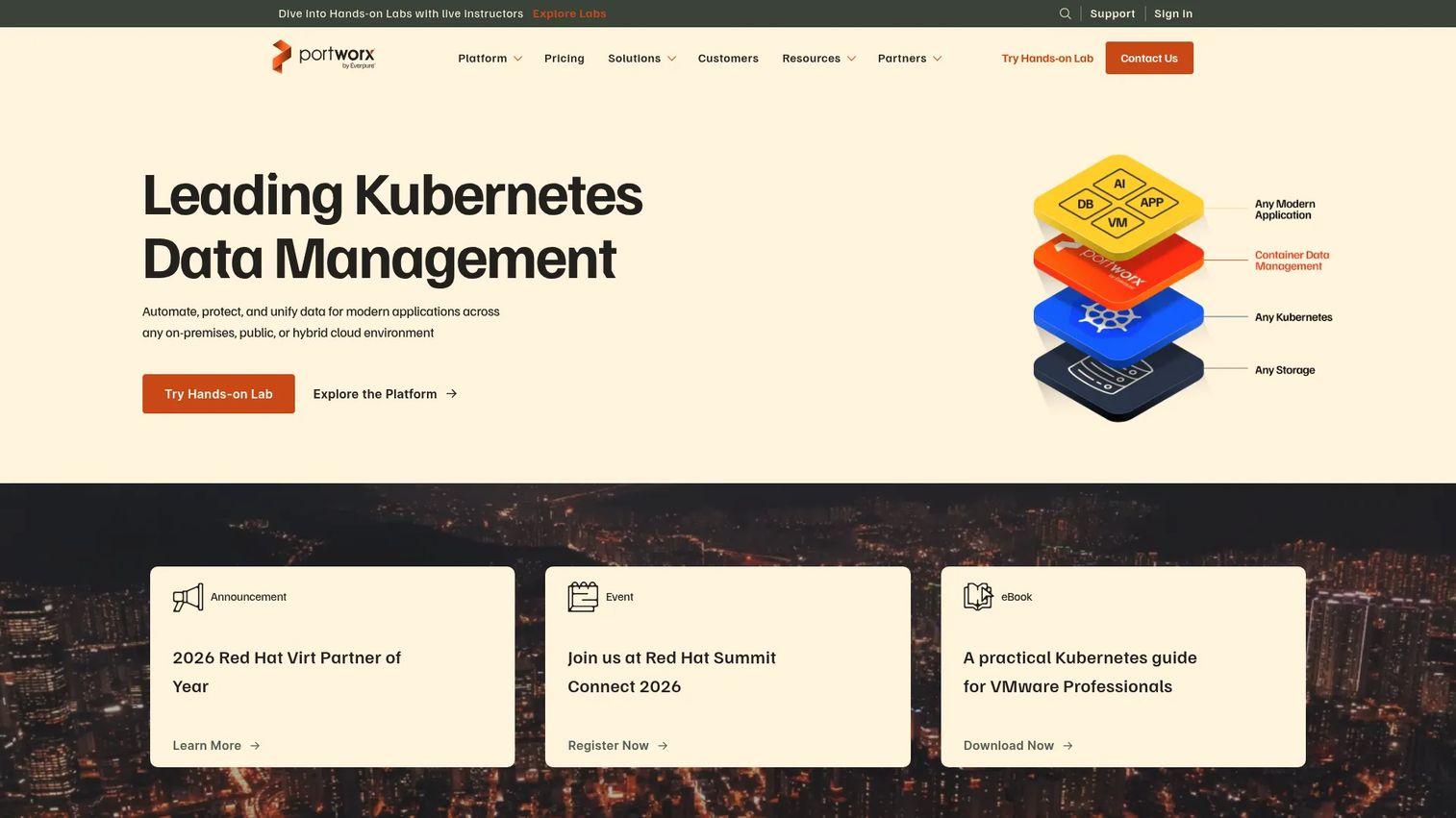
Portworx is a Kubernetes data services platform that delivers persistent storage, application-aware backup, disaster recovery, and multi-cluster data management. Container-granular backup enables single-click restore across clusters and environments. Synchronous replication with zero-RPO targeting covers mission-critical stateful applications that cannot afford data loss during a node failure.
Best for: Platform teams operating business-critical Kubernetes applications that require strong data protection controls and centralized storage management across multiple clusters.
Key features
- Kubernetes-native persistent storage with automated scaling, placement, and migration
- Application-aware, container-granular backup and single-click restore
- Synchronous and asynchronous disaster recovery with zero-RPO replication options
- StorageClass and CSI integration for dynamic PersistentVolume provisioning
- Multi-cluster data management
Why choose Portworx: Built for teams that treat Kubernetes stateful workloads as production infrastructure rather than development environments. The enterprise data protection capabilities separate it from lighter Kubernetes storage projects.
Portworx pricing: Portworx Essentials is permanently free for getting started. Portworx Enterprise and PX-Backup each offer a 30-day free trial. Paid Enterprise pricing is quote-based, covering worker capacity, number of clusters, replication requirements, and support tier. Contact Portworx for a current configuration estimate.
G2 rating: 4.4/5
12. Longhorn
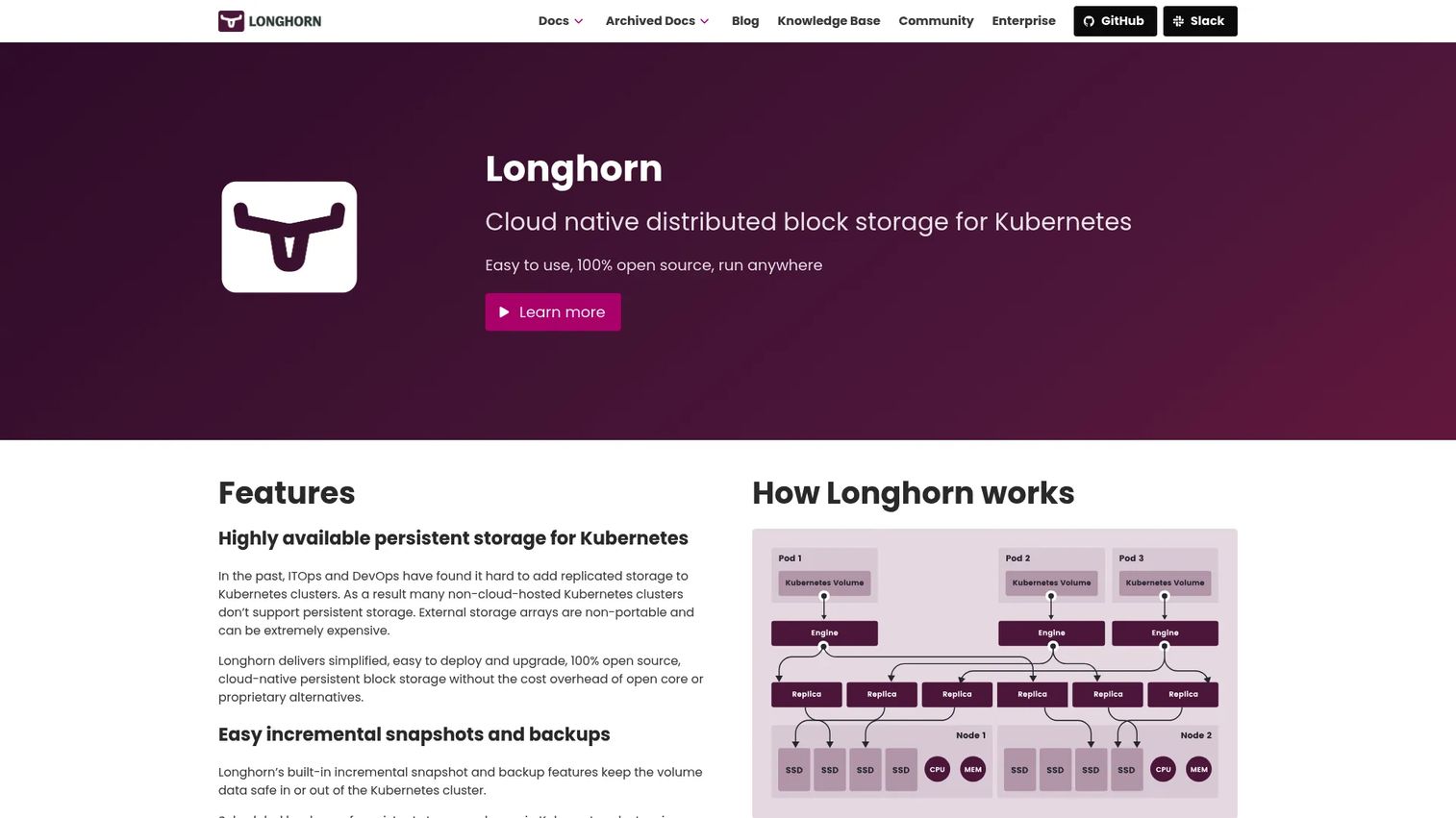
Longhorn is a 100% open-source cloud-native distributed block storage project for Kubernetes. It manages replicated persistent volumes, runs within the Kubernetes cluster, and includes an intuitive web dashboard, incremental snapshots, backups to secondary storage, cross-cluster disaster recovery, and automated non-disruptive upgrades.
Best for: Kubernetes teams that need replicated persistent volumes and can take on operational ownership of running storage within the cluster.
Key features
- Kubernetes-native volume management with automatic replication
- Incremental snapshots and backups to secondary storage
- Cross-cluster disaster recovery
- Automated non-disruptive upgrades
- Web dashboard and monitoring UI
Why choose Longhorn: Provides a clear Kubernetes-first path to persistent storage without adopting an enterprise array or a commercial Kubernetes storage platform. The web dashboard reduces the operational burden compared to pure CLI storage management.
Longhorn pricing: Longhorn is open source and free. Budget for underlying disks, compute overhead for the storage engine, backup storage, observability tooling, and engineering time for upgrades, node replacement, and recovery drills.
13. OpenEBS
OpenEBS is an open-source cloud-native storage platform for Kubernetes with multiple storage engines covering local volumes, replicated block storage, and distributed storage. CSI-based provisioning integrates with standard Kubernetes StorageClasses. Prometheus metrics and Grafana dashboards support storage observability within existing monitoring stacks.
Best for: Platform and SRE teams that want storage architecture aligned with Kubernetes primitives and need to choose the right engine for different workload durability and latency requirements.
Key features
- Kubernetes-native storage engines for local, replicated, and distributed patterns
- CSI-based provisioning with Kubernetes StorageClass integration
- Synchronous replication for high availability
- Snapshots, clones, and backup via Velero integrations
- Prometheus metrics and Grafana dashboard support
Why choose OpenEBS: Strong for teams that want configuration control over storage architecture and want to segment workloads by durability requirements rather than applying a single storage class to everything.
OpenEBS pricing: OpenEBS is completely open source and free. Costs come from the infrastructure hosting the storage engines, backup targets, support model, and engineering time spent validating the right engine for each workload class.
G2 rating: 5.0/5
14. Ceph
Ceph is open-source distributed storage software that delivers block storage through RADOS Block Device (RBD), a POSIX-compliant file system, and S3-compatible object storage from a single cluster. Its CRUSH algorithm distributes data automatically across nodes, handles replication and erasure coding, and integrates with OpenStack and Kubernetes. Teams evaluating change data capture software alongside storage often find Ceph relevant when the data pipeline spans multiple storage types.
Best for: Organizations with substantial storage scale, experienced infrastructure staff, and a requirement for a software-defined platform that spans block, file, and object workloads.
Key features
- Distributed block storage through RADOS Block Device with snapshots and thin provisioning
- S3-compatible object storage and POSIX-compliant distributed file system
- CRUSH-based automatic data distribution and redundancy
- Replication and erasure coding options
- OpenStack and Kubernetes integrations
Why choose Ceph: The breadth of storage capabilities from a single platform is valuable when the organization needs to support multiple storage types and has the infrastructure team skills to operate a distributed cluster at scale.
Ceph pricing: Ceph is free and open-source with no license fees. Budget for storage nodes, networking infrastructure, monitoring tooling, support contracts, staff expertise, and the operational cost of upgrades and failure recovery.
G2 rating: 4.1/5
15. OpenStack Cinder
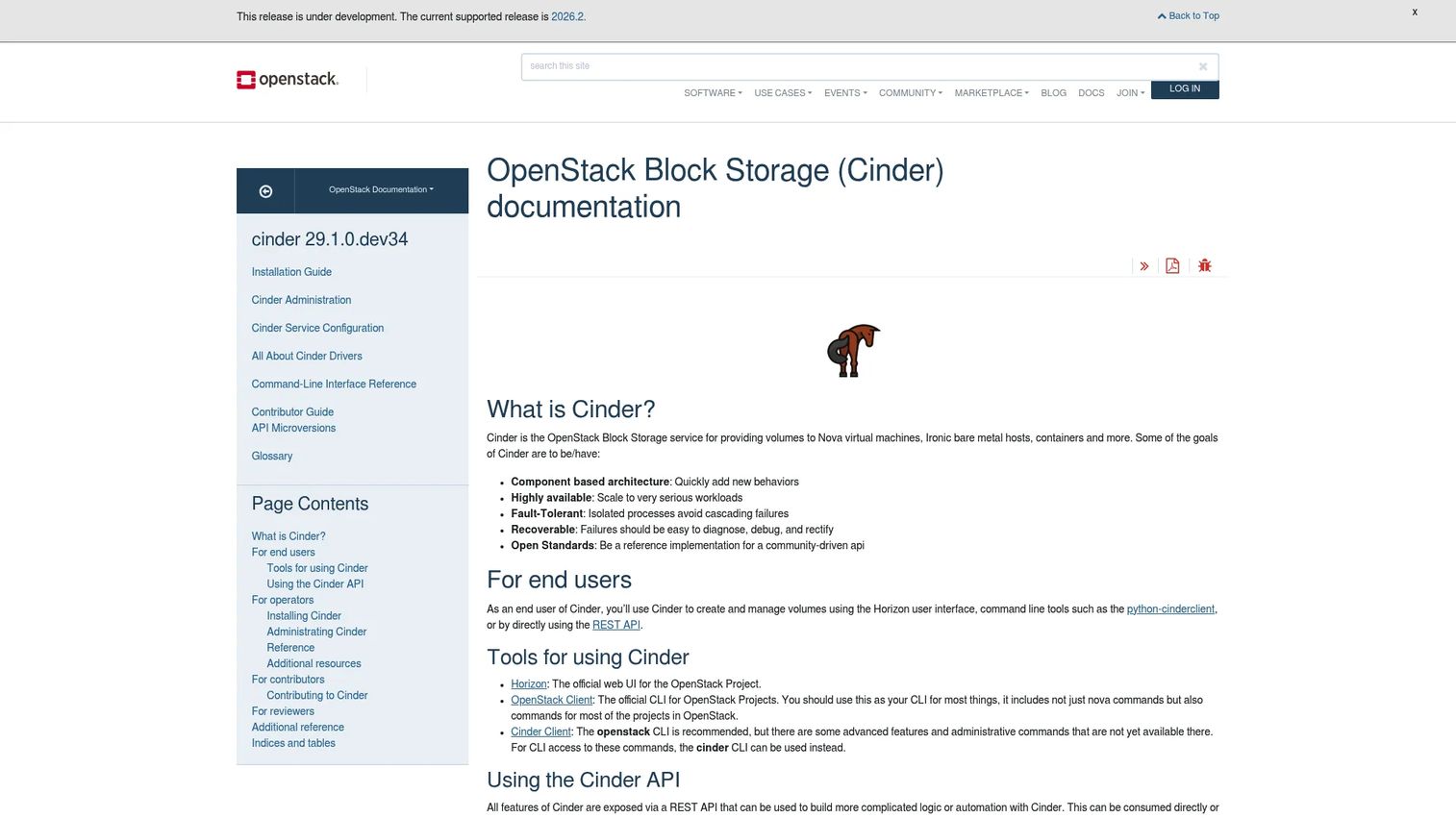
OpenStack Cinder is OpenStack's block storage service. It manages the lifecycle of persistent volumes for compute instances, bare-metal hosts, and containers through Horizon, command-line tools, and REST APIs. Cinder supports multiple storage backends including iSCSI, Fibre Channel, and NVMe-oF, and provides snapshot and backup services within the OpenStack stack.
Best for: Organizations running OpenStack private clouds that need integrated volume provisioning governed through the same infrastructure APIs as their compute layer.
Key features
- OpenStack-native volume lifecycle via Horizon, CLI, and REST API
- Multi-backend storage support for iSCSI, Fibre Channel, and NVMe-oF
- Snapshot and backup services within the OpenStack stack
- Highly available, fault-tolerant, and recoverable architecture
- API-driven provisioning compatible with OpenStack Compute and Containers
Why choose OpenStack Cinder: Cinder is a natural fit when OpenStack is already the private-cloud control plane. Adding a separate block volume product outside the OpenStack stack creates integration complexity that Cinder avoids.
OpenStack Cinder pricing: Cinder is open source. The total cost depends on storage backends selected, hardware provisioned, the operations team, support model, and the broader private-cloud footprint.
16. Lightbits
Lightbits provides disaggregated, software-defined NVMe/TCP block storage for cloud, private-cloud, and hybrid infrastructure environments. NVMe over TCP delivers low-latency block storage across standard Ethernet without specialized interconnects. Thin provisioning, inline compression, instant snapshots, and multi-cluster management are available alongside Kubernetes, OpenStack, and VMware integrations.
Best for: Infrastructure teams that need high-performance block storage with disaggregated compute and storage for database, analytics, or Kubernetes workloads.
Key features
- NVMe/TCP persistent volumes over standard Ethernet networking
- Thin provisioning and inline compression
- Instant snapshots and clones
- High availability with node-failure recovery and replication
- Kubernetes, OpenStack, and VMware integrations
Why choose Lightbits: Belongs on the shortlist when storage performance and infrastructure efficiency matter enough to evaluate a specialized NVMe/TCP design. Disaggregation means storage capacity and compute can scale independently.
Lightbits pricing: Lightbits lists pricing for both private-cloud and public-cloud deployments starting at $17.25/TB/month. Both tiers include Lightbits storage software and support; private-cloud deployments also include a dedicated Customer Success Manager. Contact Lightbits to confirm current rates.
17. simplyblock
simplyblock is a software-defined block storage platform for Kubernetes, OpenShift, and VMware environments built on NVMe/TCP and NVMe/RoCE. It provides copy-on-write snapshots, erasure coding, auto-healing, thin provisioning, and cross-region disaster recovery. Kubernetes-native CSI integration and GitOps operations support modern platform engineering workflows. Teams building cloud compliance tools into their storage layer will find simplyblock's access controls and encryption relevant.
Best for: Kubernetes-first platform teams that need distributed block storage with QoS controls, performance isolation, and CSI integration for stateful production workloads.
Key features
- NVMe/TCP and NVMe/RoCE storage with Kubernetes-native CSI integration
- Copy-on-write snapshots and clones
- Erasure coding and auto-healing for data durability
- Quality-of-service controls for workload isolation
- Cross-region replication and disaster recovery
Why choose simplyblock: Consider it when Kubernetes stateful workloads need more specialized storage behavior, particularly QoS isolation between tenants, than a basic cloud volume or local persistent disk provides.
simplyblock pricing: The Community tier is free for evaluation, labs, and proofs of concept. Enterprise pricing is subscription-based (annual or multi-year) and is calculated on worker-node CPU capacity rather than data volume. Contact simplyblock sales for an Enterprise quote.
Considerations when choosing block storage software
Match the deployment model first
Start with where workloads run today and where they will run over the next 18 months. Managed cloud volumes suit cloud-native teams and reduce operational overhead. Enterprise arrays fit established data centers with existing SAN operations. Kubernetes-native platforms make sense only when the team has the operating maturity to own storage within the cluster. Picking a deployment model that doesn't match your team's skills creates engineering debt that erodes the original performance argument.
Define performance requirements with numbers, not adjectives
"High performance" is not a requirement. Define p95 and p99 latency targets, read and write patterns, peak IOPS, sustained throughput, and workload concurrency before evaluating storage tiers. A volume type or storage class is only useful if it actually moves a user-facing metric or protects a service-level objective. Ask engineers to baseline current storage performance before selecting a new configuration. Related cloud cost optimization software decisions often surface here, since over-provisioned IOPS is one of the more common infrastructure cost leaks.
Treat snapshots and replication as separate recovery tools
Snapshots capture a point-in-time state of a volume. Replication maintains copies across another system, availability zone, or region. Neither replaces a tested restore process. Ask how long a full restore takes under realistic conditions, who owns the recovery runbook, and when restore testing last happened. Undocumented recovery procedures are a product risk. Teams building out their cloud backup software strategy encounter this distinction regularly.
Validate Kubernetes behavior under realistic failure conditions
For stateful applications, test node loss, pod rescheduling, zone failure, volume expansion, and storage version upgrades before relying on a storage class in production. A StorageClass that provisions cleanly in development can still fail during a production incident if recovery behavior wasn't tested. Map these scenarios to your reliability targets before committing to a platform.
Model total cost, including engineering time
Cloud storage bills grow with capacity, IOPS, throughput, snapshots, and replication traffic. Self-managed platforms shift cost to hardware, support contracts, and platform engineering hours. Open-source tools appear free until you account for the staff time required for upgrades, failure recovery, and capacity planning. Build a 12-month total cost model rather than comparing headline per-GiB rates.
Conclusion
Block storage selection comes down to four questions: What workload are you protecting or accelerating? Where does it run? What recovery target must it meet? Which option meets those needs without creating more platform work than the team can sustain?
For teams already committed to a public cloud, start with the native volume service. Amazon Elastic Block Store, Azure Managed Disks, Google Cloud Hyperdisk, DigitalOcean Volumes Block Storage, and Oracle Cloud Infrastructure Block Volume all reduce integration work by operating within an existing identity, monitoring, and billing model.
For enterprise data centers and hybrid deployments, evaluate IBM FlashSystem, NetApp ONTAP, Pure Storage FlashArray, and Dell PowerStore based on your existing SAN relationships, support requirements, and hybrid-cloud roadmap.
For Kubernetes-native and software-defined architectures, Red Hat OpenShift Data Foundation, Portworx, Longhorn, OpenEBS, Ceph, OpenStack Cinder, Lightbits, and simplyblock each serve different levels of operational maturity, scale, and control. Match the platform to your team's actual capacity to own storage operations, not just the technical specification sheet.
Choose the storage model that meets the workload's recovery and performance targets without creating an operating burden your team cannot sustain.
Start your journey with Guideflow today!
FAQs
Block storage software provisions and manages addressable storage volumes that operating systems, virtual machines, databases, and container platforms use as persistent disks. Applications typically place a file system or database data structure on top of the raw block volume, which looks like an attached physical disk to the workload.
Block storage exposes raw disk blocks for low-latency access and is the standard choice for databases, virtual machines, and stateful containers. File storage organizes data in folders and files shared across systems via NFS or SMB, fitting collaboration and shared application assets. Object storage manages large collections of data with metadata through HTTP or S3-compatible APIs, covering backups, media libraries, and data lakes.
Cloud-native Kubernetes teams should start with their cloud provider's CSI-backed volumes: EBS for AWS, Azure Managed Disks for Azure, and Hyperdisk for Google Cloud. Teams running distributed or on-premises Kubernetes can evaluate Portworx for enterprise data services, Longhorn or OpenEBS for open-source options, Red Hat OpenShift Data Foundation for OpenShift environments, Ceph for broad software-defined storage, or simplyblock and Lightbits for NVMe/TCP workloads.
Yes, when the platform provides the latency, IOPS, throughput, durability, and recovery behavior the database requires. Benchmark your specific database workload, including random write patterns, transaction log behavior, replication overhead, and peak concurrency. Storage performance benchmarks from other workloads do not reliably predict results for your query patterns.
Managed cloud volumes reduce operational ownership and integrate tightly with cloud identity, monitoring, and billing. Software-defined storage offers more control, deployment portability, or specialized performance behavior but requires platform engineering capacity to operate, upgrade, and recover from failures. The right answer depends on your team's infrastructure skills and how much engineering time storage operations can sustainably consume.
Yes. Kubernetes uses CSI drivers and StorageClasses to dynamically provision PersistentVolumes from compatible storage backends. The CSI layer handles provisioning and attachment, but the storage backend still determines performance, replication topology, snapshot behavior, and what happens during a node failure or zone outage.
Beyond the headline per-GiB rate, include provisioned IOPS, throughput, snapshot storage, backup targets, replication traffic, network egress, support contracts, hardware for self-managed deployments, implementation services, and the engineering hours required for upgrades, capacity planning, and recovery drills. A 12-month total cost comparison typically surfaces a different shortlist than a monthly capacity rate comparison alone. Pairing this with cloud cost optimization software gives teams better visibility into actual spend.
A snapshot captures the state of a volume at a specific point in time and is typically stored on the same system or a nearby backup target. Replication continuously or periodically copies data to another system, availability zone, or region. Both support resilience, but replication shortens recovery time when the primary site fails, while snapshots protect against accidental deletion or corruption. Neither is useful without a documented restore procedure and regular restore testing.
Persistent block storage retains data beyond the lifecycle of a virtual machine instance or container pod. When a VM is stopped or a pod is deleted, the block volume persists independently and can be reattached to another instance. This is the fundamental requirement for stateful applications: The storage survives the compute lifecycle.
NVMe over TCP (NVMe/TCP) delivers NVMe protocol commands across standard Ethernet networks rather than requiring specialized SAN interconnects. The result is lower protocol overhead and latency compared to iSCSI on the same network infrastructure. Tools like Lightbits and simplyblock use NVMe/TCP to deliver high-performance distributed storage without dedicated storage networking hardware.