Vehicle software is no longer a supporting layer. It now defines customer experience, safety, diagnostics, and product velocity across every segment of the market. According to Grand View Research (2026), the global automotive software market was valued at $33.0 billion in 2025 and is projected to reach $108.6 billion by 2033, growing at a 16.4% CAGR. ADAS and safety systems alone accounted for 21.0% of that 2025 figure.
For founders mapping automotive SaaS opportunities, or operators scaling embedded and connected vehicle products, the category is fragmented by design. Embedded development, model-based design, network diagnostics, CAE simulation, PLM, and fleet telematics all require different tools at different stages. Picking the wrong category costs months. Picking the right tool for the wrong phase costs real engineering hours.
This guide maps 12 automotive software tools to specific jobs so you can build a shortlist that matches your workflow, not just a generic list.
What's inside
This guide is for automotive engineering leaders, product operators, and SaaS founders evaluating the automotive software stack. Tools were selected across the full vehicle development and software-defined vehicle lifecycle.
- We cover embedded development, model-based design, diagnostics, CAD, CAE, PLM, and telematics
- Each tool is evaluated by best fit, key use case, verified pricing, and G2 rating
- Selection criteria: Workflow specificity, standards alignment, ecosystem integration, and total cost relevance
- Pricing and ratings are sourced from vendor pages and live G2 listings
TL;DR
- Best for model-based vehicle software development: MATLAB and Simulink, which anchor algorithm development and system simulation from requirements to code generation
- Best for embedded automotive MCU development: S32 Design Studio IDE, when your hardware roadmap runs on NXP S32 processors
- Best for ECU and vehicle network validation: CANoe for full simulation and test automation; CANalyzer for bus traffic analysis and diagnostics
- Best for HIL testing and autonomous function validation: dSPACE, the infrastructure-level choice for pre-road validation
- Best for automotive CAD and design engineering: Siemens NX and CATIA, covering mechanical systems through complex surface and assembly design
- Best for CAE and multiphysics simulation: ANSYS and Altair HyperWorks, for structural, fluid, and optimization workflows
- Best for engineering governance and PLM: PTC Windchill, when your team needs requirements traceability and change management at scale
- Best for fleet diagnostics and field vehicle data: AutoPi CAN FD Pro, for capturing CAN FD and OBD2 data from vehicles in operation
What is automotive software?
Automotive software is the set of embedded, engineering, diagnostic, simulation, cloud, and data systems used to design, build, test, operate, and update vehicles.
The category spans eight distinct functional areas:
- Embedded software: ECU control logic, real-time operating systems, middleware, and hardware drivers that run on the vehicle's microcontrollers and processors
- Model-based development: requirements modeling, multi-domain simulation, and automatic code generation tools that let teams validate logic before production
- Vehicle diagnostics: tools that read and analyze CAN, CAN FD, LIN, OBD2, and J1939 traffic, fault codes, and live sensor data
- Simulation and validation: hardware-in-the-loop (HIL), software-in-the-loop (SIL), and virtual test environments that stand in for physical vehicles during development
- Engineering design: CAD platforms for geometry and surfaces, CAE tools for structural and fluid analysis, and finite-element analysis for safety cases
- PLM: product lifecycle management systems that govern requirements, configurations, change records, and compliance evidence across engineering organizations
- Connected vehicle software: telematics platforms, fleet data pipelines, cloud analytics, and predictive maintenance applications that operate after launch
- Safety and cybersecurity frameworks: ISO 26262 for functional safety, SOTIF for sensor uncertainty, ISO/SAE 21434 for cybersecurity, and ASPICE for process maturity
No single tool covers every area. The right shortlist depends on which phase of development you are funding, which hardware you are targeting, and which standards you must satisfy.
For a founder at Series B, the practical question is which categories are infrastructure-level commitments versus point tools you can revisit. Model-based design, embedded IDEs, and PLM tend to lock in early. Diagnostics and telematics tools often enter later, once vehicles are in the field.
When to use automotive software
Build embedded vehicle systems
Teams reach for automotive embedded development software when they are writing ECU logic, control algorithms, AUTOSAR components, middleware, and safety-related code. The key evaluation factors at this stage are deterministic execution, hardware target support, standards traceability, and compiler quality. Choosing a tool that does not align with your target ECU family creates integration overhead that compounds across the development cycle. Confirm hardware compatibility before committing to a development environment.
Validate before hardware is available
Simulation and model-based design tools become critical when physical prototypes are months away but development needs to continue. SIL and HIL workflows let engineers test control logic against virtual vehicle models or real ECUs connected to simulated environments. For founders, this is where validation software pays its clearest dividend: Finding a logic error in simulation costs hours, while finding the same error in a prototype test costs weeks. ADAS validation in particular requires sensor and environment simulation that field testing cannot safely replicate.
Operate connected vehicles after launch
Diagnostics and telematics software takes over once vehicles are in service. CAN bus logging, OBD2 data collection, cloud integration, and fleet-level analytics support everything from warranty analysis to predictive maintenance scheduling. This is also where recurring revenue models in automotive SaaS are built, because field data generates ongoing customer value. Founders building connected vehicle products need to decide early whether to instrument hardware themselves or integrate with an existing data platform.
Automotive software comparison
These 12 tools serve different engineering jobs. Use this table as a routing guide, not a linear ranking. A team developing embedded ECU code and a team running fleet diagnostics need completely different stacks.
| # | Product | Best for | Key use case | Pricing | G2 rating |
|---|---|---|---|---|---|
| 1 | MATLAB | Algorithm development and technical computing | Build and analyze automotive control, signal, and data models | From $1,050/year (Standard annual) | N/A |
| 2 | Simulink | Model-based design | Simulate systems and generate production-oriented control logic | From $1,585/year (Standard annual) | N/A |
| 3 | S32 Design Studio IDE | NXP embedded automotive development | Build software for S32 automotive processors and MCUs | Complimentary | N/A |
| 4 | CANoe | ECU and network validation | Simulate and test automotive networks and distributed ECUs | Contact Vector for pricing | 4.5/5 |
| 5 | CANalyzer | CAN bus analysis and diagnostics | Analyze CAN, LIN, Ethernet, and vehicle-network traffic | Contact Vector for pricing | N/A |
| 6 | dSPACE | HIL and vehicle simulation | Validate ECUs and autonomous-driving functions | Contact dSPACE for pricing | N/A |
| 7 | Siemens NX | Automotive CAD and product engineering | Design mechanical systems and vehicle components | Contact Siemens for pricing | N/A |
| 8 | CATIA | Advanced vehicle design | Design complex automotive surfaces, systems, and assemblies | From $7,229/year | 4.2/5 |
| 9 | ANSYS | CAE and multiphysics simulation | Simulate structures, fluids, electronics, and safety cases | Contact Ansys for pricing | 4.4/5 |
| 10 | Altair HyperWorks | Lightweighting and simulation-driven design | Optimize automotive structures and multiphysics performance | Altair Units (contact for pricing) | N/A |
| 11 | PTC Windchill | Automotive PLM | Manage requirements, configurations, revisions, and compliance artifacts | Contact PTC for pricing | 4.1/5 |
| 12 | AutoPi CAN FD Pro | Fleet diagnostics and vehicle data | Capture CAN FD and OBD2 data for connected-vehicle workflows | From €599 (one-time hardware) | N/A |
Best 12 automotive software tools for 2026
1. MATLAB
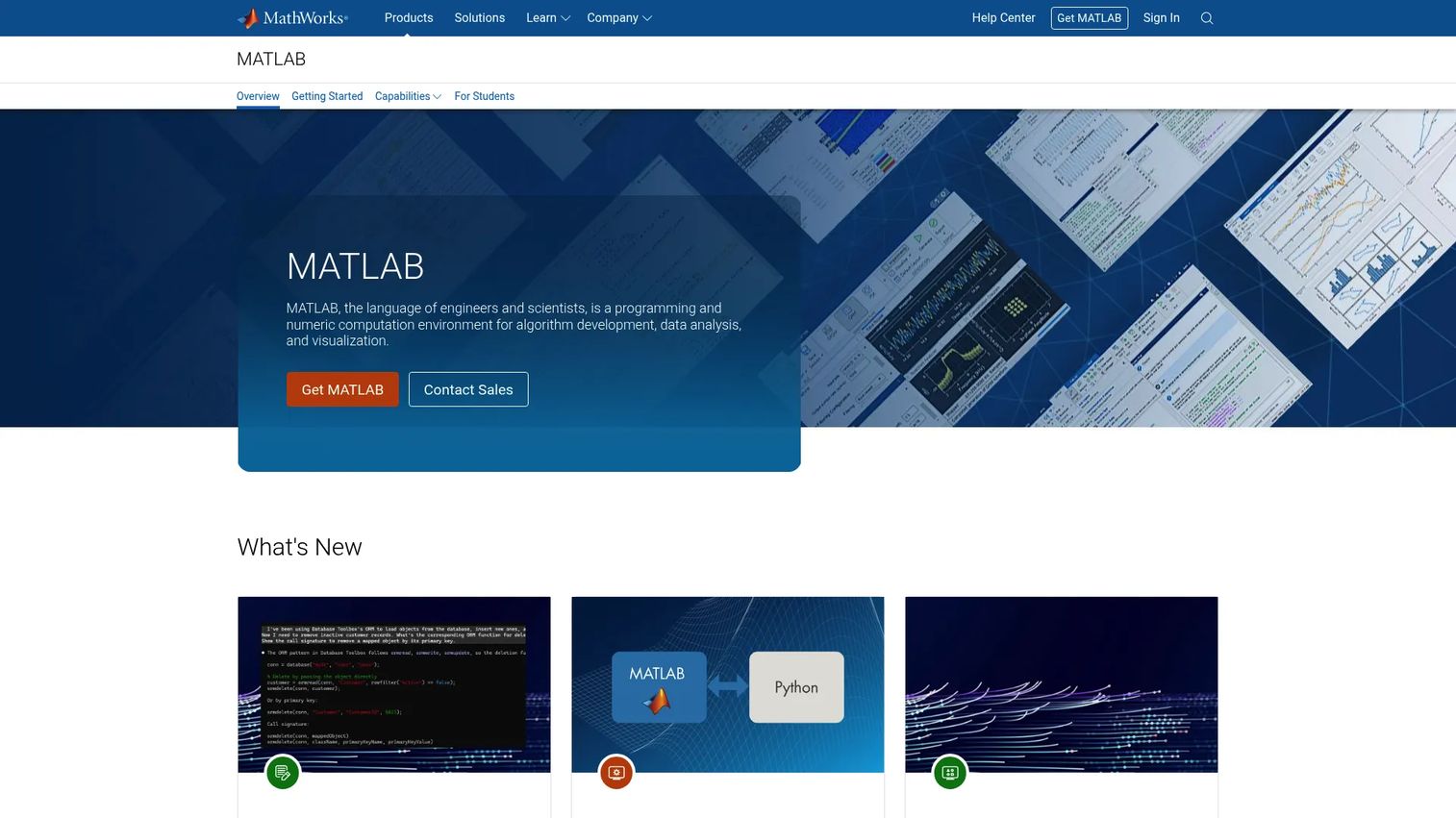
MATLAB is the technical computing environment most automotive engineering teams reach for when the work involves serious mathematical modeling. It handles algorithm development, signal processing, control design, data analysis, and visualization through a matrix-based programming language backed by tested mathematical libraries. Over 500 specialized toolboxes extend the core environment into areas including signal processing, control systems, and deep learning.
Best for: Engineers and scientists building control algorithms, analyzing test data, and prototyping automotive system behavior before simulation or deployment.
Key features
- Matrix and array programming with tested mathematical libraries
- Data analysis and 2D/3D visualization with animations
- Signal processing and control-system design toolboxes
- Code generation to C, C++, HDL, and CUDA targets
- Integration with Python, Visual Studio, and GitHub
Why choose MATLAB: MATLAB sits upstream of production code and simulation work. It is the right choice when your team needs to prove mathematical correctness before building a model. For founders, it is often a prerequisite for the rest of the MathWorks stack.
MATLAB pricing: Standard annual individual licenses start at $1,050/year. A Home license (non-commercial use) runs $165/year. Academic and student pricing follows a separate schedule from MathWorks directly.
2. Simulink
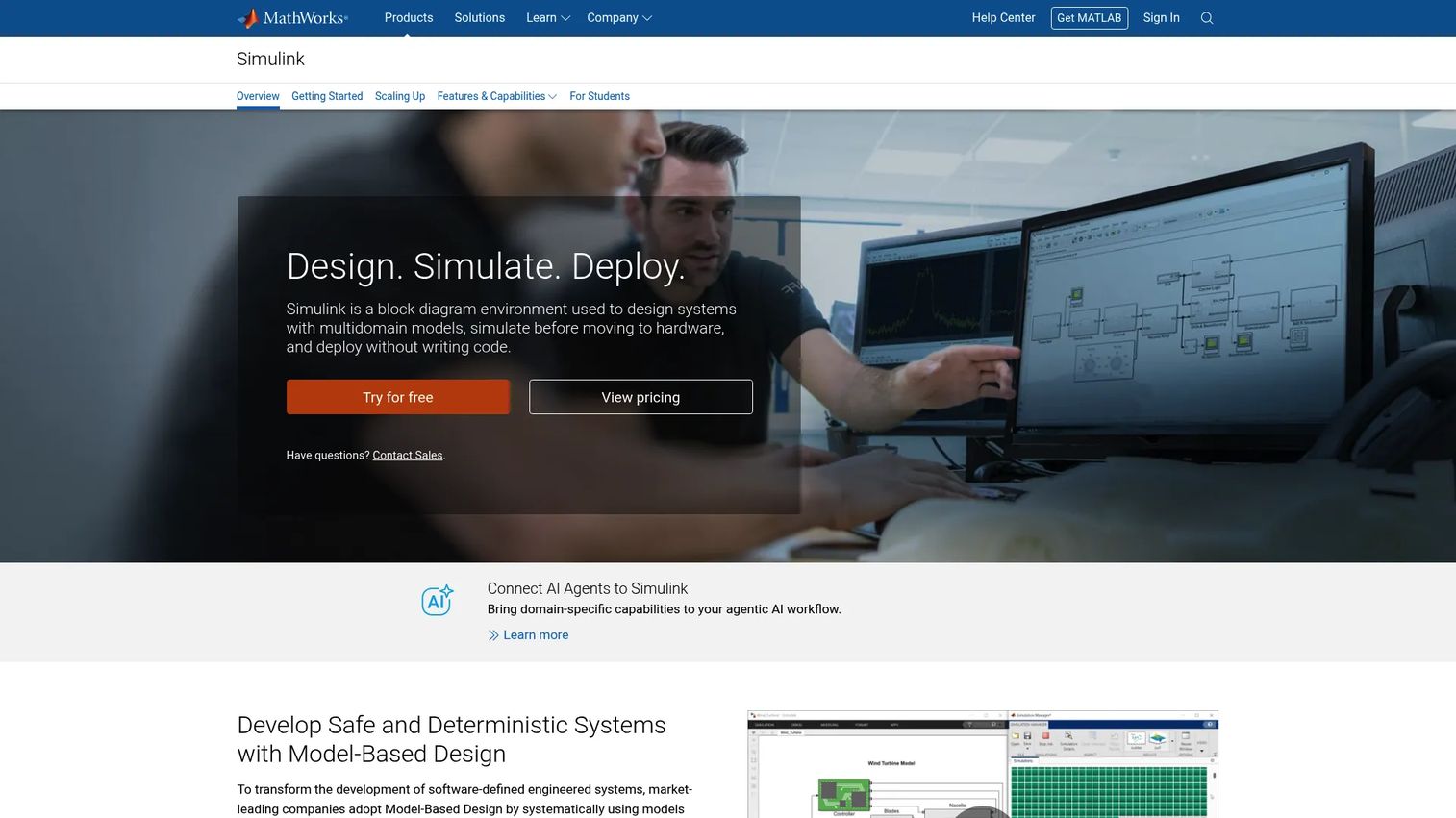
Simulink extends MATLAB into a block-diagram environment for modeling, simulating, and generating code from multidomain systems. Automotive teams use it to build models of control systems, drivetrains, battery management systems, and ADAS logic, then simulate behavior across operating conditions before writing a line of production code. It supports automatic code generation to C, C++, and hardware description languages, and integrates directly with HIL test systems.
Best for: Automotive teams developing and validating control systems, from early-stage requirements through code generation and hardware integration.
Key features
- Multidomain system modeling and simulation
- Model-Based Design with automated testing workflows
- Automatic code generation for C, C++, CUDA, PLC, and HDL targets
- Hardware-in-the-loop workflow support
- Requirements traceability linking
Why choose Simulink: Choose Simulink when your workflow requires moving from system requirements to a validated model and then to generated production code, with traceability at each step. MATLAB handles the math; Simulink handles the system architecture.
Simulink pricing: Standard annual licensing starts at $1,585/year for an individual or network named user. Concurrent licensing runs $6,350/year. MATLAB is required alongside Simulink. MathWorks also offers academic and educational license paths.
3. S32 Design Studio IDE
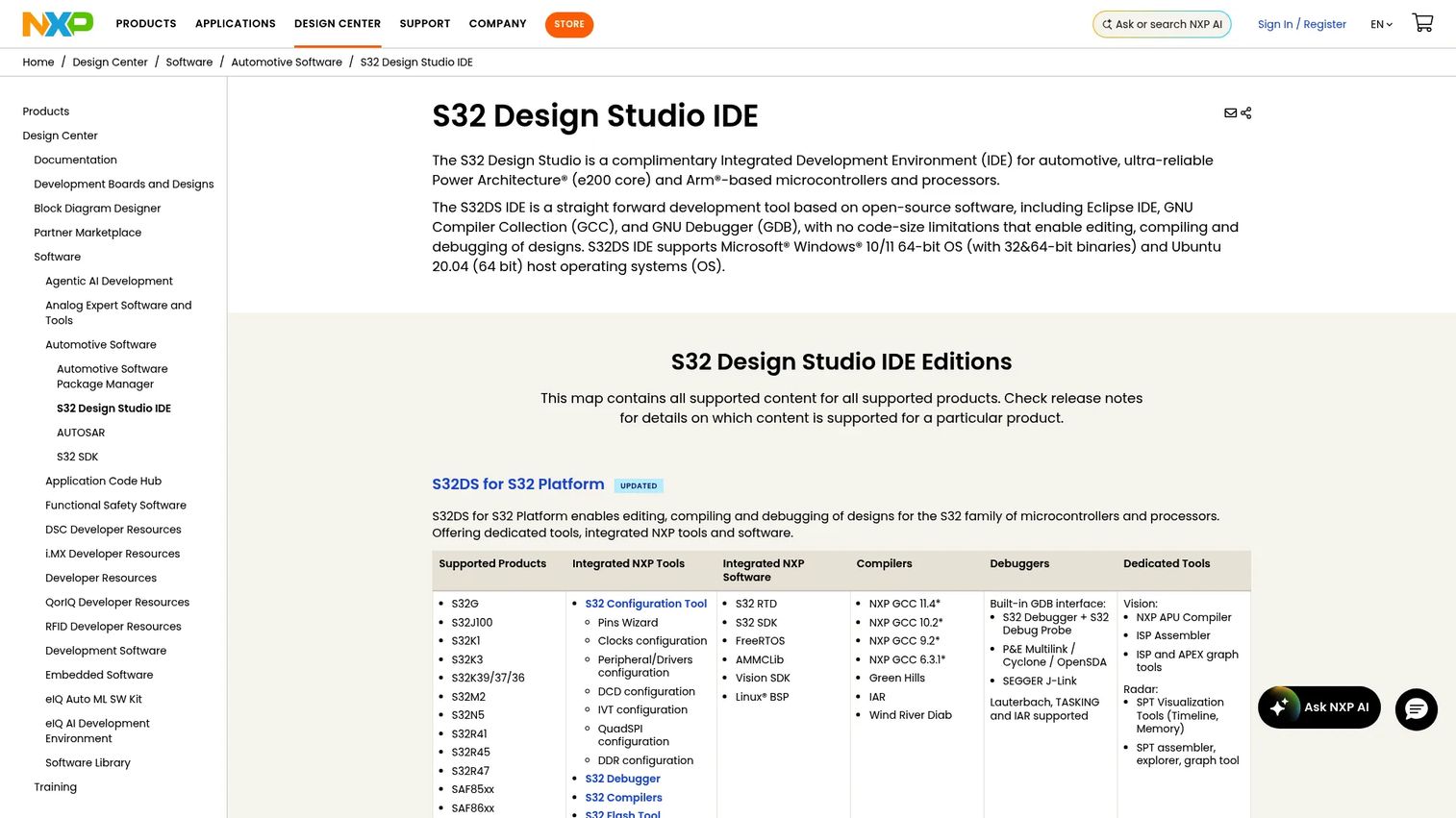
S32 Design Studio IDE is NXP's Eclipse-based development environment built for S32 automotive processors and microcontrollers. It covers the full embedded development cycle from project creation through compilation, debugging, and flash programming. The IDE ships with GNU toolchains, GDB debugging, and support for S32 Debug Probe, P&E, and SEGGER J-Link hardware. Configuration tools for pins, clocks, and peripherals reduce manual register-level setup.
Best for: Embedded developers building software on NXP S32 automotive processors and MCUs, particularly for safety-critical or AUTOSAR-based projects.
Key features
- S32 Configuration Tools for pins, clocks, and peripherals
- Integrated GNU toolchains and GDB debugging
- Support for S32 Debug Probe, P&E, and SEGGER J-Link
- New Project wizard for bare-metal and SDK projects
- S32 Flash Tool for programming flash memory
Why choose S32 Design Studio IDE: The value comes from hardware alignment, not IDE flexibility. If your hardware roadmap already includes NXP S32 devices, this is the development environment that fits without friction. Teams targeting different silicon families will need a different IDE.
S32 Design Studio IDE pricing: NXP provides S32 Design Studio IDE as a complimentary download. Account registration at NXP.com is required to access the download.
4. CANoe
CANoe is Vector's development and testing platform for distributed embedded systems. Automotive teams use it to simulate entire vehicle networks, run restbus simulations, execute automated test sequences, and perform diagnostics across ECUs before the full vehicle is available. It supports CAN, CAN FD, LIN, FlexRay, and Automotive Ethernet, and extends through CAPL scripting, .NET, and Python for custom automation. Both software-in-the-loop and hardware-in-the-loop workflows are supported.
Best for: Teams validating distributed vehicle systems, networked ECUs, and communication across multiple bus types during the development and integration phase.
Key features
- Software-in-the-loop and hardware-in-the-loop testing
- Restbus simulation and ECU network simulation
- Automated diagnostics, logging, and replay
- CAPL, .NET, and Python extensibility
- CAN, CAN FD, LIN, FlexRay, and Automotive Ethernet support
Why choose CANoe: CANoe earns its place when the question is how distributed ECUs behave together across buses and simulated nodes. It fits teams that need structured test automation and diagnostics across network topologies, not just single-node observation.
CANoe pricing: Vector prices CANoe by configuration, edition, and add-on modules. Contact Vector directly for a quote.
G2 rating: 4.5/5 on G2.
5. CANalyzer
CANalyzer is Vector's focused tool for analyzing and stimulating ECU and vehicle-network communication. Engineers use it to observe real-time bus traffic, decode signals, run diagnostics, log data, and replay recorded sessions. It supports CAN, CAN FD, LIN, FlexRay, and Automotive Ethernet. CAPL scripting enables custom analysis automation, filters, and signal generation without needing the full simulation environment of CANoe.
Best for: Engineers analyzing, diagnosing, and troubleshooting ECU and vehicle-network communication traffic, particularly when the job is observation and analysis rather than full network simulation.
Key features
- Real-time bus traffic observation and signal decoding
- Logging and replay for offline analysis
- CAPL programming for custom analysis and automation
- Interactive diagnostics and diagnostic testing
- Filters, generators, and replay functions
Why choose CANalyzer: Choose CANalyzer when the immediate job is reading, logging, and diagnosing bus traffic. It is more focused than CANoe, which adds full simulation and test automation depth. Many teams use CANalyzer for field analysis and CANoe for lab validation.
CANalyzer pricing: Vector prices CANalyzer by configuration and options. Contact Vector directly for a quote.
6. dSPACE
dSPACE provides hardware and software platforms for simulation and validation of electronic systems across automotive, aerospace, and energy. Automotive teams deploy dSPACE for hardware-in-the-loop testing, rapid control prototyping, sensor simulation, and autonomous-driving validation. The platform connects physical ECUs to simulated vehicle environments, enabling function validation before road testing is viable. It supports both real-time simulation and test automation across ADAS, powertrain, and chassis domains.
Best for: Automotive engineering teams that need to validate ECU behavior and vehicle control functions in a controlled simulation environment before physical road testing.
Key features
- HIL testing with real-time vehicle simulation
- Rapid control prototyping
- Sensor and environment simulation for ADAS validation
- Test automation across ECU and vehicle functions
- SIL and HIL workflow integration
Why choose dSPACE: dSPACE is a validation infrastructure choice, not a lightweight developer tool. The cost is justified when failure in a control system or ADAS function carries safety consequences. It fits teams where the cost of a late-stage hardware defect far exceeds the platform investment.
dSPACE pricing: dSPACE prices by hardware configuration, software modules, and support agreements. Contact dSPACE for a project-specific quote.
7. Siemens NX
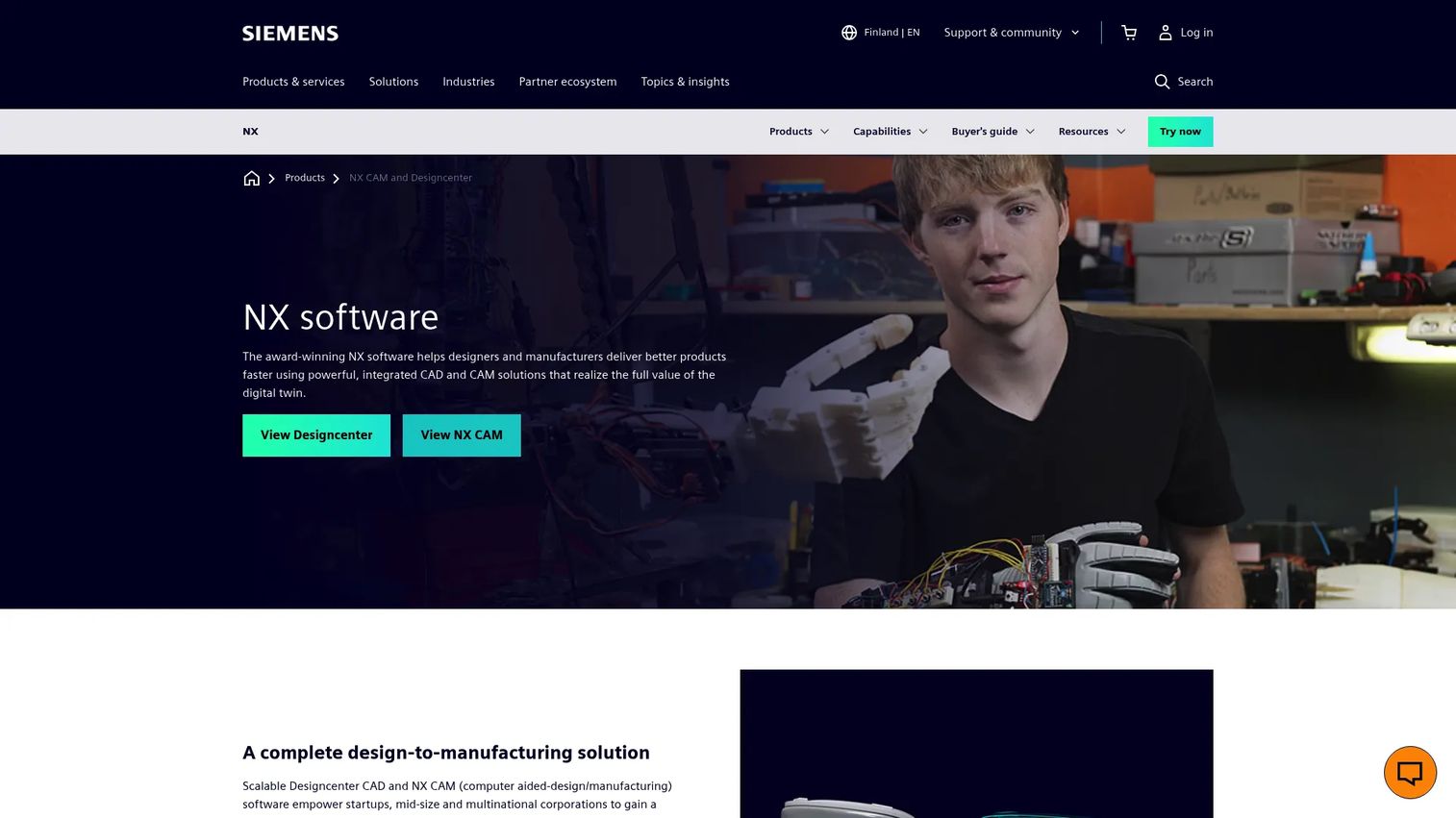
Siemens NX is an integrated CAD, CAM, and CAE platform used for product design and manufacturing engineering. Automotive teams use it to design parts and assemblies, plan manufacturing workflows, generate CNC programs, and simulate manufacturing processes. Its synchronous technology approach lets engineers modify geometry without needing to understand the full model history, which reduces rework time during design iterations. NX integrates tightly with Teamcenter for PLM and supports cloud collaboration workflows.
Best for: Automotive engineering teams that need design, manufacturing engineering, and simulation connected in a single environment, from component design through production planning.
Key features
- Advanced solid and surface CAD modeling
- CAM workflows and CNC programming with machining simulation
- Assembly design and engineering drafting
- Teamcenter integration for PLM connectivity
- Cloud collaboration and digital twin support
Why choose Siemens NX: NX is the right choice when design and manufacturing engineering must stay connected. For founders, it functions as a system of record for engineering geometry, tolerances, and manufacturing data, not just a drawing tool. Its strength is the depth of the design-to-manufacturing connection.
Siemens NX pricing: Siemens offers NX through tiered subscription packages. Contact Siemens or an authorized partner for current pricing, as it varies by configuration and region.
8. CATIA
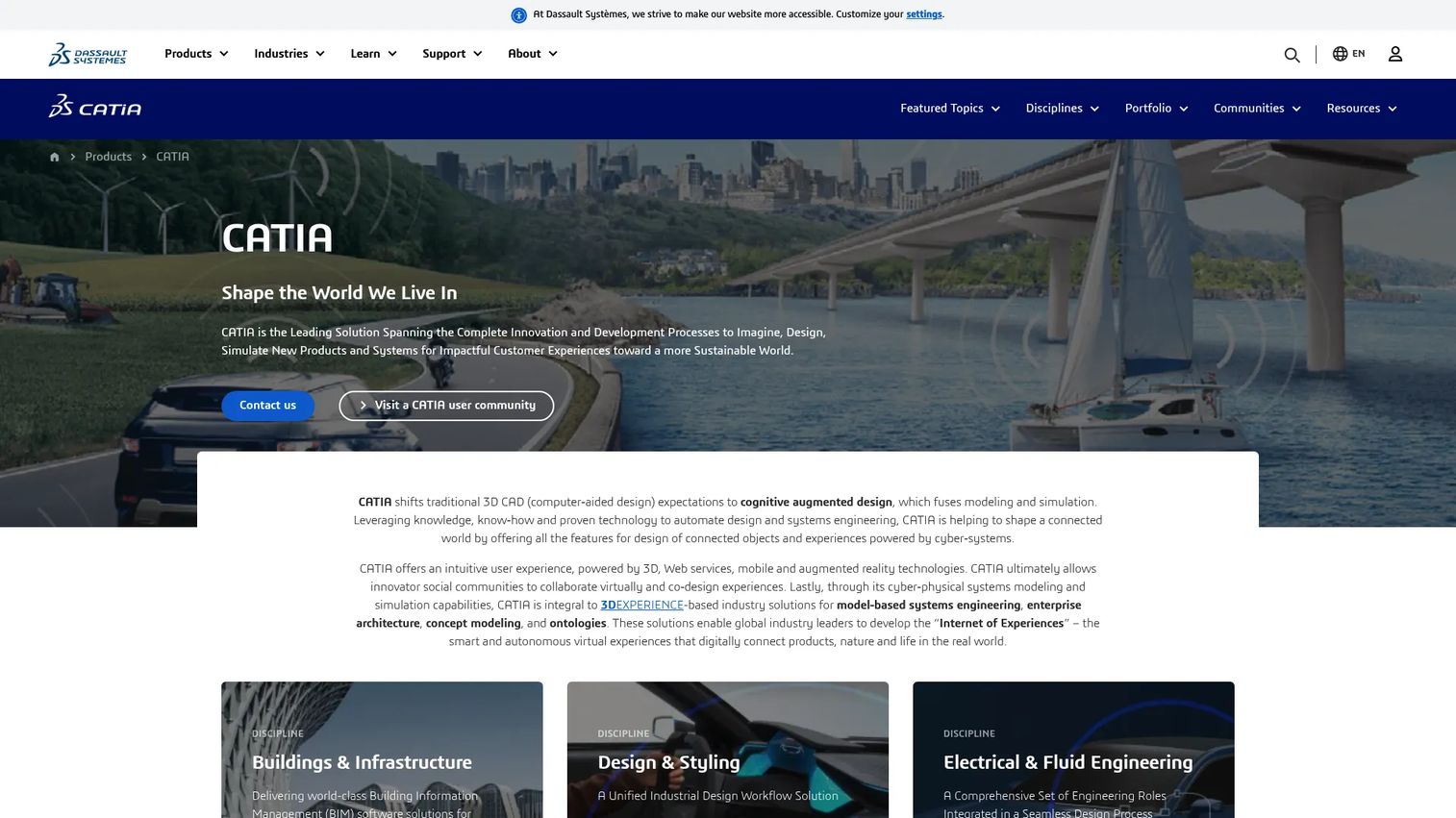
CATIA is Dassault Systèmes' advanced CAD and systems engineering platform with deep automotive deployment across OEMs and Tier 1 suppliers. Teams use it to design complex vehicle surfaces, interiors, body structures, and mechanical assemblies. Its Class A surface modeling capabilities are standard in automotive body design, and its systems engineering support handles multi-discipline product architectures. CATIA operates within the 3DEXPERIENCE platform, which adds collaboration, simulation, and lifecycle management capabilities.
Best for: Automotive teams designing complex vehicle systems, surfaces, and assemblies where Class A surface quality and systems engineering depth matter.
Key features
- Advanced parametric and surface modeling
- Class A surface and shape design
- Large assembly and mechanism simulation
- Systems engineering and multi-discipline architecture support
- 3DEXPERIENCE platform integration for collaboration and lifecycle management
Why choose CATIA: CATIA is purpose-built for complex product design, not general-purpose CAD work. Its depth in automotive-grade surface modeling and systems engineering makes it the right choice for teams whose output feeds directly into vehicle body, chassis, or interior programs.
CATIA pricing: Cloud subscriptions through Dassault Systèmes start at $7,229/year for the Design Engineering Essential tier. The Design Engineering Master tier runs $9,230/year, and the Elite tier runs $14,926/year. Design and Simulation Engineering bundles start at $11,188/year, billed annually per user.
G2 rating: 4.2/5 on G2.
9. ANSYS
ANSYS is a multiphysics engineering simulation platform covering structural analysis, computational fluid dynamics (CFD), electronics simulation, safety analysis, and AI-augmented simulation workflows. Automotive teams use it to simulate structural crash and fatigue behavior, airflow around body panels, thermal management of battery systems, and electromagnetic interference in vehicle electronics. ANSYS also offers digital twin workflows that connect simulation models to real-world sensor data.
Best for: Organizations needing advanced CAE simulation across structural, fluid, thermal, and electromagnetic domains, particularly when multiple physics interact.
Key features
- Finite-element analysis for structural and crash simulation
- CFD simulation for aerodynamics and thermal management
- Electronics and electromagnetic simulation
- AI-augmented simulation with Ansys SimAI and TwinAI
- Digital twin workflow support
Why choose ANSYS: ANSYS helps teams test scenarios that would otherwise require expensive physical prototypes, particularly where multiphysics interactions complicate hand calculation. For founders evaluating CAE investment, the board-level case is shorter development cycles and fewer late-stage physical test failures.
ANSYS pricing: Commercial pricing requires contacting Ansys or an authorized reseller. A free Ansys Student edition is available for educational use with capability restrictions.
G2 rating: 4.4/5 on G2.
10. Altair HyperWorks
Altair HyperWorks is an integrated CAE and simulation platform covering structural optimization, explicit dynamics, multibody dynamics, CFD, and thermal simulation. Automotive teams use it for lightweighting analysis, crash simulation, NVH (noise, vibration, and harshness) studies, and design exploration. Its OptiStruct solver handles topology and shape optimization, which is particularly relevant for electric vehicle programs where reducing structural mass directly extends range. HyperMesh provides advanced pre-processing for complex mesh generation.
Best for: Automotive engineering teams optimizing vehicle structures, materials, and multiphysics performance, particularly where lightweighting or structural efficiency is a primary design constraint.
Key features
- Structural optimization with OptiStruct (topology, shape, gauge)
- Explicit dynamics and crash simulation
- CFD and thermal analysis
- Pre-processing and meshing with HyperMesh
- Design exploration with HyperStudy
Why choose Altair HyperWorks: Choose HyperWorks when weight, material cost, and structural performance tradeoffs are primary design drivers. Its optimization capability sets it apart from general-purpose CAE tools. Electric vehicle programs find particular value in the structural efficiency workflows.
Altair HyperWorks pricing: Altair uses a flexible Altair Units licensing model rather than fixed per-seat pricing. Contact Altair for a quote based on your simulation workflow and team size.
11. PTC Windchill
PTC Windchill is enterprise PLM software for managing product data, configurations, engineering changes, requirements, and compliance artifacts across the product lifecycle. Automotive teams use it to govern bill of materials (BOM) structures, track design changes, manage multi-CAD data from different design tools, and coordinate with suppliers and manufacturing. Windchill is available on-premises or as Windchill+ SaaS, with role-based packages and industry-specific add-ons.
Best for: Mid-size and large automotive manufacturers and suppliers managing complex products across distributed engineering, manufacturing, quality, and supply-chain teams.
Key features
- BOM management and engineering change control
- Multi-CAD product data management and visualization
- Requirements traceability and configuration management
- Quality management integration
- Supply chain collaboration and manufacturing process management
Why choose PTC Windchill: PLM becomes critical when teams move out of prototype mode and into repeatable engineering operations. For founders, Windchill connects to the traceability question that ISO 26262 functional safety programs and ASPICE process assessments demand. It scales the kind of engineering governance that a growing team cannot manage in spreadsheets.
PTC Windchill pricing: Pricing is determined by package, role-based licenses, industry add-ons, and deployment model. Contact PTC or a reseller for a quote.
G2 rating: 4.1/5 on G2.
12. AutoPi CAN FD Pro
AutoPi CAN FD Pro is a dual-channel CAN FD and J1939 automotive data logger designed for high-throughput vehicle data collection in the field. It captures over 3,000 frames per second per channel, handles 11-bit and 29-bit frames simultaneously, and runs on-device DBC decoding with output in JSON, MDF4, and CSV formats. The device ships with 32 GB onboard storage, 4G/LTE connectivity, GPS, Docker support, and AWS S3 export. Hardware-backed data signing through an NXP SE051 secure element protects data integrity.
Best for: Automotive R&D teams, fleet operators, and connected vehicle application builders who need high-throughput CAN FD or J1939 data from vehicles in service.
Key features
- Dual independent CAN FD channels at up to 5 Mbps per channel
- On-device DBC decoding with JSON, MDF4, and CSV output
- Native J1939 PGN/SPN support and CAN filtering
- 4G/LTE, GPS, Tailscale remote access, and AWS S3 export
- Hardware-backed data signing with NXP SE051 secure element
Why choose AutoPi CAN FD Pro: AutoPi serves a different phase than lab simulation tools. It captures what vehicles are actually doing in operation, which matters for warranty analysis, fleet health monitoring, and connected vehicle product development. The device price and bundled cloud software make it accessible for early-stage field programs.
AutoPi CAN FD Pro pricing: The CAN FD Pro hardware is priced at €599 as a one-time purchase. AutoPi Cloud and device software are included at no additional cost. SIM cards and mobile data are purchased separately. Prices shown exclude taxes, duties, and shipping.
Considerations when choosing automotive software
Match the tool to the engineering job
Comparing a CAD platform against a bus diagnostics tool as if they solve the same problem leads to bad shortlists. Before evaluating any tool, name the specific job: Writing embedded code, simulating control logic, analyzing network traffic, validating an ECU, designing a mechanical component, governing product data, or capturing field diagnostics. The job defines the category; the category defines the shortlist.
Verify standards and compliance fit
ISO 26262, SOTIF, ISO/SAE 21434, and ASPICE impose requirements on tools, processes, and evidence. No tool makes a company compliant by itself. What matters is whether the tool can support safety case evidence, requirements traceability, test records, and process artifacts that auditors and certification bodies expect. Confirm with your functional safety or cybersecurity lead before committing.
Check hardware and ecosystem alignment
Automotive tools frequently depend on specific processors, ECU families, bus interfaces, test hardware, or cloud infrastructure. S32 Design Studio IDE fits NXP silicon. CANoe and CANalyzer require Vector hardware interfaces for physical bus access. dSPACE systems are hardware configurations. Confirm that the software fits your target hardware and your supplier network before signing a license or purchase order.
Evaluate total cost of ownership
The list price is rarely the whole cost. Add licenses, add-on modules, required hardware, test equipment, training, implementation, integration with other tools in the chain, and specialist hiring. Enterprise CAE, PLM, and simulation platforms often have total costs that run two to five times the base license in the first year. Factor that into your build-versus-buy and buy-versus-partner decisions.
Look for data continuity across the lifecycle
Requirements written in one tool, validated in a simulation environment, and then managed in a PLM system should connect without manual exports. Ask whether the toolchain you are assembling lets requirements, models, test results, diagnostics, and field data flow across teams. Founders who skip this question at Series B often spend significant engineering time on data reconciliation at Series C.
Conclusion
Automotive software is not a single category. It is a stack of specialized tools that serve different jobs across the vehicle development and operations lifecycle.
MATLAB and Simulink anchor model-based engineering from algorithm prototyping through code generation. S32 Design Studio IDE handles embedded development on NXP S32 hardware at no software cost. CANoe and CANalyzer cover ECU network simulation and bus traffic analysis for the validation phase. dSPACE provides the HIL infrastructure that separates serious automotive programs from teams that rely entirely on road testing. Siemens NX and CATIA handle the mechanical and surface design work that defines the physical product. ANSYS and Altair HyperWorks run the CAE simulation that replaces expensive physical prototypes. PTC Windchill governs the product data and change records that scaling engineering organizations need. AutoPi CAN FD Pro collects what vehicles are actually doing once they are in service.
Start by naming the workflow you need to improve. Then shortlist only the tools that match that job, budget, hardware environment, and compliance requirements.
If you are building SaaS products in the automotive ERP software or automotive marketing software categories, or evaluating adjacent areas like best CAD software and acoustic simulation software, the same workflow-first selection principle applies.
FAQs
Automotive software is the collective term for embedded systems, engineering design tools, diagnostics platforms, simulation environments, PLM systems, and connected vehicle applications used to design, build, test, and operate vehicles. It spans everything from ECU control logic running on microcontrollers to cloud platforms analyzing fleet data. The category includes functional safety frameworks like ISO 26262 and cybersecurity standards like ISO/SAE 21434.
Automotive engineers use different tools depending on their role. Controls and systems engineers typically use MATLAB and Simulink for algorithm development and model-based design. Embedded developers use IDEs like S32 Design Studio IDE for ECU software. Network engineers use CANoe or CANalyzer for bus analysis and ECU validation. Mechanical teams use Siemens NX or CATIA for CAD, and ANSYS or Altair HyperWorks for CAE simulation. PLM engineers manage product data and changes in platforms like PTC Windchill.
No single tool covers the full software-defined vehicle (SDV) lifecycle. SDV programs typically combine model-based design tools for control logic, embedded development environments for ECU software, HIL platforms like dSPACE for validation, cybersecurity tooling for ISO/SAE 21434 compliance, and cloud telematics platforms for OTA updates and field data. The stack is assembled from multiple categories, not purchased as a single product.
Automotive software is the broader category. It covers all software used to design, build, operate, and update vehicles, including diagnostics, telematics, fleet management, and connected vehicle platforms. Automotive engineering software refers specifically to the tools used in the design, simulation, testing, and product development process, such as CAD, CAE, model-based design, and embedded development environments.
ECU testing commonly uses CANoe for network simulation and automated test execution, dSPACE for HIL testing against simulated vehicle environments, and Simulink for SIL testing of control logic. The right choice depends on whether the test is software-only (SIL), hardware-connected (HIL), or focused on network-level diagnostics and communication behavior.
CANalyzer is the standard tool for observing, logging, and analyzing CAN bus traffic in a lab or vehicle environment. CANoe adds full simulation and test automation capability on top of the same analysis functions. AutoPi CAN FD Pro handles CAN FD and J1939 data collection from vehicles in the field, which is a different deployment context from lab-based network analysis.
Software now defines the primary customer experience in vehicles, from infotainment and ADAS to powertrain management and OTA updates. The global automotive software market reached $33.0 billion in 2025 and is growing at 16.4% annually, according to Grand View Research (2026). Regulatory pressure from ISO 26262, ISO/SAE 21434, and SOTIF is also increasing the cost of shipping software without proper validation and safety evidence. For founders, this means the software toolchain is no longer a back-office concern but a direct input to product velocity and compliance risk.
Start with the specific workflow the team needs to improve in the next 12 months. Confirm that the target hardware is supported. Estimate total cost including hardware, training, and integration, not just the license. Check whether the tool can produce evidence for the relevant standards your program must satisfy. Buy for your current scale and the next 18 to 24 months. Avoid committing to enterprise PLM or HIL infrastructure before you have a product definition stable enough to justify the investment. You can also explore adjacent evaluations using resources like our automation testing tools and AI software testing tools guides for complementary stack decisions.