A noise problem discovered after tooling is a noise problem you pay for twice. First in redesign, then in schedule. Teams building vehicles, consumer devices, HVAC systems, concert halls, and medical ultrasound rigs all face the same trap: sound behavior is invisible until hardware exists, and by then the cheap fixes are gone. That is why acoustic simulation software has moved from a research luxury to a standard part of the engineering stack.
The global acoustic simulation software market is estimated at USD 1.2 billion in 2024 and is projected to reach USD 2.5 billion by 2033, growing at an 8.9% CAGR according to Verified Market Reports (2025). Acoustic simulation software is any tool that predicts how sound is generated, propagates, and is perceived, so engineers can model noise, resonance, room acoustics, and coupled physics before building anything physical. Choosing the right one in 2026 matters because the category now spans broad multiphysics platforms, dedicated room acoustics tools, open-source libraries, and domain-specific acoustic analysis software, and each fits a very different workflow.
If you sit in presales or technical evaluation and spend your days helping buyers validate engineering fit, the same clarity applies to your own toolkit. Many teams pair simulation research with hands-on evaluation surfaces like a sandbox so buyers can validate workflows on their own terms, or with ai content tooling to speed enablement. If your evaluation stack overlaps with adjacent categories, our roundups of ai design tools, ai content creation tools, and agentic ai platforms cover the software-selection process in the same shortlist format used here.
What's inside
This guide covers both commercial and open-source acoustic simulation software, ranked for engineering and technical evaluation teams comparing simulation workflows. The list spans broad multiphysics platforms, room acoustics tools, research-grade wave solvers, and signal-analysis toolkits. We selected tools based on four criteria that matter most to a technical buyer:
- Engineering depth: how rigorously the tool models the physics you actually run
- Workflow breadth: room acoustics, vibroacoustic simulation, aeroacoustics, and multiphysics coupling in one place or specialized
- Openness and cost: commercial support and governance versus open-source flexibility
- Usability for the team: GUI-first modeling versus code-first research control
This list helps presales engineers, R&D teams, and acoustics specialists narrow a shortlist faster.
TL;DR
For readers who want the bottom line before the deep dive:
- Best for broad multiphysics acoustics: COMSOL Multiphysics
- Best for sound quality, NVH, and active sound design: Ansys Acoustics
- Best for open-source 3D sound propagation: I-Simpa
- Best for research-grade room acoustics in Python: Pyroomacoustics
- Best for time-domain acoustic wave simulation: k-Wave
- Best for auralization and listening-based validation: Virtual Acoustics
- Best for beamforming and sound source mapping: Acoular
- Best for high-order numerical research: Nektar++
What is acoustic simulation software?
Acoustic simulation software is a class of engineering tools that numerically predict how sound is produced, travels through media, interacts with structures and spaces, and is ultimately heard. Instead of building a prototype and measuring noise, engineers solve the governing equations of acoustics on a computer model, then analyze pressure fields, resonances, transmission loss, and perceived sound quality.
The category breaks into several distinct classes of tools:
- Multiphysics simulation platforms: couple acoustics with structural, thermal, or fluid physics for problems where sound cannot be isolated from its source
- Room acoustics and 3D propagation tools: model reverberation, speech intelligibility, and sound behavior inside enclosed spaces
- Research and open-source acoustics libraries: code-first toolkits for prototyping algorithms, wave propagation, and custom experiments
- Sound quality and psychoacoustics tools: evaluate how a sound is perceived, not just its physical magnitude
- Vibroacoustic and coupled workflow tools: solve structure-borne noise, NVH, and fluid-structure interaction
The practical split for buyers is commercial versus open-source. Commercial acoustic modeling software brings deep multiphysics coverage, validated solvers, professional support, and governance, which technical evaluation teams and regulated industries often require. Open-source acoustics software wins on cost, transparency, and extensibility, and it excels for research groups and engineers comfortable writing code. Many mature teams run both: a commercial platform for production analysis and open-source tools for exploratory work.
When to use acoustic simulation software
Not every acoustic problem needs the same tool. The right choice depends on what you are modeling and when in the design cycle you are modeling it.
Model product noise before prototyping
Use acoustic simulation software early when you need to predict noise, tonal issues, resonance, or damping before committing to physical builds. This is where sound simulation software earns its keep, because catching a resonance in a CAD model costs a design revision, while catching it after tooling costs a program delay.
- Predicting radiated noise from motors, pumps, and compressors
- NVH analysis for automotive and mobility programs
- Early design validation of consumer electronics and appliances
- Tonal and rattle prediction before first physical prototype
Choose this when: your product makes noise you have to control, and the design is still on the screen.
Simulate rooms, halls, or enclosed spaces
Room acoustics simulation software predicts how sound behaves inside a bounded space. This covers architectural acoustics, speech intelligibility, and the impulse response modeling behind auralization, where you generate an audible preview of a space that does not exist yet.
- Concert halls, auditoriums, and performance venues
- Classrooms and offices for speech clarity
- Studios and control rooms
- Open-plan noise and reverberation control
Choose this when: the space shapes the sound, and you need to hear or measure it before construction.
Couple acoustics with vibration, flow, or structure
Sometimes pure acoustics is not enough. When sound is driven by a vibrating structure or turbulent flow, you need vibroacoustic simulation, aeroacoustics, or fluid-structure interaction to capture the full picture.
- Automotive cabin noise driven by structural vibration
- Aeroacoustic noise from fans, ducts, and airframes
- Underwater acoustics and sonar
- Industrial machinery with coupled structural resonance
Choose this when: the noise source and the sound field cannot be modeled in isolation.
Comparison table: acoustic simulation tools at a glance
This table helps engineers quickly compare workflow fit and technical intent across the eight tools, so you can shortlist by physics needs and deployment context before reading each section.
| # | Product | Intent | Key use case | Pricing | G2 rating |
|---|---|---|---|---|---|
| 1 | COMSOL Multiphysics | Broad multiphysics acoustics | Coupled pressure, room, aeroacoustics, and structure | Contact vendor | 4.3/5 |
| 2 | Ansys Acoustics | Sound quality and NVH | Product sound design, psychoacoustics, active sound | Contact vendor | Not listed |
| 3 | I-Simpa | Open-source 3D propagation | Room and enclosure acoustics, education | Free, open-source | Not listed |
| 4 | Pyroomacoustics | Python room acoustics research | Room simulation, array processing, speech | Free, open-source | Not listed |
| 5 | k-Wave | Time-domain wave simulation | Ultrasound and acoustic wave fields in MATLAB | Free | Not listed |
| 6 | Virtual Acoustics | Real-time auralization | Listening-based validation, VR acoustics | Free, open-source | Not listed |
| 7 | Acoular | Beamforming and source mapping | Microphone array analysis, source localization | Open-source | Not listed |
| 8 | Nektar++ | High-order numerical research | Spectral/hp element simulation, custom acoustics | Free, open-source | Not listed |
Read the table by intent first, then match your team's skill set. Commercial platforms in the top rows lead on breadth and support. The open-source tools below trade a GUI for transparency and extensibility, which research and code-first teams often prefer.
1. COMSOL Multiphysics
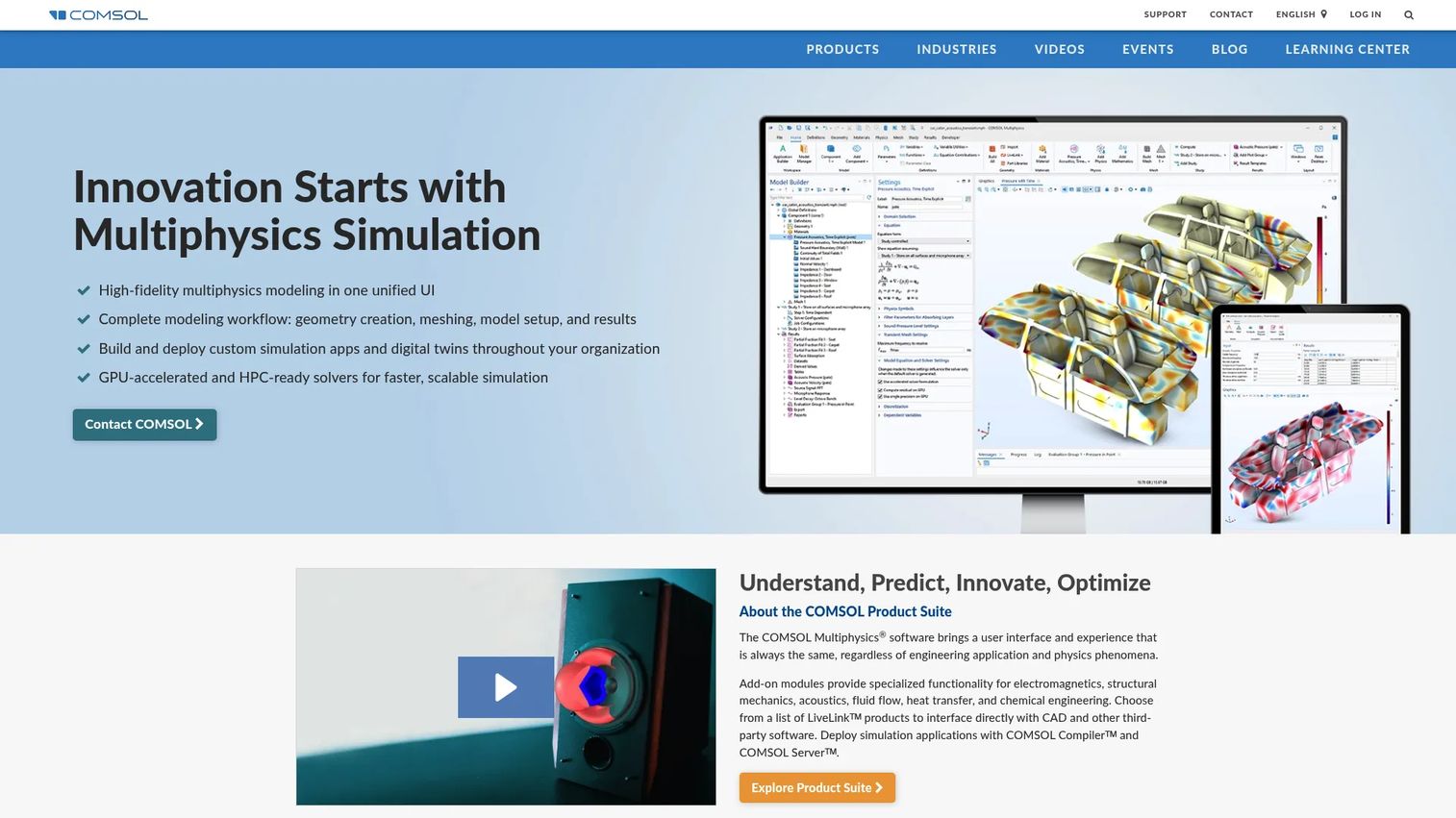
COMSOL Multiphysics is a general-purpose simulation platform whose Acoustics Module makes it one of the deepest options for engineers who need more than acoustics alone. It handles fully coupled multiphysics and single-physics modeling, and its Model Builder workflow takes you from geometry to results in one environment. For teams whose noise problems tangle with structure, flow, or thermal effects, the value is having every domain in a single model.
Its acoustics coverage is unusually broad. COMSOL spans pressure acoustics, room acoustics, aeroacoustics, underwater acoustics, and acoustic-structure coupling, which means a single license can serve automotive NVH, architectural work, and marine engineering. That breadth is why it tops most shortlists where multiphysics acoustics is the requirement rather than a nice-to-have.
Best for: engineering teams running coupled multiphysics acoustics workflows in one environment.
Key strengths
- Broad physics coupling: solve acoustic-structure and fluid-structure interaction in a single model
- Room and aeroacoustics coverage: pressure acoustics through architectural and flow-driven noise
- Model Builder and Application Builder: structured geometry-to-results workflow plus reusable simulation apps
Why choose COMSOL Multiphysics: Choose it when your problems refuse to stay in one physics domain and you want a validated commercial platform with professional support. It suits complex evaluation cycles where an engineer must justify results to reviewers, and where vibroacoustic coupling is central rather than incidental.
COMSOL Multiphysics pricing: COMSOL does not publish public pricing. The licensing page directs prospects to contact COMSOL for a quote, which is typical for enterprise-grade simulation platforms. Expect module-based and contract-based licensing. It holds a 4.3/5 rating on G2.
2. Ansys Acoustics
Ansys Acoustics is Ansys's acoustic analysis and sound design suite, built for simulating, analyzing, and optimizing how products sound. Where many tools stop at physical accuracy, Ansys extends into how a sound is perceived, with sound analysis, playback, and psychoacoustic evaluation. That makes it a strong fit for automotive and consumer product teams who care not just about noise levels but about whether a product sounds right.
The suite's differentiators sit in sound quality and active sound design. Engineers can build sound quality models that correlate psychoacoustic metrics, audition results directly, and even drive immersive driving simulator sound. Linking simulation to test data and the wider Ansys multiphysics ecosystem lets teams move from structural and flow analysis into acoustics without leaving the toolchain.
Best for: engineering teams focused on sound quality, NVH, and product acoustics.
Key strengths
- Sound quality and psychoacoustics: correlate metrics to perception and audition results directly
- Active sound design: shape and design product sound, including driving simulator audio
- Multiphysics workflow integration: connect acoustics to the broader Ansys structural and flow tools
Why choose Ansys Acoustics: Choose it when perceived sound quality is a product requirement and you need domain-specific acoustics analysis backed by commercial support. It fits teams that already run Ansys for structural or CFD work and want acoustics in the same environment, and teams doing serious NVH simulation.
Ansys Acoustics pricing: Ansys does not display public pricing for its acoustics products. The product pages route to a contact or demo request, consistent with enterprise licensing. Pricing is typically quote-based and tied to modules and seats.
3. I-Simpa
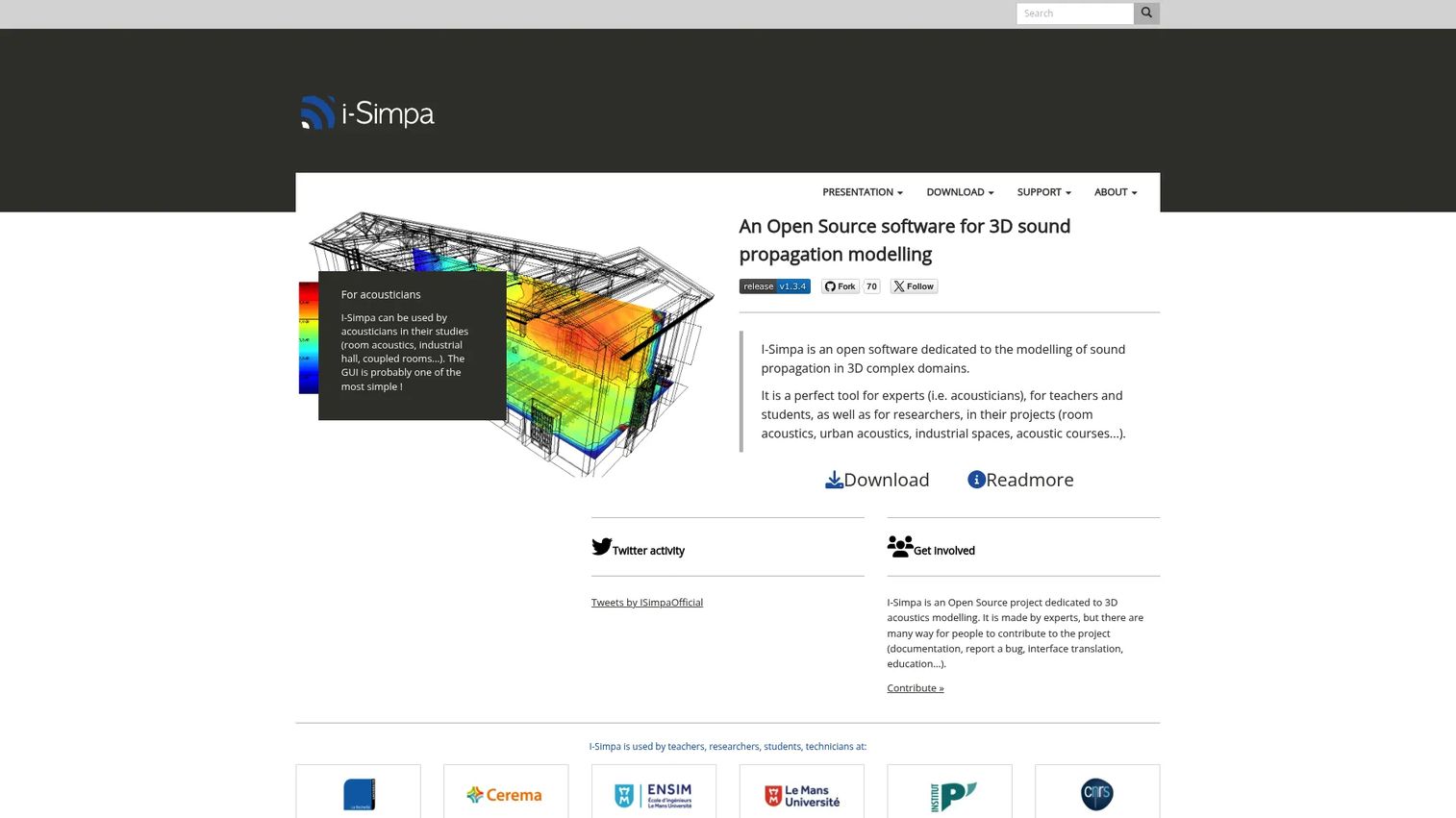
I-Simpa is open-source software dedicated to modeling sound propagation in 3D complex domains. Developed in an academic setting, it pairs a practical GUI with built-in acoustic calculation codes, making it an accessible entry point into acoustic simulation without a heavy enterprise stack. You can import 3D geometry in common formats and run room acoustics analysis directly.
It ships with two calculation engines: sound particle tracing (SPPS) and the classical theory of reverberation for room acoustics (TCR). That combination covers the core of room and enclosure acoustics, and Python scripting lets you extend the tool for custom studies. It is a natural fit for teaching, research, and practitioners who want real room acoustics simulation software without a procurement cycle.
Best for: students, teachers, researchers, and practitioners needing open-source 3D room or enclosure acoustics.
Key strengths
- 3D geometry import: load 3DS, STL, PLY, and POLY files for room modeling
- Built-in calculation codes: SPPS particle tracing and TCR reverberation theory included
- Python scripting: extend and automate simulations for custom research
Why choose I-Simpa: Choose it when you want a lightweight, accessible route into room acoustics for education or applied work, without committing to enterprise licensing. It is especially strong for teaching acoustics fundamentals and for early-stage propagation studies where transparency matters.
I-Simpa pricing: I-Simpa is free software distributed under the GNU GPL v3 or later. There is no paid tier, and the full tool is available at no charge from the official site.
4. Pyroomacoustics
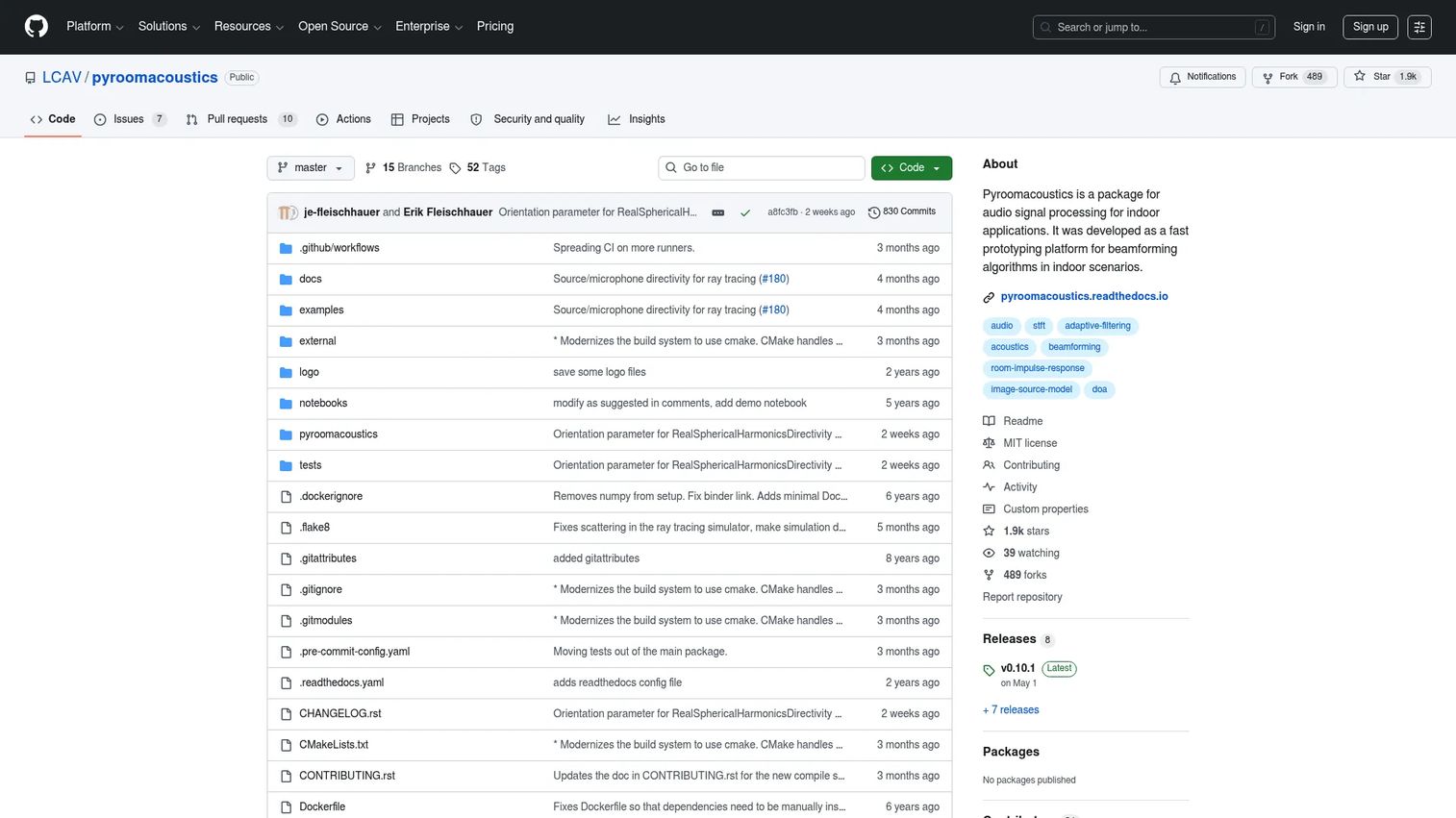
Pyroomacoustics is an open-source Python package for room acoustics simulation and audio array processing. It is built for researchers and developers who live in code and want to prototype indoor audio and signal processing algorithms quickly. Because it plugs straight into the scientific Python stack, it fits naturally into machine learning and audio research pipelines.
The package supports 2D and 3D room acoustics simulation using both an image source model (ISM) and a ray tracing method, so it handles geometries beyond simple shoe-box rooms. It also ships reference implementations for beamforming, direction-of-arrival estimation, adaptive filtering, source separation, and denoising, which makes it useful for auralization experiments and full audio research workflows in one library.
Best for: researchers and developers prototyping room acoustics and audio algorithms in Python.
Key strengths
- Image source and ray tracing: simulate room impulse responses for varied geometries
- Array processing reference code: beamforming, DOA, source separation, and denoising built in
- Python-native workflow: integrate directly with NumPy, SciPy, and ML tooling
Why choose Pyroomacoustics: Choose it when your workflow is code-first and experimental, and you want to move fast on room simulation and speech-related research. It excels for teams building datasets, testing algorithms, and running reproducible experiments without a GUI in the way.
Pyroomacoustics pricing: Pyroomacoustics is a free, open-source package available on GitHub. There are no paid plans or license fees.
5. k-Wave
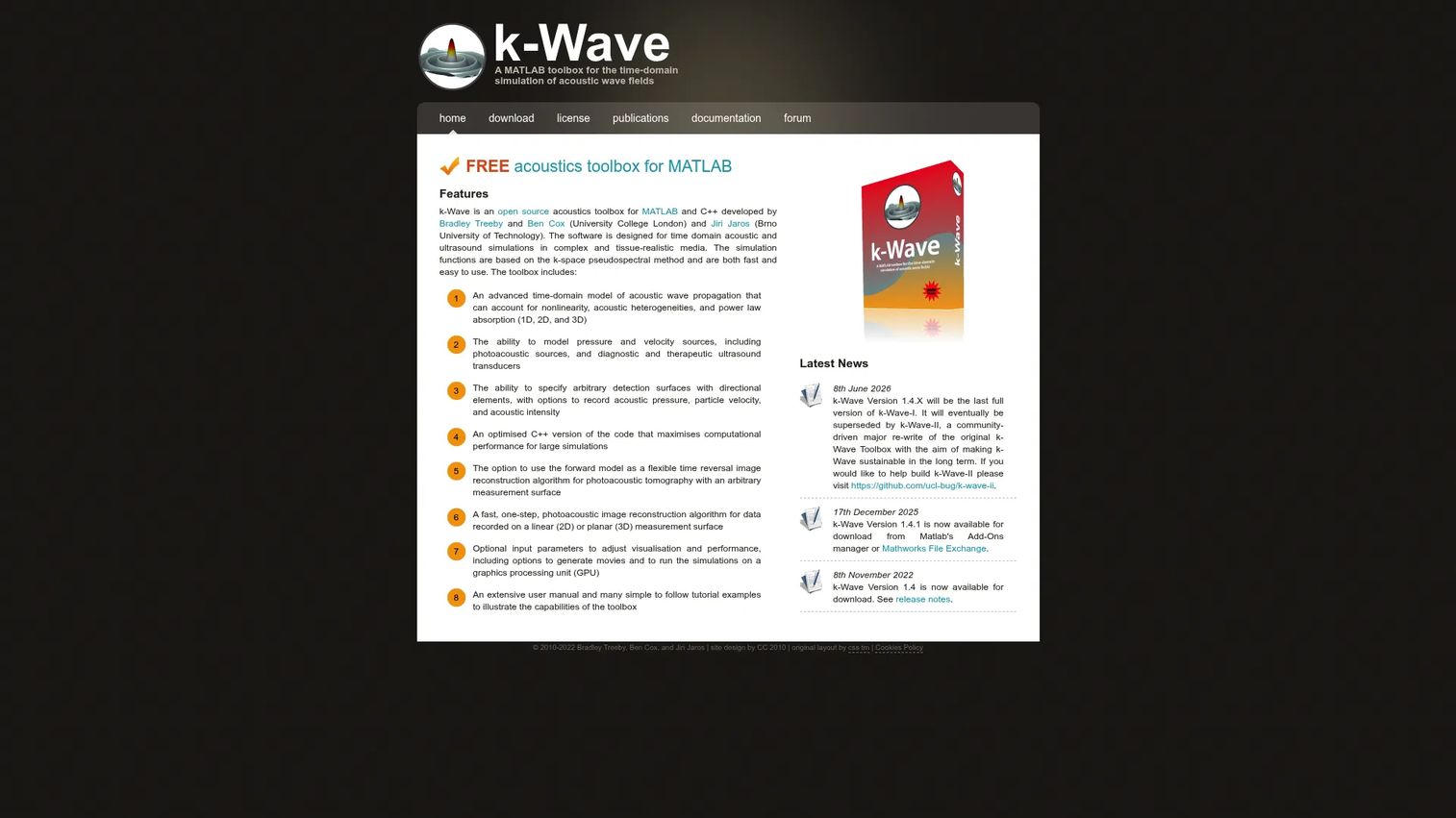
k-Wave is an open-source MATLAB and C++ toolbox for the time-domain simulation of acoustic wave fields. It is a research favorite for problems where precise wave behavior matters, particularly biomedical ultrasound and photoacoustics, where accurate propagation through complex tissue is essential. If your work centers on wave physics rather than steady-state room response, this is the specialized tool.
The toolbox simulates time-domain acoustic wave propagation in 1D, 2D, and 3D, and it models nonlinearity, heterogeneous media, and power-law absorption. It supports pressure and velocity sources, transducers, and sensor recordings, which mirrors real experimental setups closely. That fidelity is why it is widely used in medical and scientific acoustics research.
Best for: researchers and engineers simulating acoustic and ultrasound wave fields in MATLAB.
Key strengths
- Time-domain wave modeling: 1D, 2D, and 3D propagation with high fidelity
- Realistic physics: nonlinearity, heterogeneous media, and power-law absorption
- Experimental realism: pressure and velocity sources, transducers, and sensor arrays
Why choose k-Wave: Choose it when detailed, time-domain wave-based simulation is the core of your work, especially in ultrasound and photoacoustics. It fits research groups already working in MATLAB who need accurate propagation modeling over broad multiphysics breadth.
k-Wave pricing: k-Wave is free. The official site describes the MATLAB toolbox as a free acoustics toolbox, with no paid tiers listed.
6. Virtual Acoustics
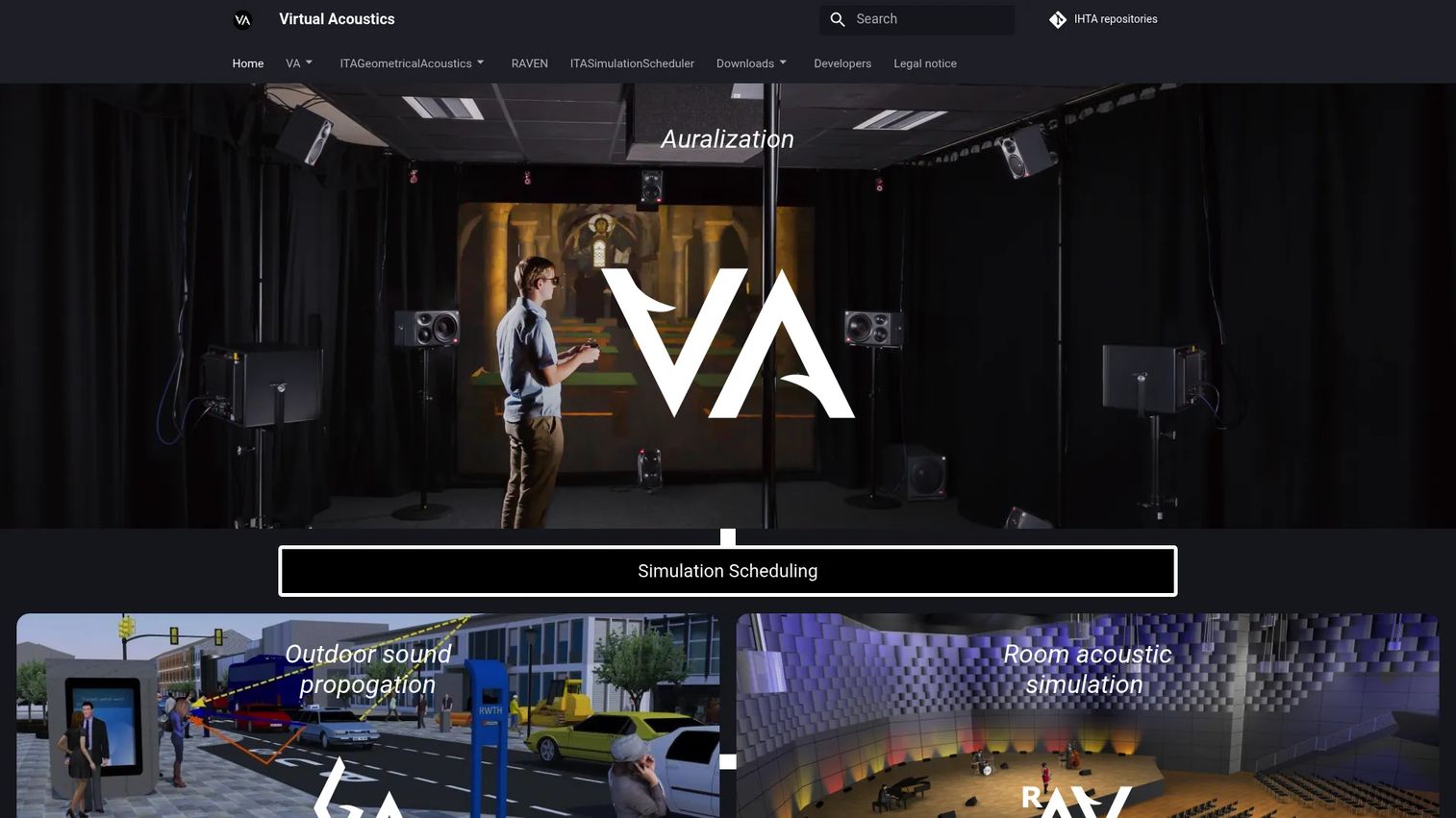
Virtual Acoustics is a real-time auralization framework that creates audible sound from a purely virtual situation. Where most tools output numbers and plots, Virtual Acoustics lets you listen to a simulated scene, which moves you from numeric analysis toward perceptual, listening-based validation. That makes it valuable when the goal is to experience an acoustic environment, not just measure it.
The framework offers multiple rendering modules, each considering different acoustic effects, from a free-field assumption to full consideration of room geometry for reflections. It supports binaural filtering, Ambisonics, and VBAP, so it fits VR, spatial audio, and interactive acoustics research. For teams bridging simulation and human perception, it fills a gap most solvers leave open.
Best for: academic and research teams building interactive auralization and virtual acoustic scenes.
Key strengths
- Real-time auralization: render audible virtual acoustic scenes on the fly
- Multiple rendering modules: free-field through room-geometry reflection modeling
- Spatial audio support: binaural filtering, Ambisonics, and VBAP
Why choose Virtual Acoustics: Choose it when you need to move from simulation to listening, validating acoustic design by ear rather than only by metric. It excels for perceptual studies, VR acoustics, and applied research where the human listening experience is the deliverable.
Virtual Acoustics pricing: Virtual Acoustics is free. The official site provides a free Windows download package under the GNU GPL v3.0 or later, with no paid pricing.
7. Acoular
Acoular is an open-source framework for acoustic beamforming written in Python. It sits at a different point in the workflow than the solvers above: rather than predicting sound from a model, it processes measured data. Multichannel recordings from a microphone array can be analyzed to generate mappings of sound source distributions, which is the core of acoustic imaging and source localization.
The framework supports beamforming in both frequency and time domains, works with microphone arrays and grids, and includes caching, calibration, and simulation tools. This makes it the right choice when your project centers on measured array data rather than pure simulation. It is a clarifying reminder that acoustic analysis and acoustic simulation are related but distinct jobs.
Best for: researchers and engineers doing acoustic source mapping and beamforming from measured data.
Key strengths
- Frequency and time-domain beamforming: flexible analysis across array measurement types
- Microphone array and grid support: built for real acoustic imaging setups
- Caching, calibration, and simulation tools: a full workflow around measured data
Why choose Acoular: Choose it when your work centers on measured microphone array data and you need to localize and map sound sources rather than simulate a field from scratch. It excels for acoustic imaging, noise source diagnosis, and experimental acoustics teams working in Python.
Acoular pricing: Acoular is an open-source software package. No public pricing page or paid tier is displayed on the official site.
8. Nektar++
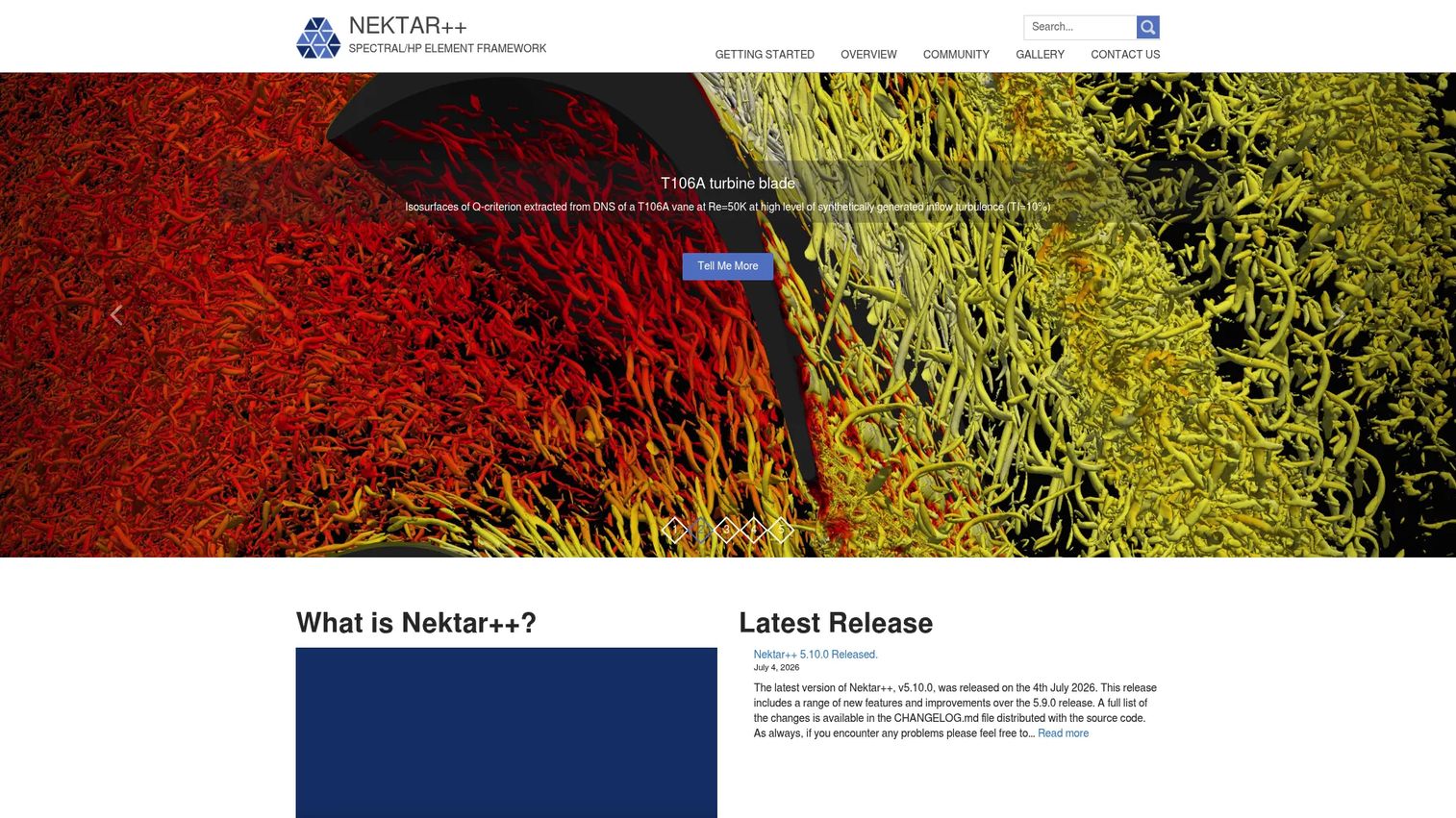
Nektar++ is an open-source spectral/hp element framework for high-order finite element simulation. It is the most advanced-user option on this list, aimed at research groups that want deep control over numerical methods and are comfortable with scientific computing. Acoustics is one application among several, so it appeals to teams building custom solvers rather than running turnkey acoustic studies.
The framework offers high-order polynomial expansions and both continuous and discontinuous Galerkin operators, with cross-platform support for Linux, macOS, and Windows. That flexibility is the draw: for wave propagation and aeroacoustic research where standard tools fall short, Nektar++ gives you the numerical building blocks to construct exactly what you need.
Best for: advanced research and scientific computing teams needing a high-order finite element framework.
Key strengths
- High-order expansions: spectral/hp accuracy for demanding wave problems
- Galerkin flexibility: continuous or discontinuous operators for custom formulations
- Cross-platform and extensible: source, binaries, and Docker across major operating systems
Why choose Nektar++: Choose it when your research group values numerical control and extensibility over a packaged workflow. Relative to the other open-source tools here, it sits at the framework level, best when you are building methods rather than applying a ready-made room or beamforming solver.
Nektar++ pricing: Nektar++ is free and open-source. It is distributed via source code, prebuilt binaries, and a Docker image, with no public pricing or paid tier.
Considerations before you choose
Once you have a shortlist, run it through a practical checklist. The best acoustic software for engineers is the one that matches your physics, your team, and your deployment reality, not the one with the longest feature list.
1. What physics do you actually need?
Be precise about the problem. Room acoustics, wave propagation, vibroacoustics, and multiphysics coupling are different jobs with different tools. A room acoustics study runs fine in I-Simpa or Pyroomacoustics, while coupled acoustic-structure work points to COMSOL. Buying breadth you never use adds cost and complexity for no gain.
2. Do you need code-first or GUI-first workflows?
Research toolkits like Pyroomacoustics, k-Wave, and Nektar++ give code-first control and reproducibility, which suits teams that automate and experiment. Commercial platforms with a GUI lower the barrier for engineers who want to model without scripting. Match the interface to how your team actually works day to day.
3. Is validation against measured data important?
If you must correlate simulation to test results or evaluate perceived sound quality, prioritize tools built for it. Ansys Acoustics leans into sound quality criteria and test correlation, and Acoular is purpose-built for measured array data. For pure simulation breadth, raw solver coverage may matter more.
4. Will your team need collaboration and support?
Enterprise support, documentation, and governance matter for regulated industries and larger evaluation teams. Commercial platforms bring vendor support and audit-friendly workflows. Open-source tools rely on community and internal expertise, which is a strength for skilled teams and a consideration for others.
5. What is the real deployment context?
Ground the decision in what you actually model: products, rooms, vehicles, devices, or open environments. A medical ultrasound group and an architectural acoustics firm will land on different tools even though both search for the same category. Fit the tool to the deployment, and check it fits the rest of your stack.
Conclusion
The eight tools here split cleanly along two axes: breadth versus specialization, and commercial versus open-source. Broad multiphysics platforms like COMSOL Multiphysics and Ansys Acoustics deliver the deepest technical coverage and professional support, which is why they anchor most serious evaluation shortlists. Open-source tools like I-Simpa, Pyroomacoustics, k-Wave, Virtual Acoustics, Acoular, and Nektar++ win on flexibility, transparency, and cost, and they excel for research and code-first teams.
Do not shortlist by brand. Shortlist by workflow, team skill set, and the specific physics you need to model, then validate against a real problem before you commit. The right acoustic simulation software is the one your team will actually run to catch noise before it becomes hardware.
FAQs
Acoustic simulation software predicts how sound is generated, propagates, and is perceived before hardware exists. Engineers use it to model product noise, evaluate room acoustics, analyze vibroacoustic and NVH behavior, and couple acoustics with structure or flow. The goal is to catch resonance, noise, and sound quality problems during design rather than after tooling.
For open-source room acoustics simulation software, I-Simpa offers a GUI with SPPS and TCR calculation codes, and Pyroomacoustics gives Python users image-source and ray tracing methods. For coupled or multiphysics room problems, COMSOL Multiphysics provides deeper physics. The best fit depends on whether you want a GUI, a code-first workflow, or full multiphysics coupling.
Vibroacoustic simulation requires tools that couple structural vibration with the acoustic field. COMSOL Multiphysics handles acoustic-structure interaction in a single model, and Ansys Acoustics connects to the broader Ansys structural and CFD tools for NVH work. These commercial platforms are the common choice when structure-borne noise cannot be modeled in isolation.
Yes. Several capable open-source acoustics software options exist. I-Simpa handles 3D room propagation, Pyroomacoustics covers room simulation and array processing in Python, k-Wave simulates time-domain wave fields, Virtual Acoustics enables auralization, Acoular handles beamforming, and Nektar++ provides a high-order numerical framework. All are free to download and use.
Acoustic modeling builds a simulation of how sound behaves, predicting a field from geometry and physics, as tools like COMSOL or I-Simpa do. Acoustic analysis often processes measured data to extract insight, such as mapping sound sources from microphone arrays in Acoular. Modeling predicts sound that does not exist yet, while analysis interprets sound you have already captured.
For 3D sound propagation, I-Simpa is a strong open-source choice with dedicated propagation codes and 3D geometry import. Pyroomacoustics supports 3D room simulation via image-source and ray tracing methods, and COMSOL Multiphysics models 3D acoustic fields with full physics coupling. Choose based on whether you need a GUI, Python control, or multiphysics depth.
Yes, but sound quality is a psychoacoustic problem, not just a physical one. Ansys Acoustics is built for this, with sound quality models that correlate psychoacoustic metrics and let engineers audition results directly. Virtual Acoustics adds real-time auralization so teams can validate a design by listening rather than only reading metrics.
Python is excellent for acoustic simulation when your workflow is code-first and research-oriented. Pyroomacoustics provides room simulation and array processing, and Acoular handles beamforming and source mapping, both integrating with the scientific Python stack. Python shines for reproducible experiments, algorithm prototyping, and pipelines feeding machine learning, though heavy multiphysics work often still runs on commercial platforms.