You manage 30 client sites. Every Monday, you log into each one, run core and plugin updates, confirm last night's backup ran, glance at uptime, and check whether anything broke. That is hours gone before you touch billable work. Multiply that by a growing client roster and the math stops working.
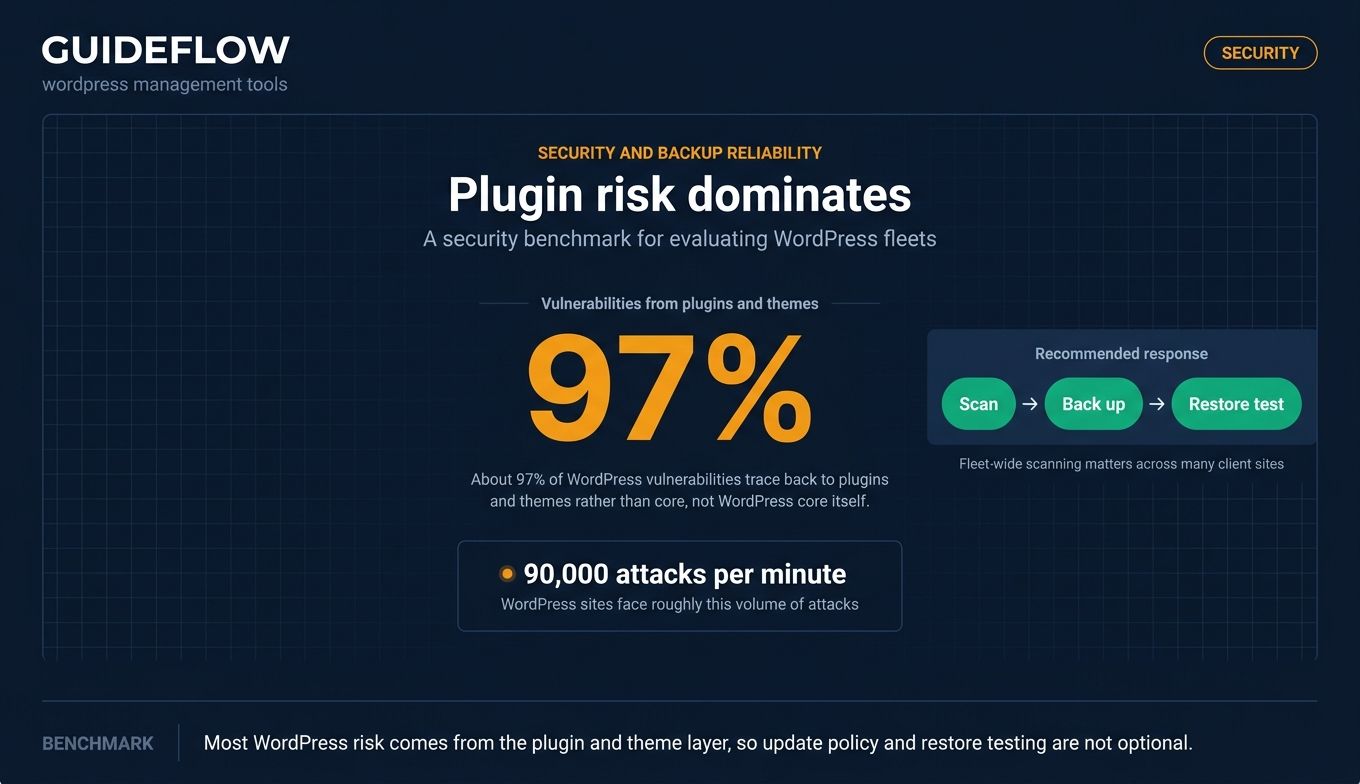
This is the core problem WordPress management tools solve. WordPress powers around 43% to 44% of all websites and roughly 60% to 62% of the CMS market in 2026, per WordPress statistics compiled from W3Techs data. That scale comes with maintenance load. WordPress sites face roughly 90,000 attacks per minute, and about 97% of vulnerabilities trace back to plugins and themes rather than core, which is exactly why agencies need centralized update and security control rather than site-by-site logins.
Manual WordPress site management does not scale past a handful of sites. Once you are responsible for a fleet, you need one dashboard to push updates, schedule backups, run security scans, watch uptime, and pull client-facing reports. That is the job a WordPress manager does, and it is the difference between an agency that absorbs more clients profitably and one that drowns in admin.
This guide compares the tools that handle that work, with verified pricing and ratings, so you can shortlist fast instead of testing eleven trials blind.
What's inside
This guide is for agency owners, freelance WordPress developers, and in-house marketers responsible for more than a couple of WordPress sites. If you have outgrown logging into each site by hand, you are the reader.
We selected and ranked tools against four criteria that matter most when you manage multiple WordPress sites:
- Centralized multi-site control: one dashboard for every connected site.
- Maintenance automation: bulk updates, scheduled backups, security scans, uptime monitoring.
- Client reporting and collaboration: white-label reports and role-based team access.
- Pricing model fit: free versus paid, per-site versus unlimited, SaaS versus self-hosted.
Every price and G2 rating below was pulled from first-party and G2 sources, not memory.
TL;DR
Short on time? Here are the decision shortcuts.
- Best free core plus add-ons: ManageWP. Free for unlimited sites, pay per site only for premium features.
- Best self-hosted with unlimited sites: MainWP. Open-source, data on your own server, no per-site fees.
- Best low-friction self-hosted entry: InfiniteWP. Free install, bulk admin, paid tiers when you scale.
- Best for proactive monitoring and client reporting: WP Umbrella. Uptime, PHP error tracking, polished white-label reports.
- Best management bundled with hosting: WP Engine or Kinsta, if you want maintenance handled inside premium managed hosting.
- Best code-first governance for dev teams: Pantheon WebOps.
What WordPress management tools are
WordPress management tools are software platforms that let teams control, maintain, and monitor multiple WordPress sites from a single dashboard. Instead of logging into each site to run updates or check status, you connect every site to one central WordPress manager and operate the whole fleet from there.
The category exists because WordPress website management is repetitive and high-stakes at scale. A single missed update can open a security hole, and a single failed backup can lose a client's data. Doing this work manually across many sites is slow and easy to get wrong.
Most WordPress management software shares a common core feature set:
- Bulk updates: push WordPress core, plugin, theme, and translation updates across many sites at once.
- Scheduled backups: automated, off-site backups with one-click restore points.
- Security scans: malware checks and vulnerability detection across the fleet.
- Uptime monitoring: alerts when a site goes down, often with response-time tracking.
- Performance optimization: speed checks and database cleanup.
- Client reporting: scheduled reports showing updates run, backups completed, and uptime.
- Team and role-based access: delegate tasks without sharing master credentials.
- White-labeling: brand the dashboard and reports as your own.
Two structural choices define the category. First, SaaS (cloud-hosted by the vendor) versus self-hosted (you install the dashboard on your own server). Second, pricing model: free core with paid add-ons, flat per-site fees, or a flat license for unlimited sites. Those two axes shape almost every buying decision, and we return to them throughout this guide.
When to use WordPress management tools
Not every WordPress operator needs a dedicated management platform. If you run one site, the WordPress admin is enough. The case for a tool appears the moment you are responsible for several sites at once. Here are the three triggers.
Maintain many client sites without manual logins
The most common reason agencies adopt these tools is to stop logging into sites one by one. When you manage multiple WordPress sites, bulk updates and scheduled maintenance let you patch core, plugins, and themes across the whole fleet in one action. You reclaim the hours that manual maintenance eats every week and reduce the risk of leaving a site unpatched.
Prove maintenance value to clients with reporting
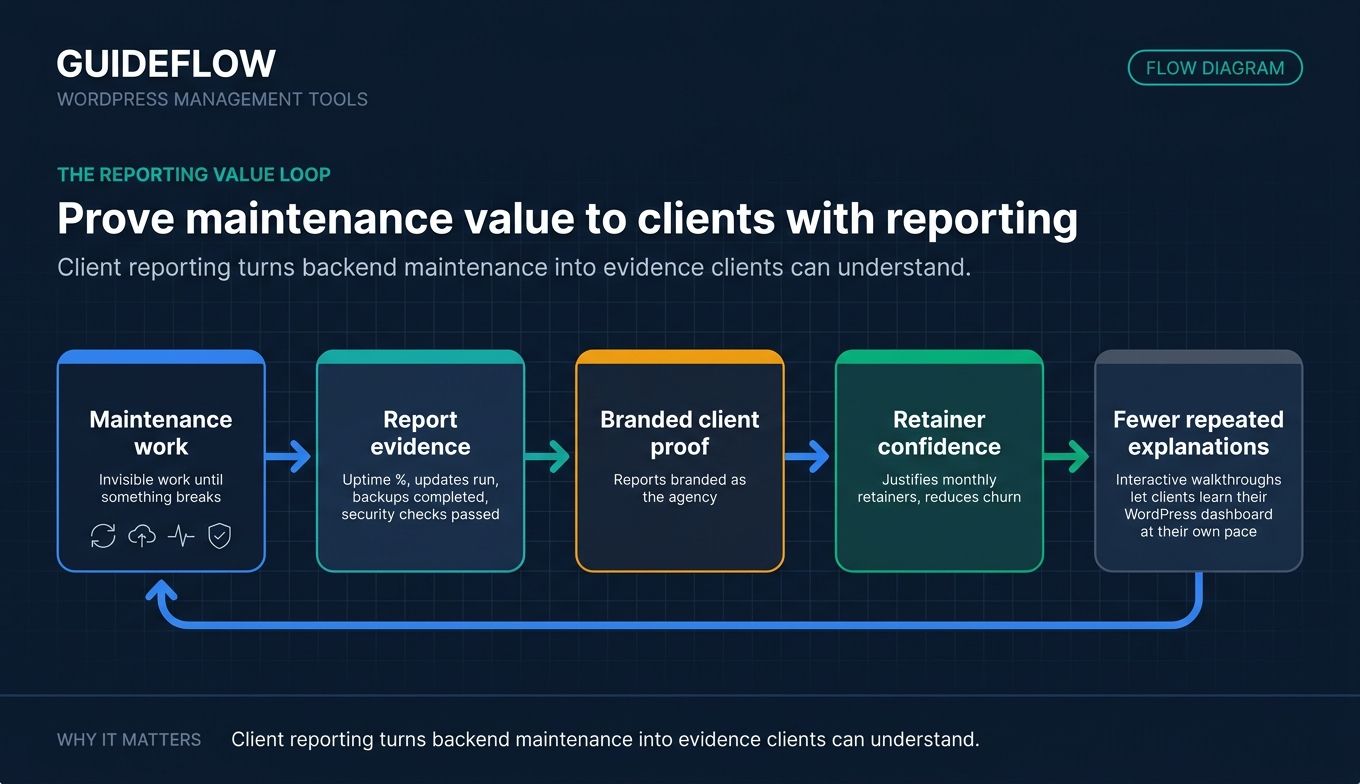
Maintenance is invisible work until something breaks. White-label client reports make it visible. They show uptime percentages, updates run, backups completed, and security checks passed, all branded as your agency. This is how WordPress website management services justify a monthly retainer and reduce churn. When agencies onboard clients to a newly managed site, many pair maintenance with interactive product walkthroughs so clients can learn their WordPress dashboard at their own pace, which works well alongside scheduled reporting as part of a complete handoff. Setting up a guided onboarding flow can shorten the time it takes new clients to feel confident in their dashboard.
Protect sites with centralized backups and security
A management tool turns backup and security from a per-site chore into a fleet-wide policy. You set restore points, schedule off-site backups, and run vulnerability scans across every connected site from one place. Given that the vast majority of WordPress vulnerabilities come from plugins and themes, centralized scanning catches problems before they become client emergencies.
WordPress management tools compared
The table below compares all eleven tools on intent, primary use case, verified entry pricing, and current G2 rating. Tools are sorted by relevance to agencies managing client fleets. Pricing reflects first-party pages as of June 2026, and ratings reflect live G2 listings. Hosting platforms and the native Multisite approach are included because agencies routinely weigh them against dedicated management software.
| # | Product | Intent | Key use case | Pricing | G2 rating |
|---|---|---|---|---|---|
| 1 | ManageWP | SaaS dashboard | Free core, pay per site for add-ons | Free core; add-ons from $1/site/mo | 4.2/5 |
| 2 | MainWP | Self-hosted | Unlimited sites, data on your server | Free; Pro $29/mo, $199/yr, $599 lifetime | 4.7/5 |
| 3 | InfiniteWP | Self-hosted | Low-friction free install | Free; paid from $147/yr | 4.1/5 |
| 4 | WP Umbrella | Monitoring-first SaaS | Uptime, errors, client reports | $2.19/site/mo | 4.9/5 |
| 5 | WP Engine | Managed hosting | Management bundled with hosting | From $30/mo | 4.6/5 |
| 6 | Kinsta | Managed hosting | Performance hosting plus management | From $30/mo | 4.8/5 |
| 7 | WordPress Multisite | Native feature | Shared codebase networks | Free software | 4.4/5 |
| 8 | Pantheon | WebOps platform | Code-first governance at scale | From $55/mo | 4.4/5 |
| 9 | WP Remote | SaaS dashboard | Security plus maintenance bundling | Free; paid from $1.99/site/mo | 4.6/5 |
| 10 | Solid Central | SaaS dashboard | Multi-site updates and reporting | From $6.99/mo (5 sites) | Not yet rated |
| 11 | CMS Commander | SaaS dashboard | Content-heavy site networks | Free tier; paid from $8/mo | 3.3/5 |
The 11 best WordPress management tools for agencies in 2026
Each tool below includes an overview, who it fits best, key strengths, the case for choosing it, and verified pricing. Read the ones that match your SaaS-versus-self-hosted preference first.
1. ManageWP
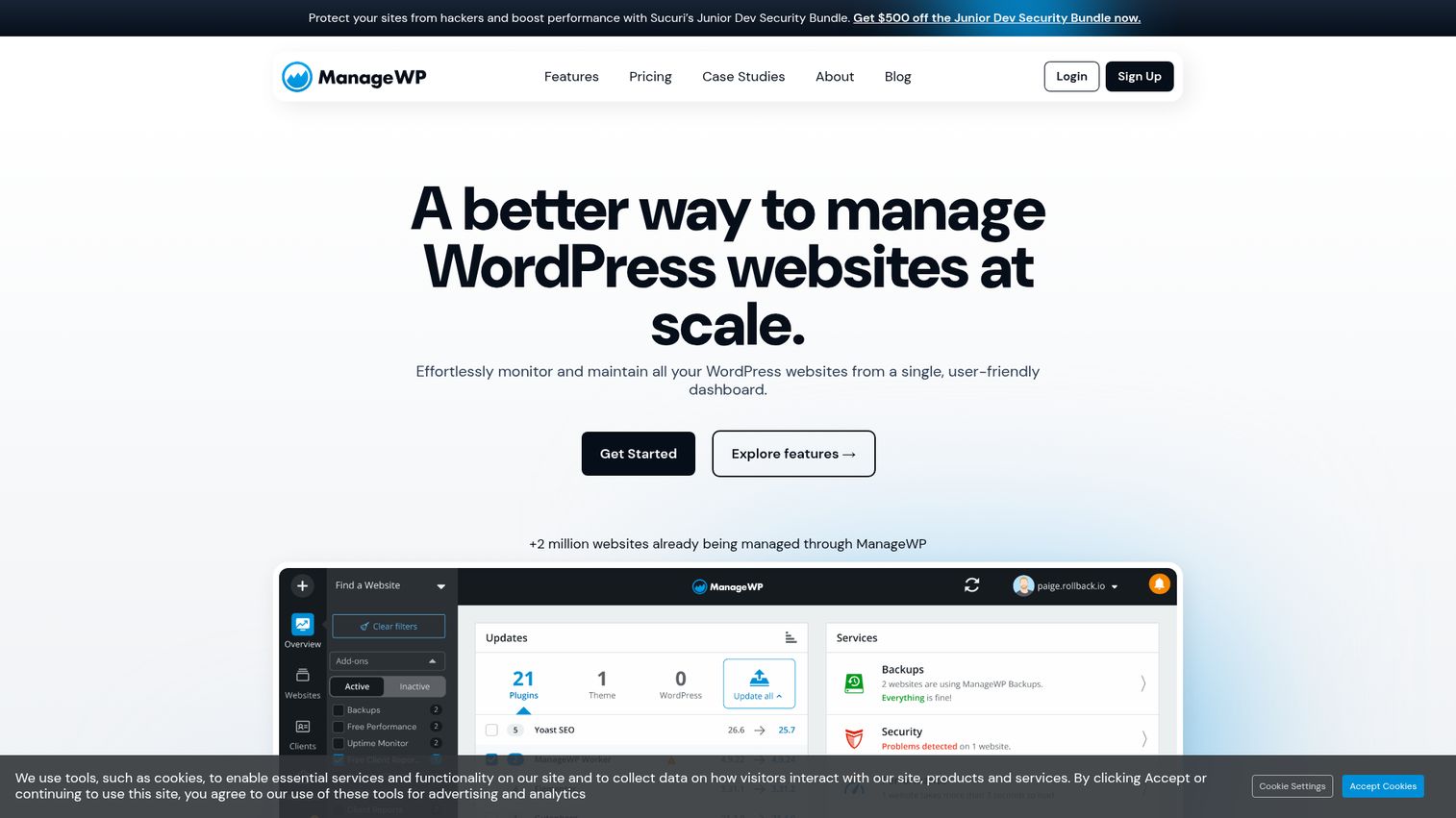
ManageWP is a WordPress management service for running multiple WordPress sites from one dashboard. It is a cloud-hosted SaaS platform with a free core that covers updates, plus optional premium add-ons billed per site. The model lets agencies start at zero cost and pay only for the features they actually use across a growing roster.
Best for: Agencies that want a free starting point with pay-per-feature scaling.
Key strengths
- Free core for unlimited sites: connect as many sites as you want and run core, plugin, and theme updates at no cost.
- Cloud backups and migration: scheduled backups, restore, clone, and migration handled from the dashboard.
- Per-site add-ons: uptime, security checks, performance, and client reports added only where you need them.
Why choose ManageWP: The free core makes ManageWP the lowest-risk way to centralize WordPress management. You can manage and update an unlimited number of sites without paying, then layer on per-site add-ons as clients demand reporting or backups. That pay-as-you-grow structure fits agencies that want predictable, usage-aligned costs.
ManageWP pricing: The core add-ons are free for unlimited websites, forever. Premium add-ons are billed monthly per site: backups start at $2 per site per month, while uptime monitoring, security checks, performance checks, advanced client reports, white label, SEO ranking, and link monitoring each start at $1 per site per month. Most add-ons offer a fixed bundle covering up to 100 websites, and an all-in-one package is available at $150 per month. ManageWP holds a 4.2 out of 5 rating on G2.
2. MainWP
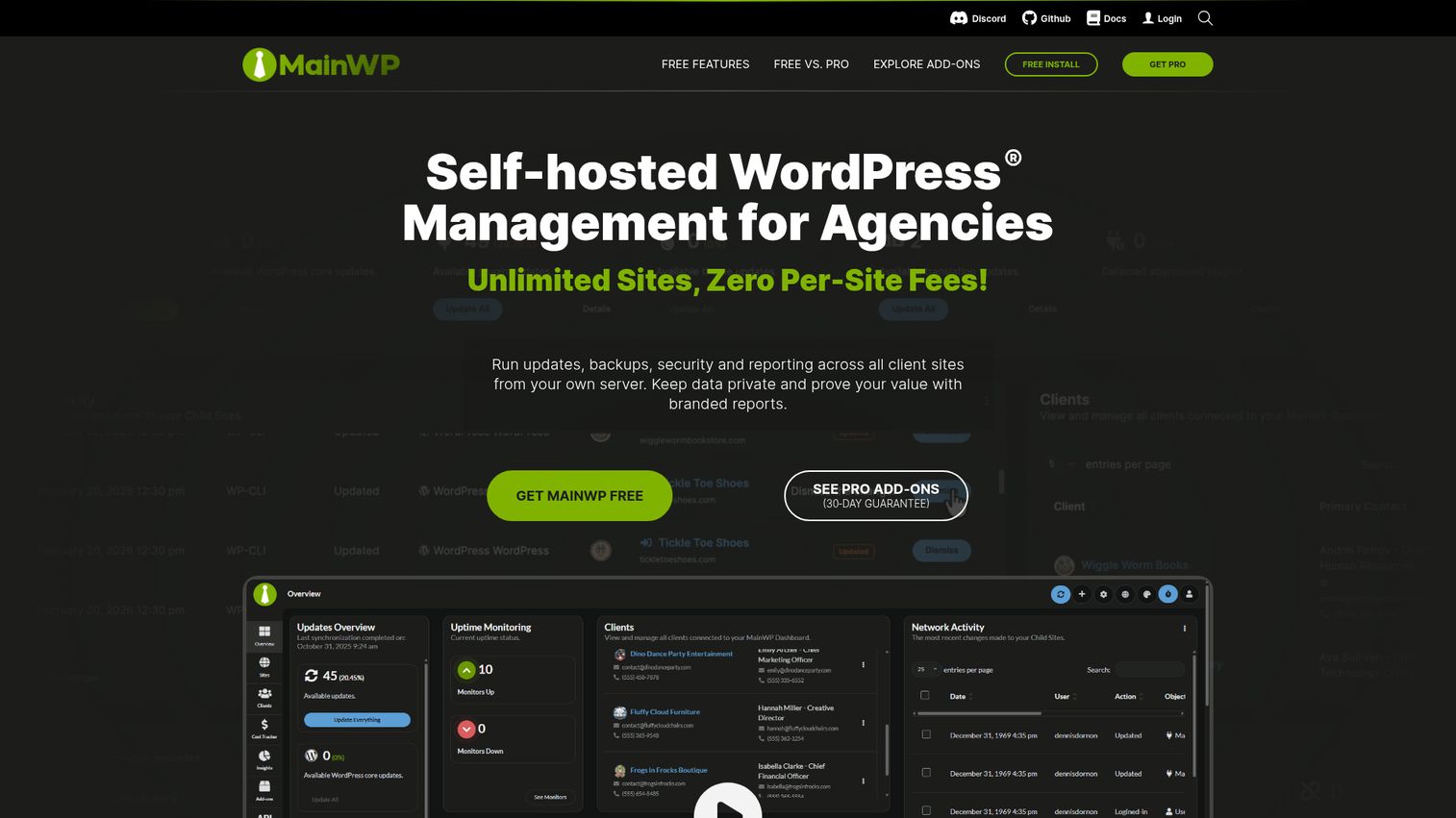
MainWP is a free, open-source, self-hosted WordPress management plugin for controlling unlimited WordPress sites from one central dashboard you host yourself. Because the dashboard lives on your own server, your client data never passes through a third-party cloud, which is the core appeal for privacy-conscious and developer-led agencies.
Best for: Developer-led agencies that want data ownership and no per-site fees.
Key strengths
- Self-hosted and open-source: the dashboard runs on your own server, so site data stays under your control.
- Unlimited sites, no per-site fee: connect as many WordPress sites as you want without metered billing.
- Developer extensibility: hooks, a REST API, and a CLI let teams automate and extend the platform.
Why choose MainWP: MainWP trades the convenience of a hosted SaaS for data ownership and flat pricing. If you would rather not route client sites through a vendor's cloud, or you want unlimited sites without per-site math, the self-hosted model is the reason to pick it. White-label reporting, role-based access, and an extensions marketplace round out the agency feature set.
MainWP pricing: The Essentials plan is free and includes free add-ons, critical security and performance updates, community support, and unlimited sites. MainWP Pro unlocks all 30-plus Pro add-ons, priority ticket support, and unlimited websites. Pro is priced at $29 billed monthly, $199 billed yearly, or $599 as a one-time lifetime payment. MainWP holds a 4.7 out of 5 rating on G2.
3. InfiniteWP
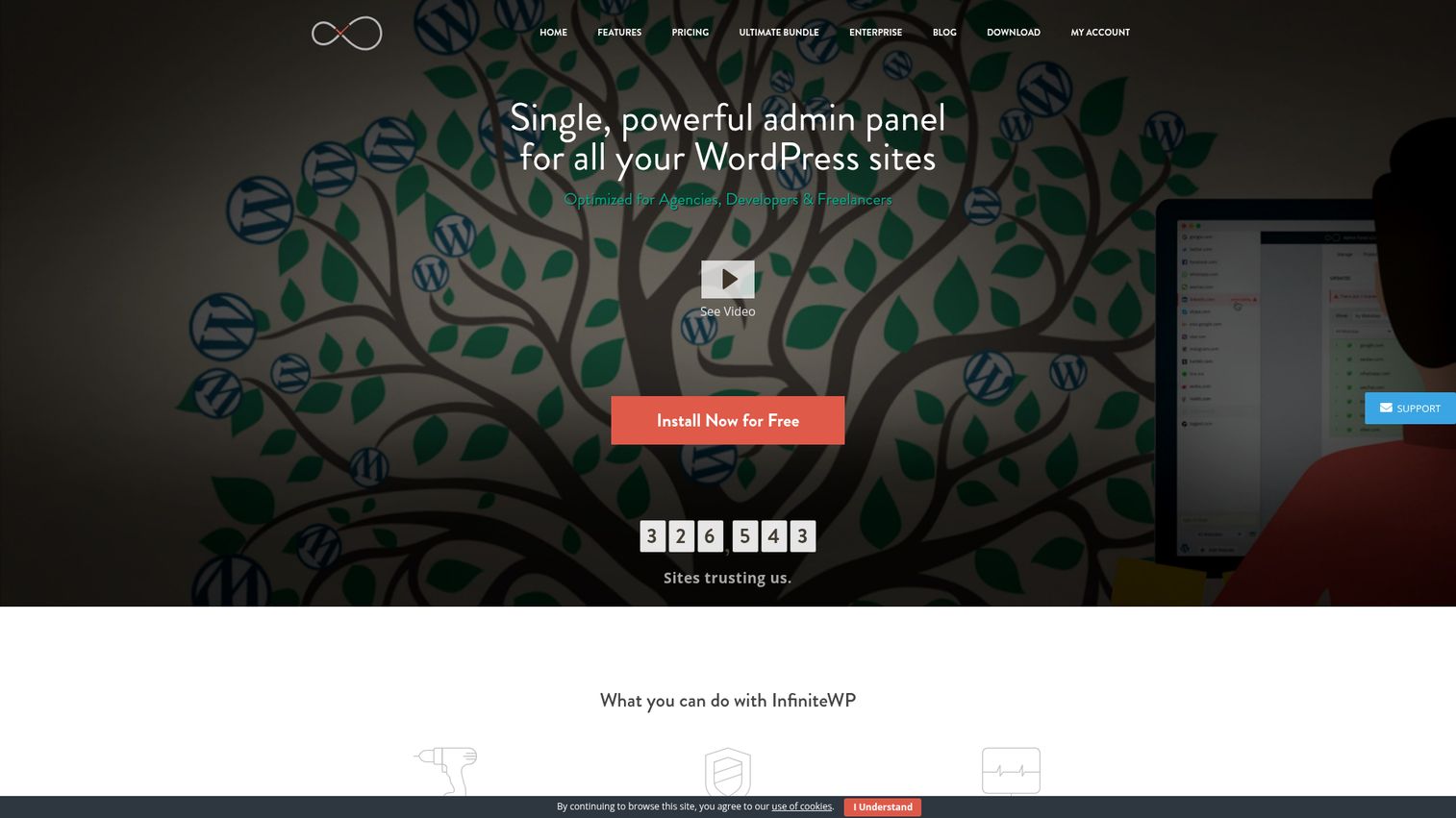
InfiniteWP is a self-hosted dashboard for managing multiple WordPress sites from a single install. The core script is free to install on your own server and covers one-click admin access, one-click updates, and backup and restore, which makes it a low-friction entry point for freelancers and small agencies testing self-hosted management.
Best for: Freelancers and small agencies wanting a low-friction self-hosted entry.
Key strengths
- Free core install: one-click admin access, updates, and backup or restore at no cost.
- Bulk administration: update core, plugins, and themes across connected sites in one action.
- Monitoring add-ons: uptime and analytics monitoring available to extend the core dashboard.
Why choose InfiniteWP: InfiniteWP suits operators who want self-hosted control without committing to a paid plan upfront. The free install handles the essentials, and paid tiers add multi-user support and premium features as your fleet grows. It is a practical middle ground between a free open-source plugin and a full SaaS subscription.
InfiniteWP pricing: The Free version includes one-click admin access, one-click updates, and backup and restore. Paid yearly plans add multi-user capability, premium features, and support, scaling by site count: Starter at $147 per year, Developer at $247 per year, Freelancer at $347 per year, Agency at $447 per year, and Enterprise at $647 per year for unlimited sites. InfiniteWP holds a 4.1 out of 5 rating on G2.
4. WP Umbrella
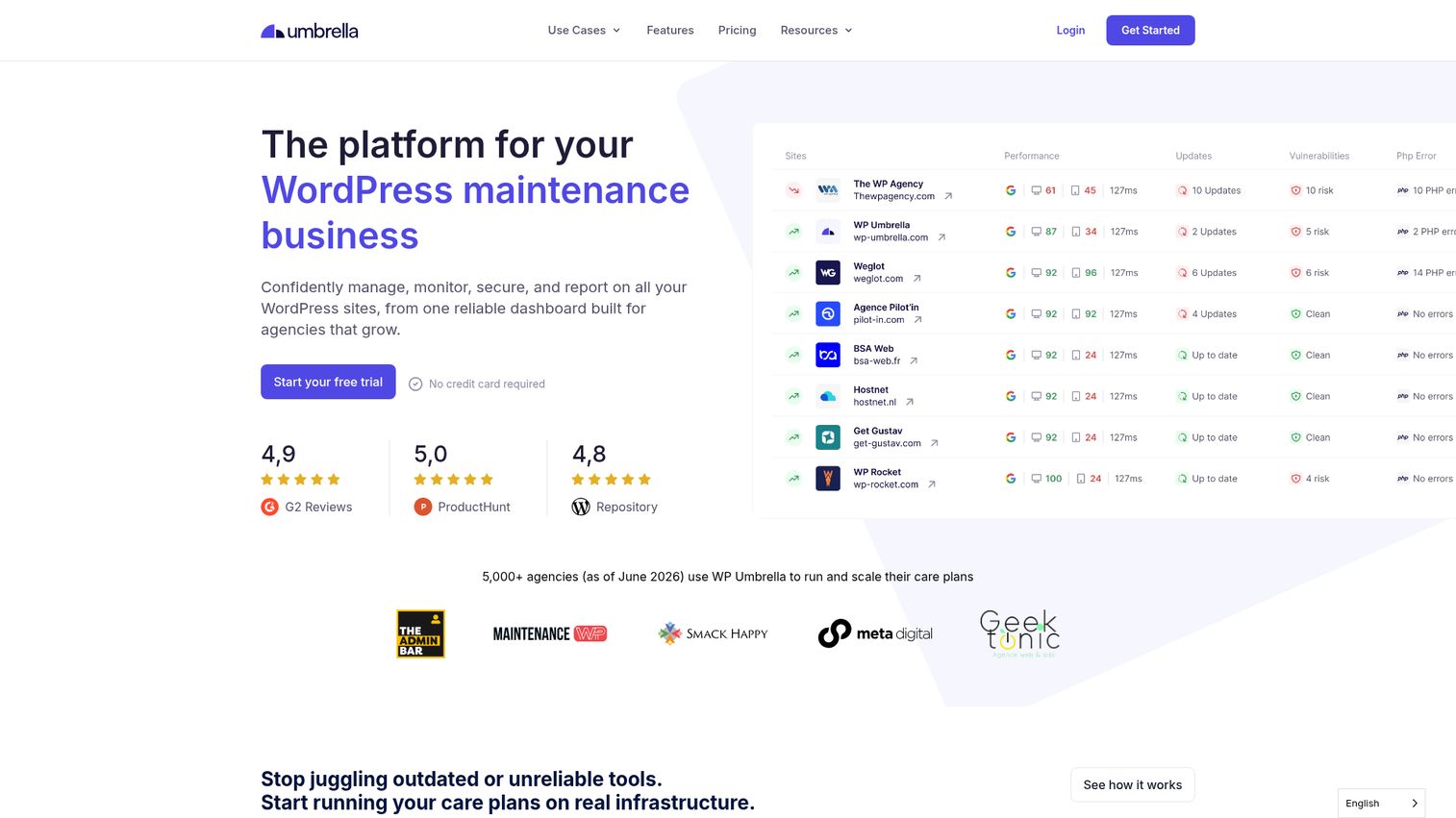
WP Umbrella is a WordPress management platform built for freelancers and agencies to centralize monitoring, backups, updates, security, and client reporting. Its emphasis is monitoring-first: it watches uptime, PHP errors, and performance so you catch problems before clients notice them.
Best for: Agencies that prioritize proactive monitoring and polished client reporting.
Key strengths
- Proactive monitoring: uptime, PHP error tracking, SSL and domain monitoring across every connected site.
- Safe updates with rollback: update automation with checks and automatic rollback if something breaks.
- White-label client reports: branded, scheduled reports built for agency care plans.
Why choose WP Umbrella: WP Umbrella shines when reporting and early problem detection are central to your retainer. PHP error monitoring surfaces issues that uptime checks alone miss, and the polished white-label reports make maintenance value obvious to clients. The flat per-site model with no minimums keeps pricing simple as you add sites.
WP Umbrella pricing: WP Umbrella runs on a single pay-as-you-go plan at $2.19 per site per month with no site minimums. Optional add-ons include Site Protect at $2 per site per month and Hourly Backups at $2.49 per site per month. A 14-day free trial is available with no credit card required. WP Umbrella holds a 4.9 out of 5 rating on G2.
5. WP Engine
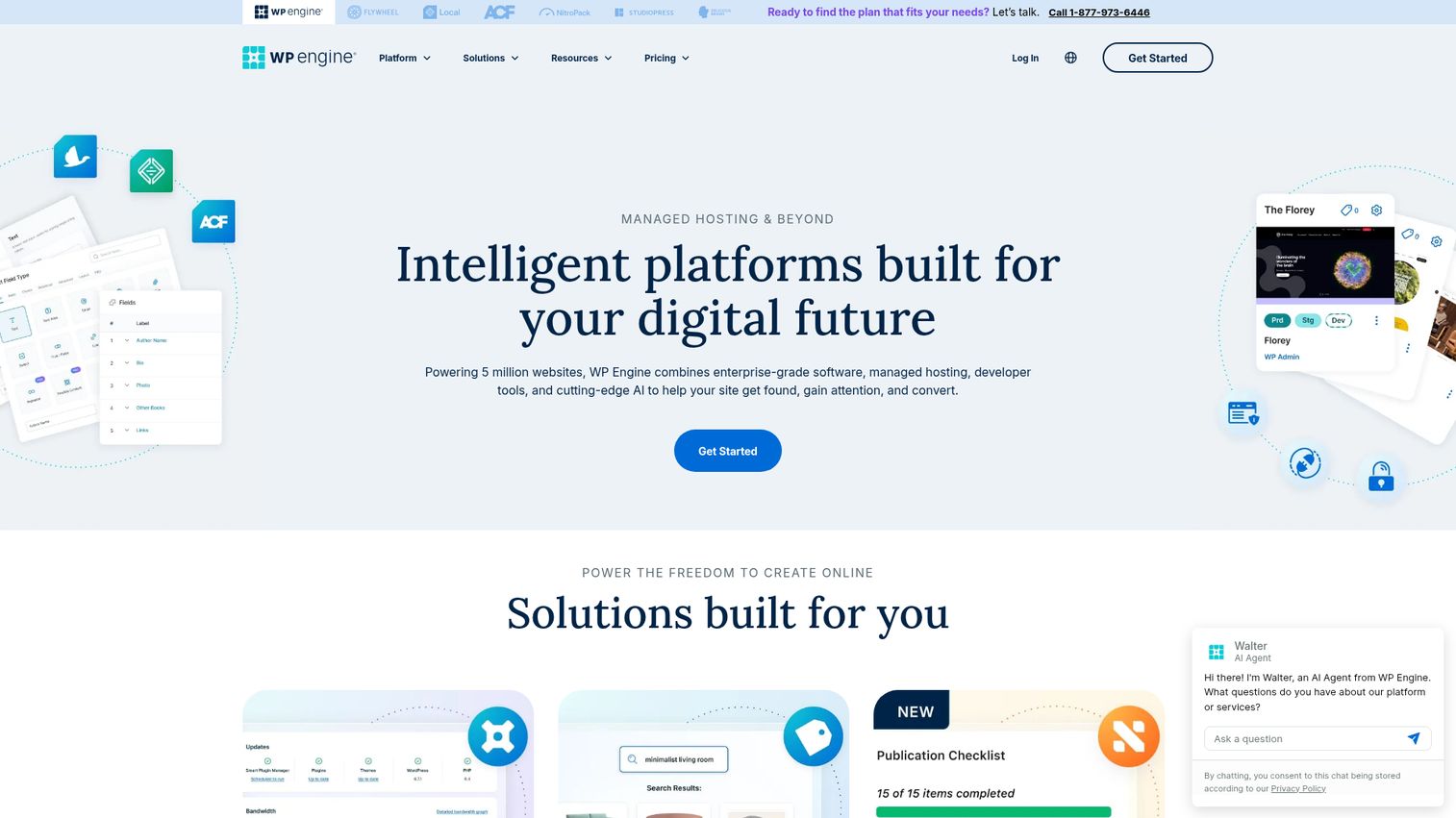
WP Engine is managed WordPress hosting with performance, security, support, and site-management tools built in. Rather than a standalone management dashboard, it bundles maintenance into the hosting itself, with managed updates, automatic backups, and one-click staging available from the user portal.
Best for: Agencies that want management bundled inside premium managed hosting.
Key strengths
- Managed updates: WordPress, PHP, and MySQL updates handled by the platform.
- Automatic and on-demand backups: restore points plus one-click staging and development environments.
- Built-in security: real-time WordPress threat defense and a global CDN.
Why choose WP Engine: WP Engine fits agencies that would rather consolidate hosting and management into one vendor than run a separate management layer over third-party hosts. Managed updates, backups, and 24/7 WordPress support reduce the maintenance you handle yourself. The tradeoff is that this approach covers sites hosted on WP Engine rather than an arbitrary fleet across any host.
WP Engine pricing: Essential managed WordPress hosting plans start with Startup at $30 per month, Professional at $55 per month, Growth at $109 per month, Scale at $276 per month, and Core Hosting at $400 per month, with first-year pricing and coupon terms applying. Allowances for sites, visits, storage, and bandwidth increase by tier, and Enterprise is custom. WP Engine holds a 4.6 out of 5 rating on G2.
6. Kinsta
Kinsta provides managed WordPress hosting on fast, secure infrastructure with CDN, caching, backups, staging, analytics, and support. The MyKinsta dashboard lets you manage multiple WordPress sites from one account, with automatic daily backups and optional automatic plugin and theme updates.
Best for: Performance-focused agencies that want management handled inside managed hosting.
Key strengths
- MyKinsta dashboard: manage multiple sites, environments, and analytics from one place.
- Automatic backups and staging: daily backups, staging environments, and SFTP or SSH access.
- Performance and security tooling: Kinsta APM, vulnerability detection, and optional automatic updates.
Why choose Kinsta: Kinsta suits agencies that weight raw performance and infrastructure quality highly and want maintenance tasks folded into hosting. The choice of 27 data centers, edge caching, and a global CDN target speed, while staging and automatic updates handle routine management. As with any host-bundled approach, it manages the sites you host with Kinsta rather than a fleet spread across providers.
Kinsta pricing: Kinsta lists Business, Agency, and Enterprise plan categories with single-site and multi-site options on monthly or annual billing. Entry tiers start at $35 per month or $30 per month billed annually for single-site plans, scaling up to multi-site plans such as WP 2 at $70 per month or $59 billed annually. Kinsta holds a 4.8 out of 5 rating on G2.
7. WordPress Multisite
WordPress Multisite is a built-in WordPress feature that lets administrators create and manage multiple WordPress sites from a single installation. Sites in a Multisite network share one codebase, themes, and plugins, while each site keeps its own content. It supports subdirectory, subdomain, or domain-based networks.
Best for: Organizations with structurally similar sites that share themes and plugins.
Key strengths
- Single install, many sites: run a network of sites from one WordPress installation and network admin.
- Shared codebase: themes and plugins are managed once across the whole network.
- No extra software cost: it is a native feature of the free WordPress.org software.
Why choose WordPress Multisite: Multisite makes sense when your sites are structurally alike, such as a chain of location pages or a portfolio of brands on shared infrastructure. The shared codebase is the strength and the constraint: updating once updates everything, which is efficient for similar sites but couples them tightly. For independent client sites with different plugins and hosts, a dedicated management tool usually fits better.
WordPress Multisite pricing: The WordPress.org software is a free download, and Multisite is a feature of it. There is no separate license fee. Hosting and domain costs are separate and depend on your provider. The WordPress.org software holds a 4.4 out of 5 rating on G2.
8. Pantheon
Pantheon is a WebOps platform for building, launching, hosting, securing, and managing WordPress, Drupal, and Next.js websites. It sits at the platform level rather than the plugin level, giving development teams Git-based deployment workflows, environment management, and portfolio governance.
Best for: Dev teams managing many sites with a code-first deployment workflow.
Key strengths
- Upstreams: propagate code centrally across many sites from a shared upstream.
- Multidev environments: spin up dev, staging, and production environments with Git-based deployment.
- Autopilot: automated updates paired with visual regression testing to catch breakages.
Why choose Pantheon: Pantheon fits teams that treat sites as code, not just dashboards. Upstreams let you push a code change to a whole portfolio, Multidev gives every branch its own environment, and Autopilot runs visual regression checks on updates. This is governance for development-led organizations rather than a click-to-update agency tool, and it carries a heavier platform price to match.
Pantheon pricing: Public site plans list Basic at $55 per month or $500 annually, Performance Small at $200 per month, Performance Medium at $350 per month, Performance Large at $700 per month, and Performance XL at $1,150 per month. Elite is contact sales. You can start with a free sandbox site, but a paid Site Plan is required to go live. Pantheon holds a 4.4 out of 5 rating on G2.
9. WP Remote
WP Remote is a WordPress website management platform for agencies to manage multiple sites, updates, backups, security, staging, monitoring, and client reports from one dashboard. It leans into bundling security with maintenance, pairing malware scanning and a firewall with one-click and automatic updates.
Best for: Agencies that want straightforward security and maintenance bundled together.
Key strengths
- Centralized maintenance: one-click and automatic updates with safe updates and visual regression testing.
- Security plus backups: automatic off-site backups, malware scanning, and a firewall.
- Monitoring and reporting: uptime monitoring, staging, and white-label client reports.
Why choose WP Remote: WP Remote is a fit when you want security baked into the same dashboard that runs your updates and backups, rather than stitched together from separate tools. Safe updates with visual regression testing reduce the risk that a bulk update silently breaks a layout. Tiered per-site pricing lets you match plan depth to the type of site, from microsites to WooCommerce stores.
WP Remote pricing: WP Remote offers a Free plan for development and microsites, Essential at $1.99 per site per month for small-business sites with backups, safe updates, and white label, Premium at $4.99 per site per month for high-traffic and membership sites with complete security, staging, and UpdateLens, and Advanced at $19.99 per site per month for WooCommerce and enterprise with sandbox updates and form testing. WP Remote holds a 4.6 out of 5 rating on G2.
10. Solid Central
Solid Central is the SolidWP multi-site management dashboard formerly known as iThemes Sync. After iThemes rebranded its product line under the Solid brand, Solid Central became the home for managing updates, security, backups, migrations, uptime, performance, and client reporting from one place.
Best for: Teams already in the iThemes and Solid security ecosystem.
Key strengths
- Centralized updates: manage WordPress core, plugin, and theme updates across connected sites.
- Monitoring: track uptime, performance, vulnerabilities, downtime, and backups.
- Client reporting: generate and schedule customizable client and site reports.
Why choose Solid Central: Solid Central is the natural choice if you already run SolidWP security and backup products and want management in the same family. Consolidating updates, monitoring, and reporting under one vendor reduces tool sprawl for teams committed to the Solid ecosystem. As a newly rebranded product, it has limited public review volume so far, so weigh it against your existing Solid usage.
Solid Central pricing: Solid Central Pro is priced by number of sites, with options for 5, 10, 25, 50, 100, and 101-plus sites. The publicly readable tier covers 5 sites at $6.99 per month or $69 per year, with larger site counts priced higher. A G2 rating was not yet available at the time of research.
11. CMS Commander
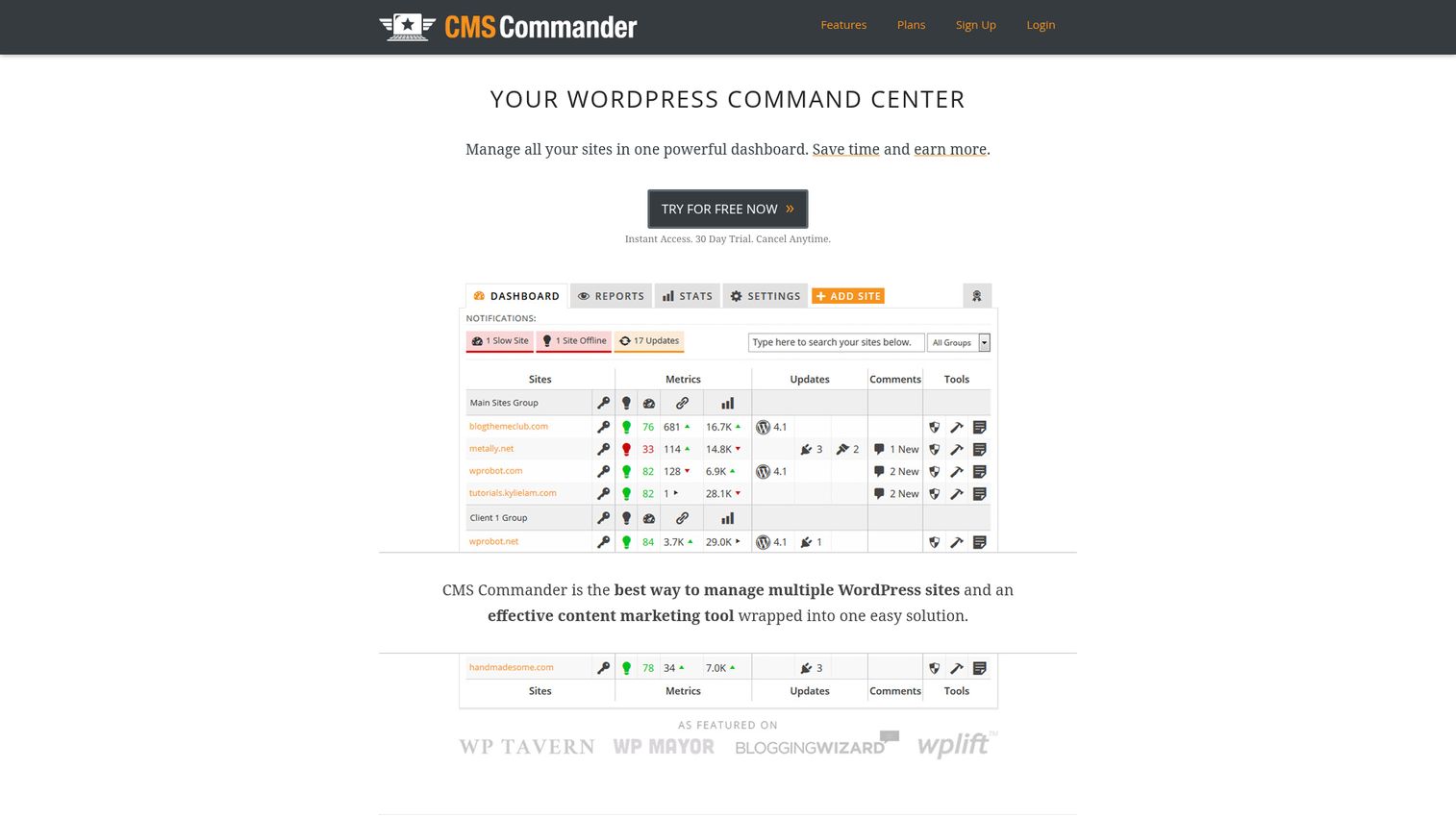
CMS Commander is a WordPress management service for managing multiple WordPress sites, with bulk updates, backups, cloning, content creation, monitoring, and security tasks from one dashboard. Its distinctive angle is content tooling: alongside maintenance, it offers bulk posting and content workflows aimed at portfolio operators running many content-heavy sites. If publishing at scale is part of your workflow, it pairs well with the right content creation software to keep output consistent across the fleet.
Best for: Portfolio managers running content-heavy site networks.
Key strengths
- One-click bulk maintenance: updates, backups, restore, and website cloning across multiple sites.
- Content workflows: bulk posting, scheduled content, and content import across the fleet.
- Monitoring and security: uptime and pagespeed monitoring, Google Analytics stats, two-factor authentication, and malware scanning.
Why choose CMS Commander: CMS Commander fits operators who manage a network of content sites and want posting and monetization tools alongside maintenance. The bulk content posting and backlink tracking set it apart from pure maintenance dashboards. If your priority is straightforward agency care plans rather than content publishing at scale, a monitoring-first tool may serve you better.
CMS Commander pricing: Premium plans are based on the number of managed sites and all include every feature. Pricing starts at $8 per month for the Starter plan managing 5 sites, scaling through $12 for 10 sites, $30 for the Business plan managing 50 sites, and $75 for 200 sites. A free account is available, and annual payment includes two months free. CMS Commander holds a 3.3 out of 5 rating on G2.
How to choose a WordPress management tool
The eleven tools above split cleanly along a few decisions. Work through this checklist before you shortlist.
SaaS vs self-hosted
SaaS tools like ManageWP, WP Umbrella, and WP Remote are hosted by the vendor, so there is nothing to install or maintain. Self-hosted options like MainWP and InfiniteWP put the dashboard and your client data on your own server. Choose SaaS for convenience, choose self-hosted for data ownership and privacy.
Pricing model
Three models dominate: free core with per-site add-ons (ManageWP), flat per-site fees (WP Umbrella, WP Remote), and flat licenses for unlimited sites (MainWP). Run the cost-at-scale math for your fleet size. A free or flat unlimited model usually wins as your site count climbs, while per-site pricing keeps small fleets cheap.
Client reporting and white-labeling
If reporting justifies your retainer, weigh it heavily. WP Umbrella, ManageWP, and MainWP are popular choices for polished white-label reports that prove maintenance value. Confirm reports are branded as your agency and can be scheduled automatically. The same logic applies when you onboard clients to the tools themselves; a clear product tour can replace repetitive live walkthroughs of your reporting dashboard.
Security and backup reliability
Look for scheduled off-site backups, tested one-click restore, and malware or vulnerability scanning. Given that most WordPress vulnerabilities come from plugins and themes, fleet-wide scanning matters. Check whether backups and security are core features or paid add-ons.
Integrations and team access
Role-based access lets you delegate work without sharing master credentials. Check for hosting integrations, an API, and uptime monitoring connections so the tool fits your existing stack rather than adding another silo. Smoother adoption across your team is also where a digital adoption platform earns its keep, guiding staff through new tools without constant hand-holding.
Conclusion
There is no single best WordPress manager, only the best fit for how your agency operates. If you want a free starting point that scales by feature, ManageWP is the obvious entry. If data ownership and flat pricing matter more than zero-maintenance convenience, MainWP gives you a self-hosted dashboard with unlimited sites. When proactive monitoring and client reporting drive your retainer, WP Umbrella leads. And for development-led teams that treat sites as code, Pantheon WebOps offers governance the others do not.
Your next step is simple. Decide first whether you want SaaS or self-hosted, then shortlist two or three tools from that side and run them against your actual site fleet. Most offer a free tier or trial, so connect a handful of real sites, run a week of updates and backups, and pull a sample client report. The tool that saves you the most hours on your real workflow is the one to keep. And when it comes time to onboard clients to the site you manage, a quick interactive demo of their new dashboard can cut support tickets before they start.
Frequently asked questions
A WordPress management tool is software that lets you control, maintain, and monitor multiple WordPress sites from one dashboard. Its core jobs are bulk updates, scheduled backups, security scanning, uptime monitoring, and client reporting, all run across your whole fleet instead of site by site.
It depends on your SaaS-versus-self-hosted preference and fleet size. ManageWP is a strong free starting point for most agencies, MainWP suits teams that want self-hosted data ownership with no per-site fees, and WP Umbrella stands out when monitoring and client reporting are central to your service.
Yes. ManageWP offers a free core for unlimited sites covering updates, InfiniteWP has a free self-hosted install, and MainWP is open-source and free to self-host with an Essentials plan. Premium features such as backups, security checks, and advanced client reports are typically paid add-ons or higher tiers.
SaaS tools are hosted by the vendor, so there is nothing to install and no server to maintain, which favors convenience. Self-hosted tools put the dashboard and client data on your own server, which favors data ownership, privacy, and avoiding per-site fees. Neither is universally better; it comes down to whether you value zero-maintenance or control.
Pricing spans three models. Free options exist (ManageWP core, MainWP Essentials, InfiniteWP free, WP Remote free tier). Per-site pricing runs from about $1 to $2.19 per site per month for tools like ManageWP add-ons and WP Umbrella. Flat unlimited licenses include MainWP Pro at $29 monthly or $199 yearly. Managed hosting that includes management starts around $30 per month.
Yes. Most offer scheduled backups, one-click restore points, malware scanning, and uptime monitoring. On some tools these are core features, while on others, such as ManageWP, backups and security checks are paid per-site add-ons. Always confirm which capabilities are included versus billed separately before you commit.
WordPress Multisite fits structurally similar sites that share one codebase, themes, and plugins, such as a network of location pages. A dedicated management tool fits independent client sites with different plugins, themes, and hosts, since it controls each separately without coupling them. For most agencies juggling distinct client sites, a management tool is the better match.
Yes, white-label client reporting is a key agency feature. WP Umbrella, ManageWP, and MainWP are popular options for branded, scheduled reports that show uptime, updates run, and backups completed. Reporting is sometimes a core feature and sometimes a paid add-on, so confirm it is included at your chosen tier.