You built the demo. You personalized it. You even added a clear call to action at the end.
Then you dropped the link into a Slack message, sent it to the prospect, and waited. Nothing happened.
The demo wasn't the problem. The distribution was. Where and how you share an interactive demo affects conversion more than the demo content itself.
This guide covers seven distribution channels that actually work. It explains how to match each method to your funnel stage and the tracking setup that turns demo views into pipeline.
TL;DR
- The channel you use to share a demo affects conversion more than the demo itself. Pricing page demos perform differently than cold email demos.
- Website embeds work best for top-of-funnel visitors exploring without booking a call. Email and post-call follow-ups convert better for warmer prospects.
- Personalized demo links (with prospect name, company, or use case pre-populated) increase engagement compared to generic URLs.
- Different sharing channels offer different tracking depth. Personalized links tie engagement to known CRM contacts; anonymous embeds capture behavior but not identity until a form is submitted.
- Match your distribution method to funnel stage, audience context, and attribution requirements rather than defaulting to one channel for everything.
What interactive demo sharing actually means
Sharing an interactive demo goes beyond copying a URL. It includes how you distribute the experience, who can access it, and what content they see when they arrive. It also covers what data you capture from their engagement.
Most interactive demo software generates a shareable link the moment you finish building. But that link is just the starting point. You can embed the demo directly into a webpage, gate it behind a form, or personalize the content for each recipient.
You can also restrict access with passwords and expiration dates.
Here are the key terms:
- Public link: A shareable URL anyone can access without authentication. Useful for broad distribution but offers limited viewer identification.
- Embedded demo: An interactive demo placed directly within a webpage, help center, or app. Visitors experience it without leaving the page.
- Gated demo: A demo that requires email submission or form completion before viewing. Captures lead information but adds friction.
- Personalized demo link: A URL pre-populated with prospect-specific variables like name, company, or use case. The viewer sees tailored content without you rebuilding the demo.
The format you choose affects engagement, tracking, and conversion. A demo embedded on your pricing page serves buyers actively comparing options. The same demo sent cold to an unqualified list may get ignored entirely.
Why sharing method matters more than the demo itself
You can build the most polished, personalized demo imaginable. If you distribute it through the wrong channel at the wrong time, it fails.
Think about the difference between a demo embedded above the fold on your homepage versus the same demo buried in a follow-up email. The follow-up arrives three days after a discovery call. Some teams also leverage sandbox demos to give prospects hands-on experience with real functionality.
The first catches visitors already researching solutions. The second competes with dozens of other emails and requires the recipient to remember why they cared.
Context shapes engagement. A prospect browsing your website at 10 PM wants to explore on their own terms. They won't book a call, but they might spend five minutes clicking through a demo.
That same prospect, reached via cold outreach during a busy workday, may not click at all unless the message gives them a compelling reason.
sees the demo"sees the demo" and "engages with the demo" reduces completion rates.
Tracking depth also depends on distribution. A personalized link sent to a known contact ties every click and completion directly to that person in your CRM. An anonymous website embed captures behavior but not identity until the viewer submits a form.
7 best ways to share interactive demos with prospects
Teams that share interactive demos effectively see higher engagement across every funnel stage. Here are the most effective distribution channels for SaaS teams, ordered by typical use case frequency. Each method fits different moments in the buyer journey.
1. Embed on your website and landing pages
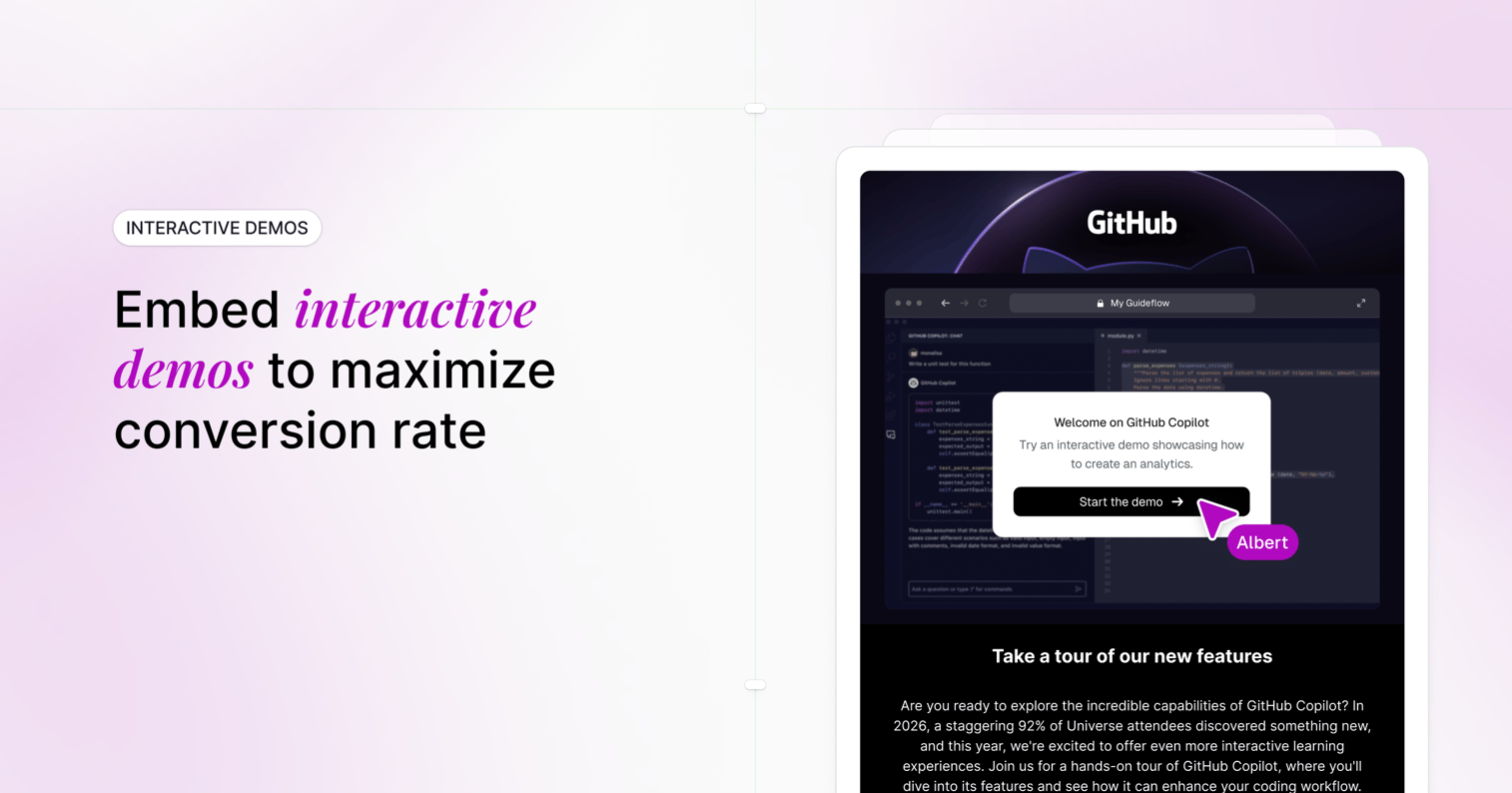
Website embeds put your demo in front of visitors already researching your product. They arrived at your site with intent. An embedded demo lets 75 percent of B2B buyers experience your product immediately without scheduling a call or creating an account.
Strategic placement options include:
- Homepage hero section: Replace or supplement the explainer video with a clickable walkthrough
- Feature pages: Show the specific capability in action rather than describing it
- Pricing page: Let prospects see what they're buying before they commit
- Campaign landing pages: Match the demo to the ad or content that drove the visit
Most interactive demo software provides an embed code (iframe or JavaScript snippet) you copy into your CMS or page builder. The technical lift is minimal.
The benefit here is self-service. Prospects educate themselves on their own schedule. You capture engagement data showing which features they explored, where they dropped off, and how long they spent.
2. Include in cold outreach and email sequences
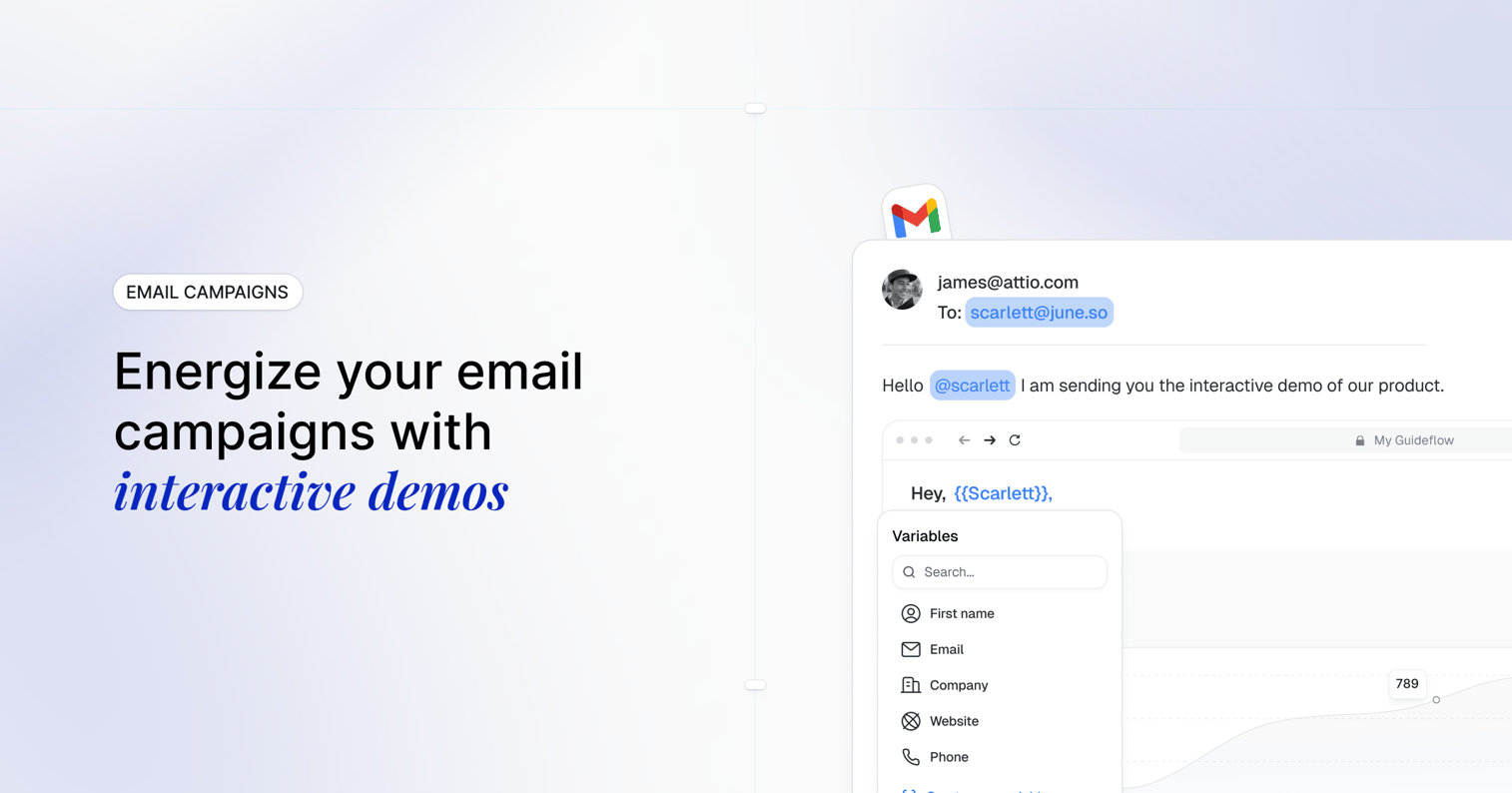
Email remains a primary channel for B2B prospecting. Adding an interactive demo link to cold emails and nurture sequences gives recipients something tangible to engage with rather than another pitch to read.
Interactive demos outperform static attachments in email for a few reasons. PDFs require downloading and opening a separate file.
Videos require time commitment and passive watching. A demo link offers immediate, active engagement with minimal friction.
Position the link prominently. Don't bury it after three paragraphs of context. A clear call-to-action like "See how it works in 2 minutes" paired with the link performs better than lengthy explanations.
Personalization drives 32.7 percent higher response rates. If your demo software supports dynamic variables, you can auto-populate the prospect's name, company logo, or industry-specific use case into the demo itself. The recipient sees content tailored to them without you manually rebuilding anything.
Marketing teams often connect their demo platform to marketing automation software so demo links automatically include UTM parameters and CRM contact IDs.
3. Add to sales follow-up after discovery calls
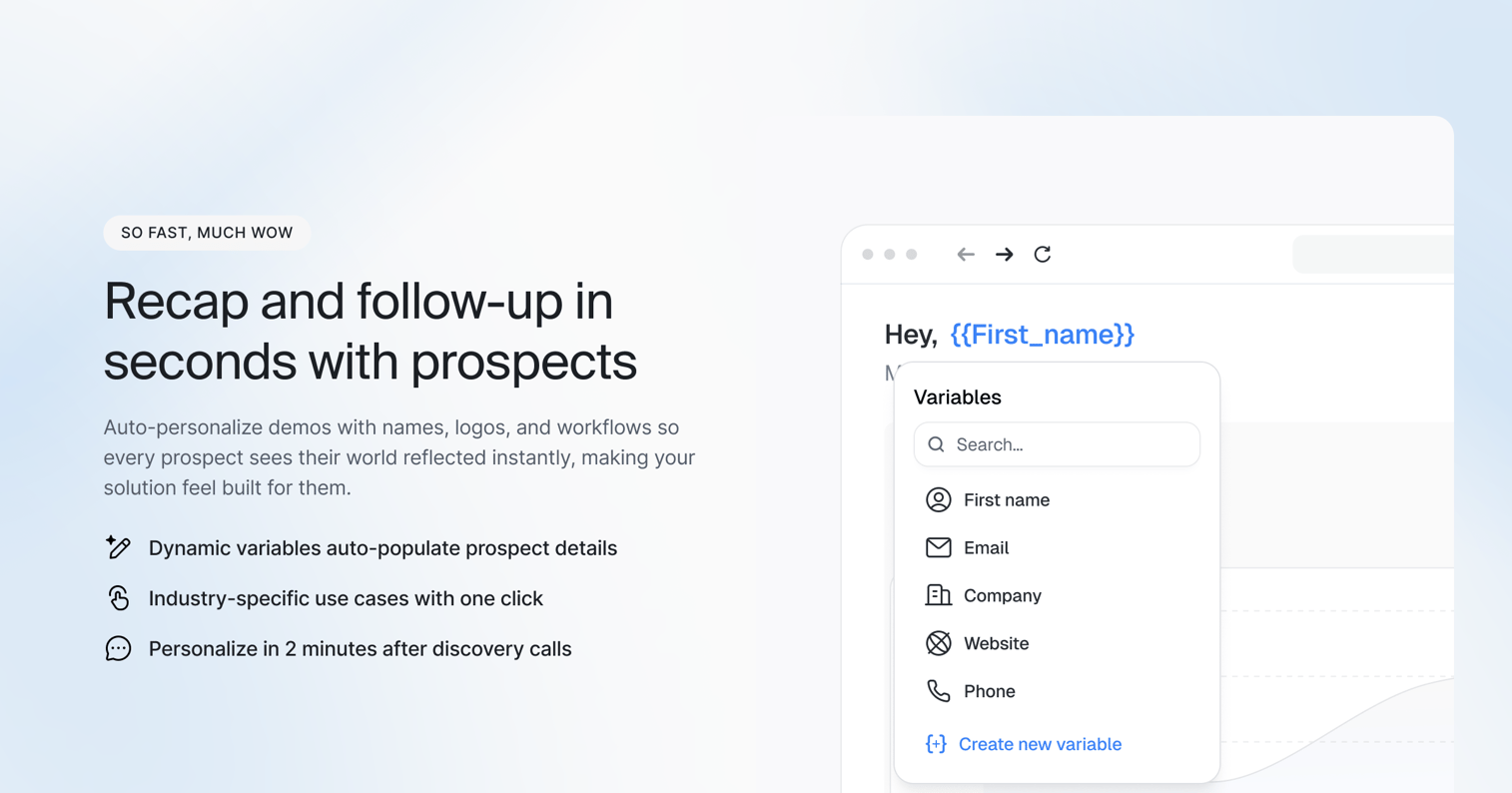
The post-call follow-up is where many deals lose momentum. Your champion liked what they saw, but now they need to explain it to 7 to 8 decision makers who weren't on the call.
While live demos create authentic buyer experiences for scheduled meetings, an interactive demo solves the async sharing problem. If all you send is a summary email and a PDF, they're working from memory.
An interactive demo solves this. Instead of (or alongside) a Loom-style recording, send a clickable walkthrough the prospect and their team can explore independently. Multiple stakeholders experience the product without scheduling another meeting.
This approach serves pre-sales teams particularly well. You can track who actually engaged with the follow-up versus who ignored it. A prospect who revisits the demo three times and shares it with five colleagues signals strong buying intent.
Sales teams using interactive demos can leverage these signals to accelerate pipeline and close deals faster. Someone who never opened it may need re-engagement or wasn't the right fit.
Tailor the follow-up demo to what you discussed. If the discovery call focused on reporting workflows, send a demo that highlights reporting. Skip the features you didn't cover.
4. Share on LinkedIn and social media
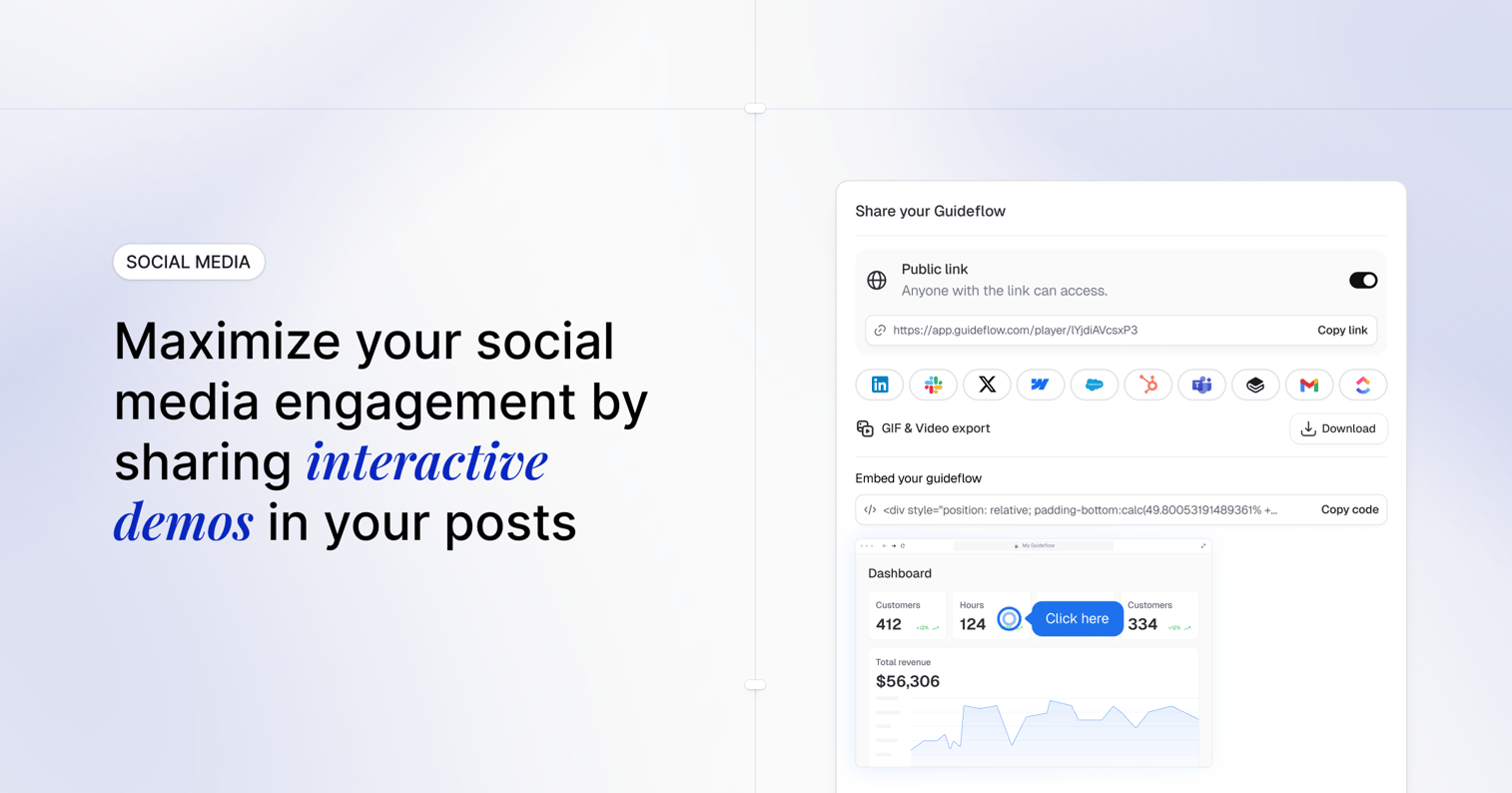
Social distribution works best for awareness and credibility rather than direct conversion. Sharing interactive demos on LinkedIn puts your product in front of people who may not be actively searching. This applies to both personal and company pages.
Effective social sharing tactics include:
- Product announcements: Launch a new feature with a demo showing it in action
- LinkedIn featured section: Pin a demo link to your profile so visitors can explore immediately
- Social proof posts: Share customer use cases with demos illustrating the workflow
Demo software with clean link previews and thumbnails performs better on social platforms. A compelling preview image increases click-through compared to a generic URL.
Keep expectations realistic. Social shares typically convert at lower rates than direct channels. But they build familiarity and can drive traffic to your site where embedded demos do the heavier conversion work.
5. Distribute through partner and reseller portals
If you sell through channel partners, resellers, or agencies, they need to share interactive demos with their own prospects. Providing partners with demo assets maintains message consistency across indirect sales channels.
You can offer:
- Co-branded demos: Partner logo alongside yours
- White-labeled experiences: Your product, their branding
- Use-case-specific demos: Tailored to the partner's target market
Partners often lack the time or expertise to build their own demo content. Giving them polished, shareable assets removes friction from their sales process.
6. Gate inside a demo center for qualified leads
A demo center is a branded hub organizing multiple demos by persona, use case, or product line. Instead of scattering demos across your site, you create a single destination where buyers explore everything relevant to them.
Gating makes sense here for later-stage evaluation. Early visitors may bounce if you require email capture before any demo view. But a prospect deep in evaluation, comparing vendors and involving their buying committee, will exchange contact information for comprehensive access.
Progressive profiling works well in demo centers. Ask for basic information (email, company) on first visit. Request additional details (role, use case, timeline) as engagement deepens.
Demo centers support buying committees particularly well. Different stakeholders can explore demos relevant to their concerns (technical, financial, operational) without sitting through content that doesn't apply to them.
7. Run in paid ads and retargeting campaigns
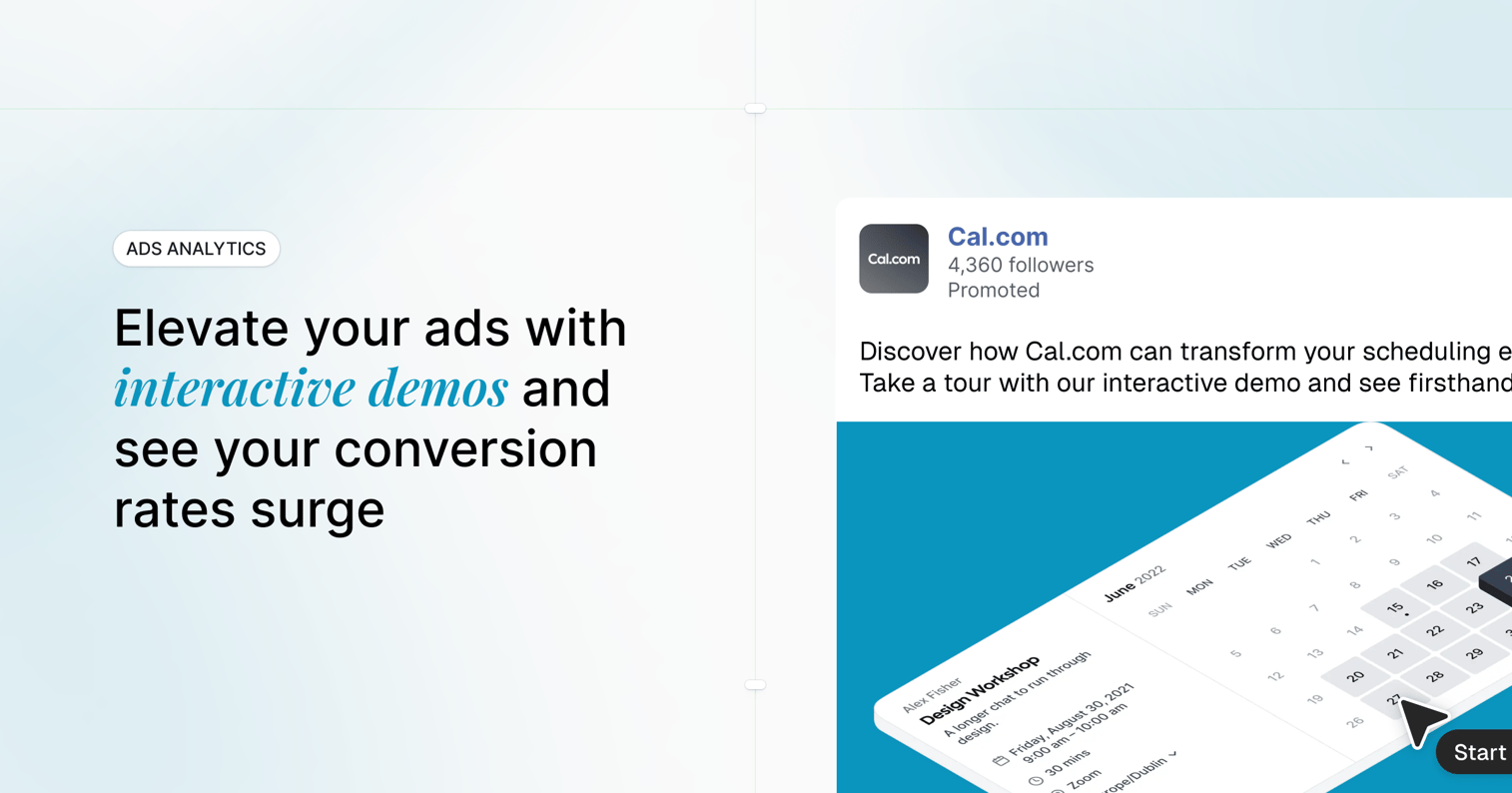
Paid media can drive traffic directly to demo experiences rather than generic landing pages. When someone clicks an ad and lands on an interactive demo, they immediately engage with your product instead of reading marketing copy.
Use cases include:
- Direct response ads: Send paid traffic to a demo landing page with a clear CTA
- Retargeting: Re-engage website visitors who didn't convert with demo-focused ads
- Account-based campaigns: Serve personalized demos to target accounts
Attribution matters here. Ensure your demo platform supports UTM tracking and integrates with your ad platforms so you can measure ad-to-demo-to-pipeline performance.
This channel typically works best for mid-funnel prospects who already have some awareness. Cold audiences may need more context before a demo makes sense.
How to choose the right sharing method
Not every demo belongs in every channel. Match your distribution approach to the specific situation.
Match the method to funnel stage
| Funnel stage | Recommended sharing method |
|---|---|
| Awareness | Website embed, social, paid ads |
| Consideration | Email sequences, landing pages |
| Decision | Post-call follow-up, demo center |
| Expansion | Partner portals, customer success outreach |
A top-of-funnel visitor exploring options benefits from an ungated website embed. A late-stage evaluator comparing vendors may prefer a comprehensive demo center with gated access to detailed content.
Consider your audience's context
- Cold prospect vs. warm lead: Cold audiences need more context before engaging. Warm leads already understand the value proposition.
- Technical evaluator vs. executive buyer: Technical buyers want depth and detail. Executives want outcomes and ROI.
- Single decision-maker vs. buying committee: Individual buyers can act quickly. Committees shape 92 percent of B2B buying decisions and need shareable assets.
Factor in tracking and attribution needs
Some sharing methods provide richer intent data than others. Website embeds capture anonymous behavior until form submission identifies the viewer.
Personalized email links tie engagement directly to a known contact in your CRM. Social shares may lose attribution unless UTMs are strictly enforced.
If proving demo ROI matters to your team, choose distribution methods that connect engagement to pipeline.
Best practices for sharing interactive product demos
Here are tactical tips that apply across all sharing methods when you share interactive demos with prospects.
Personalize demos before you share them
Generic demos feel generic. Personalized demos feel relevant.
Dynamic personalization lets you insert prospect-specific content without rebuilding:
- Name and company: "Welcome, Sarah. Here's how Acme Corp can streamline reporting."
- Logo and branding: Show their logo in the demo interface
- Use case: Tailor the workflow to their industry or role
Variable-based personalization scales. One demo template serves hundreds of personalized instances. You set up the variables once; the demo software populates them automatically based on CRM data or URL parameters.
Keep the demo path short and focused
Shorter demos get higher completion rates. A prospect who starts a 15-step demo may abandon halfway through. A prospect who starts a 5-step demo is more likely to finish.
Focus each demo on one use case or value proposition. Save comprehensive product tours for demo centers or later-stage follow-ups where the viewer has already committed to deeper exploration.
Always include a clear call to action
Demos that end passively lose momentum. The viewer finishes, thinks "that was interesting," and moves on to something else.
Effective CTAs appear at natural decision points:
- End screens: "Book a call," "Start your trial," "See pricing"
- Mid-demo branches: "Want to explore integrations? Click here."
- Contextual prompts: "Ready to see this with your own data?"
Sync engagement data to your CRM
Demo engagement data becomes actionable when it flows into your existing systems. Integrate with HubSpot, Salesforce, and more so sales reps see demo activity before their next call.
Useful data to sync includes demo views and completions, feature engagement, time spent, and internal shares. Lead scoring based on demo behavior helps prioritize outreach.
Common mistakes that kill demo engagement
Sending generic links without context
Dropping a demo link into an email without framing why the recipient cares leads to low click rates. Always include 1-2 sentences explaining what they'll see and why it's relevant to their situation.
Burying demos behind too many clicks
If prospects navigate multiple pages or fill out long forms before reaching the demo, they abandon. Reduce steps to demo access. Every additional click loses viewers.
Ignoring mobile viewers
Many recipients open emails and social links on mobile devices. If your interactive demo doesn't render well on mobile, engagement drops.
Understanding what mobile demos are and why they're important helps ensure your demos work across all devices. Choose demo software that provides responsive or mobile-optimized experiences.
Skipping analytics setup before launch
Once the demo is live, you can't retroactively capture who engaged with what. Configure tracking before the first share. Connect your demo platform to your CRM and analytics tools upfront.
Gating too early in the buyer journey
Requiring email capture before any demo view can backfire for top-of-funnel traffic. Visitors who just want to explore may bounce rather than submit their information. Save gating for higher-intent moments.
How to track and measure demo sharing performance
Key metrics to monitor
- Views/impressions: How many people started the demo
- Completion rate: Percentage who finished the full demo path
- Drop-off points: Where viewers exited before completion
- Feature engagement: Which steps or features received the most interaction
- CTA clicks: How many viewers took the desired action
Interactive demo software with built-in analytics surfaces these automatically.
Benchmarks for interactive demo engagement
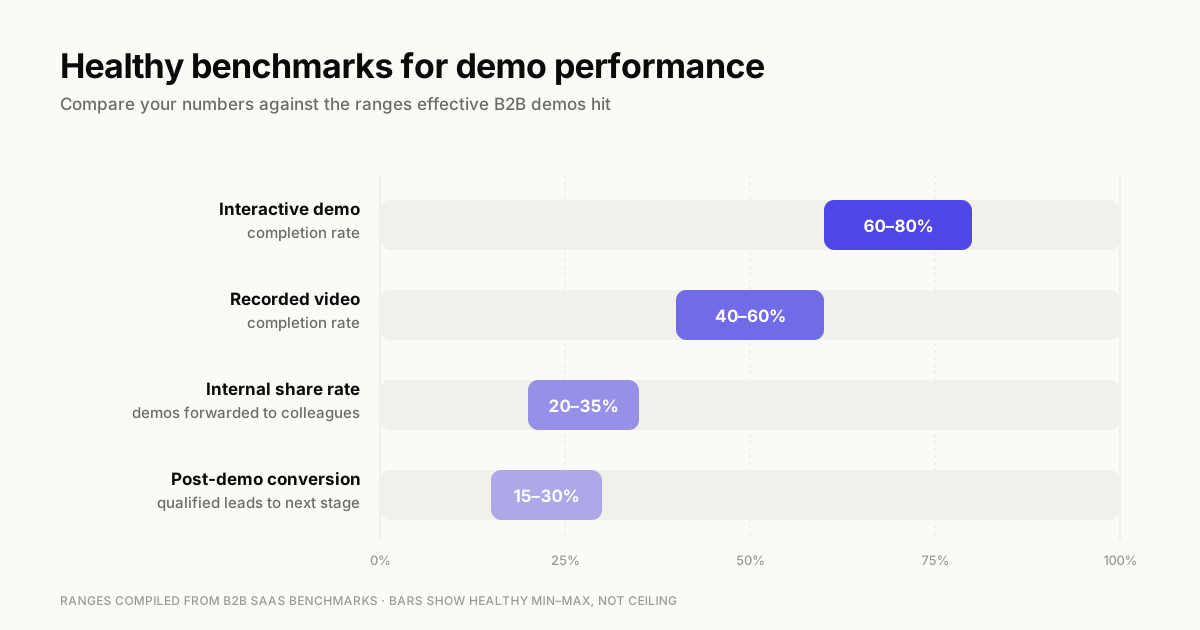
Completion rates vary based on demo length, audience warmth, and distribution channel. Shorter demos sent to warm leads typically see higher completion than long demos sent cold.
Rather than chasing abstract industry averages, compare your demos against each other. Which demo has the highest completion rate?
Which sharing channel drives the most CTA clicks? Use internal benchmarks to identify what's working.
Using intent signals for sales follow-up
Demo engagement data tells you what prospects actually care about. Prioritize leads who completed demos or viewed key features multiple times. Tailor follow-up conversations to the specific steps they explored. Use low engagement as a signal to re-engage with a different approach or qualify out.
Interactive demo software features that make sharing easier
The right platform removes friction from distribution. Look for:
- One-click link generation: Create shareable URLs instantly without technical setup
- Embed code snippets: Drop demos into any webpage with a simple script
- Custom domains and branding: Make shared demos look like your own property
- Password protection and access controls: Restrict who can view sensitive demos
- Expiration dates: Auto-disable links after a campaign ends or a deal closes
- Variable personalization: Insert dynamic content without re-recording
- CRM and MAP integrations: Sync engagement data to your GTM stack
- Analytics dashboards: Monitor all shared demos from one view
Guideflow provides all of these capabilities. You capture any workflow in a few clicks, customize it with a plug-and-play editor, and share demos via link or embed in seconds.
Start sharing interactive demos that convert
The demo itself is only half the equation. When you share interactive demos through the right channel, you reach the right people at the right moment.
Start by identifying your highest-priority sharing channel based on current pipeline goals. If you're struggling with top-of-funnel conversion, embed demos on your website. If deals stall after discovery calls, focus on post-call follow-up.
Audit your existing demos for proper CTAs, personalization, and tracking setup. When you share interactive demos without a clear next step or analytics configured, it is a missed opportunity.
FAQs about sharing interactive demos
Most interactive demo software provides an embed code (iframe or JavaScript snippet) that you copy and paste into your webpage's HTML or CMS embed block.
Yes. Include the demo link in any email. Some platforms also provide thumbnail previews or animated GIFs to increase click rates.
It depends on funnel stage. Ungated demos work better for top-of-funnel traffic. Gating makes sense for deeper content or later-stage evaluation.
Completion rates vary based on demo length, audience warmth, and distribution channel. Compare your demos against each other rather than chasing abstract benchmarks.
Use dynamic variables within your demo software to auto-populate prospect names, company logos, or use-case-specific content.
If you share a personalized link or the viewer submits a form, yes. Anonymous website embeds track behavior but not identity until the viewer self-identifies.
They can, but you need demo software that supports responsive design or offers mobile-specific demo formats.
Start with one core demo and create personalized variants using variables or branching paths rather than building fully separate recordings for each segment.