
According to Wiseguy Reports (2025), the runbook automation software market reached roughly $2.64B in 2025 and is projected to hit $6.8B by 2035, growing at a 9.9% CAGR. Buyers are not chasing novelty. They are trying to stop repeating the same manual remediation, the same brittle handoffs, and the same 2 AM guesswork.
If you sit in presales or IT operations, you already know the pattern. The same "restart the queue, clear the cache, rotate the credential" sequence runs a dozen times a week, executed slightly differently each time, with no audit trail to show who did what. Runbook automation turns those repeatable procedures into governed, versioned, executable workflows. This guide is a buyer's decision aid, not a definition page. Presales teams who need to explain operational value during technical validation will find the same framing useful when they walk buyers through their own evaluation.
If you also build product demos or evaluate operational tooling for buyers, related roundups like our best marketing automation software tools breakdown and our guide to audience response software tools use the same evaluation-first structure you will see here.
What's inside
This guide covers 7 runbook automation tools chosen for how well they handle real operational work: incident response, service requests, DevOps and SRE workflows, migrations, and disaster recovery. We evaluated each tool against four criteria that matter to buyers doing technical validation:
- Orchestration depth: how well the tool connects scripts, APIs, and human approval steps into one workflow.
- Governance and auditability: access control, version history, audit trails, and execution logging.
- Cross-environment support: cloud, on-prem, containers, and legacy systems.
- Integration fit: ITSM, monitoring, CMDB, cloud, and alerting connections.
Pricing and ratings reflect verified vendor and G2 data at the time of writing.
TL;DR
- Best for self-service operations: Rundeck lets teams safely delegate routine tasks through a job-based execution model with role-based access control.
- Best for enterprise change and recovery orchestration: Cutover pairs collaborative, human-in-the-loop runbooks with dashboards for high-stakes events.
- Best for hybrid workload orchestration: Redwood (RunMyJobs) runs automation across private, public, and multi-cloud environments, with strong SAP support.
- Best for infrastructure automation at scale: Red Hat Ansible Automation Platform standardizes cross-team automation with RBAC and event-driven execution.
- Best for incident response: PagerDuty combines on-call, incident management, and runbook automation in one operations platform.
- Best for Microsoft-native ops: Azure Automation automates cloud and hybrid tasks with usage-based pricing inside the Azure ecosystem.
What is runbook automation?
Runbook automation is software that turns manual, documented operational procedures into governed, executable workflows that run consistently across your systems. A runbook is the step-by-step procedure for handling a known operational task, and runbook automation executes that procedure with guardrails, approvals, and a full audit trail instead of relying on a human to follow a document by hand.
The core idea is simple. Instead of an engineer reading a wiki page and typing commands, automated runbooks orchestrate the scripts, APIs, and approval steps for you, the same way every time, with a record of exactly what ran and who authorized it.
Most runbook automation tools share a common feature set:
- Orchestrates existing tools, scripts, and APIs so you automate what you already have instead of rebuilding it.
- Standardizes repeatable workflows so remediation runs identically regardless of who is on call.
- Adds guardrails, audit trails, and approvals so execution is safe, reviewable, and compliant.
- Supports self-service execution so approved teams can trigger tasks without escalating to specialists.
- Works across DevOps, SRE, and ITSM environments so one platform covers modern and legacy operations.
The distinction worth remembering: a runbook is the procedure, and runbook automation is the engine that executes it with governance built in. That governance layer, audit trails and access control, is what separates a real platform from a folder of shell scripts.
What to look for in runbook automation software
Not every tool that claims automation delivers the operational depth a serious environment needs. These are the four dimensions that separate a genuine platform from a scheduler with a nice UI.
Orchestration depth
The tool has to connect more than scripts. Real operations mix automated steps, API calls, and human decisions. A credential rotation might run automatically, then pause for an approval, then trigger a downstream verification. Look for conditional logic, branching, and the ability to insert human approval steps mid-workflow without breaking the chain.
Governance and auditability
If you cannot answer "who ran what, when, and with whose approval," you do not have automation, you have risk. Strong tools give you role-based access control, version history on every runbook, immutable audit trails, and detailed execution logging. For regulated environments, this is non-negotiable during security and compliance review.
Cross-environment support
Most operations are not clean. You have cloud instances, on-prem servers, containers, and at least one legacy system nobody wants to touch. The tool should reach all of them. Hybrid orchestration across private, public, and multi-cloud is now table stakes for anything above SMB scale.
Integration fit
A runbook platform is only as useful as what it connects to. Check for integrations with your ITSM, monitoring stack, CMDB, cloud providers, and alerting tools. The best runbook automation software triggers workflows directly from alerts and updates tickets automatically, so remediation and record-keeping happen in one motion.
When to use runbook automation
Runbook automation earns its place in a few high-value situations. Here is how to pattern-match your own environment.
Automate service requests
Routine requests (provisioning access, resetting environments, rotating keys) eat specialist time and stall in queues. Runbook automation for service requests lets you delegate these safely to a self-service catalog. Approved users trigger a governed workflow, the approval and execution are logged, and your senior engineers stop being a bottleneck for repetitive work.
Speed up incident response
When a service degrades, consistency beats improvisation. Runbook automation for incident response replaces ad hoc firefighting with tested, repeatable remediation. That reduces mean time to resolution, cuts escalation friction, and ensures the third engineer on call executes the same steps as the first. Consistent execution under pressure is where MTTR reduction actually comes from.
Standardize DevOps and SRE work
Runbook automation for DevOps and runbook automation for SRE both center on the same goal: repeatable operational workflows that do not depend on tribal knowledge. Deployments, rollbacks, scaling operations, and health checks become codified procedures. Handoffs get cleaner because the runbook is the source of truth, not a Slack thread.
Support migrations and disaster recovery
These are the highest-stakes scenarios, and the ones where a single missed step costs the most. Cloud migration automation and disaster recovery automation demand precise sequencing, verification gates, and rollback plans. A collaborative runbook that coordinates hundreds of steps across teams turns a nerve-wracking cutover into a rehearsed, auditable event.
Comparison table
Here is the shortlist at a glance, sorted by relevance to runbook automation buyers. Use it to narrow the field, then read the full sections for fit.
| # | Product | Intent | Key use case | Pricing | G2 rating |
|---|---|---|---|---|---|
| 1 | Rundeck | Self-service operations | Delegated runbooks and scheduled workflows | Community free; commercial via sales | - |
| 2 | Cutover | Collaborative orchestration | Change and recovery runbooks at enterprise scale | Custom quote | 4.3/5 |
| 3 | Redwood (RunMyJobs) | Hybrid workload orchestration | Cross-cloud and SAP automation | Custom quote | 4.8/5 |
| 4 | Red Hat Ansible Automation Platform | Infrastructure automation | Cross-team automation in hybrid IT | Standard / Premium, quote-based | 4.6/5 |
| 5 | Resolve AI | AI-driven operations | Incident triage and remediation | Custom quote | - |
| 6 | PagerDuty | Incident response | On-call plus runbook automation | From $125/user/mo + platform fee | 4.5/5 |
| 7 | Azure Automation | Microsoft-native ops | Cloud and hybrid task automation | Usage-based; free tier | 4.5/5 |
Best runbook automation software tools for 2026
Each section below covers what the tool does, who it fits, its key strengths, why you would choose it, and pricing. Every tool ties back to a core operational job: service requests, incident response, DevOps, SRE, migrations, or disaster recovery.
1. Rundeck
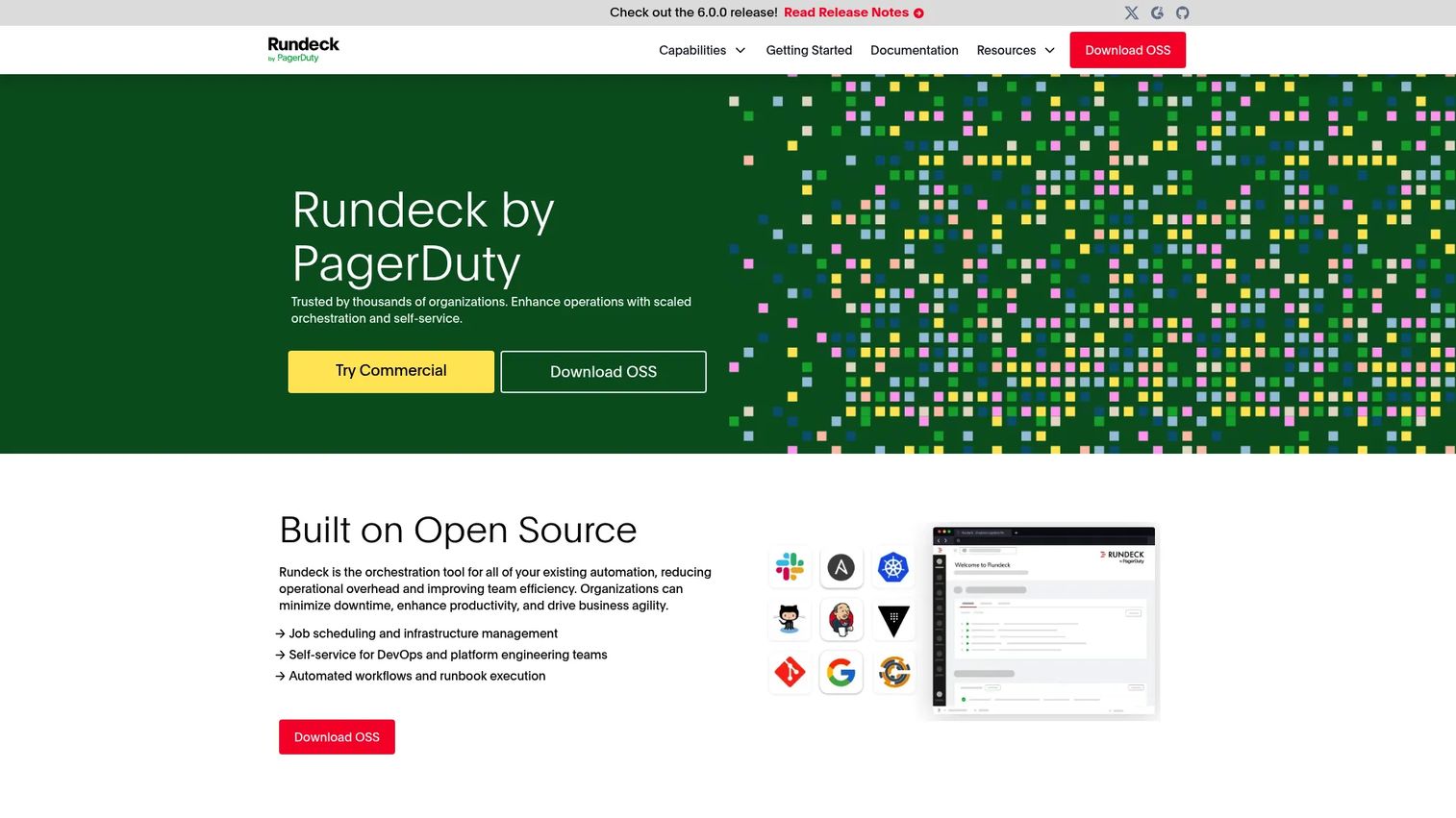
Rundeck is runbook automation software built around self-service operations and workflow orchestration. It turns your existing scripts and commands into jobs that approved teams can run through a web GUI, API, or CLI, without handing them raw shell access. The model is deceptively simple: define a job once, apply access controls, and let the right people execute it safely with a full record of every run.
Best for: teams that want to delegate routine operational tasks to non-specialists without giving away the keys to production.
Key strengths
- Job scheduling and workflow automation: turn repetitive procedures into reusable, schedulable jobs that run the same way every time.
- Multi-interface execution: trigger jobs from a web GUI, API, or CLI so automation fits any workflow.
- Role-based access control and auditing: control who can run what, with a complete audit trail of every execution.
Why choose Rundeck: If your biggest pain is senior engineers being pulled into repetitive requests, Rundeck's self-service model is the direct fix. It lets you delegate task execution safely, which frees specialists for higher-value work and gives you the audit trail that operations and security teams both want. It shines for service request automation and repeatable operational tasks.
Rundeck pricing: Rundeck Community is available free of charge and covers core runbook automation for teams getting started. The commercial Runbook Automation offering requires a license through sales, and no public commercial price is listed. Check the vendor's downloads page for the current split between community and commercial features.
2. Cutover
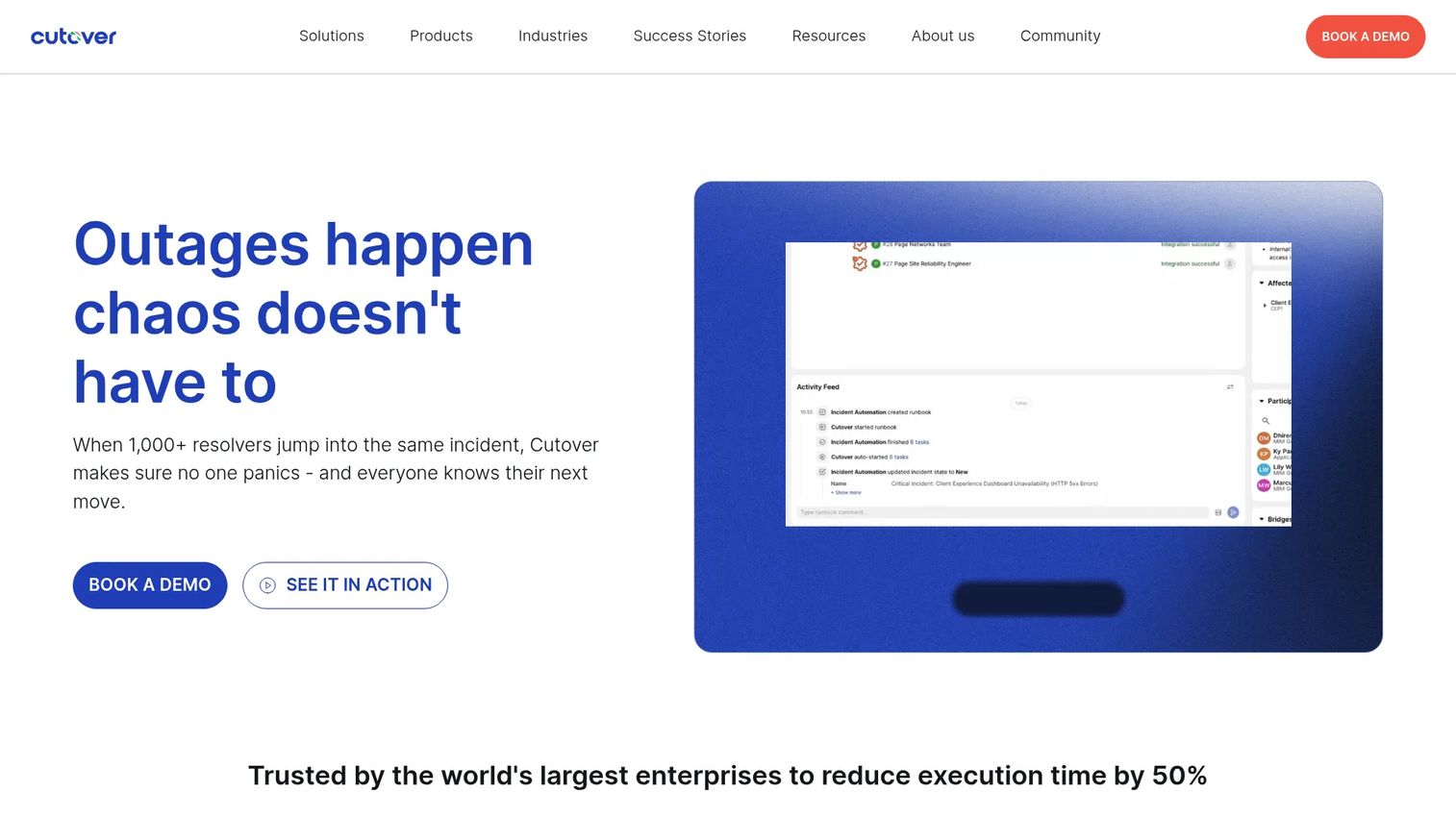
Cutover is an enterprise collaborative automation platform for orchestrating runbooks across IT operations. Its distinguishing feature is human-in-the-loop execution: Cutover coordinates the automated steps and the human decisions in a single runbook, then gives you dashboards to see progress in real time. That makes it well suited to complex, multi-team events where a fully unattended workflow would be too risky.
Best for: large enterprises running high-stakes change, release, or recovery events that span many teams and require live coordination.
Key strengths
- AI-powered runbooks: build and refine runbooks with AI assistance to speed up planning for complex operations.
- Integration suite: connect Cutover to your existing operational and monitoring tools so workflows span your stack.
- Dashboards and analytics: track execution progress and post-event performance across every runbook.
Why choose Cutover: Choose Cutover when the work is too coordinated for pure automation and too complex for a spreadsheet. It excels at disaster recovery automation, major release orchestration, and IT change events where dozens of steps must land in sequence across teams. The human-in-the-loop model keeps people in control while the platform enforces order and captures the record.
Cutover pricing: Cutover uses custom pricing only. Its pricing page provides a tailored quote based on team size, usage, and the advanced functionality you need, so there is no public starting price. It carries a 4.3/5 rating on G2.
3. Redwood
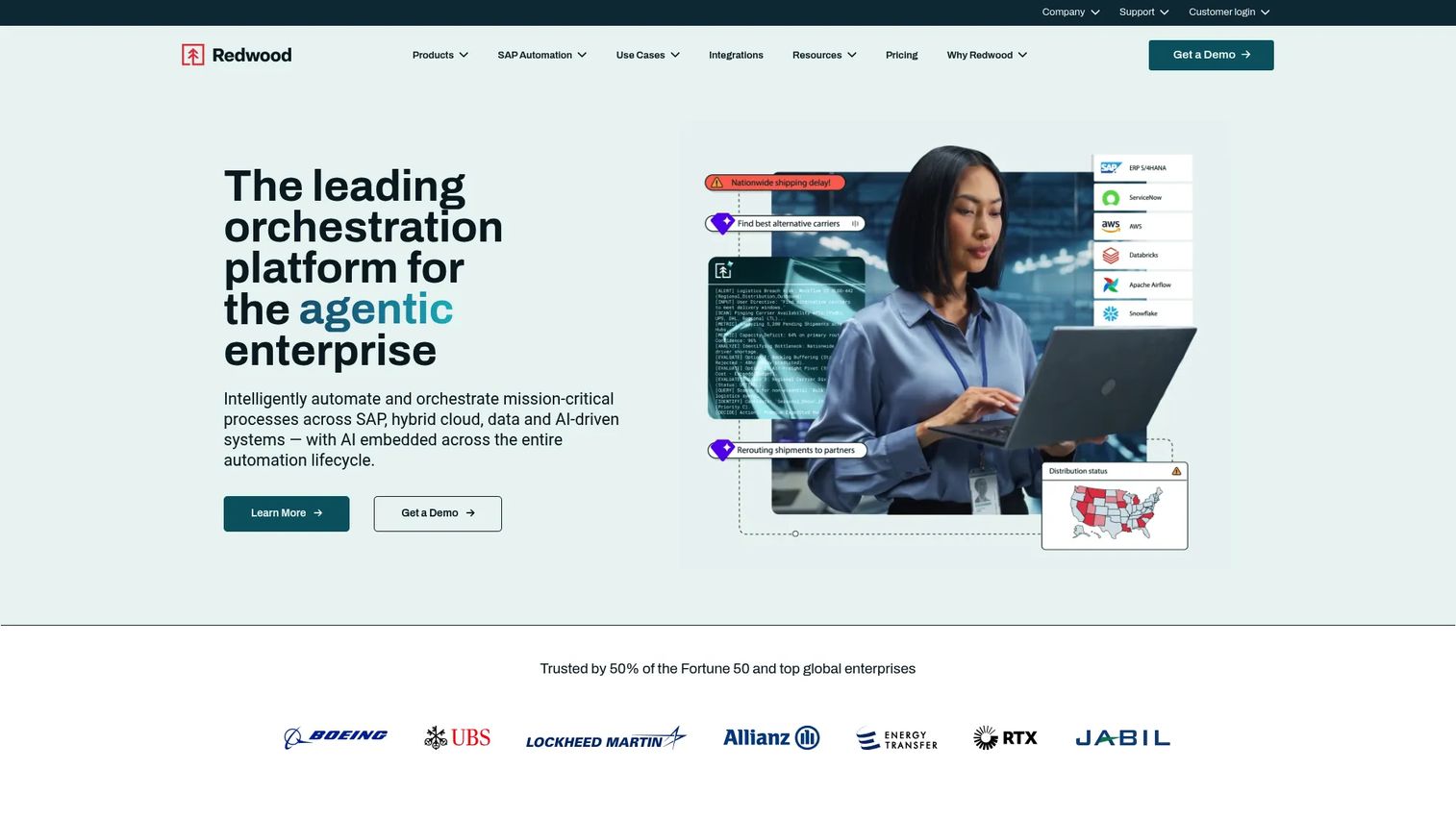
Redwood is enterprise automation and orchestration software, centered on RunMyJobs by Redwood. It is built for organizations that need to orchestrate workloads across private, public, and multi-cloud environments from one control plane. Redwood leans heavily into SAP orchestration and hybrid observability, which makes it a strong fit for large, complex estates where runbook automation overlaps with broader workload automation.
Best for: large enterprises running SaaS workload automation and orchestration, especially SAP-heavy environments.
Key strengths
- Hybrid orchestration: run automation seamlessly across private, public, and multi-cloud environments.
- SAP orchestration and integrations: deep support for SAP-centric operations and processes.
- Agentic orchestration with AI agents: use AI agents and unified hybrid observability inside a fully managed SaaS platform.
Why choose Redwood: Redwood fits when your operations span many environments and you want orchestration, observability, and automation in one managed platform. It handles cross-environment workflows, scheduling, and SAP-heavy processes that many general-purpose tools do not reach. RunMyJobs by Redwood holds a 4.8/5 rating on G2, among the highest in this list.
Redwood pricing: Redwood uses quote-based pricing. The official pricing page asks you to request a Redwood quote and shows no public price, which is typical for enterprise orchestration platforms sized to your estate.
4. Red Hat Ansible Automation Platform
Red Hat Ansible Automation Platform is an enterprise automation platform for creating, executing, and managing IT automation across hybrid environments. It extends the widely used Ansible engine with an automation controller, event-driven execution, and a hub of certified content. For teams that want to standardize automation across infrastructure, networks, and applications, it is a governance-heavy foundation rather than a single-purpose runbook tool.
Best for: enterprises standardizing and scaling cross-team automation in hybrid IT environments.
Key strengths
- Automation controller: manage execution with RBAC, a workflow visualizer, and CI/CD integrations.
- Event-Driven Ansible: trigger automated remediation directly from operational events and alerts.
- Automation hub and certified content: reuse certified content collections to standardize automation across teams.
Why choose Red Hat Ansible Automation Platform: Choose it when automation needs to scale across many teams with policy-driven governance. Event-Driven Ansible makes it strong for incident remediation, while the automation controller and certified content standardize DevOps and infrastructure work. It fits organizations that treat automation as shared infrastructure, not a point solution. It holds a 4.6/5 rating on G2.
Red Hat Ansible Automation Platform pricing: Pricing is not publicly listed. Red Hat offers Standard and Premium subscriptions and prices them by sizing and subscription choice, directing buyers to contact Red Hat or a certified partner for a quote.
5. Resolve
Resolve AI brings AI agents to production operations, helping engineering teams run on-call, incidents, and operational tasks. Its agents triage alerts, investigate across code, infrastructure, and telemetry, and can be exposed through MCP, API, and skills. This is a more agentic take on runbook automation: instead of only executing predefined steps, Resolve's agents reason across signals to reduce the toil of production incident response.
Best for: engineering teams automating production incident response and operational toil.
Key strengths
- On-call agents: triage alerts and route noise so engineers focus on real issues.
- Incident agents: investigate across code, infrastructure, and telemetry to speed up root-cause work.
- Custom agents: build and expose custom agents through MCP, API, and skills.
Why choose Resolve: Choose Resolve when your operational load is production incidents and on-call fatigue rather than scheduled batch work. Its agentic approach targets incident triage, investigation, and remediation, which makes it a strong fit for engineering-led SRE teams drowning in alert noise. It is best for organizations comfortable putting AI agents in the incident loop.
Resolve pricing: Resolve uses custom pricing. Its pricing page presents a "Get pricing" form and shares details on enterprise plans and integrations on request, with no public price displayed.
6. PagerDuty
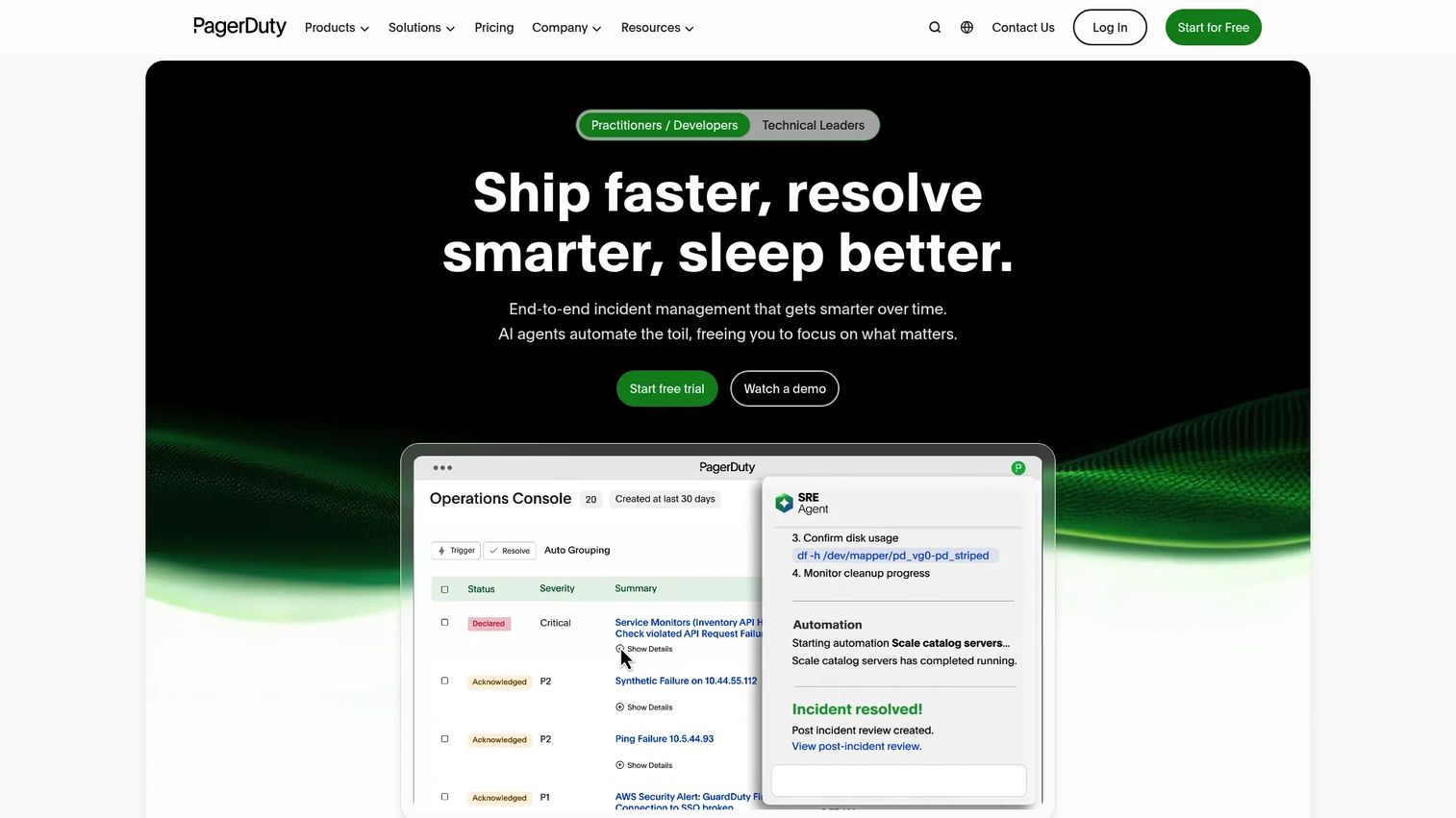
PagerDuty is an AI-first operations platform spanning incident management, AIOps, and automation. Its runbook automation sits inside a broader operations cloud, which means the same platform that pages your on-call engineer can also trigger the remediation workflow. For teams already centered on incident management, that tight loop between alert, escalation, and automated action is the core appeal.
Best for: teams that need on-call, incident response, and operational automation in one platform.
Key strengths
- Incident management: coordinate on-call, escalation, and response in a single system.
- AIOps: reduce alert noise and surface signal so responders act faster.
- Automation: trigger runbook automation directly from incidents to cut manual remediation.
Why choose PagerDuty: Choose PagerDuty when incident response is your center of gravity and you want automation woven into it rather than bolted on. The connection between paging, escalation, and automated remediation directly targets MTTR reduction. It fits SRE and operations teams that already live in an incident-management workflow. It holds a 4.5/5 rating on G2.
PagerDuty pricing: The Runbook Automation plan is $125 per user per month plus a platform fee, billed monthly. A self-hosted Runbook Automation option requires contacting sales. PagerDuty offers a 14-day free trial with no credit card required.
7. Azure Automation
Azure Automation is Microsoft's service for automating and managing cloud and hybrid IT tasks. It centers on runbooks that automate recurring processes, plus update and configuration management for your fleet. If your operations already live in the Microsoft ecosystem, Azure Automation gives you native runbook automation without adding a separate platform to your stack.
Best for: teams that need Microsoft-native automation for Azure and hybrid environments.
Key strengths
- Process automation: run runbooks to automate recurring cloud and hybrid tasks.
- Update management: keep servers patched and current across your fleet.
- Configuration management and change tracking: enforce desired state and track changes across nodes.
Why choose Azure Automation: Choose Azure Automation when Azure is already your operational home and you want automation that plugs in natively. It fits recurring task automation, patching, and configuration management for Azure and hybrid estates. The usage-based model means you pay for what you run rather than committing to seats upfront. It holds a 4.5/5 rating on G2.
Azure Automation pricing: Pricing is usage-based. Process automation is billed per job-execution minute after 500 free minutes per month, watchers run at $0.002 per hour after 744 free hours, configuration management is free for Azure nodes with paid non-Azure nodes beyond five, and update management carries no service charge. A free tier of included units is available.
Considerations before you buy
Before you commit, run every shortlisted tool through this checklist. It maps to the same criteria a serious buyer applies during technical validation.
Orchestration depth
Confirm the tool handles more than sequential scripts. You want conditional logic, branching, and mid-workflow human approvals. Ask to see a runbook that mixes automated steps with an approval gate, then a downstream action. If it cannot pause for a human and resume cleanly, it will not fit real operations.
Governance and auditability
Check that role-based access control, version history, and immutable audit trails are built in, not bolted on. For regulated environments, ask how execution logs are stored and exported. Governance is where automation earns trust with security and compliance reviewers, so treat it as a gating requirement.
Cross-environment coverage
List every environment you actually run: cloud, on-prem, containers, legacy. Then verify the tool reaches all of them. A platform that only orchestrates one cloud will leave your hardest operational corners untouched, which is often where incidents originate.
Integration and total cost
Map the tool's integrations against your ITSM, monitoring, CMDB, and alerting stack. Missing connectors mean manual glue work later. On cost, compare seat-based, usage-based, and quote-based models against your team size and execution volume, and factor in the implementation effort each model implies.
Conclusion
The right runbook automation software depends on where your operational pain lives. If it is repetitive service requests and self-service delegation, Rundeck is the cleanest fit. If it is high-stakes change and disaster recovery across teams, Cutover's collaborative model earns its place. For hybrid and SAP-heavy estates, Redwood leads, while Red Hat Ansible Automation Platform is the pick for policy-driven automation at scale. Control-M bridges scheduling and orchestration, Resolve leans agentic for incident-heavy engineering teams, PagerDuty owns the incident-response loop, and Azure Automation is the native choice for Microsoft shops.
Your next step: shortlist two tools that match your primary operational job, then run a hands-on evaluation against the four criteria above (orchestration depth, governance, cross-environment support, integration fit). Bring a real runbook, not a canned demo, and watch how each tool handles your messiest procedure.
If you build product demos or need to walk buyers through operational tooling during evaluation, Guideflow helps teams create interactive, self-serve product experiences. Start your journey with Guideflow today!
FAQs
Runbook automation is software that turns documented operational procedures into governed, executable workflows. Instead of an engineer following a wiki by hand, the tool orchestrates the scripts, APIs, and approvals automatically, with a full audit trail of every run. It brings consistency, speed, and accountability to repetitive operations.
A script executes a single set of commands. A runbook is the broader procedure for handling an operational task, and it can include multiple scripts, API calls, approval steps, and decision points. Runbook automation adds governance around all of that: access control, version history, and audit trails that a raw script does not provide.
IT operations, DevOps, and SRE teams are the core users, along with platform and infrastructure teams. Presales and sales engineers also care about the category when they help technical buyers validate operational fit. Any team responsible for consistent, auditable execution of repeatable procedures benefits from it.
Orchestration depth, governance, cross-environment support, and integration fit lead the list. Look specifically for conditional logic with human approval steps, role-based access control, immutable audit trails, and connectors to your ITSM, monitoring, and cloud stack. Self-service execution is a strong bonus for offloading routine work.
It replaces improvised firefighting with tested, repeatable remediation. When an incident hits, the runbook executes the same proven steps every time, regardless of who is on call, and can trigger directly from an alert. That consistency removes guesswork and escalation delay, which is where most mean-time-to-resolution improvement comes from.
Yes. Most enterprise-grade tools support hybrid orchestration across private, public, and multi-cloud environments, plus on-prem servers, containers, and legacy systems. Cross-environment coverage is a core buying criterion, since incidents often originate in the hardest-to-reach corners of an estate. Verify each tool reaches every environment you actually run.
Runbook automation focuses on operational procedures like incident remediation and service requests, often triggered by events or people. Workload automation focuses on scheduled, dependent jobs like batch processing and data pipelines. The categories overlap, and platforms like Control-M and Redwood bridge both, which is useful when your operations span procedures and scheduled workloads.
Start with your primary operational job: incident response, service requests, DevOps and SRE work, migrations, or disaster recovery. Shortlist two tools that fit that job, then evaluate each against orchestration depth, governance, cross-environment support, and integration fit. Run a hands-on test with a real runbook, not a scripted demo, before you commit.