Your agents paste the same five-step explanation into chat after chat. A customer drops off halfway through reading it. The queue stacks up during the 2pm peak, and average handle time creeps up while CSAT slides down. You know the pattern because you live it every shift.
Live chat software exists to break that loop. Done right, it shortens time-to-resolution, deflects the repetitive "how do I" questions before they hit an agent, and routes the ones that matter to the right person. Done poorly, it becomes another widget that floods your inbox with the same questions you already answered last week. Pairing chat with interactive product tours is one way support leaders break the cycle of pasting long instructions into every conversation.
Customers expect it now. BoldDesk reports that more than 30% of customers expect live chat on a website, and 73% say live chat is the best way to communicate with a business. The same research puts the average response wait time on live chat at 2 minutes 40 seconds. That bar is low enough to clear, and high enough that the wrong tool will sink you.
The market reflects the demand. Research and Markets values the live chat software market at USD 1.49 billion in 2026, projected to reach USD 2.26 billion by 2030 at a 10.9% CAGR. That means more vendors, more AI claims, and more noise to cut through before you pick.
This guide cuts through it for support teams specifically, not generic buyers chasing ecommerce conversions.
What's inside
This guide is for support leaders and frontline agents choosing a live chat tool: Heads of Support, Support Managers, Support Ops, Team Leads, and senior agents building or refining the stack.
We selected 10 tools and judged each against four criteria that matter to support teams:
- AI and automation depth: can the bot deflect repetitive tickets and genuinely assist agents?
- Integrations: does it connect to your help desk, CRM, and ecommerce platform natively?
- Pricing transparency and free tiers: is the cost clear, and is there a real free option?
- Support-team fit: routing, canned replies, transcripts, and analytics that move FCR, AHR, and CSAT.
No house bias. Every pick here earns its place on merit, not because we sell it.
TL;DR
Short on time? Here are the decision shortcuts by support sub-segment.
- Best overall for support teams: Zendesk, for scalable omnichannel support with deep ticketing and AI.
- Best free live chat software: Tawk.to, with a genuinely free core suite and unlimited agents.
- Best for ecommerce support: Tidio, with Shopify fit and the Lyro AI agent.
- Best for AI-first deflection: Intercom, built around the Fin AI agent and per-resolution pricing.
- Best for small support teams: Olark or Pure Chat, for clean, low-overhead chat without heavy setup.
- Best bundled with a full help desk: LiveAgent, which packages live chat with ticketing and a call center.
What is live chat software?
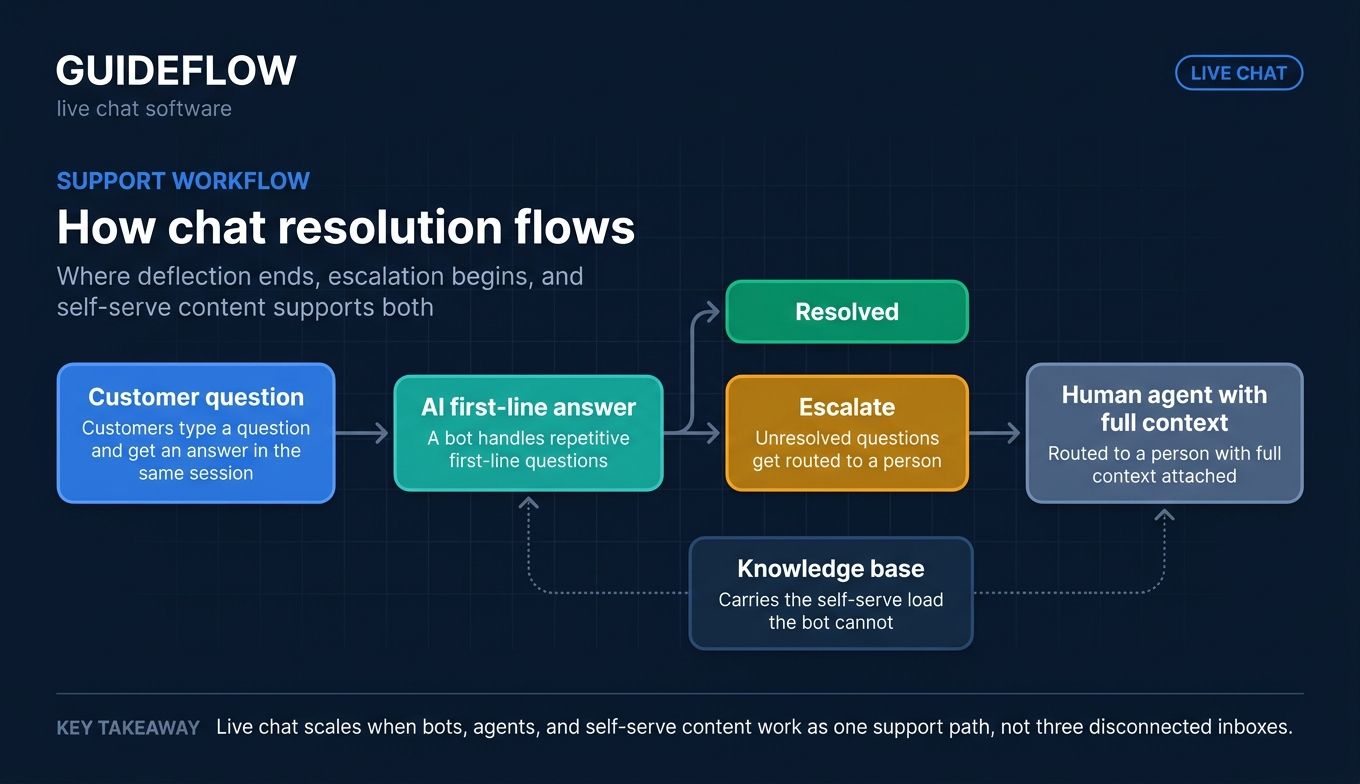
Live chat software is a tool that lets support teams have real-time text conversations with customers directly on a website, app, or messaging channel. Instead of waiting on an email thread or sitting in a phone queue, customers type a question and get an answer in the same session.
Most modern customer support chat software now blends human agents with AI. A bot handles the repetitive first-line questions, and anything it cannot resolve gets routed to a person with full context attached. That blend is what separates a chat support system that scales from one that simply adds another inbox to monitor. Many support teams also pair chat with a strong knowledge base so self-serve content carries the load the bot cannot.
Here are the core features support teams should expect from any chat support software:
- Real-time messaging widget: a customizable chat box that installs on your site or app.
- Conversation routing: rules that send chats to the right agent, team, or queue.
- Canned and saved replies: reusable responses that cut typing and keep answers consistent.
- Chat transcripts: searchable records of every conversation for context and quality review.
- AI chatbots: automation that answers common questions and deflects repetitive tickets.
- Omnichannel inbox: one view for web chat, email, social, and messaging apps.
- Analytics and reporting: metrics on volume, response time, resolution, and satisfaction.
- Integrations: native connections to your help desk, CRM, knowledge base, and ecommerce platform.
The strongest live chat support software treats these as one connected workflow, not a pile of disconnected features. When routing, canned replies, and transcripts feed the same system, agents stop reconstructing context and start resolving faster.
When support teams should use live chat software
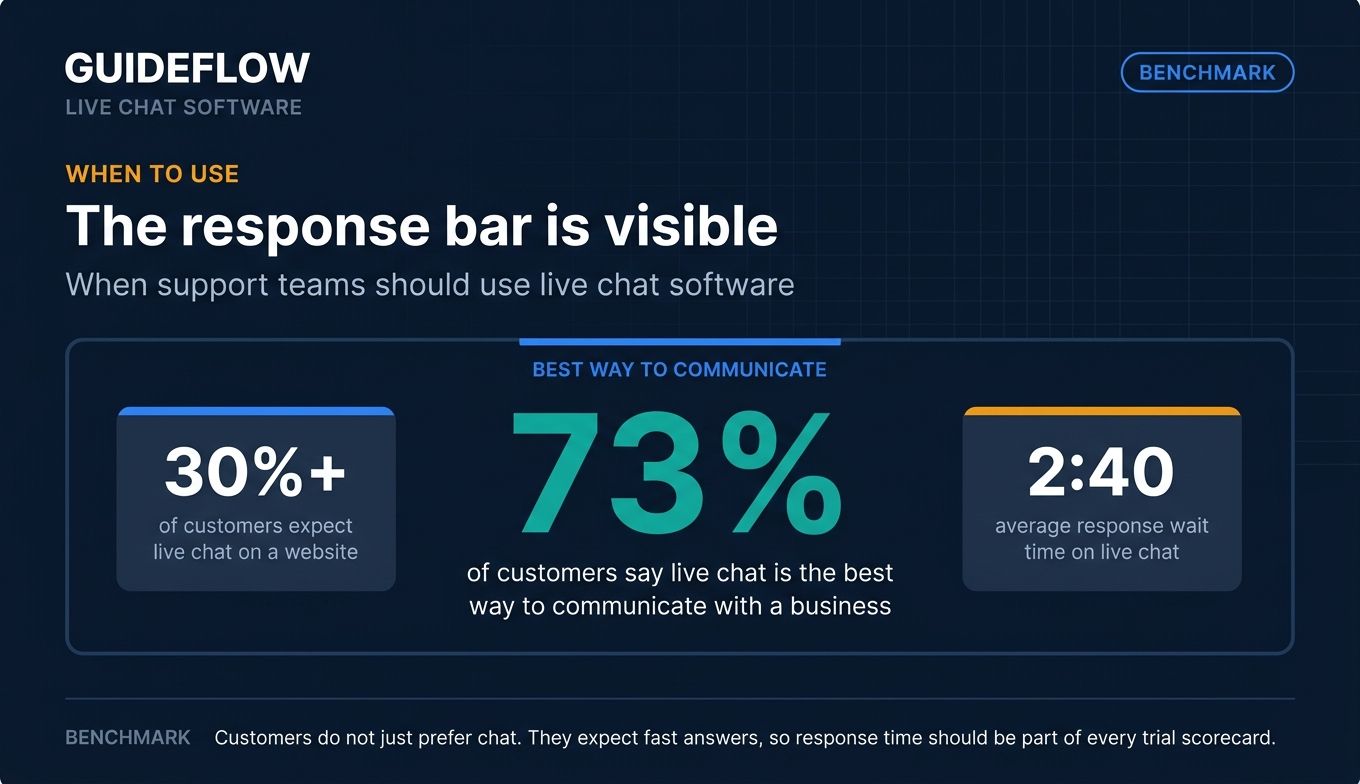
Live chat is not the answer to every support problem. Here is where it earns its keep.
Deflect repetitive "how do I" questions before they reach the queue
A large share of your tickets are the same handful of questions asked a hundred different ways. Proactive chat triggers catch users on the pages where they get stuck, and bot-handled FAQs answer the basics before a human ever sees them. Canned replies cover the rest in seconds.
There is a gap most chat tools leave open, though. Agents still paste long written multi-step instructions into replies, and customers skip them. Pairing those replies with interactive guides works best here: a clickable walkthrough embedded in a chat reply or help center article shows the steps instead of describing them, which complements your live chat queue rather than competing with it. These self-service experiences turn repetitive instructions into something customers can follow on their own. The result is fewer back-and-forth messages on the questions that should be self-serve.
Shorten time-to-resolution on live tickets
Email tag and phone hold time both burn minutes you do not have. Real-time messaging collapses a multi-day email thread into a single live session. Some tools add co-browsing or screen sharing, so an agent can see exactly what the customer sees instead of guessing from a vague description. That visibility cuts handle time on the issues that text alone cannot resolve.
Add live chat to your website without engineering
You should not need a developer to launch live chat software for your website. Most tools ship a no-code widget snippet you paste into your site, plus native integrations for common CMS and ecommerce platforms like WordPress, Shopify, and BigCommerce. Install takes minutes, and updates to greetings, routing, and triggers happen in a dashboard, not a deploy.
Live chat software compared
The table below sorts the 10 tools by relevance to support buyers. Pricing reflects each vendor's published rates as of June 2026, and ratings are pulled from the vendor's live G2 or Capterra listing. Verify current figures before you buy, since vendors revise pricing and tiers often.
| # | Product | Intent | Key use case | Pricing | G2 rating |
|---|---|---|---|---|---|
| 1 | LiveChat | Premium website chat | Real-time support plus sales engagement | From $19/person/mo (annual) | 4.4/5 |
| 2 | Intercom | AI-first support | AI deflection with the Fin agent | From $0.99/Fin outcome + $29/seat/mo | 4.5/5 |
| 3 | Zendesk | Omnichannel scale | Mid-market and enterprise support suite | From $19/agent/mo (yearly) | 4.3/5 |
| 4 | Tidio | SMB and ecommerce | Live chat plus Lyro AI for online stores | Free; paid from $24.17/mo | 4.6/5 |
| 5 | LiveAgent | Help desk bundle | Live chat inside a full help desk | From $15/agent/mo (annual) | 4.5/5 |
| 6 | HubSpot | CRM-native chat | Chat tied to the HubSpot CRM | Free; paid from $10/seat/mo | 4.4/5 |
| 7 | Olark | Simple website chat | Clean, accessible chat widget | From $29/seat/mo | 4.5/5 |
| 8 | ProProfs Chat | Knowledge-base chat | Chat tied to a help center and bot | Free; paid from $1.99/operator/mo | 4.5/5 |
| 9 | Tawk.to | Free live chat | Budget teams needing unlimited agents | Free; hired agents $1/hr | 4.5/5 |
| 10 | Pure Chat | Lightweight chat | Very small teams and solo operators | From $39/mo (annual) | Capterra 4.6/5 |
The 10 best live chat software tools for support in 2026
1. LiveChat
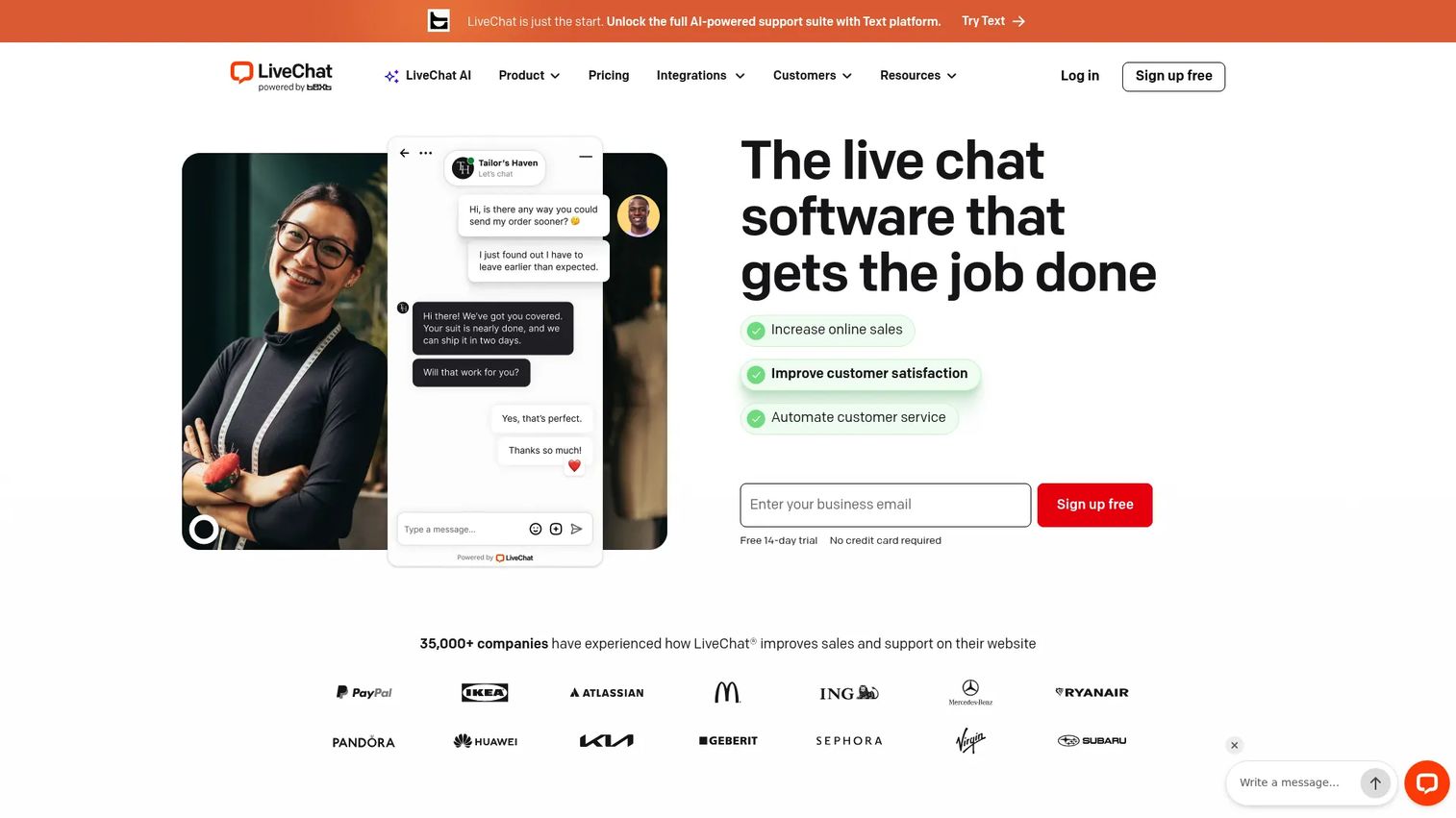
LiveChat is live chat and AI customer service software built for real-time support, sales engagement, and reporting. It pairs a customizable website chat widget with AI features and a deep integration ecosystem, which makes it a strong fit for teams that handle support and conversion in the same conversation. Visitor tracking, chat history, and campaign tools sit alongside the messaging itself.
The AI layer is where it pulls ahead for busy teams. Text Intelligence, Copilot, text enhancement, tag suggestions, and chat summaries handle the work that slows agents down between messages.
Best for: businesses that want a premium website live chat platform for real-time support, sales engagement, and reporting.
Key strengths
- AI Copilot and Text Intelligence: drafts, enhances, and summarizes so agents spend less time typing and more time resolving.
- Customizable chat widget: matches your brand and behaves the way your team needs across pages.
- Reporting and visitor tracking: ties chat activity to outcomes you can review and improve.
Why choose LiveChat: if your support and sales motions overlap, LiveChat handles both in one widget without forcing you to bolt on a separate tool. The AI summaries and tag suggestions also cut the after-chat admin that eats into handle time. It rewards teams ready to invest in a polished, full-featured platform rather than a bare-bones widget.
LiveChat pricing: plans are priced per person, billed annually. Starter is $19/mo, Team is $49/mo, Business is $79/mo, and Enterprise is custom (request a call). There is no permanent free tier, but a 14-day free trial is available. Starter suits small businesses, while Team and Business target full-time support teams and customer service departments.
2. Intercom
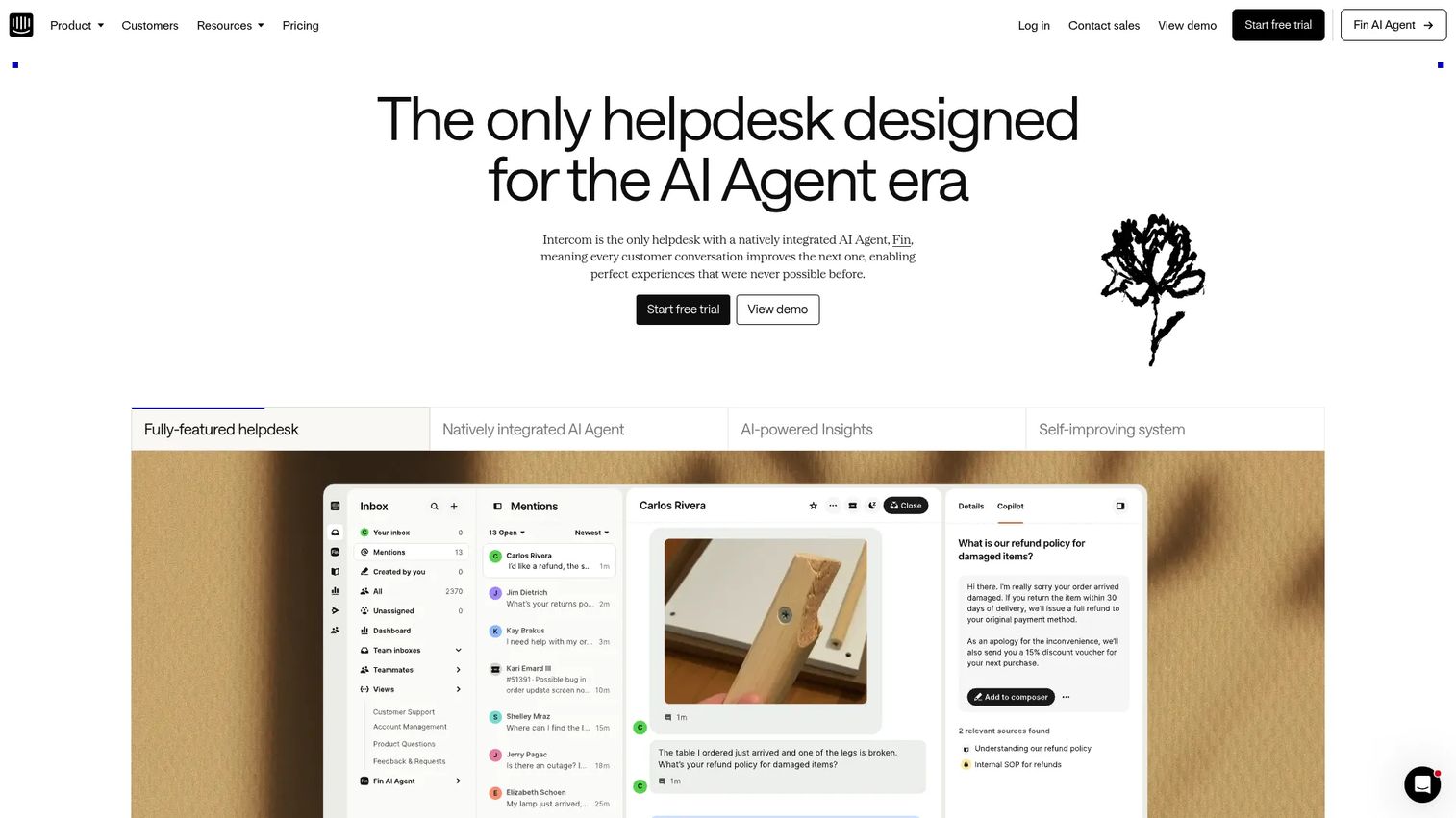
Intercom is an AI-first customer service platform that combines the Fin AI agent with a full helpdesk. It is built for support teams that want automation to carry the first line of contact, with a human-staffed omnichannel inbox behind it. The pricing model reflects that focus: you pay per resolution the AI handles, on top of seats. You can even see how a tool like this looks in action through a live Intercom walkthrough.
If your strategy is AI-led deflection, Intercom is structured around exactly that. Fin resolves questions end to end, and anything it cannot close hands off cleanly inside the agent workspace.
Best for: customer support teams that want an AI-powered helpdesk with automation, an omnichannel inbox, ticketing, and customer messaging.
Key strengths
- Fin AI Agent: resolves repetitive questions autonomously and bills per outcome, not per attempt.
- AI-powered agent workspace: an omnichannel inbox that keeps context across channels.
- No-code automations and Help Center: route, trigger, and deflect without engineering support.
Why choose Intercom: when your repetitive ticket volume is high enough that per-resolution AI pricing pencils out, Intercom turns deflection into a measurable line item. The Fin AI Agent can even run on top of an existing helpdesk. It fits teams that want to lead with automation and measure resolution rates honestly.
Intercom pricing: Essential starts at $0.99 per Fin outcome plus $29 per seat/mo, billed annually. Advanced is $0.99 per Fin outcome plus $85 per seat/mo, and Expert is $0.99 per Fin outcome plus $132 per seat/mo. The Fin AI Agent can be used standalone from $0.99 per Fin outcome with no seats required. There is no free plan, only a free trial.
3. Zendesk
Zendesk is an AI-powered customer service platform that manages support across tickets, messaging, live chat, voice, knowledge, analytics, and automation. Its live chat is one channel inside a larger suite, which is the point: support teams that need scale want messaging, ticketing, and routing in one system. The Agent Workspace gives agents a single view of every conversation. See a Zendesk demo to gauge how the suite feels day to day.
For mid-market and enterprise teams, the depth here is the draw. Omnichannel routing, AI agents, and reporting hold up as volume and headcount grow.
Best for: support teams that need scalable, multi-channel customer service with ticketing, automation, AI, reporting, and knowledge management.
Key strengths
- Omnichannel messaging and live chat: web, mobile, and social conversations in one workspace.
- Zendesk AI and AI agents: automate routing and resolution across the suite.
- Analytics and knowledge base: report on FCR, AHR, and CSAT, and feed self-serve content.
Why choose Zendesk: if you are already in or considering the broader Zendesk suite, adding live chat keeps everything under one roof with consistent routing and reporting. The trade-off is that you are buying a platform, not a standalone widget. That suits teams scaling past the point where point tools fragment the workflow.
Zendesk pricing: Support Team starts at $19/agent/mo paid yearly. Suite Team is $55/agent/mo and adds AI agents, knowledge base, omnichannel routing, messaging, and live chat. Suite Professional is $115/agent/mo with advanced reporting and routing, and Suite Enterprise + Copilot is sales-priced. There is no permanent free tier, though a trial is available.
4. Tidio
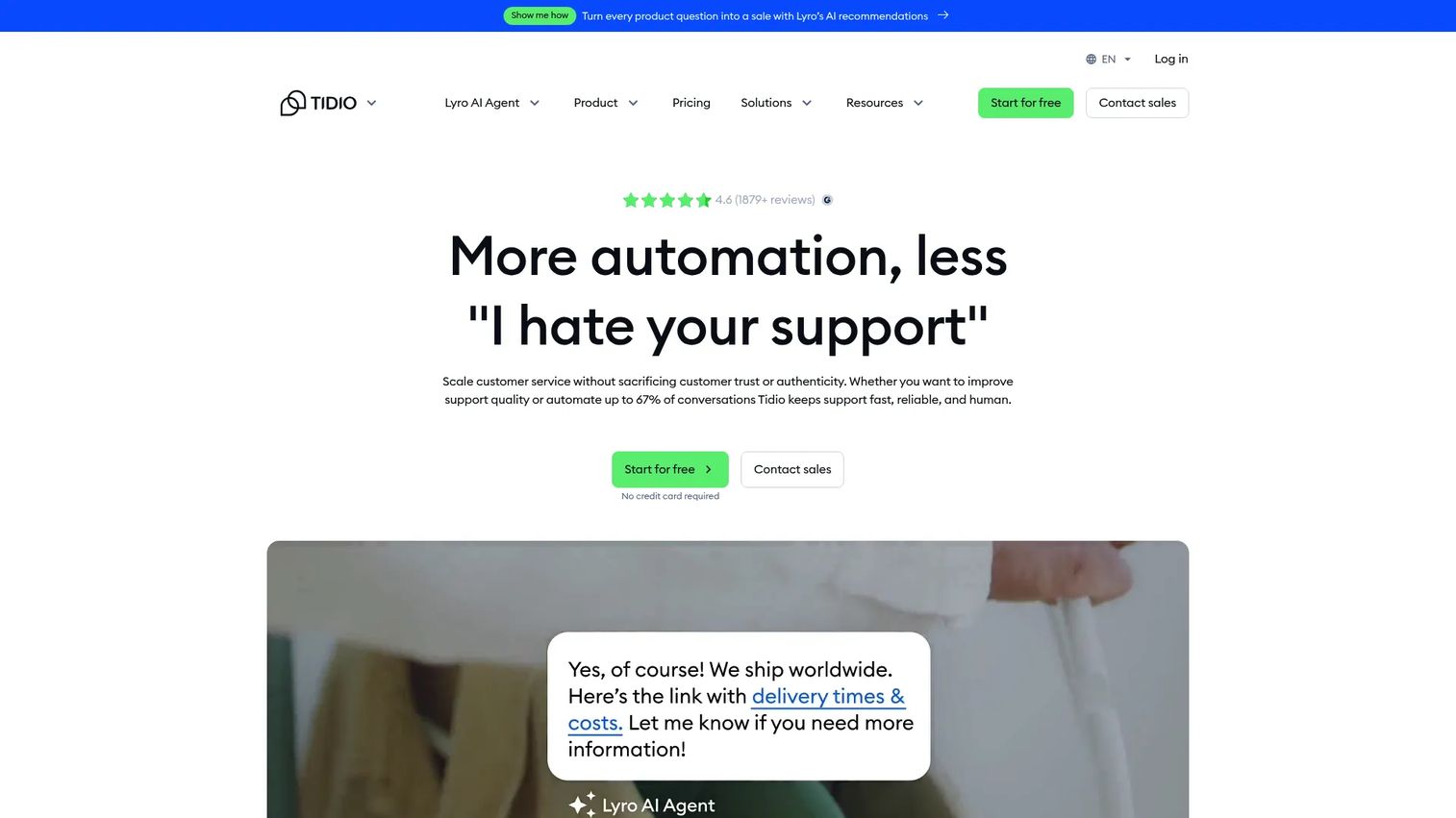
Tidio is an AI-powered customer service platform combining help desk, live chat, ticketing, Flows automation, and the Lyro AI Agent. It is built for SMB teams and online stores, with a generous free tier that lowers the barrier to getting started. The Shopify fit makes it a natural pick for ecommerce support. A Tidio product tour shows how Lyro and live chat work together.
Lyro is the standout. It handles automated customer-service conversations so small teams can deflect repetitive questions without staffing up.
Best for: SMB teams that want to combine AI customer support automation with live chat, ticketing, and help desk workflows.
Key strengths
- Lyro AI Agent: automates support conversations and deflects common questions.
- Live chat and ticketing: one inbox for real-time chat and tracked tickets.
- Flows automation: no-code automations for support and sales triggers.
Why choose Tidio: for a small support team or an online store, Tidio packs AI automation, live chat, and ticketing into a tool with a real free starting point. The conversation-based limits keep early costs predictable. It fits teams that want to grow into AI deflection without an enterprise contract.
Tidio pricing: the Free plan is $0/mo with 50 billable conversations and 10 seats. Starter is $24.17/mo (annual) with 100 billable conversations, and Growth starts at $49.17/mo with up to 2,000 conversations. Plus starts at $749/mo, and Premium is contact-for-pricing. Annual billing includes two months free.
5. LiveAgent
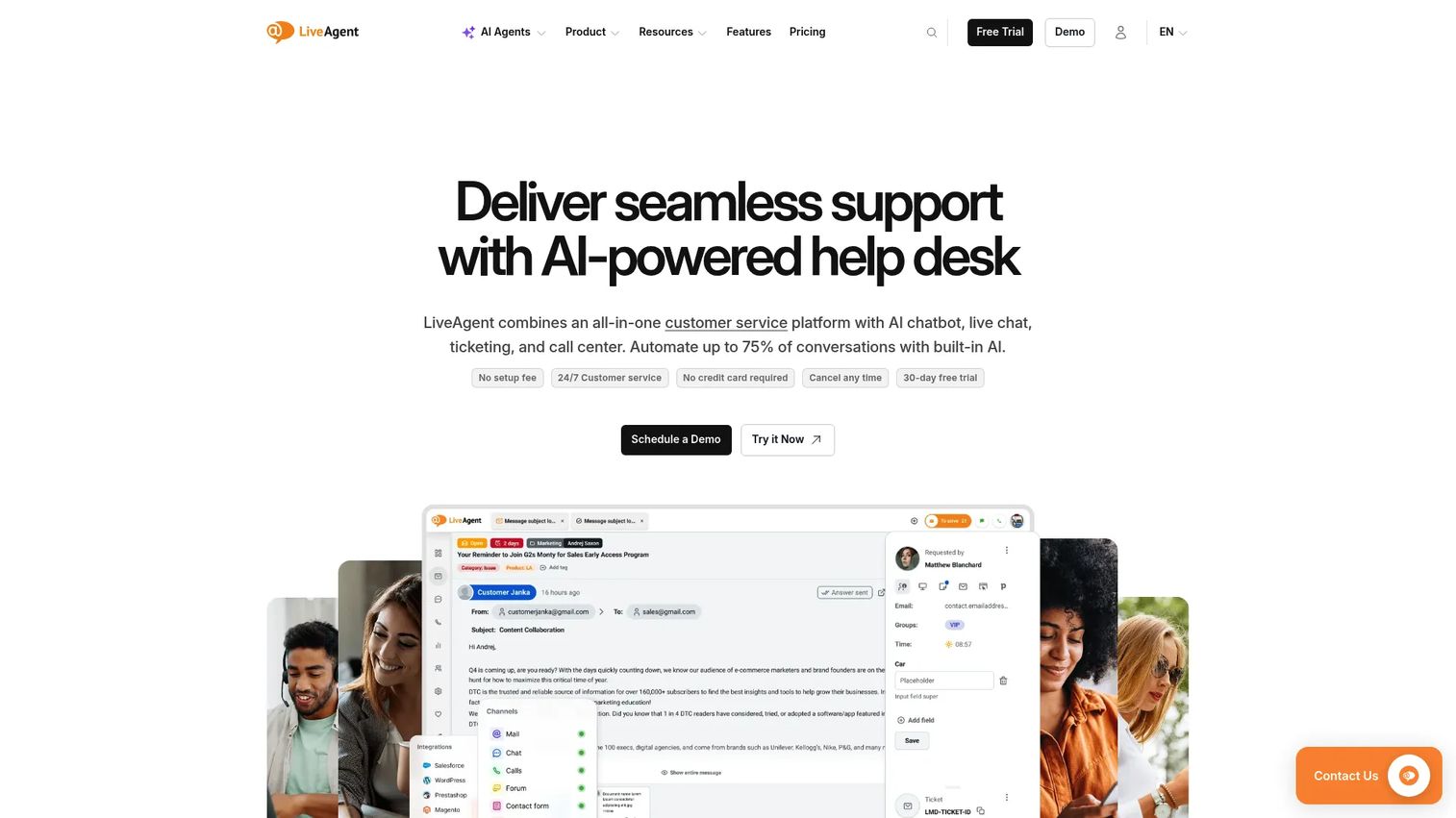
LiveAgent is a multi-channel help desk platform that covers customer support across ticketing, live chat, knowledge base, social, and call center channels. It is the pick for teams that want live chat bundled with a complete help desk rather than as a standalone widget. The breadth of channels in one tool is its core value. Browse a LiveAgent demo to see the bundle in one view.
That bundle keeps your stack lean. Ticketing, chat, knowledge base, and a call center live in one place, with AI assistance layered on top.
Best for: small to enterprise support teams that need an all-in-one help desk with ticketing, live chat, knowledge base, social channels, and call center capabilities.
Key strengths
- Live chat plus ticketing: real-time chat and tracked tickets in a unified help desk.
- Omnichannel coverage: email, chat, social, and call center channels in one workspace.
- AI Answer Assistant and AI Chatbot: automate first-line responses across channels.
Why choose LiveAgent: if you are tired of stitching chat, tickets, and phone together, LiveAgent consolidates them into one affordable platform. Higher tiers add SSO, custom roles, and social channels like Facebook, Instagram, and WhatsApp. It suits teams that want full help desk capability without paying enterprise-suite prices.
LiveAgent pricing: Small business is $15/agent/mo billed annually, Medium business is $29, Large business is $49, and Enterprise is $69. LiveAgent's free account page states a free-forever account with limited features is also available. Monthly billing runs higher across all tiers.
6. HubSpot
HubSpot is an AI-powered customer platform spanning marketing, sales, service, content, operations, and commerce, with live chat built into its Smart CRM. Its chat routes conversations straight into the shared inbox, with full customer context already attached from the CRM. For teams already on HubSpot, that context is the whole point. If you are weighing the CRM layer, our best CRM software guide puts HubSpot in context.
The free tier makes it easy to start. Live chat is part of HubSpot's foundational tools, so you can add chat without a new contract.
Best for: growing B2B teams that want an all-in-one CRM-centered platform for marketing, sales, service, content, data, and commerce workflows.
Key strengths
- CRM-native live chat: every conversation carries the customer's full record automatically.
- Routing to a shared inbox: chats land where your team already works.
- Breeze AI and automation: AI assistance and agents across the platform.
Why choose HubSpot: if your team already runs on HubSpot CRM, native live chat means no data silo and no integration workaround. Context follows the customer into every conversation. It fits teams that value a single platform over a best-of-breed chat tool.
HubSpot pricing: the Free plan is $0/month with foundational tools and no credit card required. Starter begins at $10/month per seat, Professional starts at $1,450/month with 6 seats included, and Enterprise starts at $4,700/month with 8 seats. The cited G2 rating reflects HubSpot Marketing Hub specifically.
7. Olark
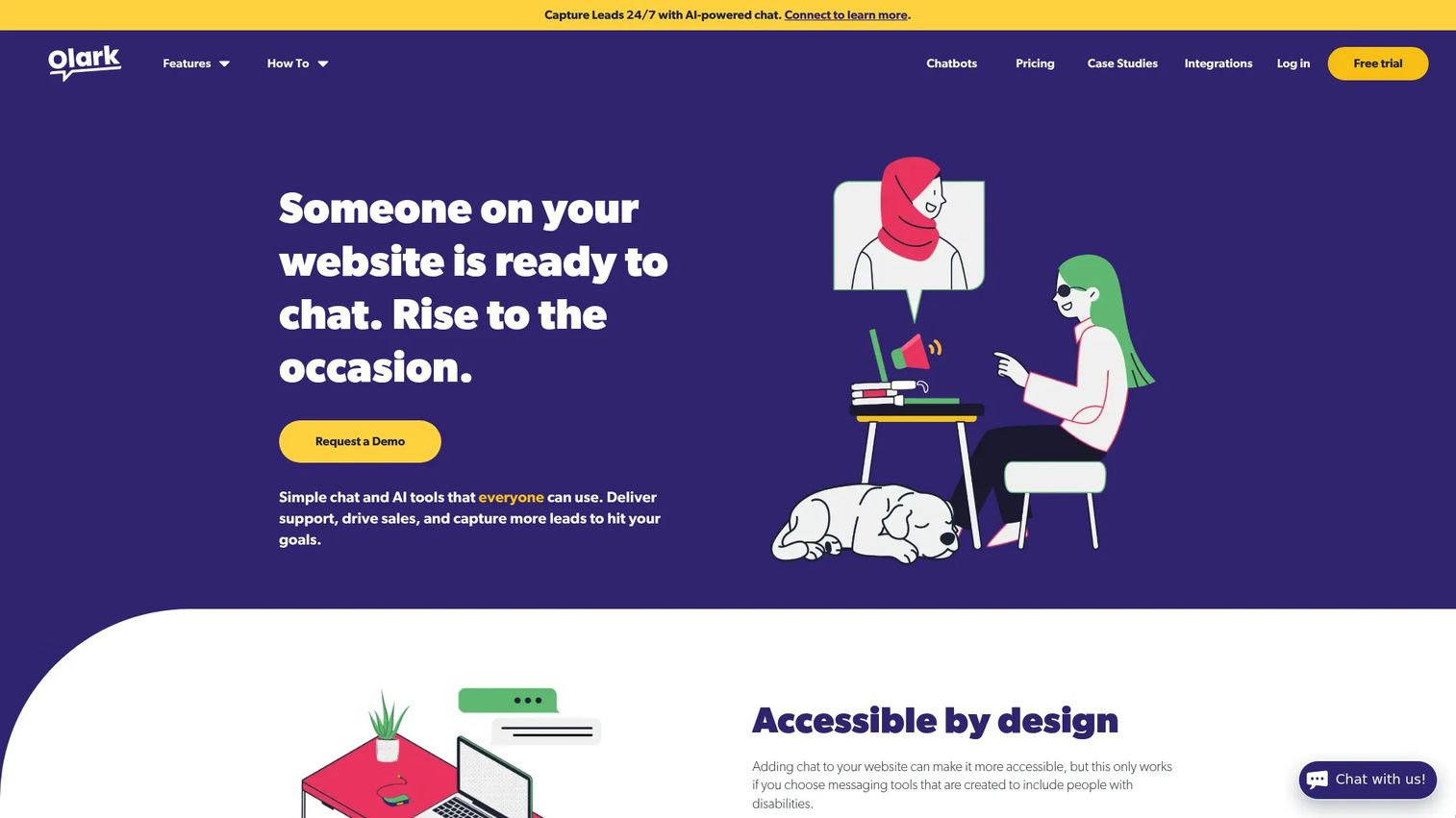
Olark is live chat software for sales, marketing, and support teams, focused on a clean, customizable chat experience. It offers chatbox customization, automated messages, real-time visitor insights, searchable transcripts, and reporting without the weight of a full suite. The accessibility focus stands out: Olark ships built-in WCAG 2.1 AA accessibility certification.
For teams that want chat to just work, the simplicity is the feature. No sprawling configuration, no steep ramp.
Best for: teams that want straightforward website live chat with customization, reporting, automation, and accessible chat experiences.
Key strengths
- Customizable chatbox: a clean widget you can shape to your brand quickly.
- Real-time reporting and transcripts: searchable archives and live visitor insight.
- Built-in accessibility: WCAG 2.1 AA certification out of the box.
Why choose Olark: if you want a no-frills chat widget that installs fast and respects accessibility, Olark stays out of your way. The Pro tier layers in AI, automation, and chatbots when you need them. It fits small teams that value clarity over a feature pile.
Olark pricing: Olark Standard starts at $29/month per seat and includes the customizable chatbox, advanced reporting, agent groups, targeted chat, and accessibility certification. Olark Pro adds AI, automation, chatbots, and a dedicated account manager, without a public numeric price listed. All accounts start on a free 14-day trial, with an option to downgrade to a limited free account.
8. ProProfs Chat
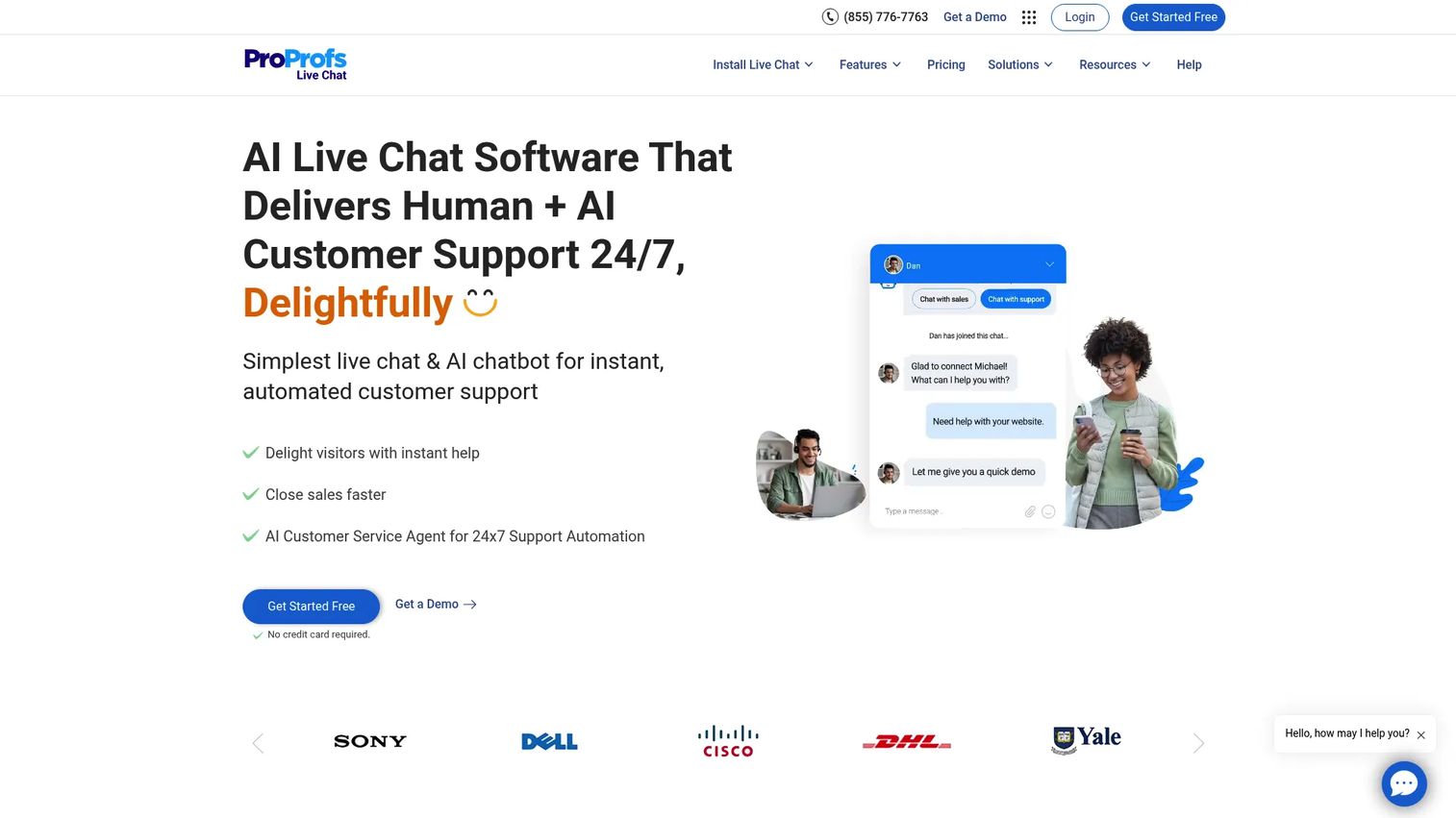
ProProfs Chat is AI-powered live chat software for websites and mobile apps that helps teams manage conversations and deliver instant support. It leans into proactive chat, canned responses, and tight knowledge-base ties, which makes it a fit for support teams that want chat anchored to self-serve content. The AI Customer Service Agent automates 24/7 coverage.
Proactive triggers and automatic greetings catch customers before they get frustrated. Escalations and transfers keep the human handoff clean.
Best for: small and growing support, sales, or marketing teams that need website live chat plus AI chatbot automation.
Key strengths
- AI Customer Service Agent: 24/7 support automation that deflects common questions.
- Proactive chat triggers: automatic greetings and routing catch visitors at the right moment.
- Canned responses and transcripts: file transfer, tags, escalations, and transfers built in.
Why choose ProProfs Chat: if you want live chat tied closely to a knowledge base and proactive engagement, ProProfs Chat covers both at a low entry price. The free plan supports a single operator to start. It fits teams building chat around self-serve content rather than pure reactive ticketing.
ProProfs Chat pricing: the Free plan is $0.00, forever free for a single operator. Essentials is listed at $1.99 per operator/month, and Business at $3.99 per operator/month, both with annual billing options. Essentials suits small teams needing live chat with a basic AI bot, while Business adds advanced AI and omnichannel chat.
9. Tawk.to
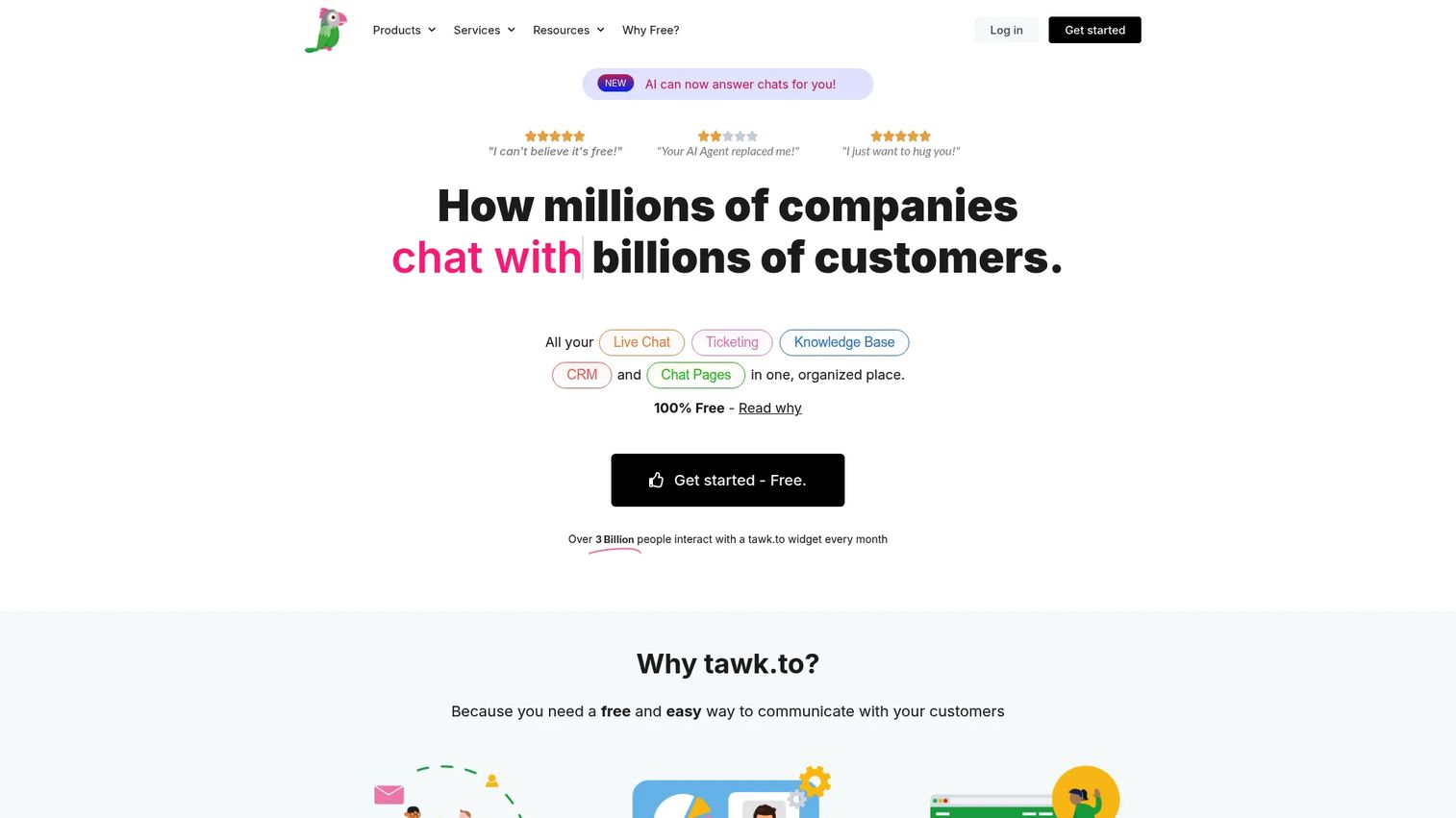
Tawk.to is free live chat software bundled with ticketing, CRM, knowledge base, and customer messaging for websites and mobile apps. Its core hook is right there in the pricing: the software is 100% free with unlimited agents. For budget-conscious teams, that combination is hard to match.
The free suite is not a stripped trial. Live chat, email ticketing, a hosted knowledge base, CRM, and chat pages all come included.
Best for: small businesses and teams that want a free website live chat and lightweight customer support suite with unlimited agents.
Key strengths
- Free with unlimited agents: the full core suite costs nothing, no seat limits.
- Built-in ticketing and knowledge base: chat, tickets, CRM, and self-serve content in one place.
- Real-time visitor monitoring: chat history, reporting, integrations, and file transfer included.
Why choose Tawk.to: when budget is the binding constraint, Tawk.to delivers a working support suite for free, with optional hired agents at $1/hr. Paid add-ons like branding removal and AI Assist exist if you grow into them. It fits teams that need real functionality without a line item.
Tawk.to pricing: the Forever Free plan is $0 and includes live chat, email ticketing, a hosted knowledge base, CRM, and chat pages. Professionally trained chat agents are available at $1/hr. Paid add-ons such as branding removal and AI Assist are mentioned without public prices listed. This is the most genuinely free option on the list.
10. Pure Chat
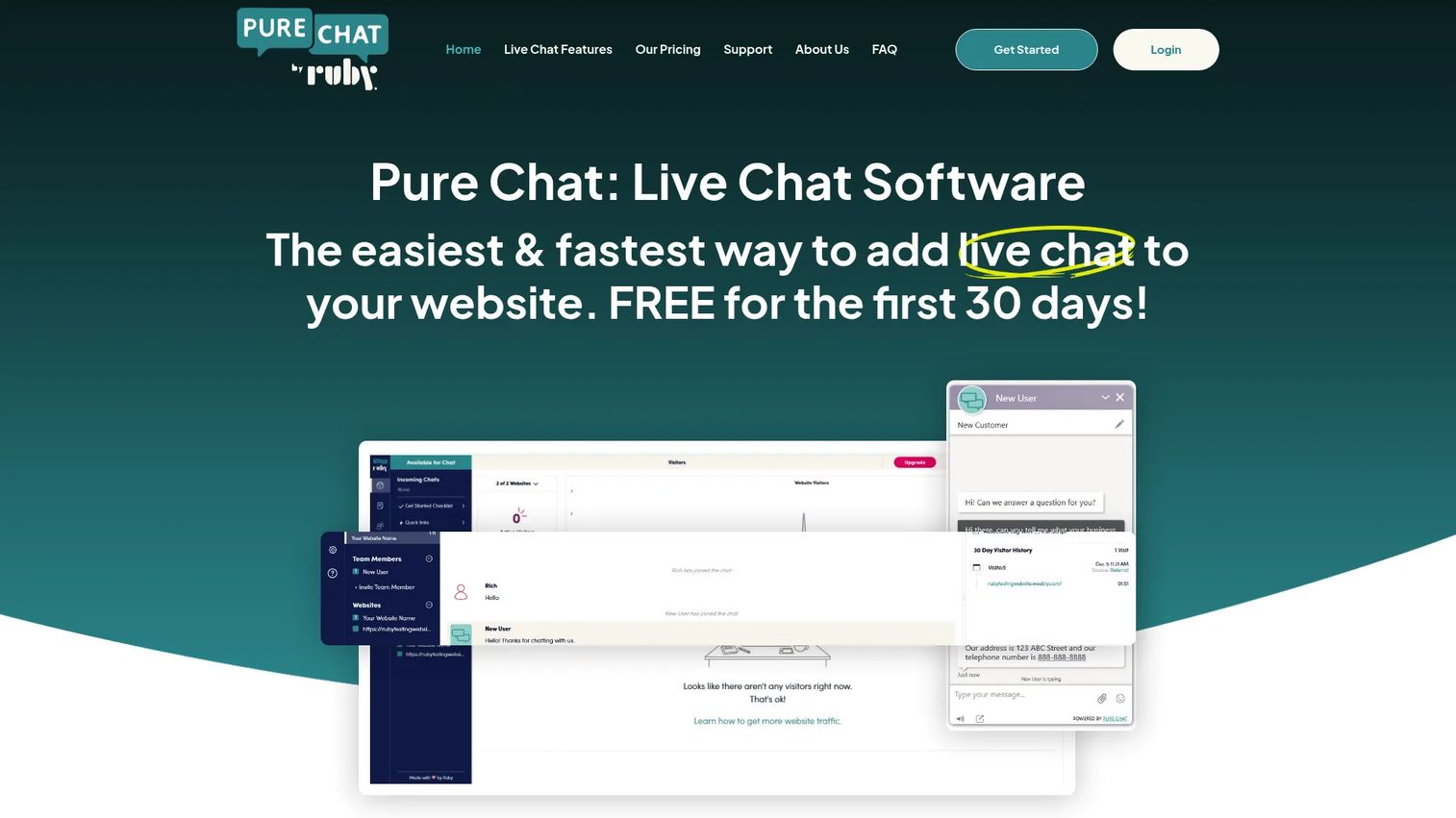
Pure Chat is live chat software for adding website chat, visitor engagement, and customer communication tools to a website. It is built light and easy to set up, which makes it a fit for very small support teams and solo operators who want chat live in minutes. Mobile apps for iOS and Android keep agents reachable away from the desk.
Unlimited chats and canned responses cover the daily basics. Contact history keeps prior conversations close.
Best for: small and midsize teams that want an easy website live chat tool with mobile apps, canned responses, chat history, and visitor engagement features.
Key strengths
- Unlimited chats: no per-conversation cap on either tier.
- iOS and Android apps: answer chats from your phone, not just the desk.
- Canned responses: reusable replies for the questions you answer most.
Why choose Pure Chat: if you are a solo operator or a tiny team that wants chat without complexity, Pure Chat installs fast and stays simple. The mobile apps mean coverage does not depend on someone sitting at a screen. It fits the smallest teams that value setup speed over a deep feature set.
Pure Chat pricing: Growth is $39/mo paid annually ($49/mo monthly) with 1 website, 4 users, and 100 SMS notifications. PRO is $79/mo paid annually ($99/mo monthly) with unlimited websites, 10 users, and 1,000 SMS notifications. A 30-day free trial is available. Capterra lists an overall rating of 4.6.
How to choose live chat software for your support team
A shortlist is only useful if you evaluate it against your actual queue. Here is the checklist that matters for support.
AI and automation depth
Ask whether the bot can deflect your repetitive tickets and genuinely assist agents, not just greet visitors. Look at resolution rates and how the vendor measures them. Be skeptical of "reduce tickets by X%" claims with no methodology behind them, since deflection depends on your triggers, bot coverage, and content quality.
Integrations with your existing stack
Your live chat tool should connect to your help desk, CRM, knowledge base, Slack, and ecommerce platform. Check whether each integration is native or routed through Zapier. Native integrations preserve context and routing in ways that workarounds rarely match.
Pricing model and total cost
Pricing comes in several shapes: per-agent per month, per-resolution, flat-rate, and pay-per-chat. Map the model to your volume and headcount, then watch for hidden add-on costs and free-tier limits that throttle you sooner than expected. The cheapest entry price is not always the lowest total cost.
Routing, canned replies, and analytics
Confirm the features that directly move your numbers. Routing gets chats to the right agent, canned replies cut handle time, and analytics show you where first-contact resolution, AHR, and CSAT are slipping. If you cannot report on those metrics inside the tool, you cannot prove the tool is working.
Ease of website install and scalability
A no-code widget snippet should get you live without a developer. Check for multilingual support if you serve global customers, plus the security and compliance posture your organization requires. The tool should scale with your team, not force a migration once you grow.
Conclusion
There is no single best live chat software for every support team, only the best fit for your queue, your channels, and your budget. Zendesk wins for omnichannel scale, Tawk.to for a genuinely free start, Tidio for ecommerce support with AI, Intercom for AI-first deflection, and Olark or Pure Chat for small teams that want simplicity.
The right next step is not to buy on the spec sheet. Shortlist two or three tools and run a free trial against your real ticket queue. Measure deflection rate and average handle time with a clear before-and-after: capture a baseline week, switch on the tool, then compare the same metrics over an equivalent period. That methodology tells you what the vendor's marketing cannot. Once chat is live, layering user onboarding software on top helps customers reach value before they ever open a chat.
Pick the two that map closest to your stack and your AI strategy, trial them side by side, and let your own numbers decide. The tool that lowers your handle time and lifts your CSAT in trial is the one worth paying for.
FAQs
Live chat software lets support agents have real-time text conversations with customers on a website, app, or messaging channel. Instead of waiting on email or sitting in a phone queue, customers get answers in the same session. Most tools also include AI chatbots, conversation routing, and analytics.
Yes. Tawk.to offers a genuinely free core suite with unlimited agents, HubSpot includes free live chat in its foundational CRM tools, and Tidio has a free plan with 50 billable conversations and 10 seats. Free tiers usually carry limits on conversation volume, branding removal, or advanced integrations, so confirm the caps against your expected load before committing.
For small teams, the lightweight and low-cost picks fit best. Olark and Pure Chat offer clean, fast-to-install widgets, Tawk.to is free with unlimited agents, and Tidio combines a free tier with AI automation. These tools keep per-agent costs and setup time low, which matters most when you cannot scale headcount.
Live chat connects customers to human agents in real time, while a chatbot automates responses with no person involved. The two are not mutually exclusive. Most modern tools combine both, using a bot to handle repetitive first-line questions and routing anything it cannot resolve to a human agent with context attached.
Pricing models vary: per-agent per month, per-resolution, flat-rate, and pay-per-chat. Entry tiers commonly start around $15 to $29 per agent per month on annual billing, with free plans available from several vendors. AI features and per-resolution charges can add cost on top, so verify current pricing on each vendor's page before you buy.
It can, but the result depends on how you deploy it. Deflection comes from proactive triggers, bot coverage, and the quality of your self-serve content, not from the widget alone. Treat vendor percentage claims with caution, and measure your own deflection rate by capturing a baseline week, enabling the tool, then comparing the same metric over an equivalent period.
Yes. Most live chat tools provide a no-code widget snippet you paste into your site, plus native integrations for common platforms like WordPress, Shopify, and BigCommerce. Greetings, routing, and triggers are managed from a dashboard, so launching live chat software for your website rarely requires engineering time.
Prioritize native integrations with your help desk or ticketing system, CRM, knowledge base, Slack, and ecommerce platform. Native connections preserve customer context and routing across tools, while Zapier workarounds often lose that context or add latency. The tighter the integration, the less time agents spend reconstructing who the customer is and what they need.