You do not buy intrusion detection software because you want more alerts. You buy it because unknown traffic, lateral movement, policy violations, and suspicious file changes need to surface before a customer, an auditor, or an attacker tells you about them.
The challenge is that the market now sits at $6.25 billion and is projected to reach $12.14 billion by 2030, according to Grand View Research (2025). That growth reflects genuine demand, but it also means more vendors and more noise. The gap between a tool that improves your security posture and one that creates alert fatigue your team will start ignoring is defined by fit, not category.
For product managers who own platform trust, enterprise readiness, or compliance-adjacent roadmap decisions, the selection decision is cross-functional. Engineering needs to run it. Security needs to tune it. Compliance needs evidence from it. This guide helps you make the first hard call before you schedule any evaluations.
What's inside
This guide covers 15 intrusion detection software tools across open-source and commercial categories. Tools were chosen based on recurring presence in security practitioner communities, deployment diversity, category relevance, and usefulness to teams ranging from small technical operators to enterprise security operations.
Selection criteria:
- Detection model: Signature-based, anomaly-based, behavioral, or file integrity
- Deployment type: Network, host, wireless, or inline IPS
- Maintenance load: Operational overhead for tuning, updating, and running alerts
- Support options: Community, vendor, or enterprise-grade assistance
Pricing and G2 ratings in this guide reflect figures verified at generation time. Some vendors do not post prices, so where that is the case, it is noted plainly.
TL;DR
- Best for open-source network IDS/IPS: Snort or Suricata, depending on your throughput and rule management preference
- Best full open-source security monitoring stack: Security Onion bundles detection, logging, and analyst workflows into one deployable platform
- Best for network metadata and behavioral analysis: Zeek or Corelight for investigation depth over boxed alert rules
- Best for host-based intrusion detection: OSSEC covers log analysis, file integrity monitoring, and active response
- Best for SIEM-style IDS workflows: SolarWinds Security Event Manager connects log correlation, alerting, and compliance reporting
- Best for enterprise IPS and threat prevention: Trellix, Check Point, Cisco, Palo Alto Networks, and Trend Micro TippingPoint are the main commercial options for teams that need vendor support and inline blocking
What is intrusion detection software?
Intrusion detection software monitors network traffic, host activity, wireless environments, or file changes to identify suspicious behavior and alert security teams.
It is one layer in a broader security stack. It does not replace secure development practices, access controls, endpoint protection, or incident response. What it does is give you visibility into what is happening across your environment so that threats, policy violations, and anomalous patterns surface before they become incidents.
IDS versus IPS
An intrusion detection system (IDS) monitors and alerts. An intrusion prevention system (IPS) can also act inline, blocking or dropping traffic that matches a threat signature or behavioral rule.
The difference matters operationally. A poorly tuned IPS policy can disrupt legitimate traffic, so inline blocking carries higher stakes than passive detection. Many modern tools support both modes, letting teams start in detection-only and move toward prevention once baselines are established.
Common detection methods
The most widely used approaches include:
- Signature-based detection: Matches known attack patterns from rule libraries
- Anomaly-based detection: Flags deviations from established traffic or behavior baselines
- Behavioral analysis: Looks at sequences of activity rather than individual packets or events
- Protocol analysis: Parses protocol structures to find misuse or violations
- File integrity monitoring: Detects unauthorized changes to files, directories, or registry keys
- Wireless monitoring: Identifies rogue devices, unauthorized access points, or suspicious RF activity
- Threat intelligence enrichment: Cross-references observed indicators against known threat feeds
Where intrusion detection fits in a SaaS security stack
For product managers, the practical value of IDS tools comes down to four things: Supporting enterprise security expectations from customers, giving the security team investigation context, generating audit-ready logs, and complementing your existing cloud logging and endpoint detection. It is infrastructure, not a shortcut to being secure.
When to use intrusion detection software
Monitor production network traffic
Network-based intrusion detection makes sense when you need visibility across internal east-west traffic, internet-facing services, or unexpected communication patterns in your environment. SaaS teams preparing for enterprise customers often find that network monitoring is a question in security reviews before it is a priority in the roadmap.
Detect host or file changes
Host-based IDS and file integrity monitoring matter most on critical Linux servers, configuration directories, sensitive application paths, and anywhere unauthorized changes would create compliance or security risk. File integrity tools give compliance teams evidence without requiring full packet capture infrastructure.
Add prevention to high-risk network paths
IPS evaluation is worth pursuing when your risk model identifies specific network segments that need active blocking rather than alerting alone. Virtual patching, in particular, is useful when a known vulnerability exists in a component you cannot patch immediately. Careful policy design is a prerequisite; aggressive blocking without tuning creates availability risk.
Intrusion detection software comparison
The 15 tools below cover the main categories of intrusion detection: Open-source network engines, full-stack monitoring platforms, host-based detection, enterprise network detection and response (NDR), firewall-integrated IPS, wireless monitoring, and file integrity. Use the table to orient your shortlist, then read the tool sections for fit guidance.
| # | Product | Best for | Key differentiator | Pricing | G2 rating |
|---|---|---|---|---|---|
| 1 | Snort | Open-source network IDS/IPS | Rule-based packet inspection with large community adoption | Free (subscriber rules: $29.99/yr personal, $399/sensor business) | 4.0/5 |
| 2 | Security Onion | Full open-source SOC stack | Bundles network monitoring, log analysis, and case management | Free community edition; Pro pricing by quote | 4.5/5 |
| 3 | Suricata | Open-source IDS, IPS, and NSM | Multi-threaded engine with IDS, IPS, and monitoring modes | Free (open source) | N/A |
| 4 | Zeek | Network metadata and analysis | Rich protocol logs for investigation and threat hunting | Free (open source) | 5.0/5 |
| 5 | OSSEC | Host-based intrusion detection | Log analysis, file integrity, and active response | Free; Atomic OSSEC from \~$55/agent/yr | 4.6/5 |
| 6 | SolarWinds Security Event Manager | SIEM-style IDS workflows | Log correlation, alerting, and compliance reporting | From $1,789; 30-day free trial | 4.0/5 |
| 7 | Trellix Network Security | Enterprise network detection | Signatureless zero-day detection with AI-assisted investigation | Contact sales | N/A |
| 8 | Fidelis Network | Enterprise NDR and deep inspection | Deep session inspection and threat hunting workflows | Contact sales | N/A |
| 9 | Corelight | Zeek-based enterprise NDR | Commercialized network evidence built on Zeek telemetry | Contact sales for quote | 4.6/5 |
| 10 | Check Point Quantum IPS | Firewall-native IPS | Threat prevention across Check Point security gateways | Contact sales | 4.4/5 |
| 11 | Cisco Secure IPS | Cisco firewall environments | Snort-powered IPS managed via Firewall Management Center | Contact sales | 4.1/5 |
| 12 | Palo Alto Networks Threat Prevention | NGFW-integrated threat prevention | Inline zero-day and exploit prevention via Precision AI | Usage-based for Cloud NGFW; contact sales for on-prem | N/A |
| 13 | Trend Micro TippingPoint TPS | Enterprise IPS appliances | Virtual patching and high-throughput inline prevention | Contact sales | 4.1/5 |
| 14 | Kismet | Wireless intrusion detection | Wi-Fi, Bluetooth, and RF monitoring for wireless environments | Free (open source) | N/A |
| 15 | AIDE | File integrity monitoring | Lightweight host file integrity checking for Unix systems | Free (open source, GPL-2.0) | N/A |
Best 15 intrusion detection software tools
1. Snort

Snort is one of the most widely deployed open-source network intrusion detection and prevention systems available. Created by Cisco, it performs real-time traffic analysis and packet logging, identifying threats through rule-based detection. It can run as a passive IDS or in inline mode as an IPS, making it adaptable across different network architectures.
Best for: Security teams and network administrators who want granular, community-supported control over network-based intrusion detection rules.
Key features
- Real-time network traffic analysis and packet logging
- Rule-based intrusion detection and inline prevention
- Snort 3 architecture with multithreading and 200+ plugins
- Community and paid subscriber rulesets
- Inline deployment mode for active blocking
Why choose Snort: Snort is the right starting point for teams comfortable managing rules and tuning alert thresholds. The community ruleset is substantial, and the subscriber rulesets add timelier threat coverage. Maintenance is real: Rule quality and analyst feedback loops determine whether you get signal or noise.
Snort pricing: The Snort engine is free and open source. Subscriber rule set subscriptions cost $29.99 per year for personal or home use and $399 per sensor per year for business deployments.
G2 rating
4.0/5
2. Security Onion
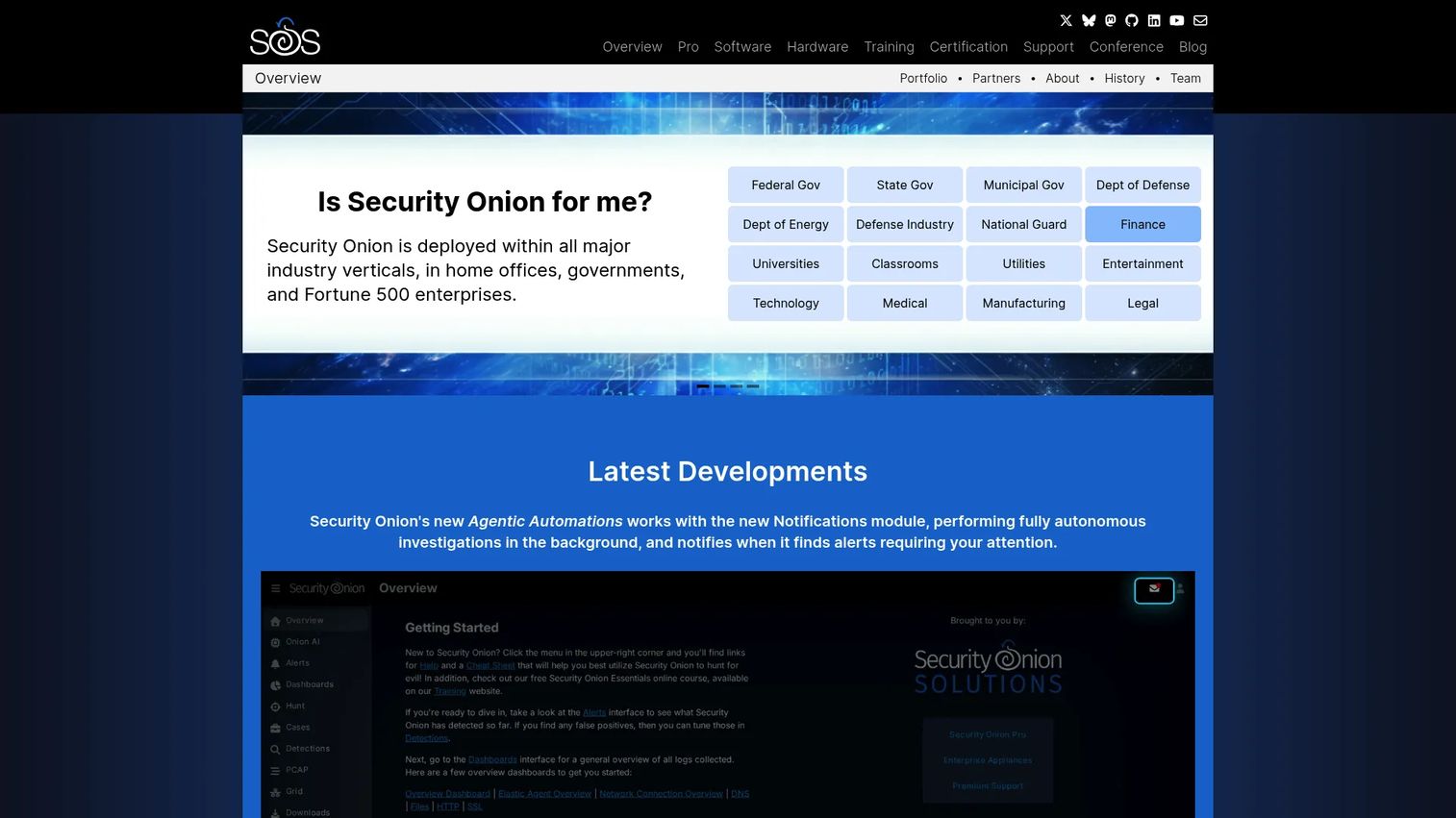
Security Onion is a free, open-source Linux distribution for threat hunting, network security monitoring, and log management. It bundles Suricata, Zeek, the Elastic Stack, OpenCanary honeypots, and analyst-facing dashboards and case management tools into a single deployable platform. Teams do not need to assemble these components separately.
Best for: Security teams that need a full open-source SOC-style platform, including detection, investigation, and case workflow, without buying a commercial SIEM.
Key features
- Network detection via Suricata and Zeek integration
- Host visibility through Elastic Agent, osquery, and Elastic Fleet
- Intrusion detection honeypots using OpenCanary
- Log management and analysis through the Elastic Stack
- Analyst dashboards, alerting, threat hunting, and case management
Why choose Security Onion: Security Onion is the right choice when a single open-source IDS engine is not enough and the team wants investigation workflows built in. The complexity is higher than a lightweight tool, so plan for meaningful setup and ongoing management time.
Security Onion pricing: The Community edition is free. Security Onion Pro adds enterprise support, features, and service tiers with 1 to 5 year terms. Contact the vendor for Pro pricing.
G2 rating
4.5/5
3. Suricata

Suricata is a high-performance, open-source network analysis and threat detection engine maintained by the Open Information Security Foundation (OISF). It supports IDS, IPS, and network security monitoring (NSM) modes in a single engine, with multi-threaded packet processing that handles high-throughput environments when properly tuned.
Best for: Organizations that need an open-source network IDS/IPS with modern performance characteristics and flexibility across detection, prevention, and monitoring use cases.
Key features
- IDS, IPS, and network security monitoring modes
- Multi-threaded packet processing for high-throughput environments
- Signature-based detection with Suricata and compatible Snort rulesets
- Protocol detection and application-layer parsing
- Lua scripting for custom detection logic
- Eve JSON output for SIEM integrations
Why choose Suricata: Suricata is a strong alternative to Snort for teams that need multi-threaded performance or want protocol logging alongside detection. Rule quality and tuning still determine signal quality, so plan for analyst involvement in managing what gets raised.
Suricata pricing: Free and open source under GPLv2. No paid plans exist for the core engine; commercial support is available through third-party providers in the OISF ecosystem.
G2 rating
No G2 rating currently available for Suricata.
4. Zeek
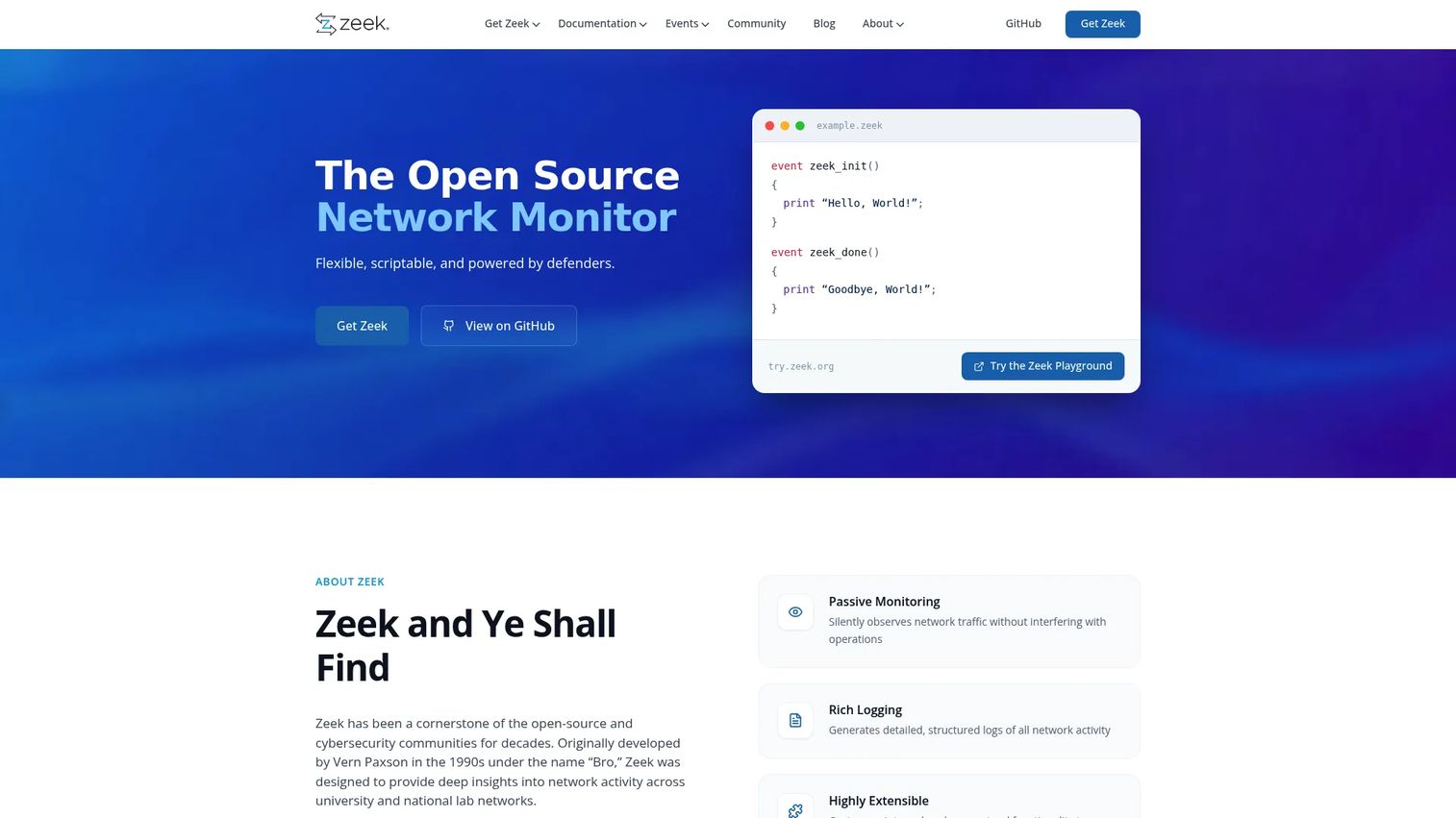
Zeek is an open-source network security monitoring framework that converts network traffic into rich, structured logs rather than generating traditional alert-based output. Security teams use Zeek for protocol-level visibility, threat hunting, forensic investigation, and feeding telemetry into broader detection pipelines. It is not a boxed IDS; it is a programmable observation platform.
Best for: Security teams that prioritize investigation depth and behavioral context over pre-packaged alert rules, and that have analysts comfortable with log analysis and scripting.
Key features
- Passive network traffic monitoring and analysis
- Protocol and application-layer logging across dozens of protocols
- Comprehensive structured log output for SIEM and threat hunting
- Custom scripting and extensibility through the Zeek scripting language
- Distributed analysis and cluster deployment support
- Anomaly and threat detection through behavioral analysis
Why choose Zeek: Zeek excels when investigation context matters as much as detection. Its logs answer questions that alert-only tools cannot. It requires analyst skill to get value from the output, so it fits teams with security engineering capacity better than teams looking for a managed out-of-the-box sensor.
Zeek pricing: Free and open source under a permissive BSD license.
G2 rating
5.0/5
5. OSSEC

OSSEC is a free, open-source, multi-platform host-based intrusion detection system (HIDS). It monitors server-level activity including logs, file integrity, Windows registry changes, rootkit indicators, and policy compliance. Active response rules can trigger automated actions when defined conditions are met.
Best for: Developers, small teams, and security-conscious operators needing server-level intrusion detection without purchasing a commercial endpoint or SIEM product.
Key features
- Log analysis across system and application logs
- File integrity monitoring with real-time alerting on changes
- Windows registry monitoring for host-level change detection
- Rootkit detection and policy monitoring
- Active response for automated reaction to defined events
Why choose OSSEC: OSSEC is the right tool when network IDS is already covered and the gap is host-level visibility on Linux or Windows servers. It complements network detection rather than replacing it. The free OSSEC+ tier adds extended rules and machine learning with registration.
OSSEC pricing: The core OSSEC product is free and open source. OSSEC+ is also free with registration and adds extended rules. Commercial Atomic OSSEC pricing starts at approximately $55 per agent per year.
G2 rating
4.6/5
6. SolarWinds Security Event Manager

SolarWinds Security Event Manager is an on-premises SIEM that centralizes log collection, correlates events across sources, fires real-time alerts, and automates incident response actions. For teams that need IDS-style detection tied to log management, compliance reporting, and an audit trail, SEM packages those capabilities together without requiring separate open-source components.
Best for: IT and security teams at mid-sized organizations that need security event monitoring, automated response, and compliance reporting without building a custom open-source stack.
Key features
- Centralized log collection and cross-source correlation
- Real-time alerting on detected threats and policy violations
- Automated active response rules for incident containment
- Compliance reporting for PCI DSS, HIPAA, SOX, and DISA STIG
- File integrity monitoring and forensic event search
Why choose SolarWinds SEM: SEM is more of a security event management platform than a pure packet-level IDS engine. Teams that need detection plus logs plus compliance evidence in one product will find the combination useful. Teams that need raw packet analysis should pair it with a dedicated network sensor.
SolarWinds SEM pricing: Starts at $1,789. A fully functional 30-day free trial is available.
G2 rating
4.0/5
7. Trellix Network Security
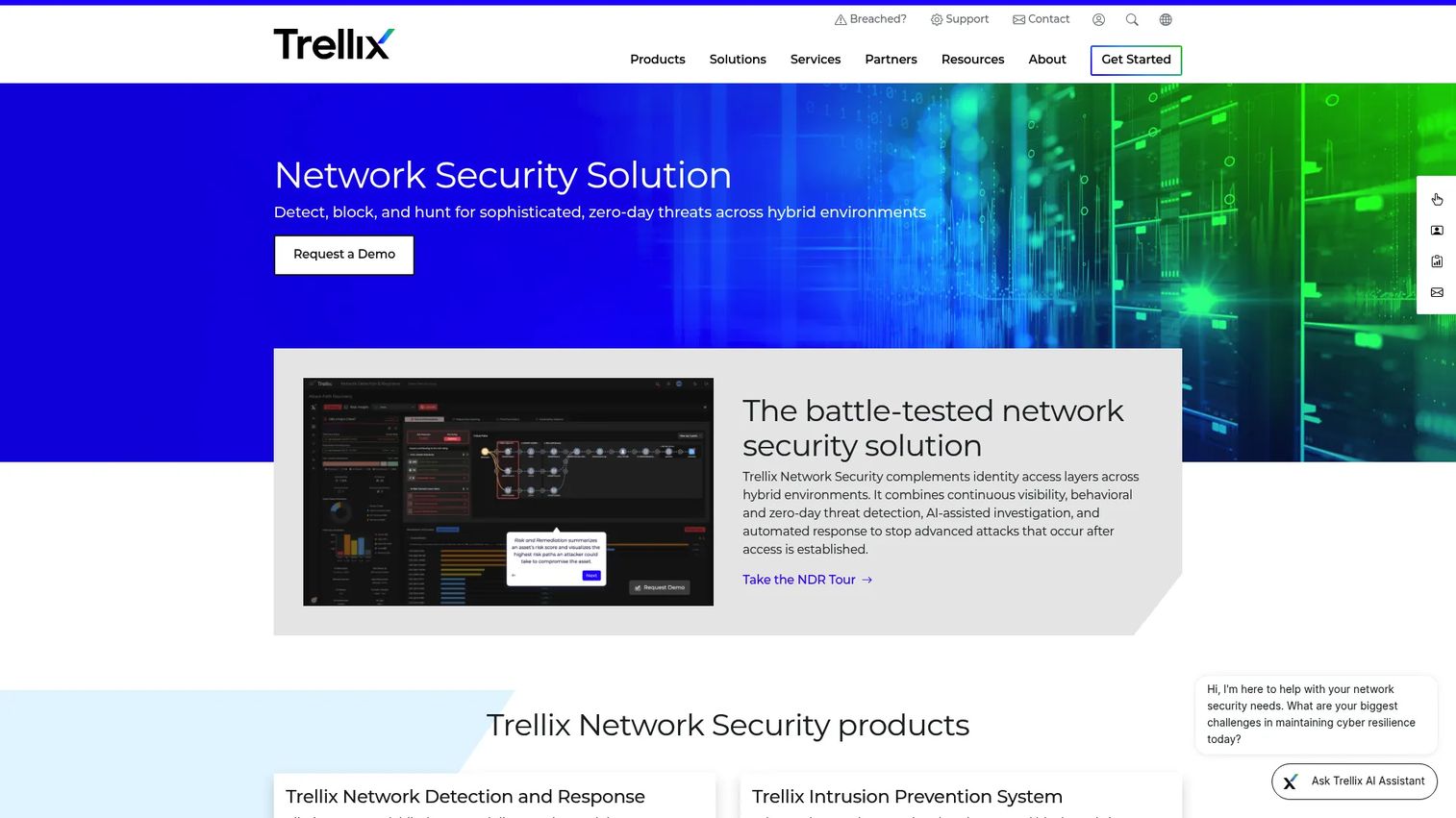
Trellix Network Security is an enterprise network detection and response platform that uses signatureless, behavior-based analysis to detect zero-day threats and advanced malware across hybrid environments. It provides east-west visibility to catch lateral movement, integrates natively with Trellix endpoint security, and uses AI-assisted investigation workflows to reduce analyst workload.
Best for: Midsize to large organizations that need enterprise-grade network threat detection, lateral-movement visibility, and integration with a broader security operations ecosystem.
Key features
- Signatureless zero-day and advanced malware detection
- East-west traffic visibility and lateral movement detection
- Native integration with Trellix endpoint security
- AI-assisted investigation and automated response
- Inline prevention capability
Why choose Trellix Network Security: Trellix fits organizations standardizing on enterprise security tooling that needs vendor support, managed updates, and integration across network and endpoint. Plan for procurement and implementation effort; this is not a quick-deploy tool.
Trellix Network Security pricing: Contact Trellix sales for pricing.
8. Fidelis Network

Fidelis Network is a network detection and response platform built for deep visibility across network, email, and web traffic. It uses Deep Session Inspection to analyze content, metadata, and behavioral anomalies, and provides threat hunting, forensics, sandboxing, and data loss prevention capabilities in one platform.
Best for: Enterprise and government security teams with mature operations who need investigation depth across complex network threats, including DLP alongside detection.
Key features
- Deep Session Inspection across network, email, and web
- Network behavior anomaly detection and automated alerting
- Threat hunting, forensics, and sandboxing
- Network data loss prevention
- MITRE ATT&CK-aligned insights and cyber terrain mapping
Why choose Fidelis Network: Fidelis is built for mature security operations that need to investigate complex incidents, not just detect them. It suits teams with dedicated analysts who run hunting and forensic workflows. Smaller teams without that capacity will find the depth underused.
Fidelis Network pricing: Contact Fidelis Security for pricing.
9. Corelight
Corelight is an enterprise Open Network Detection and Response platform that converts network traffic into high-fidelity security evidence. Built on Zeek telemetry, it adds AI/ML detections, threat intelligence enrichment, integrated IDS, static file analysis, Smart PCAP, and agentic triage capabilities in a supported enterprise package.
Best for: Enterprise security teams that want Zeek-style network visibility with vendor support, enterprise-grade sensor management, and integrated investigation workflows.
Key features
- Zeek-based network telemetry and evidence generation
- AI/ML, behavioral, and signature-based detection layers
- Integrated IDS, network security monitoring, and Smart PCAP
- Agentic triage, explainable AI, and natural-language querying
- Integrations with SIEM, XDR, SOAR, and cloud platforms
Why choose Corelight: Corelight is the right choice for teams that want Zeek-quality network evidence without building and maintaining the full open-source stack themselves. Evaluate deployment architecture and data volume early; pricing is capacity-based.
Corelight pricing: Contact Corelight for a quote. Pricing is capacity-based and varies by deployment.
G2 rating
4.6/5
10. Check Point Quantum IPS

Check Point Quantum IPS is an intrusion prevention system integrated into Check Point's next-generation security gateways. It delivers thousands of signature, behavioral, and preemptive protections with automatic real-time updates, virtual patching for vulnerable applications, and central management through SmartEvent.
Best for: Organizations already invested in Check Point security gateways that want IPS capability managed alongside their existing firewall infrastructure.
Key features
- Thousands of signature, behavioral, and preemptive protections
- Automatic real-time threat prevention updates
- Virtual patching for unpatched application vulnerabilities
- Customizable signature activation and predefined recommended profiles
- Detect-only evaluation mode before enabling blocking
- SmartEvent integration for visibility and reporting
Why choose Check Point Quantum IPS: Check Point Quantum IPS is a natural fit if your organization already runs Check Point firewalls. Adding IPS within the same management layer reduces operational complexity. For teams not on Check Point infrastructure, the value proposition is weaker.
Check Point Quantum IPS pricing: Contact Check Point or a certified partner for pricing.
G2 rating
4.4/5
11. Cisco Secure IPS

Cisco Secure IPS is the intrusion prevention capability delivered through Cisco Secure Firewall, formerly known as Firepower NGIPS. It uses Snort-powered detection, Cisco Talos threat intelligence, and centralized policy and event management through Firewall Management Center. Network discovery of users, applications, and devices adds context to what the IPS sees.
Best for: Enterprise organizations that run Cisco Secure Firewall and need IPS capabilities managed in the same infrastructure and policy framework.
Key features
- Snort-powered intrusion detection and prevention
- Cisco Talos threat intelligence integration
- Centralized policy and event management via Firewall Management Center
- Network discovery of users, applications, and devices
- Application visibility and control
- Automated security response actions
Why choose Cisco Secure IPS: Cisco Secure IPS makes sense when the organization already runs Cisco security infrastructure and wants IPS managed consistently with existing firewall and access policy. Architecture review and licensing evaluation are important steps; the product does not operate independently of the Cisco Secure Firewall platform.
Cisco Secure IPS pricing: Contact Cisco or a Cisco partner for pricing.
G2 rating
4.1/5
12. Palo Alto Networks Threat Prevention

Palo Alto Networks Threat Prevention is an inline threat prevention service for Palo Alto Networks next-generation firewalls and cloud environments. It uses machine learning and deep learning through Precision AI to block known exploits, malware, command-and-control traffic, and zero-day threats. Frontier Virtual Patching adds protection for unpatched and pre-disclosure vulnerabilities.
Best for: Organizations operating Palo Alto Networks NGFW infrastructure that need centrally enforced inline threat prevention across on-premises and cloud environments.
Key features
- Inline zero-day exploit and vulnerability prevention
- Real-time command-and-control detection and prevention
- Frontier Virtual Patching for pre-disclosure vulnerabilities
- Threat signature coverage for malware and exploit traffic
- Centralized enforcement across NGFW, VM-Series, CN-Series, and Prisma Access
Why choose Palo Alto Networks Threat Prevention: This product is built for Palo Alto Networks customers. It is not a standalone IDS replacement and does not operate outside that firewall ecosystem. For teams already on Palo Alto infrastructure, the AI-driven detection and virtual patching capabilities add meaningful coverage.
Palo Alto Networks Threat Prevention pricing: On-premises licensing requires a quote from Palo Alto Networks. For Cloud NGFW on AWS, the Advanced Threat Prevention add-on is available at usage-based rates; contact Palo Alto Networks for current figures.
13. Trend Micro TippingPoint Threat Protection System
Trend Micro TippingPoint is an enterprise intrusion prevention system built for high-throughput inline network threat detection and response. It uses Digital Vaccine threat filters powered by the Zero Day Initiative to block inbound, outbound, and lateral threats, and provides virtual patching for environments where patch deployment cycles are slow. High availability hardware options and centralized management through the TippingPoint Security Management System make it a datacenter-grade option.
Best for: Enterprises and data centers that need dedicated, high-performance inline IPS capacity with vendor-managed threat filter updates and virtual patching support.
Key features
- Inline detection and response for inbound, outbound, and lateral threats
- Virtual patching and real-time remediation
- Multi-gigabit throughput with low-latency deep packet inspection
- Zero Day Initiative-powered Digital Vaccine filters
- Centralized management through TippingPoint Security Management System
- High availability and hot-swappable hardware configurations
Why choose Trend Micro TippingPoint TPS: TippingPoint is the right evaluation for high-risk environments that need dedicated IPS hardware with vendor-managed protection updates. Hardware procurement, rack capacity, and deployment planning are part of the selection process.
Trend Micro TippingPoint TPS pricing: Contact Trend Micro sales for pricing.
G2 rating
4.1/5
14. Kismet
Kismet is a free, open-source wireless network detector, sniffer, and intrusion detection tool. It supports Wi-Fi, Bluetooth, Zigbee, RF sensors, ADS-B, and other wireless protocols through compatible hardware. Teams use it to discover rogue access points, monitor for unauthorized devices, and capture packets from wireless environments. It runs on Linux, macOS, and Windows via WSL.
Best for: Security professionals and network engineers who need open-source wireless monitoring, rogue device detection, or packet capture in Wi-Fi and RF environments.
Key features
- Multi-protocol monitoring: Wi-Fi, Bluetooth, Zigbee, RF, and ADS-B
- Distributed remote capture over TCP sockets or websockets
- Rogue device and unauthorized access point detection
- Unified kismetdb logging for packets, devices, and location
- REST-based API with JSON, pcap-ng, and websocket capabilities
Why choose Kismet: Kismet fills a gap that general network IDS tools do not cover: Wireless and RF visibility. It is the right choice when wireless monitoring is specifically missing from your detection stack, not as a general network IDS replacement. Pairing it with a network or host sensor gives broader coverage.
Kismet pricing: Free and open source. No paid plans exist.
15. AIDE

AIDE (Advanced Intrusion Detection Environment) is a lightweight, open-source file and directory integrity checker for Unix-based systems. It builds a database of file attributes, checksums, permissions, and ACLs, then compares current file states against that baseline to detect unauthorized changes. It is narrow by design: A targeted file integrity tool, not a full network IDS.
Best for: Unix and Linux system administrators who need simple, lightweight file integrity monitoring without deploying a full HIDS or SIEM platform.
Key features
- File and directory integrity verification via a baseline database
- Multiple message-digest algorithms including SHA-256 and SHA-512
- Monitoring of file attributes, POSIX ACLs, SELinux, and XAttrs
- Regular-expression-based selective monitoring configuration
- Plain-text configuration and database files
- Optional gzip database compression and standalone static binary support
Why choose AIDE: AIDE is a good fit for teams that need straightforward file integrity checks on Linux servers without the complexity of a full platform. It answers one specific question: Has anything on this server changed from a known-good state? For anything beyond that, combine it with a network or host detection tool.
AIDE pricing: Free and open source under GPL-2.0. Available through standard Linux package repositories.
Considerations when choosing intrusion detection software
Match the detection layer to the actual risk
Network IDS catches traffic patterns. Host IDS catches server-level events. Wireless IDS catches RF and rogue device activity. File integrity tools catch unauthorized file changes. These are not interchangeable. Before shortlisting tools, map the specific risk you need to monitor, and select the detection layer that covers it.
Check your team's tuning capacity
A noisy IDS becomes background noise within two weeks. Signature-based tools require ongoing rule management, suppression of false positives, and analyst feedback loops to stay useful. If your team does not have security engineering bandwidth for tuning, start with a commercial option that includes managed updates, or scope down to a narrower tool you will actually maintain.
Decide whether detection or prevention is the goal
An IDS alerts. An IPS blocks. Inline prevention requires careful policy design because overly aggressive blocking affects uptime and user experience. Start in detection-only mode, establish baselines, and move toward prevention only after you understand your traffic patterns. This applies to both open-source and commercial IPS tools.
Verify integrations before committing
The most common integration requirements for security monitoring tools are SIEM ingestion, SOAR or ticketing workflows, endpoint detection platforms, cloud log aggregation, and CRM or compliance reporting. Confirm that your shortlisted tool has documented, working integrations with the platforms your team already uses. API access and log format compatibility matter as much as detection capability.
Plan for evidence and reporting from day one
Enterprise customers ask for security evidence before they sign contracts. Compliance frameworks require audit trails. Product managers responsible for enterprise readiness need to know that the tool generates outputs that security reviewers and auditors can read, not just alerts that sit in a dashboard. Build evidence and reporting requirements into your evaluation criteria from the start.
Conclusion
No single intrusion detection tool fits every environment. The right choice depends on the detection layer you need, the team capacity you have for tuning and operations, the integrations your stack requires, and the customer or compliance expectations you are preparing to meet.
Open-source tools like Snort, Suricata, Zeek, OSSEC, Kismet, and AIDE are strong options for teams with technical security capacity and the willingness to manage rules, baselines, and alert workflows themselves. Security Onion is worth evaluating when a team needs a full open-source SOC stack without assembling the components separately.
Commercial IPS and NDR tools, including Trellix, Fidelis, Corelight, Check Point, Cisco, Palo Alto Networks, and Trend Micro TippingPoint, make sense for organizations that need vendor support, managed updates, enterprise-scale management, and inline prevention. SolarWinds SEM is the strongest choice for teams that want detection, log correlation, and compliance reporting in one on-premises platform without custom open-source integration work.
Host-level detection starts with OSSEC and extends to file integrity checking with AIDE when server-change visibility is the specific gap. For PM teams working toward enterprise readiness, a layered approach is more credible to auditors and security reviewers than any single tool.
If your team also needs to explain complex security or product workflows to buyers, internal stakeholders, or new enterprise customers, Start your journey with Guideflow today!
FAQs
Intrusion detection software monitors network traffic, host activity, wireless environments, or file states to identify suspicious behavior, policy violations, or unauthorized changes, and alerts security teams when something warrants investigation. It is a monitoring and alerting layer, not a replacement for security operations, incident response, or secure development practices. Most categories of intrusion detection software fall into network-based, host-based, wireless, or file integrity tools, often combined in a broader security stack.
An intrusion detection system (IDS) observes traffic or host activity and generates alerts when it detects something suspicious. An intrusion prevention system (IPS) goes further by sitting inline and actively blocking or dropping traffic that matches a threat rule. IPS adds real response capability but also adds operational risk: A misconfigured or overly aggressive IPS policy can interrupt legitimate traffic. Many modern tools support both modes, so teams can operate in detection-only mode while tuning before enabling prevention.
The answer depends on what you need to monitor. For network intrusion detection and prevention, Snort and Suricata are the most widely used open-source options. Zeek is the stronger choice for investigation depth and behavioral analysis rather than alert-based detection. Security Onion bundles multiple open-source tools, including Suricata and Zeek, into a full monitoring stack. OSSEC covers host-based detection, file integrity, and log analysis. Kismet handles wireless environments. AIDE is the right tool for lightweight file integrity monitoring on Linux systems. No single open-source tool covers all of these layers.
No. Intrusion detection is one layer in a security stack, not a complete security program. It needs to work alongside secure development practices, authentication controls, patch management, endpoint protection, cloud security monitoring, and incident response processes. For product managers, the more useful framing is: Intrusion detection provides evidence and visibility that supports enterprise customer trust, security review responses, and compliance documentation. It does not eliminate the need for secure engineering practices or cross-functional security ownership.
Start with the risk you are trying to monitor, not the tool category. Define whether the gap is network traffic visibility, host-level event monitoring, file integrity on specific servers, or wireless coverage. Then evaluate tools against your team's tuning capacity, your existing stack integrations (particularly API security tools and logging infrastructure), customer security requirements, and the maintenance burden your security engineering team can sustain. Security and engineering should own deep technical validation; the PM's role is to define the requirements and ensure the selection aligns with the roadmap and customer commitments.
False positives typically come from generic or overly broad rules that flag normal behavior in your environment, unusual but legitimate traffic that does not match established baselines, stale rules that do not reflect current application behavior, and misconfigured detection thresholds. Tuning is the ongoing process of reducing false positives through suppression rules, baseline adjustment, and analyst feedback. Ignoring false positives rather than addressing them causes teams to stop trusting the tool entirely, which is worse than a noisy system.
It depends on infrastructure exposure, customer expectations, and regulatory requirements. Early-stage SaaS teams often start with managed cloud logging, endpoint security, and application security software rather than a dedicated IDS. As enterprise customers arrive, security reviews will ask specific questions about network monitoring, log retention, and intrusion detection coverage. Teams preparing for enterprise contracts or regulated markets typically need dedicated IDS or host monitoring in place before those conversations start. Open-source tools like OSSEC or AIDE can be a low-cost starting point for host-level coverage.
Threat intelligence and detection rules should be updated continuously or at least weekly for environments with active threat exposure. The frequency depends on the tool type (community rulesets for Snort and Suricata update on a subscriber schedule), vendor model (commercial tools push managed updates), and your environment's change cadence. The most important step is assigning a named owner for rule and feed maintenance. Undocumented ownership means rules go stale, which is one of the most common reasons IDS deployments become ineffective over months. Pairing intrusion detection with application performance monitoring tools can help teams correlate security events with operational baselines more quickly.