How to filter cards active in the last two weeks in Trello
Here is how to filter cards active in the last two weeks in trello
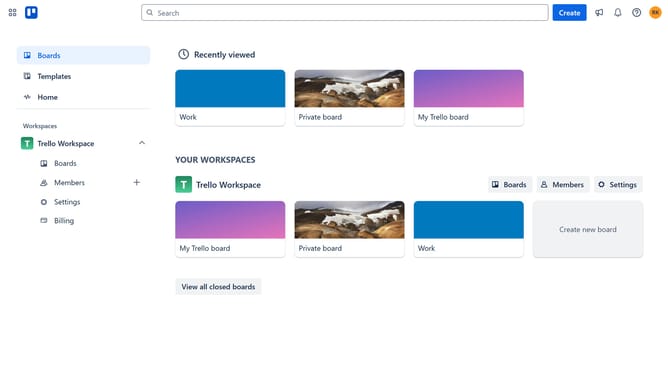
- First click on the "Boards" option in the left sidebar menu
- Then click a board in the workspace section
- Next click on the "Filter" icon in the top toolbar of the board
- Then scroll down in the filter menu
- Finally select "Active in the last two weeks" option in the Activity section of the filter panel
Why should you filter cards active in the last two weeks in Trello
Trello is a visual collaboration tool that helps streamline project management and productivity.
The ability to filter cards active in the last two weeks in Trello is a feature that adds immense value for project teams. By honing in on recent activities, users can gain immediate insights into ongoing projects, which ensures that nothing critical slips through the cracks.
This feature lets teams stay up-to-date on recent tasks, fostering accountability and aiding in timely decision-making. By focusing only on the most recent actions, teams can keep their boards clean and organized, leading to more efficient teamwork.
Last update