How to add breakdown structure power-up in Trello
Here is how to add breakdown structure power-up in trello
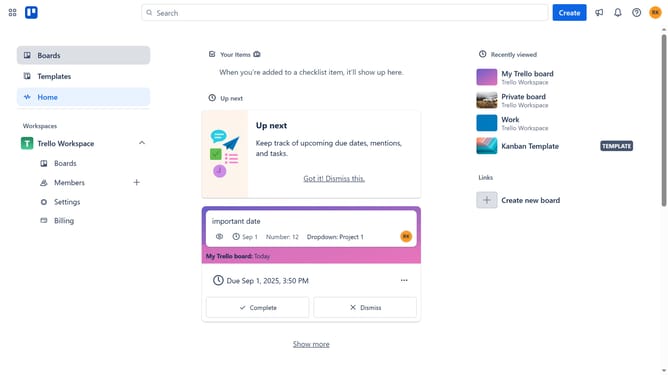
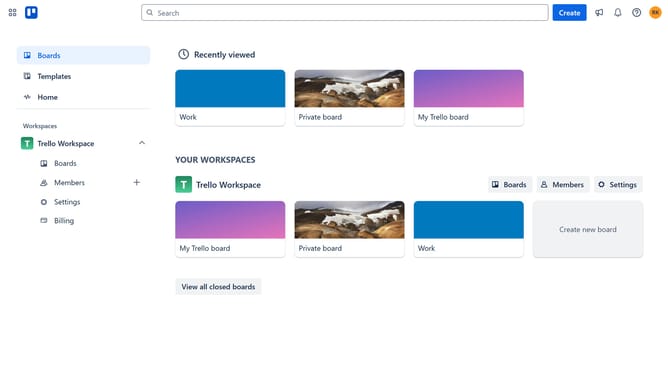
- First click on "Boards" in the left sidebar navigation menu
- Then click a board in the workspace section
- Click the "More" button (three dots) in the top-right corner of the board
- Select "Power-Ups" option from the dropdown menu
- Scroll down in the power-ups list
- Click on "IT & project management" category in the left sidebar
- Click the "Add" button under the "Breakdown Structure" Power-Up
- Finally click the "Add" button in the confirmation dialog to install the Power-Up
Why should you add breakdown structure power-up in Trello
Trello is a versatile tool designed to help you organize projects through visually engaging boards.
By adding the breakdown structure power-up to Trello, you can transform your project management experience with a more structured approach, offering clarity and detailed oversight.
This feature enables you to decompose complex projects into manageable tasks, fostering efficient tracking and progress management.
Utilizing a breakdown structure boosts productivity by providing a clear roadmap, streamlining team collaboration, and ensuring deadlines are met with ease.
Last update