
A volunteer program looks fine on paper. Then real life hits. Someone signs up in a spreadsheet, another confirms over text, a third emails to swap a shift, and by Saturday morning nobody knows who is actually showing up. Hours get logged on paper, then re-keyed into a report three weeks later when a funder asks for numbers. Every one of those handoffs is a place where information leaks and admin time piles up.
That mess is the real problem volunteer management software solves. It is not about adding features. It is about turning a set of manual, memory-dependent tasks into a repeatable operation that runs the same way whether you have 20 volunteers or 2,000. The global volunteer management software market was valued at USD 2.2 billion in 2026 and is projected to reach USD 5.1 billion by 2035, growing at an 11.2% CAGR, according to Business Research Insights (2026). Organizations are buying these systems because coordination at scale is not a spreadsheet job.
If you run operations or sit on the board and you are tired of hearing "we'll sort it out on the day," you already know the cost of doing this by hand. The right platform gives volunteers a self-service path, gives coordinators one source of truth, and gives leadership clean reporting that survives an audit. This guide compares the seven best volunteer management software platforms for 2026 on the things that actually move the needle: scheduling, hour tracking, communications, portals, and reporting.
If your operational chaos extends beyond volunteers into events, member communities, or client-facing programs, it is worth also scanning tools for event management, community management, and loyalty management, since the coordination problems overlap.
What's inside
This guide is for nonprofit and community-organization leaders choosing a volunteer management system: executive directors, volunteer coordinators, and operations owners who need fewer manual steps and cleaner data. We looked at platforms built specifically for volunteer operations, not general CRMs bolted onto a volunteer use case.
We selected and ranked tools on five criteria that decide whether the software actually reduces admin work:
- Scheduling depth: shift creation, self-service sign-up, waitlists, and reminders
- Tracking and reporting: hour tracking, exportable reports, and audit-ready records
- Portal and mobile experience: how easily volunteers self-serve without staff intervention
- Communications: automated confirmations, reminders, and broadcast messaging
- Pricing and fit: transparent, scale-appropriate pricing for small to growing organizations
TL;DR
Short on time? Here are the quick picks by scenario:
- Best for mature programs needing reliability and reporting: Better Impact, with self-scheduling, automated communications, and one-click reporting.
- Best for mobile self-service and lifecycle flow: POINT, with a volunteer mobile app and a free-forever core plan for nonprofits.
- Best for configurability and browser-based operations: Volgistics, with a modular portal and on-site time clock priced from $9 a month.
- Best for simple recruitment and event management: VolunteerHub, with recruitment, scheduling, check-in, and hour tracking.
- Best for an all-in-one CRM with volunteer plus donor workflows: LiveImpact, combining fundraising, case management, and volunteer coordination.
- Best emerging pick with clear tiering: AidOrbit, with QR check-in, mission scheduling, and a free starting plan.
What is volunteer management software?
Volunteer management software is a system that helps organizations recruit, schedule, track, communicate with, and report on volunteers from a single platform, replacing spreadsheets and disconnected email chains.
At its core, a volunteer management system handles a repeatable set of jobs across the volunteer lifecycle. Instead of coordinating each piece in a different tool, the platform connects them so data flows from sign-up to shift to hour log to report without manual re-entry.
Common capabilities include:
- Volunteer recruitment: application forms, landing pages, and self-service volunteer registration
- Volunteer scheduling software: shift creation, self-scheduling, waitlists, and swaps
- Volunteer tracking software: hour tracking, attendance, and volunteer hour logging
- Volunteer communications: automated confirmations, reminders, and broadcast messages
- Volunteer portal: a self-serve space where volunteers see shifts, log hours, and update profiles
- Volunteer reporting: exportable reports on hours, participation, and impact for leadership and funders
- Volunteer onboarding: training modules, waivers, and eligibility checks
- Integrations: connections to donor CRMs, background check services, and communication tools
The point of all of this is admin workload reduction. When self-service volunteer registration, scheduling, and hour tracking run inside one system, coordinators stop chasing information and start managing the program. North America holds 42% of the global volunteer management platforms market, the largest regional share worldwide, according to Credence Research (2024), which reflects how widely nonprofits here have moved off manual coordination.
When to use volunteer management software
Not every organization needs a dedicated platform on day one. Here is how to tell when the manual approach starts costing more than the software.
Replace spreadsheets and email chains
A spreadsheet works until two people edit it at once, or until a shift changes and the confirmation email goes stale. Once you are coordinating recurring shifts across multiple sites or programs, manual tracking becomes a source of errors, not a solution. When volunteers show up for canceled shifts or nobody shows up for a covered one, you have outgrown the spreadsheet. A volunteer management system gives everyone one source of truth that updates in real time.
Run self-service scheduling and check-ins
Use volunteer scheduling software when you want volunteers to register, sign waivers, confirm shifts, and check in without a staff member in the loop. Self-service volunteer registration removes the back-and-forth that eats coordinator time. A volunteer check-in kiosk or QR code at the door turns arrival tracking into a two-second tap instead of a clipboard someone has to transcribe later.
Prove impact to leadership and funders
Use these tools when hours, participation, and outcomes need to be auditable and easy to export. Board members ask for participation numbers. Funders require documented volunteer hours. If pulling those figures means a week of spreadsheet archaeology, volunteer reporting inside a dedicated platform pays for itself the first time you export a clean report in minutes instead of days.
Comparison table
Here is how the seven platforms compare on intent, primary use case, pricing, and rating. Pricing reflects publicly listed figures as of mid-2026, and ratings reflect current published G2 scores where available.
| # | Product | Intent | Key use case | Pricing | G2 rating |
|---|---|---|---|---|---|
| 1 | Better Impact | Mature program management | Self-scheduling, communications, one-click reporting | Tiered by volunteer count (Foundation, Growth, Impact) | 4.7/5 |
| 2 | POINT | Mobile self-service | Volunteer app, time tracking, automated reports | Free core; Pro $99/mo | Not listed |
| 3 | Volgistics | Configurable operations | Records, portal, on-site time clock | From $9/mo | 4.1/5 |
| 4 | VolunteerHub | Recruitment and events | Recruitment, scheduling, check-in, reporting | Plus $143/mo; Pro $288/mo | Not listed |
| 5 | LiveImpact | All-in-one nonprofit CRM | Donor, fundraising, case, and volunteer management | From $75/mo | 4.8/5 |
| 6 | Volento | Modern operating view | Real-time dashboard, shift builder, reminders | Free during early access | Not listed |
| 7 | AidOrbit | Emerging, tiered | Mission scheduling, QR check-in, impact reporting | Free core; paid from ~$19/mo | Not listed |
1. Better Impact
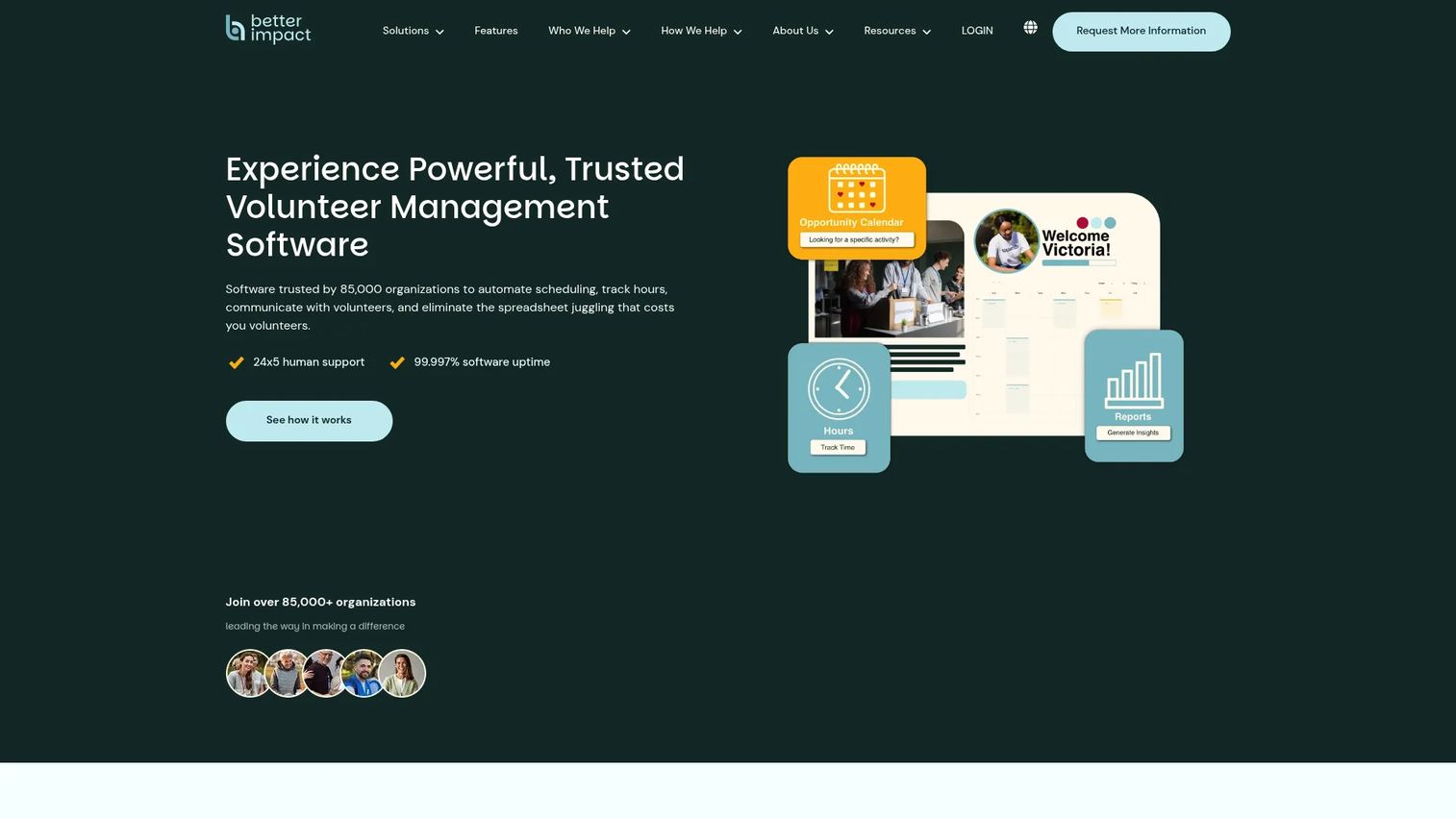
Better Impact is volunteer management software built for organizations that coordinate volunteers, clients, donors, or members at scale. It is the pick for programs that have moved past the "figure it out on the day" stage and need a system that runs the same way every week. The platform covers the full lifecycle: recruitment, self-scheduling, hour tracking, automated communications, and reporting, all inside one volunteer management system.
Where Better Impact earns its place is reliability and reporting depth. Coordinators build shifts, volunteers self-schedule into them, and the platform handles confirmations and reminders automatically. Hours are logged against those shifts, so volunteer reporting becomes a one-click export rather than a manual reconciliation. For a leadership team that needs board-ready and funder-ready numbers on demand, that reporting quality is the difference between a report you trust and one you hope is right.
Best for: Nonprofits and volunteer-driven organizations that need mature, reliable volunteer program management with strong reporting.
Key strengths
- Self-scheduling and shift management: volunteers pick their own shifts, cutting the coordination load off staff.
- Automated communications and training modules: confirmations, reminders, and onboarding content run without manual sends.
- One-click reporting and data management: exportable reports on hours and participation for leadership and funders.
Why choose Better Impact: If your program is large enough that a missed reminder or a lost hour log has real consequences, Better Impact's automation and reporting hold up under volume. It is the option for operators who want volunteer operations to run predictably without routing every decision through one person.
Better Impact pricing: Better Impact structures its plans across Foundation, Growth, and Impact tiers, priced by the number of volunteers you manage and the features you need, billed annually. Public dollar amounts are not listed on the site, so request a quote based on your volunteer count to get an exact figure. The tiered-by-volume model means smaller programs pay less and scale up as they grow.
2. POINT
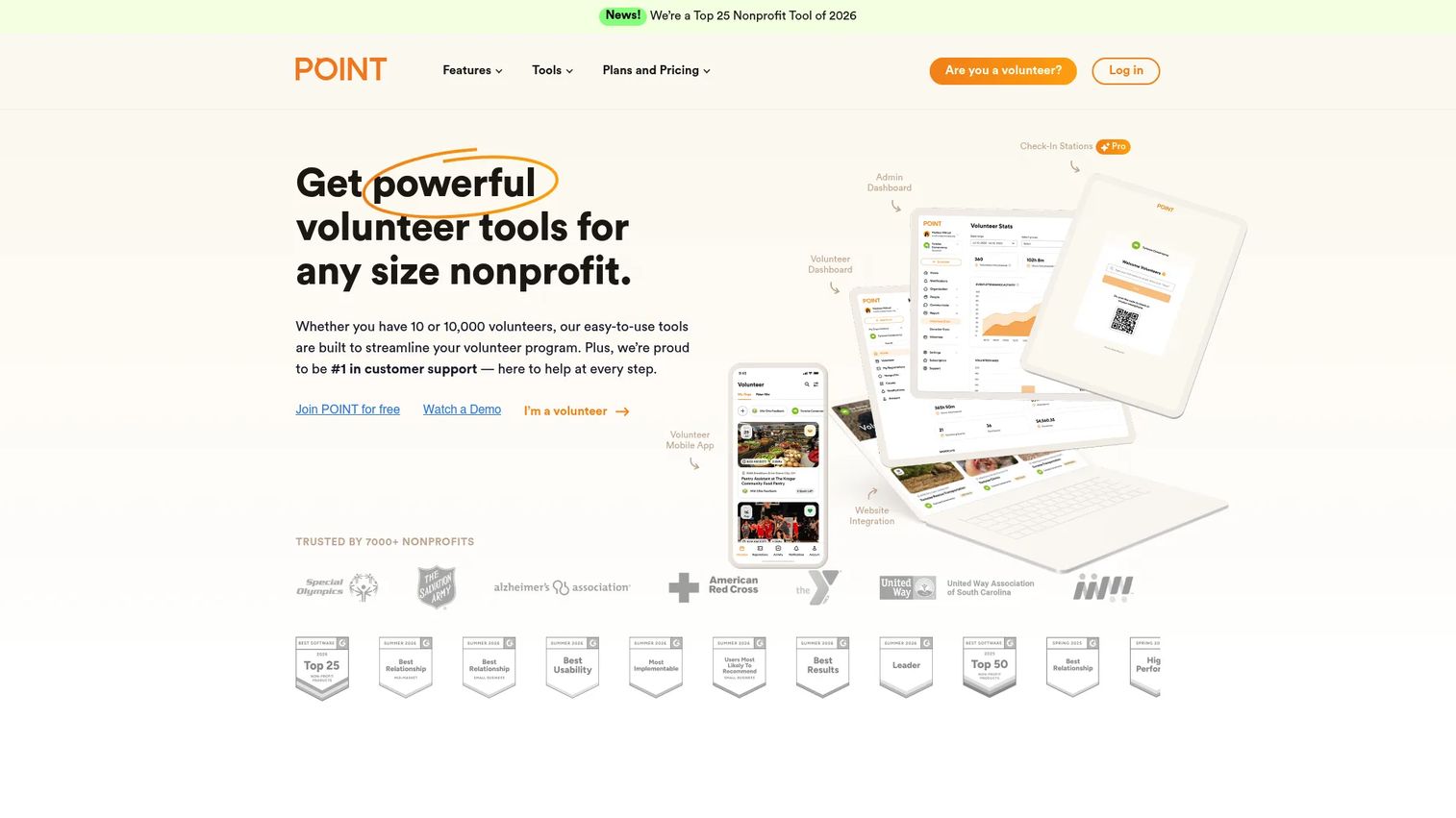
POINT is a volunteer management and discovery platform built around mobile self-service. It structures the whole volunteer lifecycle as a flow: recruit, onboard, manage, mobilize, track, and engage. The standout is the consumer-style volunteer app, available on web, iOS, and Android, which lets volunteers find opportunities, sign up, and check in from their phones without staff involvement.
For teams that care about the volunteer experience as much as the coordinator experience, POINT's mobile-first model reduces friction on both sides. Volunteers self-register and manage their own participation, while time tracking and automated reports keep coordinators out of the manual-logging loop. A volunteer hub integrates with your website, so recruitment happens on your own domain rather than a third-party page.
Best for: Nonprofits that want volunteer recruitment, scheduling, and tracking in one system with a strong mobile experience.
Key strengths
- Volunteer hub and website integration: recruitment lives on your own site, feeding directly into the platform.
- Volunteer mobile app: web, iOS, and Android access so volunteers self-serve from their phones.
- Time tracking and automated reports: hours log automatically and reports generate without manual work.
Why choose POINT: If your volunteers skew toward wanting to manage everything from a phone, POINT's app-first model meets them where they are. The free core plan makes it an accessible entry point for nonprofits that want modern self-service without an upfront commitment.
POINT pricing: POINT offers a Core plan that is free forever for nonprofits, covering the essentials of recruitment, scheduling, and tracking. The Pro plan runs $99 per month billed annually and adds check-in stations, document storage, background check integration, program management, and ongoing events. The free tier makes POINT one of the lower-risk ways to start.
3. Volgistics
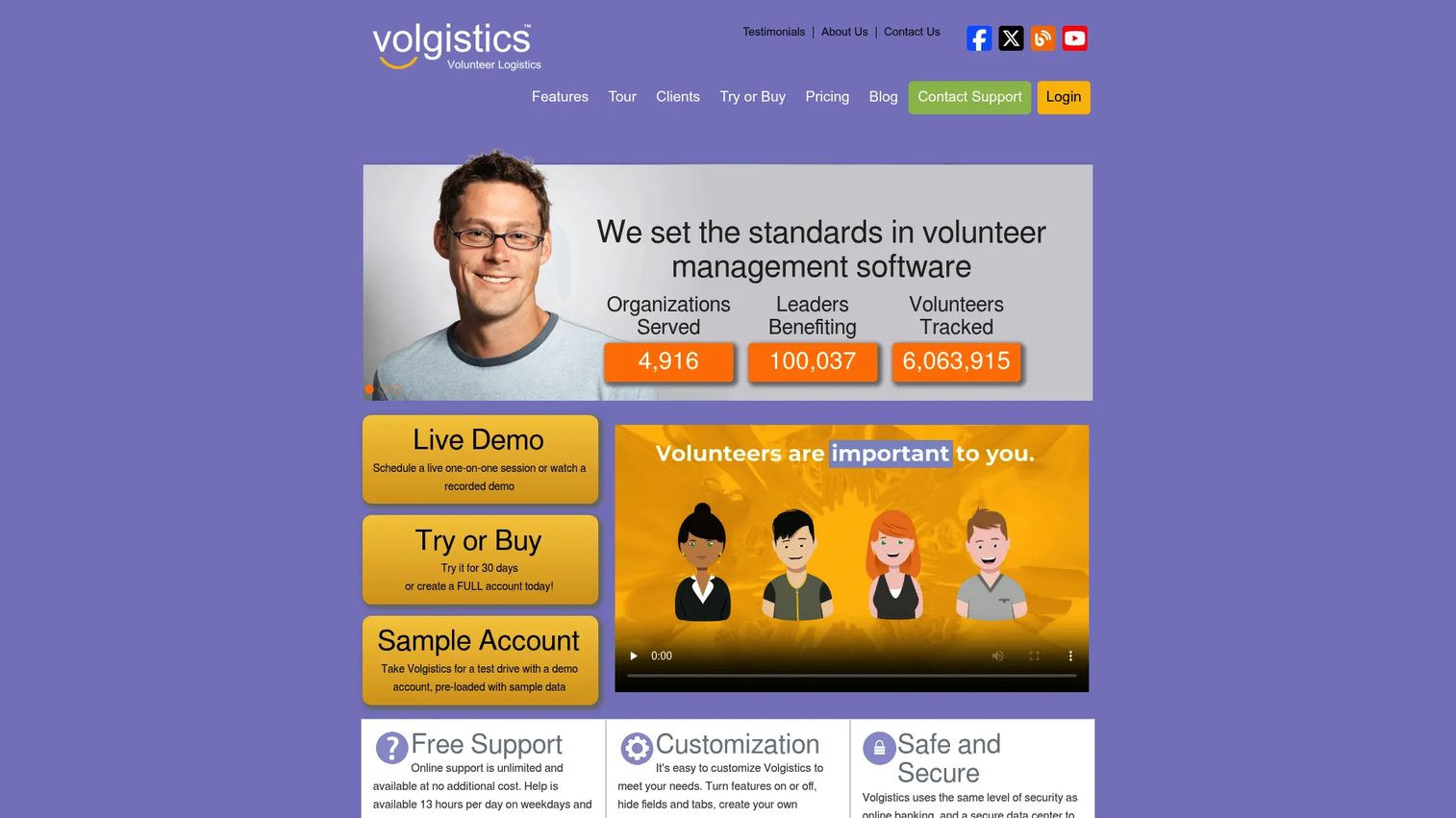
Volgistics is volunteer management software focused on configurability and browser-based access. It lets organizations track volunteers, schedules, hours, and related records in a system you shape to fit your operation rather than forcing your operation to fit the software. Everything runs in the browser, so there is nothing to install and coordinators can work from anywhere.
Volgistics uses a modular approach. The core service handles volunteer record tracking and scheduling, and you add capabilities as needed: VicNet gives volunteers an online volunteer portal to self-schedule and log hours, VicTouch provides an on-site time clock for check-ins, and VicDocs handles document storage. This lets you pay for exactly what you use and expand as the program grows.
Best for: Nonprofits and volunteer-led organizations that need configurable volunteer management with a flexible, pay-for-what-you-use model.
Key strengths
- Volunteer record tracking: a configurable database for volunteers, schedules, and hours.
- Optional VicNet volunteer portal: volunteers self-schedule and log hours online.
- Optional VicTouch time clock: on-site check-in and volunteer hour logging via a kiosk.
Why choose Volgistics: If your organization has specific data and workflow requirements that off-the-shelf tools do not match, Volgistics's configurability and modular add-ons let you build the exact system you need. The low entry price makes it practical for smaller programs to start and scale.
Volgistics pricing: Volgistics starts at $9 USD a month, with the monthly service fee based on the number of volunteers tracked, archived records, system operators, and any optional VicNet, VicTouch, or VicDocs modules. A price calculator on the site lets you model your exact cost before committing. There is no free tier, but the low entry point keeps it accessible.
4. VolunteerHub
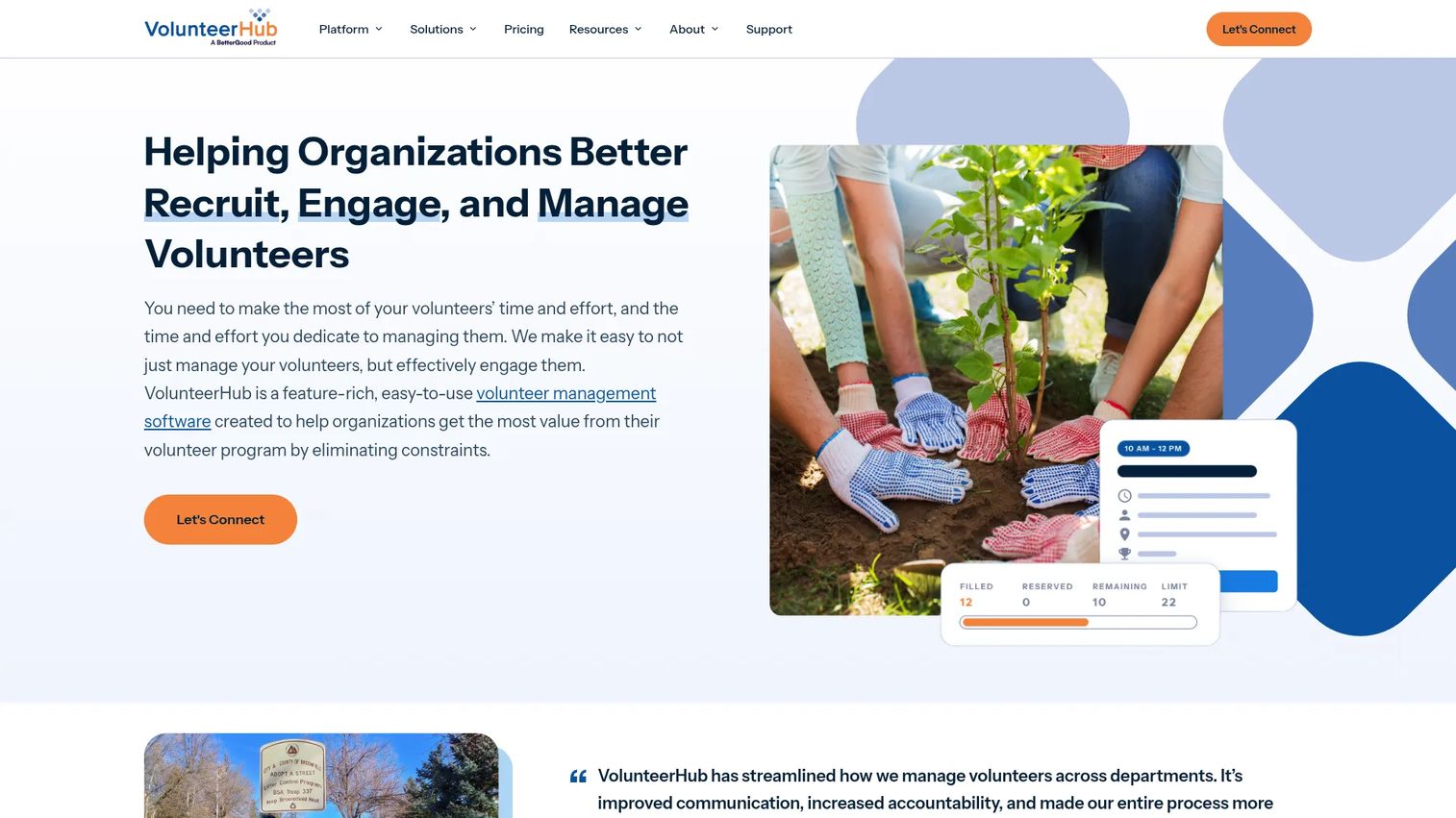
VolunteerHub is volunteer management software for nonprofits and mission-driven organizations that want straightforward recruitment and event management with clear workflows. It brings recruitment, scheduling, hour tracking, check-in, and a volunteer database into one platform, with landing pages and messaging to fill shifts and events.
The strength here is workflow clarity. VolunteerHub gives you event pages to recruit for specific opportunities, scheduling to fill those events, check-in to track attendance, and hour tracking to close the loop, all backed by integrations into the rest of your nonprofit stack. For organizations whose volunteer program is organized around events and campaigns, that event-centric structure fits how the work actually happens.
Best for: Nonprofits that need to recruit, schedule, track, and engage volunteers around events in one system.
Key strengths
- Volunteer recruitment and scheduling: landing pages and event pages that fill shifts directly.
- Hour tracking and reporting: attendance and volunteer reporting in one place.
- Check-in, messaging, and integrations: on-site check-in, broadcast communications, and nonprofit software integrations.
Why choose VolunteerHub: If your program runs on events and campaigns rather than standing weekly shifts, VolunteerHub's event-first workflows match your reality. Its integrations help it slot into an existing nonprofit stack rather than becoming an island.
VolunteerHub pricing: VolunteerHub's Plus plan starts at $143 per month and the Pro plan at $288 per month, both billed annually plus a setup fee. An Enterprise tier is available with custom pricing through sales. There is no free tier, so VolunteerHub fits organizations ready to commit to a structured platform with a defined budget.
5. LiveImpact
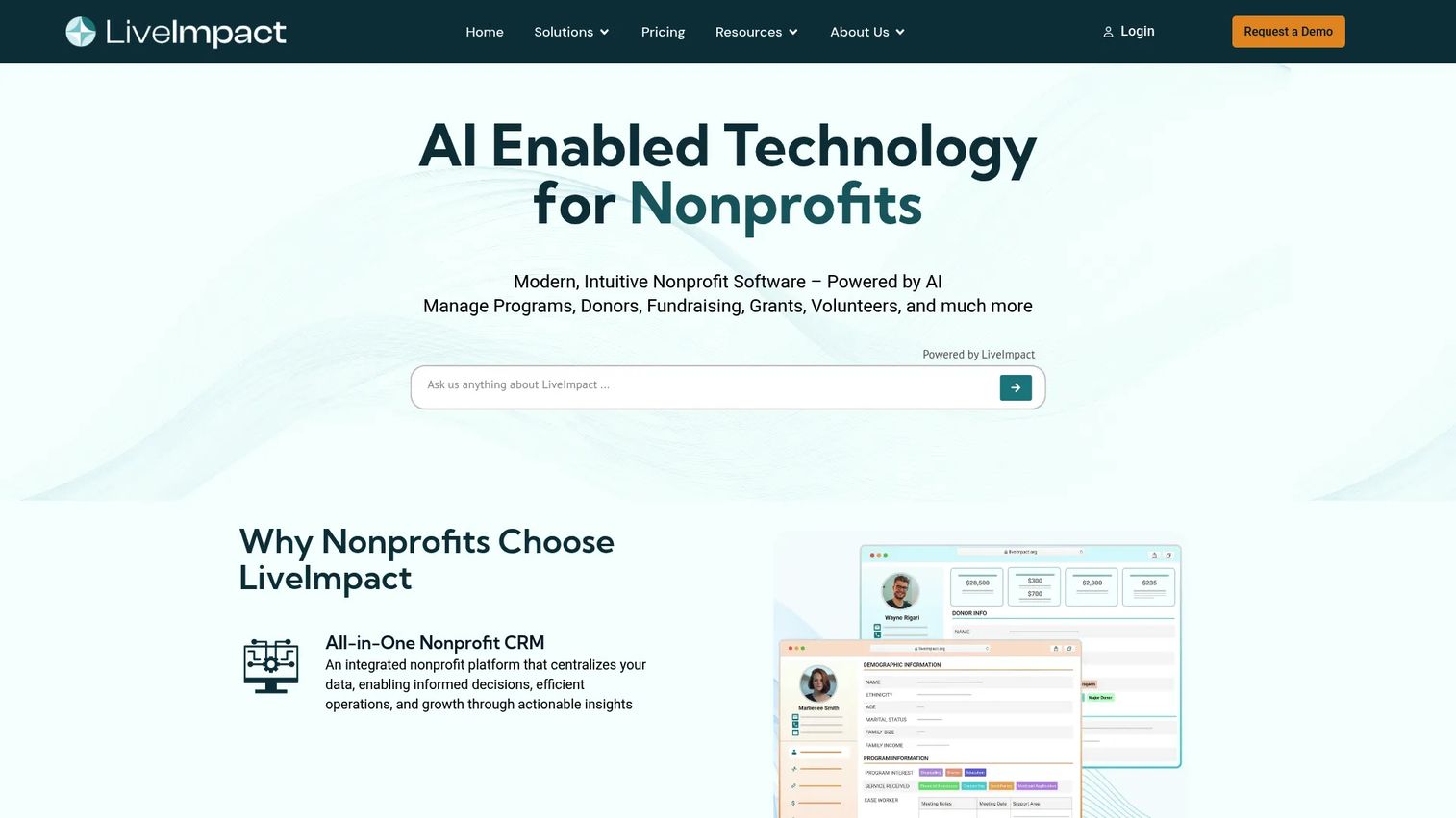
LiveImpact is an AI-enabled nonprofit platform that goes beyond volunteers to cover donor management, fundraising, and case or program management in one CRM. For organizations where volunteer coordination and donor workflows overlap, this convergence matters: the same person who volunteers may also donate, and keeping those records in one system removes duplicate data entry.
On the volunteer side, LiveImpact handles scheduling, hour tracking, and portal access, while its broader CRM adds fundraising, event management, and grant-friendly reporting. AI features assist with reporting and search, and flat-rate plans include unlimited users and contacts, which keeps costs predictable as your database grows. If you are tired of stitching a volunteer tool to a separate donor CRM, LiveImpact's all-in-one approach is the differentiator.
Best for: Nonprofits needing an all-in-one CRM that combines fundraising, donor, and volunteer management.
Key strengths
- Donor and volunteer management in one CRM: unified records across supporters and volunteers.
- Fundraising and event management: campaigns, events, and grant-ready volunteer reporting.
- AI features and unlimited users: AI-assisted reporting and search, with flat-rate plans covering unlimited contacts.
Why choose LiveImpact: If your volunteer program is inseparable from your fundraising and case management, running everything in one system beats maintaining separate tools that never quite sync. The unlimited-user pricing model suits organizations with many staff touching the data.
LiveImpact pricing: LiveImpact starts at $75 per month on special plans, with a Starter plan at $150 per month billed annually and a Pro plan at $275 per month billed annually. A Program and Case Management Core plan runs $350 per month billed annually, and an AI Boost option is $125 per month billed monthly. Pricing varies across pages, so confirm the current plan mix before you commit. There is no free tier.
6. Volento
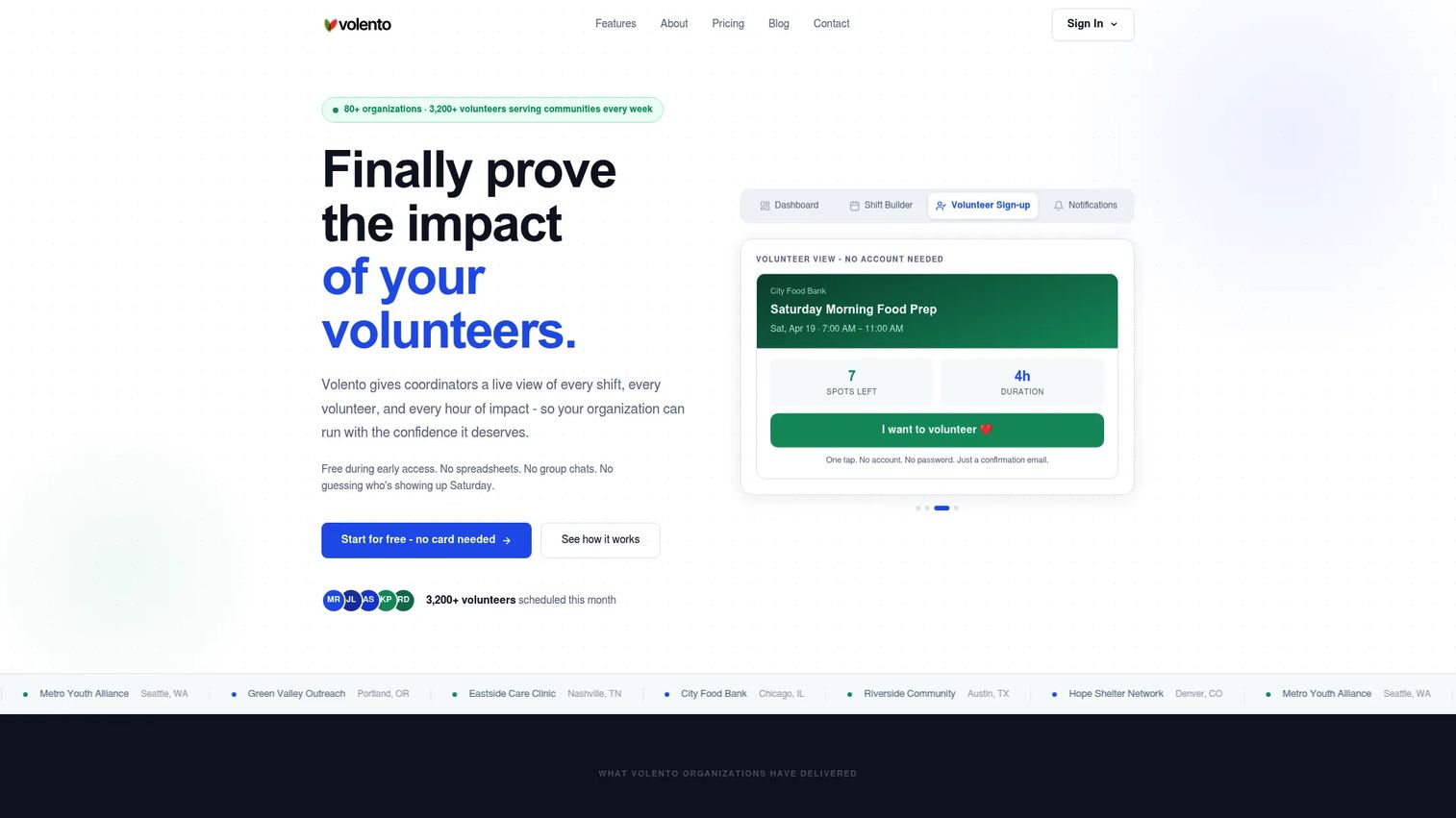
Volento is a volunteer management platform built around a modern, real-time operating view of volunteer activity. Its dashboard shows shifts, volunteers, and impact live, so coordinators see the state of the program at a glance rather than reconstructing it from scattered notes. For teams that want an at-a-glance operational picture, that live visibility is the draw.
Volento pairs the dashboard with a shift builder and a clean volunteer sign-up flow, plus automation that handles reminders, confirmations, and waitlist management without staff intervention. The waitlist handling in particular reduces the scramble when a shift fills or a volunteer drops out. As a newer entrant, Volento leans into a simpler, more modern interface than legacy tools, which suits coordinators who want speed over configurability.
Best for: Volunteer coordinators who want simple shift scheduling and live impact tracking in a modern interface.
Key strengths
- Real-time dashboard: live view of shifts, volunteers, and impact in one screen.
- Shift builder and sign-up flow: fast shift creation and a clean self-service registration path.
- Automatic reminders and waitlists: confirmations, reminders, and waitlist management run on their own.
Why choose Volento: If your priority is a fast, modern operating view rather than deep configuration, Volento gives coordinators real-time clarity without a heavy learning curve. It fits teams that value simplicity and speed in their day-to-day volunteer scheduling software.
Volento pricing: Volento is available free during its early access period, so organizations can start for free while the product matures. A public numeric price list was not available at the time of writing, so confirm current terms directly with Volento as it moves out of early access.
7. AidOrbit
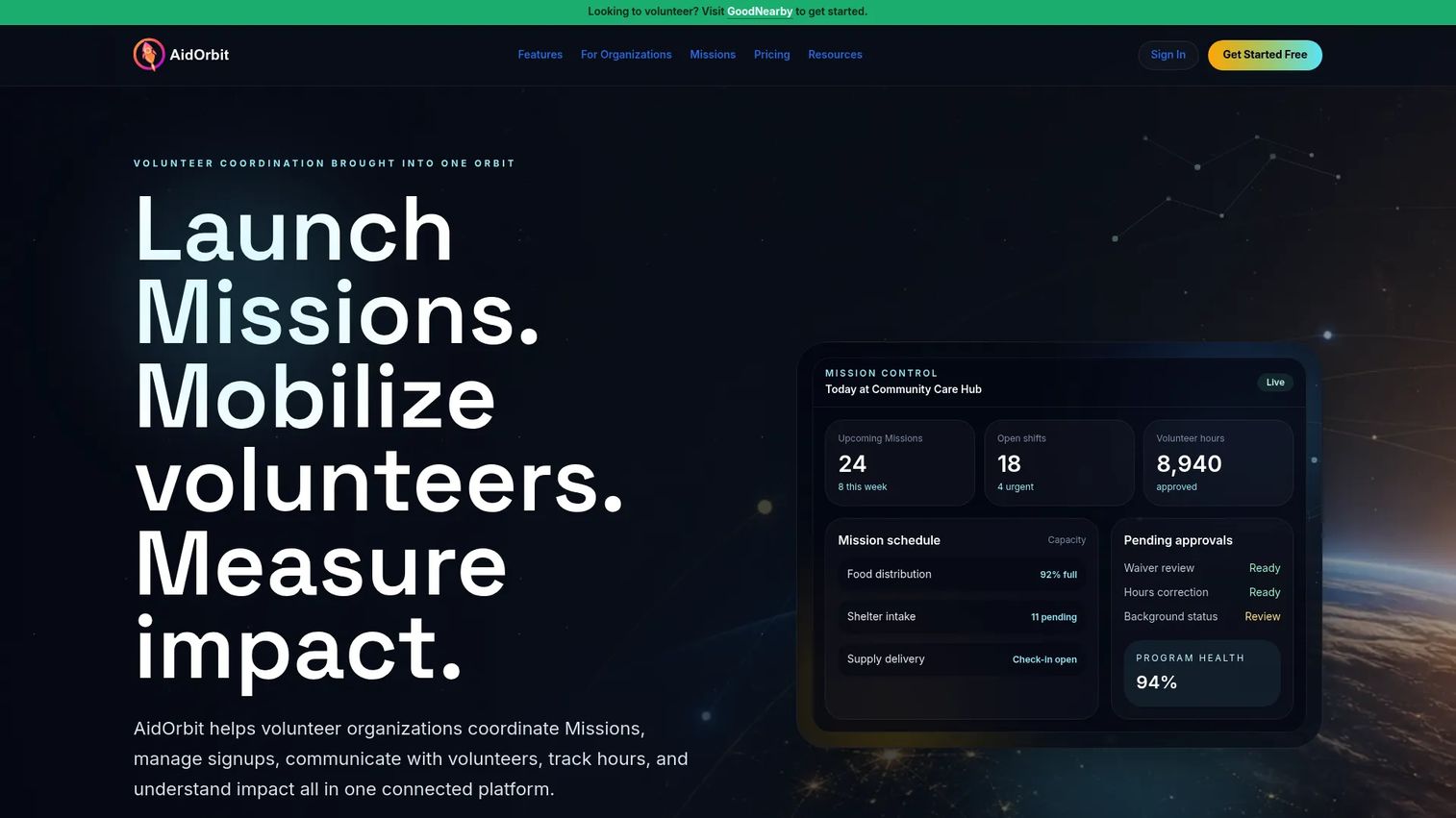
AidOrbit is volunteer management software covering mission scheduling, check-in, hour tracking, communications, eligibility, and impact reporting. It is an emerging option with clear tiering that scales from small volunteer teams up to larger organizations, and its space-themed plan names map cleanly to organization size. The QR code check-in and branded portals give volunteers a polished, self-service arrival and sign-up experience.
AidOrbit covers the operational essentials without gaps: mission scheduling to organize shifts, QR check-in to track attendance, hour tracking and volunteer hour logging to record time, communications for reminders, and eligibility requirements to enforce screening. Reporting and an AI assistant round out the platform. Because volunteers are always free and plans scale by active volunteer capacity, the pricing grows with your program rather than penalizing early stages.
Best for: Volunteer organizations needing mission scheduling, check-in, and impact reporting with pricing that scales by volunteer capacity.
Key strengths
- Mission scheduling and QR check-in: organize shifts and track attendance with a quick QR tap.
- Hours tracking and eligibility: volunteer hour logging plus eligibility requirements for screening.
- Communications and impact reporting: automated reminders and reporting, assisted by AidOrbit AI.
Why choose AidOrbit: If you want a modern, full-featured platform with pricing that starts free and grows only as your volunteer base does, AidOrbit's capacity-based tiering keeps costs aligned with scale. Its clear tier structure makes it easy to know exactly what you are paying for at each stage.
AidOrbit pricing: AidOrbit's Countdown plan is free annually, with volunteers always free. Paid plans scale by active volunteer capacity, programs, and staff users: Pre-flight at roughly $19 per month equivalent billed annually, Launch at about $49 per month, Orbit starting around $89 per month, and Galaxy starting around $499 per month for larger organizations. Usage-based add-ons let you expand specific capabilities as needed.
Considerations
Before you commit, run each platform against the operational questions that actually determine whether it reduces admin work or just relocates it.
Scheduling depth
Look at how shifts are created, whether volunteers can self-schedule, and how the system handles waitlists and swaps. A tool that lets volunteers claim and change shifts without staff involvement removes the most repetitive coordination task. Confirm that reminders fire automatically, because a missed reminder is a missed shift.
Tracking and reporting
Check that hour tracking ties directly to shifts and check-ins, so volunteer hour logging does not become a separate manual step. Then test the volunteer reporting: can you export the exact figures a funder or board asks for in minutes? Audit-ready records are the point, so confirm data is easy to pull and hard to lose.
Portal and mobile experience
Evaluate the volunteer portal and mobile access from the volunteer's side, not just the admin's. Self-service volunteer registration, shift confirmation, and a volunteer check-in kiosk or QR flow reduce staff work only if volunteers actually find them easy. Test the sign-up on a phone before you buy.
Integrations and pricing model
Confirm the nonprofit software integrations you need: donor CRM, background checks, and communications. Then match the pricing model to your reality. Volume-based, per-volunteer, and flat-rate models each fit different programs, so pick the one that scales the way your organization actually grows.
Conclusion
The best volunteer management software for your organization depends on workflow fit, reporting needs, and volunteer volume, not on which vendor has the longest feature list. For mature programs that need reliability and board-ready reporting, Better Impact is the strongest fit. For mobile-first self-service with a free starting point, POINT leads. Volgistics wins on configurability and low entry cost, while VolunteerHub suits event-driven programs.
If your volunteer and donor workflows overlap, LiveImpact's all-in-one CRM removes the double data entry. Volento offers a modern real-time operating view for coordinators who want speed, and AidOrbit brings capacity-based pricing that scales cleanly from small teams up.
The next step is simple: shortlist two platforms that match your scheduling, tracking, and reporting needs, then run a real shift through each. The one that reduces your coordinators' manual steps and produces cleaner data on volunteer engagement and retention is the one worth buying. Choose for the operation you want to run, not the spreadsheet you are trying to escape.
FAQs
Volunteer management software is used to recruit, schedule, track, communicate with, and report on volunteers from one platform. It replaces spreadsheets and email chains with a single source of truth, so coordinators spend less time chasing information and more time running the program. The core goal is admin workload reduction across the full volunteer lifecycle.
The features that decide whether a volunteer management system reduces work are scheduling with self-service sign-up, hour tracking tied to shifts, automated communications, a volunteer portal, and exportable reporting. Integrations with your donor CRM and background-check tools matter too. Prioritize the workflows your team touches daily over long feature lists you will never use.
Hour tracking usually ties to shifts and check-ins. Volunteers check in via a portal, mobile app, or a volunteer check-in kiosk such as a QR code or on-site time clock, and the system logs their time against the assigned shift. Volunteer hour logging can also be manual for retroactive entries, and totals roll up into reports you can export for leadership or funders.
There is no single best nonprofit volunteer management software; it depends on your size and needs. Better Impact suits mature programs needing reliability and reporting, POINT fits mobile-first self-service, Volgistics works for configurable low-cost operations, and LiveImpact fits nonprofits that want volunteer and donor management in one CRM. Match the tool to your workflow and volunteer volume.
Yes. Most platforms in this guide offer self-service volunteer registration, letting volunteers sign up, confirm shifts, and sign waivers without staff involvement. Check-in options include mobile apps, QR codes, and on-site time clock kiosks. This self-service layer is what removes the repetitive back-and-forth that consumes coordinator time.
These tools log hours, attendance, and participation automatically, then let you export clean, audit-ready reports on demand. Instead of reconstructing figures from spreadsheets when a funder asks, you pull a report in minutes. Strong volunteer reporting turns board and grant reporting from a scramble into a routine export.
Compare scheduling depth, hour tracking, portal and mobile experience, communications, integrations, and pricing model. Run a real shift through each shortlisted tool and check how many manual steps it removes for your coordinators. Also confirm the pricing model, whether per-volunteer, flat-rate, or volume-based, matches how your organization actually scales.
Some can. All-in-one platforms like LiveImpact combine volunteer coordination with donor management, fundraising, and case management in a single CRM, which removes duplicate data entry when the same people volunteer and donate. Dedicated volunteer tools focus on scheduling, tracking, and reporting, and often integrate with a separate donor CRM instead of replacing it. Choose based on how tightly your volunteer and donor workflows overlap.