You uploaded the cut Friday afternoon. By Monday you have 14 comments in Slack, three conflicting emails, a note that says "the part at 0:47 feels off," and a version 5 that someone edited from version 3. Nobody knows which file is final. The launch is Thursday.
This is what video collaboration actually looks like when the tools don't fit the work. Feedback scatters across channels. Versions multiply. Approvals stall because the person who needs to sign off can't find the right link. And the moment a project involves raw footage or 4K masters, file sharing turns into an all-day download.
The market is reacting to this friction. The global video collaboration software market is projected to grow from USD 14.29 billion to USD 45 billion by 2035, a 12.1% CAGR through 2026 to 2035, according to WiseGuy Reports (2026). Remote teams are driving that spend. Among distributed teams, video tools have reached roughly 80% penetration, making them the most widely adopted online collaboration application, per U.S. Online Collaboration Software Market Analysis (2024).
The problem for buyers is that "video collaboration software" is not one category. It is at least five: editing, review, file streaming, asset management, and production coordination. A tool that nails frame-accurate review might do nothing for your editors. A file-streaming platform won't route an approval. This guide sorts the options by workflow stage so you can match the tool to the actual bottleneck, not to a feature list. If your team also produces short-form content, our roundup of the best AI video generators covers a related tooling layer worth knowing.
What's inside
This guide is for creative teams, video marketers, agencies, and production teams comparing ways to review, edit, approve, and organize video work. It covers nine tools spanning the full workflow: collaborative editing, video review software, large-file streaming, digital asset management, and project coordination.
We chose tools based on four criteria that matter most when video slows a launch:
- Workflow fit: does it solve editing, review, file access, or coordination, and does it do that job well
- Version control and security: version history, permissions, secure sharing, and access controls
- Integrations: how cleanly it connects to the rest of your stack
- Pricing transparency: public plans and clear tiers, not a black box
TL;DR
Short on time? Here are the quick picks by workflow stage.
- Best for full creative editing workflows: Adobe Premiere Pro, for professional editing with deep Adobe integration.
- Best for review and approvals: Frame.io and Vimeo, for frame-accurate feedback and client sign-off.
- Best for live collaboration and remote sessions: Evercast, for real-time creative review with high-quality streaming.
- Best for large media files and cloud access: LucidLink, for instant streaming of heavy assets without downloads.
- Best for structured proofing: ReviewStudio and Wipster, for organized annotation and approval routing.
- Best for project coordination: ftrack, for production tracking on top of review.
What is video collaboration software?
Video collaboration software is any tool that lets multiple people create, review, approve, share, or organize video and media assets together, usually across locations and often asynchronously. It replaces the mess of email attachments, scattered comments, and download-and-reupload loops with a shared surface where feedback, versions, and files live in one place.
The category splits into five overlapping subcategories. Knowing which one you need is most of the buying decision.
- Collaborative video editing software: shared or cloud-based editing where multiple people cut, adjust, and assemble a project, sometimes with real-time editing access.
- Video review software: proofing and feedback tools built for timestamped comments, annotations, and video approval workflows.
- File sync and streaming: cloud collaboration platforms that give teams instant access to large media files without full downloads.
- Digital asset management: systems that store, tag, and organize media so teams can find and reuse it.
- Project coordination: production management for video, covering tasks, scheduling, and review visibility across teams.
Whatever subcategory you land in, a few core capabilities should be table stakes:
- Frame-accurate feedback: comments pinned to exact timecodes, not vague "around the middle" notes
- Version control: version history and side-by-side comparison so nobody edits the wrong cut
- Permissions and secure sharing: access controls, password protection, and link expiration for client and legal work
- Approval states: clear statuses so everyone knows what is in review, approved, or needs changes
- Integrations: connections to editing tools, storage, and the wider stack
When to use video collaboration software
The right tool depends on where your workflow breaks. Three situations cover most buying decisions.
Edit together in the cloud
When more than one person touches a cut, you need shared access, version control, and a way to avoid two editors overwriting each other. This is the case for campaign edits under deadline, social video production at volume, and teams that hand a project between an editor and a motion designer. Cloud collaboration keeps a single source of truth so the "which version is final" question stops eating hours. Real-time editing matters most when the turnaround is same-day.
Review assets asynchronously
Sometimes feedback cannot wait for a meeting, and it should not need one. Asynchronous video collaboration lets a client, a marketing lead, or legal drop timestamped notes on their own schedule. This is where video review software earns its place: client approvals, marketing reviews, and legal sign-off all run cleaner when comments attach to exact frames and approval states are visible. Remote creative teams live in this mode.
Coordinate large-file production
When raw footage, 4K masters, and heavy graphics enter the picture, downloads and sync loops become the bottleneck. Agencies, post-production teams, and distributed editors need instant access to large media files without waiting on transfers. Cloud file streaming changes the math here: editors open a multi-gigabyte file and start working without pulling the whole thing down first.
Comparison table
Here is a compact view of the nine tools, sorted by relevance to teams that need collaboration, review, and workflow control. Pricing and ratings are drawn from each vendor's site and public G2 listings.
| # | Product | Intent | Key use case | Pricing | G2 rating |
|---|---|---|---|---|---|
| 1 | Adobe Premiere Pro | Editing | Professional collaborative editing | From US$22.99/mo | 4.5/5 |
| 2 | Vimeo | Review + hosting | Video review and client approvals | Free; from $13/mo | 4.5/5 |
| 3 | Frame.io | Review | Frame-accurate review and approval | Free; from $15/member/mo | 4.5/5 |
| 4 | WeVideo | Editing | Browser-based collaborative creation | Free; from $4.99/mo | 4.6/5 |
| 5 | Evercast | Live review | Real-time remote creative sessions | From $549/mo | 4.4/5 |
| 6 | LucidLink | File streaming | Instant access to large media files | Free tier; from $7/member/mo | 4.5/5 |
| 7 | ReviewStudio | Proofing | Online proofing and approval | Free; from $12/user/mo | 4.7/5 |
| 8 | Wipster | Review | Video review and approval routing | From $9.95/mo | 4.7/5 |
| 9 | ftrack | Coordination | Production tracking plus review | From $10/user/mo | 4.7/5 |
1. Adobe Premiere Pro
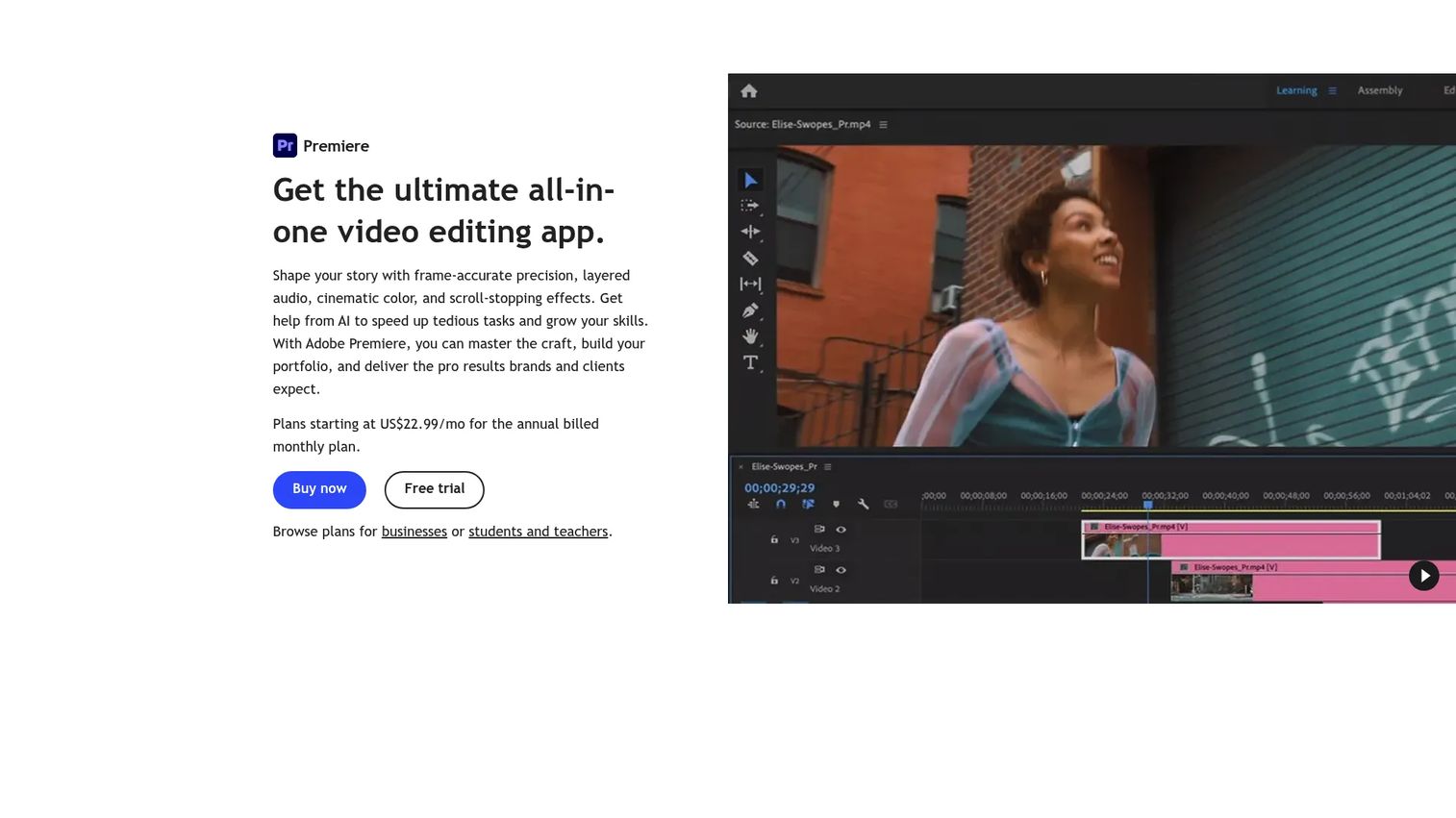
Adobe Premiere Pro is the professional editing standard, and for teams already living in Creative Cloud it is where collaboration starts. Editors cut frame-accurate timelines with layered audio and cinematic color, then move assets between Premiere, After Effects, and Photoshop without exporting and reimporting. That tight ecosystem is the reason it anchors so many production workflows.
Its collaboration story runs through shared projects and Team Projects, where multiple editors work against the same media with version awareness built in. AI-assisted tools like Text-Based Editing and Enhance Speech cut the grunt work out of long edits.
Best for: Professional editors and teams that need full-depth editing with deep Adobe integration.
Key strengths
- Frame-accurate editing: layered audio, cinematic color, and precise timeline control for finished work.
- AI-assisted tools: Text-Based Editing, Enhance Speech, and Generative Extend speed up common tasks.
- Multicam and motion graphics: multicam editing, captions, and export and share workflows in one app.
Why choose Adobe Premiere Pro: If your editors already work in Creative Cloud, Premiere keeps the whole pipeline in one ecosystem. It fits teams whose bottleneck is the edit itself, not the review layer that sits on top of it. Pair it with a review tool for client feedback.
Adobe Premiere Pro pricing: The Premiere individual plan starts at US$22.99/mo on an annual, billed-monthly basis. Creative Cloud Pro, which bundles Premiere with 20+ apps, runs US$69.99/mo. For teams, Premiere for teams is US$37.99/mo per license and Creative Cloud Pro for teams is US$99.99/mo per license. There is no free tier, though student and teacher discounts exist.
2. Vimeo
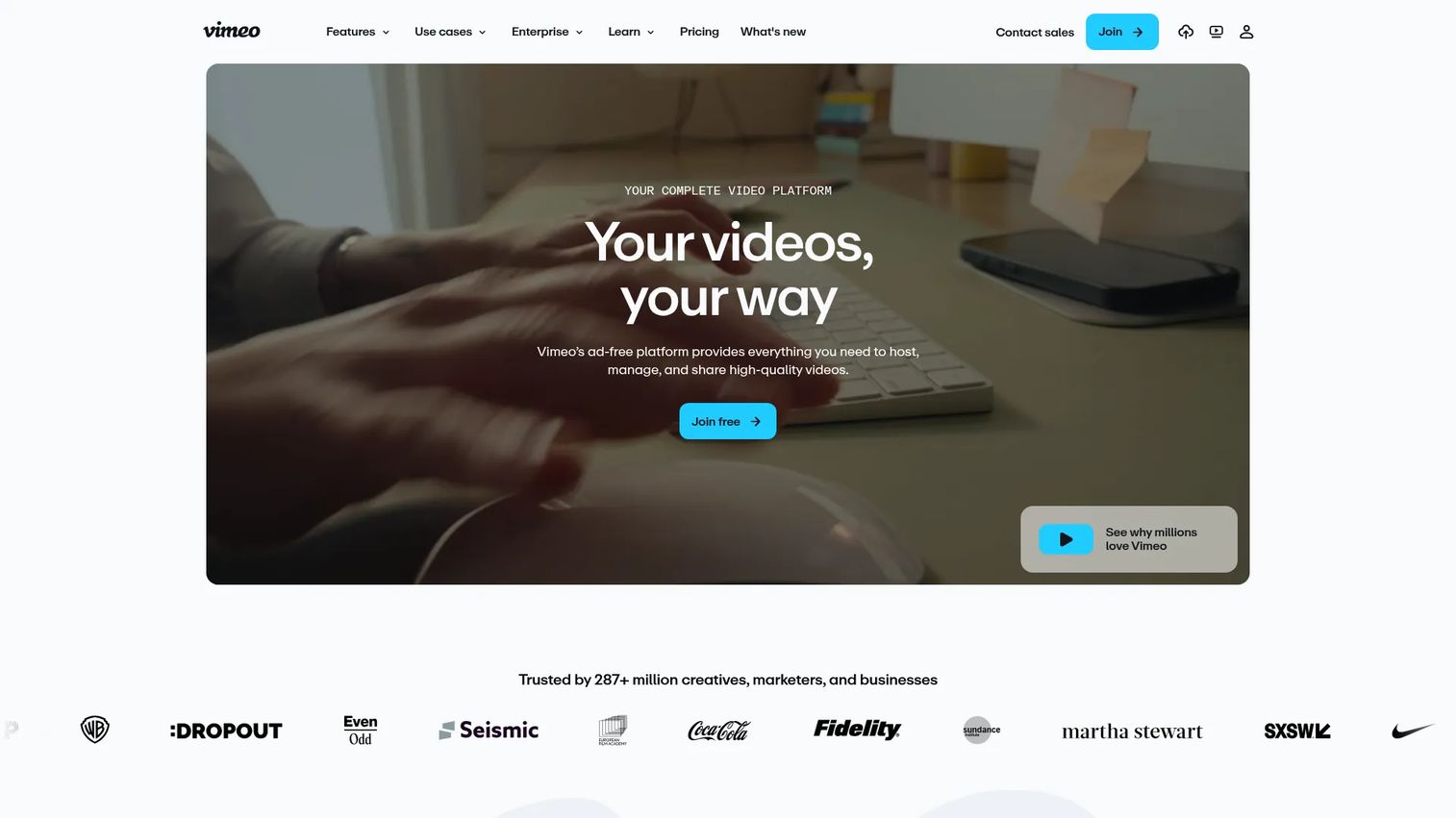
Vimeo grew from a hosting platform into an all-in-one video platform, and its review layer is what earns it a spot for marketing teams. You share a private link, stakeholders leave timestamped comments directly on the timeline, and privacy controls keep unfinished work locked down. For teams that already host on Vimeo, review lives next to the finished asset.
Beyond review, it handles ad-free hosting, a customizable player, live streaming, and monetization. That breadth makes it a practical single home for teams that both collaborate on and distribute video.
Best for: Marketing teams and creators who want review, hosting, and distribution in one platform.
Key strengths
- Timestamped review: frame-specific comments and collaboration for clean client approvals.
- Privacy and controls: access controls and privacy settings for unreleased work.
- All-in-one platform: ad-free hosting, a customizable player, live streaming, and monetization.
Why choose Vimeo: Vimeo fits teams that want their review workflow to sit next to where the video ultimately lives and ships. It consolidates hosting, review, and distribution so you are not stitching three tools together. For pure post-production review depth, a dedicated review tool may go deeper.
Vimeo pricing: Vimeo offers a free plan. Paid tiers, billed annually, run Starter at $13/mo, Standard at $26/mo, and Advanced at $76/mo. Enterprise is sales-led with pricing not publicly displayed.
3. Frame.io
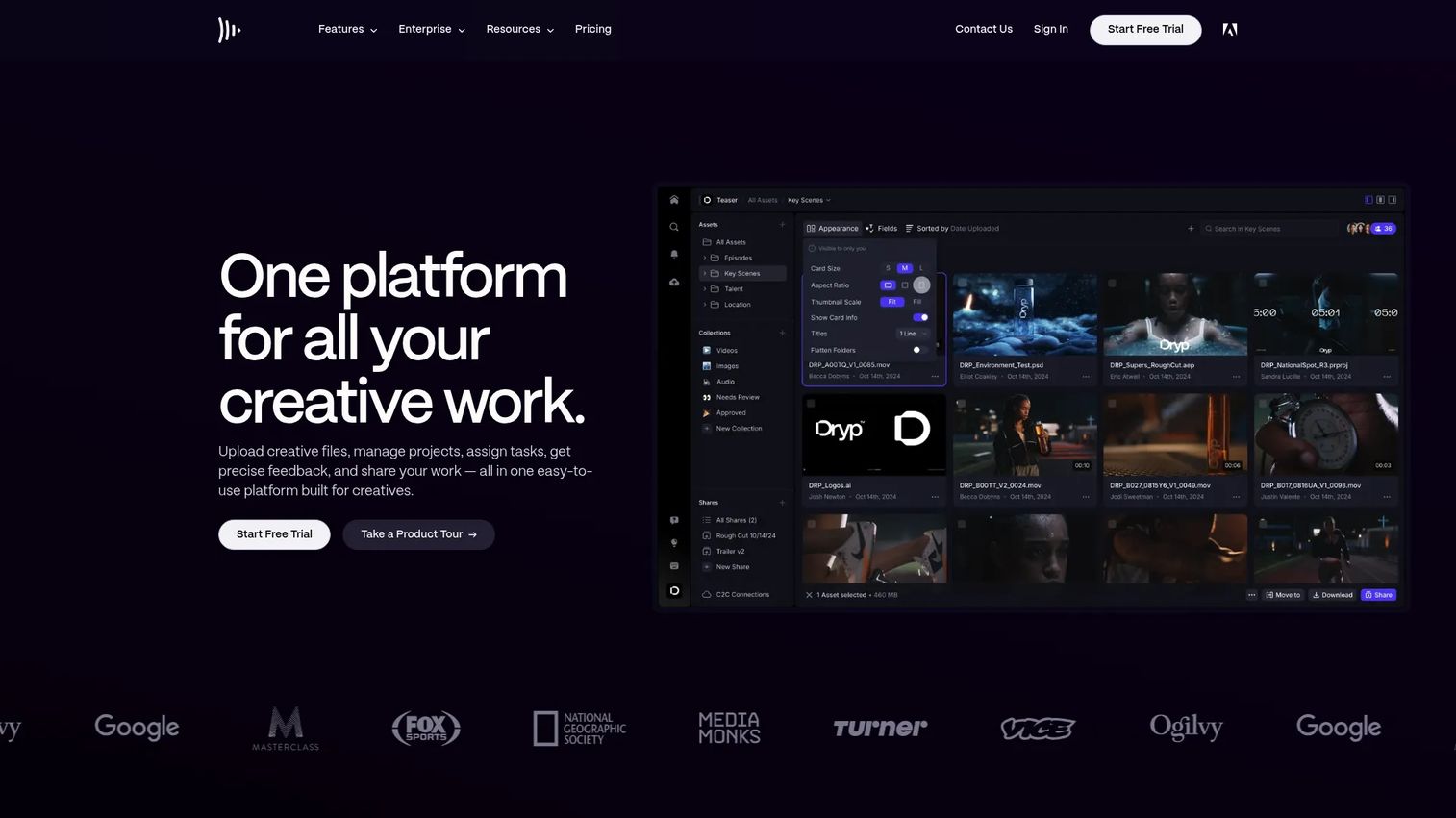
Frame.io is the review platform post-production teams reach for when feedback has to be precise. Reviewers leave frame-accurate comments and annotations pinned to exact timecodes, approval states make deal status obvious, and the Camera to Cloud workflow gets footage from set to editor without a courier. It is built for the structured back-and-forth that agency and post work demands.
Version history keeps every iteration in place, and security controls like SSO, watermarking, and passphrase-protected shares make it viable for sensitive client work.
Best for: Post-production teams and agencies that need structured, frame-accurate review and approval.
Key strengths
- Frame-accurate comments: annotations pinned to exact timecodes for unambiguous feedback.
- Camera to Cloud: upload footage from set straight into the review pipeline.
- Security controls: SSO, watermarking, and passphrase-protected shares for client work.
Why choose Frame.io: Frame.io is the pick when your bottleneck is the review loop, not the edit. Its approval states and version history give agencies a defensible record of who approved what and when. Editors on Premiere can push directly into it, which suits Adobe-heavy shops.
Frame.io pricing: Frame.io has a free plan. Pro is $15 per member per month plus tax, and Team is $25 per member per month plus tax. Enterprise is custom. Monthly and annual billing are available, with annual plans listed at 13% off.
4. WeVideo
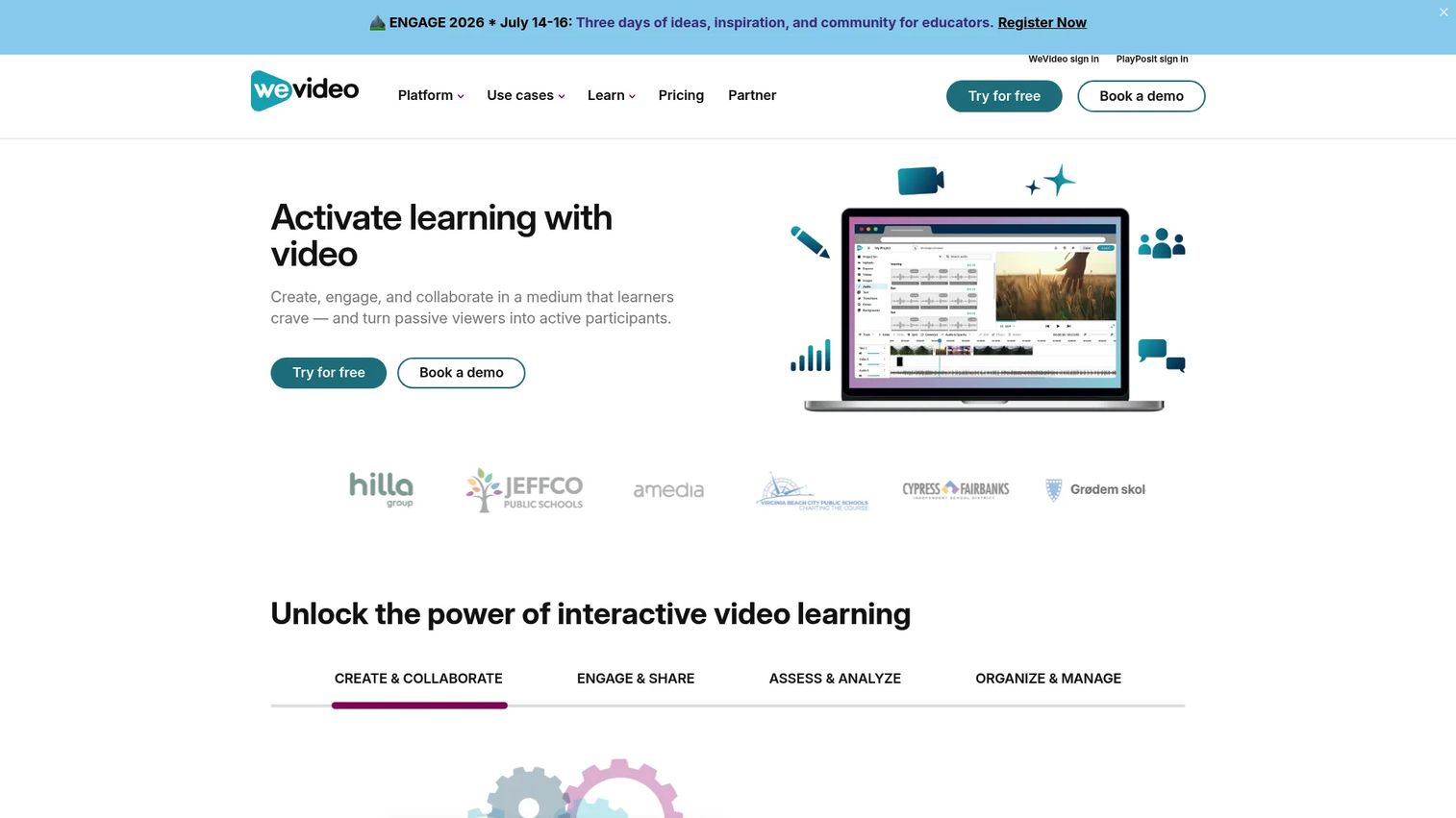
WeVideo puts editing in the browser, which makes it a strong fit for teams that want collaborative creation without a heavy post-production stack. Multiple people work in a shared workspace with real-time collaboration, brand kits, and templates that keep output on-brand. Screen and webcam recording plus interactive video elements make it especially useful for education and internal content.
Because it is cloud-based, there is nothing to install and collaboration starts the moment someone opens a link. That accessibility is the point.
Best for: Teams and educators who need collaborative, browser-based video creation without a full editing suite.
Key strengths
- Real-time collaboration: shared workspaces and permissions for simultaneous work.
- Brand kits and templates: consistent, on-brand output at speed.
- Recording built in: screen and webcam capture plus interactive video elements.
Why choose WeVideo: WeVideo fits teams that value accessibility over deep post-production control. It removes the install and hardware barrier, so anyone with a browser can contribute. Educators and business teams producing high volumes of straightforward video get the most from it.
WeVideo pricing: WeVideo has a free plan and a free trial on select tiers. Public pricing starts at Power for $4.99/mo, billed annually at $59.88. Creator is $240/yr and Teams is $624/yr. Education plans include Single Teacher at $89/yr and Instructor at $384/yr. Enterprise and organization plans are contact-sales.
5. Evercast
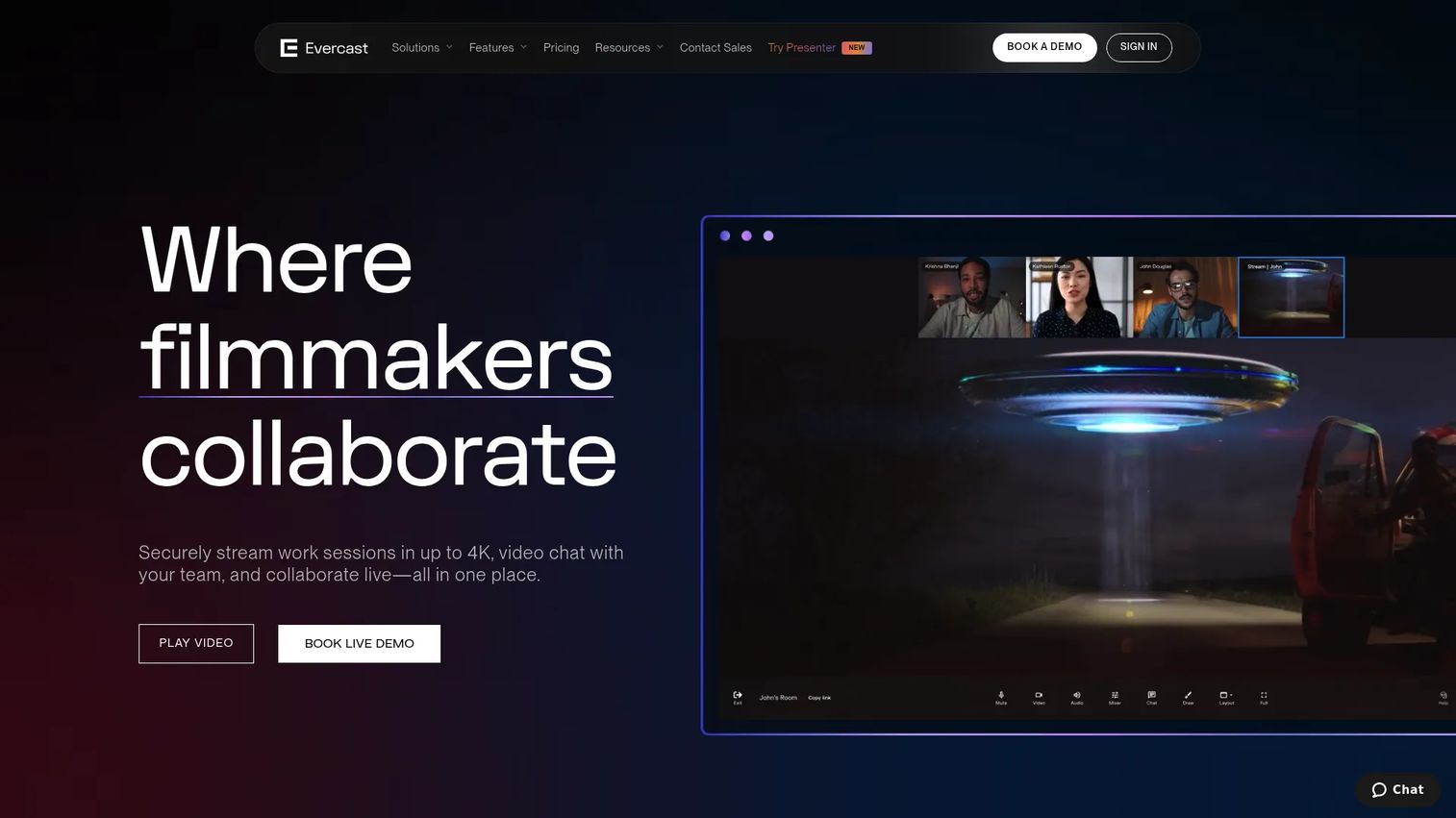
Evercast exists for the moments when async comments are not enough and you need everyone in the room, even when the room is remote. It combines video conferencing with ultra-low-latency streaming, under 100ms, so a director, editor, and colorist can review a cut together in real time and react to the same frame at the same instant. For film, TV, and game teams, that live feedback loop is irreplaceable.
A draw tool, session recording, and timestamped chat notes capture decisions as they happen, so nothing gets lost when the session ends.
Best for: Film, TV, game, and creative teams that need real-time remote review with high-quality streaming.
Key strengths
- Ultra-low latency: sub-100ms collaboration so remote reviewers stay in sync.
- 4K screenshare: high-fidelity streaming for color and detail-critical review.
- Session capture: draw tool, recording, and timestamped notes preserve decisions.
Why choose Evercast: Evercast performs best when synchronous review matters more than async comments, such as live dailies, remote color sessions, and creative approvals that need discussion. It brings the human element of an in-person review to a distributed team. For paced, comment-driven review, an async tool complements it.
Evercast pricing: Evercast starts at $549/mo for a commitment-based stUDIO room, or $849/mo month-to-month. A Premium Suite runs $1,249/mo, and Enterprise is custom. There is no public free tier.
6. LucidLink
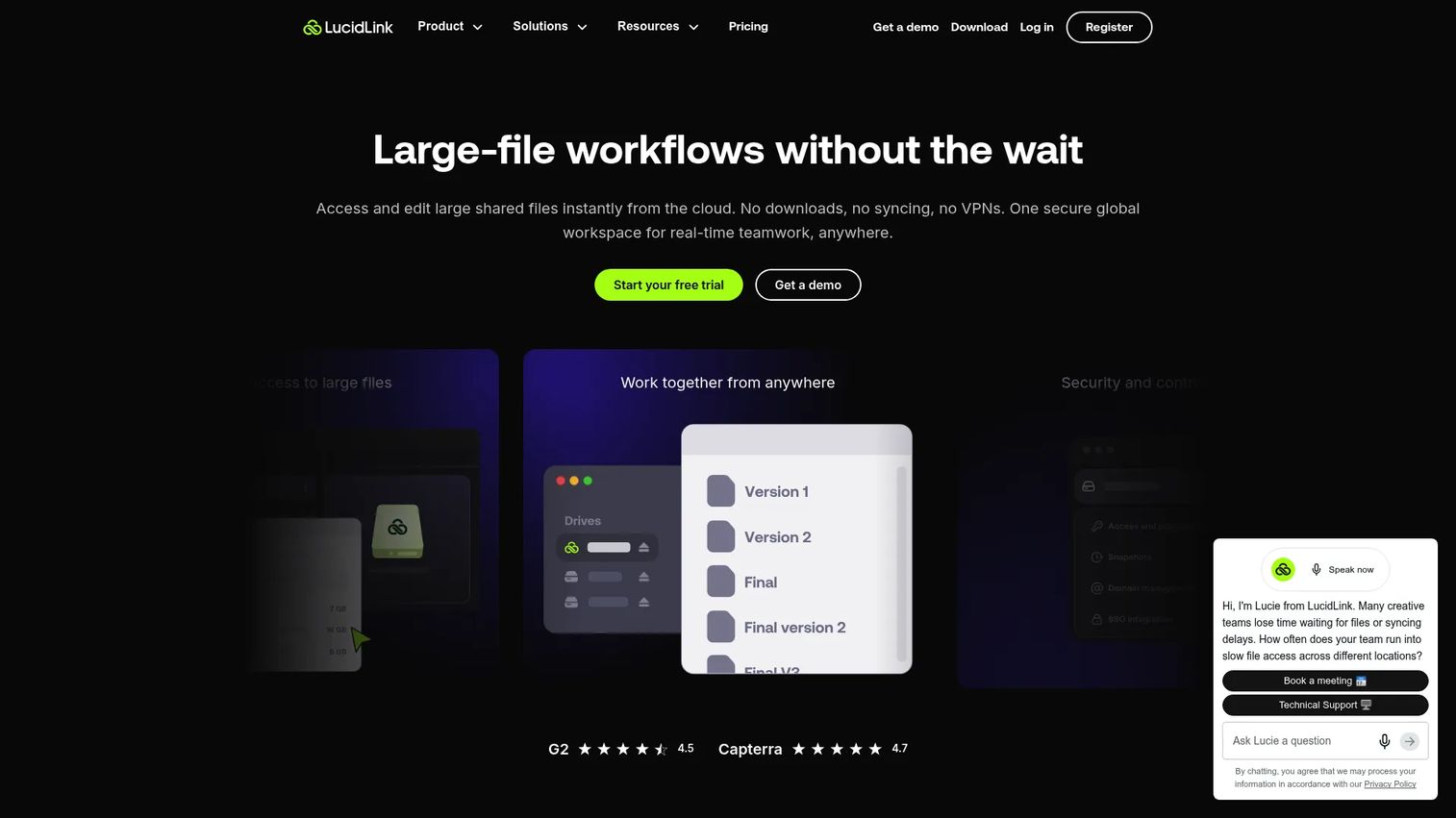
LucidLink solves the large-file problem directly. Instead of downloading a 200GB project before you can touch it, editors stream files instantly from cloud storage and start working right away. A shared filespace behaves like a local drive, so distributed teams collaborate on the same media in real time without the sync-and-wait loop that kills momentum on heavy projects.
Zero-knowledge encryption and access controls mean secure sharing is built in, which matters when large media files contain unreleased or sensitive footage.
Best for: Distributed teams that need fast, secure collaboration on large shared media or design files.
Key strengths
- Instant file streaming: open multi-gigabyte files from the cloud without full downloads.
- Shared filespace: a mounted drive that supports real-time collaboration on the same media.
- Zero-knowledge encryption: secure sharing and access controls for sensitive assets.
Why choose LucidLink: LucidLink is the answer when file size, not feedback, is your bottleneck. Post houses and remote editors get near-local performance on cloud-hosted footage, which changes how distributed production feels day to day. Pair it with a review tool for the approval layer.
LucidLink pricing: LucidLink has a free tier. Starter is $7/member/month and includes 100GB per member. Business is $27/member/month with 400GB per member. Enterprise is contact-sales.
7. ReviewStudio
ReviewStudio is online proofing built for teams that need structured feedback and clean sign-off across creative content, not just video. Reviewers annotate directly, compare versions side by side with Smart Compare, and move work through approval states using workflow templates and notifications. For agencies juggling many stakeholders, that organization keeps revisions from spiraling.
Higher tiers add integrations, API access, and SSO, so it slots into a larger stack when a team scales.
Best for: Teams that need organized online proofing and video approval workflows across creative assets.
Key strengths
- Smart Compare: side-by-side version comparison to catch what changed.
- Workflow templates: structured approval routing with notifications.
- Enterprise controls: integrations, API access, and SSO on higher tiers.
Why choose ReviewStudio: ReviewStudio fits agencies and creative teams whose pain is revision chaos across mixed media, not just video. Its proofing and approval structure gives clients a clear place to weigh in and a record of every decision. The free Starter tier makes it easy to trial.
ReviewStudio pricing: ReviewStudio has a free Starter tier. Pro is $15/user/mo monthly or $12/user/mo yearly, and Advanced is $25/user/mo monthly or $20/user/mo yearly. Enterprise uses custom volume pricing.
8. Wipster
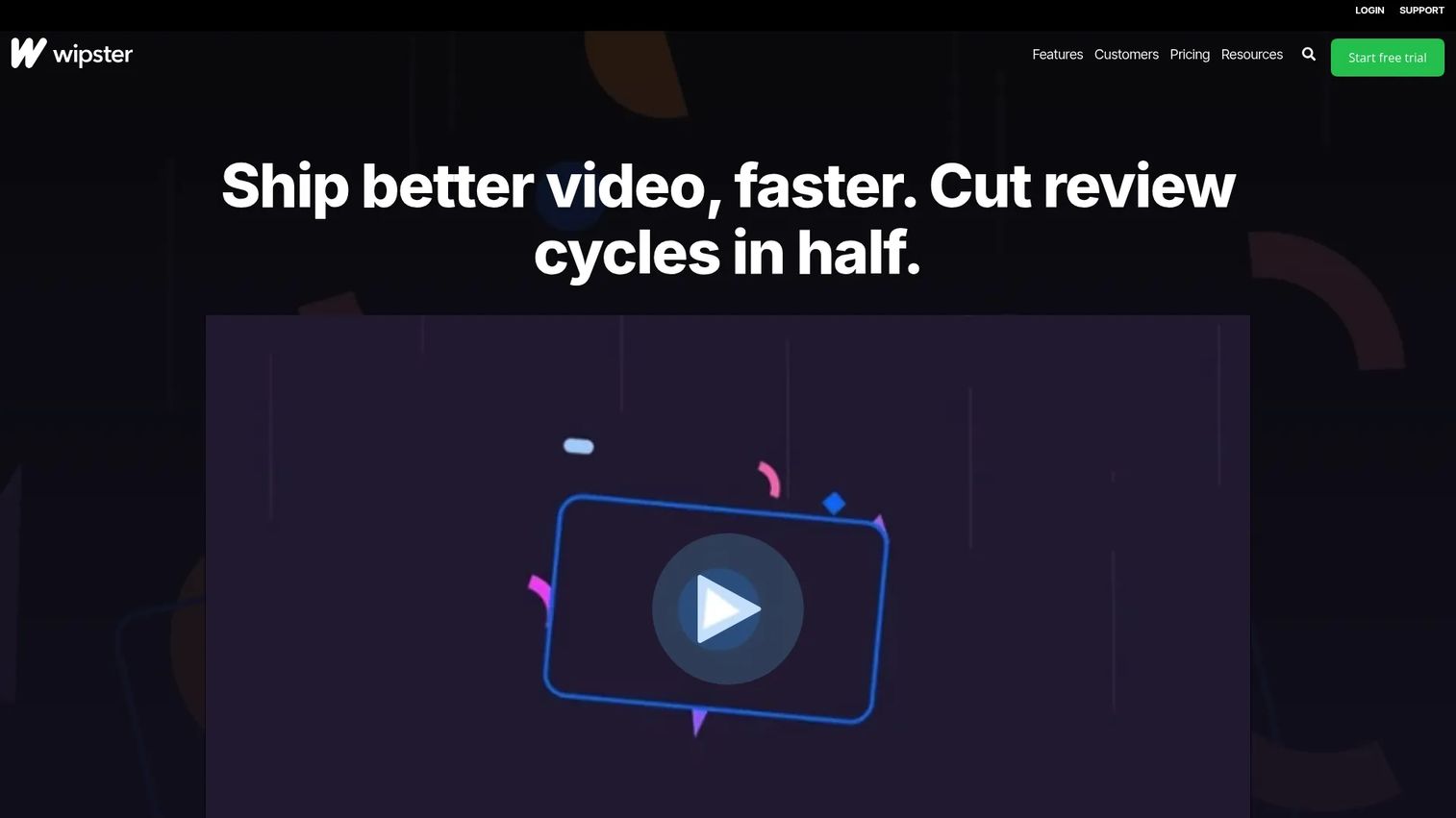
Wipster focuses on video review and approval, giving marketing teams and agencies a clean way to collect stakeholder feedback and route it toward sign-off. Reviewers leave frame-accurate comments, media management handles video, image, PDF, and audio files, and side-by-side version comparison with version control keeps every iteration straight. The review timeline shows exactly where each asset stands.
That focus on stakeholder feedback loops makes it a natural fit for client collaboration and marketing video reviews that cycle through several rounds.
Best for: Creative teams and agencies that need video review and approval workflows with clear version control.
Key strengths
- Frame-accurate comments: precise feedback tied to the exact moment in a video.
- Multi-format media management: review video, image, PDF, and audio in one place.
- Version control: side-by-side comparison to track changes across rounds.
Why choose Wipster: Wipster suits marketing and creative teams whose core need is fast, organized review with stakeholders who are not video experts. Its approval routing keeps feedback from fragmenting across email and chat. A free trial lets you test the loop before committing.
Wipster pricing: Wipster's Light plan is $9.95/mo billed annually or $11.95 billed monthly. Team is $19.95 billed annually or $25 billed monthly. Enterprise is custom. A free trial is available.
9. ftrack
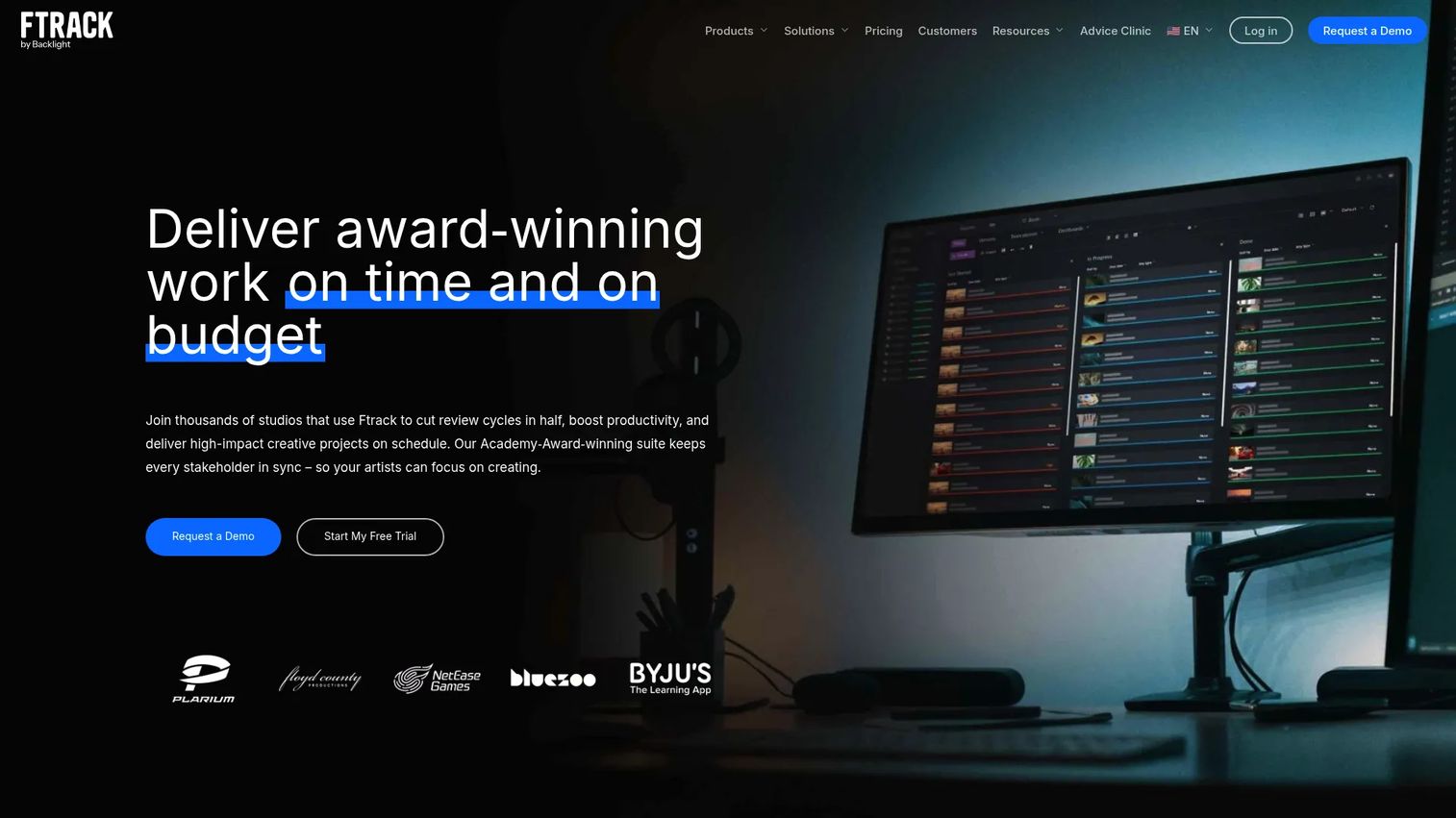
ftrack goes beyond comments and versions into full production coordination. It combines production tracking and scheduling with interactive media review, so animation, VFX, and creative teams manage tasks, deadlines, and approvals in one system. When a project has dozens of shots and a dozen people, that visibility is what keeps it on schedule.
Workflow automation and API integrations let it connect to the rest of a studio pipeline, which is why it serves as project management for video-heavy production rather than a standalone review tool.
Best for: Animation, VFX, and creative production teams that need tracking plus media review.
Key strengths
- Production tracking: task management and scheduling across complex projects.
- Interactive media review: built-in review and approval alongside tracking.
- Automation and API: workflow automation and integrations for studio pipelines.
Why choose ftrack: ftrack fits teams whose challenge is coordination, not just feedback, such as studios tracking many assets across many people. It layers project management for video onto review, so you see status and approvals in the same place. Smaller teams that only need review may find it more than they need.
ftrack pricing: ftrack's Review plan is $10/user per month and Studio is $25/user per month. Enterprise is contact-sales, annual only. Add-ons like Review Pro and extra storage are available. There is no free tier.
What to look for when choosing video collaboration software
The nine tools above solve different problems. Before you commit, run your shortlist against these criteria.
Match the tool to the workflow stage
Decide whether your real bottleneck is editing, review, file access, or coordination. A frame-accurate review tool does nothing for slow file transfers, and a streaming platform will not route an approval. Buy for the stage that is costing you time, then check whether the tool plays nicely with the stages on either side.
Version control and frame-accurate feedback
Look for version history, side-by-side comparison, and comments pinned to exact timecodes. Vague feedback and mystery "final_v7" files are the two most common causes of blown deadlines. The tools that fix this attach every note to a frame and every change to a version.
Secure sharing and permissions
If you handle client work, unreleased footage, or legal reviews, secure sharing is not optional. Check for access controls, password protection, link expiration, and SSO on the plans you can actually afford. Zero-knowledge encryption matters most when large media files are sensitive.
Integrations and stack fit
The best tool is the one that reduces tabs, not the one that adds another. Confirm it connects to your editing software, your storage, and the coordination layer your team already uses. A review tool that pushes into your NLE beats one your editors have to leave the timeline to open.
Pricing that scales with the team
Per-seat pricing can climb fast as a team grows. Map the cost at your current headcount and at double it. Watch for features gated to higher tiers, especially SSO, version comparison, and approval workflows, since those often live where the price jumps.
Conclusion
There is no single best video collaboration software, only the best tool for the stage where your workflow breaks. That is the honest answer, and it saves you from buying a review platform when your problem is file transfers.
Here is the quick recap by workflow type:
- Editing: Adobe Premiere Pro for professional depth, WeVideo for accessible browser-based creation.
- Review and approvals: Frame.io and Wipster for structured review, Vimeo when you want review next to hosting, ReviewStudio for proofing across mixed media.
- Live collaboration: Evercast for real-time remote sessions.
- Large files: LucidLink for instant streaming of heavy media.
- Coordination: ftrack for production tracking on top of review.
Start by naming the bottleneck. If it is the edit, look at editing tools. If feedback scatters, buy review. If downloads eat your day, buy streaming. If you are tracking dozens of assets across a team, buy coordination. Match the category to the pain, trial two options, and pick the one your team actually opens on Monday morning.
FAQs
At minimum, look for timestamped comments, version history, permissions, approval states, integrations, and secure sharing. Timestamped comments and frame-accurate feedback stop vague notes, version history prevents editing the wrong cut, and approval workflows make sign-off status obvious. For client or legal work, permissions and secure sharing are non-negotiable.
Yes, when the tool offers the right controls. Look for access controls, password protection, link expiration, SSO, and encryption. Platforms handling unreleased footage often add watermarking or zero-knowledge encryption, and enterprise tiers typically layer in SSO and compliance signals. Confirm those features are on the plan you buy, not gated to a tier above it.
Real-time collaboration takes two forms: live editing, where multiple people work in a shared project at once, and live review sessions, where a team watches the same stream together and reacts to the same frame in real time. Low-latency streaming keeps everyone in sync. This differs from asynchronous feedback, where reviewers leave timestamped comments on their own schedule and the editor addresses them later.
Video review software is built for proofing and video approval workflows: timestamped comments, annotations, version comparison, and sign-off. Collaborative editing software is built for creating the video: shared timelines, real-time editing, and asset management. Many teams use both, review to gather and route feedback, editing to actually cut the video, plus a live tool when synchronous sessions matter.
Tools built around cloud file streaming handle large media files best because editors access footage instantly instead of downloading it. LucidLink is designed for exactly this, streaming multi-gigabyte files from the cloud so distributed teams work as if the media were local. When file size is your bottleneck, streaming and asset access matter far more than review features.
Marketers should prioritize fast approvals, stakeholder visibility, version control, and easy secure sharing. Campaign video often cycles through several rounds with non-expert reviewers, so frame-accurate comments and clear approval states keep feedback from scattering across Slack and email. A tool that shortens review cycles protects launch dates and keeps budget from leaking into rework.
Some can coordinate work, but many teams still need a dedicated project management layer. Tools like ftrack combine production tracking, scheduling, and review, which covers a lot of video-specific coordination. For broader cross-team planning, most teams still pair a video workflow tool with general project management software rather than replacing it outright.