You wrote the estimate on a paper pad. The customer approved it over the phone. Then a tech pulled the wrong part, the invoice went out with a math error, and a follow-up call slipped through the cracks. By Friday, three cars sat waiting on parts nobody ordered, and you spent your Saturday reconciling receipts instead of resting.
That is the reality of running a repair shop on spreadsheets, sticky notes, and disconnected tools. Every handoff between the front counter, the bay, and the parts desk is a chance to lose time, money, or a customer. The admin work does not disappear. It just piles up until you are working nights to catch up on invoices that should have taken five minutes each.
The market has noticed. The global auto repair software market is expected to reach US$3.4 billion in 2026, growing at a 14.2% CAGR through 2033, according to Persistence Market Research (2026). More telling: over 71% of U.S. repair shops already use digital invoicing and service management tools, per the same source. Paper is losing. The question is not whether to adopt auto repair software, but which system actually fits how your shop runs.
The right auto repair shop software ties estimates, work orders, parts, scheduling, payments, and customer follow-up into one place. The wrong one adds another login nobody opens. This guide cuts through that. If you're evaluating adjacent operational tooling too, our roundups of contract management software tools and event management software cover the same buyer questions from a different angle.
What's inside
This guide compares nine auto repair software options for shop owners, service advisors, and independent mechanics. Some are full auto shop management software platforms. Others focus on a single high-value job, like parts sourcing. We picked them to cover the range a real buyer faces.
We ranked each tool on four criteria that matter when you are actually running bays:
- Workflow coverage: estimates, work orders, invoicing, and customer records in one flow
- Mobile and cloud access: whether techs and advisors can work from a phone or tablet
- Booking, parts, and diagnostics: scheduling, inventory, VIN lookup, and inspection support
- Value for money: what you pay against what the shop actually uses daily
Pricing and ratings reflect verified public sources at the time of writing. Where a vendor does not publish a price, we say so.
TL;DR
- Best overall value: ARI. Affordable, mobile-friendly, and covers estimates, inspections, invoicing, and booking in one app for small to mid-size shops.
- Best for established shop management depth: Mitchell 1. The choice when you want repair information, diagnostics, and shop management from a long-standing provider.
- Best for parts-first operations: PartsTech. Unified parts and tire lookup, live wholesale pricing, and ordering that plugs into 35+ management systems.
- Best for customizable desktop workflows: AutoShop by Winworks. Deep repair order and inventory control with QuickBooks integration for independents.
- Best for auto and truck shops: MaxxTraxx. Unlimited estimates and repair orders plus accounting for mixed light-duty and heavy-duty work.
- Best free-to-start option: Workshop by Servixa. A genuine free tier plus online bookings and multi-currency invoicing for lean garages.
What is auto repair software?
Auto repair software is a system that manages the operational side of a repair shop, including customer and vehicle records, estimates, work orders, invoices, scheduling, parts, labor, payments, and reporting, in one connected workflow. Some people call it auto repair management software or automotive shop software. The label varies. The job does not.
At its core, a full auto shop management software platform links the moment a customer books to the moment they pay. Instead of retyping the same VIN into three places, you enter it once and it flows through the estimate, the work order, and the invoice.
Core modules you will find across most car repair software:
- Client and vehicle records: contact history, service history, and vehicle details tied to each customer
- Estimates and work orders: digital quotes that convert to approved jobs and route to the bay
- Invoicing and payments: itemized invoices with integrated card processing
- Online booking and scheduling: appointment slots customers can request, mapped to tech availability
- Parts and inventory: lookup, ordering, stock levels, and reorder tracking
- Digital vehicle inspections: photo and video inspections customers approve from their phone
- VIN decoder and diagnostics: decode the vehicle, pull specs, and in some tools read OBD data
- Reporting: labor, revenue, parts margin, and technician productivity in one view
The strongest automotive repair shop software makes these modules talk to each other. That is the difference between software that saves time and software that just digitizes the same manual steps.
When to use auto repair software
Run a shop with fewer manual admin tasks
If your front counter runs on a paper appointment book and a shoebox of receipts, this is the clearest win. Auto shop management software replaces the handwritten estimate, the retyped invoice, and the whiteboard schedule with one record per job. The payoff is fewer back-and-forth calls, fewer transcription errors, and less time spent reconstructing what happened on a car three days ago.
Improve estimate-to-approval speed
The gap between quoting a repair and getting a yes is where cars stall in your lot. Digital estimates, photo-based inspections, and mobile approvals close that gap. A customer who sees a photo of a worn brake pad on their phone approves faster than one waiting for a callback. Faster approvals mean more cars through the bay each week, which is the number that actually moves revenue.
Centralize booking, parts, and reporting
Once you have more than one or two technicians, visibility breaks down. You cannot eyeball labor hours, parts margin, and open jobs across a growing crew. Centralizing booking, inventory, and reporting puts all of it in one place. You see which techs are billing efficiently, which parts eat your margin, and where revenue is actually coming from. That matters most when the shop is scaling and you can no longer hold it all in your head.
Comparison table
Here is the shortlist at a glance. Pricing and ratings reflect verified public sources at the time of writing. Where a vendor does not publish a rating or price, the cell notes that.
| # | Product | Intent | Key use case | Pricing | G2 rating |
|---|---|---|---|---|---|
| 1 | ARI | Affordable all-in-one for small shops | Estimates, inspections, invoicing, booking | From $39.99/mo | 4.6/5 |
| 2 | Mitchell 1 | Established shop management depth | Repair info, diagnostics, shop management | Demo-based | 3.8/5 |
| 3 | PartsTech | Parts-first operations | Parts and tire lookup, ordering | Free; from $45/mo | 4.7/5 |
| 4 | AutoShop (Winworks) | Customizable desktop management | Work orders, inventory, QuickBooks | From $99/mo | 4.0/5 |
| 5 | MaxxTraxx | Auto and truck repair | Estimates, repair orders, accounting | From $99/mo | 4.3/5 |
| 6 | Omnique | Web-based shop management | Scheduling, parts, payments | From $99.99/mo | 5.0/5 |
| 7 | Workshop (Servixa) | Free-to-start garage management | Bookings, invoicing, inventory | Free; from €11.10/mo | Not listed |
| 8 | GetAFix | Workshop workflow management | Quotes, work orders, labor rates | From $49.99/mo | Not listed |
| 9 | TTN Garage | All-in-one cloud garage system | Jobcards, inventory, reminders | From $61/yr | Not listed |
1. ARI (Auto Repair Software)
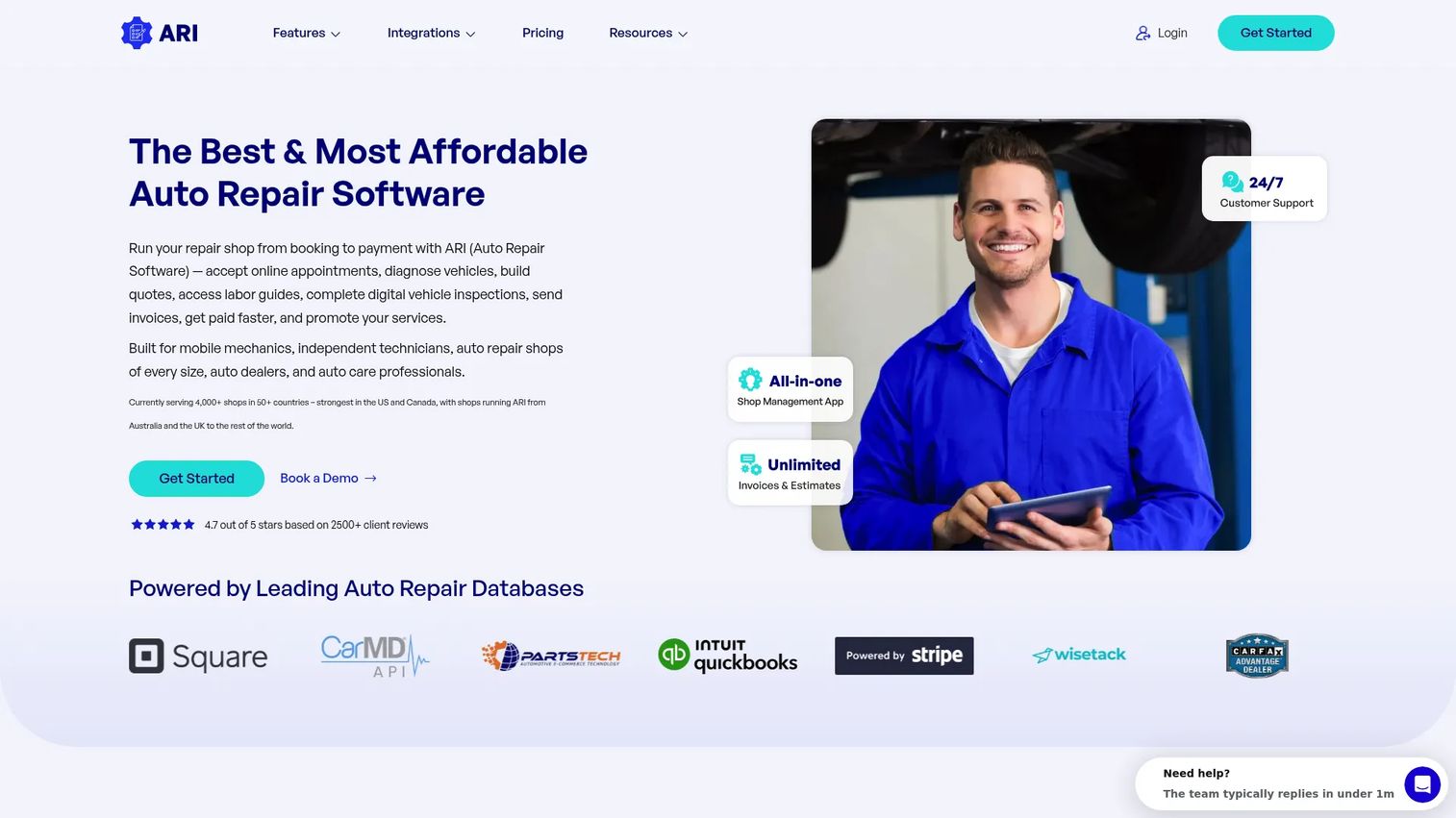
ARI is an all-in-one shop management tool built for independent mechanics and small-to-mid-size shops that want affordability without giving up core workflow. It handles quotes, digital vehicle inspections, invoices, payments, and appointment scheduling in one app, with a mobile-first design that suits field-friendly operators as much as counter staff.
The value story is the headline. ARI covers estimates and invoicing, booking, and inspections at a price point most independents can absorb without a second thought. For a one-bay or two-bay shop replacing paper, that combination is hard to beat.
Best for: Independent mechanics and small shops that want affordable, mobile auto repair software covering the full job from quote to payment.
Key strengths
- Digital vehicle inspections: Photo-based inspections customers approve from their phone, speeding estimate-to-approval.
- Mobile-first access: Run estimates, invoices, and inspections from a phone or tablet in the bay or on the road.
- All-in-one workflow: Appointments, invoicing and estimates, and client records in a single app.
Why choose ARI: If you run lean and want one affordable tool instead of a stack of disconnected apps, ARI fits. Its mobile design means you are not chained to a front-desk computer, which matches how a lot of independents and mobile operators actually work.
ARI pricing: ARI publishes two paid plans. ARI Pro starts at $39.99 per month billed monthly, or $33.33 per month billed yearly. ARI Pro Plus is $59.99 per month monthly, or $49.99 per month yearly. A free trial is available with a cap of five invoices, estimates, inspections, clients, and vehicles. No permanent free tier is offered. ARI holds a 4.6/5 rating on G2.
2. Mitchell 1
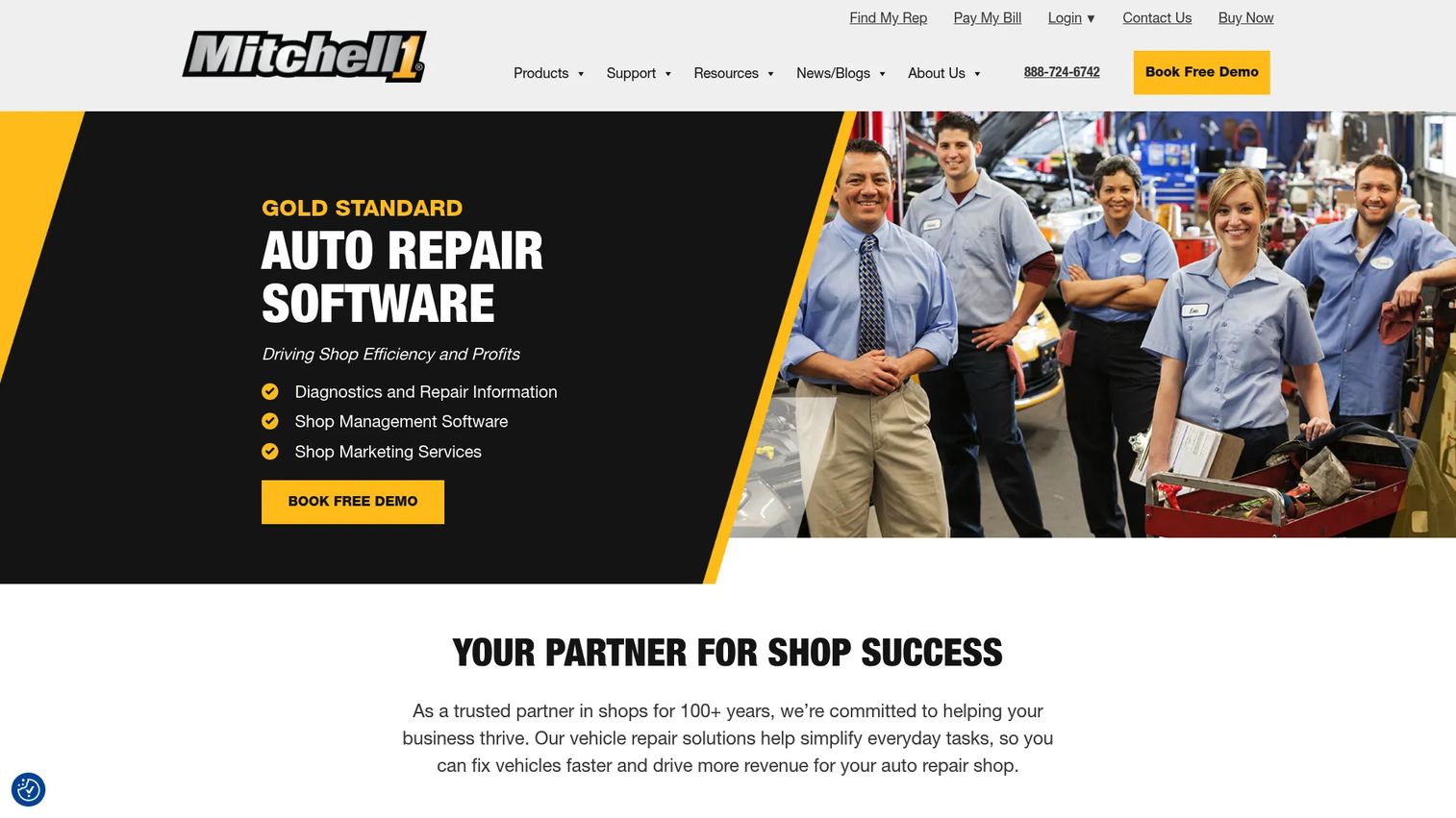
Mitchell 1 is a long-standing provider of auto repair software and shop management solutions, best known for pairing repair information and diagnostics with shop management and marketing tools. Shops that want established tooling and deeper data workflows gravitate here, especially those that lean on OEM repair procedures and diagnostic reference daily.
Where Mitchell 1 stands apart is the combination of repair information and shop operations under one roof. For a tech chasing an intermittent fault, having diagnostics and repair procedures alongside the work order matters more than a slick invoice screen.
Best for: Established shops that want repair information, diagnostics, and shop management from a proven provider with strong support and training.
Key strengths
- Repair information and diagnostics: Deep reference data and diagnostic support tied to the vehicle you are working on.
- Shop management software: Estimates, work orders, and customer records in a mature platform.
- Shop marketing services: Customer retention and marketing tools that most standalone management tools skip.
Why choose Mitchell 1: Choose Mitchell 1 when repair information and diagnostic depth are as important as the management workflow. It suits shops that value a long track record, support, and training over the lowest possible price.
Mitchell 1 pricing: Mitchell 1 does not publish prices on its site and appears to use a demo and request-based sales model instead. Because there is no verified public figure, treat pricing as custom and request a quote directly. Mitchell 1 holds a 3.8/5 rating on G2. If accounting integrations matter to your evaluation, confirm that during the demo.
3. PartsTech
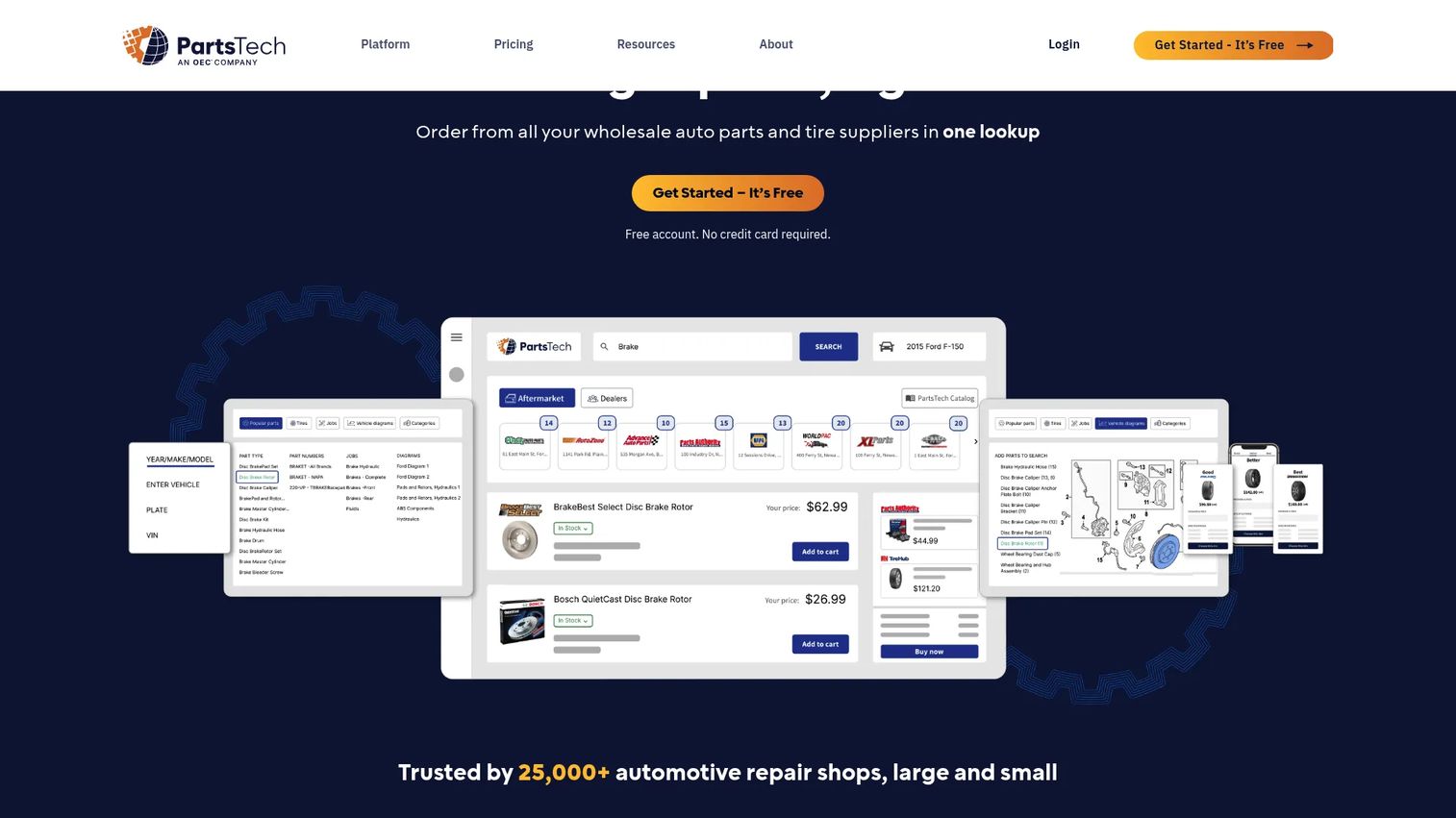
PartsTech is not a full shop management platform. It is an online parts and tire ordering system that solves one high-friction job extremely well: finding the right part at the right price, fast. For parts-first operations, that focus is the point.
Instead of tabbing between supplier catalogs and phone quotes, you search once and see live wholesale pricing and inventory across your supplier network. It plugs into 35+ management systems, so it slots alongside whatever shop software you already run rather than replacing it.
Best for: Shops that want a single lookup for parts, tires, pricing, and ordering, layered onto an existing management system.
Key strengths
- Unlimited parts lookup and ordering: Search and order without per-lookup limits across your supplier network.
- Live wholesale pricing and inventory: Real-time pricing and stock so you quote accurately and avoid backorders.
- VIN and license plate lookup: Decode the vehicle and pull diagrams to reduce wrong-part orders.
Why choose PartsTech: If your biggest daily drain is parts lookup and ordering, PartsTech attacks that directly. Its 35+ integrations mean you keep your current shop management software and bolt on better parts sourcing.
PartsTech pricing: PartsTech offers a free plan at $0 per month. PartsTech Plus is $45 per month and PartsTech Complete is $85 per month, both billed monthly, with an annual option that can save up to 10%. It holds a 4.7/5 rating on G2 based on reviewer feedback.
4. AutoShop
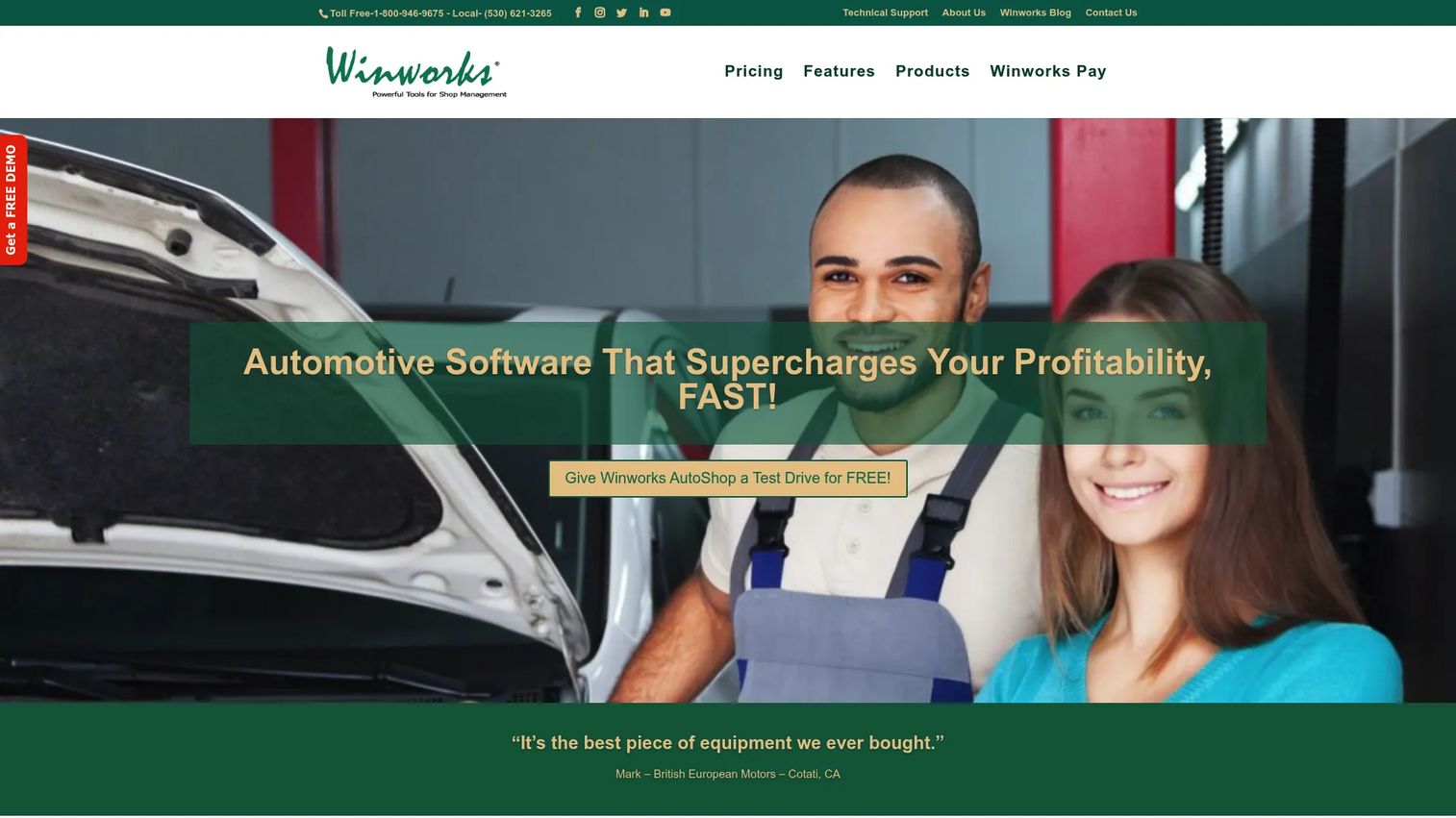
AutoShop by Winworks is shop management software for automotive repair businesses that want a customizable, workflow-heavy system. Its strengths sit in work order and repair order writing, inventory management, and a QuickBooks integration that keeps the books connected to the bay.
For independents who want control over how repair orders are structured and how inventory is tracked, AutoShop offers depth. It is a practical, established management option rather than a lightweight invoicing app.
Best for: Independent auto repair shops that want a customizable shop management system with strong repair order and inventory control.
Key strengths
- Work order and repair order writing: Detailed, customizable orders that route jobs cleanly from counter to bay.
- Inventory management: Track parts stock, usage, and reordering inside the same system.
- QuickBooks export and integration: Keep accounting integrations tight so financials reconcile without double entry.
Why choose AutoShop: Choose AutoShop when you want to shape the repair order and inventory workflow to your shop rather than adapt to a rigid template. The QuickBooks link is a practical draw for owners who already run their books there.
AutoShop pricing: Winworks publishes four monthly plans: GS at $99 per month, Pro at $145 per month, Pro+ at $210 per month, and Complete at $399 per month. The first month for monthly subscriptions is $199, and lifetime perpetual licenses are also available, with additional user licenses priced separately. No free tier is listed. AutoShop holds a 4.0/5 rating on G2.
5. MaxxTraxx
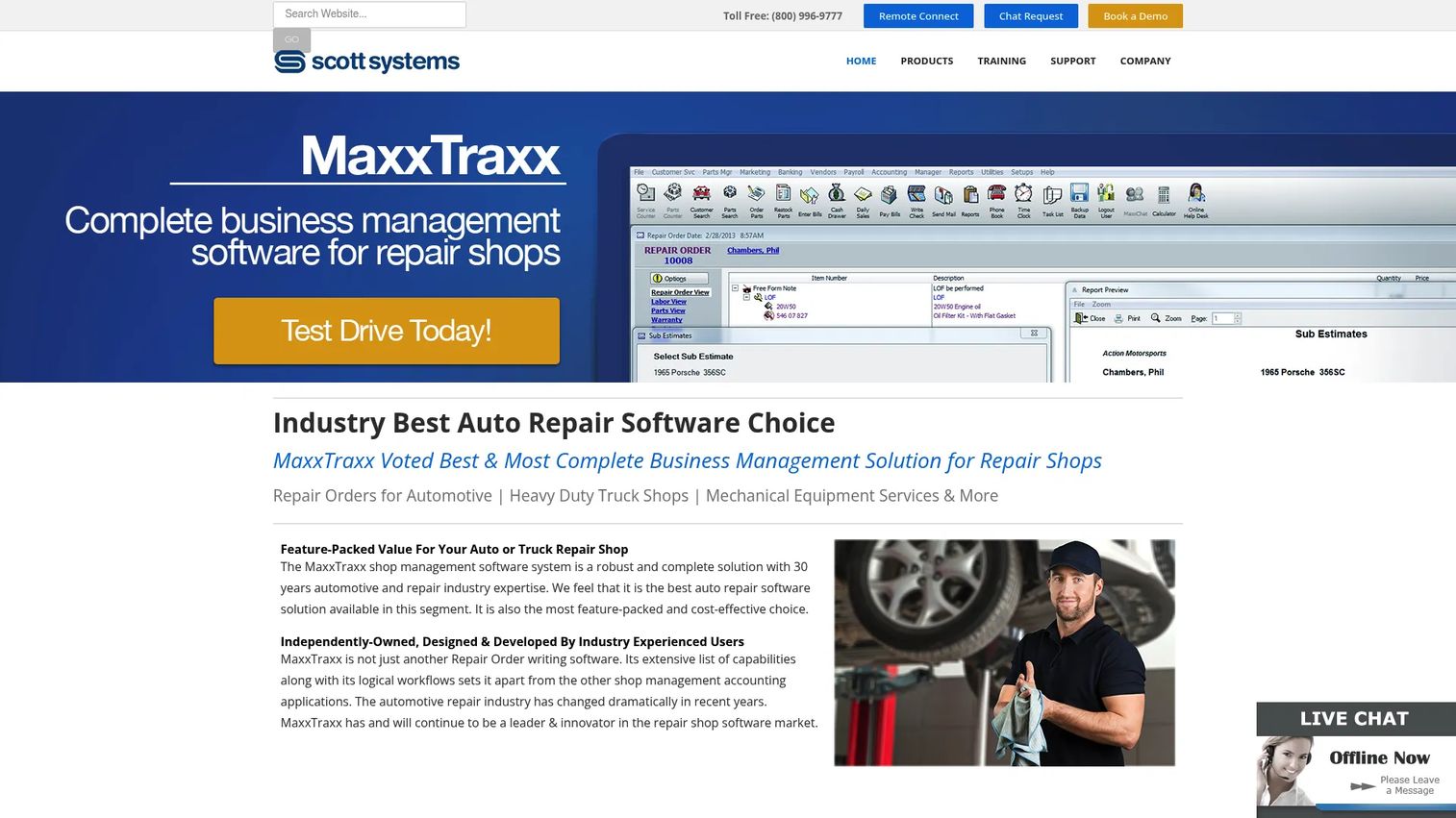
MaxxTraxx from Scott Systems is shop management software built for auto, truck, and specialty repair businesses. It brings service writing, inventory, and accounting options together, with unlimited quotes, estimates, and repair orders across editions.
The mixed light-duty and heavy-duty focus sets it apart. Shops that service both cars and trucks often outgrow tools built purely for passenger vehicles. MaxxTraxx handles that range without forcing you into workarounds.
Best for: Auto, truck, and specialty repair shops that need shop management with unlimited orders and integrated accounting.
Key strengths
- Unlimited quotes, estimates, and repair orders: No caps on the core documents that drive daily work.
- Unlimited customers and vehicles: Grow your customer base without hitting record limits.
- QuickBooks export and integrated payments: Connect accounting integrations and process payments in one system.
Why choose MaxxTraxx: Choose MaxxTraxx when your shop mixes auto and truck work and you want unlimited estimates and repair orders without per-record fees. The integrated accounting and payment options suit owners who want financial visibility built in.
MaxxTraxx pricing: Scott Systems lists three desktop editions: Express at $99 per month, Service at $149 per month, and Corporate at $189 per month. The pricing page notes a setup fee and additional workstation charges on the Service and Corporate editions. MaxxTraxx holds a 4.3/5 rating on G2.
6. Omnique
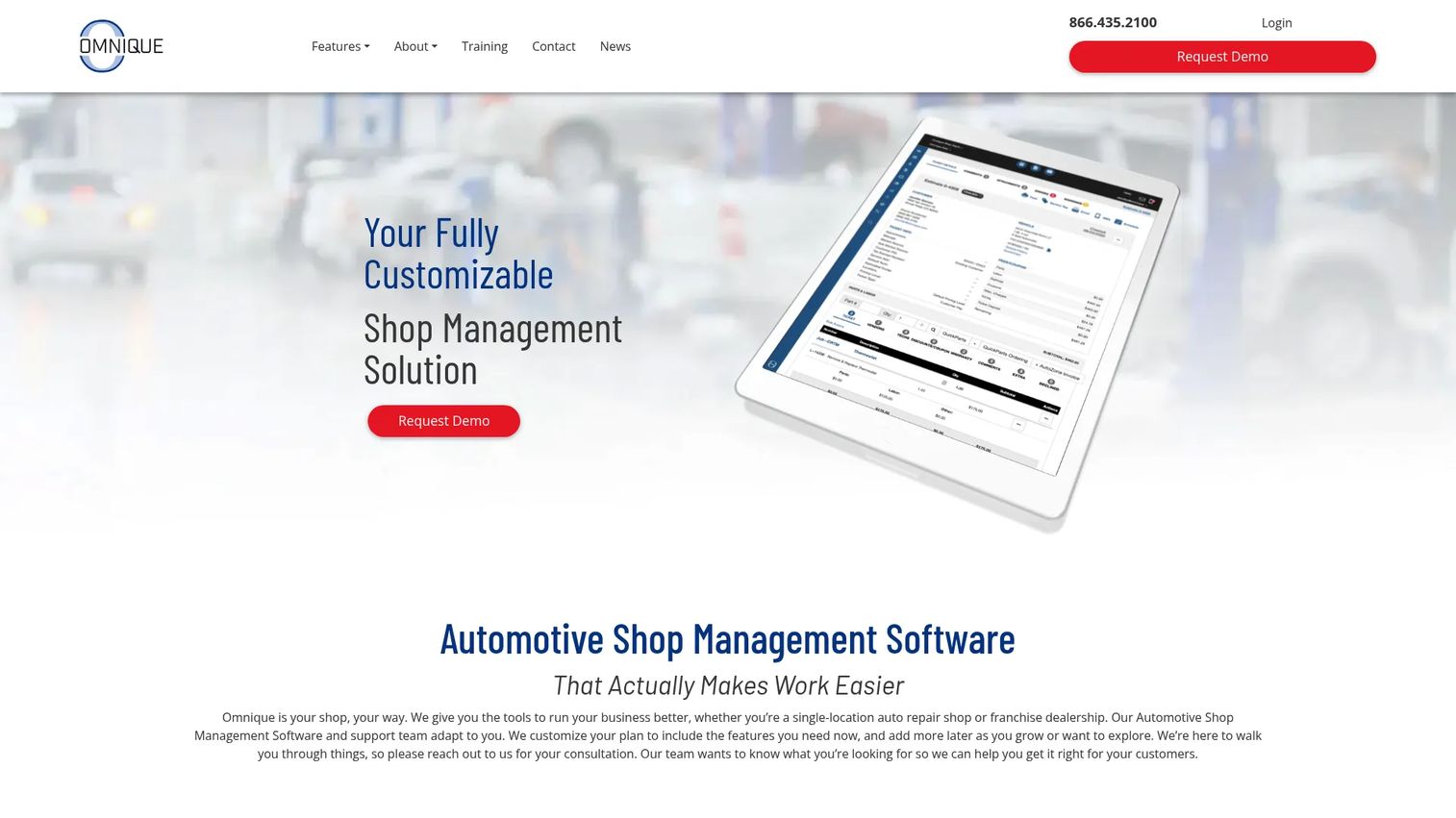
Omnique is web-based auto repair shop management software that pulls scheduling, parts, and payments into one system. For operators who want modern, cloud-accessible tooling to simplify daily admin, it centralizes the workflow without a desktop install.
Online service scheduling, integrated payments, and electronic parts ordering are the standout pieces. Together they cover the front-of-shop customer experience and the back-of-shop parts flow in a single web interface.
Best for: Independent shops that want cloud-based shop management with scheduling, parts, and payments in one system.
Key strengths
- Online service scheduling: Let customers book online and map appointments to tech availability.
- Integrated payments: Take payment inside the same system that runs the invoice.
- Electronic parts ordering and inventory: Order parts and track stock without leaving the platform.
Why choose Omnique: Choose Omnique when you want a web-based system that keeps scheduling, parts, and payments in one place. Its cloud access suits owners who want to check the shop from anywhere rather than being tied to a back-office machine.
Omnique pricing: Omnique's own site describes pricing as customizable and mentions a 30-day free trial, but does not publish a first-party price. Third-party listings on Capterra and G2 show a Lite plan at $99.99 per month and a Basic plan at $199.99 per month. Confirm current pricing directly with Omnique before committing. It holds a 5.0/5 rating on G2.
7. Workshop
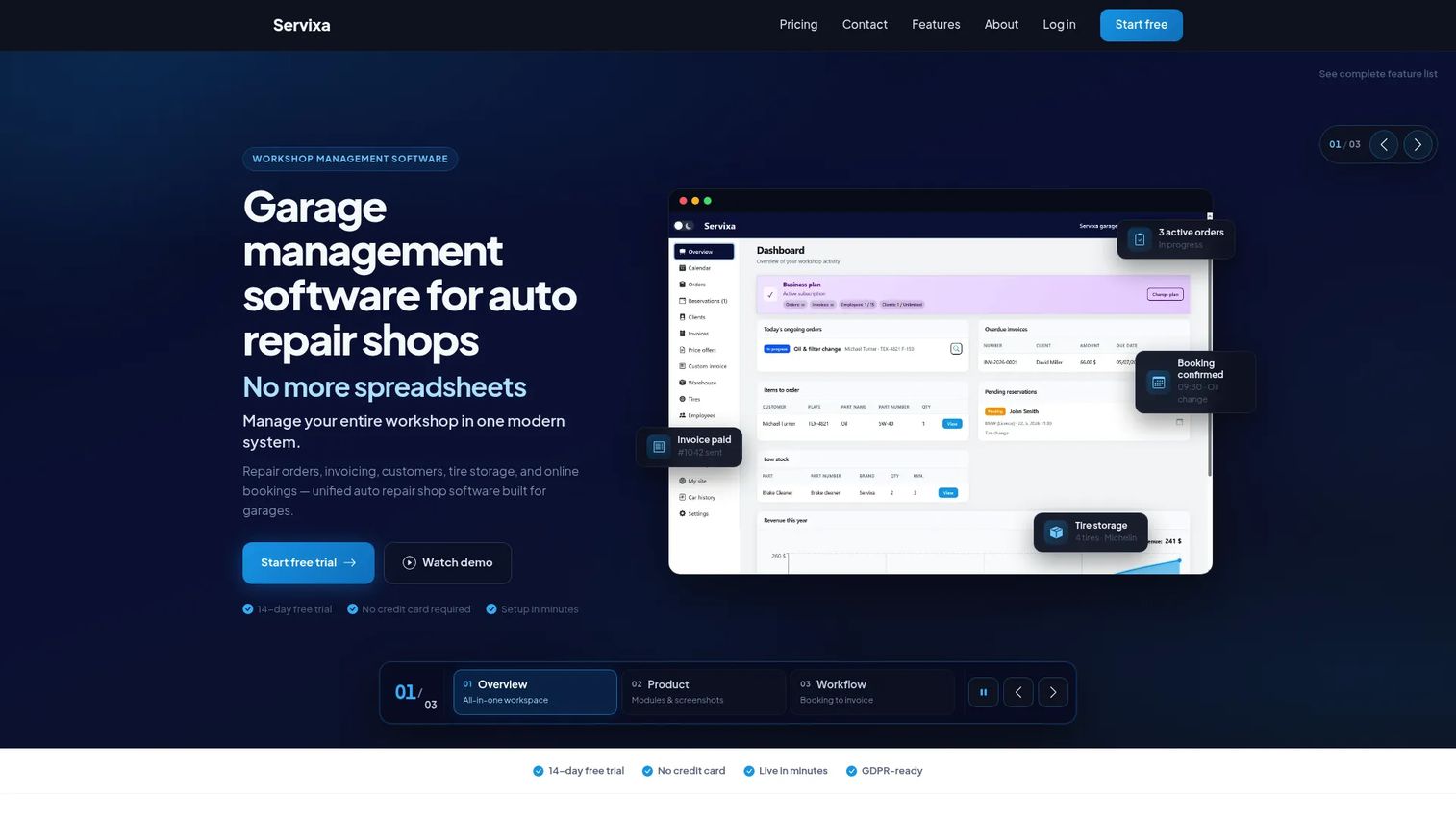
Workshop by Servixa is workshop management software for garages, tire shops, and auto repair businesses that want service workflow, appointments, customer history, and estimates without a heavy commitment. A genuine free tier makes it an easy starting point for lean teams testing the waters.
It covers repair order management, online bookings with a public garage page, multi-currency invoicing, and tire storage tracking. For a straightforward shop or a growing multi-bay operation, that range is enough to run daily operations.
Best for: Independent garages and tire shops that want one system for orders, bookings, customers, and invoicing, starting free.
Key strengths
- Repair order management: Handle orders, customers, and vehicle records in one place.
- Online bookings and public garage page: Let customers find and book you online without extra tooling.
- Multi-currency invoicing and tire storage: Invoice flexibly and track stored tires and warehouse inventory.
Why choose Workshop: Choose Workshop when you want to start free and grow into paid tiers as needs expand. Its online booking and public garage page help smaller shops capture appointments without a separate scheduling tool.
Workshop pricing: Servixa offers a Free plan at €0 per month, then Starter at €11.10 per month or €107.50 per year, Professional at €24.90 per month or €239.00 per year, and Business at €46.40 per month or €429.10 per year. An Enterprise tier is custom. A 14-day free trial is available on paid plans. A G2 rating was not available at the time of writing.
8. GetAFix
GetAFix by Exafol is automotive workshop management software for repair shops, garages, and dealerships. It focuses on workshop workflow and inventory management, covering labor rates, quotes and estimates, and work order management.
For shops that want a clean workflow layer over their repair operations, GetAFix keeps the core jobs organized: quote the work, manage the labor rates, and track the order to completion.
Best for: Repair shops and garages that want workshop workflow and inventory management with straightforward quoting.
Key strengths
- Quotes and estimates: Build quotes that convert into tracked jobs.
- Work order management: Move jobs from approval to completion in an organized flow.
- Labor rates: Set and apply labor rates consistently across estimates and orders.
Why choose GetAFix: Choose GetAFix when your priority is a focused workshop workflow with clear labor rate control and inventory tracking. It suits shops that want the essentials organized rather than a sprawling feature set.
GetAFix pricing: A public first-party price was not visible on the Exafol product page at the time of writing. The only readable public price, listed on Capterra, is a Basic plan at $49.99 per month on a usage-based model. Confirm current pricing directly with Exafol. No G2 rating was available at the time of writing.
9. TTN Garage
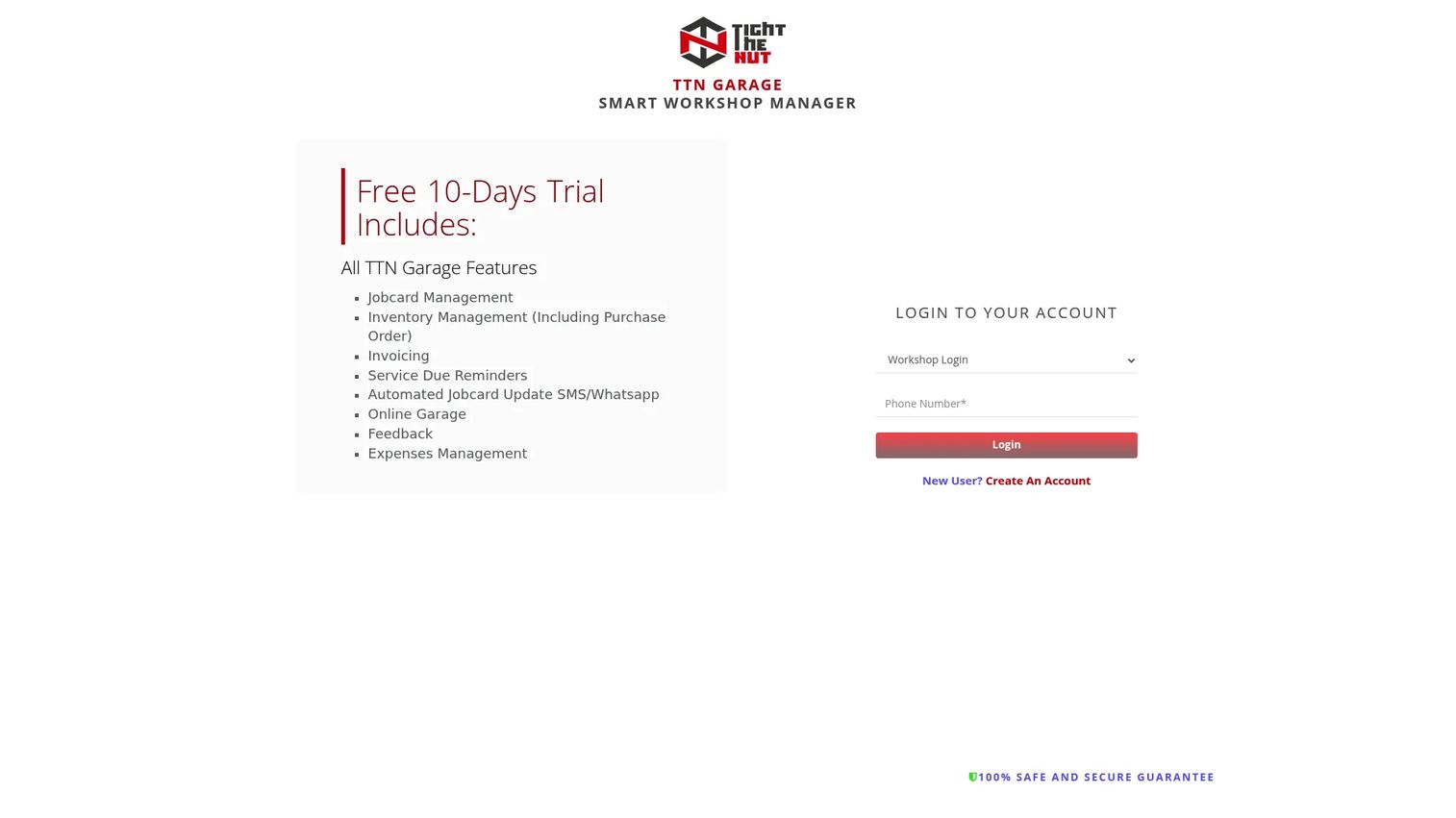
TTN Garage is cloud-based garage management software for workshop operations and parts procurement. It positions itself as an all-in-one system for automotive workshops, and its low entry price makes it worth a look for budget-conscious buyers.
The feature range is broad for the price. Jobcard management, inventory with purchase orders, invoicing, service due reminders, automated jobcard update messages over SMS and WhatsApp, an online garage page, feedback collection, and expense management all sit in one cloud system.
Best for: Automotive workshops that want an affordable all-in-one cloud garage management system with automated customer reminders.
Key strengths
- Jobcard and inventory management: Track jobs and parts, including purchase orders, in one place.
- Automated reminders and messaging: Service due reminders and jobcard updates over SMS and WhatsApp keep customers informed.
- Invoicing and expense management: Handle invoices and shop expenses without a separate tool.
Why choose TTN Garage: Choose TTN Garage when budget is tight and you still want automated customer communication built in. The SMS and WhatsApp reminders help small workshops keep customers coming back without manual follow-up.
TTN Garage pricing: A public price was not readable on the first-party site at the time of writing, though the brand confirms a 10-day free trial. Capterra lists a Basic plan at $61 per year. Confirm current pricing directly with TTN Garage. No G2 rating was available at the time of writing.
Considerations before you buy
Before you commit to any auto repair management software, run it against the reality of your shop. A tool that looks great in a demo can still fail on the counter.
Workflow coverage versus your daily jobs
List the tasks that eat your day: estimates, work orders, invoicing, parts, follow-up. Then check whether the tool covers all of them or just some. A parts-first tool like PartsTech pairs with a management system rather than replacing it. Know which gap you are filling.
Mobile and cloud access
If your techs work in the bay or you run a mobile operation, front-desk-only software will frustrate you. Confirm whether the tool runs on a phone or tablet and whether it is cloud-based. Cloud platforms account for 63% of auto repair software demand, per Persistence Market Research (2025), and that preference is not an accident.
Booking, inspections, and diagnostics
Decide which of these you actually need. Online booking captures appointments while you sleep. Digital vehicle inspections speed approvals. Diagnostics and VIN decoder tools reduce wrong-part orders. Do not pay for modules you will never open, but do not skip the ones that move cars through the bay.
Pricing model and total cost
Look past the headline monthly price. Check for setup fees, per-workstation charges, per-user costs, and payment processing rates. AutoShop, for example, charges additional user licenses separately. Map the real monthly cost at your shop's size, not the entry tier.
Integrations and accounting
If you run QuickBooks, confirm the accounting integrations work the way you expect. Broken sync means double entry, which defeats the point. Also check parts inventory sync with your suppliers so ordering stays accurate.
Conclusion
The best auto repair software is the one that matches how your shop actually runs, not the one with the longest feature list. For most small to mid-size independents, ARI is the strongest starting point: affordable, mobile, and covering estimates, inspections, booking, and invoicing in one app. If repair information and diagnostic depth drive your day, Mitchell 1 is built for that. If parts lookup is your bottleneck, PartsTech attacks it directly and layers onto your existing system.
For customizable desktop control, AutoShop by Winworks delivers depth with QuickBooks. Shops mixing auto and truck work should look at MaxxTraxx. Operators who want cloud-based simplicity have Omnique. And if you want to start free and grow, Workshop by Servixa and TTN Garage keep the entry cost low.
Your next step: pick the two tools that match your shop size and biggest daily pain, start their free trials, and run a real week of jobs through each. The one that reduces the most back-and-forth wins. That is the only test that matters.
FAQs
For most small shops, ARI offers the best balance of affordability and coverage, handling estimates, inspections, invoicing, and booking in one mobile app from $39.99 per month. Workshop by Servixa is worth a look if you want to start on a free tier. The right pick depends on whether you need parts sourcing, diagnostics, or accounting integrations most.
Yes. Workshop by Servixa offers a genuine free tier, and PartsTech has a free plan for parts and tire lookup. Free tiers usually cap records or features, so they suit very small shops or those testing before committing. As your volume grows, you will likely move to a paid plan for full workflow coverage.
Prioritize the modules that match your daily workload: estimates and invoicing, work orders, online booking, parts inventory, and reporting. If your techs work in the bay, mobile access matters. If you chase complex faults, diagnostics and a VIN decoder help. Match features to your actual jobs rather than buying the longest list.
Most full auto shop management software includes both estimates and invoicing as core features. ARI, MaxxTraxx, AutoShop, and Omnique all handle quotes that convert into invoices with integrated payments. Parts-focused tools like PartsTech are the exception, since they specialize in ordering rather than full billing.
Yes. Several tools offer online booking, including Omnique's online service scheduling and Workshop's public garage page. Online booking lets customers request appointments outside business hours and maps them to technician availability. It reduces phone tag and captures work you might otherwise miss.
Shop management software covers the full operation: customers, vehicles, work orders, scheduling, parts, invoicing, and reporting. Repair estimating and parts tools focus on one job, like building accurate estimates or sourcing parts. PartsTech, for instance, specializes in parts lookup and layers onto a broader management system rather than replacing it.
ARI is built mobile-first, letting you run estimates, inspections, and invoices from a phone or tablet, which suits mobile operators and bay techs. Cloud-based tools like Omnique, Workshop, and TTN Garage are also accessible from any device with a browser. For field-heavy work, prioritize a tool designed for phone use rather than one bolted onto a desktop system.
For a multi-bay shop, prioritize centralized scheduling, technician productivity reporting, parts inventory, and accounting integrations, since visibility breaks down as you add techs. MaxxTraxx and AutoShop offer the depth larger operations need, while Omnique adds cloud access. Run a free trial with real jobs across multiple bays before deciding, and confirm per-user or per-workstation costs at your headcount.