Picking the wrong SCADA platform does not announce itself immediately. It shows up six months later as fragmented data across sites, alarm fatigue operators stop responding to, and integration delays that block every modernization project on the roadmap.
The global SCADA market reached $12.90 billion in 2025 and is projected to hit $26.59 billion by 2034, according to Fortune Business Insights (2025). That growth reflects how many industrial organizations are upgrading aging supervisory control infrastructure at the same time. The result: A crowded vendor landscape where platform differences are real but rarely explained clearly.
This guide is a shortlist for founders and technical leaders who need a defensible SCADA decision, not a vendor catalog. Each entry explains the deployment context where that platform earns its place, what the licensing actually looks like, and where the fit breaks down.
What's inside
This guide covers 14 SCADA software platforms selected for a range of industrial environments. Items were chosen based on:
- Functional fit: Does the platform handle real-time monitoring, alarm management, historian workflows, and supervisory control?
- Deployment flexibility: Does it support on-premises, edge, web-based, and cloud-connected architectures?
- Integration depth: Does it connect to PLCs, RTUs, OPC UA, MQTT, SQL, IIoT, and enterprise systems?
- Buyer clarity: Is pricing transparent enough to evaluate total ownership cost without a six-week sales process?
The guide also covers open-source options, utility-specific platforms, and edge-first tools for teams whose primary need is industrial data infrastructure.
TL;DR
- Best for flexible industrial deployments: Ignition covers multi-site SCADA, IIoT, MES, and historian workflows with a server-based licensing model that removes per-tag or per-client costs
- Best for enterprise operations portfolios: AVEVA suits large industrial organizations standardizing across plants with a broad product suite
- Best for Siemens environments: SIMATIC WinCC fits manufacturing teams already running Siemens PLCs and automation hardware
- Best for distributed infrastructure and utilities: PcVue handles geographically distributed monitoring across utilities, energy, and transport with 150+ built-in drivers
- Best open-source option: Rapid SCADA offers a free Community edition and one-time-license Standard tiers starting at $490
- Best for edge-first data workflows: Litmus Edge connects, contextualizes, and delivers OT data from the edge, with a Foundation plan starting at $1,500/month
What is SCADA software?
SCADA software, short for supervisory control and data acquisition software, connects industrial devices with operator interfaces used to monitor, analyze, and control industrial processes.
A SCADA system sits above the control layer. It collects readings from PLCs, RTUs, sensors, meters, and connected assets. Authorized operators then see dashboards, trends, and process graphics. They can issue control commands, acknowledge alarms, and review historical data, all from a centralized interface. The platform also stores operational data for trend analysis and reporting.
Core functions of SCADA system software:
- Data acquisition: Polling or subscribing to process data from PLCs, RTUs, meters, and gateways using industrial protocols
- HMI visualization: Rendering operator displays, process graphics, dashboards, and asset status in real time
- Alarm management: Detecting abnormal conditions, prioritizing events, routing notifications, and logging acknowledgments
- Historian and reporting: Storing time-series data, generating compliance and performance reports, and supporting trend analysis
- Supervisory control: Allowing authorized operators to send commands, adjust setpoints, and start or stop equipment
- Connectivity and integration: Communicating with SQL databases, MES, ERP, IIoT platforms, and cloud services via OPC UA, MQTT, REST, and vendor-specific protocols
SCADA deployment models:
- On-premises SCADA for controlled plant environments with local data sovereignty
- Web-based SCADA for browser access across facilities without client installations
- Distributed SCADA for geographically separated assets with local autonomy
- Edge SCADA for local processing where connectivity is intermittent
- Cloud-connected SCADA for enterprise analytics and centralized operational oversight
SCADA versus HMI software:
HMI software focuses on operator visualization and interaction at the machine or line level. SCADA platforms add broader data acquisition, historians, alarm management, remote monitoring, multi-site capabilities, and reporting. Many SCADA products include embedded HMI functionality. A standalone HMI is usually the right call only for a narrowly scoped, single-machine deployment.
Key features to evaluate:
- PLC and RTU connectivity, OPC UA and MQTT support
- Alarm management with prioritization and audit trails
- Tag historian and trend analysis
- Role-based access control and redundancy
- Store-and-forward capability for intermittent connectivity
- SQL database integration and API access
- Web and mobile access, multi-site management
When to use SCADA software
Monitor manufacturing operations in real time
Production teams use SCADA applications to watch machine states, track quality signals, and surface downtime before it compounds. Operators respond faster when alarm context is presented on a single display rather than scattered across disconnected systems. Plant managers get throughput visibility without waiting for end-of-shift reports.
Manage geographically distributed infrastructure
Utilities, water and wastewater operators, pipeline companies, and energy asset managers rely on remote monitoring and control to supervise sites that cannot be staffed continuously. Distributed SCADA platforms handle communication reliability, local edge behavior when connectivity drops, and centralized alarm routing across hundreds of remote locations.
Connect plant data to business systems
Industrial process control data becomes more useful when it reaches SQL databases, MES, ERP, and analytics systems without manual extraction. SCADA platforms that support enterprise integration help leadership see production or asset performance directly, reducing the time between an operational event and a business decision.
A dedicated HMI, historian, or lightweight monitoring application may be sufficient for a narrowly scoped single-site deployment. Evaluate whether the full SCADA stack is warranted before committing to the implementation effort.
SCADA software comparison
The table below is a shortlist, not a substitute for a site assessment. SCADA pricing varies by tags, users, servers, sites, modules, support tier, and deployment architecture. Mark any figure that requires vendor confirmation as custom pricing rather than guessing. Verify all values at the vendor's current pricing page before committing.
Pricing and G2 ratings verified September 2026 from each vendor's official pricing page and G2 listing.
| # | Product | Best for | Key differentiator | Pricing | G2 rating |
|---|---|---|---|---|---|
| 1 | Ignition | Flexible multi-site industrial deployments | Server-based licensing: Unlimited tags, users, and clients | From $1,200 (single license) | 5.0/5 |
| 2 | AVEVA | Enterprise industrial operations portfolios | Broad suite: SCADA, HMI, operations control, industrial data | From $1,850 (InTouch Workstation) | 4.4/5 |
| 3 | SIMATIC WinCC | Siemens automation environments | Tight integration with Siemens PLCs and TIA Portal | Custom pricing | 4.5/5 |
| 4 | PcVue | Distributed infrastructure and utility operations | 150+ built-in drivers, distributed architecture, web and mobile access | Custom pricing | 4.9/5 |
| 5 | GENESIS64 | Industrial visualization and operations intelligence | Rich dashboards, historian integration, enterprise connectivity | Custom pricing | N/A |
| 6 | iFIX | Established plant and process control environments | Mature HMI/SCADA with distributed architecture and redundancy | Custom pricing | 4.1/5 |
| 7 | Rapid SCADA | Open-source and budget-sensitive deployments | Free Community edition; Standard from $490 (one-time) | Free to $920+ | N/A |
| 8 | CIMPLICITY | Complex plant-floor and enterprise SCADA | Enterprise SCADA with Python/.NET scripting and high availability | Custom pricing | 4.0/5 |
| 9 | Litmus Edge | Edge-first industrial data workflows | 250+ protocol drivers, edge AI/ML, cloud integration | From $1,500/month | 3.8/5 |
| 10 | Experion HS | Process industries in Honeywell environments | Built-in historian, OPC UA, DNP3, IEC 61850, MQTT support | Custom pricing | N/A |
| 11 | AVEVA Edge | Embedded and edge HMI/SCADA deployments | Windows and Linux edge deployment, HTML5 web access | Custom pricing | 4.0/5 |
| 12 | FrameworX Platform | Custom industrial automation applications | Modular IIoT, DataOps, and web-based HMI/SCADA development | Custom pricing | N/A |
| 13 | DAQFACTORY | Value-focused HMI and data acquisition projects | Free Express edition; Pro at $1,199 (one-time) | Free to $1,199 | 5.0/5 |
| 14 | SurvalentONE SCADA | Utility and electrical infrastructure operations | Utility-specific SCADA with DER integration and GIS interfaces | Custom pricing | N/A |
Best 14 SCADA software platforms for 2026
1. Ignition
Ignition by Inductive Automation is an industrial application platform for SCADA, IIoT, MES, HMI, alarming, reporting, and enterprise integration. It deploys through a web-based architecture, which means operators and developers access it through a browser without client software installations. The platform connects to major PLCs, OPC UA devices, MQTT brokers, SQL databases, and Python-based systems.
Best for: Industrial teams that need broad connectivity and a flexible platform for multi-site or web-based deployments.
Key features
- Unlimited tags, users, and clients under a server-based license
- OPC UA and MQTT connectivity alongside major PLC drivers
- Tag historian with SQL database integration
- Alarm notification and event management
- Modular reporting and analytics
Why choose Ignition: The server-based licensing model removes per-tag and per-client fees that inflate costs as deployments scale. Teams running multiple sites or large tag counts typically find the math favors Ignition over alternatives with usage-based pricing.
Ignition pricing: The Ignition Platform license starts at $1,200 (single license). The Application Building suite runs $13,500. Edge products start at $945 for Ignition Edge IIoT and $1,950 for Ignition Edge Panel. A free trial is available. Prices are estimates for a single license and exclude taxes; bulk discounts may apply.
G2 rating: 5.0/5 (verified September 2026).
2. AVEVA

AVEVA is a broad industrial software portfolio covering engineering, operations control, SCADA, HMI, manufacturing execution, asset performance, and industrial data management. The product suite spans cloud-based engineering collaboration, real-time operations control, production quality tracking, and enterprise analytics. Large industrial organizations use AVEVA to standardize operations across multiple plants or business units under a shared data and control architecture.
Best for: Large industrial organizations standardizing operations across multiple plants, assets, or business units.
Key features
- Cloud-based, multidisciplinary engineering collaboration
- HMI and SCADA for real-time industrial operations
- Manufacturing execution with production control, quality, and traceability
- Distributed asset monitoring with role-based access controls
- Historian and trend analysis across operational data
Why choose AVEVA: The breadth of the portfolio suits organizations that want to consolidate industrial software vendors rather than integrate point solutions. Teams already invested in AVEVA products benefit from shared data models and vendor-coordinated support.
AVEVA pricing: AVEVA InTouch HMI has a Workstation edition at $1,850, an Unlimited Standard edition at $12,360, and an Unlimited Professional edition at $20,600. AVEVA Operations Control is subscription-based with pricing available on request. Contact AVEVA for a full quote based on products, modules, sites, and support requirements.
G2 rating: 4.4/5 (verified September 2026).
3. SIMATIC WinCC
SIMATIC WinCC is Siemens' scalable HMI and SCADA software line for industrial visualization, monitoring, alarm handling, data integration, and process control. The product integrates directly with Siemens SIMATIC S7 PLCs and the TIA Portal engineering environment. Beyond Siemens hardware, it also connects through OPC UA, MQTT, REST, and GraphQL interfaces.
Best for: Manufacturing and process teams with a strong Siemens automation footprint where engineering workflow alignment reduces integration risk.
Key features
- Siemens S7 hardware integration and TIA Portal alignment
- Real-time data collection, monitoring, and HMI visualization
- Alarm and event handling with process-data archiving
- Scalable architectures with redundancy and web-based remote access
- User management, encrypted communications, and cybersecurity capabilities
Why choose SIMATIC WinCC: Reduced integration uncertainty is the primary reason to choose WinCC for Siemens-centered plants. Engineering teams already working in TIA Portal do not need to manage a separate configuration environment for SCADA. For plants with mixed PLC vendors, evaluate whether the Siemens ecosystem fit justifies the licensing structure.
SIMATIC WinCC pricing: Siemens prices its products through the Industry Mall and authorized distributors; no standard price is displayed on the product page. Request a quote based on edition (Basic, Comfort, Advanced, Professional), runtime scale, engineering licenses, and support.
G2 rating: 4.5/5 (verified September 2026).
4. PcVue
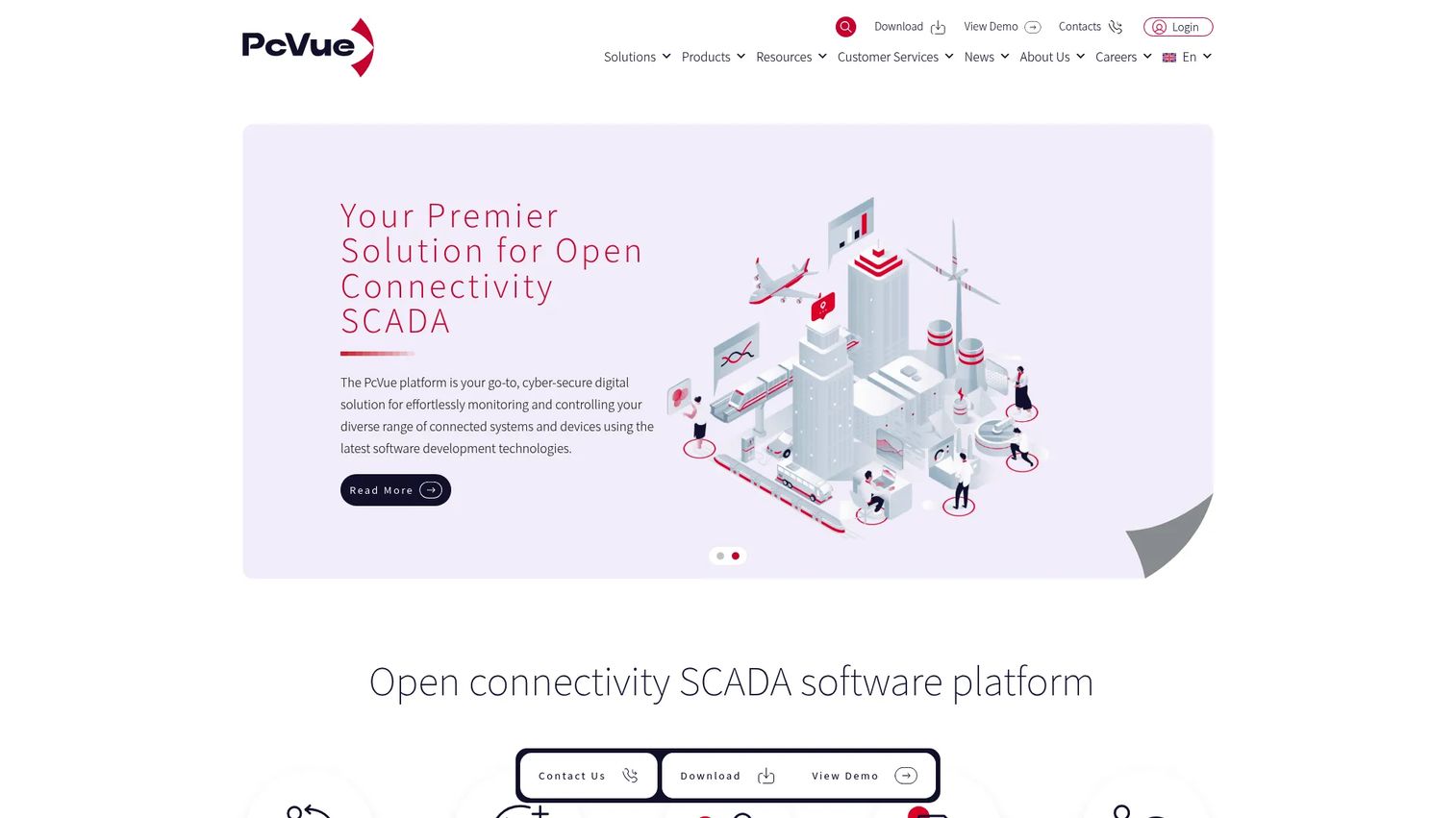
PcVue is a cybersecure HMI and SCADA platform for monitoring and controlling connected industrial, building, infrastructure, energy, and transport systems. It supports standalone, client/server, cloud, virtualized, and high-availability architectures. Web and mobile access are delivered through WebVue, TouchVue, and SnapVue components, making it practical for distributed operations teams.
Best for: Utilities, infrastructure operators, and organizations managing geographically distributed sites that need reliable remote monitoring and communications resilience.
Key features
- 150+ built-in data acquisition drivers and standard connectors
- Real-time monitoring, control, alarms, trends, and historical archiving
- Web and mobile access through WebVue, TouchVue, and SnapVue
- Scalable standalone to high-availability distributed architectures
- Application Architect and Smart Generators for mass configuration
Why choose PcVue: The combination of a broad driver library and distributed architecture makes PcVue practical for infrastructure operators who need to connect heterogeneous devices across many sites without custom development. PcVue holds a 4.9/5 rating on G2, the highest among the platforms in this list with an active review base.
PcVue pricing: PcVue licensing requires purchasing through a reseller. Contact a PcVue reseller for pricing based on site count, device count, and deployment architecture.
G2 rating: 4.9/5 (verified September 2026).
5. GENESIS64
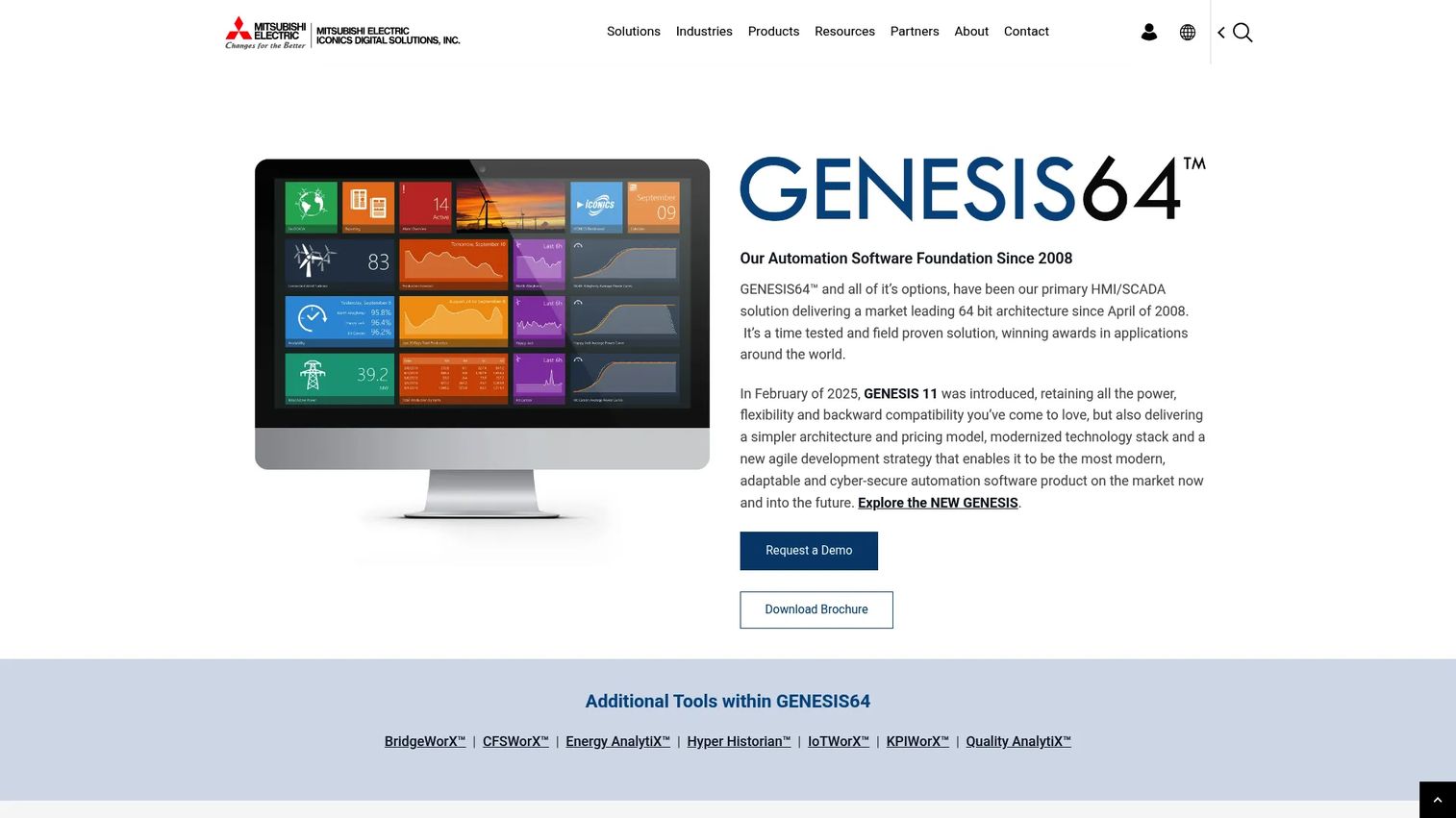
GENESIS64 by ICONICS is an industrial SCADA and visualization platform covering dashboards, historian integration, alarm management, and enterprise connectivity. It suits teams that prioritize rich operator displays and cross-system data visibility. The platform supports OPC UA connectivity and integrates with enterprise databases and analytics environments.
Best for: Industrial organizations that need rich visualization and operational context across connected assets, particularly where management reporting and operator awareness both matter.
Key features
- Industrial dashboards and real-time data visualization
- Historian integration and trend analysis
- OPC UA connectivity and enterprise data integration
- Alarm management with event logging
- Mobile and web access for distributed operator teams
Why choose GENESIS64: Teams looking for a strong visualization layer over diverse industrial data sources will find GENESIS64's dashboard depth useful. It fits organizations where operator experience and management reporting are both priorities, not just raw data collection.
GENESIS64 pricing: ICONICS does not display pricing on its product pages. Contact ICONICS or an authorized partner for a quote based on product configuration, modules, runtime scale, and support.
G2 rating: No current G2 rating was verified for GENESIS64 at generation time.
6. iFIX
iFIX is GE Vernova's industrial HMI and SCADA software for visualization, alarming, supervisory control, and distributed industrial operations. The platform offers high-performance HMI with modular deployment, redundancy options, and centralized licensing through Configuration Hub. It supports integration with third-party systems and provides distributed SCADA capabilities for multi-node environments.
Best for: Industrial teams with established plant systems that value mature SCADA workflows and operational continuity over adopting a newer architecture.
Key features
- High-performance HMI visualization and process monitoring
- Alarm and event management with distributed SCADA architecture
- Redundancy and role-based security controls
- Open integration with third-party systems
- Centralized configuration and licensing through Configuration Hub
Why choose iFIX: Plant teams modernizing an existing environment rather than starting from zero benefit from iFIX's maturity and operator familiarity. Migration from older iFIX versions is typically less disruptive than switching to a different platform entirely.
iFIX pricing: GE Vernova does not display standard pricing on the iFIX product pages. A free trial with a renewable two-hour runtime is available. Contact GE Vernova for licensing terms based on runtime, development environment, users, and support.
G2 rating: 4.1/5 (verified September 2026).
7. Rapid SCADA
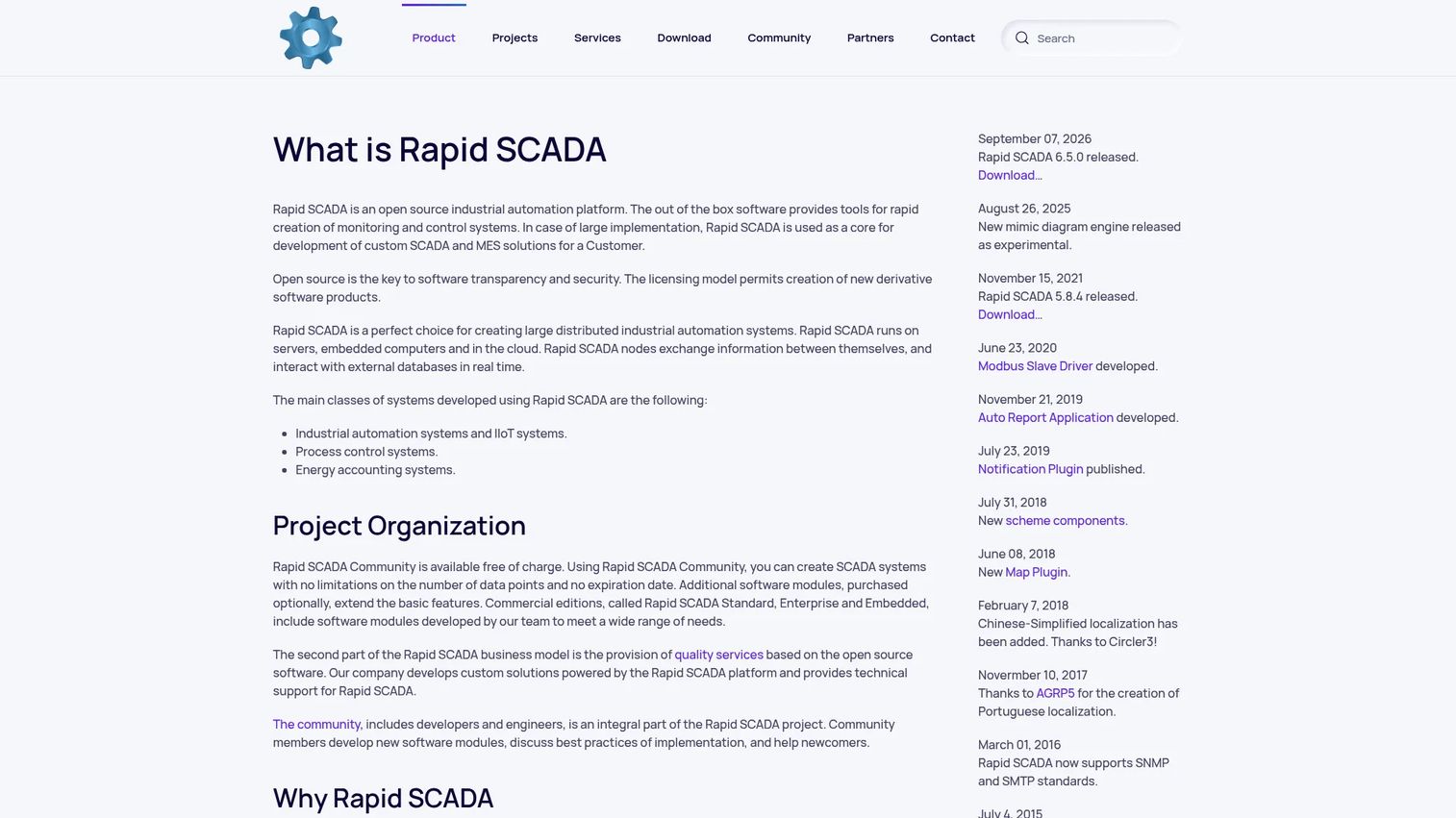
Rapid SCADA is an open-source industrial automation platform for building monitoring, control, SCADA, IIoT, process control, and energy accounting systems. It runs across servers, embedded computers, and cloud environments. Protocol support includes Modbus RTU/ASCII/TCP, OPC DA/AE/UA, SNMP, SMTP, MQTT, and AT commands. Database connectivity covers PostgreSQL, MySQL, Microsoft SQL Server, and Oracle.
Best for: Technical teams testing SCADA concepts, building cost-sensitive deployments, or requiring flexible deployment options across embedded, server, and cloud environments.
Key features
- Community edition available at no cost
- Web-based access and distributed operation
- Modbus, OPC UA, MQTT, and SNMP protocol support
- Real-time data integration with PostgreSQL, MySQL, SQL Server, and Oracle
- Embedded deployment support for controllers and single-board computers
Why choose Rapid SCADA: The free Community edition and one-time Standard licenses make Rapid SCADA the most accessible option on this list for teams with development and maintenance capacity. There are no recurring subscription fees on the Standard tier, which changes the total cost calculation significantly over a five-year horizon.
Rapid SCADA pricing: The Community edition is free. Standard licenses are priced by channel capacity: Up to 1,000 channels at $490, up to 5,000 channels at $690, and up to 10,000 channels at $920 (all one-time licenses). An Embedded edition for controllers costs $95 (one-time). Enterprise pricing is available on request. Paid add-ons and applications carry separate costs per the 2026 pricing document.
G2 rating: No current G2 rating was verified for Rapid SCADA at generation time.
8. CIMPLICITY
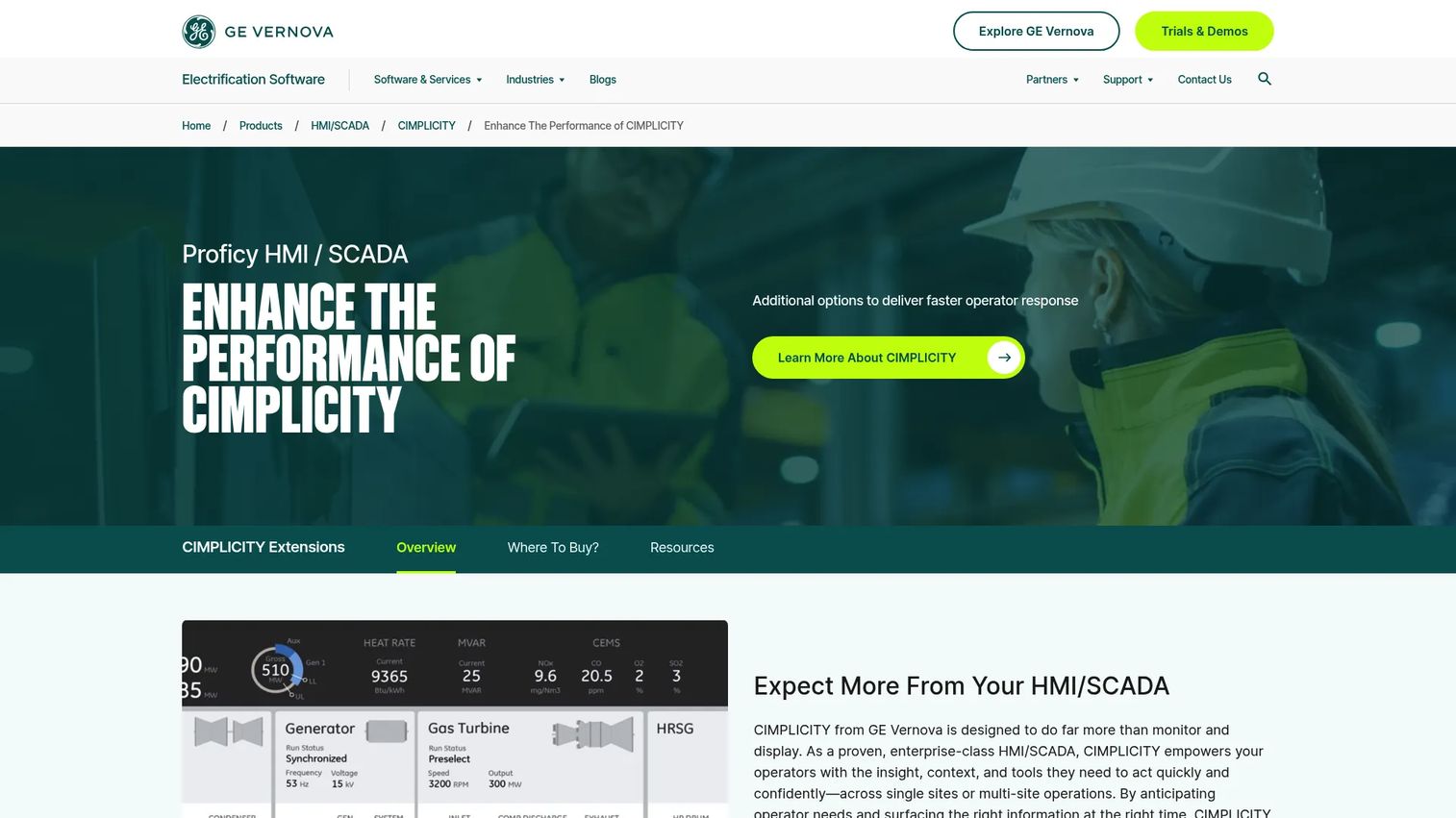
CIMPLICITY is GE Vernova's enterprise HMI and SCADA software for monitoring, controlling, and analyzing complex industrial operations. It supports both native and HTML5-based visualization, Python, .NET, and VB scripting, and integrates with SQL databases and Proficy Historian. High availability and redundancy configurations are available for operations where uptime is a hard requirement.
Best for: Large manufacturers, utilities, and industrial organizations running complex or distributed operations that need enterprise-scale SCADA with advanced scripting and analytics.
Key features
- Secure data collection and process monitoring with native and HTML5 visualization
- Advanced alarming, notifications, and audit trails
- Python, .NET, and VB scripting with open APIs
- SQL and Proficy Historian integration with Digital Graphic Replay
- High availability, redundancy, KPI dashboards, and compliance reporting
Why choose CIMPLICITY: The scripting depth and enterprise historian integration make CIMPLICITY a fit for organizations with complex reporting requirements or custom automation logic beyond what standard SCADA configuration covers.
CIMPLICITY pricing: GE Vernova does not display CIMPLICITY pricing on its product pages. A free trial with a renewable two-hour runtime is available. Contact GE Vernova for licensing terms based on deployment scale, modules, and support requirements.
G2 rating: 4.0/5 (verified September 2026).
9. Litmus Edge
Litmus Edge is an industrial edge data platform that connects, contextualizes, analyzes, and delivers operational technology data for industrial AI and analytics. It supports 250+ native protocol drivers and provides local edge analytics, AI/ML inference, and containerized application support. The platform connects to cloud and enterprise systems and includes enterprise-scale edge management capabilities.
Best for: Manufacturers and industrial operators standardizing OT data collection and running analytics or AI across multiple plants, where a separate supervisory control layer may also be needed.
Key features
- 250+ native industrial protocol drivers
- Real-time data normalization, contextualization, and metadata enrichment
- Local edge analytics, AI/ML inference, and containerized applications
- Cloud and enterprise data integration
- Enterprise-scale edge management and data governance
Why choose Litmus Edge: Teams whose primary challenge is industrial data infrastructure, specifically connecting heterogeneous equipment and delivering clean, contextualized data to analytics platforms, will find Litmus Edge purpose-built for that job. Note that a separate supervisory control and HMI layer may be required for full SCADA functionality.
Litmus Edge pricing: The Foundation plan starts at $1,500/month and covers core connectivity, collection, normalization, contextualization, storage, workflows, alerts, and integrations. Growth and Scale plans carry custom pricing. A Developer Edition with two-hour sessions is available for evaluation.
G2 rating: 3.8/5 (verified September 2026).
10. Experion HS
Experion HS is Honeywell's HMI and SCADA platform for process industries. It includes built-in historian, trending, reporting, and alarm management. Protocol connectivity covers OPC UA, Modbus, DNP3, IEC 60870, IEC 61850, and MQTT, which makes it applicable to a range of process automation environments beyond purely Honeywell-centered infrastructure.
Best for: Process industry teams operating within or adjacent to Honeywell control environments who need integrated HMI, SCADA, historian, and multi-protocol connectivity in a single platform.
Key features
- Real-time HMI, monitoring, and supervisory control
- Built-in historian, trending, reporting, and alarm/event management
- OPC UA, Modbus, DNP3, IEC 60870, IEC 61850, and MQTT connectivity
- Process visualization with operator displays
- Industrial reporting for compliance and performance analysis
Why choose Experion HS: The breadth of protocol support makes Experion HS usable beyond Honeywell DCS environments. Teams in chemical, refining, power generation, and similar process industries with existing Honeywell infrastructure benefit from coordinated vendor support and shared engineering context.
Experion HS pricing: Honeywell does not display Experion HS pricing on its product pages. Contact Honeywell or an authorized integrator for a quote based on deployment scope, modules, site count, and support requirements.
G2 rating: No current G2 rating was verified for Experion HS at generation time.
11. AVEVA Edge

AVEVA Edge is an industrial HMI and SCADA platform for developing and deploying applications across Windows, Linux, embedded, and HTML5 environments. It supports interoperability through native drivers and OPC UA/DA connectivity, and it runs on edge devices alongside plant-floor and server-based deployments. KPI logging destinations include local files, SQL databases, historians, and AVEVA Insight.
Best for: OEMs, machine builders, and industrial teams that need HMI or SCADA capabilities close to equipment, across Windows, Linux, and mobile/HTML5 devices.
Key features
- Interoperability with native drivers and OPC UA/DA connectivity
- HTML5-based web access from smartphones, tablets, and other devices
- Deployment across Windows and Linux edge devices
- KPI logging to local files, SQL databases, historians, and AVEVA Insight
- Scalable HMI and SCADA architectures, including redundant systems
Why choose AVEVA Edge: The compact footprint and multi-OS support make AVEVA Edge a practical choice for machine-level or edge deployments where a full enterprise SCADA server is not warranted. Teams already using other AVEVA products benefit from data continuity with shared historian and analytics infrastructure.
AVEVA Edge pricing: AVEVA describes commercial and educational licensing options but does not display pricing on the Edge product or licensing pages. Contact AVEVA for edition, runtime, development, and device licensing terms.
G2 rating: 4.0/5 (verified September 2026).
12. FrameworX Platform
FrameworX Platform by N3uron is a unified industrial platform for IIoT, DataOps, data integration, processing, and web-based HMI/SCADA visualization. It takes a modular approach to industrial data acquisition and integration, supporting historian and time-series data storage alongside browser-based visualization and control. The platform suits system integrators and industrial teams that need to build customized monitoring and control applications rather than deploy a preconfigured SCADA product.
Best for: Integrators and industrial software teams building customized SCADA applications or connecting heterogeneous OT and IT data sources through a flexible, modular environment.
Key features
- Modular industrial data acquisition and integration
- Historian and time-series data storage
- Web-based HMI/SCADA visualization and control
- Configurable workflows and industrial protocol support
- Edge-to-cloud data connectivity
Why choose FrameworX Platform: The modular architecture gives development teams a building-block approach to industrial monitoring rather than a fixed product topology. Teams with specialized workflow requirements or non-standard integration needs will find more configurability here than in most turnkey SCADA products.
FrameworX Platform pricing: N3uron does not display FrameworX pricing on its product pages. Contact N3uron directly for licensing terms based on modules, deployment architecture, and support requirements.
G2 rating: No current G2 rating was verified for FrameworX Platform at generation time.
13. DAQFACTORY
DAQFACTORY by AzeoTech is HMI and SCADA software for data acquisition, process control, data logging, visualization, automation, and analysis. It connects to Modbus, OPC, LabJack, and other devices, supports custom screens and real-time graphing, and includes scripting, built-in PID control, and alarm management. The tiered edition structure, starting with a free Express version, makes it accessible for teams evaluating capabilities before committing to a paid license.
Best for: Industrial automation, measurement, and data acquisition projects where budget matters and teams want broad device connectivity with configurable visualization.
Key features
- Data acquisition from Modbus, OPC, LabJack, and other connected devices
- Custom screens, real-time graphing, and historical trending
- Data logging to files and databases
- Scripting, automation, and built-in PID control with alarming
- Networking and remote connectivity
Why choose DAQFACTORY: The one-time license structure and free Express edition lower the entry point significantly compared to subscription-based alternatives. Teams running smaller deployments or evaluating SCADA functionality without a capital commitment will find this a practical starting point.
DAQFACTORY pricing: The Express edition is free. Lite costs $299, Base costs $599, and Pro costs $1,199, all as one-time licenses with no recurring subscription fees.
G2 rating: 5.0/5 (verified September 2026).
14. SurvalentONE SCADA
SurvalentONE SCADA is real-time supervisory control and data acquisition software built specifically for electric, gas, water, transit, and renewable energy utilities. It covers monitoring and control of utility networks through the SmartVU graphical interface and supports DER integration, AMI, AVL, Secure ICCP, and GIS interfaces. The platform suits utility operators that need a purpose-built system rather than adapting a general-purpose industrial SCADA platform to utility workflows.
Best for: Utility operators managing electrical distribution, renewable energy, and geographically distributed infrastructure who need purpose-built SCADA rather than a generalist industrial platform.
Key features
- Real-time monitoring and control of utility distribution networks
- SmartVU graphical interface for operator visibility
- DER integration and support for AMI, AVL, and GIS interfaces
- Secure ICCP, SNMP, and MultiSpeak connectivity
- Flexible, scalable licensing with cloud and web capabilities
Why choose SurvalentONE SCADA: Utility-specific SCADA products include pre-built support for the protocols, workflows, and visualization conventions that utility control rooms expect. Adapting a general-purpose industrial SCADA platform to match those requirements typically adds integration work that a purpose-built system avoids.
SurvalentONE SCADA pricing: Survalent does not display product licensing prices on its website. Contact Survalent directly for a quote based on network scale, modules, deployment model, and support requirements.
G2 rating: No current G2 rating was verified for SurvalentONE SCADA at generation time.
Considerations when choosing SCADA software
Define the control and monitoring scope
Clarify whether the project covers one machine, one plant, multiple facilities, utility infrastructure, or a full enterprise operating model. Scope determines architecture, redundancy requirements, and licensing structure. A single-plant deployment has materially different needs than a 50-site distributed network, and the wrong platform choice at the scoping stage creates migration costs later.
Map existing devices and protocols
Inventory PLCs, RTUs, sensors, meters, gateways, databases, historians, MES, ERP, and cloud systems before evaluating platforms. Verify that protocol support matches your installed equipment, including older or proprietary devices. A platform with strong OPC UA and MQTT support may not natively speak every vendor-specific PLC protocol in your plant.
Compare deployment and ownership models
Evaluate on-premises, web-based, edge, hybrid, and cloud-connected options against your latency, security, and connectivity requirements. Review server requirements, client access, maintenance procedures, upgrade paths, and remote administration capabilities. The operational burden of maintaining an on-premises server differs significantly from a hosted or edge deployment model.
Price the operating model, not only the license
Ask vendors how costs change with tags, users, servers, sites, modules, support tiers, training, and integrator services. Add the labor required to build screens, test alarms, maintain integrations, and update deployments after product changes. License price is one input. Total ownership cost over three to five years is the number that matters for a capital decision.
Test reliability and security requirements
Review redundancy, failover, backup, audit trails, role-based access, network segmentation, patching cadence, and store-and-forward behavior. A feature checklist is not a substitute for an architecture review. Test failover and network interruption behavior in your environment before committing to production deployment.
Conclusion
The 14 platforms on this list span a wide range of industrial contexts. For most multi-site or IIoT-connected deployments, Ignition's server-based licensing and broad protocol support make it the most flexible starting point. AVEVA suits organizations that want to consolidate across a broader industrial software portfolio. SIMATIC WinCC earns its place specifically in Siemens-centered plants.
For distributed infrastructure, PcVue and SurvalentONE SCADA handle utility and geographically dispersed operations with purpose-built architectures. Rapid SCADA and DAQFACTORY both offer free entry points for teams building cost-sensitive or evaluation deployments. Litmus Edge fits teams whose primary challenge is industrial data infrastructure at the edge. AVEVA Edge and CIMPLICITY serve OEM and enterprise plant-floor contexts respectively.
The next step is to shortlist two or three platforms based on your site topology and protocol requirements. Run a representative proof of concept that covers live device connectivity, alarm acknowledgment, historian behavior, remote access, failover, user permissions, and integration with your existing systems. Vendor demos rarely test the workflows that matter. Your own proof of concept will.
For more context on related industrial software categories, see the Guideflow guides on alarm system software, best data visualization tools, and business process management software.
FAQs
SCADA software, short for supervisory control and data acquisition software, collects data from industrial devices including PLCs, RTUs, and sensors. It presents that data through operator displays, manages alarms and notifications, supports supervisory control actions, and stores operational history for trend analysis and reporting. Most SCADA platforms also connect to databases, enterprise systems, and IIoT infrastructure.
HMI software focuses on operator visualization and interaction, typically at the machine or line level. SCADA platforms add broader data acquisition, alarm management, historians, remote monitoring, multi-site supervision, and reporting. Many SCADA products include embedded HMI functionality. A standalone HMI is usually sufficient only for a narrowly scoped, single-machine deployment without historian or multi-site requirements.
Pricing varies significantly by tags, users, servers, sites, modules, deployment model, support tier, and implementation services. Some platforms use server-based licensing (Ignition), others use per-tag or per-seat models, and several require a custom quote for any configuration. Compare total ownership cost over a realistic operating period rather than evaluating license price alone.
Cloud-connected and hybrid SCADA architectures are available from most major vendors. Many industrial deployments retain local control and edge processing for latency and reliability reasons, connecting to cloud platforms for analytics, reporting, and centralized visibility. The correct architecture depends on connectivity reliability, latency tolerance, security requirements, and operational risk.
Common requirements include OPC UA, MQTT, Modbus (RTU and TCP), vendor-specific PLC protocols (Siemens S7, Allen-Bradley, and others), SQL database connectivity, REST APIs, and industrial network standards such as DNP3, IEC 61850, and PROFINET. Compare protocol support against your installed equipment before shortlisting platforms, particularly if you have older or proprietary devices.
Open-source SCADA can work well in production for teams with development and maintenance capacity. Production suitability depends on support availability, reliability testing, security ownership, documentation depth, deployment scale, and the consequences of downtime. Rapid SCADA, for example, offers paid commercial editions with support options for teams that need more than community resources.
Evaluate centralized administration capabilities, distributed architecture options, local autonomy for each site, redundancy and failover behavior, secure remote access, shared configuration standards, historian strategy, and upgrade management. A representative site pilot should precede a multi-site rollout. The architecture decisions made at the first site tend to constrain every subsequent deployment.
Test live device connectivity with your actual equipment, alarm acknowledgment workflows, user permission enforcement, historian data recording, reporting output, network interruption handling, failover behavior, remote access under realistic network conditions, and integration with your existing enterprise systems. Use representative workflows from your environment rather than the vendor's prepared demo scenarios, which may not reflect your operational complexity.
A SCADA historian is a time-series database that stores process data collected by the SCADA system. It records tag values, alarm states, and operator events with timestamps. Teams use historian data for trend analysis, regulatory compliance, maintenance planning, quality review, and performance reporting. Some SCADA platforms include an embedded historian; others integrate with standalone historian products.
Centralized SCADA routes all data collection and control through a single server or server cluster. Distributed SCADA places control and data functions across multiple nodes, often with local autonomy at each site. Distributed architectures suit geographically separated assets where network reliability cannot be guaranteed and local operation must continue when connectivity to a central server drops.