
Your sales team is only as good as the resources they have access to. Without the right content at the right moment, even skilled reps stumble through competitive questions, lose deals to better-prepared competitors, and waste hours recreating materials that should already exist.
This guide breaks down 20 sales enablement examples across internal preparation and customer-facing assets, plus practical guidance on how to store, maintain, and measure what you build.
What's inside
This guide covers 20 sales enablement examples that help teams close deals faster. You'll find:
- 10 internal-facing resources that prepare reps before and during customer conversations
- 10 customer-facing assets designed to build trust and move deals forward
- Practical guidance on storing, maintaining, and measuring your content
- Tips for keeping messaging consistent across every discovery call
TL;DR
- Sales enablement content includes tools, training, and resources that help sales teams communicate value and close deals. Key examples are interactive product demos, competitive battlecards, sales playbooks, ROI calculators, and onboarding programs.
- Two categories matter: Internal-facing content prepares reps with knowledge and consistency. Customer-facing content builds buyer trust and demonstrates value.
- Interactive demos stand out because they let prospects experience your product on their own terms. Tools like Guideflow make creating clickable product experiences fast and measurable.
- Centralization is critical. Even brilliant content fails if reps can't find it. A single source of truth for all assets drives adoption and consistency.
What is sales enablement content
Sales enablement content is any resource, tool, or training that helps your sales team communicate value and close deals. Battlecards, playbooks, case studies, and interactive demos all fall into this category. The content typically splits into two buckets: internal-facing resources that prepare reps, and customer-facing assets that build buyer trust.
Internal content includes things like competitive battlecards, sales playbooks, and objection handling guides. Customer-facing content includes case studies, ROI calculators, and product demos. The goal is simple: give your team what they need to have better conversations and win more often.
Map your content to the buyer journey
Before building anything, it helps to know where each asset belongs. Different content serves different moments in the sales cycle. Here's how the 20 examples in this guide map to buyer stages:
| Buyer Stage | Internal Assets (for reps) | Customer-Facing Assets |
|---|---|---|
| Awareness | Buyer personas, messaging frameworks | Sales decks, one-pagers |
| Consideration | Battlecards, objection FAQs, talk tracks | Competitor comparison guides, case studies, interactive demos |
| Decision | Pricing guides, playbooks | ROI calculators, testimonial videos, mutual action plans |
| Post-sale/Renewal | Product training, call libraries | Business case templates, security docs |
Internal sales enablement content that reps actually use
Internal enablement content prepares your team before and during customer conversations. When done well, it creates consistency across every discovery call and ensures every rep tells the same story.
1. Competitive battlecards
Battlecards are quick-reference guides that compare your product against key competitors. They include feature comparisons, pricing differences, and pre-written responses to common objections. Reps use them to handle competitive questions in real-time without stumbling.
A strong battlecard highlights competitor weaknesses, emphasizes your differentiators, and gives reps confidence to reposition conversations around your strengths. Effective battlecards organize information into scannable sections: a competitor overview, side-by-side feature matrix, pricing comparison with context on what's included at each tier, and specific talk tracks for common scenarios like "Why are you more expensive than X?" or "Competitor Y offers this feature you don't have." The best battlecards also include trap-setting questions that expose competitor limitations and customer proof points that validate your positioning.
2. Sales playbooks
A playbook documents your entire sales process from prospecting to close. It defines stage-by-stage actions, qualifying questions, buyer personas, and handoff criteria between teams. Effective playbooks break down each stage with specific entry and exit criteria, required activities, and expected outcomes. For example, the discovery stage might include mandatory qualification questions, minimum information requirements before advancing, and clear signals that indicate a prospect is ready for a demo.
Think of it as codified knowledge from your top performers. New hires ramp faster because they're not guessing what to do next or how to handle common scenarios. Experienced reps stay consistent because the process is clear, documented, and reinforced. A strong playbook also includes decision trees for different buyer situations, recommended talk tracks for each stage, and specific metrics that define success at each milestone.
3. Call and demo libraries
Call libraries are collections of recorded sales calls and product demonstrations that reps can study independently, similar to how sandbox environments let teams practice technical validation. Instead of constant shadowing, reps learn by watching how top performers handle objections, structure discovery, or present a compelling demo.
Effective call libraries organize recordings by category: discovery calls that demonstrate strong qualification techniques, objection handling examples that show how to reposition competitor concerns, pricing conversations that navigate discount requests without eroding value, and demo recordings that highlight different presentation styles for technical versus executive audiences. The best libraries include timestamps for key moments, transcripts for quick reference, and annotations that explain why specific approaches worked.
One great call can train dozens of reps. And unlike live coaching, recordings can be rewatched and studied at each rep's own pace. New hires identify patterns across multiple calls to understand what consistently works. Experienced reps refine specific skills by studying how colleagues handle situations they find challenging. Managers use call libraries during coaching sessions to illustrate concrete examples rather than abstract feedback.
4. Email and outreach templates
Templates provide pre-formatted messages for common scenarios: cold outreach, follow-ups, demo recaps, and breakup emails. They save time and maintain consistent brand voice across the team. Effective templates include subject line variations, opening hooks that reference specific pain points, clear value propositions tied to buyer personas, and calls-to-action that move deals forward. For example, a demo recap template might include sections for key features discussed, answers to questions raised during the call, next steps with specific dates, and relevant case studies that match the prospect's use case.
The key is treating templates as starting points, not scripts. Reps personalize each message while the core structure and value proposition stay intact. Strong templates highlight exactly which sections require customization - like company-specific pain points, relevant metrics from discovery, or personalized references to previous conversations - while keeping proven messaging elements locked in. This balance ensures every email sounds authentic and relevant while maintaining the positioning and language that actually converts.
5. Buyer persona documents
Persona documents bring your ideal customers to life beyond a job title. They outline goals, daily challenges, decision criteria, and common objections for each buyer type. Effective persona documents include specific details like typical budget authority, preferred communication channels, key performance metrics they're measured against, and the internal stakeholders they need to convince. For example, a VP of Engineering persona might detail their focus on system reliability and team productivity, their need to justify technical decisions to the CTO, and their concern about implementation complexity disrupting current workflows.
When reps understand what keeps a VP of Engineering up at night versus a CFO, they tailor conversations accordingly. The VP of Engineering cares about scalability, integration capabilities, and developer experience. The CFO focuses on total cost of ownership, contract flexibility, and measurable ROI. Generic pitches become targeted discussions about specific problems. Instead of walking through every feature, reps lead with the three capabilities that matter most to that specific buyer and frame value in terms that resonate with their priorities.
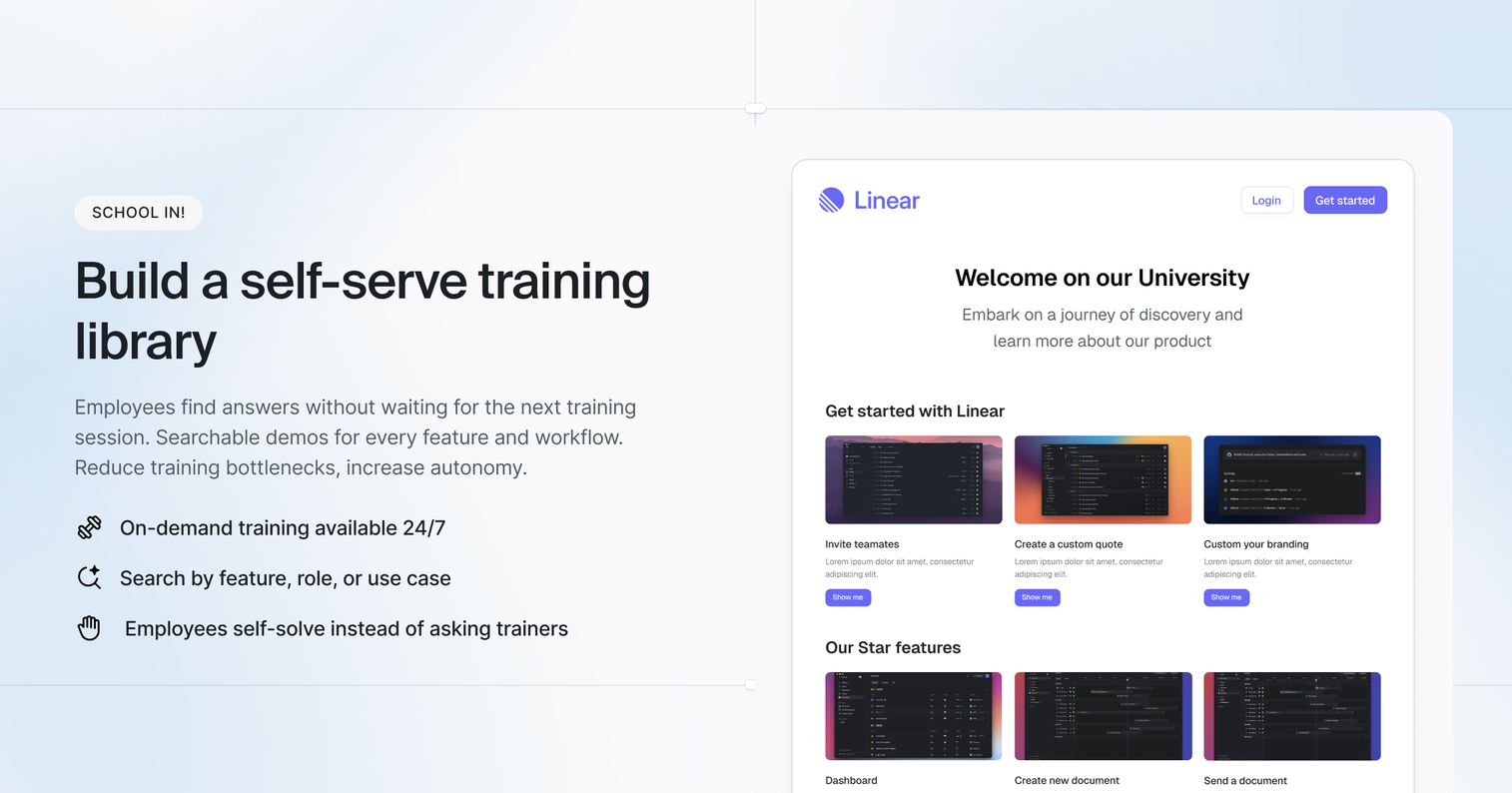
6. Product training and certifications
Structured training programs ensure every rep understands your product deeply. This goes beyond basic onboarding to include feature deep-dives, update training on new releases, and formal certifications.
Effective product training programs include multiple components: initial onboarding that covers core functionality and positioning, advanced modules that explore technical integrations and edge cases, regular update sessions when new features launch, and certification tracks that validate knowledge at different skill levels. For example, a certification program might include a foundational tier for new hires covering basic product navigation and value propositions, an advanced tier for experienced reps demonstrating mastery of complex configurations, and a specialist certification for technical sales engineers who handle enterprise implementations.
Certified reps answer technical questions confidently, demonstrate complex features accurately, and build credibility with buyers who expect expertise. They also reduce dependency on solutions engineers for routine technical questions, allowing presales resources to focus on truly complex evaluations. When prospects ask detailed questions about API capabilities, data security protocols, or integration requirements, certified reps provide accurate answers immediately rather than promising to follow up later.
7. Pricing guides and discount policies
Pricing guides outline your pricing structure, discount approval workflows, and negotiation boundaries. They specify standard list prices, volume-based tiers, and pre-approved discount ranges for different deal sizes or customer segments. Reps know exactly what they can offer without chasing manager approval for every concession - for example, a guide might authorize up to 15% discounts for deals under $50K but require VP approval beyond that threshold.
Effective pricing guides also include common pricing scenarios like multi-year agreements, early payment incentives, and competitive displacement situations. They clarify when to involve leadership, what trade-offs are acceptable (like longer contract terms in exchange for lower pricing), and which discounts require specific justification in the CRM.
Clear pricing rules maintain deal momentum by eliminating approval bottlenecks, protect margins by preventing unnecessary discounting, and ensure fairness across all customers by standardizing what similar buyers pay.
8. Scripts and talk tracks
Talk tracks provide conversation frameworks for cold calls, discovery questions, and demo narratives. Unlike rigid scripts, flexible talk tracks let reps personalize while ensuring they cover critical points. Effective talk tracks include opening hooks that grab attention in the first 10 seconds, transition phrases that move naturally between topics, and specific language for articulating value propositions that resonate with different buyer personas.
For example, a discovery talk track might outline the sequence of qualification questions, suggested phrasing for uncovering budget authority, and natural pivots when prospects raise common concerns. A demo talk track could specify which features to lead with for technical versus executive audiences, how to handle interruptions without losing momentum, and closing statements that create urgency.
New hires get a consistent starting point that prevents them from fumbling through early calls. Experienced reps stay on-message without sounding robotic because they know which elements are flexible and which must remain intact. Core value propositions get communicated every time, ensuring prospects hear your strongest differentiators regardless of which rep they speak with.
9. Messaging frameworks
Messaging frameworks document your positioning statements, value propositions, and key messages organized by persona or use case. They're the single source of truth for how your company talks about its product.
Effective messaging frameworks include several core components: a primary value proposition that articulates your unique position in the market, supporting pillars that break down why you're different, persona-specific messaging that translates benefits into language each buyer type cares about, and proof points like metrics or customer examples that validate each claim. For instance, a framework might define how to describe your automation capabilities differently when speaking to operations teams (emphasizing time savings and error reduction) versus finance teams (focusing on cost efficiency and audit trails).
When everyone uses the same framework, your website, sales decks, and customer conversations tell a unified story. Prospects hear consistent language whether they're reading your homepage, attending a demo, or talking to customer success. This consistency builds trust and reinforces your positioning across every touchpoint, preventing the confusion that happens when different teams describe the same product in contradictory ways.
10. Objection handling FAQs
Objection handling FAQs are documented, pre-approved responses to common buyer pushback. Organized by objection type, they prepare reps for tough questions before they arise. Each response includes the objection, recommended reframing approach, supporting evidence, and follow-up questions that redirect the conversation productively.
Common categories include:
- Pricing concerns: "It's too expensive" - responses include ROI frameworks that shift focus from cost to value, payment flexibility options, and questions that uncover whether price is the real issue or a proxy for unclear value
- Competitor comparisons: "How are you different from X?" - responses acknowledge competitor strengths while highlighting specific differentiators, include proof points like customer examples or performance benchmarks, and feature trap-setting questions that expose competitor limitations
- Timing objections: "We're not ready right now" - responses explore what "ready" means specifically, identify risks of delaying, and propose low-commitment next steps that maintain momentum without forcing premature decisions
- Authority challenges: "I need to check with my team" - responses validate the collaborative decision while uncovering who else is involved, what concerns they might raise, and how to equip your champion to sell internally
Prepared reps turn objections into opportunities to reinforce value. Instead of becoming defensive or immediately offering discounts, they use documented responses to dig deeper into underlying concerns, address the real issue, and strengthen their position. Effective objection handling FAQs also include what not to say - common phrases that undermine credibility or accidentally validate competitor positioning.
Customer-facing sales enablement content that closes deals
Customer-facing assets go directly to prospects. They build trust, demonstrate value, and move deals forward. The best customer-facing content answers buyer questions, equips your champion to sell internally, and creates a clear path to purchase.
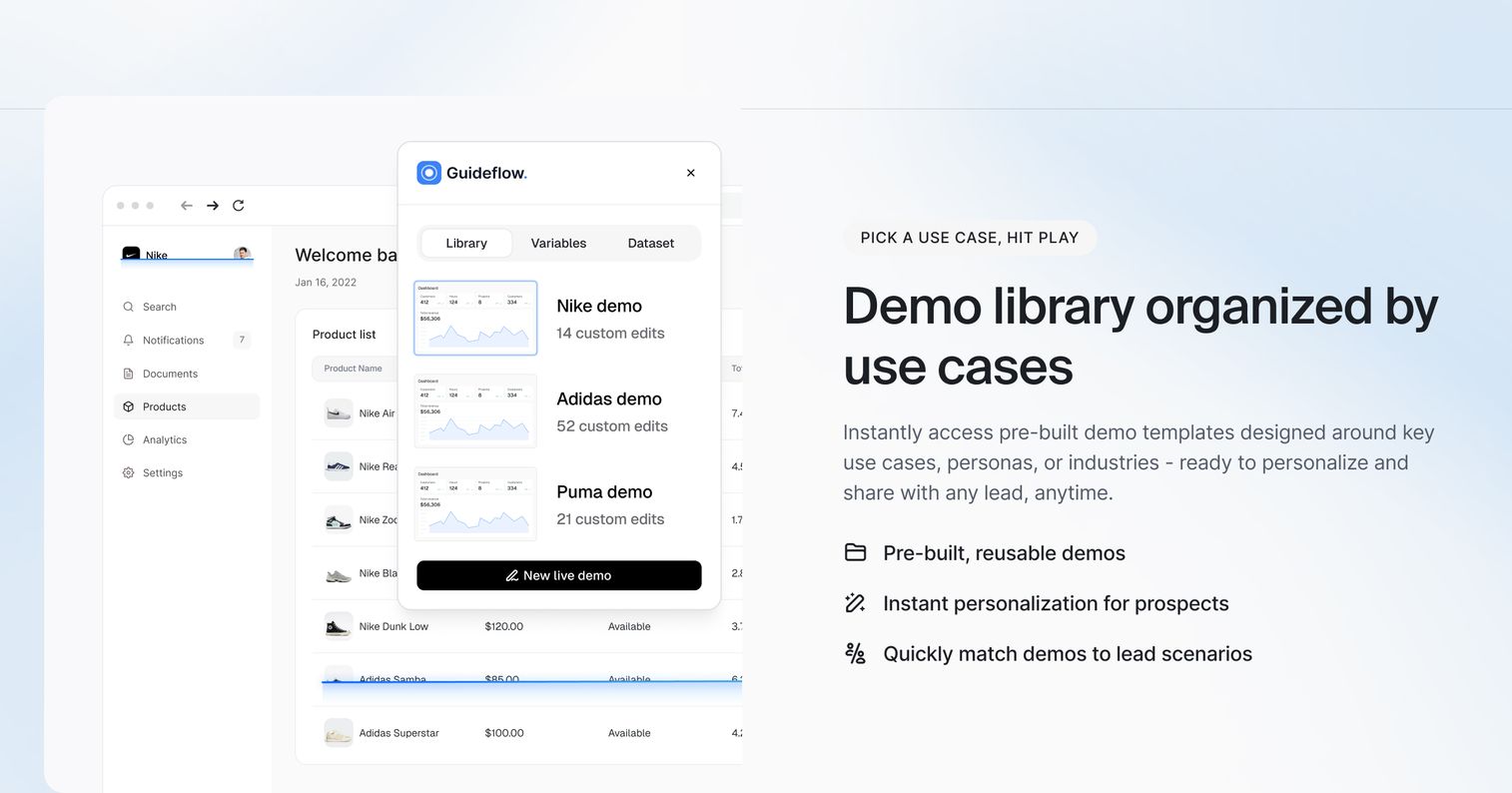
11. Interactive product demos
Interactive demos let prospects explore your product through guided, clickable experiences without scheduling a live call. They're available 24/7, can be personalized for different personas, and provide trackable engagement data. Prospects navigate through realistic product workflows at their own pace, clicking through actual interface elements to complete tasks like setting up integrations, configuring dashboards, or running reports.
Unlike static videos or even live demos, interactive demos give prospects a hands-on feel for your product's value. They reduce friction in the buying process because buyers evaluate on their own terms - exploring features relevant to their specific use case without sitting through irrelevant capabilities or waiting for a rep's calendar to open up. Reps can create persona-specific versions that highlight different workflows: one demo path for technical users focused on API capabilities and security, another for executives emphasizing ROI dashboards and reporting. And the analytics show exactly which features prospects care about most - tracking which screens they spend time on, where they drop off, and which capabilities they revisit multiple times. This engagement data helps reps tailor follow-up conversations around demonstrated interest rather than guessing what resonated.
12. Sales decks and presentations
Sales decks structure your value proposition for meetings and serve as shareable leave-behinds. The most effective decks aren't one-size-fits-all. They're templates that reps customize by industry, persona, or specific pain points.
Effective sales decks include several core components: an opening that establishes credibility and relevance to the prospect's situation, a problem statement that articulates challenges the buyer recognizes, your solution positioned as the answer to those specific challenges, proof points like customer logos or metrics that validate your claims, and a clear call-to-action that defines next steps. For example, a deck for healthcare buyers might lead with HIPAA compliance and patient data security, while a retail-focused version emphasizes inventory management and seasonal demand forecasting.
A well-designed deck guides the conversation while giving prospects something tangible to share with other stakeholders. The best decks are modular - reps can reorder or skip sections based on meeting flow without losing narrative coherence. They also include speaker notes that remind reps which questions to ask or points to emphasize on each slide, ensuring consistency even when different team members present. After the meeting, prospects can forward the deck to decision-makers who weren't in the room, making your champion's job of selling internally significantly easier.
13. Product one-pagers and datasheets
One-pagers summarize your product's capabilities, technical specifications, and key benefits on a single page. They're designed for quick consumption and easy internal sharing. Effective one-pagers include core feature lists organized by category, integration capabilities with specific platforms, technical requirements like supported browsers or system specs, and pricing starting points or tier overviews.
Technical buyers use them to confirm specific features or integrations - checking whether your API supports their existing tech stack or verifying compliance certifications they need. Decision-makers use them to get a fast overview without sitting through a full presentation, often comparing multiple vendors side-by-side during initial evaluation. The best one-pagers are scannable, with clear headers and bullet points that let readers find relevant information in under 60 seconds, and they include a clear next step like booking a demo or accessing an interactive product tour.
14. Case studies and customer stories
Case studies document how existing customers solved specific problems using your product. They follow a simple structure: challenge, solution, results. Effective case studies include quantifiable outcomes like percentage improvements or cost savings, specific details about the customer's situation that make the story relatable, and direct quotes from stakeholders that add authenticity. For example, a strong case study might detail how a mid-market SaaS company reduced customer onboarding time by 40% within three months, including the specific workflows they implemented and the exact features that drove results.
This format helps prospects envision similar success for themselves - especially when the featured customer matches their industry, company size, or use case. Real-world proof builds credibility that marketing claims alone can't match - 42% of B2B buyers rank case studies as the most influential content type. The best case studies also address common objections preemptively, like implementation complexity or time to value, by showing how real customers overcame those exact concerns. Reps use them strategically at different deal stages: early on to establish credibility, mid-cycle to address specific objections, and late-stage to give champions proof points they can share with decision-makers who weren't involved in earlier conversations.
15. Testimonial videos
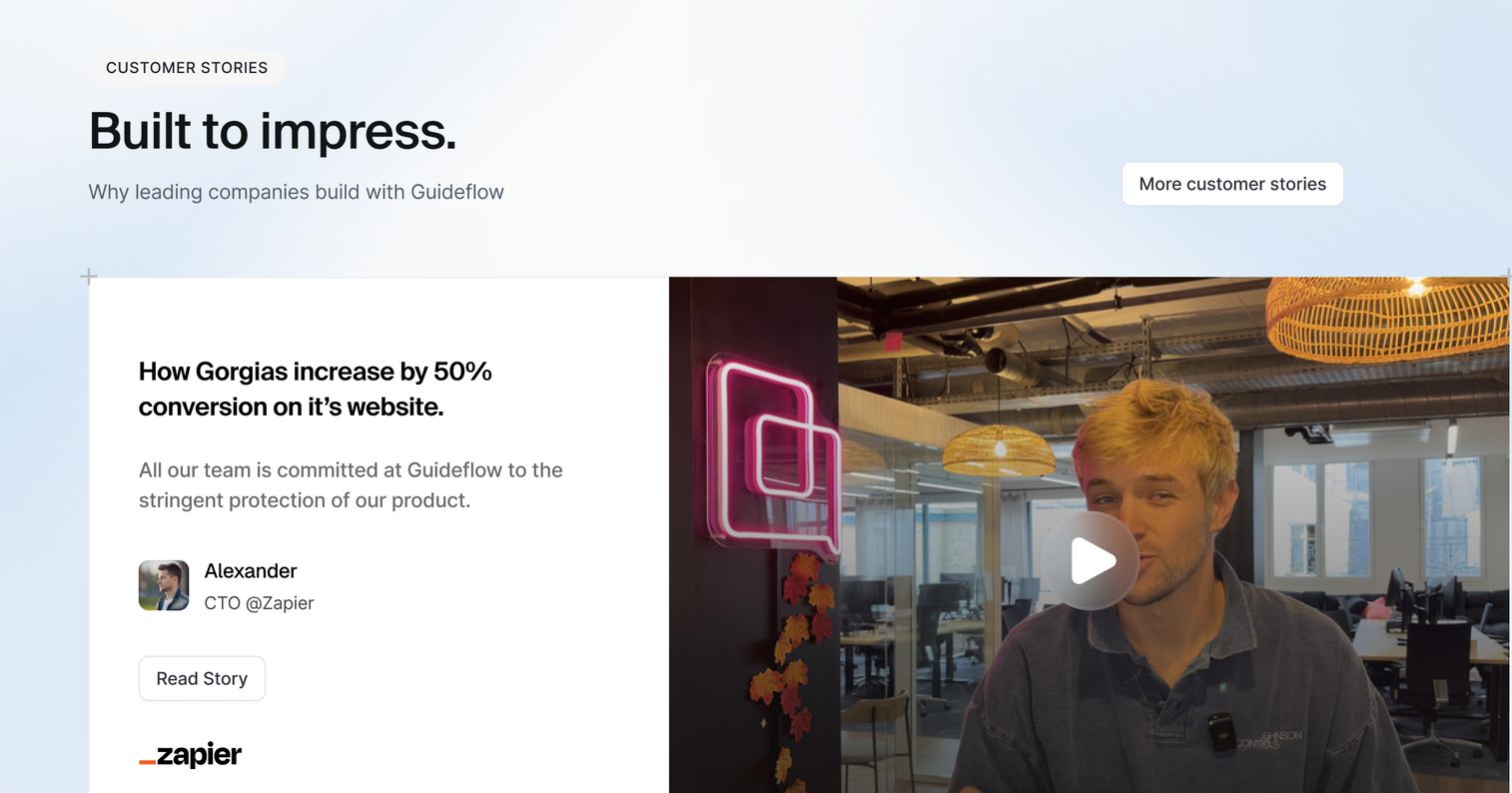
Video testimonials add authenticity that written case studies can't replicate. Hearing a happy customer describe their success in their own words creates emotional connection and trust that text alone struggles to achieve. Effective video testimonials include the customer's role and company context, specific problems they faced before your solution, concrete results with metrics when possible, and genuine enthusiasm that comes through in tone and body language. For example, a 90-second video might show a VP of Operations explaining how your platform reduced their reporting time from days to hours, with their visible relief and satisfaction reinforcing the transformation.
Video testimonials work especially well on landing pages to convert new leads who need social proof early in their research, or in late-stage deals when stakeholders who weren't involved in earlier conversations need peer validation from someone in a similar role. Reps also use them during demos to break up product walkthroughs with real customer voices, or send them in follow-up emails to address specific concerns that match the testimonial's focus - like implementation ease or ROI timeline.
16. Competitor comparison guides
Customer-facing comparison guides position your product against alternatives transparently. Unlike internal battlecards, comparison guides are designed for buyer consumption and stay factual and professional. Effective comparison guides include side-by-side feature matrices that highlight capabilities across vendors, pricing structure overviews that explain what's included at different tiers, and use case recommendations that help buyers understand which solution fits their specific needs. For example, a comparison guide might acknowledge that Competitor A offers stronger reporting features while emphasizing your superior integration ecosystem and faster implementation timeline.
Comparison guides help you control the narrative around competitive comparisons while showing buyers you understand the landscape. When prospects research alternatives independently, they encounter competitor marketing claims and third-party reviews that may misrepresent your positioning. By providing your own balanced comparison, you frame the evaluation criteria around your strengths, address common misconceptions proactively, and demonstrate confidence in your product's value. The best comparison guides also include customer quotes or case studies that illustrate why buyers in similar situations chose your solution over alternatives, giving prospects peer validation for their decision.
17. ROI calculators and value assessment tools
ROI calculators help prospects quantify the potential financial return of your solution. By inputting their own data - like current process costs, team size, or time spent on manual tasks - prospects personalize the business case to their organization. Effective calculators include input fields for variables specific to your product's value drivers, assumptions that explain how savings are calculated, and output summaries that break down total ROI, payback period, and year-over-year value. For example, a calculator might show how reducing manual data entry from 10 hours per week translates to $52,000 in annual labor savings, with payback achieved in month four.
ROI calculators shift conversations from cost to value by reframing your pricing as an investment with measurable returns rather than an expense to minimize. They also equip your champion with the hard numbers needed to secure budget approval - turning subjective claims about efficiency gains into concrete projections that finance teams can evaluate. The best calculators are conservative in their assumptions to maintain credibility and include downloadable reports that champions can present directly to decision-makers
18. Mutual action plans
A mutual action plan (MAP) outlines specific steps, responsibilities, and timelines for both buyer and seller to complete the evaluation and purchase process. Effective MAPs include milestone dates for key activities like technical reviews or stakeholder presentations, assigned owners on both sides for each task, and clear success criteria that define what "done" looks like at each stage. For example, a MAP might specify that the buyer's IT team completes a security review by March 15th while the seller provides SOC 2 documentation by March 10th, with both parties agreeing that approval from the security team is required before moving to contract negotiation.
MAPs prevent deals from stalling because they establish a clear, mutually agreed-upon path forward. They surface potential blockers early - like budget approval processes or technical requirements - so both teams can address them proactively rather than discovering obstacles at the last minute. The sales process becomes a collaborative project rather than a one-sided pursuit, with the buyer taking ownership of internal tasks while the seller commits to specific deliverables and response times. This shared accountability keeps momentum high and gives both sides visibility into exactly what needs to happen next and who's responsible for making it happen.
19. Business case templates
Business case templates help your champion build internal justification for the purchase. They provide a structured framework covering the problem statement, proposed solution, expected outcomes, timeline, and required investment. Effective templates include sections for current state costs (like hours spent on manual processes or existing tool expenses), projected ROI with conservative assumptions, risk mitigation strategies that address common leadership concerns, and comparison alternatives that show why your solution outperforms the status quo or other vendors.
For example, a strong template might break down annual savings by department, specify implementation milestones with resource requirements, and include placeholder sections for company-specific metrics that make the case feel tailored rather than generic. The best templates also anticipate common finance team questions - like total cost of ownership over three years or budget allocation across fiscal periods - so your champion has answers ready before objections arise.
When you make it easy for your champion to present a professional, data-backed argument to leadership, you increase the chances of getting approved. Champions often lack the time or expertise to build compelling business cases from scratch, so a well-designed template transforms them from advocates who believe in your product into equipped sellers who can navigate their internal procurement process confidently.
20. Security and compliance documentation
Security documentation satisfies IT, legal, and procurement requirements that gate most enterprise deals. This includes SOC 2 Type II reports that validate your security controls, GDPR compliance materials that address data privacy regulations, penetration test results that demonstrate vulnerability management, and pre-filled responses to standard security questionnaires like SIG or CAIQ. Effective security packages also include your data processing agreement templates, subprocessor lists, and incident response procedures - all organized in a format that security teams can review quickly.
Having security documentation ready prevents late-stage deal delays that can add weeks or months to your sales cycle. Security reviews often kill momentum because they surface unexpectedly after commercial terms are agreed, forcing deals into holding patterns while your team scrambles to answer technical questions or produce certifications. When you proactively share comprehensive security materials early - ideally during the technical evaluation phase - you eliminate this friction, demonstrate enterprise readiness, and keep deals moving toward close on schedule.
How to keep enablement content consistent across discovery calls
When reps improvise messaging or use outdated materials, buyers receive a confusing story. Trust erodes and deals stall. The solution is building a system that makes staying on-message easier than going off-script.
Here's what works:
- Centralize your content: Use a single source of truth for all materials. When reps know exactly where to find the latest approved assets, they stop using old decks saved on their desktops.
- Version control aggressively: Archive outdated assets completely. When you update a battlecard, remove the old version so reps can't accidentally share incorrect information.
- Run regular enablement syncs: Brief the team on positioning changes, new competitive intelligence, and updated assets. Walk through new materials and answer questions.
- Templatize common flows: Give reps proven starting points for emails, decks, and demos. Templates ensure core messages stay intact while allowing personalization.
Pre-sales teams benefit most when enablement content stays consistent. Buyer confidence increases and sales cycles shorten.
Where to store your sales enablement content
Even brilliant content fails if reps can't find it - 65% of B2B content goes completely unused. Organization matters as much as creation.
Centralized content libraries
A centralized library is a single, organized repository where all enablement assets live. Strong search, tagging, and folder structures make finding the right asset fast. Centralized libraries solve the common problem of content scattered across Google Drive, Dropbox, local desktops, and email threads. One location means reps trust what they find is current.
Sales enablement platforms
Dedicated platforms like Highspot, Seismic, or Showpad combine content storage with training modules, analytics, and CRM integration. They show which assets reps actually use and which content correlates with won deals.
This data-driven approach helps you refine your content strategy and prove enablement ROI.
Demo centers and asset hubs
A demo center is a buyer-facing hub where prospects self-serve by exploring interactive demos, watching videos, and downloading relevant content. It serves dual purposes: an organized library for your team and an empowering resource for prospects to find information on their own time.
How to measure sales enablement content impact on revenue
Measurement moves enablement from cost center to revenue driver. You prove impact by connecting content creation directly to business outcomes.
Content usage and adoption metrics
Track which assets reps actually use:
- Asset views: How often is each piece accessed?
- Rep adoption: Which team members actively use enablement materials?
- Search patterns: What terms are reps searching for? This reveals content gaps.
Revenue attribution and pipeline influence
Connect content to closed deals:
- Content attached to won deals: Which assets appear most frequently in successful sales cycles?
- Engagement correlation: Do prospects who interact with certain content close at higher rates?
- Cycle length impact: Does specific content, like mutual action plans, shorten time to close?
Build your sales enablement library and start closing more deals
Effective sales enablement combines internal preparation materials that build rep confidence with customer-facing assets that demonstrate value. Don't try to build everything at once. Start by identifying your team's biggest gaps and creating the one or two assets that will have the most immediate impact.
As buyer journeys become increasingly self-directed - 61% of B2B buyers prefer rep-free experiences - modern assets like interactive demos have become essential for letting prospects experience your product's value firsthand. By systematically building and refining your enablement library, you equip your team to close more deals, faster.
Start your journey with Guideflow today!
FAQs about sales enablement content
The 2 2 2 rule is a follow-up guideline suggesting contact within 2 minutes, 2 hours, or 2 days depending on lead source and urgency. It emphasizes response speed as a critical factor in sales success.
The 3 Cs typically refer to Connect, Convince, and Close. This framework represents the natural sales progression: establishing rapport (Connect), demonstrating value (Convince), and finalizing the agreement (Close).
The 5 Ps are Product, Price, Place, Promotion, and People. This classic framework helps develop comprehensive sales strategies by considering what you sell, its price point, distribution channels, marketing approach, and the team selling it.
High-velocity content like battlecards and pricing guides benefit from monthly or quarterly reviews. Foundational content like playbooks and messaging frameworks typically need updates after major product releases, market shifts, or strategic changes.
Sales training develops rep skills through specific courses or events. Sales enablement is the ongoing process of providing content, tools, and resources that help reps apply that training effectively in daily work.
Adoption increases when content is easy to find, directly relevant to active deals, and consistently reinforced by managers during coaching. If it saves time and helps win deals, reps will use it.
Most teams benefit from starting with competitive battlecards, a core sales deck, and objection handling documentation. These three assets address the most common friction points reps face in active deals.