Today's buyers want to experience your product firsthand - not just hear about it. That's why interactive product demos have become a game-changing tool for SaaS and product-led companies. They accelerate deals, drive sign-ups, and save presales resources during the sales cycle. What used to be a nice-to-have is now a mission-critical asset - right from the get-go.
As Harvard Business Review notes, a whopping 81% of customers try to solve problems on their own before reaching out for help. And, according to Gartner, B2B buyers only spend 17% of their journey meeting with vendors. What does this add up to? Today's buyer journey is all about being self-directed, digital-first, and product-driven.
Companies like Slack, Airtable, and Notion were among the first to get on board with this shift, letting customers explore products at their own pace while cutting down on time-to-value. Now, interactive demos are fast becoming a cornerstone strategy for every growth team that wants to give prospects a chance to see products in action.
And that means the site's user experience and self-guided education are front and centre for modern buyers. Speed-to-understanding is key, which is why it's all about showing, not telling.
In this guide, we'll explore:
- What interactive product demos are, and just how valuable they can be
- Practical use cases across sales, presales, product marketing, and marketing teams - including placement strategies to get the best results
- A step-by-step guide to creating interactive demos that really grab people's attention
What are interactive product demos?
Interactive product demos are dynamic web-based assets that let prospects, customers, and internal teams take a guided tour of your product at their own pace. And all this can be done without needing a login or a live environment. They combine the best of UI click-through simulations, contextual tooltips and embedded media, to let people explore your product, while highlighting key features and solving customer pain points.
Unlike static screenshots or generic videos, interactive demos can be customised to your needs. They can be tailored for specific use cases, personas, or verticals, and with engagement analytics you can track exactly who's interacting with your demos. Plus they can be scaled up and down across teams and campaigns.
You'll find them popping up on website homepages, in outbound emails, and even in onboarding flows, help docs and post-sale enablement.
Why interactive demos are important now
We're in the era where proof is more convincing than a sales pitch. Buyers want to be able to explore and evaluate products on their own terms - in their own time. They want clarity, speed, and autonomy - not lengthy demo calls or cluttered PDF guides.
Traditional demo methods just don't cut it. Videos can be too passive, screenshorts are overwhelming, and leave buyers confused as to what your product actually offers.
Interactive demos are a better way forward. They speed up time-to-understanding, reduce sales friction and support volume. For go-to-market teams who are under the pump to deliver more with fewer resources, interactive demos scale high-touch experiences without the high-touch effort.
One of the best things about interactive demos is that they're a centralized, web-based asset. A single demo can be embedded across docs, LMS platforms, sales emails - everywhere. When you update it, the changes are automatically propagated to all places that use it - no need to recreate videos or redistribute files. Just add or remove steps as needed, and updates are quick and easy.
Metrics that matter: How interactive demos drive growth
The business case for interactive demos is a no-brainer when you see the numbers. Across every stage of the customer journey - from first touch to post-sale expansion - companies using interactive demos report a real improvement in their key metrics.
Here are the data that tell the story:
| Metric | Lift (Est.) | Insight |
|---|---|---|
| MQL → SQL Conversion | +20–50% | More educated, self-qualified leads |
| Sales Cycle Length | –15–30% | Less time explaining, more time closing |
| Free → Paid Conversion | +10–30% | Clearer value communicated earlier |
| Marketing Engagement | +30–100% | Interactive CTAs outperform static content |
| SQL Creation | +20–40% | Deeper intent from demo viewers |
| Win Rate | +10–20% | Stronger stakeholder alignment |
| CAC Reduction | –10–25% | Higher funnel efficiency |
| Feature Adoption (Post-sale) | +15–30% | Better onboarding with self-guided learning |
What's impressive is not just the consistency of these gains, but the way each one compounds into the next. When buyers self-educate through demos, they enter sales conversations more qualified and move through the pipeline faster. When customers onboard through interactive guides, they adopt features more readily and expand their usage naturally. Each improvement then builds on the last, creating a flywheel of efficiency.
When to use interactive demos
Interactive demos multiply their value when deployed at the right moments in the customer journey. The trick is understanding where friction exists and how demos can remove it.Consider how they utterly change your website experience. Rather than expecting visitors to ask for a demo or sign up for a trial, you give them an instant payoff - the ability to go inside your product right now and start exploring. This same principle applies throughout your go-to-market motion. In sales outreach, inserting demos into cold emails turns passive interest into informed action. And during live calls, reps get a whole lot more flexibility to adapt their pitch on the fly for different stakeholders.
The versatility of interactive demos extends far beyond sales. Product launches see huge adoption when users can explore new features with guided tours embedded right into the announcements. Customer education becomes so much more engaging when you replace those lengthy video tutorials with hands-on walkthroughs. And partner enablement actually gets stronger when you share co-branded demos that make integrations crystal clear.
At events and trade shows, tablet-ready demos let people interact with your product in a meaningful way - even when there's no stable wifi or live environments. Support teams get to resolve tickets way faster by embedding contextual demos straight into help articles. And knowledge bases start to really become helpful when users can see solutions, rather than just being told about them.
Interactive product demo example
Take a look at this simple demo from Trello that shows how to create a new board. Notice how the guided experience streamlines things without taking away user control - and that's the secret to why interactive demos work so well.
Practical use cases for interactive product demos
Interactive demos deliver real value all the way from first impression to long-term retention, so let's dive deeper into the top use cases.
Use case 1: Drive feature adoption through scalable product education
Challenge
Product marketers create some serious hype around new features, but then users don't quite get 'em. Sales teams struggle to get the word out, creating decks that just don't click. Help documentation gets skimmed, onboarding emails get ignored, and support teams field the same "how does this work?" questions over and over. This leads to low adoption rates, underused capabilities, and stalled product momentum.
Solution
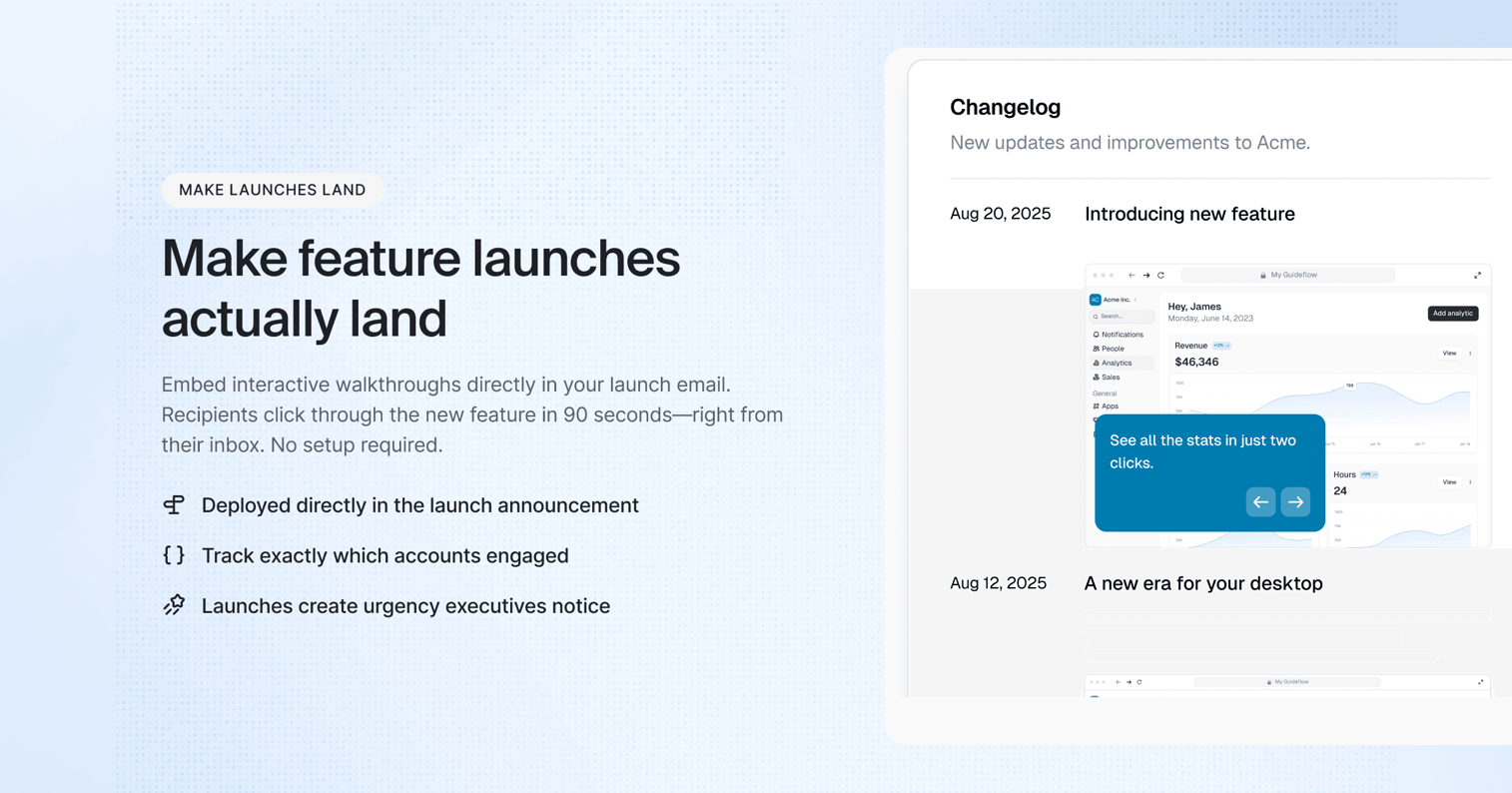
Pop interactive demos right into your onboarding flows, lifecycle emails, release notes, and help docs. These hands-on walkthroughs give users a guided, clickable experience that shows them how new features work, what problems they solve, and how to use 'em effectively.
Benefits
- You get to reinforce product value with immersive, action-based learning
- You cut down on time-to-value without needing CS or onboarding calls
- You personalise education by letting users learn at their own pace
- You bridge the gap between documentation and real usage
When to use
- During new feature rollouts or product launches
- In lifecycle email campaigns targeting existing users
- As part of in-app messaging or help center content refreshes
- To re-engage users with advanced or underutilised capabilities
Think of it as your always-on launchpad, a way to scale up the education so users know what’s new, why it matters, and how to get the most out of it.
Use case 2: Power a demo center for scalable sales enablement
Presales teams constantly field requests for tailored demos, spending hours recreating similar walkthroughs. Without centralized resources, messaging becomes inconsistent and difficult to scale.
Challenge
Presales teams get bogged down with requests for custom demos, spending hours recreating the same walkthroughs over and over. Without a centralised resource, messaging gets inconsistent and hard to scale.
Solution
Build a demo centre: a library of interactive demos all organised by persona, industry, and use case. This self-serve resource empowers AEs and SEs with instant access to high-impact demos they can share with prospects. Plus, they can show the product live without worrying about bugs or a non-linear flow.
Benefits
- You eliminate all that demo creation time
- You deliver consistent, on-brand messaging
- You speed up rep onboarding and ramp
- You scale up personalisation efficiently across the team
When to use
- As part of outbound campaigns
- In follow-ups after initial discovery
- When AEs need demo assets without SE involvement
- For ongoing internal enablement and training
Think of it as your demo library, a go-to for sales teams looking to show the right story at the right time to the right buyer.
By using interactive demos that mirror real-world scenarios, reps can show, not just tell, the product's value, and that leads to more engaging conversations, stronger positioning, and faster deal cycles.
Use case 3: Run smooth product walkthroughs without live environments
Challenge
Live product demos often introduce risk, slow loading times, broken environments, or unexpected bugs - and that derails even the best sales conversation. Reps lose momentum, confidence drops, and deals stall.
Solution
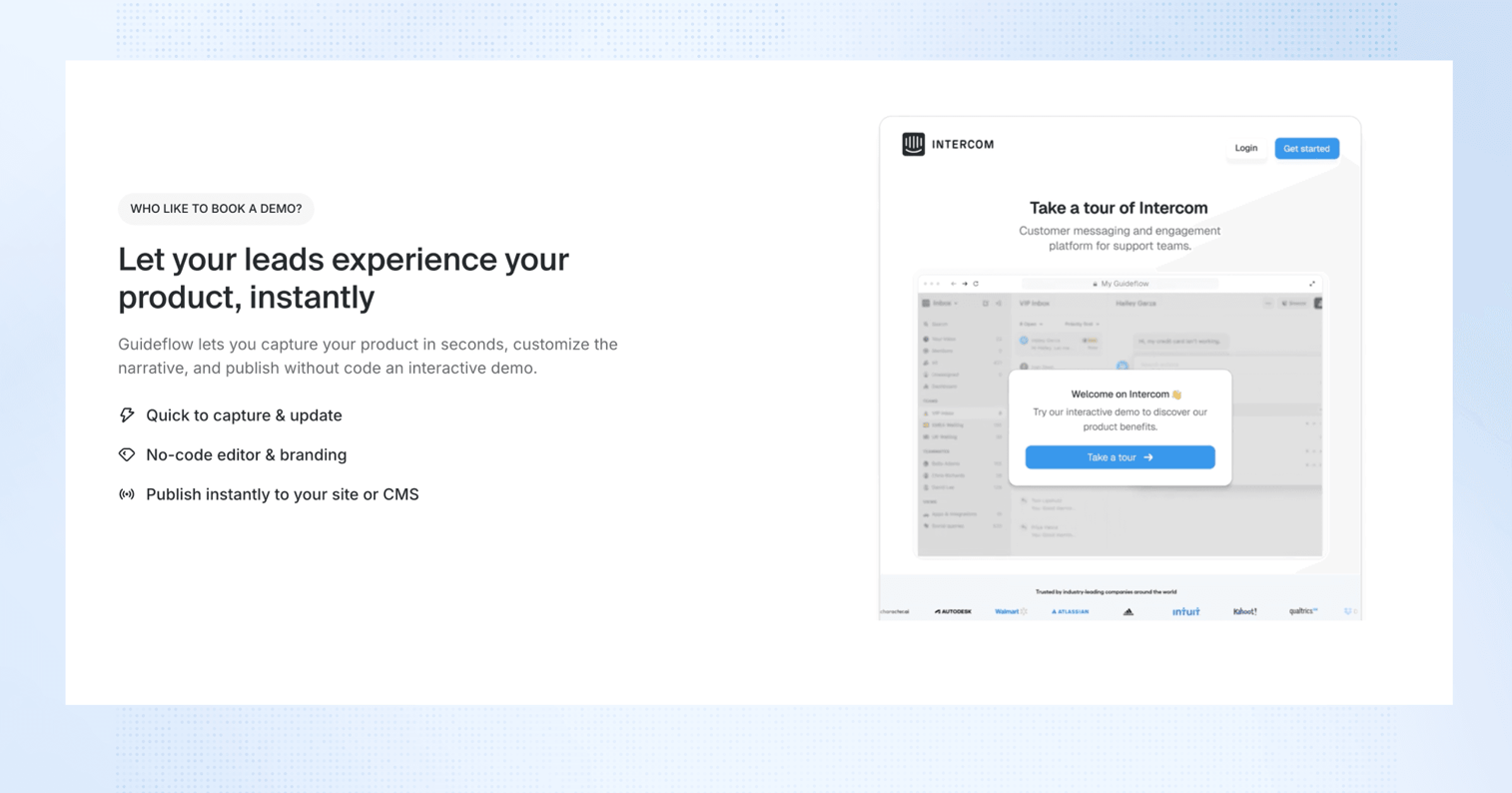
Use interactive demos to deliver a consistent, high-quality walkthrough every time. These prebuilt, clickable experiences mimic the real product without needing logins, internet reliability, or technical prep.
Benefits
- You eliminate reliance on staging environments or SE availability
- You keep demos polished, predictable, and error-free
- Builds AE confidence in leading product presentations - because nothing says accreditation like a winning demo
- Enables repeatable, scalable demo delivery across the team - so the whole crew's on the same page
- Helps standardize the buyer experience from one rep to another - mission control for your sales crew
When to use
- In those super high-pressure demo calls where you really can't afford any technical hiccups
- When onboarding new reps who aren't quite yet demo pros yet
- In areas or industries where live environments just don't play nice
- As a nice backup plan when product access is limited or just plain off limits
Think of it as your trusty old 'demo safety net' always ready to save the day - and always flawless to boot.
Use case 4: Help support agents get customers sorted fast with interactive guides
Challenge
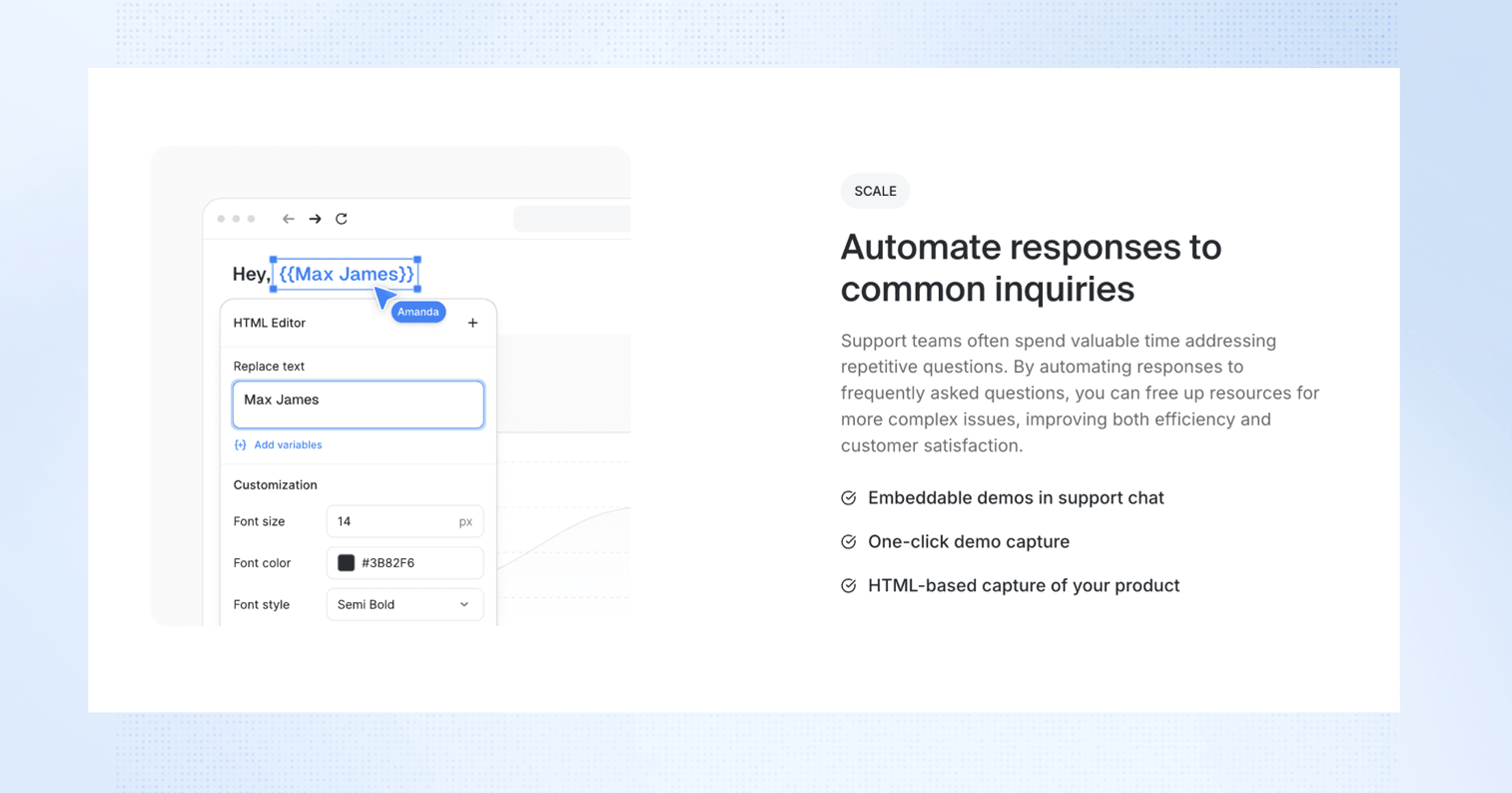
Your support agents spend way too much time writing out super complicated steps - only for the customer to get them all wrong or totally bog down trying to get them right. Which makes for longer resolution times, back and forth galore, and lower CSAT scores all round.
Solution
Use interactive guides to walk customers through the workflow they need - in a super visual and super clickable format. You can tailor these guides to specific scenarios, embed them in replies, and track whether the customer actually got to the end
Benefits
- Resolution times that fly by - because complicated steps just got a whole lot simpler
- First contact resolution rates go through the roof - because you're showing them not just telling them what to do
- Boosted CSAT as customers get what they need, when they need it - fast
- Agents get a library of reusable guides for all those pesky multi-step issues
- Proactive support just got a whole lot easier - thanks to guides embedded in macros and help centre content
When to use
- When you're dealing with those super complicated troubleshooting scenarios
- When you're supporting customers in live chat, email or escalations - pretty much any way you support them
- As a nice to have when someone asks a how-to question or about a product issue
- When you just want to help customers out when they get stuck - and don't need to call to do it
Check out the SurferSEO help site demo that uses Guideflow to show off their Chrome extension in action
Think of it as sending a mini onboarding session straight into your support response.
Use case 5: Stand out at events with live-proof demos
Challenge
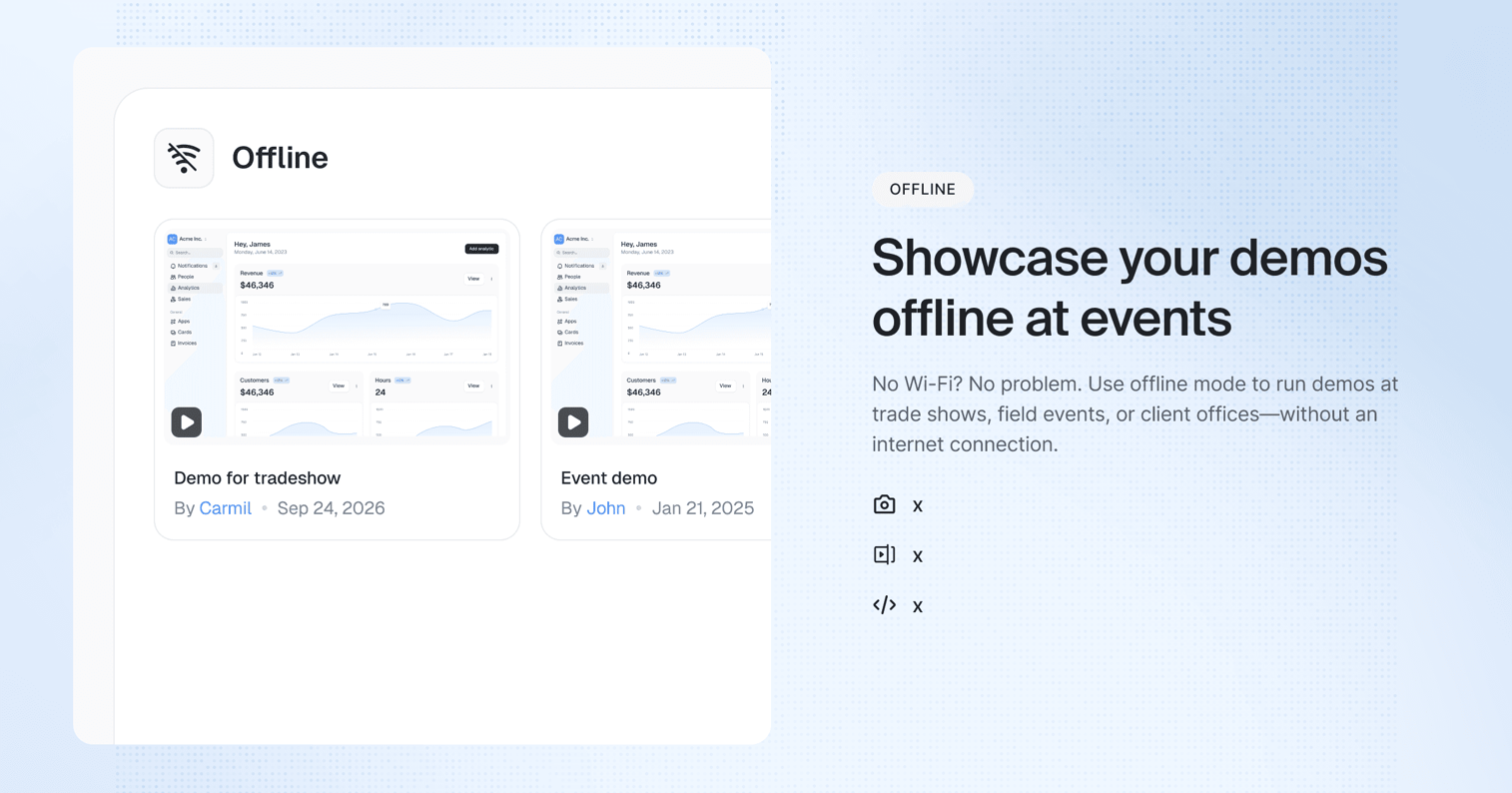
Live product demos at events are just about as unpredictable as a roll of the dice. Between dodgy wifi, version mismatches, and time-pressure, sales teams risk delivering clunky or incomplete walkthroughs - which totally misses the point of the whole thing.
Solution
Use interactive demos to showcase those slick, pre-built product flows that work, like clockwork - anytime, anywhere. Whether it's on a tablet, laptop, or kiosk screen - you can deliver a clicks-through experience that's both show-stopping and risk-free.
Benefits
- No more tech worries for live environments - yep, that's right
- Give your reps a slick on-brand sales story they can knock out with confidence
- Captivate attention in those high-traffic event spaces
- Easy follow-up post-event with the same demo link - so no lost momentum
How to use
- Stick them on tablets at booth stations for some self-guided exploration
- During 1:1 conversations at the event to show specific workflows
- In the follow-up email to the event as a reminder of what you showed them
Trade shows just got a whole lot more about the product - and a whole lot less about bandwidth
Use case 6: Give partner training the works
Challenge
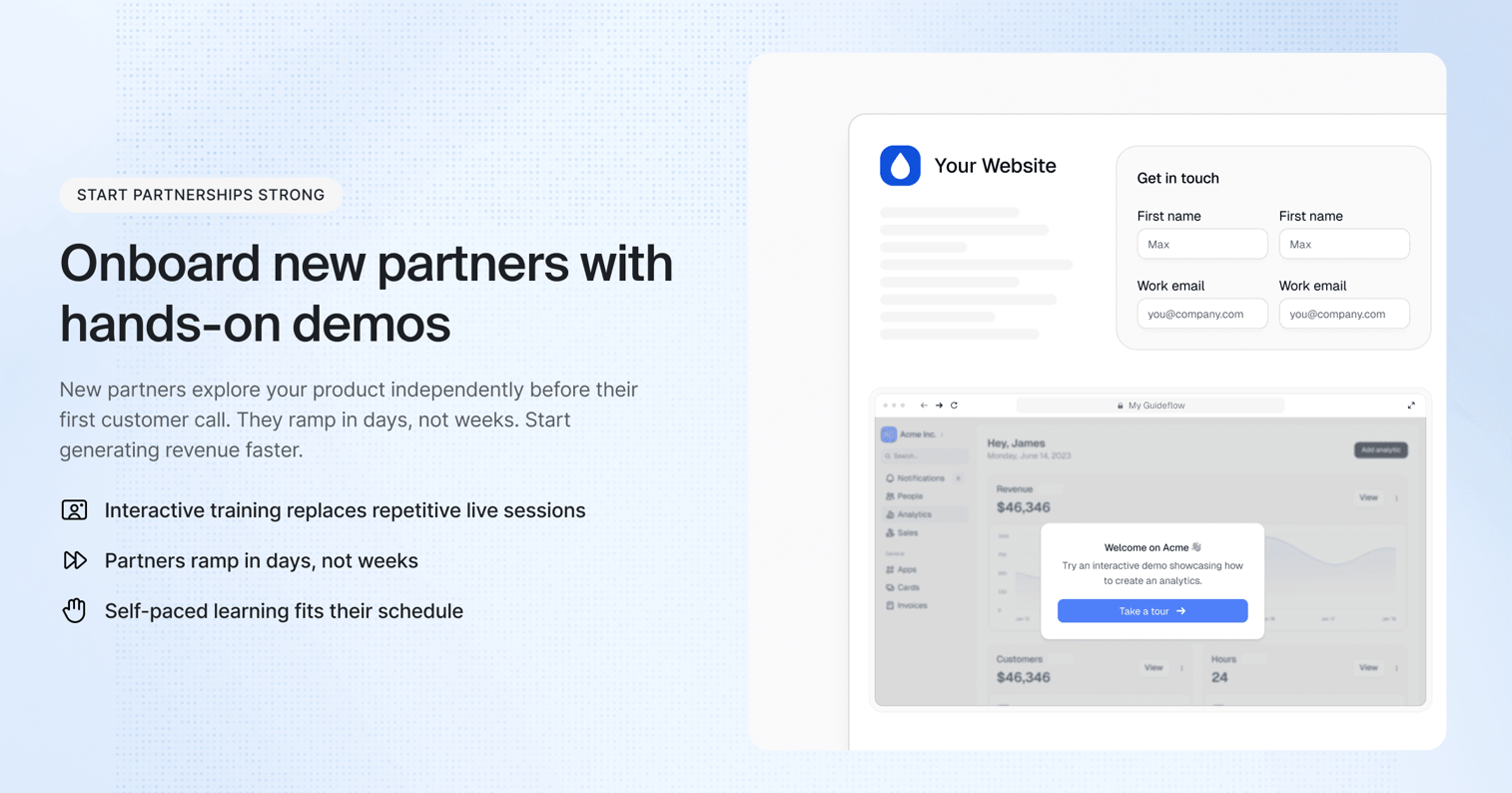
Traditional partner training is just so flat - PDFs, decks, or webinars just don't cut it. Partner reps are left holding onto key info for dear life, especially when training is a one-size-fits-all, one-hit wonder thing.
Solution
Use interactive demos to power those hands-on, self-paced training experiences. Partners can explore product workflows in context, making it all stick a whole lot better - plus you can update the content on the fly.
Benefits
- Better product mastery through interactive practice
- Scales training without the need for live sessions or 1:1 time
- Supports global partners across time zones - no worries
- Reinforces knowledge during and after certification
- Keeps content current with easy updates to demo flows
How to use
- Throw it into your partner certification program or LMS
- Add it to onboarding tracks for new partners
- Share it as refresher training for existing reps
- Use it as pre-work for live enablement sessions or webinars
Think of it as on-demand product-led training that works with how partners learn.
Use case 7: Launch new features with clickable, guided walkthroughs
Challenge
Even that super important new feature can get lost in translation if users aren't shown what to do and why it matters. Traditional launch strategies just don't cut it - emails, tooltips or blog posts just don't drive engagement the way you need them to.
Solution
Use interactive demos to create guided, self-serve walkthroughs that bring your new features to life. Embed them in changelogs, in-app messages, onboarding checklists, and enablement content to let users explore real functionality in a risk-free, clickable format before they ever touch the live product.
Benefits
- Turns passive launch announcements into hands-on product learning
- Accelerates time-to-value by guiding users to "aha" moments faster
- Reduces friction for first-time users and drives early activation
- Creates internal alignment with Sales, CS, and Marketing on what the feature does and how to position it
- Gives PMs insight into user interest and engagement before full adoption metrics roll in
When to use
- On launch day, to fuel engagement from day one
- In onboarding flows to help new users discover fresh capabilities
- Inside changelogs, help centers, and email announcements for contextual learning
- As a lightweight internal asset for the GTM team enablement
Think of it as your feature’s first impression designed to convert curiosity into confident usage.
Use case 8: Boost landing page conversion with clickable product previews
Challenge
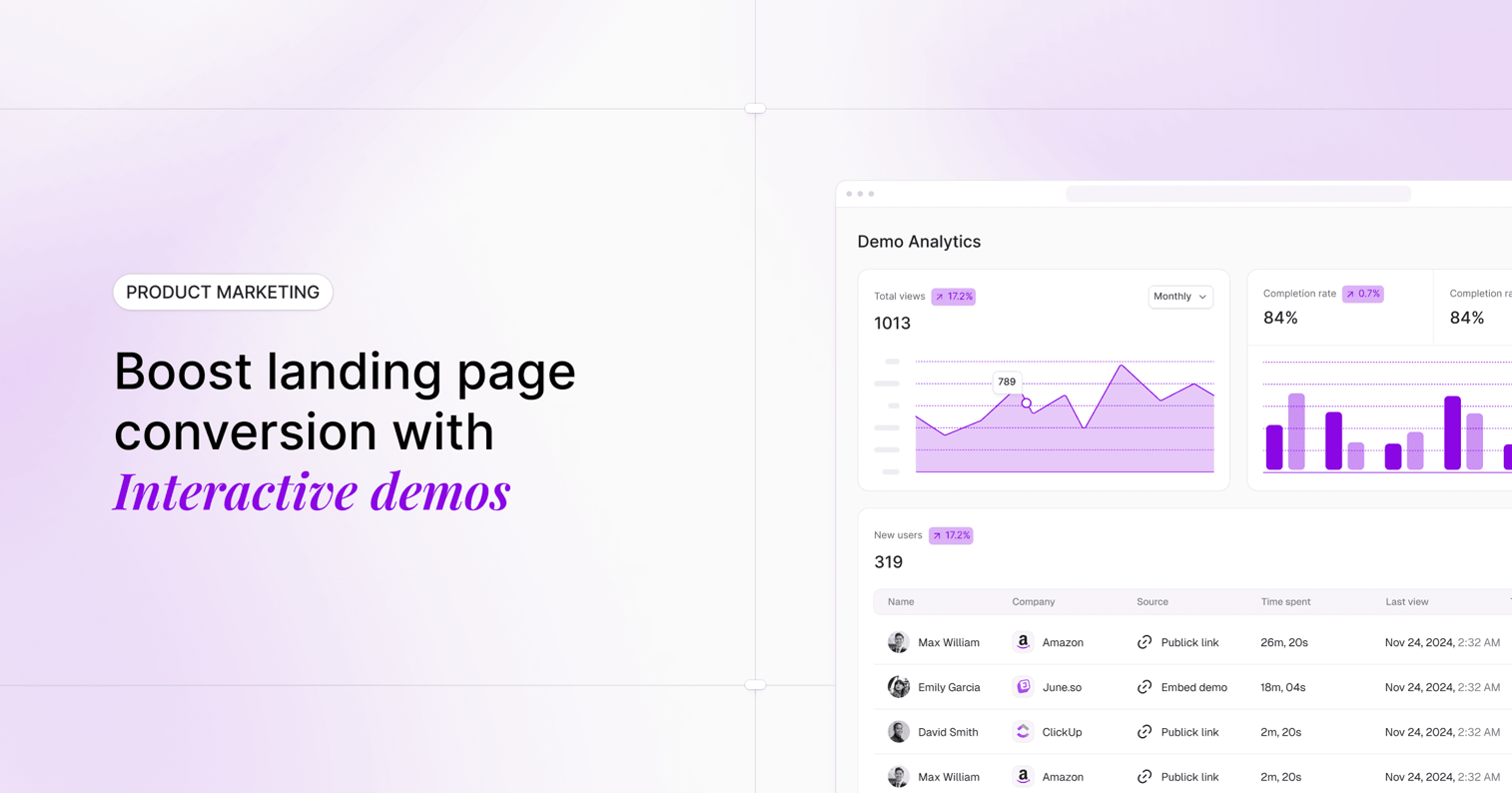
Landing pages are often static, filled with copy, screenshots, or explainer videos that struggle to convey what using the product feels like. But today's buyers crave interactivity. They bounce if they can't quickly understand and feel the product's value.
Solution
Embed interactive demos directly onto your high-intent landing pages. Let visitors click through key workflows without signing up, giving them a hands-on preview of the product experience, right when interest is highest.
Benefits
- Increases time-on-page and lowers bounce rate by offering real engagement
- Qualifies visitors through meaningful interaction, not just clicks
- Improves conversion rates by letting users experience value before entering the funnel
- Aligns with product-led growth strategies by putting the product front and center
- Provides behavioral insights into what features or flows spark curiosity
When to Use
- On your homepage hero for instant value communication
- On product or feature pages, to show instead of tell
- On paid campaign pages to improve ROI with a faster path to “aha”
- As a testable element in A/B conversion experiments
Think of it as a real-time elevator pitch, one that users click through, not scroll past.
Key features of Guideflow interactive demos
Fast setup with no-code capture technology
Build comprehensive educational experiences by capturing your product workflows directly from your browser or desktop. Guideflow eliminates engineering dependencies through multiple capture methods - screenshot-based, HTML-based, and video-based recording - enabling any team member to create professional educational content without technical expertise.
Benefits
- Eliminates engineering bottlenecks and development resource dependencies for educational content creation
- Reduces educational asset creation time from days to minutes, enabling rapid deployment
- Enables non-technical team members to create sophisticated educational experiences independently
- Ensures consistent performance across all devices and platforms without additional development overhead
Plug-and-play educational experience editor
Transform captured workflows into guided learning experiences using intuitive editing tools. Add tooltips, call-to-actions, highlights, and contextual information to create clear, focused educational journeys that eliminate the need for human explanation and guidance.
Benefits
- Creates autonomous educational experiences that replace human-intensive training and explanation
- Enables rapid content updates and modifications without requiring content recreation or technical support
- Provides instant preview capabilities that accelerate educational content optimization and deployment
- Standardizes educational delivery quality across all team members and customer touchpoints
AI-powered content generation and localization
Leverage artificial intelligence to automatically generate step descriptions, create contextual explanations, and translate content into multiple languages. AI assistance eliminates the manual content creation overhead that typically requires extensive human resources and ongoing maintenance.
Benefits
- Accelerates educational content creation through automated step generation and contextual explanations
- Enables instant localization across global markets without requiring translation resources or regional expertise
- Provides synthetic voiceovers and avatar overlays that eliminate the need for human narration and video production
- Scales content customization across unlimited scenarios without proportional resource increases
Dynamic personalization and smart customization
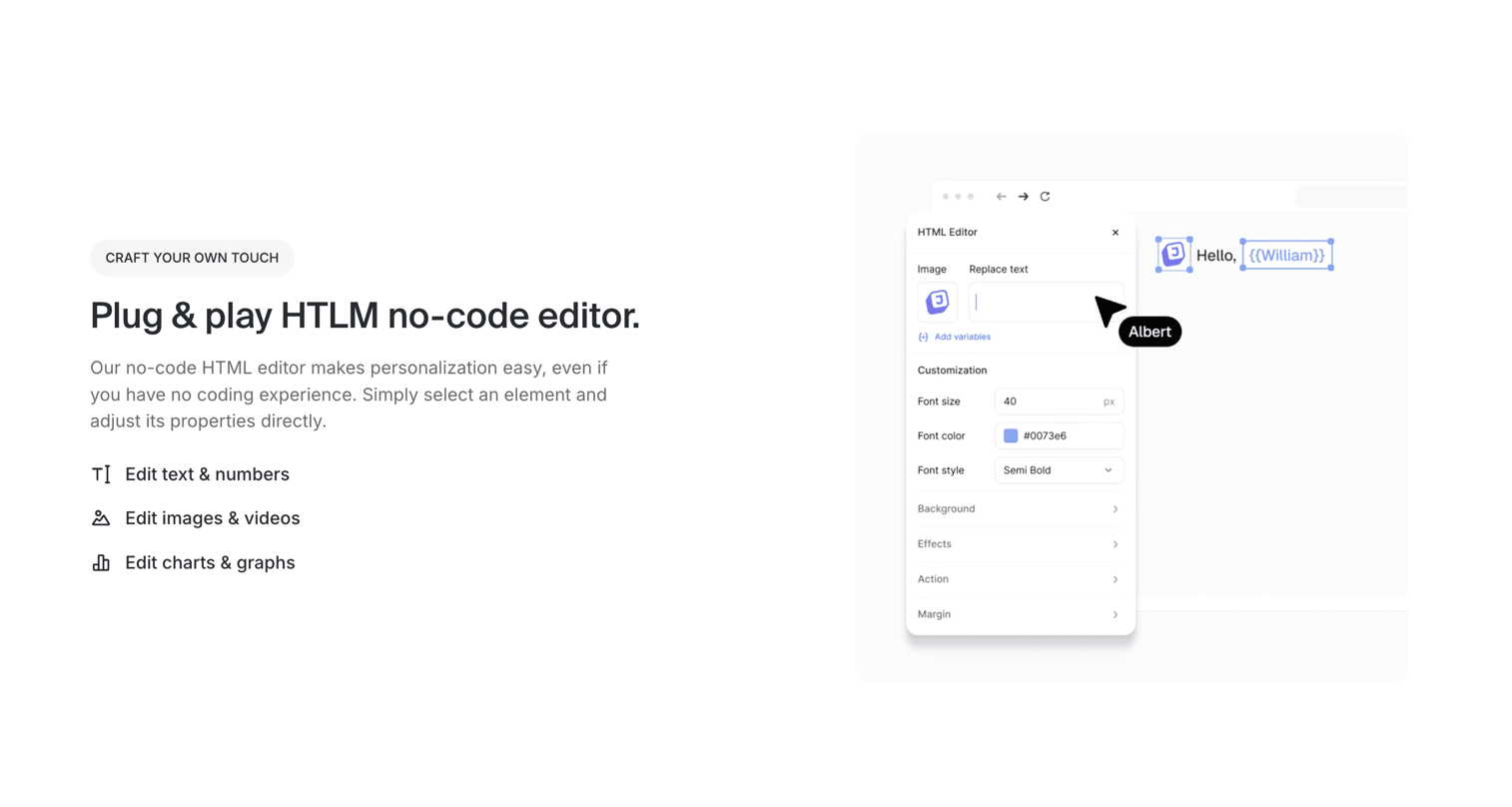
Personalize educational experiences in real-time using variables from CRM systems and other data sources. Customize text, visuals, charts, and embedded content to match individual prospect profiles, use cases, and company contexts without requiring custom educational content creation.
Benefits
- Increases educational relevance and engagement without requiring manual customization for each prospect or customer
- Accelerates qualification through personalized learning experiences that provide behavioral insights
- Maintains data security while enabling realistic scenarios that demonstrate product value effectively
- Scales personalized education across unlimited prospect and customer volumes without human intervention
Comprehensive sharing and deployment infrastructure
Distribute educational experiences through multiple channels including public links, private access, website embeds, and downloadable formats. Advanced access controls and sharing mechanisms enable scalable deployment across all touchpoints while maintaining security and engagement tracking.
Benefits
- Enables flexible deployment across multiple channels and contexts without requiring channel-specific content creation
- Maintains control over educational access and audience targeting through sophisticated permission management
- Supports both self-service and guided educational approaches without requiring separate asset development
- Provides export capabilities (PDF, GIF, video) that enable offline use and integration with existing content systems
Real-time engagement analytics and behavioral intelligence
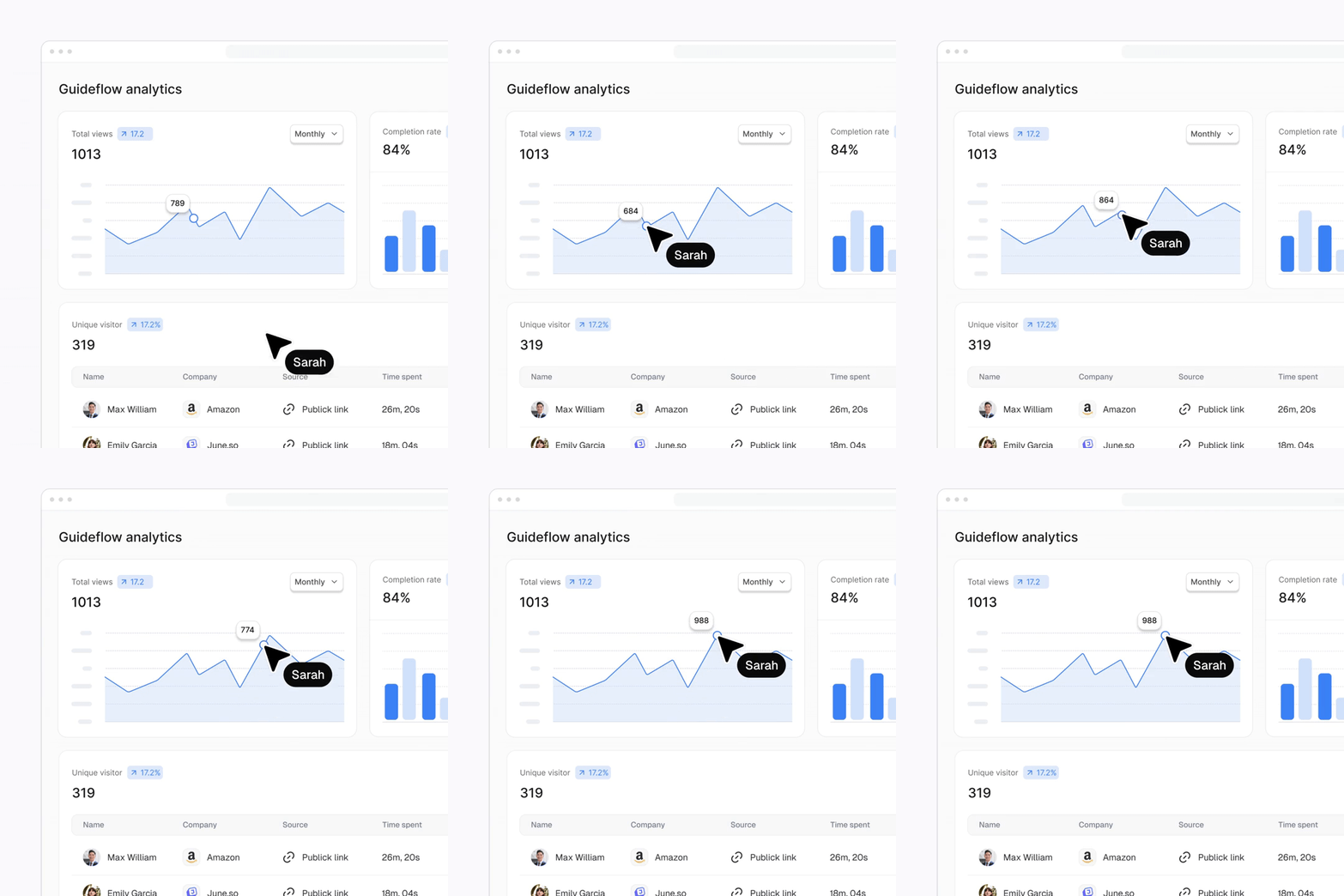
Track comprehensive educational engagement including completion rates, interaction patterns, time spent, and drop-off analysis. Advanced analytics provide qualification insights and optimization data that improve educational effectiveness while identifying high-intent prospects automatically.
Benefits
- Provides actionable insights for sales follow-up and prospect prioritization without requiring manual qualification processes
- Enables continuous educational optimization based on behavioral data and learning outcome analysis
- Identifies high-intent prospects through engagement patterns and interaction depth automatically
- Improves conversion rates through data-driven educational improvements and optimization
Team collaboration and content management systems
Enable collaborative educational content development through shared workspaces, version control, and commenting systems. Organize educational assets by team, use case, or audience segment while maintaining consistent messaging and quality standards across all touchpoints.
Benefits
- Streamlines educational content development and maintenance across distributed teams and geographies
- Ensures consistent messaging and educational quality through centralized content management and version control
- Reduces content creation overhead through template systems and shared asset libraries
- Enables rapid content updates and deployment across all channels and touchpoints simultaneously
Enterprise integration and automation capabilities
Connect seamlessly with existing go-to-market systems including CRM platforms, marketing automation tools, and customer success systems. Automated data flows and workflow triggers optimize resource allocation while providing qualification insights that improve operational efficiency.
Integration capabilities
- CRM synchronization with Salesforce, HubSpot, and other platforms for automated lead scoring and qualification
- Marketing automation integration for triggered educational sequences and behavioral follow-up campaigns
- Customer success platform connections for onboarding automation and support efficiency optimization
- Analytics platform integration including GA4, Amplitude, and Mixpanel for comprehensive performance tracking
Benefits
- Streamlines educational campaign management and prospect qualification through automated workflows
- Reduces manual data entry and administrative overhead while improving accuracy and response times
- Enables automated resource allocation based on educational engagement and behavioral qualification data
- Provides comprehensive performance tracking that optimizes educational ROI and operational efficiency
Interactive demos deliver compounding operational value by eliminating resource dependencies and automating educational processes across the entire customer lifecycle.
How to create an interactive product demo in 5 steps
Creating a powerful interactive demo isn’t just about clicking 'record.' It requires clarity, storytelling, and intentional design. Here’s a step-by-step approach to get it right:
Step 1: Define your use case
Building a powerful interactive demo requires clarity, storytelling, and intentional design. Start by defining your purpose: are you driving awareness, capturing leads, enabling sales, or training users? Your use case determines the demo's tone, structure, and depth.
Step 2: Gather the right assets
Next, gather the right assets. Assemble product insights, value propositions, and those critical "aha" moments that make prospects lean in. Choose workflows that solve key pain points and demonstrate clear differentiators. Remember - one powerful story beats a scattered feature list every time.
Step 3: Storyboard your experience
Before building, storyboard your experience. Great demos follow a narrative arc: set up the problem, walk through the solution, and end with a clear outcome or call-to-action. Use tooltips, branching paths, and custom CTAs to transform passive viewing into guided interaction.
Step 4: Build and polish the demo
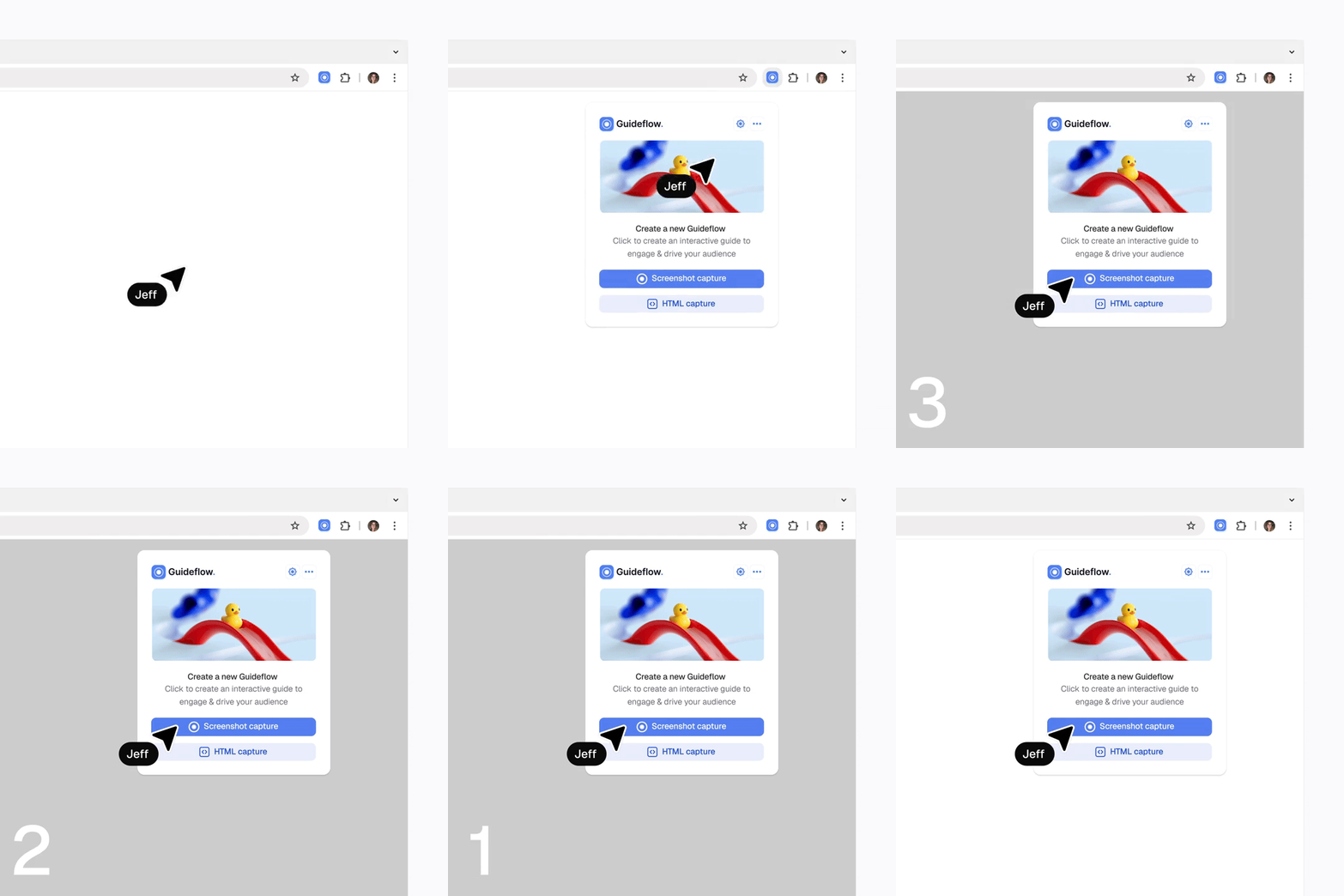
With platforms like Guideflow, the actual building process becomes straightforward. Capture your product flow directly from your browser, add contextual elements like calls-to-action and overlays, customize the design to match your brand, then embed, share, and track performance.
Step 5: Measure and iterate
The key is continuous improvement. Use engagement analytics to understand where users drop off, which steps generate the most interaction, and whether your CTAs drive action. Refine your demo like you would a landing page, constantly iterating based on data.
Conclusion
Interactive demos represent a fundamental shift in how companies scale personalization, product education, and buyer trust - all before a human enters the conversation. They serve as your always-on, always-ready product champion.
Whether you're looking to increase qualified pipeline, improve onboarding outcomes, reduce support volume, or enable your team with scalable content, interactive demos deliver unmatched ROI when designed strategically and deployed thoughtfully.
The gap between showing and telling has never been more critical. In a world where buyers control their journey and expect immediate value, interactive demos bridge that gap elegantly. They transform complex products into clear value propositions, turning curiosity into conviction at scale.
Start your journey with Guideflow today
FAQs about interactive product demos
Interactive product demos are dynamic web-based assets that let prospects explore your product through guided click-through simulations, contextual tooltips, and embedded media without requiring a login or live environment.
81% of customers try to solve problems independently before contacting support, and B2B buyers spend only 17% of their journey meeting with vendors, making self-directed product exploration essential for modern sales.
Companies using interactive demos report 20-50% higher MQL to SQL conversion, 15-30% shorter sales cycles, and 10-30% better free-to-paid conversion by letting buyers self-educate before sales conversations.
Embed interactive demos on homepage heroes for instant value communication, product pages to show instead of tell, and paid campaign landing pages to improve ROI with faster paths to "aha" moments.
Guideflow offers no-code capture technology with screenshot, HTML, and video-based recording, plus AI-powered content generation, dynamic personalization using CRM data, and real-time engagement analytics without requiring engineering resources.
With platforms like Guideflow, you can capture product workflows directly from your browser and build a complete interactive demo in under 30 minutes using intuitive editing tools.
Yes, interactive demos work on tablets, laptops, or kiosk screens without requiring wifi or live environments, making them perfect for trade shows and conferences where connectivity is unreliable.
Support teams embed interactive guides in help articles and responses, walking customers through complex workflows visually instead of writing lengthy step-by-step instructions, which increases first contact resolution rates.
Track completion rates, interaction patterns, time spent per step, drop-off points, and CTA engagement to identify high-intent prospects and continuously optimize your demo effectiveness.
Interactive demos complement live demos by handling initial education and qualification, letting sales reps focus conversations on specific use cases and objections rather than basic product walkthroughs.