You have 84 stops, six drivers, and a spreadsheet that took two hours to build. By 9 a.m. one driver calls in sick. Now the whole plan is wrong, and the ETAs you promised customers are already slipping.
That is the reality of manual routing at any real scale. Every added stop multiplies the planning math. Every reroute cascades into missed windows, wasted miles, and frustrated drivers. And spreadsheets do not know that a left turn across four lanes at 5 p.m. is a bad idea.
Route optimization software takes that math off your plate. It ingests your stops, driver availability, time windows, vehicle constraints, and service durations, then produces sequenced routes that cut mileage and balance workload. Good tools push those routes to a driver app, track execution in real time, and send customers accurate ETAs.
The category is growing fast. The global route optimization software market is projected to reach roughly USD 16.78 billion by 2031, up from USD 8.98 billion in 2026, a 13.32% CAGR, according to Mordor Intelligence (2026). Cloud deployments already represent about 65.7% of revenue, which means most of these tools now run entirely in your browser.
Choosing the right one is less about feature checklists and more about fit. If you evaluate adjacent workflow software the way a product manager evaluates onboarding tools, you already know the drill: stack fit, change-management overhead, and measurable operational impact matter more than any single flashy feature. This guide applies that same lens. For teams thinking about how software impacts operations broadly, our roundups on best event planning software and best image optimization software follow the same evaluation-first structure.
What's inside
This guide compares seven route optimization tools built for delivery, fleet, and field-service teams. It is written for operations managers, dispatchers, fleet leads, and anyone evaluating a routing tool against a real workflow rather than a demo reel.
We ranked and reviewed each tool on six criteria that matter in day-to-day operations:
- Route quality: how well it minimizes miles and time across many stops
- Bulk import: how fast you can load hundreds of addresses
- Mobile execution: the driver app and navigation handoff
- Driver handoff and dispatch: assignment, balancing, and reroutes
- Pricing clarity: transparent, predictable cost
- Trust signals: G2 ratings and adoption
TL;DR
Short on time? Here are the quick decision shortcuts.
- Best overall for broad planning plus dispatch depth: Route4Me, the most established all-around platform for complex operations.
- Best for delivery-first teams: Routific, purpose-built for delivery routing, tracking, and proof of delivery.
- Best for bulk address import and straightforward planning: MyRouteOnline, a fast multi-stop planner with minimal setup.
- Best free-tier options: RouteXL for small route sets and EZRoutePlanner for cost-sensitive teams.
- Best for last-mile dispatch execution: Onfleet, built around real-time tracking and driver coordination.
- Best for recurring routes and scheduling control: OptimoRoute, strong on time windows and repeat optimization.
What is route optimization software?
Route optimization software is a tool that calculates the most efficient sequence and assignment of stops across one or more vehicles, factoring in constraints like time windows, capacity, and driver availability.
Unlike a basic map app that draws a line between points in the order you enter them, route optimization software solves the harder problem: given all your stops and rules, what is the sequence and driver split that minimizes total time and distance?
What it does. It converts a raw list of addresses into sequenced, driver-assigned routes, then pushes them to navigation and tracks execution.
Who uses it. Delivery operations, courier and last-mile businesses, field service teams, fleet managers, dispatchers, and logistics-minded evaluators comparing vehicle routing software.
What problems it solves. It cuts mileage and fuel, balances stops evenly across drivers, hits promised time windows, removes hours of manual spreadsheet planning, and gives dispatch real-time visibility.
How it differs from basic map apps. Consumer map tools cap out at a handful of stops and do not optimize order, assign drivers, respect time windows, or report on execution.
Core capabilities you will find across most route management software:
- Multi-stop route planning and sequencing
- Driver assignment and workload balancing
- Address import and route export
- Time windows and stop constraints
- Driver navigation and status updates
- Live tracking and reporting
Retail and FMCG accounted for 31.25% of route optimization market share in 2025, while on-demand food delivery is the fastest-growing segment at 15.03% CAGR through 2031, per Mordor Intelligence (2025). If you sit in either vertical, expect the category to keep maturing around your use case.
When to use route optimization software
Not every team needs a full routing platform on day one. Here is where the switch from manual planning pays off.
Plan daily multi-stop deliveries
If you dispatch dozens or hundreds of deliveries a day, a delivery route planner stops being optional. Same-day fulfillment, courier runs, and grocery or meal delivery all involve tight windows and shifting order volumes. A multi-stop route planner rebuilds the plan in seconds when volume spikes or a driver drops out, which manual planning cannot match.
Coordinate field teams and service routes
Technicians, sales reps, and service crews face the same sequencing problem as delivery drivers, plus longer, variable service durations at each stop. Routing software accounts for appointment windows, skill matching, and job length, then sequences the day so crews spend less time driving and more time on billable work.
Reduce manual dispatch work at scale
When your planning process spans multiple spreadsheets, a wall map, and a group chat, it has outgrown ad hoc tools. Fleet routing software centralizes assignment, reroutes, and communication in one place. That reduces the coordination tax on your dispatchers and removes the single-person dependency where only one planner knows how the routes actually work.
Comparison table
Read the table top-down by relevance to the primary use case. The intent column tells you the core job each tool is built for, and key differentiation is the reason you would pick it over the others. Pricing reflects publicly listed values, and G2 ratings reflect current listings where available.
| # | Product | Intent | Key differentiation | Pricing | G2 rating |
|---|---|---|---|---|---|
| 1 | Route4Me | Broad platform: planning, dispatch, tracking | Configurable last-mile optimization at scale | Contact sales (customized) | 4.7/5 |
| 2 | Routific | Delivery-first routing and management | Route planning plus proof of delivery and notifications | Free up to 100 orders/mo; $150/mo to 1,000 orders | 4.8/5 |
| 3 | MyRouteOnline | Fast multi-stop planning | Bulk import up to 1,000 addresses, route export | From $19/mo (also pay-as-you-go) | 4.5/5 |
| 4 | EZRoutePlanner | Simple, low-cost multi-stop routing | AI stop sequencing with a free tier | Free tier; from $9.99/mo | Not listed |
| 5 | Onfleet | Last-mile dispatch and execution | Real-time tracking, auto-dispatch, driver app | From $619/mo | 4.6/5 |
| 6 | OptimoRoute | Recurring routes and scheduling | Time windows, recurring optimization, live ETAs | From $35.10/driver/mo (annual) | 4.8/5 |
| 7 | RouteXL | Lightweight free route planning | Free up to 20 stops per route | Free; paid from €5/day | 4.2/5 |
1. Route4Me
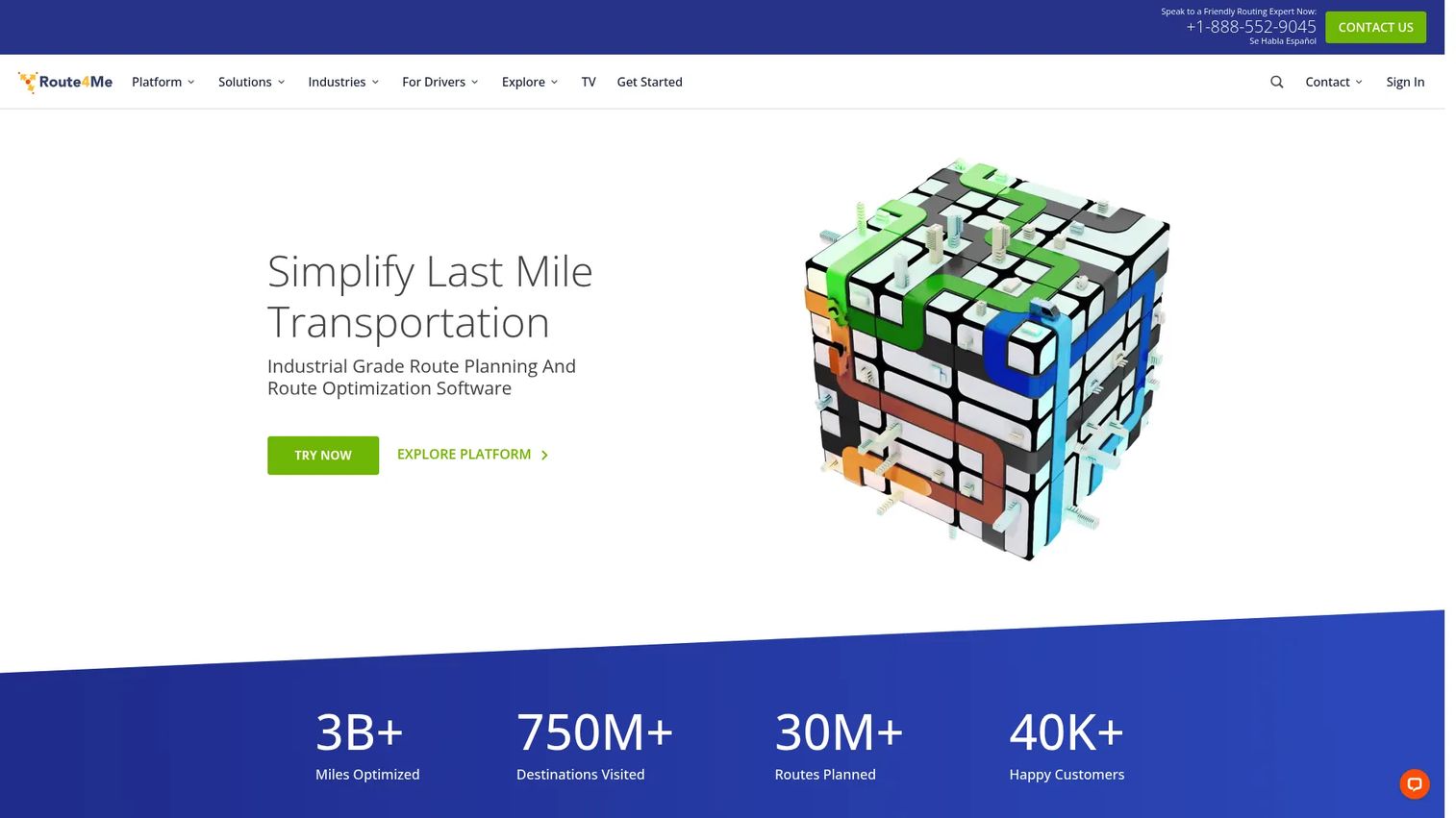
Route4Me is one of the most established names in last-mile route optimization, and it earns the top spot for teams that need planning, dispatch, tracking, and customer communication in a single platform. It is built for operations that outgrow single-purpose planners and need configurable routing across many drivers, vehicles, and verticals. If your workflow spans everything from route generation to proof of delivery, Route4Me covers the full arc.
Best for: Businesses that need configurable last-mile route optimization and dispatch at scale.
Key strengths
- Route planning and optimization: Generates sequenced multi-stop routes across your fleet with constraint handling.
- Dispatch and real-time tracking: Assigns routes to drivers and tracks execution live from a central dashboard.
- Customer notifications and proof of service: Sends ETAs and captures proof of delivery or service completion.
Why choose Route4Me: Pick Route4Me when your operation is complex enough that a lightweight planner leaves gaps. The platform is designed to scale from planning through execution, so dispatchers, drivers, and customers all work from the same source of truth. For a product-minded evaluator, that consolidation reduces stack sprawl and the coordination overhead of stitching several tools together.
Route4Me pricing: Route4Me uses customized pricing rather than public numeric tiers. Its pricing page lists Route Optimization, Business Optimization, and Enterprise Optimization plans, each with a "Contact Us" call to action, so you will need to talk to sales for a quote scoped to your fleet size and feature needs. A free trial is publicly referenced, which lets you validate fit before committing.
2. Routific
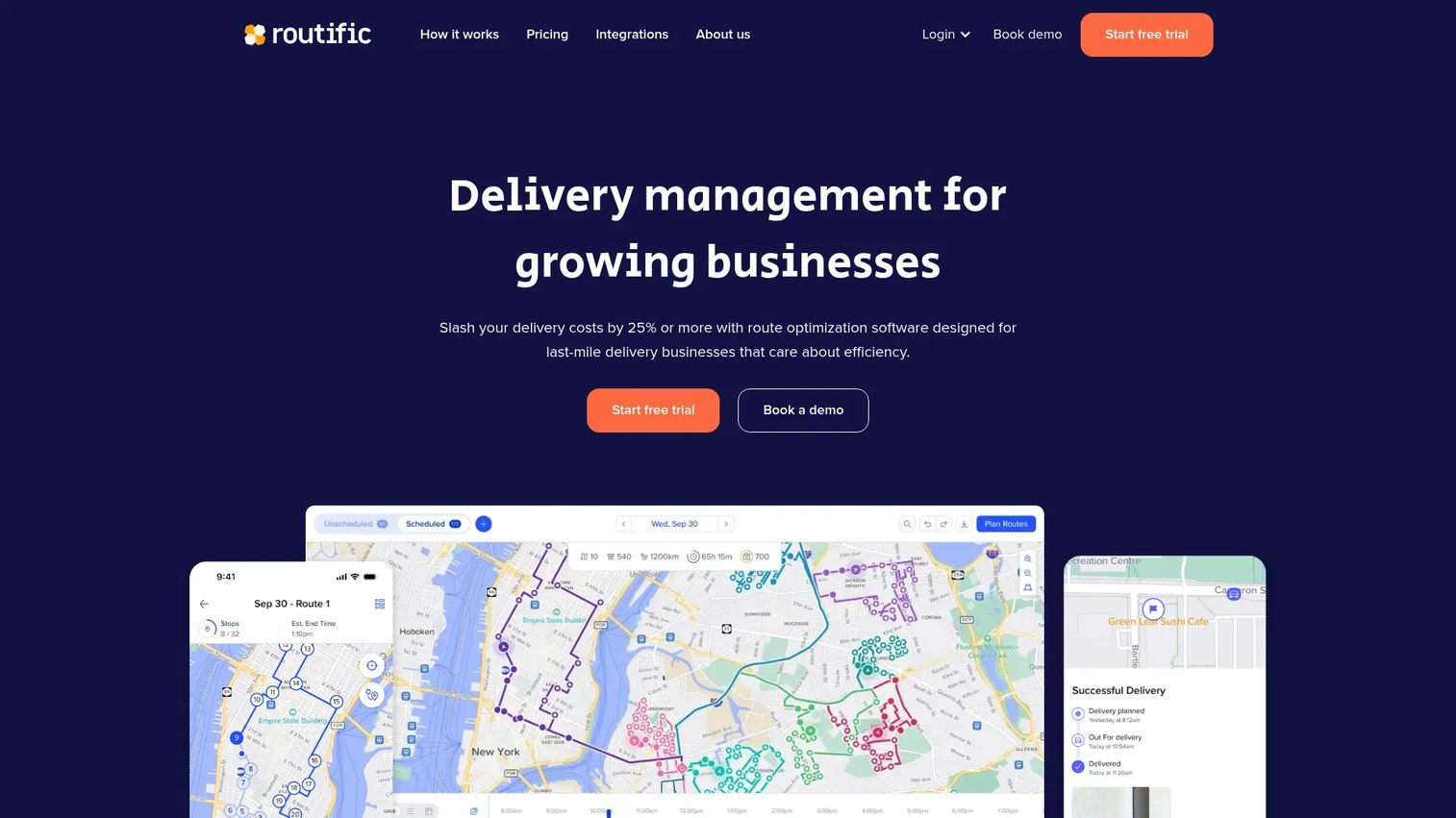
Routific is delivery management and route optimization built for growing delivery businesses. Where some tools try to serve every routing scenario, Routific keeps a tight focus on the delivery workflow: plan the routes, dispatch to drivers, track them in real time, and prove the delivery happened. That focus makes it a practical delivery route optimization software choice for teams that do not want to overcomplicate their stack.
Best for: Delivery businesses that need route planning, dispatch, tracking, and proof of delivery in one place.
Key strengths
- Route optimization and balancing: Builds efficient multi-stop routes and spreads stops across drivers.
- Driver mobile app with GPS tracking: Gives drivers turn-by-turn navigation and gives dispatch live location.
- Proof of delivery and notifications: Captures delivery confirmation and keeps customers informed with automated updates.
Why choose Routific: Choose Routific when delivery is your core motion and you want a routing stack that maps cleanly to how delivery actually runs. It avoids the sprawl of an all-in-one logistics suite while still covering planning through proof of delivery. Its high G2 rating reflects that focused fit for growing delivery teams.
Routific pricing: Routific starts free for up to 100 orders per month, which makes it easy to trial with real volume. The Pay As You Grow plan is $150 per month for your first 1,000 orders per month, and beyond that you pay roughly $0.15 per order on volume pricing. The order-based model scales with your business rather than charging per seat, which suits delivery ops with variable daily volume.
3. MyRouteOnline
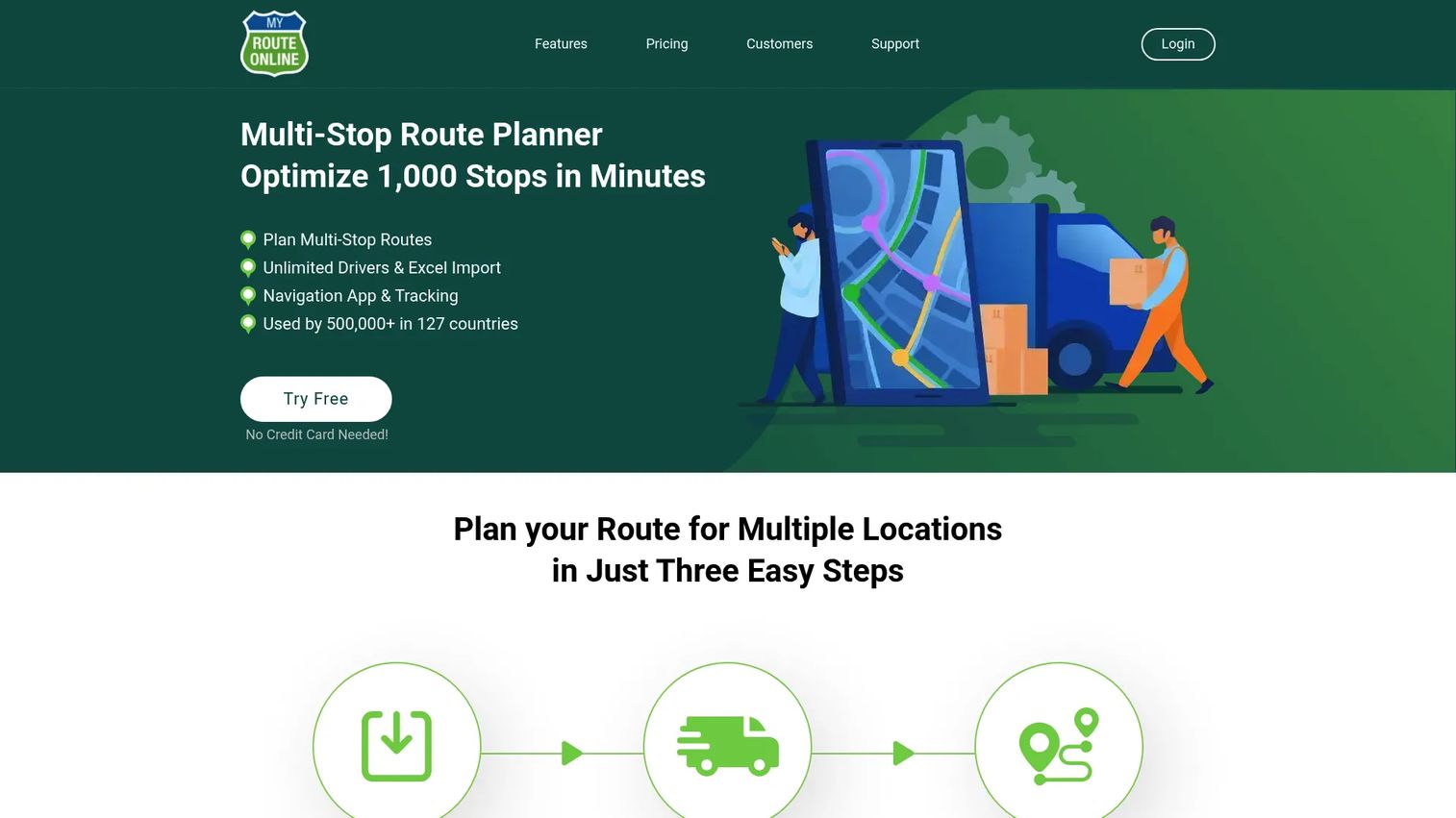
MyRouteOnline is cloud-based multi-stop route planning and optimization software built for speed and minimal setup friction. It is the tool to reach for when you have a big list of addresses and want optimized, exportable routes without a heavy onboarding process. It handles routes of up to 1,000 addresses and pulls addresses straight from the file formats operations teams already live in.
Best for: Businesses that need fast multi-stop route optimization with flexible, credit-based pricing.
Key strengths
- Multi-stop planning up to 1,000 addresses: Optimizes large stop lists in a single plan.
- Bulk address import: Imports from Excel, CSV, Google Drive, or Dropbox so you skip manual entry.
- Save, export, and mobile tracking: Reloads saved routes, exports or emails them, and offers a mobile app with tracking.
Why choose MyRouteOnline: Choose MyRouteOnline when the priority is getting from a raw address list to an optimized, sequenced route quickly. The bulk import flow removes the biggest time sink in route planning, and the pay-as-you-go option fits teams whose routing volume is seasonal or unpredictable rather than steady.
MyRouteOnline pricing: MyRouteOnline offers both recurring and pay-as-you-go billing. Recurring plans start at $19 per month for Basic, $49 per month for Classic, and $99 per month for Premium. Pay-as-you-go options run from $24 for Basic up to $399 for Professional and $799 for Business. A "Start Free Now" option with no credit card lets you test the planner before choosing a plan.
4. EZRoutePlanner
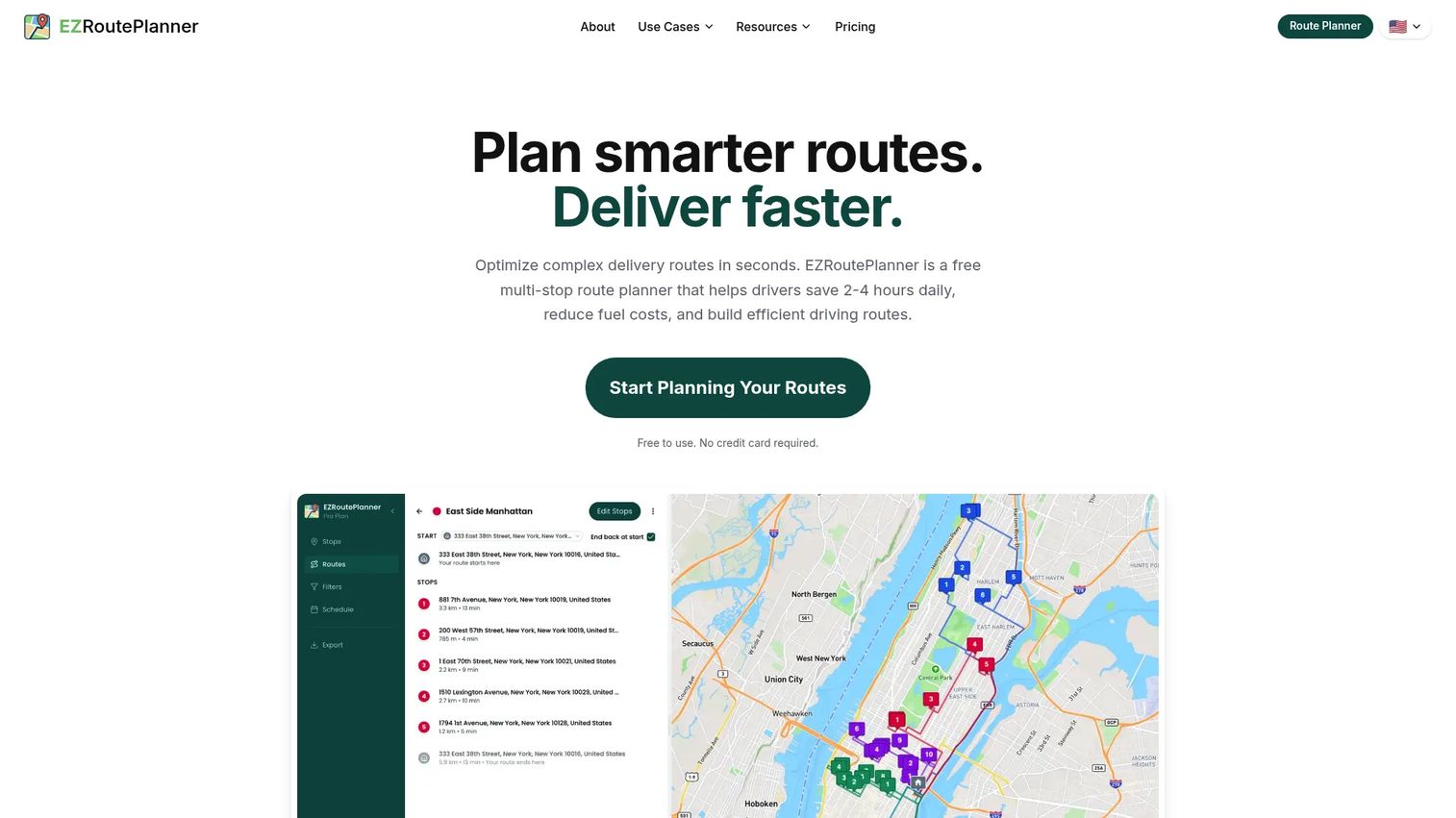
EZRoutePlanner is a free multi-stop route planner aimed at delivery, service, and field routes. It captures the price-sensitive end of the market: individuals and small teams who need optimized routes without a signup wall or a heavy platform. Its AI-powered stop sequencing handles the core optimization job, and routes export straight to Google Maps for navigation.
Best for: Individuals and teams that need simple multi-stop route optimization without a heavy setup.
Key strengths
- AI-powered stop sequencing: Orders stops automatically to cut driving time.
- Bulk address import: Loads many stops at once instead of one-by-one entry.
- Route export to Google Maps: Hands off optimized routes to a familiar navigation app.
Why choose EZRoutePlanner: Choose EZRoutePlanner when budget is the deciding factor and your routing needs are straightforward. It handles larger stop counts than a consumer map app while keeping the workflow simple. For a small delivery or service operation testing whether routing software earns its place, the free tier is a low-risk starting point.
EZRoutePlanner pricing: EZRoutePlanner offers a free tier plus three paid plans: Basic at $9.99 per month, Pro at $39.99 per month, and Enterprise at $99.99 per month, all billed monthly with address-credit allowances. The low entry price makes it one of the more accessible options for cost-conscious buyers.
5. Onfleet
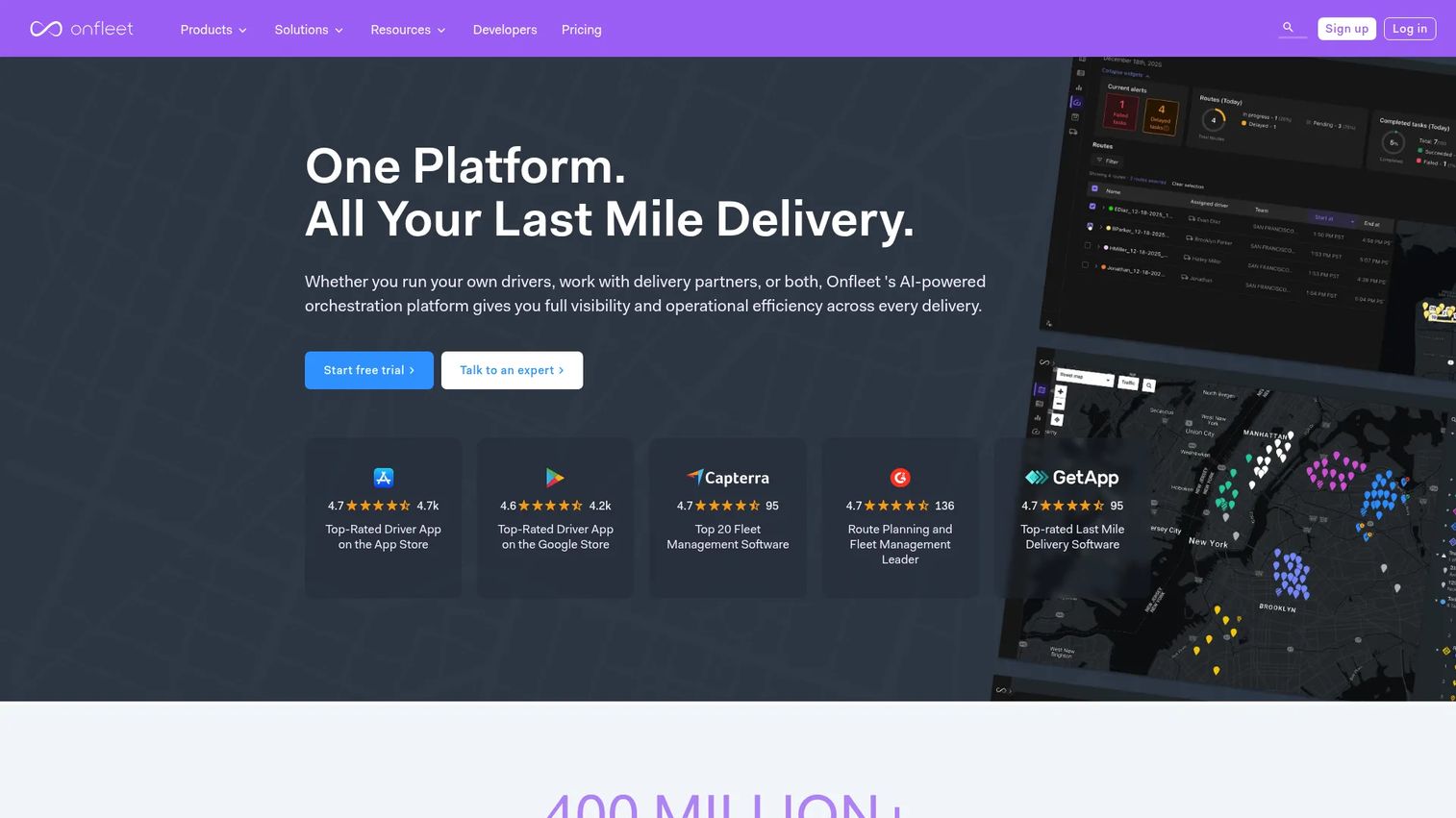
Onfleet is last-mile delivery orchestration software for shippers and couriers. It differs from pure planning tools by putting execution front and center: real-time visibility, auto-dispatch, driver communication, and customer notifications all run from one operational hub. If your challenge is less about generating a route and more about running the delivery day cleanly, Onfleet is built for that.
Best for: Businesses running last-mile delivery operations that need dispatch, routing, tracking, and customer communications together.
Key strengths
- Real-time delivery visibility: Tracks every task and driver live across the operation.
- AI-powered route optimization and auto-dispatch: Optimizes routes and assigns tasks automatically.
- Driver app, dispatcher dashboard, and proof of delivery: Coordinates drivers, dispatch, and customer updates end to end.
Why choose Onfleet: Choose Onfleet when execution and operational visibility matter more than planning alone. The platform is designed for high-volume last-mile teams that need to see, adjust, and communicate about deliveries in real time. Its task-based tiers signal that it is built for operations with meaningful daily delivery volume rather than occasional route planning.
Onfleet pricing: Onfleet's public pricing starts at $619 per month for the Launch plan, which includes 2,500 tasks. Scale is $1,349 per month with 5,000 tasks, and Enterprise starts at $3,099 per month with a contact-sales option. A separate Courier Suite starts at $299 per month. There is no free tier, which reflects its positioning for established delivery operations.
6. OptimoRoute
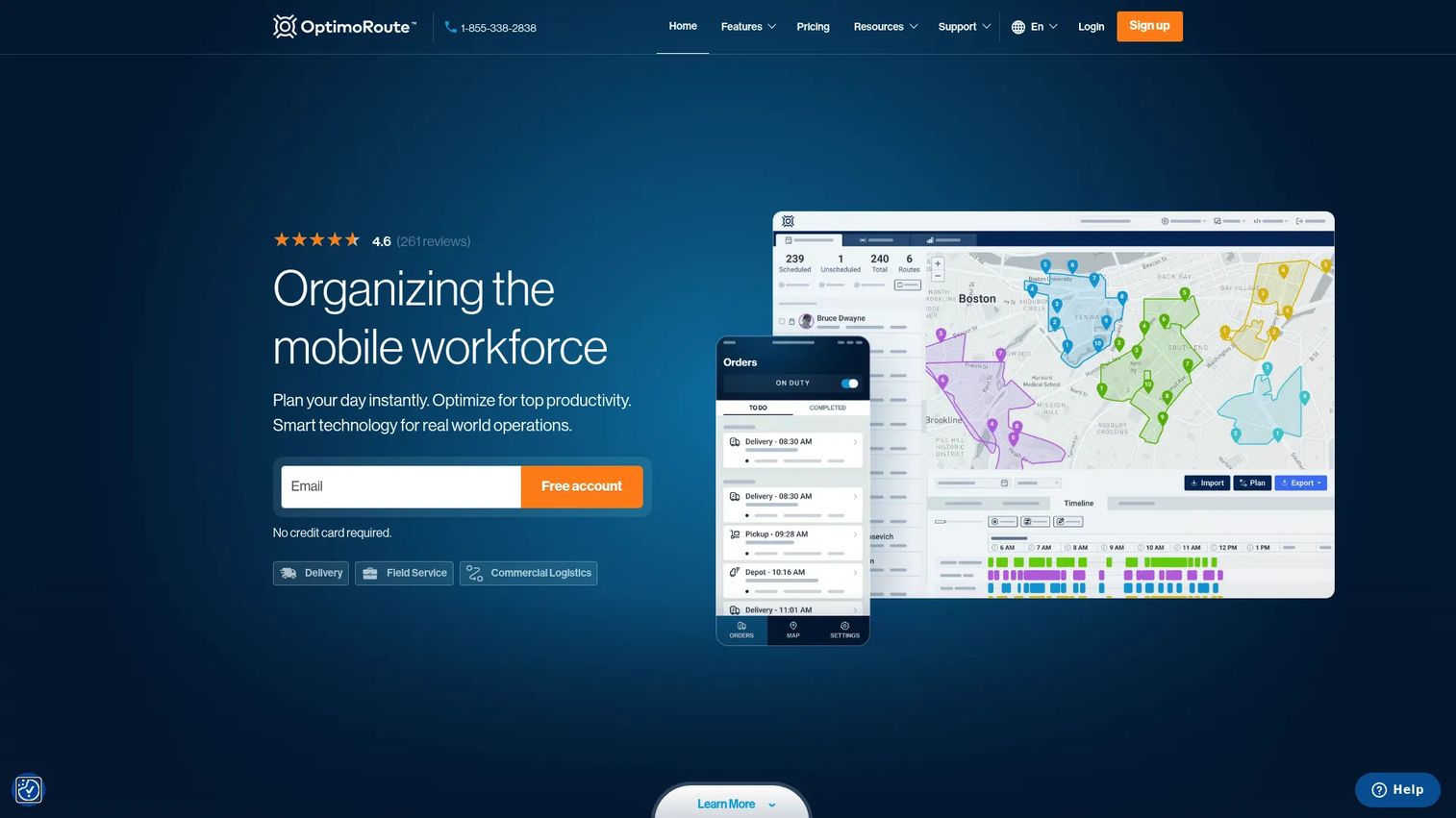
OptimoRoute is route optimization and planning software for delivery and field service businesses, with particular strength in recurring routes and scheduling control. It appeals to teams that run the same or similar routes repeatedly and want tight control over time windows, constraints, and driver schedules. Live tracking and ETA breadcrumbs round out the execution side.
Best for: Delivery and field-service teams that need route planning with tracking and recurring scheduling.
Key strengths
- Route optimization and planning: Builds efficient routes with support for constraints and time windows.
- Driver mobile app: Delivers routes and navigation to drivers in the field.
- Live tracking and ETAs: Shows real-time progress with live ETA and breadcrumb tracking.
Why choose OptimoRoute: Choose OptimoRoute when your routing is recurring and constraint-heavy. The per-driver pricing model is predictable for teams with a stable driver count, and the emphasis on scheduling and time windows suits service operations where appointment accuracy is as important as mileage. It is a strong fit for teams that want to plan a week, not just a day.
OptimoRoute pricing: OptimoRoute publishes per-driver pricing billed annually. The Lite plan is $35.10 per driver per month and the Pro plan is $44.10 per driver per month, with a Custom tier available via contact sales. A 30-day free trial lets you validate fit across a full planning cycle before committing.
7. RouteXL
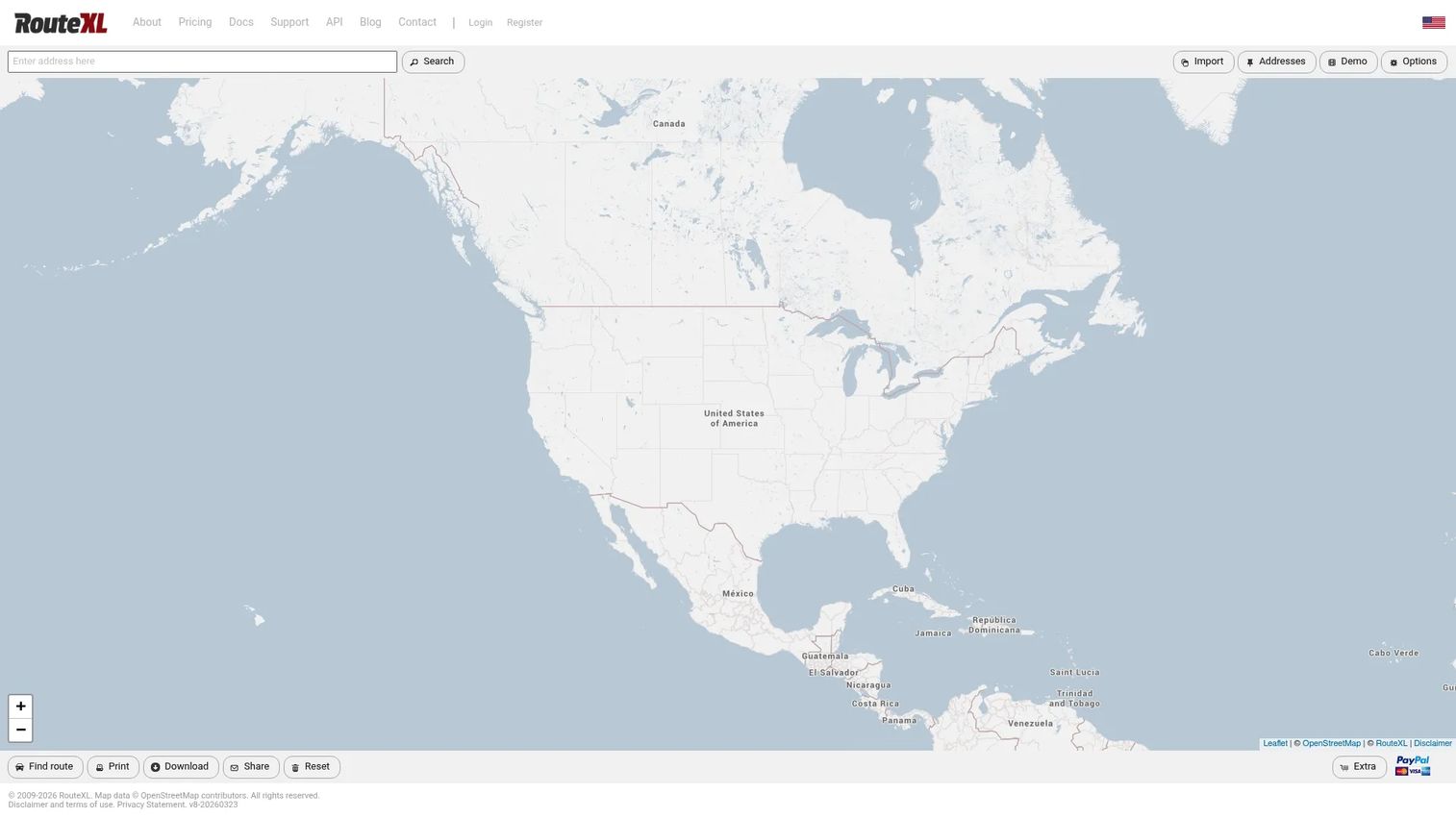
RouteXL is a web-based multi-stop route planner that optimizes routes for deliveries, pickups, and services. It is the lightweight, budget-friendly option on this list: a free tier handles small route sets, and inexpensive daily or monthly upgrades unlock larger routes when you need them. There is no heavy platform to learn, which suits occasional or small-volume planning.
Best for: Businesses that need simple multi-stop route optimization with a free small-route tier.
Key strengths
- Multi-stop route optimization: Reorders stops to minimize total travel time.
- Up to 200 stops per route on paid plans: Scales route size when your needs grow.
- Copy-paste import and export: Loads addresses by paste and exports or prints finished routes.
Why choose RouteXL: Choose RouteXL when your route sets are small and your budget is tight. The free tier handles up to 20 stops per route, which is plenty for a solo driver or a small service run, and the day-pass pricing means you only pay on the days you plan larger routes. It is the most accessible entry point for testing optimized routing without a monthly commitment.
RouteXL pricing: RouteXL is free for up to 20 stops per route. Paid upgrades raise the limit to 100 stops (about €5 per day or €35 per month) or 200 stops (about €10 per day or €70 per month). The daily option is unusual and useful, since you can pay only on the days you plan bigger routes rather than carrying a monthly subscription.
Considerations before you buy
The right pick depends less on which tool has the longest feature list and more on how well it maps to your operation. Run through these criteria before committing.
Route volume and complexity
Count your daily stops, drivers, and constraints honestly. A small service team with 30 stops a day has different needs than a delivery operation running 800. Match the tool's stop limits, driver handling, and constraint support to your real numbers, not your best-case scenario.
Mobile execution and driver handoff
A great route is worthless if drivers cannot follow it. Evaluate the driver app, navigation handoff, and how status updates flow back to dispatch. If your drivers are the primary users, prioritize a clean mobile experience over dashboard features they will never see.
Dispatch versus planning emphasis
Some tools lean toward planning quality, others toward live execution and dispatch. Decide which half of the workflow is your bottleneck. If your plans are fine but the day falls apart in execution, weight dispatch and tracking. If planning eats your mornings, weight optimization and bulk import.
Pricing model and stack fit
Watch whether pricing is per driver, per order, per task, or flat, and model it against your actual volume. Per-order pricing suits variable delivery volume; per-driver pricing suits stable teams. Also check how the tool integrates with the systems you already run, since a routing tool that lives in isolation adds coordination overhead instead of removing it.
Conclusion
There is no single best route optimization software, only the best fit for your route volume, execution needs, and where your bottleneck actually sits.
- Route4Me offers the broadest platform depth for complex operations that need planning, dispatch, and tracking together.
- Routific is the strongest fit for delivery-focused teams that want a clean, delivery-first workflow.
- MyRouteOnline and EZRoutePlanner suit simpler or more budget-sensitive planning, with fast bulk import and low entry prices.
- Onfleet and OptimoRoute shine on execution: Onfleet for real-time last-mile dispatch, OptimoRoute for recurring, scheduled routing.
- RouteXL is the lightweight free option for small route sets and occasional planning.
Start by answering two questions: how many stops and drivers do you handle daily, and is planning or execution your bigger pain? If dispatch is the problem, weight Onfleet or Route4Me. If planning eats your time, weight MyRouteOnline, OptimoRoute, or Routific. If cost is the constraint, start free with RouteXL or EZRoutePlanner and upgrade only when the volume justifies it.
Start your journey with Guideflow today!
FAQs
Route optimization software calculates the most efficient sequence and driver assignment for a set of stops, factoring in constraints like time windows, vehicle capacity, and driver availability. It turns a raw address list into sequenced, executable routes and typically pushes them to a driver app with live tracking. The goal is fewer miles, balanced workloads, and reliable ETAs.
Route planning arranges stops into a route, but does not necessarily find the most efficient order or split across drivers. Route optimization software goes further: it mathematically minimizes total time and distance, assigns and balances stops across multiple vehicles, and respects constraints like time windows and capacity. In practice, most modern tools labeled route planner software include optimization, but always confirm the tool actually reorders and balances rather than just mapping the stops you enter.
For delivery-first teams, Routific is purpose-built around the delivery workflow, from planning through proof of delivery, and Onfleet excels at high-volume last-mile dispatch and real-time execution. Route4Me is a strong all-around choice when you need planning and dispatch depth in one platform. The best pick depends on whether your bottleneck is planning quality or live execution.
Yes. Handling multiple drivers is a core function of vehicle routing software. Tools like Route4Me, Routific, Onfleet, and OptimoRoute assign stops across your fleet and balance workload so no single driver is overloaded. If you run more than one vehicle, prioritize a tool that optimizes across drivers rather than one that plans a single route at a time.
Most do. MyRouteOnline imports from Excel, CSV, Google Drive, and Dropbox and handles routes up to 1,000 addresses. EZRoutePlanner and RouteXL also support bulk import, with RouteXL using a copy-paste flow. Bulk import is one of the biggest time savers in route planning, so confirm the supported file formats and stop limits match your typical route size.
Genuinely unlimited free stops are rare, but strong free tiers exist. RouteXL is free for up to 20 stops per route, EZRoutePlanner offers a free tier, and Routific is free for up to 100 orders per month. For a small operation, these free tiers are usually enough to test whether optimized routing pays off before you commit to a paid plan.
Prioritize multi-driver optimization, bulk address import, time-window and constraint handling, a solid driver mobile app, live tracking, and reporting. Then weigh pricing model against your volume: per-order pricing fits variable delivery loads, while per-driver pricing fits stable teams. Finally, confirm the tool integrates with the systems you already use, so it removes coordination overhead instead of adding another disconnected tool.