If your imaging workflow needs three systems and two manual handoffs to answer one patient-status question, the software stack is the bottleneck. Radiology departments touch scheduling, imaging, clinical reporting, patient records, billing, and hospital operations, and each of those lives in a different system. When those systems don't talk to each other cleanly, radiologists wait on worklists, billing teams chase incomplete orders, and administrators can't answer basic throughput questions without pulling data from four places.
The global radiology information systems market reached $1.2 billion in 2025, growing at a 10.5% CAGR toward a projected $2.6 billion by 2033, according to Grand View Research (2026). That growth reflects how much healthcare operators are investing to fix exactly this problem.
A radiology information system is not a standalone answer. It is the workflow layer in a larger stack that includes image archives, patient records, hospital operations, lab data, and revenue cycle tools. This guide maps every component in that stack so you can identify which system owns which workflow before you talk to a single vendor.
What's inside
This guide covers the 10 core tool categories that make up a radiology software environment. It is built for radiology administrators, healthcare IT leaders, imaging center operators, and founders or executives evaluating or building in the healthcare software market.
Selection criteria for this list:
- Workflow ownership: Does the system have a clear, defined job in the radiology stack?
- Interoperability: Does it connect with RIS, PACS, EHR, or other adjacent systems?
- Deployment fit: Does it suit hospital, imaging center, or multi-site environments?
- Operational visibility: Does it support reporting, billing, or cross-team coordination?
TL;DR
- Best core workflow system: Radiology Information System (RIS), the scheduling, tracking, and reporting layer
- Best for image storage and viewing: Picture Archiving and Communication System (PACS), which stores and displays imaging studies
- Best for patient record continuity: Electronic Health Records (EHR), connecting radiology outputs to the full clinical record
- Best for hospital-wide operations: Hospital Information System (HIS), linking radiology to admissions and administrative functions
- Best for archive strategy: Vendor Neutral Archive (VNA), rated 3.8/5 on G2 for consolidating imaging archives across departments
- Best for billing workflows: Revenue Cycle Management (RCM), rated 4.2/5 on G2 for charge capture, claims, and denial management
What is radiology information system software?
A radiology information system (RIS) is software that manages the administrative, clinical, and operational workflow of a radiology department or imaging center.
RIS software sits at the center of daily radiology operations. It tracks patients from registration through exam completion, manages scheduling and resource allocation, and distributes reports to referring physicians. The system also feeds billing data downstream and communicates with imaging equipment through modality worklists, which tell a CT or MRI scanner which patients to expect and in what order.
The Society for Imaging Informatics in Medicine describes RIS as a computer system used to store, manage, retrieve, and distribute clinical and administrative information across a radiology department. That definition covers a broad set of daily functions that keep imaging departments running.
Core RIS capabilities
- Patient registration and demographic management
- Appointment scheduling and resource tracking
- Modality worklists for scanner coordination
- Exam status tracking from order to report
- Radiology reporting and result distribution
- Billing support and charge data
- PACS and EHR integration via HL7 interfaces
- Workflow analytics and department dashboards
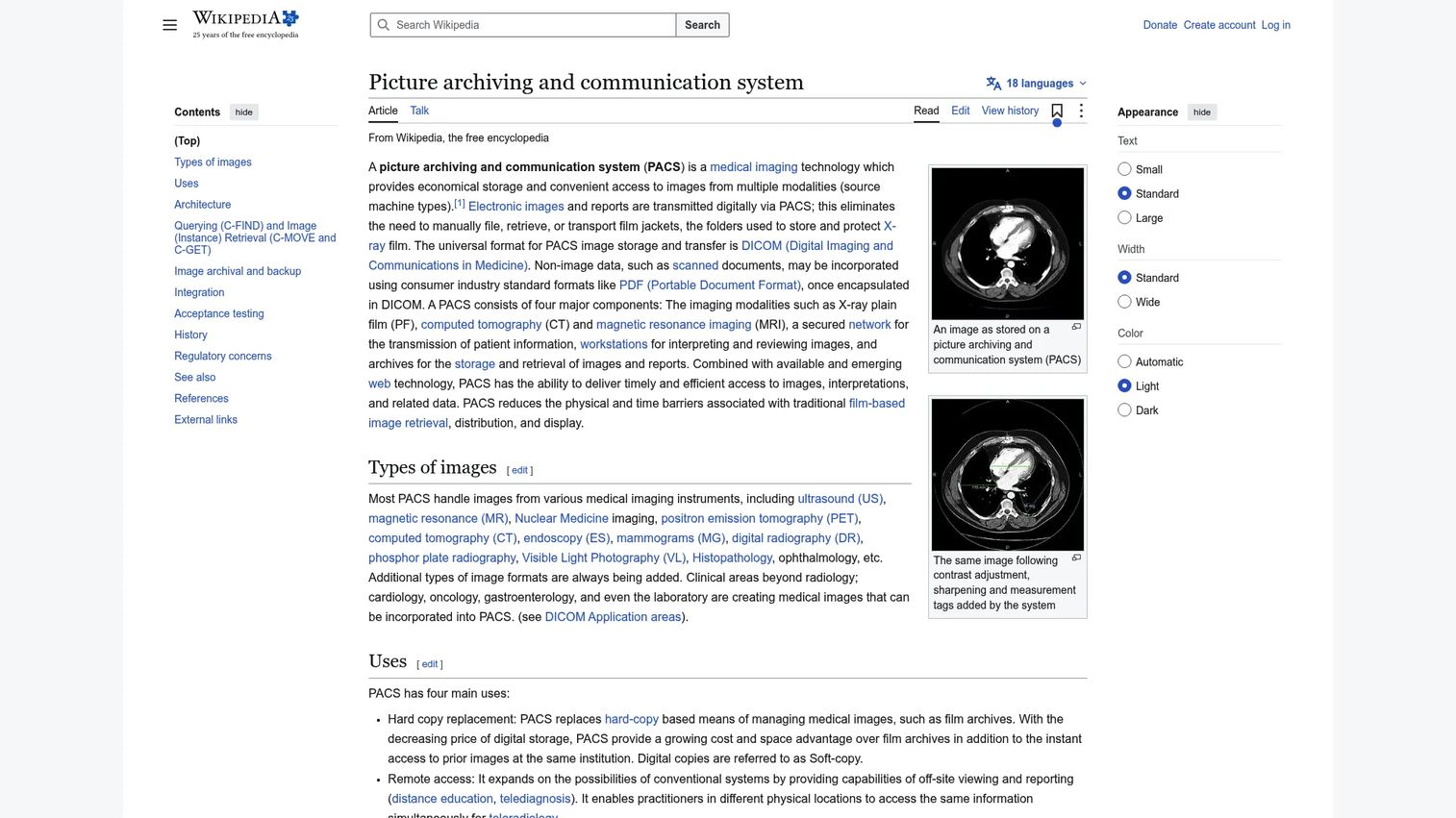
One clarification that matters: RIS is not the same as PACS. RIS manages workflow and patient or exam data. PACS (Picture Archiving and Communication System) manages the actual medical images, including storage, retrieval, and diagnostic viewing. Both systems are necessary. Neither replaces the other. Understanding that division of labor is the first step in building a coherent radiology stack.
Hospitals represented 72.02% of radiology information system market revenue in 2025, according to Mordor Intelligence (2026), which reflects how central these systems are to inpatient imaging operations. On-premise deployments still account for 64.88% of market share, though cloud and hybrid models are growing as multi-site imaging groups look for distributed access.
When to use radiology information system tools
Coordinate imaging workflows across teams
Radiology touches front desk staff, technologists, radiologists, billing teams, referring physicians, and hospital IT. Without a central workflow system, exam status is scattered across phone calls, whiteboards, and disconnected logs. RIS gives each team a consistent view of what has been ordered, what is in progress, and what has been reported. This coordination reduces manual follow-up and keeps turnaround times predictable.
Connect images, reports, and patient records
A radiology study produces at minimum two outputs: The images (managed by PACS) and the report (managed by RIS). But referring physicians need that report inside the EHR. Hospital administrators need the encounter in the HIS. Long-term, images need to move to a VNA for archive. Getting all of those data flows to work requires deliberate integration across HL7, DICOM, and patient identity standards. The systems in this guide map exactly that chain.
Improve billing, authorization, and operational reporting
Radiology revenue depends on clean orders, complete documentation, and accurate charge capture before claims leave the department. Authorization gaps, unbilled exams, and coding mismatches are common failure points that show up as denials weeks later. RCM tools alongside a well-configured RIS reduce that lag by surfacing incomplete encounters before the billing cycle closes. Operational dashboards add real-time visibility into throughput, no-show rates, and cross-site performance.
Radiology information system tools comparison
The table below maps the 10 core components of a radiology software environment. Because most of these entries are categories rather than single commercial products, pricing is quote-based across the board. G2 ratings are shown where a category average exists on the platform; others reflect the absence of a single-vendor listing.
| # | Product | Best for | Key differentiator | Pricing | G2 rating |
|---|---|---|---|---|---|
| 1 | Radiology Information System (RIS) | Radiology workflow management | Coordinates scheduling, tracking, reporting, and billing | Contact vendor | N/A (category) |
| 2 | Picture Archiving and Communication System (PACS) | Medical image storage and viewing | Stores, retrieves, and displays imaging studies | Contact vendor | N/A (category) |
| 3 | Electronic Health Records (EHR) | Patient record continuity | Connects radiology outputs to the broader patient record | Contact vendor | N/A (category) |
| 4 | Hospital Information System (HIS) | Hospital-wide operational data | Links radiology with admissions, orders, and administration | Contact vendor | N/A (category) |
| 5 | Vendor Neutral Archive (VNA) | Enterprise imaging archives | Stores imaging data across departments and vendors | Contact vendor | 3.8/5 |
| 6 | Cloud-based PACS | Distributed imaging access | Web-based image access and scalable cloud storage | Contact vendor | N/A (category) |
| 7 | Traditional/onsite PACS | Local imaging control | Keeps imaging infrastructure inside owned environments | Contact vendor | N/A (category) |
| 8 | Hybrid PACS | Mixed cloud and onsite workflows | Balances local control with cloud-enabled access | Contact vendor | N/A (category) |
| 9 | Laboratory information systems | Lab and imaging data coordination | Connects diagnostic data across clinical departments | Contact vendor | N/A (category) |
| 10 | Revenue Cycle Management (RCM) | Billing and claims workflows | Charge capture, claims, denials, and payment workflows | Contact vendor | 4.2/5 |
Best 10 tools for radiology information system workflows
1. Radiology Information System (RIS)
Radiology Information System (RIS) is the operational command center for a radiology department. It handles patient registration, appointment scheduling, exam tracking, report management, result distribution, and billing support. Without RIS, those functions scatter across spreadsheets, phone queues, and manual logs, and turnaround time suffers.
Best for: Hospitals and imaging centers that need one workflow layer to coordinate radiology operations across staff, modalities, and downstream systems.
Key features
- Patient registration and demographic tracking
- Appointment scheduling with resource management
- Modality worklists sent to imaging equipment
- Exam status monitoring from order to signed report
- Result distribution to referring physicians and EHR
Why choose RIS: RIS is the system of record for radiology workflow. It does not replace PACS or EHR. Its job is to coordinate the work happening around those systems, from the moment a patient is registered to the moment a report reaches the ordering physician.
RIS pricing: Pricing is quote-based and varies by facility size, number of users, integration requirements, and deployment model (cloud, onsite, or hosted). Contact vendors directly for a quote tied to your volume and configuration.
2. Picture Archiving and Communication System (PACS)
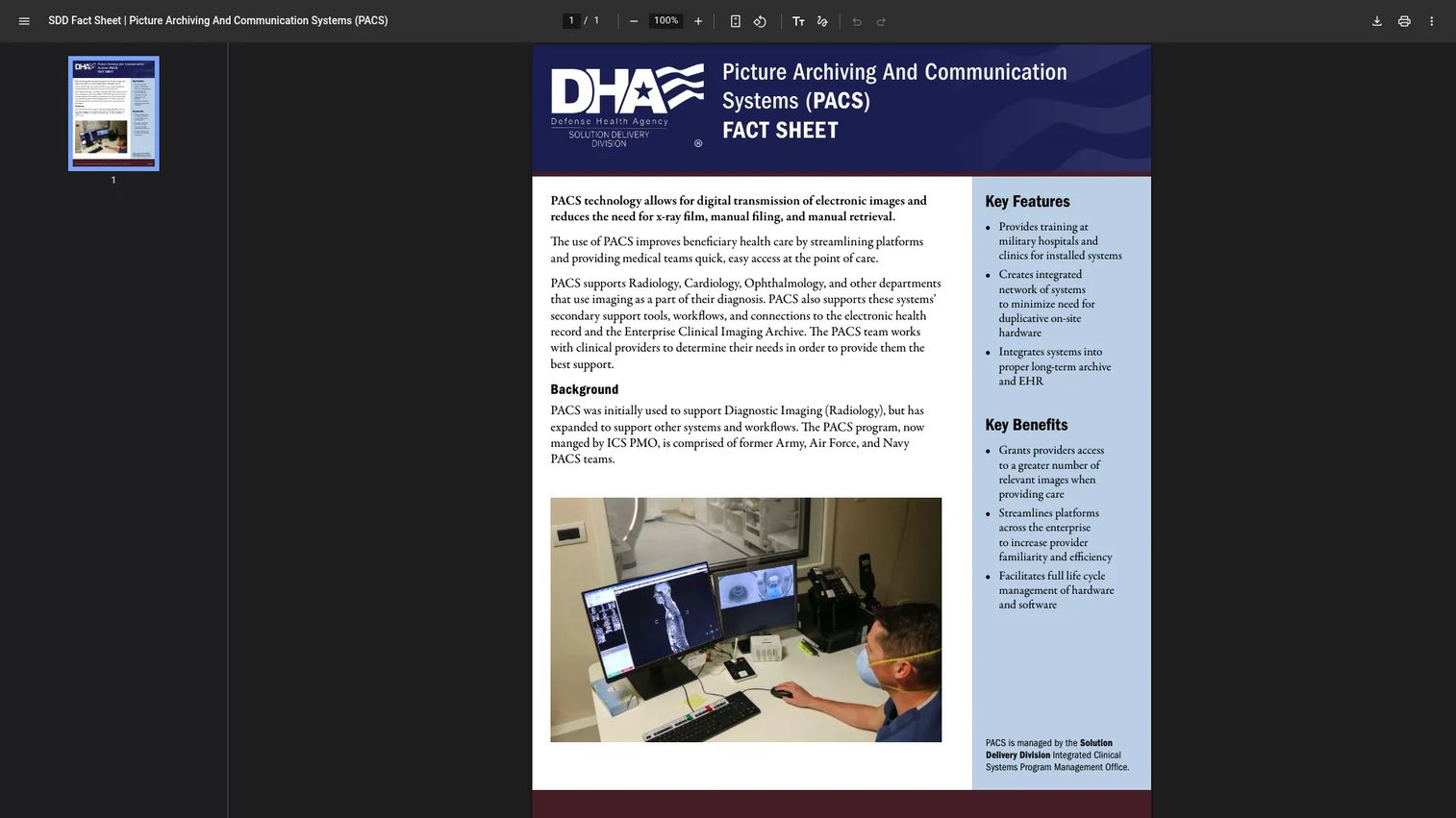
Picture Archiving and Communication System (PACS) is the image management layer of the radiology stack. It stores, retrieves, and displays medical imaging studies, including X-ray, CT, MRI, ultrasound, and PET. Radiologists use PACS workstations for diagnostic review. Referring physicians can access studies through web viewers or EHR-integrated displays.
PACS does not manage scheduling or reporting workflow. That is RIS's job. PACS knows where the images are and how to display them. RIS knows who the patient is, what was ordered, and what the status is.
Best for: Imaging teams that need reliable, standard-compliant access to diagnostic studies across modalities and care settings.
Key features
- DICOM-based image storage and transmission
- Diagnostic workstations for radiology review
- Web viewer access for referring clinicians
- Integration with RIS, HIS, and EHR systems
- Support for CT, MRI, ultrasound, and other imaging modalities
Why choose PACS: Every radiology environment needs an image archive and viewer. PACS is the established standard for that job. The more important decision is whether to deploy onsite, in the cloud, or as a hybrid, which is covered in entries 6, 7, and 8 below.
PACS pricing: Pricing varies by imaging volume, storage capacity, viewer license count, migration scope, and deployment model. The Defense Health Agency runs PACS as an enterprise system for military hospitals. Commercial PACS deployments are priced through vendor contracts tied to facility size and study volume.
3. Electronic Health Records (EHR)
Electronic Health Records (EHR) is the enterprise clinical record system that connects radiology outputs to the broader patient care picture. When a radiologist signs a report in RIS, that report needs to appear in the EHR where the ordering physician works. EHR systems also send imaging orders downstream to RIS through HL7 interfaces, completing the loop between clinical care and imaging workflow.
The Centers for Medicare and Medicaid Services describes EHR as an electronic version of a patient's medical history that automates clinician access to information and supports decision-making, quality management, and outcomes reporting.
Best for: Hospitals and health systems that need radiology reports, imaging orders, and exam results connected to the full patient record.
Key features
- Patient demographics, history, and clinical documentation
- Order entry for imaging and lab studies
- Results access for radiology reports and lab values
- Care coordination across departments and care settings
- Integration with RIS, PACS, and HIS via HL7
Why choose EHR: EHR is not a RIS replacement. The two systems have different jobs. RIS owns radiology workflow execution. EHR owns the patient's longitudinal clinical record. They connect through standardized interfaces rather than merging into one system.
EHR pricing: Pricing varies by organization size, module selection, implementation scope, hosting model, and ongoing support requirements. Major EHR vendors structure contracts around these variables. Contact vendors for a quote that reflects your site count and specialty configuration.
4. Hospital Information System (HIS)
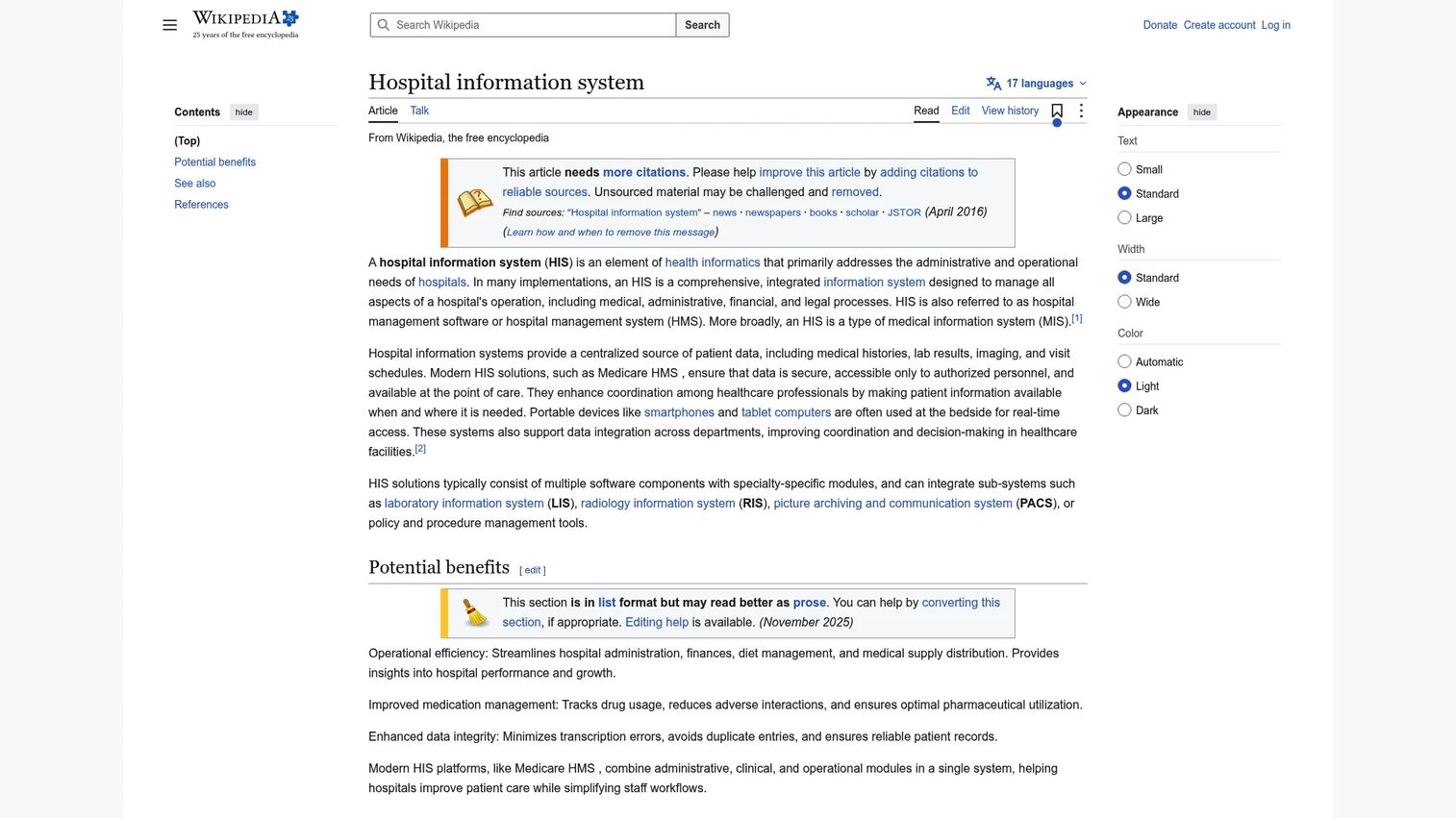
Hospital Information System (HIS) is the operational backbone for hospital-wide information management. It connects admissions, patient administration, departmental workflows, order routing, and hospital-level reporting into one integrated layer. Radiology plugs into HIS through patient admission and discharge data, departmental order flows, and cross-facility reporting.
HIS and RIS are complementary rather than redundant. HIS manages the hospital's operational data at a facility level. RIS manages radiology-specific workflows within that environment. In most hospital deployments, the two systems exchange data through HL7 interfaces.
Best for: Hospitals that need radiology workflows tied to broader facility operations, including admissions, departmental orders, and administrative reporting.
Key features
- Patient admission, discharge, and transfer data
- Departmental workflow coordination
- Order routing between clinical departments
- Patient administration and census management
- Operational reporting across hospital functions
Why choose HIS: If your organization runs multiple departments with shared patient data, HIS provides the operational coordination layer that RIS alone cannot cover. The two systems together give radiology leadership both department-level and facility-level visibility.
HIS pricing: Pricing reflects hospital size, module scope, deployment configuration, and integration requirements across clinical and administrative systems. Contact HIS vendors for a quote specific to your facility count and patient volume.
5. Vendor Neutral Archive (VNA)
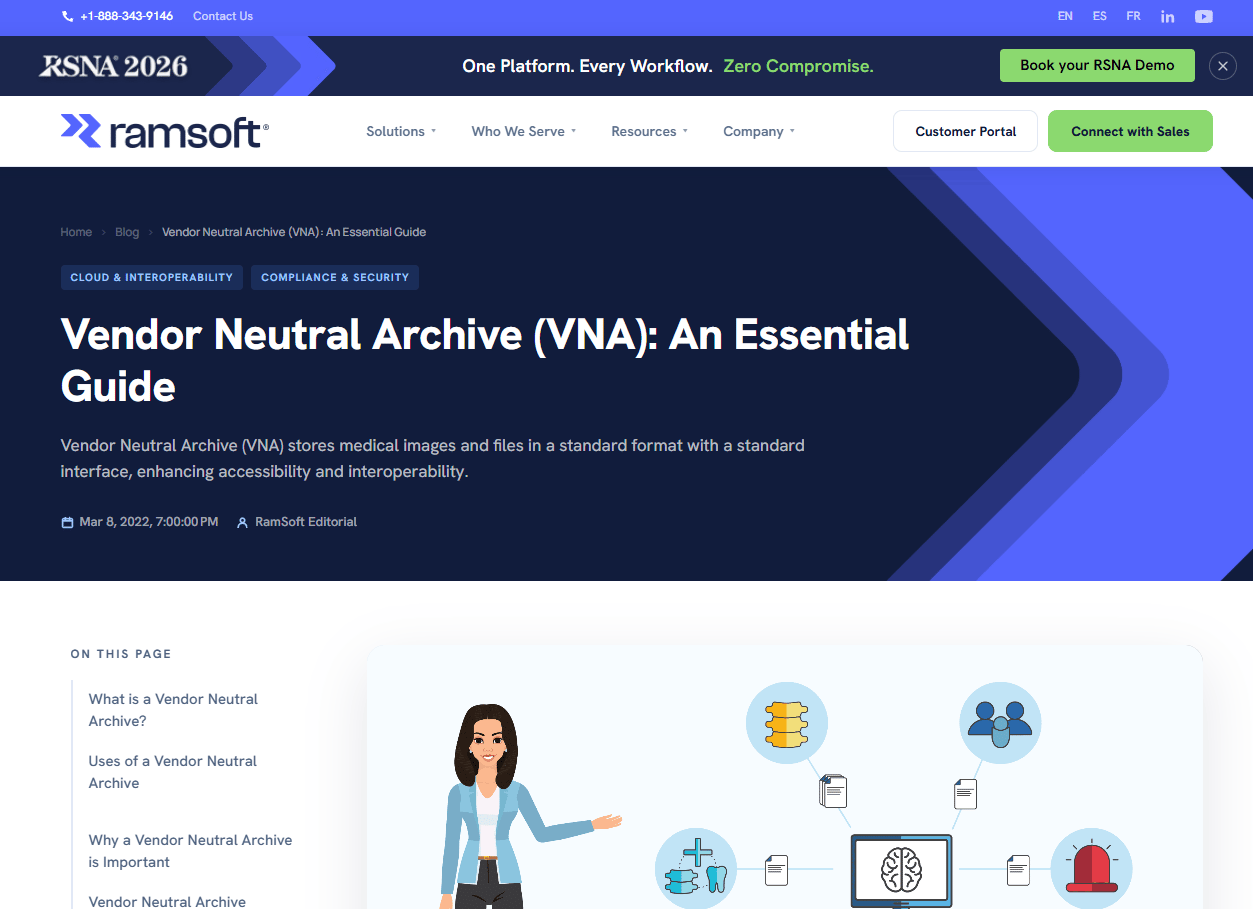
Vendor Neutral Archive (VNA) is an enterprise imaging archive that stores medical images and clinical documents independent of any single vendor's format. As defined in imaging informatics, a VNA manages both DICOM and non-DICOM content across departments, sites, and systems, using standards-based interoperability to give organizations flexibility in switching or adding imaging systems over time.
The core advantage over traditional PACS archives is portability. Images stored in a vendor-proprietary format create migration costs and dependency on a single vendor's infrastructure. VNA removes that dependency by standardizing on open formats.
Best for: Health systems consolidating imaging archives across radiology, cardiology, oncology, and other imaging-heavy departments, especially organizations managing multi-site or multi-vendor environments.
Key features
- Centralized DICOM and non-DICOM archive
- Standards-based interoperability across vendor systems
- Enterprise-wide image access and routing
- Lifecycle management and retention policies
- Cross-site access for distributed imaging teams
Why choose VNA: VNA makes sense when you're managing images across multiple PACS vendors or departments, or when you want to separate long-term archive infrastructure from your active PACS. It does not replace PACS for diagnostic viewing or RIS for workflow management.
VNA pricing: Pricing varies by data volume, migration complexity, storage architecture, access patterns, and retention requirements. Organizations moving large historical archives factor migration services into the total cost. Contact VNA vendors for a configuration-specific quote.
G2 rating: 3.8/5 (G2 category average for Vendor Neutral Archives)
6. Cloud-based PACS
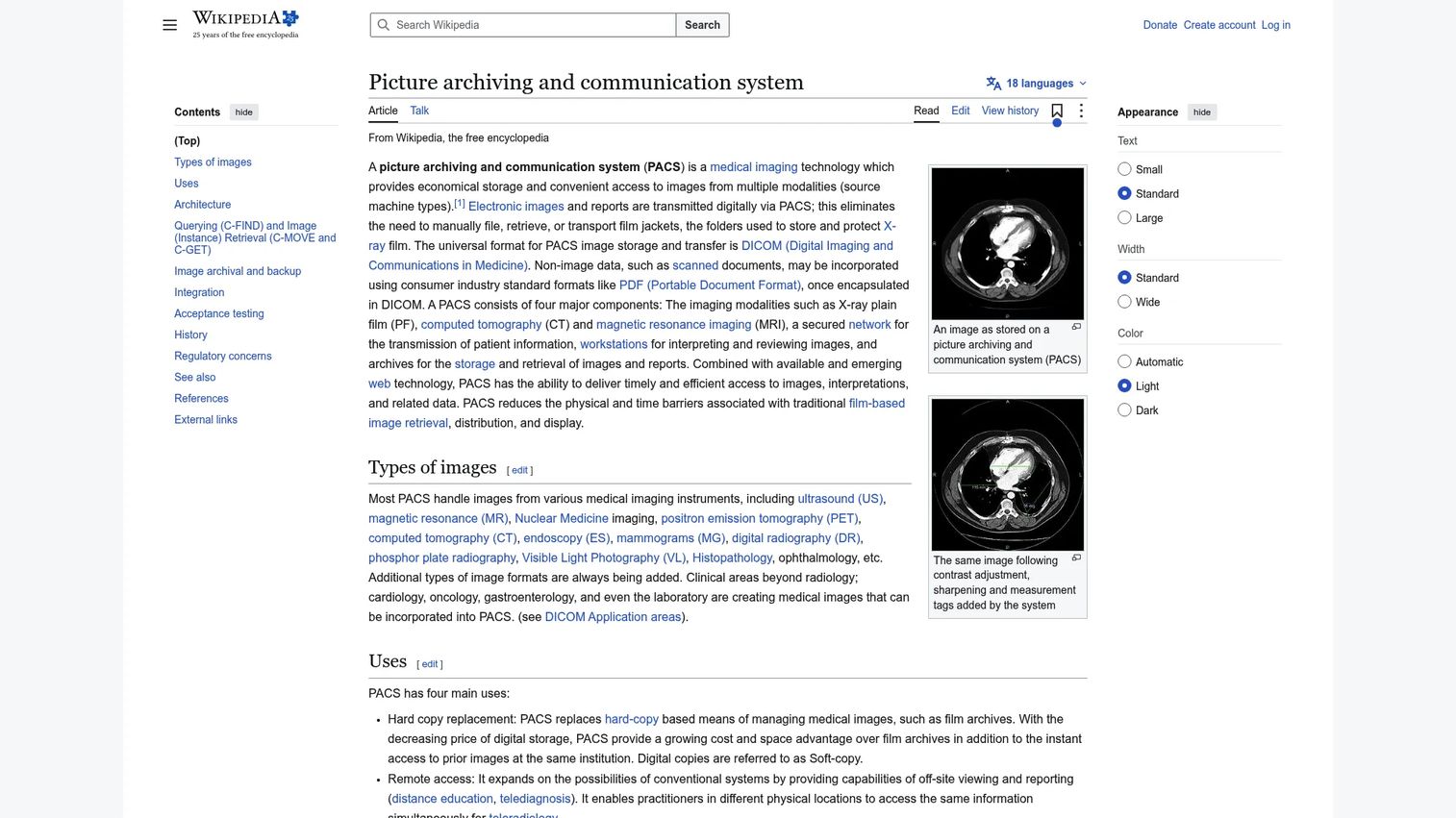
Cloud-based PACS uses cloud infrastructure for image storage, with web-based access that allows radiologists and clinicians to view studies from any location with internet access. Teleradiology groups, multi-site imaging networks, and organizations with distributed reading teams are typical users.
The practical difference from onsite PACS is infrastructure ownership. Cloud PACS shifts storage costs to a subscription or volume-based model and reduces the need for local servers, storage hardware, and on-site IT management of that infrastructure.
Best for: Multi-site imaging groups, teleradiology operations, and organizations that need distributed image access without managing local storage infrastructure.
Key features
- Web-based image viewing without local client software
- Cloud storage with scalable capacity
- Remote reading and teleradiology support
- Offsite redundancy and disaster recovery
- DICOM-compliant image transmission
Why choose cloud-based PACS: Cloud PACS is worth evaluating when local infrastructure capacity is a constraint or when reading happens across multiple locations. Buyers should still validate uptime guarantees, data governance terms, security certifications, and latency for high-volume studies before committing.
Cloud-based PACS pricing: Pricing models vary by vendor and may combine subscription fees with storage volume charges, study volume tiers, user licenses, and migration services. Contact vendors for a quote based on your monthly study volume and user count.
7. Traditional/onsite PACS
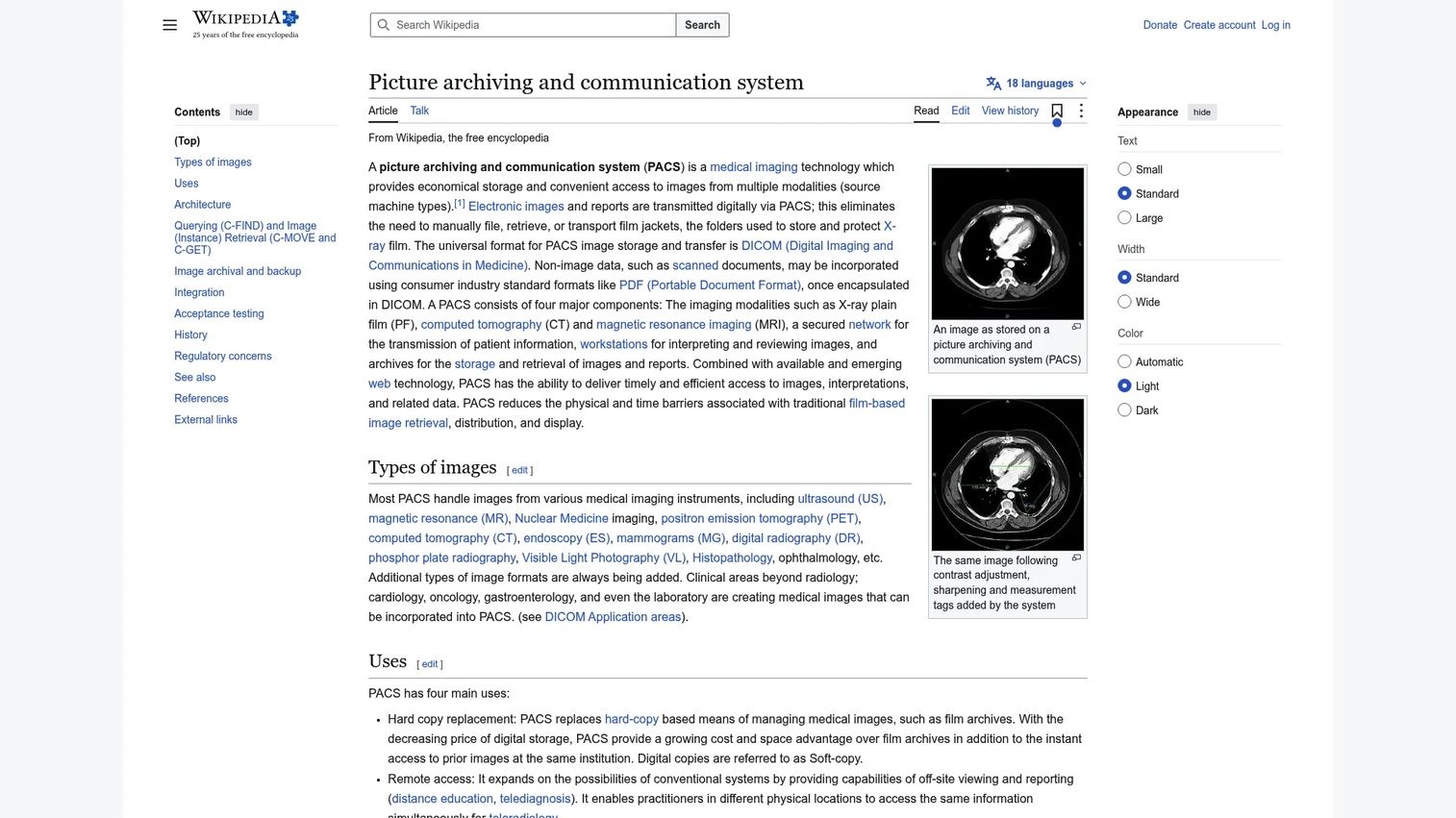
Traditional/onsite PACS stores medical imaging studies on locally managed servers within the organization's own data center or on-site infrastructure. Radiologists access studies through dedicated diagnostic workstations connected to the local network.
Onsite PACS gives IT teams direct control over hardware, software versions, network performance, and data residency. On-premise deployments represented 64.88% of RIS and PACS market share in 2025, according to Mordor Intelligence (2026), which reflects how many organizations still prioritize internal infrastructure control.
Best for: Organizations that prioritize local infrastructure control, internal IT governance, and owned data environments.
Key features
- Locally hosted servers and storage hardware
- Diagnostic workstations on internal networks
- DICOM-based image communication and retrieval
- Integration with RIS, HIS, and EHR systems
- Internal IT administration and upgrade management
Why choose traditional/onsite PACS: Onsite deployment fits organizations with established internal IT capacity, specific data residency requirements, or low tolerance for external infrastructure dependency. The tradeoff is that upgrades, storage expansion, and disaster recovery are internal responsibilities.
Onsite PACS pricing: Pricing typically includes software licenses, server and storage hardware, implementation services, maintenance contracts, and ongoing support. Capital costs are front-loaded compared to subscription-based cloud models. Contact vendors for a quote that reflects your study volume and storage growth projections.
8. Hybrid PACS
Hybrid PACS combines onsite infrastructure for active image storage and local access with cloud components for backup, disaster recovery, or remote viewing. Organizations moving gradually from fully onsite environments toward cloud-enabled imaging use hybrid models to manage the transition without disrupting existing workflows.
The hybrid model addresses a practical constraint: Clinical staff often need low-latency local access for high-volume diagnostic work, while leadership wants cloud redundancy and remote access capabilities without fully replacing existing hardware investments.
Best for: Imaging organizations transitioning from onsite PACS toward cloud capabilities, or those needing local performance alongside cloud backup and remote access.
Key features
- Local image storage for active studies
- Cloud backup and offsite redundancy
- Remote viewing access for distributed teams
- Disaster recovery through cloud replication
- Flexible storage tiering between local and cloud
Why choose hybrid PACS: Hybrid PACS fits organizations that cannot fully migrate to cloud immediately but need cloud backup or remote access. It also suits multi-site setups where some locations have strong local IT and others do not.
Hybrid PACS pricing: Pricing combines local infrastructure costs (hardware, licenses, maintenance) with cloud component fees (storage, replication, subscription). The total cost reflects your existing hardware investments, cloud storage volume, and support requirements. Contact vendors to model the cost against a full cloud or full onsite alternative.
9. Laboratory information systems
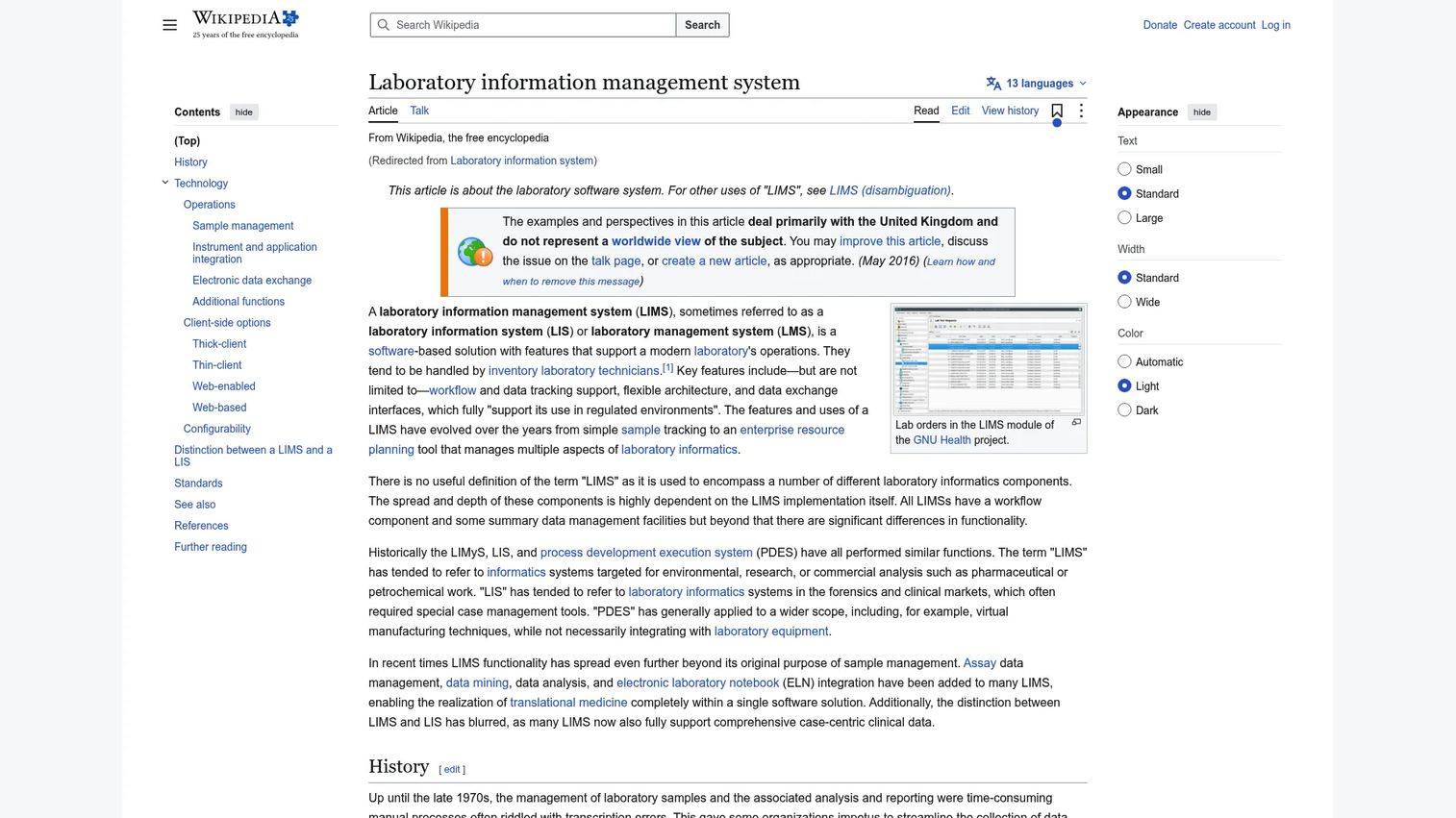
Laboratory information systems (LIS) manage lab orders, specimen tracking, result reporting, and instrument integration within clinical laboratories. They are distinct from RIS and PACS, which focus on imaging. LIS matter in the radiology context because diagnostic workflows frequently need connected data across imaging and lab results, particularly for oncology, interventional radiology, and complex inpatient cases.
A patient arriving for an image-guided biopsy may have recent lab values that affect the procedure plan. Those values live in the LIS and need to be accessible to the radiology team at the time of the procedure.
Best for: Health systems where imaging and lab diagnostic workflows intersect, particularly in oncology, interventional radiology, and complex inpatient care.
Key features
- Laboratory order management and specimen tracking
- Workflow management for lab processing
- Instrument and analyzer integration
- Result reporting and EHR integration
- Diagnostic data coordination across clinical departments
Why choose laboratory information systems: LIS does not manage radiology workflow directly. It becomes relevant when your clinical environment requires imaging teams to access lab data during procedure planning or when lab and imaging results need to be delivered together to referring physicians through the EHR.
LIS pricing: Pricing varies by lab test volume, module configuration, analyzer interface count, user count, hosting model, and implementation scope. Contact LIS vendors for a quote that reflects your lab's daily volume and integration requirements.
10. Revenue Cycle Management (RCM)
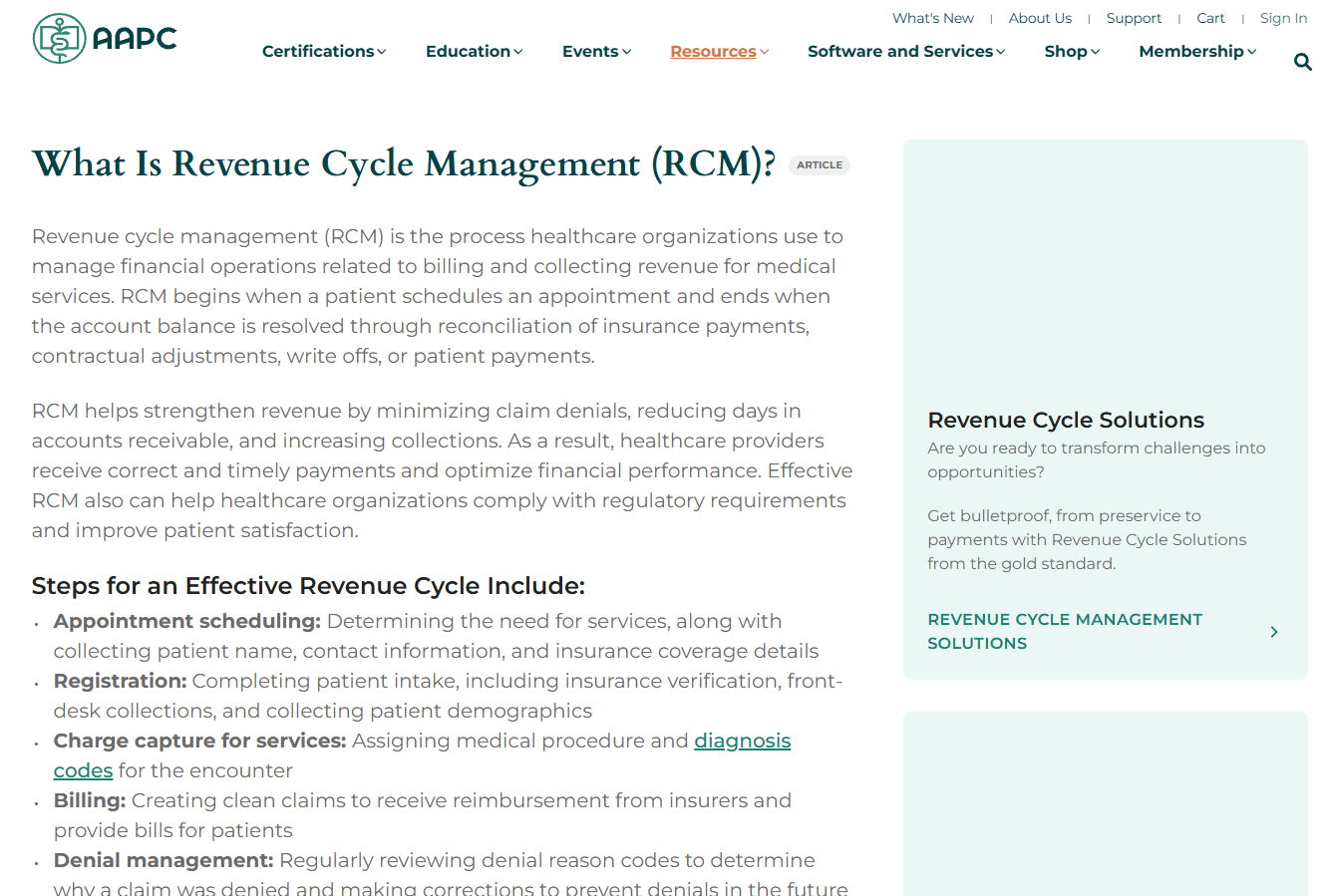
Revenue Cycle Management (RCM) covers the financial workflow that converts clinical activity into collected revenue. For radiology, that means tracking patient registration, insurance verification, charge capture, medical coding, claim submission, payment posting, and denial management. RIS supports billing data, but RCM handles the full revenue workflow from authorization to payment.
Radiology groups that run high imaging volumes are particularly exposed to billing errors, claim denials, and underbilled exams when RCM tools are weak or disconnected from the clinical workflow.
Best for: Imaging centers and radiology groups that want to reduce claim leakage, shorten payment cycles, and improve denial resolution across a high volume of daily studies.
Key features
- Patient registration and insurance verification
- Charge capture and medical coding
- Claim submission and tracking
- Denial management and appeals workflows
- Accounts receivable follow-up and payment posting
Why choose RCM: RCM connects what happens clinically to what gets paid financially. A well-integrated RCM system reduces the gap between performed exams and collected revenue by catching authorization gaps, coding mismatches, and unbilled encounters before claims are submitted.
RCM pricing: Pricing models vary by vendor and may be structured as a percentage of collections, a per-claim fee, or a flat subscription based on claim volume. Contact RCM vendors for a model that fits your monthly study count and payer mix.
G2 rating: 4.2/5 (G2 category average for Revenue Cycle Management)
Considerations when choosing radiology information system tools
Map workflow ownership before comparing vendors
Before evaluating any vendor, build a one-page map showing which system owns each workflow: Scheduling, imaging storage, reporting, clinical record, billing, and long-term archive. If two systems claim the same workflow without a clear source of truth, you will spend implementation budget resolving conflicts that should have been decisions. Ambiguity in ownership creates duplicate data entry, reconciliation errors, and reporting gaps.
Validate RIS, PACS, EHR, and HIS interoperability
Integrations matter more than feature lists. The most capable RIS is not useful if it cannot exchange orders with your EHR or push modality worklists to your imaging equipment. Ask vendors to demonstrate HL7 message flows, DICOM worklist configuration, patient identity matching, and result transmission before signing a contract. Reference customers on similar stacks are worth more than a demo environment.
Match deployment to IT capacity
The choice between cloud, onsite, and hybrid PACS and RIS is not just a cost question. It is a question of who owns uptime, security review, storage growth, and disaster recovery. Cloud shifts that responsibility to the vendor. Onsite keeps it internal. Hybrid splits it. Organizations with lean IT teams often underestimate the ongoing burden of onsite PACS storage management and upgrade cycles.
Evaluate billing and authorization workflows early
Authorization gaps are a leading cause of radiology claim denials. Before selecting RIS or RCM tools, trace the authorization workflow from order receipt through exam completion. Verify that the system surfaces missing authorizations before the patient arrives, not after the claim is denied. Charge capture accuracy and coding integration are equally important to map before implementation begins.
Check reporting depth before implementation
Leadership needs dashboards showing throughput, exam status, turnaround time, utilization, no-show rates, and cross-site performance. Ask vendors to show those reports in a live environment using data similar to your volume and mix. A system that cannot answer basic operational questions without a custom report or a data export is not ready to support board-level visibility into your imaging operations.
Conclusion
The radiology software stack is not one system. It is a coordinated set of tools with distinct jobs: RIS owns workflow execution, PACS owns image management, EHR and HIS connect radiology to the clinical and administrative record, VNA manages long-term archive strategy, and RCM ties imaging work to collected revenue. PACS deployment choices (cloud, onsite, or hybrid) determine who owns infrastructure and who can access images remotely.
Buyers who evaluate these categories separately, without mapping how they connect, often end up with systems that duplicate effort or create gaps at integration points. The practical next step before contacting any vendor is to build that one-page systems map: Which tool owns scheduling, which owns imaging, which owns the report, which owns the patient record, which owns billing, and which owns long-term storage.
That map is what your new VP of Operations will need on day one. It is also what your board will ask for during due diligence if you are building or acquiring in this space.
Start your journey with Guideflow today!
FAQs
A radiology information system is software that manages the administrative and clinical workflow of a radiology department or imaging center. It handles patient registration, appointment scheduling, exam tracking, radiology reporting, and billing support. RIS also integrates with PACS for image management and with EHR systems for order receipt and result delivery.
RIS stands for Radiology Information System. The abbreviation is used consistently across radiology departments, imaging centers, and health system IT to refer to the workflow management software that coordinates scheduling, reporting, and billing for imaging operations.
No. RIS and PACS perform different functions. RIS manages radiology workflow and patient or exam data: Who is scheduled, what was ordered, what the exam status is, and where the report went. PACS stores, retrieves, and displays the actual medical images. Both systems are necessary in a radiology environment and typically exchange data through HL7 and DICOM interfaces.
RIS and EHR systems exchange data primarily through HL7 interfaces. The EHR sends imaging orders to RIS with patient demographics and clinical context. RIS returns exam status updates and completed radiology reports back to the EHR for the ordering physician to review. Patient identity matching across both systems is critical for data accuracy.
HIS (Hospital Information System) manages hospital-wide operational data: Admissions, discharges, departmental workflows, and facility-level reporting. RIS manages radiology-specific workflows within that hospital context. In most hospital deployments, RIS and HIS exchange patient admission and order data through HL7 interfaces. HIS does not replace RIS, and RIS does not replace HIS.
Without RIS, radiology departments manage scheduling, exam tracking, report distribution, and billing data through disconnected tools or manual processes. RIS centralizes those functions, reducing manual handoffs, improving turnaround time visibility, and ensuring billing data reflects completed exam activity. It also feeds modality worklists to imaging equipment, which coordinates scanner scheduling directly.
Evaluate RIS vendors on PACS and EHR integration depth, scheduling and modality worklist configuration, reporting workflow and result distribution, billing data accuracy, operational dashboards, security certifications, support response times, and implementation experience with facilities similar in size and volume to yours. Ask for a reference customer on the same EHR you use before making a decision.
Neither is universally better. Cloud fits organizations that need distributed access, want to reduce local infrastructure management, or are operating across multiple sites with variable IT capacity. Onsite fits organizations with established IT teams, specific data residency requirements, or strong existing hardware investments. Hybrid models work for organizations moving gradually from onsite to cloud. The right choice depends on your IT staffing, site count, study volume, and security review requirements.