



You tracked a great vocal. The performance is there. But three notes sag flat, one word wanders sharp, and now you're staring at a waveform instead of finishing the mix.
That gap between "almost right" and "release ready" is where most home studio time disappears. Pitch correction software closes it, but the tools split into two camps that solve very different problems. One camp corrects in real time while you sing. The other lets you sit inside a note and reshape it by hand.
The music production software market is on track to add USD 504.2M in value from 2025 to 2030 at an 8.3% CAGR, according to Technavio (2026). More tools, more overlap, more decisions.
So the question is not "which plugin is best." It's which workflow you're buying for, and whether latency, editing depth, or natural sound matters most before you spend a cent.
What's inside
This guide compares seven vocal tuning tools for recording, editing, and polishing vocals in 2026. It's for producers, engineers, and vocalists working in a home studio or a full room who want a tool that fits their session, not a new one to fight.
We picked these seven on four criteria that actually change your day:
- Workflow fit: How fast you go from a flat note to a fixed one
- Latency and real time: Whether it holds up while you monitor and track
- Naturalness versus effect: Transparent correction or the modern autotune sound
- DAW integration: Insert behavior, ARA support, and session repeatability
No fame rankings. No filler. Just the tuning workflow you'll live in.
TL;DR
- Best for deep cleanup: Celemony Melodyne 5 gives you note-by-note control over pitch, timing, and formants when transparency is everything.
- Best for fast real-time monitoring: Waves Tune Real-Time sets up in seconds and corrects while you sing with ultra-low latency.
- Best for natural sounding vocal tuning: Synchro Arts RePitch handles pitch, timing, and vibrato without the tell-tale artifacts.
- Best for creative autotune-style effects: Antares Auto-Tune 2026 covers both transparent correction and the hard-tuned sound in one plugin.
- Best for all-in-one vocal chains: iZotope Nectar 4 Advanced bundles pitch correction with a full processing suite.
- Best value inside a bundle: LANDR VoxTune ships with LANDR Studio for real-time correction at a low monthly entry.
What is vocal tuning software?
Vocal tuning software is pitch correction software that fixes or reshapes sung notes, either after you record or while you monitor a take. It moves off-key notes toward the correct pitch and, in deeper tools, lets you edit timing, vibrato, and tone by hand.
There are two jobs hiding under one label. Transparent voice pitch correction software nudges notes into place so the listener never notices. Creative autotune-style processing pushes correction hard for that pitched, robotic effect made famous in pop and hip-hop. Most modern tools do both, but they lean one way.
Post edit pitch correction happens on a recorded track. You slow down, zoom in, and sculpt each note. Real time vocal tuning happens live, correcting the signal as it passes through so the singer hears a tuned voice in their headphones.
Key features to look for:
- Real-time monitoring: Correction low enough in latency to sing against
- Note-based editing: Grab and move individual notes on a pitch grid
- Formant control: Shift tone without the chipmunk artifact
- Vibrato control: Reduce, add, or reshape natural vibrato
- Scale and key detection: Lock correction to the song's key
- DAW integration: Insert or ARA workflow inside your session
- Alignment and cleanup: Tighten timing and comp stacked takes
Transparent tools reward patience with invisible results. Creative tools reward speed with a recognizable sound. Knowing which one your track needs saves you from buying both.
When to use vocal tuning software
Clean up takes after recording
The performance is captured but imperfect. Here you want post edit pitch correction with deep manual control, so you can fix the two notes that drift without flattening the emotion in the rest. A note-based editor like Melodyne or RePitch fits this moment, because you're sculpting, not sweeping a correction slider.
Track with real-time confidence
A singer performs better when their headphone mix already sounds tuned. Real time vocal tuning corrects the monitored signal on the way in, so the vocalist commits instead of second-guessing pitch. Low latency is the whole game here. Waves Tune Real-Time and Antares Auto-Tune 2026 are built for this, with punch-ins and takes that stay usable.
Polish stacked vocals and harmonies
Doubles, triples, and harmony stacks expose every tiny inconsistency. When ten instances of a vocal need the same treatment, you want consistency across them and fast vocal alignment. Grouped control, like Slate Digital MetaTune's linked instances, keeps a wide stack tight without tuning each layer one at a time.
Comparison table
Here's the shortlist ranked by relevance to vocal tuning, with verified pricing as of August 2026. G2 ratings for niche audio plugins are thin, so several rows show none rather than an invented number.
| # | Product | Best for | Key differentiator | Pricing | G2 rating |
|---|---|---|---|---|---|
| 1 | Synchro Arts RePitch | Natural post-edit tuning | Pitch, timing, and vibrato editing with SynchroLink | From $69 one-time | None |
| 2 | LANDR VoxTune | Real-time in a bundle | Transparent or modern modes inside LANDR Studio | From $8.25/mo | None |
| 3 | Antares Auto-Tune 2026 | Live tracking and effect | Low-CPU real-time correction plus creative tuning | From $30/mo | None |
| 4 | Waves Tune Real-Time | Fast session setup | Ultra-low latency correction for tracking | $39.99 one-time | None |
| 5 | Slate Digital MetaTune | Session-heavy stacks | Grouped multi-instance control | $149 one-time | None |
| 6 | Celemony Melodyne 5 | Deep manual cleanup | Note-level pitch, timing, and formant editing | From $99 one-time | 4.0 |
| 7 | iZotope Nectar 4 Advanced | All-in-one vocal chain | Pitch correction inside a 13-module suite | $224.25 one-time | None |
The pattern is clear. If you want transparency and control, the note editors sit at the top. If you want speed while tracking, the real-time plugins win. The all-in-one suite is a different purchase entirely: Tuning plus the rest of your vocal chain.
Best 7 tools for vocal tuning in 2026
1. Synchro Arts RePitch

Synchro Arts RePitch is a note-based pitch correction plugin built for producers and engineers who want tuning that stays invisible. It handles pitch, timing, and vibrato editing on a familiar note grid, and it links to VocAlign through SynchroLink for tightening stacked takes. The result reads as natural sounding vocal tuning rather than an effect.
Best for: Producers and engineers tuning lead and backing vocals inside a DAW.
Key features
- Note-based pitch and timing editing
- Vibrato control and reshaping
- Formant handling for natural tone
- SynchroLink integration with VocAlign
- Elements and Standard editions
Why choose RePitch: If your priority is transparent cleanup and you already care about vocal alignment, RePitch pairs tuning and timing in one workflow. It fits detailed post-edit work and remote mix prep.
RePitch pricing: RePitch Elements starts at $69 and RePitch Standard runs $149, both one-time. It's also included in Synchro Arts subscriptions from $9.99/month.
No G2 rating was verified for RePitch on this run.
2. LANDR VoxTune

LANDR VoxTune is a real-time vocal tuning plugin that switches between transparent and modern correction. It ships with LANDR Studio, so if you already pay for that subscription, VoxTune drops into your insert chain without a separate purchase. Pair it with VoxDeEss and VoxChain for a fast, repeatable vocal treatment.
Best for: Producers and vocalists who want low-latency correction inside a DAW or a live setup.
Key features
- Real-time vocal tuning
- Transparent and modern tuning modes
- Formant shaping
- Built-in vibrato control
- Bundles with VoxDeEss and VoxChain
Why choose VoxTune: For growth-minded creators watching spend, the bundle logic matters. VoxTune answers "what does this replace" by covering correction inside a subscription you may already run.
VoxTune pricing: VoxTune comes with LANDR Studio from $8.25/month. It's also available in plugin bundles, including the Vocal Plugin Bundle at $129 and the Ultimate Plugin Bundle at $699, both one-time.
No G2 rating was verified for VoxTune on this run.
3. Antares Auto-Tune 2026

Antares Auto-Tune 2026 is the streamlined real-time version of the plugin that defined the category. It focuses on fast, low-CPU pitch correction with low-latency monitoring, a visual pitch display, and Humanize and Flex-Tune controls. Push it gently for transparent correction or hard for the recognizable Auto-Tune effect.
Best for: Producers and vocalists needing quick Auto-Tune correction while tracking.
Key features
- Real-time pitch correction
- Ultra low CPU usage
- Low latency processing
- Visual pitch display
- Humanize and Flex-Tune controls
Why choose Auto-Tune 2026: It covers both jobs in one plugin: Transparent tuning and the creative effect. That flexibility suits sessions that swing between styles without swapping tools.
Auto-Tune 2026 pricing: Access comes through AutoTune Unlimited at $30/month or $300/year, which includes 20+ vocal tools. Individual Antares products also offer perpetual licenses from $50 one-time.
No G2 rating was verified for Auto-Tune 2026 on this run.
4. Waves Tune Real-Time

Waves Tune Real-Time corrects pitch automatically as the signal passes, with ultra-low latency for studio and live use. Setup is quick, which makes it a good fit for session templates you reuse across projects. Dial in the correction amount and formant handling, then track without breaking flow.
Best for: Vocalists and producers who need instant correction while performing or tracking.
Key features
- Automatic real-time tuning
- Ultra-low latency
- Formant correction
- Adjustable correction amount
- Template-friendly setup
Why choose Waves Tune Real-Time: When speed and monitoring matter more than deep manual editing, this is the fast lane. Load it, set the key, and sing.
Waves Tune Real-Time pricing: The plugin is $39.99 one-time. It's also included in Waves subscriptions: Essential at $14.99/month or $149.99/year, and Ultimate at $24.99/month or $249.99/year.
No G2 rating was verified for Waves Tune Real-Time on this run.
5. Slate Digital MetaTune

Slate Digital MetaTune is an automatic tuner built for production speed across many vocal instances. Its Groups feature links multiple instances so one adjustment updates a whole stack, which keeps settings consistent on doubles and harmonies. It runs real-time or offline, with Low Latency and Note Stabilizer modes.
Best for: Producers who need an automatic tuner with a grouped-instance workflow.
Key features
- Real-time or offline correction
- Groups for linked multi-instance control
- Low Latency mode
- Note Stabilizer mode
- Production-friendly tuning controls
Why choose MetaTune: For session-heavy work with wide vocal stacks, grouped control saves the tedium of tuning each layer alone. Consistency comes built in.
MetaTune pricing: MetaTune is $149 for a perpetual license. It's also in Slate Digital's Complete Access subscription at $19.99/month or $199.99/year.
No G2 rating was verified for MetaTune on this run.
6. Celemony Melodyne 5
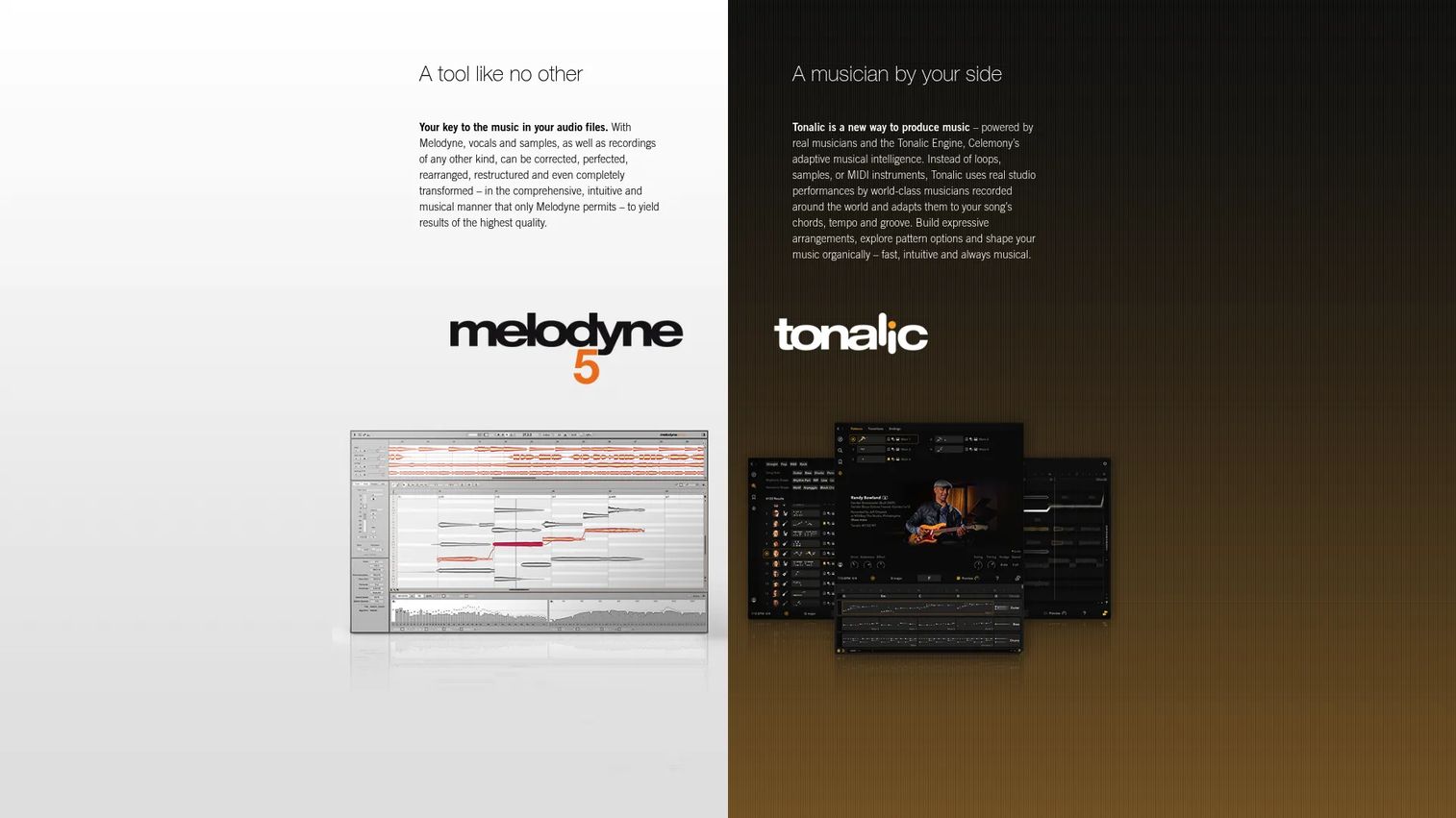
Celemony Melodyne 5 is the reference tool for deep, transparent vocal editing. It breaks audio into individual notes you can reshape by pitch, timing, vibrato, phrasing, formants, and dynamics. A Chord Track with automatic chord recognition helps you tune to harmonic context, not just a scale. When cleanup has to be invisible, this is the workbench.
Best for: Producers and engineers who need detailed note-level control over vocals and audio.
Key features
- Note-level pitch and timing editing
- Vibrato and phrasing control
- Formant and dynamics editing
- Chord Track with chord recognition
- Essential to Studio editions
Why choose Melodyne 5: It trades speed for control. If you want the deepest manual cleanup and the most transparent result, nothing in this list edits a note more precisely.
Melodyne 5 pricing: Editions run from Essential at US$99 to Assistant at US$249, Editor at US$399, and Studio at US$699, all one-time.
Melodyne holds a 4.0 out of 5 on G2, based on Celemony's seller profile.
7. iZotope Nectar 4 Advanced
iZotope Nectar 4 Advanced is a full vocal mixing suite with pitch correction as one part of a larger chain. Across 13 component plugins, it adds Auto-Level, Voices for layering, Backer for background singers, and a Vocal Assistant that suggests starting points. If you want tuning plus the rest of your vocal processing in one place, this consolidates the stack.
Best for: Producers and engineers who want an all-in-one vocal processing suite, not a single tuner.
Key features
- Pitch correction module
- Auto-Level module
- Voices for vocal layering
- Backer for background singers
- 13 component plugins
Why choose Nectar 4 Advanced: This is the consolidation play. Rather than buying a tuner, a de-esser, and a chain separately, you get vocal correction and processing under one license.
Nectar 4 Advanced pricing: The Advanced edition is $224.25 one-time. Nectar 4 Elements starts at $25 and Standard at $149.25, both one-time, and the suite is included in Music Production Suite 9 at $799.
No G2 rating was verified for Nectar 4 Advanced on this run.
Considerations
Before you buy, run the workflow, not the feature list. These five checks separate a tool you'll use from one you'll abandon.
Real-time monitoring and latency
If singers track against a tuned headphone mix, latency decides everything. Test the plugin at your session buffer size and confirm it stays low enough to sing against. Auto-Tune 2026 and Waves Tune Real-Time are built for this; deep editors are not.
Natural sound versus effect style
Decide whether you need transparent correction, the hard-tuned effect, or both. A tool that leans creative can still tune gently, but a pure real-time corrector rarely matches a note editor's transparency on exposed leads.
Editing depth and formant control
Ask how much manual control you actually need. Note-based editors with formant control let you fix a wandering syllable without artifacts. If you only ever nudge a few notes, that depth may be more tool than your workflow uses.
DAW compatibility and workflow fit
Confirm insert behavior and ARA support in your DAW, plus how the tool handles comping and session recall. A plugin that reloads clean settings across projects saves real time on repeat work.
Bundle value versus standalone focus
Weigh whether a suite or subscription replaces things you already pay for. VoxTune inside LANDR Studio or tuning inside Nectar 4 can consolidate spend, while a focused one-time license like Waves Tune Real-Time keeps the purchase simple.
Conclusion
Seven tools, four workflows. For deep, transparent cleanup, Celemony Melodyne 5 and Synchro Arts RePitch give you note-level control. For live tracking with real-time confidence, Waves Tune Real-Time and Antares Auto-Tune 2026 keep latency low. For natural correction on exposed leads, RePitch and Melodyne stay invisible. For all-in-one processing, iZotope Nectar 4 Advanced folds tuning into a full vocal chain, and Slate Digital MetaTune keeps wide stacks consistent.
Start by naming your primary workflow: Are you fixing takes after the fact, or tuning while you record? That single decision narrows the list fast. Then compare against latency and editing depth, the two criteria that make or break daily use. Many producers end up with one real-time tool for tracking and one deep editor for cleanup, and that split is a reasonable outcome, not a failure to choose.
Whatever you pick, demo it on a real session before committing. The right tool is the one that disappears into your workflow.
Start your journey with Guideflow today!
FAQs
Waves Tune Real-Time and LANDR VoxTune are the easiest starting points, because they correct automatically once you set the key. If you want to learn manual editing, Melodyne Essential at US$99 is approachable and grows with you.
Pitch correction is the general category: Moving off-key notes toward the right pitch. Auto-Tune is a specific Antares product, and its name also became shorthand for the hard-tuned, robotic vocal effect. All Auto-Tune is pitch correction, but not all pitch correction produces the Auto-Tune effect.
Yes. Real time vocal tuning plugins like Waves Tune Real-Time and Antares Auto-Tune 2026 correct the signal as it passes, so the singer hears a tuned voice while tracking. Ultra-low latency is what makes this usable, so test at your session buffer size first.
Celemony Melodyne 5 and Synchro Arts RePitch are the usual answers for natural sounding vocal tuning. Both give note-level control over pitch, timing, and formants, so you can fix problems without the artifacts that give correction away on exposed leads.
It depends on when you work. If you fix vocals after recording and want transparency, choose a manual note editor like Melodyne or RePitch. If you want singers to perform against a tuned monitor mix, choose a real-time tool. Plenty of producers keep one of each.
Prioritize latency if you track live, editing depth and formant control if you clean up afterward, and DAW integration either way. Also weigh whether a bundle like LANDR Studio or a suite like Nectar 4 replaces tools you already pay for.
Yes, and some tools handle stacks better than others. Slate Digital MetaTune links multiple instances with Groups so one setting applies across a stack, while RePitch's SynchroLink helps with vocal alignment on doubles and harmonies for tighter results.
Very. Vocal tuning for home studio work is where these tools earn their keep, since you rarely get a flawless take on the first pass. One-time licenses like Waves Tune Real-Time at $39.99 or Melodyne Essential at US$99 fit tight budgets without a subscription.










