You built the routes in a spreadsheet. Invoices go out whenever someone in the office gets to them. Technicians text photos that never make it into a service record. And every week, the same question comes up: which stops got skipped, and who still owes you money?
That is the operational tax most pool companies pay before they buy real software. It is not one big problem. It is a hundred small ones that compound: drive time you can't see, chemistry readings that live on paper, collections that lag two weeks behind the service. Manual field service workflows scale badly, and every new route adds admin instead of margin.
The market is moving fast for a reason. The U.S. swimming pool cleaning services market reached $8.8 billion in 2025 across 78,817 registered pool cleaning businesses, up 4.4% year over year according to IBISWorld data cited by QuoteIQ (2025). And the global pool service software market is projected to grow from $1.8 billion in 2025 to $4.2 billion by 2034, a 9.8% CAGR per Dataintelo (2025). Operators are consolidating spreadsheets and paper into a single system because the growth is there and the admin load is not sustainable.
Good pool service software collapses that overhead. It plans routes, generates invoices, tracks water chemistry, and pushes work to a technician mobile app so the office stops chasing updates. This guide compares seven tools by how they actually run a pool business, not by feature-count vanity. If you also evaluate general trades tooling, our roundup of the best field sales software and our best community management software guide cover adjacent stacks worth a look.
What's inside
This guide covers pool business software for route planning, invoicing, technician workflows, customer communication, and chemistry tracking. It is written for owners, operators, and office managers who are replacing spreadsheets and paper with a system that speeds up cash flow.
We selected and ranked tools on four criteria that decide real-world fit:
- Breadth of operations: how much of routing, billing, chemistry, inventory, and equipment a single platform covers.
- Field usability: the quality of the technician mobile app and how little training it demands.
- Billing depth: invoicing speed, payments, AutoPay, and accounting sync.
- Fit for growing companies: whether the platform scales past a handful of routes without breaking.
TL;DR
- Best all-in-one pool operations platform: Pool Service Software (PSS), for teams that want routes, jobs, invoices, chemistry, inventory, and equipment in one system.
- Best for field execution and chemistry-heavy teams: Pool Brain, built around technician workflows, alerts, and chemical tracking across multiple bodies of water.
- Best for billing speed and route efficiency: Skimmer, a pool-specific platform focused on invoicing, payments, and customer communication.
- Best for larger, multi-trade operations: ServiceTitan, a broad field service platform with deep dispatch and reporting.
- Best polished generalist for smaller teams: Jobber, easy to adopt with clean scheduling, quoting, and invoicing.
- Best simple all-rounder for home services: Housecall Pro, a widely adopted SMB platform with strong billing and messaging.
What is pool service software?
Pool service software is a field service platform that helps pool companies plan routes, schedule and dispatch technicians, log water chemistry, generate invoices, collect payments, and communicate with customers from a single system.
At its core, it replaces the spreadsheet-plus-paper-plus-texting stack with connected records. A stop on a route becomes a job. A job produces a service report with readings and photos. That report feeds an invoice. The invoice syncs to accounting. Nothing gets re-keyed, and the office sees the whole chain in real time.
Modern swimming pool service software platforms usually include:
- Route planning and optimization to cut drive time and reduce missed stops.
- Scheduling and dispatch for assigning technicians and recurring service.
- A technician mobile app with checklists, chemical readings, photos, and job completion.
- Chemistry logging with dosing guidance and an LSI calculator for water balance.
- Invoicing and payments including AutoPay and card processing.
- Service reports and proof-of-service sent automatically to customers.
- Customer communication through email, SMS, and a customer portal.
- Reporting on revenue, route profitability, and technician productivity.
- Integrations such as QuickBooks Online sync for accounting.
The strongest pool service company software connects all of these so a single field visit updates operations, billing, and customer records at once.
When to use pool service software
Not every pool business needs a full platform on day one. These three signals tell you it is time.
When manual routing is wasting hours
If you rebuild routes by hand every week, you are burning payroll on planning and losing margin to drive time. Pool service routing software groups stops geographically, sequences them efficiently, and rebalances when technicians call out. Route optimization turns a two-hour Sunday planning session into a few clicks, and it reduces the missed stops that trigger angry calls on Monday.
When invoices are slipping
Cash flow dies in the gap between service delivered and invoice sent. If billing runs a week or two behind the route, you are financing your customers for free. Pool service billing software generates invoices automatically from completed jobs, charges cards on file through AutoPay, and pushes records to accounting. A clean QuickBooks Online sync means your books match your field activity without manual entry, which matters when you are trying to prove the business scales without adding office headcount.
When technicians need tighter field workflows
When you cannot tell which stops got real service versus a quick skim, you have a field visibility problem. A good technician mobile app enforces checklists, captures chemical readings, requires photos, and timestamps job completion. That record protects you in disputes, feeds automatic customer proof-of-service, and gives you data on who is actually productive.
Comparison table
Read this table top to bottom by intent. The "Intent" column tells you the operational job each tool is built around, and "Key use case" points to the workflow where it earns its keep. Pricing and G2 ratings reflect verified values where publicly available; where a vendor gates pricing behind a quote, that is noted. Use it to shortlist two tools, then test each against your real routes and invoice flow.
| # | Product | Intent | Key use case | Pricing | G2 rating |
|---|---|---|---|---|---|
| 1 | Pool Service Software (PSS) | All-in-one operations | Routes, jobs, invoices, chemistry, inventory, equipment | Not publicly listed | Not yet rated |
| 2 | Pool Brain | Technician workflow control | Field execution, alerts, chemical tracking | Free trial; calculator-based plan | Not yet rated |
| 3 | Skimmer | Billing and route efficiency | Invoicing, payments, customer communication | Not publicly listed | Not yet rated |
| 4 | ServiceTitan | Broad field service platform | Dispatch, invoicing, reporting at scale | Request pricing (per technician) | 4.5/5 |
| 5 | WorkWave Service | Flexible FSM platform | Scheduling, dispatch, mobile field ops | Not publicly listed | 2.9/5 |
| 6 | Jobber | Polished generalist FSM | Scheduling, quoting, invoicing | From $29/mo | 4.6/5 |
| 7 | Housecall Pro | Simple SMB field service | Scheduling, invoicing, payments, messaging | From $59/mo | 4.3/5 |
The 7 best pool service software for 2026
1. Pool Service Software (PSS)
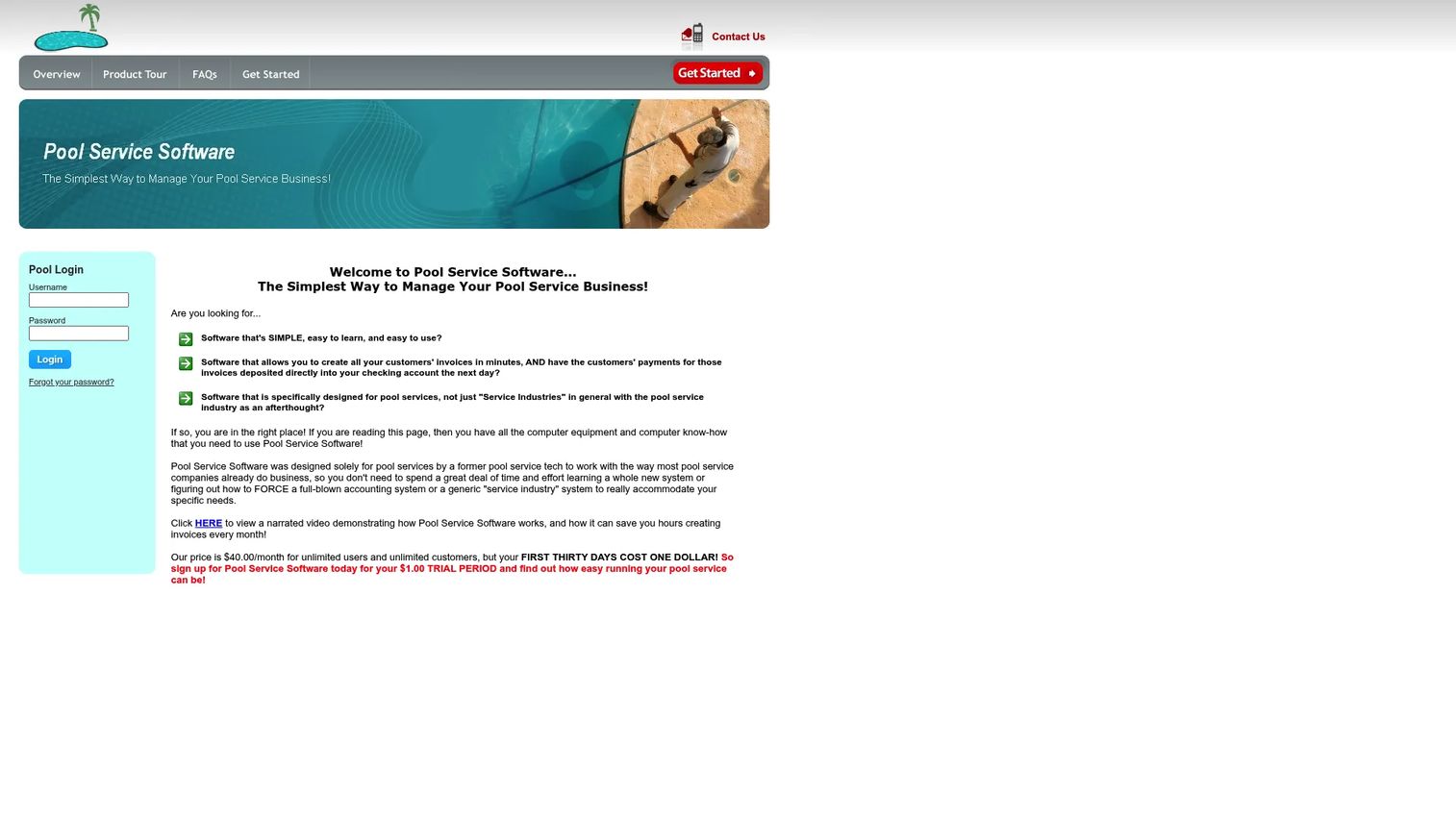
Pool Service Software (PSS) positions itself as a broad pool service operations platform rather than a lightweight app. It covers routes, jobs, quotes, invoices, chemistry, inventory, and equipment records in one system, which suits operators who want the whole business running in a single place. The depth is the point: instead of stitching together a scheduling tool, a billing tool, and a chemistry log, you manage the full chain from one console.
The platform emphasizes accounting and payment connections, with QuickBooks and Stripe integration commonly cited alongside control-center style alerts that flag issues before they become customer problems. For a company tracking equipment history and inventory across many properties, that record depth pays off in fewer surprises and better upsell visibility.
Best for: Operators who want a deep, all-in-one pool business platform covering routing, billing, chemistry, inventory, and equipment rather than a stripped-down field app.
Key strengths
- Full operations coverage: Routes, jobs, invoices, chemistry, inventory, and equipment records live in one system.
- Accounting and payments: QuickBooks and Stripe integration keep billing and books aligned.
- Proactive alerts: Control-center notifications surface operational issues early.
Why choose Pool Service Software (PSS): Choose it when operational breadth matters more than minimalism. If you run enough routes that equipment tracking, inventory, and layered billing genuinely matter, the depth earns its place. Teams wanting the simplest possible field app may prefer a lighter tool, but for operators consolidating a fragmented stack, PSS covers the widest surface.
Pool Service Software (PSS) pricing: Public pricing is not currently listed on the vendor site, and independent review platforms do not yet show a verified rating. Request a quote directly and confirm which modules are included at your route count before committing.
2. Pool Brain
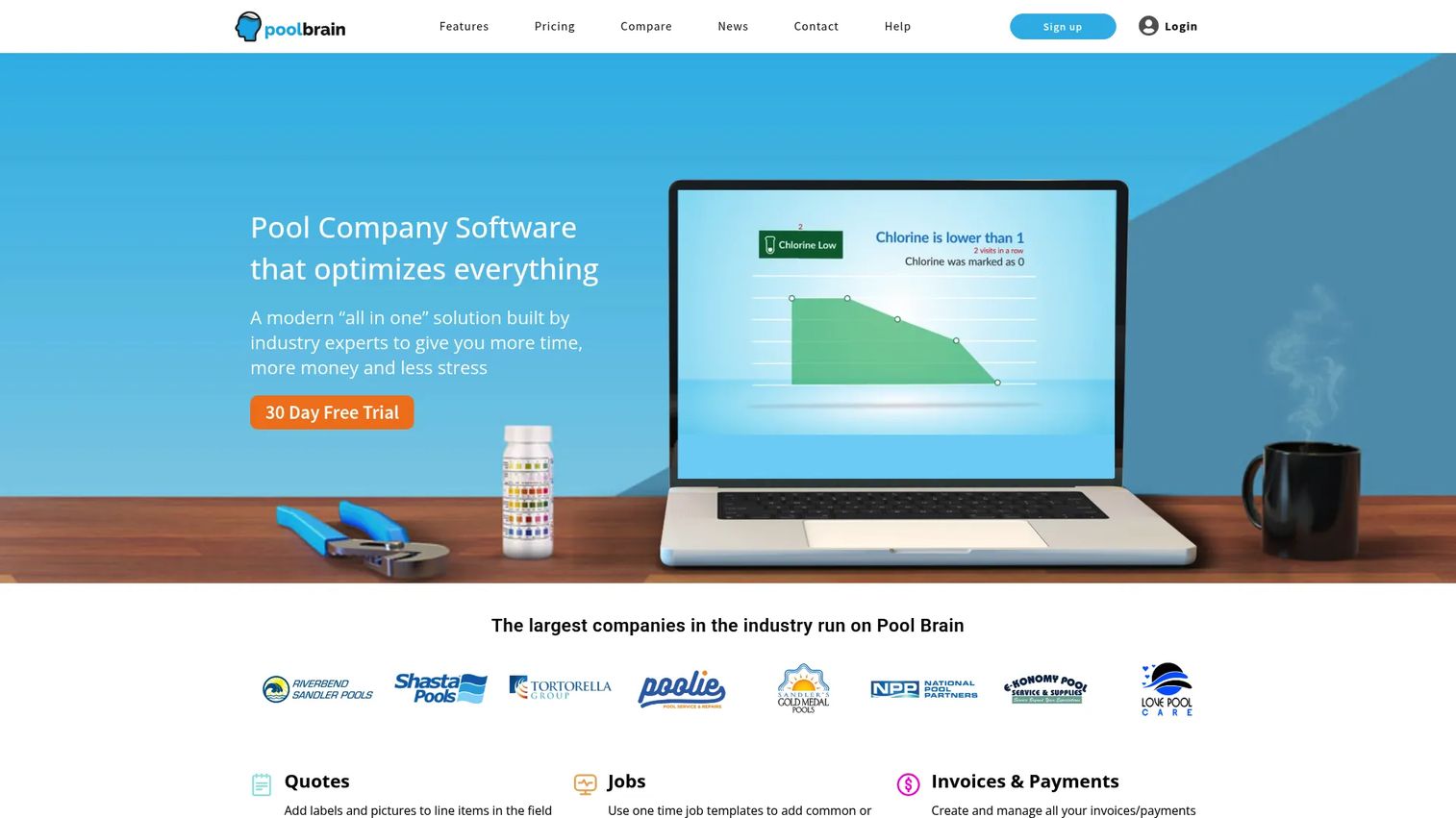
Pool Brain is built around field execution and chemistry. It handles jobs and route stops, invoices and automatic billing, and a customer portal with proof-of-service emails, but its differentiator is the technician workflow layer. The app guides technicians through the right steps, flags problems, and enforces the readings that keep water balanced.
Where Pool Brain stands out is chemistry-heavy operations and multi-body-of-water support. Commercial accounts with several pools, spas, and features need per-body tracking, and the platform is designed for that control. Integrations commonly cited include QuickBooks Online along with chemistry and water-monitoring tools like WaterGuru and Orenda, which matters if you run a data-driven maintenance program.
Best for: Companies that want strong field execution and detailed chemical management across single and multi-body-of-water accounts.
Key strengths
- Technician workflow control: Guided steps and alerts enforce consistent field service quality.
- Deep chemistry tracking: Per-body-of-water logging with dosing guidance and integrations.
- Automatic billing: Invoices and payments flow from completed work with a customer portal.
Why choose Pool Brain: Choose it when chemistry and field consistency are your competitive edge. If disputes over service quality or water balance are eating your time, the enforcement and record depth pay for themselves. It rewards teams willing to run a structured field process, and it scales cleanly as you add commercial accounts.
Pool Brain pricing: The vendor offers a free trial and a calculator-based monthly plan, though a fixed public price is not exposed on the pricing page. Run the calculator for your technician and stop count to get a real number, and confirm what the free trial period covers.
3. Skimmer

Skimmer is a widely used pool-specific platform focused on getting technicians through routes fast and getting invoices out faster. It centers on route optimization, invoicing, payments, customer communication, and service reports, with an emphasis on billing speed and field efficiency. The pool service app pairs a clean technician experience with automatic customer proof-of-service after each visit.
For companies whose main pain is collections and communication, Skimmer leans into reputation management, a customer portal, and mobile field workflows including LSI calculator support for water balance. The design philosophy is fewer taps in the field and faster cash in the office, which resonates with operators trying to shorten the gap between service and payment.
Best for: Companies prioritizing billing speed, payments, and customer communication alongside efficient field routes.
Key strengths
- Fast invoicing and payments: Invoices generate from completed stops with card processing.
- Customer communication: Automatic service reports, portal access, and reputation tools.
- Efficient field app: Route optimization plus LSI calculator support for technicians.
Why choose Skimmer: Choose it when your bottleneck is cash flow and customer experience rather than deep equipment or inventory records. Its focus on billing and communication makes it a strong pool service invoice software choice for route-heavy residential operations. Teams needing heavy inventory and equipment depth may want to compare it against a broader operations platform.
Skimmer pricing: Skimmer does not currently list public pricing on its site, and a verified third-party rating was not available at the time of writing. Request a demo and pricing directly, and confirm payment processing rates since those affect your true cost per transaction.
4. ServiceTitan

ServiceTitan is a cloud-based operating platform for contractors and service businesses. It is not pool-specific, but its dispatching and scheduling, call booking and invoicing, and pricebook and reporting can serve pool companies that want a broad field service platform. It is a heavyweight option built for operations that value deep reporting and multi-trade flexibility over category-specific chemistry tooling.
The reporting and dispatch depth is where ServiceTitan earns attention. For larger operators, or companies already running a mixed field service stack, the platform centralizes scheduling, invoicing, payments, and customer management at scale. It holds a 4.5/5 rating on G2, reflecting strong satisfaction among contractors who use its full breadth.
Best for: Larger pool operations, or multi-trade service businesses, that want a broad platform with deep dispatch and reporting rather than a pool-only tool.
Key strengths
- Dispatch and scheduling depth: Robust call booking, scheduling, and dispatch for busy operations.
- Reporting and pricebook: Detailed financial and operational reporting at scale.
- Broad platform: Invoicing, payments, and customer management across service trades.
Why choose ServiceTitan: Choose it when scale and reporting matter more than pool-specific chemistry features. It fits operators who think like a growing service business and want infrastructure a new operations lead can run on day one. Smaller pool-only teams may find it more platform than they need, so weigh the breadth against your actual route count.
ServiceTitan pricing: ServiceTitan lists three packages, Starter, Essentials, and The Works, all shown as "Request Pricing" on a per-technician basis with no public numeric price. Because it is quote-based and sales-led, budget for a scoping conversation and confirm which modules each tier includes.
5. WorkWave Service
WorkWave Service is field service software built for scheduling, dispatching, mobile operations, and billing across service businesses. It covers scheduling and dispatch, job and work-order management, and a mobile app with field-to-office visibility. Like ServiceTitan, it is a general FSM platform rather than a pool-specific product, so its pool applicability depends on how much you value flexibility across multiple field service use cases.
The pitch is breadth: a company running pool service alongside other field work, or planning to expand beyond pools, gets a platform that flexes across trades. Verify pool-specific positioning during evaluation rather than assuming chemistry depth, since the platform is designed as a general field service system first.
Best for: Service businesses that want a flexible, broad FSM platform with pool-service applicability across multiple trades.
Key strengths
- Scheduling and dispatch: Core route and work-order management for field teams.
- Field-to-office visibility: Mobile app connects technicians and the office in real time.
- Broad FSM flexibility: Applicable across multiple service-business use cases.
Why choose WorkWave Service: Choose it when flexibility across trades matters more than deep pool-specific tooling. It fits operators who run mixed field service work or expect to diversify. Its G2 rating currently sits at 2.9/5, so read recent reviews carefully and test the technician app against your real routes before committing.
WorkWave Service pricing: WorkWave does not publish numeric pricing for WorkWave Service on its site, and G2 notes pricing details are not currently available. Request a quote and confirm exactly which pool-relevant workflows, especially chemistry logging, are supported in your configuration.
6. Jobber
Jobber is polished, general field service management software for home service businesses. It covers online booking and scheduling, quotes, invoices, and online payments, a client hub with automated reminders, and job tracking with checklists and job costing. It is not pool-only software, but it is one of the easiest platforms to adopt, which matters when you are moving a team off spreadsheets for the first time.
The strength here is usability and clean billing. Jobber's route management, quoting, reminders, and client communication give smaller pool service teams a professional operation without a steep learning curve. Where it stops short of specialized tools is deep chemistry tracking and pool-industry record depth, so weigh that against the smoother adoption.
Best for: Smaller pool service teams that want a polished, easy-to-adopt field service system with strong scheduling and invoicing.
Key strengths
- Easy adoption: Clean interface that teams learn quickly.
- Strong billing: Quotes, invoices, online payments, and automated reminders.
- Client communication: Client hub and automated reminders reduce no-shows and disputes.
Why choose Jobber: Choose it when adoption speed and a professional customer experience matter more than pool-specific chemistry depth. It is a strong general platform for lean teams, though chemistry-heavy operations should compare it against a category-specific tool. With a 4.6/5 G2 rating, it is well regarded across home service trades.
Jobber pricing: Jobber offers four plans in USD: Core starting at $29/mo, Connect starting at $99/mo, Grow starting at $149/mo, and Plus starting at $399/mo, with annual options billed annually. A 14-day free trial is available on the Grow plan, so you can test the workflow before you commit.
7. Housecall Pro
Housecall Pro is home services business management software used across HVAC, plumbing, electrical, cleaning, and other trades. It covers job scheduling and dispatch, invoicing and payments, and customer management and communications, making it a simple, broadly adopted platform with a strong SMB workflow. Like Jobber, it is a generalist rather than a pool-specific tool.
The appeal is simplicity and a mature billing experience. For a pool company that wants a proven, easy platform and does not need deep chemistry logging, Housecall Pro delivers scheduling, estimates, invoicing, payments, messaging, and a technician mobile app. Chemistry and pool-industry depth will be lighter than category-specific software, so factor that into your shortlist.
Best for: Service teams that want a simple, widely adopted platform with strong SMB billing and communication, and do not need deep pool-specific chemistry tooling.
Key strengths
- Simple all-around workflow: Scheduling, dispatch, and estimates in one clean system.
- Mature billing: Invoicing, payments, and customer communications built in.
- Wide adoption: Proven across multiple home service trades with strong support.
Why choose Housecall Pro: Choose it when you want a simple, reliable generalist over category depth. It suits pool teams prioritizing ease and billing over chemistry records. Compare it directly against a pool-specific platform to decide whether industry depth or simplicity wins for your operation. It holds a 4.3/5 rating on G2.
Housecall Pro pricing: Housecall Pro offers three editions starting at $59/mo: Basic at $59/mo, Essentials at $149/mo, and MAX at contact-us pricing, all billed monthly. A 14-day free trial is available, so you can validate the technician app and invoice flow before paying.
What to verify before you buy
Feature lists look similar across vendors. These are the criteria that separate a tool that fits from one that fights your workflow.
Routing depth
Test how the pool management software builds and rebalances routes with your actual stop list. Good route optimization should account for geography, service frequency, and technician assignments, then adjust when someone calls out. If planning still takes an hour after setup, the routing engine is not doing enough.
Billing and accounting sync
Confirm the invoice flow end to end: completed job to invoice to payment to accounting. Check whether AutoPay and card-on-file are included, what processing rates apply, and whether the QuickBooks Online sync is real-time or batch. Billing friction directly slows your cash cycle.
Technician mobile app quality
Have a real technician run a route on the app before buying. Readings, photos, checklists, and job completion should take fewer taps, not more. Weak field usability kills adoption, and a tool your crew avoids is worse than the spreadsheet they trusted.
Chemistry and equipment records
If chemistry is central to your service, verify per-body-of-water logging, dosing guidance, and LSI calculator support. Commercial accounts especially need equipment history and inventory tracking. Confirm the pool maintenance software captures the depth your service program actually requires.
Integrations and reporting
Map the tool against your existing stack. Confirm accounting, payment, and any chemistry-monitoring integrations you rely on. Then check the reporting: route profitability, technician productivity, and collections aging are the numbers that tell you whether the business is scaling or just getting busier.
Conclusion
The right pool service software depends on how your operation runs, not on which feature list is longest. Pool Service Software (PSS) fits operators who want the widest all-in-one coverage across routing, billing, chemistry, inventory, and equipment. Pool Brain suits chemistry-heavy teams that live and die by field execution. Skimmer is the pick when billing speed and customer communication are the bottleneck. ServiceTitan and WorkWave Service serve larger or multi-trade operations wanting a broad field service platform, while Jobber and Housecall Pro give smaller teams a polished, easy-to-adopt generalist.
Here is the practical next step: shortlist two tools that match your operating style, then run a real test. Verify pricing at your route count, put a technician through the mobile app on an actual route, and push one completed job all the way to a paid invoice. The tool that moves cash faster with less admin is the one that earns its place in your stack. Do that comparison before you sign anything, and you will avoid the most expensive mistake in this category: buying breadth you do not need or simplicity you will outgrow.
FAQs
Pool service software is a field service platform that helps pool companies plan routes, dispatch technicians, log water chemistry, invoice customers, and collect payments from one system. It replaces spreadsheets, paper routes, and manual invoicing with connected records so a single service visit updates operations, billing, and customer communication at once.
At minimum, look for route planning and optimization, scheduling and dispatch, a technician mobile app, chemistry logging with an LSI calculator, invoicing and payments, service reports, customer communication, and reporting. Strong platforms connect these so completed jobs flow automatically into invoices and accounting.
Many pool platforms offer QuickBooks Online sync so invoices and payments flow into your books without manual entry. Pool Service Software (PSS) and Pool Brain are commonly cited with QuickBooks integration, and generalist platforms like Jobber and Housecall Pro also support accounting connections. Confirm whether the sync is real-time or batch before buying.
Yes. Pool service routing software groups stops geographically, sequences them to cut drive time, and rebalances when technicians are out. Skimmer and Pool Brain build route optimization into their pool-specific workflows, while broader platforms like ServiceTitan and WorkWave Service offer route planning as part of wider field service management.
Yes. A technician mobile app is standard in modern pool service apps. It lets technicians follow checklists, record chemical readings, capture photos, and mark jobs complete in the field. Pool Brain and Skimmer are built around field execution, and generalist tools like Jobber and Housecall Pro also include capable mobile apps.
Pool service billing software generates invoices automatically from completed jobs, charges cards on file through AutoPay, and syncs to accounting. This closes the gap between service delivered and payment received, which shortens your cash cycle. Skimmer emphasizes billing speed, while Jobber and Housecall Pro offer mature invoicing and payment workflows.
Prioritize routing depth, a billing flow that syncs cleanly to accounting, a technician mobile app your crew will actually use, and chemistry records that match your service program. Shortlist two tools, verify pricing at your real route count, and test the full loop from completed job to paid invoice before committing.