Payroll runs fine until it doesn't. One misclassified contractor, one missed state filing, one wrong tax deposit, and suddenly you're spending a Friday afternoon untangling a problem that should never have reached your desk. For a founder, that's the worst kind of work: high-stakes, low-leverage, and entirely avoidable.
The category is growing because the pain is real. Persistence Market Research projects the global cloud-based payroll software market will reach US$14.9B in 2026, on its way to US$28.2B by 2033. Cloud-based solutions already hold roughly 35% of the broader payroll market, according to Business Research Insights (2026). Teams are moving to dedicated platforms because manual processing doesn't scale and tax mistakes get expensive fast.
The right payroll software does three things well. It cuts the rework that eats your team's time. It reduces tax risk by automating withholding, deposits, and filings. And it keeps finance clean, so your numbers survive board scrutiny and due diligence without a scramble. That's the lens this guide uses. If you're also evaluating the rest of your operational stack, our roundups of the best business intelligence software and the best marketing automation software tools follow the same practical, decision-first approach.
Below, we compare seven payroll software programs that hold up in 2026, from budget small business payroll software through more advanced platforms built for complex workflows.
What's inside
This guide is for founders, operators, and finance leads choosing payroll software for small business teams or scaling companies. We selected seven platforms based on four things that actually matter when you sign the contract: payroll automation depth, tax filing and compliance support, employee self-service, and pricing clarity. We also weighed integrations with accounting and HR tools, plus reporting and export quality.
The list spans the full range. Some entries are affordable payroll software built for lean teams. Others are advanced platforms that consolidate payroll with HR, benefits, and IT. Every entry includes verified pricing where it's public, a current G2 rating, and a clear read on who it fits.
TL;DR
Short on time? Here's the quick version.
- Best overall for complex payroll and automation: Paycom, with single-database architecture that cuts manual touches.
- Best budget-friendly SMB option: Patriot Software, with low per-worker pricing and full tax filing.
- Best for accounting-first teams: QuickBooks Payroll, for tight sync with QuickBooks books.
- Best for easy setup and clean UX: Gusto, the user-friendly default for many small teams.
- Best for all-in-one HR and IT workflows: Rippling, for teams consolidating payroll, HR, and IT.
- Best simple full-service option: OnPay, with flat, predictable pricing and built-in HR.
What is payroll software?
Payroll software is an HR and finance application that calculates employee pay, withholds and files taxes, and moves money to workers through direct deposit or other methods. It replaces manual spreadsheets and reduces the compliance risk that comes with doing payroll by hand.
A modern payroll processing system handles a tight set of core functions. The best payroll management software does all of them without forcing you to babysit the process:
- Calculate gross-to-net pay: Apply salaries, hourly rates, overtime, bonuses, and deductions to produce accurate net pay.
- Automate tax withholding and filing: Calculate federal, state, and local taxes, then file and deposit on schedule. Good payroll tax software handles this without manual intervention.
- Manage direct deposit and pay methods: Pay employees and contractors through direct deposit, checks, or pay cards on a recurring schedule.
- Provide employee self-service: Give workers an employee portal for pay stubs, tax forms, and personal info, cutting the back-and-forth with HR.
- Sync to accounting and HR tools: Push payroll data to your general ledger and HR systems so finance stays reconciled.
- Produce reports and audit-ready exports: Generate payroll reporting and exports, general ledger reports, and records that survive an audit.
The shift toward payroll automation matters most as headcount grows. What's manageable in a spreadsheet at five people becomes a liability at fifty, especially once you add multi-state payroll and contractor mix into the picture.
When to use payroll software
Not every team needs a heavy platform on day one. Here's how to read your own situation.
Automating recurring pay runs
Manual payroll works until it doesn't scale. Once you're running pay for more than a handful of people, spreadsheets introduce errors and eat hours every cycle. Payroll software automates the recurring run: same employees, same deductions, same schedule, calculated and paid without rebuilding the math each time. Auto payroll features let you approve a run in minutes instead of an afternoon. As headcount grows, that time compounds.
Reducing tax and compliance risk
Tax mistakes are expensive and slow to fix. The IRS assesses penalties for late or incorrect deposits, and multi-state payroll multiplies the complexity with different rules in every jurisdiction. Dedicated platforms calculate, file, and deposit taxes on schedule, and the strongest ones guarantee accuracy. If you operate across state lines or expect to, payroll compliance support is the feature that protects you from a problem you can't see coming.
Giving employees self-service access
Every "where's my pay stub" question is an interruption. Payroll software with employee self-service gives workers a portal for pay stubs, W-2s, tax forms, and verification, without routing through HR. That reduces support load and gives employees confidence that their pay is handled. For a lean team, it removes a recurring drag that scales badly with headcount.
Comparison table
A quick read before the deep dives. Pricing and ratings shift, especially for vendors with custom or tiered packaging, so verify the latest figures on each vendor's site before you buy. Several platforms here use quote-based pricing, which we've noted rather than guessed.
| # | Product | Intent | Key use case | Pricing | G2 rating |
|---|---|---|---|---|---|
| 1 | Paycom | Complex payroll and automation | Integrated payroll and HR on one database | Custom quote | 4.5/5 |
| 2 | Patriot Software | Budget SMB payroll | Affordable payroll plus accounting | From $17/mo + $4/worker | 4.8/5 |
| 3 | QuickBooks Payroll | Accounting-first teams | Payroll synced to QuickBooks books | From $44/mo + $6.50/employee | 4.4/5 |
| 4 | Gusto | Easy setup and clean UX | All-in-one SMB payroll and benefits | From $49/mo + $6/person | 4.6/5 |
| 5 | ADP RUN | Trusted, scalable payroll | Outsourced payroll with HR add-ons | Custom quote | 4.6/5 |
| 6 | Rippling | All-in-one HR and IT | Payroll plus HR and IT in one platform | Custom quote | 4.8/5 |
| 7 | OnPay | Simple full-service payroll | Flat-rate payroll with built-in HR | $49 base + $6/worker | 4.8/5 |
1. Paycom
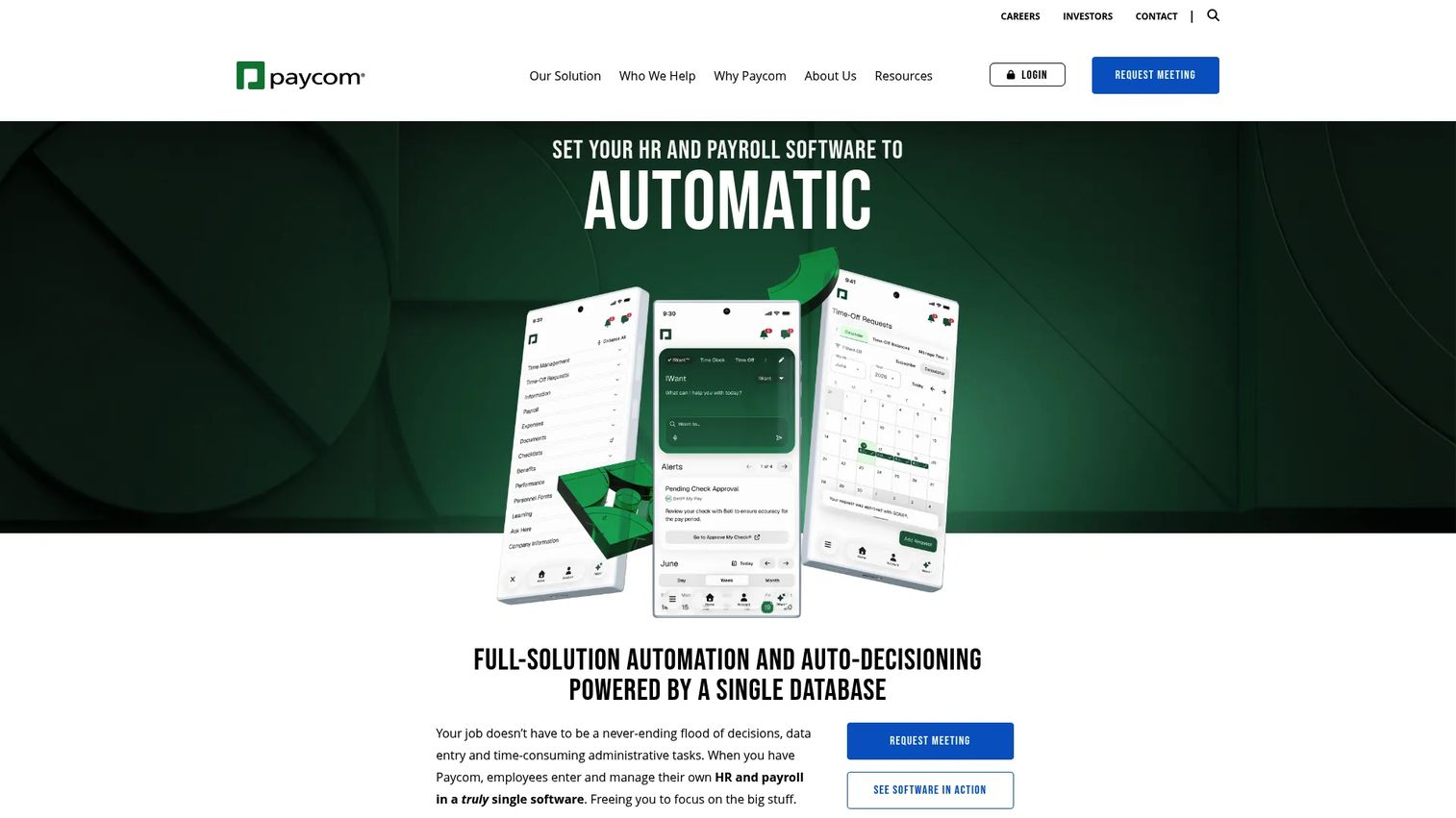
Paycom is cloud-based HCM software that puts payroll and HR on a single database. That architecture is the point: when employee data lives in one place, you stop reconciling mismatched records across systems and you cut the manual touches that introduce errors. For founders who want fewer hands on payroll and tighter control, that single-database model is the differentiator.
Paycom leans toward mid-sized and enterprise complexity. Its standout feature, Beti, pushes payroll out to employees themselves: workers review and approve their own pay before the run, catching errors before they become corrections. That flips the usual model, where mistakes surface after money moves.
Best for: Mid-sized to enterprise companies that want integrated payroll and HR automation on one system.
Key strengths
- Single-database automation: Payroll and HR share one source of data, removing the reconciliation work that slows finance down.
- Employee-guided error checking: Beti has employees verify their own pay before submission, reducing post-run corrections.
- Tax, garnishment, and GL reporting: Handles tax filing, wage garnishments, and general ledger payroll reports that finance can reconcile cleanly.
Why choose Paycom: If payroll currently routes through multiple disconnected tools, Paycom consolidates it. The single-database approach pays off most for teams with real complexity: multiple departments, garnishments, and HR data that needs to stay in sync with pay. It's built for control, not for the smallest budgets.
Paycom pricing: Paycom uses custom pricing based on your functionality needs and employee count, with no public numeric price listed on its pricing page. Plans are organized around Core and Complete tiers. To get a real number, you request a quote tied to your headcount and feature set. Paycom holds a 4.5/5 rating on G2.
2. Patriot Software
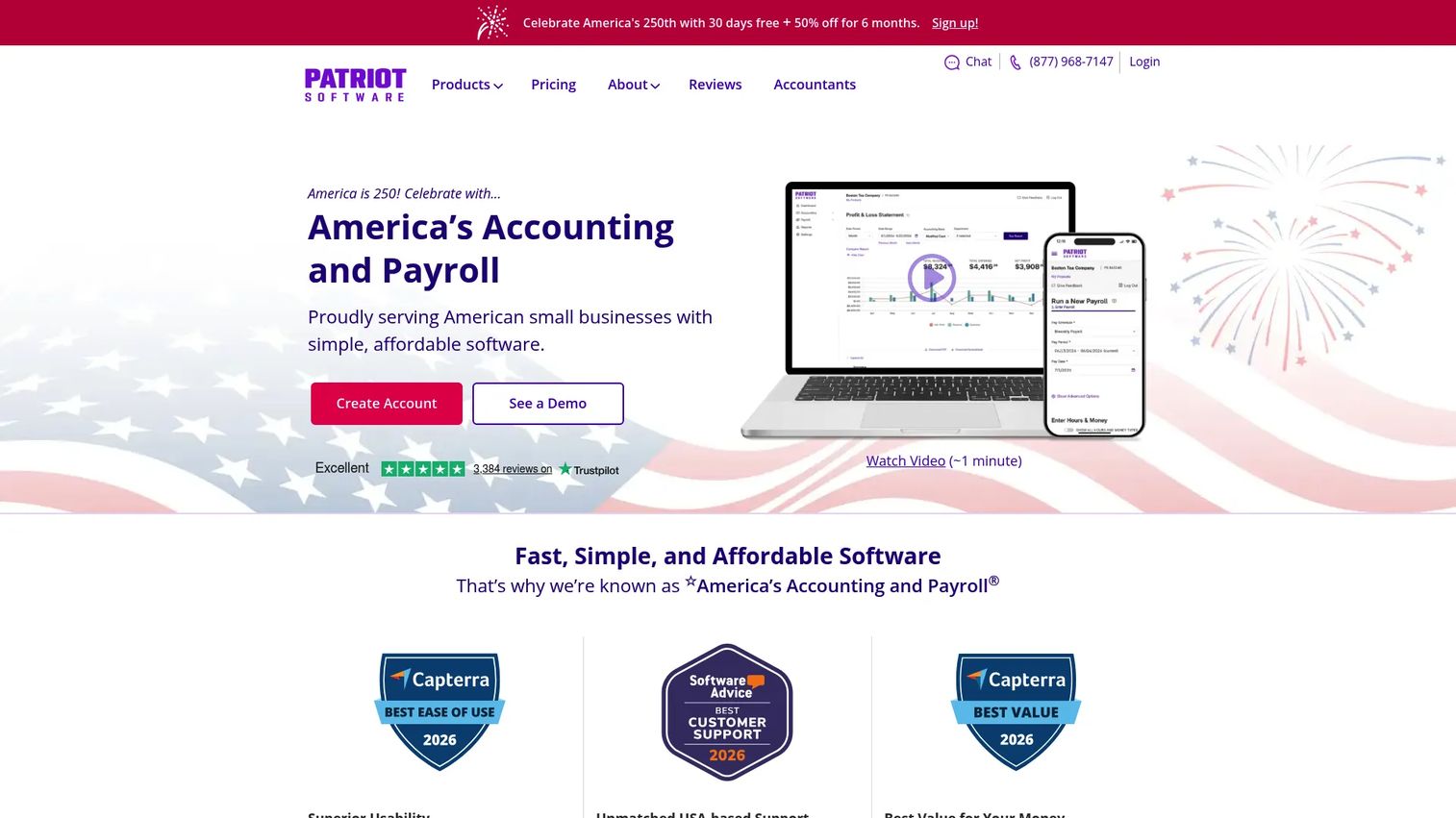
Patriot Software is built for US small businesses that want payroll and accounting in one affordable platform. It's the budget-conscious pick on this list, but budget here doesn't mean stripped down. You get unlimited payrolls, direct deposit, an employee portal, and, on the Full Service plan, complete tax filing and deposits handled for you.
That combination matters for lean teams. You're not paying enterprise rates, but you still get the compliance coverage that keeps you out of trouble. Free setup lowers the barrier to switching, and the 30-day trial lets you test before committing.
Best for: US small businesses that want reliable payroll and accounting without enterprise pricing.
Key strengths
- Unlimited payrolls: Run payroll as often as you need without per-run charges, useful for off-cycle pay and corrections.
- Full-service tax filing: The Full Service plan files and deposits federal, state, and local payroll taxes for you.
- Employee portal and direct deposit: Workers access pay stubs and forms through a self-service portal, with flexible direct deposit options.
Why choose Patriot Software: If price sensitivity is real but you still need clean compliance, Patriot hits that balance. It's a strong fit for small teams that want predictable, low costs and don't need the HR and IT depth of a larger platform. The accounting add-on keeps your books and payroll close.
Patriot Software pricing: Basic Payroll runs $17/mo plus $4 per worker paid. Full Service Payroll, which adds tax filing, is $37/mo plus $5 per worker paid. Accounting plans run $20/mo (Basic) and $30/mo (Premium). All products include a 30-day free trial and 50% off for six months. Patriot holds a 4.8/5 rating on G2.
3. QuickBooks Payroll
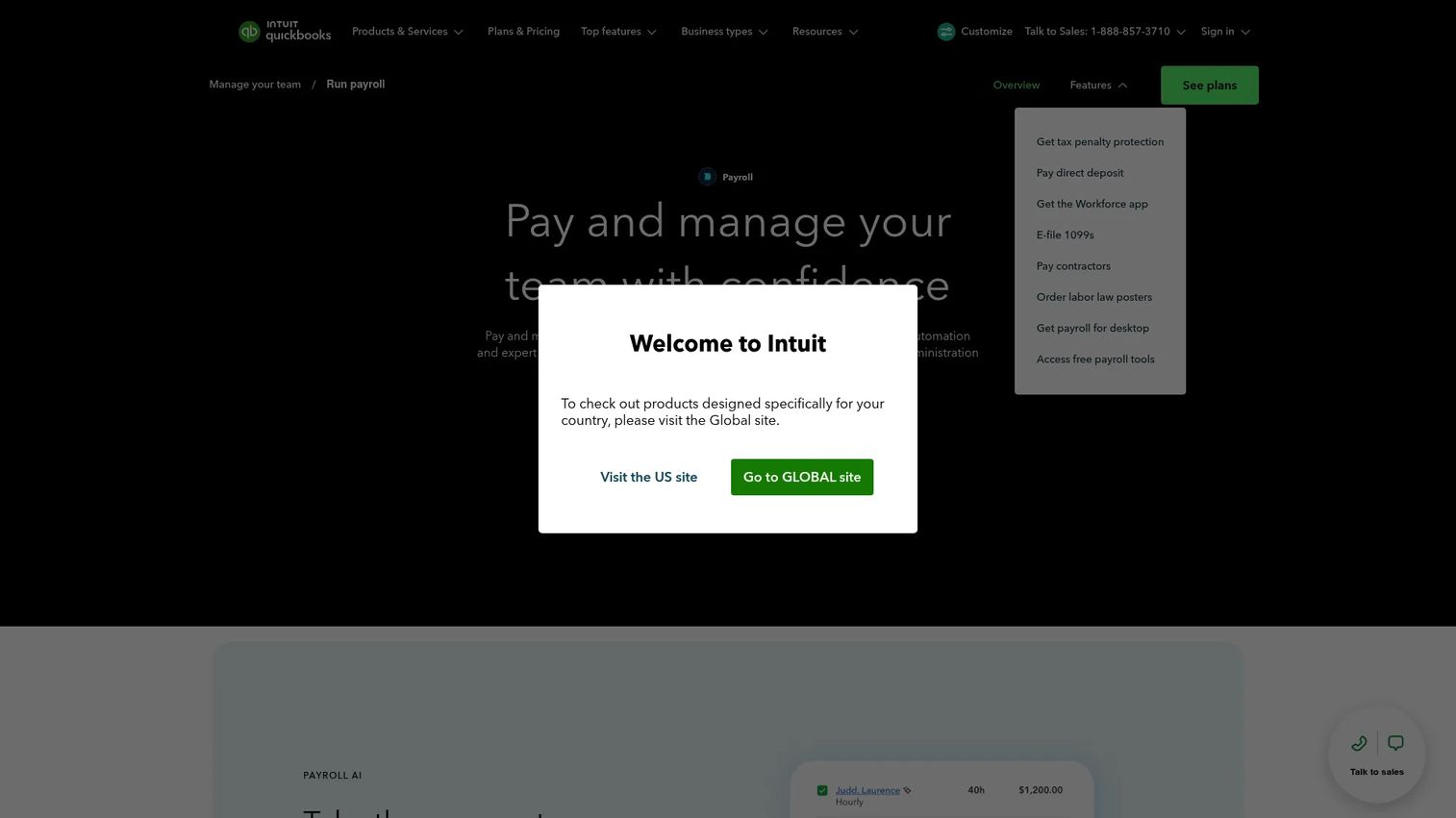
QuickBooks Payroll from Intuit is the natural choice if your books already live in QuickBooks. The integration is the whole pitch: payroll data flows straight into your accounting, so your general ledger payroll reports stay reconciled without manual exports. For finance-first teams, that tight loop removes a recurring source of friction.
Beyond the sync, you get full-service payroll with automated taxes and forms, direct deposit, and an employee portal for pay stubs, W-2s, and personal info. Setup support helps teams get running without a long implementation.
Best for: Businesses already using QuickBooks that want payroll integrated with their accounting and HR.
Key strengths
- Native QuickBooks integration: Payroll syncs directly to your books, keeping general ledger reports reconciled automatically.
- Automated tax filing: Calculates, files, and pays federal and state payroll taxes, with forms handled for you.
- Employee self-service: Workers access pay stubs, W-2s, and personal details through their own portal.
Why choose QuickBooks Payroll: The case is simple. If you run QuickBooks accounting, adding QuickBooks Payroll keeps everything in one ecosystem and saves your finance lead from stitching systems together. The trust and tax support are mature, and setup help shortens the ramp.
QuickBooks Payroll pricing: QuickBooks shows bundled payroll plus accounting pricing. The lowest visible bundle, Workforce Payroll plus Simple Start, runs $44/mo plus $6.50/employee/mo after the promotional pricing on the page. Workforce Payroll plus Essentials is $62.50/mo plus $6.50/employee/mo, and Workforce Premium plus Plus is $101.50/mo plus $10/employee/mo. QuickBooks Payroll holds a 4.4/5 rating on G2.
4. Gusto
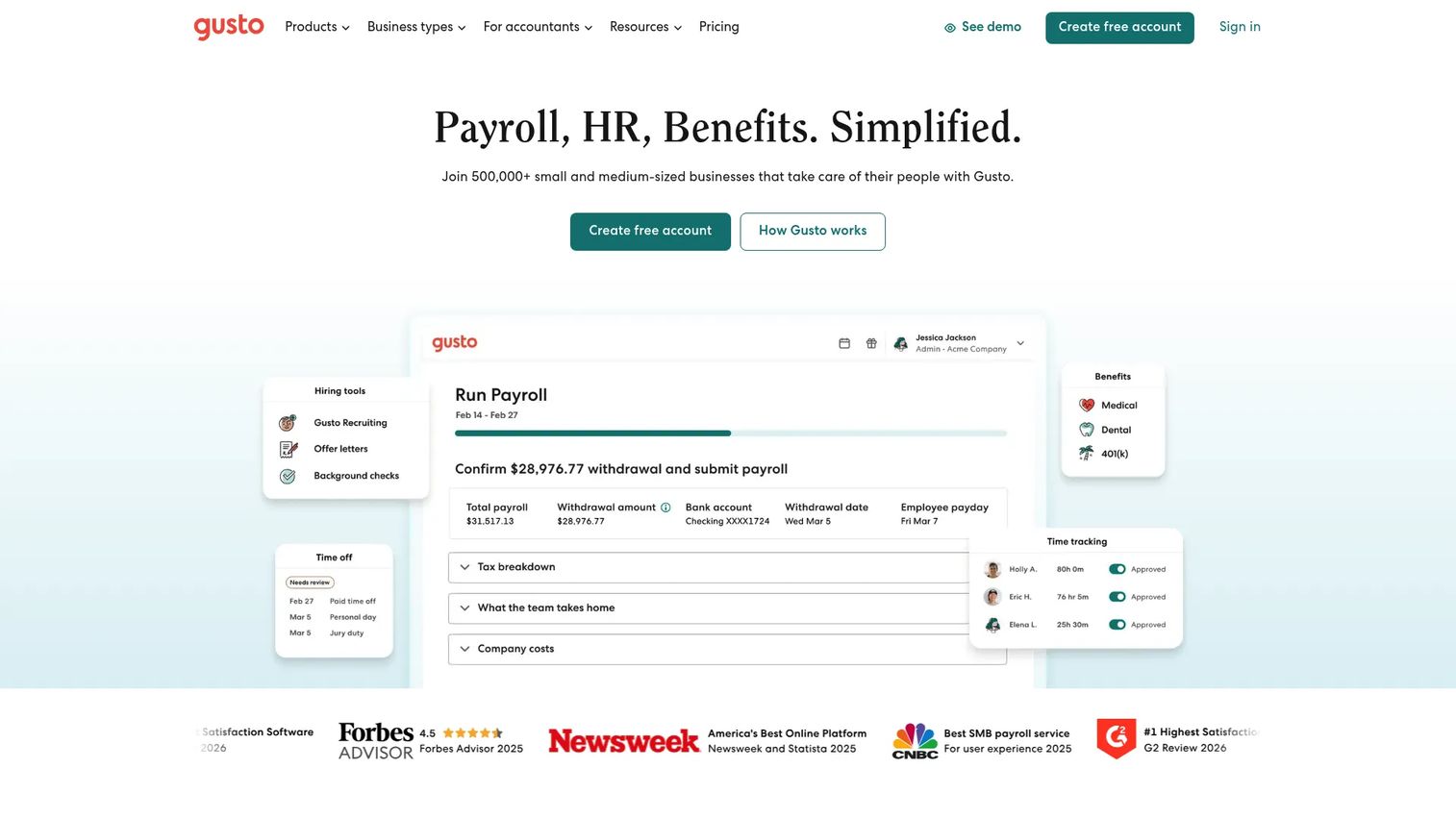
Gusto is the user-friendly default for a lot of small teams, and for good reason. The onboarding is genuinely easy, the interface is clean, and the platform bundles payroll, benefits, and HR without feeling heavy. For a founder who wants payroll to disappear into the background, Gusto is hard to beat on experience.
Under the clean UX sits real capability: full-service payroll with automated tax filing, employee self-service, benefits administration, and onboarding tools. It handles W-2 employees and contractors, and the contractor-only plan makes it cheap to start if your team is mostly 1099.
Best for: Small businesses that want payroll, benefits, and HR in one approachable platform.
Key strengths
- Easy onboarding and clean UX: Setup is straightforward, which matters when you don't have a dedicated payroll admin.
- Benefits and HR built in: Health benefits, onboarding, and HR tools live alongside payroll, not in a separate system.
- Tax automation: Federal, state, and local taxes are calculated, filed, and deposited automatically.
Why choose Gusto: Gusto wins on usability. If you'd rather not think about payroll mechanics and want something a non-specialist can run, this is the safe default. The all-in-one structure means payroll, benefits, and basic HR grow together as you hire.
Gusto pricing: The Contractor-only plan is $0/mo for the first six months (then $35/mo) plus $6/mo per person. Simple runs $49/mo plus $6/mo per person, Plus is $80/mo plus $12/mo per person, and Premium is $180/mo plus $22/mo per person. Gusto holds a 4.6/5 rating on G2.
5. ADP RUN
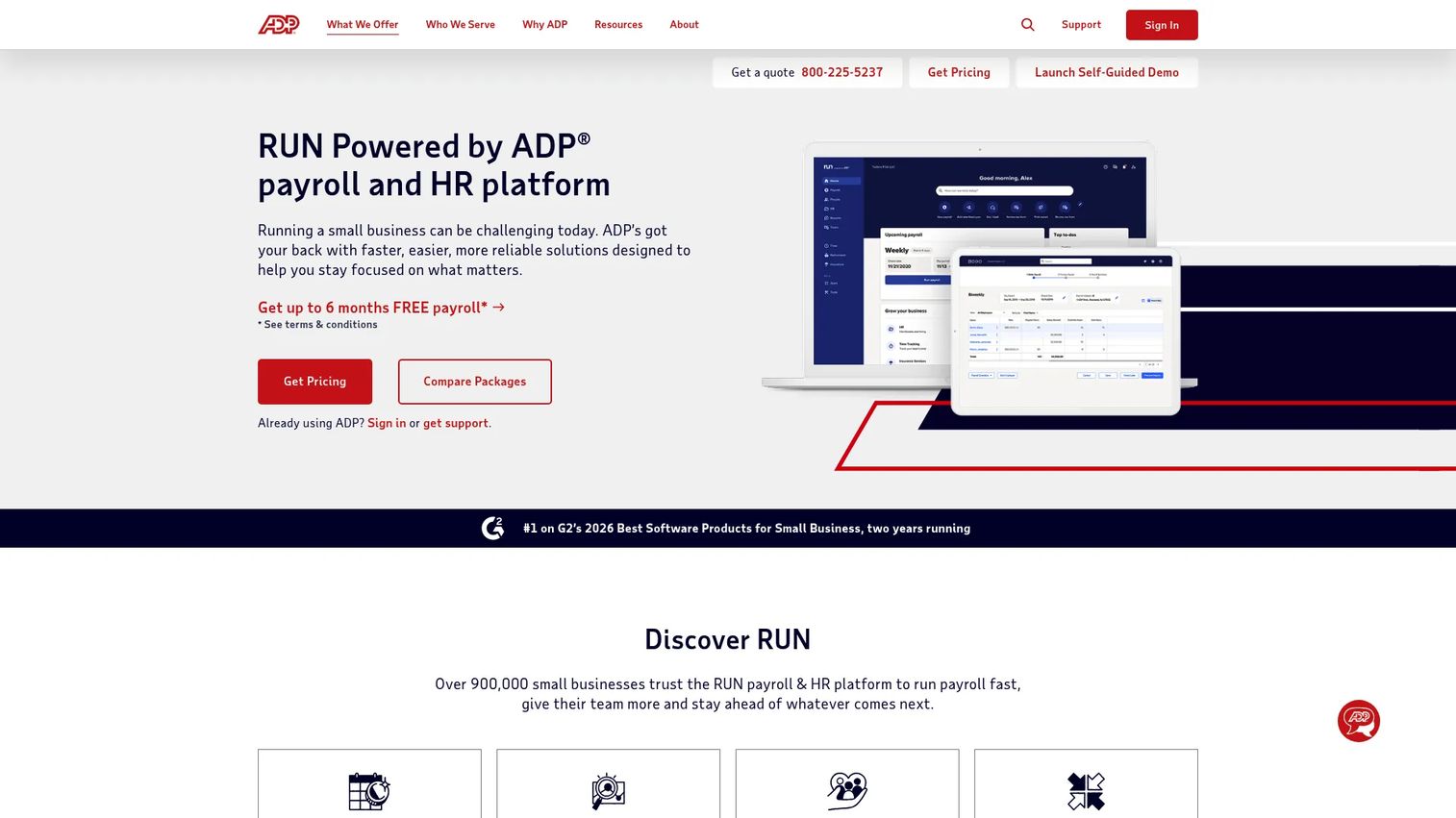
ADP RUN is small-business payroll backed by one of the most established names in the category. That brand trust isn't a vanity point. ADP has handled payroll and compliance at scale for decades, and for teams that want a mature vendor with deep tax expertise, RUN delivers that confidence.
You can run payroll by computer, mobile app, or phone, with direct deposit and tax filing built in. As you grow, the higher tiers layer in HR support, onboarding, and employee access, so the platform scales with headcount expansion rather than forcing a migration later.
Best for: Small businesses that want outsourced payroll with built-in compliance and room to add HR.
Key strengths
- Established compliance depth: ADP's tax and compliance expertise is among the deepest in the category.
- Flexible payroll processing: Run payroll via computer, mobile app, or phone, with direct deposit and tax filing handled.
- Scalable HR add-ons: Higher tiers add HR support, onboarding, and employee access as your team grows.
Why choose ADP RUN: If you expect to scale and want a vendor that won't be outgrown, ADP RUN is a safe long-term bet. The brand carries weight in due diligence, and the tiered packages let you add HR depth without switching providers. It suits teams that value vendor maturity over the lowest price.
ADP RUN pricing: ADP lists four packages: Essential Payroll, Enhanced Payroll, Complete Payroll & HR Plus, and HR Pro Payroll & HR. The site does not show public dollar amounts and directs you to request a quote specific to your business. ADP RUN holds a 4.6/5 rating on G2.
6. Rippling
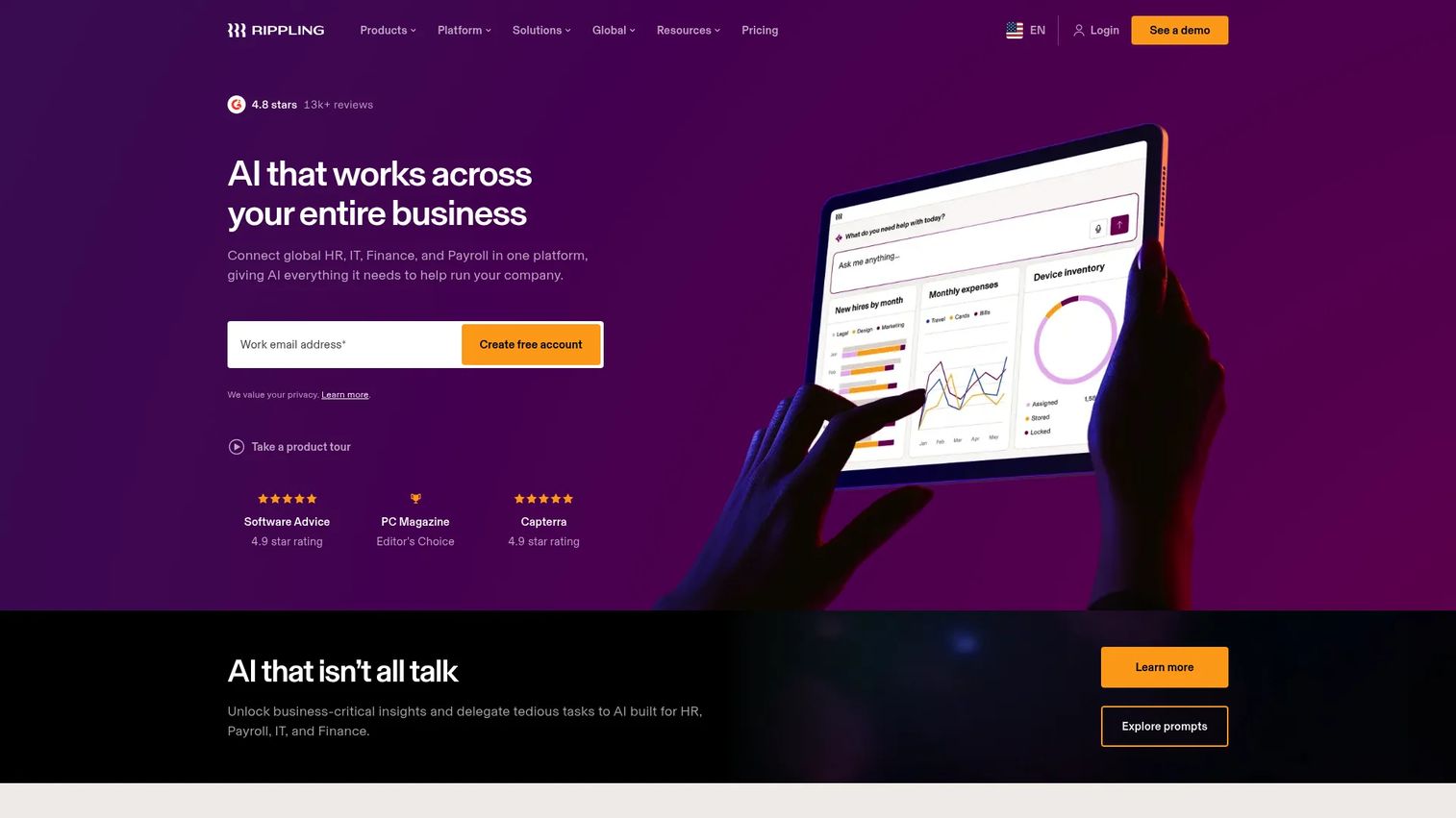
Rippling takes a different angle. It's a unified workforce platform that runs payroll alongside HR, IT, and finance, all from one system. The pitch for a scaling founder is consolidation: instead of separate tools for payroll, HRIS, and device management, Rippling handles them together, with automation connecting the pieces.
That matters because of where founder time goes. When onboarding a new hire means provisioning a laptop, setting up accounts, enrolling benefits, and adding them to payroll, doing it in one system saves real hours. Rippling's modular structure lets you start with payroll and add modules as you need them.
Best for: Companies that want one platform for HR, IT, payroll, and spend management.
Key strengths
- Unified HR, IT, and payroll: One system manages people, devices, and pay, reducing tool sprawl as you scale.
- Workflow automation: Onboarding and offboarding trigger payroll, benefits, and IT actions automatically.
- Modular platform: Start with payroll and add HRIS, IT, or spend modules when you need them.
Why choose Rippling: Rippling fits founders consolidating their operational stack. If you're tired of stitching payroll to your HRIS to your IT tools, the unified platform removes that integration burden and saves time on every hire and departure. It's built for teams that want one control plane rather than a collection of point tools.
Rippling pricing: Rippling uses custom pricing and asks visitors to request a free quote. The company notes many products are billed per employee per month, and some may include a monthly base fee, but no public starting price is listed. Rippling holds a 4.8/5 rating on G2.
7. OnPay
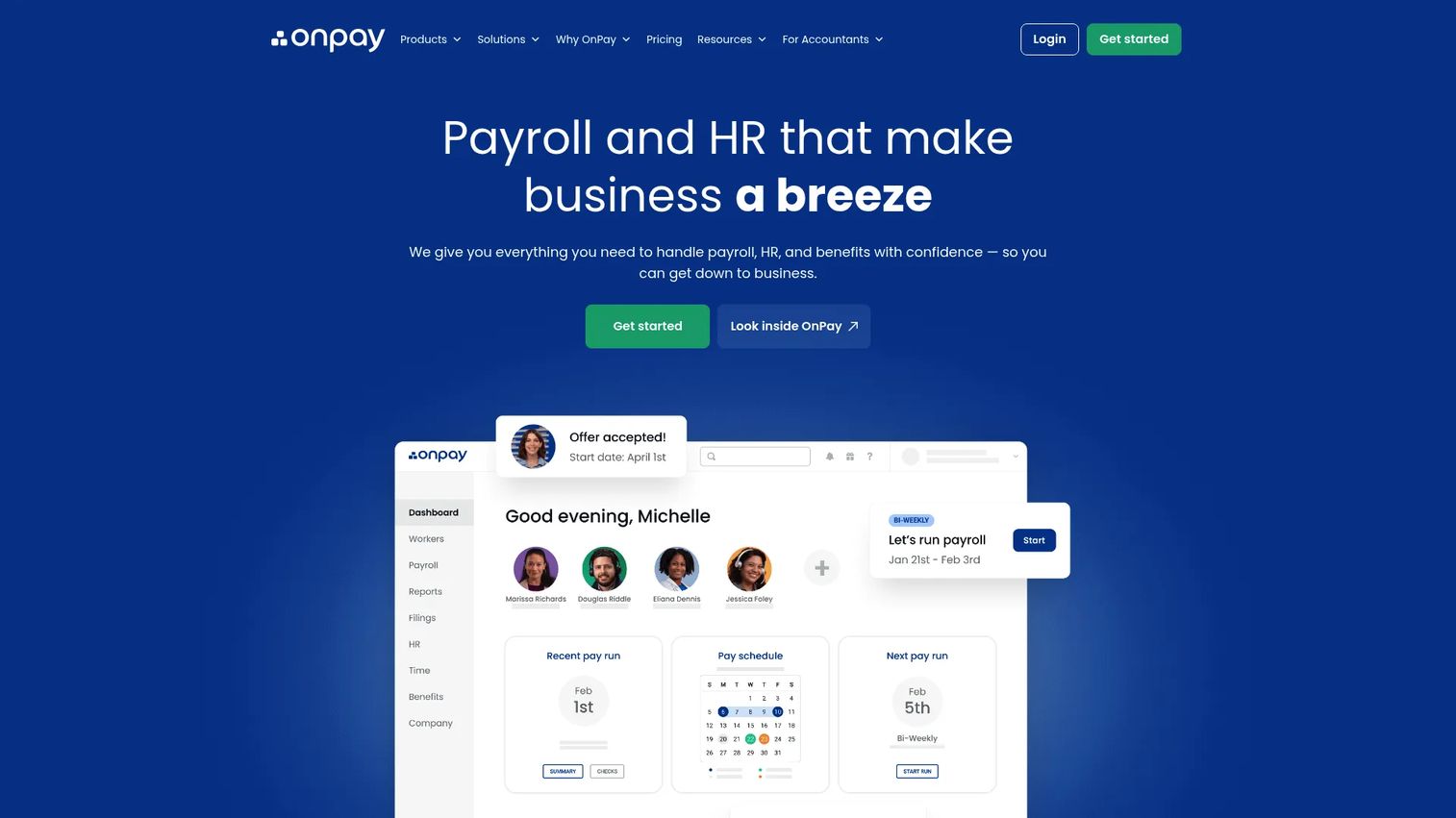
OnPay is the clean, simple full-service option for teams that want reliable payroll without a heavy platform. Pricing is flat and predictable, the usability is strong, and tax handling is practical and complete. If a sprawling HR and IT suite is more than you need, OnPay covers the essentials well.
You get unlimited monthly pay runs, automatic federal, state, and local tax filings and payments, and support for both W-2 employees and 1099 contractors. Built-in HR tools, onboarding, document storage, and benefits administration round it out without overcomplicating the product.
Best for: Small businesses that want full-service payroll with built-in HR and benefits, minus the platform sprawl.
Key strengths
- Flat, predictable pricing: One base fee plus a per-worker rate, with no tier-juggling to figure out.
- Full tax automation: Automatic federal, state, and local tax filings and payments for every pay run.
- Built-in HR and benefits: Onboarding, document storage, and benefits administration come standard.
Why choose OnPay: OnPay is the antidote to platform fatigue. If you want straightforward, full-service payroll that just works, with HR and benefits available but not forced on you, this is the simpler path. The flat pricing makes budgeting easy, which matters when you're watching every line.
OnPay pricing: OnPay Payroll Essentials starts at $49 base plus $6 per worker per month, with optional HR add-ons available. There's no free tier, but pricing is transparent and easy to model against your headcount. OnPay holds a 4.8/5 rating on G2.
Considerations before you buy
A shortlist is a start. Before you sign, pressure-test each option against the criteria that actually determine whether payroll becomes invisible or becomes a recurring problem.
Tax filing and compliance coverage
Confirm exactly which taxes the platform files and deposits, and whether full-service filing is included or an add-on. If you have employees in more than one state, verify multi-state payroll support and ask how the vendor handles new state registrations.
Onboarding and setup time
Ask how long implementation takes and what data migration looks like. The faster you can run a clean first payroll, the less risk you carry. Free setup and trials let you validate before committing real money and real paychecks.
Accounting and HR integration
Check that payroll data syncs to your accounting system and produces general ledger reports your finance lead can reconcile. If you run an HRIS, confirm the integration depth so employee data stays consistent across tools.
Employee self-service and support
A solid employee portal cuts HR interruptions, so verify what employees can access on their own. Then test support quality directly. When a payroll issue hits, response time matters more than any feature.
Pricing that scales with headcount
Most payroll software pricing combines a base fee with a per-employee charge. Model the total at your projected headcount, not just today's, so the affordable payroll software you pick stays affordable as you grow.
Conclusion
The right payroll software is the one that fits your size and complexity, not the one with the longest feature list. For complex payroll and tight automation, Paycom's single-database model leads. For budget-conscious small teams, Patriot Software delivers compliance without the premium. Accounting-first teams gravitate to QuickBooks Payroll, while Gusto wins on ease for many small businesses. ADP RUN suits teams that want a trusted, scalable vendor, Rippling fits founders consolidating HR and IT, and OnPay keeps full-service payroll simple and predictable.
The common thread: the best payroll software cuts admin, keeps taxes clean, and gives finance confidence as you scale. It removes a founder-owned fire drill rather than adding one.
Next step: shortlist two of these, and compare them head-to-head on setup time, support responsiveness, and tax handling. Run a trial where you can. The platform that gets you to a clean first payroll fastest, with the least friction, is usually the one worth keeping.
FAQs
Payroll software is an HR and finance application that calculates employee pay, withholds and files payroll taxes, and pays workers through direct deposit or other methods. It automates gross-to-net calculations, tax compliance, and reporting, replacing manual spreadsheets. Most modern payroll software programs also include an employee portal and integrations with accounting and HR tools.
The workflow starts with employee data: salaries, hourly rates, and timesheets. The payroll processing system calculates gross pay, applies deductions and tax withholding, and arrives at net pay. It then moves money to employees via direct deposit and files the corresponding taxes with federal, state, and local agencies. Finally, it generates pay stubs, reports, and exports for your records and accounting.
Prioritize automated tax filing, direct deposit, and payroll software with employee self-service so workers can access pay stubs and forms themselves. Look for integrations with your accounting and HR systems, plus reporting and exports that survive an audit. For growing teams, multi-state payroll support and responsive customer support matter as much as the core feature set.
For most small businesses, yes. Once you're paying more than a few people, the time saved and the reduction in tax errors usually outweigh the cost of affordable payroll software. Manual payroll carries real penalty risk, and a missed or late filing can cost far more than a monthly subscription. The tipping point is usually when payroll starts eating hours or causing mistakes.
Payroll software is a tool you run yourself, approving pay runs and managing the process in-app, often with automated tax filing built in. A payroll service is a managed offering where a provider handles processing and compliance for you. Many platforms blend both: full-service software automates filing while you stay in control of approvals. Choose software for control and lower cost, a service for hands-off delegation.
Most payroll software pricing uses a base monthly fee plus a per-employee charge. Entry tiers on this list start around $17 to $49 per month plus a few dollars per worker, while platforms with HR and IT depth or enterprise functionality use custom quotes. To estimate your real cost, model the base fee plus the per-employee rate at your projected headcount.
Most established payroll software supports multi-state payroll, but coverage and ease vary. Before buying, verify that the platform calculates and files taxes correctly in every state where you have employees, and ask how it handles new state registrations. Multi-state adds compliance complexity, so payroll compliance support is the feature to scrutinize closely if your team is distributed.