A suspicious file arrives via email. Your gateway flags it, but signature controls can't confirm whether it's malicious. The security team needs a verdict before the payload executes against a real system.
Network sandboxing software exists to answer exactly this question. It detonates suspicious objects in isolated environments, observes what they do, and routes findings into the workflows where analysts can act. According to Future Market Insights (2025), the network sandboxing market stood at $12.5 billion in 2025 and is projected to reach $53.9 billion by 2035, growing at a 15.7% CAGR. That growth reflects how many organizations are moving past signature-only controls toward behavioral detection.
For Product Managers evaluating security tooling, the real question isn't just "does this detect threats?" It's whether the product integrates cleanly with existing infrastructure, produces evidence analysts can use, and doesn't create maintenance overhead that competes with engineering priorities. A sandbox that generates high alert volume with poor context, or requires constant tuning to stay current with your network architecture, is a liability. This guide helps you shortlist nine products and evaluate them on the criteria that matter operationally.
What's inside
This guide covers nine network sandboxing tools evaluated for security teams in 2026. Items were selected based on:
- Coverage: Which object types each product can analyze (files, URLs, attachments, network traffic)
- Deployment fit: Cloud, appliance, virtual, and hybrid options
- Integration surface: SIEM, SOAR, XDR, and workflow compatibility
- Operational cost: Maintenance overhead, alert quality, and analyst workflow impact
- Procurement model: How each product is bought and what to verify before committing engineering resources
TL;DR
- Best for broad enterprise sandboxing with Fortinet infrastructure: FortiSandbox offers AI-powered analysis across hardware, VM, SaaS, and PaaS deployment options
- Best for Check Point gateway environments: Check Point SandBlast Network combines threat emulation and threat extraction at the network edge
- Best for network traffic visibility and custom sandboxing: Trend Micro Deep Discovery Inspector covers more than 105 network protocols with virtual analyzer workflows
- Best for SOC investigation and automated triage: Splunk Attack Analyzer automates analysis of suspicious files and URLs with direct SOAR integration
- Best for cloud-delivered sandboxing within Hillstone environments: Hillstone Cloud Sandbox provides execution-environment emulation without on-premises appliance requirements
What is network sandboxing software?
Network sandboxing software analyzes suspicious files, URLs, email attachments, and network objects inside isolated environments to identify malicious behavior before it reaches users or systems.
The core workflow runs like this: An object is flagged by a gateway, firewall, email security product, endpoint tool, or analyst. It enters an isolated virtual or emulated environment. The sandbox observes what happens during execution, including process spawning, persistence attempts, outbound network calls, and credential-access behavior. The platform produces a risk verdict and routes evidence into security operations workflows.
How network sandboxing works
- Object submission from a gateway, firewall, email control, or analyst console
- Pre-execution static analysis to identify known signatures or structural anomalies
- Dynamic execution inside an isolated virtual machine or emulated environment
- Behavioral observation: Process activity, registry changes, network calls, file drops
- Verdict generation with supporting artifacts, indicators, and threat intelligence context
- Output routing to SIEM, SOAR, case management, or analyst queue
Core capabilities to look for
- File, URL, attachment, and traffic analysis
- Dynamic behavioral detection and threat emulation
- Static analysis prior to execution
- Virtual machine or emulation-based detonation
- Anti-evasion countermeasures (sleep-timer handling, VM-detection resistance)
- Threat intelligence enrichment
- SIEM, SOAR, XDR, and case-management integrations
- Cloud, virtual appliance, hardware appliance, or hybrid deployment
What it is versus adjacent categories
| Category | Primary job |
|---|---|
| Network sandboxing | Analyzes suspicious content and behavior in isolation |
| Browser isolation | Separates browser sessions from endpoints |
| Endpoint detection and response | Detects and responds to endpoint-level activity |
| Secure web gateway | Controls web access and inspects traffic at policy layer |
| XDR | Correlates signals across tools and orchestrates response |
When to use network sandboxing software
Analyze suspicious files before they spread
Email gateways, web proxies, and shared file systems surface objects that signature controls can't confidently classify. Sandboxing gives security teams a safe place to execute those objects and observe behavior before they touch production systems. Unknown and evasive malware, where no signature exists yet, is the primary target.
Investigate suspicious network activity with context
Network-aware sandboxes help analysts understand what a suspicious download actually does once executed, whether it phones home, drops a payload, or attempts lateral movement. Behavioral context moves an alert from "this looks suspicious" to "here's what it tried to do."
Add behavioral evidence to incident response
A verdict alone doesn't close an incident. Security teams need process trees, network indicators, dropped files, and threat intelligence context to prioritize containment and remediation steps. Sandboxing produces the artifact layer that enriches investigations and supports decisions about scope and response.
Network sandboxing software comparison
The table below gives a fast shortlist. Treat it as a starting point for evaluation, not a substitute for a proof-of-value exercise with your own suspicious-object samples and integration requirements. Pricing figures reflect the procurement models confirmed at generation time; all products in this category require a vendor quote for exact costs. G2 ratings verified October 2026.
| # | Product | Best for | Key differentiator | Pricing | G2 rating |
|---|---|---|---|---|---|
| 1 | FortiSandbox | Fortinet-centric enterprise environments | AI analysis across hardware, VM, SaaS, and PaaS deployments | Contact Fortinet for a quote | 4.5/5 |
| 2 | AhnLab MDS | Combined network and endpoint threat analysis | Multi-engine sandbox with execution holding and quarantine | Contact AhnLab for a quote | 4.5/5 |
| 3 | Check Point SandBlast Network | Check Point gateway environments | Threat emulation plus threat extraction at the network edge | Contact Check Point for a quote | 4.4/5 |
| 4 | Trend Micro Deep Discovery Inspector | Network visibility and protocol-level inspection | 105+ protocols covered with custom sandbox virtual analyzer | Contact Trend Micro for a quote | 4.2/5 |
| 5 | SonicWall Capture Advanced Threat Protection | SonicWall firewall environments | Multi-engine cloud sandboxing tied to gateway controls | Contact SonicWall for a quote | No current G2 rating found |
| 6 | Trellix Intelligent Virtual Execution | Dynamic malware analysis for investigation workflows | Signatureless dynamic analysis for zero-day and multiflow attacks | Contact Trellix for a quote | 3.8/5 |
| 7 | Forcepoint Advanced Malware Detection | Forcepoint web and email security stacks | Fast zero-day detection across Windows, Linux, Android, macOS | Contact Forcepoint for a quote | No current G2 rating found |
| 8 | Splunk Attack Analyzer | SOC investigation and response automation | Automated attack-chain analysis with SOAR integration | Contact Splunk for a quote | No current G2 rating found |
| 9 | Hillstone Cloud Sandbox | Cloud-delivered sandboxing within Hillstone environments | Execution-environment emulation with Kill Chain visualization | Contact Hillstone for a quote | 4.0/5 |
Best network sandboxing software tools for 2026
1. FortiSandbox
FortiSandbox is Fortinet's AI-powered malware analysis platform, designed for organizations that need advanced threat detection across a broad security infrastructure. It supports deployment as a hardware appliance, virtual appliance, SaaS subscription, or PaaS subscription, which gives procurement teams real flexibility. The platform uses both static and dynamic analysis to identify zero-day malware, ransomware, and evasive threats that bypass signature-based controls.
Best for: Enterprises already operating Fortinet firewalls, email security, or endpoint products that want sandbox verdicts flowing natively into the Security Fabric.
Key features
- AI-powered static and dynamic analysis with purpose-built machine learning
- Full virtual execution environments for behavioral observation
- Deployment options: Hardware appliance, virtual appliance, SaaS, or PaaS
- Real-time threat intelligence sharing across Fortinet Security Fabric
- Broad file-type coverage with accelerated analysis
Why choose FortiSandbox: The operational value increases significantly when sandbox verdicts feed directly into existing Fortinet controls. Teams that have standardized on Fortinet firewalls, endpoint agents, or email gateways should map those integration points before evaluating alternatives.
FortiSandbox pricing: Fortinet structures pricing around hardware bundles, VM subscriptions, SaaS subscriptions, and PaaS subscriptions. Contact Fortinet or a reseller for current quote details specific to your deployment type and scale.
G2 rating: FortiSandbox holds a 4.5/5 rating on G2
2. AhnLab MDS
AhnLab MDS is a sandbox-based advanced threat defense platform that addresses unknown malware, ransomware, phishing, and advanced persistent threats across both network and endpoint contexts. Its multi-engine approach covers executable and non-executable file types, and it can hold suspicious files for verdict before delivery, remove confirmed malicious files, and quarantine affected systems. AI-assisted email security extends its coverage into phishing detection.
Best for: Mid-market and enterprise security teams that need combined network and endpoint threat analysis from a single platform.
Key features
- Multi-engine sandbox analysis for executable and non-executable files
- Execution holding, file removal, and system quarantine on verdict
- AI-assisted email security and phishing detection
- Anti-VM analysis and network inspection using signatures and YARA rules
- Central monitoring and log management dashboard
Why choose AhnLab MDS: AhnLab suits teams that want a single product handling both network-level submission and endpoint quarantine responses. Product Managers should confirm which integrations are supported natively and which require custom development before committing engineering capacity.
AhnLab MDS pricing: AhnLab does not display pricing on its product pages. Contact AhnLab directly for a quote covering your deployment model and volume.
G2 rating: AhnLab MDS holds a 4.5/5 rating on G2
3. Check Point SandBlast Network
Check Point SandBlast Network combines threat emulation and threat extraction to protect against zero-day malware, ransomware, and advanced phishing at the network edge. Threat emulation runs suspicious content in isolated environments before delivery. Threat extraction reconstructs files with active content removed, delivering a clean version to users while the analysis runs. The product deploys as a cloud service, on-premises appliance, or dedicated appliance.
Best for: Organizations standardized on Check Point security gateways that want prevention-focused sandboxing tightly coupled to their network security controls.
Key features
- Evasion-resistant threat emulation and sandboxing
- Threat Extraction for immediate delivery of sanitized files
- AI and non-AI malware detection engines running in parallel
- Coverage across email, web downloads, and network traffic
- Cloud, on-premises, and dedicated-appliance deployment options
Why choose Check Point SandBlast Network: The product's strongest fit is an environment where Check Point gateways already manage traffic policy. Product Managers should map network throughput requirements, licensing tiers, and policy-management ownership during procurement to avoid post-deployment surprises.
Check Point SandBlast Network pricing: Pricing is subscription-based and tied to deployment size, gateway model, network throughput, and selected security service tiers. Contact Check Point for a quote.
G2 rating: Check Point SandBlast Network holds a 4.4/5 rating on G2 from 18 reviews
4. Trend Micro Deep Discovery Inspector
Trend Micro Deep Discovery Inspector is a network security appliance that detects targeted attacks, ransomware, and advanced malware across network traffic by monitoring all network ports and more than 105 protocols. Its custom sandboxing capability, called Virtual Analyzer, runs suspicious objects against images that mirror actual production environments rather than generic virtual machines, which improves detection fidelity for environment-aware malware.
Best for: Enterprise network security teams that need deep protocol visibility and enriched analysis of suspicious traffic, with the ability to customize sandbox environments.
Key features
- Monitors all network ports across 105+ protocols
- Custom sandbox using Virtual Analyzer with production-matched images
- Advanced threat detection and network analytics
- Threat intelligence sharing with Trend Micro ecosystem
- Physical and virtual network appliance deployment
Why choose Trend Micro Deep Discovery Inspector: The protocol breadth and custom sandboxing capability make it well-suited for environments with complex network topologies or protocol diversity. Before rollout, security and product teams should evaluate compute requirements, SSL inspection dependencies, expected alert volume, and the effort needed to connect verdicts to existing SIEM or SOAR workflows.
Trend Micro Deep Discovery Inspector pricing: Pricing is available through a "Get pricing" request on the Trend Micro product page, and varies by appliance model, virtual or hardware deployment, and support tier. Contact Trend Micro for current figures.
G2 rating: Trend Micro Deep Discovery Inspector holds a 4.2/5 rating on G2 from 10 reviews
5. SonicWall Capture Advanced Threat Protection
SonicWall Capture Advanced Threat Protection is a cloud-delivered sandbox service that uses multiple analysis engines, including Real-Time Deep Memory Inspection (RTDMI), virtualized sandboxing, full system emulation, and hypervisor-level analysis, to inspect suspicious files before they enter the network. The product is designed for organizations already using SonicWall firewalls, where it adds cloud-based threat analysis without requiring a separate on-premises appliance.
Best for: Security teams running SonicWall firewalls that want cloud-based sandboxing integrated directly into their existing gateway security controls.
Key features
- Multi-engine analysis: RTDMI, virtualized sandbox, full system emulation, and hypervisor-level inspection
- Broad file-type coverage including PE, DLL, PDF, Office formats, archives, JAR, and APK
- Blocks suspicious files at the gateway until a verdict is returned
- Cloud delivery without an on-premises analysis appliance
- Gateway security integration via existing SonicWall controls
Why choose SonicWall Capture ATP: The primary reason to choose this product is ecosystem fit. If SonicWall firewalls already manage your perimeter, Capture ATP adds cloud sandboxing without a separate procurement process or appliance footprint. Product Managers should confirm regional data processing locations, upload policy controls, and how cloud verdict latency interacts with policy enforcement timing.
SonicWall Capture Advanced Threat Protection pricing: SonicWall does not display Capture ATP pricing separately. It is typically packaged with security service subscriptions tied to specific firewall models. Contact SonicWall for current bundling and pricing details.
6. Trellix Intelligent Virtual Execution
Trellix Intelligent Virtual Execution is a signatureless dynamic analysis engine built to detect zero-day, multiflow, and evasive attacks in virtual environments. It analyzes suspicious files, URLs, email attachments, and web objects using both static and dynamic techniques, and produces behavioral reports with threat intelligence context for security operations teams. Deployment options include on-premises, private cloud, public cloud, and virtual appliance.
Best for: Enterprise security teams that need rich detonation evidence to support investigation, detection engineering, and threat intelligence workflows.
Key features
- Signatureless dynamic analysis targeting zero-day and multiflow attacks
- Static and dynamic analysis of files, URLs, attachments, and web objects
- On-premises, private cloud, public cloud, and virtual appliance deployment
- Behavioral analysis reports with threat intelligence enrichment
- Detection of targeted APT and evasive attacks
Why choose Trellix Intelligent Virtual Execution: Trellix IVX suits organizations that need sandbox intelligence feeding into a broader investigation and detection workflow, rather than a simple block-or-allow enforcement point. Product Managers evaluating this product should map the analyst APIs, evidence formats, telemetry export paths, data retention requirements, and how intelligence flows into existing case-management systems before making a purchase decision.
Trellix Intelligent Virtual Execution pricing: Trellix does not display pricing on its product pages. Contact Trellix to understand whether the product is available as a standalone purchase or as part of a broader platform package.
G2 rating: Trellix Intelligent Virtual Execution holds a 3.8/5 rating on G2 from 30 reviews
7. Forcepoint Advanced Malware Detection
Forcepoint Advanced Malware Detection is an enterprise sandboxing product focused on detecting evasive malware and zero-day threats across cloud and on-premises environments. It analyzes content across Windows, Linux, Android, and macOS, which makes it one of the broader cross-platform coverage options in this category. Integration with Forcepoint NGFW and Web Security connects malware verdicts to existing policy enforcement points.
Best for: Security teams using Forcepoint network firewalls or web security controls that want advanced malware analysis tightly integrated with those policy layers.
Key features
- Fast detection of advanced malware and zero-day threats
- Cross-platform malware analysis: Windows, Linux, Android, and macOS
- Collective Threat Intelligence for enrichment
- Integration with Forcepoint NGFW and Web Security
- Full malware action-chain visibility and MITRE ATT&CK mapping
Why choose Forcepoint Advanced Malware Detection: The strongest case for this product is an environment already running Forcepoint web or email controls, where sandboxing integrates directly into existing policy and enforcement workflows. Buyers should evaluate how alerts map into their analyst queues, how the product handles false-positive workflows, and how exception management works at scale.
Forcepoint Advanced Malware Detection pricing: Forcepoint routes all pricing through a request form on its site. Contact Forcepoint for a quote covering your deployment model and selected security integrations.
8. Splunk Attack Analyzer
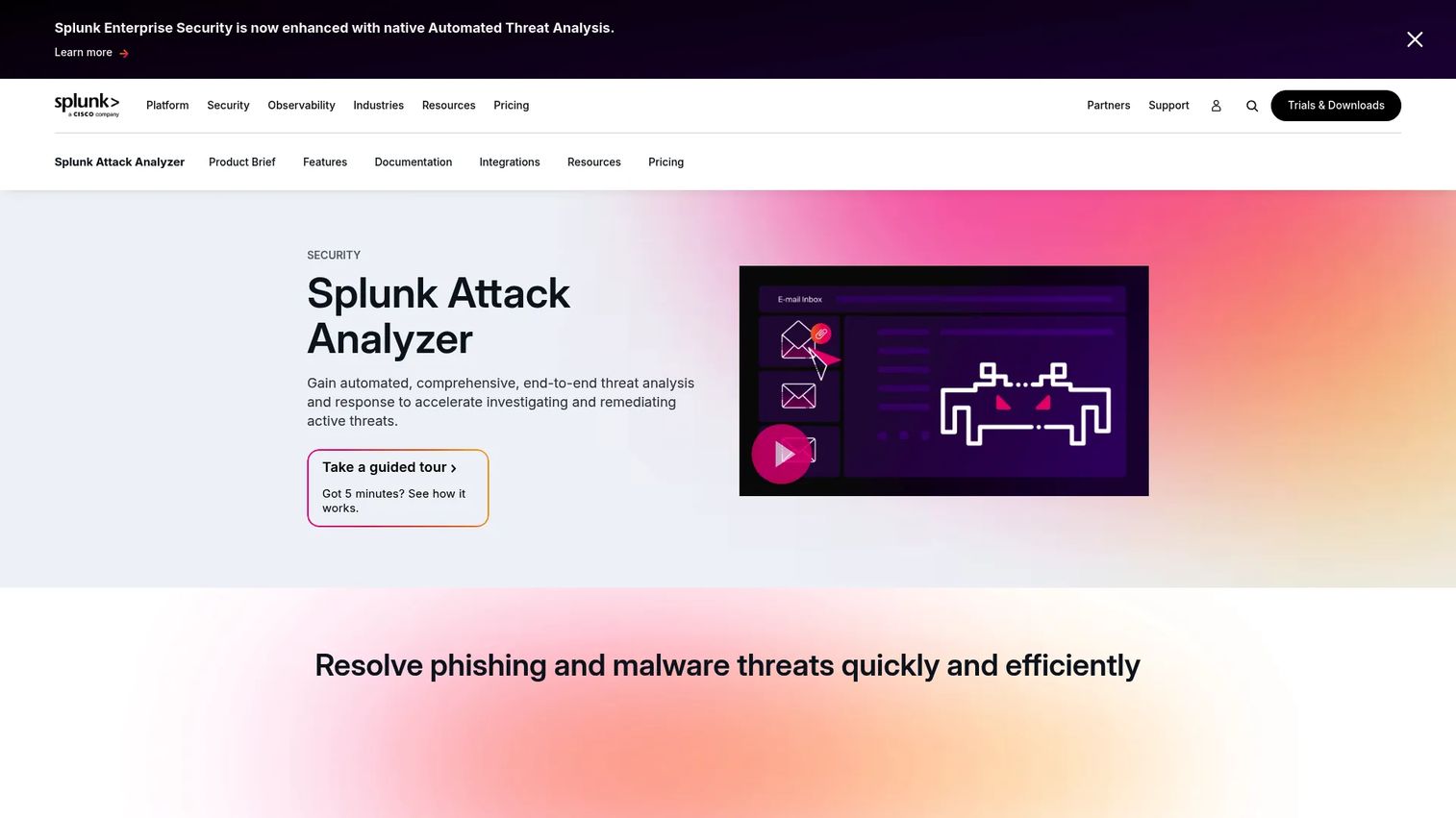
Splunk Attack Analyzer automates the analysis of suspected malware and credential-phishing threats, producing detailed threat forensics and archived artifacts that analysts can use directly in investigations. Where most sandbox products focus on file detonation, Splunk Attack Analyzer follows complex attack chains, including staged downloads and redirects, to surface the full behavior sequence. It integrates directly with Splunk SOAR and provides a comprehensive API for custom workflow connections.
Best for: SOC teams that need to automate phishing and malware investigation, reduce analyst triage time, and connect sandbox findings directly into SOAR-driven response workflows.
Key features
- Automated following and analysis of complex, multi-stage attack chains
- Detailed threat forensics with archived threat artifacts
- Safe interaction with malicious URLs and files during analysis
- Direct integration with Splunk SOAR
- AI-powered malware behavior summaries and disposition recommendations
Why choose Splunk Attack Analyzer: The SOC-first design makes this product worth evaluating for teams where analyst throughput is the bottleneck. The key operational question is whether the product reduces time to triage measurably and whether its outputs connect into the SIEM, ticketing, and response systems your analysts already use. Product Managers should define these metrics before a proof-of-value exercise.
Splunk Attack Analyzer pricing: Splunk routes all pricing through a quote request on its pricing page. Contact Splunk for current figures covering your submission volume and platform capacity requirements.
9. Hillstone Cloud Sandbox
Hillstone Cloud Sandbox is a cloud-delivered threat detection platform that emulates execution environments to analyze submitted files and identify advanced threats. It examines network, process, and file behavior during execution and produces Kill Chain attack visualizations alongside threat intelligence that feeds into Hillstone's signature database updates. The product targets organizations that want cloud delivery without managing on-premises sandbox infrastructure.
Best for: Organizations running Hillstone network security products that want cloud-based advanced threat detection without an on-premises appliance footprint.
Key features
- Execution-environment emulation for advanced threat analysis
- Analysis of network, process, and file behavior during execution
- Kill Chain attack visualization
- Threat intelligence generation and signature-database updates
- Integration with Hillstone network security controls
Why choose Hillstone Cloud Sandbox: This product's value is highest when it complements an existing Hillstone security deployment. Product Managers evaluating it should validate regional availability, upload controls, API availability for custom integrations, and the vendor's support coverage model before committing to deployment.
Hillstone Cloud Sandbox pricing: Hillstone does not display pricing on its product page. Contact Hillstone for a quote that covers your deployment requirements and integration needs.
G2 rating: Hillstone Cloud Sandbox holds a 4.0/5 rating on G2 from 1 review
Considerations when choosing network sandboxing software
Coverage by object type
Confirm exactly which objects each product analyzes under your license and deployment model: Files, URLs, email attachments, compressed archives, scripts, network traffic, and analyst-submitted objects. Vendor platform labels don't always mean every analysis path is included. Verify coverage against your actual submission sources before finalizing a purchase.
Evasion resistance
Ask specifically how each product handles VM detection, sleep delays, staged downloads, encrypted payloads, and user-interaction checks. A sandbox that processes straightforward samples cleanly but misses evasion-aware malware will create false confidence in your detection posture. Demand evidence from the vendor about their anti-evasion techniques, and test with samples that use known evasion methods.
Deployment model and data handling
Compare cloud, on-premises, virtual appliance, and hardware appliance options against your latency requirements, throughput needs, regional data-handling constraints, and data retention policies. For Product Managers, the key question is whether suspicious files leave your environment for cloud analysis, and whether that creates compliance or privacy review obligations.
Integration with your security stack
Map required integrations before you evaluate products: Which SIEM receives events, which SOAR handles response workflows, which threat intelligence platform enriches findings, and which ticketing or case-management system analysts work in. Identify whether integrations are native connectors, API-based, or require custom development, and estimate the engineering cost for each path.
Measurement and operational success criteria
Define what success looks like before the purchase, not after. Useful metrics include time to verdict, detection quality across known and unknown samples, false-positive investigation rate, analyst time per alert, and the proportion of submitted objects that produce actionable findings. Tracking these during a proof-of-value exercise gives you a defensible basis for a purchase decision.
Conclusion
Network sandboxing software sits at the operational layer between detection and response. The right product isn't the one with the most features; it's the one that delivers usable verdicts into the workflows your analysts already use, without creating infrastructure or maintenance overhead that competes with your engineering priorities.
Here's how the nine products break down by fit:
FortiSandbox suits environments already running Fortinet infrastructure. AhnLab MDS covers organizations that need network and endpoint analysis from a single product. Check Point SandBlast Network fits gateway-centered environments standardized on Check Point. Trend Micro Deep Discovery Inspector suits network teams that need deep protocol visibility and custom sandbox environments. SonicWall Capture ATP is the natural fit for SonicWall firewall deployments. Trellix Intelligent Virtual Execution works best for teams that need rich detonation artifacts feeding investigation workflows. Forcepoint Advanced Malware Detection fits teams using Forcepoint web or email controls. Splunk Attack Analyzer suits SOC teams focused on automating phishing and malware triage. Hillstone Cloud Sandbox is the focused option for Hillstone network security environments.
The practical next step: Shortlist two or three products based on your current infrastructure stack, run a proof-of-value exercise with your own suspicious-object samples, and measure performance against the criteria that matter to your SOC before committing.
For further reading on security and intelligence tooling relevant to enterprise product and security teams, see our guides on cloud compliance tools, bot detection software, and the best AI cybersecurity solutions.
FAQs
Network sandboxing software analyzes suspicious files, URLs, email attachments, and network objects inside isolated virtual environments to detect malicious behavior before it can affect live systems. The product executes suspicious content, observes what it does during runtime, generates a risk verdict, and routes findings into security operations workflows for analyst review and response.
Sandboxes detect zero-day malware by observing behavior during execution rather than matching against known signatures. Because the malware executes in an isolated environment, analysts can see what it attempts to do, such as contacting a command-and-control server, dropping additional payloads, or modifying system files, without risking live systems. Sophisticated malware can still evade detection using VM-detection, sleep timers, or staged payloads, which is why anti-evasion controls are a critical buying criterion.
Network sandboxing typically intercepts and analyzes objects moving through gateways, email servers, web proxies, or network traffic flows before they reach endpoints. Endpoint sandboxing focuses more directly on processes, memory, and file-level behavior on individual devices. Many enterprise deployments use both layers; the choice of where to submit objects depends on where your detection gap is largest.
Cloud sandboxing reduces hardware management and scales more easily, but it means suspicious files leave your environment for analysis, which raises data-handling and regulatory questions. On-premises appliances keep analysis local and reduce latency for policy-enforcement decisions, but require more infrastructure maintenance. The right choice depends on your data residency requirements, throughput needs, existing vendor relationships, and engineering capacity for appliance management.
No. Network sandboxing adds behavioral analysis for suspicious content that signature-based controls can't classify, but it doesn't replace antivirus, EDR, secure web gateways, or SIEM platforms. Each layer serves a different detection and response function. Sandboxing works best as one layer in a defense-in-depth architecture, where its behavioral verdicts enrich the context available to other controls and to analysts.
A useful proof of value includes representative suspicious files and URLs from your environment, alongside clean benign samples to measure false-positive rates. Measure verdict quality, evasion-handling performance, alert context richness, integration success with your SIEM or SOAR, analyst workflow impact, and total operational effort required to manage the product. Document your baseline metrics before the trial so you have a defensible comparison at the end.
The integrations that matter most depend on where suspicious objects originate and where analysts work. For most security operations teams, the critical integrations are SIEM for event ingestion, SOAR for automated response workflows, threat intelligence platforms for enrichment, and email or web security gateways for object submission. Ticketing and case-management systems matter if analysts manage investigations outside the SIEM. Map these before evaluating products so you can verify native connector availability versus API-only paths.
Track time to verdict, detection quality across known and evasive samples, false-positive and false-negative investigation rates, throughput under peak load, enrichment quality of the artifacts produced, analyst time per alert, and the proportion of submitted objects that generate actionable findings. Establish a baseline from your current process before a proof-of-value exercise; without a baseline, performance claims from vendors are impossible to verify against your actual environment.