Most mechanical teams do not lose time inside any single tool. They lose it in the gaps between tools. Design lives in one platform, analysis in another, drafting somewhere else, and the manufacturing handoff happens over email with a folder of exported files nobody fully trusts. Every gap is a place where a dimension slips, a tolerance gets misread, or an assembly rebuilds wrong.
The cost is not abstract. Every rework cycle burns days, and every unclear handoff to the machine shop risks a scrapped part. The engineering software market reflects how seriously teams take this problem: it is projected to grow from $58.36 billion in 2026 to $120.74 billion by 2034, a 9.5% CAGR, according to Fortune Business Insights (2024). Cloud deployment already accounts for 71.09% of that market in 2026, which tells you where design collaboration is heading.
The right stack does not just shape geometry faster. It reduces rework, shortens validation cycles, and makes the handoff to manufacturing something you can defend. If you evaluate technical tools for a living, this is familiar territory. It mirrors how a good presales team lets buyers validate technical fit before they commit: compare capabilities honestly, eliminate weak options early, and match the tool to the actual job. If your work touches product storytelling or ai design tools alongside engineering, the same evaluation discipline applies.
What's inside
This guide compares eight real mechanical engineering software options, chosen for breadth across CAD, simulation, drafting, parametric modeling, manufacturing handoff, and calculation workflows. We did not rank by brand recognition. We ranked by the job each tool does better than the others.
Selection criteria:
- Workflow fit: how well the tool matches a specific engineering job, from concept to manufacturing
- Depth of modeling or analysis: whether it goes deep on geometry, physics, or documentation
- Interoperability: how cleanly it moves files across STEP, IGES, STL, DXF, and DWG
- Learning curve and team relevance: whether it fits how modern engineering teams actually work
Every section answers one question: what job does this tool do better than the rest?
TL;DR
- Best all-in-one platform: Autodesk, for teams that want connected CAD, CAE, and CAM from one vendor.
- Best for calculations and documentation: MechaniCalc, when traceable engineering calculations are the real bottleneck, not modeling.
- Best for direct modeling: DesignSpark Mechanical, for fast, push-pull edits without heavy parametric overhead.
- Best for simulation and analysis: ANSYS, when proving structural, thermal, and multiphysics behavior matters more than shaping geometry.
- Best for students and tighter budgets: DesignSpark Mechanical and Fusion 360, both with free or low-cost access paths.
- Best for integrated CAD/CAM workflow: Fusion 360, for cloud-connected modeling, simulation, and manufacturing in one environment.
What is mechanical engineering software?
Mechanical engineering software is any tool that helps engineers design, analyze, document, and manufacture physical parts and assemblies. It spans the full path from a first sketch to a machine-ready drawing.
The category breaks into six major types:
- CAD and 3D modeling: building parts and assemblies in three dimensions, the foundation of most mechanical work.
- FEA and simulation: finite element analysis and physics-based validation for structural, thermal, vibration, and flow behavior.
- Drafting and documentation: 2D drawings, GD&T, bills of materials, and the paperwork that manufacturing actually uses.
- Parametric modeling: constraint-driven design where dimensions and relationships propagate changes automatically.
- CAD/CAM and manufacturing handoff: turning models into toolpaths and CNC instructions for the shop floor.
- Engineering calculation tools: structured, traceable calculators for beams, bolted joints, buckling, and material sizing.
Most teams use more than one category at once. A single design might start as a parametric 3D model, get validated with FEA software, documented with mechanical drawing software, then pushed through a CAD/CAM workflow to a CNC machine. The technology CAD segment alone holds a 31.4% share of the CAD software market in 2026, according to Coherent Market Insights (2024), which shows how central 3D modeling has become to the discipline.
When to use mechanical engineering software
Different jobs call for different tools. Here is how to read your own situation before you scan the list.
Concept-to-model creation
You need modeling software when the job is turning an idea into geometry: individual parts, mated assemblies, and early product concepts. Speed to first model matters here, and so does how cleanly iterations propagate. In a strong parametric modeling system, changing one driving dimension updates every dependent feature and mating part downstream. That is the difference between a quick revision and an afternoon of manual cleanup.
Validation and analysis
You need FEA and simulation when you have to prove a design will hold before you commit to a prototype. Structural stress, thermal loads, vibration modes, and fluid flow all get modeled and solved before any metal is cut. The payoff is fewer physical rework cycles. Catching a stress concentration in simulation costs an afternoon. Catching it after tooling costs weeks. The computer-aided engineering segment held 70.9% of CAE market revenue in 2025 per Grand View Research (2024), which reflects how much validation work now happens before physical prototyping.
Manufacturing readiness and documentation
You need drafting, GD&T, BOM, and CAM tools when the model is done and the real question is whether the shop can build it. Tolerances, datums, and clear 2D drawings matter more than modeling elegance at this stage. Interoperability becomes critical too: the machine shop needs your geometry in a format their equipment reads, which usually means clean STEP, IGES, or STL exports. A beautiful model that will not translate cleanly to CAM is a model that stalls at the shop door.
Comparison table
Use this table to narrow the eight fast. The Intent column tells you whether a tool is built for CAD, simulation, drafting, calculations, or an all-in-one workflow.
| # | Product | Intent | Key differentiation | Pricing | G2 rating |
|---|---|---|---|---|---|
| 1 | Autodesk | All-in-one ecosystem | CAD, BIM, CAE, and CAM from a single vendor | From $100/year (product-specific) | 4.4/5 |
| 2 | MechaniCalc | Calculations and documentation | Traceable engineering calculators and reference tables | Free tier; from $9.99/month | Not available |
| 3 | DesignSpark Mechanical | Direct modeling | Push-pull editing with free desktop access | Free; paid tiers billed yearly | 5.0/5 |
| 4 | SOLIDWORKS | CAD and product development | Mainstream 3D parts, assemblies, and drawings | From $2,820/year | 4.4/5 |
| 5 | ANSYS | Simulation and analysis | FEA, fluids, and multiphysics depth | Quote-based; free trial | 4.4/5 |
| 6 | PTC Creo | Parametric CAD | Disciplined parametric and direct modeling | Quote-based | 4.1/5 |
| 7 | CATIA | Enterprise CAD | Complex surfaces and large assemblies | From $2,268/quarter | 4.2/5 |
| 8 | Fusion 360 | Integrated CAD/CAM/CAE | Cloud-connected concept-to-manufacturing | From $57/month | 4.5/5 |
1. Autodesk

Autodesk is the broadest platform play in the category. Rather than one tool, it is a portfolio spanning 2D and 3D CAD, BIM and construction, and cloud-based design, manufacturing, and collaboration. For a mechanical team, that means AutoCAD for drafting, Inventor for parametric product design, Fusion for integrated CAD/CAM, and Vault for data management can all live under one vendor relationship. When your work crosses disciplines, having modeling, validation, and manufacturing tools that share a lineage reduces the friction of moving data between them.
Best for: Teams that need CAD, BIM, and product design or manufacturing software from a single vendor.
Key strengths
- Product breadth: covers 2D and 3D CAD, plus BIM and construction workflows in one ecosystem.
- Cloud collaboration: cloud-based design and data tools keep distributed teams working from the same source.
- Vendor consolidation: one relationship for drafting, modeling, and manufacturing reduces stack sprawl.
Why choose Autodesk: If your team touches more than one discipline, or you want to standardize purchasing and support under one roof, the portfolio approach pays off. The trade-off is that Autodesk is a set of products, not a single unified application, so you assemble the pieces your workflow needs.
Autodesk pricing: Pricing is product-specific rather than a single company plan. Public store prices include AutoCAD Web at $100/year, AutoCAD LT at $540/year, Fusion at $680/year, and full AutoCAD at $2,095/year. Autodesk also offers Flex prepay tokens, free trials, and a free one-year educational license. Autodesk holds a 4.4/5 rating on G2.
2. MechaniCalc
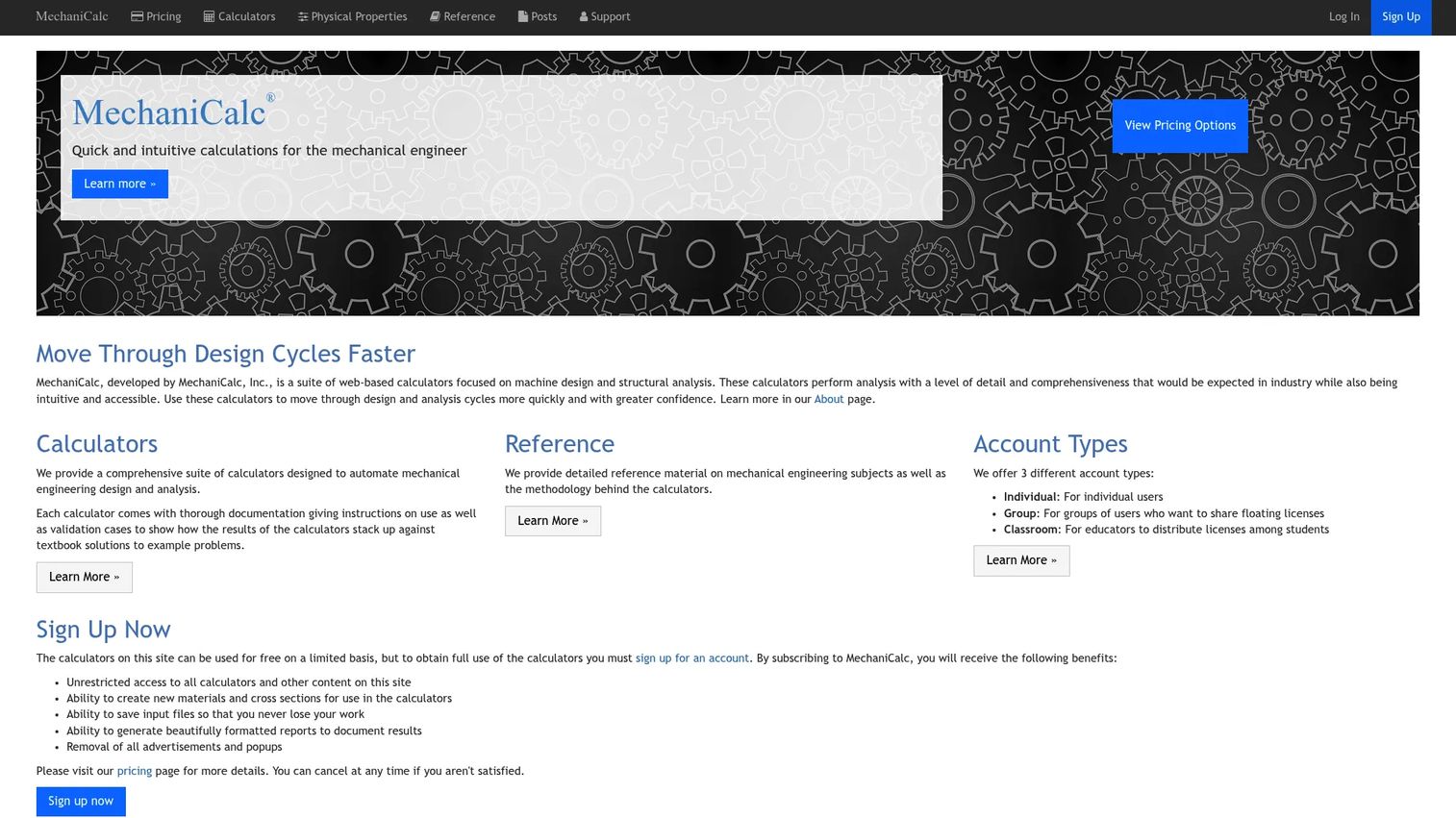
MechaniCalc solves a problem CAD tools do not: traceable engineering calculations. It is a suite of web-based calculators and reference material built specifically for mechanical engineers. Where a modeling tool shapes geometry, MechaniCalc sizes the geometry correctly. Beam bending, bolted joint analysis, lug design, and column buckling all get structured, documented workflows rather than a spreadsheet nobody can audit six months later.
Best for: Mechanical engineers who need calculation tools and reference content alongside their design work.
Key strengths
- Engineering calculators: structured tools for beams, bolted joints, lugs, buckling, and more.
- Reference library: manuals and tables that keep material and design data in one place.
- Material and cross-section tools: consistent inputs feed cleaner, more defensible calculations.
Why choose MechaniCalc: Sometimes the bottleneck is not the model, it is the math behind it. When you need calculations you can hand to a reviewer and defend, MechaniCalc gives you traceability that ad hoc spreadsheets never will. It complements CAD rather than replacing it.
MechaniCalc pricing: A free tier offers limited access. The Individual plan runs $9.99/month or $99.99/year. The Group plan is $29.99/month or $299.99/year with floating licenses, and Classroom bulk pricing is available for 20 or more educational licenses.
3. DesignSpark Mechanical
DesignSpark Mechanical is a desktop 3D CAD tool built around direct modeling. Instead of managing a tree of parametric features, you push, pull, and drag geometry directly, which makes edits fast and intuitive. That approach suits teams and individuals who want to move quickly without the overhead of a full parametric history. It handles 3D modeling, 2D drawings, BOM generation, and technical documentation, and it reads and writes industry-standard formats.
Best for: Engineers and hobbyists who need free or low-cost desktop 3D mechanical CAD.
Key strengths
- Push-pull direct modeling: edit geometry directly without rebuilding a feature tree.
- File interoperability: import and export STEP, IGES, STL, and DXF for clean handoffs.
- Documentation support: BOM generation and technical drawings with GD&T support.
Why choose DesignSpark Mechanical: Direct modeling performs best when speed and simple editing matter more than fully constrained parametric control. If you frequently work with imported geometry or need to make quick changes to models you did not build, direct modeling is a genuinely faster path.
DesignSpark Mechanical pricing: The Explorer tier is free with no hidden fees. Creator and Engineer tiers are billed yearly and start with a free 7-day trial. Enterprise is quote-based. It carries a 5.0/5 rating on G2, though from a small review sample.
4. SOLIDWORKS
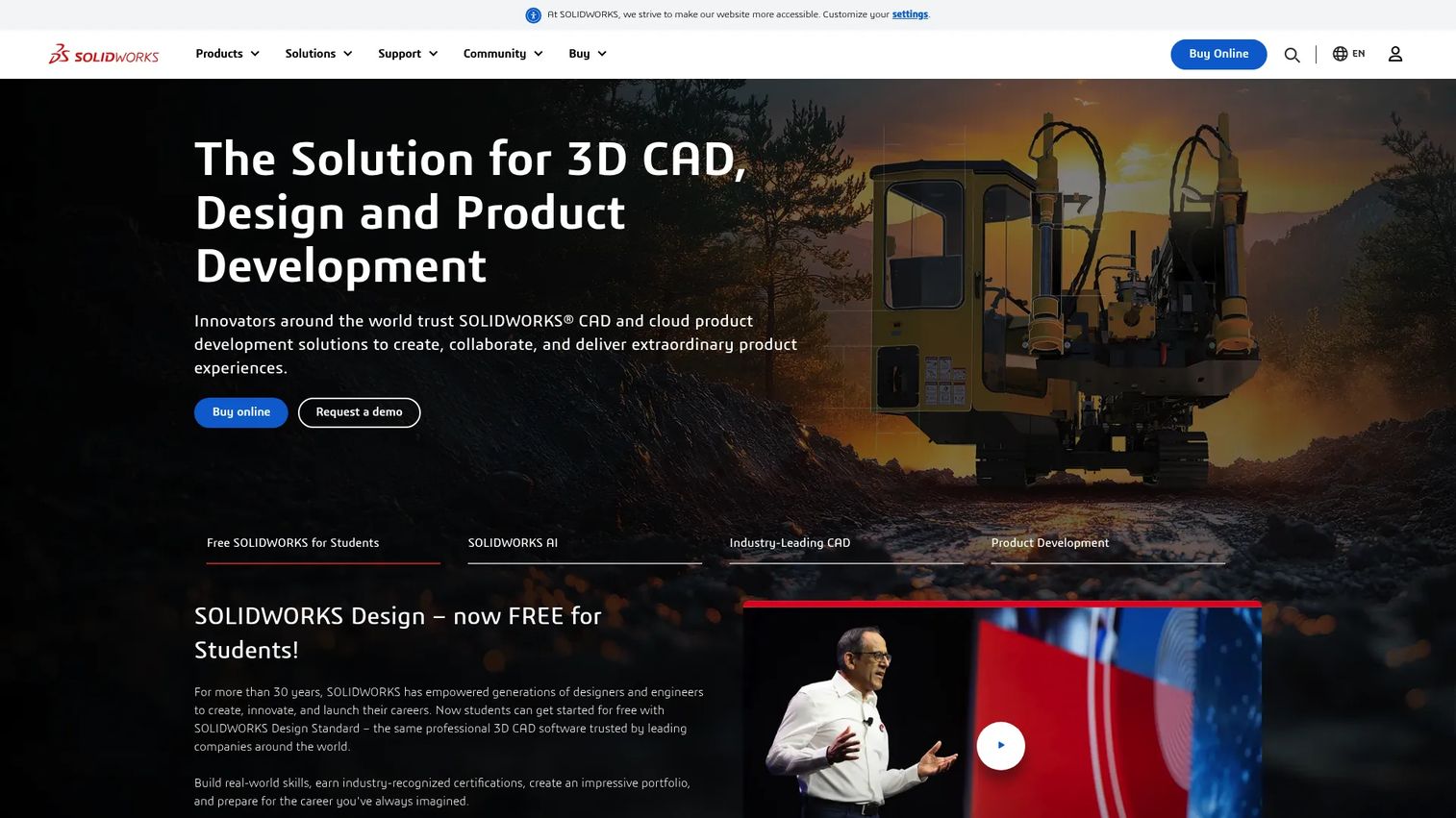
SOLIDWORKS is the mainstream CAD choice for mechanical part and assembly modeling. Its ubiquity is a feature in itself: it shows up across engineering teams, which means hiring is easier and most new engineers already know the interface. It handles 3D parts, assemblies, and drawings, offers cloud-based named-user access with file and revision management, and includes simulation and manufacturing capabilities across its plan tiers.
Best for: Mechanical design teams that need CAD plus simulation and manufacturing tools with broad market familiarity.
Key strengths
- Parts, assemblies, and drawings: a complete 3D CAD workflow from component to full assembly.
- Named-user cloud access: collaboration with file and revision management built in.
- Tiered simulation and manufacturing: validation and manufacturing tools scale with the plan you pick.
Why choose SOLIDWORKS: When you want a tool the market already knows, SOLIDWORKS reduces onboarding and hiring friction. Ecosystem familiarity is a real advantage: reference material, tutorials, and experienced engineers are everywhere. That maturity is why it remains a default for so many mechanical teams.
SOLIDWORKS pricing: Standard is $2,820/year, Professional is $3,456/year, and Premium is $4,716/year, all for single-user cloud-based named-user access. It holds a 4.4/5 rating on G2.
5. ANSYS

ANSYS is the simulation and analysis specialist on this list. It is not primarily about shaping geometry, it is about proving how geometry behaves. Finite element analysis, structural simulation, fluid dynamics, electromagnetic field simulation, and multiphysics all sit in its wheelhouse. When design verification carries more weight than modeling convenience, ANSYS is where teams turn to reduce the risk of a design that looks right but fails under load.
Best for: Enterprises that need high-end engineering simulation across multiple physics domains.
Key strengths
- FEA and structural simulation: detailed stress, deflection, and structural behavior analysis.
- Fluids and multiphysics: fluid dynamics and coupled physics for complex validation.
- Electromagnetics and materials: field simulation plus materials information management in one platform.
Why choose ANSYS: Choose ANSYS when the question is not "does this fit together" but "will this survive." For high-consequence parts, where a failure means safety or recall risk, deep simulation before prototyping is worth the investment. It pairs naturally with a dedicated CAD tool that owns the geometry.
ANSYS pricing: Public numeric pricing is not openly listed. ANSYS uses subscription-based and pay-per-use elastic licensing, with contact-based sales for purchases. A free trial is available. It holds a 4.4/5 rating on G2.
6. PTC Creo

PTC Creo is a mature CAD platform built for disciplined parametric product design. Descending from Pro/ENGINEER, it has decades of history in constraint-driven modeling, and that lineage shows in how tightly it manages model relationships. It combines parametric and direct 3D modeling, integrated design modules across product development, and newer capabilities including a Creo AI Assistant and cloud-based Creo+ collaboration. For complex product lines where model control cannot slip, that rigor matters.
Best for: Engineering teams that need a mature CAD platform for disciplined mechanical product design.
Key strengths
- Parametric and direct modeling: switch between constraint-driven and direct editing as the job demands.
- Integrated design modules: capabilities spanning the full product development process in one environment.
- AI and cloud collaboration: Creo AI Assistant and Creo+ extend the platform for modern teams.
Why choose PTC Creo: Creo suits teams that need disciplined model control across complex, evolving product lines. When many parts depend on shared parameters and a change must propagate cleanly across a large design, the parametric rigor is the point. Simulation extensions add structural, thermal, and modal evaluation without leaving the platform.
PTC Creo pricing: PTC lists Creo products and suites, including Creo Design Essentials, Creo Large Assembly Suite, and Creo Model-Based Design Suite, but public numeric pricing is not visible and is quote-based. Free access exists for academic students and trials. It holds a 4.1/5 rating on G2.
7. CATIA

CATIA, from Dassault Systèmes, is the high-end platform for complex surfaces, large assemblies, and advanced mechanical design environments. It is the tool of choice in aerospace, automotive, and enterprise product development, where surface quality and assembly scale exceed what mainstream CAD handles comfortably. Built on the 3DEXPERIENCE platform, it integrates modeling, simulation, and virtual collaboration for organizations designing highly complex products.
Best for: Enterprises that need advanced CAD for complex products, surfaces, and large assemblies.
Key strengths
- Advanced surfacing: class-A surface modeling for demanding automotive and aerospace work.
- Large assembly handling: manages the scale that mainstream CAD tools strain against.
- 3DEXPERIENCE collaboration: virtual collaboration and simulation integration across the enterprise.
Why choose CATIA: The buying logic is practical, not about prestige. If you design products with thousands of parts, or surfaces where fit and finish are non-negotiable, CATIA is built for that scale. For simpler mechanical assemblies, a lighter CAD tool is the more sensible fit.
CATIA pricing: Dassault Systèmes lists CATIA Mechanical Designer at $2,268 per quarter or $7,560 per year, with additional perpetual and subscription licensing options. It holds a 4.2/5 rating on G2.
8. Fusion 360
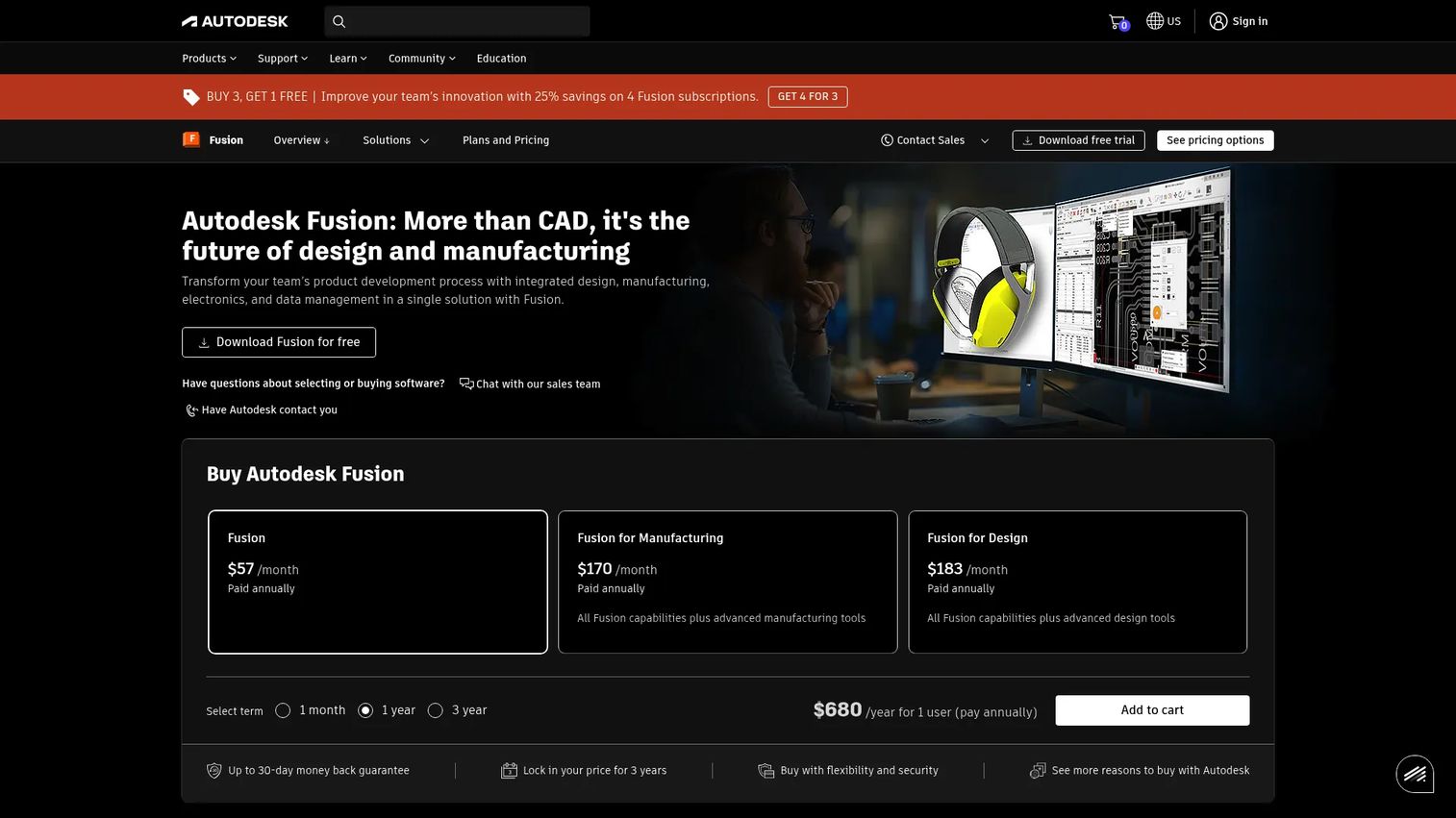
Fusion 360, now Autodesk Fusion, combines CAD, CAM, CAE, PCB, and PDM into a single cloud-based platform. That integration is its whole pitch: instead of exporting between separate tools for modeling, simulation, and manufacturing, a team works concept-to-manufacturing in one environment. Real-time collaboration and electromechanical integration make it especially appealing to smaller teams and fast-moving product groups that cannot afford tool sprawl or long implementation cycles.
Best for: Teams that need integrated CAD/CAM/CAE/PCB product development in one cloud platform.
Key strengths
- Integrated CAD/CAM: model and generate toolpaths in the same environment, no export handoff.
- Real-time collaboration: cloud-native access keeps distributed teams working together live.
- PCB and electromechanical integration: design mechanical and electronic elements side by side.
Why choose Fusion 360: Fusion 360 appeals when you want the full concept-to-manufacturing path in one place, at a price that fits a smaller budget. For rapid iteration, where a model needs to move to a CNC toolpath quickly, the integrated CAD/CAM workflow removes a whole class of file-shuffling. Cloud-based CAD is now the market norm, and Fusion 360 leans fully into it.
Fusion 360 pricing: The base Autodesk Fusion plan starts at $57/month billed annually, with a 30-day free trial. Autodesk offers separate Manufacturing and Design solutions on the same platform. It holds a 4.5/5 rating on G2.
Considerations before you buy
A shortlist narrows the field. This checklist helps you make the final call.
Match the tool to your dominant workflow
Do not buy for brand familiarity. Buy for the job you do most. If you spend your days on assemblies, prioritize CAD depth. If you spend them proving load cases, prioritize simulation. If your bottleneck is traceable math, a calculation tool matters more than another modeler.
Check file interoperability early
Your model has to leave your software eventually. Confirm clean import and export for STEP, IGES, STL, DXF, and DWG before you commit. A tool that cannot hand geometry cleanly to your machine shop or your analyst creates friction on every project.
Weigh the learning curve against team reality
A more powerful tool your team never fully adopts is worse than a simpler one they use well. Consider hiring familiarity, available training, and how quickly a new engineer reaches productivity. Ecosystem maturity is a legitimate buying factor.
Plan for the downstream handoff
The best model is worthless if manufacturing cannot build from it. Evaluate GD&T support, BOM generation, drawing quality, and CAM compatibility. The handoff to the shop floor is where design intent either survives or gets lost.
Consider total cost, not just license price
Factor in training, support, integrations, and the cost of the tools you will still need alongside your primary choice. A calculation tool plus a CAD platform plus a simulation package is a common, sensible stack. Budget for the whole thing.
Conclusion
There is no single best mechanical engineering software, only the best fit for your dominant workflow. Group the shortlist by the job you need done:
- Broad all-in-one platform: Autodesk, when you want connected CAD, CAE, and CAM from one vendor.
- Calculation and documentation: MechaniCalc, when traceable math is the real bottleneck.
- Direct modeling: DesignSpark Mechanical, for fast, low-overhead edits.
- Simulation depth: ANSYS, when proving behavior outweighs shaping geometry.
- Enterprise parametric CAD: SOLIDWORKS, PTC Creo, and CATIA, scaling from mainstream teams to the most complex product lines.
- Integrated cloud workflow: Fusion 360, for concept-to-manufacturing in one environment.
Choose based on where your time actually goes, not on which logo you recognize. Map your daily work to the categories above, confirm interoperability, and pilot before you standardize. If your role also involves showing complex technical products to buyers or teammates, the same evaluation discipline that helps you pick engineering software applies to how you communicate it. Teams that need to explain technical products often reach for interactive walkthroughs to do that, and you can start your journey with Guideflow today!
FAQs
It is used to design, analyze, document, and manufacture physical parts and assemblies. In practice, that spans 3D CAD modeling, FEA and simulation for validation, drafting and GD&T documentation, and CAD/CAM handoff to CNC machines. Most teams combine several of these across a single project, from first sketch to shop-ready drawing.
It depends on the workflow. For 3D modeling and assemblies, SOLIDWORKS, PTC Creo, Fusion 360, and CATIA are common choices. For simulation, ANSYS leads. For traceable calculations, tools like MechaniCalc handle the math CAD software does not. Modeling tools, simulation tools, and calculation tools serve genuinely different jobs, so most engineers use more than one.
They do different jobs. AutoCAD is strongest for 2D drafting and documentation, while SOLIDWORKS is built for 3D part and assembly modeling with parametric control. If your work is mostly 2D drawings, AutoCAD fits. If you build and iterate on 3D assemblies, SOLIDWORKS is the better tool. Many teams use both.
There is no universal best. The right pick depends on whether you need modeling, analysis, documentation, or manufacturing support. For mainstream 3D design, SOLIDWORKS and Fusion 360 are strong. For complex enterprise products, CATIA and PTC Creo lead. Match the tool to the job you do most, then confirm it interoperates with the rest of your stack.
Not always, but often. When a part carries meaningful structural, thermal, or vibration loads, FEA software lets you prove it will hold before you commit to a prototype, which saves rework. For low-stakes geometry or well-understood standard parts, lighter validation or hand calculations may be enough. The higher the consequence of failure, the more FEA earns its place.
Access and learning curve matter most for students. DesignSpark Mechanical offers a free tier with direct modeling that is easy to learn. Fusion 360 provides free educational access and covers CAD, CAM, and CAE in one environment. Many enterprise platforms, including Autodesk products and SOLIDWORKS, also offer free educational licenses, so students can learn industry-standard tools without enterprise cost.
STEP and IGES are the workhorses for exchanging 3D geometry between different CAD systems. STL is standard for 3D printing and mesh-based workflows. DXF and DWG cover 2D drawings and drafting. Interoperability across these formats determines whether your model moves cleanly to an analyst, a partner, or a machine shop, so confirm support before you commit to any tool.