Most lead magnets collect an email address and nothing else. A PDF download tells you someone clicked. It doesn't reveal what they cared about, how far they read, or whether they're ready to buy.
Interactive lead magnets flip that equation. Quizzes, calculators, product demos, and assessments capture behavioral signals alongside contact information. You learn what prospects clicked, which paths they chose, and where they spent the most time.
This approach is part of the broader interactive marketing strategy that's reshaping how companies engage buyers. This guide covers twelve interactive formats that convert, how to build them without engineering support, and where to deploy them across your funnel.
TL;DR
Interactive lead magnets are gated experiences that ask users to click, answer, or explore rather than passively download a file. When deployed systematically through a demo center, these experiences become a self-serve resource that prospects can explore on their own terms. Quizzes, calculators, product demos, and assessments fall into this category.
They outperform static PDFs because they capture behavioral data alongside contact information. You learn what prospects clicked, how long they engaged, and which paths they chose. The result: leads who qualify themselves through their actions.
What are interactive lead magnets
An interactive lead magnet is a gated digital experience that requires active participation in exchange for personalized value. Think quizzes that deliver custom recommendations, calculators that show projected ROI, or interactive demos that let prospects explore your product before talking to sales.
The key difference from static lead magnets (PDFs, eBooks, whitepapers) comes down to what you collect. A static checklist captures an email address. An interactive assessment captures an email address plus behavioral signals: which questions the user answered, which paths they chose, how far they progressed.
| Format | User action | Data captured | Example |
|---|---|---|---|
| Static lead magnet | Download and read | Email only | PDF checklist |
| Interactive lead magnet | Click, answer, explore | Email + behavioral signals | Product tour, ROI calculator, quiz |
That shift changes everything about lead quality. Instead of "someone downloaded our guide," you get "someone spent four minutes configuring an enterprise pricing tier and explored the integrations section twice."
Why interactive lead magnets outperform static content
Buyers have changed how they research. According to Gartner's 2023 B2B Buying Report, buyers spend only 17% of their purchase journey meeting with vendors.
80% of the journey happens through self-directed research.
Static content struggles in this environment. PDFs get skimmed or saved for later. Videos play in background tabs.
Screenshots blur together. None of these formats reveal what the prospect actually found interesting.
Interactive formats flip the dynamic:
- Engagement depth: A quiz takes three minutes of focused attention. A PDF gets 30 seconds of scrolling.
- Self-qualification: Someone who configures an enterprise pricing tier signals different intent than someone exploring a starter plan.
- Intent data: You see which features or topics matter most to each lead, and that data feeds lead scoring and sales follow-up.
- Shareability: Interactive experiences get forwarded to buying committees that often involve 13 stakeholders. They're easier to discuss in internal meetings.
What makes a good lead magnet
Not all interactive lead magnets perform equally. The best ones share five characteristics that drive both engagement and conversion.
Delivers immediate value
The experience gives users something useful before asking for contact information. Show a quiz result preview that reveals their score or category, display an initial ROI estimate with top-line savings, or let prospects explore a product workflow before gating the detailed report. For example, a pricing calculator might show "You could save approximately $12,000 annually" before requesting an email for the full breakdown. Avoid bait-and-switch tactics where the "good stuff" hides behind a form - users who feel tricked won't convert into customers.
Captures behavioral intent data
Good lead magnets collect more than an email. They track which questions users answered, which paths they chose, how far they progressed, and where they spent the most time. A quiz that asks about team size, current tools, and pain points reveals buying stage and budget signals. A product demo that shows someone exploring integrations three times signals different intent than someone who only viewed the overview. Marketing teams use this data for lead scoring and personalized follow-up - routing high-intent prospects to sales while nurturing early-stage leads with educational content.
Works without engineering support
If creating or updating a lead magnet requires a developer ticket, it won't get iterated. Marketing teams need the ability to launch, test, and optimize experiences independently. No-code tools are essential for speed and ownership - they let you adjust questions based on performance data, update branding for different campaigns, or create persona-specific versions without waiting on engineering sprints.
The best platforms offer drag-and-drop editors, pre-built templates, and visual customization that non-technical users can master in minutes.
Personalizes for different audiences
The best lead magnets adapt to different personas, industries, or use cases through branching logic, dynamic text, or persona-specific paths. A single quiz can serve multiple segments by adjusting results based on answers - enterprise buyers see recommendations for advanced features and integrations, while small business users receive guidance on quick-start workflows.
Dynamic variables let you swap industry-specific examples, adjust messaging by role (marketing vs. sales), or customize CTAs based on company size. This personalization makes each user feel like the experience was built specifically for them, increasing both completion rates and perceived value.
Qualifies leads through engagement
High engagement signals a more qualified lead. Someone who completes an entire product demo, returns to finish a partially completed assessment, or shares their results with colleagues shows stronger intent than someone who bounced after the first screen. Track completion rates, time spent per section, and return visits as lead quality indicators.
A prospect who spends eight minutes configuring an enterprise pricing tier and exploring advanced features deserves immediate sales follow-up. Someone who abandons after 30 seconds enters a longer nurture sequence. This engagement-based qualification is more predictive than demographic data alone because it reveals actual interest through behavior, not just fit on paper.
Best interactive lead magnet ideas and examples
Here are twelve formats that consistently convert, organized from highest-intent to broadest reach.
1. Interactive product demos
Guided, clickable walkthroughs let prospects experience your product without a live call or login because 68% of millennial buyers prefer self-service research tools. They work especially well for SaaS companies wanting to show, not tell.
Interactive demos can be embedded on landing pages, shared in outreach emails, or gated behind a form. Prospects who complete a demo enter sales conversations already educated about your product. Track which features they clicked, how long they spent in each section, and where they dropped off. Use that data to score leads and personalize follow-up. Someone who explores integrations and advanced features signals different intent than someone who only views basic workflows.
2. Sandbox environments
Sandbox environments offer self-serve, exploratory product access where prospects can "test drive" without risking production data. Unlike guided tours, users explore freely and interact with real product functionality.
This format works best for complex products where buyers want hands-on validation before committing. The engagement data reveals which features matter most to each prospect - whether they're testing reporting capabilities, exploring API integrations, or configuring user permissions. That behavioral intelligence helps sales teams tailor their pitch to what prospects actually care about, not what you assume they need.
3. Assessment quizzes
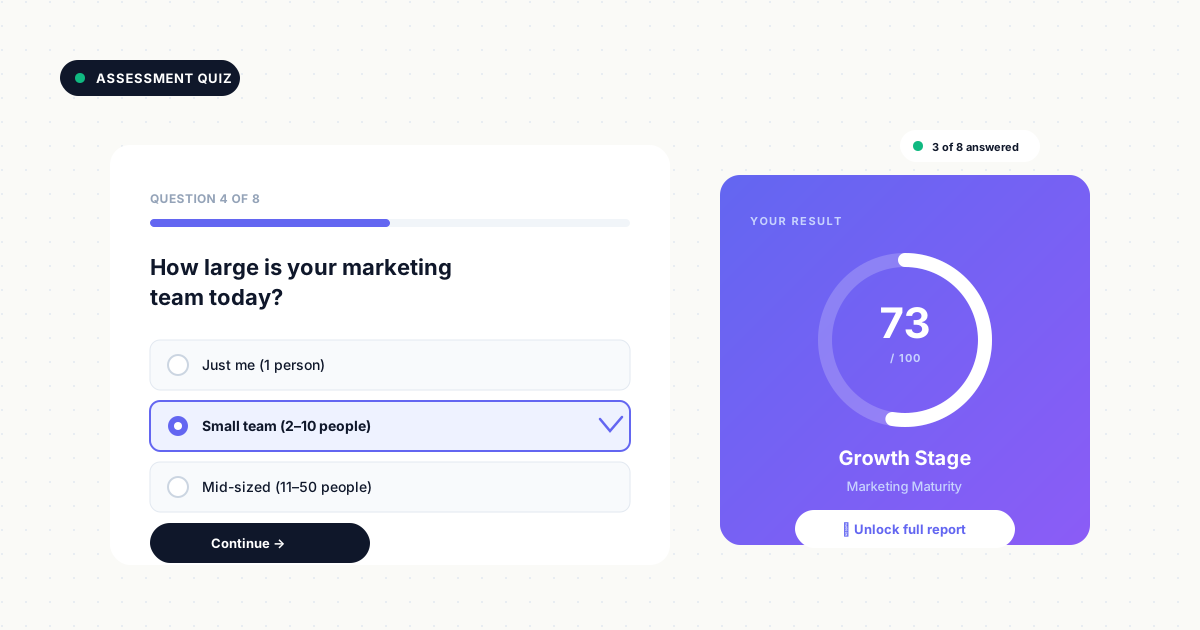
Users answer questions and receive a personalized result: a maturity score, readiness assessment, or tailored recommendation. Quizzes work well for top-of-funnel awareness and lead qualification because they feel helpful rather than salesy.
The magic happens in the results. Segment leads by pain point or use case based on their answers. A "digital maturity assessment" that scores someone as "early stage" triggers different nurture content than someone scoring "advanced." Add conditional logic to adapt questions based on previous answers, making the experience feel personalized. Gate the detailed results or custom recommendations after users have invested time answering questions and seen a preview of their score.
4. ROI and pricing calculators
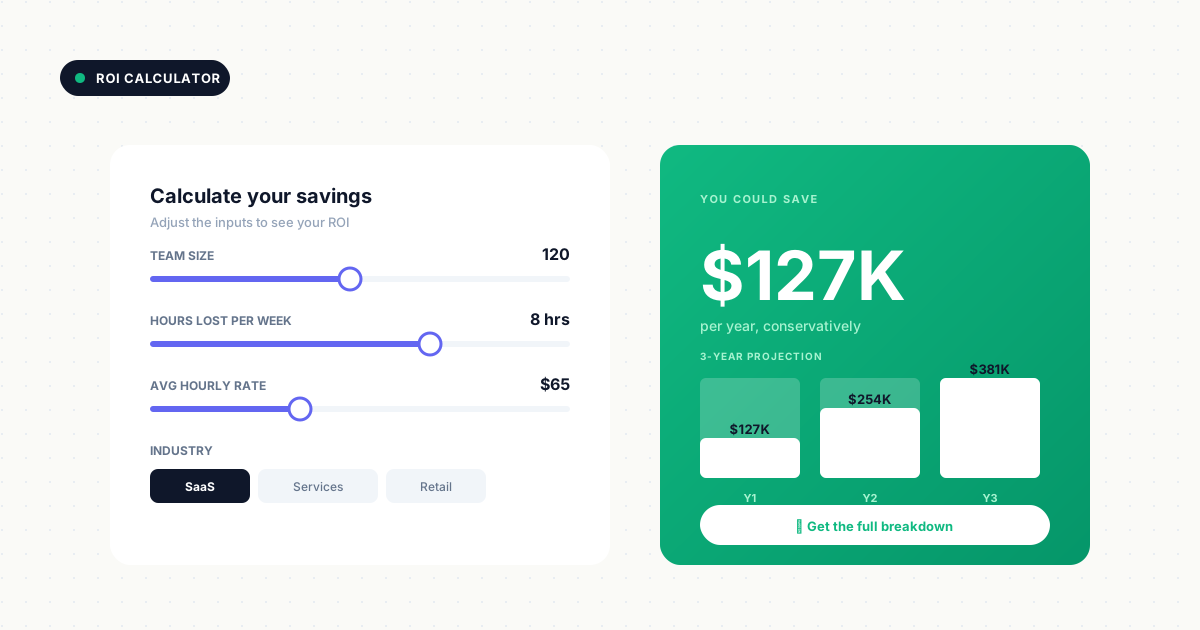
Users input their numbers (team size, current spend, time lost) and receive a projected outcome. This format captures high-intent signals because users engage with their own data, making the results personally relevant rather than generic.
Gate the detailed report, not the initial calculation. Let prospects see a preview of their potential savings or ROI before asking for contact information. The inputs themselves reveal buying intent: someone calculating for a 500-person team with enterprise requirements scores differently than someone inputting a 10-person startup scenario. Sync those inputs to your CRM to inform lead scoring and sales outreach.
5. Product configurators
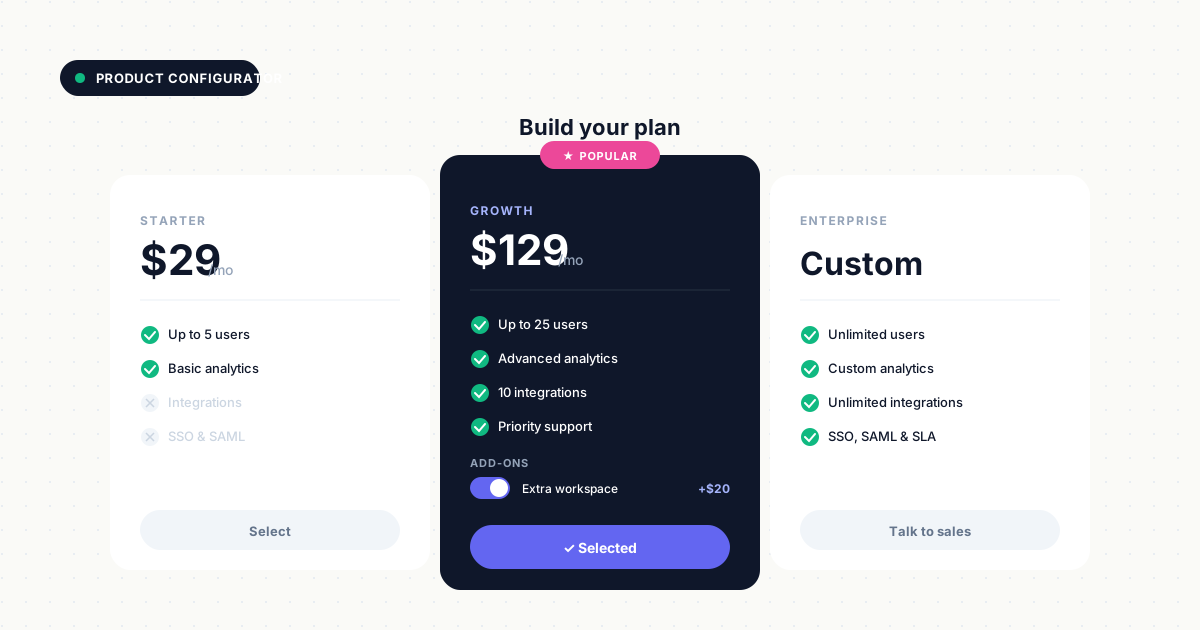
Users build or customize a solution: pricing tier, feature bundle, implementation plan. Common in PLG and enterprise sales, configurators capture buying intent and budget signals through the choices prospects make.
Someone who configures an enterprise plan with specific integrations reveals more about their needs than any form field could capture. Track which features they select, which add-ons they consider, and which pricing tiers they explore. Let users save and share their configuration with colleagues, turning one lead into multiple stakeholders. The configuration data feeds directly into sales conversations, eliminating discovery calls where reps ask questions prospects already answered through their actions.
6. Self-serve product tours
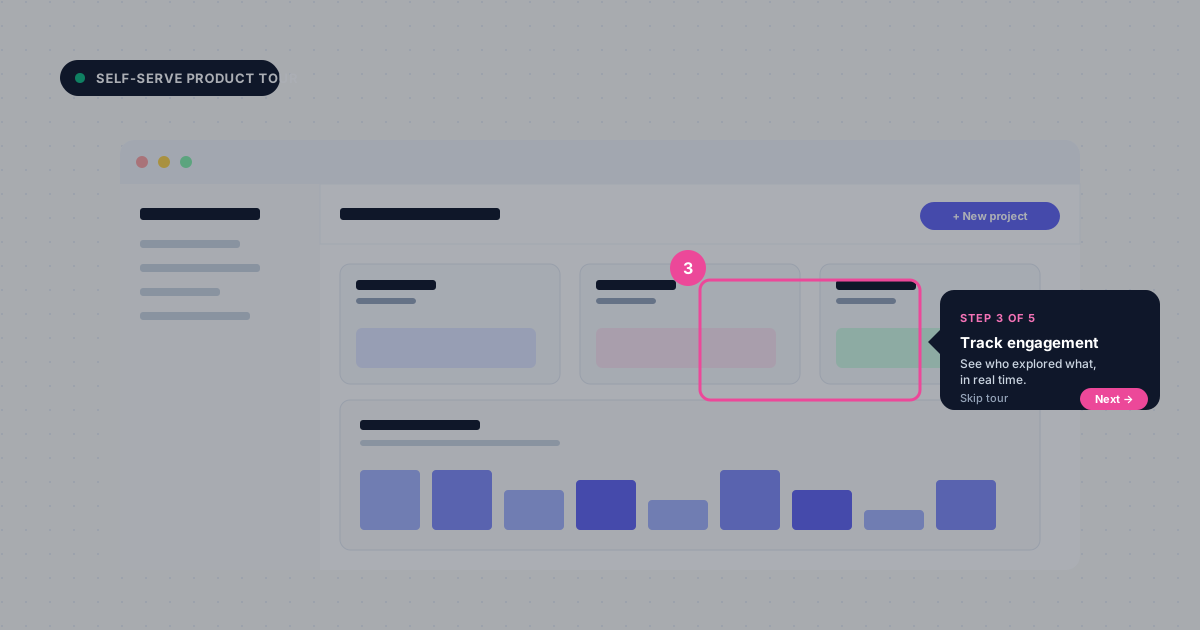
Step-by-step walkthroughs embedded in a website or app guide users through key workflows. Less hands-on than sandboxes, more guided than demos. Product tours work well for onboarding or feature education where you want to control the narrative while still offering interactivity.
Use tours to highlight specific use cases or new features. Let users click through at their own pace, with tooltips and hotspots that explain what they're seeing. Track completion rates and drop-off points to identify where users lose interest or get confused. Tours convert well when embedded in blog posts or resource pages where prospects are already learning about a topic.
7. Interactive infographics
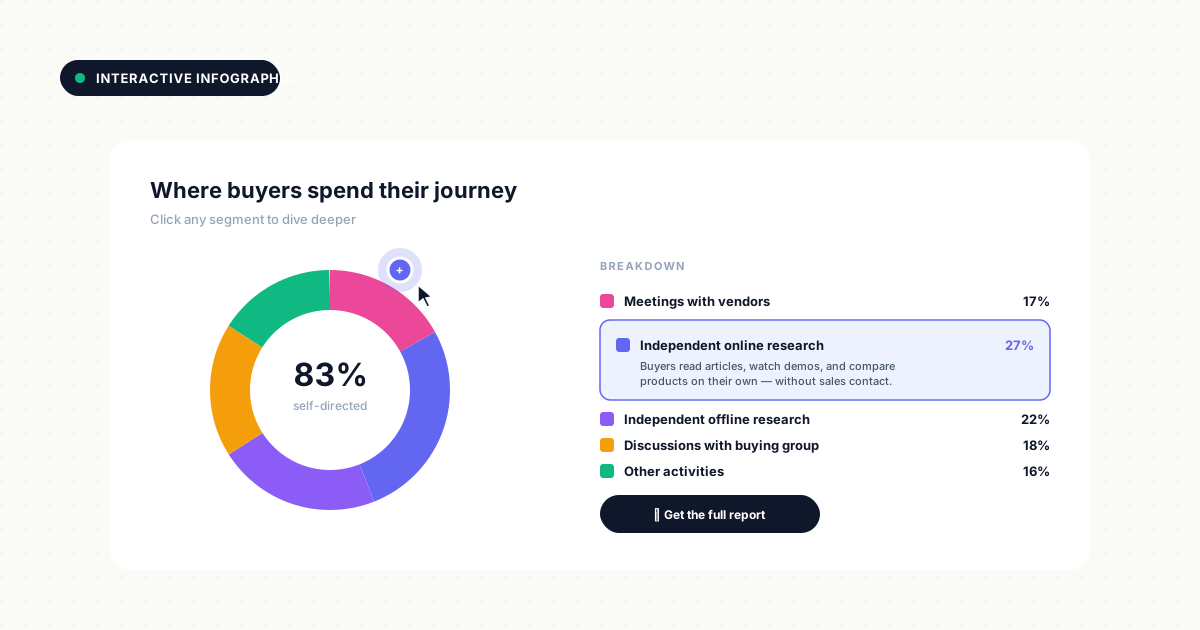
Visual content with clickable hotspots, expandable sections, or embedded micro-interactions. This format works for data-heavy topics where static visuals overwhelm. Instead of a dense chart, let users click to explore the data points that interest them.
Add layers of information that reveal on hover or click, letting users control their depth of engagement. Embed mini-calculators, comparison sliders, or animated data visualizations within the infographic. Gate a downloadable version or detailed data set after users have explored the interactive elements. This format works especially well for industry reports, survey results, or trend analyses where you want to make complex data accessible and engaging.
8. Diagnostic tools
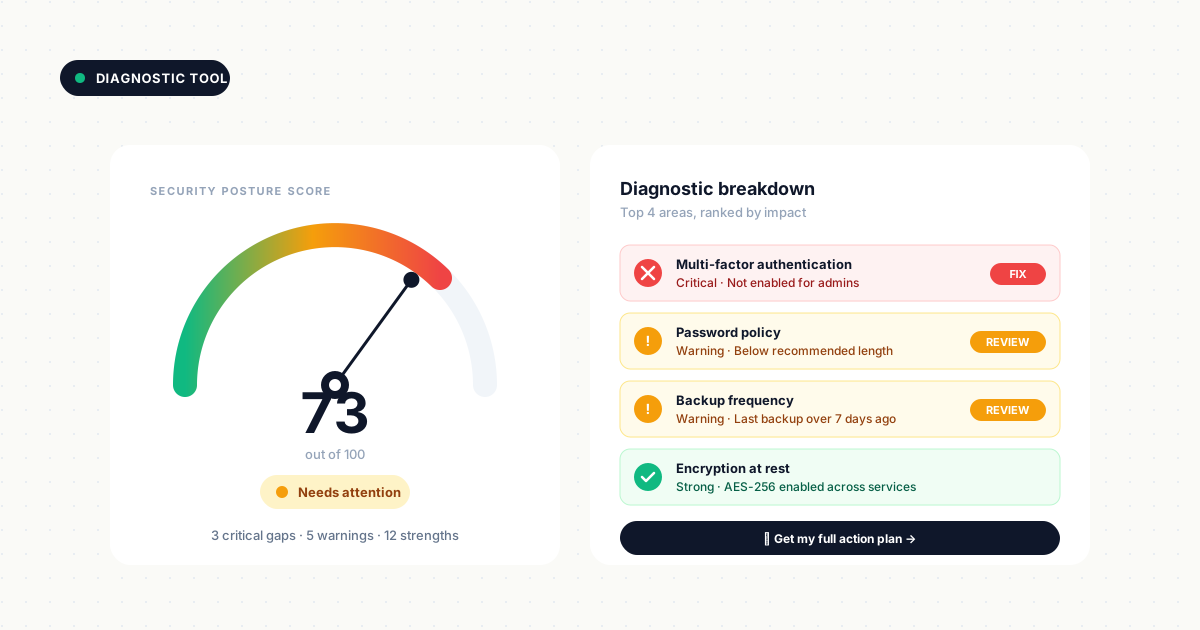
Users answer questions to identify problems or gaps: security audit, workflow efficiency check, compliance readiness. The output is a personalized report or next-step recommendation. Diagnostic tools position your company as a helpful advisor, not just a vendor.
Frame questions around common pain points your product solves. A cybersecurity company might offer a "security posture assessment" that identifies vulnerabilities. A marketing platform could provide a "content maturity diagnostic" that reveals gaps in strategy. The personalized report should include specific, actionable recommendations - not just a sales pitch. Gate the detailed findings or custom action plan after showing a summary score or high-level results.
9. Interactive checklists
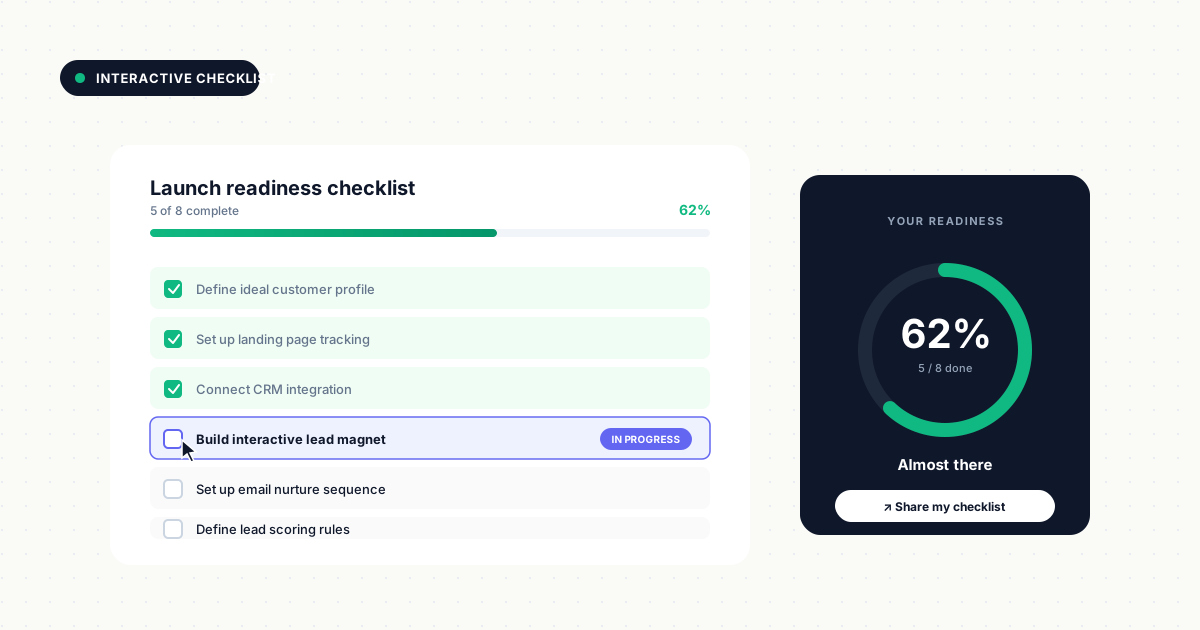
Users check off items and receive a completion score or gap analysis. Simple to build, high engagement. Works for compliance, onboarding, or process audits where prospects need to evaluate their current state against best practices.
The format feels productive because users accomplish something while engaging with your content. Add progress indicators and completion percentages to encourage users to finish. Offer a downloadable or shareable version of their completed checklist, making it easy to forward to colleagues or reference later. Use completion data to score leads - someone who checks off only 30% of items signals different readiness than someone at 90%.
10. Interactive video experiences
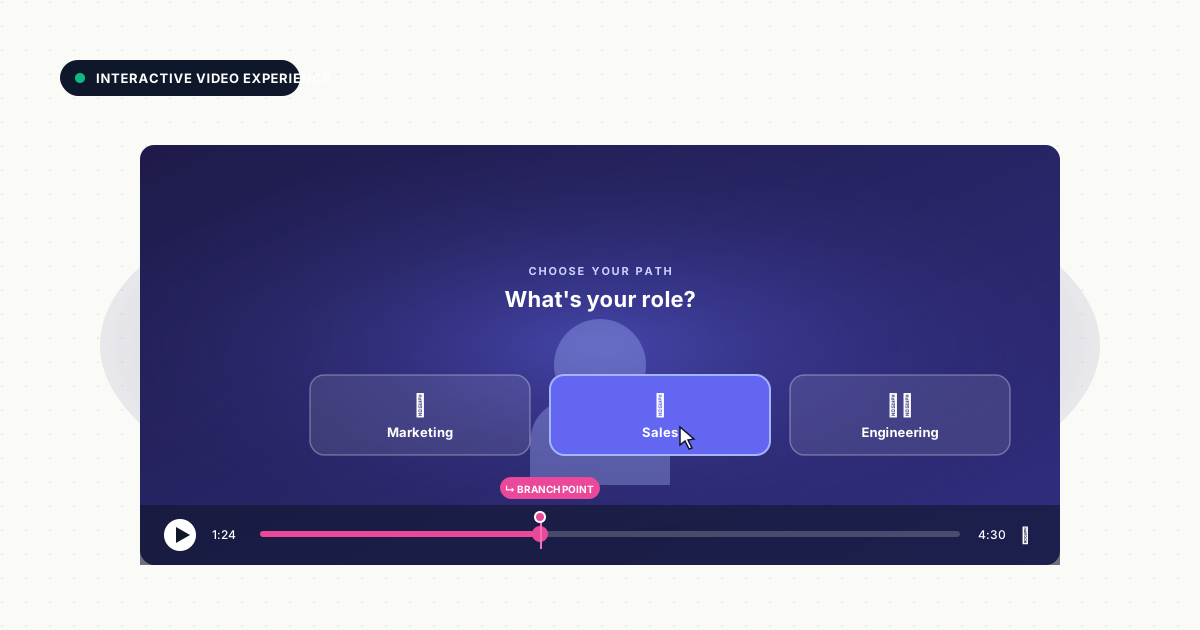
Video with branching paths, clickable CTAs, or embedded forms. Combines passive viewing with active decision-making. Let viewers choose which product feature to explore next, or embed a form at the moment of highest interest.
Add clickable hotspots that let users jump to specific sections, explore related features, or access additional resources without leaving the video player. Use branching logic to create "choose your own adventure" experiences where viewers select their role, industry, or use case and see personalized content. Track which paths users choose and how long they watch each segment. Gate premium content or full-length versions after users have engaged with a preview or introductory segment.
11. Comparison tools
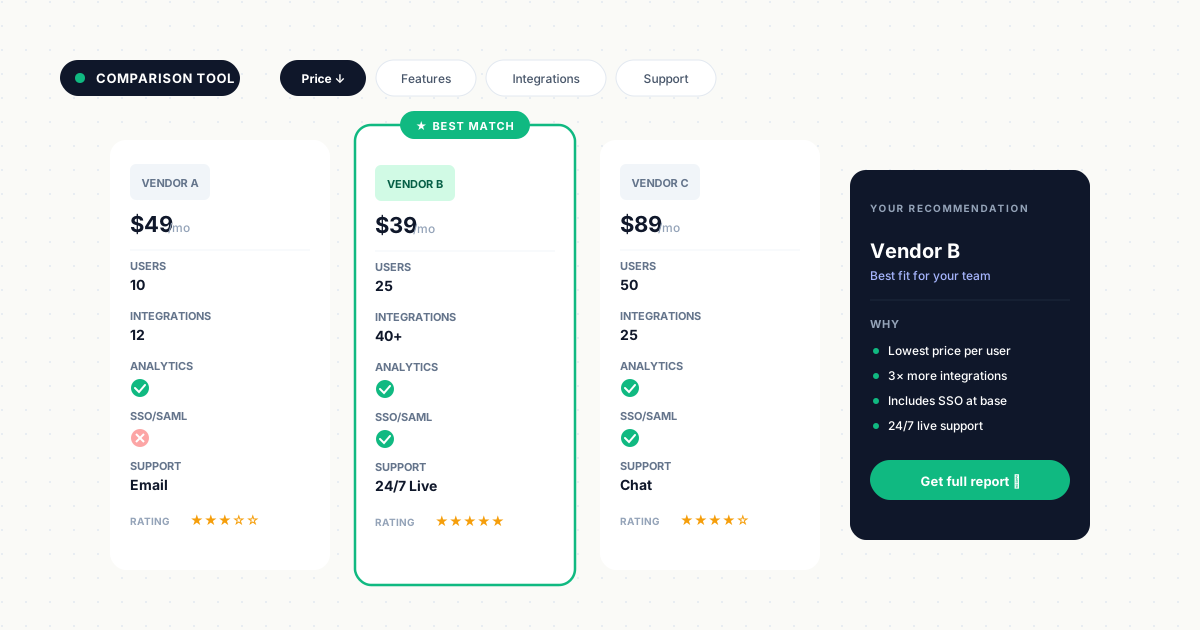
Users input criteria or select options and receive a side-by-side comparison: products, plans, vendors. High intent because buyers evaluate nearly 5 vendors during their purchase journey.
This format works especially well for companies competing in crowded markets. Let prospects compare your tiers against each other or position your solution against competitors (objectively, not as a hit piece). Add filters that let users prioritize what matters most -price, features, integrations, support level. The criteria they select and the options they compare reveal buying priorities. Gate a detailed comparison report or personalized recommendation after users have explored the tool and seen initial results.
12. Interactive guides and walkthroughs
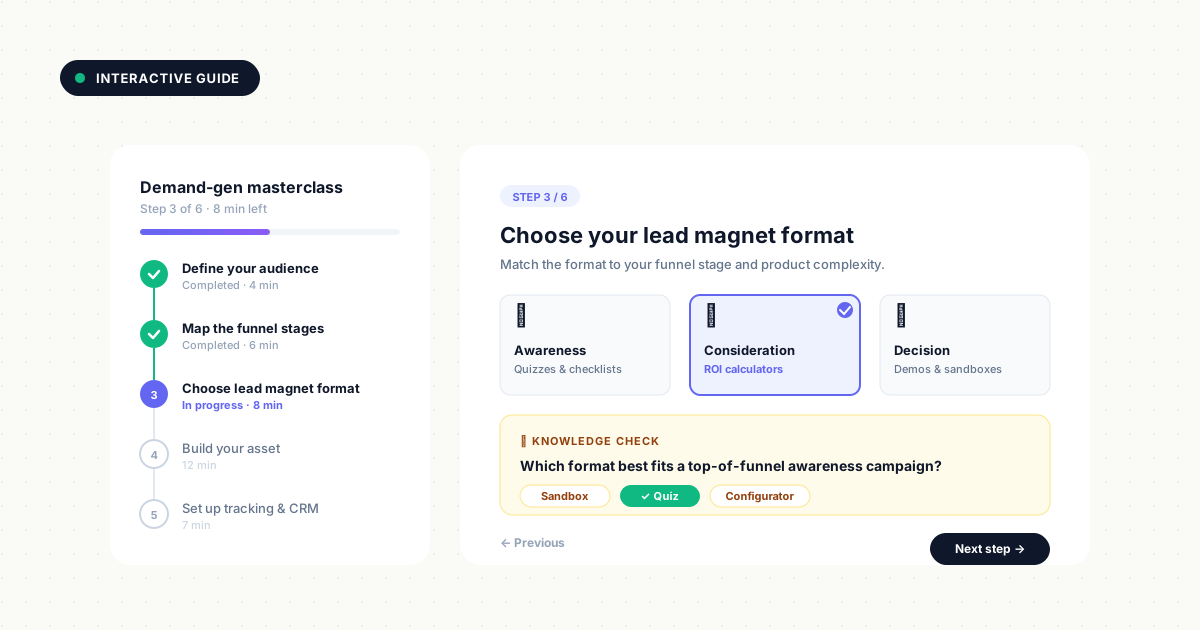
Clickable, self-paced tutorials that teach a concept or process. More educational than product-focused. Works for thought leadership and top-of-funnel content where you want to establish expertise before pitching your solution.
The guide establishes expertise while capturing leads who want to learn more. Break complex topics into interactive steps where users click to reveal the next section, answer knowledge-check questions, or explore related concepts. Add embedded examples, mini-demos, or templates users can customize. Track which sections users spend the most time on and which they skip, revealing topic interest. Gate advanced sections, downloadable templates, or certification after users complete the foundational content.
How to create interactive lead magnets
Building effective interactive lead magnets follows a consistent process that balances user value with data collection.
1. Define your ideal lead profile
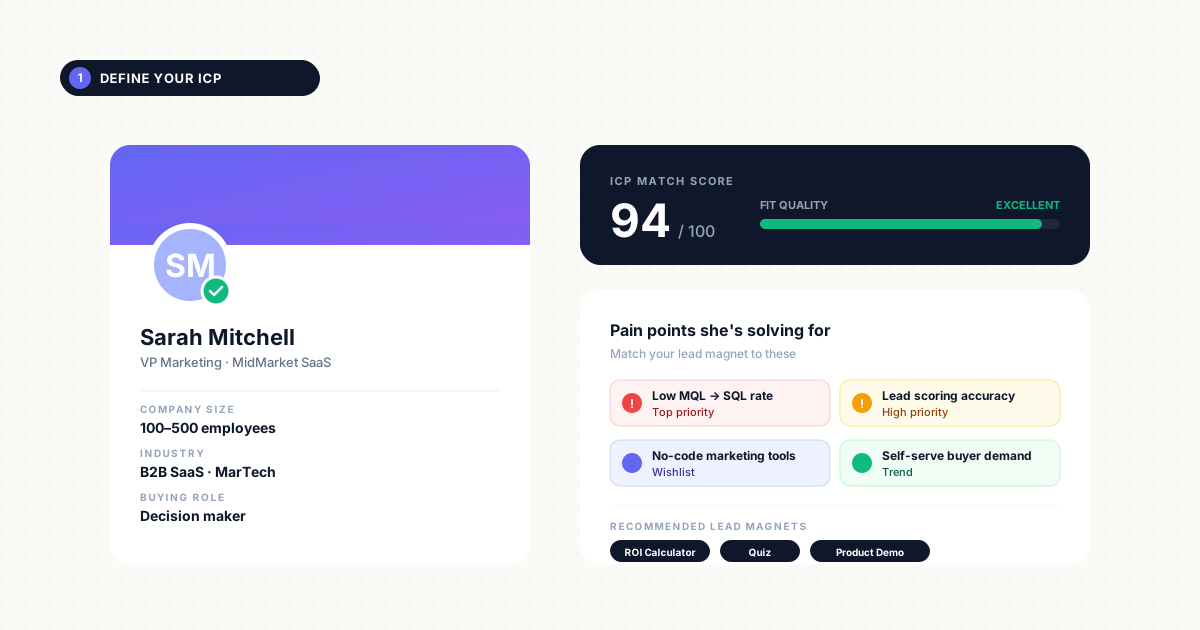
Start by clarifying who you want to attract and qualify. Document specific firmographics (company size, industry, revenue), role characteristics (decision-maker vs. influencer), and pain points your product solves. Align the lead magnet format and content to that persona's buying stage.
A top-of-funnel quiz for awareness-stage prospects might assess "marketing maturity" and recommend educational resources. A bottom-of-funnel product demo for evaluation-stage buyers should showcase specific workflows relevant to their use case and integrate with tools they already use.
2. Map the value exchange
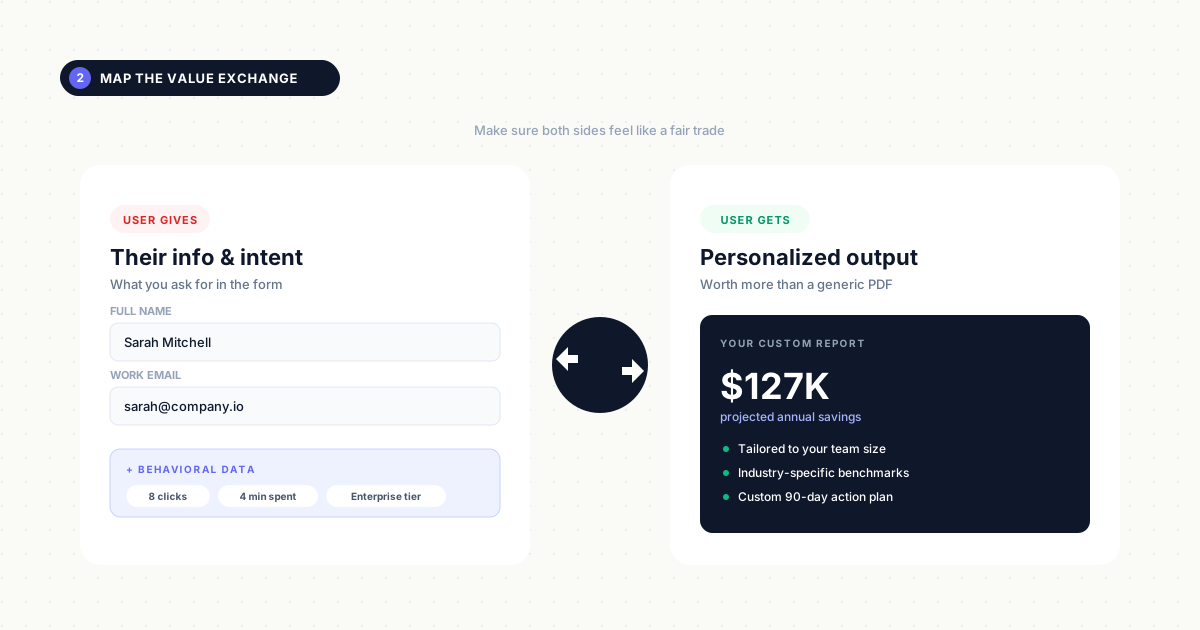
Decide what immediate value the user receives and what data you collect in return. The value has to feel worth the exchange. If you're asking for company size and budget, the result better be more useful than a generic PDF - think personalized ROI projections, custom implementation roadmaps, or tailored feature recommendations.
Define exactly what users get (a maturity score, savings estimate, personalized report) and what behavioral signals you'll capture (which questions they answered, how they scored, which features they explored).
3. Choose the right interactive format
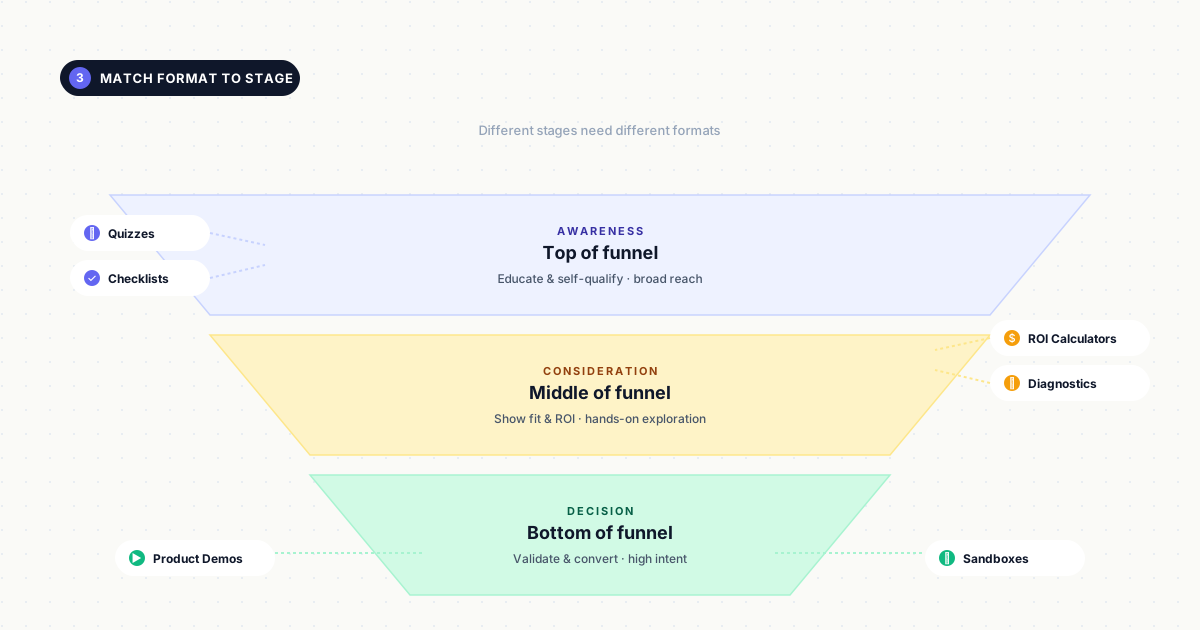
Match format to funnel stage and product complexity. Quizzes and assessments work for awareness-stage prospects who need education and self-qualification. Interactive demos and product tours work for consideration-stage buyers evaluating solutions. Sandboxes and configurators work for evaluation-stage prospects who need hands-on validation before purchase.
For complex enterprise products, layer multiple formats: start with a quiz to segment visitors, then route high-intent leads to a personalized demo, and offer sandbox access to qualified opportunities.
4. Build without code using the right tools
Select a no-code platform that lets you create, edit, and iterate quickly without developer dependencies. Look for drag-and-drop editors, pre-built templates, and visual customization options. Tools like Guideflow let you capture any workflow in clicks, add personalization with dynamic variables, and publish updates in minutes.
The ability to iterate based on performance data - adjusting questions, changing gate placement, or updating results - separates effective lead magnets from static ones.
5. Add strategic lead capture gates
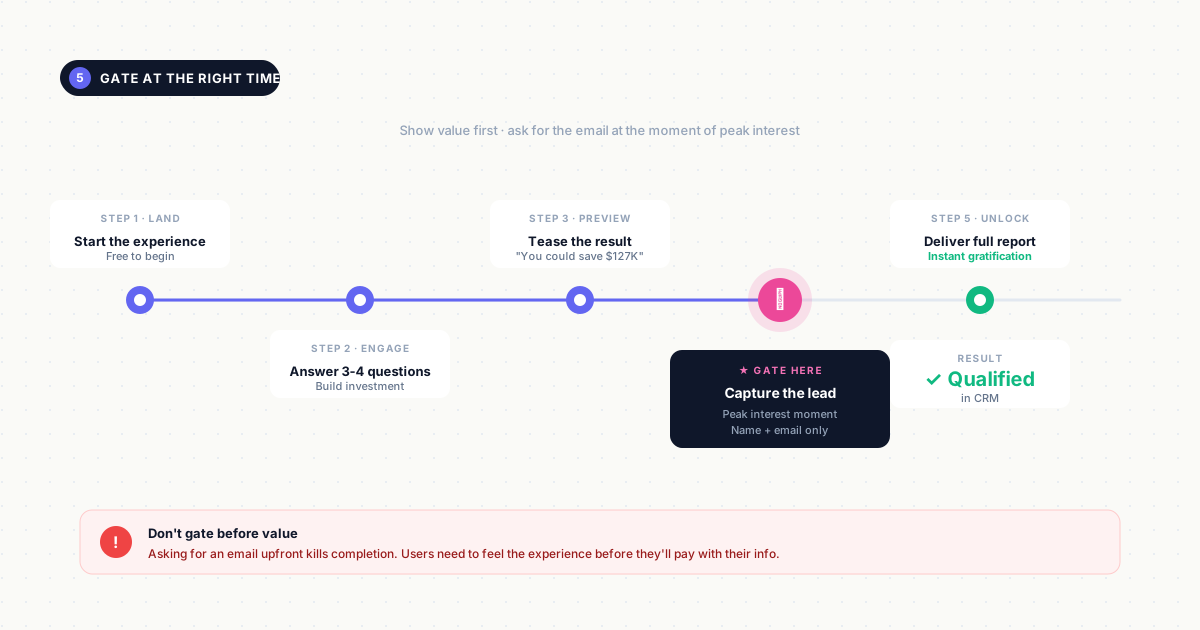
Gate at the moment of highest perceived value: after users have invested time and seen preview results, but before they receive the full output. For quizzes, show the first 3-4 questions and tease the personalized results before gating. For calculators, display an initial estimate before requiring contact information for the detailed breakdown. For demos, let prospects explore 1-2 key workflows before requesting their email.
Minimize form fields to name and email unless additional data (company size, role) directly impacts the personalized result. Never gate the entire experience upfront - users need to experience value before they'll exchange information.
6. Measure engagement and iterate
Track completion rates (what percentage of starters finish), drop-off points (where users abandon), time spent per section, and downstream conversion (lead-to-opportunity rate). Use engagement analytics to identify friction points and optimize the experience. If 60% of users drop off at question 5, that question needs revision. If prospects who explore specific features convert at 3x the rate of others, promote those features earlier in the experience.
Test gate placement, form field count, and result personalization against conversion metrics, then iterate weekly based on data.
Best tools for building interactive lead magnets
The right tool depends on the format you're building and your team's technical capabilities.
Interactive demo platforms
Tools that let you capture and publish clickable product walkthroughs without engineering support. Look for no-code editing that lets marketers update demos independently, personalization features that adapt content to different personas or industries, engagement analytics that track which features prospects explore, and native CRM integrations that sync behavioral data to your sales stack.
Guideflow fits this category, enabling teams to personalize demos for every prospect with dynamic variables that adjust messaging, branding, and workflows based on company size, role, or use case.
Quiz and assessment builders
Platforms for creating branching quizzes with conditional logic and personalized results.
Essential features include branching paths that adapt questions based on previous answers, result logic that segments users into categories or scores, form capture that collects contact information at the optimal moment, lead routing that sends high-intent responses directly to sales, CRM sync that pushes quiz data and answers into your marketing automation platform, and result personalization that tailors recommendations to each respondent's inputs.
Calculator and configurator tools
Platforms for building ROI calculators, pricing estimators, or product configurators that let prospects input their own data.
Key capabilities include embeddability so calculators work on landing pages or within blog posts, conditional logic that adjusts calculations based on user inputs, save-and-share functionality that lets users return to their configurations or forward them to colleagues, lead capture forms that gate detailed reports while showing preview results, and analytics that reveal which inputs prospects configure most frequently, signaling feature interest or budget range.
Lead magnet best practices for higher conversion rates
Gate at the right moment in the experience
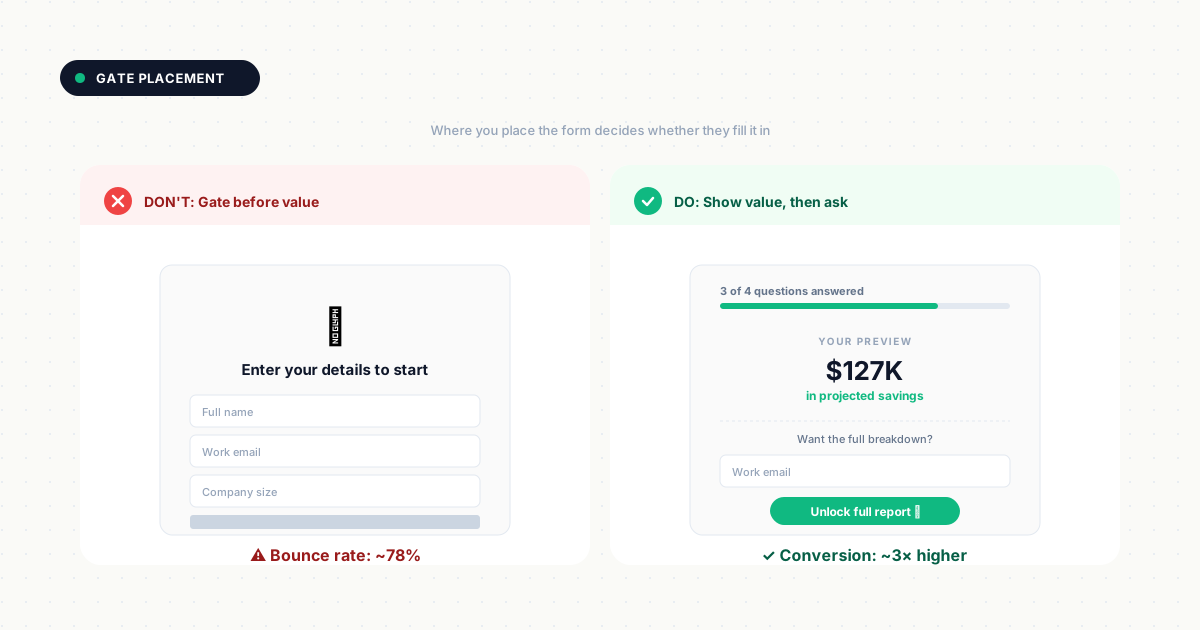
Ask for contact information after the user has received some value, not before. For a quiz, show the first few questions and a preview of what the results will reveal. For a calculator, display an initial estimate before gating the detailed breakdown. For a product demo, let prospects explore one or two key workflows before requesting their email.
Gating too early kills completion rates because users haven't yet experienced enough value to justify the exchange.
Minimize form fields for higher completion
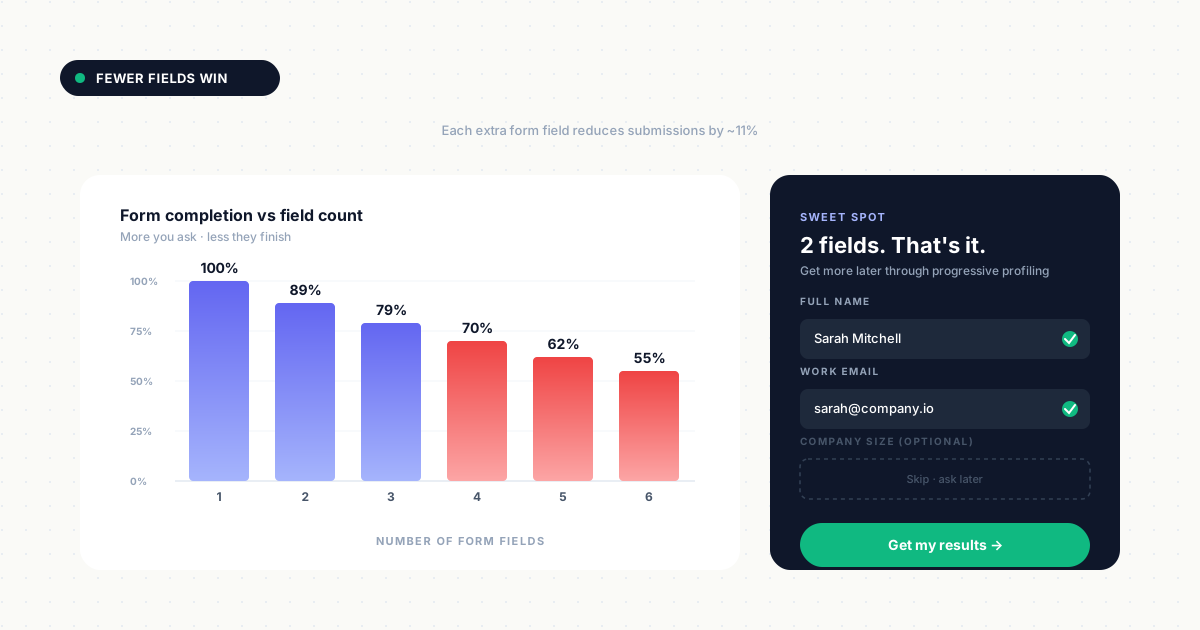
Ask only for what you need. Every additional field reduces submissions by an average of 11%, according to conversion research. Name and email often suffice for initial capture. If you need company size or role, add those fields only when the data directly impacts the personalized result you're delivering.
Progressive profiling - collecting additional information on subsequent interactions - works better than front-loading a long form. Test your form length against completion rates to find the optimal balance for your audience.
Provide instant gratification after submission
Deliver results, access, or next steps immediately after form submission. Do not force users to wait for an email or manual approval.
Show quiz results on-screen, unlock the full calculator report, or grant instant demo access. If you must send a follow-up email, make it supplementary (a PDF version of their results, additional resources) rather than the primary delivery mechanism. Immediate delivery reinforces the value exchange and keeps momentum high.
Connect lead magnets to your CRM
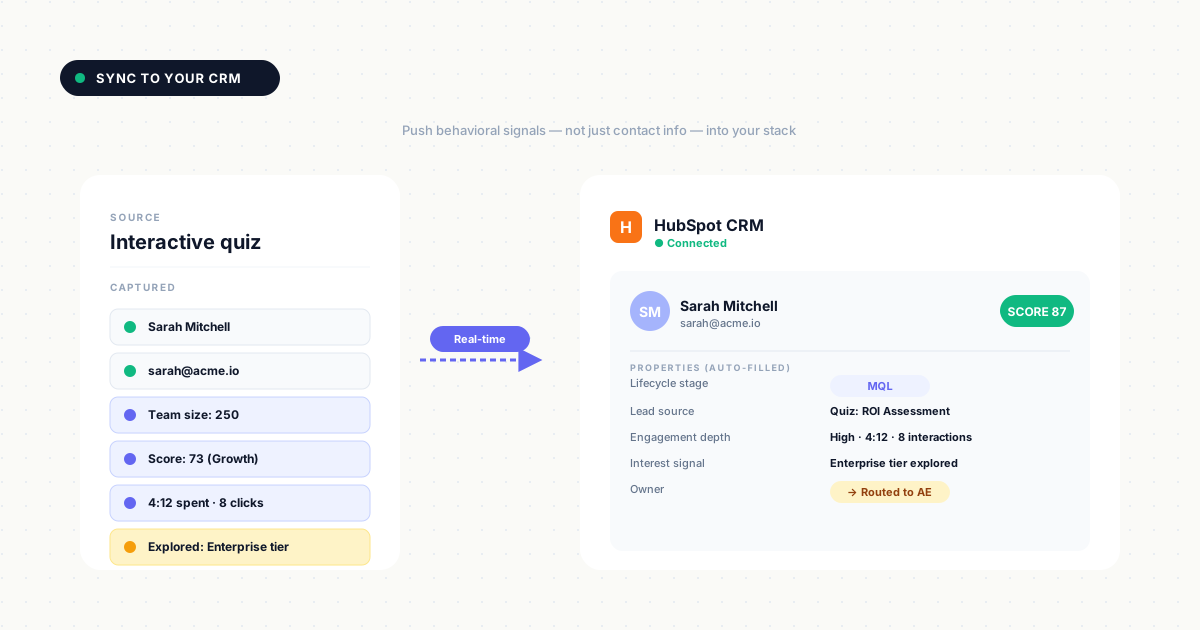
Sync engagement data and lead information to your CRM for automated routing, scoring, and follow-up. Push not just contact details but behavioral signals: which quiz answers they selected, how far they progressed through a demo, which calculator inputs they configured.
This data should trigger lead scoring rules (someone who explored enterprise features scores higher than someone who viewed only basic options) and route high-intent leads to sales immediately. Marketing automation tools make this connection seamless through native integrations or webhooks.
Personalize follow-up based on engagement data
Use what users clicked, answered, or explored to tailor sales outreach and nurture sequences. If someone spent time configuring integrations in your product demo, the sales follow-up should reference those specific integrations. If a quiz respondent indicated they're struggling with a particular pain point, the nurture email should address that challenge directly.
Segment email sequences by engagement depth: high-engagement leads get a sales call invitation, medium-engagement leads receive educational content, low-engagement leads enter a longer nurture track. This approach converts better than generic follow-up because it proves you paid attention to their specific interests.
Where to deploy interactive lead magnets
Landing pages and campaign pages
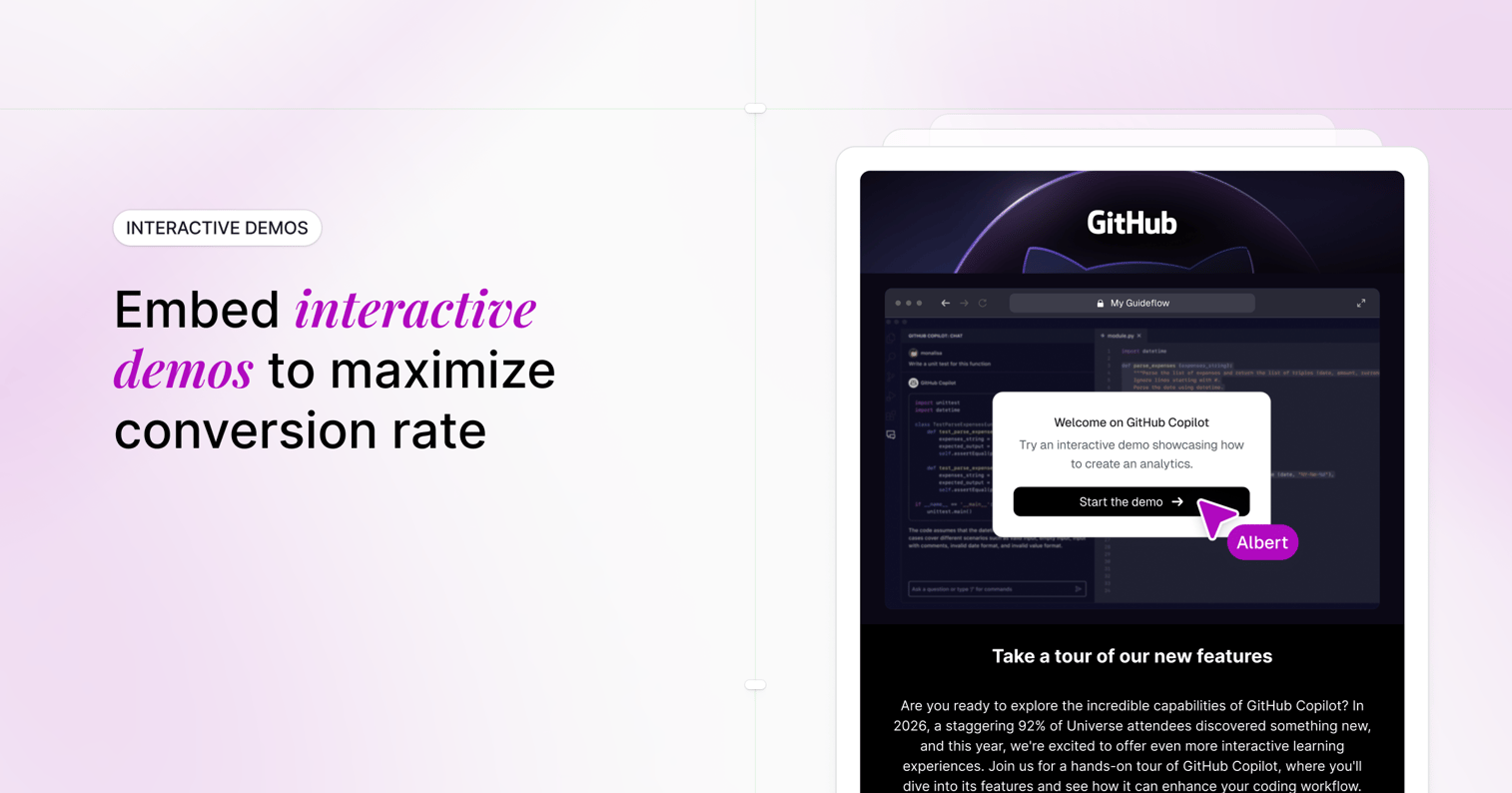
Embed interactive experiences directly on dedicated pages. Replace static hero images with clickable demos or calculators. Position the interactive element above the fold so visitors engage immediately. For product launches or feature announcements, embed a guided demo that walks through the new capability. For pricing pages, add a configurator that lets visitors build their ideal plan before talking to sales.
Blog posts and resource hubs
Embed quizzes, calculators, or mini-demos within educational content. Capture engaged readers mid-journey. Place interactive elements where they add context: an ROI calculator in a post about cost savings, a maturity assessment in a guide about best practices. This approach converts readers who are already engaged with your content rather than forcing them to a separate landing page.
Email nurture sequences
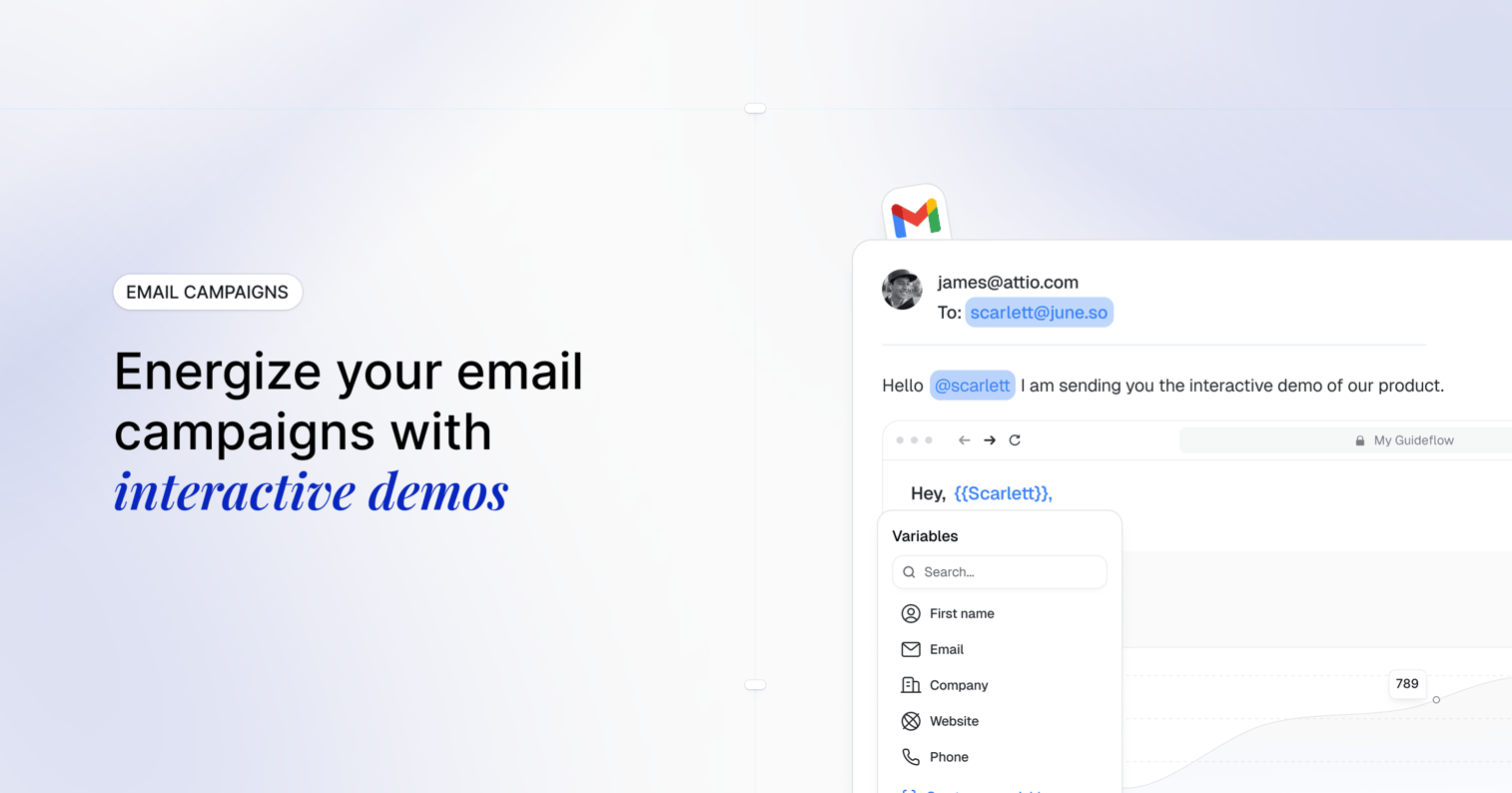
Link to interactive experiences from nurture emails. Higher click-through than static attachments. Use interactive content to re-engage cold leads or move warm prospects to the next stage. Instead of "Download our guide," try "Calculate your potential savings in 2 minutes." Track which recipients engage and for how long, then trigger different follow-up sequences based on their interaction depth.
Paid advertising and retargeting
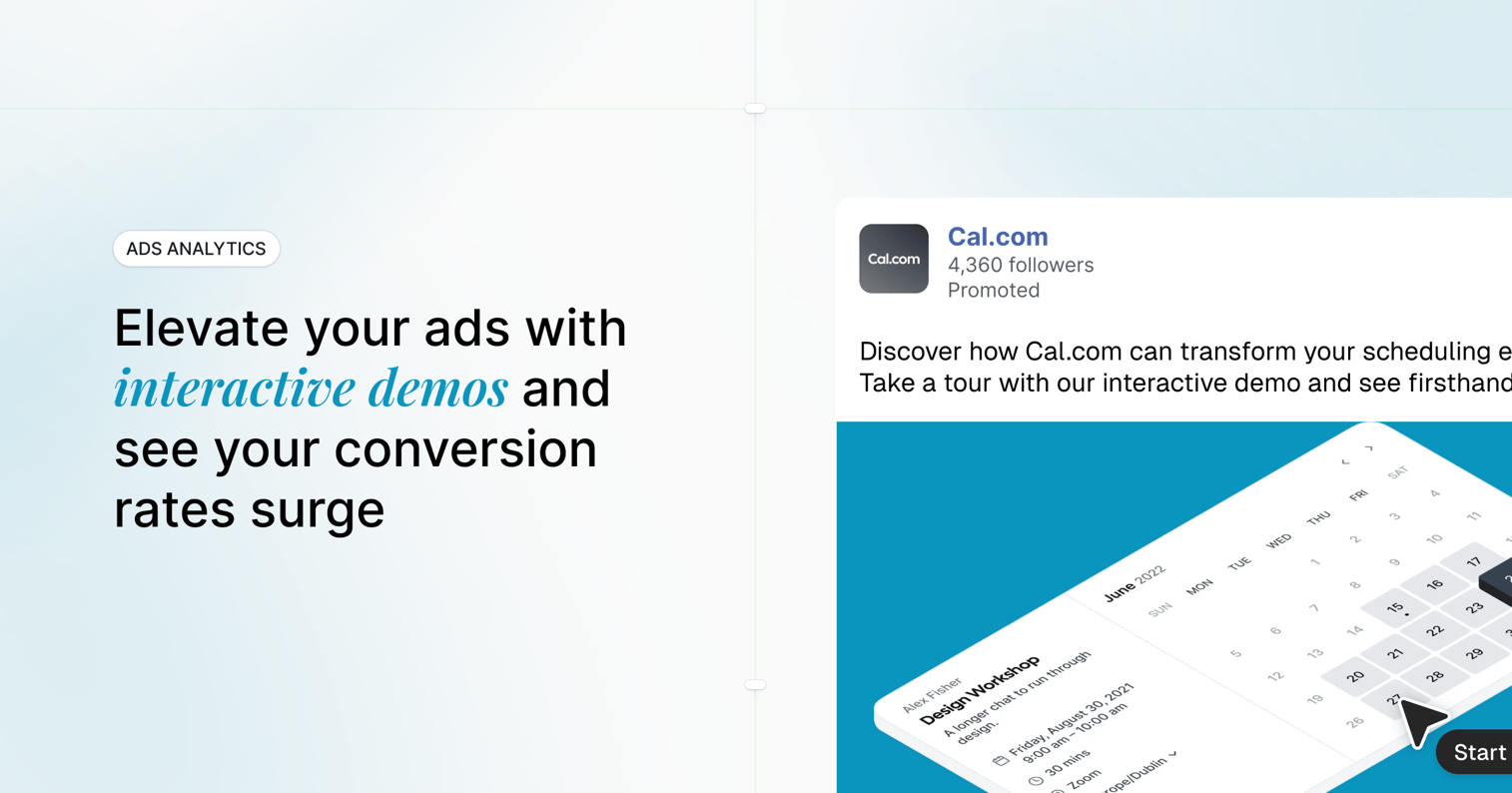
Use interactive lead magnets as ad destinations. Higher engagement than form-only landing pages. Send paid traffic to a quiz, assessment, or demo rather than a generic contact form. Retarget website visitors with interactive experiences matched to the pages they viewed. Someone who visited your pricing page sees a calculator. Someone who read a feature comparison gets a product demo.
Social media and LinkedIn
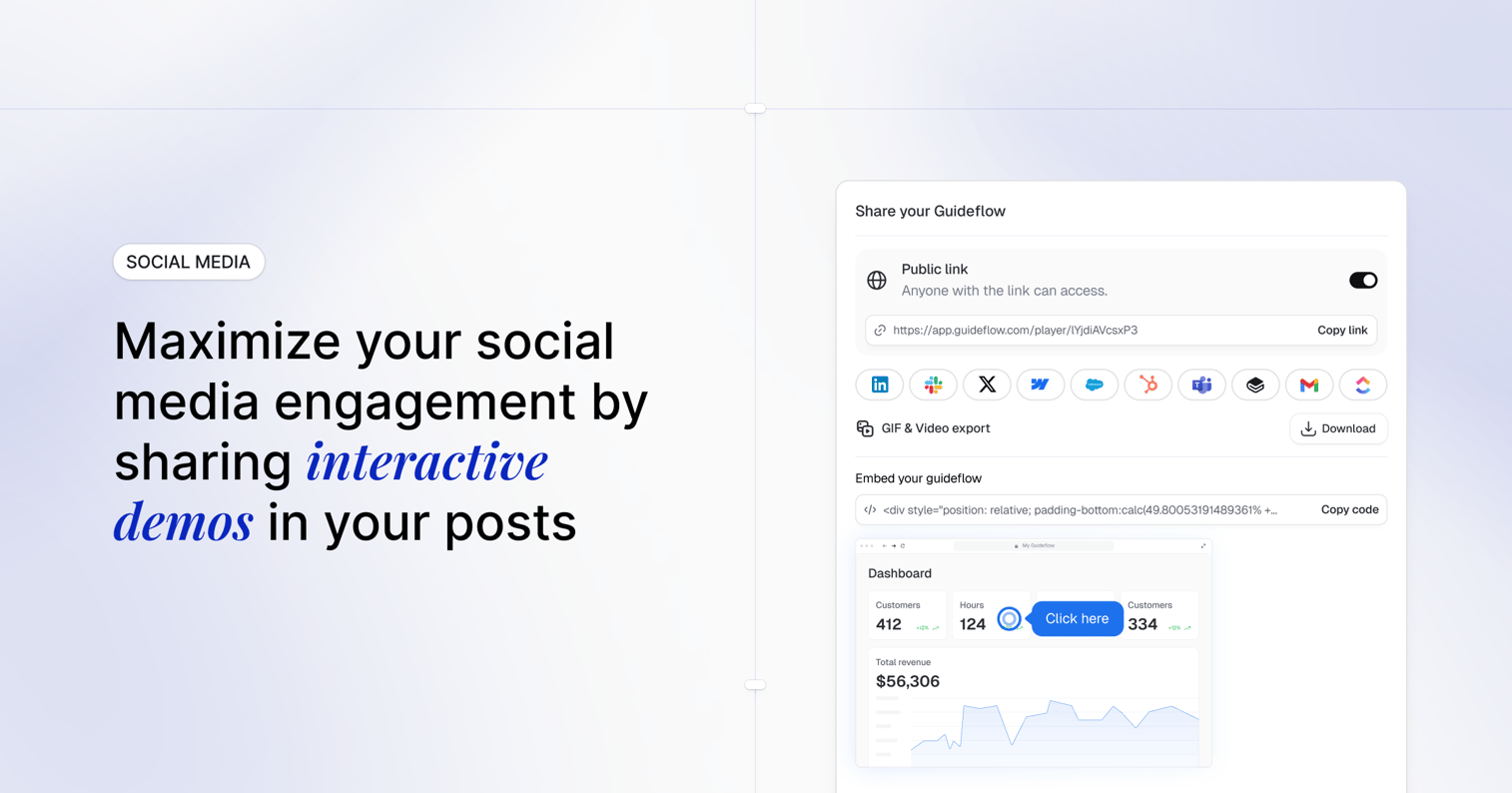
Share demos via link or embed as native posts or direct links. Works especially well for B2B on LinkedIn. Post interactive demos as thought leadership content that showcases your product while providing value. Use LinkedIn's native video with a link to the full interactive experience in the comments. Track which connections engage and follow up with personalized outreach based on what they explored.
Turn passive traffic into qualified pipeline
Interactive lead magnets shift your funnel from passive downloads to active engagement. Instead of collecting email addresses from people who might read your PDF someday, you capture behavioral signals from prospects who demonstrated interest through their actions. Combined with the right demand generation tools, this approach transforms how you identify and nurture qualified prospects.
FAQs about interactive lead magnets
Yes, interactive formats work for both. B2B companies often see the biggest gains because buying committees self-educate before sales contact, and interactive experiences capture intent signals that static content cannot.
Most users expect to complete an interactive lead magnet in under five minutes. Keep the experience focused on one clear outcome.
Yes, interactive formats are ideal for ABM. You can personalize content, branding, and messaging for target accounts and track which stakeholders engaged with which parts of the experience.
Track engagement metrics (completion rate, time spent, paths chosen), lead quality (conversion to opportunity, sales feedback), and downstream pipeline impact. Compare against static lead magnet benchmarks to quantify the lift.