A patient message lands in an ordinary inbox. The clinician who needs it is off-shift. No one acknowledges it. By the time the right person sees it, the window for timely care has closed.
That failure mode is more common than most founders building in or selling into healthcare want to admit. The HIPAA Security Rule requires covered entities to implement reasonable and appropriate safeguards for electronic protected health information, specifically access controls, audit controls, authentication, and transmission security (HHS, 2024). Ordinary SMS, consumer messaging apps, and unmanaged email inboxes do not meet that bar by default.
This article is not legal advice. The right platform for your organization depends on the specific workflow you need to protect, and a BAA from a vendor is the starting point, not the finish line. Your legal, privacy, and security teams need to validate configuration, workforce practices, and risk management for your specific context.
The right choice also depends on which workflow creates the biggest bottleneck today: Patient communication, internal care-team coordination, urgent escalation, or EHR-connected messaging.
What's inside
This guide evaluates 12 HIPAA-compliant messaging platforms for 2026, chosen for workflow fit, compliance controls, pricing availability, and verified user ratings. It covers:
- A plain-English definition of HIPAA-compliant messaging and the controls to validate
- When to use patient texting versus clinical team messaging versus critical alerting
- A side-by-side comparison table across all 12 platforms
- Per-platform overviews with verified pricing and G2 ratings
- A buyer checklist covering BAA review, audit logs, access control software, integrations, and rollout readiness
Each tool should still be reviewed by your security, privacy, legal, and clinical operations stakeholders before a purchase decision.
TL;DR
- Best overall for enterprise clinical communication: TigerConnect, for health systems that need care-team messaging, routing, and workflow coordination across many roles
- Best for patient messaging and practice workflows: OhMD for AI-powered text and voice automation; Klara for multi-location practices connecting messaging to front-office operations
- Best for urgent escalation and on-call routing: OnPage for persistent alerting with escalation policies; PerfectServe for physician scheduling and clinical routing in complex systems
- Best for patient engagement automation: Luma Health, when messaging is part of a broader patient access and outreach program
- Best for secure email-centered workflows: Paubox, when your primary channel is email and you need encryption without forcing recipients into a portal
- Founder takeaway: Start with the workflow that creates the most operational or clinical risk today. Then validate BAA terms, access review software, auditability, device governance, and integration fit before buying.
What is HIPAA-compliant messaging?
HIPAA-compliant messaging is a healthcare communication workflow designed to protect electronic protected health information through administrative, physical, and technical safeguards required by the HIPAA Security Rule.
What separates secure healthcare messaging from ordinary texting
Standard SMS transmits messages without encryption and stores them on carrier infrastructure outside the organization's control. Consumer chat apps introduce third-party data processing with no BAA. Neither approach reliably meets the Security Rule's requirements for ePHI. The distinction matters: Not every message in a healthcare workflow contains ePHI, but any workflow that touches patient-identifiable information needs to be designed with appropriate controls in place.
Core safeguards buyers should validate
- Encryption in transit and at rest
- Unique user identification and authentication
- Role-based permissions and minimum necessary access
- Audit logs that can be searched, retained, and exported
- Message retention and deletion controls
- Device security, remote wipe, and BYOD policy support
- Business Associate Agreement availability from the vendor
- Incident response and administrative controls
What a BAA does and does not do
A Business Associate Agreement defines contractual responsibilities between your organization and the vendor. Signing one does not remove your obligation to conduct a risk analysis, train your workforce, configure access correctly, or monitor for incidents. The BAA is a necessary contract, not a compliance certificate. Buyers who treat it as the full answer tend to discover the gap during a breach response or a health system procurement review.
| Control | Why it matters in messaging | What to ask the vendor |
|---|---|---|
| Encryption | Prevents interception of ePHI in transit and at rest | Which encryption standard, and does it apply to message metadata? |
| Audit logs | Supports incident investigation and compliance review | Can logs be searched by date, user, and message content? Can they be exported? |
| Role-based access | Enforces minimum necessary access | How granular are role definitions, and who administers them? |
| Message retention | Meets legal and operational hold requirements | What is the default retention period, and can it be configured? |
| Remote wipe | Protects ePHI on lost or departing-employee devices | Is wipe triggered manually, or can it be automated? |
When to use HIPAA-compliant messaging
Coordinate patient communication without live calls
Appointment reminders, intake forms, follow-up instructions, and document requests can move through secure text-based workflows without requiring a phone call or portal login. The key distinction is whether a notification contains ePHI or only a prompt to act. Workflows that include clinical details in the message body require full HIPAA-aligned controls on both sides of the exchange. According to athenahealth (2025), 39% of patients already use text to communicate with healthcare providers, so the channel demand is real.
Route internal clinical questions and handoffs
Care-team coordination, nursing-to-physician consults, cross-shift handoffs, and patient status updates need delivery confirmation and clear accountability. An unread message in a shared inbox with no escalation path creates the same risk as no message at all. Platforms built for clinical communication handle routing, acknowledgment tracking, and role-based search so the message reaches the right person, not just the right inbox.
Escalate urgent messages and on-call events
Critical lab results, rapid response activations, and code team notifications require a different design than standard messaging. Persistent alerting, automated escalation when a recipient doesn't acknowledge, and on-call schedule integration are features that matter here. For a founder evaluating clinical alerting infrastructure, the question is not whether the platform sends messages, it is whether a missed message produces a documented escalation path with an audit trail.
HIPAA-compliant messaging platform comparison
The table below covers all 12 platforms by primary workflow fit, key differentiator, verified pricing, and verified G2 rating. Pricing reflects data from each vendor's official pricing page as of October 2026. This is a starting point for shortlisting, not a substitute for a vendor conversation.
| # | Product | Best for | Key differentiator | Pricing | G2 rating |
|---|---|---|---|---|---|
| 1 | TigerConnect | Enterprise clinical communication | Care-team messaging, routing, and clinical workflow orchestration | Talk to sales for a quote | 4.5/5 |
| 2 | OhMD | Patient communication and practice workflows | AI-powered voice, text, and workflow automation for healthcare practices | From $300/month | 4.8/5 |
| 3 | Klara | Multi-location patient communication | Patient messaging tied to scheduling, intake, and practice operations | Talk to sales for a quote | 4.6/5 |
| 4 | Luma Health | Enterprise patient engagement automation | Patient access, communication journeys, and outreach orchestration | Talk to sales for a quote | 4.8/5 |
| 5 | OnPage | High-acuity alerts and escalation | Persistent alerting, escalation policies, and delivery tracking | From $13.99/user/month | 4.3/5 |
| 6 | Qwil Messenger | Secure external messaging | Branded, compliant external conversations with document workflows | From $15/staff/month | 5.0/5 |
| 7 | Spruce Health | Smaller care teams | Mobile-first secure patient and team communication | From $24/user/month | 4.7/5 |
| 8 | Imprivata Cortext | Hospital governance (legacy) | Formerly a governed clinical texting platform; no longer offered | N/A | N/A |
| 9 | PerfectServe | Clinical collaboration and physician workflows | Escalation, scheduling, and care-team coordination in complex health systems | Talk to sales for a quote | 3.5/5 |
| 10 | Hypercare | Clinical operations and on-call coordination | Secure messaging with on-call scheduling and escalation workflows | From $8/user/month | N/A |
| 11 | Paubox | Secure email-led patient communication | Automatic encrypted email delivery without recipient portals | From $0/month | 4.9/5 |
| 12 | QliqSOFT | Configurable home-based care communication | Secure messaging, AI voice agents, and digital intake for home health and hospice | Talk to sales for a quote | 4.7/5 |
Best 12 HIPAA-compliant messaging platforms for 2026
1. TigerConnect
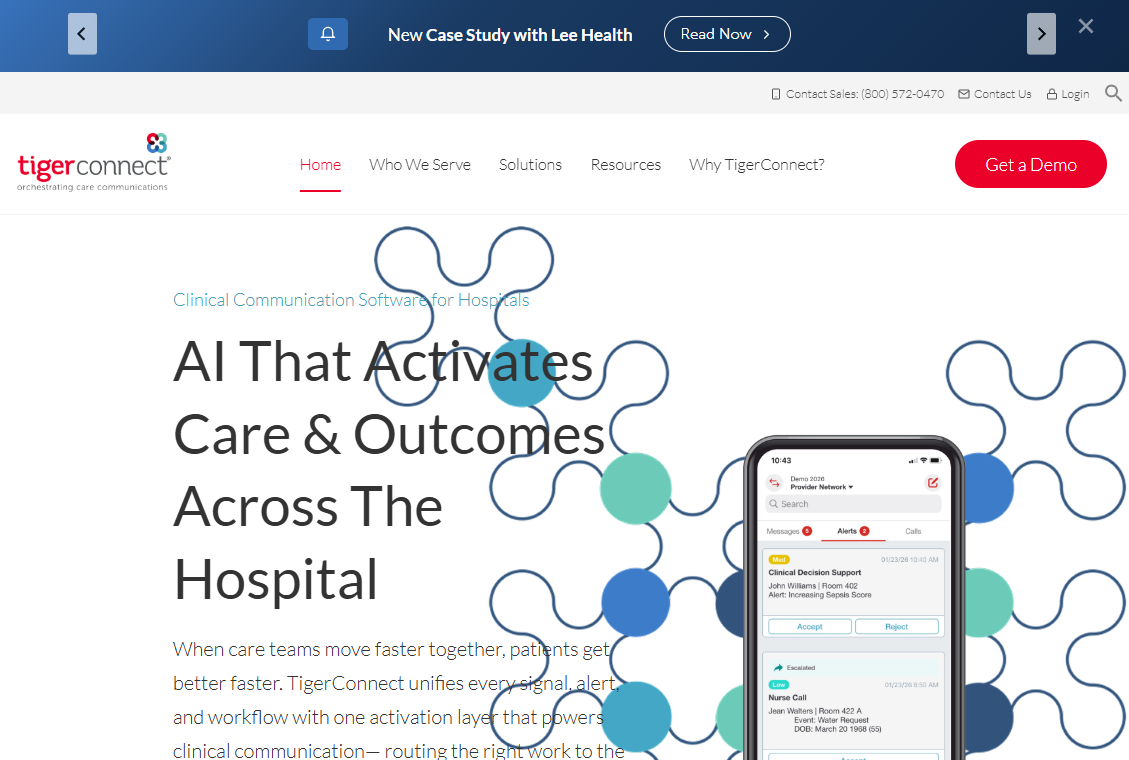
TigerConnect is a healthcare communication and care-orchestration platform covering clinical collaboration, patient engagement, scheduling, alert management, and smart-room workflows. It operates across hospitals, physician groups, and health systems that need a single communication layer spanning multiple care roles and departments. The platform connects clinical messaging with EHR-generated alerts, nurse-call routing, and patient-facing outreach in one governed environment.
Best for: Health systems and enterprise care organizations that need clinical communication, routing, and operational workflow coordination across many roles.
Key features
- Secure role-based and team-based messaging with patient context
- Real-time routing and escalation of EHR, nurse-call, and monitoring alerts
- Patient engagement via secure text, video, voice, and no-app conversations
- Enterprise administration controls and clinical directory management
- Healthcare system integrations for alert delivery and patient workflow
Why choose TigerConnect: Strong fit when a founder or VP needs a platform that supports a broad clinical communication operating model, not just patient texting or basic clinical chat. The depth of integration and escalation logic is built for organizations where communication failures have direct operational and clinical consequences.
TigerConnect pricing: TigerConnect uses a fixed-price subscription model and does not list prices on its website. Talk to sales for a quote based on organization size and selected modules.
G2 rating: 4.5/5
2. OhMD
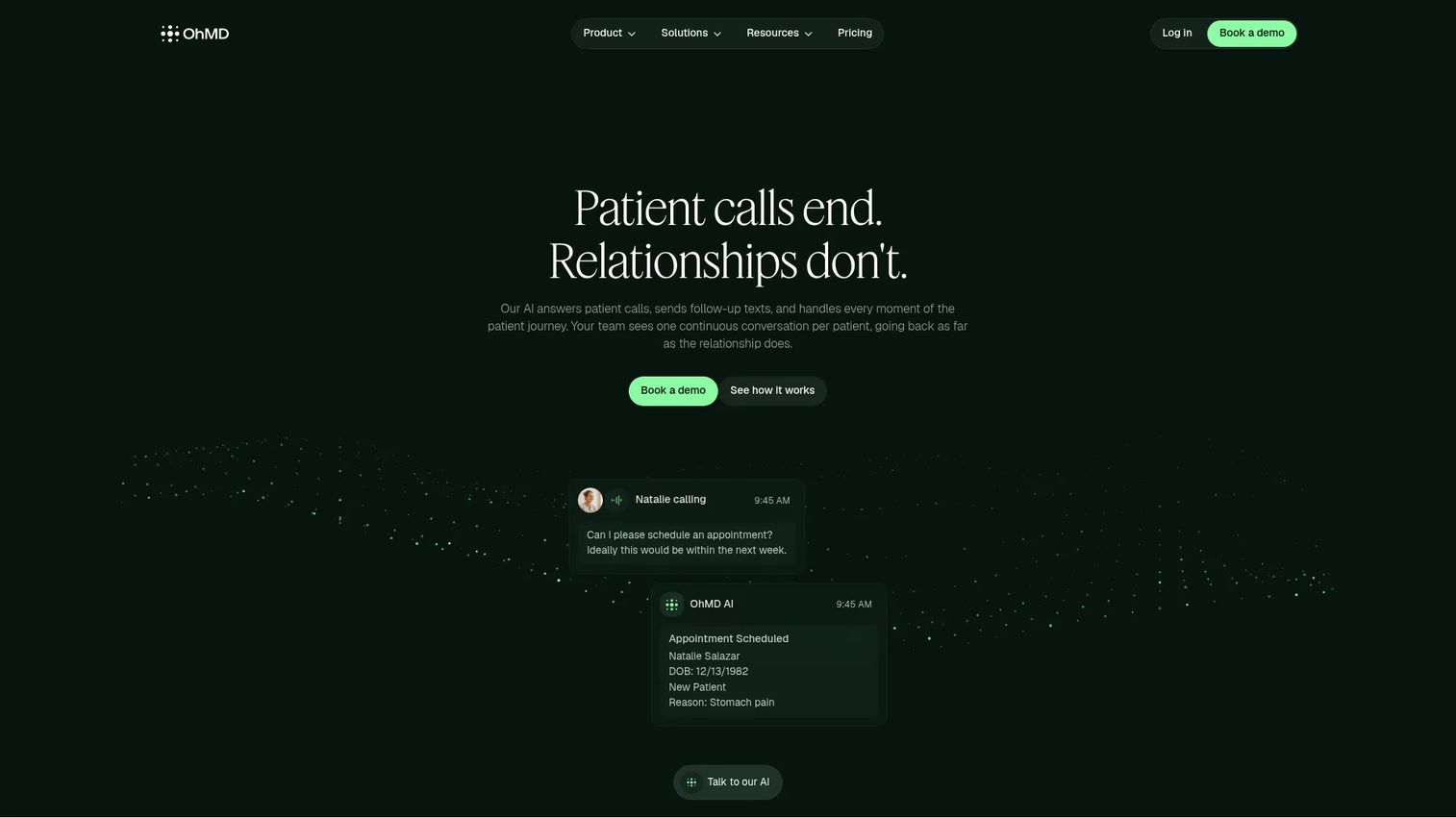
OhMD is a HIPAA-compliant patient communication platform that combines AI-powered voice agents, two-way secure texting, text-enabled landlines, appointment workflows, and automated routing. Practices use it to reduce call volume and give patients responsive digital access without adding staff. The AI agents handle routine inbound calls and messages, routing clinical questions to the right person and resolving scheduling or refill requests automatically.
Best for: Healthcare practices and organizations prioritizing patient communication, digital intake, and text-first engagement with AI call handling.
Key features
- AI voice and text agents for inbound calls and routine message handling
- Two-way HIPAA-compliant SMS and text-enabled landlines
- Appointment scheduling, reminders, refills, and automated routing
- Shared team inboxes with internal notes and task assignment
- EHR and practice management integrations
Why choose OhMD: Most useful when patient responsiveness and staff efficiency matter more than high-acuity internal alerting. The AI call-handling layer reduces the coordination burden for practices drowning in phone volume.
OhMD pricing: Core plan starts at $300/month; the AI and Automation plan starts at $500/month. Enterprise pricing is custom. Calling usage is billed separately.
G2 rating: 4.8/5
3. Klara
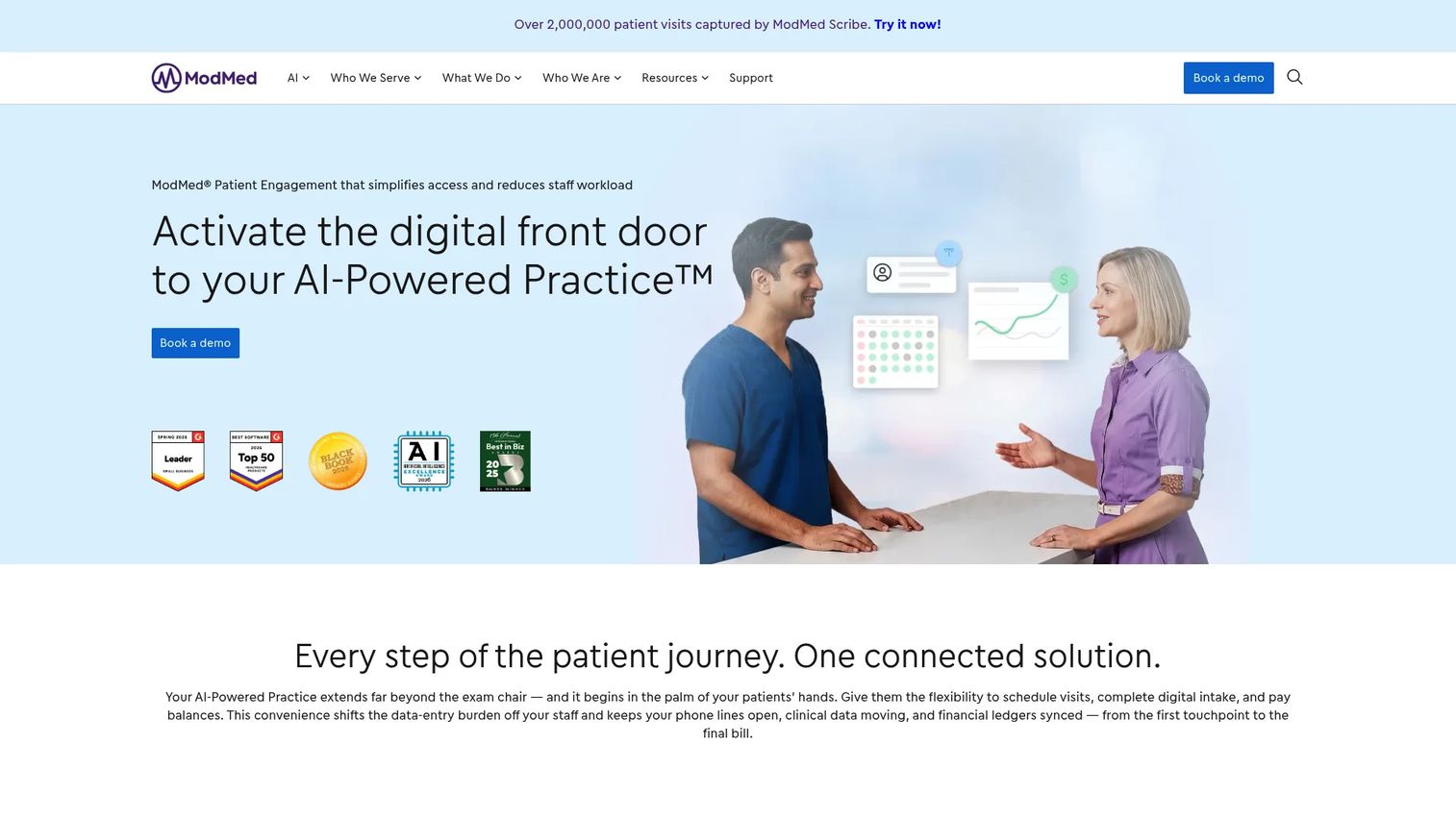
Klara is a patient engagement and communication platform for healthcare practices that consolidates messaging, scheduling, digital intake, insurance collection, and provider collaboration into a shared inbox model. It integrates with EHR systems and practice management platforms to keep patient context attached to every conversation. Multi-location practices use Klara to standardize front-office communication without adding tools for each location.
Best for: Multi-location medical practices seeking centralized patient communication connected to operational workflows.
Key features
- Two-way secure patient messaging
- Appointment reminders and scheduling integration
- Web chat and call-to-text for inbound patient contact
- Digital intake and insurance collection
- Provider collaboration via shared inboxes and internal notes
Why choose Klara: Good for operators consolidating patient-facing messaging into a more structured front-office workflow. The combination of messaging, digital intake, and EHR integration reduces the number of disconnected tools a front-desk team has to manage.
Klara pricing: Klara does not display pricing on its website and directs buyers to request a demo. Talk to sales for a quote based on practice size, location count, and selected features.
G2 rating: 4.6/5
4. Luma Health

Luma Health is an enterprise patient engagement platform covering scheduling, referral coordination, automated outreach, care-gap communication, and health system integrations. It is positioned as a patient access layer rather than a simple texting tool, orchestrating multi-step communication journeys across large patient populations. Health systems use it to reduce no-shows, close referral loops, and automate outreach that would otherwise require staff time.
Best for: Larger healthcare organizations focused on patient access, engagement automation, and multi-step communication journeys at scale.
Key features
- Patient access workflows including scheduling and referral coordination
- Automated outreach campaigns for reminders, care gaps, and follow-ups
- Configurable communication journeys with branching logic
- Enterprise health system integrations
- Analytics on patient engagement and outreach performance
Why choose Luma Health: Stronger fit for organizations treating messaging as part of a larger patient access and engagement program rather than a standalone texting feature. The automation depth justifies the investment when patient volume and outreach complexity are high.
Luma Health pricing: Pricing is quote-based and varies by patient volume, modules, locations, and integration scope. Talk to sales for current figures.
G2 rating: 4.8/5
5. OnPage
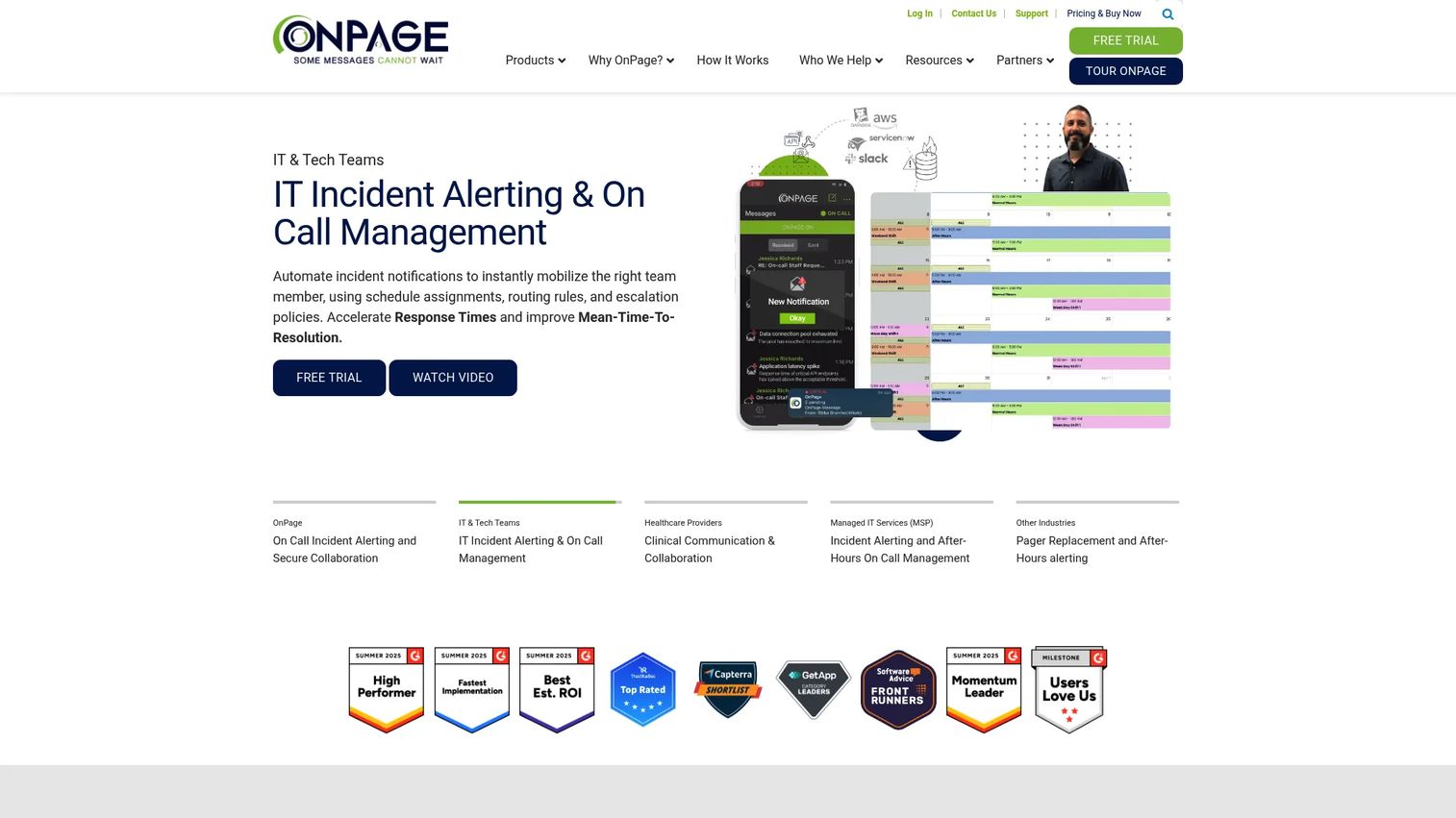
OnPage is a critical communication and incident-management platform designed for healthcare teams and IT operations that cannot afford a missed urgent message. It delivers persistent alerts that override silent mode, tracks delivery and acknowledgment, and follows configurable escalation paths when the primary recipient does not respond. On-call scheduling integrates directly with the alert routing so the system knows who is on call before it sends.
Best for: Clinical teams that need urgent alert routing, escalation policies, and acknowledgment tracking for time-sensitive workflows.
Key features
- Persistent alerting that overrides device silent mode
- Automated escalation when recipients do not acknowledge
- Message delivery tracking with audit trails
- Configurable on-call scheduling and routing
- HIPAA-compliant secure messaging for non-critical communications
Why choose OnPage: Best suited to organizations where a missed urgent message creates an operational or clinical risk. The escalation and acknowledgment model makes it auditable, which matters when proving response times during a review or incident investigation.
OnPage pricing: Plans start at $13.99 per user per month billed annually, or $16.99 per user per month billed quarterly. Enterprise Silver starts at $22.99 and Enterprise Gold at $28.99 per user per month (annual). A 7-day free trial is available.
G2 rating: 4.3/5
6. Qwil Messenger
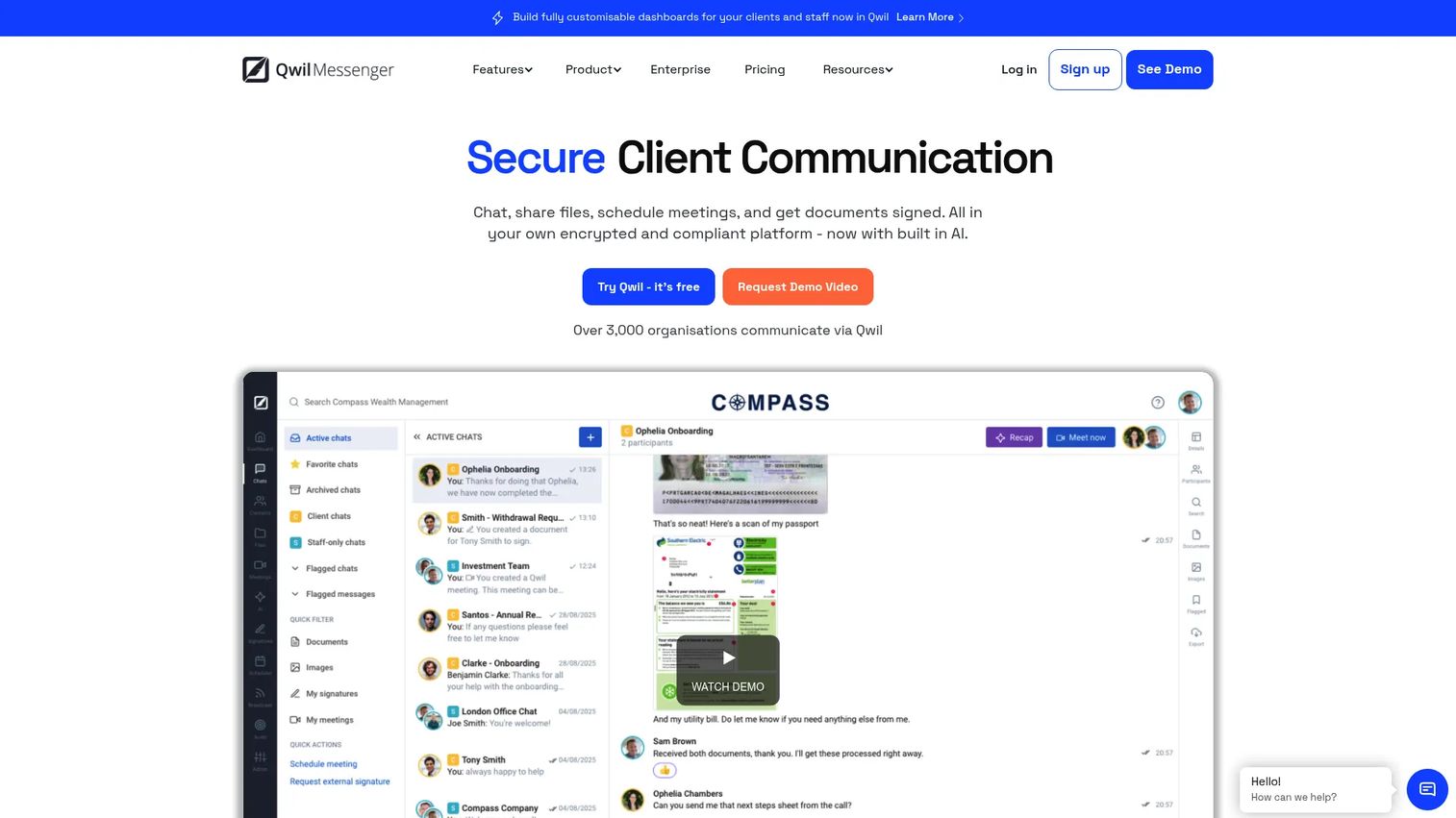
Qwil Messenger is a secure, branded client communication platform combining chat, encrypted file sharing, e-signatures, appointment scheduling, video meetings, and audit trails. It is positioned for regulated professional services rather than acute clinical environments, making it a fit for healthcare-adjacent workflows where external communication with patients, partners, or referral sources needs a controlled, compliant channel.
Best for: Healthcare and regulated teams needing secure external messaging and document-sharing workflows with patients or external partners.
Key features
- Secure 1-to-1 and multi-party chat with audit trails
- Encrypted document sharing and e-signatures
- Appointment scheduling with calendar integrations
- Video meetings with recording and screen sharing
- Customizable branding and CRM integrations
Why choose Qwil Messenger: A practical option when communication extends beyond internal staff and needs a controlled recipient experience. Clients receive access without paying a seat fee, which simplifies rollout for organizations with large external contact lists.
Qwil Messenger pricing: Professional plan starts at $15 per staff member per month (annual billing) or $20 per month billed monthly. Business plan is $25 per staff member per month (annual) or $35 monthly. Enterprise pricing is custom. A 30-day free trial is available.
G2 rating: 5.0/5
7. Spruce Health
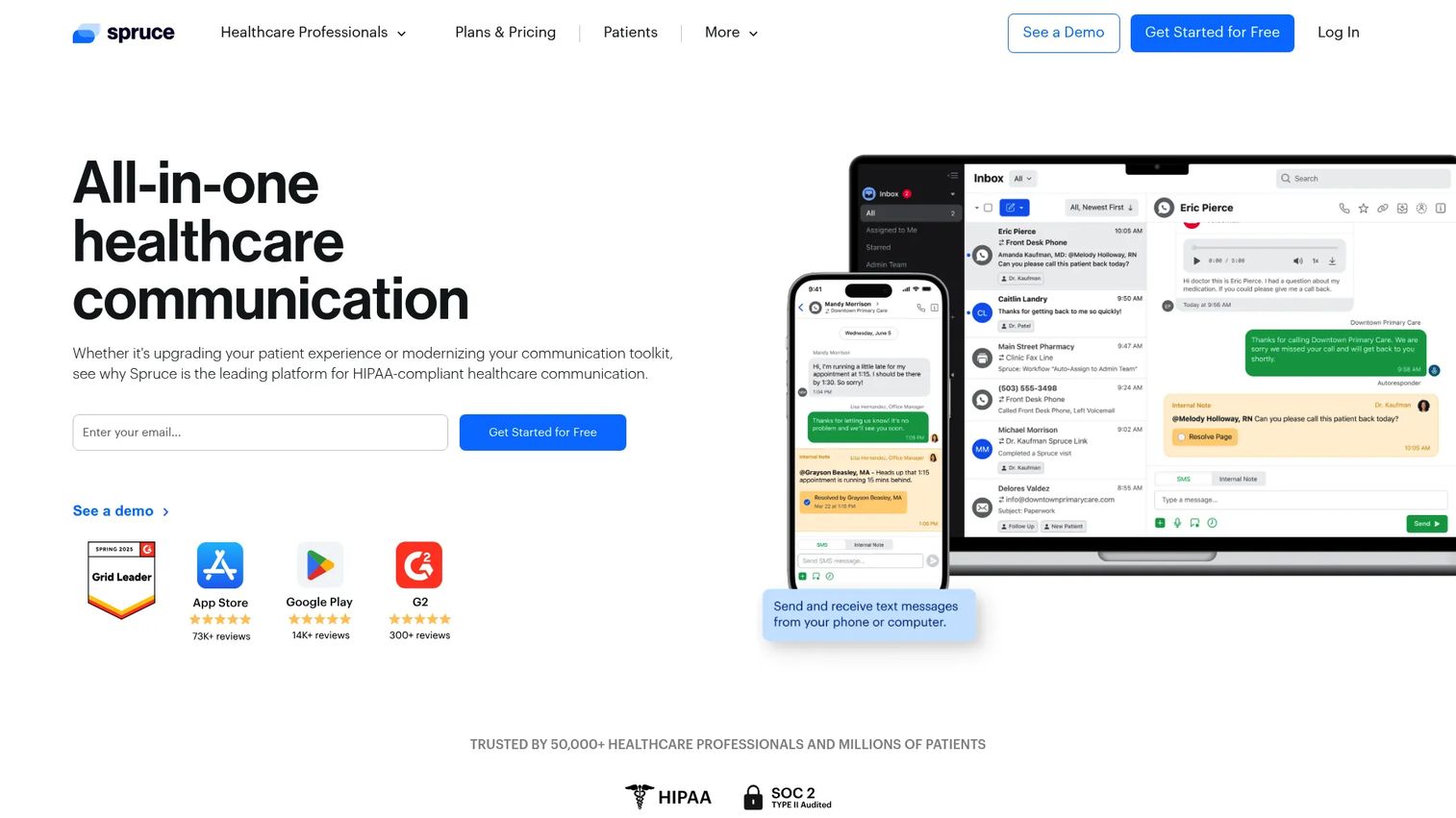
Spruce Health is a HIPAA-compliant communications platform for healthcare practices, covering phone, secure text, fax, video, email, and team messaging in a single mobile-first interface. Smaller care teams use it to consolidate patient communication without the complexity of an enterprise deployment. Shared inboxes, internal notes, task assignment, and AI voicemail transcription come standard across both plans.
Best for: Smaller practices and care teams that want secure patient communication in a mobile-first workflow without enterprise implementation overhead.
Key features
- HIPAA-compliant phone, texting, video, fax, and secure messaging
- Shared customizable inboxes with internal notes and task assignment
- AI voicemail transcription on both plans; call and audio summarization on Communicator
- IVR call flows, urgent escalation, and after-hours triage on Communicator
- VoIP phone service and integrations/API access on Communicator
Why choose Spruce Health: Fits smaller teams that want one operational communication surface rather than separate tools for patient texting, phone, and team messaging. The Basic plan covers most small-practice needs; Communicator adds escalation and integration depth for growing teams.
Spruce Health pricing: Basic plan is $24 per user per month; Communicator is $49 per user per month. No free tier, but a 14-day free trial is available. Taxes and telecommunications fees apply.
G2 rating: 4.7/5
8. Imprivata Cortext
Imprivata Cortext was a secure clinical texting platform for hospital environments, supporting clinical messaging, care coordination, and pager replacement on personal smartphones and tablets.
Important note for buyers: According to Imprivata's own documentation verified in October 2026, Cortext is a former platform and is no longer offered. Organizations that were evaluating Cortext should contact Imprivata directly to understand current clinical communication offerings in their portfolio.
Best for: This product is no longer available. Buyers with hospital governance and clinical identity requirements should evaluate TigerConnect or PerfectServe as current alternatives.
Key features
- Secure texting for clinical professionals (legacy feature set)
- Clinical communication and care coordination
- Personal device support for clinical messaging
- Pager replacement workflows
Why choose Imprivata Cortext: No longer a purchasing option. Imprivata's broader portfolio includes clinical identity and access management products; contact them directly to understand current clinical communication capabilities.
Imprivata Cortext pricing: Product is no longer offered. No pricing is available.
9. PerfectServe
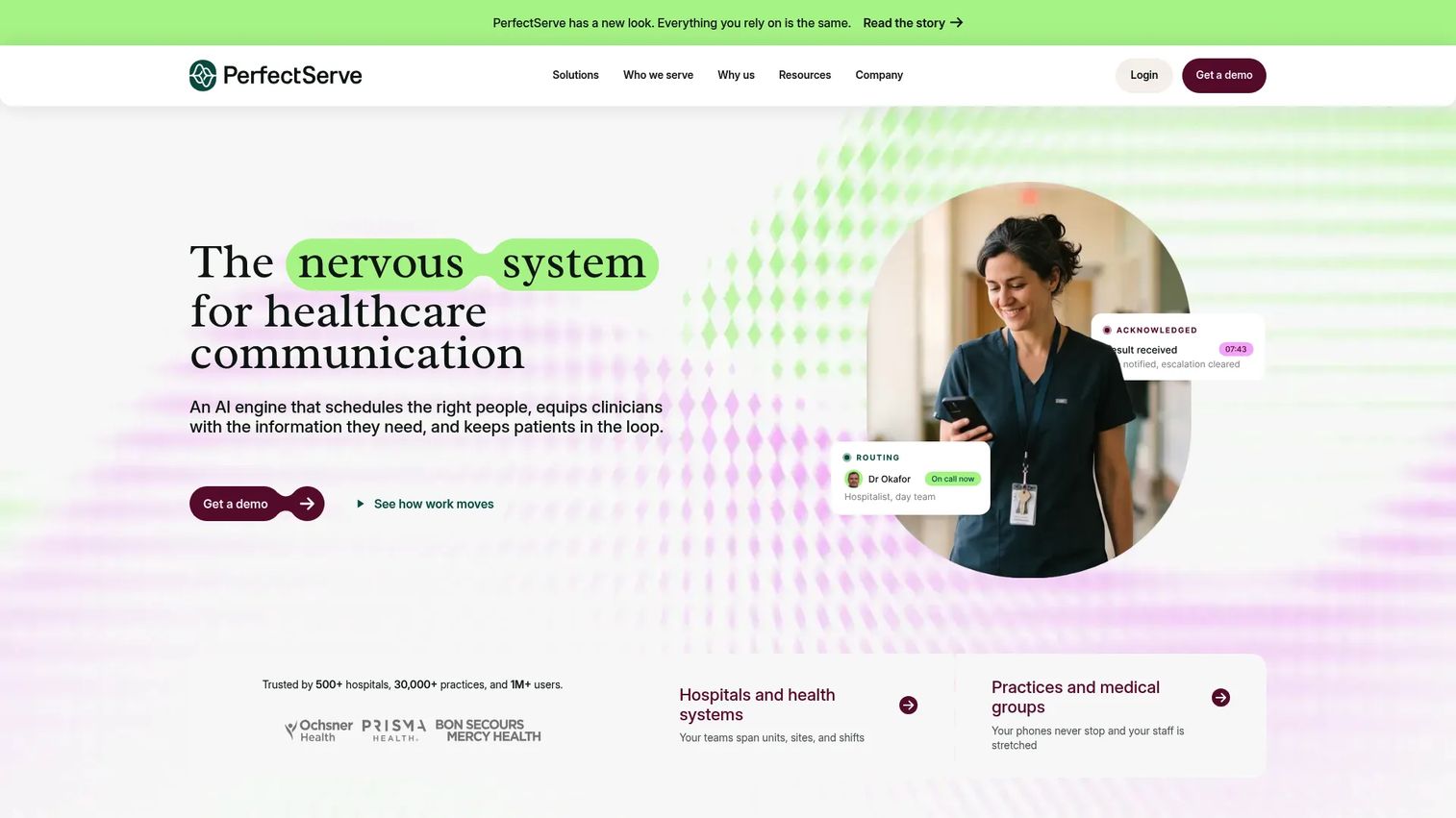
PerfectServe is a healthcare software platform combining clinical communication, rules-based provider scheduling, medical answering, and cloud-based operator console workflows. It is designed for health systems where physician communication, on-call routing, and call center operations need to work from a unified clinical directory. The scheduling module handles specialty-specific rules, time-off requests, and workload distribution.
Best for: Health systems coordinating physician communication, on-call workflows, and clinical escalation across multiple departments.
Key features
- Secure clinical messaging with role-based search and real-time schedule updates
- Rules-based clinical team scheduling with provider preferences and specialty rules
- Medical answering with automatic call routing by urgency and schedule
- Operator console with unified clinical directory and call queuing
- EHR integration for clinical communication workflows
Why choose PerfectServe: Appropriate for complex delivery environments where physician scheduling and communication routing need to work together. The platform is built for organizations where a communication failure has operational and clinical consequences at the health system level.
PerfectServe pricing: Pricing is custom and depends on organization size and selected modules. Talk to sales for a quote.
G2 rating: 3.5/5
10. Hypercare
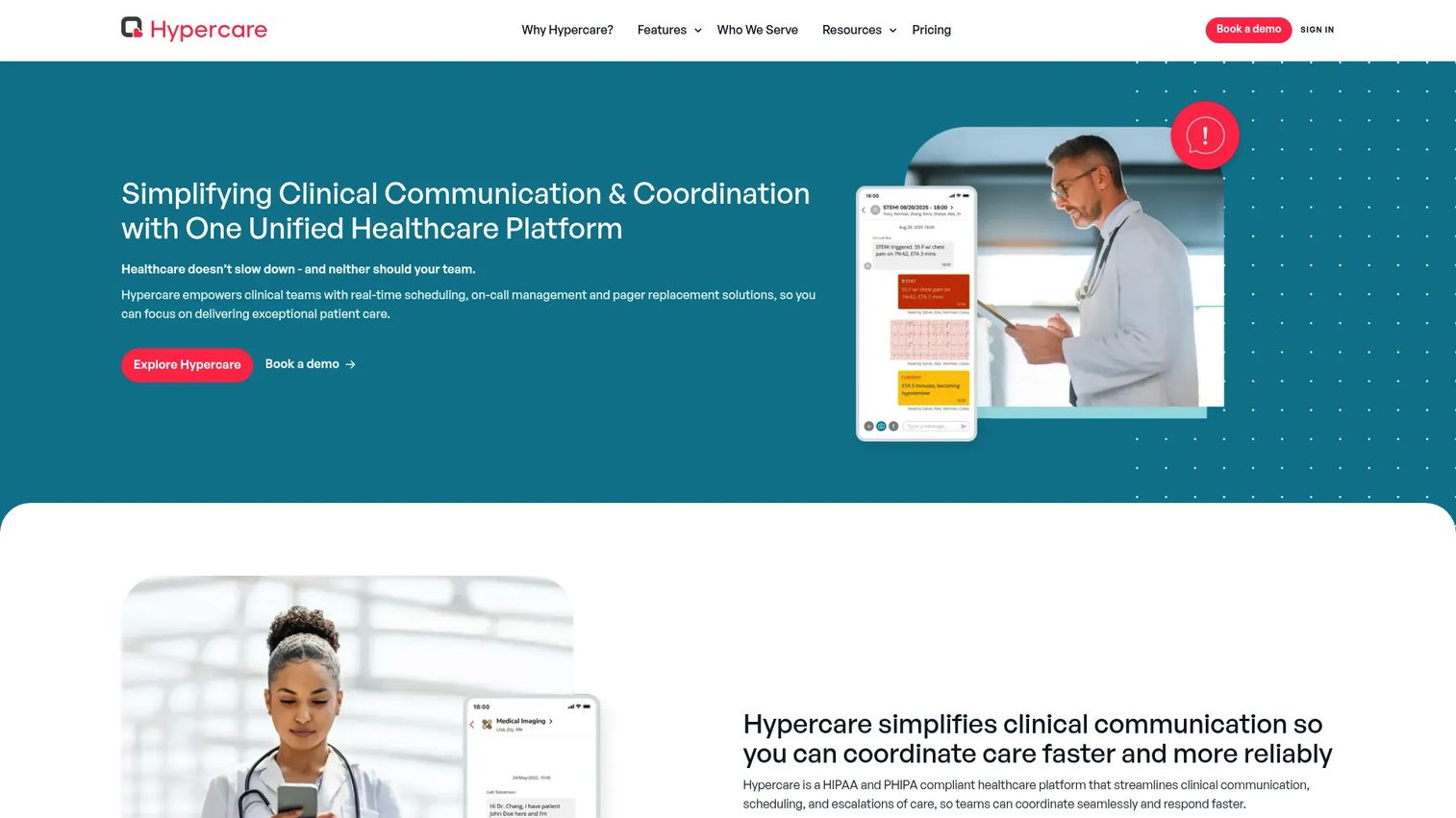
Hypercare is a secure clinical communication and coordination platform covering HIPAA- and PHIPA-compliant messaging, on-call scheduling, code team activations, escalation workflows, and pager replacement. It is built for clinical operations teams replacing fragmented paging, phone, and unmanaged chat workflows with a single auditable system. A 90-day free trial is available, which is long enough to run a real pilot with a defined care team.
Best for: Clinical operations teams that need secure messaging paired with on-call coordination and structured handoffs.
Key features
- HIPAA- and PHIPA-compliant secure messaging
- On-call scheduling and provider locating
- Code team activations with escalation workflows
- Pager and virtual pager replacement
- Real-time analytics and reporting on communication workflows
Why choose Hypercare: Consider it when workflow coordination matters as much as the message delivery itself. The combination of scheduling, escalation, and handoff tooling reduces the coordination overhead that fragmented paging systems create for clinical operations teams.
Hypercare pricing: A 90-day free trial is available. Starter plan is $8 per user per month; Plus plan is $15 per user per month (annual plans available). Enterprise pricing is custom and includes integrations, advanced workflows, and dedicated support.
11. Paubox
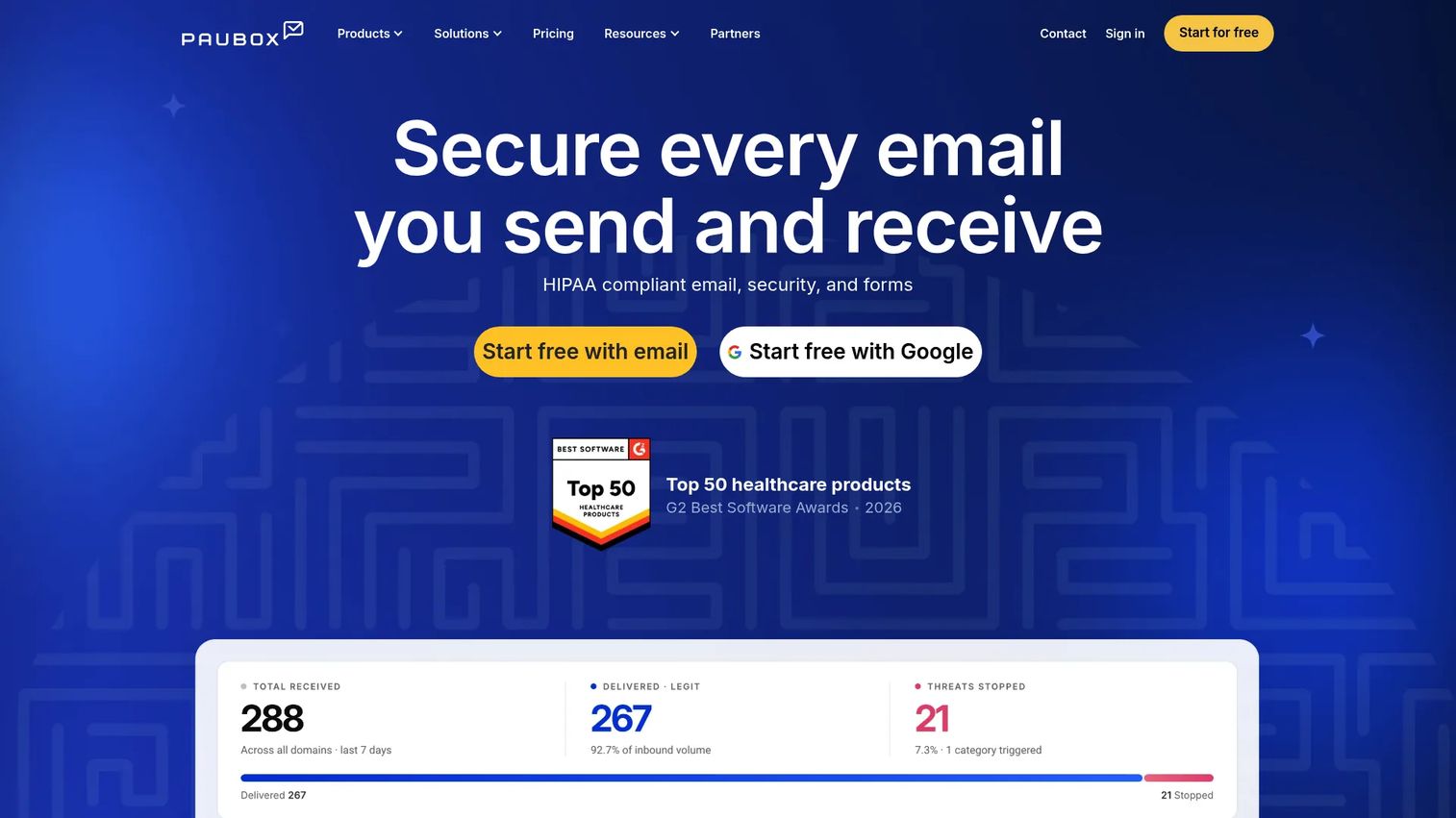
Paubox is a HIPAA-compliant email security platform that encrypts outbound messages automatically so recipients receive them in their standard inbox without navigating a separate portal. It also includes AI-powered inbound threat protection, email archiving, data loss prevention, REST and SMTP APIs, and a HIPAA-compliant email marketing module. Healthcare organizations that communicate primarily by email use Paubox to add encryption without changing the recipient experience.
Best for: Organizations that rely on email for patient communication and need healthcare-focused encryption controls without forcing patients into a new portal or app.
Key features
- Automatic HIPAA-compliant outbound email encryption
- AI-powered inbound phishing, malware, and spam protection
- Email archiving and data loss prevention
- Integrations with Google Workspace, Microsoft 365, and Exchange
- REST and SMTP APIs with dynamic templates and a HIPAA-compliant marketing module
Why choose Paubox: A fit when email is the existing workflow you want to improve rather than replace. If the team needs on-call escalation or full clinical collaboration, Paubox is not that platform, and a clinical messaging tool would serve those needs better.
Paubox pricing: Paubox displays $0/month for base configurations across its Email Suite, Email API, and Marketing tiers (verified October 2026). Pricing scales by sender count, email volume, and contact volume; select the configuration on the pricing page at paubox.com/pricing for current figures by volume band.
G2 rating: 4.9/5
12. QliqSOFT
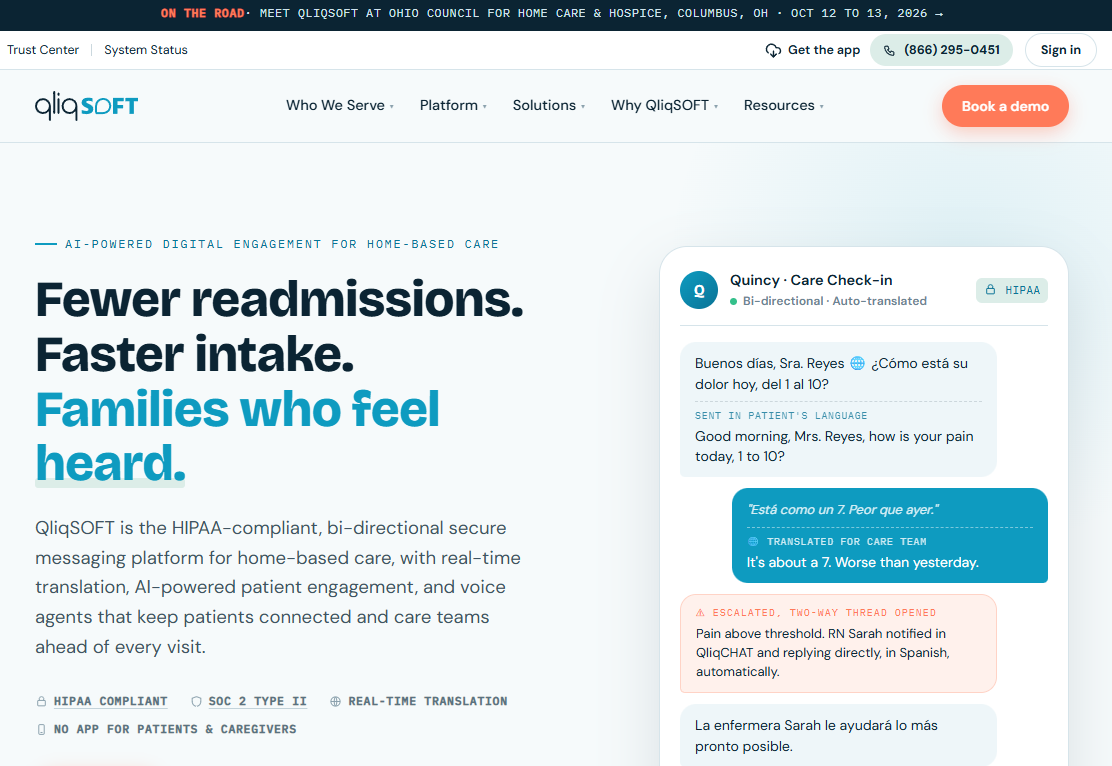
QliqSOFT is a HIPAA-compliant digital engagement and communication platform focused on home-based care, hospice, home health, and related organizations. It combines secure messaging, AI-powered bidirectional patient engagement via text, AI voice agents for after-hours calls, digital intake forms, assessments, e-signatures, and on-call scheduling. The platform is built for care environments where staff are distributed, patients are at home, and standard clinical messaging platforms are not optimized for the workflow.
Best for: Home health, hospice, and home care organizations needing secure communication, AI patient engagement, and configurable intake and workflow tools.
Key features
- HIPAA-compliant secure messaging and team collaboration
- AI-powered bidirectional patient engagement via text with real-time translation
- AI voice agents for after-hours calls, scheduling, and on-call routing
- Digital intake, forms, assessments, e-signatures, and automated workflows
- On-call scheduling, caller ID masking, and field-staff safety alerts
Why choose QliqSOFT: Worth evaluating when the workflow does not fit a standard hospital or clinic template. The combination of patient-facing AI and configurable clinical workflows addresses the specific challenges of home-based care delivery that general clinical messaging platforms often miss.
QliqSOFT pricing: Pricing is customized based on per-seat, per-active-patient, and per-survivor meters, plus a one-time implementation engagement. Talk to sales for a quote; pricing varies significantly by organization type and size.
G2 rating: 4.7/5
Considerations when choosing a HIPAA-compliant messaging platform
Confirm the BAA and the full data flow
Identify every party in your messaging workflow that can create, receive, maintain, or transmit ePHI, including subprocessors, analytics tools, and integration partners. Validate whether the vendor's BAA covers the full chain, not just the primary application. Many gaps surface at subprocessor level rather than in the core product contract.
Test access controls and auditability before signing
Run a live test of user provisioning, role changes, inactive-user removal, and log export before committing. The HIPAA Security Rule identifies access controls, audit controls, authentication, and transmission security as key technical safeguards (HHS, 2024). A vendor's feature list is not a substitute for confirming that your team can retrieve, search, and export logs after an actual incident.
Separate patient outreach from urgent clinical escalation
A platform built for appointment reminders and digital intake is a different product than one built for critical alert routing and on-call acknowledgment. Both categories can be HIPAA-aligned, but they solve different operational problems. Buying a patient engagement tool and expecting it to handle rapid-response alerting is a common gap that surfaces during an incident.
Validate integration and source-of-truth behavior
Determine whether messages need to write back to an EHR, CRM, or practice management system. Establish which system owns patient context, communication history, and follow-up accountability before rollout. An integration that reads patient data but does not write communication records back creates a documentation gap that compliance and clinical operations teams will flag.
Pilot one workflow before an enterprise rollout
Choose the narrowest high-risk workflow, define success criteria, assign an escalation owner, and run the pilot for at least four weeks. Measure response times, staff workarounds, patient completion rates, and unresolved-message volume. For founders building infrastructure that a VP needs to own on day one, a well-scoped pilot is the fastest way to validate fit without a full-organization commitment.
How to choose the right HIPAA-compliant messaging platform
For a cross-functional vendor evaluation, an interactive product demo can help operations, security, and clinical stakeholders review vendor workflows before a live pilot begins.
If your biggest issue is patient communication volume
OhMD, Klara, Luma Health, Spruce Health, and QliqSOFT all address this, but the deciding factor is the specific job: OhMD for AI call handling that reduces inbound phone burden; Klara for multi-location practices connecting messaging to scheduling and intake; Luma Health for large-scale outreach and patient access programs; Spruce Health for smaller teams wanting a mobile-first all-in-one; QliqSOFT for home-based care with configurable workflows.
If clinicians miss urgent messages or on-call handoffs
OnPage and Hypercare are built specifically for this problem. PerfectServe and TigerConnect cover it as part of a broader clinical communication platform. The deciding factor is scope: OnPage and Hypercare work well as focused escalation layers; TigerConnect and PerfectServe are appropriate when the organization also needs scheduling, routing, and operator console workflows in the same system.
If you are selling into enterprise health systems
TigerConnect and PerfectServe are most likely to survive enterprise procurement and health system IT review. Luma Health and QliqSOFT appear in enterprise health system deals when patient engagement or home-based care is the primary focus. Prepare for BAA scrutiny, integration documentation requirements, identity and access management questions, and rollout ownership expectations from IT and clinical informatics teams.
If email is still your primary patient communication channel
Paubox is the most direct fit: It encrypts outbound email automatically and delivers it to the recipient's standard inbox without a separate app or portal. It does not replace a clinical alerting or care-team coordination platform, so organizations that need both often run Paubox alongside a clinical messaging tool.
Conclusion
The right HIPAA-compliant messaging platform depends on the communication job you need to protect first, not the longest feature list.
For enterprise clinical communication and care-team orchestration, TigerConnect is the strongest fit. OhMD and Klara address patient communication and practice workflow needs at different scales. Luma Health fits organizations that need patient access automation across large populations. OnPage and Hypercare are built for urgent escalation and on-call coordination, while PerfectServe handles physician scheduling and routing in complex health systems. Paubox works for organizations where secure email is the primary channel. QliqSOFT covers home-based care workflows that general platforms underserve.
Across every category, a BAA, encryption, and a vendor's product claims are only the starting point. The organizations that navigate procurement, diligence, and post-launch audits without friction are the ones that validated access controls, audit log exportability, integration behavior, and device governance before rollout, not after.
Shortlist two or three platforms, run a workflow-specific pilot with defined success criteria, and involve privacy, security, clinical operations, and integration owners before selecting. That process is what a VP of Product or Head of Infrastructure needs to be able to run without founder involvement.
Start your journey with Guideflow today!
FAQs
No platform alone makes an organization HIPAA compliant. The Security Rule requires the covered entity or business associate to implement administrative, physical, and technical safeguards, maintain a risk analysis, train the workforce, and manage configuration and access. A platform that offers a BAA, encryption, role-based access, and exportable audit logs gives your organization the technical controls to build a compliant workflow. Whether your specific implementation meets the standard depends on how those controls are configured and governed for your organization's context.
Standard SMS is not automatically suitable for transmitting ePHI. Messages travel unencrypted over carrier infrastructure, are stored outside the organization's control, and offer no audit trail or access management. Some SMS-based patient notification workflows are designed to avoid transmitting ePHI directly, using the text only as a prompt for the patient to take action in a secure channel. Whether a specific SMS workflow is appropriate requires evaluating the content, the transmission path, the recipient experience, and the safeguards around the full exchange, not just the delivery method.
A BAA is generally a central contracting requirement when a vendor acts as a business associate by creating, receiving, maintaining, or transmitting ePHI on your behalf. Confirm the roles, data flows, subcontractor arrangements, and the organization's own responsibilities with your legal or privacy leadership before assuming the contract alone resolves your obligations. A BAA without the technical controls to back it up creates exposure.
Patient texting focuses on outreach, scheduling, intake, follow-up, and document exchange between a healthcare organization and its patients. Clinical messaging focuses on care-team communication: Patient context, consults, escalation, handoffs, acknowledgment, and on-call workflows. Both categories can be HIPAA-aligned, but they serve different users and different operational moments. Buying one to cover both often results in the secondary job being poorly supported.
Test role provisioning and deprovisioning, patient identity verification, notification content review, message retention and deletion controls, log search and export, escalation routing, device remote wipe, EHR write-back behavior, and the offboarding process for departing staff or patients. Test each one deliberately rather than trusting that the feature exists because it appears in the product documentation.
A secure messaging app can replace pager workflows when it delivers reliable persistent alerts, follows configured escalation paths when recipients do not acknowledge, integrates with on-call scheduling, and operates on devices that work in the specific signal environment of your facility. Pager replacement is not purely a software purchase. It requires an operational design covering escalation owners, coverage gaps, device policy, and downtime procedures. Organizations that skip the operational design and only swap the software often find the gaps during the first critical incident.
Integration availability differs significantly by vendor and EHR. Some platforms offer bidirectional integrations that support patient identity, clinical context, message write-back, scheduling, and access lifecycle management. Others offer read-only feeds or no integration at all. Confirm the specific integration your organization needs, which EHR versions are supported, and who owns the integration maintenance before treating integration as a given in a vendor evaluation.
Pricing in this category varies substantially. Per-user models like OnPage start under $20 per user per month for teams with straightforward alerting needs. Patient communication platforms like OhMD start at $300 per month for a practice-level subscription. Enterprise platforms like TigerConnect, Luma Health, and PerfectServe price by quote and typically depend on organization size, selected modules, integration scope, and implementation requirements. Compare total cost across licensing, implementation, training, and workflow ownership rather than entry price alone. A lower per-user rate on a platform that requires significant professional services to configure often costs more than a higher per-user rate on one a clinical operations team can maintain internally.