
Your quarterly access review starts the same way every time. Someone exports a permissions list to a spreadsheet. The spreadsheet gets emailed to twelve managers. Half never open it. The other half rubber-stamp everything without reading it. Three weeks later, you have a signed-off document that proves nothing and an auditor who wants to know why a terminated employee still had access to the finance system.
That is the actual problem. Not the review itself, but the manual process wrapped around it.
Access reviews break down at scale because spreadsheets do not enforce anything. They do not remind reviewers. They do not revoke access. They do not create a defensible audit trail. And they certainly do not connect the review to the systems where the access actually lives.
The market has noticed. By 2026, 82% of enterprises are expected to have automated at least half of their user access reviews, up from 55% in 2024, according to Gartner data cited by Cloudnuro. The reason is not a mystery: 81% of organizations name regulatory compliance with frameworks like SOX, GDPR, and HIPAA as the primary driver for adopting access review tools, per Forrester research cited in the same report.
So the question is not whether to automate. It is which access review software actually reduces the manual burden while producing evidence that survives an audit. This guide compares eight of them, with a focus on automated access reviews, remediation management, reviewer flexibility, and least privilege cleanup.
What's inside
This guide is for security, IT, identity governance, and compliance teams choosing a tool to run periodic access reviews, plus the presales teams who support them during evaluations. We looked past marketing claims and compared each tool on the criteria that actually determine whether a review cycle succeeds.
We selected and ranked these user access review tools based on:
- Automation depth: how much of the review cycle runs without manual work
- Remediation workflows: whether the tool can act on decisions, not just record them
- Compliance and audit evidence: exportable reports, timestamps, and sign-off trails
- Reviewer assignment flexibility: support for managers, owners, and business rules
- System integrations and visibility: how well it pulls access data from your stack
TL;DR
- Best for risk-aware enterprise certification: Pathlock, with segregation of duties and sensitive access insights baked into the review.
- Best for compliance-first teams: Vanta, which pairs automated access reviews with continuous compliance monitoring.
- Best for Active Directory-heavy environments: ManageEngine ADManager Plus, built around AD and Microsoft 365 certification campaigns.
- Best for ITSM-native workflows: Multiplier, which runs access reviews inside Jira Service Management.
- Best for Microsoft identity shops: Microsoft Entra ID Governance, native to the Entra stack.
- Best for enterprise identity governance depth: SailPoint, with role modeling and AI-driven access decisions.
An access review tool is only as good as the manual work it removes, so weigh automation and remediation above feature checklists.
What access review software is
Access review software automates the periodic certification of user permissions across systems, so organizations can confirm that each person still needs the access they hold. It replaces spreadsheet-based reviews with structured campaigns, reviewer workflows, and audit-ready evidence.
The category sits inside identity governance. Where broader identity governance covers provisioning, role management, and lifecycle events, access review software focuses on the recurring question every auditor asks: does this person still need this access, and who confirmed it?
These tools support access certifications across three moves. They gather permission data from connected systems. They route it to the right reviewers for approval or revocation. And they document every decision with timestamps and sign-offs.
Why access reviews matter
Access accumulates. People change roles, join projects, and leave the company, but their permissions rarely follow. Left unchecked, that drift produces excessive access: employees holding rights they no longer need and, occasionally, rights they never should have had.
Access reviews enforce least privilege by catching that drift on a schedule. They surface segregation of duties conflicts, where one person controls two steps of a process that should be separated, like creating a vendor and approving its payment. And they create reviewer accountability, because someone with authority has to actively confirm or revoke each grant.
The payoff is twofold. Security risk reduction, because fewer standing permissions means a smaller attack surface. And audit readiness, because you can show an auditor exactly who reviewed what, when, and what they did about it.
What good access review software includes
The strongest tools go beyond sign-off. Look for:
- Campaign scheduling for recurring, periodic access reviews
- Reviewer assignment logic based on manager, system owner, or business rules
- Reminders and escalations so reviews finish on time
- Remediation management that triggers revocation or deprovisioning
- Exportable reporting with full audit trails
- Multi-system visibility that consolidates access data in one place
That last point matters more than it sounds. When access data lives in five tools, the review lives in five tools too, unless the software pulls it together.
When to use access review software
You're replacing spreadsheet-based certifications
Manual review cycles collapse under their own weight. Spreadsheets drift out of version. Reviewers get missed. The evidence you hand an auditor is a static file that anyone could have edited. Once you run reviews across more than a handful of systems, the spreadsheet stops being a tool and becomes a liability.
You need recurring reviews across many systems
Periodic access reviews get unmanageable when identity data lives in Active Directory, a dozen SaaS apps, cloud platforms, and internal databases. Each system speaks a different language. Access review software consolidates that data so one campaign can cover everything, instead of forcing separate reviews per tool.
You need faster remediation after review
A review that ends in a sign-off is only half done. The other half is action: revoking the access a reviewer flagged, and deprovisioning accounts that should have been closed months ago. Tools with built-in approval and revocation workflows close the loop, so the finding actually changes the state of your systems.
Comparison table
Ratings and pricing below reflect verified values at the time of writing. Some enterprise vendors publish pricing only through sales, which is noted where it applies. Sort order reflects relevance to the access review software use case.
| # | Product | Intent | Key differentiation | Pricing | G2 rating |
|---|---|---|---|---|---|
| 1 | Pathlock | Risk-aware enterprise certification | SoD and sensitive access insights inside the review | Free tier; paid from $7,500/yr | 4.5/5 |
| 2 | Vanta | Compliance-first automation | Access reviews inside a compliance platform | Custom pricing | 4.6/5 |
| 3 | ManageEngine ADManager Plus | Active Directory environments | AD and M365 certification campaigns | Free edition; from US$795/yr | Not listed |
| 4 | Multiplier | ITSM-native reviews | Runs inside Jira Service Management | $5/user/month | 4.7/5 |
| 5 | Microsoft Entra ID Governance | Microsoft identity stacks | Native Entra access reviews | From $7.00/user/month | 4.6/5 |
| 6 | Okta | Identity-first governance | Reviews built on the Okta identity layer | From $6/user/month | 4.5/5 |
| 7 | SailPoint | Enterprise governance depth | Role modeling and AI access decisions | Custom pricing | 4.5/5 |
| 8 | Zywave Access Review | Specialized workflow automation | Review workflows for insurance-sector teams | Custom pricing | 3.9/5 |
Best access review software for 2026
1. Pathlock
Pathlock is an identity governance and application controls platform built for business-critical systems like SAP and other enterprise apps. Its Access Certification module streamlines the entire review process, letting reviewers make informed decisions on whether to confirm or revoke access while producing a clear audit trail. Pathlock Cloud is designed to build a centralized, automated, and scalable user access review process across enterprise systems.
What sets Pathlock apart is risk context. Instead of showing reviewers a flat list of permissions, it surfaces segregation of duties conflicts and sensitive access so decisions are informed by actual risk, not just entitlements. That framing suits SOX, SOC, GDPR, HIPAA, and ISO 27001 programs where the review has to prove risk was considered.
Best for: Enterprises running SAP or other business-critical apps that need risk-aware access certification.
Key strengths
- Access risk analysis with SoD and sensitive access insights
- Compliant provisioning and unified user access reviews
- Privileged access management and dynamic data masking
Why choose Pathlock: If your reviews have to account for financial and operational risk, Pathlock's risk-aware orchestration gives reviewers the context that generic sign-off tools leave out. It fits enterprises with complex, regulated systems.
Pathlock pricing: A free tier is available. Paid plans start from $7,500 per year for the Essential plan, with Professional from $15,000 and Advanced from $30,000 per year.
2. Vanta
Vanta is a trust management platform that automates compliance, risk, and security workflows. Its Access Reviews solution automates and accelerates the review process using pre-built content, so teams can review, adjust, and report on user access without building everything from scratch. Vanta's strength is that access reviews sit inside a broader compliance engine, alongside automated evidence collection and continuous controls monitoring.
The pre-built content includes system integrations, simple reviewer workflows, and remediation management. That combination lets you move from consolidated access visibility to action inside one tool, and the review evidence flows straight into the compliance program that needs it.
Best for: Compliance-first teams that want automated access reviews connected to SOC 2, ISO 27001, and other audit programs.
Key strengths
- Automated evidence collection across controls
- Continuous controls monitoring
- 300+ pre-built integrations
Why choose Vanta: For teams whose main driver is passing audits, Vanta keeps access reviews and compliance evidence in the same system, so a review is not a separate project bolted onto your audit prep.
Vanta pricing: Vanta uses custom pricing through a personalized quote. Public plans are Essentials, Plus, Professional, and Enterprise, with pricing available on request through a demo.
3. ManageEngine ADManager Plus
ManageEngine ADManager Plus is web-based Active Directory and Microsoft 365 management software with reporting, delegation, workflow, and automation. Its access certification feature enables organizations to periodically review users' access rights and secure resources from unauthorized access. ADManager Plus supports hybrid AD management, risk assessment, identity lifecycle management, access certification, and workflow orchestration across enterprise applications.
For AD-heavy environments, the appeal is depth in the systems you already run. You can schedule role-based and OU-based review campaigns, route them through approval workflows, and generate compliance reports without leaving the AD management tool your team uses daily.
Best for: IT teams managing Active Directory and Microsoft 365 accounts at scale.
Key strengths
- Bulk AD user, group, computer, and OU management
- 200+ reports and report-based actions
- Help desk delegation, workflow, and automation
Why choose ManageEngine ADManager Plus: If your identity center of gravity is Active Directory, running access certification campaigns inside the same tool that manages those accounts removes a whole layer of data export and reconciliation.
ManageEngine ADManager Plus pricing: A Free Edition covers up to 100 domain objects. Paid Standard and Professional editions start at US$795 billed annually, and a 30-day fully functional trial is available.
4. Multiplier
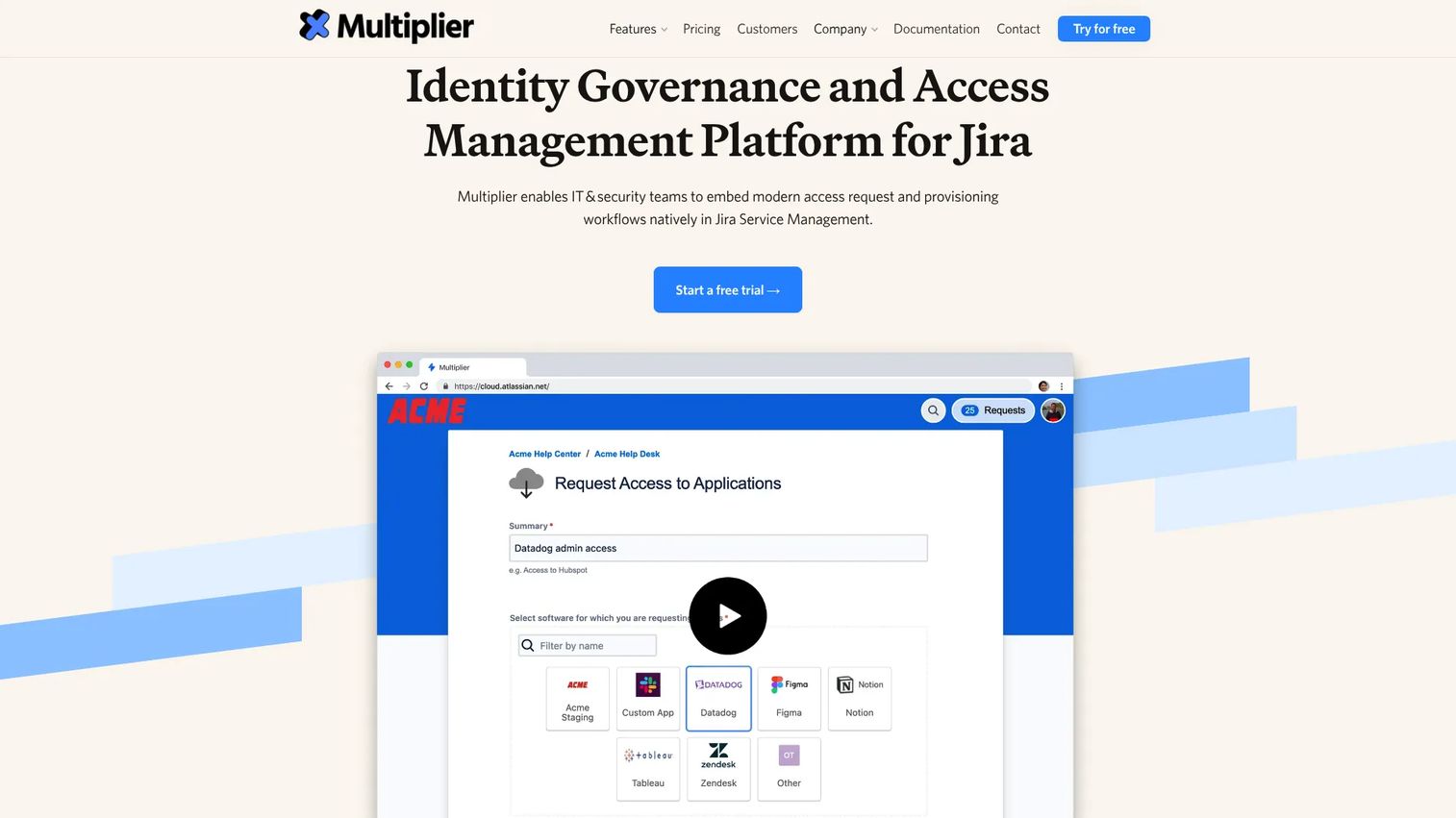
Multiplier is an identity governance and access management platform built for Jira Service Management. It runs access reviews, requests, approvals, and provisioning inside the ITSM workflow your team already lives in. Teams have used it to streamline twice-yearly access reviews for applications like Salesforce and AWS and improve efficiency in managing access across the organization.
The pitch is ITSM-native workflow. Reviewer reminders, license reclamation recommendations, deprovisioning, and audit reporting all happen where support and access tickets are already handled, so access reviews stop being a separate system nobody wants to log into.
Best for: Jira Service Management teams automating access requests, approvals, and access reviews without adding another tool.
Key strengths
- Internal app store for employees
- Slack app for requests and approvals
- Configurable approval policies
Why choose Multiplier: If your team runs on Jira Service Management, Multiplier keeps access reviews inside that workflow, which raises the odds reviewers actually complete them and licenses get reclaimed.
Multiplier pricing: One simple plan at $5 per user per month, billed for licensed Jira users, with a 30-day free trial and annual pricing available through the Atlassian Marketplace.
5. Microsoft Entra ID Governance
Microsoft Entra ID Governance is identity governance software that helps ensure the right people have the right access to the right apps and services at the right time. It protects, monitors, and audits access to critical assets while supporting employee productivity. Access reviews are native to the platform, alongside entitlement management and lifecycle workflows.
For organizations standardized on Microsoft identity, the fit is obvious. Access reviews, access packages, and group governance all run inside the Entra stack, and reviews can be assigned to users, group owners, or self-review. The tool also offers AI-driven access reviews alongside standard ones, which can flag access that looks unusual.
Best for: Enterprises already standardized on Microsoft Entra ID that want native access reviews and identity lifecycle governance.
Key strengths
- Entitlement management with access packages
- Lifecycle workflows for joiners, movers, and leavers
- AI-driven and standard access reviews
Why choose Microsoft Entra ID Governance: If your identity layer is already Entra, native access reviews mean no extra integration work and no separate vendor, with governance data staying inside the Microsoft environment.
Microsoft Entra ID Governance pricing: Available to Microsoft Entra ID P1 and P2 customers, starting at $7.00 per user per month paid yearly. The Microsoft Entra Suite, which includes ID Governance, is $12.00 per user per month paid yearly.
6. Okta

Okta is an identity and access management platform for securing workforce, customer, and partner access. Its Identity Governance product improves efficiency by replacing manual, spreadsheet-based access reviews with automated workflows. For organizations already using Okta as their identity layer, access reviews build directly on the directory and policies they run every day.
The identity-first viewpoint is the differentiator. Because Okta already knows who your users are and what they can reach, review workflows, policy administration, and reviewer flexibility all draw on a single source of identity truth rather than a bolted-on connector.
Best for: Enterprises using Okta as their identity layer that want governance built on the same directory.
Key strengths
- Single Sign-On across apps
- Adaptive multi-factor authentication
- Universal Directory as a single identity source
Why choose Okta: If Okta is already your identity backbone, Okta Identity Governance layers access reviews onto that foundation without introducing a second identity model to reconcile.
Okta pricing: Workforce Identity plans start at $6 per user per month, billed annually, with Core Essentials at $14 and Essentials at $17 per user per month. Professional and Enterprise tiers are quoted on request, and a 30-day free trial is available.
7. SailPoint
SailPoint is an enterprise identity security platform for governing access across human, machine, and AI identities. Built on the SailPoint Atlas platform, its Identity Security Cloud handles enterprise certifications, risk-aware access decisions, and remediation workflows at scale. AI-driven access recommendations help reviewers focus on the grants that carry the most risk.
SailPoint is aimed at governance depth. Role modeling, audit support, and certification campaigns are built for large, complex environments where thousands of identities and entitlements have to be reviewed on a schedule. Expect a more involved implementation that matches the scale of the problem it solves.
Best for: Large enterprises needing identity governance and access security across many systems and identity types.
Key strengths
- Identity Security Cloud for governance at scale
- SailPoint Atlas platform foundation
- AI-driven access recommendations and workflows
Why choose SailPoint: For enterprises with sprawling identity estates and mature governance requirements, SailPoint offers the role modeling and risk-aware certification depth that lighter tools do not attempt.
SailPoint pricing: SailPoint uses custom pricing. Its suites and Navigators offerings are quoted through a demo or sales contact rather than a public price list.
8. Zywave Access Review

Zywave is an insurance technology platform offering branded portals, content, quoting, analytics, and workflow tools for agencies and carriers. Within its broader platform, access review workflow automation supports reviewer reminders, remediation tracking, and compliance evidence for teams operating under insurance-sector regulations like GLBA.
Zywave suits specialized or smaller teams already inside the Zywave ecosystem. If your agency or brokerage runs on the platform, keeping access review workflows there consolidates compliance work rather than adding a standalone governance tool.
Best for: Insurance agencies and brokers that want access review workflows inside their existing client engagement platform.
Key strengths
- Branded client portal and compliance tools
- HR and training resources
- Analytics and reporting dashboards
Why choose Zywave Access Review: For insurance teams already on Zywave, running access review workflows inside the platform keeps compliance tracking and remediation in one place instead of a separate identity tool.
Zywave Access Review pricing: Zywave does not publish public pricing. Plans are quoted based on agency size and platform scope.
Considerations
Integration coverage
The first question is whether the tool can actually pull access data from the systems you use. Check for connectors to your identity providers, SaaS apps, Active Directory, cloud platforms, and ITSM. A tool that only sees half your access leaves the other half unreviewed, which is exactly the gap auditors probe.
Reviewer assignment flexibility
Look for business-rule-based reviewer assignments, not just manager-only or system-owner-only models. Ownership is often distributed across departments, and a rigid assignment model forces awkward workarounds. The best tools let you route reviews to the person who actually knows whether the access is still justified.
Remediation after review
Verify whether the tool can trigger revocation or deprovisioning, not just record a decision. A review that ends in a spreadsheet is not enough. Remediation management that closes the loop, revoking flagged access automatically, is what turns a review from documentation into security risk reduction.
Audit evidence and reporting
Check for exportable reports with timestamps, reviewer actions, and sign-off trails. The output has to be usable by auditors, not just operators. For access reviews tied to SOX, SOC 2, GDPR, HIPAA, ISO 27001, PCI DSS, or GLBA, the evidence trail is the deliverable, so weigh it as heavily as the review workflow itself.
Scalability and maintenance
Confirm the tool can run recurring campaigns without manual cleanup between cycles. As you add systems and reviewers, cadence management, reminders, and escalations matter more. A tool that handles the first review well but requires hours of setup for each subsequent one will not survive contact with a real compliance calendar.
Conclusion
The right access review software depends on where your risk and your identity data already live.
Pathlock fits enterprises that need risk-aware certification with segregation of duties context. Vanta suits compliance-first teams that want reviews wired into their audit program. ManageEngine ADManager Plus is the practical pick for Active Directory shops. Multiplier keeps reviews inside Jira Service Management. Microsoft Entra ID Governance is the native choice for Microsoft identity stacks. Okta builds governance on an existing identity layer. SailPoint delivers governance depth for large, complex estates. And Zywave serves insurance teams already on its platform.
The decision lens stays constant across all of them: how much manual work does it remove, can it act on decisions rather than just record them, and does it produce evidence an auditor will accept? Start by mapping which systems hold your access data, then shortlist the two or three tools with the deepest integration into that stack. Run a scoped pilot on one campaign before committing, and measure it on completion rate and remediation, not feature count.
FAQs
Access review software automates the periodic certification of user permissions across systems. It replaces spreadsheet-based reviews with scheduled campaigns, reviewer workflows, and audit-ready evidence, so organizations can confirm each person still needs the access they hold and revoke what they don't.
Least privilege means users hold only the access their role requires. Access review software enforces it by running scheduled reviews that surface excessive access, flag permissions users no longer need, and trigger remediation. Over successive cycles, this steadily trims standing permissions down to what is actually justified.
The terms overlap heavily. An access review is the act of examining who has access to what. An access certification is the formal, documented sign-off that a reviewer with authority confirms or revokes that access. Certification is the evidence-producing version of a review, and it is what auditors expect to see.
Many user access review tools include remediation management that triggers revocation or deprovisioning when a reviewer flags access. Not every tool acts automatically, so confirm the specific product connects revocation back to your systems rather than just recording the decision in a report.
Cadence depends on your compliance framework and risk profile. Many organizations run periodic access reviews quarterly for sensitive systems and annually or twice yearly for lower-risk ones. Frameworks like SOX and SOC 2 often drive quarterly cycles, while high-privilege access may warrant more frequent review.
Include any system holding sensitive data or granting meaningful privileges: identity providers, Active Directory, financial and ERP systems, cloud platforms, and business-critical SaaS apps. Segregation of duties conflicts often span multiple systems, so reviewing them in isolation misses the risk. Consolidated, multi-system visibility is what makes reviews defensible.
Auditors expect exportable reports showing who reviewed each grant, when, and what action they took, with timestamps and sign-off trails. For access reviews tied to SOX, SOC 2, GDPR, HIPAA, ISO 27001, PCI DSS, and GLBA, they also look for evidence of remediation, so the report should show that flagged access was actually revoked.