You booked six lessons this morning. Two called to reschedule. One parent wants to pay by card but your form only takes cash. And you still have not updated the drive sheet from yesterday's road test. Every one of those tasks routed through you, by phone, one at a time.
That is the operational reality most driving schools run on. The work is not hard. It is just endlessly manual, and it does not scale past the point where the owner stops answering the phone. The fix is software that handles the repetitive parts, self-scheduling, reminders, online signup, payment collection, and record keeping, so the humans focus on teaching people to drive.
The category is growing because operators keep reaching that ceiling. The global driving school management software market was valued at USD 0.98 billion in 2024 and is projected to reach USD 2.34 billion by 2033 at a 9.8% CAGR, according to MarketIntelo (2024). More telling for a buyer: over 80% of licensed U.S. driving schools had integrated some form of digital management system by 2025, per Verified Market Reports (2025). If you are still coordinating by phone and paper, you are now the exception, not the norm.
This guide is a practical shortlist, not a vendor pitch. It reflects real driving school software reviews and workflow needs across scheduling, enrollment, payments, and student management. If your bottleneck is scattered content or buyer confusion in a different context entirely, the same logic that drives good event management or community management software roundups applies here: match the tool to the job, not the marketing.
What's inside
This list covers driving school software built or adapted for scheduling, online enrollment, payments, student records, reminders, and website integration. Some tools are purpose-built for driver education. Others are flexible booking platforms that fit schools with simpler scheduling needs.
We selected tools based on four criteria that matter most to operators: practical workflow coverage across booking and enrollment, usability for both staff and students, mobile access and reminder automation, and available support or onboarding help. Where pricing and ratings are publicly verified, we include them. Where a vendor does not publish figures, we say so rather than guess.
TL;DR
- Best overall for full driving school operations: DrivingSchoolSoftware.com, for schools that need scheduling, enrollment, billing, and student tracking in one system.
- Best for mobile-first enrollment: DrivingSchool.Software, for schools that want smartphone signup, self-scheduling, and GPS lesson tracking.
- Best bundled website plus software: Drivers Ed Solutions, for schools that want registration pages, hosting, and design support packaged together.
- Best for simple appointment-heavy scheduling: Goldie, with a driving school software free version, online booking, SMS reminders, and integrated payments.
- Best flexible booking platform: SimplyBook.me, for branded booking pages, reminders, and payments.
- Best budget-conscious pick: Picktime, with a free plan for smaller schools running straightforward workflows.
What is driving school software?
Driving school software is a driving school management system that automates scheduling, online enrollment, payment collection, student records, and communication for driver education businesses.
Most tools in the category cluster around the same core capabilities. Some are deep vertical platforms built only for driving schools. Others are general booking and appointment tools that cover the scheduling layer well and leave student management lighter.
Common features across driving school management software include:
- Booking and rescheduling: self-scheduling for students, in-car scheduling, and calendar management for instructors and vehicles.
- Online enrollment for driving schools: mobile-friendly signup and registration forms embedded on your website.
- Online payments for driving schools: deposits, card checkout, and package or credit purchases.
- Student management for driving schools: student records, drive sheets, class attendance, and progress tracking.
- SMS reminders for driving schools: automated text and email reminders to reduce no-shows.
- Staff and resource calendars: instructor availability, vehicle assignment, and location scheduling.
- Reporting: enrollment, revenue, and lesson completion visibility.
- Website integration: booking widgets, registration pages, and in some cases full website hosting for driving schools.
The distinction that matters most: driving school scheduling software handles the calendar and booking flow, while full driving school management software adds student records, billing, staff coordination, and reporting on top.
When to use driving school software
Not every school needs the same depth. Match the tool to the bottleneck you feel most.
Reduce phone-based scheduling
When your day is consumed by calls, reschedules, and manual coordination, self-scheduling is the fix. Let students book, cancel, and rebook lessons themselves inside available slots you control. Pair that with automated reminders and cancellation rules, and the phone stops being your scheduling system. This is the single biggest time recovery most operators report after switching to driving school booking software.
Accept online enrollment and payment
When you have website traffic but signup still happens by phone or in person, you are leaking registrations. The goal here is converting a visitor into a paid student without a human touch. Look for mobile-friendly enrollment forms, embedded registration pages, and payment processing that collects deposits or full package fees at checkout. A mobile-friendly driving school website plus online payments turns idle traffic into revenue.
Track students, lessons, and progress
When drive sheets, class rosters, and evaluations live across paper, spreadsheets, and memory, records get messy fast. This is where student management earns its place. Centralize student records, lesson history, attendance, and progress notes so any instructor can pick up where another left off, and so compliance reporting is a lookup rather than a scramble.
Driving school software comparison
Here is the shortlist ranked by fit for dedicated driving school operations first, then flexible booking platforms. Pricing and G2 ratings reflect verified values where available. Where a vendor does not publish pricing or a rating could not be confirmed, the cell notes that.
| # | Product | Intent | Key use case | Pricing | G2 rating |
|---|---|---|---|---|---|
| 1 | DrivingSchoolSoftware.com | Full operations | All-in-one scheduling, enrollment, billing, student tracking | Not publicly listed | 4.6/5 |
| 2 | DrivingSchool.Software | Mobile-first | Smartphone enrollment, self-scheduling, GPS lesson tracking | Not publicly listed | 4.5/5 |
| 3 | Drivers Ed Solutions | Bundled software + website | Registration pages, hosting, design support | From $6.25 per student | 3.6/5 |
| 4 | Goldie | Simple scheduling | Online booking, SMS reminders, payments | Free; Pro from $19.99/mo | 4.3/5 |
| 5 | SimplyBook.me | Flexible booking | Branded booking pages, reminders, payments | Free; paid from $9.99/mo | 4.4/5 |
| 6 | Picktime | Budget booking | Bookings, calendars, staff scheduling | Free; paid from $2.25/user/mo | Not verified |
| 7 | SuperSaaS | Configurable scheduling | Custom booking rules, class bookings, payments | Free; paid from $9/mo | Not verified |
| 8 | BookyWay | Lightweight class booking | Class booking, member management, reminders | Free 30 days; €1.50 per user after | Not verified |
1. DrivingSchoolSoftware.com
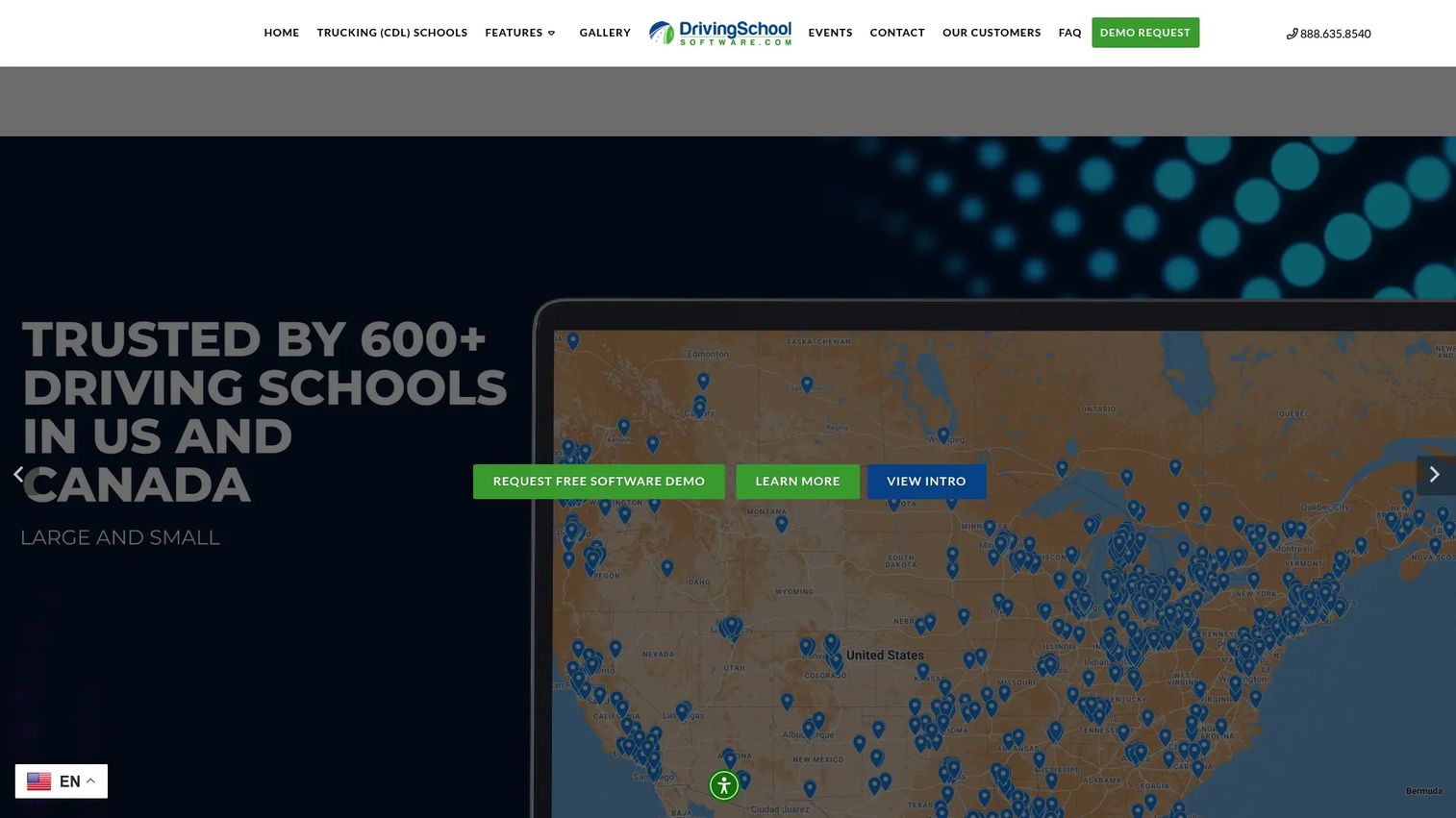
DrivingSchoolSoftware.com is a purpose-built driving school management software that pulls scheduling, billing, enrollment, and student tracking into one system. It is designed for operators who want the whole operation, from first signup to final road test, running inside a single platform rather than stitched together from generic tools. The product carries association logos, testimonials, and regional compliance messaging that signal it was built for this vertical specifically.
Best for: Driving schools that need all-in-one scheduling, enrollment, and student and payment management in one place.
Key strengths
- Drag-and-drop lesson scheduling: Assign lessons, instructors, and vehicles visually instead of juggling a phone and a paper calendar.
- Online student booking and enrollment: Let students self-schedule and register online, cutting phone volume and capturing signups directly.
- Billing, payments, and financial tracking: Collect payments and keep revenue, balances, and financials visible in one view.
Why choose DrivingSchoolSoftware.com: If your school has outgrown spreadsheets and generic booking apps, the depth here fits. It is built around the driving school workflow, so student records, drive sheets, and payments connect natively rather than requiring workarounds. The trust signals, association badges and testimonials, matter to operators who want proof the vendor understands driver education compliance, not just calendars.
DrivingSchoolSoftware.com pricing: The vendor does not publish a public price on its site, so confirm current driving school software pricing directly during a demo. On G2, the product holds a 4.6/5 rating, which is strong for a vertical tool. Ask specifically about setup, per-student or per-seat structure, and what payment processing fees apply before committing.
2. DrivingSchool.Software
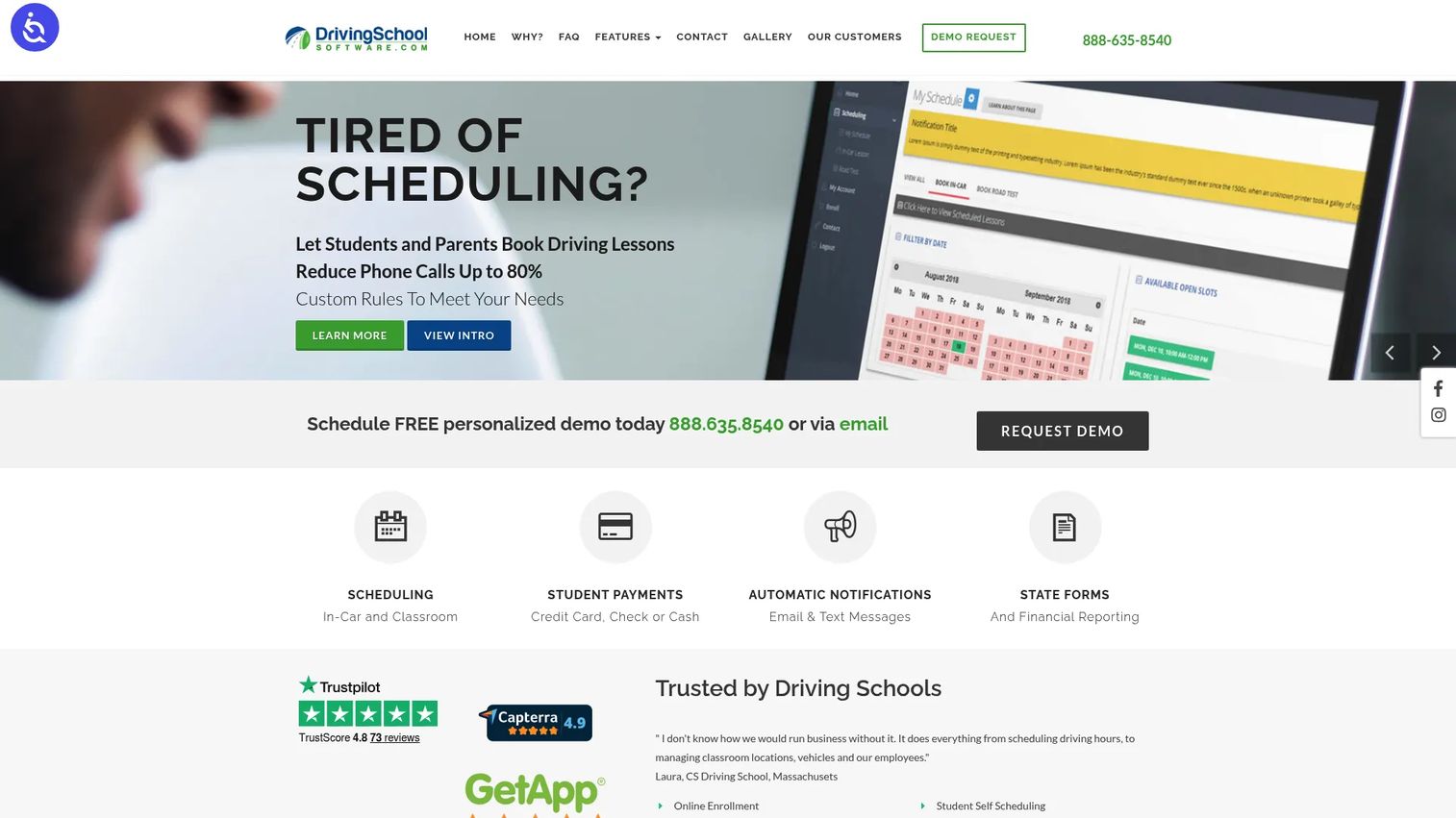
DrivingSchool.Software is a web-based driving school management system with a distinctly mobile-first angle. It leans into smartphone enrollment, self-scheduling, and communication automation, which fits schools whose students and parents live on their phones. The platform also emphasizes free website, hosting, and email as part of its offer, which lowers the setup barrier for smaller operations.
Best for: Driving schools that want smartphone-friendly operations and hands-off communication.
Key strengths
- Drag-and-drop scheduling: Build instructor and vehicle schedules visually, with online student booking feeding directly into the calendar.
- GPS lesson tracking: Log where and when in-car lessons happen, useful for accountability and state compliance for driving schools.
- Zoom integration for driving school classes: Run classroom sessions remotely and connect them to the same scheduling and enrollment system.
Why choose DrivingSchool.Software: The mobile-first positioning is the differentiator. If most of your enrollment and rescheduling starts on a phone, this platform is built around that reality rather than treating mobile as an afterthought. Bundled website and hosting also mean a smaller school can launch a mobile-friendly driving school website without a separate web project.
DrivingSchool.Software pricing: The site references special pricing programs and free website, hosting, and email rather than a published subscription figure, so request current pricing directly. Review evidence on G2 points to a 4.5/5 level, though aggregate volume is limited, so weigh it alongside a hands-on trial. Confirm what is included free versus what the software subscription costs before you decide.
3. Drivers Ed Solutions
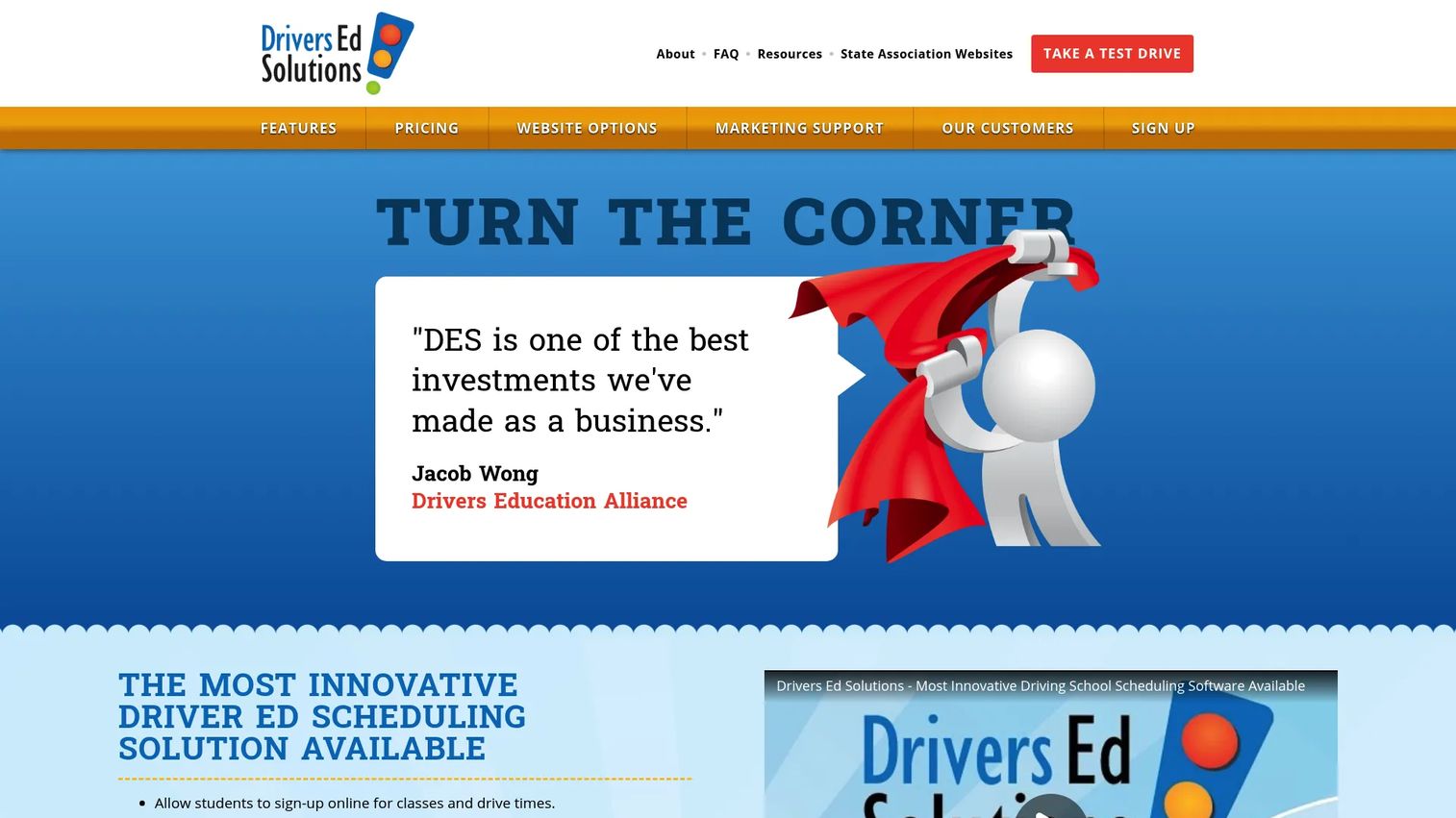
Drivers Ed Solutions is driving school scheduling and website software with a bundled service model. It combines online registration, scheduling, contracts, and reporting with website design and hosting support, which suits schools that want both the software and help getting it live. The package framing is transparent, with setup fees and add-ons listed on a public pricing page.
Best for: Driving schools that want scheduling, registration, and website management handled together.
Key strengths
- Online class registration and scheduling: Publish real-time availability and let students register and book directly from your site.
- Contracts, payments, and text reminders: Handle custom contracts, transcripts, reporting, and SMS reminders for driving schools in one flow.
- Website and database integration: Editable website content with real-time availability, plus optional design support.
Why choose Drivers Ed Solutions: The bundled approach is the appeal. If you do not have a web person and do not want to manage hosting separately, getting registration pages, SEO help, and hosting alongside the scheduling software removes a project from your plate. It is a fit for operators who value implementation support as much as the feature list.
Drivers Ed Solutions pricing: Pricing is public and package-based. A Registration Only option starts at $6.25 one-time per student. The Standard Package is $600 (or $150 for four months), the Preferred Package is $750, and Design Support runs $1,200. Online payment setup can add a $275 setup fee, and a $50 hosting fee applies under ten monthly registrations. On G2 the seller shows a 3.6/5 rating, so trial the workflow before committing.
4. Goldie

Goldie is appointment scheduling and business management software built for service businesses, and it adapts cleanly to schools that mainly need clean booking and payment flow. It covers online booking, automated reminders, deposits, and integrated payments without the vertical depth of a dedicated driving school platform. For a solo instructor or a small school, that simplicity is the point.
Best for: Small driving schools and solo instructors who want straightforward booking, reminders, and payments.
Key strengths
- Appointment scheduling and online booking: Let students self-book lessons from a simple, mobile-friendly interface.
- Automated reminders: Cut no-shows with SMS reminders for driving schools and automated client communication.
- Payments and deposits: Take deposits, keep a card on file, and offer flexible payment options at booking.
Why choose Goldie: If your operation is appointment-heavy and you do not need drive sheets, compliance reporting, or multi-instructor vehicle assignment, Goldie keeps things light and fast. It is a lower-lift option than full vertical software, best when the job is booking and getting paid rather than deep student management.
Goldie pricing: Goldie offers a driving school software free version. The Starter plan is free, Pro is $19.99 per month, and Pro Plus is $39.99 per month, with annual billing at $199.99 and $399.99 respectively. On G2 it holds a 4.3/5 rating, though on limited review volume, so treat that as directional and test the fit yourself.
5. SimplyBook.me
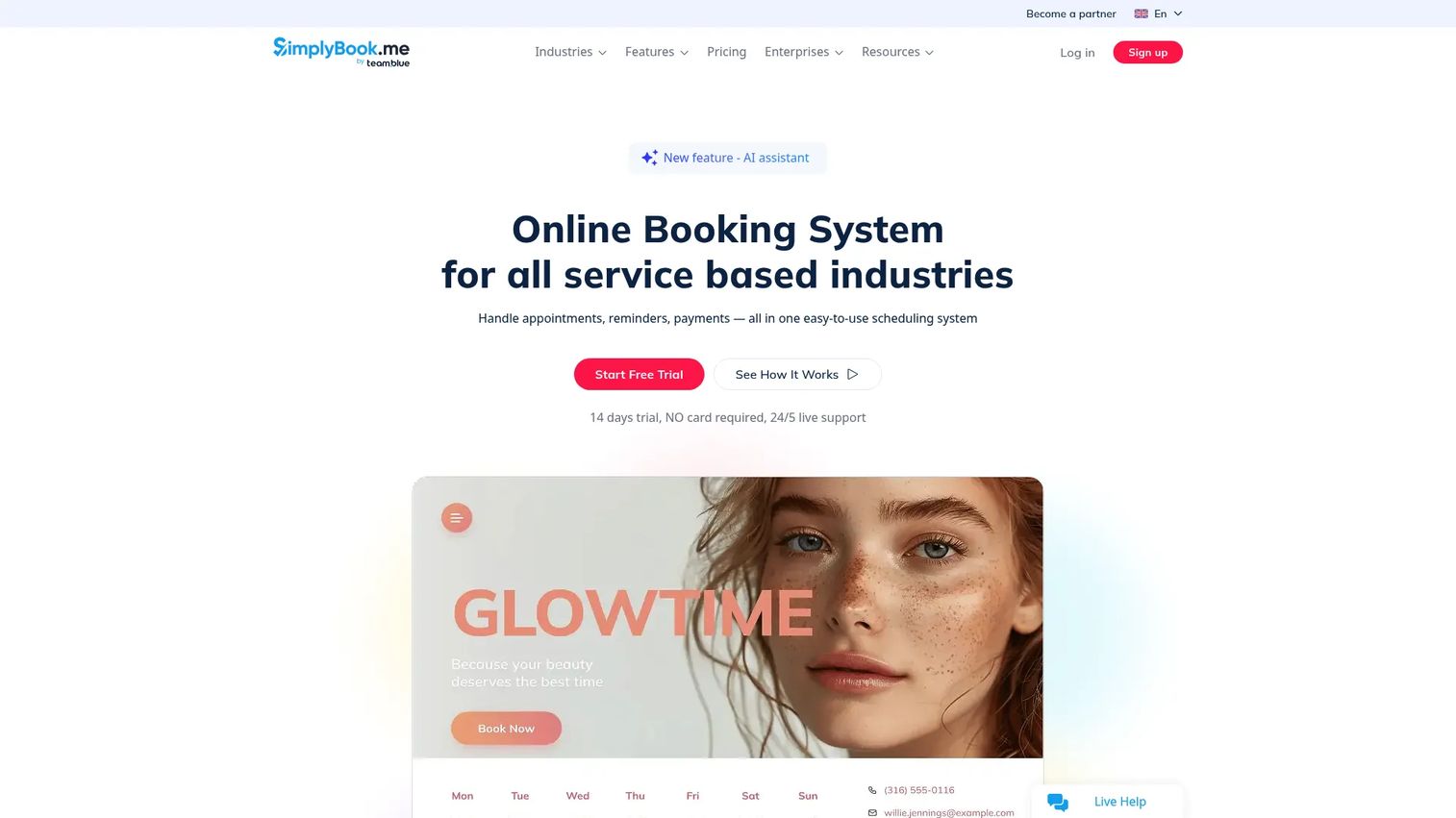
SimplyBook.me is online booking and appointment management software for service businesses, and it works well for driving schools with straightforward scheduling needs. It offers a branded booking website or widget, multi-channel reminders, and payment collection, so students can find availability and book without calling. The platform is flexible enough to shape around lesson-based scheduling.
Best for: Driving schools that want branded booking pages, reminders, and appointment management without vertical overhead.
Key strengths
- Booking website and widget: Publish a branded booking page or embed booking directly on your existing site.
- Multi-channel reminders: Send automated reminders via WhatsApp, SMS, and email to reduce no-shows.
- Payments and client apps: Collect payments and give students and admins dedicated apps for managing bookings.
Why choose SimplyBook.me: SimplyBook.me shines when scheduling is the core need and you want a polished, self-serve booking experience without building it from scratch. The website embedding and reminder options make it easy to plug into a mobile-friendly driving school website. It is a flexible booking platform first, so pair it with separate record keeping if you need deep student management.
SimplyBook.me pricing: There is a free plan, then Basic at $9.99, Standard at $29.90, Premium at $59.90, and Premium Plus at $99.90, with a 14-day free trial and add-on booking and SMS packages. On G2 it holds a 4.4/5 rating. Watch the booking and SMS limits per tier, since heavy reminder volume can push you up a plan.
6. Picktime
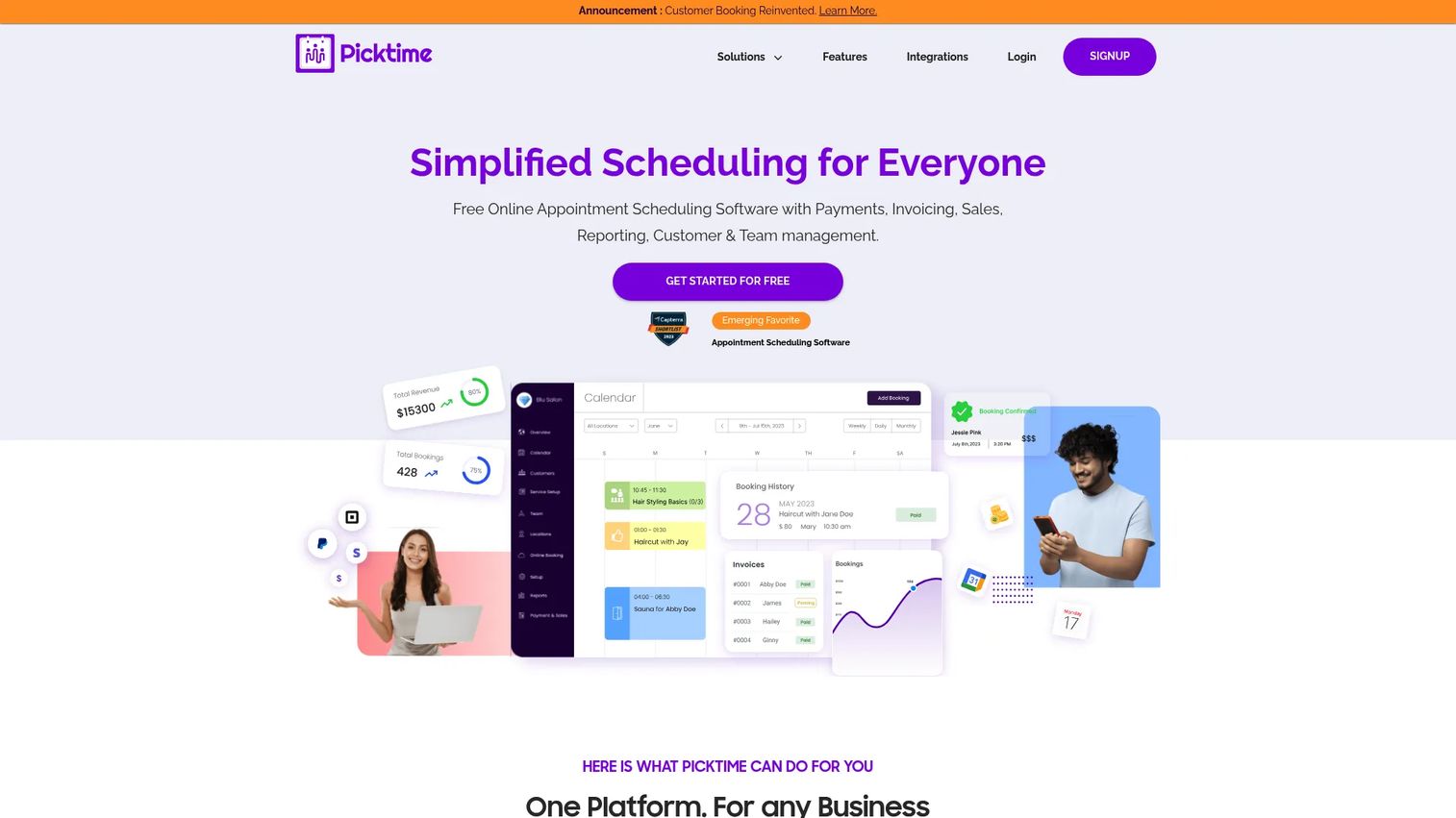
Picktime is online appointment scheduling software for bookings, classes, rooms, and team calendars, and its free-to-start model makes it a budget-conscious pick for smaller schools. It covers booking pages, calendar management, reminders, staff scheduling, and payments, which is plenty for a school with simpler workflows. The two-way calendar sync keeps instructor schedules aligned.
Best for: Small driving schools that want a free-to-start scheduling and booking tool.
Key strengths
- Online booking page: Give students a shareable page to self-schedule lessons and classes.
- Staff and resource scheduling: Manage instructor calendars, locations, and class scheduling in one view.
- Payments and reminders: Collect payments and send automated reminders to keep the calendar full.
Why choose Picktime: Picktime is the practical choice when budget is tight and the workflow is straightforward. A free plan lets a new school get self-scheduling live without upfront cost, and the paid tiers stay inexpensive as you add users. It is a booking layer rather than a full driving school management system, so add record keeping separately if you need it.
Picktime pricing: The Free plan is $0. Starter is $3.00 per user per month and Pro is $2.25 per user per month, both billed annually. A verified G2 rating was not available at publication, though third-party directories show strong reviewer sentiment, so validate with a trial.
7. SuperSaaS
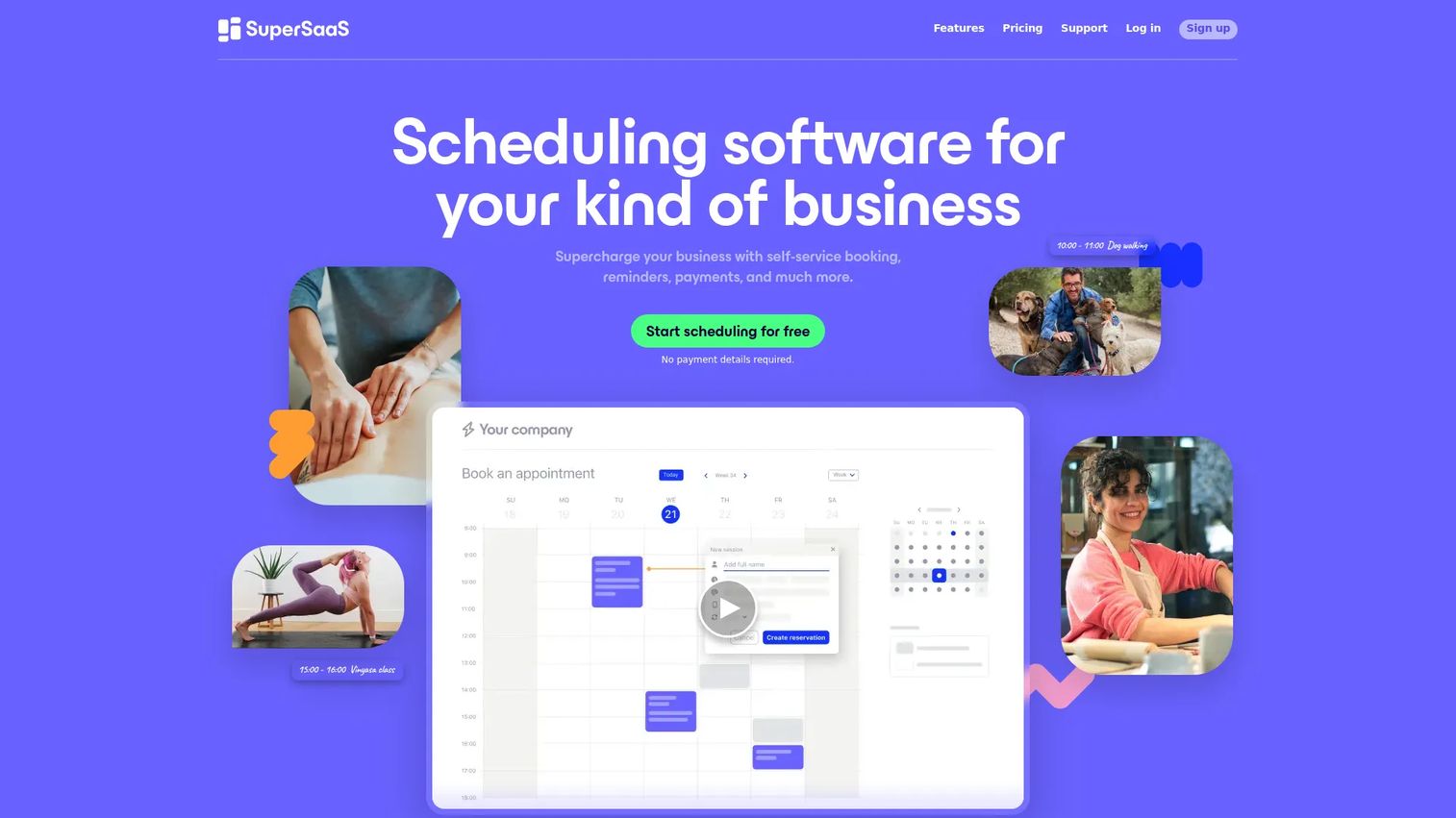
SuperSaaS is online appointment scheduling and reservation software built for configurability, which suits schools that want tight control over booking rules and calendars. It supports flexible scheduling logic, calendar sync with Google Calendar and Outlook, class bookings, payments, and resource management. If your scheduling has specific constraints, SuperSaaS gives you the knobs to enforce them.
Best for: Driving schools that want granular control over booking rules, calendars, and resources.
Key strengths
- Flexible scheduling rules: Configure booking constraints, availability, and self-scheduling for driving schools precisely.
- Calendar sync: Keep bookings aligned with Google Calendar and Outlook or Microsoft 365.
- Payments and promotions: Collect payments and apply pricing rules, promotions, and coupons.
Why choose SuperSaaS: SuperSaaS is the pick when off-the-shelf booking flows are too rigid for how you run lessons. The configurability lets you model in-car scheduling, class capacity, and vehicle resources on your terms. That control is the tradeoff for a plainer interface, so it fits operators who value rules and flexibility over a polished vertical package.
SuperSaaS pricing: There is a free plan, and paid plans scale by usage limits starting around $9 per month and rising through multiple tiers as your appointment and user volume grows. Pricing is shown in dual currency on the public pricing page. A verified G2 rating was not available at publication, so lean on a hands-on trial to judge fit.
8. BookyWay
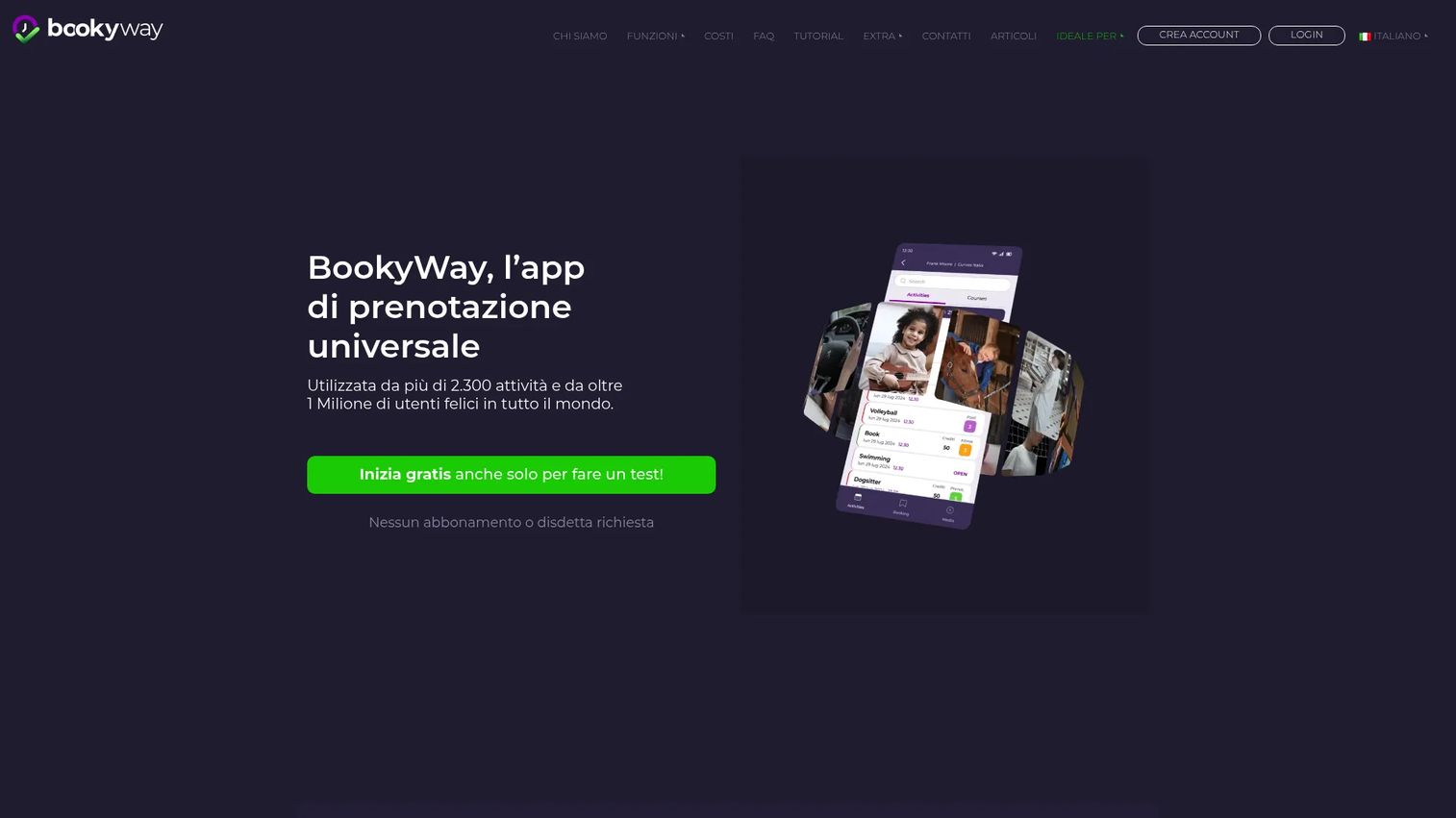
BookyWay is a booking system and app for classes, activities, events, and time slots, and it fits schools that want a lightweight scheduling layer rather than deep vertical operations software. It handles real-time booking, in-app payments with prepaid credit packages, automations, waiting lists, and instructor roles. For class-based driver education, the credit package model maps neatly to lesson bundles.
Best for: Driving schools that want low-cost class and activity booking with app-based management.
Key strengths
- Real-time booking and availability: Let students see open slots and book instantly from the app.
- In-app payments and prepaid credits: Sell lesson packages as prepaid credits students draw down over time.
- Automations and instructor roles: Manage waiting lists, reporting, and instructor permissions with built-in automation.
Why choose BookyWay: BookyWay works when class and package booking is the core need and you want an app-first experience at minimal cost. The prepaid credit model is a natural fit for schools selling lesson bundles. It is a scheduling and booking layer rather than a full student management platform, so it fits lighter operations best.
BookyWay pricing: Registration is free, and the system is free for the first 30 days with all functions. After that, a one-time fee of €1.50 applies per new user added beyond the first 30 days. A verified G2 rating was not available at publication, so validate the workflow during the free period before scaling.
Considerations before you buy
Feature lists blur together fast. These are the criteria that actually separate the right tool from the wrong one for your school.
Workflow depth versus scheduling only
Decide whether you need full driving school management software or just booking. If drive sheets, compliance reporting, and multi-instructor coordination matter, a vertical platform earns its cost. If you mainly need students to book and pay, a flexible booking tool is cheaper and faster to launch.
Online payments and processing fees
Confirm how online payments for driving schools actually work. Check whether the tool takes deposits, full package payments, or prepaid credits, and get the processing fees and any setup charges in writing. A low subscription price with high transaction fees can cost more than a pricier plan.
Reminders and no-show reduction
SMS reminders for driving schools are one of the highest-ROI features, but channels and limits vary. Verify whether reminders go by SMS, email, or WhatsApp, and check per-tier message caps so heavy reminder volume does not force an unexpected upgrade.
State compliance and reporting
Driver education carries state compliance for driving schools requirements. Ask whether the tool supports the transcripts, certificates, and lesson records your state mandates, and whether reporting can produce them on demand rather than by manual export.
Support, onboarding, and website hosting
Weigh how much implementation help you get. Bundled website hosting for driving schools simplifies setup for smaller schools, while larger operations often prefer software that plugs into an existing site. Either way, confirm training, support responsiveness, and how fast you can go live.
Conclusion
The right pick comes down to your current bottleneck. For full vertical operations, DrivingSchoolSoftware.com and DrivingSchool.Software cover scheduling, enrollment, payments, and student management end to end, with DrivingSchool.Software leaning mobile-first. If you want website and software bundled with implementation help, Drivers Ed Solutions packages registration pages, hosting, and design support together.
If your job is mostly booking and getting paid, the flexible platforms fit. Goldie and SimplyBook.me deliver clean scheduling, reminders, and payments with a free or low-cost entry point. Picktime is the budget-conscious pick, SuperSaaS the configurable one, and BookyWay the app-first option for package-based lesson booking.
Start with the workflow costing you the most hours. If it is phone-based scheduling, prioritize self-scheduling and reminders. If it is lost signups, prioritize online enrollment and payments. Shortlist two tools that fit that bottleneck, run a free trial, and confirm pricing, processing fees, and state compliance before you commit.
FAQs
At minimum, look for scheduling, online enrollment, payments, student records, reminders, and reporting. Full driving school management software adds drive sheets, staff and vehicle coordination, and compliance-ready transcripts. Booking-focused tools cover the calendar and payment side well and leave deeper record keeping lighter, so match the feature depth to whether you need scheduling only or full operations.
Most tools support online payments for driving schools, including deposits, card checkout, and prepaid lesson credits. Coverage varies by vendor and by plan tier, so confirm what payment methods are supported, what processing fees apply, and whether payment setup carries a one-time charge before you commit.
SMS reminders for driving schools are common and among the most effective features for cutting no-shows. Channel support varies, some tools send by SMS, others add email or WhatsApp, and message volume is often capped per plan tier. Verify the reminder channels and per-tier limits so heavy reminder use does not force an unexpected upgrade.
Yes. Several tools offer a driving school software free version or entry tier. Goldie, SimplyBook.me, Picktime, SuperSaaS, and BookyWay all have free or free-to-start plans. Check the limits on users, bookings, branding, and reminders, since free tiers usually restrict at least one of those before you outgrow them.
Driving school booking software mainly handles scheduling, self-scheduling, and payment collection. Full driving school management software adds student records, billing, staff and vehicle coordination, and compliance reporting on top. Booking tools are cheaper and faster to launch, while management platforms fit schools that need the whole operation connected in one system.
Yes, especially when it combines automated reminders with self-scheduling and clear cancellation rules. Reminders keep lessons top of mind, self-scheduling lets students rebook instead of ghosting, and cancellation windows protect instructor time. Together these features materially reduce missed lessons compared with phone-only coordination.
It depends on your setup. Bundled website hosting for driving schools simplifies launch for smaller schools that lack a web person, since registration pages, booking widgets, and hosting arrive together. Larger schools with an existing site often prefer software that embeds into what they already run, so confirm both options before choosing.
Prioritize training, implementation help, support responsiveness, and how quickly you can go live. A tool with strong features but slow onboarding can stall for weeks, so ask about setup timelines, whether data migration is assisted, and how support is reachable. For smaller schools, bundled implementation help can matter as much as the feature list itself.