One leaked file can undo months of work. A financial model walks out the door before a fundraise closes. A proprietary training course gets copied and resold. A pre-release video shows up on a piracy forum the week of launch. None of these require a sophisticated breach. They happen because the content moved freely once it left your hands.
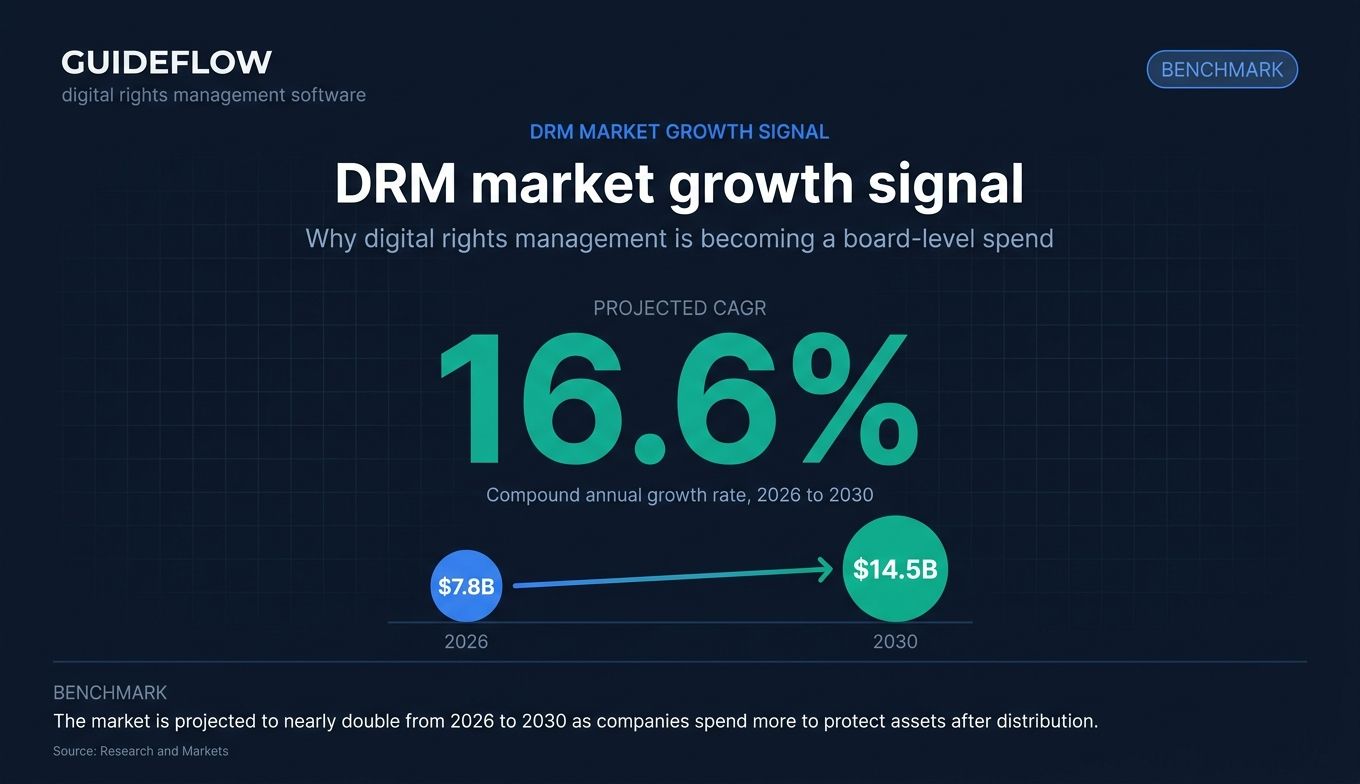
That risk is growing as content multiplies. The digital rights management software market is projected to grow from about $7.8 billion in 2026 to $14.5 billion by 2030, a 16.6% compound annual growth rate, according to Research and Markets. Companies are spending more because the cost of an uncontrolled asset keeps climbing.
For a founder, the tension is real. You want to protect intellectual property and revenue, but you do not want to slow your team or frustrate the customers and partners who need legitimate access. Lock things down too hard and people route around the control. Leave them open and you carry exposure your board will eventually flag.
Digital rights management software exists to resolve that tension. It controls who can open, copy, print, forward, or screen-record a file, and it tracks what happens after the file leaves your systems. The right tool protects the asset without making your people fight the protection. When you're sharing product content like interactive demos with prospects or partners, the same logic applies: protection should travel with the asset while still letting legitimate viewers engage.
This guide ranks ten tools that do that well, organized by the type of content you need to protect.
What's inside
This guide is for security leads, operations leaders, content owners, and founders who need to protect proprietary documents, video, media, and intellectual property. We picked these ten tools by weighing four criteria that matter most when you actually deploy a DRM solution:
- Protection depth: encryption strength, persistent versus session-based control, and watermarking.
- Content and file type coverage: documents, video, software, and media.
- Compliance support: HIPAA, CCPA, GDPR readiness, and audit logging.
- Ease of deployment: how fast it goes live and how much friction it adds for legitimate users.
Each tool below includes what it does, who it fits, its strengths, and verified pricing where the vendor publishes it. If you also evaluate adjacent platforms, our roundups of the best e-signature software and best contract management software tools cover related document-security workflows.
TL;DR
Short on time? Here are the decision shortcuts by buyer type:
- Best for enterprise document security: Fasoo Enterprise DRM, for persistent file-level encryption at scale.
- Best for regulated enterprises with complex access policies: NextLabs, for attribute-based access control.
- Best for content publishers protecting documents and training material: Vitrium DRM, with public starting prices.
- Best for media and video DRM: Adobe Primetime DRM and DoveRunner for streaming protection.
- Best for founders sharing sensitive docs in fundraising or M&A: CapLinked, for secure data rooms.
- Best for app and game protection: AppSealing, for mobile runtime shielding.
What is digital rights management software?
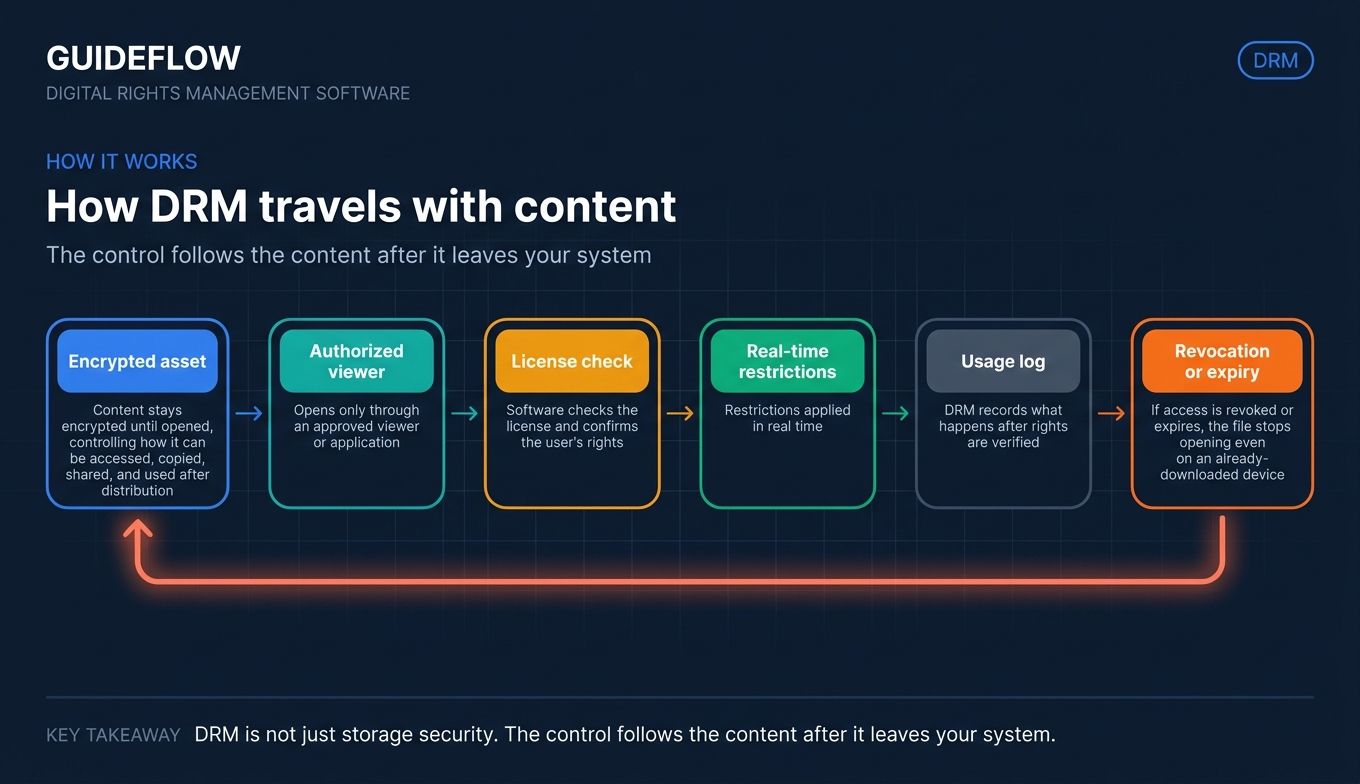
Digital rights management software is technology that controls how digital content can be accessed, copied, shared, and used after it is distributed. In plain terms, DRM (digital rights management) enforces the rules you set on a file, so the person who receives it can only do what you allow. That is the core of DRM protection: the control travels with the content instead of staying behind on your server.
DRM-protected content stays encrypted until an authorized user opens it through an approved viewer or application. At that point, the software checks the license, confirms the user's rights, and applies your restrictions in real time. If access is revoked or expires, the file stops opening, even on a device that already downloaded it.
Most DRM solutions share a common set of capabilities:
- Encryption: scrambles the file so it is useless without a valid key.
- Access control: decides who can open the content, and from which devices or locations.
- Authentication and licensing: verifies identity and issues time-bound usage rights.
- Usage restrictions: blocks or limits printing, copying, editing, forwarding, and screen capture.
- Watermarking: stamps visible or forensic marks that trace a leak back to its source.
- Metadata and tracking: logs who opened what, when, and where.
- License expiration: automatically cuts off access after a set date or condition.
The word DRM (DRM meaning "digital rights management") covers a wide range of content. Some tools focus on documents, others on streaming video, e-books, software binaries, or licensed media. The mechanism is consistent: encrypt the asset, attach the rules, verify rights at the moment of use, and record what happens. The differences across tools come down to which content types they handle and how deep the controls go.
How DRM software protects your content
DRM works across three common scenarios. Each maps to a different reason you would buy a tool in the first place.
Control who accesses sensitive documents and files
This is the most common use case for operators. You have contracts, financial models, board decks, or proprietary research that should reach specific people and no one else. DRM software encrypts those files and ties access to identity, so a forwarded copy is worthless to anyone outside the permission list. You can revoke access after a deal closes or a partnership ends, even for files already downloaded. Controlling who can view content is also central to how teams share interactive demos, where access settings and tracking matter as much as the content itself.
Protect media, video, and published content from piracy
Media companies, publishers, and training providers lose revenue when content is copied and redistributed. DRM protection encrypts video and media streams, restricts playback to authorized apps and devices, and uses forensic watermarking to identify the source of a leak. This raises the cost and traceability of piracy enough to deter most casual theft.
Maintain compliance with HIPAA, CCPA, and GDPR
Regulated data carries legal weight. DRM software supports compliance efforts for HIPAA, CCPA, and GDPR by enforcing access controls, encrypting sensitive records, and keeping audit trails of every access event. It does not guarantee compliance on its own, but it provides the technical controls and logs auditors expect to see when proprietary or personal data leaves your perimeter. For teams handling sensitive product content, security and compliance standards should be part of every vendor evaluation.
Comparison table
Here is a side-by-side view of the ten DRM software tools in this guide. The table sorts by relevance to document and enterprise IP protection first, then media and app protection. Pricing reflects what each vendor publishes; many enterprise DRM solutions quote custom pricing, which we note where applicable. Ratings come from G2 unless stated otherwise.
| # | Product | Intent | Key use case | Pricing | G2 rating |
|---|---|---|---|---|---|
| 1 | Fasoo Enterprise DRM | Enterprise document security | Persistent file-level encryption at scale | Custom quote | 4.6/5 |
| 2 | NextLabs | Regulated enterprise access control | Attribute-based rights on sensitive files | Custom quote | 4.7/5 |
| 3 | Vitrium DRM | Content publishing protection | Documents, PDFs, video with watermarking | From $5K/year | 4.7/5 (Capterra) |
| 4 | Adobe Primetime DRM | Media and video DRM | Premium video across connected devices | Custom quote | 4.6/5 |
| 5 | DoveRunner | OTT and streaming protection | Multi-DRM, forensic watermarking | From $129/month | 4.7/5 |
| 6 | CapLinked | Secure file sharing and data rooms | Fundraising, M&A, due diligence | From $399/month | 4.3/5 |
| 7 | Fadel Rights Cloud | Content rights and royalty tracking | Licensing compliance at scale | Custom quote | 4.4/5 |
| 8 | Galaxkey | Email and file encryption with DRM | Identity-based file protection | Free personal, custom corporate | 4.8/5 |
| 9 | AppSealing | Mobile app and game protection | Runtime shielding, anti-tampering | From $129/month | 4.7/5 |
| 10 | ExpressPlay | Large-scale streaming and broadcast | Cloud multi-DRM, broadcast security | Custom quote | Not listed |
The 10 best digital rights management software tools 2026
Below is each tool in detail: what it does, who it fits best, its key strengths, and verified pricing. Tools are numbered by relevance to the most common DRM buying scenarios, starting with enterprise document protection.
1. Fasoo Enterprise DRM
Fasoo Enterprise DRM is a zero-trust document security solution built to protect, control, and track sensitive files across their entire lifecycle. The encryption stays attached to the file itself, so protection persists whether the document sits in a repository, moves to cloud storage, or lands in someone's inbox. For enterprises with large volumes of confidential documents, this file-centric approach removes the gaps that perimeter security leaves open.
Best for: Large enterprises that need persistent file-level encryption, granular rights control, and full auditability for sensitive internal documents.
Key strengths
- Persistent file protection: Encryption and dynamic access controls travel with each file, wherever it goes.
- Centralized policy management: Apply one security policy across files created, downloaded, or shared from repositories, cloud storage, and other systems.
- Exception policy management: Behavioral analytics help fine-tune security policies so legitimate work is not blocked.
Why choose Fasoo: If your primary concern is internal document leakage at scale, Fasoo focuses squarely on that problem. The persistent encryption model means a file stays protected even after it leaves your controlled systems, which matters when employees, contractors, and partners all touch sensitive content. The behavioral analytics layer is a practical touch, because it reduces the over-restriction that frustrates users in heavy-handed DRM rollouts.
Fasoo pricing: Fasoo does not publish public pricing. The product routes prospects to contact a sales representative for a quote tailored to deployment size and requirements. Plan to scope your file volume and user count before the conversation. Fasoo holds a 4.6/5 rating on G2.
2. NextLabs
NextLabs (SkyDRM) is an enterprise DRM solution built around data-centric security and attribute-based access control. Rather than granting blanket permissions, NextLabs evaluates attributes like user role, location, device, and time to dynamically decide what each person can do with a file. That makes it a strong fit for regulated industries where access rules are complex and constantly shifting.
Best for: Regulated enterprises that need persistent rights management and secure external collaboration for sensitive documents, intellectual property, CAD files, and regulated data.
Key strengths
- Attribute-based policies: Dynamically grant rights such as viewing, editing, copying, forwarding, printing, and content extraction based on context.
- Persistent file protection: Controls hold across devices, data centers, applications, cloud services, and on-premises environments.
- Activity logging and monitoring: Track file access, device type and ID, location, time, and user actions for audit and compliance.
Why choose NextLabs: When your access rules cannot be reduced to a simple permission list, NextLabs earns its place. Attribute-based access control lets you express policies like "engineers in this region can edit during business hours but cannot forward externally" without managing thousands of individual grants. For complex regulatory environments, that policy flexibility is the differentiator.
NextLabs pricing: NextLabs does not disclose public pricing. The product page offers a demo request and the SaaS page offers a trial request, but no plan names or prices are published. Pricing is quote-based and scales with your deployment. NextLabs holds a 4.7/5 rating on G2.
3. Vitrium DRM
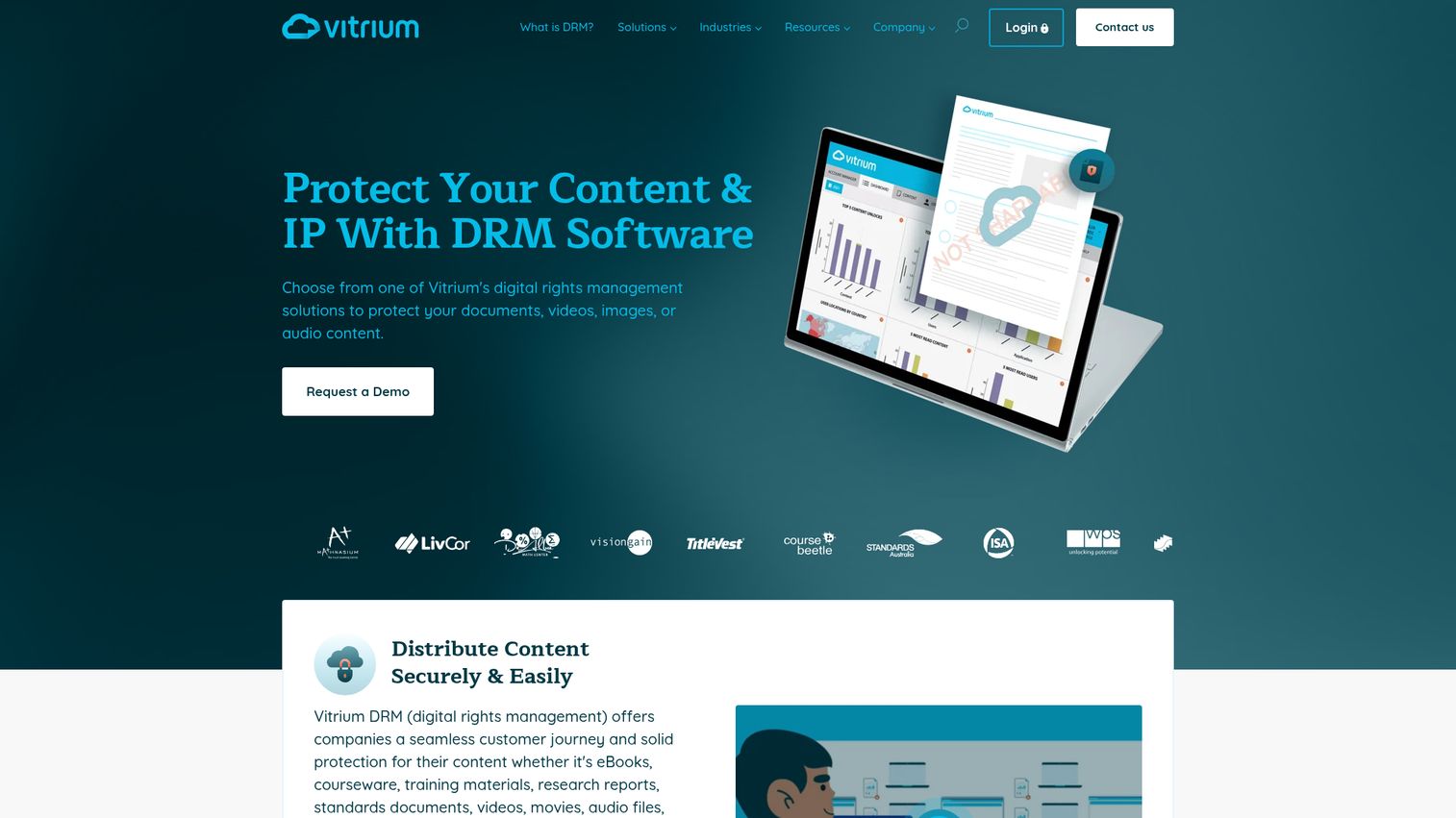
Vitrium DRM protects and controls access to documents, images, video, and audio files. It converts content into encrypted Secure Web Viewer or Protected PDF formats and lets you layer on restrictions: print and copy limits, expiry dates, device caps, IP and location controls, and dynamic watermarks. For publishers and training providers, it pairs protection with the distribution workflows you need to actually get content to paying customers.
Best for: Content publishers and organizations that need to protect proprietary documents, images, videos, or audio with DRM and built-in distribution workflows.
Key strengths
- Multi-format protection: Apply DRM controls to documents, images, video, and audio from one platform.
- Encrypted viewing formats: Convert content into a Secure Web Viewer or Protected PDF that holds restrictions in place.
- Granular usage controls: Set print and copy restrictions, expiry dates, device limits, IP and location controls, and dynamic watermarks.
Why choose Vitrium: Vitrium is one of the few tools here with transparent starting prices, which helps when you need to budget before committing. It also handles a wider range of content types than document-only tools, so a publisher protecting both PDFs and training videos can stay on one platform. The dynamic watermarking is useful for tracing leaks back to a specific user.
Vitrium pricing: Vitrium publishes public pricing. The Pro plan starts at $5,000 billed annually for lower-volume content protection and custom portal distribution. The VitriumOne V1 plan starts at $9,000 billed annually and adds license redistribution. Enterprise pricing, which adds more DRM controls, SSO, integrations, and automation, requires contacting Vitrium. Vitrium holds a 4.7/5 rating on Capterra.
4. Adobe Primetime DRM
Adobe Primetime DRM is a content protection platform for premium video, supporting business models from anonymous access to subscription, rental, and download-to-own. It protects video across a broad device range and integrates into media distribution workflows. For organizations already running content operations in the Adobe ecosystem, it connects naturally to Adobe Experience Manager Assets, which manages rights metadata as part of the content workflow.
Best for: Media programmers and distributors that need DRM protection and licensing workflows for premium video across connected devices.
Key strengths
- Flexible business models: Support anonymous access, subscription, rental, and download-to-own from one platform.
- Broad device support: Protect playback across desktop, iOS, Android, Roku, Xbox, and embedded device platforms.
- Full DRM toolkit: HLS streaming support, persistent content protection, secure playback, output protection, offline viewing, key rotation, and domain support.
Why choose Adobe: If your content operation already lives in Adobe Experience Manager, Primetime DRM keeps video protection and rights metadata in one connected workflow. For reference, consumer ecosystems like Apple's FairPlay Streaming solve a similar protection problem at the device level, and Adobe's platform supports streaming standards alongside its own protection. The fit is strongest for media and entertainment teams managing premium video at scale.
Adobe Primetime DRM pricing: Adobe does not publish public pricing for Primetime DRM. License metrics are based on Account, Stream, or Active Device, with on-premise software deployment. You will need to contact Adobe to scope a quote. Adobe Primetime DRM holds a 4.6/5 rating on G2.
5. DoveRunner
DoveRunner, formerly PallyCon, provides mobile application and content security, including multi-DRM, forensic watermarking, anti-piracy monitoring, and mobile app security. It supports the major DRM systems, so streaming operators can protect content across devices without stitching together separate vendors. The platform is built for OTT and streaming businesses where piracy directly erodes subscription revenue.
Best for: OTT and streaming platforms that need premium video and content security against tampering, piracy, leaks, and unauthorized access.
Key strengths
- Multi-DRM support: Protect content with Widevine, FairPlay, and PlayReady from one service.
- Forensic watermarking: Trace leaks back to the source user with web piracy monitoring.
- Mobile app security: Add code encryption, runtime self-protection, and anti-tampering for apps that deliver content.
Why choose DoveRunner: Streaming operators rarely serve one device type, so single-DRM coverage leaves gaps. DoveRunner covers the major systems together and pairs that with forensic watermarking, which matters when you need to identify exactly who leaked a stream. The combined content and app security makes it a fit for platforms protecting both the video and the app delivering it.
DoveRunner pricing: DoveRunner publishes public pricing for mobile app security. A 30-day free trial is available, the Professional plan is $129 per package per month, and Enterprise pricing is quote-based. The pricing page lists separate pricing for Multi DRM, Forensic Watermarking, and Anti Piracy services. DoveRunner holds a 4.7/5 rating on G2.
6. CapLinked
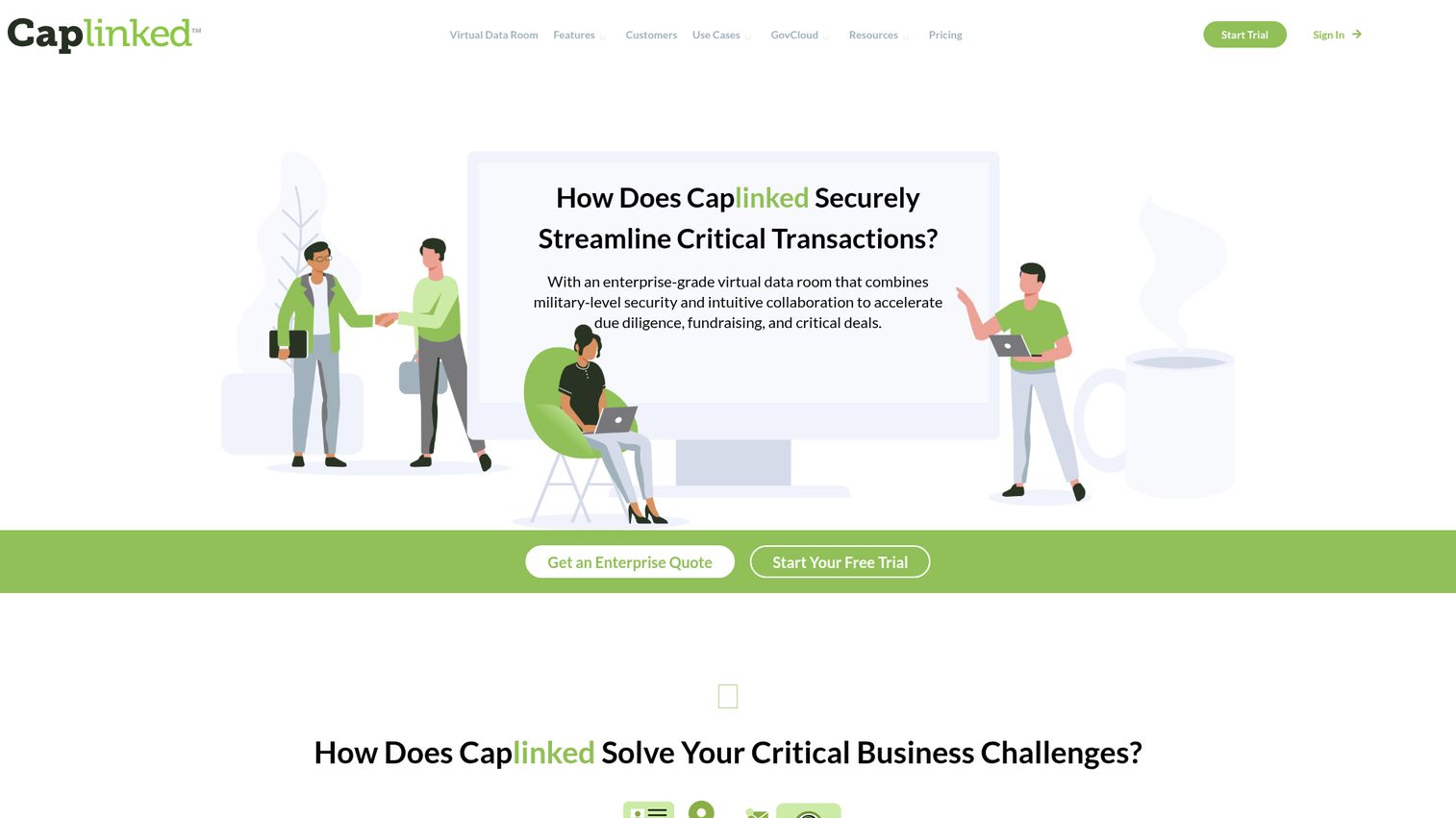
CapLinked is a virtual data room platform for secure document sharing during due diligence, fundraising, M&A, and other sensitive transactions. Its FileProtect DRM lets you set permission-based access, custom watermarks, view-only access, and full audit trails on every document. For a founder running a fundraise or acquisition, this is the tool that protects your financial model and IP while still letting investors and acquirers review it.
Best for: Founders and finance teams that need a secure, auditable virtual data room for fundraising, M&A, due diligence, legal, or other sensitive document workflows.
Key strengths
- Secure data rooms: Permission-based access controls, custom dynamic watermarks, view-only access, two-factor authentication, and full audit trails.
- Document management: Drag-and-drop upload, automatic file indexing, version history, OCR full-text search, and new-document notifications.
- Deal workflow tools: EZ Q&A, bulk invites, report building, one-click archiving, CSV and Excel exports, and API integrations.
Why choose CapLinked: This is the entry on the list built for the exact moment a founder worries about IP exposure: sharing sensitive documents with outside parties during a deal. The audit trail tells you who viewed what and when, the watermarks deter screenshots, and view-only access keeps your model from walking out as a copy. It protects revenue and IP without making diligence painful for the other side.
CapLinked pricing: CapLinked publishes public pricing. The Team plan is $399 per month and includes flexible storage, unlimited guest users, security features, OCR search, permissions, EZ Q&A, and SOC 2, with no long-term contract. The Enterprise plan is $500 per month or $5,000 per year and adds IP whitelisting, SAML SSO, custom API integrations, PDF redaction, and a 99.9% uptime SLA. A 14-day free trial is available; there is no permanent free tier. CapLinked holds a 4.3/5 rating on G2.
7. Fadel Rights Cloud

Fadel Rights Cloud is a cloud-based rights management solution for capturing contracts, checking asset usage rights, tracking distributed assets, and reporting on rights compliance. It is less about encrypting a file and more about managing the legal rights tied to your content: who licensed what, for which territories, and for how long. For brands and media teams licensing content at scale, it prevents the costly mistake of using an asset past its rights window.
Best for: Brands, agencies, and content-centric teams that need to manage content usage rights, avoid asset misuse, and monitor compliance after distribution.
Key strengths
- Contract capture: Manage agreements and contract terms for models, photographers, and other rights holders.
- Real-time rights validation: Check asset availability against start dates, end dates, territories, and channels before use.
- Asset tracking: Monitor distributed assets across the internet for expirations, brand compliance, and usage compliance.
Why choose Fadel: Fadel solves a different slice of the DRM problem. If your risk is not file leakage but using licensed content beyond what your contracts allow, this is the tool. Real-time rights validation stops a team from publishing an image after its license expires, which avoids legal exposure and reshoot costs. It fits brands and media operations managing large licensed libraries.
Fadel Rights Cloud pricing: Fadel does not publish public pricing. Fees are specified in an order form, generally quoted in USD, with no public starting price or free tier. You will need to contact Fadel to scope your requirements. Fadel holds a 4.4/5 rating on G2.
8. Galaxkey
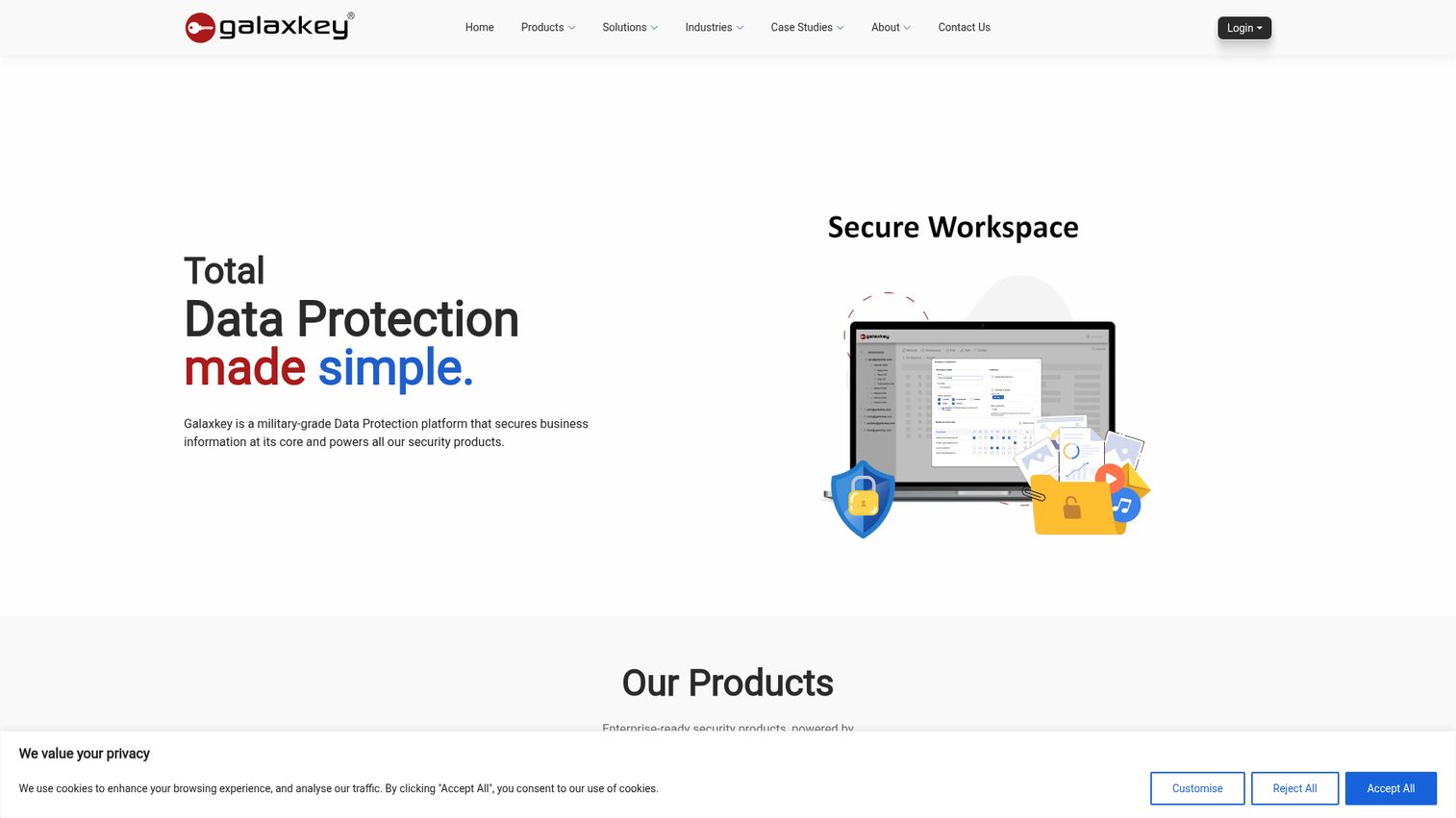
Galaxkey Secure Files & Digital Rights Management is a content-level data protection solution that secures files with persistent encryption and identity-based digital rights controls. It pairs file DRM with email and file encryption, so organizations can protect both messages and attachments under one identity-driven system. The persistent encryption means controls and revocation stay attached to the file wherever it travels.
Best for: Organizations that need persistent file encryption, rights management, revocation, auditing, and data sovereignty controls for sensitive documents.
Key strengths
- Persistent file-level encryption: Protection stays attached to each file, on any device or location.
- Granular digital rights management: Control viewing, editing, copying, printing, sharing, and revoking access per user.
- Time and location restrictions: Limit access by date window or geographic location.
Why choose Galaxkey: If your protection needs span both email and files under one identity model, Galaxkey combines them rather than forcing two tools. The revocation capability is practical: if a file is shared in error, you can cut access even after it has been opened. The data sovereignty controls appeal to organizations with strict residency requirements.
Galaxkey pricing: Galaxkey states it is free for personal use, while corporate customers purchase a license based on requirements through sales or a partner. No public corporate pricing is published. Galaxkey Secure Workspace, the closest G2 profile, holds a 4.8/5 rating.
9. AppSealing
AppSealing, now presented under DoveRunner, provides mobile app security for Android and iOS apps with runtime protection, threat monitoring, and code-free deployment. Instead of protecting a document or video, it protects the app binary itself from tampering, reverse engineering, and fraud. For developers shipping apps and games, it shields the intellectual property baked into the code.
Best for: Mobile app and game developers who need no-code runtime protection and monitoring for Android and iOS apps and binaries.
Key strengths
- Code-free protection: Add security to mobile apps without changing source code.
- Runtime application self-protection (RASP): Defend the app while it runs against tampering and attacks.
- Threat analytics: Monitor threats and app integrity with real-time visibility.
Why choose AppSealing: Document and video DRM does nothing for a compiled mobile app. AppSealing fills that gap with runtime application self-protection (RASP) and anti-tampering, which matter most for games and apps where pirated or modified builds directly cost revenue. The code-free deployment means engineering can add protection without rewriting the app, which keeps the team moving.
AppSealing pricing: AppSealing publishes public pricing. A 30-day free trial gives access to Professional features, the Professional plan is $129 per app per month, and the Enterprise plan is custom-priced with volume discounts, priority support, and Data APIs. The free trial is time-limited, not a permanent free tier. AppSealing holds a 4.7/5 rating on G2.
10. ExpressPlay
ExpressPlay, from Intertrust, is a media security suite for cloud-based multi-DRM, content protection, anti-piracy, watermarking, and secure streaming. It supports the full range of major DRM systems plus broadcast TV security, which makes it a fit for large-scale streaming providers and broadcasters. The cloud architecture is built to scale with high-volume content delivery.
Best for: OTT streaming providers, broadcasters, and content distributors that need scalable DRM-based content protection and anti-piracy services.
Key strengths
- Broad multi-DRM coverage: Supports Apple FairPlay Streaming, Google Widevine, Microsoft PlayReady, Adobe Primetime, and Marlin DRM.
- Anti-piracy and watermarking: Web piracy monitoring, legal enforcement, fingerprinting, and forensic watermarking.
- Secure offline DRM: Protected content delivery and playback in limited-internet environments.
Why choose ExpressPlay: For operators running at broadcast scale, the breadth of DRM support is the draw. ExpressPlay covers five major DRM systems plus broadcast security, so a large distributor can standardize on one provider across streaming and traditional delivery. The offline DRM capability is a practical advantage for environments with unreliable connectivity.
ExpressPlay pricing: Intertrust does not publish public pricing for ExpressPlay. The site offers a free consultation, free trial, and contact options rather than listed plan tiers. You will need to contact Intertrust to scope a quote for your delivery volume.
How to choose digital rights management software
The right DRM solution depends on what you are protecting and who needs access. Run your shortlist through these five criteria before committing.
Content and file type coverage
Match the tool to your content. Document-focused tools like Fasoo and CapLinked do little for streaming video, and video DRM does nothing for a mobile app binary. List your actual content types first, documents, video, media, apps, then filter tools that cover them. A multi-format tool like Vitrium can consolidate document and video protection on one platform.
Protection depth
Decide how strong your controls need to be. Persistent encryption keeps protection attached to a file even after download, which matters for highly sensitive IP. Session-based control is lighter but lifts once the content is open. Add watermarking when you need to trace a leak back to a specific user, not just prevent it.
Compliance and audit support
If you handle regulated data, verify the tool produces the audit logs and access controls that HIPAA, CCPA, and GDPR expect. Audit trails answer the auditor's first question: who accessed this, when, and from where. No DRM tool guarantees compliance, but the right one gives you the technical evidence to support it.
Deployment and team friction
A control your team routes around protects nothing. Check how fast the tool deploys and how much it interferes with legitimate work. Behavioral exception management, like Fasoo's, reduces over-restriction. The goal is protection that holds without making customers or employees fight it.
Pricing model and scalability
Match the pricing to your stage. Tools with public starting prices, like Vitrium and CapLinked, let you budget without a sales cycle. Enterprise DRM solutions quote custom pricing that scales with users and file volume, so scope those numbers before the call.
Common DRM implementation mistakes to avoid
Even a strong DRM solution fails if it is deployed poorly. Watch for these patterns.
Over-restricting access and hurting legitimate users. Lock everything down and your team finds workarounds that defeat the control entirely. The fix is to tier access by sensitivity. Protect the crown-jewel documents tightly and apply lighter controls to lower-risk content, so people are not fighting the system on every file.
Ignoring the analog hole. No DRM can stop someone from photographing a screen or re-recording a video. The fix is to pair DRM with forensic watermarking and access monitoring. You cannot prevent every capture, but you can trace it back to the source and deter the leak in the first place.
Choosing the wrong tool for your content type. Buying media DRM to protect documents, or document DRM to protect a mobile app, leaves the actual content exposed. The fix is to match the tool to the content. Run your content inventory first, then pick the tool built for it.
Treating DRM as a one-time setup. Access needs change as people join, leave, and deals close. The fix is to review and revoke access on a schedule, and to use tools that let you cut access even on already-downloaded files.
Conclusion
The right DRM tool depends entirely on what you are protecting. For enterprise document security at scale, Fasoo and NextLabs lead on persistent encryption and policy depth. For content publishers, Vitrium covers documents and video with transparent pricing. For media and streaming, Adobe Primetime DRM, DoveRunner, and ExpressPlay protect premium video across devices. For founders sharing sensitive files in a fundraise or M&A, CapLinked is purpose-built for that exact moment. For app developers, AppSealing shields the binary itself.
Your next step is simple. Inventory your most sensitive content by type, then shortlist two or three tools that cover it. Run a deployment test before you commit, and watch for one thing above all: does the protection hold without making your team or your customers fight it? A DRM solution that protects revenue and IP while staying out of the way is the one worth keeping. Pick the tool that matches your primary content type, and validate it on your real workflow before you sign. And if part of your content strategy involves showcasing your product securely, Guideflow lets you build and control how you share interactive demos with the right access settings.
FAQ
DRM protection is a set of controls that govern how digital content can be accessed and used after it is shared. It works by encrypting the content, then verifying the user's identity and license at the moment they try to open it. If the user has valid rights, the approved viewer decrypts the file and applies your restrictions; if not, the content stays locked. The protection travels with the file, so DRM-protected content remains controlled even after it leaves your systems.
A digital asset management (DAM) platform organizes, stores, and distributes your assets, focusing on findability and workflow. DRM software enforces usage and access rights, focusing on protection and control. They overlap because some DAM platforms include rights metadata fields to track licensing, but a DAM does not encrypt content or enforce restrictions the way dedicated DRM does. Many organizations run both: a DAM to manage assets and DRM to protect the sensitive ones.
It can be, when the risk justifies the deployment effort. If you are sharing financial models in a fundraise, protecting proprietary training content, or handling regulated data, a DRM solution protects revenue and IP that a leak would damage. Weigh the exposure against the setup cost. A tool like CapLinked with public pricing and fast deployment fits an early-stage company better than a heavy enterprise platform that requires months to roll out.
No. Because of the analog hole limitation, someone can always photograph a screen or re-record a video outside the DRM system's control. What DRM does is raise the cost and friction of theft enough to deter most casual piracy, and it adds traceability through forensic watermarking. You cannot prevent every leak, but you can make it hard enough that most people do not bother, and trace the source when one happens.
DRM software commonly supports compliance efforts for HIPAA, CCPA, and GDPR by enforcing access controls, encrypting sensitive records, and maintaining audit trails of every access event. The audit logs are often the key requirement, since they document who accessed what and when. DRM does not guarantee compliance on its own; it provides the technical controls and evidence that fit into a broader compliance program.
It varies widely. Some tools publish starting prices: Vitrium begins at $5,000 billed annually, CapLinked at $399 per month, and DoveRunner and AppSealing at $129 per month. Many enterprise DRM solutions, including Fasoo, NextLabs, Adobe Primetime DRM, Fadel, and ExpressPlay, use custom quotes that scale with your users and content volume. Galaxkey is free for personal use with corporate licensing quoted separately.
DRM software can protect documents and PDFs, video and streaming media, e-books, software and mobile apps, images, audio, and increasingly 3D assets. The mechanism is consistent across types: encrypt the content, attach usage rules, and verify rights at the moment of use. Different tools specialize in different content, so match the tool to what you need to protect rather than expecting one platform to cover everything.
Often, yes. The protection mechanisms differ enough that many tools specialize in one or the other, so a document DRM tool will not protect streaming video, and vice versa. Some platforms, like Vitrium, cover multiple content types on one system, which can let you consolidate. The practical answer is to inventory your content types first, then decide whether one multi-format tool covers you or whether you need a dedicated tool per type.